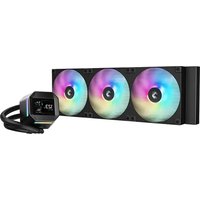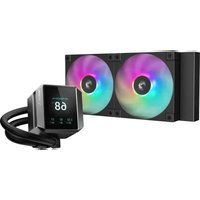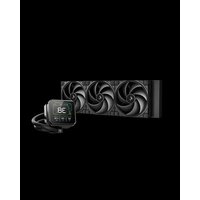
Spartacus 360 - Système de refroidissement de matériel informatique DeepCool - Notice d'utilisation et mode d'emploi gratuit
Retrouvez gratuitement la notice de l'appareil Spartacus 360 DeepCool au format PDF.


| Caractéristiques techniques | Radiateur 360 mm, 3 ventilateurs de 120 mm, compatibilité avec les sockets Intel et AMD |
|---|---|
| Utilisation | Conçu pour le refroidissement des processeurs hautes performances dans les configurations gaming et workstation |
| Maintenance et réparation | Facilité d'accès pour le nettoyage des ventilateurs et du radiateur, vérification régulière du niveau de liquide de refroidissement |
| Sécurité | Protection contre les fuites de liquide, fonctionnement silencieux, respect des normes de sécurité électrique |
| Informations générales | Installation simple avec un guide fourni, garantie constructeur de 2 ans, poids total de 2,5 kg |
FOIRE AUX QUESTIONS - Spartacus 360 DeepCool
Questions des utilisateurs sur Spartacus 360 DeepCool
0 question sur cet appareil. Repondez a celles que vous connaissez ou posez la votre.
Poser une nouvelle question sur cet appareil
Téléchargez la notice de votre Système de refroidissement de matériel informatique au format PDF gratuitement ! Retrouvez votre notice Spartacus 360 - DeepCool et reprennez votre appareil électronique en main. Sur cette page sont publiés tous les documents nécessaires à l'utilisation de votre appareil Spartacus 360 de la marque DeepCool.
MODE D'EMPLOI Spartacus 360 DeepCool
SPARTACUS Series
360/420mm Liquid Cooler
SPARTACUS 360
SPARTACUS 420
SPARTACUS 360 WH
SPARTACUS 420 WH
INTEL-LGA1851/1700 1
INTEL-Offset Mounting Bracket(Recommended for LGA1851) 4
AMD-AM5/AM4 7
Chassis & Radiator 12
Tube Comb 13
HUB 14
Connection 16
Download 19
INTEL & AMD
| [A] | [B] | [C] |
| [GYZA] | 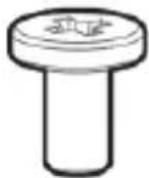 | 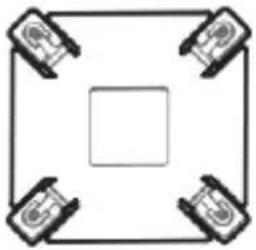 |
| ×1 | ×12 | ×1 |
| [D] | [E] | [F] |
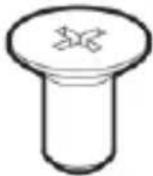 | 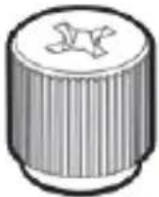 |  |
| ×4 | ×4 | (Preinstalled ×2) ×3 |
| [G] | [H] | [I] |
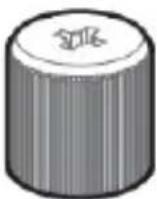 |  | 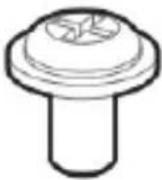 |
| ×1 | ×1 | ×4 |
INTEL & AMD
text_image
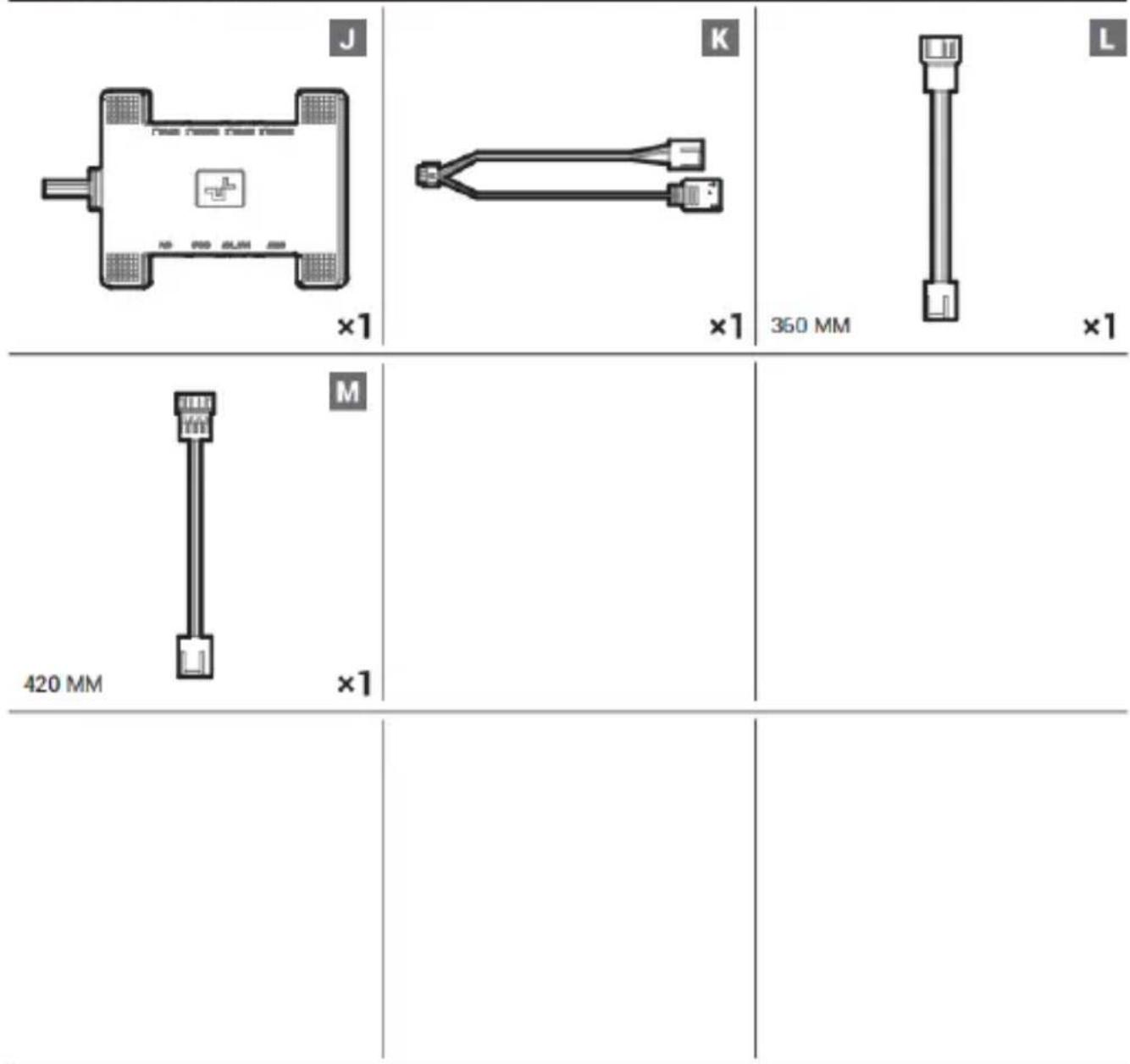
J ×1 K ×1 L 350 MM ×1 M 420 MM ×1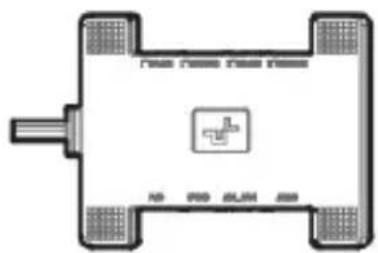
text_image
New New New New 10 900 800 600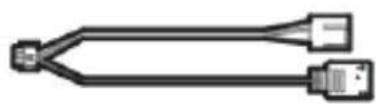


INTEL
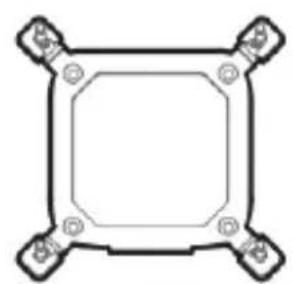
natural_image
Pure geometric diagram of a square frame with four corner bolt holes (no text or symbols)1851-1700
N
×1
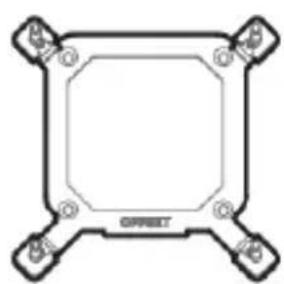
natural_image
Pure technical diagram of a square mechanical component with mounting holes and central octagonal cutout (no text or symbols)1851·1700 OFFSET
0
×1
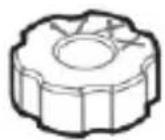
P
×4
AMD
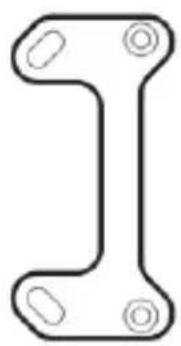
natural_image
Pure mechanical bracket diagram without any text, numbers, or symbolsQ
×2
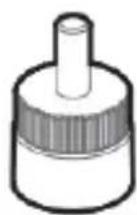
AM5·AM4
R
×4
×4
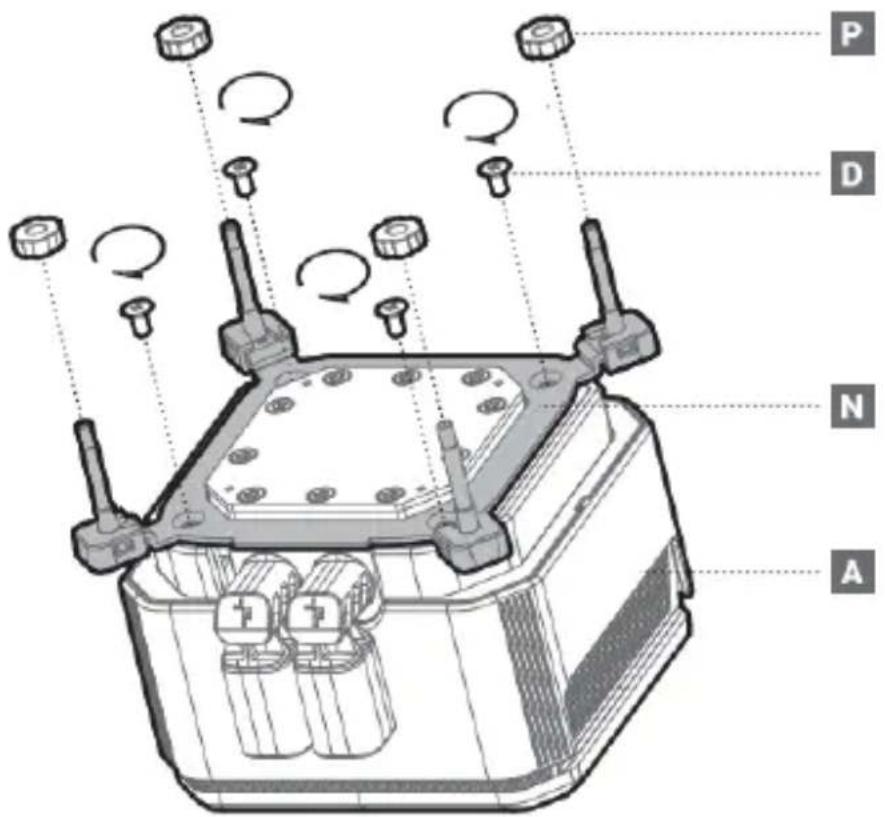
text_image
P D N A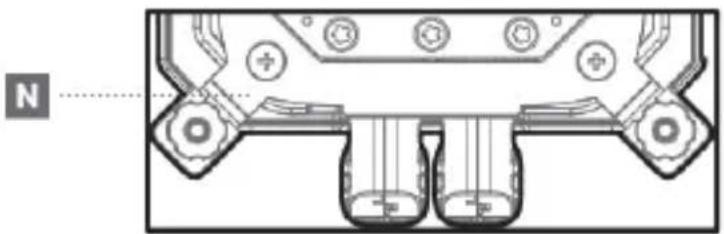
natural_image
Technical diagram of a mechanical component with no visible text or symbols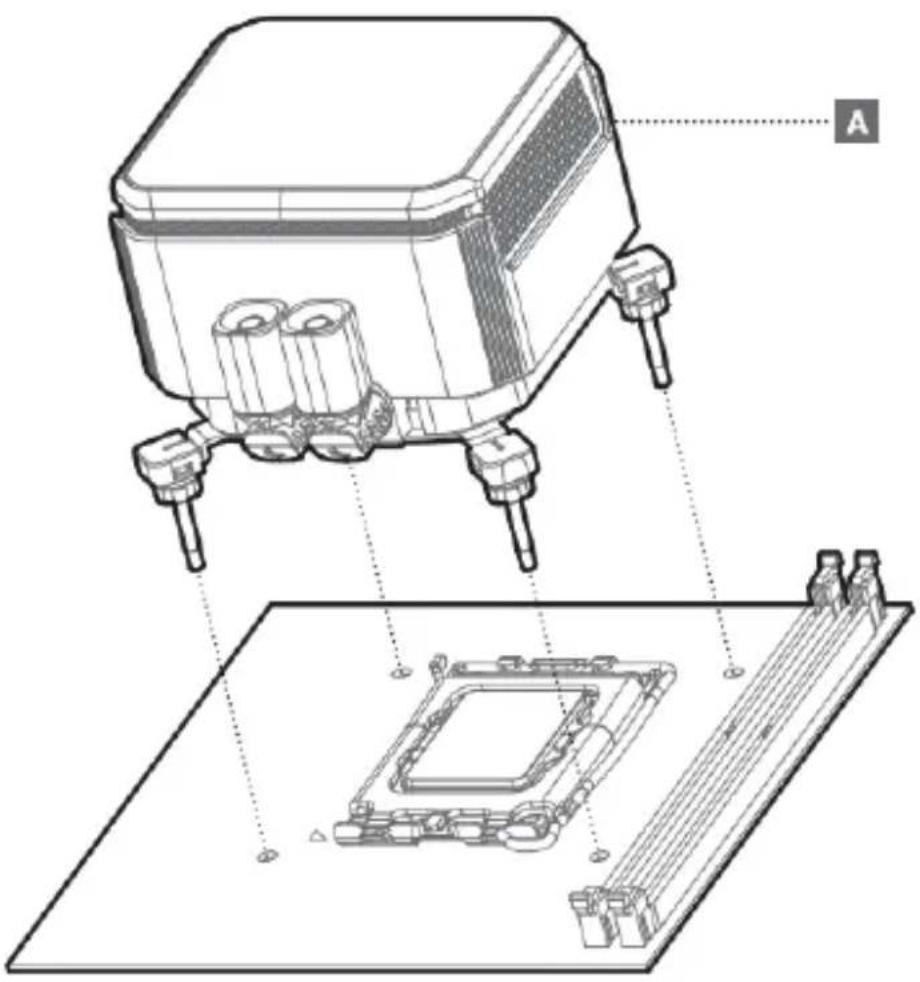
text_image
Technical diagram of a microchip with labeled components and assembly steps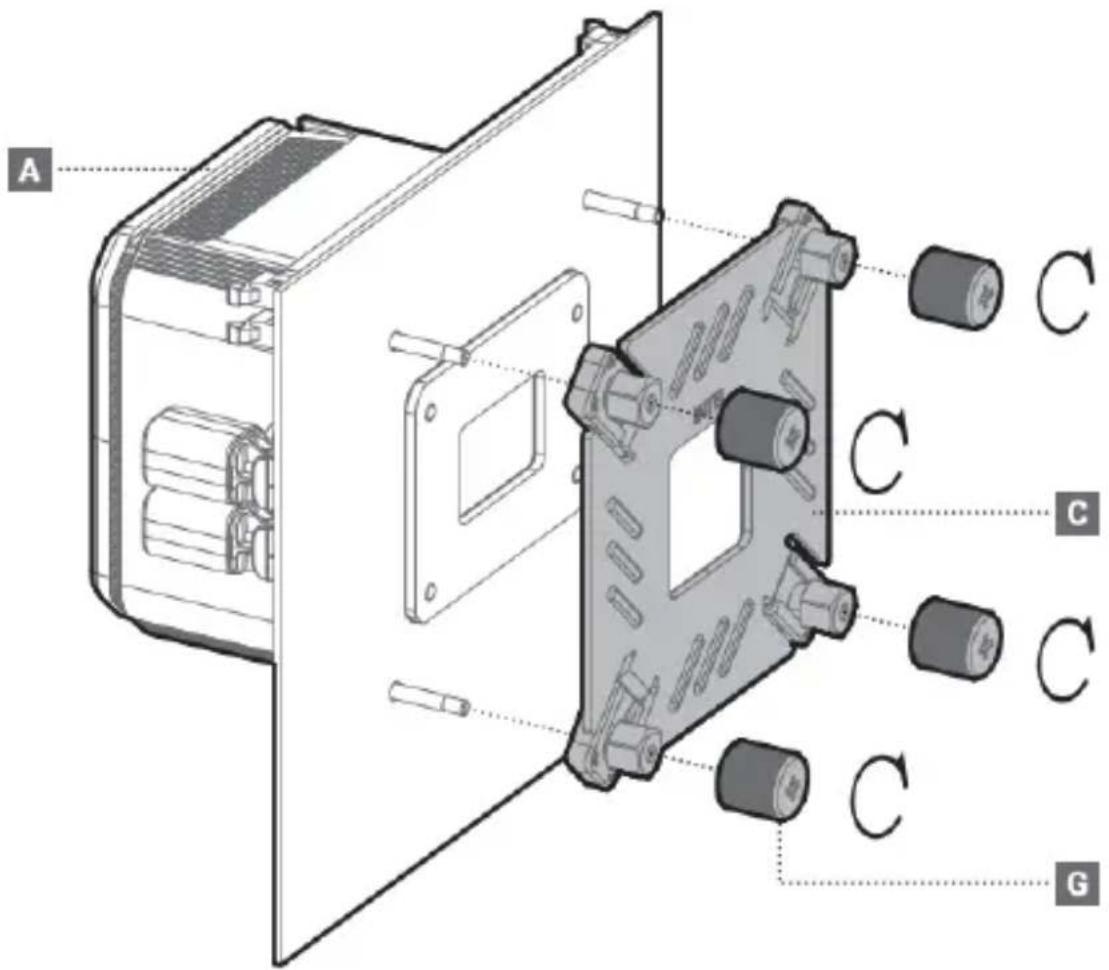
text_image
A C C C C G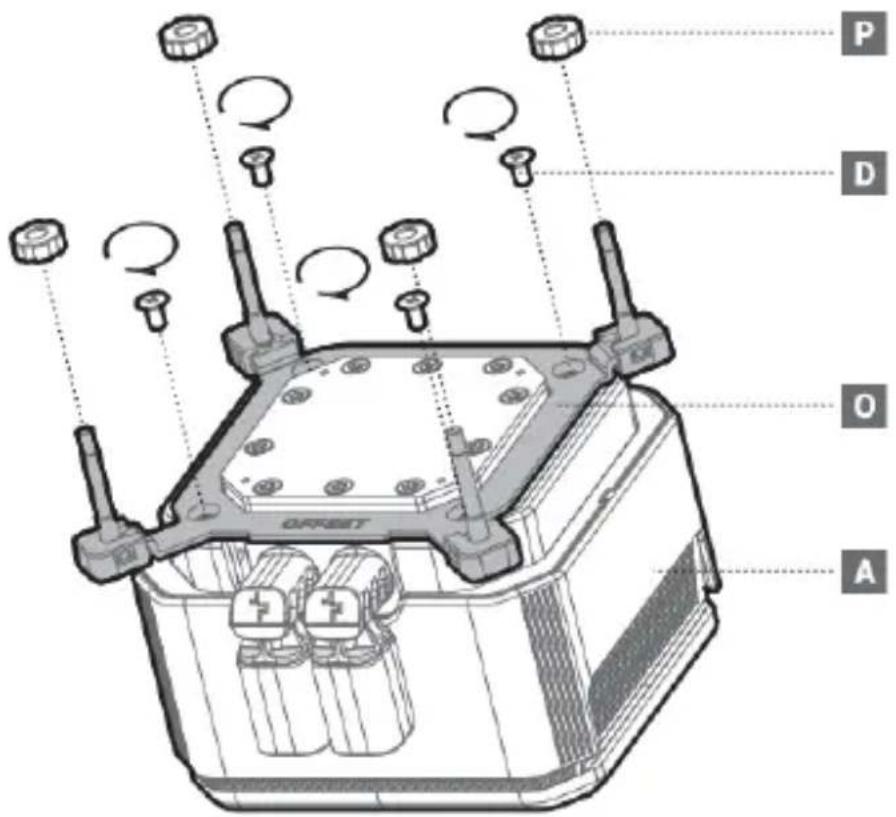
text_image
P D O A OFFSET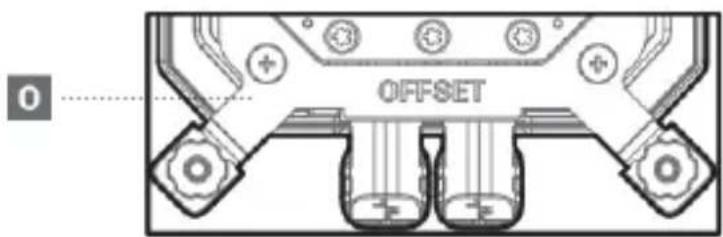
text_image
OFFSET 0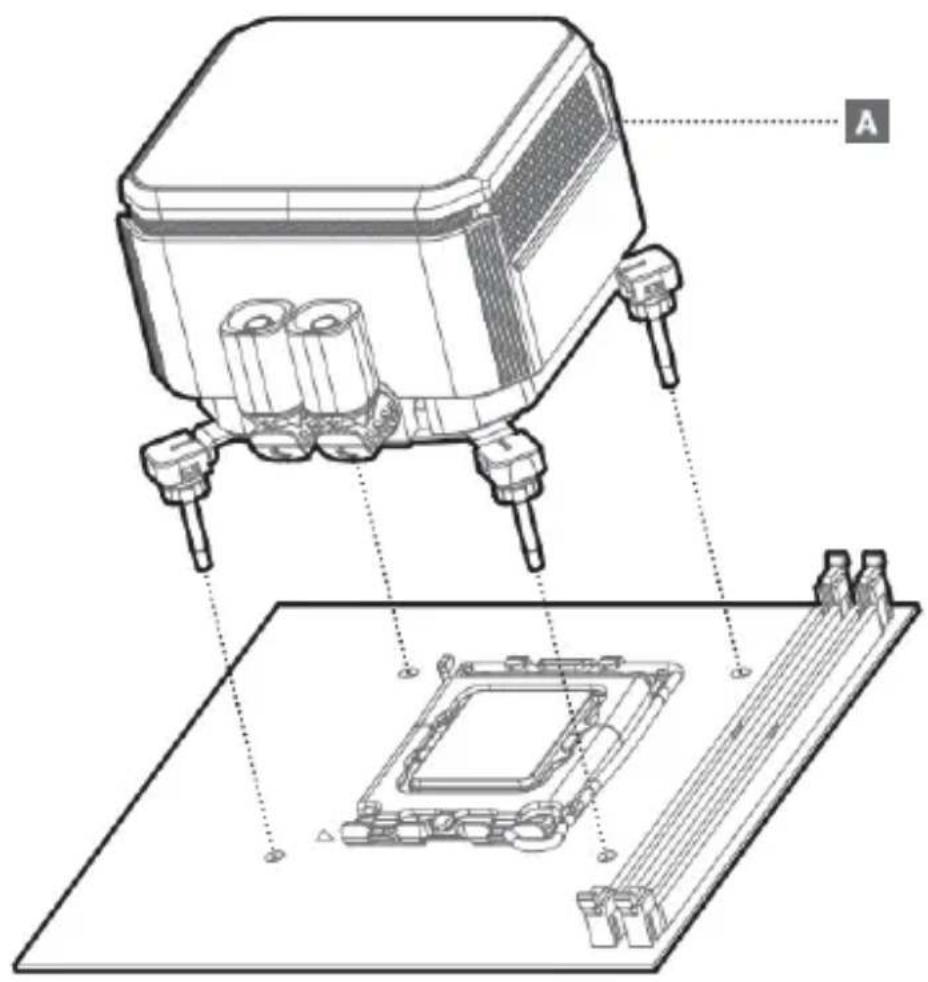
text_image
Technical diagram of a microchip with labeled components and assembly steps
text_image
A C C C C G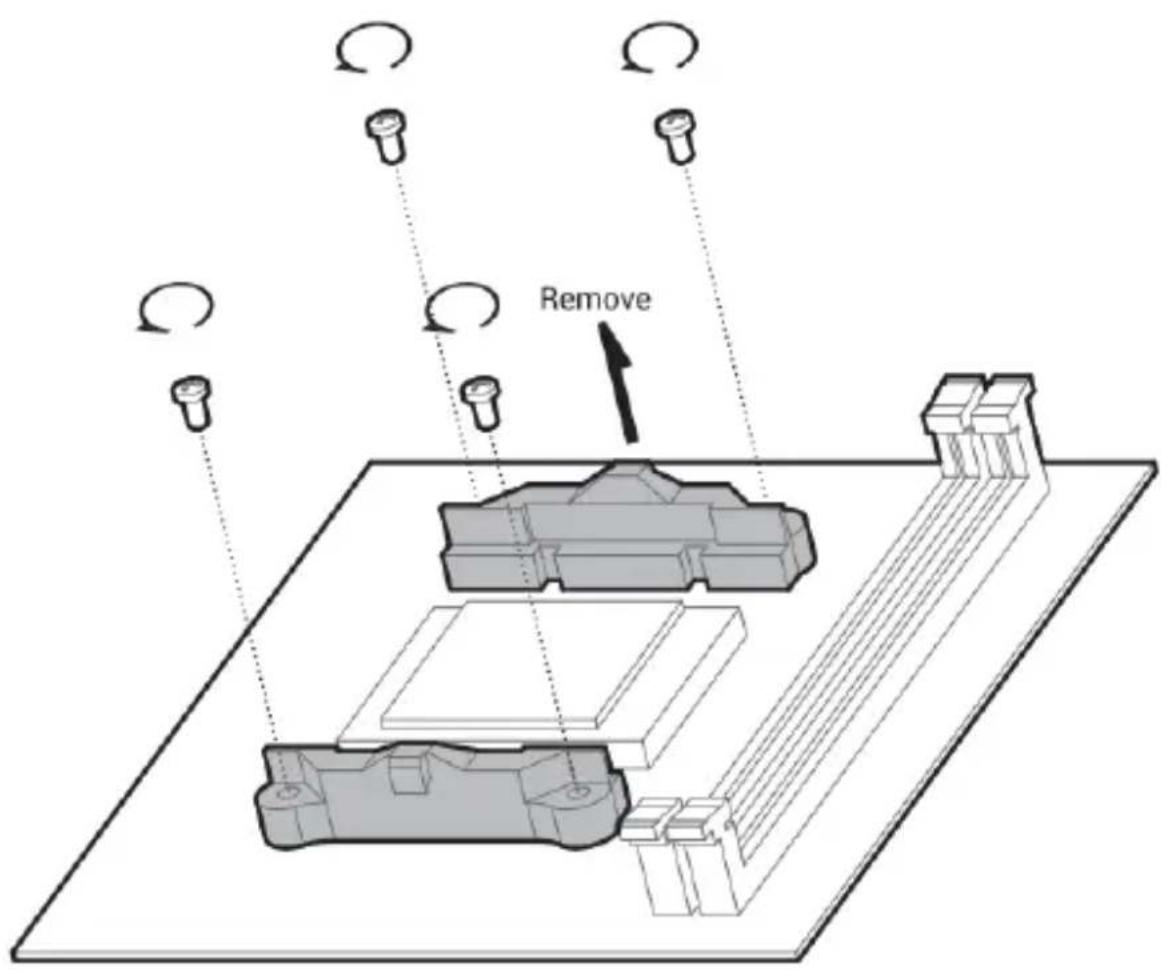
text_image
Remove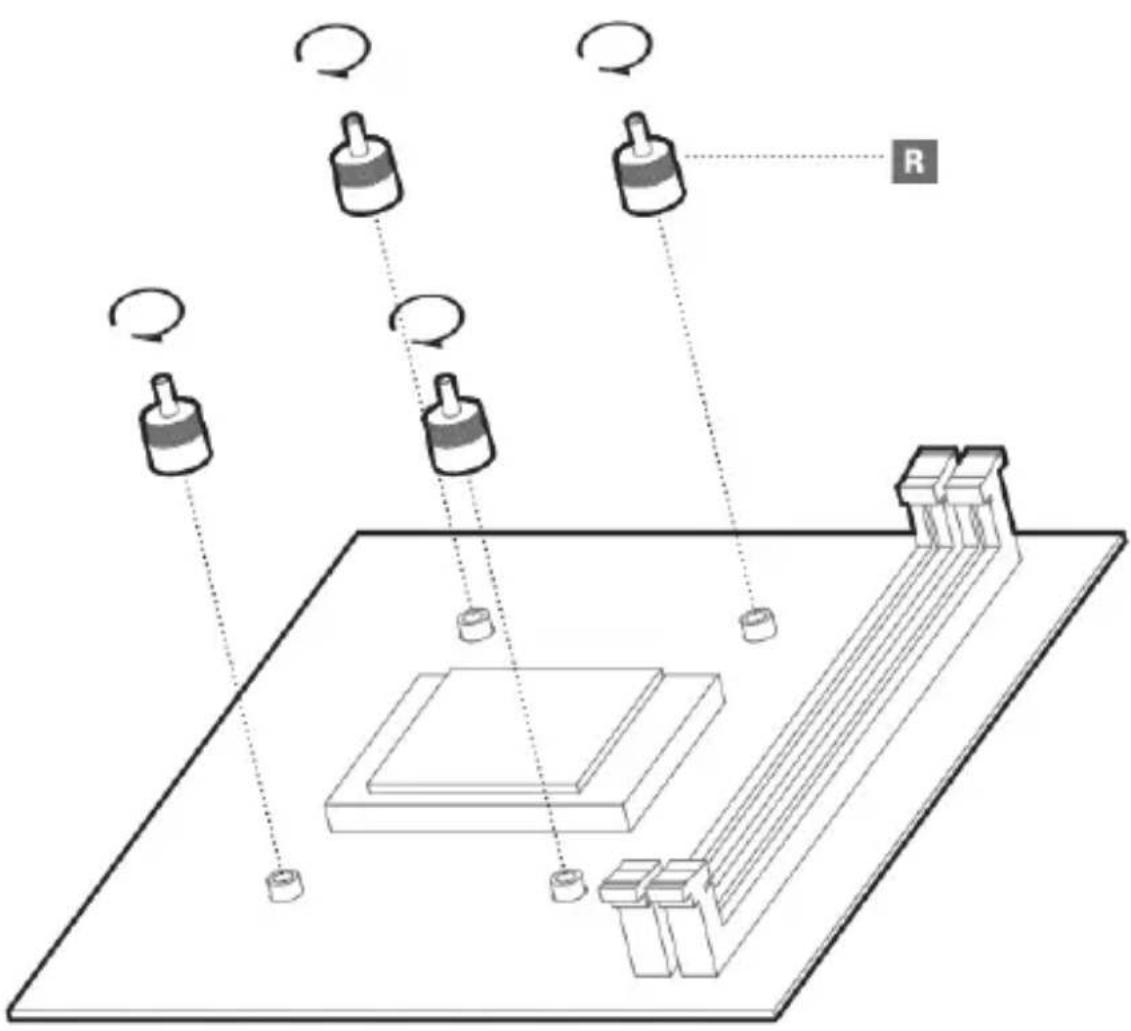
flowchart
graph TD
    A["Input Device 1"] --> B["Processing Unit"]
    C["Input Device 2"] --> B
    D["Input Device 3"] --> B
    E["Input Device 4"] --> B
    F["Input Device 5"] --> B
    G["Input Device 6"] --> B
    H["Input Device 7"] --> B
    I["Input Device 8"] --> B
    J["Output Unit R"] --> B
    style A fill:#f9f,stroke:#333
    style C fill:#f9f,stroke:#333
    style D fill:#f9f,stroke:#333
    style E fill:#f9f,stroke:#333
    style F fill:#f9f,stroke:#333
    style G fill:#f9f,stroke:#333
    style H fill:#f9f,stroke:#333
    style I fill:#f9f,stroke:#333
    style J fill:#f9f,stroke:#333
natural_image
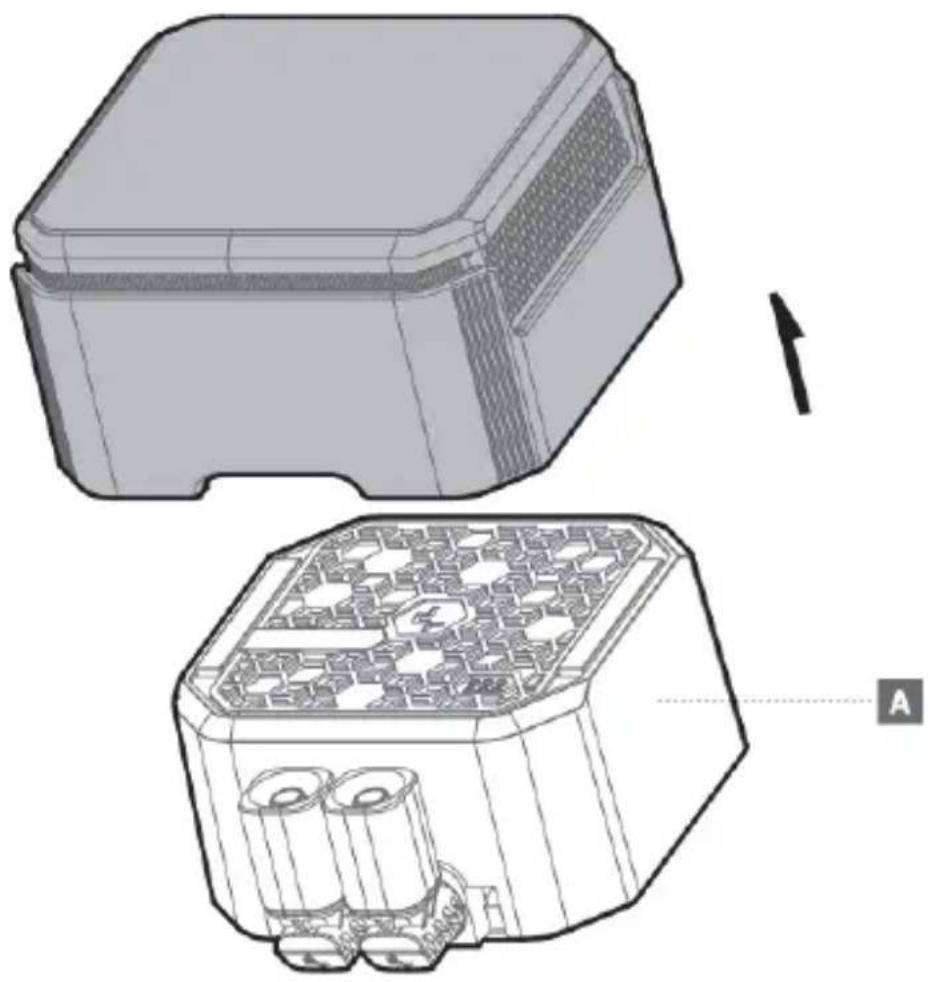
Technical line drawing of a mechanical housing with internal components, showing top and side views (no text or symbols)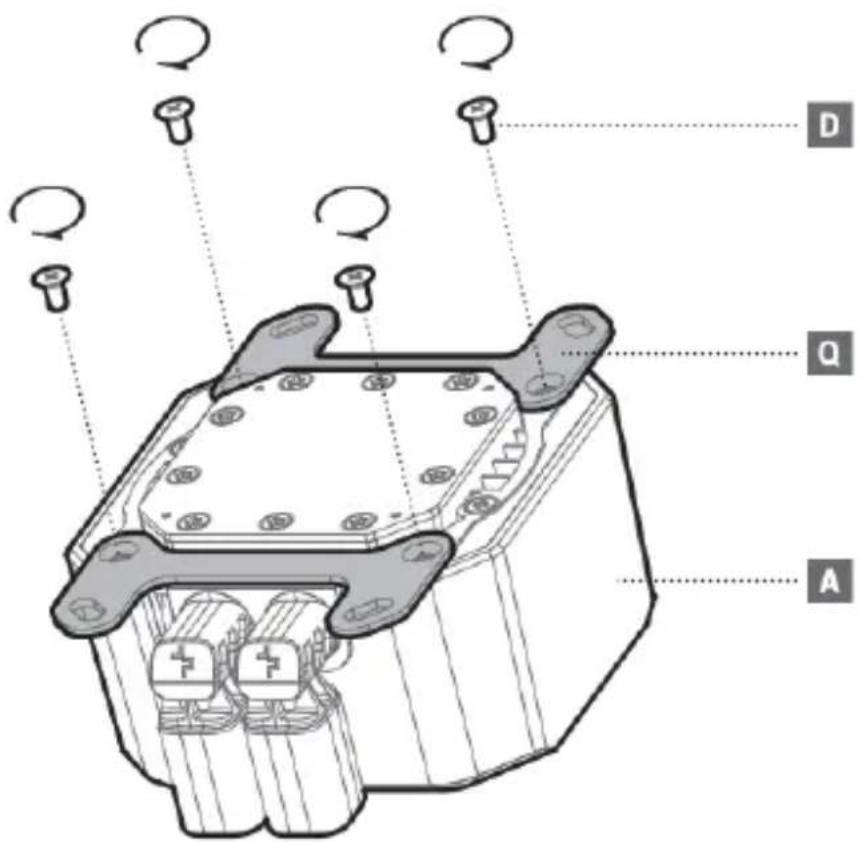
text_image
Technical diagram of a mechanical component with labeled parts A, D, and Q, showing internal components and rotation arrows.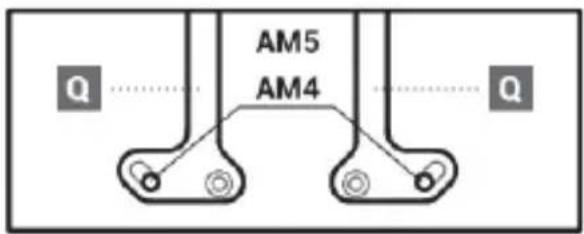
text_image
AM5 AM4 Q Q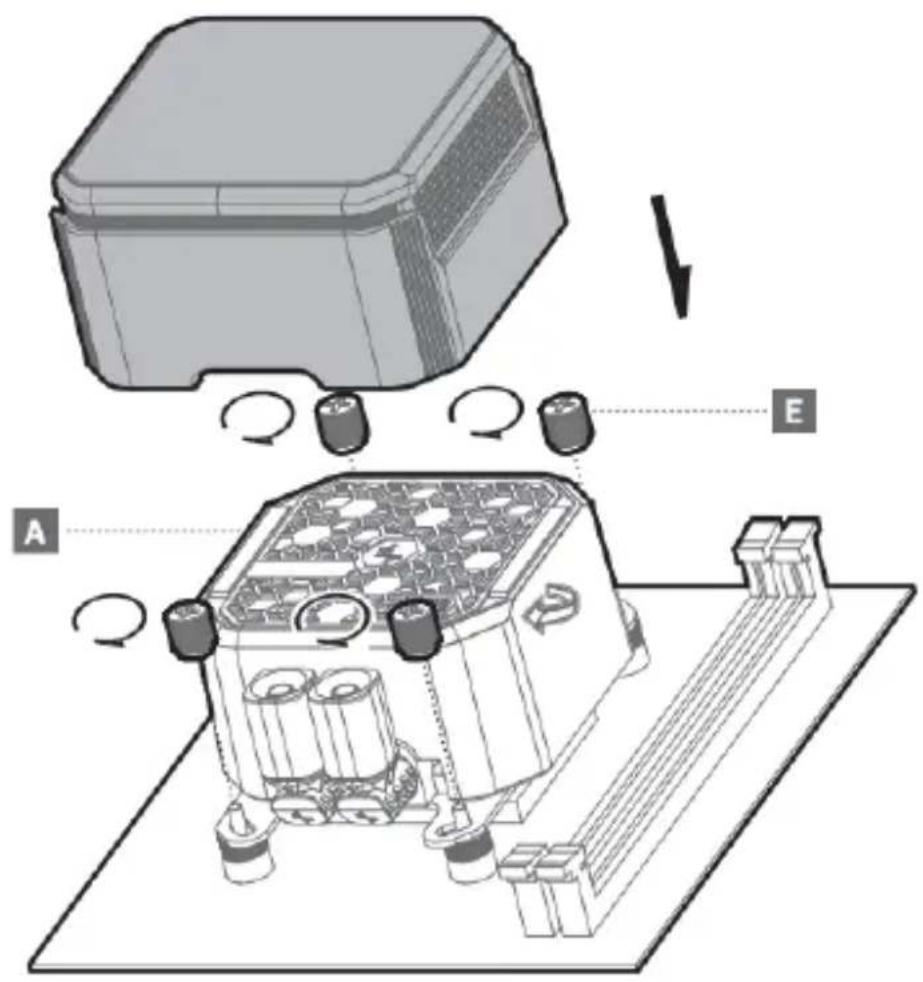
text_image
Technical diagram showing a device assembly with labeled components A and E, including rotating parts and a 3D model.Chassis & Radiator
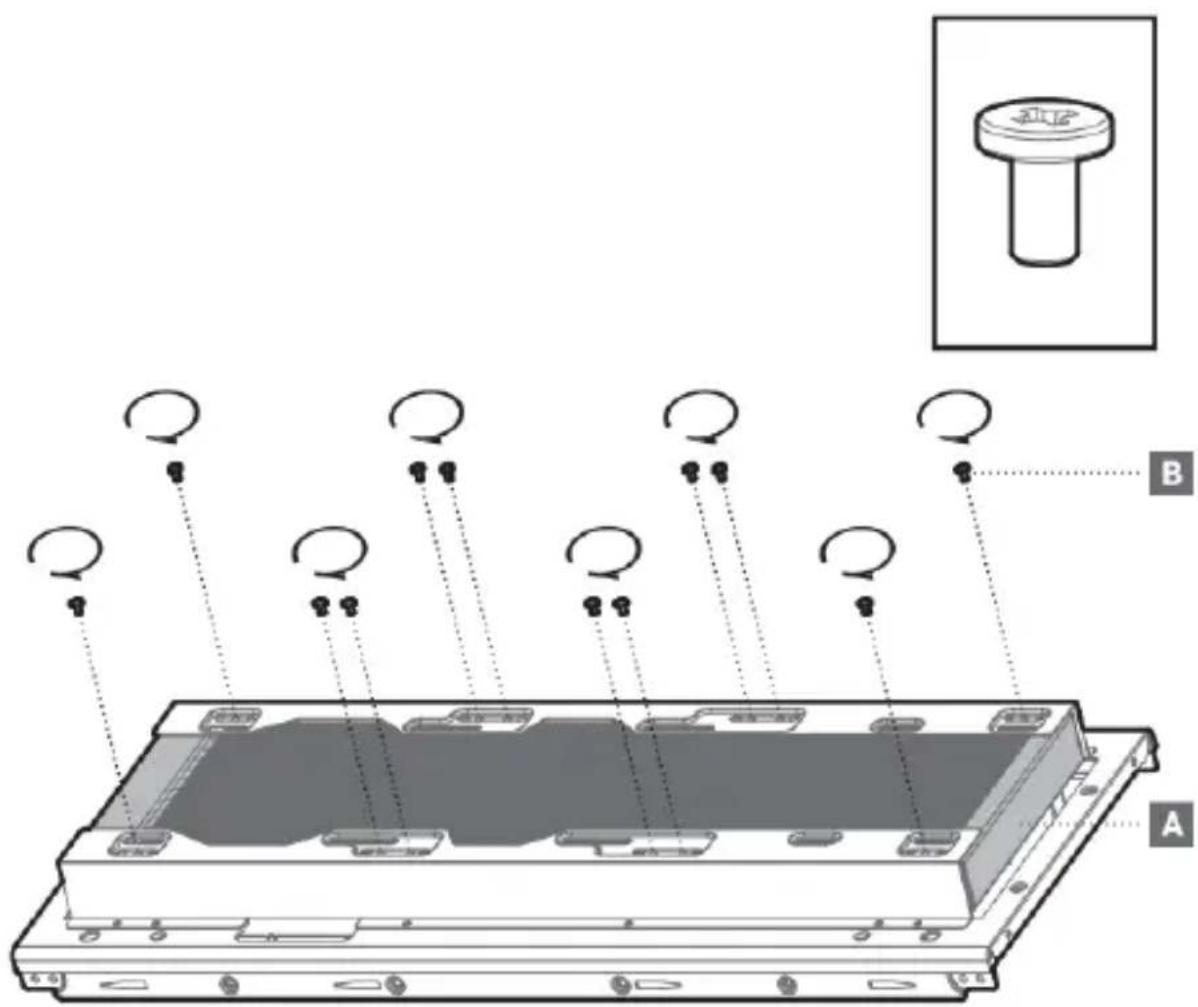
text_image
Diagram of a device with labeled components A and B, showing circular arrows indicating motion or signal flow from a base to multiple ports.Tube Comb
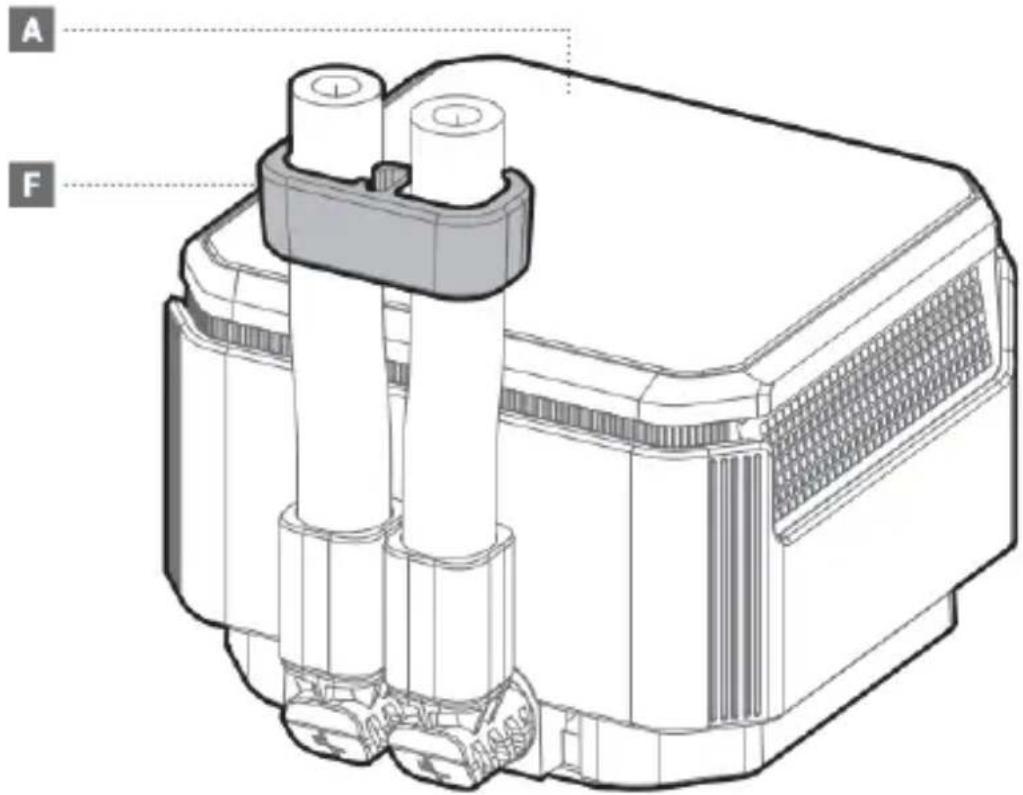
text_image
A F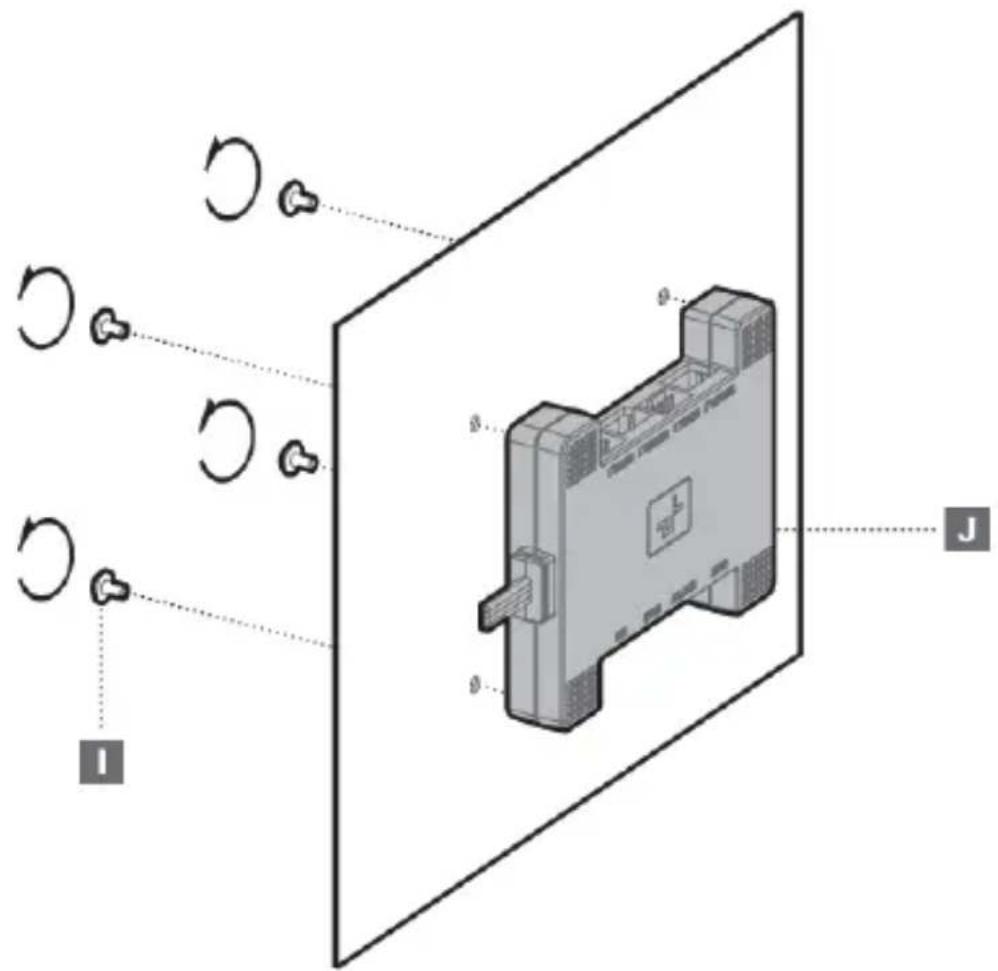
text_image
Diagram of an electronic device with labeled components and rotation arrows, including I, J, and others.Option 1
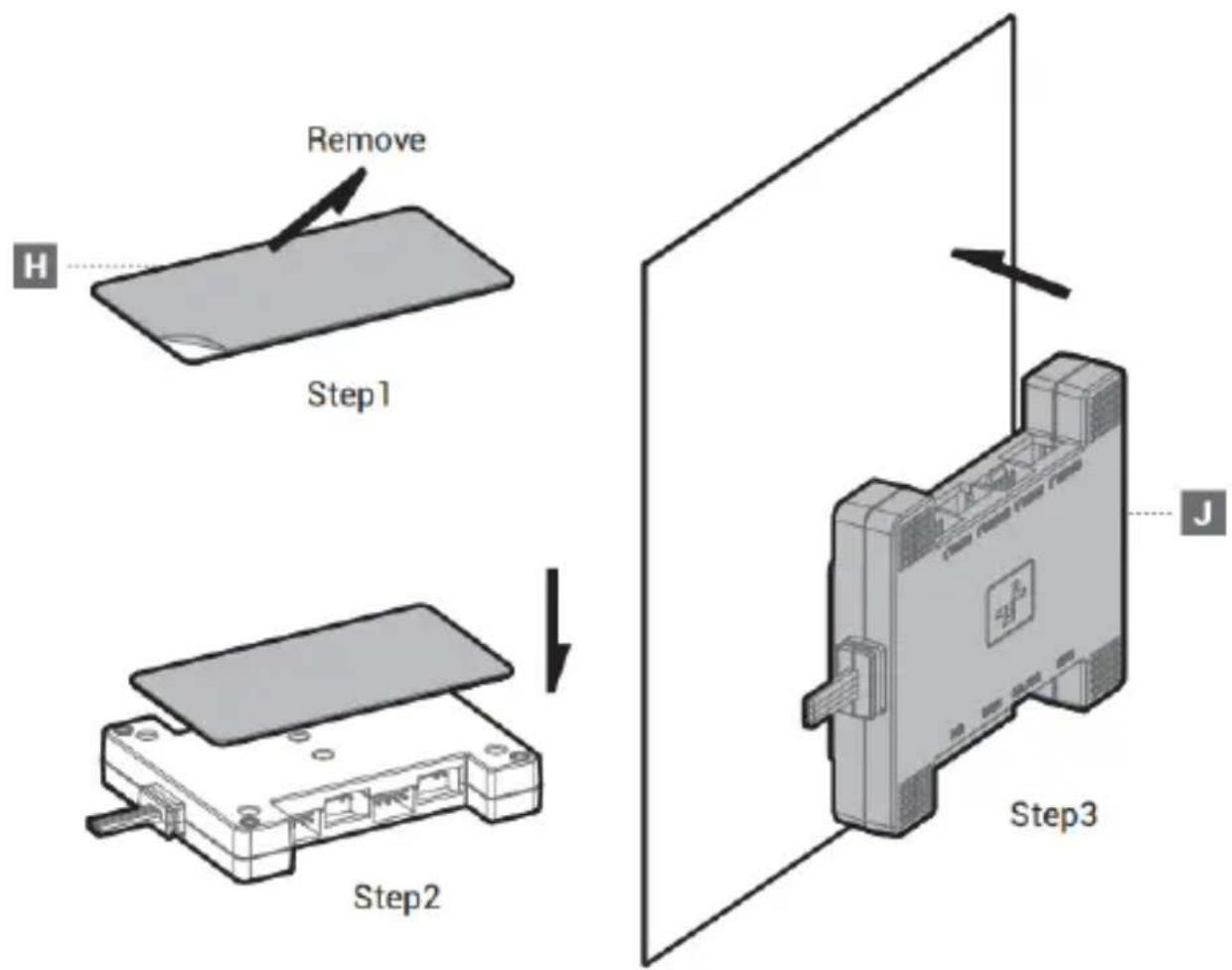
text_image
Remove H Step1 Step2 Step3 JOption 2
Connection
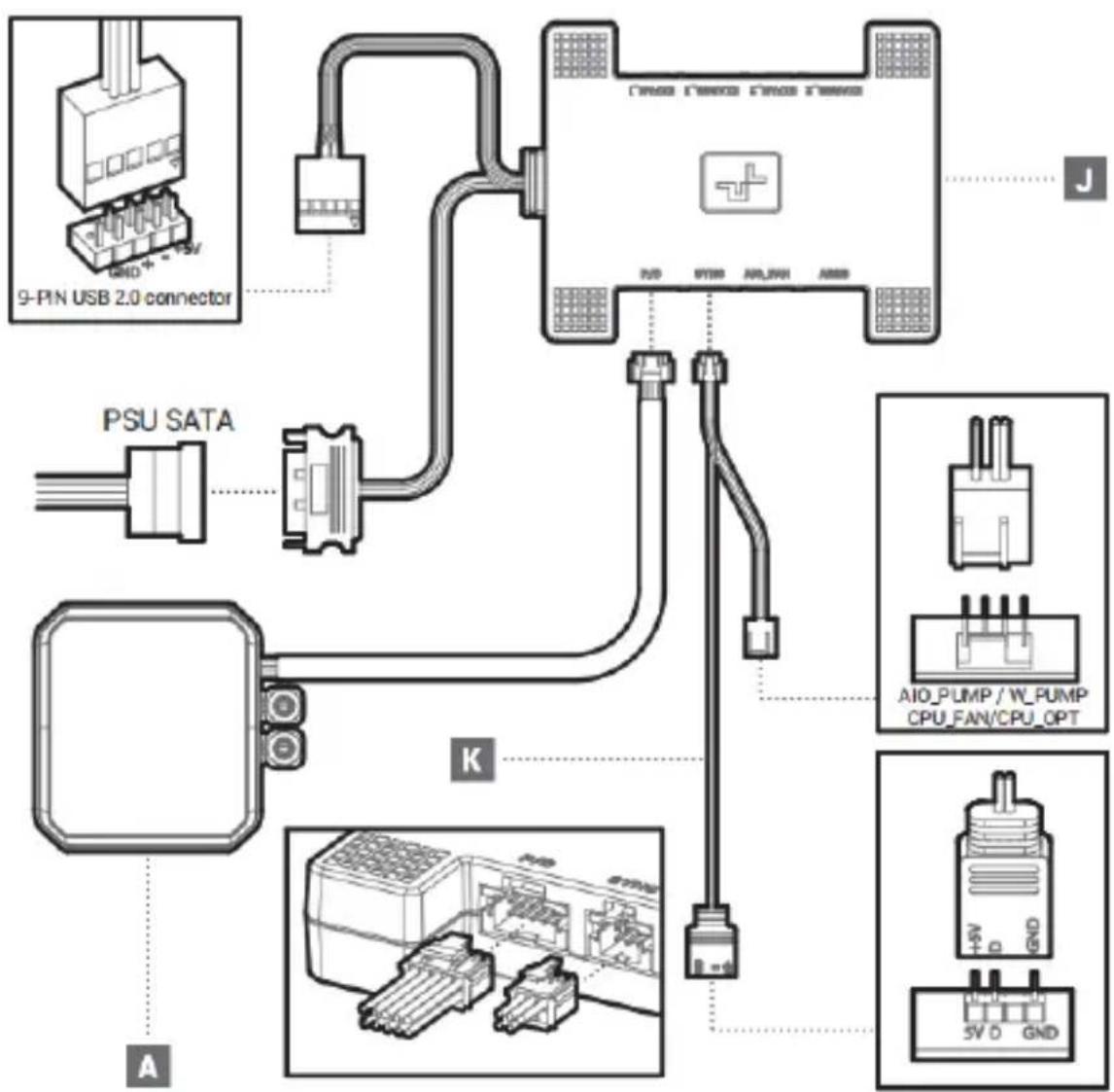
text_image
9-PIN USB 2.0 connector PSU SATA AIO PUMP / W PUMP CPU_FAN/CPU_OPT 5V D GND K JConnection
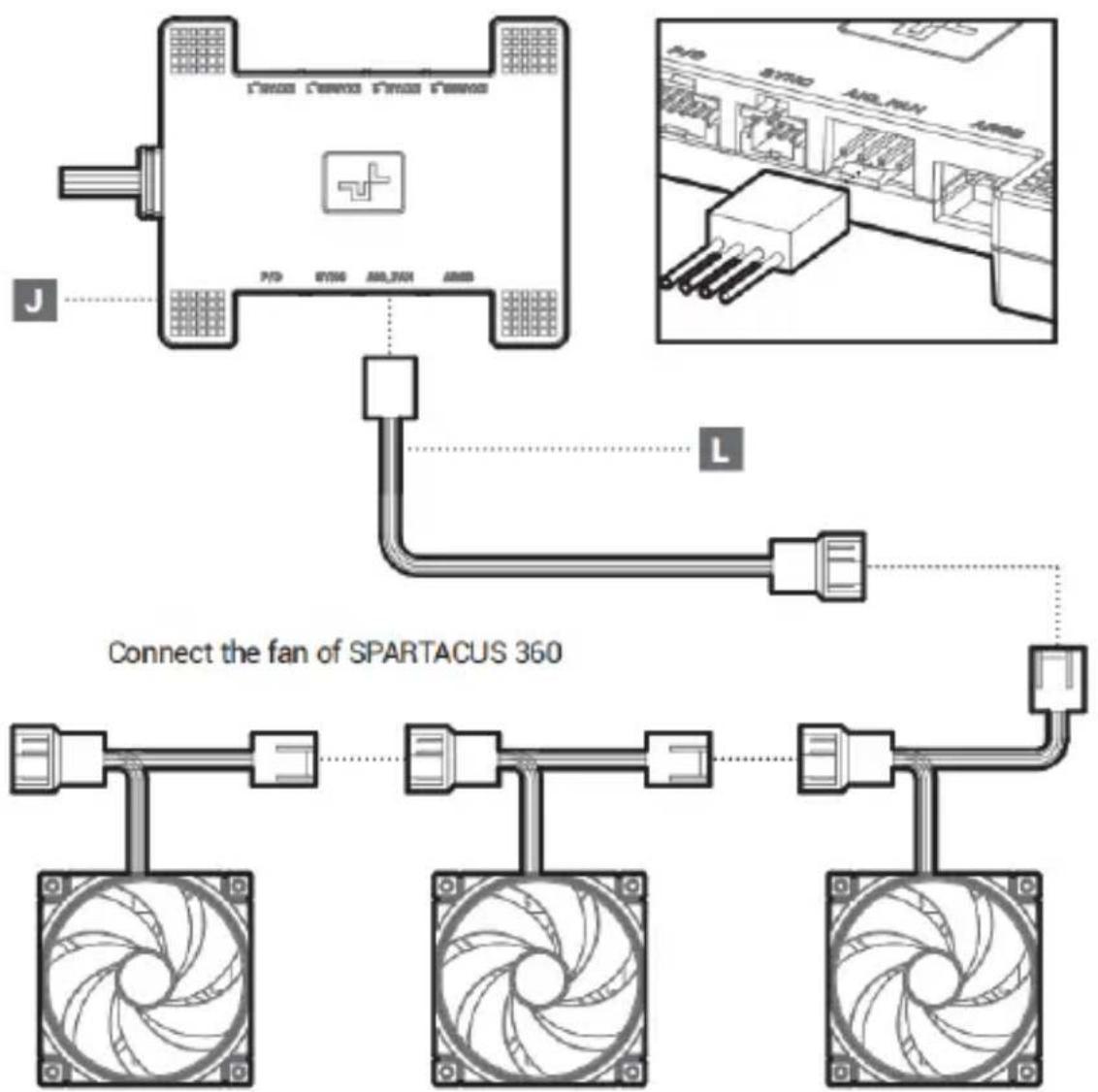
Connection
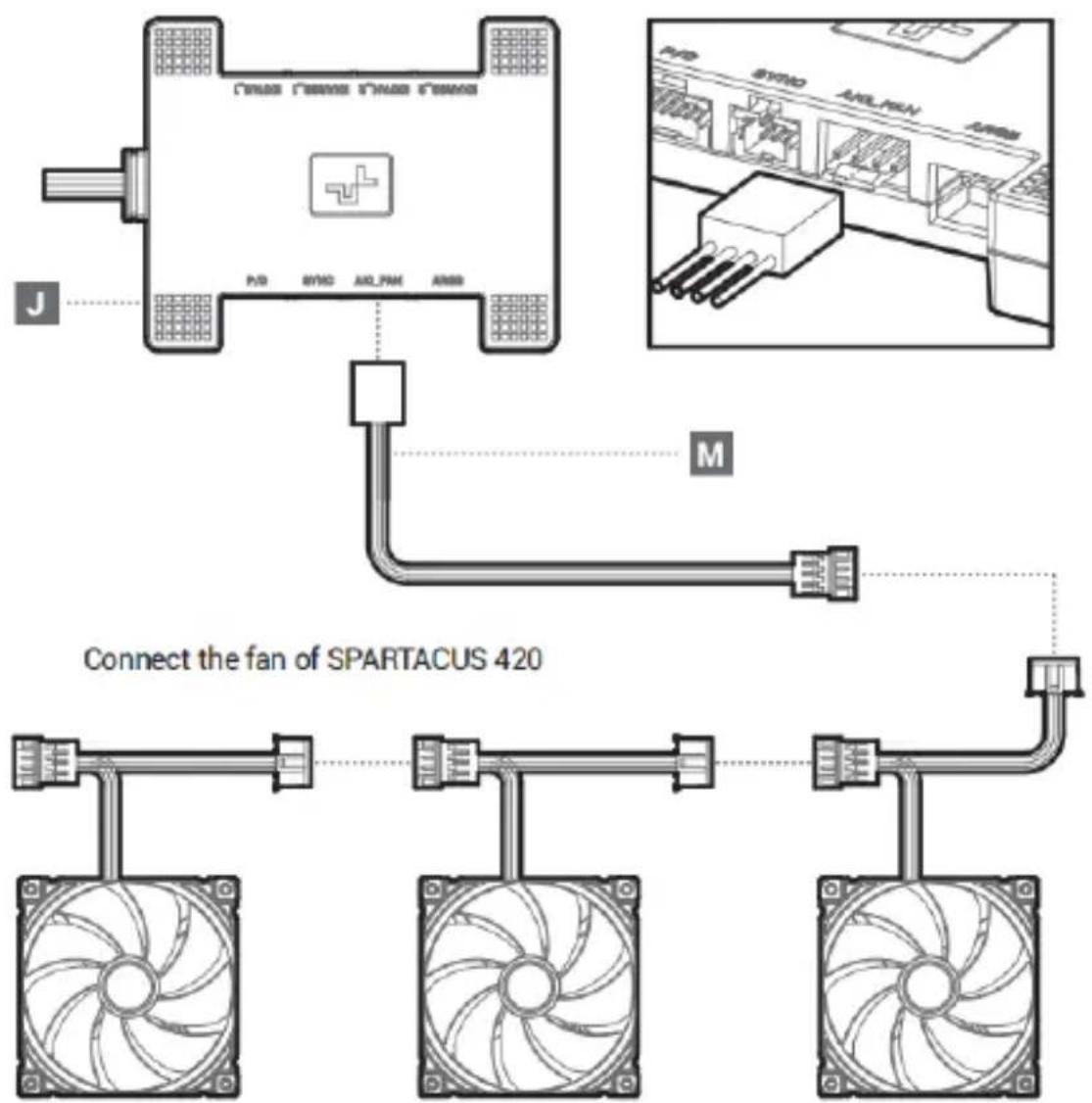
Download
EN 1. After installing the product, turn on the PC, download and install the software, the product function control has been enabled, website:www.deepcool.com/downloadpage/2. Operating system version requirements: Windows 10/Windows 11
DE 1. Öffnen Sie nach der Installation des Produkts den PC, laden Sie die Software herunter und installieren Sie sie. Die Produktfunktionssteuerung wurde aktiviert, Website:www.deepcool.com/downloadpage/
2. Anforderungen an die Betriebssystemversion: Windows 10/Windows 11
FR 1. Après avoir installé le produit, ouvrir le PC, télécharger et installer le logiciel qui permet de régler les fonctions du produit, site Web :www.deepcool.com/downloadpage/
2. Exigences en matière de version du système d'opération : Windows 10/Windows 11
ES 1. Después de instalar el producto, abra PC, descargue e instale el software, la regulación de la función del producto ya está activada, sitio web:www.deepcool.com/downloadpage/
2. Requisitos de versión del sistema operativo: Windows10/Windows11
IT 1. Dopo aver installato il prodotto, aprire il PC, scaricare e installare il software, abilitato a regolare le funzioni del prodotto, il website:www.deepcool.com/downloadpage/
2. Requisiti della versione del sistema operativo: Windows10/Windows11
PT 1. Depois de instalar o produto, ligue o PC, baixe e instale o software, que foi habilitado para regular as funções do produto, site:www.deepcool.com/downloadpage/
2. Requisitos de versão do sistema operacional: Windows 10/Windows 11
NL 1. Open na het installeren van het product de pc, download en installeer de software, de productfunctiecontrole is ingeschakeld, website: www.deepcool.com/downloadpage/
2. Vereisten voor besturingssysteemversie: Windows 10/Windows 11
CS 1. Po instalaci výrobku otevřete PC, stáhněte a nainstalujte software, povolte ovládání funkcí výrobku. Web:www.deepcool.com/downloadpage/
2. Požadavky na verzi operačního systému: Windows 10/Windows 11
SV 1. Efter installation av produkten, öppna datorn, ladda ner och installera programvaran, produktfunktionskontrollen har aktiverats, webbplats:www.deepcool.com/downloadpage/
2. Krav på operativsystemets version: Windows 10/Windows 11
PL 1. Po zainstalowaniu produktu należy uruchomić komputer, pobrać i zainstalować oprogramowanie i włączyć sterowanie funkcjami produktu na stronie internetowej: www.deepcool.com/downloadpage/2. Wymagania dotyczące wersji systemu operacyjnego: Windows 10/Windows 11
TR 1. Ürün kurulduktan sonra PC'yi açın, yazılımı indirin ve kurun, ürün işlev kontrolünü etkinleştirin, internet sitesi:www.deepcool.com/downloadpage/
2. İşletim sistemi sürüm gereklilikleri: Windows 10/Windows 11
Download
RU 1. После установки изделия откройте компьютер, загрузите и установите программное обеспечение, при этом включается управление функциями изделия, веб-сайт: www.deepcool.com/downloadpage/2. Требования версии операционной системы: Windows 10/Windows 11
UK 1. Після встановлення виробу відкрийте комп'ютер, завантажте та встановіть програмне забезпечення, при цьому вмикається керування функціями виробу. веб-сайт:www.deepcool.com/downloadpage/2. Вимоги версії операційної системи: Windows 10/Windows 11
КК 1. Өнімді орнатқаннан кейін, компьютерді ашыңыз, бағдарламалық кұралды жуктеп алып, орнатыңыз, өнім функцияларын басқару элементі косылады, веб-сайт:www.deepcool.com/downloadpage/
2. Операциялық жүйе нусқасының, талаптары: Windows 10/Windows 11
JA 1. 製品を取り付けた後、PCを起動し、ソフトウェアをダウンロードしてインストールし、製品の機能調整を有効にします。ウェブサイト: www.deepcool.com/downloadpage/
2. 操作システムのバージョン要件: Windows 10/Windows 11
KO 1. 제품 설치 후 PC를 열고 소프트웨어들 다운 받아 설치하시고, 제품 기능 제어가 활성화되었으며 웹사이트는 다음과 같습니다:www.deepcool.com/downloadpage/
2. 운영 체제 버전 요구 사항: Windows10/Windows11
AR 1. بعد تثبيت المنظ، افتح جهاز الك BMPور الشخصي، وقم بتقيل الرحمن ونّبِين، والذي تم تمكينة لنظيم وظ ATF المنظ، www.deepcool.com/downloadpage/ : oncوان البوfoxع Windows10/Windows11:2. orthياات إصدار نظام التشغيل
TH 1. หลังจากติดต้องผลตันที่ให้คุณเป็น PC อาวนิโคลอและติดตั้งของพดิ์เวร์ ทรควบคุมฟังก์ซันผลลักษณฑ์ถูกเป็นใช้งานแล้ว เว็บไซด์: www.deepcool.com/downloadpage/
2. ช่องทําหนดเวอร์สินระบบปฏิบัตims: Windows 10/Windows 11
VI 1. Sau khi cải đặt sản phẩm, mở PC, tải xuống và cải đặt phản mềm, bạt chức năng điều khiển sản phẩm, trang web:www.deepcool.com/downloadpage/
2. Yêu cầu về phiên bản hệ điều hành: Windows 10/Windows 11
ZH 1. 安装产品后,打开PC,下载并安装软件,已启用产品功能调控,网址:www.deepcool.com/downloadpage/2. 操作系统版本要求:Windows10/Windows11
ZH 1. 安裝產品後,打開PC,下載並安裝軟件,已啟用產品功能調控,網址:www.deepcool.com/downloadpage/2. 操作系統版本要求:Windows10/Windows11
| 部件名称 | 有毒有害物质或元素 | |||||
| 铅(Pb) | 汞(Hg) | 镉(Cd) | 六价铬(Cr+6) | 多溴联苯(PBB) | 多溴二苯醚(PBDE) | |
| 散热片 | ○ | ○ | ○ | ○ | ○ | ○ |
| 塑胶 | ○ | ○ | ○ | ○ | ○ | ○ |
| 硅胶 | ○ | ○ | ○ | ○ | ○ | ○ |
| 集成电路 | ○ | ○ | ○ | ○ | ○ | ○ |
| 零件包 | ○ | ○ | ○ | ○ | ○ | ○ |
 本表格依据SJ/T 11364的规定编制。环保使用期限标识表示产品在正常工作温度和湿度等条件下的环保使用年限为10年。○:表示该有害物质在该部件所有均质材料中的含量均在GB/T 26572规定的限量要求以下。×:表示该有害物质至少在该部件的某一均质材料中的含量超出GB/T 26572规定的限量要求,且因技术发展水平限制而无成熟方案替代,均符合欧盟RoHS法规环保指令。 本表格依据SJ/T 11364的规定编制。环保使用期限标识表示产品在正常工作温度和湿度等条件下的环保使用年限为10年。○:表示该有害物质在该部件所有均质材料中的含量均在GB/T 26572规定的限量要求以下。×:表示该有害物质至少在该部件的某一均质材料中的含量超出GB/T 26572规定的限量要求,且因技术发展水平限制而无成熟方案替代,均符合欧盟RoHS法规环保指令。 | ||||||