
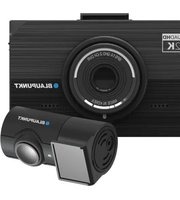
BP 7.1 - Caméra de surveillance BLAUPUNKT - Notice d'utilisation et mode d'emploi gratuit
Retrouvez gratuitement la notice de l'appareil BP 7.1 BLAUPUNKT au format PDF.
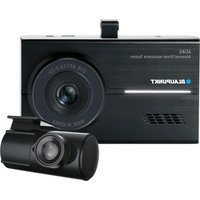


| Type de produit | Caméra de surveillance (Dashcam) |
| Marque | Blaupunkt |
| Modèle | BP 7.1 |
| Résolution avant | 5 MP Full HD 1920 x 1080 (30 ips) |
| Résolution arrière | 5 MP HD 1280 x 720 (15 ips) |
| Angle de vision avant | 120° |
| Angle de vision arrière | 110° |
| Écran | 3,5 pouces tactile LCD |
| Enregistrement | Boucle, G-sensor, stationnement (mouvement/time-lapse) |
| Microphone et haut-parleur | Intégrés |
| Stockage | Carte micro SD jusqu'à 64 Go, classe 10 ou supérieure |
| Alimentation | 12-24 V CC (câble d'alimentation permanente) |
| Température de fonctionnement | -20°C à 80°C |
| Fonctions ADAS | LDWS (alerte de franchissement de ligne) et FVSA (alerte de démarrage du véhicule avant) |
| Protection batterie | Coupure basse tension et coupure haute température |
| Super condensateur | Sauvegarde des fichiers en cas de coupure soudaine |
| Langues disponibles | Anglais, chinois simplifié, chinois traditionnel, japonais, coréen |
| Entretien et nettoyage | Nettoyer régulièrement l'objectif et le pare-brise avec un chiffon doux |
| Sécurité | Ne pas utiliser en environnement humide, éviter l'exposition directe au soleil prolongée |
| Pièces détachées et réparabilité | Contacter un revendeur Blaupunkt pour toute réparation ; ne pas démonter soi-même |
FOIRE AUX QUESTIONS - BP 7.1 BLAUPUNKT
Questions des utilisateurs sur BP 7.1 BLAUPUNKT
0 question sur cet appareil. Repondez a celles que vous connaissez ou posez la votre.
Poser une nouvelle question sur cet appareil
Téléchargez la notice de votre Caméra de surveillance au format PDF gratuitement ! Retrouvez votre notice BP 7.1 - BLAUPUNKT et reprennez votre appareil électronique en main. Sur cette page sont publiés tous les documents nécessaires à l'utilisation de votre appareil BP 7.1 de la marque BLAUPUNKT.
MODE D'EMPLOI BP 7.1 BLAUPUNKT

BLAUPUNKT
12V/24V
ENREGISTREUR VIDÉO NUMÉRIQUE
BP 7.1 2 CANAUX

FABRIQUÉ EN CORÉE
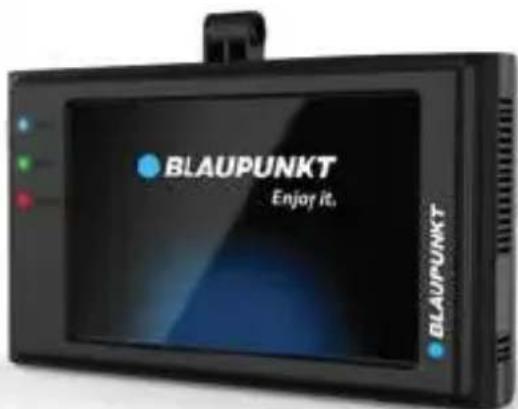
Profitez-en.
- Veuillez insérer la carte micro SD dans le bon sens pour éviter d'endommager la carte ou l'appareil. Si l'appareil affiche un message d'erreur, veuillez formater la carte micro SD à partir du menu de l'appareil. Veuillez réinitialiser l'appareil ou changer de carte micro SD si une erreur similaire persiste.
Remarque : Tous les fichiers seront supprimés lors du formatage de la carte micro SD ou de la mise à jour du firmware. Veuillez sauvegarder les fichiers importants avant cela. Lorsque la fonction de réinitialisation est sélectionnée, l'appareil revient aux paramètres par défaut.
- Blaupunkt ne garantit pas le fonctionnement de l'appareil s'il est utilisé avec une carte Micro SD autre que la carte Micro SD Blaupunkt.
- Une nouvelle carte Micro SD doit être formatée avant la première utilisation. La carte Micro SD doit être formatée une fois tous les 6 mois.
- Assurez-vous que le support est installé correctement et fermement sur le pare-brise pour éviter d'endommager l'appareil et pour un meilleur angle d'enregistrement.
- Veuillez ne pas utiliser le produit dans un environnement humide, car l'appareil n'est pas étanche/résistant à l'eau.
- Veuillez ne pas enregistrer ou prendre des photos face au soleil.
• Pour obtenir une image claire, veuillez nettoyer régulièrement le pare-brise et l'objectif de l'appareil. Évitez d'utiliser l'appareil dans un environnement poussiéreux.
- Manipulez l'appareil avec soin et évitez tout impact direct sur celui-ci. Évitez d'utiliser l'appareil dans un environnement à forte interférence électromagnétique.
- Veuillez utiliser le produit dans une température comprise entre -20 °C et 80 °C. Une exposition continue au soleil, en particulier lorsqu'il est verrouillé dans l'habitacle où la température dépasse 80 °C, peut entraîner un dysfonctionnement de l'appareil, un changement de couleur, un boîtier et une distorsion de l'image.
Avertissement :
- Blaupunkt n'est pas responsable des pertes ou dommages causés ou résultant d'un démontage ou d'une modification non autorisés du produit.
- En aucun cas, Blaupunkt ne pourra être tenu responsable de tout dommage direct, indirect, punitif, accessoire, spécial ou consécutif, aux biens ou aux personnes, d'un stockage inapproprié, découlant de ou lié à l'utilisation ou à la mauvaise utilisation de nos produits.
• USA & CANADA : Produits non destinés à la vente aux États-Unis et au Canada. S'il est acheté aux États-Unis ou au Canada, ce produit est acheté en l'état. Aucune garantie, expresse ou implicite, n'est fournie aux États-Unis et au Canada.
- Cet appareil n'est PAS destiné à être utilisé à des fins illégales, à la surveillance et ne doit pas être utilisé sous quelque forme que ce soit comme preuve à des fins de réclamation.
- Certains pays interdisent aux conducteurs de monter quoi que ce soit sur le pare-brise, ou restreignent le montage à des zones spécifiques du pare-brise. Il est de la responsabilité du propriétaire de monter l'appareil conformément aux lois locales.
- Des erreurs peuvent survenir en fonction de l'environnement environnant et de la tension de la voiture.
- Blaupunkt n'est pas responsable des événements non enregistrés, des fichiers manquants, etc.
- Si la tension de la batterie de la voiture est inférieure à la valeur de coupure définie, l'appareil cessera d'enregistrer même en mode stationnement.
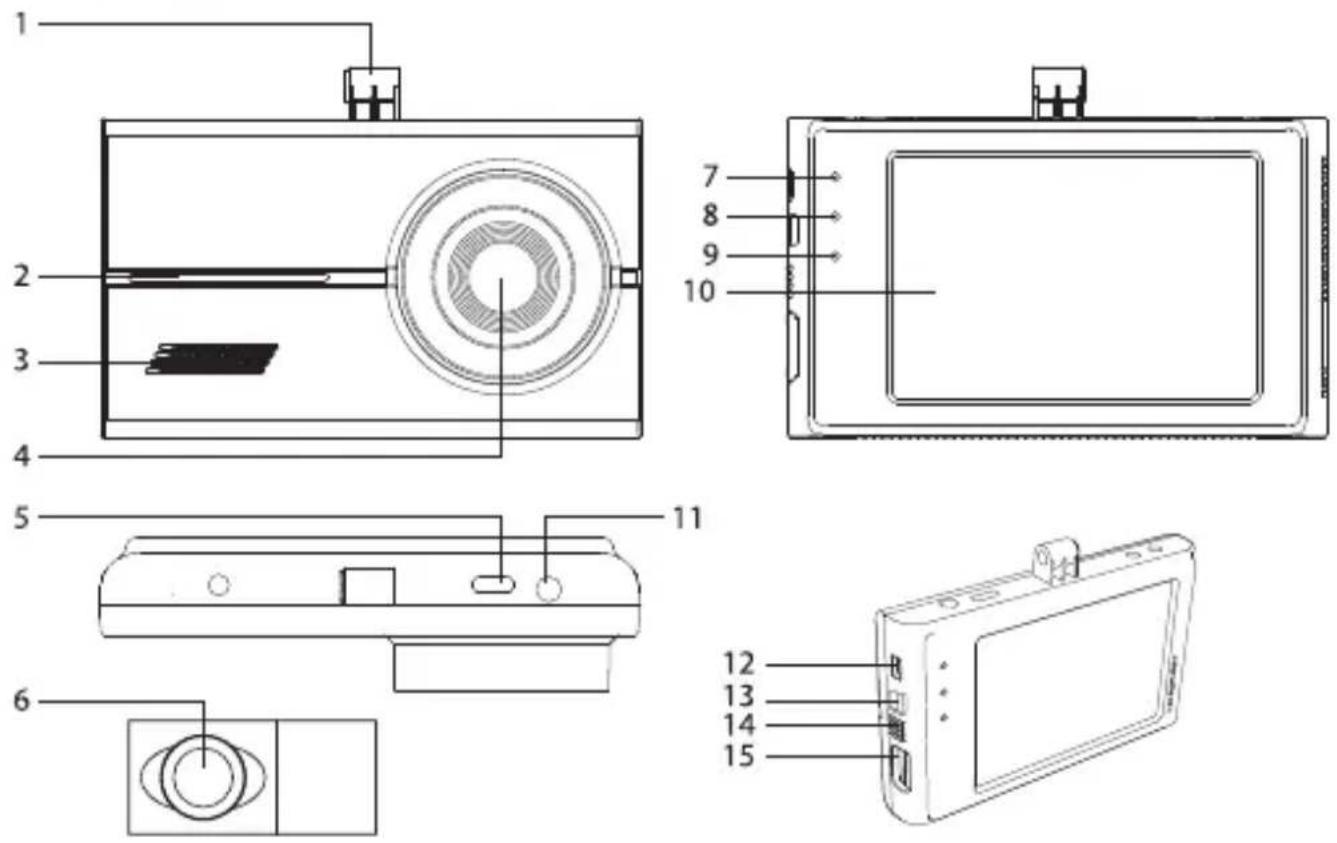
- Emplacement du support
- Voyant de fonctionnement
- Clignote en mode normal / stationnement
- Éteint en mode choc / SOS
- Clignote en cas de mouvement / détection de choc en mode stationnement
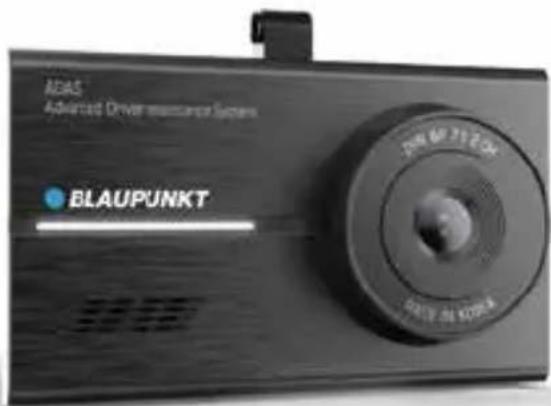
- Haut-parleur
- Objectif
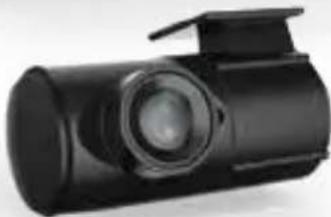
- Entrée du câble de la caméra arrière
- Objectif de la caméra arrière
- Voyant GPS
- S'allume en bleu lorsque le GPS est connecté
- Éteint en mode stationnement
- Voyant d'alimentation (PWR)
- S'allume en vert en mode d'enregistrement normal
- Éteint en mode stationnement
- Voyant d'événement
- S'allume en rouge en mode choc / SOS
- Clignote en cas d'échec de lecture de la carte SD
- Éteint en mode stationnement
- Écran tactile LCD 3,5" du DVR avant
- Alimentation 12-24V D
- SOS : enregistrement manuel de vidéo de choc
- Marche/Arrêt
- Microphone
- Emplacement pour carte Micro SD
Caractéristiques
• Résolution : avant 5MP FHD 1920 x 1080 à 30 ips, arrière 5MP HD 1280 x 720 (15 ips) - Grand angle : avant - 120°, arrière - 110° • Affichage : avant, arrière, PIP (image dans l'image) • Écran LCD tactile de 3,5 pouces • Enregistrement automatique en stationnement avec détection de mouvement intelligente / time-lapse (surveillance de stationnement 24h/24) - Sans formatage, capteur G, enregistrement en boucle • Microphone et haut-parleur intégrés • Langues : anglais, chinois simplifié, chinois traditionnel, japonais, coréen • Coupure en cas de température élevée et de faible tension de la batterie de la voiture • Prend en charge jusqu'à 64 Go de carte Micro SD, classe 10 et supérieure • ADAS hors ligne
- Sans formatage
Grâce à la technologie TAT, l'appareil est capable d'organiser ou de réécrire les données enregistrées selon les dossiers.
- Coupure basse tension
Fonctionne uniquement après l'arrêt du contact du véhicule. Cette fonction évite la décharge de la batterie du véhicule. Réglez dans Paramètres d'environnement > Paramètres d'enregistrement > Tension.
• Coupure automatique en cas de température élevée
Fonctionne uniquement après l'arrêt du contact du véhicule. L'appareil s'éteint automatiquement lorsqu'une température élevée est détectée.
- ADAS hors ligne (système avancé d'aide à la conduite)
Il prend en charge l'ALDS (avertissement de franchissement de ligne) et l'ADVF (alerte de démarrage du véhicule avant). Réglez dans Paramètres d'environnement > Paramètres ADAS.
• Supercondensateur
Cette technologie garantit que les fichiers vidéo sont enregistrés même en cas de coupure soudaine de courant.
• Mode stationnement (surveillance de stationnement)
Basculez entre Motion ou Time-lapse dans Réglages Environnement > Réglages d'enregistrement > Mode stationnement.
- Motion intelligente (12 ips) Ce mode commence à fonctionner 30 secondes après l'arrêt du moteur. L'enregistrement démarre lorsqu'un impact ou un mouvement est détecté. Réglez la sensibilité dans Réglages Environnement > Réglages d'enregistrement > Intensité de détection de mouvement.
- Time-lapse (2 ips) Ce mode sélectionne 2 images par seconde (ips) au lieu d'enregistrer à 12 ips (DVR avant et arrière). Réglez la sensibilité dans Réglages Environnement > Réglages d'enregistrement > Intensité de détection de mouvement.
- Mode Événement
L'appareil commence à enregistrer lorsque l'intensité de sensibilité définie est détectée. Le fichier vidéo de 10 secondes avant et après la détection sera enregistré dans le dossier Événement. Réglez la sensibilité dans Réglages Environnement > Réglages d'enregistrement > Intensité des événements.
- SOS (Mode manuel)
Lorsque le bouton SOS est enfoncé, le fichier vidéo de 10 secondes avant et après l'activation sera enregistré dans le dossier Événement.
- Visionneuse PC
Visionnez la lecture vidéo à l'aide de la visionneuse PC BP7.1. Téléchargez la visionneuse PC (Windows uniquement) sur www.blaupunkt.com/ase
| Mode | Category | Function |
| Live View Real-time Image | ||
| Video recording View Continuous Recording 1-min / Park Recording 1-min / 62MB or time-lapseManual Recording (SOS) 20-sec / 20MB | 62MB | |
| Event Recording | 20-sec / 20MB | |
| in / 62MB or time-lapse | ||
| OS) 20-sec / 20MB | ||
| Environment Settings Recording Settings Event Intensity | ||
| Motion Intensity | ||
| Voltage | ||
| Parking Mode | ||
| FVS Notice | ||
| LDWS Notice | ||
| Bonnet Line Settings | ||
| Audio Settings System Vol. | ||
| Voice | ||
| Effect | ||
| Voice Rec. | ||
| ADAS Alarm | ||
| System Settings Language | English | |
| Chinese Simplified | ||
| Chinese Traditional | ||
| Japanese | ||
| Time Settings YYYY/MM/DD | ||
| HH/MM/SS | ||
| LCD Time ON | ||
| 1m | ||
| 3m | ||
| 5m | ||
| Clock Screen ON | ||
| OFF | ||
| Touch Calibration | ||
| Memory Card Format All data will be deleted. | (Ensure important files before formatting) | |
| Information BP7.1 Version | ||
| Initialize Settings Reset device to default setting. | ||
Visionneuse PC Blaupunkt DVR BP 7.1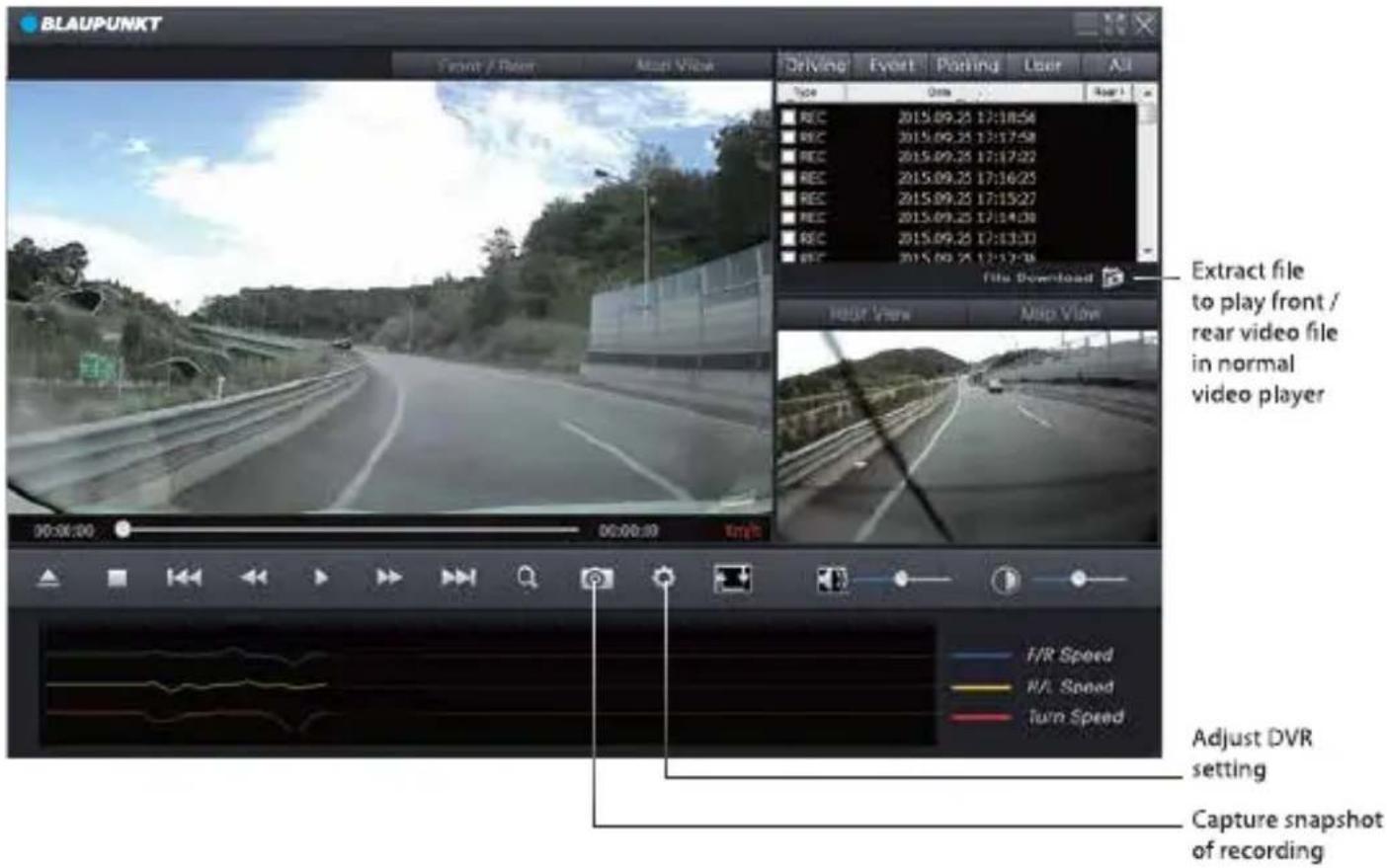
La visionneuse PC détecte automatiquement la carte micro SD lorsqu'elle est insérée dans l'ordinateur.
Remarque : Les fichiers plus anciens seront écrasés lorsque la carte mémoire est pleine et nécessite un nouvel espace de stockage. Les fichiers seront écrasés selon l'ordre de classement Continu / Événement / Stationnement / Manuel (SOS). Sauvegardez régulièrement les enregistrements pour éviter que des fichiers importants ne soient écrasés.
CONSIGNE DE SÉCURITÉ
- Choisissez un emplacement de montage qui ne gênera pas le conducteur en aucune circonstance, ni ne causera de blessures aux conducteurs et passagers en cas de freinage d'urgence ou d'accident.
- Assurez-vous que tous les fils sont correctement connectés et que l'appareil fonctionne correctement avant de l'installer sur le pare-brise.
- Toute installation ou modification non autorisée peut provoquer un dysfonctionnement de l'appareil et annuler la garantie du produit. Utilisez uniquement les pièces fournies avec l'appareil.
- Contactez le revendeur Blaupunkt ou le fabricant du véhicule si les informations fournies ici ne correspondent pas à vos besoins spécifiques.
CÂBLE D'ALIMENTATION - RACCORDEMENT DIRECT
1. Utilisez le câble d'alimentation à raccordement direct
2. BATT (+)
- Connectez le câble à la boîte à fusibles d'alimentation permanente (par exemple : feux de détresse, plafonnier, feux arrière, etc.)
3. ACC (+)
- Connectez le câble au fusible qui reçoit l'alimentation par le contact (par exemple : allume-cigare, système audio, etc.)
4. GND
- Connectez le câble au châssis du véhicule ou aux boulons du véhicule.
ACCESSOIRES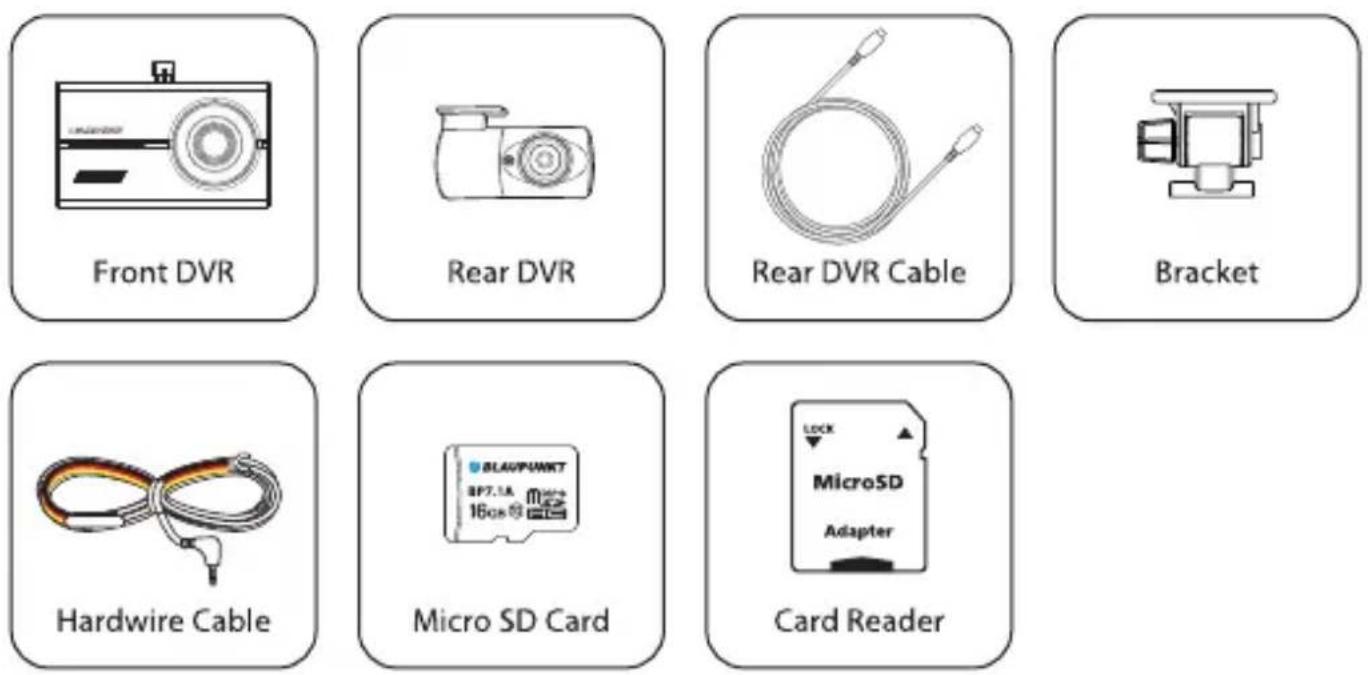

Conçu et développé par Blaupunkt Competence Centre


- BLAUPUNKT
- AVERTISSEMENT
- CARACTÉRISTIQUES
- SANS FORMATAGE
- COUPURE BASSE TENSION
- COUPURE AUTOMATIQUE EN CAS DE TEMPÉRATURE ÉLEVÉE
- ADAS HORS LIGNE (SYSTÈME AVANCÉ D'AIDE À LA CONDUITE)
- SUPERCONDENSATEUR
- MODE STATIONNEMENT (SURVEILLANCE DE STATIONNEMENT)
- MODE ÉVÉNEMENT
- SOS (MODE MANUEL)
- VISIONNEUSE PC
- CONSIGNE DE SÉCURITÉ
- UTILISEZ LE CÂBLE D'ALIMENTATION À RACCORDEMENT DIRECT
- BATT (+)
- ACC (+)
- GND
Marque : BLAUPUNKT
Modèle : BP 7.1
Catégorie : Caméra de surveillance