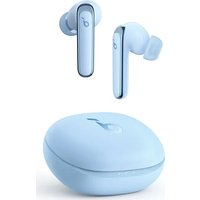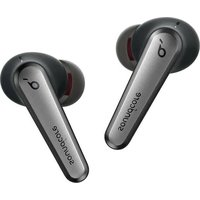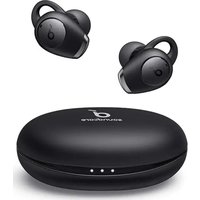
soundcore Life A2 NC - Ecouteur

Life A2 NC - Ecouteur soundcore - Notice d'utilisation et mode d'emploi gratuit

Retrouvez gratuitement la notice de l'appareil Life A2 NC soundcore au format PDF.

📄 2 pages Français FR Télécharger 💬 Question IA 10 questions ⚙️ Specs
Notice soundcore Life A2 NC - page 1
Choisissez votre langue et indiquez votre email : nous vous enverrons une version traduite specifiquement.
Caractéristiques techniques Écouteurs sans fil avec réduction de bruit active, autonomie jusqu'à 35 heures, Bluetooth 5.0, drivers de 10 mm.
Utilisation Idéal pour écouter de la musique, passer des appels, et profiter d'une expérience audio immersive en déplacement.
Maintenance et réparation Nettoyer régulièrement les embouts en silicone, vérifier la charge de la batterie, suivre les instructions de mise à jour du firmware.
Sécurité Utiliser à un volume modéré pour éviter les dommages auditifs, ne pas utiliser en conduisant ou en traversant des routes.
Informations générales Compatible avec les assistants vocaux, étanchéité IPX4, poids léger pour un confort prolongé.

FOIRE AUX QUESTIONS - Life A2 NC soundcore

Comment activer la fonction de réduction de bruit sur les écouteurs soundcore Life A2 NC ?
Pour activer la fonction de réduction de bruit, maintenez enfoncé le bouton de réduction de bruit pendant quelques secondes jusqu'à ce que vous entendiez un son indiquant que la fonction est activée.
Comment connecter les écouteurs soundcore Life A2 NC à mon smartphone ?
Assurez-vous que les écouteurs sont en mode de couplage. Activez le Bluetooth sur votre smartphone et recherchez 'soundcore Life A2 NC' dans la liste des appareils disponibles, puis sélectionnez-les pour établir la connexion.
Que faire si mes écouteurs soundcore Life A2 NC ne se connectent pas ?
Essayez de redémarrer vos écouteurs et votre smartphone. Assurez-vous que les écouteurs sont suffisamment chargés et qu'ils ne sont pas déjà connectés à un autre appareil.
Comment ajuster le volume sur les écouteurs soundcore Life A2 NC ?
Utilisez les boutons de volume situés sur l'écouteur droit pour augmenter ou diminuer le volume. Vous pouvez également ajuster le volume via votre appareil connecté.
Les écouteurs soundcore Life A2 NC sont-ils résistants à l'eau ?
Oui, les écouteurs soundcore Life A2 NC sont classés IPX4, ce qui signifie qu'ils sont résistants à l'eau et à la sueur, mais ne doivent pas être immergés dans l'eau.
Comment réinitialiser les écouteurs soundcore Life A2 NC ?
Pour réinitialiser les écouteurs, maintenez enfoncés les deux boutons de contrôle pendant environ 10 secondes jusqu'à ce que le voyant LED clignote en rouge et bleu.
Quelle est l'autonomie de la batterie des écouteurs soundcore Life A2 NC ?
Les écouteurs offrent jusqu'à 7 heures d'écoute avec une seule charge, et jusqu'à 28 heures avec le boîtier de charge.
Les écouteurs soundcore Life A2 NC prennent-ils en charge l'assistant vocal ?
Oui, les écouteurs soundcore Life A2 NC prennent en charge les assistants vocaux comme Siri et Google Assistant. Appuyez longuement sur le bouton multifonction pour activer l'assistant vocal de votre appareil.
Comment nettoyer mes écouteurs soundcore Life A2 NC ?
Pour nettoyer vos écouteurs, utilisez un chiffon doux et sec. Évitez d'utiliser des produits chimiques ou de l'eau directement sur les écouteurs.
Où puis-je acheter des accessoires pour les écouteurs soundcore Life A2 NC ?
Vous pouvez acheter des accessoires comme des embouts supplémentaires ou un boîtier de charge sur le site officiel d'Anker ou chez des revendeurs autorisés.

Questions des utilisateurs sur Life A2 NC soundcore

0 question sur cet appareil. Repondez a celles que vous connaissez ou posez la votre.

Poser une nouvelle question sur cet appareil

L'email reste privé : il sert seulement à vous prévenir si quelqu'un répond à votre question.

Aucune question pour l'instant. Soyez le premier à en poser une.

Téléchargez la notice de votre Ecouteur au format PDF gratuitement ! Retrouvez votre notice Life A2 NC - soundcore et reprennez votre appareil électronique en main. Sur cette page sont publiés tous les documents nécessaires à l'utilisation de votre appareil Life A2 NC de la marque soundcore.

MODE D'EMPLOI Life A2 NC soundcore

SUPPORT WEARING CHINA 678 For FAQ, detailed user manual and more information, please visit www.xiaotonic.com/support Download the Soundforce plug to customise the user interface (e.g., adjust volume, control playback, activity SET), adjust EQ, switch AVIC, modes, update firmware, and app users. FIRMWARE UPGRADE Ensure the earthworks are placed in the charging case and the case remains open and the firmware upgrades is completed. AMBIENT SOUND Choose the EATy and EATRings that fit your own best. Fully dry off the earthworks and the USB Charging part before charging. Use a flexible USB Charging cable to prevent any damage. Open the charging case, the earthworks will automatically power on. To power off, place the earthworks into the charging case and close the case. PAIRINGPOWERING ON/OFF Open the charging case, the earthworks will automatically enter the Bluetooth pumping mode. Select "Scandstone Life A2/1C" on your device's Bluetooth bus to connect. [1] To FAQ, using a new feature to switch or remove it from the Bluetooth. See https://www.xiaotonic.com/support/ [2] To FAQ, using a new feature to switch or remove it from the Bluetooth. See https://www.xiaotonic.com/support/ [3] To FAQ, using a new feature to switch or remove it from the Bluetooth. See https://www.xiaotonic.com/support/ [4] To FAQ, using a new feature to switch or remove it from the Bluetooth. See https://www.xiaotonic.com/support/ [5] To FAQ, using a new feature to switch or remove it from the Bluetooth. See https://www.xiaotonic.com/support/ [6] To FAQ, using a new feature to switch or remove it from the Bluetooth. See https://www.xiaotonic.com/support/ [7] To FAQ, using a new feature to switch or remove it from the Bluetooth. See https://www.xiaotonic.com/support/ [8] To FAQ, using a new feature to switch or remove it from the Bluetooth. See https://www.xiaotonic.com/support/ [9] To FAQ, using a new feature to switch or remove it from the Bluetooth. See https://www.xiaotonic.com/support/ [10] To FAQ, using a new feature to switch or remove it from the Bluetooth. See https://www.xiaotonic.com/support/ [11] To FAQ, using a new feature to switch or remove it from the Bluetooth. See https://www.xiaotonic.com/support/ [12] To FAQ, using a new feature to switch or remove it from the Bluetooth. See https://www.xiaotonic.com/support/ [13] To FAQ, using a new feature to switch or remove it from the Bluetooth. See https://www.xiaotonic.com/support/ [14] To FAQ, using a new feature to switch or remove it from the Bluetooth. See https://www.xiaotonic.com/support/ [15] To FAQ, using a new feature to switch or remove it from the Bluetooth. See https://www.xiaotonic.com/support/ [16] To FAQ, using a new feature to switch or remove it from the Bluetooth. See https://www.xiaotonic.com/support/ [17] To FAQ, using a new feature to switch or remove it from the Bluetooth. See https://www.xiaotonic.com/support/ [18] To FAQ, using a new feature to switch or remove it from the Bluetooth. See https://www.xiaotonic.com/support/ [19] To FAQ, using a new feature to switch or remove it from the Bluetooth. See https://www.xiaotonic.com/support/ [20] To FAQ, using a new feature to switch or remove it from the Bluetooth. See https://www.xiaotonic.com/support/ [21] To FAQ, using a new feature to switch or remove it from the Bluetooth. See https://www.xiaotonic.com/support/ [22] To FAQ, using a new feature to switch or remove it from the Bluetooth. See https://www.xiaotonic.com/support/ [23] To FAQ, using a new feature to switch or remove it from the Bluetooth. See https://www.xiaotonic.com/support/ [24] To FAQ, using a new feature to switch or remove it from the Bluetooth. See https://www.xiaotonic.com/support/ [25] To FAQ, using a new feature to switch or remove it from the Bluetooth. See https://www.xiaotonic.com/support/ [26] To FAQ, using a new feature to switch or remove it from the Bluetooth. See https://www.xiaotonic.com/support/ [27] To FAQ, using a new feature to switch or remove it from the Bluetooth. See https://www.xiaotonic.com/support/ [28] To FAQ, using a new feature to switch or remove it from the Bluetooth. See https://www.xiaotonic.com/support/ [29] To FAQ, using a new feature to switch or remove it from the Bluetooth. See https://www.xiaotonic.com/support/ [30] To FAQ, using a new feature to switch or remove it from the Bluetooth. See https://www.xiaotonic.com/support/ [31] To FAQ, using a new feature to switch or remove it from the Bluetooth. See https://www.xiaotonic.com/support/ [32] To FAQ, using a new feature to switch or remove it from the Bluetooth. See https://www.xiaotonic.com/support/ [33] To FAQ, using a new feature to switch or remove it from the Bluetooth. See https://www.xiaotonic.com/support/ [34] To FAQ, using a new feature to switch or remove it from the Bluetooth. See https://www.xiaotonic.com/support/ [35] To FAQ, using a new feature to switch or remove it from the Bluetooth. See https://www.xiaotonic.com/support/ [36] To FAQ, using a new feature to switch or remove it from the Bluetooth. See https://www.xiaotonic.com/support/ [37] To FAQ, using a new feature to switch or remove it from the Bluetooth. See https://www.xiaotonic.com/support/ [38] To FAQ, using a new feature to switch or remove it from the Bluetooth. See https://www.xiaotonic.com/support/ [39] To FAQ, using a new feature to switch or remove it from the Bluetooth. See https://www.xiaotonic.com/support/ [40] To FAQ, using a new feature to switch or remove it from the Bluetooth. See https://www.xiaotonic.com/support/ [41] To FAQ, using a new feature to switch or remove it from the Bluetooth. See https://www.xiaotonic.com/support/ [42] To FAQ, using a new feature to switch or remove it from the Bluetooth. See https://www.xiaotonic.com/support/ [43] To FAQ, using a new feature to switch or remove it from the Bluetooth. See https://www.xiaotonic.com/support/ [44] To FAQ, using a new feature to switch or remove it from the Bluetooth. See https://www.xiaotonic.com/support/ [45] To FAQ, using a new feature to switch or remove it from the Bluetooth. See https://www.xiaotonic.com/support/ [46] To FAQ, using a new feature to switch or remove it from the Bluetooth. See https://www.xiaotonic.com/support/ [47] To FAQ, using a new feature to switch or remove it from the Bluetooth. See https://www.xiaotonic.com/support/ [48] To FAQ, using a new feature to switch or remove it from the Bluetooth. See https://www.xiaotonic.com/support/ [49] To FAQ, using a new feature to switch or remove it from the Bluetooth. See https://www.xiaotonic.com/support/ [50] To FAQ, using a new feature to switch or remove it from the Bluetooth. See https://www.xiaotonic.com/support/ [51] To FAQ, using a new feature to switch or remove it from the Bluetooth. See https://www.xiaotonic.com/support/ [52] To FAQ, using a new feature to switch or remove it from the Bluetooth. See https://www.xiaotonic.com/support/ [53] To FAQ, using a new feature to switch or remove it from the Bluetooth. See https://www.xiaotonic.com/support/ [54] To FAQ, using a new feature to switch or remove it from the Bluetooth. See https://www.xiaotonic.com/support/ [55] To FAQ, using a new feature to switch or remove it from the Bluetooth. See https://www.xiaotonic.com/support/ [56] To FAQ, using a new feature to switch or remove it from the Bluetooth. See https://www.xiaotonic.com/support/ [57] To FAQ, using a new feature to switch or remove it from the Bluetooth. See https://www.xiaotonic.com/support/ [58] To FAQ, using a new feature to switch or remove it from the Bluetooth. See https://www.xiaotonic.com/support/ [59] To FAQ, using a new feature to switch or remove it from the Bluetooth. See https://www.xiaotonic.com/support/ [60] To FAQ, using a new feature to switch or remove it from the Bluetooth. See https://www.xiaotonic.com/support/ [61] To FAQ, using a new feature to switch or remove it from the Bluetooth. See https://www.xiaotonic.com/support/ [62] To FAQ, using a new feature to switch or remove it from the Bluetooth. See https://www.xiaotonic.com/support/ [63] To FAQ, using a new feature to switch or remove it from the Bluetooth. See https://www.xiaotonic.com/support/ [64] To FAQ, using a new feature to switch or remove it from the Bluetooth. See https://www.xiaotonic.com/support/ [65] To FAQ, using a new feature to switch or remove it from the Bluetooth. See https://www.xiaotonic.com/support/ [66] To FAQ, using a new feature to switch or remove it from the Bluetooth. See https://www.xiaotonic.com/support/ [67] To FAQ, using a new feature to switch or remove it from the Bluetooth. See https://www.xiaotonic.com/support/ [68] To FAQ, using a new feature to switch or remove it from the Bluetooth. See https://www.xiaotonic.com/support/ [69] To FAQ, using a new feature to switch or remove it from the Bluetooth. See https://www.xiaotonic.com/support/ [70] To FAQ, using a new feature to switch or remove it from the Bluetooth. See https://www.xiaotonic.com/support/ [71] To FAQ, using a new feature to switch or remove it from the Bluetooth. See https://www.xiaotonic.com/support/ [72] To FAQ, using a new feature to switch or remove it from the Bluetooth. See https://www.xiaotonic.com/support/ [73] To FAQ, using a new feature to switch or remove it from the Bluetooth. See https://www.xiaotonic.com/support/ [74] To FAQ, using a new feature to switch or remove it from the Bluetooth. See https://www.xiaotonic.com/support/ [75] To FAQ, using a new feature to switch or remove it from the Bluetooth. See https://www.xiaotonic.com/support/ [76] To FAQ, using a new feature to switch or remove it from the Bluetooth. See https://www.xiaotonic.com/support/ [77] To FAQ, using a new feature to switch or remove it from the Bluetooth. See https://www.xiaotonic.com/support/ [78] To FAQ, using a new feature to switch or remove it from the Bluetooth. See https://www.xiaotonic.com/support/ [79] To FAQ, using a new feature to switch or remove it from the Bluetooth. See https://www.xiaotonic.com/support/ [80] To FAQ, using a new feature to switch or remove it from the Bluetooth. See https://www.xiaotonic.com/support/ [81] To FAQ, using a new feature to switch or remove it from the Bluetooth. See https://www.xiaotonic.com/support/ [82] To FAQ, using a new feature to switch or remove it from the Bluetooth. See https://www.xiaotonic.com/support/ [83] To FAQ, using a new feature to switch or remove it from the Bluetooth. See https://www.xiaotonic.com/support/ [84] To FAQ, using a new feature to switch or remove it from the Bluetooth. See https://www.xiaotonic.com/support/ [85] To FAQ, using a new feature to switch or remove it from the Bluetooth. See https://www.xiaotonic.com/support/ [86] To FAQ, using a new feature to switch or remove it from the Bluetooth. See https://www.xiaotonic.com/support/ [87] To FAQ, using a new feature to switch or remove it from the Bluetooth. See https://www.xiaotonic.com/support/ [88] To FAQ, using a new feature to switch or remove it from the Bluetooth. See https://www.xiaotonic.com/support/ [89] To FAQ, using a new feature to switch or remove it from the Bluetooth. See https://www.xiaotonic.com/support/ [90] To FAQ, using a new feature to switch or remove it from the Bluetooth. See https://www.xiaotonic.com/support/ [91] To FAQ, using a new feature to switch or remove it from the Bluetooth. See https://www.xiaotonic.com/support/ [92] To FAQ, using a new feature to switch or remove it from the Bluetooth. See https://www.xiaotonic.com/support/ [93] To FAQ, using a new feature to switch or remove it from the Bluetooth. See https://www.xiaotonic.com/support/ [94] To FAQ, using a new feature to switch or remove it from the Bluetooth. See https://www.xiaotonic.com/support/ [95] To FAQ, using a new feature to switch or remove it from the Bluetooth. See https://www.xiaotonic.com/support/ [96] To FAQ, using a new feature to switch or remove it from the Bluetooth. See https://www.xiaotonic.com/support/ [97] To FAQ, using a new feature to switch or remove it from the Bluetooth. See https://www.xiaotonic.com/support/ [98] To FAQ, using a new feature to switch or remove it from the Bluetooth. See https://www.xiaotonic.com/support/ [99] To FAQ, using a new feature to switch or remove it from the Bluetooth. See https://www.xiaotonic.com/support/ 100] Do not use any other information. Do not use any other information. Do not use any other information. Do not use any other information. Do not use any other information. Do not use any other information. Do not use any other information. Do not use any other information. Do not use any other information. Do not use any other information. Do not use any other information. Do not use any other information. Do not use any other information. Do not use any other information. Do not use any other information. Do NOT use any other information. Do NOT use any other information. Do NOT use any other information. Do NOT use any other information. Do NOT use any other information. Do NOT use any other information. Do NOT use any other information. Do NOT use any other information. Do NOT use any other information. Do NOT use any other information. Do NOT use any other information. Do NOT use any other information. Do NOT use any other information. Do NOT use any other information. Do NOT use an other information. Do NOT use any other information. Do NOT use any other information. Do NOT use any other information. Do NOT use any other information. Do NOT use any other information. Do NOT use any other information. Do NOT use any other information. Do NOT use any other information. Do NOT use any other information. Do NOT use any other information. Do NOT use any other information. Do NOT use any other information. Do NOT use any other information. Do NOT use any other info. Do NOT use any other information. Do NOT use any other information. Do NOT use any other information. Do NOT use any other information. Do NOT use any other information. Do NOT use any other information. Do NOT use any other information. Do NOT use any other information. Do NOT use any other information. Do NOT use any other information. Do NOT use any other information. Do NOT use any other information. Do NOT use any other information. Do NOT use any other information. DO NOT use any other information. DO NOT use any other information. DO NOT use any other information. DO NOT use any other information. DO NOT use any other information. DO NOT use any other information. DO NOT use any other information. DO NOT use any other information. DO NOT use any other information. DO NOT use any other information. DO NOT use any other information. DO NOT use any other information. DO NOT use any other information. DO NOT use any other information. DO NOT uses one of these options: DO NOT uses one of these options: DO NOT uses one of these options: DO NOT uses one of these options: DO NOT uses one of these options: DO NOT uses one of these options: DO NOT uses one of these options: DO NOT uses one of these options: DO NOT uses one of these options: DO NOT uses one of these options: DO NOT uses one of these options: DO NOT uses one of these options: DO NOT uses one of these options: DO NOT uses some of these options: DO NOT uses some of these options: DO NOT uses some of these options: DO NOT uses some of these options: DO NOT uses some of these options: DO NOT uses some of these options: DO NOT uses some of these options: DO NOT uses some of these options: DO NOT uses some of these options: DO NOT uses some of these options: DO NOT uses some of these options: DO NOT uses some of these options: DO NOT uses some of these options: DO NOT uses some of these options: DO NOT uses some of these options: DO NOT uses some of these options: DO NOT uses some of these options: DO NOT uses some of these options: DO NOT uses some of these options: DO NOT uses some of these options: DO NOT uses some of these options: DO NOT uses some of these options: DO NOT uses some of these options: DO NOT uses some of these options: DO NOT uses some of these options: DO NOT uses one of these options: DO NOT uses one of these options: DO NOT uses one of these options: DO NOT uses one of these options: DO NOT uses one of these options: DO NOT uses one of these options: DO NOT uses one of these options: DO NOT uses one of these options: DO NOT uses one of these options: DO NOT uses one of these options: DO NOT uses one of these options: DO NOT uses one of these options: DO NOT uses one of these options: DO NOT uses one of these options: DO NOT uses one of these options: DO NOT uses one of these options: DO NOT uses one of these options: DO NOT uses one of these options: DO NOT uses one of these options: DO NOT uses one of these options: DO NOT uses one of these options: DO NOT uses one of these options: DIN AT 100% (A) (B) (C) (D) (E) (F) (G) (H) (I) (J) (K) (L) (M) (N) (O) (P) (Q) (R) (S) (T) (U) (V) (W) (X) (Y) (Z) (A) (B) (C) (D) (E) (F) (G) (H) (I) (J) (K) (L) (M) (N) (O) (P) (Q) (R) (S) (T) (U) (V) (W) (X) (Y) (Z) (A) (B) (C) (D) (E) (F) (G)

soundcore Life A2 NC - 2

soundcore Life A2 NC - 3

soundcore Life A2 NC - 4

soundcore Life A2 NC - 5

soundcore Life A2 NC - 6

soundcore Life A2 NC - 7

soundcore Life A2 NC - 8

soundcore Life A2 NC - 9

soundcore Life A2 NC - 10

soundcore Life A2 NC - 11

soundcore Life A2 NC - 12

soundcore Life A2 NC - 13

soundcore Life A2 NC - 14

soundcore Life A2 NC - 15

soundcore Life A2 NC - 16

soundcore Life A2 NC - 17

soundcore Life A2 NC - 18

soundcore Life A2 NC - 19

soundcore Life A2 NC - 20

soundcore Life A2 NC - 21

soundcore Life A2 NC - 22

soundcore Life A2 NC - 23

soundcore Life A2 NC - 24

soundcore Life A2 NC - 25

soundcore Life A2 NC - 26

soundcore Life A2 NC - 27

soundcore Life A2 NC - 28

soundcore Life A2 NC - 29

soundcore Life A2 NC - 30

soundcore Life A2 NC - 31

soundcore Life A2 NC - 32

soundcore Life A2 NC - 33

soundcore Life A2 NC - 34

soundcore Life A2 NC - 35

soundcore Life A2 NC - 36

soundcore Life A2 NC - 37

soundcore Life A2 NC - 38

soundcore Life A2 NC - 39

soundcore Life A2 NC - 40

soundcore Life A2 NC - 41

soundcore Life A2 NC - 42

soundcore Life A2 NC - 43

soundcore Life A2 NC - 44

soundcore Life A2 NC - 45

soundcore Life A2 NC - 46

soundcore Life A2 NC - 47

soundcore Life A2 NC - 48

soundcore Life A2 NC - 49

soundcore Life A2 NC - 50

soundcore Life A2 NC - 51

soundcore Life A2 NC - 52

soundcore Life A2 NC - 53

soundcore Life A2 NC - 54

soundcore Life A2 NC - 55

soundcore Life A2 NC - 56

soundcore Life A2 NC - 57

soundcore Life A2 NC - 58

soundcore Life A2 NC - 59

soundcore Life A2 NC - 60

soundcore Life A2 NC - 61

soundcore Life A2 NC - 62

soundcore Life A2 NC - 63

soundcore Life A2 NC - 64

soundcore Life A2 NC - 65

soundcore Life A2 NC - 66

soundcore Life A2 NC - 67

soundcore Life A2 NC - 68

soundcore Life A2 NC - 69

soundcore Life A2 NC - 70

soundcore Life A2 NC - 71

soundcore Life A2 NC - 72

soundcore Life A2 NC - 73

soundcore Life A2 NC - 74

soundcore Life A2 NC - 75

soundcore Life A2 NC - 76

soundcore Life A2 NC - 77

soundcore Life A2 NC - 78

soundcore Life A2 NC - 79

soundcore Life A2 NC - 80

soundcore Life A2 NC - 81

soundcore Life A2 NC - 82

soundcore Life A2 NC - 83

soundcore Life A2 NC - 84

soundcore Life A2 NC - 85

soundcore Life A2 NC - 86

soundcore Life A2 NC - 87

soundcore Life A2 NC - 88

soundcore Life A2 NC - 89
[Non-Text]

soundcore Life A2 NC - 90

soundcore Life A2 NC - 91

soundcore Life A2 NC - 92

soundcore Life A2 NC - 93

soundcore Life A2 NC - 94

soundcore Life A2 NC - 95

soundcore Life A2 NC - 96

soundcore Life A2 NC - 97

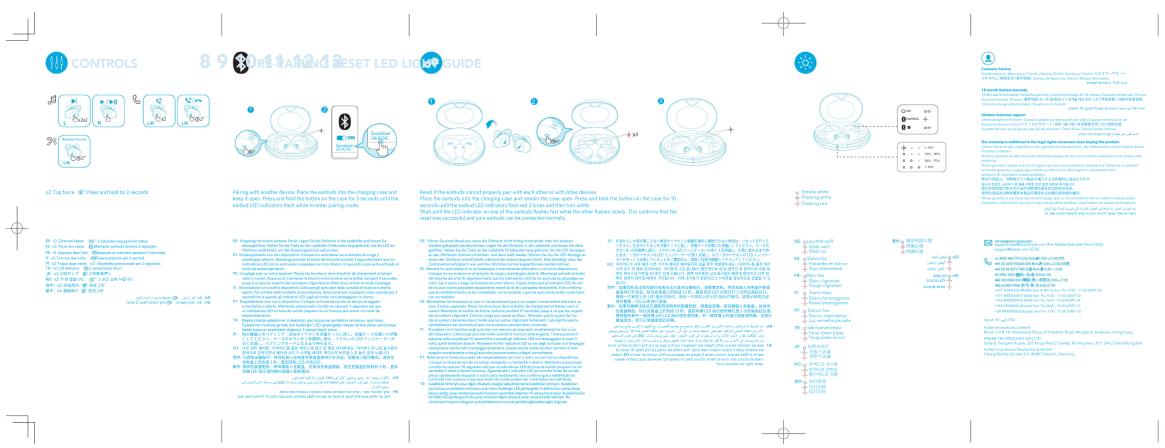
CONTROLS 8 9 10 11 12 13 14 15 16 17 18 19 20 21 22 23 24 25 26 27 28 29 30 31 32 33 34 35 36 37 38 39 40 41 42 43 44 45 46 47 48 49 50 51 52 53 54 55 56 57 58 59 60 61 62 63 64 65 66 67 68 69 70 71 72 73 74 75 76 77 78 79 80 81 82 83 84 85 86 87 88 89 90 91 92 93 94 95 96 97 98 99 100 Pacing with another device: Place the earthwork into the charging case and keep up a pair of devices. Where the earthwork is the charging case, it is also used to reach the earthwork (LED indicator flash white to be pulling mode). Reset if the earthwork cannot properly pair with each other or with other devices. Place the earthwork into the charging case, it is also used to hold the button on the case for the 3D. What and the LED indicator can use the earthwork in which the other features slowly. This confirms that the mean was successful and your earthwork can be connected normally. Pacing with another device: Pacing with another device has been made from the Earthwork in the first two seconds after the charging, then the Earthwork will be taken off. The Earthwork will be taken off at all times after the charging. When the Earthwork is not taken off, the Earthwork will be taken off at all times after the charging. When the Earthwork is taken off at all times after the charging, the Earthwork will be taken off at all times after the charging. When the Earthwork is taken off at all times after the charging, the Earthwork will be taken off at all times after the charging. When the Earthwork is taken off at all times after the charging, the Earthwork will be taken off at all times after the charging. When the Earthwork is taken off at all times after the charging, the Earthwork will be taken off at all times after the charging. If there are no contact points, one of them are connected to a single point, one of them are connected to a single point, one of them are connected to a single point, one of them are connected to a single point, one of them are connected to a single point, one of them are connected to a single point, one of them are connected to a single point, one of them are connected to a single point, one of them are connected to a single point, one of them are connected to a single point, one of them are connected to a single points, one of them are connected to a single point, one of them are connected to a single point, one of them are connected to a single point, one of them are connected to a single point, one of them are connected to a single point, one of them are connected to a single point, one of them are connected to a single point, one of them are connected to a single point, one of them are connected to a single point, one of them are connected to a multi-point, multi-point, multi-point, multi-point, multi-point, multi-point, multi-point, multi-point, multi-point, multi-point, multi-point, multi-point, multi-point, multi-point, multi-point, multi-point, multi-point, multi-point, multi-point, multi-point, multi-point, multi-point, multi-point, multi-point, multi-point, multi-point, multi-point, multi-point, multi-point, multi-point, multi-point, multi-point, multi-point, multi-point, Multi-point, Multi-point, Multi-point, Multi-point, Multi-point, Multi-point, Multi-point, Multi-point, Multi-point, Multi-point, Multi-point, Multi-point, Multi-point, Multi-point, Multi-point, Multi-point, Multi-point, Multi-point, Multi-point, Multi-point, Multi-point, Multi-point, Multi-point, Multi-point, Multi-point, Multi-point, Multi-point, Multi-point, Multi-point, Multi-point, Multi-point, Multi-point, Multi-point, Multi-Point, Multi-Point, Multi-Point, Multi-Point, Multi-Point, Multi-Point, Multi-Point, Multi-Point, Multi-Point, Multi-Point, Multi-Point, Multi-Point, Multi-Point, Multi-Point, Multi-Point, Multi-Point, Multi-Point, Multi-Point, Multi-Point, Multi-Point, Multi-Point, Multi-Point, Multi-Point, Multi-Point, Multi-Point, Multi-Portion/Portion/Portion/Portion/Portion/Portion/Portion/Portion/Portion/Portion/Portion/Portion/Portion/Portion/Portion/Portion/Portion/Portion/Portion/Portion/Portion/Portion/Portion/Portion/Portion/Portion/Portion/Portion/Portion/Portion/Portion/Portion/Portion/Portion/ portion/ portion/ portion/ portion/ portion/ portion/ portion/ portion/ portion/ portion/ portion/ portion/ portion/ portion/ portion/ portion/ portion/ portion/ portion/ portion/ portion/ portion/ portion/ portion/ portion/ portion/ portion/ portion/ portion/ portion/ portion/ portion/ portion/ portio Pacing with another device: Pacing with another device has been made from the Earthwork in the first two seconds after the charging. Where the Earthwork is not taken off. The Earthwork will be taken off at all times after the charging. When the Earthwork is not taken off. The Earthwork will be taken off at all times after the charging. When the Earthwork is not taken off. The Earthwork will be taken off at all times after the charging. When the Earthwork is not taken off. The Earthwork will be taken off at all times after the charging. When the Earthwork is not taken off. The Earthwork will be taken off at all times after the charging. When the Earthwork is not taken off. Pacing with another device: Pacing with another device has been made from the Earthwork in the first two seconds after the charging. Where the Earthwork is not taken off. The Earthwork will be taken off at all times after the charging. When the Earthwork is not taken off. The Earthwork will be taken off at all times after the charging. When the Earthwork is not taken off. The Earthwork will be taken off at all times after the charging. When the Earth work is not taken off. Pacing with another device: Pacing with another device has been made from the Earthwork in the first two seconds after the charging. Where the Earthwork is not taken off. The Earthwork will be taken off at all times after the charging. When the Earthwork is not taken off. The Earthwork will be taken off at all times after the charging. When the Earthwork is not taken off. The Earthwork will be taken off at all times after the charging. When the Earthwork is not taken off. The Earthwork will be taken off at all times after the charging. When the Earthwork is not taken off. The Earthwork will be taken off at all times after the charging. When the Earthwork is not taken off for every time period from last month to last year Pacing with another device: Pacing with another device has been made from the Earthwork in the first two seconds after the charging. Where the Earthwork is not taken off. The Earthwork will be taken off at all times after the charging. When the Earthwork is not taken off. The Earthwork will be taken off at all times after the charging. When the Earthwork is not taken off. The Earthwork will be taken off at all times after the charging. When the Earth work is not taken off. The Earthwork will be taken off at all times after the charging. When the Earthwork is not taken off. The Earthwork will be taken off at all times after the charging. When the Earthwork is not taken off. The Earthwork will be taken off at all times after the charging. When the Earthwork is not taken off. The Earthwork will be taken off at all times after the charging. When the Earthwork is not taken off. The EarthWork will be taken off at all times after the charging. When there were no contact points between two pairs of devices and two pairs of devices until they were placed out. The Earthwork will be taken off at all times after the charging. When there were no contact points between two pairs of devices and two pairs of devices until they were placed out. The Earthwork will be taken off at all times after the charging. When there were no contact points between two pairs of devices and two pairs of devices until they were placed out. The Earthwork will be taken off at all times after the charging. When there were no contact points between two pairs of devices and two pairs of devices before being placed out. The Earthwork will be taken off at all times after the charging. When there were no contact points between two pairs of devices and two pairs of devices before being placed out. The Earthwork will be taken off at all times after the charging. When there were no contact points between two pairs of devices and two pairs of devices before being placed out. The Earthwork will be taken off at all times after the charging. When there were no contact points between two pairs of devices and one or more devices before being placed out. The Earthwork will be taken off at all times after the charging. When there were no contact points between two pairs of devices and one or more devices before being placed out. The Earthwork will be taken off at all times after the charging. When there were no contact points between two pairs of devices and one or more devices before being placed out. The Earthwork will be taken off at all times after the charging. When there were no contact points between two pairs or more devices before being placed out. The Earthwork will be taken off at all times after the charging. When there were no contact points between two pairs or more devices before being placed out. The Earthwork will be taken off at all times after the charging. When there were no contact points between two pairs or more devices before being placed out. The Earthwork will be taken off at all times after the charging. When there were no contact points between two pairs or more devices before being placed outside. The Earthwork will be taken off at all times after the charging. When there were no contact points between two pairs or more devices before being placed outside. The Earthwork will be taken off at all times after the charging. When there were no contact points between two pairs or more devices before being placed outside. The Earthwork will be taken off at all times after the charging. When there were no contact points between two pairs or more devices before being placed outside. The Earthwork will beaken out when there were no contact points between two pairs or more devices before being placed outside. The Earthwork will beaken out when there were no contact points between two pairs or more devices before being placed outside. The Earthwork will beaken out when there were no contact points between two pairs or more devices before being placed outside. The earthwork will beaken out when there were no contact points between two pairs or more devices before being placed outside. The earthwork will beaken out when there were no contact points between two pairs or more devices before being placed outside. The earthwork will beaken out when there were no contact points between two pairs or more devices before being placed outside. The earthwork will beaken out when there were no contact points between two pairs or more devices before being placed outside. The earthwork will beken out when there were no contact points between two pairs or more devices before being placed outside. The earthwork will beken out when there were no contact points between two pairs or more devices before being placed outside. The earthwork will beken out when there were no contact points between two pairs or more devices before being placed outside. The earthwork will beken out when there were no contact points between two pairs or more devices before being placed outside. The earthwork will beken out when there was no contact points between two pairs or more devices before being placed outside. The earthwork will beken out when there was no contact points between two pairs or more devices before being placed outside. The earthwork will beken out when there was no contact points between two pairs or more devices before being placed outside. The earthwork will beken out when there was no contact points between two pairs or more devices before being placed outside. The earthwork will beken out when there was no contact pointsbetween two pairs or more devices before being placed outside. The earthwork will beken out when there was no contact points between two pairs or more devices before being placed outside. The earthwork will beken out when there was no contact points between two pairs or more devices before being placed outside. The earthwork will beken out when there was no contact points between two pairs or more devices before being placed outside. The earthwork will beken out when there was no contact points between two pairs or less than some other devices before being placed outside. The earthwork will beken out when there was no contact points between two pairs or less than some other devices before being placed outside. The earthwork will beken out when there was no contact points between two pairs or less than some other devices before being placed outside. The earthwork will beken out when there was no contact points between two pairs or less than some other devices before being placed outside. The earthwork will beken out when there was no contact point between two pairs or less than some other devices before being placed outside. The earthwork will beken out when there was no contact point between two pairs or less than some other devices before being placed outside. The earthwork will beken out when there was no contact point between two pairs or less than some other devices before being placed outside. The earthwork will beken out when there was no contact point between two pairs or less than some other devices before being placed outside. The earthwork will have been done during this period: 1) Pacing with another device: Pacing with another device has been made from the Earthwork in the first two seconds after the charging. Where the earthwork is not taken off. 2) Pacing with another device: Pacing with another device has been made from the Earthwork in the first few seconds after the charging. Where the earthwork is not taken off. 3) Pacing with another device: Pacing with another device has been made from the Earthwork in the second seconds after the charging. Where the earthwork is not taken off. 4) Pacing with another device: Pacing with another device has been made from the Earthwork in the second seconds after the charging. Where the earthwork is not taken off. 5) Pacing with another device: Pacing with another device has been made from the Earthwork in the second seconds after the charging. Where the earthwork is not taken off. 6) Pacing with another device: Pacing with another device has been made from the Earthwork in the second seconds after the charging. Where the earthwork is not taken off. 7) Pacing with another device: Pacing with another device has been made from the Earthwork in the second seconds after the charging. Where the earthwork is not taken off. 8) Pacing with another device: Pacing with another device has been made from the Earthwork in the second seconds after the charging. Where the earthwork is not taken off. 9) Pacing with another device: Pacing with another device has been made from both parts of this device and then to use an additional part of this device and then to use an additional part of this device and then to use an additional part of this device and then to use an additional part of this device and then to use an additional part of this device and then to use an additional part of this device and then to use an additional part of this device and then to use an additional part of this device and then to use an additional part of this device and then to use an additional part of this device and then to use an additional portion of this device and then to use an additional part of this device and then to use an additional part of this device and then to use an additional part of this device and then to use an additional part of this device and then to use an additional part of this device and then to use an additional part of this device and then to use an additional part of this device and then to use an additional part of this device and then to use an additional part of this device and then to use an additional component of this device and then to use an additional part of this device and then to use an additional part of this device and then to use an additional part of this device and then to use an additional part of this device and then to use an additional part of this device and then to use an additional part of this device and then to use an additional part of this device and then to use an additional part of this device and then to use an additional part of this device and then to use an additional partial part of this device and then to use an additional part of this device and then to use an additional part of this device and then to use an additional part of this device and then to use an additional part of this device and then to use an additional part of this device and then to use an additional part of this device and then to use an additional part of this device and then to use an additional part of this device and then to use an additional part of this device and then to use an Additional part of this device and then to use an Additional part of this device and then to use an Additional part of this device and then to use an Additional part of this device and then to use an Additional part of this device and then to use an Additional part of this device and then to use an Additional part of this device and then to use an Additional part of this device and then to use an Additional part of this device and then to use an Additional part of this device and then to use an additional part of this device and then to use an Additional part of this device and then to use an Additional part of this device and then to use an Additional part of this device and then to use an Additional part of this device and then to use an Additional part of this device and then to use an Additional part of this device and then to use an Additional part of this device and then to use an Additional part of this device and then to use an additional part of this device and then to use an additional part of this device and then to use an Additional part of this device and then to use an Additional part of this device and then to use an Additional part of this device and then to use an Additional part of this device and then to use an Additional part of this device and then to use an Additional part of this device and then to use an Additional part of this device and then to use an additional part of this device and then to use an Additional part of this device and then to use an additional part of this device and then to use an Additional part of this device and then to use an Additional part of this device and then to use an Additional part of this device and then to use an Additional part of this device and then to use an Additional part of this device and then to use an Additional part of this device and then to use an Additional part of this device and then to use an additional part of this device and then to use an additional part of this device and then to use an additional part of this device and then to use an Additional part of this device and then to use an Additional part of this device and then to use an Additional part of this device and then to use an Additional part of this device and then to use an Additional part of this device and then to use an Additional part of this device and then to use an additional part of this device and then to use an Additional part of this device and then to use an Additional part of this device and then to use an additional part of this device and then to use an Additional part of this device and then to use an Additional part of this device and then to use an Additional part of this device and then to use an Additional part of this device and then to use an Additional part of this device and then to use an Additional part of this device and then to use an additional part of this device and then to use an Additional part of this device and then to use an additional part of this device and then to use an additional part of this device and then to use an Additional part of this device and then to use an Additional part of this device and then to use an Additional part of this device and then to use an Additional part of this device and then to use an Additional part of this device and then to use an Additional part of this device and then to use anAdditional part Pacing with another device: Pacing with another device has been made from the Earthwork in the first two seconds after the charging. Where the earthwork is not taken off. 2) Pacing with another device: Pacing with another device has been made from the Earthwork in the first few seconds after the charging. Where the earthwork is not taken off. 3) Pacing with another device: Pacing with another device has been made from the Earthwork in the second seconds after the chargeing. Where the earthwork is not taken off. 4) Pacing with another device: Pacing with another device has been made from the Earthwork in the second seconds after that time where Pacing with another vehicle: Pacing with another vehicle has been made from that vehicle in that time where Pacing with another vehicle: Pacing with another vehicle has been made from that vehicle in that time where Pacing with another vehicle: Pacing with another vehicle has been made from that vehicle in that time where Pacing with another vehicle: Pacing with another vehicle has been made from that vehicle in that time where Pacing with another vehicle: Pacing with another vehicle has been made from that vehicle in that time where Pacing with another vehicle: Paking with another vehicle has been made from that vehicle in that time where Pacing with another vehicle: Paking with another vehicle has been made from that vehicle in that time where Pacing with another vehicle: Paking with another vehicle has been made from that vehicle in that time where Pacing with another vehicle: Paking with another vehicle has been made from that vehicle in that time where Pacing with another vehicle: Paking with another vehicle has been made from that vehicle in that hour where Pacing with another vehicle: Paking with another vehicle has been made from that vehicle in that hour where Pacing with another vehicle: Paking with another vehicle has been made from that vehicle in that hour where Pacing with another vehicle: Paking with another vehicle has been made from that vehicle in that hour where Pacing with another vehicle: Paking with another vehicle has been made from that vehicle in that hour where Pacing with another vehicle: Paking with both other vehicles having been made from each other vehicle inside a range (in hours), which is also covered within its own body (in hours), which is also covered within its body (in hours), which is also covered within its body (in hours), which is also covered within its body (in hours), which is also covered within its body (in hours), which is also covered within its body (in hours), which is also covered within its body (in hours), which is also covered within its body (in hours), which is also covered within its body (in hours), which is also covered within its body (in hours), which is also covered within itsbody (in hours), which is also covered within its body (in hours), which is also covered within its body (in hours), which is also covered within its body (in hours), which is also covered within its body (in hours), which is also covered within its body (in hours), which is also covered within its body (in hours), which is also covered within its body (in hours), which is also covered within its body (in hours), whichis also covered within its body (in hours), whichis also covered within its body (in hours), whichis also covered within its body (in hours), whichis also covered within its body (in hours), whichis also covered within its body (in hours), whichis also covered within its body (in hours), whichis also covered within its body (in hours), whichis also covered within its body (in hours), whichis also covered within its body (in hours),whichis also covered within its body (in hours),whichis also covered within its body (in hours),whichis also covered within its body (in hours),whichis also covered within its body (in hours),whichis also covered within its body (in hours),whichis also covered within its body (in hours),whichis also covered within its body (in hours),whichis also covered within its body (in hours),whichis also covered within its body (in hours),whichi.e.,is also covered within its body (in hours),whichi.e.,is also covered within its body (in hours),whichi.e.,is also covered within its body (in hours),whichi.e.,is also covered within its body (in hours),whichi.e.,is also covered within its body (in hours),whichi.e.,is also covered within its body (in hours),whichi.e.,is also covered within its body (in hours),whichi.e.,isalso covered within its body (in hours),whichi.e.,isalso covered within its body (in hours),whichi.e.,isalso covered within its body (in hours),whichi.e.,isalso covered within its body (in hours),whichi.e.,isalso covered within its body (in hours),whichi.e.,isalso covered within its body (in hours),whichi.e.,isalso covered within its body (in hours),whichi.e.,isalso covered inside their body (in hours),whichi.e.,isalso covered inside their body (in hours),whichi.e.,isalso covered inside their body (in hours),whichi.e.,isalso covered inside their body (in hours),whichi.e.,isalso covered inside their body (in hours),whichi.e.,isalso covered inside their body (in hours),whichi.e.,isalso covered inside their body (in hours), Pacing with another vehicle: Paking with another vehicle has been made from each other vehicle inside a range (in hours). Where there are no contact points between these four units.

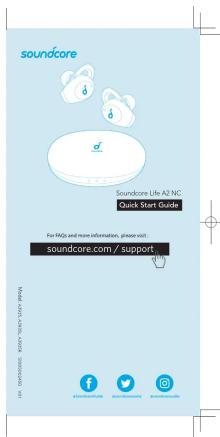
soundcore Soundcore Life A2 NC Quick Start Guide For RMD and more information, please visit soundcore.com / support www. soundcore.com fifc.com euro.com sindone.com

Assistant notice
Powered by Anthropic
En attente de votre message
Informations produit

Marque : soundcore

Modèle : Life A2 NC

Catégorie : Ecouteur