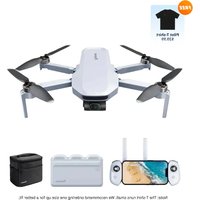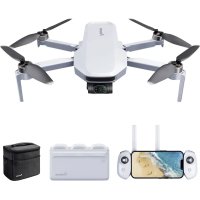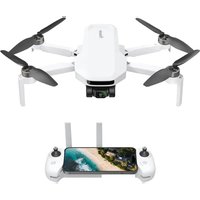
Atom LT - Drone Potensic - Notice d'utilisation et mode d'emploi gratuit
Retrouvez gratuitement la notice de l'appareil Atom LT Potensic au format PDF.


| Caractéristiques techniques | Drone quadricoptère, caméra HD 720p, portée de contrôle jusqu'à 100 mètres, temps de vol jusqu'à 10 minutes. |
|---|---|
| Utilisation | Idéal pour les débutants, facile à piloter grâce à des commandes intuitives, fonction de décollage et d'atterrissage automatique. |
| Maintenance et réparation | Vérifier régulièrement l'état des hélices et de la batterie, nettoyage des capteurs après chaque utilisation, pièces de rechange disponibles. |
| Sécurité | Ne pas faire voler le drone dans des zones interdites, respecter les réglementations locales sur l'utilisation des drones, ne pas surcharger la batterie. |
| Informations générales | Poids léger, design compact, compatible avec les smartphones pour le contrôle via application, recharge par USB. |
FOIRE AUX QUESTIONS - Atom LT Potensic
Questions des utilisateurs sur Atom LT Potensic
0 question sur cet appareil. Repondez a celles que vous connaissez ou posez la votre.
Poser une nouvelle question sur cet appareil
Téléchargez la notice de votre Drone au format PDF gratuitement ! Retrouvez votre notice Atom LT - Potensic et reprennez votre appareil électronique en main. Sur cette page sont publiés tous les documents nécessaires à l'utilisation de votre appareil Atom LT de la marque Potensic.
MODE D'EMPLOI Atom LT Potensic
1

User Manual

FAQ
Scan the QR code to download the App / watch the tutorial videos
EN Download the App
DE App herunterladen
IT Scaricare l'App
FR Télécharger l'App
ES Descargar la App
CN 下载App
JP Appを入手する

PotensicPro


Available on the iPhone App Store

Android APP OR Google play
EN Watch the tutorial videos
DE Anleitungsvideos anschauen
IT Guardare i video tutorial
FR Regarder les vidéos de tutoriel
ES Ver los vídeos de tutorial
CN 观看教学视频
JP チュートリアル動画
YouTube https://www.youtube.com/@Potensic
2
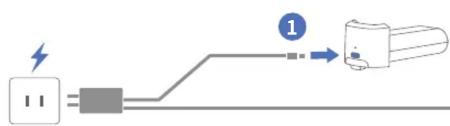
EN Charge to activate the Smart Battery before using for the first time
DE Laden Sie den Smart Battery auf, bevor Sie ihn zum ersten Mal verwenden
IT Carica per attivare la batteria intelligente prima di utilizzarlo per la prima volta
FR Charger avant la première utilisation pour activer la batterie intelligente
ES La batería inteligente debe cargarse para activar antes del primer uso
CN 智能电池首次使用需充电激活
JP 初回使用前にバッテリーを充電してアクティブにする必要があります
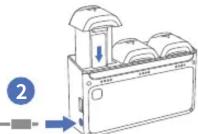
EN Need to purchase additional charging Hub
DE Es muss eine zusätzliche Ladestation gekauft werden
IT Necessità di acquistare Hub di ricarica aggiuntiva
FR Nécessité d'acheter un Hub de charge supplémentaire
ES Se necesita comprar una Estación de Carga adicional
CN 需另外购买充電Hub
JP 別途で充電ハブを購入する必要があります
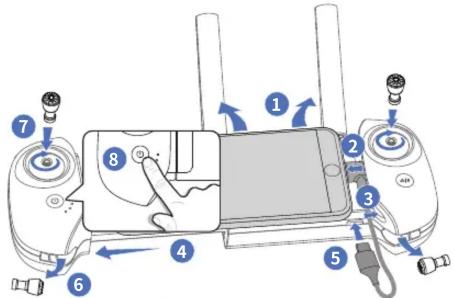
EN Power On / Off: Press and hold for 2s
DE Ein- / Ausschalten: 2 Sekunden lang halten
IT Accensione / Spegnimento: Tenere premuto per 2s
FR Allumer / Éteindre: Appuyer et maintenir pendant 2s
ES Encender / Apagar: Mantenga presionado durante 2 segundos
CN 开机 / 关机:长按2秒
JP オン/オフ:2秒間長押し
3
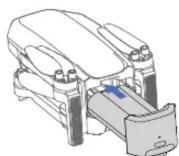

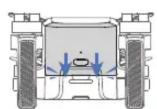

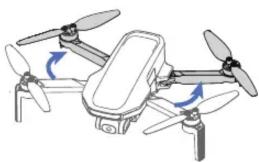
EN Click!
DE Klick!
IT Clic!
FR Clic!
ES Clic!
CN 咳!
JP ガチャ!
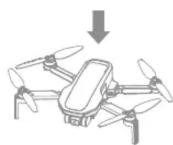
natural_image
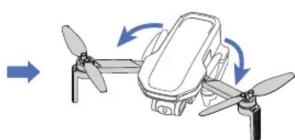
Diagram of a drone with propellers and directional arrows indicating rotation (no text or symbols)
natural_image
Illustration of a quadcopter drone with propellers and control panels (no text or symbols)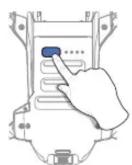
EN Power On / Off: Press and hold for 2s
DE Ein- / Ausschalten: 2 Sekunden lang halten
IT Accensione / Spegnimento: Tenere premuto per 2s
FR Allumer / Éteindre: Appuyer et maintenir pendant 2s
ES Encender / Apagar: Mantenga presionado durante 2 segundos
CN 开机 / 关机:长按2秒
JP オン / オフ:2秒間長押し

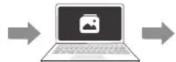
EN Insert an SD card to store videos / photos
DE Für die Foto-/Videospeicherung ist eine SD-Karte erforderlich
IT Inserire una scheda SD per archiviare video / foto
FR Insérer une carte SD pour stocker des vidéos / photos
ES Insertar tarjeta SD para almacenar vídeos / fotos
CN 存储视频 / 照片需要插入SD卡
JP ビデオや写真を保存するには、SDカードを挿入する必要がある


576P


1080P/2.5K
4
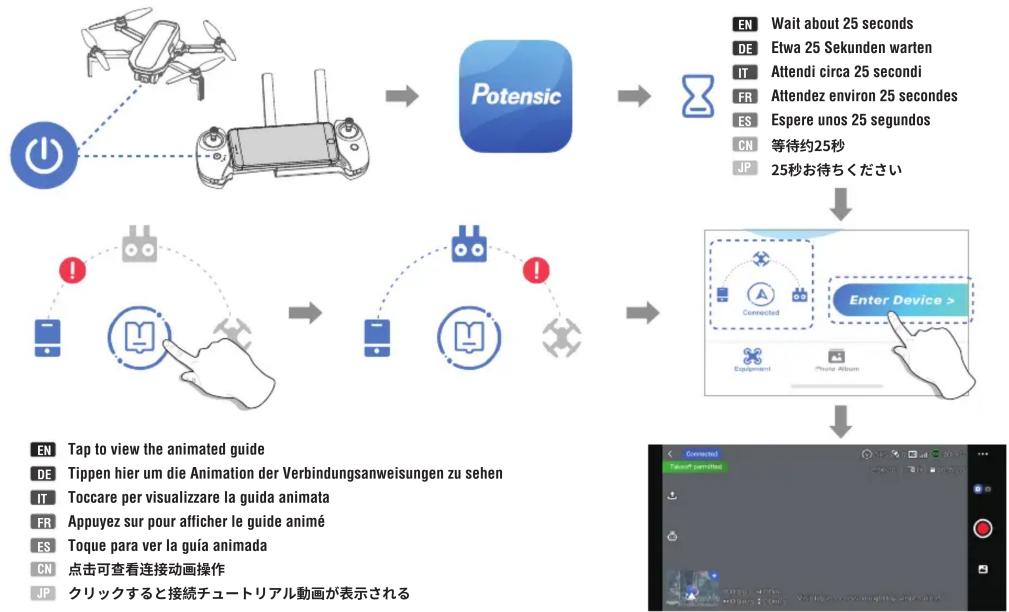
flowchart
graph TD
    A["Drone with Power"] --> B["Potensic"]
    B --> C["Operation with Robot"]
    C --> D["User Interface with Mouse Icon"]
    D --> E["Interface with Mouse Icon"]
    E --> F["Enter Device > Connected"]
    F --> G["Device 1: Tap to view the animated guide"]
    F --> H["Device 2: Tap to view the animated guide"]
    F --> I["Device 3: Tap to view the animated guide"]
    style A fill:#f9f,stroke:#333
    style B fill:#bbf,stroke:#333
    style C fill:#bfb,stroke:#333
    style D fill:#ffb,stroke:#333
    style E fill:#fbb,stroke:#333
    style F fill:#cfc,stroke:#333
    style G fill:#fcc,stroke:#333
    style H fill:#cff,stroke:#333
    style I fill:#ffc,stroke:#333
5
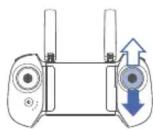
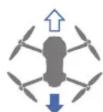
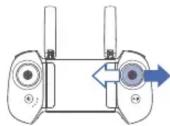
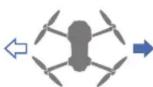
Mode 1 / Modus 1 / Modalità 1 / Mode 1 / Modo 1 / 模式 1 / 美国手 / モード 1
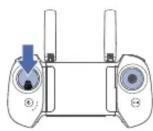
EN Take-off
DE Starten
IT Decollo
FR Décollage
ES Despegue
CN 起飞
JP 離陸
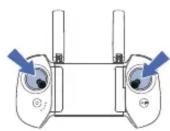
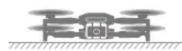
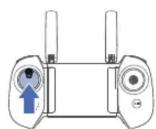
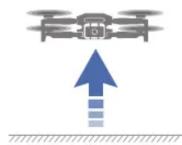
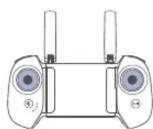
EN Landing
DE Landen
IT Atterraggio
FR Atterrissage
ES Aterrizaje
CN 着陆
JP 着陸

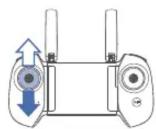
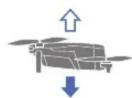
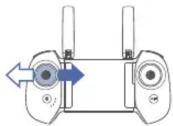
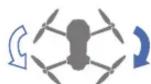
6
EN DO NOT fly the drone indoors. Fly outdoors in an open area
DE Das Fliegen in Innenräumen wird nicht unterstützt, bitte betreiben Sie die Drohne in einem offenen Außenbereich
IT Non volare il drone in ambienti chiusi. Volare all'aperto in una zona aperta
FR NE PAS faire voler le drone à l'intérieur. Faites-le voler à l'extérieur dans une zone ouverte
ES NO vuele el dron en interiores. Vuele al aire libre en lugar abierto
CN 不支持室内飞行,请在空旷的户外飞行
JP ドローンは室内での飛行は禁止であり、広々とした屋外空間でご使用ください
GPS Mode
Return to Home (RTH) The drone must be in GPS mode

Return altitude = Your settings
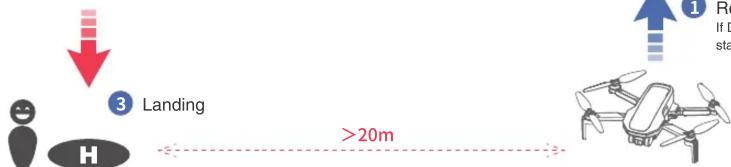
flowchart
graph TD
    A["Human Figure"] --> B["Landing"]
    B --> C["Drone Drone"]
    style A fill:#f9f,stroke:#333
    style B fill:#ccf,stroke:#333
    style C fill:#cfc,stroke:#333
    note right of B: >20m
    note left of A: ↓
    note right of C: ↑
    note right of C: If D is stated
V01.24.05