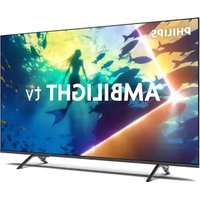
50PUS8050 - Téléviseur PHILIPS - Notice d'utilisation et mode d'emploi gratuit
Retrouvez gratuitement la notice de l'appareil 50PUS8050 PHILIPS au format PDF.


| Marque | PHILIPS |
| Modèle | 50PUS8050 |
| Taille de l'écran | 50 pouces |
| Résolution | 4K UHD (3840 x 2160) |
| Technologie d'affichage | LED |
| HDR | Oui, HDR Perfect |
| Fréquence de rafraîchissement | 60 Hz |
| Connectivité | Wi-Fi, Bluetooth, HDMI, USB |
| Système d'exploitation | Android TV |
| Applications intégrées | Netflix, YouTube, Prime Video, etc. |
| Consommation énergétique | Classe énergétique A |
| Dimensions (sans support) | 111.1 x 64.7 x 8.5 cm |
| Poids (sans support) | 15.5 kg |
| Maintenance | Nettoyage de l'écran avec un chiffon doux, mise à jour du logiciel via Internet |
| Sécurité | Ne pas exposer à l'humidité, utiliser sur une surface stable |
| Garantie | 2 ans |
FOIRE AUX QUESTIONS - 50PUS8050 PHILIPS
Questions des utilisateurs sur 50PUS8050 PHILIPS
0 question sur cet appareil. Repondez a celles que vous connaissez ou posez la votre.
Poser une nouvelle question sur cet appareil
Téléchargez la notice de votre Téléviseur au format PDF gratuitement ! Retrouvez votre notice 50PUS8050 - PHILIPS et reprennez votre appareil électronique en main. Sur cette page sont publiés tous les documents nécessaires à l'utilisation de votre appareil 50PUS8050 de la marque PHILIPS.
MODE D'EMPLOI 50PUS8050 PHILIPS
PHILIPS
Television
Quick Start Guide
8050 Series

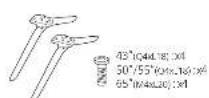
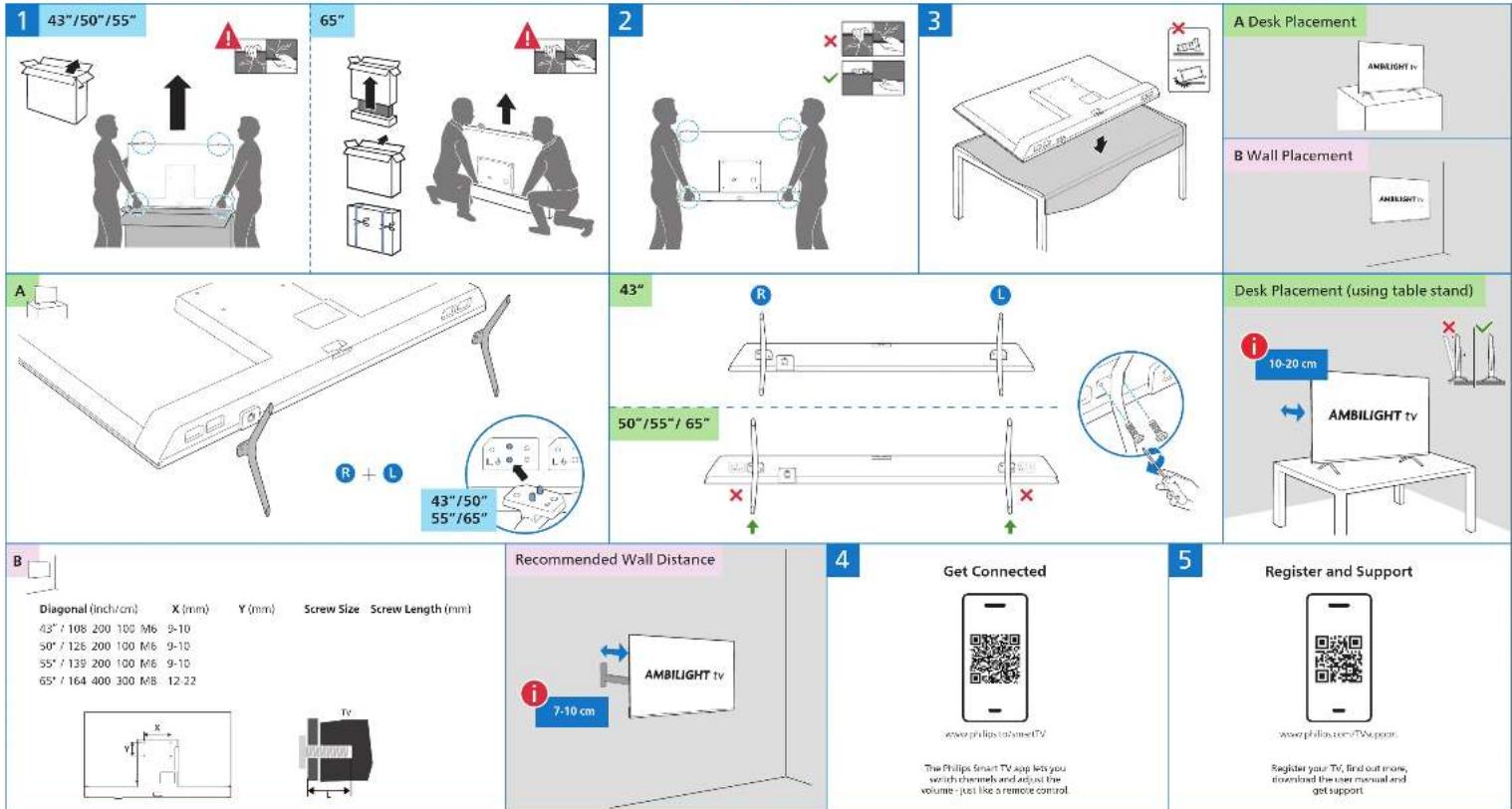
Diagonal (inch/cm)
43" / 108 200 100 M6 9-10
50° / 126 200 100 M6 9-10
55° / 139 200 100 M6 9-10
65° / 164 400 300 MB 12-22
www.prlips@sinse(7)
The Philips Smart TV app lets you switch channels and adjust the volume - just like a remote control.
www.philios.com/TAIaper
Register your TV, find out more, download the user manual and get support

text_image
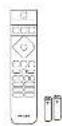
To install batteries, slide the battery door up. Use 2x AAA LR03 1.5V (included) Slide battery door back in place. English Turkish Read the battery instructions Go check instructions when Help FSC Logo H12mm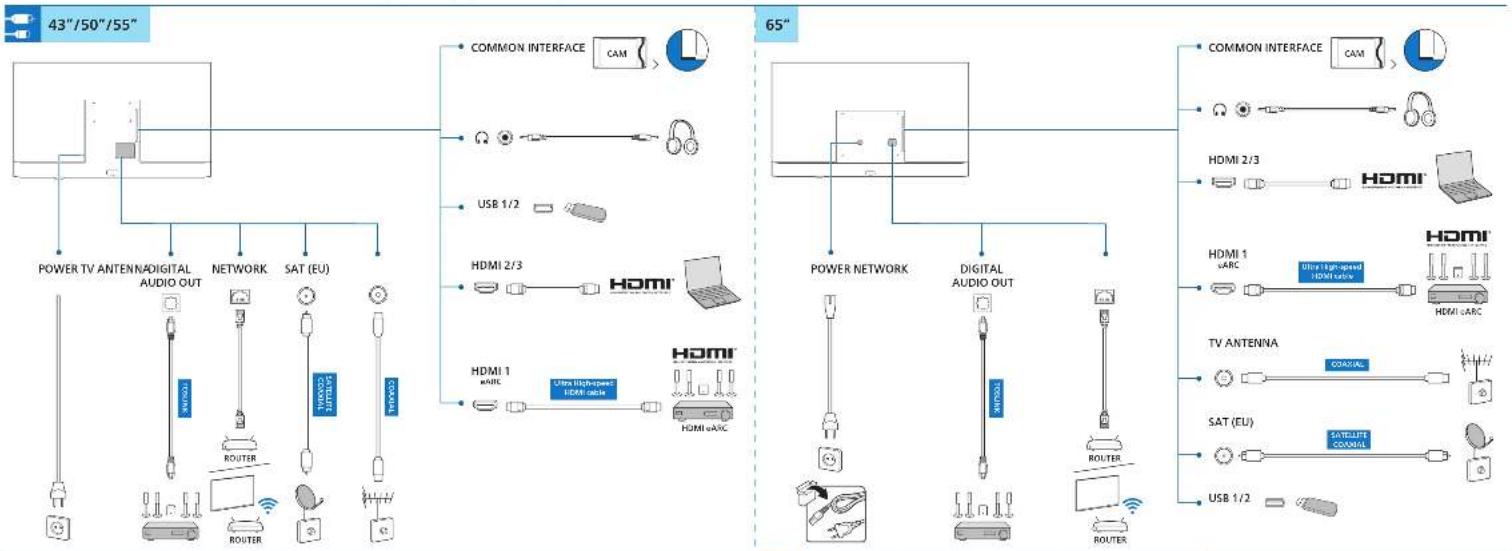
flowchart
graph TD
    subgraph "43"/50"/55"
        A["POWER TV ANTENADIGITAL AUDIO OUT"] --> B["NETWORK"]
        B --> C["SAT (EU)"]
        C --> D["TV ANTENNA"]
    end

    subgraph "65"
        E["COMMON INTERFACE CAM"] --> F["USB 1/2"]
        G["HDMI 2/3"] --> H["HDMI"]
        I["HDMI 1 &ARC"] --> J["HDMI eARC"]
        K["POWER NETWORK"] --> L["DIGITAL AUDIO OUT"]
        M["TV ANTENNA"] --> N["SAT (EU)"]
        O["USB 1/2"] --> P["TV ANTENNA"]
    end

    style A fill:#f9f,stroke:#333
    style B fill:#ccf,stroke:#333
    style C fill:#cfc,stroke:#333
    style D fill:#fcc,stroke:#333
    style E fill:#cff,stroke:#333
    style F fill:#ffc,stroke:#333
    style G fill:#ffc,stroke:#333
    style H fill:#ffc,stroke:#333
    style I fill:#ffc,stroke:#333
    style J fill:#ffc,stroke:#333
    style K fill:#ffc,stroke:#333
    style L fill:#ffc,stroke:#333
    style M fill:#ffc,stroke:#333
    style N fill:#ffc,stroke:#333
    style O fill:#ffc,stroke:#333
    style P fill:#ffc,stroke:#333

text_image
Recommended wall distance for the best Ambilight Experience Wall B 7 in 10 cm A 10 to 20 cm TV 10.2 3.4 5.6 7.8 9 10.11 12 15 14 15 16 17 18 19 20 21 22 23 24 25 26 27 PHILIPS A recommended wall distance for the best Ambilight Experience The recommended wall distance for the best Ambilight Experience is based on the height of the wall at the top of the wall. A recommended wall distance for the best Ambilight Experience is based on the height of the wall at the bottom of the wall. A recommended wall distance for the best Ambilight Experience is based on the height of the wall at the top of the wall. A recommended wall distance for the best Ambilight Experience is based on the height of the wall at the bottom of the wall. A recommended wall distance for the best Ambilight Experience is based on the height of the wall at the top of the wall. A recommended wall distance for the best Ambilight Experience is based on the height of the wall at the bottom of the wall. Recommended wall distance for the best Ambilight Experience is based on the height of the wall at the top of the wall. Recommended wall distance for the best Ambilight Experience is based on the height of the wall at the bottom of the wall. Recommended wall distance for the best Ambilight Experience is based on the height of the wall at the top of the wall. Recommended wall distance for the best Ambilight Experience is based on the height of the wall at the bottom of the wall. Recommended wall distance for the best Ambilight Experience is based on the height of the wall at the top of the wall. Recommended wall distance for all other Ambilight experience areas. Recommended wall distance for all other Ambilight experience areas. Recommended wall distance for all other Ambilight experience areas. Recommended wall distance for all other Ambilight experience areas. Recommended wall distance for all other Ambilight experience areas. Recommended wall distance for all other Ambilight experience areas. Recommended wall distance for all other Ambilight experience areas. Recommended wall distance for all other Ambilight experience areas. Recommended wall distance for all other Ambilight experience areas. Recommended wall distance for all other Ambilight experience areas.
At the time of the work is to be done in the following:



