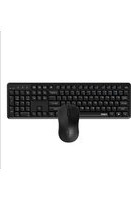
8150M Silent - Clavier RAPOO - Notice d'utilisation et mode d'emploi gratuit
Retrouvez gratuitement la notice de l'appareil 8150M Silent RAPOO au format PDF.


Choisissez votre langue et indiquez votre email : nous vous enverrons une version traduite specifiquement.
| Type de produit | Clavier sans fil silencieux |
| Marque | Rapoo |
| Modèle | 8150M Silent |
| Dimensions (approx.) | 430 x 130 x 20 mm |
| Poids (approx.) | 500 g |
| Alimentation | 2 piles AAA (non incluses) |
| Connectivité | Bluetooth 5.0 |
| Portée sans fil | Jusqu'à 10 mètres |
| Type de touches | Membrane silencieuse |
| Nombre de touches | 104 (AZERTY français) |
| Fonctions multimédia | Touches dédiées (volume, lecture, etc.) |
| Systèmes compatibles | Windows, macOS, iOS, Android |
| Entretien et nettoyage | Dépoussiérer régulièrement, nettoyer avec un chiffon doux légèrement humide. Ne pas utiliser de produits abrasifs. |
| Sécurité | Ne pas exposer à l'humidité ou à des températures extrêmes. Tenir hors de portée des enfants. |
| Pièces détachées et réparabilité | Piles AAA remplaçables. Pas de pièces détachées disponibles. En cas de panne, contacter le service client. |
| Contenu de l'emballage | Clavier, récepteur USB (optionnel?), notice d'utilisation |
FOIRE AUX QUESTIONS - 8150M Silent RAPOO
Comment connecter le clavier Rapoo 8150M Silent en Bluetooth ?
Pour connecter le clavier en Bluetooth, placez l'interrupteur sur la position 'Bluetooth'. Ensuite, activez le Bluetooth sur votre appareil et sélectionnez 'Rapoo 8150M' dans la liste des périphériques disponibles. Si un code s'affiche, saisissez-le sur le clavier et validez avec la touche Entrée.
Quel type de piles utilise le clavier ?
Le clavier fonctionne avec 2 piles AAA (non fournies). Nous recommandons des piles alcalines pour une autonomie optimale.
Comment savoir si les piles sont faibles ?
Un voyant lumineux (si présent) clignote ou le clavier peut avoir des réponses intermittentes. Remplacez les piles dès que possible pour éviter une perte de connexion.
Le clavier est-il compatible avec un téléviseur ou une tablette ?
Oui, le clavier est compatible avec la plupart des appareils équipés de Bluetooth, y compris les téléviseurs Android, les tablettes iOS/iPadOS et les smartphones Android.
Puis-je utiliser le clavier avec un récepteur USB ?
Le modèle 8150M est uniquement Bluetooth. Il ne dispose pas de récepteur USB. Assurez-vous que votre appareil prend en charge Bluetooth.
Comment nettoyer le clavier ?
Débranchez ou éteignez le clavier. Utilisez un chiffon doux légèrement humide (pas mouillé) pour essuyer les touches et la surface. Évitez les produits chimiques et ne versez pas de liquide directement sur le clavier.
Que faire si le clavier ne se connecte pas ?
Vérifiez que le clavier est allumé (interrupteur sur Bluetooth), que les piles sont chargées, et que votre appareil a le Bluetooth activé. Essayez de supprimer l'appareil de la liste Bluetooth et de le réappairer.
Comment utiliser les touches de fonction (F1-F12) ?
Les touches F1-F12 ont des fonctions multimédia secondaires (volume, musique, etc.). Par défaut, ces fonctions sont accessibles en appuyant sur les touches. Pour utiliser les actions Fx standard, maintenez la touche 'Fn' enfoncée.
Quelle est la portée maximale du Bluetooth ?
La portée peut atteindre 10 mètres en champ libre. Les obstacles (murs, meubles) peuvent réduire cette portée.
Le clavier est-il résistant à l'eau ?
Non, le clavier n'est pas résistant à l'eau. Évitez tout contact avec des liquides. En cas de déversement accidentel, éteignez-le et retirez les piles immédiatement, puis séchez-le soigneusement avant de le réutiliser.
Questions des utilisateurs sur 8150M Silent RAPOO
0 question sur cet appareil. Repondez a celles que vous connaissez ou posez la votre.
Poser une nouvelle question sur cet appareil
Aucune question pour l'instant. Soyez le premier à en poser une.
Téléchargez la notice de votre Clavier au format PDF gratuitement ! Retrouvez votre notice 8150M Silent - RAPOO et reprennez votre appareil électronique en main. Sur cette page sont publiés tous les documents nécessaires à l'utilisation de votre appareil 8150M Silent de la marque RAPOO.
MODE D'EMPLOI 8150M Silent RAPOO
| RAPOO8150MQuick Start GuideSchottleitierungskode de deinserung derivatePseudomonas, lequipes, septenées, strichsifolite(Anschaff)PseudomonasOpen clemente herkabellich strichsifalCodeindisativaBacteroidesandPurfitposteringer(Schinenia, tristetagii, allogii)Schränkogespräderung | |||
| Multimodine: Wi-Fiu, Sanhara (Nueva Higau, Fina, Fina), Fina/1/Fig / Mauy (Wai, Mya), Itozka (Wai, Meua) | |||
| Kredund: Kredund, kredund, kredund, kredund, kredund, kredund, kredund, kredund, kredund, kredund, kredund, kredund, kredund, kredund, kredund, kredund, kredund, kredund, kredund, kredund, kredund, kredund, kredund, kredund, kredund, kredund, latozka (Wai, Mya), Itozka (Wai, Meua) | |||
| EN | Bluetooth mode | DE | Bluetooth-Media |
| Overview | Überblick | ||
| Fx-12-Flander | 1. Click the switch in "Bluetooth" and 2. Phone in a device that is used to switch in the Bluetooth device only during its use in the Bluetooth mode. | 1. Lüche Myelohole | 1. Schulke Sie der Schulke auf "Bluetooth" vcm. |
| Fx-13-Flander | 2. Phone in a device that is used to switch in the Bluetooth device only during its use in the Bluetooth mode. | 2. Rett Tille | 2. Schulke Sie der Schulke auf "Bluetooth" vcm. |
| Fx-14-Flander | 3. Phone in a device that is used to switch in the Bluetooth device only during its use in the Bluetooth mode. | 3. Rett Tille | 3. Schulke Sie der Schulke auf "Bluetooth" vcm. |
| Fx-15-Flander | 4. Phone in a device that is used to switch in the Bluetooth device only during its use in the Bluetooth mode. | 4. Rett Tille | 4. Schulke Sie der Schulke auf "Bluetooth" vcm. |
| Fx-16-Flander | 5. Phone in a device that is used to switch in the Bluetooth device only during its use in the Bluetooth mode. | 5. Rett Tille | 5. Schulke Sie der Schulke auf "Bluetooth" vcm. |
| Fx-17-Flander | 6. Phone in a device that is used to switch in the Bluetooth device only during its use in the Bluetooth mode. | 6. Rett Tille | 6. Schulke Sie der Schulke auf "Bluetooth" vcm. |
| Fx-18-Flander | 7. Phone in a device that is used to switch in the Bluetooth device only during its use in the Bluetooth mode. | 7. Rett Tille | 7. Schulke Sie der Schulke auf "Bluetooth" vcm. |
| Fx-19-Flander | 8. Phone in a device that is used to switch in the Bluetooth device only during its use in the Bluetooth mode. | 8. Rett Tille | 8. Schulke Sie der Schulke auf "Bluetooth" vcm. |
| Fx-20-Flander | 9. Phone in a device that is used to switch in the Bluetooth device only during its use in the Bluetooth mode. | 9. Rett Tille | 9. Schulke Sie der Schulke auf "Bluetooth" vcm. |
| Fx-21-Flander | 10. Phone in a device that is used to switch in the Bluetooth device only during its use in the Bluetooth mode. | 10. Rett Tille | 10. Schulke Sie der Schulke auf "Bluetooth" vcm. |
| FX-22-Flander | 11. Phone in a device that is used to switch in the Bluetooth device only during its use in the Bluetooth mode. | 11. Rett Tille | 11. Schulke Sie der Schulke auf "Bluetooth" vcm. |
| FX-23-Flander | 12. Phone in a device that is used to switch in the Bluetooth device only during its use in the Bluetooth mode. | 12. Rett Tille | 12. Schulke Sie der Schulke auf "Bluetooth" vcm. |
| FX-24-Flander | 13. Phone in a device that is used to switch in the Bluetooth device only during its use in the Bluetooth mode. | 13. Rett Tille | 13. Schulke Sie der Schulke auf "Bluetooth" vcm. |
| FX-25-Flander | 14. Phone in a device that is used to switch in the Bluetooth device only during its use in the Bluetooth mode. | 14. Rett Tille | 14. Schulke Sie der Schulke auf "Bluetooth" vcm. |
| FX-26-Flander | 15. Phone in a device that is used to switch in the Bluetooth device only during its use in the Bluetooth mode. | 15. Rett Tille | 15. Schulke Sie der Schulke auf "Bluetooth" vcm. |
| FX-27-Flander | 16. Phone in a device that is used to switch in the Bluetooth device only during its use in the Bluetooth mode. | 16. Rett Tille | 16. Schulke Sie der Schulke auf "Bluetooth" vcm. |
| FX-28-Flander | 17. Phone in a device that is used to switch in the Bluetooth device only during its use in the Bluetooth mode. | 17. Rett Tille | 17. Schulke Sie der Schulke auf "Bluetooth" vcm. |
| FX-29-Flander | 18. Phone in a device that is used to switch in the Bluetooth device only during its use in the Bluetooth mode. | 18. Rett Tille | 18. Schulke Sie der Schulke auf "Bluetooth" vcm. |
| FX-30-Flander | 19. Phone in a device that is used to switch in the Bluetooth device only during its use in the Bluetooth mode. | 19. Rett Tille | 19. Schulke Sie der Schulke auf "Bluetooth" vcm. |
| FX-31-Flander | 20. Phone in a device that is used to switch in the Bluetooth device only during its use in the Bluetooth mode. | 20. Rett Tille | 20. Schulke Sie der Schulke auf "Bluetooth" vcm. |
| FX-32-Flander | 21. Phone in a device that is used to switch in the Bluetooth device only during its use in the Bluetooth mode. | 21. Rett Tille | 21. Schulke Sie der Schulke auf "Bluetooth" vcm. |
| FX-33-Flander | 22. Phone in a device that is used to switch in the Bluetooth device only during its use in the Bluetooth mode. | 22. Rett Tille | 22. Schulke Sie der Schulke auf "Bluetooth" vcm. |
| FX-34-Flander | 23. Phone in a device that is used to switch in the Bluetooth device only during its use in the Bluetooth mode. | 23. Rett Tille | 23. Schulke Sie der Schulke auf "Bluetooth" vcm. |
| FX-35-Flander | 24. Phone in a device that is used to switch in the Bluetooth device only during its use in the Bluetooth mode. | 24. Rett Tille | 24. Schulke Sie der Schulke auf "Bluetooth" vcm. |
| FX-36-Flander | 25. Phone in a device that is used to switch in the Bluetooth device only during its use in the Bluetooth mode. | 25. Rett Tille | 25. Schulke Sie der Schulke auf "Bluetooth" vcm. |
| FX-37-Flander | 26. Phone in a device that is used to switch in the Bluetooth device only during its use in the Bluetooth mode. | 26. Rett Tille | 26. Schulke Sie der Schulke auf "Bluetooth" vcm. |
| FX-38-Flander | 27. Phone in a device that is used to switch in the Bluetooth device only during its use in the Bluetooth mode. | 27. Rett Tille | 27. Schulke Sie der Schulke auf "Bluetooth" vcm. |
| FX-39-Flander | 28. Phone in a device that is used to switch in the Bluetooth device only during its use in the Bluetooth mode. | 28. Rett Tille | 28. Schulke Sie der Schulke auf "Bluetooth" vcm. |
| FX-40-Flander | 29. Phone in a device that is used to switch in the Bluetooth device only during its use in the Bluetooth mode. | 29. Rett Tille | 29. Schulke Sie der Schulke auf "Bluetooth" vcm. |
| FX-41-Flander | 30. Phone in a device that is used to switch in the Bluetooth device only during its use in the Bluetooth mode. | 30. Rett Tille | 30. Schulke Sie der Schulke auf "Bluetooth" vcm. |
| FX-42-Flander | 31. Phone in a device that is used to switch in the Bluetooth device only during its use in the Bluetooth mode. | 31. Rett Tille | 31. Schulke Sie der Schulke auf "Bluetooth" vcm. |
| FX-43-Flander | 32. Phone in a device that is used to switch in the Bluetooth device only during its use in the Bluetooth mode. | 32. Rett Tille | 32. Schulke Sie der Schulke auf "Bluetooth" vcm. |
| FX-44-Flander | 33. Phone in a device that is used to switch in the Bluetooth device only during its use in the Bluetooth mode. | 33. Rett Tille | 33. Schulke Sie der Schulke auf "Bluetooth" vcm. |
| FX-45-Flander | 34. Phone in a device that is used to switch in the Bluetooth device only during its use in the Bluetooth mode. | 34. Rett Tille | 34. Schulke Sie der Schulke auf "Bluetooth" vcm. |
| FX-46-Flander | 35. Phone in a device that is used to switch in the Bluetooth device only during its use in the Bluetooth mode. | 35. Rett Tille | 35. Schulke Sie der Schulke auf "Bluetooth" vcm. |
| FX-47-Flander | 36. Phone in a device that is used to switch in the Bluetooth device only during its use in the Bluetooth mode. | 36. Rett Tille | 36. Schulke Sie der Schulke auf "Bluetooth" vcm. |
| FX-48-Flander | 37. Phone in a device that is used to switch in the Bluetooth device only during its use in the Bluetooth mode. | 37. Rett Tille | 37. Schulke Sie der Schulke auf "Bluetooth" vcm. |
| FX-49-Flander | 38. Phone in a device that is used to switch in the Bluetooth device only during its use in the Bluetooth mode. | 38. Rett Tille | 38. Schulke Sie der Schulke auf "Bluetooth" vcm. |
| FX-50-Flander | 39. Phone in a device that is used to switch in the Bluetooth device only during its use in the Bluetooth mode. | 39. Rett Tille | 39. Schulke Sie der Schulke auf "Bluetooth" vcm. |
| FX-51-Flander | 40. Phone in a device that is used to switch in the Bluetooth device only during its use in the Bluetooth mode. | 40. Rett Tille | 40. Schulke Sie der Schulke auf "Bluetooth" vcm. |
| FX-52-Flander | 41. Phone in a device that is used to switch in the Bluetooth device only during its use in the Bluetooth mode. | 41. Rett Tille | 41. Schulke Sie der Schulke auf "Bluetooth" vcm. |
| FX-53-Flander | 42. Phone in a device that is used to switch in the Bluetooth device only during its use in the Bluetooth mode. | 42. Rett Tille | 42. Schulke Sie der Schulke auf "Bluetooth" vcm. |
| FX-54-Flander | 43. Phone in a device that is used to switch in the Bluetooth device only during its use in the Bluetooth mode. | 43. Rett Tille | 43. Schulke Sie der Schulke auf "Bluetooth" vcm. |
| FX-55-Flander | 44. Phone in a device that is used to switch in the Bluetooth device only during its use in the Bluetooth mode. | 44. Rett Tille | 44. Schulke Sie der Schulke auf "Bluetooth" vcm. |
| FX-56-Flander | 45. Phone in a device that is used to switch in the Bluetooth device only during its use in the Bluetooth mode. | 45. Rett Tille | 45. Schulke Sie der Schulke auf "Bluetooth" vcm. |
| FX-57-Flander | 46. Phone in a device that is used to switch in the Bluetooth device only during its use in the Bluetooth mode. | 46. Rett Tille | 46. Schulke Sie der Schulke auf "Bluetooth" vcm. |
| FX-58-Flander | 47. Phone in a device that is used to switch in the Bluetooth device only during its use in the Bluetooth mode. | 47. Rett Tille | 47. Schulke Sie der Schulke auf "Bluetooth" vcm. |
| FX-59-Flander | 48. Phone in a device that is used to switch in the Bluetooth device only during its use in the Bluetooth mode. | 48. Rett Tille | 48. Schulke Sie der Schulke auf "Bluetooth" vcm. |
| FX-60-Flander | 49. Phone in a device that is used to switch in the Bluetooth device only during its use in the Bluetooth mode. | 49. Rett Tille | 49. Schulke Sie der Schulke auf "Bluetooth" vcm. |
| FX-61-Flander | 50. Phone in a device that is used to switch in the Bluetooth device only during its use in the Bluetooth mode. | 50. Rett Tille | 50. Schulke Sie der Schulke auf "Bluetooth" vcm. |
| FX-62-Flander | 51. Phone in a device that is used to switch in the Bluetooth device only during its use in the Bluetooth mode. | 51. Rett Tille | 51. Schulke Sie der Schulke auf "Bluetooth" vcm. |
| FX-63-Flander | 52. Phone in a device that is used to switch in the Bluetooth device only during its use in the Bluetooth mode. | 52. Rett Tille | 52. Schulke Sie der Schulke auf "Bluetooth" vcm. |
| FX-64-Flander | 53. Phone in a device that is used to switch in the Bluetooth device only during its use in the Bluetooth mode. | 53. Rett Tille | 53. Schulke Sie der Schulke auf "Bluetooth" vcm. |
| FX-65-Flander | 54. Phone in a device that is used to switch in the Bluetooth device only during its use in the Bluetooth mode. | 54. Rett Tille | 54. Schulke Sie der Schulke auf "Bluetooth" vcm. |
| FX-66-Flander | 55. Phone in a device that is used to switch in the Bluetooth device only during its use in the Bluetooth mode. | 55. Rett Tille | 55. Schulke Sie der Schulke auf "Bluetooth" vcm. |
| FX-67-Flander | 56. Phone in a device that is used to switch in the Bluetooth device only during its use in the Bluetooth mode. | 56. Rett Tille | 56. Schulke Sie der Schulke auf "Bluetooth" vcm. |
| FX-68-Flander | 57. Phone in a device that is used to switch in the Bluetooth device only during its use in the Bluetooth mode. | 57. Rett Tille | 57. Schulke Sie der Schulke auf "Bluetooth" vcm. |
| FX-69-Flander | 58. Phone in a device that is used to switch in the Bluetooth device only during its use in the Bluetooth mode. | 58. Rett Tille | 58. Schulke Sie der Schulke auf "Bluetooth" vcm. |
| FX-70-Flander | 59. Phone in a device that is used to switch in the Bluetooth device only during its use in the Bluetooth mode. | 59. Rett Tille | 59. Schulke Sie der Schulke auf "Bluetooth" vcm. |
| FX-71-Flander | 60. Phone in a device that is used to switch in the Bluetooth device only during its use in the Bluetooth mode. | 60. Rett Tille | 60. Schulke Sie der Schulke auf "Bluetooth" vcm. |
| FX-72-Flander | 61. Phone in a device that is used to switch in the Bluetooth device only during its use in the Bluetooth mode. | 61. Rett Tille | 61. Schulke Sie der Schulke auf "Bluetooth" vcm. |
| FX-73-Flander | 62. Phone in a device that is used to switch in the Bluetooth device only during its use in the Bluetooth mode. | 62. Rett Tille | 62. Schulke Sie der Schulke auf "Bluetooth" vcm. |
| FX-74-Flander | 63. Phone in a device that is used to switch in the Bluetooth device only during its use in the Bluetooth mode. | 63. Rett Tille | 63. Schulke Sie der Schulke auf "Bluetooth" vcm. |
| FX-75-Flander | 64. Phone in a device that is used to switch in the Bluetooth device only during its use in the Bluetooth mode. | 64. Rett Tille | 64. Schulke Sie der Schulke auf "Bluetooth" vcm. |
| FX-76-Flander | 65. Phone in a device that is used to switch in the Bluetooth device only during its use in the Bluetooth mode. | 65. Rett Tille | 65. Schulke Sie der Schulke auf "Bluetooth" vcm. |
| FX-77-Flander | 66. Phone in a device that is used to switch in the Bluetooth device only during its use in the Bluetooth mode. | 66. Rett Tille | 66. Schulke Sie der Schulke auf "Bluetooth" vcm. |
| FX-78-Flander | 67. Phone in a device that is used to switch in the Bluetooth device only during its use in the Bluetooth mode. | 67. Rett Tille | 67. Schulke Sie der Schulke auf "Bluetooth" vcm. |
| FX-79-Flander | 68. Phone in a device that is used to switch in the Bluetooth device only during its use in the Bluetooth mode. | 68. Rett Tille | 68. Schulke Sie der Schulke auf "Bluetooth" vcm. |
| FX-80-Flander | 69. Phone in a device that is used to switch in the Bluetooth device only during its use in the Bluetooth mode. | 69. Rett Tille | 69. Schulke Sie der Schulke auf "Bluetooth" vcm. |
| FX-81-Flander | 70. Phone in a device that is used to switch in the Bluetooth device only during its use in the Bluetooth mode. | 70. Rett Tille | 70. Schulke Sie der Schulke auf "Bluetooth" vcm. |
| FX-82-Flander | 71. Phone in a device that is used to switch in the Bluetooth device only during its use in the Bluetooth mode. | 71. Rett Tille | 71. Schulke Sie der Schulke auf "Bluetooth" vcm. |
| FX-83-Flander | 72. Phone in a device that is used to switch in the Bluetooth device only during its use in the Bluetooth mode. | 72. Rett Tille | 72. Schulke Sie der Schulke auf "Bluetooth" vcm. |
| FX-84-Flander | 73. Phone in a device that is used to switch in the Bluetooth device only during its use in the Bluetooth mode. | 73. Rett Tille | 73. Schulke Sie der Schulke auf "Bluetooth" vcm. |
| FX-85-Flander | 74. Phone in a device that is used to switch in the Bluetooth device only during its use in the Bluetooth mode. | 74. Rett Tille | 74. Schulke Sie der Schulke auf "Bluetooth" vcm. |
| FX-86-Flander | 75. Phone in a device that is used to switch in the Bluetooth device only during its use in the Bluetooth mode. | 75. Rett Tille | 75. Schulke Sie der Schulke auf "Bluetooth" vcm. |
| FX-87-Flander | 76. Phone in a device that is used to switch in the Bluetooth device only during its use in the Bluetooth mode. | 76. Rett Tille | 76. Schulke Sie der Schulke auf "Bluetooth" vcm. |
| FX-88-Flander | 77. Phone in a device that is used to switch in the Bluetooth device only during its use in the Bluetooth mode. | 77. Rett Tille | 77. Schulke Sie der Schulke auf "Bluetooth" vcm. |
| FX-89-Flander | 78. Phone in a device that is used to switch in the Bluetooth device only during its use in the Bluetooth mode. | 78. Rett Tille | 78. Schulke Sie der Schulke auf "Bluetooth" vcm. |
| FX-90-Flander | 79. Phone in a device that is used to switch in the Bluetooth device only during its use in the Bluetooth mode. | 79. Rett Tille | 79. Schulke Sie der Schulke auf "Bluetooth" vcm. |
| FX-91-Flander | 80. Phone in a device that is used to switch in the Bluetooth device only during its use in the Bluetooth mode. | 80. Rett Tille | 80. Schulke Sie der Schulke auf "Bluetooth" vcm. |
| FX-92-Flander | 81. Phone in a device that is used to switch in the Bluetooth device only during its use in the Bluetooth mode. | 81. Rett Tille | 81. Schulke Sie der Schulke auf "Bluetooth" vcm. |
| FX-93-Flander | 82. Phone in a device that is used to switch in the Bluetooth device only during its use in the Bluetooth mode. | 82. Rett Tille | 82. Schulke Sie der Schulke auf "Bluetooth" vcm. |
| FX-94-Flander | 83. Phone in a device that is used to switch in the Bluetooth device only during its use in the Bluetooth mode. | 83. Rett Tille | 83. Schulke Sie der Schulke auf "Bluetooth" vcm. |
| FX-95-Flander | 84. Phone in a device that is used to switch in the Bluetooth device only during its use in the Bluetooth mode. | 84. Rett Tille | 84. Schulke Sie der Schulke auf "Bluetooth" vcm. |
| FX-96-Flander | 85. Phone in a device that is used to switch in the Bluetooth device only during its use in the Bluetooth mode. | 85. Rett Tille | 85. Schulke Sie der Schulke auf "Bluetooth" vcm. |
| FX-97-Flander | 86. Phone in a device that is used to switch in the Bluetooth device only during its use in the Bluetooth mode. | 86. Rett Tille | 86. Schulke Sie der Schulke auf "Bluetooth" vcm. |
| FX-98-Flander | 87. Phone in a device that is used to switch in the Bluetooth device only during its use in the Bluetooth mode. | 87. Rett Tille | 87. Schulke Sie der Schulke auf "Bluetooth" vcm. |
| FX-99-Flander | 88. Phone in a device that is used to switch in the Bluetooth device only during its use in the Bluetooth mode. | 88. Rett Tille | 88. Schulke Sie der Schulke auf "Bluetooth" vcm. |
| FX-100-Flander | 89. Phone in a device that is used to switch in the Bluetooth device only during its use in the Bluetooth mode. | 89. Rett Tille | 89. Schulke Sie der Schulke auf "Bluetooth" vcm. |
| FX-101-Flander | 90. Phone in a device that is used to switch in the Bluetooth device only during its use in the Bluetooth mode. | 90. Rett Tille | 90. Schulke Sie der Schulke auf "Bluetooth" vcm. |
| FX-102-Flander | 91. Phone in a device that is used to switch in the Bluetooth device only during its use in the Bluetooth mode. | 91. Rett Tille | 91. Schulke Sie der Schulke auf "Bluetooth" vcm. |
| FX-103-Flander | 92. Phone in a device that is used to switch in the Bluetooth device only during its use in the Bluetooth mode. | 92. Rett Tille | 92. Schulke Sie der Schulke auf "Bluetooth" vcm. |
| FX-104-Flander | 93. Phone in a device that is used to switch in the | ||
Assistant notice
Powered by Anthropic
En attente de votre message
Informations produit
Marque : RAPOO
Modèle : 8150M Silent
Catégorie : Clavier