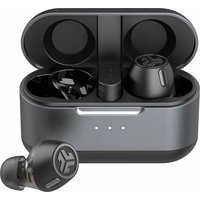
Epic Lab Edition - Casque audio JLab - Notice d'utilisation et mode d'emploi gratuit
Retrouvez gratuitement la notice de l'appareil Epic Lab Edition JLab au format PDF.


| Type de produit | Écouteurs sans fil True Wireless |
| Marque | JLab |
| Modèle | Epic Lab Edition |
| Version Bluetooth | Bluetooth 5.2 (compatible LE Audio) |
| Portée Bluetooth | Environ 10 mètres |
| Autonomie des écouteurs | Jusqu'à 8 heures (estimation) |
| Autonomie totale avec étui | Jusqu'à 24 heures (estimation) |
| Temps de charge | Environ 2 heures (estimation) |
| Type de charge | USB-C (5V 1A max) et charge sans fil Qi |
| Modes d'égalisation | JLab C3 Signature, Équilibré, Graves renforcées, Personnalisé (via application) |
| Fonctions écouteur gauche | Volume - (1 appui), Assistant vocal (2 appuis), Contrôle du bruit (maintien), EQ (3 appuis) |
| Fonctions écouteur droit | Volume + (1 appui), Lecture/Pause (2 appuis), Piste suivante (maintien), EQ (3 appuis), Appels (1 appui décrocher, 2 raccrocher, maintien rejeter) |
| Connexion multipoint | Oui, jusqu'à deux appareils Bluetooth |
| Dongle USB-C inclus | Oui, pour connexion LE Audio à PC/Mac/Android |
| Application compagnon | JLab App (iOS et Android) |
| Poids par écouteur | Environ 5 g (estimation) |
| Poids de l'étui | Environ 40 g (estimation) |
| Dimensions de l'étui | Environ 6 x 4 x 2.5 cm (estimation) |
| Accessoires inclus | Étui de charge, câble USB-C, embouts en silicone, dongle USB-C |
| Compatibilité système | Windows 7/8/10/11, macOS 10.10+, Android, iOS |
| Codecs audio pris en charge | LE Audio, SBC, AAC (estimation) |
| Mise à jour du firmware | Via application JLab |
| Garantie | Sous réserve des conditions JLab, conservé justificatif d'achat |
FOIRE AUX QUESTIONS - Epic Lab Edition JLab
Questions des utilisateurs sur Epic Lab Edition JLab
0 question sur cet appareil. Repondez a celles que vous connaissez ou posez la votre.
Poser une nouvelle question sur cet appareil
Téléchargez la notice de votre Casque audio au format PDF gratuitement ! Retrouvez votre notice Epic Lab Edition - JLab et reprennez votre appareil électronique en main. Sur cette page sont publiés tous les documents nécessaires à l'utilisation de votre appareil Epic Lab Edition de la marque JLab.
MODE D'EMPLOI Epic Lab Edition JLab
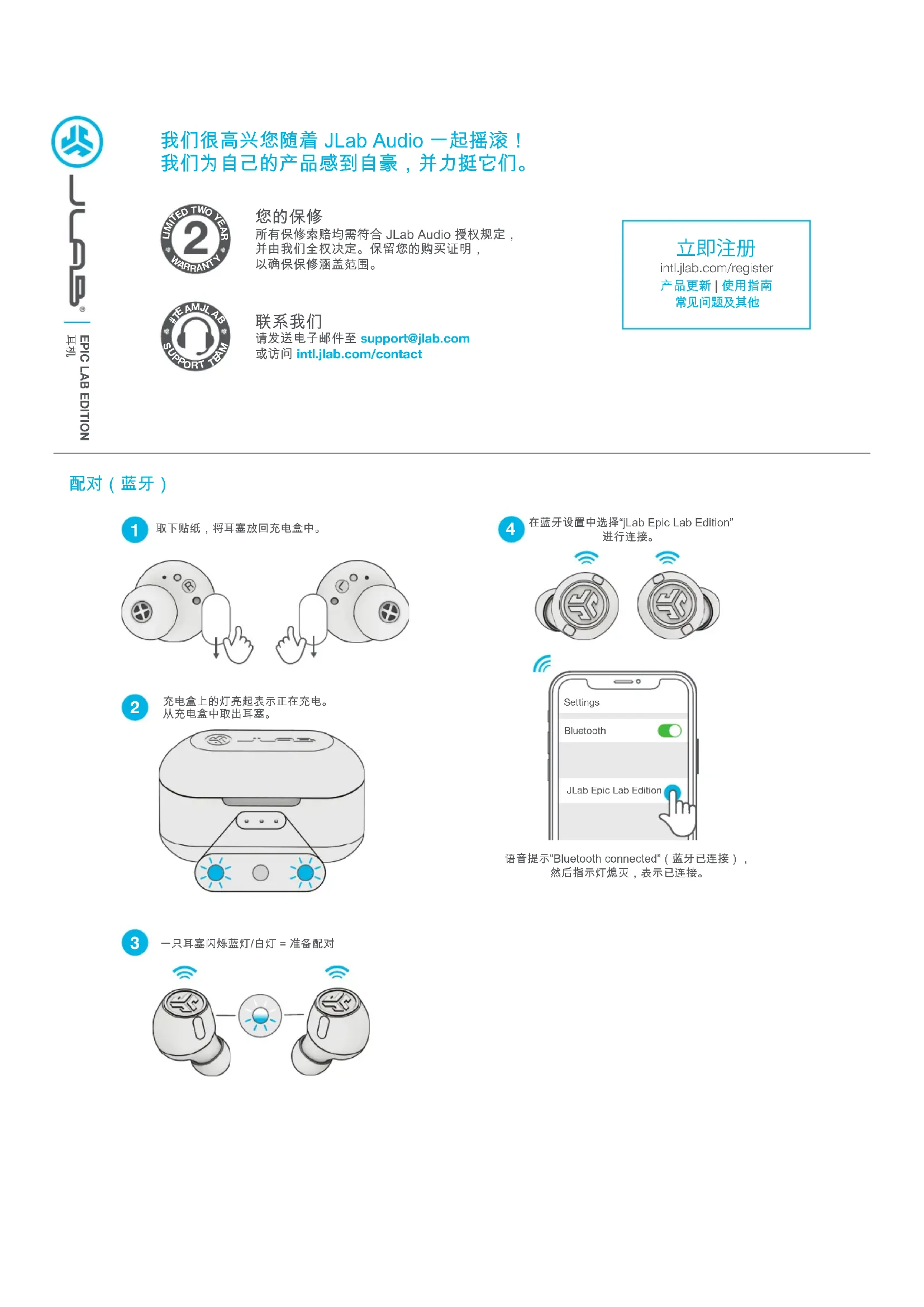
我们很高兴您随着 JLab Audio 一起摇滚!我们为自己的产品感到自豪,并力挺它们。

您的保修
所有保修索赔均需符合 JLab Audio 授权规定,并由我们全权决定。保留您的购买证明,以确保保修涵盖范围。

联系我们
请发送电子邮件至 support@jlab.com 或访问 intl.jlab.com/contact
立即注册
intl.jlab.com/register
产品更新 | 使用指南
常见问题及其他
配对(蓝牙)
1 取下贴纸,将耳塞放回充电盒中。
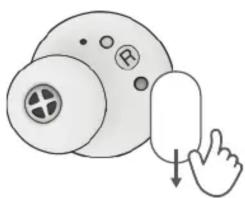
natural_image
Illustration of a hand pressing down on a circular object with a registered trademark symbol (no text or labels)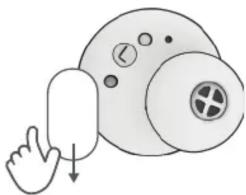
natural_image
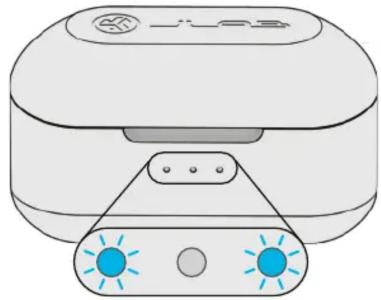
Illustration of a hand pressing down on a circular object with a knob and a cross symbol (no text or labels)2 充电盒上的灯亮起表示正在充电。从充电盒中取出耳塞。
natural_image
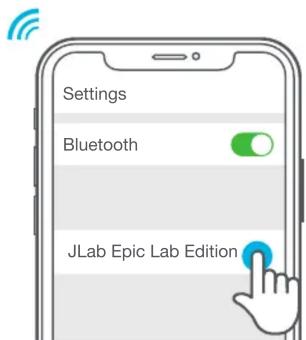
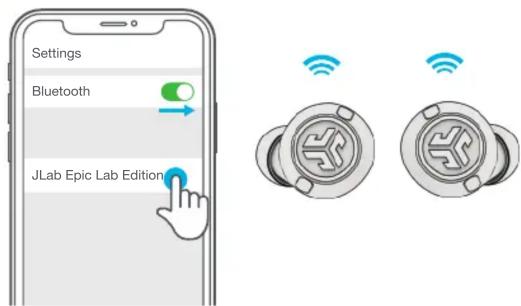
Illustration of a portable electronic device with two blue indicator lights (no text or symbols)4 在蓝牙设置中选择“jLab Epic Lab Edition”进行连接。
text_image
Settings Bluetooth JLab Epic Lab Edition语音提示“Bluetooth connected”(蓝牙已连接),然后指示灯熄灭,表示已连接。
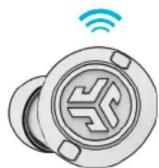
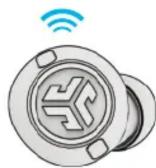
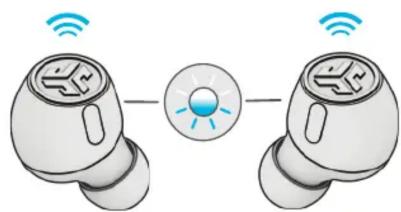
3 一只耳塞闪烁蓝灯/白灯 = 准备配对
natural_image
Illustration of two wireless earbuds connected by a light bulb (no text or symbols)配对(LE AUDIO)
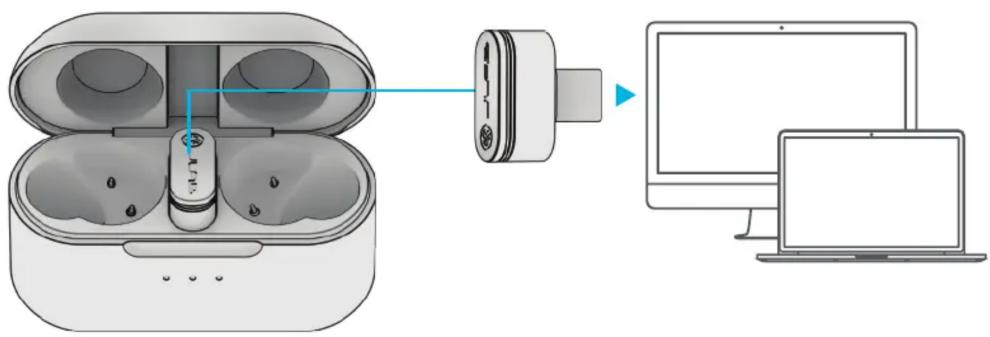
1 将USB-C dongle连接到个人电脑/Mac设备/Android设备。(Dongle应该能够直接连接,无需任何集线器或适配器即可正常使用。)
text_image
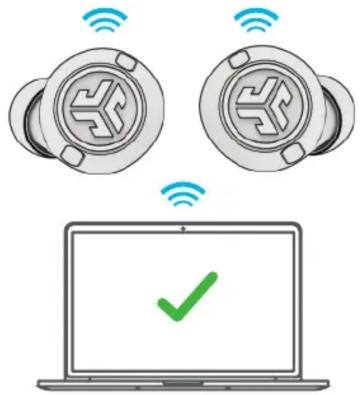
Diagram showing wireless earbuds connected to a device and connected to a computer, with Chinese labels indicating components.2 耳塞将自动连接到 USB-C dongle,优先级高于之前的任何蓝牙连接。移除 dongle 将恢复到之前的蓝牙连接。
text_image
Diagram showing wireless connectivity between two devices and a laptop screen with a green checkmark.在个人电脑(Windows 7/8/10/11)上设置 Dongle
- 在“设置”菜单中,点击“系统”
- 在“系统”菜单中,点击“声音”
- 在“输出”部分,选择 Epic Lab Edition Dongle
- 在“输入”部分,选择 Epic Lab Edition Dongle
在 MAC 设备(macOS 10.10 或更高版本)上设置 dongle
- 打开“系统偏好”设置页面,选择“声音”图标
- 选择“输入”标签页,然后选择 Epic Lab Edition Dongle
- 选择“输出”标签页,然后选择 Epic Lab Edition Dongle
- 在屏幕中,将“输出”音量设置成所需的等级
耳机功能键操作说明
左

natural_image
Illustration of a hand interacting with a circular button containing a stylized 'K' symbol (no text or numbers present)降低音量:1 下
语音助手:2 下
噪音控制:长按
EQ 切换:3 下

natural_image
Hand cursor clicking a circular button with a stylized arrow icon (no text or symbols)升高音量:1 下
播放/暂停:2 下
下一曲目:长按
EQ 切换:3 下
接听电话:1 下
挂断电话:2 下
拒接来电:长按
注:所有控制操作均以蓝牙连接为基础。在不同的设备和操作系统中,控制操作将在 USB-C Dongle 连接后产生不同的结果。
多点连接
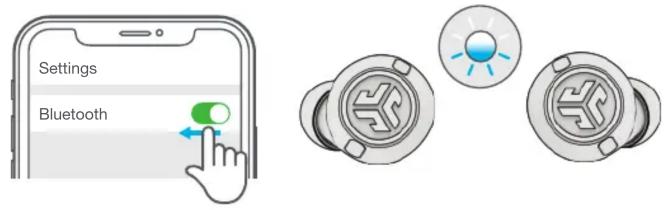
1 连接第一台设备后,在设备的设置页面中关闭蓝牙。耳机将自动进入蓝牙配对。
text_image
Settings Bluetooth2 进入第二台设备的蓝牙 设置页面并连接到 Epic Lab Edition。
3 进入第一台设备的蓝牙设置页面。打开蓝牙并连接到 Epic Lab Edition。
text_image
Settings Bluetooth JLab Epic Lab Edition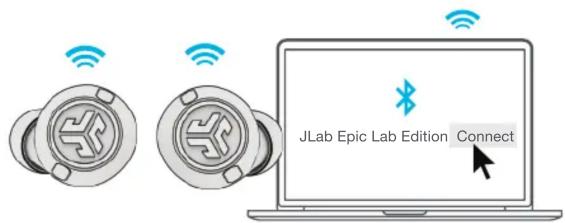
text_image
JLab Epic Lab Edition Connect充电(充电盒)
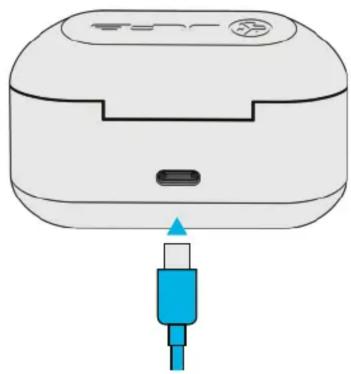
将 Epic Lab Edition 连接到计算机或 USB 5V 1A(或更低)输出设备。
natural_image
Illustration of a white electronic device with a blue connector inserted, showing no text or symbols.或者
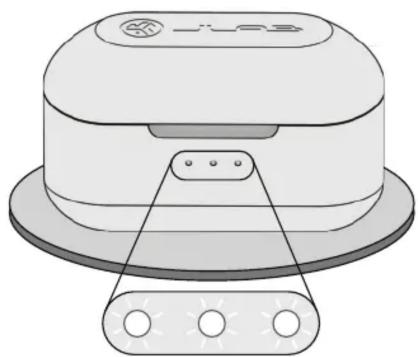
放在无线充电板上。
natural_image
Diagram of a smart speaker with a base, showing no text or symbols白灯闪烁 = 正在充电
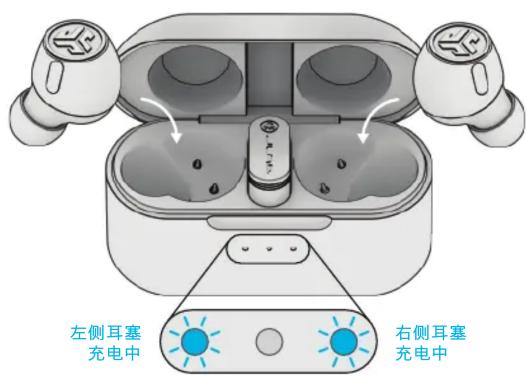
充电(耳塞)
text_image
左侧耳塞 充电中 右侧耳塞 充电中耳塞放入充电盒后,亮蓝灯表示正在充电。
耳塞会在取出后自动开机并连接。
随时拥有最佳音效
均衡器模式

均衡器模式
JLab C3™ 标志性音效: 声线圆润饱满, 低音强劲有力
最佳应用场景:
流行、摇滚、乡村、电子等大多数音乐类型的最佳选择

平衡模式
音效平衡,无其他增强效果
最佳应用场景:播客、有声读物古典音乐

低音增强模式
强化低音和次低音
最佳应用场景:
锻炼、运动和健身、嘻哈、
说唱、电子音乐

“自定义”
通过 JLab 应用 个性化 设置 EQ
下载应用
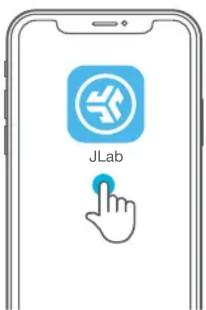
自定义 Epic Lab Edition 功能并更新到最新软件版本。
在Apple/GooglePlay商店中下载JLab应用。

text_image
JLab故障排除
蓝牙或耳塞连接故障 (手动重置)
1 将耳塞放入充电盒,在蓝牙设备的设置页面中选择忽略“Epic Lab Edition”。
2 在充电盒中的一只耳塞上快速轻击 7 下。耳塞蓝灯闪烁 4 下。
3 在充电盒中的另一只耳塞上快速轻击 7 下。耳塞蓝灯闪烁 4 下。
4 将两只耳塞从充电盒中取出。一只耳塞白灯长亮,
另一只耳塞闪烁蓝灯/白灯,表示已准备好与您的设备进行配对。

购买产品 | 产品提醒 | 烘耳机
JLab Store + Burn-in Tool

Download on the App Store