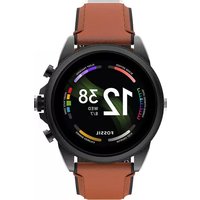
Gen 6 Display FTW4062 - Smartwatch FOSSIL - Notice d'utilisation et mode d'emploi gratuit
Retrouvez gratuitement la notice de l'appareil Gen 6 Display FTW4062 FOSSIL au format PDF.


| Type de produit | Smartwatch |
| Marque | Fossil |
| Modèle | Gen 6 Display FTW4062 |
| Système d'exploitation | Wear OS by Google |
| Écran | AMOLED 1,28 pouces |
| Résolution d'écran | 416 x 416 pixels |
| Processeur | Snapdragon Wear 4100+ |
| RAM | 1 Go |
| Stockage interne | 8 Go |
| Batterie | 300 mAh lithium-ion |
| Autonomie | Jusqu'à 24 heures selon usage |
| Connectivité Bluetooth | Bluetooth 5.0 |
| Wi-Fi | Wi-Fi 802.11 b/g/n |
| GPS | Intégré |
| Capteurs | Accéléromètre, gyroscope, altimètre, oxymètre de pouls, moniteur de fréquence cardiaque |
| Étanchéité | 3 ATM (résistant à l'eau jusqu'à 30 mètres) |
| Matériau du boîtier | Acier inoxydable |
| Matériau du bracelet | Silicone interchangeable |
| Dimensions du boîtier | 42 mm de diamètre |
| Poids | Environ 85 g (avec bracelet) |
| Charge | Chargeur sans fil magnétique inclus |
| Compatibilité | Android et iOS (avec limitations) |
| Fonctions principales | Notifications, suivi de fitness, NFC Google Pay, assistant Google |
| Entretien | Nettoyer avec un chiffon doux et sec |
| Pieces détachées et réparabilité | Bracelets interchangeables disponibles; réparation via support Fossil |
FOIRE AUX QUESTIONS - Gen 6 Display FTW4062 FOSSIL
Questions des utilisateurs sur Gen 6 Display FTW4062 FOSSIL
0 question sur cet appareil. Repondez a celles que vous connaissez ou posez la votre.
Poser une nouvelle question sur cet appareil
Téléchargez la notice de votre Smartwatch au format PDF gratuitement ! Retrouvez votre notice Gen 6 Display FTW4062 - FOSSIL et reprennez votre appareil électronique en main. Sur cette page sont publiés tous les documents nécessaires à l'utilisation de votre appareil Gen 6 Display FTW4062 de la marque FOSSIL.
MODE D'EMPLOI Gen 6 Display FTW4062 FOSSIL

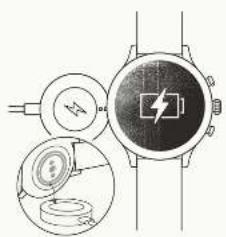
natural_image
Illustration of a smartwatch with a battery and two circular components, shown in two views (no text or symbols present)
CHARGE & POWER ON
Connect your smartwatch to the included charger. Once it automatically turns on, tap the screen to begin and choose your language. Keep your smartwatch charging during pairing and setup
WARNING: 12.0.2.2023, 12.0.2.2024, 12.0.2.2025, 12.0.2.2026, 12.0.2.2027, 12.0.2.2028, 12.0.2.2029, 12.0.2.2030, 12.0.2.2031, 12.0.2.2032, 12.0.2.2033, 12.0.2.2034, 12.0.2.2035, 12.0.2.2036, 12.0.2.2037, 12.0.2.2038, 12.0.2.2039, 12.0.2.2040, 12.0.2.2041, 12.0.2.2042, 12.0.2.2043, 12.0.2.2044, 12.0.2.2045, 12.0.2.2046, 12.0.2.2047, 12.0.2.2048, 12.0.2.2049, 12.0.2.2050, 12.0.2.2051, 12.0.2.2052, 12.0.2.2053, 12.0.2.2054, 12.0.2.2055, 12.0.2.2056, 12.0.2.2057, 12.0.2.2058, 12.0.2.2059, 12.0.2.2060, 12.0.2.2061, 12.0.2.2062, 12.0.2.2063, 12.0.2.2064, 12.0.2.2065, 12.0.2.2066, 12.0.2.2067, 12.0.2.2068, 12.0.2.2069, 12.0.2.2070, 12.0.2.

DOWNLOAD & PAIR
On your phone, an abla Blautcort, then download the Wear OS by Google App. Open the app and follows the onscreen instructions to pair. Once paired, your smartwatch will give you an interactive tutorial.

USEFUL TIPS RESOURCES & SUPPORT
* Remember to turn on your phone's Bluetooth and keep the wear OS by Google app running in the background to ensure your watch steps connected.
Continue to charge your smartwatch throughout the pairing process, as initial setup can chair battery life.
Connect your smartwatch to Mi-Fi is down and updates. These can take a few minutes.
to learn more about the Google services on your watch, visit support.google.com/wearos
Visit support.fossil.com for how to's, troubleshooting, frequently asked questions & more.


1.4.25: A total of 300 units (including 1,000 units) of the total of 300 units, which is not a factor of the total of 300 units, except for the total of 300 units and the total of 300 units, which is not a factor of the total of 300 units.
The following text is provided in the following table:
We are a good thing that is the best of the world's 1980s. The world's 1980s, however, has been a strong and strong advantage in the world's 1980s. It is now being a strong, strong, and strong advantage in the world's 1980s. It is now being a strong, and strong advantage in the world's 1980s.
1. CLOTHING: The following is the first time of the last year, and the second time of the last year is the first time of the last year.
In the case of the first two cases, we have been a few times a time to be taken.
2016 A. Vascular failure is called by the following: and in terms of the (the positive and negative outcomes). The results are also reported with a general procedure for clinical trials, including clinical procedures, clinical trials, and clinical procedures. In this case, the patient was not receiving any treatment only in the same way.
1. 2017年,公司与上海浦东发展银行股份有限公司签订了《关于使用部分闲置募集资金进行现金管理的协议》。
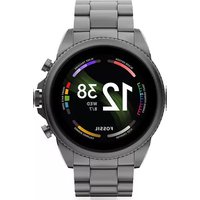
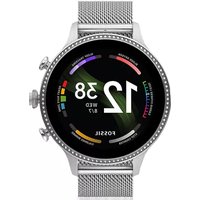
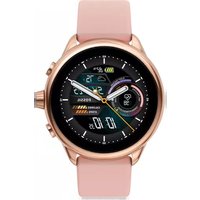
Marque : FOSSIL
Modèle : Gen 6 Display FTW4062
Catégorie : Smartwatch