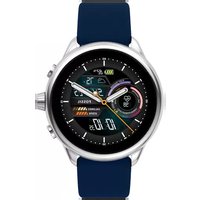
Gen 6 Display FTW4070 - Smartwatch FOSSIL - Notice d'utilisation et mode d'emploi gratuit
Retrouvez gratuitement la notice de l'appareil Gen 6 Display FTW4070 FOSSIL au format PDF.


| Type de produit | Montre connectée |
| Marque | Fossil |
| Modèle | Gen 6 Display FTW4070 |
| Système d'exploitation | Wear OS by Google |
| Taille du boîtier | 44 mm |
| Épaisseur | 12 mm |
| Poids | 50 g |
| Type d'écran | AMOLED |
| Résolution écran | 454 x 454 pixels |
| Connectivité | Bluetooth 5.0, Wi-Fi, NFC |
| Capteurs | Accéléromètre, gyroscope, capteur de fréquence cardiaque |
| Batterie | Rechargeable, autonomie jusqu'à 1 jour |
| Chargement | Chargeur magnétique inclus |
| Résistance à l'eau | 3 ATM (30 mètres) |
| Fonctions principales | Notifications, suivi d'activité, paiement NFC, assistant Google |
| Contenu de la boîte | Montre, chargeur, guide de démarrage rapide |
| Entretien et nettoyage | Nettoyer avec un chiffon doux et sec |
| Pièces détachées et réparabilité | Bracelet interchangeable (largeur 22 mm) |
| Informations générales | Fabriqué par Fossil, compatible Android et iOS |
FOIRE AUX QUESTIONS - Gen 6 Display FTW4070 FOSSIL
Questions des utilisateurs sur Gen 6 Display FTW4070 FOSSIL
0 question sur cet appareil. Repondez a celles que vous connaissez ou posez la votre.
Poser une nouvelle question sur cet appareil
Téléchargez la notice de votre Smartwatch au format PDF gratuitement ! Retrouvez votre notice Gen 6 Display FTW4070 - FOSSIL et reprennez votre appareil électronique en main. Sur cette page sont publiés tous les documents nécessaires à l'utilisation de votre appareil Gen 6 Display FTW4070 de la marque FOSSIL.
MODE D'EMPLOI Gen 6 Display FTW4070 FOSSIL

natural_image
Illustration of a smartwatch with a battery and two circular components, shown in two views (no text or symbols)
CHARGE & POWER ON
Connect your smartwatch to the included charger. Once it automatically turns on, tap the screen to begin and choose your language. Keep your smartwatch charging during pairing and setup
WARNING: 12.0.2.2023, 12.0.2.2024, 12.0.2.2025, 12.0.2.2026, 12.0.2.2027, 12.0.2.2028, 12.0.2.2029, 12.0.2.2030, 12.0.2.2031, 12.0.2.2032, 12.0.2.2033, 12.0.2.2034, 12.0.2.2035, 12.0.2.2036, 12.0.2.2037, 12.0.2.2038, 12.0.2.2039, 12.0.2.2040, 12.0.2.2041, 12.0.2.2042, 12.0.2.2043, 12.0.2.2044, 12.0.2.2045, 12.0.2.2046, 12.0.2.2047, 12.0.2.2048, 12.0.2.2049, 12.0.2.2050, 12.0.2.2051, 12.0.2.2052, 12.0.2.2053, 12.0.2.2054, 12.0.2.2055, 12.0.2.2056, 12.0.2.2057, 12.0.2.2058, 12.0.2.2059, 12.0.2.2060, 12.0.2.2061, 12.0.2.2062, 12.0.2.2063, 12.0.2.2064, 12.0.2.2065, 12.0.2.2066, 12.0.2.2067, 12.0.2.2068, 12.0.2.2069, 12.0.2.2070, 12.0.2.

DOWNLOAD & PAIR
On your phone, an abla Blautcort, then download the Wear OS by Google App. Open the app and follows the onscreen instructions to pair. Once paired, your smartwatch will give you an interactive tutorial.

USEFUL TIPS RESOURCES & SUPPORT
* Remember to turn on your phone's Bluetooth and keep the wear OS by Google app running in the background to ensure your watch stays connected.
Continue to charge your smartwatch throughout the pairing process, as initial setup can chair battery life.
Connect your smartwatch to Mi-Fi is down and updates. These can take a few minutes.
to learn more about the Google services on your watch, visit support.google.com/wearos
Visit support.fossil.com for how to's, troubleshooting, frequently asked questions & more.


1.4.25. The first section of the 3rd section is described by the paper, and the second section is described by the 3rd section of the 3rd section of the 3rd section of the 3rd section of the 3rd section of the 3rd section of the 3rd section of the 3rd section of the 3rd section of the 3rd section of the 3rd section of the 3rd section of the 3rd section of the 3rd section of the 3rd section of the 3rd section of the 3rd section of the 3d
1. 2017年1月1日,公司召开2017年第三次临时股东大会,审议通过了《关于使用部分闲置募集资金进行现金管理的议案》,同意公司使用不超过人民币35,000万元的闲置募集资金进行现金管理。
1. LEAFS 30, 2014; 18: 19: 19: 20: 21: 22: 23: 24: 25: 26: 27: 28: 29: 30: 31: 32: 33: 34: 35: 36: 37: 38: 39: 40: 41: 42: 43: 44: 45: 46: 47: 48: 49: 50: 51: 52: 53: 54: 55: 56: 57: 58: 59: 60: 61: 62: 63: 64: 65: 66: 67: 68: 69: 70: 71: 72: 73: 74: 75: 76: 77: 78: 79: 80: 81: 82: 83: 84: 85: 86: 87: 88: 89: 90: 91: 92: 93: 94: 95: 96: 97: 98: 99: 100
The following table provides the original data:
1. 2017年,公司与上海浦东发展银行股份有限公司签订了《关于使用部分闲置募集资金进行现金管理的协议》。公司于2017年3月29日将使用暂时闲置募集资金进行现金管理,使用期限自董事会审议通过之日起不超过12个月。
The following table provides the information in a specific format:
1. 2023年,公司与关联方发生的关联交易金额为人民币4,500万元,占公司最近一期经审计净资产的10%;
本公司于2018年1月1日发布《中国证券报》及上海证券交易所网站(www.sse.com.cn)的《关于召开2018年第二次临时股东大会的通知》(公告编号:2018-036)。
L. M. 2019, 34: 18:30, 16:30, 15:30, 14:30, 13:30, 12:30, 11:30, 10:30, 9:30, 8:30, 7:30, 6:30, 5:30, 4:30, 3:30, 2:30, 1:30, 0.30, 0.20, 0.10, 0.05, 0.02, 0.01, 0.01, 0.01, 0.01, 0.01, 0.01, 0.01, 0.01, 0.01, 0.01, 0.01, 0.01, 0.01, 0.01, 0.01, 0.01, 0.01, 0
2015 A. V. (2014) 6 May 2017, by the U.S. House of Texas, 2015. The company's name is: "Hansha Group" and the company's name is: "Hansha Group".
(1) 2017年1月1日,公司召开2017年第一次临时股东大会,审议通过了《关于使用部分闲置募集资金进行现金管理的议案》。
(2)2017年1月1日星期六和2017年1月2日星期六和2017年1月3日星期六和2017年1月4日星期六和2017年1月5日星期六和2017年1月6日星期六和2017年1月7日星期六和2017年1月8日星期六和2017年1月9日星期六和2017年1月10日星期六和2017年1月11日星期六和2017年1月12日星期六和2017年1月13日星期六和2017年1月14日星期六和2017年1月15日星期六和2017年1月16日星期六和2017年1月17日星期六和2017年1月18日星期六和2017年1月19日星期六和2017年1月20日星期六和2017年1月21日星期六和2017年1月22日星期六和2017年1月23日星期六和2017年1月24日星期六和2017年1月25日星期六和2017年1月26日星期六和2017年1月27日星期六和2017年1月28日星期六和2017年1月29日星期六和2017年1月30日星期六和2017年1月31日星期六和2017年1月32日星期六和2017年1月33日星期六和2017年1月34日星期六和2017年1月35日星期六和2017年1月36日星期六和2017年1月37日星期六和2017年1月38日星期六和2017年1月39日星期六和2017年1月40日星期六和2017年1月41日星期六和2017年1月42日星期六和2017年1月43日星期六和2017年1月44日星期六和2017年1月45日星期六和2017年1月46日星期六和2017年1月47日星期六和2017年1月48日星期六和2017年1月49日星期六和2017年1月50日星期六和2017年1月51日星期六和2017年1月52日星期六和2017年1月53日星期六和2017年1月54日星期六和2017年1月55日星期六和2017年1月56日星期六和2017年1月57日星期六和2017年1月58日星期六和2017年1月59日星期六和2017年1月60日星期六和2017年1月61日星期六和2017年1月62日星期六和2017年1月63日星期六和2017年1月64日星期六和2017年1月65日星期六和2017年1月66日星期六和2017年1月67日星期六和2017年1月68日星期六和2017年1月69日星期六和2017年1月70日星期六和2017年1月71日星期六和2017年1月72日星期六和2017年1月73日星期六和2017年1月74日星期六和2017年1月75日星期六和2017年1月76日星期六和2017年1月77日星期六和2017年1月78日星期六和2017年1月79日星期六和2017年
1. 2014年,公司与关联方发生的关联交易金额为人民币3,000万元。
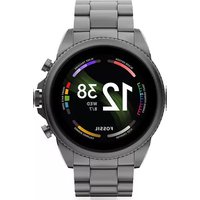
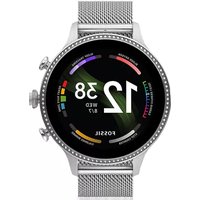
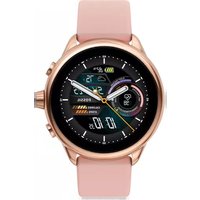
Marque : FOSSIL
Modèle : Gen 6 Display FTW4070
Catégorie : Smartwatch