REVOX Studiomaster M300 - Système hifi

Studiomaster M300 - Système hifi REVOX - Notice d'utilisation et mode d'emploi gratuit

Retrouvez gratuitement la notice de l'appareil Studiomaster M300 REVOX au format PDF.

📄 9 pages Français FR Télécharger 💬 Question IA 10 questions ⚙️ Specs
Notice REVOX Studiomaster M300 - page 1
Choisissez votre langue et indiquez votre email : nous vous enverrons une version traduite specifiquement.
Type de produit Système hi-fi multimédia multi-utilisateurs
Marque REVOX
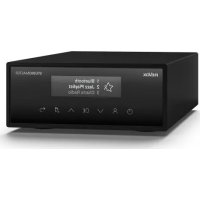
Modèle Studiomaster M300
Connectivité WLAN 2,4/5,8 GHz, FM/DAB+, Ethernet
Alimentation 100-240 V AC, 50/60 Hz
Dimensions (LxHxP) Environ 43 x 10 x 30 cm
Poids Environ 4,5 kg
Fonctions principales Streaming multi-pièces, radio Internet, DAB+, FM, contrôle via application Revox Multiuser
Entretien et nettoyage Nettoyer avec un chiffon doux et sec. Ne pas utiliser de produits abrasifs.
Sécurité Ne pas exposer à l'humidité, aux sources de chaleur ou aux liquides. Débrancher avant nettoyage.
Pièces détachées et réparabilité Antennes WLAN, câble d'alimentation, câble réseau disponibles. Réparation par service agréé Revox.
Informations générales Fabriqué en Allemagne. Garantie 2 ans. Compatible avec les applications iOS et Android.

FOIRE AUX QUESTIONS - Studiomaster M300 REVOX

Comment connecter le Studiomaster M300 au réseau Wi-Fi ?
Utilisez l'application Revox Multiuser et suivez les instructions dans le guide de démarrage rapide. Assurez-vous que l'appareil est allumé et que le Wi-Fi est activé sur votre smartphone.
Quelles sont les options de connectivité audio ?
Le Studiomaster M300 prend en charge le streaming via Wi-Fi, la radio DAB+ et FM. Il dispose également d'une entrée Ethernet pour une connexion filaire.
Puis-je utiliser l'appareil sans l'application ?
Oui, vous pouvez utiliser les commandes physiques à l'avant de l'appareil. Cependant, l'application Revox Multiuser est nécessaire pour une configuration initiale et pour profiter pleinement des fonctionnalités multi-utilisateurs.
Comment ajouter un nouvel utilisateur ?
Dans l'application Revox Multiuser, allez dans les paramètres et sélectionnez 'Ajouter un utilisateur'. Suivez les instructions pour créer des favoris personnalisés.
Que faire si la connexion Wi-Fi échoue ?
Vérifiez que le routeur est allumé et que le mot de passe Wi-Fi est correct. Vous pouvez également réinitialiser la connexion en maintenant le bouton WPS enfoncé ou en utilisant le mode de configuration alternative décrit dans le manuel.
Comment réinitialiser l'appareil aux paramètres d'usine ?
Maintenez enfoncé le bouton de réinitialisation à l'arrière de l'appareil pendant 10 secondes jusqu'à ce que le voyant clignote. Toutes les données seront effacées.
Quels formats audio sont pris en charge ?
Le Studiomaster M300 prend en charge les formats courants comme MP3, AAC, WAV, FLAC, ALAC, et le streaming via AirPlay, Spotify Connect et d'autres services compatibles.
Puis-je diffuser de la musique dans plusieurs pièces ?
Oui, le système est conçu pour une utilisation multi-pièces. Vous pouvez synchroniser plusieurs appareils Studiomaster ou d'autres produits Revox via l'application.
Comment mettre à jour le firmware ?
Les mises à jour sont automatiques via l'application Revox Multiuser. Assurez-vous que l'appareil est connecté à Internet et que l'application est à jour.
Que faire si l'appareil ne s'allume pas ?
Vérifiez le câble d'alimentation et la prise secteur. Si le problème persiste, contactez le service client Revox. Ne tentez pas de réparer vous-même.

Questions des utilisateurs sur Studiomaster M300 REVOX

0 question sur cet appareil. Repondez a celles que vous connaissez ou posez la votre.

Poser une nouvelle question sur cet appareil

L'email reste privé : il sert seulement à vous prévenir si quelqu'un répond à votre question.

Aucune question pour l'instant. Soyez le premier à en poser une.

Téléchargez la notice de votre Système hifi au format PDF gratuitement ! Retrouvez votre notice Studiomaster M300 - REVOX et reprennez votre appareil électronique en main. Sur cette page sont publiés tous les documents nécessaires à l'utilisation de votre appareil Studiomaster M300 de la marque REVOX.

MODE D'EMPLOI Studiomaster M300 REVOX

Quick Reference Guide

STUDIOMASTER

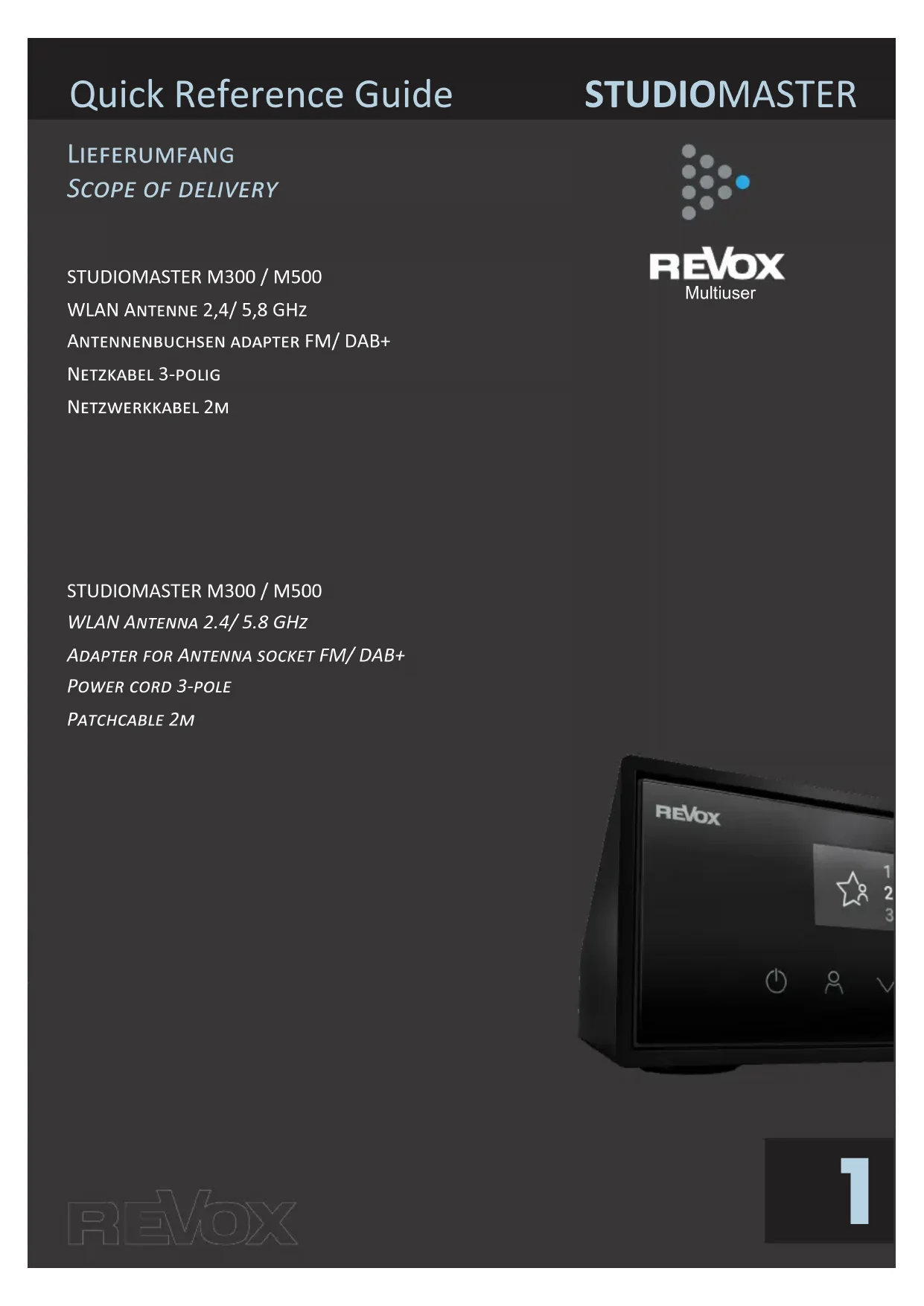
LIEFERUMFANG

SCOPE OF DELIVERY

REVOX Studiomaster M300 - STUDIOMASTER - 1

REVOX

Multiuser

STUDIOMASTER M300/M500

WLAN ANTENNE 2,4/5,8 GHz

ANTENNENBUCHSEN ADAPTER FM/DAB+

NETZKABEL 3-POLIG

NETZWERKKABEL 2M

STUDIOMASTER M300/M500

WLAN ANTENNA 2.4/5.8 GHz

ADAPTER FOR ANTENNA SOCKET FM/DAB+

POWER CORD 3-POLE

PATCHCABLE 2M
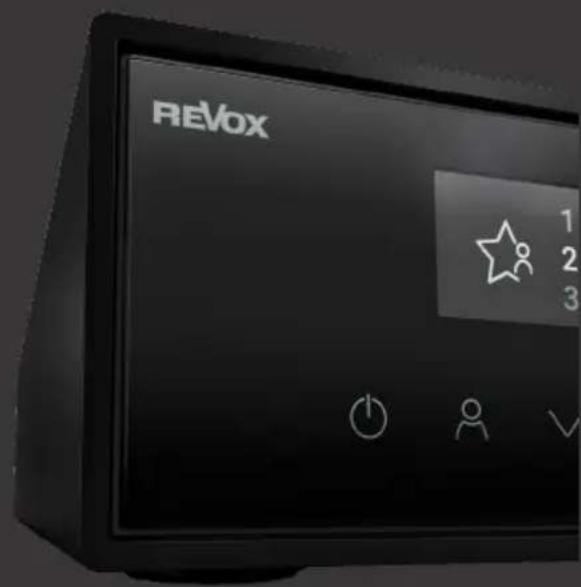
REVOX Studiomaster M300 - STUDIOMASTER - 2

Quick Reference Guide

STUDIOMASTER

FRONTELEMENTE

FRONT ELEMENTS
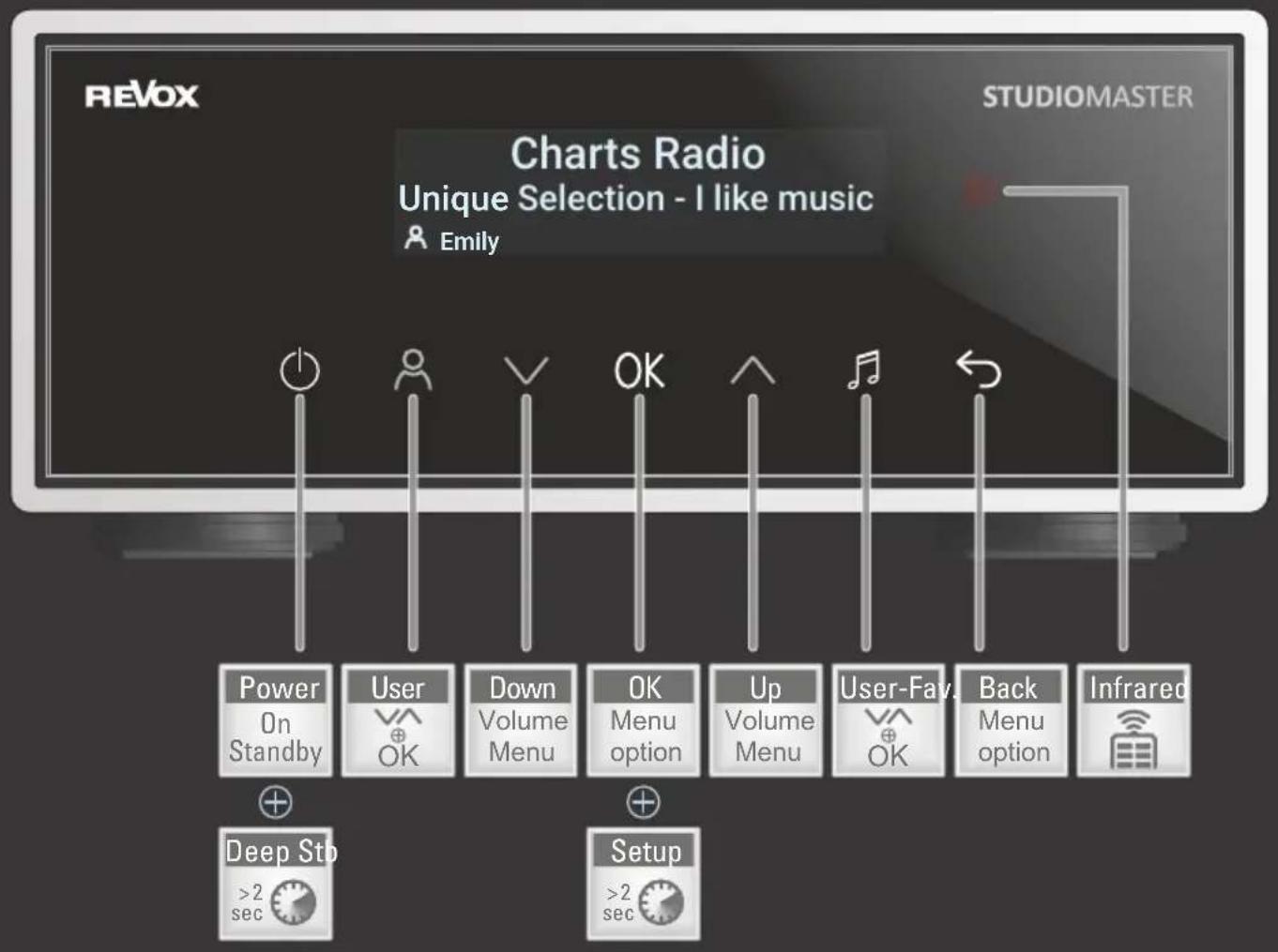
REVOX Studiomaster M300 - STUDIOMASTER - 1

Quick Reference Guide

STUDIOMASTER

RÜCKANSICHT

BACK VIEW
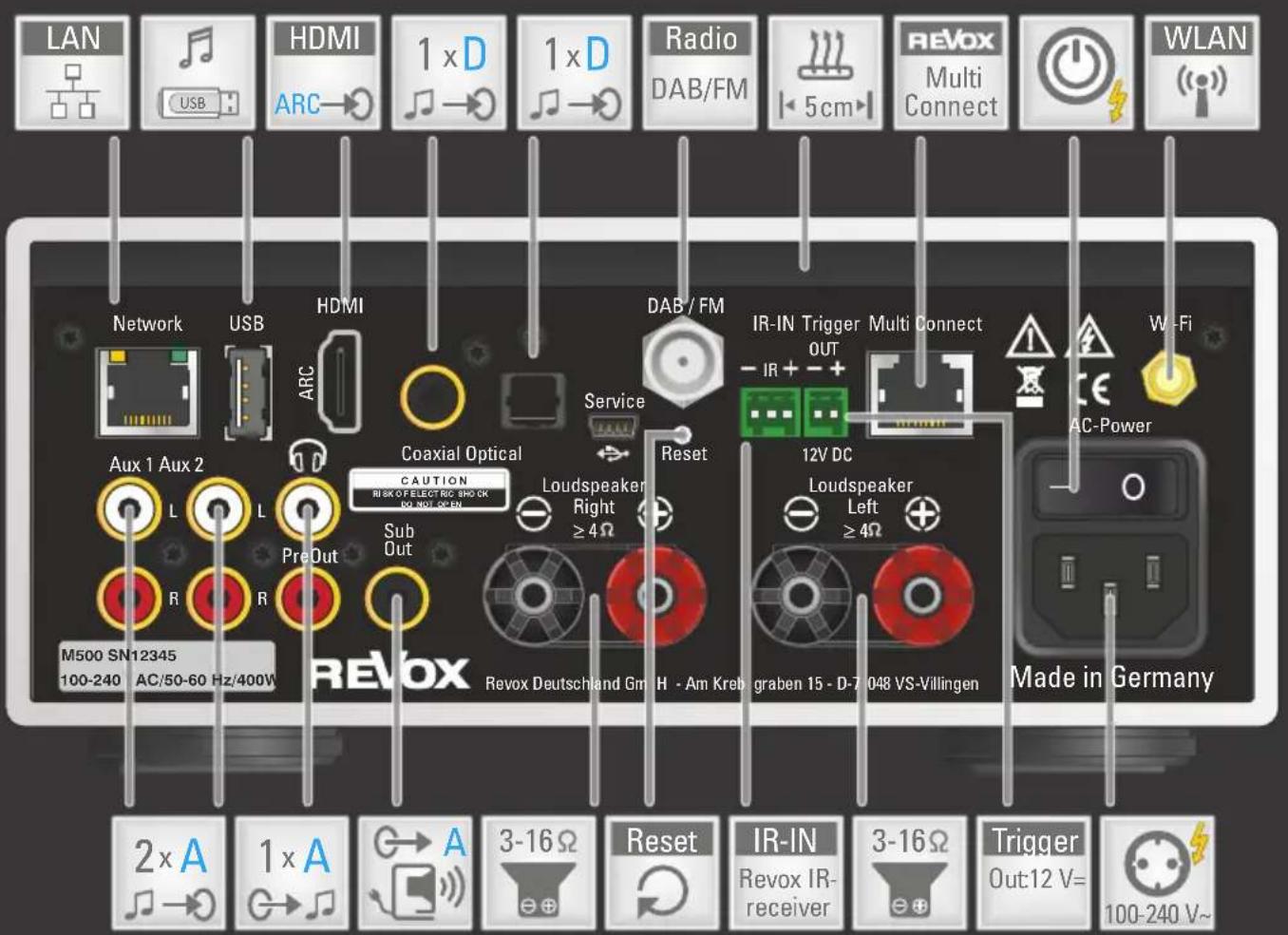
REVOX Studiomaster M300 - BACK VIEW - 1

Quick Reference Guide

STUDIOMASTER

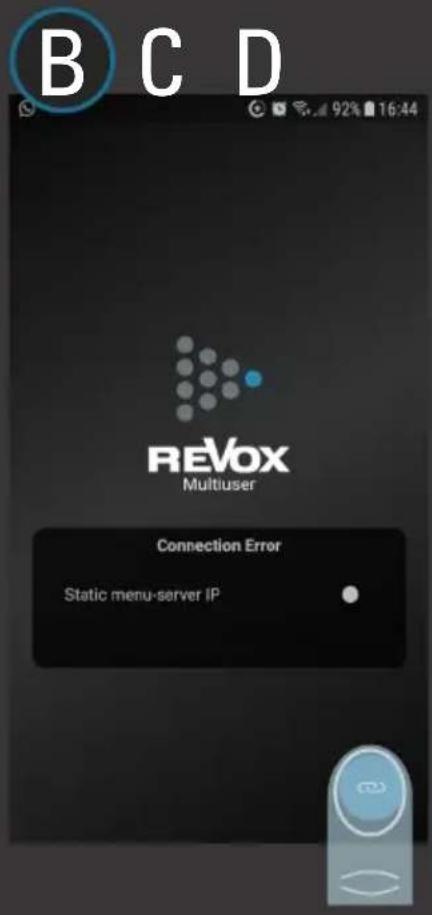
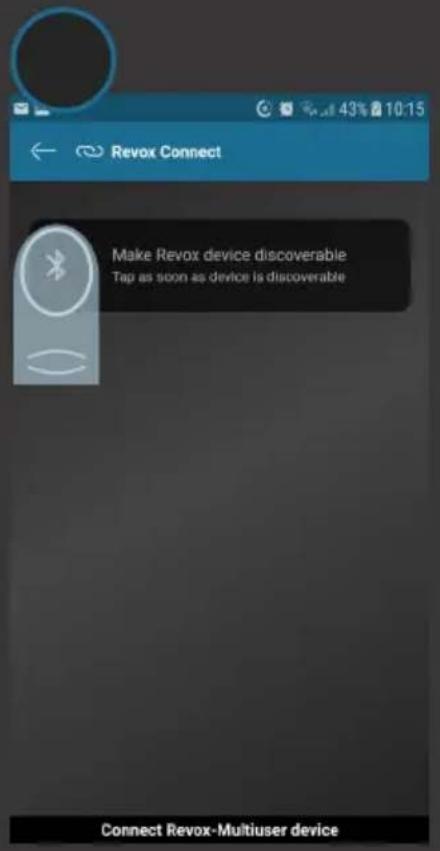
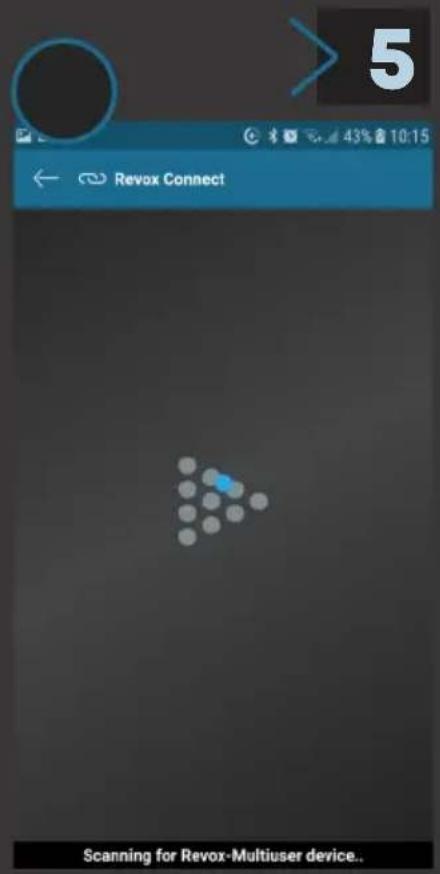
ERSTE WLAN-VERBINDUNG HERSTellen [1 VON 2]

ESTABLISH THE FIRST WLAN CONNECTION [1 OF 2]
REVOX Studiomaster M300 - STUDIOMASTER - 1

REVOX

STUDIOMASTER

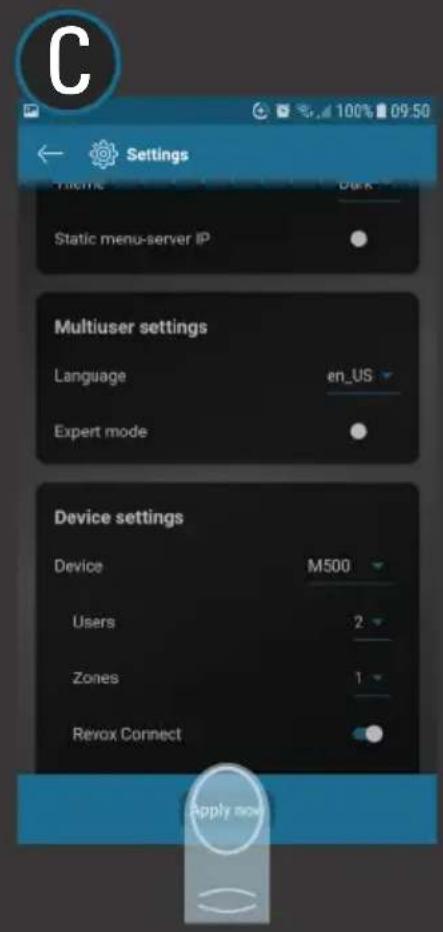
Revox Connect

Setup in the Revox Multiuser

App with Revox Connect

REVOX Studiomaster M300 - STUDIOMASTER - 2

REVOX Studiomaster M300 - STUDIOMASTER - 3

REVOX Studiomaster M300 - STUDIOMASTER - 4

REVOX Studiomaster M300 - STUDIOMASTER - 5

REVOX Studiomaster M300 - STUDIOMASTER - 6

REVOX Studiomaster M300 - STUDIOMASTER - 7

REVOX Studiomaster M300 - STUDIOMASTER - 8

REVOX Studiomaster M300 - STUDIOMASTER - 9

REVOX Studiomaster M300 - STUDIOMASTER - 10

REVOX Studiomaster M300 - STUDIOMASTER - 11

Quick Reference Guide

STUDIOMASTER

ERSTE WLAN-VERBINDUNG HERSTellen [2 VON 2]

ESTABLISH THE FIRST WLAN CONNECTION [2 OF 2]

REVOX Studiomaster M300 - ESTABLISH THE FIRST WLAN CONNECTION [2 OF 2] - 1

REVOX Studiomaster M300 - ESTABLISH THE FIRST WLAN CONNECTION [2 OF 2] - 2

REVOX Studiomaster M300 - ESTABLISH THE FIRST WLAN CONNECTION [2 OF 2] - 3

REVOX Studiomaster M300 - ESTABLISH THE FIRST WLAN CONNECTION [2 OF 2] - 4

REVOX Studiomaster M300 - ESTABLISH THE FIRST WLAN CONNECTION [2 OF 2] - 5

Quick Reference Guide

STUDIOMASTER

NEUE WLAN-VERBINDUNG HERSTellen

ESTABLISH A NEW WIFI CONNECTION

REVOX Studiomaster M300 - STUDIOMASTER - 1

REVOX

REVOX

STUDIOMASTER

REVOX Studiomaster M300 - STUDIOMASTER - 2

REVOX Studiomaster M300 - STUDIOMASTER - 3

REVOX Studiomaster M300 - STUDIOMASTER - 4

REVOX Studiomaster M300 - STUDIOMASTER - 5

REVOX Studiomaster M300 - STUDIOMASTER - 6

REVOX Studiomaster M300 - STUDIOMASTER - 7

REVOX Studiomaster M300 - STUDIOMASTER - 8

2

REVOX

STUDIOMASTER

REVOX Studiomaster M300 - STUDIOMASTER - 9

Revox Connect

Room informationen

REVOX Studiomaster M300 - STUDIOMASTER - 10

REVOX Studiomaster M300 - STUDIOMASTER - 11

REVOX Studiomaster M300 - STUDIOMASTER - 12

REVOX Studiomaster M300 - STUDIOMASTER - 13

REVOX Studiomaster M300 - STUDIOMASTER - 14

REVOX Studiomaster M300 - STUDIOMASTER - 15

REVOX Studiomaster M300 - STUDIOMASTER - 16

REVOX Studiomaster M300 - STUDIOMASTER - 17

REVOX

STUDIOMASTER

Revox Connect

Setup in the Revox Multiuser

App with Revox Connect

REVOX Studiomaster M300 - STUDIOMASTER - 18

REVOX Studiomaster M300 - STUDIOMASTER - 19

REVOX Studiomaster M300 - STUDIOMASTER - 20

REVOX Studiomaster M300 - STUDIOMASTER - 21

REVOX Studiomaster M300 - STUDIOMASTER - 22

REVOX Studiomaster M300 - STUDIOMASTER - 23

REVOX Studiomaster M300 - STUDIOMASTER - 24

4

6

Quick Reference Guide

STUDIOMASTER

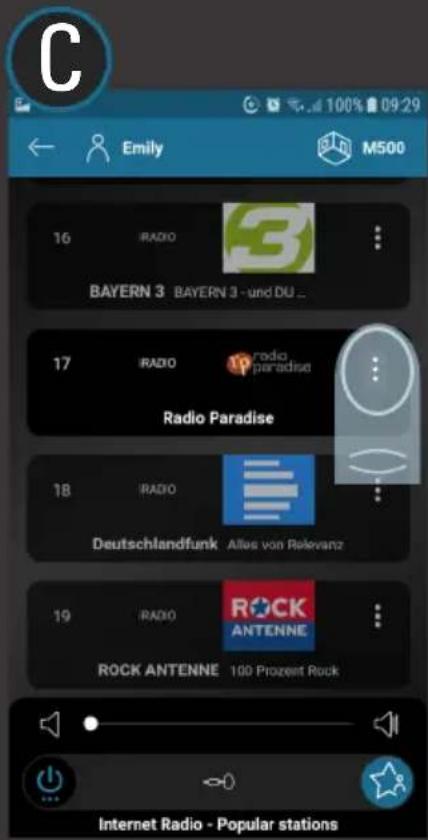
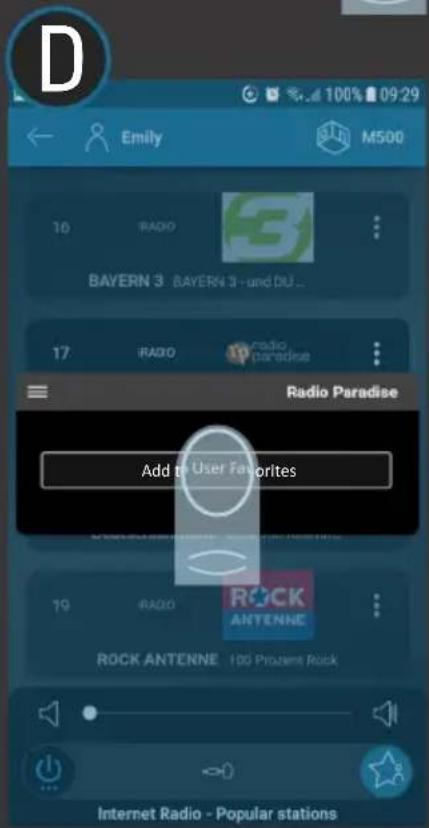
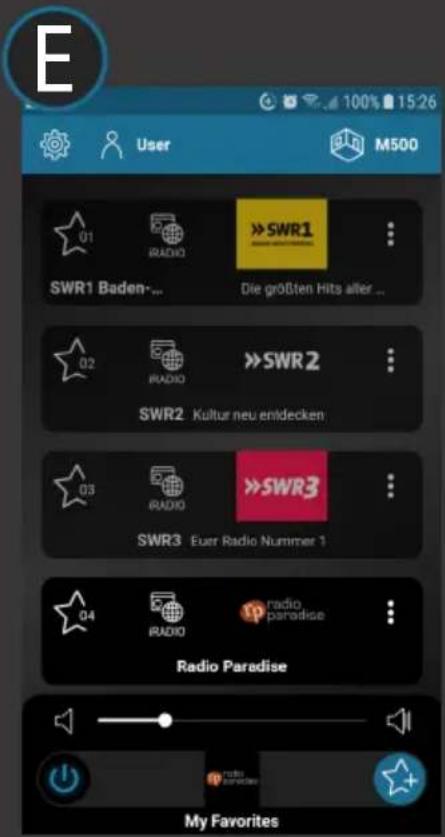
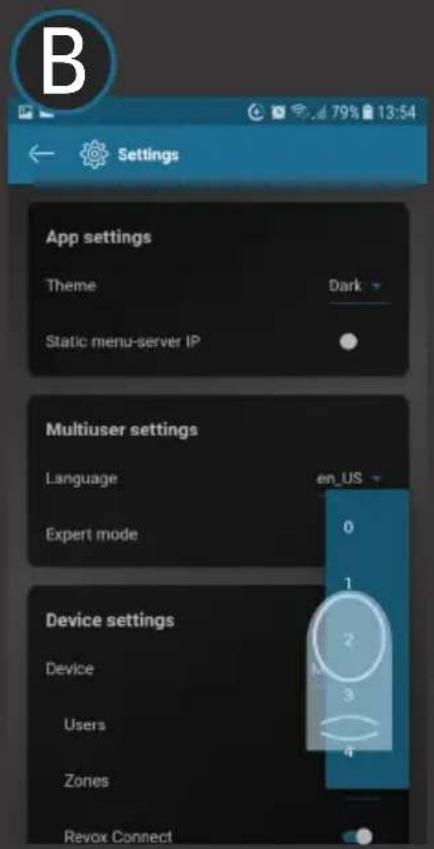
NEUE USER-FAVORITEN ANLEGEN

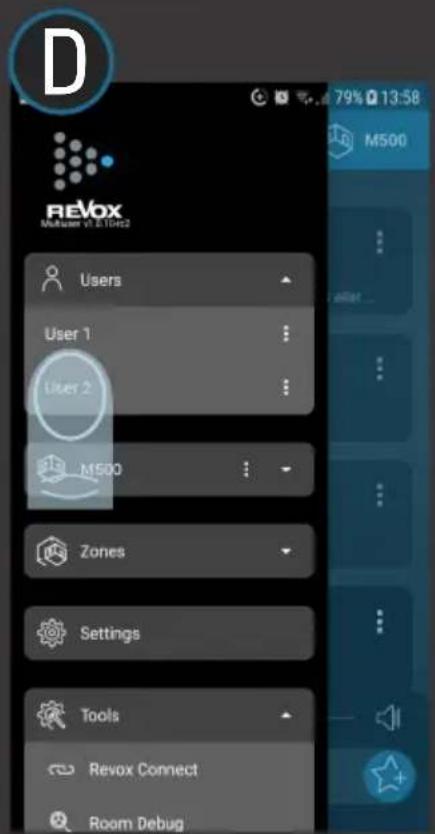
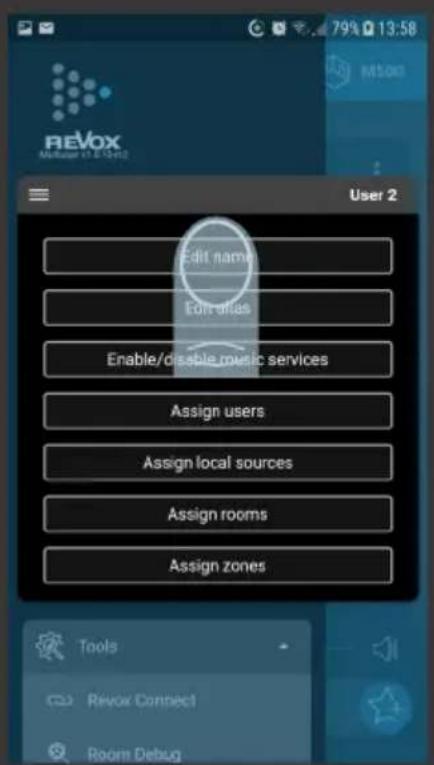
CREATE NEW USER FAVORITES
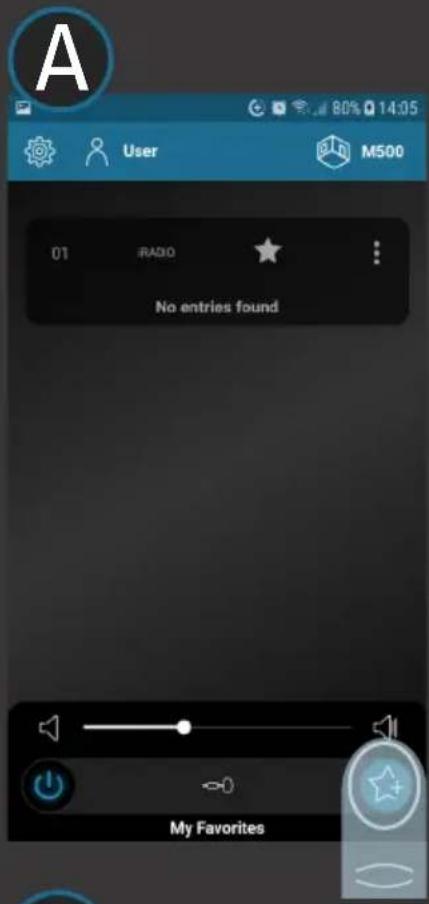
REVOX Studiomaster M300 - CREATE NEW USER FAVORITES - 1

REVOX Studiomaster M300 - CREATE NEW USER FAVORITES - 2

REVOX Studiomaster M300 - CREATE NEW USER FAVORITES - 3

REVOX Studiomaster M300 - CREATE NEW USER FAVORITES - 4

REVOX Studiomaster M300 - CREATE NEW USER FAVORITES - 5

REVOX

7

Quick Reference Guide

STUDIOMASTER

WEITERERE USER ANLEGEN

CREATE ADDITIONAL USERS
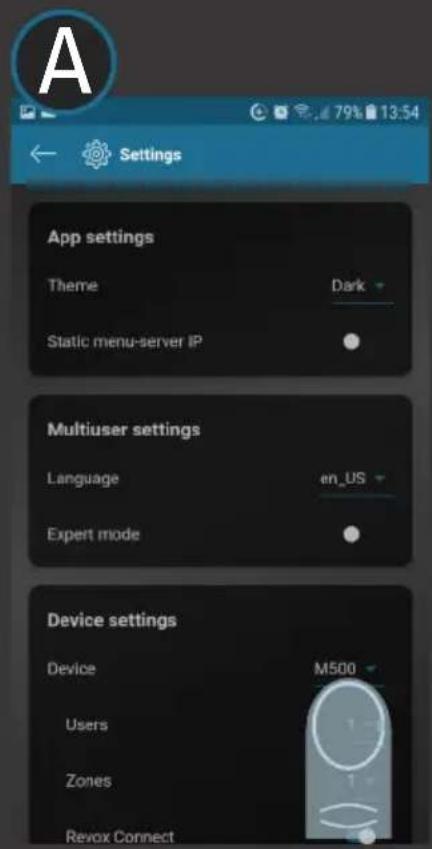
REVOX Studiomaster M300 - CREATE ADDITIONAL USERS - 1

REVOX Studiomaster M300 - CREATE ADDITIONAL USERS - 2

REVOX Studiomaster M300 - CREATE ADDITIONAL USERS - 3

REVOX Studiomaster M300 - CREATE ADDITIONAL USERS - 4

REVOX Studiomaster M300 - CREATE ADDITIONAL USERS - 5

REVOX Studiomaster M300 - CREATE ADDITIONAL USERS - 6

designed, developed and made in Germany

REVOX Studiomaster M300 - CREATE ADDITIONAL USERS - 7

REVOX

Multiuser

DEUTSCHE BEDIENUNGSANLEITUNG

www.revox.com/m300_m500/Bedienungsanleitung

ENGLISH USER MANUAL

www.revox.com/m300_m500/user_manual

KONFORMITÄTSERKLÄRUNG

DECLARATION OF CONFIRMITY

www.revox.com/m300_m500/legal

Copyright 2022 - Revox Group.

All Rights Reserved.

Technische Änderungen vorbehalten.

Revox Deutschland GmbH | Am Krebsgraben 15 | D-78048 VS-Villingen| Tel.: +49 7721 8704 0 | info@revox.de | www.revox.com

Revox (Schweiz) AG | Wehntalerstrasse 190 | CH-8105 Regensdorf | Tel.: +41 44 871 66 11 | info@revox.ch | www.revox.com

Revox Handels GmbH | Josef-Pirchl-Straße 38 | AT-6370 Kitzbühel | Tel.: +43 5356 66 299 | info@revox.at | www.revox.com
Assistant notice
Powered by Anthropic
En attente de votre message
Informations produit

Marque : REVOX

Modèle : Studiomaster M300

Catégorie : Système hifi