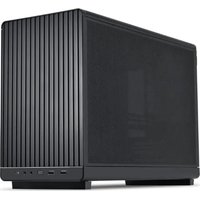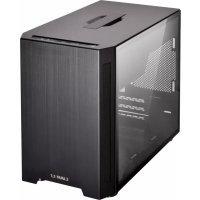
Lian Li TU150 - Unite Centrale

TU150 - Unite Centrale Lian Li - Notice d'utilisation et mode d'emploi gratuit

Retrouvez gratuitement la notice de l'appareil TU150 Lian Li au format PDF.

📄 10 pages Français FR Télécharger 💬 Question IA 10 questions ⚙️ Specs
Notice Lian Li TU150 - page 1
Choisissez votre langue et indiquez votre email : nous vous enverrons une version traduite specifiquement.
Type de produit Boîtier d'ordinateur
Format de carte mère Mini-ITX
Dimensions (H x L x P) 202 x 312 x 320 mm
Poids 3,5 kg
Matériau Aluminium brossé, acier
Alimentation compatible SFX, SFX-L
Baies de disques internes 1 x 2,5/3,5" + 1 x 2,5"
Connectique avant USB 3.0 x 2, USB-C x 1, audio jack
Ventilateurs inclus 1 x 120 mm à l'avant
Emplacements d'extension 2
Filtre à poussière Oui, magnétique
Hauteur maximale du refroidisseur CPU 165 mm
Longueur maximale du GPU 320 mm
Nettoyage Essuyer avec un chiffon doux et sec
Sécurité Utiliser sur une surface stable, ne pas obstruer les ventilations
Pièces détachées / réparabilité Disponible via service après-vente Lian Li
Garantie 2 ans

FOIRE AUX QUESTIONS - TU150 Lian Li

Quelles sont les dimensions du boîtier Lian Li TU150 ?
Le boîtier mesure 202 mm de haut, 312 mm de large et 320 mm de profondeur.
Quel format de carte mère est compatible ?
Le TU150 accepte uniquement les cartes mères au format Mini-ITX.
Quel type d'alimentation puis-je utiliser ?
Il est compatible avec les alimentations SFX et SFX-L.
Combien de disques durs puis-je installer ?
Vous pouvez installer un disque 2,5/3,5" et un disque 2,5" supplémentaire.
Quelle est la longueur maximale de la carte graphique ?
La carte graphique peut mesurer jusqu'à 320 mm de long.
Comment nettoyer les filtres à poussière ?
Les filtres magnétiques se retirent facilement et se nettoient à l'eau savonneuse, puis séchez-les avant de les remettre.
Puis-je installer un refroidisseur CPU de grande taille ?
Oui, la hauteur maximale du refroidisseur CPU est de 165 mm.
Le boîtier est-il livré avec des ventilateurs ?
Oui, un ventilateur de 120 mm est préinstallé à l'avant.
Quels ports sont disponibles en façade ?
La façade dispose de deux ports USB 3.0, un port USB-C et une prise audio.
Où trouver des pièces de rechange ?
Contactez le service après-vente de Lian Li ou consultez leur site officiel pour les pièces détachées.

Questions des utilisateurs sur TU150 Lian Li

0 question sur cet appareil. Repondez a celles que vous connaissez ou posez la votre.

Poser une nouvelle question sur cet appareil

L'email reste privé : il sert seulement à vous prévenir si quelqu'un répond à votre question.

Aucune question pour l'instant. Soyez le premier à en poser une.

Téléchargez la notice de votre Unite Centrale au format PDF gratuitement ! Retrouvez votre notice TU150 - Lian Li et reprennez votre appareil électronique en main. Sur cette page sont publiés tous les documents nécessaires à l'utilisation de votre appareil TU150 de la marque Lian Li.

MODE D'EMPLOI TU150 Lian Li
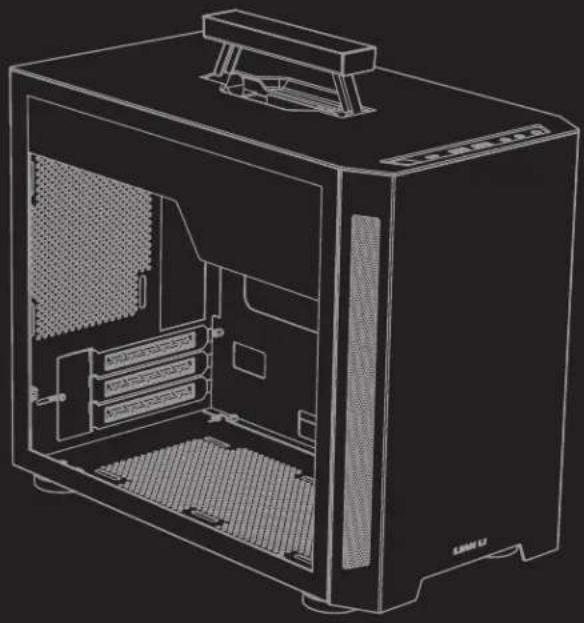
Lian Li TU150 - 1

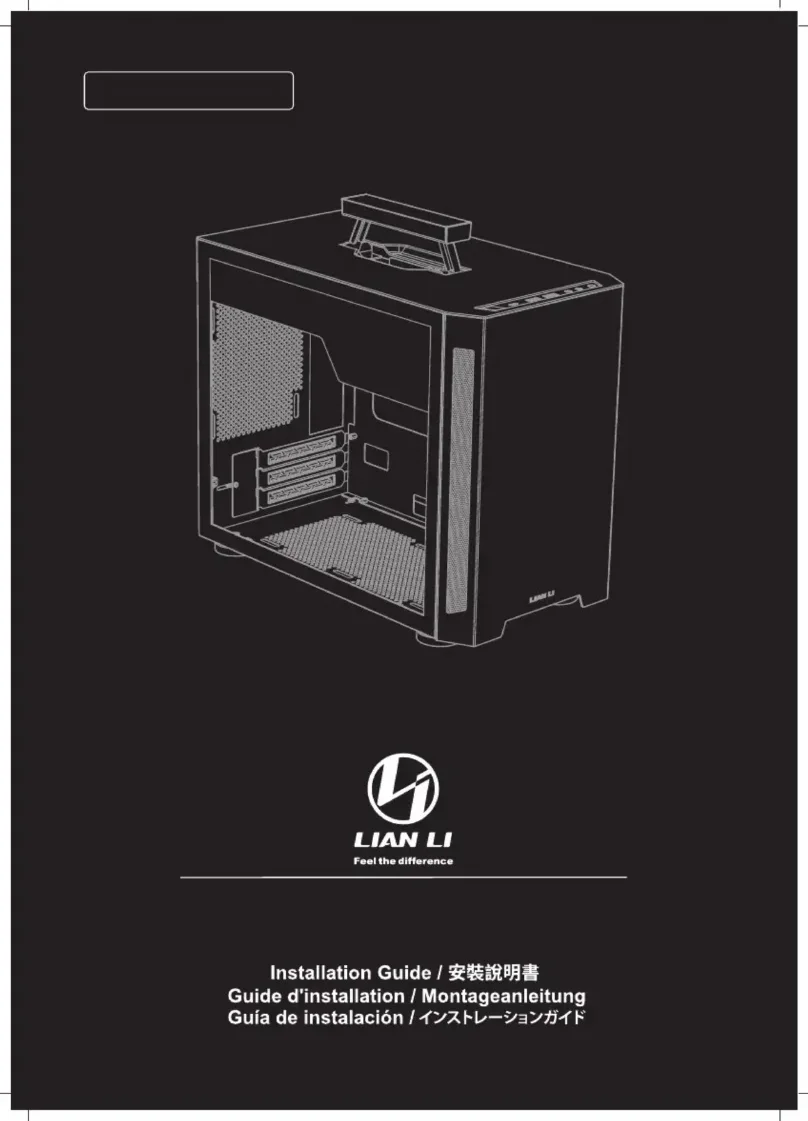
natural_image Line drawing of a desktop computer case with visible internal components and ventilation slots (no text or labels)

Lian Li TU150 - 2

LIAN LI

Feel the difference

Installation Guide / 安裝說明書

Guide d'installation / Montageanleitung

Guía de instalación / インストレーションガイド

ケース各部紹介
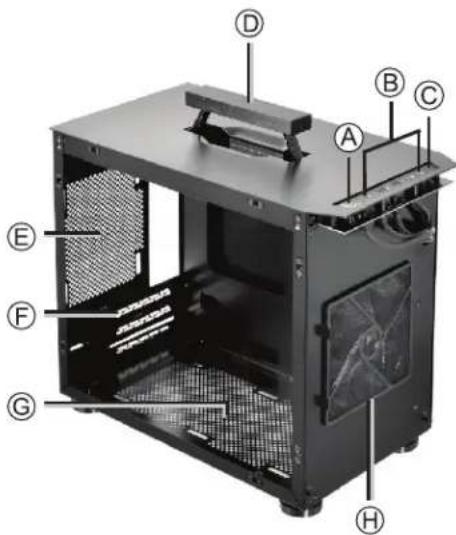
Lian Li TU150 - 3

text_image Labeled diagram of a computer tower case with numbered components for identification

Lian Li TU150 - 4

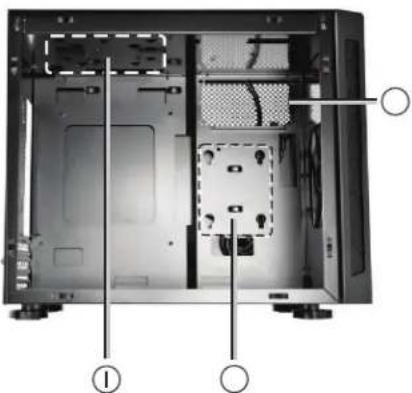
natural_image Interior view of a computer tower case showing internal components and mounting points (no text or symbols visible)

A
B
©
D
E
F
©
H

O
O

Lian Li TU150 - 5

LIAN LI

付属品一覧
Lian Li TU150 - 6

Lian Li TU150 - 7

Lian Li TU150 - 8

Lian Li TU150 - 9

Lian Li TU150 - 10

Lian Li TU150 - 11

191

※ネシには予備が含まれてくれいます。

ポートに関して
Lian Li TU150 - 12

Lian Li TU150 - 13

Lian Li TU150 - 14

Lian Li TU150 - 15

Lian Li TU150 - 16

Lian Li TU150 - 17

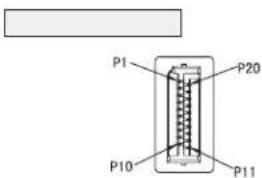
text_image P1 P20 P10 P11

マザーボード接続ケーブルに関して

Lian Li TU150 - 18

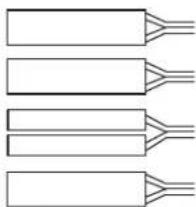
natural_image Four identical rectangular blocks with three parallel leads, arranged horizontally (no text or symbols)

Lian Li TU150 - 19

LIAN LI

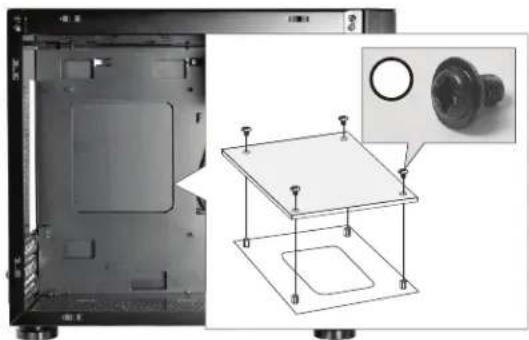
* Motherboard installation
* 主機板安裝
* Installation de la carte mère
* Motherboard installieren
* Instalación de la placa base
* マザーボードの取り付け
Lian Li TU150 - 20

natural_image Technical diagram showing a mechanical assembly with a component inset (no text or symbols visible)

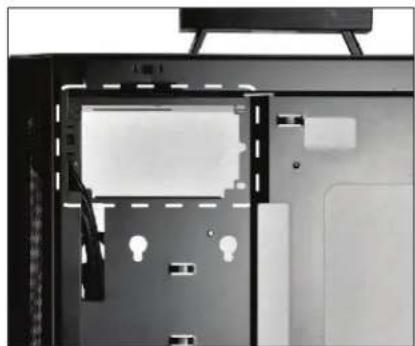
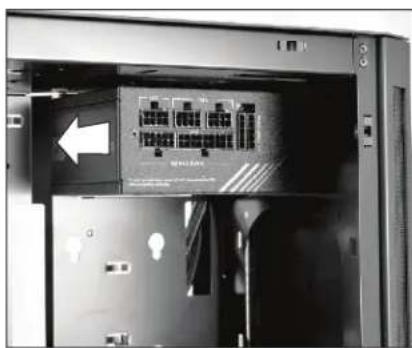
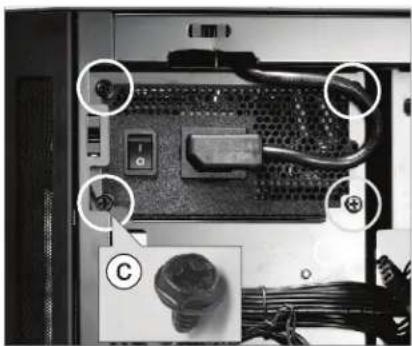
電源ユニットの取り付け
Lian Li TU150 - 21

natural_image Interior view of a computer case with visible drive bays and ventilation slots (no text or symbols)

Lian Li TU150 - 22

natural_image Interior view of a server rack unit with an open panel and a white arrow pointing to a component (no visible text or symbols)

Lian Li TU150 - 23

natural_image Close-up of a computer internal component with labeled parts (no readable text or symbols)

Lian Li TU150 - 24

LIAN LI

Lian Li TU150 - 25

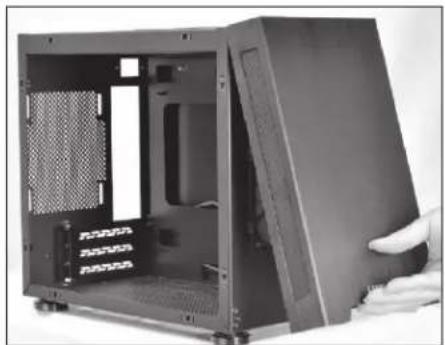
natural_image Interior view of a black server rack unit with ventilation slots and a hand adjusting the casing (no visible text or labels)

Lian Li TU150 - 26

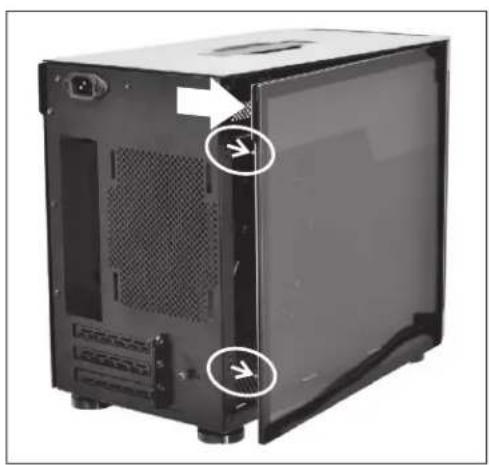
natural_image Black computer case with ventilation slots and mounting holes, showing internal structure and two arrows pointing to the side (no text or symbols)

Lian Li TU150 - 27

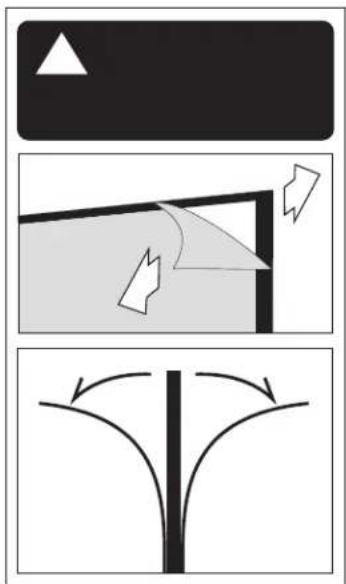
natural_image Diagram showing three different geometric shapes with arrows indicating direction, no text or symbols present.

Lian Li TU150 - 28

LIAN LI

Lian Li TU150 - 29

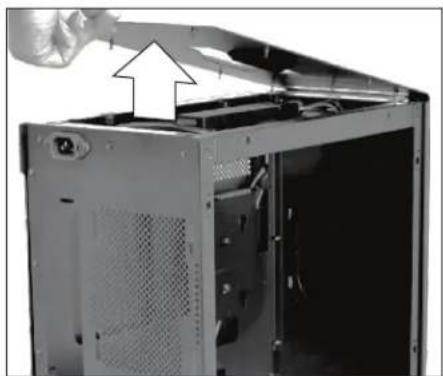
natural_image Interior view of a computer tower case showing open door, ventilation grilles, and ventilation duct (no text or symbols visible)

Lian Li TU150 - 30

natural_image Interior view of a server rack with cables and components, no visible text or symbols

Lian Li TU150 - 31

natural_image Back view of a computer tower case showing internal cable and drive components (no visible text or labels)

Lian Li TU150 - 32

LIAN LI

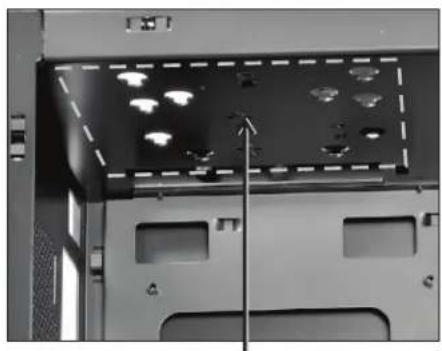
* 2.5/3.5 吋硬碟安裝
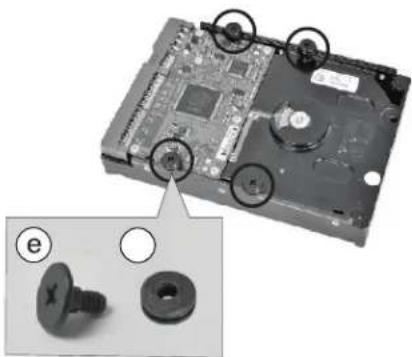
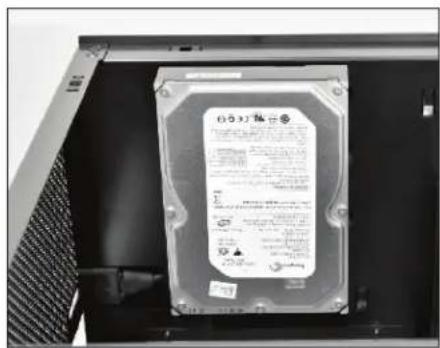
* Installation d'un DD2.5"/3.5"
* 2.5/3.5-Zoll-Festplatte installieren
* Instalación de unidad de disco duro de 2.5"/3.5"
* 2.5"/3.5"ハードディスクの取り付け
Lian Li TU150 - 33

natural_image Interior view of a computer drive bay with indicator lights and ventilation slots (no text or symbols visible)

Lian Li TU150 - 34

natural_image Close-up of a black plastic electronic component with two circular features, one labeled 'd', and no visible text or symbols.

Lian Li TU150 - 35

text_image SanDisk Ezirner® / 1980/2003 SanDisk

Lian Li TU150 - 36

natural_image Close-up of a hard disk drive with two screw fasteners and mounting holes, no visible text or symbols

Lian Li TU150 - 37

natural_image Close-up of a hard disk drive with visible label and internal components (no readable text or symbols)

Lian Li TU150 - 38

LIAN LI

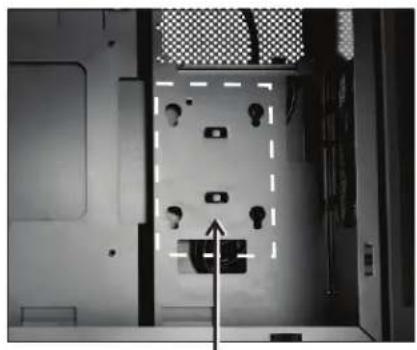
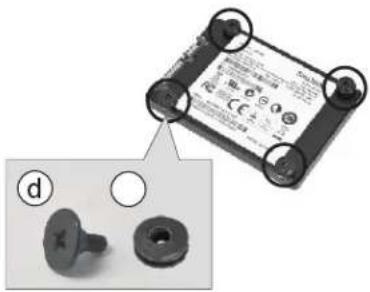
* 2.5吋硬碟安裝
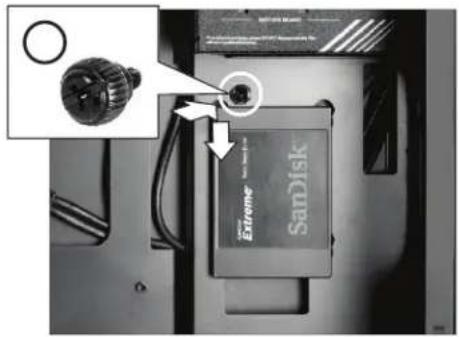
* Installation d'un DD2.5"
* 2.5-Zoll-Festplatte installieren
* Instalación de unidad de disco duro de 2.5"
* 2.5"ハードディスクの取り付け
Lian Li TU150 - 39

natural_image Interior view of a room with ceiling-mounted lights and a wall-mounted device, no visible text or symbols

Lian Li TU150 - 40

natural_image Close-up of a battery pack with two small accessories, one showing internal components and the other with a hole (no text or symbols visible)

Lian Li TU150 - 41

text_image Extreme SanDisk

Lian Li TU150 - 42

LIAN LI

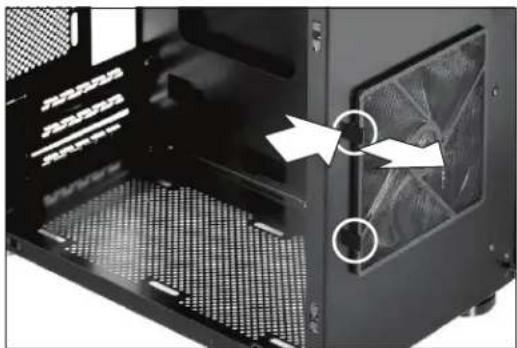
エアフィルターの取り外し

Lian Li TU150 - 43

natural_image Close-up of a black server rack with ventilation grilles and a close-up view showing internal components (no text or symbols visible)

Lian Li TU150 - 44

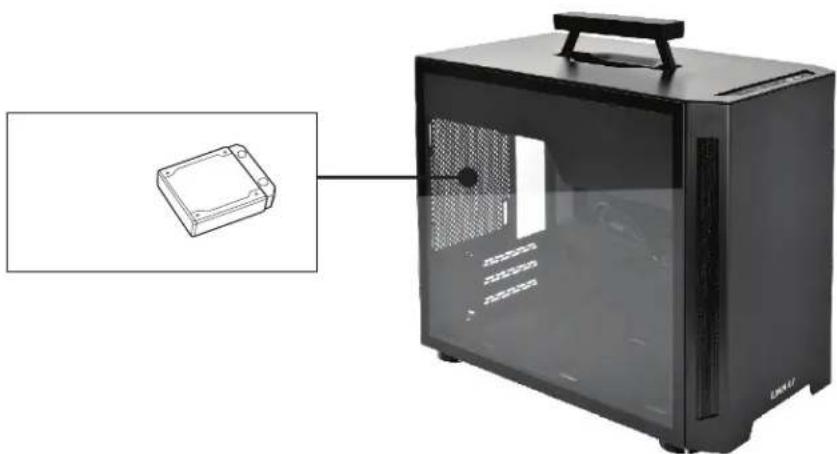
natural_image Exterior view of a black desktop computer case with a small inset showing a small electronic component (no visible text or symbols)

Lian Li TU150 - 45

http://www.lian-li.com

Assistant notice
Powered by Anthropic
En attente de votre message
Informations produit

Marque : Lian Li

Modèle : TU150

Catégorie : Unite Centrale