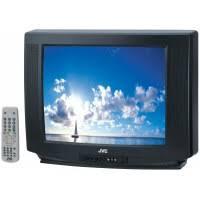
AV-28BD5EPS - Télévision JVC - Notice d'utilisation et mode d'emploi gratuit
Retrouvez gratuitement la notice de l'appareil AV-28BD5EPS JVC au format PDF.


| Type d'écran | Tube cathodique couleur (CRT) |
| Taille d'écran | 28 pouces (71 cm en diagonale) |
| Format d'image | 4:3 |
| Système audio | Stéréo NICAM |
| Entrées PERITEL | 2 |
| Entrée S-Video | 1 |
| Sortie audio | Jack 3,5 mm |
| Fonction Zoom | Oui |
| Norme de réception | PAL / SECAM |
| Marque | JVC |
FOIRE AUX QUESTIONS - AV-28BD5EPS JVC
Questions des utilisateurs sur AV-28BD5EPS JVC
0 question sur cet appareil. Repondez a celles que vous connaissez ou posez la votre.
Poser une nouvelle question sur cet appareil
Téléchargez la notice de votre Télévision au format PDF gratuitement ! Retrouvez votre notice AV-28BD5EPS - JVC et reprennez votre appareil électronique en main. Sur cette page sont publiés tous les documents nécessaires à l'utilisation de votre appareil AV-28BD5EPS de la marque JVC.
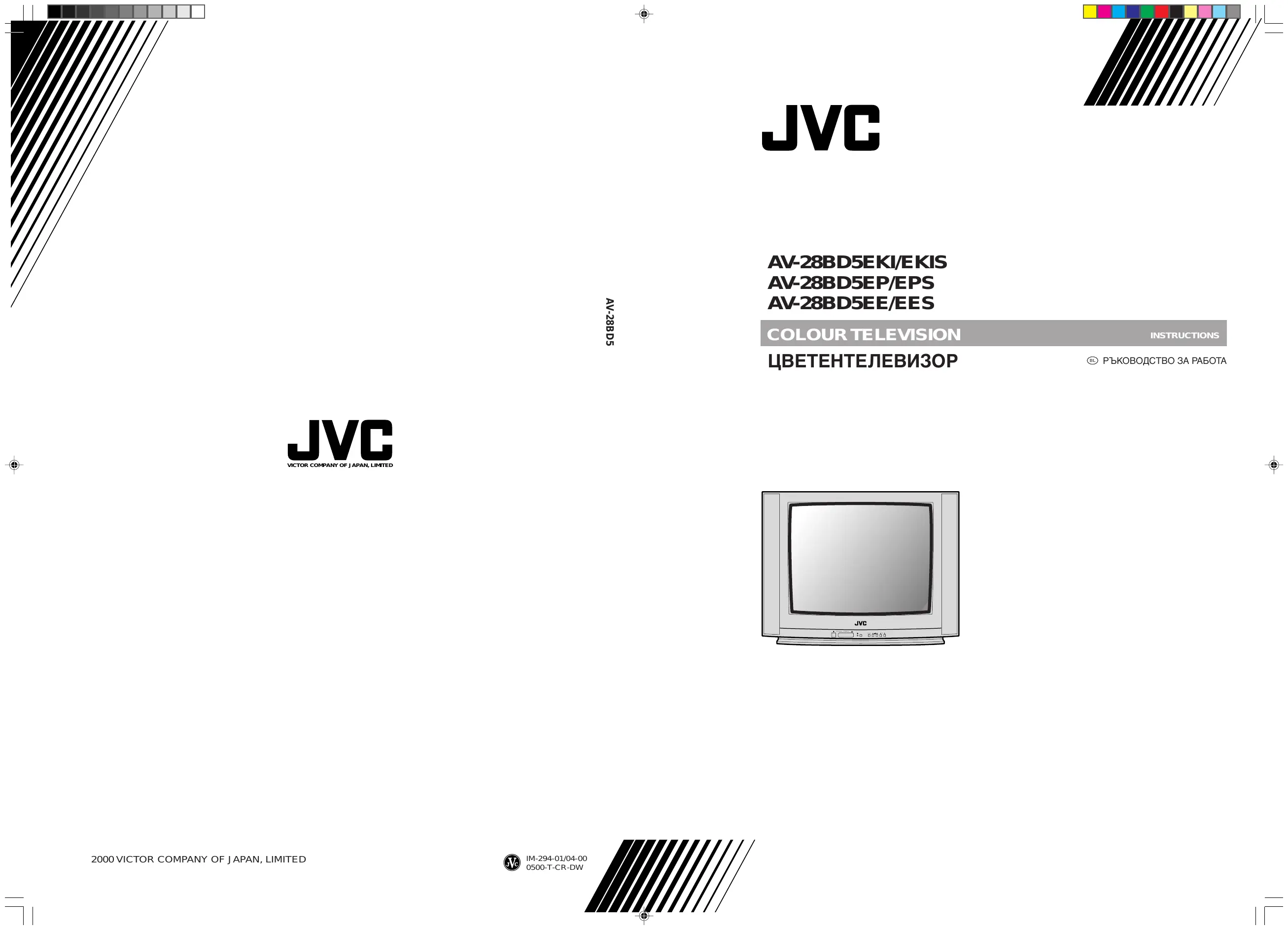
MODE D'EMPLOI AV-28BD5EPS JVC
AV-28BD5EKI/EKIS
AV-28BD5EP/EPS
AV-28BD5EE/EES
COLOUR TELEVISION UMBETEHTEJEBN3OP
INSTRUCTIONS
PbKOBOIDCTBO3A PA6OTA

ADDITIONAL INFORMATIONS FOR THE SET SOLD IN GREAT BRITAIN
The appliance is supplied with a moulded three pin main plug fitted with 5Amp fuse. Should the fuse require replacement, it must be replaced with a fuse rated at 5 amp and approved by ASTA or BSI to BS1362.
The plug contains a removable fuse cover that must be refitted when the fuse is replaced. In the event of the fuse cover being lost or damaged, the plug must not be used until a replacement cover has been obtained. Replacement fuse covers can be purchased from your nearest electrical dealer and must be the same colour as the original.
If the moulded means plug is unsuitable for the socket outlet in your home or is removed for any other reasons, then the fuse should be removed and the cut off plug dispose of safely to prevent the hazard of electric shock.
There is a danger of electric shock if the cut off plug is inserted into any socket outlet. If a replacement plug is to be fitted, please observe the wiring code shown below. The wires in the mains lead are are coloured in the accordance with the following code:
Blue-neutral
Brown-live
As the colours of the wires in the main lead of this appliance may not correspond with the coloured markings identifying the terminals in your plug, proceed as follows:
The wire which is coloured blue must be connected to the terminal which is marked with the letter N or coloured black. The wire which is coloured brown must be connected to the terminal which is marked with the letter E or coloured red.
Do not make any connections to the terminal in the plug which is marked by the letter E by the safety earth symbol or coloured green or green and yellow.

IMPORTANT SAFEGUARDS
BL BAXHIN INPEIINA3HN MEPKN 2
BEFORE LAUNCHING
BL IPEDN DA BKJIIOUHTE TEJIEBN3OPA 3

IDENTITY OF FEATURES ON LOCAL AND REMOTE CONTROL
BL YNPABJIEHNE C KONQETA BbPXY KOPNYCA HA TEJIEBN3OPA IN YCTPOICTBOTO 3A INCTAHUHOHNOYNPABJIEHNE 4
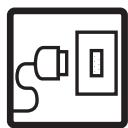
CONNECTING THE EXTERNAL EQUIPMENT
BL CBbP3BAHE KbM dpyuYyCTPOYCTBA... 6

INSTALLATION
B INHCTAJIINPAHE 8
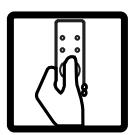
DAILY USE
EKEIHEBHA YNOTPEBA 12

MENUS
MEHIOTA 16

TELETEXT
TEJETEKCT 22

TROUBLESHOOTING
ПОНБЛЕМИ ПРИЕКСПLOATAЦЯТА 24
SPECIFICATIONS
TEXHINUeCKN XAPAKTEPNUCTUKN 26

WATER AND MOISTURE / BOДА N BJIАТA
Never install the set in the following places; In a wet basement, bathroom. Do not place any container with liquid on the set.
Hnkora He MOHTnpaIte TeJIeBn3Opa B CJIeHNTE NOMEUeHnA: BnaJKeH cyTepeH, 6aHЯ. Hnkora He NOCTaBnTe CbD C TeuHOCT BbPxy anapaTa.

HEAT/TOJIINHA
Never place the set near heat sources.
Hnkora He MOHTnpaTe TeJIeBn3Opa B 6JIIN3OCT Do N3TOUHNK Ha TOJINHa.

VENTILATION / BEHTNJIALIN
Do not cover the ventilation opening in the cabinet and never place the set in a confined space such as bookcase or built-in unless proper ventilation is provided.
Leave a minimum 10cm gap all around the unit.
He NOKpNBaIte OTBOpNTe 3a BeHTnlaqnaHa TeJIeBN3Opa HNkoRa He IIOCTaBraIte Ha TAcHO MAcTO, KaTO HApPIMep CeKzuaH NIm ShKaΦ, OCBEN aKO He e OcNrgpeHa npabnHa BeHTnlaqna. OctaBeTe Hau-MaJko 10cm CBO6oJHo pOcTpaHcTBO OT BCNUKn cTpaHn Ha anapata.

OBJECT ENTRY / ПЕДМЕТИ
Do not insert foreign objects, such as needles and coins, in the ventilation openings.
He da nyskaTe npedmetn KaTo ngnn NIn MOHeTn B OTBOpNTe 3a BeHTnlaucn Ha TeIeBN3Opa.

LIGHTNING STRIKING / MьЛнн
You should disconnect the set from the mains and the aerial system during thunderstorms.
BLO Bpeme Ha rpbMOTeBnUHa 6pyr Tp6Ba Da n3BaAnTe UePcEla OT KOHTaKTA I OTKaUnTe aHTeHata.
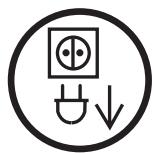
CLEANING / ΠΟΥΝΥCTBAHE
Unplug the set from the mains during cleaning.
80Пи NOuchTbaHe n3BaJeTe цeNceNa OT KOHTaKTA.

AFTER MOVING THE SET / CJIΕД ПЕΜΕCTBAHE HA TEJIΕΒΝΙΤΟPA
If the set is moved in a different direction, the MAIN POWER button must be switched off for at least 15 minutes in order to take out a colour strain on the screen.
Ako TeIeBn3OpbT Tp6Ba Da 6bJe npemecTeH, n3KJIouyeTe rO C rnaBn8 6yToH 3AXPAHBAHE (MAIN POWER) Na-MAJko 15 MmN. PpeDbapnteJHo, 3a Da ce n36erHe cBeTOBa deΦopMaun.

CAUTION / BHIMAHNE
There is a danger of choking or suffocation if the caps which are removed from the TV are accidentally swallowed by children. Store the caps out of the reach of children.
BIMa ONaCHOCT OT 3aIaBHe NIn 3aIyUbaHe aKO KaNaYeTaTa, KOINTO CTe CBaJIIN OT TeJIeBn3Opa 6bDat NOrbJHaTn OT Deca. Pa3eTe KanaYeTaTa DaJeV OT DoCeRa Ha Deca.
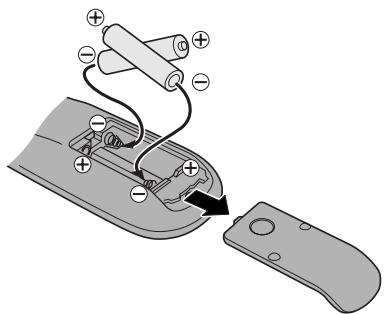
INSERTING BATTERIES INTO THE CONTROL UNIT / NOCTABÄHE HA BATEPNUB YCTPOICTBOTO 3A ДИСТАЦНОНо UПРавЛЕнe
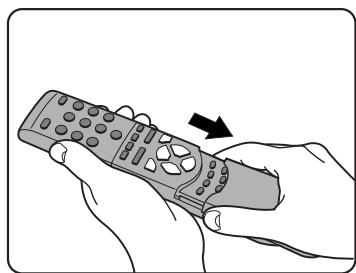
Insert the batteries (two 1.5V, type AAA (R03))
@ NocTaBeTe 6aTePnnte (DBe no 1,5V, TnI AAA (R3))
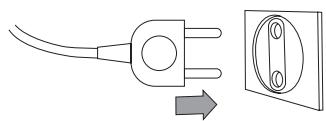
MAINS CONNECTION / BKJIIOUBAHE B EJEKTPNUECKATA MPEXA
Plug the mains cable into the power socket with 230V/50Hz AC.
BkIIOyeTe 3axpaHbauJa Ka6eI B KOHTaKT 3a 230V/50Hz npOMeHJIIB TOK.
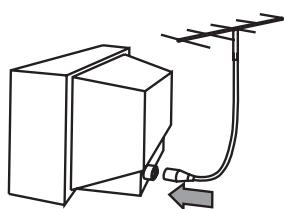
AERIAL CONNECTION / CBbP3BAHE HA AHTEHATA
When using an outdoor aerial, it is usually connected to the set by means of 75 ohms.
BLПиИЗПОЛЗВанеHa BьHша aHTeHa,ОБИКНOBЕНТЯ ССБьр3Ba KьM anapaTa пи 75 Oma.
SWITCHING ON AND OFF / BKJIIOUBAHE I N3KJIIOUBAHE
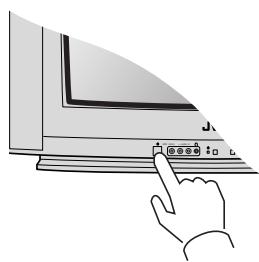
Switching on / BkJIIOUbaHe
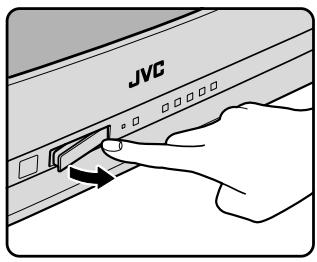
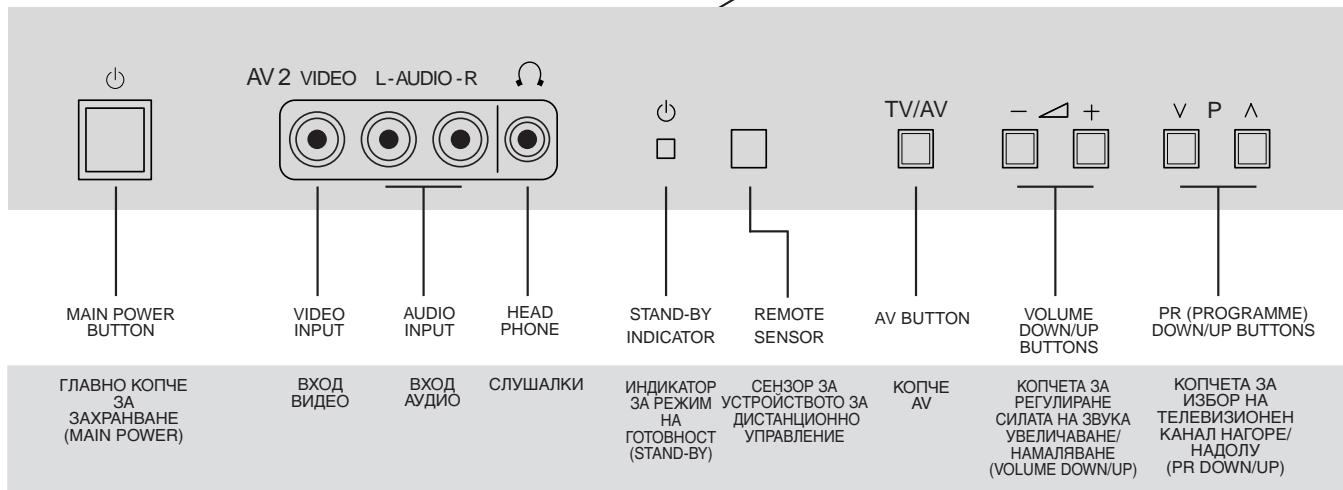
Switch the set on with the MAIN POWER button ( ), and then PR UP or DOWN button ( P ) on the front of the set. Or POWER button ( / I ) or the UP/DOWN button or one of the NUMBER buttons on the remote control.
BkIIOUeTe TeJIeBn3Opa c 6yToHa MAIN POWER (3AXPAHBAHE) (山) , cIeJ KOeTO C eIHO OT IBeTe KOnYeTa 3a n36Op Ha KaHaI PR UP (HAGOPE) nIi DOWN (HADOJY) ( P) OTnpEi Ha anapata. IInn KOnYeTO POwER (山 / I) nIi KOnYeTaTApDOWN (HAGOPE/HADOJY) nIi Koe Da e ot NUMBER (LINΦPOBITE) KOnYeTa Ha yCTpOoiCTBOTo 3a DInCTaHcUNHO ynpaBJIeHne.
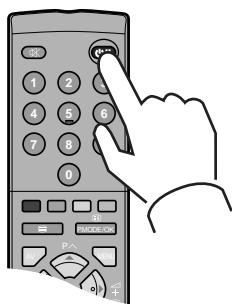
Switching off / N3KJIouYBaHe
Press POWER button ( ( I ) ) on the remote control to return the set to its stand by mode.
If you do not use the set for an extended period of time, turn it off with MAIN POWER button ( ) on the set.
HaTnchTe KOnyeTo POWER ( / ) ot ycTpoiCTBOTO 3aДиCTaHцIOHHO ynpaBJIeHne, 3a Да NOCTaBITE TeJIeBn3Opa BpeKIM Ha rOTOBHOCT.
Ako HЯMaДа ПОЛЗВATE TeJIeBn3OpaДьЛRO BpeMe,ИЗКЛЮчTeRoЧеЗглавноToКончe MAIN POWER (3AXPAHBAHE)()Bbpxy Camna anapaT.
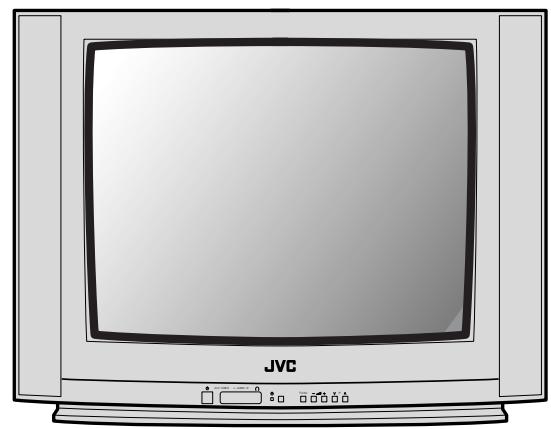
LOCAL CONTROL / BьPXY KOPПУСHA TEЛЕВИЗОРА
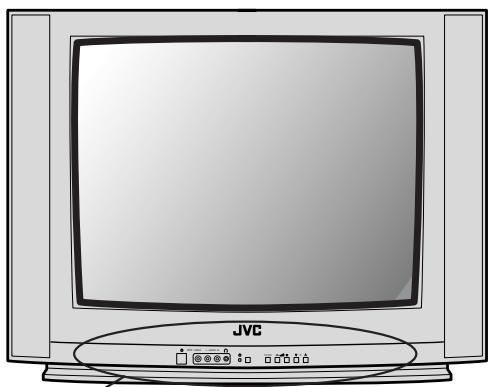
Front / OtnpeД
Caution
There is a danger of choking or suffocation if the caps which are removed from the TV are accidentally swallowed by children. Store the caps out of the reach of children.
BHHMaHHe
Uma onaCHOCT OT 3aDaBHe NnI 3aDyUbaAhe Ako KanaeHetaTA, KOITO CTE CBAUNIOT TEENBUNOPa 6bDat NOrbNaHTOn OT DaEu. PAteTe KanaeHetaT aDanE To Docera Ha daEu.
BL
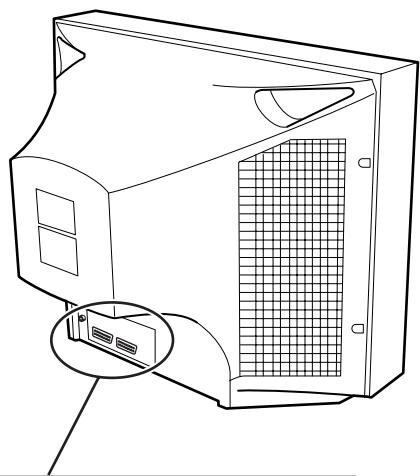
Back / Oτзад
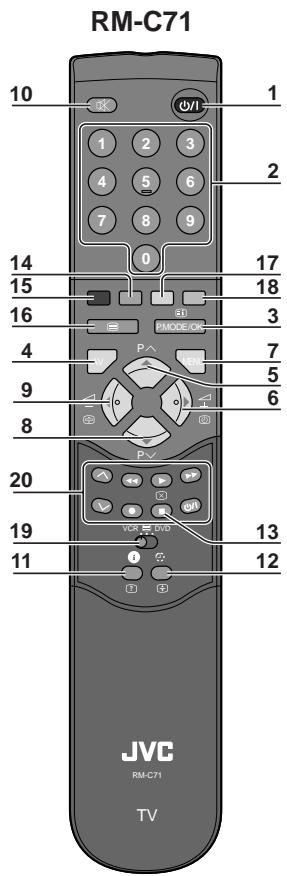
REMOTE CONTROL / UCTPOICTBO 3A ДИСТАЦНОНо YПРавЛЕнe
TV mode /
TeJeBn3NoHEn peXm TV
1 POWER
2 NUMBER 0-9 / NUMBER (LINΦPOBNI KONHTETA) 0 ΜΟ 9
3 P.MODE/OK
4 AV
5 UP
6 RIGHT
7 MENU
8 DOWN
9 LEFT
10 MUTING
11 RECALL
12 SLEEP
13 Not used / He ce n3noJ3Ba
14 MOVE
15SKIP
16 TV/TEXT
17 DELETE
18 MODE
19 VCR/ /DVD switch / Konque VCR/ /DVD
20 VCR/DVD Control buttons / VCR/DVD (Видев(DVD) Кочета оТ устюйстов за дuctанционно упразваенье
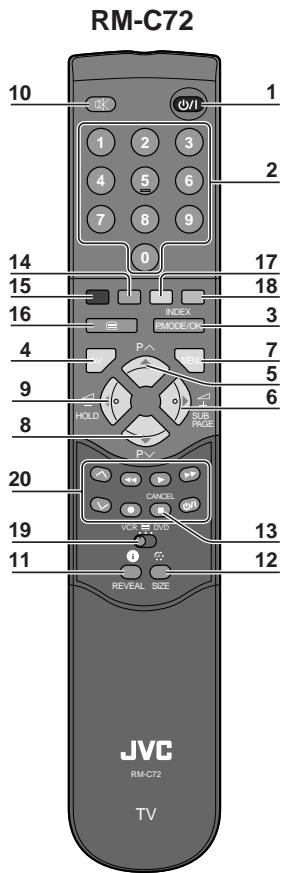
TELETEXT mode / pěkúm TEJETEKCT
1 POWER
2 NUMBER 0-9/ NUMBER (LINΦPOBNI KOPIETA) 0 DO 9
3 INDEX
4 Not used / He ce n3nOJ3Ba
5 UP
6 SUBPAGE
7 MENU
8 DOWN
9 HOLD
10 MUTING
11 REVEAL
12 SIZE
13 CANCEL
14 GREEN
15 RED
16 TV/TEXT
17 YELLOW
18 CYAN
19 VCR/ /DVD switch / Konque VCR/ /DVD
20 Not used / He ce
ИЗПОЛЗВа
CONNECTING THE EXTERNAL EQUIPMENT /
CBbP3BAHE KbM ДPyги UCTPOИCTBA
TV and AV / TV u AV (TeJIeBn3NoHeH n ayDIO/BuJeO peJxIM)
Use the AV button on the remote control, or on the front of the set to select one of the three options. Whenever the AV button is pressed, on the on-screen display will be changed as shown: AV1 > AV2 > S-VHS > TV
B13nON3BaIe KOnyeTo AV ot yCTpOInCTBOTo 3a DnCTaHcNHO UnpaBHe Hn OtnpeHa anapata, 3a Da n36epTe eHa OT TpIne OINm. Pn BcAko HaTnCKaHe Ha KOnyeTo AV Ha ekpaHa ce n3nncBa: AV1 AV2 S-VHS TV
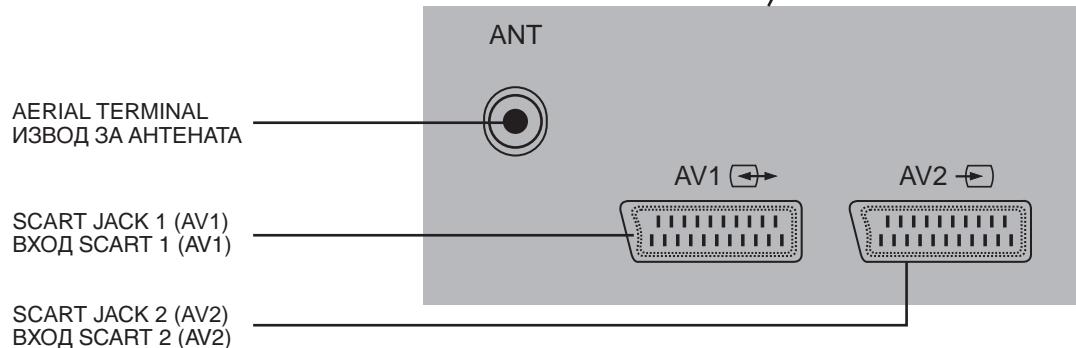
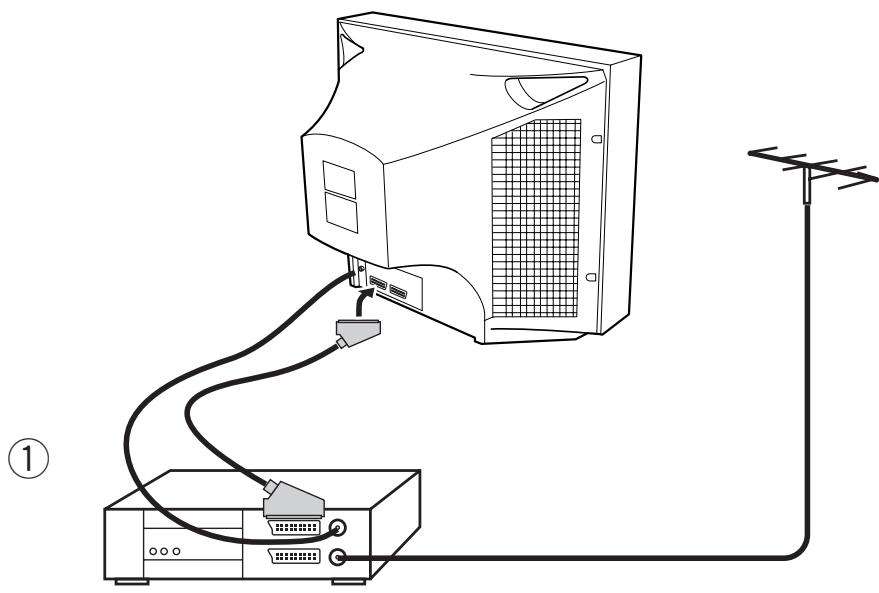
SCART JACK 1 (AV1) / BXOД SCART 1 (AV1):
This is used to connect a VCR ① , a PERI-TV decoder, a Camcoder or a video game console.
In most case, the set changes automatically to AV when the VCR connected is in display mode. If not, press the AV button on the remote control or on the front of the set. You must turn the external equipment off to return to the TV mode.
I3noJ3Ba ce 3a Cbbp3BaHe Ha BnDeOkaceToOpH VCR ① PERI-TV deKoep, BnDeOKaMepa nIyIyT 3a ynpabJeHne Ha BnDeO irpn.
B NOBEyeTo cIyauT TeIeBn3OpbT IpeMnHaBa aBTOMaTuHNo B ayIIO/BnDeo peXmAV, KOraTO CBbp3aHOTO KbM Hero BNdeo e B pexm Ha NOKa3BaHe Ha INΦopMaun.
В потувен слуай натусятete кочето AV ot yctpoicTBOTO 3a Дистанционноупавлиейные плпога anapapa. 3a за се вьргетe в телевизионен ржим TV,Травда ИЗКЛЮЧИTE CBbp3ahOTO BbHшно yctpoiCTBO.
SCART JACK 2 (AV2) / BXOD SCART 2 (AV2):
This is used to connect a VCR, a Camcoder, a S-VHS VCR. You can also receive the S-VHS signal with SCART JACK 2 by selecting S-VHS mode with AV button.
ToBa rHe3do Ce n3nOJ3Ba 3a Cbbp3BaHe Ha BnDeo anapaT, BnDeo KaMepa NIn BNDeo anapat S-VHS. CbIo taKa moKeTe da noIyuaBate cunHaJ S-VHS cbc BXOD SCART 2 KaTo n36epeTe peXIM S-VHS c nomOuTa ha konUeTo AV.
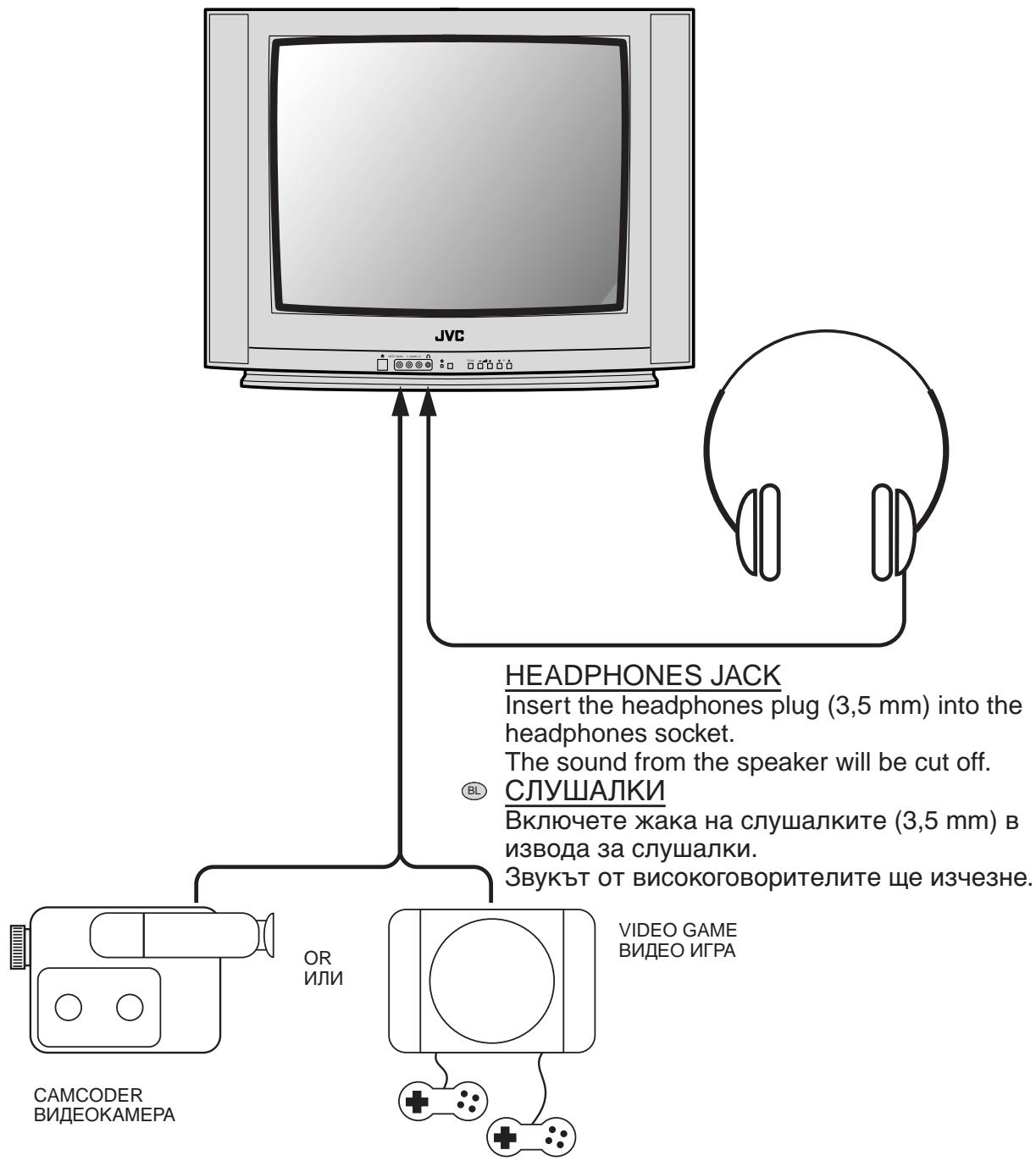
FRONT AV JACK (AV2) / ПЕДЕН BXOD AV (AV2)
Connect the AV (Audio/Video) socket with an appreciate cable to the corresponding socket of the external equipment.
Select AV mode by pressing the AV button.
Press the AV button to return to the TV mode.
Cbpxe Te BxoJa AV (Aydno/Bndeo) Upe3 HaNbIHO n3npaBEn Ka6eN CbC CbOTBeTHnI N3XoJ Ha DaJeHOTO yCTPOJCTBO.
I36epeTe peXIm AV kaTo haTnCKaTe KOnYeTo AV.
3a da ce BbpeHe T B peXm TV, HATncHeTe KOnyeTo AV.
Note / 3a6eJekka
If two apparatuses are connected front AV JACK (AV2) and SCART JACK 2 (AV2), you can play only one apparatus, the second one must be switched off.
Ako Dba anapaTa ca cBbP3aHn OTnped KbM IPEDEH BXOD AV (AV2) n BXOD SCART 2 (AV2), Moxe Ta n3no3BaTe cAmO eDHHa anapaT, BTOPIr anapaT Tp6Ba da sbJe n3KJIouyeH.
Read this "INSTALLATION" before using the TV for the first time.
Поче тete часта "Инсталаре" поеди пьраза уношеба на телевизopa.
(1)
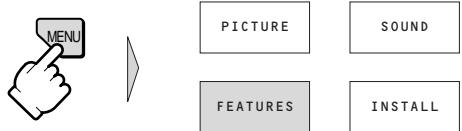
Press the MENU button to display the MENU.
[B] HaTnchTe KOnYeTo MENU (MEHIO) 3a Да ИЗВикATE MENU (MEHIO) на ekpaHa.
②
Select FEATURES with the UP/DOWN buttons and the LEFT/RIGHT buttons, then press the P. MODE/OK button.
BL Ιзбере FEATURES (XAPAKTEPNUCTIKN) с помошта на кончета UP/DOWN (HAGOPE/HADOЛУ) и на кончета LEFT/RIGHT (ЛЯBO/ДЯCHO) и с蜱 д това натусятеше кончето P.MODE/OK.
Note / 3a6eJekka
All menus are removed within 25 seconds if you do not press any button.
BcNkMehIota n3ue3BaT OT eKpaHa cIeI 25 ceKynIaKO He HaTnchTe HKaroe dpyro KOnYe.


PICTURE
180^
FEATURES
SOUN
一
INSTALL


PICTURE
FEATURES

SOUND
(6)

(5)
Press the MENU button to return to the MENU.
BL HaTnchTe KOnyeTo MENU 3a da ce BbPheTe KbM MENU (MEHIO).
Select INSTALL with the UP/DOWN buttons and the LEFT/RIGHT buttons, then press the P. MODE/OK button.
B1 N3bepeTe INSTALL (NHCTAJIINPAHE) c NOMOHTa Ha KOnyEtata UP/DOWN (HAGOPE/ HAIOJY) n Ha KOnyEtata LEFT/RIGHT (JIABO/ДЯCHO) n Cnej TOBa HaNCHeTe KOnyeTo P. MODE/OK.


PICTURE
FEATURES
SOUND
INSTALL

PICTURE
FEATURES

SOUND
FEATURES

NSTAL
9
When the ATSS has been completed, the EDIT menu is displayed.
When not editing the programmes, press the MENU button 3 times and exit from the MENU.
When you want to edit the programmes, proceed to "USING THE EDIT MENU".
| EDIT | |||
| PR | NAME | CH | SKIP |
| 05 | CH 5 | C12 | |
| 04 | CH 4 | C22 | |
| 03 | ITV | C06 | |
| 02 | BBC 2 | C08 | |
| 01 | BBC 1 | C02 | |
| 99 | ----- | C10 | ✓ |
| 98 | ----- | C04 | ✓ |
KoraTo ATSS e 3aBbPseHo, MeHIOTo EDIT (PEDAKTUPAHE) ue ce noaBn.
Ако несякATE за рedingдура te nporpa mnte,\ натиснытю MENU Трп nbTu 3a做一个\ излесе оТ MENU (MEHIO).
Korato nckaTe da peDAkTnpaTe npoRpaMn, BnXTe "YNOTPEBA HA MEHIOTO EDIT (PEDAKTUPAHE)".
Note / 3a6eJekka
All menus are removed within 25 seconds if you do not press any button.
BcNkMeHOTa N3e3BaT OT ekpaHa cne25 ceKHyn aKO He HaTNCHe T HkOe dpyro KOnYe.
(3)
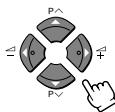
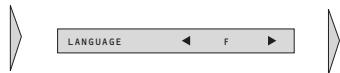
Select LANGUAGE with the UP/ DOWN buttons.
BL I36epeTe LANGUAGE (E3UK) c NOMOuTa Ha KonueTo UP/DOWN (HAGOPE/HADOJIY).
(4)
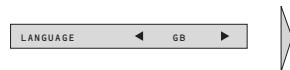
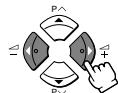
Select the required language with the LEFT/RIGHT buttons.
BL Ιзберете Heo6xOДиMЯ e3NK C nOMоцТа Ha konчета LEFT/RIGHT (JIЯBO/ДЯCHO).

(7)
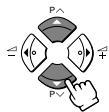
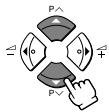
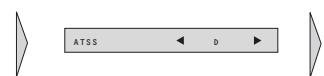
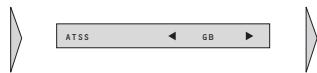
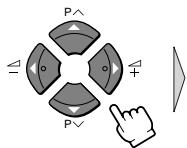
Select ATSS with the UP/DOWN buttons.
BL
I36epeTe ATSS c nOmoUta Ha konueTaTa UP/DOWN (HAGOPE/ HADOJy).
(8)
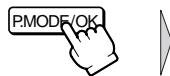
Choose the appropriate country with the LEFT/ RIGHT buttons, then press the P. MODE/OK button for more than 3 seconds.
I36epeTe nOxOJaTa Ta DbPjXaBa C NOMOHTa Ha KOnyeTata LEFT/RIGHT (JIABO/ДЯCHO)и СLEd TOBa dPbJxTe KOnyeTo P. MODE/OK HATnCHaTO 3a NOBce To 3 cekyHdi.
Note / 3a6eJekka
- You should choose "F" to view a French broadcast (SECAM-L system).
- The AV-28BD5EE and AV-28BD5EES cannot receive a Franch broadcast (SECAM-L system). Then you cannot choose "F" for those models.
- The country determines the teletext character set.
-Дьржава т ор dedелнабору bkyu noTpebЯи 3a TeJeTeKCT.
Note / 3a6eJekka
- If the channel you want to watch is not registered, register that channel manually. For details, see "USING THE INSTALL MENU" on page 20.
- If the picture or sound is not correct, change the SYSTEM setting of that channel manually. If the picture is still not correct, fine-tune that channel manually. For details, see "USING THE INSTALL MENU" on page 20.
Ako KaHajla, KOIto NCKaTe Da rIeJaTe He e peRnCTpnpaH, MoKeTe da ro peRnCTpnpaTe pBvHo. 3a noBeue noDpo6hocTn, Bx. "YIPOTPEBA HA MEHIOTO INSTALL (INHCTAJINPAHE)" Ha cTpaHua 20.
- Ako obpa3bT nIII 3BykBT ca HeKaueCTBHeH, CMeHeTe HacTpOuKaTa SYSTEM (CNCTEMA) Ha To3n KaHaJI pByHOb. Ako obpa3bT npOdbJxKaBa Da e lo7a, N3BbPseTe QInHaTa HAcTpOuKa Ha To3n KaHaJI pByHOb. 3a NOBeYe IOpDp6HocTn, Bxk. "YITOTPEBA HA MEHIOTO INSTALL (NHCTAJIINPAHE)" Ha cTpaHnca 20.
(1)
Press the MENU button to display the MENU.
[B] HaTnchHeTe KOnUeTo MENU 3a da n3BnKaTe MENU (MEHIO) Na ekpaHa.
(2)
Select INSTALL from the MENU with the UP/DOWN buttons and the LEFT/RIGHT buttons, then press the P. MODE/OK button.
I36epeTe INSTALL (ИНСТАЛМАРЕ) ot MENU (MEHIO) с поMuцта на КОпчeтатa UP/DOWN (HAFOPE/HAДОЛУ) и на КОпчeтатa LEFT/RIGHT (ЛЯBO/DЯCHO), и посLE Na KОнчeTo P.MODE/OK.

BCTURE
PICTURE
FEATURES
SOUND
3OUND
INSTALL
PICTURE
FEATURES
SOUND
NSTALL
(4)
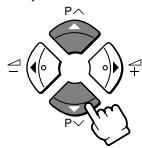
Use the UP/DOWN buttons to select the number of the programme you want to edit.
When the editing has been completed, press the MENU button 3 times and exit from the MENU.
KATO n3no3BaTe konyeTaTa UP/DOWN (HAGOPE/HADOJY) n36epeTe Homepa Ha npoRpaMaTa, KOrTo nCKaTe da peJaKTnpaTe. KaTO npNKJIouHTe c peJaKTnpaHeTo, HATnCHete KOnyeTo MENU 3 nbTn n n3Je3Te ot MENU (MEHIO).
Note / 3a6eJekka
You can use other edit functions with the INSTALL menu. For details, see "USING THE INSTALL MENU" on page 20.
MожeteдаинзползВаTe Дуги Функции 3a peДаКТИраНe OT MeHIOTo INSTALL (ИНСТАЛINРАНЕ). 3a поеве подробноctи, Вж "ЧПOTPEБA HA MEHIOTO INSTALL (ИНСТАЛINРАНЕ)" настара 20.
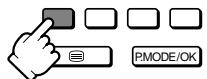
You can select SKIP "√ (YES)" or "NO" with the SKIP button.
A prog. marked with SKIP “ (YES)” is skipped when changing channel using the UP/DOWN button.
C konqueto SKIP (PPECKAUAHE) moxeTe da 3aandaTe SKIP (PPECKAUAHE) “√ (ДА)” ии "HE".
Ako 3aJaTe SKIP (ПОПЧСАНЕ) “✓ (ДА)” 3a Няков Канал, KORAto CmeHЯТe KaHaNITE c Konchyeta UP/DOWN (HAGOPE/HADOЛY), T03n KaHaN ξe 6bnde npecKauaH.
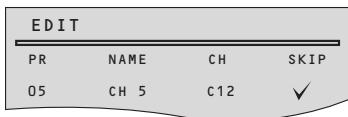

Select EDIT with the UP/DOWN buttons, then press the P. MODE/OK button.
I36eTe EDIT (PEДАKTИРАСЕ) с помоцта на кончета UP/DOWN (HAGOPE/HADOЛУ) и посе натусятete кончeto P. MODE/OK.

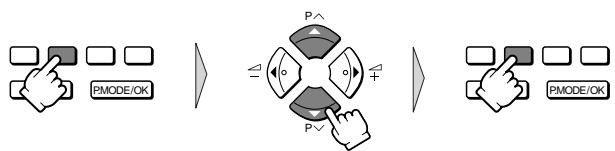
Press the MOVE button: the programme appears on red and can be moved to another place using the UP/DOWN buttons.
When required position is reached, confirm this new position pressing the MOVE button.
Then, the programme appears again on green.
BL HaTnchTe KOnYeTo MOVE (PPEMECTBAHE): nporpaMaTa ige ce noBn B cheBEno mOxKe da 6bJe npemecTeHa dpyraDe c nOMoUta Ha konyeTaTa UP/DOWN (HAGOPE/ HADOJIy).
Korato cTnHHeTe da JxelaHOTo NIOJKeHne, NOTBbpeTe rO KaTO HaTnCHeTe KOnUeTO MOVE (PPEMECTBAHE).
CleT OBa nporpaMaTa ige ce NOKaKe OTHOBO B 3eJIeHO.
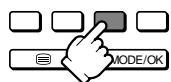
When the DELETE button is pressed, the selected channel is deleted. The deleted channel is automatically moved to PR. 99 and the SKIP function is set to “ (YES)”. If a channel is deleted, the programme numbers of the following channels are all lowered by one.
Korato konchyeto DELETE (N3TPINBAHE) e haTnchato, n36paHnT kaHaI e n3TpNT. N3TpNTa KaHaI e npemecTeH aBToMaTHUHO Ha PR.99 i cyHKuYraTa SKIP (PPOIUPCKAHE) e npoRpaMnpaHa Na "V (DA)". Ako daJeH KaHaI e n3TpNT, npoRpaMHnTe HOMepa Ha cJIeDbAsHTe KaHaI ige 6bDaT hAmajEni C eDInH HOMep.
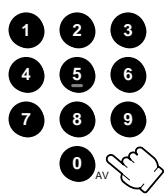
The set has a total of 100 programme numbers, 0...99. The NUMBER button 0...9 are used for direct programme selection. In order two digit programme, press the second numbered button within two seconds. Switch through the programme number step by step with the UP/DOWN buttons (P / ).
BL Ha6opbT cbDbpxka 100 nporpaHn Homepa, ot 0 do 99. C nOmoUta ha konyeTaTA NUMBER (HOMEP) ot 0 do 9 moKeTe dIpeKTHo da n36epeTe daJeH nporpaMeH Homep. 3a da n3BnKaTe dBuCnFpeH Homep, hATNCHeTe BTOPOTo cNFOBO KOnYe do DBe CeKHyDn PO-KbCHO. MoKeTe Da npemHaBaTe ppe3 nporpaMHte Homepa NOCTeENHO C nOMoUta Ha konyeTaTA UP/DOWN (HAGOPE/HADOJY) (P V/ʌ).
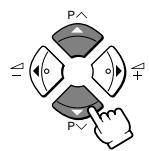
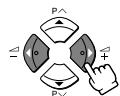
Adjust the volume with the VOLUME DOWN/UP buttons (- +) on the front of the set, or with the LEFT/RIGHT buttons on the remote control.
Mожete на Perул,在а силata на 3Byka c Konчета TVOLUME UP/DOWN (3BYK HAGOPE/HADOJY) (- +) otпрд на Teleвизора ис c Konчета LEFT/RIGHT (ЛЯBO/ДЯCHO) на устpoистВОТо 3a ДИСТАЦИОНно упразьелен.

Pressing the MUTING button (⊗) once turns the sound off. The sound returns if the button is pressed once more. The volume is adjusted with the VOLUME DOWN/UP (- +) or with the LEFT/RIGHT button.
Ako eHnOKpaTHo haTncHeTe konYeTo MUTING (N3KJIIOUBAHE HA 3BYKA) ()3ByKbT ce n3KJIIOUBa. 3ByKbT ue Ce BKNIOUHO aKO NOBTOPOHaTncHeTe KOnyeTo. CnilaTa Ha 3ByKa Moxe da ce peRyInpa c nomOuTa ha konYeTo VOLUME UP/DOWN (3BYK HAGOPE/HADOJY) (- +) iINc konYeTo LEFT/RIGHT (JIABO/DACHO).

By pressing the SLEEP button repeatedly, you can select one of the following settings:
00>30>60>90>120>00
The set will turn off after time you select.
Automatic Switch-Off in No Broadcast Signal:
If broadcast signal is not present for about 30 minutes, the set will be automatically turned off.
In AV mode, however, this function does not operate.

BL Yepe3 HeKoJkoKpaTHO HaTnCKaHe Ha KOnYeTo SLEEP (ABTOMATnUHO N3KJIIOUCAHE)
MOXeTe Da n36epTe eHNO OT CNeIHNTe IIOJKeHnI:
00>30>60>90>120>00
TeIeBn3OpbT ige Ce n3KJIIOuN CJIeI KaTO n3Teue n36paHOTo BpeMe.
A B T O M a T N U H O n3KJI U O Y B A H e p p n O T C b C T B N e H a c n r h a n:
AkoB npoDbIJIKeHne Ha OKOIO 30 MNHyTN HMa CnHaJ, TeJIeBn3OpbT Ie Ce N3KJIHOuN aBTOMaTNUHO.
B pexm AV (Aydno-BuJeO) oBaYe ta3n 4yHKzIa He pa6OTn.
By pressing the P.MODE/OK button, you can select one of three picture settings (PICTURE MODEs); NORMAL I, NORMAL II or FAVOURITE.
For other adjustments: Brightness, contrast, colour, sharpness, see PICTURE menu. (page 16)
C haTnCKaHe Ha KOnYeTo P.MODE/OK MoKeTe Da n36ePeTe eHa oT cNeiHnTe HacTpOiKn (PICTURE MODEs (PEXKIMN O5PA3)): NORMAL I (HOPMAJIeH I), NORMAL II (HOPMAJIeH II) nIi FAVOURITE (PpeДПОчИТAH).
3a Дугнисторь: Рост, Контactor, Сраз, Асота, Вж. Meю To PICTURE (KAPTUHA). (стр. 16)
Note / 3a6eJekka
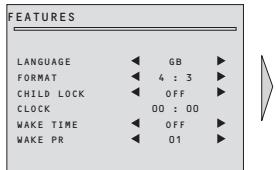
Language selection, Format selection, CHILD LOCK, Clock setting and WAKE UP setting are available in FEATURES menu. (see pages18 and 19)
I36op Ha e3nk, I36op Ha φopMaT, CHILD LOCK (ДETCKA 3AKJIQUAJIKA), NaCTpoiKa Ha yacOBHnka n BpeMeTo 3a WAKE UP (CbEyXKDAHE) ce haMnpaT B MeHIOTo FEATURES (XAPAKTEPNUCTIKN). (Bx. cTp. 18 n 19)
If you are unable to get a good sound on a channel due to a poor stereo broadcasting signal, you can change from stereo to mono transmission pressing the MODE button. Then the programme status concerning this programme indicates "MONO" (in red colour).
Ako He npneMaTe Do6bp 3Byk Ha daJeH KaHaJ NopaI JIoW CTepeO cInHaJ Ha IpeJaBaHeTo, MoKeTe Da CMeHnTe OT CTepeO Ha MOHO KaTO HATNCHeTe KOnYeTo MODE (PEKIM). Toraba noLoXeHnTe 3a daJeHaTa nporpama ue coUn "MONO" (MOHO) (B YepBeHo).
①
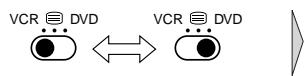
You can control your JVC brand VCR or DVD player with the TV remote control. Set the VCR/ /DVD switch to the VCR or DVD position.
BnDeo n DVD anapaTm Mapka JVC MoRaT Da ce ynpaBnaBaT OT UcTPOIcTBO 3a DnCTaHcNIOHNO ynpaBJIeHne Ha TeJeBn3Opa. IocTaBeTe npEbkJIIOuBaTeJr VCR/ /DVD (BnDeo/ /DVD)Ha no3nUVA VCR (BnDeo) nIi DVD (DVD).
②
Press the VCR/DVD Control button to control your VCR or DVD player.
BL HaTnCHeTe KOnYeTo VCR/DVD (BnJeO/DVD) Ha yCTPOIcTBOTO 3aДиCTaHcNoHNO ynpaBJIeHne 3a Дa ynpaBJIaBaTe BnJeO nIi DVD anapapa.
Note / 3a6eJekka
Some of the buttons may not work depending on the device.
HЯков OT konчeteTa можеда He pa6OTВ 3aBnCmOcT OT ypeDa.
The RECALL button is used to display the current status. This display appears for 4 seconds unless any button is pressed.
KoNueTo RECALL (IPINPOMHnH) ce n3noJ3Ba 3a noKa3BaHe Ha TeKyUTo NOLOXeHne. To3n dinCnIe NocTaBa Ha ekpaHa B npOdbJIxKeHne Ha 4 cekyHnOcBeH aKO HraKoe dpyro KOnue 6bJe HATNCHaTO.

On the other hand, during a bilingual programme, MODE button allows you to hear the second language.
To return to initial state, press the MODE button once more.
For other adjustments (bass, treble, balance and sound effect) see SOUND menu on page 17.
OT npya cTpHa, no BpeMe Ha nBye3nUHa nporpaMa, konyeTO MODE (PEKIM) NO3BOJRA Da ChyBaTe BTOPIE e3NK.
3a da ce BbprHeTe KbM PbBBOHaayHTo NonoJKeHne, HATNCHeTe KOJIeTo MODE (PEKIM) oue eDnH nT.
3aДугн Habстpoи (HnCKn peRnCTpn, BnCOKn peRnCTpn, 6aIaHc n 3ByKOBn eΦeKTn) Bx. MeHIOTo SOUND (3BYK) Ha cTp. 17.
Programme number / Homep Ha nporpamata
Clock / Yacobnik
Remaining time (minutes) before TV set turns off. Only when SLEEP function is activated.
OCTaBaIoo BpeMe (MnHyTu) OOKaTO TeJIeBn3OpbT Ce N3KJIIOUcN. CaMo KOraTo 0yHKUraTa aBTOMaTNUHO SLEEP (N3KJIIOYBAHE) N3KJIIOUcBaHe e aKTINBnpaHa
01 BBC 1
NICAM STEREO
11:11
SLEEP 60
Channel name / Име на Канaja
Sound transmission mode: displayed in red colour only if forced to MONO by MODE button.
Pexm 3a npedaBaHe Ha 3ByK: POKa3Ba Ce B YepBeHO cAmO KOraTo e NocTaBEN pInHydnteHNO B MONO (MOHO) c konpeTo MODE (PEXIM).
MENUS / MEHIOTA
All menus are removed within 25 seconds if you do not press any button.
Вс neuropиюта изчесьат от ekрана след 25 секундам akо не натусятей поу кочу.
(1)
Press the MENU button to display the MENU. Then, you have the choice between several sub-menus. If you want to cancel immediately the MENU, press the MENU button once more.
BL HaTncheTe KOnYeTo MENU 3a da n3BnKaTe MENU (MEHIO).CJeI TOBa nMaTe n36Op Ha HApKoNko NOD-MeHIOTa. AKO nCKaTe BeDHaRa Da aHyInpaTe rIaBHOTo MENU (MEHIO), HaTncheTe KOnYeTo MENU oSe BeDhbX.


PICTURE
FEATURES
SOUND
INSTALL

①
Select the function you want to change using the UP/DOWN buttons.
I36epeTe ΦyHKuYrTa, KOaTO NcKaTe Da npOMeHnTe KaTo n3NoJ3BaTe KOnyeTata UP/DOWN (HAFOPE/ HADOJY).
②
Adjust the function using the LEFT/RIGHT buttons.
HactpoIte yHKunra KaTo n3NoJ3BaTe konyeTaT a LEFT/RIGHT (JIABO/ДЯCHO).

LANGUAGE

GB


LANGUAGE

:
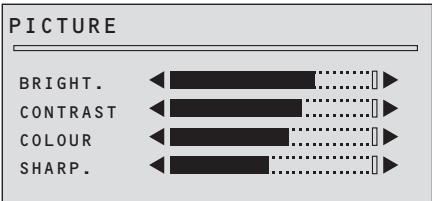
Select and adjust the level of each function: “BRIGHT”, “CONTRAST”, “COLOUR” and “SHARP”.
Selected values are automatically stored in FAVOURITE mode.
BL N36epeTe n HactpoIte HnBTo Ha BCa eHa oT cyHKcInTe: "BRIGHT." (RPKOCT), "CONTRAST" (KOHTPACT), "COLOUR" (LbRt) n "SHARP." (ACHOTA).
ИзбранITE стойности abTomatчно ce заразьват в ржима FAVOURITE (ПРЕДПОЧТAHЯ).
(2)
To select one of the sub-menus, use the UP/DOWN buttons and the LEFT/RIGHT buttons.
To enter the selected sub-menu, press the P.MODE/OK button.
3a da n36epeTe eHNO OT NOI-MeHIOTaT, n3noJ3BaIte konyeTaTa UP/DOWN (HAGOPE/HADOJY) n konyeTaTa LEFT/RIGHT (JIABO/INCHO).
3aДа Влесе В ИзбразноД-MeHIO,Натисные КОпчeto P.MODE/OK.

③
Then return to the MENU pressing MENU button.
BL 3a da ce BbpeTe Ha MENU (MEHIO) HATNCHeTe KOnYeTo MENU.
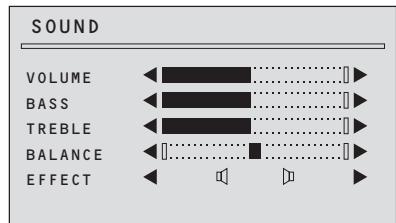
Select and adjust the level of each function:
"VOLUME", "BASS", "TREBLE", "BALANCE" and "EFFECT".
N36epTe n Hactpoite HNBOTo Ha BcKa eHa OT yHKunTE:
"VOLUME" (СИЛА HA 3BYKA), "BASS" (HNCKN PEGNTPN), "TREBLE" (BNCOKN PEGNTPN), "BALANCE" (BAJIAHC) и "EFFECT" (EΦEKTN).
EFFECT: You can enjoy sounds with a wider ambience.
EFFECT (EΦEKTN): Moxe Te da ce HacnaXdaBaTe Ha 3ByK Cb3daBaUc YyBCTBOTo 3a NO- shnpOKO o6KpbjxHne.
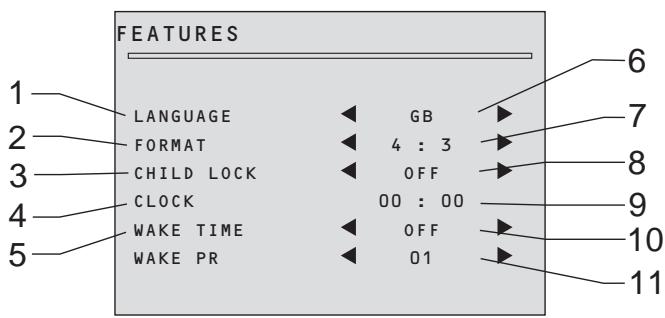
- Language selection
- Picture format selection
- CHILD LOCK prevent the use of the TV set without remote control unit.
- TV clock setting Note that if you turn off the set with the MAIN POWER button, the clock setting is lost and must be reset if necessary. The clock is set automatically if programme No. 1 is selected for at least 6 seconds, and programme No. 1 has teletext data.
- WAKE UP function The TV set turns on at the time and with the programme chosen by the customer. This function is only available when clock is set and when TV set is switched to stand-by mode.
- Select the menu language.
- Select picture format: choose between: 4:3 (normal size) 16:9 (16:9 size)
- Selecting this value ON or OFF: When switched on: the stand-by indicator is orange lighted, child lock is operating. The set can only switched on with the remote control unit.
- Set TV clock with NUMBER 0-9 buttons, then clock starts.
- Switch "WAKE UP" function ON/OFF with the LEFT or RIGHT button. Enter wake up time with the NUMBER 0-9 buttons.
- Select TV turn-on programme number.
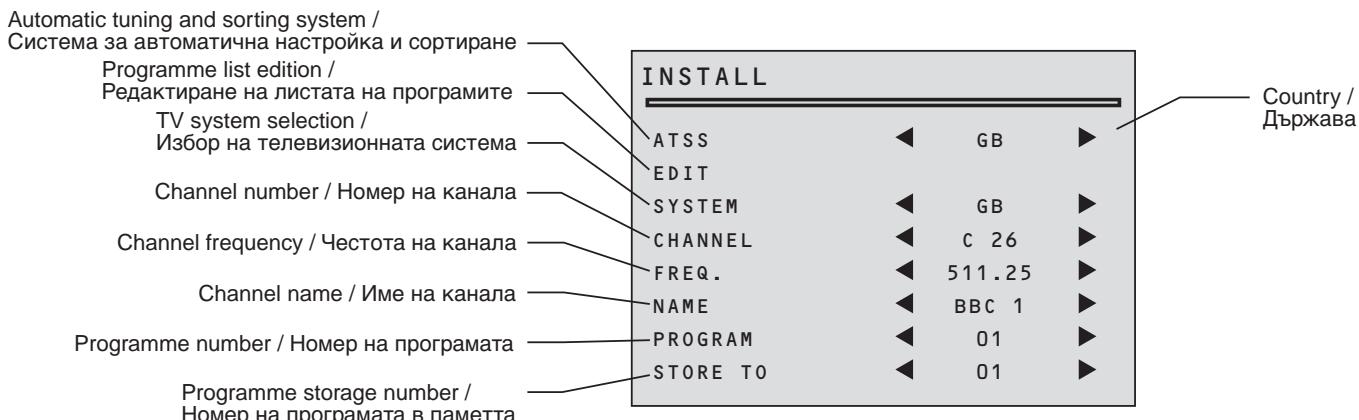
- ɪn36ɒp Ha eʒɪk (E3ɪK)
2.Избор Ha Формata Ha KaptnHaTa - CHILD LOCK (ДETCKATA 3AKЛIOUALKA) пpeДОТВРаТЯВуноТpe6aTaHa TeLEBn3opa 6e3 ДИСТанцINHOTO упраВлЕнne.
- Habtroika ha yacobnka ha TeJeBn3opa. Ot6eJKeTe, ye ako n3KJIouHte TeJeBn3opa ot konyeTo MAIN POWER (3AXPAHBAHE), hactrokaTa ha yacobnka ige ce 3aYbN u ige Tp8Ba da ce npehactroa ako e Heo6xOdmo. YacobnkT ce HactpoBa aBTOMaTHuHa Ha nporpaMaTa Homep 1 ako e n36paH B pOdBJIxEHeNe Ha 6 cekyHn, n aKO nporpaMaTa Homep 1 cbDbPjA TeJeTEKCT DaHHN.
5.Функцятawake UP (CbБУЖДАHE) TeJIeBn3OpbT ce BkIIOUvBa B Yaca n Ha npOrpamata N36paHn OT Notpe6nteJr. Ta3n QyHKZnE hAnuCe cAmO KOraTO YacOBnKbTe HAcTpoEH n aKO TeJIeBn3OpbTe B peXIM rOTOBHOCT. - ɪnʒepeTe MeHIOTo e3ɪK.
- Изберете Формата на образа: Изберете сени OT следнисту Формати: 4:3 (норmaльно Формат) 16:9 (формат 16:9)
- Избор на таи стойост ON (ВКЛ.) ил OFF (ИЗКЛ.):
Korato e на BKЛ.: Индануарьт за roTOBHOCT (STAND-BY) с Bretи opанжево, detckata 3akliouaJIka e 3aJeICTBaHa.
Телевизрът може да спевкючни на BKЛ. сamo с помоцт ha dinstahnoHOTO ynpablenHe. - HabtpoIte yacOBHnka Ha TeJIeBn3Opa C NOMOuTa Ha cIePpOBtTe KOnYeTa 0-9 NUMBER (0-9 HOME) Ha dIncTaHcNHOHTo ynpaBJeHne; TOraba YacOBHnKbT Ie TpIrHe.
- П repвключete Фуннциета "WAKE UP" (СъБУЖДАHE) на ON/OFF (ВКЛ./ИЗКЛ.) с поштаб konчeto LEFT (ЛЯBO) пи right (ДяCHO). Вьебе te уаса на събухдаме с поштаб на сцровпес konчета 0-9 NUMBER (0-9 HOMEP)
11.Изберетe homepa Ha nporpaMaTа,Ha KOrTo ige Ce BkIIOuN TeJIeBn3Opa.
Programme number / Homep Ha nporpamata
Station name / Име настанцята
Channel number / Homep Ha KaHaja
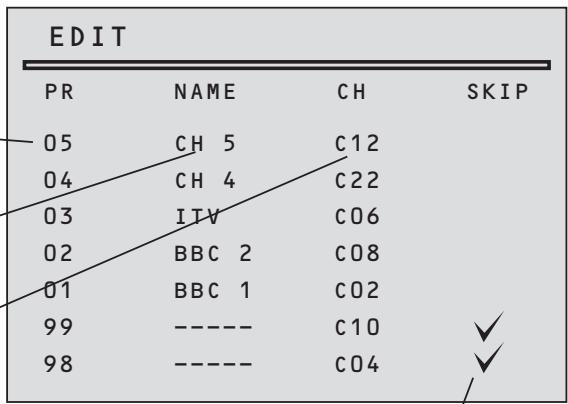
SKIP code / KoД 3a npOnyckaHe ✓:programme skipped/Пронуснata nporpaMa
(1)
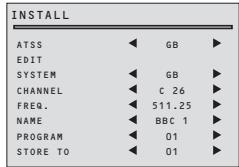
Select with "PROGRAM" function the programme from which you want to start manual tuning.
C nomouTa ha cyhkuyraT a "PROGRAM" (PPOrPAMnPAHE), n36epTe nporpaMaTa, ot KOrTo ige 3aNoUHeTe pBUnHaTa HacTpoiKa.

(3)
Select "FREQ." function.
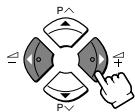
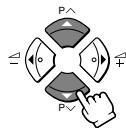
Press the RIGHT/ LEFT buttons for more than 3 seconds to start (up/down) manual tuning.
After searching, tuning will stop automatically to the next channel. (To stop searching press the MENU button.)
N36peTe yHKnIyTa "FREQ." (YECT.).
Дръжткончета RIGHT/LEFT (ДЯCHO/ЛЯBO) натунота повеу ot 3 за за повеу (harope/haэдoly) рьчна hab相对较ка.
CneI TbpcHeTo, HacTpoiKaTa ige cnpe aBtOMaTnUHa Ha cNeiBaunKaHaJ. (3a da cnpeTe TbpcHeTo HATNCHeTe KOnYeTo MENU.)
Note / 3a6eJekka
If you know channel number or frequency of the channels you want to search, you can tune directly to these channels, entering these data directly into "CHANNEL" or "FREQ." function.
Ako 3haete Homepa IINu YecToTaHa KaHajnte, KOINTO NCKaTe Da TbPCnte, MOKeTe Da HAcTpOnTe Te3N KaHai NdupeKTHo KAto BHeCeTe DaHHnTe DnpeKTHo BBfynHKunraTa "CHANNEL" (KAHAJI) IINu FREQ." (HECT.).

(5)
Enter station name.
Select "NAME" function.
Use the RIGHT/ LEFT buttons to select the character (letter) you want to modify.
To modify this letter, press the UP/ DOWN buttons until the desired letter is displayed.
BbBeTe IMe Ha cTaHcIyTa
I36epeTe yHKnCnYTA "NAME" (UME).
I3noJ3BaIte konUeTaTa RIGHT/LEFT (ДЯCHO/JЯBO) 3a за ИЗбepTe 3наKa (6yKВaTa), KОТо/KОТо ИСКаTe Дд помeHnte.
3a da npomehnte Ta3n 6yKba, HataNcKaIe KOnyeTo UP/DOWN (HAGOPE/HADOJIY) DOKaTO XeJHaHaTa 6yKba ce nOBn.

(2)
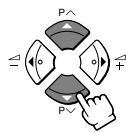
If necessary, you can modify TV system: Select "SYSTEM" function Choose between: FRANCE (L/L), GB (I), EURO (B/G), E/EURO (D/K) system.
BL
Ako e Heo6xOJIMO, MoKeTe da CMeHnTe TeJIeBn3IOHHaTa CnCTema: N36epTe cyHKuIra "SYSTEM" (CnCTEMA).
I36epeTe eHa OT cJeHnTe CnCTeMn: GB (I), EURO (B/G), E/EURO (D/K).





(4)
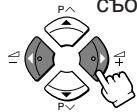
If you are unable to get a good picture or sound because of a poor broadcasting signal, it is possible to fine tune a signal.
Select channel frequency ("FREQ.") function.
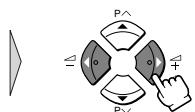
Press and release the RIGHT/ LEFT buttons to fine tune a signal.
Ako He npneMaTe Do6pa KapTnHa NIn 3ByK IopaI NIoS CTepeO CNHaJ Ha IpeDaBaHeTo, MOKeTe Da N3BbPwNTe cHnHa HAcTPOJKa Ha CNHaJa.
Изберете Функцираз честоа "FREQ." (YECT.).
HaTnCHeTe n OTnycHeTe konYeTaTa RIGHT/LEFT (ДЯCHO/ЛЯBO) 3a Да ИЗВьршпт eHnHa hAcTpoiKa Ha cnHana.





(6)
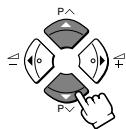
Store programme in memory.
Select "STORE TO" function
Adjust the programme number you want to store and confirm by pressing the P.MODE/OK button.
3aamaTBAHe Ha nporpaMa.
Изберете Функцята "STORETO" (3ANAMETRABAHE)
HacptpoIte Homepa Ha nporpamata, KOaTO nCKaTe da BkapaTe B NaMeTTa I NOTBbpeTe KaTo HATnCHete Konueto P.MODE/ OK.
Remarks / Белеки
This function can be used also if you want to copy a programme already memorized to another programme number.
Ta3nФyHKUIMOKeJaCeI3NOJ3BaCbIooaKOINcKaTeJaKoNIPAtePpOrpama,KoTToeBEYe3aNaMeTeHa POndpyrnporpaMeH HOpE.



1-SWITCHING TELETEXT ON/OFF / ПЕВКЛIOУBAHE HA TEJETEKCT HA BKЛ./M3KЛ.
Set the VCR/ 且 /DVD switch to the 且 (text) position, then press the TELETEXT button ( 且 ). To return to the TV mode, press the TELETEXT button again.
BbIocTaBeTe npeBknIOuBaTeTn VCR/ /DVD (BnJeO/ /DVD) Ha no3nUa (TEKCT) nHaTnCHeTe KOnUeTo TELETEX (TEJETEKCT). HATncHeTe KOnUeTo TELETEX (TEJETEKCT) OTHOBO 3a da ce BbPHeTe KbM TeJIeBn3NoHEn pexm.
Note / 3a6eJexka
Some of the buttons may not work if the VCR/ 且 /DVD switch is not set to the 且 (text) position.
HЯkon OT kONyeta Moxe da He pa6oT aKO npEeKJIIOvBaTeIaT VCR/ /DVD (BnJeO/ /DVD) He e Ha NO3nua (TEkCT).
2-COLOUR BUTTONS IN TOP/FLOF TELETEXT / ζВETHΝ KОПΥETA 3A TOP/FLOF TEJIETEKCT
A red, green, yellow and blue field is shown at the bottom of the screen. If TOP or FLOF teletext (FASTEXT) is transmitted by the station, pressing the corresponding colour button on the remote controller, you can select the desired page easily.
B D oJHaTa YacT Ha eKpaHa NMa UeRBeHo, 3eJeHO, XbITo I CnHbO nOJe. Ako cTaHcNra Tn3JIbUba TOP nI FLOF TeIeTeKCT, (FASTEXT), MoKeTe JecHO da n36epeTe JeJaHaTa cTpaHnca KaTO hATncHeTe CbOTBEtHO TO cBeTHO KOnYe OT yCTpOietBOTo 3a dNCTaHcNIOH0 ynpabLeHne.
3-SELECTING PAGES / N3BOP HA CTPAHILA
The NUMBER button 0...9 are used to enter a page number. The selected page number appears at the top of the screen and the page appears after a short time.
The UP/DOWN buttons increase or decrease the current page number by 1.
Bc Konueeta NUMBER (HOMEP) ot 0 do 9 ce n3no3BaT 3a BbBexJaHe HOpem Ha cTpaHua. HOpembT ha n36paHaTa cTpaHua ce noBBA B rohata qact Ha ekpaHa N CLeM MaJko Ce nOyBa CaMaTa cTpaHua. KaTo n3no3BaTe konueeta UP/DOWN (HAFOPE/HADOJIY) moKeTe da yBeIuBaTe nn HamaJIbaTe Homepa Ha cTpaHuaTa c 1.
4-INDEX PAGE / INDEKC CTPAHULA
You can switch directly to the programme preview, (with TOP text), or the overview page of the station you are currently viewing by pressing the INDEX button.
Mokete da npebkIouHte dIpeKTHo Ha cTpaHnUaTa c nporpamata, (c TOP teKCT), nII n o6oBsaUaTa cTpaHnUa Ha cTaNzra, KOrTO rIeJaTe B MOMeHTa, KaTo hATncHeTe konyeTo INDEX (MHNEKC) (3i).
5-PAGE HOLD / 3AДьРЖАСЕ HA CTPAПИЦА HA EKPAHA
Several sub pages can be combined under a page number and are scrolled at an interval determined by the television station. The presence of sub pages is indicated by, for example, 3/6 beneath the time, which means that you are looking at the 3rd page of a total of 6 pages. If you want to look at a subpage for a longer period of time, press the HOLD button. "..." appears at the top of the screen and the contents of the subpage shown are kept on the screen and no longer updated or switched to other subpages. Pressing the HOLD button again, the current subpage appear.
Bb3MOXHO e HAKONKO NOI-CTpaHUN Da 6bDat OBeHNHeHIO ND EINH HOMep I NOKa3BaHn IpE3 INHTepBaN OT BpeMe, ONpeJelenOT n3JIbYBaUaTa CTAtna. HanuNeTo Ha NOI-CTpaHUN Ce nOKa3Ba Ha ekpaHa KaTO npocTa dpo6 noi Yaca, npimepHo 3/6. ToBa 03NaUaBA, Ye CTe Ha cTpaHUN 3 OT o6o 6 cTpaHUN. Ako nCKaTe Da ocTaHeTe Ha daJeHa cTpaHUN PO-NbIro BpeMe, HATncHEte KOnYeTo HOLD (3AIBPXAHE) (12) "E" ce NoRBA B rOpHaT aCt HA ekpaHa i CbIbPkaHneTO NOI-CTpaHUNa, KOrTO rJeDaTe Ce 3aIbPka Ha ekpaHa 6e3 Da ce NoDABa HOBa IHΦopMaun i 6e3 Da ce CmEHc DpyrN IOI-CTpaHUN. KaTO hATncHete KOnYeTo HOLD (3AIBPXAHE) OTHOBO TEKUaTa cTpaHUN ca NOIRBA.
6-CALLING UP SUBPAGE DIRECTLY /ДИPEKTHO ИЗВИКBAHE HA ПОД-СТРАнILA
Pressing the SUBPAGE button, “- - - - ” appears beside page number. Enter the subpage number that you want to call up with the NUMBER button 0...9, for example, the 2nd page, sequence 0002. The desired subpage is sought and displayed.
Ako haTuscheTe konyeTo SUB PAGE (IOJ-CTPAHUNLA) (O), “-- --” ce noBBA do Homepa Ha cTpaHncaTa. C nOMoUta Ha konyeTata NUMBER (HOMEP) ot 0 do 9 BbVeJeTe Homepa Ha noD-CTpaHncaTa, KOrTO nCKaTe da n3BnKaTe, npIMepHo 3a BVtopeCtpaHnca - nopEeNcaTa 0002. CneI KaTo ce hamepi, JeHaHaTa cTpaHnca Ce noBBA Ha ekpaHa.
7-WATCHING TELEVISION DURING TELETEXT MODE / ГльдаHE HA TEJIEBN3ЯВ PEXKIM TEJIETEKCT
To do this, press the CANCEL button. Then, TV programme appears on screen and the teletext symbol appears at the top of the screen. When teletext programme will be updated, concerned page number appears on screen. Note that TV programme cannot be changed with the CANCEL button activated. Pressing the CANCEL button again, the teletext page appears with the updated information.
3a da HappaBte TOBa, HauChete KOnyeTo CANCEL (AHYJINPAHE) (×) . CneT ToBa, TeJeBn3noHnTa npOrpama ce NOBBA Ha ekpaHa n CmBOJbT 3a TeJeTeKCT Ce RBA B rOpHaTa Yact Ha ekpaHa. Korato npOrpamata TeIeTeKCT e aKtuaJIn3npaHa, cBoTBeTHnT HomeP cTpaHnCa ce NOBBA Ha ekpaHa. Ot6eneKeTe, Ye TEJEu3NoHHaTa npOrpama He MoKe Da ce CMeHn KOrato KOnyeTo CANCEL (AHYJINPAHE) e aKTNBupaHo. KaTO hATncHe TcOnyeTo CANCEL (AHYJINPAHE) oTHOBo, cTpaHnCaTa TeJeTeKCT ue Ce NoRBrn C aKtuaJIn3npaHa INΦopMaquy.
8-REVEAL ANSWER / NOKA3BAHE HA OTROBOPA
This function can be used on certain pages to reveal the solution of riddles. Press the REVEAL button to reveal a hidden answer and press again to hide it.
Ta3n cyHKzma MoKe Da ce 3no3Ba B HAKoN cTpaHnCn 3a NOKa3BaHe OTROBOPa Ha 3aRaKn. HaTNCheTe KOnyeTo REVEAL (NOKA3BAHE HA OTROBOPA) ( ? ) 3a da nOKaXeTe cKpUtnr OTOBOp; KaTo HaTNCheTe TOBa KOnYe OTHOBO, OTROBOpbT ige Ce cKpne.
9-DOUBLING CHARACTER SIZE / YДВОЯBAHE PA3MEPA HA BYKBNTE
Repeatedly pressing the SIZE button doubles the character size in the following order: Upper half of the page Lower half of the page Return to normal size.
BL HeKoJIkoKpaTHOTo HATnCKaHe Ha KOnUeTO SIZE (PA3MEP) (12) yIbOraBa pa3Mepa Ha 6yKBuTe Ha ekpaHa B CJIeHnpeD DOnHa POnOBuHa Ha ekpaHa RopHa POnOBuHa Ha ekpaHa BpBuaHe KbM HopMaJIeH pa3Mep.
10-VOLUME AND BRIGHTNESS CONTROL IN TELETEXT MODE / PÉGYЛИРАЕ СПЛATA HA 3BYKA И APKOCKTTA B PÉЖИМ TEJIETEKCT
Pressing the MENU button in teletext mode, the volume and brightness control menu will be displayed at the bottom of the screen.
You can adjust volume and brightness using the corresponding colour button on the remote control unit.
KATO haTnCHeTe KOnYeTo MENU b pexm TeIeTeKCT MeHIOTo 3a KOHTpOJIpaHe Ha CnJaTa Ha 3ByKa n ApKOCTTa ce ABRA B DOJHaTa NOLBnHa Ha ekpaHa. MoXeTe Da HAcTponTe CnJaTa Ha 3ByKa I RPKoCTTa KaTO N3PON3BaTe CbOTBEtHO TcBeTHO KOnYe Ha yCTPOIcTBOTo 3a DInCTaHcN0HHO UnpabJIeHne.
- If the plug is disconnected from the AC socket, or the TV aerial has problems, you may think there is a problem with the TV itself. Be sure to check the following before calling for service.
IMPORTANT
- Review all instructions in this manual
| Problem | Action | |
| GENERAL | The TV cannot be turned on. | • Insert the plug in an AC socket. • Turn the main power on. (See page 3) • The buttons on the front panel of the TV will not work if the CHILD LOCK is operating. Use the POWER button on the remote control to turn the TV on. |
| No picture or sound. | • Check aerial connections. (See page 6) • Choose the correct input mode. (See page 6) • Change the SYSTEM setting manually. (See “USING THE INSTALL MENU” on page 20.) | |
| The TV shuts off automat- cally. | • Did you set the SLEEP function? (See page 13) • If broadcast signal is not present for about 30 minutes, the set will be automatically turned off. • For safety reasons, the TV will automatically turn off if no operations are made within approximately 3 hours after the TV is turned on with the WAKE UP function. | |
| The TV turns on automat- cally. | • Did you set the WAKE UP function? (See page 18) | |
| Inoperable remote control. | • Replace the batteries. (See page 3) • Insert the batteries correctly. (See page 3) • Use the remote control within about 7 metres of the TV. | |
| PICTURE | Poor colour. | • Change the SYSTEM setting manually. (See “USING THE INSTALL MENU” on page 20.) |
| Lines or streaks in picture (interference). | • Move the components apart until the interference is elimi- nated. • Reposition the aerial. | |
| Spots (crosstalk). | • Reposition the aerial. • Replace with an aerial with better directionality. | |
| Double pictures (ghosts). | • Reposition the aerial. • Replace with an aerial with better directionality. | |
| Snowy pictures (noise) | • Check aerial connections. • Redirect the aerial. • Replace or repair the aerial. | |
| SOUND | No sound from the TV's speakers. | • Disconnect the headphones. |
The following are normal and are NOT malfunctions:
- When touching the picture tube surface, you might feel a slight charge of static electricity. This is because the picture tube contains static electricity; it does not affect the human body.
- The TV may emit a crackling sound due to a sudden change in temperature. There is no problem unless the picture or sound is abnormal.
- When a still, bright image (of a white dress, for example) appears on the screen, the image may be coloured. This problem occurs in all picture tubes, and as the bright image disappears, the colour also disappears.
-
This TV is equipped with a microcomputer that may operate abnormally due to interference from external components. If this happens, turn off the main power and disconnect the power cord from the AC socket. Then reconnect the power cord to the AC socket and turn on the main power again.
-
Ako TeLeBn3OpbTe u3KlOueH OT MpeKaTa uIN aKO UMa np6bEmu Cbbp3aHn cAHTeHaT, MOKe Da cn NOMscInTe Ye np6bEmbTe BvB Baunr TeLeBn3Op. Ppei da Nobikate TexNk, HanpaBeTe cneHNte npOBepKn.
BAXHO
- Пожетete BCNUKуka3aHЯ OТ ta3и ИСтрукя.
| ПюбLEM | Одстория | |
| ПЮБЛЕМИ OT OБSU XAPAKTEP | Телевизорьт не моче на се вкlioч. | Вкlioчete щенита в kontаков. Вкlioчete гливноу зхраимва. (Bиж ср. 3) Кончета от predecessor заught на телевизорь наема на paobotат akо Функцигая CHILD LOCK (ДETCKA 3AKЛIOUCAJA) e Задейства. Вкlioчete телевизорь с поочта на кочето POWER на устристову за дисцентову упралике. |
| Лигсва karтына ил 3вук. | Пюberete далу Antehа та свьрзана павлино. (Виж ср. 6) Изберete павлини реким на paobот. (Виж ср. 6) Променete настroyкatable на SYSTEM (СИСТЕMA) рын. (Вж. "ЧИOTPEБАHA MEHIOTO INSTALL (ИHCTАЛИРАЕ) на стравица 20.) | |
| Телевизорьт се ИЗКlioчba авTomatун. | Пюрамиралу лу сtle Функцигая SLEEP (ABTOMATУН ИЗКlioчBAHE)? (Виж ср. 13) Акв в подьлжени на okоло 30 минуtnясяma сигал, телевизорьт сtle се ИЗКlioчи AVTOMATУНо. 3a по-rogлма бezоноастост, телевизорьт AVTOMATУно сtle с ИЗКlioчи по calakви одаразшии са ИЗыршени приблистелно 3 ча сtleкд katу телевизорьт e bil Вкlioчe с Функцигая WAKE UP (СьБУЖДАЕ). | |
| Телевизорьт се вкlioчba авTomatун. | Пюрамиралу лу сtle Функцигая WAKE UP (СьБУЖДАЕ)? (Виж ср. 18) | |
| Устриствота за достанционно упраvelенце на функционURA. | Смение батершто. (Виж ср. 3) Поставete павлино ватершто. (Виж ср. 3) Разстянец меничу телевизорь и устриствота за достанционно упраvelенце нае e пооче ot 7 MeTPa. | |
| ■ KAPТИHA | Лобо качесво на цевовete. | Пюмение настroyкatable на SYSTEM (СИСТЕMA) рын. (Вж. "ЧИOTPEБАHA MEHIOTO INSTALL (ИHCTАЛИРАЕ) на стравица 20.) |
| Лини върух karтынata (Cмушия). | Нардане размeeства са на се пемaxnatсмушия? Пюмение ранега. (СьБУЖДАЕ) | |
| Петна (npeplintahe на сигали). | Пюмение ранега. Сложete вальс с no-dобра насоченьост. | |
| Двоен образ. | Пюмение ранега. Сложete вальс с no-dobpa насоченьost. | |
| Картуна сьс сөхүнки. | Пюberete сььрзванeto на antehа. Пөнасочete вantehа. Смение ял ремontирaite вenthala. | |
| ■ 3BYK | OT roboportelite на Телевизорь на ИЗллза 3вук. | Из玮очete сныалкиte |
I36poehnte no-dony yABlennca B rpaHnCte Ha HOpMaJIHOTo I He cLeBa da ce TpeTupat KaTO IOBpeiN:
- Пи дOKocBaHe Na NOBbpxHOCCTTа Ha eKpaHa Mоже Да пpeCKOч nCKpa,Тьн KaTO eKpaHbTe HaeNeKtpn3upaH.Тoba HeпpeДctaBnlaBa onaCHOCT 3a Xopata.
- Пи рязka помая на на Temпатура соТ Teileвзорьт може да ce pa3нecе осobен 3byk kaTO OT nponyкbahe.ToBa He npedctablaЯ вроблем, CTURA KaptnHaTЯ n 3BykТ да са HopmaJIHn.
Korato HeNoBnKaHa, npka KapTnHa (Hanp. n3o6paKeHne Ha 6aJa dpexa) ce noBn Ha ekpaHa, MoKe Ta3n KapTnHa da ce OKaKe OcBeTeHa. ToBa ce cnUyBa npn BCnUKN KInHeCKOIN C n3Ye3BaHeTo Ha KapTnHaTa n3Ye3Ba n OcBETBAHeto.
TeIeBn3OpbTe cHa6dEn C MnkPOKOMNIOTp, KOITo MoKe Da npceTaHe da yHKUHOnpa npabUNHO NOBbHHneTo Ha BbHsHn ycTpoiCtBa. B TO3n cnUyau N3KIOUcTe rJabHOTo 3axpaHbaHe OT TeJIeBn3Opa n OTKOHTaKTa, cJeD KoETo Tn BkIJouCe OTHOBO.
| Item\Model | AV-28BD5EP/EPS | AV-28BD5EKI/EKIS | AV-28BD5EE/EES |
| TV RF systems | CCIR B/G, I, D/K, L | CCIR B/G, I, D/K | |
| Colour systems | PAL, SECAM (NTSC 3.58/4.43 MHz only in AV modes) | ||
| Channels and frequencies | E2-E12, E21-E69, S1-S41, X, Y, Z, Z+1, Z+2, A-H, H+1, H+2, F2-F10, F21-F69, R1-R12, R21-R69 | E2-E12, E21-E69, S1-S41, X, Y, Z, Z+1, Z+2, A-H, H+1, H+2, R1-R12, R21-R69 | |
| Sound-multiplex systems | A2 (B/G, D/K), NICAM (B/G, D/K, I, L) system | A2 (B/G, D/K), NICAM (B/G, D/K, I) system | |
| Teletext systems | FLOF (Fastext) / TOP / WST (standard system) | ||
| Power requirements | AC 230 V, 50 Hz | ||
| 5Power consumption | Maximum 100 W, Average 75 W, Standby 3 W | ||
| Picture tube size | Visible area 66 cm (measured diagonally) | ||
| Audio output | Rated Power output: 7 W + 7 W | ||
| External input / output | 21-pin Euroconnector (SCART) × 2 | ||
| VIDEO IN (RCA)AUDIO L / R IN (RCA) | |||
| Headphone jack (mini jack, dia. 3.5 mm) | |||
| Dimensions (W × H × D) | 760 mm × 589 mm × 475 mm | ||
| Weight | 32 kg | ||
| Remote control unit | RM-C71 | RM-C72 | RM-C71 |
Design and specifications subject to change without notice.
Pictures displayed on the screen using this TV's image-processing functions should not be shown for any commercial or demonstration purpose in public places (tearooms and halls in hotels, etc.) without the consent of the owners of copyright of the original picture sources, as this constitutes an infringement of copyright.
| Моden Харазстесда | AV-28BD5EP/EPS | AV-28BD5EKI/EKIS | AV-28BD5EE/EES |
| РадиочECTOTНСИСТЕМ | CCIR B/G, I, D/K, L | CCIR B/G, I, D/K | |
| Система 3aцовета телевизя | PAL, SECAM (NTSC 3,58/4,43 MHz само по външни рекими) | ||
| Каналу чеботи | E2-E12, E21-E69, S1-S41, X, Y, Z, Z+1, Z+2, A-H, H+1, H+2, F2-F10, F21-F69, R1-R12, R21-R69 | E2-E12, E21-E69, S1-S41, X, Y, Z, Z+1, Z+2, A-H, H+1, H+2, R1-R12, R21-R69 | |
| Многокатни система 3a 3вукa | Система A2 (B/G, D/K) / NICAM (B/G, D/K, L, I) | Система A2 (B/G, D/K), NICAM (B/G, D/K, I) | |
| Телегостовспсstем | FLOF (Fastext) / TOP / WST (стадерта) | ||
| РавOTно наразожения | AC 230 V, 50 Hz | ||
| Мошист | Мakсимална: 100 W; среда: 75 W; по реким на rotовhoest: 3 W | ||
| ГаварNTи на ekрана | Видima част с диметьр 66 cm (пос дагонал) | ||
| Мошист на говорiteлente | Homonhalna мошист: 7 W + 7 W | ||
| Външни вхове/ихоры | 21-шфтов кабел SCART × 2 | ||
| VIDEO IN (RCA) (Виdeo) ЛД AUDIO IN (RCA) (Адно) | |||
| Изхов за с gluшалки (Minи, с дим. 3,5 mm) | |||
| ГаварNTи на телевизора | 760 mm × 589 mm × 475 mm | ||
| Тerglio | 32 кr | ||
| Устристvo за Дистанцioну уразалени | RM-C71 | RM-C72 | RM-C71 |
BbHnHnT BnI TexHnuecknte xapaKTePncTnK Moat da 6bDaT npomeHn 6e3 npedBaPnteNo n3BecTne.
I3o6paXeHnTa, KOIO TE NOBBAbAT Ha eKpHa B pe3yJITaT Ha I3NoI3yBaHeTO Ha NOCOeHnTe NO-rope 0fHKcIM 3a O6pa6OTka Ha TeJIeBn3IOHn O6pa3N, He MoT Ja 6bDat NOKa3BaHn C TbpROBcKa IIN DEMOHCTpaCIOHncaeNHa Np6IuNHm MeCTa (3aBeDeHn, 3aJI N BXoTeJI N dp.), 6e3 CbIacNeTo Ha CO6CTBeHnCIte Ha aBTOpCKnTe npaba BbPxv OprHHaHn Ha N3TOChNK Ha N3o6paXeHnETo, Tb' KATO TOBa 6N npEdCTaBnBaJIo HapUSeHne Ha aBTOpCKnTe npaba.