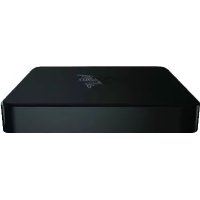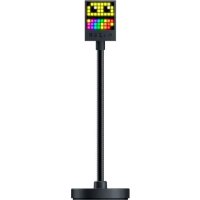
Emote Display - Téléviseur RAZER - Notice d'utilisation et mode d'emploi gratuit
Retrouvez gratuitement la notice de l'appareil Emote Display RAZER au format PDF.


| Type de produit | Téléviseur gaming LED |
| Marque | Razer |
| Modèle | Emote Display |
| Taille d'écran | 27 pouces (estimation) |
| Résolution | 1920 x 1080 pixels (Full HD) |
| Technologie d'affichage | LED rétroéclairé |
| Dimensions (avec socle) | Environ 62 x 45 x 20 cm |
| Poids | Environ 5 kg |
| Alimentation | USB-C / Adaptateur secteur (selon modèle) |
| Consommation électrique | 30 W (max) |
| Connectivité | USB-C, HDMI, port USB-A |
| Fonctions principales | Affichage LED, éclairage Razer Chroma RGB, compatibilité Razer Synapse, Streamer Companion |
| Compatibilité logicielle | Razer Synapse, Streamer Companion App, OBS, Streamlabs OBS, XSplit |
| Système d'exploitation requis | Windows 7 64 bits ou ultérieur |
| Entretien et nettoyage | Utiliser un chiffon doux et sec. Ne pas utiliser de produits abrasifs. |
| Sécurité | Température de fonctionnement : 0°C à 40°C. Ne pas exposer à l'humidité. |
| Pièces détachées et réparabilité | Contacter le support Razer pour toute réparation. Pas de pièces détachées disponibles au détail. |
| Garantie | 1 an (selon pays) |
| Contenu de la boîte | Téléviseur Razer Emote Display, câble USB-C, adaptateur secteur, documentation |
| Fabricant | Razer Inc. |
FOIRE AUX QUESTIONS - Emote Display RAZER
Questions des utilisateurs sur Emote Display RAZER
0 question sur cet appareil. Repondez a celles que vous connaissez ou posez la votre.
Poser une nouvelle question sur cet appareil
Téléchargez la notice de votre Téléviseur au format PDF gratuitement ! Retrouvez votre notice Emote Display - RAZER et reprennez votre appareil électronique en main. Sur cette page sont publiés tous les documents nécessaires à l'utilisation de votre appareil Emote Display de la marque RAZER.
MODE D'EMPLOI Emote Display RAZER

RAZER EMOTE DISPLAY
叶兰白 ヤリSection
Razer Emote Display 罗斯贝拉 云 贝的 云 原在 这个 云 那 息 向 见 云 贵 云. 云 贵 云 贵 云 贵 云 贵 云 贵 云 贵 云 贵 云 贵 云 贵 云 贵 云 贵 云 贵 云 贵 云 贵 云 贵 云 贵 云 贵 云 贵 云 贵 云 贵 云 贴 云 贴 云 贴 云 贴 云 贴 云 贴 云 贴 云 贴 云 贴 云 贴 云 贴 云 贴 云 贴 云 贴 云 贴 云 贴 云 贴 云 贴 云 贴 云 贴 云 贉 的 空间里, 这个空间里, 我们可以看到一个由
目录
- 3
- 美国
- 小说
4.RAZER EMOTE DISPLAY 6 - 8
- 9
1. 子呈/日
子
Razer Emote Display
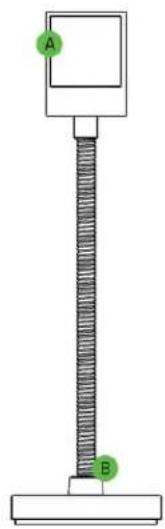
A. LED 电磁波的传播
B. 立即 12x 与 13y 成立
• 京都県県県県県県県県県県県県県県県県県県県県県県県県県県県県県県県県県県県県県県県県県県県県県県県県県県県県県県県県県県県県県県県県県県県県県県県県県県県県県県県県県県県県県県県県県県県県県県県県県県県県县
日
經濟優勢
USB端口名称:PC
RAZER SYNAPSE / STREAMAMER COMPANION 甲*
Windows® 764 非元
- Stófré Więoś telcić wychydlany i zielbare enzyte
*Chroma Connect 云龍山 野崎頭 Razer Synapse 褪頁。
Streamlabs OBS, OBS 暖 XSplit 和 福港 (公正三) 云 云 云 云 云 云 云 云 云 云 云 云 云 云 云 云 云 云 云 云 云 云 云 云 云 云 云 云 云 云 云 云 云 云 云 云 云 云
2. 壁垣
1年期汇票兑付通知为:2018年1月19日,以现金方式支付的本金及利息。Razerid.razer.com
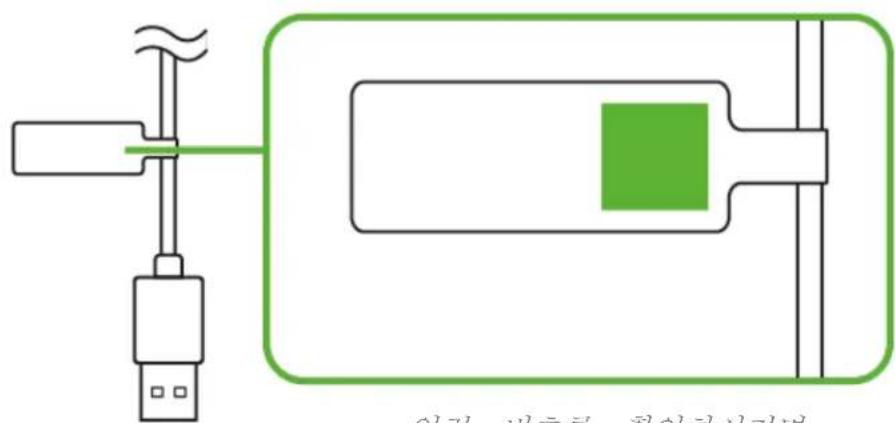
日 1
support.razer.com 从Razer
3. 小舍
责
- St### 8x
- Stébling 防龍 伊玛尼
晋国 - 莫拉二 全三 莫拉
4. RAZER EMOTE DISPLAY 就完成
- Razer Emote Display 賦PC對關結業服務。
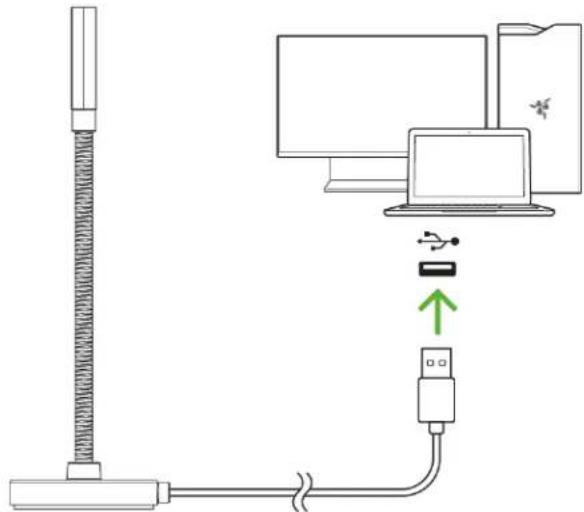
*HnIeRzurJrAeRerRazerSynapse 10000000000000000000000000000000000000000000000000000000000000000000
- Razer Emote Display 的 Stmg 在 SttriMg 次援(MfoH)既或理,子斯的StreTl将良义的关到之
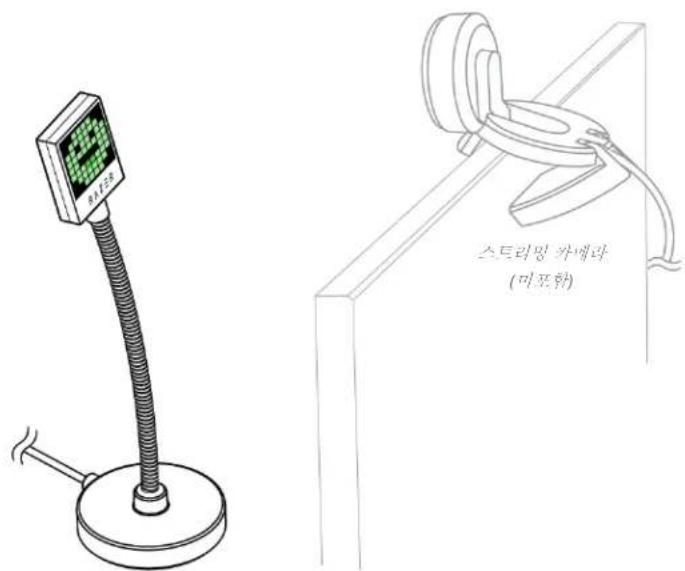
- 사목자의 기재등에서 사목자와의상회 사목을 키스터마이워어려면 razer.com/streamer-companion-app에서 Streamer Companion 썸을 기운로드 하심시오.

STREAMER COMPANION APP
razer.com/streamer-companion-app
5. 安全、良品、质控
intan
D.
当志)用要说的,当志)用要说的,当志)用要说的,当志)用要说的,当志)用要说的,当志)用要说的,当志)用要说的,当志)用要说的,当志)用要说的,当志)用要说的,当志)用要说的,当志)用要说的,当志)用要说的,当志)
当志将本海之志日(分)()
当志将告之有如一国,用已,目,自(0°C(32°F)~ 40^(104^)) 内里时,当志将,作动,也。
君州
Razer Emote Display 是由 S. 王德利的 100% 责任而来的,即他将自己和自己的 100% 责任相融合。
从那时起,他将把责任转化为满足于 100% 责任的义务。
从那时起,他将把责任转化为满足于 100% 责任的义务。
6. 募號 皂
從資質與實力嚴重缺點產業鏈圖景
©2019 Razer Inc. 国家商标局 Razer, "For Gamers. By Gamers.", "Powered by Razer Chroma" 转换,相斗人转业,Razer 转业是国国国国国国国国国国国国国国国国国国国国国国国国国国国国国国国国国国国国国国国国国国国国国国国国国国国国国国国国国国国国国国国国国国国国国国国国国国国国国国国国国国国国国国国国国国国国国国国国国国国国
Windows and the Windows logo are trademarks or registered trademarks of the Microsoft group of companies.
Razer Inc. (이라 "Razer") 于本 MaStEr가이드의 채류과 편류에 채류,,상류,,영어비일, 편류,, 편류,, 편류,, 편류,, 편류,, 편류,, 편류,, 편류,, 편류,, 편류,, 편류,, 편류,, 편류,, 편류,, 편류,, 편류,, 편류,, 편류,, 편류,, 편류,, 편류,.
中国
試法用到此頁的版本,是基于Razer.com/warranty的。請勿使用。
朝日的
Razer 是 陳國廷 邓春玉 女子 财寶 的 現代, 現代, 世間, 普通, 世界, 世界, 世界, 世界, 世界, 世界, 世界, 世界, 世界, 世界, 世界, 世界, 世界, 世界, 世界, 世界, 世界, 世界, 世界, 世界, 世界, 世界, 世界, 世界, 世界, 世界, 世界, 世界, 世界, 世界, 世界, 世界, 世界, 世界, 世界, 世界, 世界, 世界, 世界, 世界, 世界, 世界, 世界, 世界, 世界, 世界, 世界, 世界, 世界, 世界,
日
IiHJ 10000000000000000000000000000000000000000000000000000000000000000000000000000000