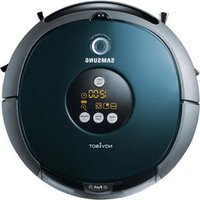
MODE D'EMPLOI Navibot SR8F30 SAMSUNG
Robot aspirateur manuel d'utilisation
Avant d'utiliser cet appareil, veuillez lire attentivement les instructions.
* Utilisation intérieure uniquement.
Merci d'avoir effectué l'achat d'un produit Samsung.
Enregistrez vos produits Samsung en vous
connectant sur
www.samsung.com/register
Consignes de sécurité
Avant d'utiliser cet appareil, veuillez lire attentivement ce manuel et le conserver pour toute référence ultérieure.
Les instructions d'utilisation suivantes concernent plusieurs modèles; il est donc possible que les caractéristiques de votre aspirateur soient légèrement différentes de celles spécifiées dans ce manuel.
Symboles danger/attention utilisés
DANGER Indique un danger de mort ou de blessure grave. ATTENTION Indique un risque de blessure ou de dégât matériel.
AUTRES symboles utilisés
REMARQUE Explication de termes pour aider l'utilisateur à comprendre comment utiliser l'appareil de manière ajustate.
Consignes importantes de sécurité
Lors de l'utilisation d'un appareil électrique, des précautions de base doivent être prises, notamment :
Débranche l'appareil de la prise lorsqu'il n'est pas utilisé ou avant toute opération de maintenance.
DANGER: Pour limiter tout risque d'incendie, d'électrocution ou de blessure :
Généralités
Utilisez cet appareil uniquement tel qu'indiqué dans le présent manuel.
Ne faites pas fonctionner le robot aspirateur ou le chargeur si celui-ci est endommagé de quelque manière que ce soit.
Si l'aspirateur fonctionne anormalement, a reçu un choc, a été endommagé, laissé à l'extérieur ou plongé dans l'eau, retournez-le au centre d'assistance clientèle.
Ne manipulez jamais le chargeur ou le robot aspirateur avec les mains mouillées.
Utilisez-le uniquement à l'intérieur et sur des surfaces sèches.
Cet appareil n'est pas destiné à être utilisé par des enfants de moins de 8 ans ou des personnes ayant des capacités physiques, sensorielles ou mentales réduites, ou un manque d'expérience et de connaissances, à moins qu'elles ne soient surveillées ou qu'elles aient reçu les instructions nécessaires concernant l'utilisation de cet appareil de la part d'une personne responsable, et ce, pour leur propre sécurité.
Les enfants ne doivent pas jouer avec l'appareil. Le nettoyage et la maintenance de l'appareil ne doivent pas être effectués par des enfants sans surveillance.
Chargeur de batterie
N'utilisez pas la prise polarisée avec une prise murale ou une rallonge non-polarisée.
N'utilisez pas l'appareil à l'extérieur ni sur des surfaces mouillées.
Débranchez le chargeur de la prise lorsqu'il n'est pas utilisé ou avant toute opération de maintenance.
Utilisez uniquement le chargeur fourni par le fabricant pour recharger l'appareil.
N'utilisez jamais de cordon ou de prise endommagée.
Ne tirez pas sur le cordon ; ne soulevez pas l'appareil par le cordon ; n'utilisez pas le cordon comme poignée ; ne fermez pas de porte.
Consignes de sécurité
Sur le cordon ; ne tirez pas le cordon sur des rebords ou des angles coupants. Maintenez le cordon éloigné des surfaces chauffées.
N'utilisez pas de rallonges ni de prises murales ayant une intensité maximale admissible inadéquate.
Ne débranchez pas l'appareil en tirant sur le cordon. Pour débrancher, tenez la prise et non le cordon.
Ne détériorez pas les batteries et ne les faites pas brûler car elles risquent d'exploser à des températures élevées.
N'essayez pas d'ouvrir le chargeur. Les réparations doivent être effectuées uniquement par un technicien qualifié du centre d'assistance clientèle.
N'exposez jamais le chargeur à des températures élevées et évitez tout contact avec l'humidité.
ROBOT Aspirateur
N'aspirez jamais d'objets pointus ou tranchants tels que des morceaux de verre, des clous, des vis, des pièces de monnaie, etc.
N'utilisez pas l'appareil sans filtre. Pour les opérations de maintenance, n'insérez jamais vos doigts ou des objets dans la chambre du ventilateur au cas où l'appareil se remettrait accidentellement en marche.
N'insérez aucun objet dans les ouvertures. N'utilisez pas l'appareil si l'une des ouvertures est obstruée ; nettoyez régulièrement les ouvertures pour éliminer toute trace de poussière, peluches, cheveux, ou toute autre chose risquant d'empêcher le passage de l'air.
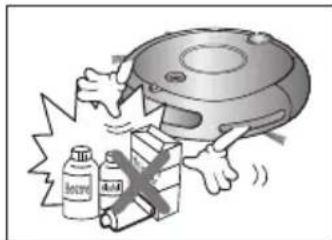
N'aspirez jamais de matière toxique (javel, ammoniaque, produit de débouchage, etc.).
N'aspirez jamais d'objets en train de brûler ou de fumer, tels que des cigarettes, des allumettes ou des cendres chaudes.
N'aspirez jamais de liquides inflammables ou combustibles tels que de l'essence et n'utilisez jamais l'appareil si de tels liquides risquent d'être présents.
N'utilisez pas le robot aspirateur dans un espace clos rempli de vapeurs de peinture à l'huile, de diluant, de substances antipoussière, de poussières inflammables et autres vapeurs explosives ou toxiques.
Des fuites de batterie peuvent se produire suite à un usage intensif ou à des températures extrêmes. En cas de contact du liquide avec la peau, rincez abondamment à l'eau. En cas de contact du liquide avec les yeux, rincez immédiatement à l'eau claire pendant 10 minutes minimum. Consultez un médecin rapidement.
Consignes de sécurité
06 Branchement
07 Avant l'utilisation
10 En cours d'utilisation
11 Nettoyage et entretien
13 Fonctions du produit
15 Composants 16 Nomenclature des pièces
20 Installation du robot aspirateur
20 Procédure d'installation 20 Mise sous/hors tension 21 Installation du chargeur 22 Charge 23 À propos de la batterie 24 Installation du module MURS VIRTUELS 25 Installation de l'assainisseur d'air
26 Utilisation du robot aspirateur
26 Démarrage/Arrêt du nettoyage 27 Recharge 28 Nettoyage automatique 29 Nettoyage localisé 30 Nettoyage intensif 31 Nettoyage manuel 32 Nettoyage Obstacle 33 Programmation de l'heure de nettoyage
34 Nettoyage du robot aspirateur
34 Veuillez suivre les méthodes de nettoyage et d’entretien spécifiées.
34 Nettoyage de la lentille du capteur et de la caméra.
35 Nettoyage du collecteur de poussière et du filtre.
36 Nettoyage de la brosse principale.
38 Nettoyage de la brosse rotative latérale.
39 Nettoyage de la roue d’entraînement.
40 Liste de vérification avant d'appeler le centre d'assistance 42 Codes d'erreur : dépannage
Caractéristiques techniques du produit
Branchement
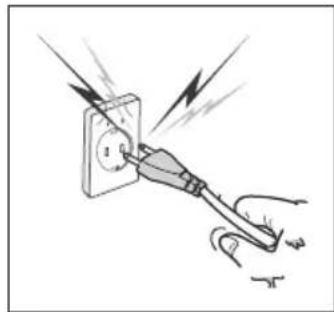
Ne pliez pas excessivement le cordon d'alimentation et ne placez dessus aucun objet lourd risquant de l'endommager.
Cela pourrait entraîner une électrocution ou un incendie.
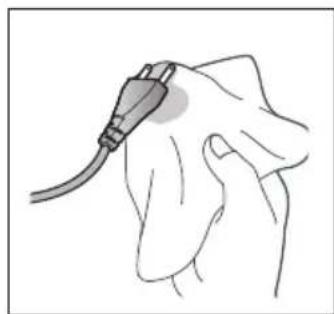
Veillez à éliminer toute trace de poussière ou d'eau de la prise d'alimentation.
Dans le cas contraire, cela pourrait entraîner un dysfonctionnement ou une électrocution.
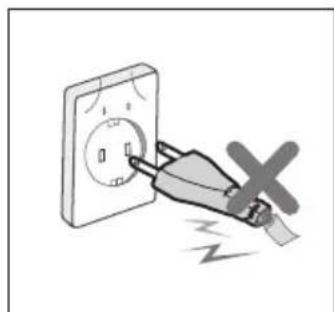
Ne tirez pas la prise d'alimentation par le cordon et ne touchez jamais la prise avec les mains mouillées.
Cela pourrait entraîner une électrocution ou un incendie.
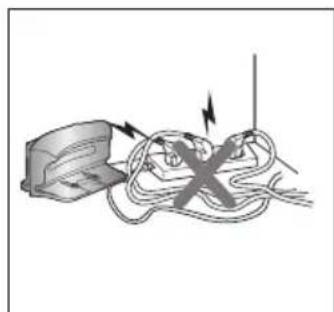
N'utilisez pas de prises multiples. (Ne laissez pas le cordon trainer sur le sol.)
Cela pourrait entraîner une électrocution ou un incendie.
N'utilisez pas de cordon d'alimentation ou de prise endommagée ni de prise murale mal fixée.
Cela pourrait entraîner une électrocution ou un incendie.
Avant l'utilisation
Avant de mettre le robot aspirateur en marche, assurez-vous que le collecteur de poussière est en place.
Si le collecteur de poussière n'est pas inséré, le robot aspirateur ne fonctionne pas.
N'utilisez jamais le robot aspirateur dans des lieux avec des matières combustibles, tels que:
les lieux avec des bougies ou lampes de bureau posées sur le sol;
les lieux où des feux sont laissés sans surveillance (feu ou braises);
les lieux avec présence d'essence, d'alcool distillé, de diluant, de cendriers avec cigarettes allumées, etc.
Le robot aspirateur est destiné à une utilisation domestique uniquement. Ne l'utilise jamais dans les lieux suivants :
greniers, caves, entreprises, bâtiments industriels, pièces séparées éloignées du bâtiment principal, lieux exposés à l'humidité (salles de bain, salle d'eau) ou surfaces étroites et en hauteur (tables, étagères). En cas d'utilisation dans ces lieux, l'appareil risque d'être gravement endommagé (dysfonctionnements, pannes).
Ouvrez toutes les portes pour nettoyer toutes les pièces.
Si une porte est fermée, le robot aspirateur ne pourrait pas entrer dans la pièce.
Toutefois, veillez à fermer la porte d'entrée principale, de la véranda et de la salle de bain ou de toute autre pièce où le robot aspirateur risquerait de tomber à un étage inférieur.
Pour les tapis munis de longues franges, repliez ces dernières sous le tapis.
Les franges non repliées risqueraient d'endommager gravement le tapis et l'appareil, en se coinçant dans la roue d'entraînement ou la Brosse principale.
Si le capteur d'escarpement est sale, le robot aspirateur risque de tomber du haut d'un escalier, d'une mezzanine, etc.
Cela risquerait de provoquer des blessures et d'endommager gravement l'appareil.
Afin d'eviter tout risque, installez les MURS VIRTUELSS (réglage sur le mode Fence "Mur Virtuel") devant les zones dangereuses.
Nettoyez la fenêtre du capteur et la camera afin d'eviter tout dysfonctionnement.


- Veillez à enlever tous les objets avant le nettoyage.
- Veillez à enlever tous les objets fragiles, tels que grands vases en céramique, objets en verre, pots de fleur, etc.
- Le robot aspirateur ne reconnait pas les pieces de monnaie, bagues ou autres objets de valeur tels que des bijoux.


- Le robot aspirateur est conçu pour détecter les obstacles à une distance de 5 cm.
- Les serviettes de bain, les tapis devant la sale de bain, les éviers, les entrées à la buanderie, les cordons d'alimentation, les nappes et les ceintures risquent de se coincer dans la roue d'entrainment ou la Brosse principale, ce qui peut, dans le cas d'une nappe, provoquer la chute des objets prênts sur la table.


- Les enfants évoluant à proximé risqueraient de s'entraver dans le robot aspirateur et de tomber.


- Les enfants risqueraient de tomber et de se blesser ou d'endommager gravement l'appareil.


- Le robot aspirateur risquérait d'attirer leur attention.
- Si la roue d'entrainment venait à entrainer des doigs, des pattes, des vêtements ou des cheveux, cela risquerait de provoquer des blessures.
- Si un enfant ou un animal domestique se trouve dans le chemin du robot aspirateur, il risque d'être détecté comme un obstacle et la zone risque de ne pas être nettoyée.
- Lorsque le bouton de mise en marche est désactivé, l'alimentation est coupée et toutes les fonctions sont désactivées.


- Lorsque le robot aspirateur va se recharger automatiquement ou passes à proximité de la station de recharge, il risquerait d'entrainer le cordon.


- Bien que le robot aspirateur dispose d'une fonction de recharge automatique, si le cordon d'alimentation de la station de recharge n'est pas branché, il ne pourrait pas recharger sa batterie automatiquement.

Avant l'utilisation
ATTENTION
A
A
A
A
DANGER
DANGER
DANGER
DANGER
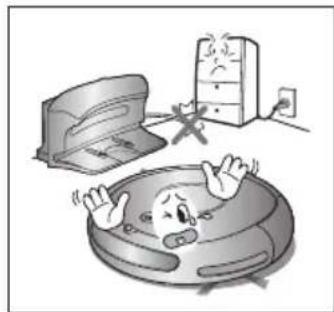
ATTENTION Installez le charger à un endroit facilement accessible pour le robot aspirateur.
- Si le chargeur est installé dans un endroit difficilement accessible, cela risque de causeurs des déplacements supplémentaires et de:gérer le processus de recharge automatique. Les objets situés devant le chargeur empêchent le robot aspirateur de venir se recharger automatiquement.
- Libéréz la zone. Il ne doit y avoir aucun obstacle à 50 cm sur les côtés et à 1 m devant. Ne court-circuitez pas les broches de chargement à l'aide d'objets en fer tels que des baguettes, des tournevis, etc.
- Cela risquerait d'endommager gravement le chargeur. Assurez-vous qu'il n'y ait aucune trace de liquide sur la station de recharge.
- Cela risquerait de provoquer un incendie ou une électrocution. Assurez-vous que le robot n'aspire pas ou ne se déplace pas sur du liquide (eau, huile ou litière d'animaux).
- Cela risquerait d'endommager gravement l'appareil.
- Le liquide risquerait de se repandre sur les roues et de salir l'intérieur de l'appareil. N'utilise pas l'aspirateur sur un sol noir.
- Dans ce cas, le robot aspirateur risque de ne pas fonctionner normalement.

N'utilisez pas le chargeur à d'autres fins que celles pour lesquelles il est prévu.
- Cela risquérait d'endommager gravement le chargeur ou de provoquer un incendie.

Vos ne pouvez pas utiliser le robot aspirateur sur des tapis écais.
- Cela risquérait de provoquer un dysfonctionnement de l'appareil.
- Cela risquérait d'endommager le tapis.


N'utilisez pas le robot aspirateur sur une table ou autre surface en hauteur.
- Cela risquerait de l'endommager en cas de chute.


Pendant son fonctionnement, le robot aspirateur risque de percuter des meubles tels que les pieds de chaises, de tables et autres meubles fins et longs.
- Pour un fonctionnement plus rapide et plus efficace, placez les chaises sur le dessus des tables.


Ne posez:aucun objet sur le dessus du robot aspirateur.
- Cela risquérait de provoquer un dysfonctionnement.


Retirez immédiatement tout morceau de papier ou sac plastique aspiré lors du nettoyage.
- Utiliser l'appareil pendant un temps prolongé alors que son orifice d'aspiration est obstrué risquérait de l'endommager gravement.


En cas d'émission d'un son, d'une odeur anormal(e) ou de fumée, mettez immédiatement l'appareil hors tension et contactez le centre d'assistance clientèle.


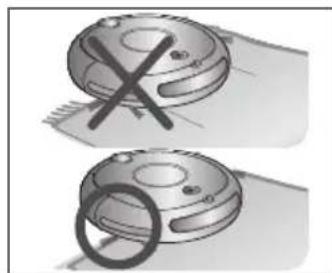
Le robot aspirateur risque de ne pas pouvoir continuer sa progression s'il est coincide au niveau du seuil de la porte d'entrée ou d'une veranda.
- Pour des raisons de sécurité, au bout de 5 minutes d'immobilité, le robot aspirateur interrupt automatiquement son fonctionnement.
- Pour relancer son fonctionnement, désactivez le bouton de mise en marche puis réactivez-le après l'avoir déplace à un endroit où il peut poursuivre le nettoyage.


Le robot aspirateur ne peut pas nettoyer entièrement les endroits qu'il ne peut pas atteindre (ex.: coins, espace entre un canapé et un mur).
- Nettoyez de temps en temps ces endroits.


Il peut rester des moutons de poussière lorsque le robot aspirateur ne parvient pas à aspirer les moutons de poussière formés au cours du nettoyage.
- Si tel est le cas, balayez les moutons de poussière à l'aide d'un autre ustensile de nettoyage.

Pour nettoyer l'appareil, évitez de vaporiser de l'eau directement sur la surface extérieure ou d'appliquer une substance volatile telle que du benzène, du diluant ou de l'alcool.
- Cela risquérait d'endommager gravement l'appareil.


N'appuyez pas excessivement sur le pare-chocs du robot aspirateur.
- Si le capteur situé sur le pare-chocs est endommagé, le robot aspirateur risque de percuter les murs et les meubles.


L'appareil ne doit enaucun cas etre demonte ou repare par une personne autre qu'un technicien de maintenance qualifie.
- Cela risquérait d'endommager l'appareil.


Retirez régulierrement toute substance étrangère accumulée sur les capteurs d'obstacles et d'escarpement.
- La saleté accumulée sur les capteurs réduira la précision des déetections.


- Le non-respect de cette consigne risque d'entrainer la mise en marche accidentelle de l'appareil et de provoquer des blessures ou d'endommager gravement ce dernier.


- Le non-respect de cette consigne risquérait de provoquer un incendie ou une électrocution.


- Si vous utilisez une batterie non originale,ILA risque d'entrainer un dysfonctionnement de I'appareil.

Vous pouvez restreindre le fonctionnement du robot aspirateur à une zone particulière en utilisant le mode « Fence » (mur virtuel).


- Qu'est-ce que le système de reconnaissance de plafond (Visionary mapping™)?
Cette fonction reconnait la forme du plafond à l'aide de laamera située sur le dessus afin d'identifier la zone à nettoyer et déterminé la meilleure méthode pour parcourir et nettoyer chaque zone du sol.
Le robot aspirateur nettoie le sol de manière sequentielle (,) selon la carte déterminée par la fonction de reconnaissance du plafond. Il peut ainsi nettoyer chaque recoin de la piece.
Différents modes de nettoyage sont disponibles afin de répondre à tous vos besoin.


1. Mode Auto
Permet de nettoyer les pieces automatiquement.
2. Mode Spot
Permet de nettoyer une zone localisée en profondeur. Il peut être utilisé pour aspirer des miettes de pain ou de biscuits.
3. Mode Max
Fonctionne jusqu'à épuisement presque total de la batterie.
4. Mode Manual
Il est possible de nettoyer le sol manuellement en déplaçant soi-même le robot aspirateur.
5. Mode Edge (Obstacle)
Lorsque le capteur détecte un obstacle sur son trajet, le robot aspirateur réduit sa vitesse afin de minimiser le chocol (le capteur antichoc contribue également à réduire l'impact). L'appareil permet un nettoyage des angles le plus efficace possible.
6. Mode de nettoyage programme
Il est possible de programmermer le robot aspirateur pour qu'il nettoie le sol à une heures précise.

Lorsque la batterie est faible, le robot aspirateur se dirige automatiquement vers le chargeur où il sera rapidement recharge.

Larosse rotative latérale permet de nettoyer la poussière sur les côtes.

Le système de pilotage révolutionnaire du robot aspirateur lui permet de franchir les seuils de portes d'une hauteur d'environ 1,5 cm et de nettoyer toutes les pieces. Le robot aspirateur risque de ne pas pouvoir franchir les seuils de porte de 1,5 cm en fonction de leur forme.

Le robot aspirateur détecte et évite les obstacles en 2 étapes. D'abord, les 7 capteurs d'obstacles détectent les obstacles et si le robot aspirateur vient à percuter un obstacle, les 2 capteurs antichocs absorbent l'impact.

Lorsque le robot aspirateur vient à être surélevé au cours du nettoyage, les roues d'entrainment, la Brosse principale, le moteur d'aspiration et la Brosse rotative latérale s'arrêtent automatiquement grâce à la détction du capteur.


[Chargeur (Station de recharge)]

[Module MURS VIRTUELS (OPTION)]
Les piles ne sont pas fournies avec l'appareil. Elles doivent etre achetees seperrement. Inserez les piles alcalines (type D) avant d'utiliser I'appareil.

Soulevez le couvercle du module MURS VIRTUELS tout en appuyant sur la languette de verrouillage.

Insérez les piles dans le module MURS VIRTUELS comme indiqué sur la figure ci-dessous. (Si les piles sont insérées à l'envers, le module MURS VIRTUELS ne fonctionnera pas.)

Après avoir inséré la languette du couvercle dans l'encochrome, appuyez sur l'autre côte pour le fermer jusqu'à ce qu'un petit cliç se fasse entendre.
* Spécification : piles alcalines de type D (LR20)

[Panneau d'affichage]
Les piles ne sont pas insérées dans la télécommande au moment de l'achat de l'appareil. Insérez les piles alcalines (type AAA) avant d'utiliser l'appareil.

1
Soulevez le couvercle du compartment à piles situé à l'arrière de la télécommande tout en appuyant sur la languette de verrouillage.

2
Insérez les piles dans la télécommande comme indiquésur la figure ci-dessous. (Si lespiles sont insérées à l'envers, latélécommande ne fonctionneraspas.)

3
Après avoir inséré la languette du couvercle dans l'encochrome, appuyez sur l'autre côté pour le fermer jusqu'à ce qu'un petit cli se fasse entendre.
\* Specification : piles alcalines de type AAA

[Panneau d'affichage]
- Affiche la miniterie, le statut de progression et les codes d'erreur à l'aide de chiffres, de lettres et de symboles.
- En cours de charge : indique la progression de la charge en 3 étapes (3 carres).
- En cours d'utilisation : indique le niveau de charge de la batterie. Lorsque l'appareil est en marche, le niveau de charge de la batterie baisse d'un carre à la fois en partant du niveau maximum. (Lorsque la batterie est totalement déchargée, le dernier carré clignote et le message « LO » s'affiche.)
- Lorsque le mode de nettoyage programme est activé, le symbole correspondant est allumé.
- Ce symbole s'allume lorsque le robot aspirateur returne sur la station de recharge pour recharger sa batterie.
- Chaque fois que le bouton de mode de nettoyage est actionné, le mode de nettoyage correspondant s'affiche.
(a) Mode automatique : ce symbole s'allume lorsque le mode de nettoyage Auto est selectionné.
(b) Mode localise : ce symbole s'allume lorsque le mode de nettoyage Spot est selectionné.
(c) Mode intensif : ce symbole s'allume lorsque le mode de nettoyage Max est selectionné.
(d) Mode manuel : ce symbole s'allume lorsque le mode de nettoyage Manual est selectionné.
(e) Mode Edge (Obstacle): Le message "EdSE" s'affiche lorsque le mode de nettoyage Edge (Obstacle) est activé.
- Permet de démarrer/arrête le nettoyage.
- Permet de selectionner le mode de nettoyage. Une fois le mode de nettoyage selectionné, appuyez sur le bouton (Start) pour démarrer le nettoyage.
- Permet de programmer le nettoyage. Vous pouze différer le nettoyage de 23 heures maximum.
- Lorsque ce bouton est actionné, le symbole de recharge s'allume et le robot aspirateur returne sur la station de recharge pour recharger sa batterie.
Pour utiliser le robot aspirateur, vous devez actionner le bouton de mise sous tension situé sur le dessous de l'unité principale.
Pour charger le robot aspirateur, vous doivent d'abord installer le chargeur.
La batterie étant déchargee au moment de l'achat de l'appareil, vousdezvez la recharger totally avant d'utiliser l'appareil.
Vou des charges de la batterie totalement avant d'utiliser le robot aspirateur.

Vous pouvez restreindre le fonctionnement du robot aspirateur à une zone particulière en utilisant le mode « Fence » (mur virtuel).
Veuillez installer l'assainisseur d'air avant d'utiliser le robot aspirateur. Si I'assainisseur d'air est instalé, le robot aspirateur dégage une odeur/agréable.
Pour utiliser le robot aspirateur, vous doivent actionner le bouton de mise sous tension.
Si vous désactivez le bouton de mise sous tension, tous les réglages seront réinitialisés.

- Si les iconônes ne s'allument pas, cela indique que la batterie est déchargée. Si tel est le cas, installez le robot aspirateur sur la station de recharge après avoir activé le bouton de mise sous tension.
- Notez que la désactivation du bouton de mise sous tension entraine la réinitialisation de tous les réglages.
- Si aucune touche n'est actionnée pendant environ 10 minutes, l'appareil s'eteindra automatiquement pour economiser de I'energie. Pour le reactiver, appuyez sur le bouton "Power" ou "Start/Stop".


Si le bouton de mise sous tension est désacté, le robot aspirateur ne se rechargerà pas, même s'il est installé sur la station de recharge.

1. Installez le chargeur sur une surface plane.

2. Il ne doit y avoiraucun obstacle à 50 cm sur les côtes et à 1 m devant.

3. Installez le charger à un endroit facilement accessible pour le robot aspirateur.

4. Disposez le cordon d'alimentation le long du mur.

5. Si le sol est recouvert de parquet, installez le chargeur dans la même direction que les lattes en bois.


- Si le chargeur n'est pas alimenté, le robot ne sera pas en mesure de couver le chargeur et d'aller se recharger automatiquement.
- Si le robot aspirateur est séparé du chargeur, la batterie se décharge automatiquement.

Au moment de l'achat de l'appareil, la batterie est totalement décharge. Vous devez donc charger manuellement le robot aspirateur.


Activez le bouton de mise sous tension situé sur le dessous de l'appareil.
1. ÀpRES avoir aligné les broches de chargement de l'unité principale avec celles de la station de recharge, appuyez sur l'unité principale jusqu'à entendre un son indiquant que la recharge commence.
- Le témoin de charge devient vert.

2. Vérifiez le statut de charge du robot aspirateur.
- Lorsque le chargement début, l'indicateur du niveau de la batterie et "B" s'affichent sur le panneau d'affichage.
- À la fin du chargement, l'indicateur du niveau de la batterie et le message « FULL » s'affichent sur le panneau d'affichage.

En cours de charge Chargé au maximum


Lorsque l'indicateur du niveau de la batterie se met a clignoter en cours de fonctionnement, le robot aspirateur s'arrête et returne automatiquement se recharger sur le chargeur.
Lorsque l'indicateur du niveau de la batterie clignote et que le message « LO » s'affiche en cours de fonctionnement, le robot aspirateur ne peut pas etre controle par la telecommande ni par les boutons de I'unité principale. Dans ce cas-la, vous devez porter directement le robot aspirateur jusqu'au chargeur pour recharger la batterie. (Cecin'est valable que lorsque la batterie est totalement dechargee.)

- Au moment de l'achat de l'appareil, il faut environ 120 minutes pour que la batterie se charge totalement pour un fonctionnement d'environ 90 minutes.
- Si la batterie est en surchauffe, le temps de charge peut être plus long.
- Mesures à prendre si le chargement n'est pas régulier.
Si le robot aspirateur ne peut pas se recharger automatiquement, vérifie les points suivants :
- Activez le bouton de mise sous tension du robot aspirateur puis désactivez-le (réinitialisation).
- Rebranche le chargeur (réinitialisation).
- Vérifiez qu'aucune substance étrangère n'est présente sur les connecteurs de charge et essuyez les connecteurs de l'unité principale et du chargeur à l'aide d'un chiffon sec.
- Vérifiez qu'aucun objet pouvant constituer un puissant reflecteur n'est a proximé du chargeur.
- Lorsque le robot aspirateur est sépare du chargeur, il se décharge naturellement.
- Chargez le robot aspirateur via le chargeur, si possible. (Si vous nevez quitter votre domicile pendant une période prolongée pour un voyage d'affaires, d'agréement, etc., désactive le bouton de mise sous tension du robot aspirateur et débranchez le chargeur pour les ranger.)
Le robot aspirateur est alimenté par une batterie NiMH (« Nickel-Metal Hydride ») respectue de l'environnement, rechargeable et dotée d'une fonction de prévention de surcharge garantissant une longue durée.
Au moment d'acheter une batterie, exigez du centre d'assistance clientèle le symbole (L'enchère de l'achat) authenticate ainsi que le numéro de modèle avant de l'acheter.

- Cette batterie est destinée uniquement à des robots de nettoyage Samsung. Il est strictement interdit de l'utiliser avec d'autres appareils ou à d'autres fins.
- Ne démontez pas et ne modifiez pas la batterie.
- Chargez-la dans un lieu bien aéré.
- Ne placez jamais la batterie à proximé d'un feu ou d'une source de chaleur.
- Ne connectezaucun objetmetalliqueaux bornes (+) ou(-)de la batterie.
- Laissez-le toujours à l'intérieur (0^ à 40^)
- Avant demettre cet appeareil au rebus,debarrassez-vous de la batterie d'une maniere respectue de I'environnement.
- Ne jetez pas la batterie avec vos ordures menagères.
- Respectez les reglementations locales de recyclage des batteries usées.
* Si la batterie ne fonctionne plus, ne la démonze pas et contactez le centre d'assistance clientèle le plus proche.
* Un temps de charge plus long et un temps de fonctionnement de la batterie plus court indiquent que celle-ci est en fin de vie. Contactez un centre d'assistance clientèle/agree pour remplacez votre batterie.
La batterie rechargeable intégrée au produit ne peut pas être remplacée par l'utilisateur. Contactez vous revendeur pour procéder à son remplacement.
Vous pouvez restreindre le fonctionnement du robot aspirateur à une zone particulière en utilisant le mode « Fence » (mur virtuel).


- Mode Fence (mur virtuel) : le témoin clignote en rouge.
- Désacté: le témoin est étéint
- L'actionnement du bouton de mise en marche sélectionne tour à tour un mode dans l'ordre suivant : mode Fence (mur virtuel) désactisé.
* La distance du mur virtuel est de 2,5 m minimum et peut différer selon l'environnement et l'etat de mouvement du robot.
Le module MURS VIRTUELS create une barrière invisible infranchissable pour le robot aspirateur.
Par ex.: devant des pots de fleurs, des meubles, la porte d'entrée, etc.
- Le témoin de mode devient rouge.
- Orientez le VIRTUAL GUARD de manière à ce que son capteur de détction de distance puisse former une barrière invisible infranchissable pour le robot aspirateur.

- La transmission du signal infrarouge peut ne pas etre reguliere dans les lieux componant des lampes halogenes ou en extérieur.
Le robot aspirateur utilise trois types de systèmes à infrarouge et l'un d'eux peut ne pas fonctionner face à un autre ayant une priorité plus élevé.
- Lorsque le robot aspirateur est controlé par la télécommande, il est possible que celui qui franchisse la barrière virtuelle du module MURS VIRTUELS ou heures un obstacle, car le signal de la télécommande est plus fort que celui du module.
- Lorsque le robot aspirateur est utilisé dans un lieu exigu ou à trop grande proximité, celui-ci risque de mal fonctionner en raison d'interférences des signaux infrarouges.
- Installez le module MURS VIRTUELS suffisamment loin du chargeur car le chargement automatique risque d'être interrompu si le module est trop pres du chargeur.
- Si plusieurs robots aspirateurs sont utilisés simultanément, ils risquent de mal fonctionner en raison d'interférences des signaux infrarouges.
Télécommande Module MURS VIRTUELS
Chargeur


Veuillez installer l'assainisseur d'air avant d'utiliser le robot aspirateur.
Si l'assainisseur d'air est installé, le robot aspirateur dégage une odeur/agréable.
1. Retirez le sac en plastique contenant l'assainisseur d'air
2. Ouvrez le couvercle du compartment de l'assainisseur d'air situé en haut du réservoir de poussière et place l'assainisseur d'air dans le compartment.
3. Fermez le couvercle du compartment de l'assainisseur d'air.
* Pour acheter l'assainisseur d'air en option, veuillez contacter le centre d'assistance Samsung Electronics.

Compartment de l'assainisseur d'air

- Chaque fonction du robot aspirateur ne fonctionne que si le bouton de mise sous tension est allumé.
Lorsque le robot aspirateur est en cours de fonctionnement, appuyez sur le bouton (1/2) pour annuler l'opération puis selectionnez une fonction.

- Télecommande: appuyez sur le bouton [Power].
-Unité principal:appuyez sur le bouton (出出)
- Les boutons de l'unité principale, l'indicateur du niveau de la batterie et le symbole de mode de nettoyage s'allument.
- Télecommande: appuyez sur le bouton [Power].
- Unité principale : maintenez appuyé le bouton (Vart) pendant 3 secondes.
- Tous les symboles, sauf l'indicateur du niveau de la batterie, s'éteignent.
- Télecommande : appuyez sur bouton Auto (Auto), Spot (Localisé), Max (Intensif), Manual (Manuel) ou Edge (Obstacle).
- Unité principale : sélectionnez le mode Auto (Auto)/ Spot (Localisé)/Max (Intensif)/Manual (Manuel)/Edge (Obstacle) à l'aide des boutons (Wides) puis (Start).
- Lorsque le nettoyage démarre, le robot aspirateur commence à se déplacer.
* Si vous appuyez sur le bouton (Start) sans selectionner de mode de nettoyage, le nettoyage démarre en mode Auto.
- Pour arrêtier, appuyez sur le bouton (Téctique) de la télécommande ou de l'unité principale.
- Lorsque le nettoyage s'interrrompt, le robot aspirateur s'arrête.

Utilisation de la télécommande

Utilisation des boutons de l'unité principale
Lorsque le robot aspirateur est en cours de fonctionnement, appuyez sur le bouton (Start Step) pour annuler l'opération puis sur le bouton Recharging.

1. Appuyez sur le bouton Recharging.
- Le symbole (1) de l'unité principale s'allume et le robot aspirateur se dirige vers le chargeur.
2. Pour interrompre le robot aspirateur alors qu'il se dirige vers le chargeur, appuyez sur le bouton (snt).
3. Pour tester la fonction de chargement automatique, appuyez sur le bouton Recharging lorsque le robot aspirateur se trouve à moins de 1,5 m du chargeur.

Utilisation de la télécommande
- Verifiez l'installation du chargeur
- Si le chargeur, de la où il est installé, ne parvient pas à guider le robot aspirateur jusqu'à lui.
- Si le chargeur se situe à plus de 5 m du robot aspirateur.
- Le robot aspirateur peut avoir besoin de plus de temps pour revenir au chargeur.
- Vous doivent charger manuellement le robot aspirateur dans les situations suivantes :
- Si le chargeur est installé dans un endroit inaccessible.
- Si la batterie est entièrement décharge.
- Si le robot aspirateur est coincé par un obstacle (un meuble par ex.).
- Si le robot aspirateur ne parvient pas à franchir le seuil de porte de la pierce où est installé le chargeur.

Utilisation des boutons de l'unité principale

Si le nettoyage démarre alors que le robot aspirateur se situe sur la station de recharge, le temps qu'il lui faudra pour revenir sur cette dernière sera moins long car il garde en mémoire sa position initiale lorsqu'il se déplace.
Si le niveau de la batterie devient faible en cours de nettoyage, le robot aspirateur revient automatiquement sur la station de recharge et reprend le nettoyage une fois sa batterie chargée. (Nombre de fois où il reprendra le nettoyage : une fois)


- Si le robot aspirateur considère que le nettoyage est terminé, la fonction de reprise du nettoyage n'est pas effectuee.
- Si vous déplacez le robot aspirateur alors qu'il est en train d'être rechargé ou appuyez sur un bouton, il va considérer que le nettoyage est terminé et ne le reprendra pas.


Ne déplacez pas le robot aspirateur et n'appuyez suraucun bouton lorsqu'il est en cours de nettoyage. Sinon, il va considérer que le nettoyage est terminé et va recommencer à nettoyer depuis le début.
- Déplacez le robot aspirateur là où vous souhaitez effectuer un nettoyage localisé.


- En mode de nettoyage localisé (Spot), le robot aspirateur nettoie une zone de 1.5m× 1.5m
- Une fois le nettoyage terminé, le robot aspirateur affiche les messages « End », « Stop » et « Stand by »

Lorsque le robot aspirateur est installé sur la station de recharge, le mode de nettoyage localisé n'est pas disponible.


Le robot aspirateur se déplace automatiquement et nettoie jusqu'à ce que la batterie soit épuisée et que le dernier carré de l'indicateur du niveau de la batterie clignote.
Si le nettoyage demarre alors que le robot aspirateur se situe sur la station de recharge, le temps qu'il lui faudra pour revenir sur cette derniere sera moins important car il garde en mémoire sa position initiale lorsqu'il se déplace.
Si le niveau de la batterie devient faible en cours de nettoyage, le robot aspirateur revient automatiquement sur la station de recharge et reprend le nettoyage une fois sa batterie chargée. (Nombre de fois où il reprendra le nettoyage : une fois)


- Si le robot aspirateur considère que le nettoyage est terminé, ilhe le reprend pas.
- Si vous déplacez le robot aspirateur alors qu'il est en train d'être rechargé ou appuyez sur un bouton, il va considérer que le nettoyage est terminé (et ne le reprendra pas).

Ne déplacez pas le robot aspirateur et n'appuyez suraucun bouton lorsqu'il est en cours de nettoyage. Sinon, il va considérer que le nettoyage est terminé et va recommencer à nettoyer depuis le début.
Vous pouvez déplacer le robot aspirateur pour nettoyer une zone précise directement à l'aide de la télécommande.
- Déplacez le robot aspirateur là où vous souhaitez effectuer un nettoyage manuel.
- Vous pouvez nettoyer manuellement à l'aide de la télécommande uniquement.


En cours de nettoyage

- Lorsque le robot aspirateur est installé sur la station de recharge, le mode de nettoyage manuel n'est pas disponible.

Lorsque le capteur détecte un obstacle sur son trajet, le robot aspirateur réduit sa vitesse afin de minimiser le chic (le capteur antichoc contribue également à réduire l'impact). L'appareil permet un nettoyage des angles le plus efficace possible (Ce robot aspirateur est un nettoyeur tactile qui évite les obstacles).

Le robot aspirateur se déplace tout seul et nettoie automatiquement votre interieur jusqu'à ce que le nettoyage soit terminé.
Si le nettoyage démarre alors que le robot aspirateur se situe sur la station de recharge, le temps qu'il lui faudra pour revenir sur cette dernière sera moins long car il garde en mémoire sa position initiale lorsqu'il se déplace.
Si le niveau de la batterie devient faible en cours de nettoyage, le robot aspirateur revient automatiquement sur la station de recharge et reprend le nettoyage une fois sa batterie chargee. (Nombre de fois où il reprendra le nettoyage : une fois)


- Si le robot aspirateur considere que le nettoyage est terminé, la fonction de reprise du nettoyage n'est pas effectuee.
- Si vous déplacez le robot aspirateur alors qu'il est en train d'être rechargé ou appuyez sur un bouton, il va considérer que le nettoyage est terminé et ne le reprendra pas.


Ne déplacez pas le robot aspirateur et n'appuyez suraucun bouton lorsqu'il est en cours de nettoyage. Sinon, il va considérer que le nettoyage est terminé et va reconnencer à nettoyer depuis le début.
Vous pouvez programmer le robot aspirateur pour qu'il commence le nettoyage à une heure précise. (départ différé : jusqu'à 23 heures)
Le nettoyage programme n'est possible que si le robot aspirateur est installé sur la station de recharge.

Bouton de l'unité principale Bouton de la télécommande Action correspondante Exemple: pour nettoyer dans 5 heures
Le symbole est allumé. Delay Start Delay Start 1 Permet d'activer le mode de nettoyageprogrammé. Mode Recharging bas jusqu'à 2 Ces boutons permettent de faire défiler l'heure vers le haut ou vers le bas. Clignotanti
5:HR Delay Start Delay Start 3 Permet de valider le réglage. 5:HR Start Start/Stop 4 Permet d'annuler le réglage. i
Le symbole est étéint.
Une fois le réglage effectué, si vous appuyez sur le bouton (à la place du bouton)
Delay Start, l'heure du nettoyage programme est annulée.
Une fois le réglage terminé, si vous déplacez manuellement le robot aspirateur de la station de recharge, l'heure du nettoyage programme est annulée.
Si le bouton de mise sous tension est endommagé, contactez un technicien de maintenance afin d'éviter tout accident.
N'utilisezaucun systeme ni apparéil mécanique non installé par le fabricant qui puisse accélérer l'alteration du robot aspirateur.

Éteignez toujours le bouton de mise sous tension situé sous l'unité principale avant de la nettoyer. Le robot aspirateur pourrait semettre en marche accidentellement et entrainer des blessures.

Ne vaporisez jamais d'eau, de diluant, de benzène, etc. directement sur l'unité principale du robot aspirateur.

■ Essuyez delicatement la lentille du capteur ou la camera à l'aide d'un chiffon doux.


NETTOYAGE DU RÉSERVOIR DE POUSSIÈRE ET DU FILTRE
Videz le réservoir de poussière avant de le nettoyer.
Au moment de-retirer le réservoir de poussiere, prenez garde de ne pas renverser la poussiere qui s'y trouve.
Videz le réservoir de poussière dans les cas suivants :
1. Lorsque le réservoir de poussière est plein.
2. Si la puissance d'aspiration diminue soudainement.
3. Si le bruit augmente soudainement.
1. Appuyez sur bouton d'éjection du réservoir de poussière (PUSH) et tirez sur le réservoir pour l'enlever.


2. Retirez le capot du réserve de poussière en tirant dans la direction de la flèche indiquée sur l'illustration.

3. Séparez le filtré du réservoir de poussière en tirant dans la direction de la flèche indiquée sur l'illustration.

4. Éliminez la poussière accumulée sur le filtré et sur le réservoir de poussière.
* Vous pouvez les laver à l'eau.


5. Replacez le filtré dans le réservoir de poussière.
Assurez-vous que la surface quadrillée du filtré est dirigée vers le haut. (Il ne peut pas être placé dans le mauvais sens.)

6. Refermez le capot du réservoir de poussière et replacez ce dernier dans l'unité principale.

Vous devez eteindre le bouton de mise sous tension situé sous l'unité principale avant de la nettoyer.

- Retirez le réservoir de poussière avant de nettoyer la Brosse principale, sinon la poussière risque de s'en échapper.

1. Retirez le réservoir de poussière en appuyant sur le bouton d'éjection (PUSH).

2. ÀpRES avoir vérifié qu'aucun corps étranger n'est present, appuyez sur le crochet fixant le cache de la brosse pour l'enlever.

3. Séparez larosse principale de l'unité.

4. Retirez tout corps étranger tel que des cheveux ou des bouts de ficelle enroulés autour de larosse principale à l'aide de larosse de nettoyage ou de votre aspirateur traditionnel.

5. Une fois la Brosse principale nettoyée, fixez-la en commençant par le côté bouton de mise sous tension, puis fixez l'autre extrémité de la Brosse de la même manière.

6. ÀpRES avoir inséré les 3 languettes situées sur la partie supérieure du cache, appuyez sur l'autre extrémité jusqu'à entendre un petit « clic »


- Afin d'éviter que le robot aspirateur ne se bouche, veillez à ne pas aspirer de cures, cotons-tiges, etc.
- Si vous ne parvenez pas à retarder les corps étrangers, contactez le centre d'assistance clientèle.
- La Brosse principale nettoie la poussière sur le sol ; il est donc fréquent que des bouts de ficelle ou des cheveux s'enroulent autour. Vérifiez et nettoyez-la régulièrement.
NETTOYAGE DE LA BROSSE ROTATIVE LATERALE
Vous devez eteindre le bouton de mise sous tension situé sous l'unité principale avant de la nettoyer.

1. Vérifiez que la Brosse rotative latérale n'est pas tordue et ne présenteaucun corps étranger. Vous devez éteindre le bouton de mise sous tension situé sous l'unité principale avant de la nettoyer.

2. Munissez-vous de gants en caoutchouc et frottez la Brosse rotative latere à l'aide d'un chiffon imbibé d'eau chaude pendant environ 10 secondes puis essuyez-la.

3. Tournez la Brosse rotative latérale puis repêze les actions spécifiés à l' étape 2.

4. Si des cheveux ou des bouts de ficelle sont coincés entre l'unité principale et la Brosse rotative latérale, dévissez la Brosse à l'aide d'un tournevis cruciforme et retirez-la.
Avant de remonter la Brosse, vérifie les repères « L » de la Brosse et de l'unité principale. (La dette « R » est gravée sur le côté droit de la Brosse rotative.)


Larosse rotative latérale attrape facilement les cheveux et autres corps étrangers ; veillez donc à la nettoyer régulièrement.
L'accumulation des corps étrangers sur larosse rotative latérale risque de l'endommager.
NETTOYAGE DE LA ROUE D'ENTRAJINEMENT
Voudevez eteindre le bouton de mise sous tension situé sous l'unité principale avant de la nettoyer.
Si le robot aspirateur se met soudainement à zigzaguer, cela peut être d' à un corps étranger qui bloque la roue d'entrainment.

1. Pour nettoyer la roue d'entrainment, placez un chiffon doux sur le sol et returnez doucement l'unité principale.

2. Vérifiez la présence de corps étrangers et retirez les à l'aide d'un baton ou d'une paire de pinces aux bouts arrondis si nécessaire.

LISTE De verification avant d'appeler le CENTRE d'assistance
PROBLÈME VÉRIF CATION SOLUTION Le robot aspirateur ne fonctionne pas du tout. • Le réservoir de poussière est-il en place?
• Le bouton de mise sous tension est-il activé?
• Le mode de nettoyage (est-il allumé sur le panneau d'affichage?
• Le dernier carré de l'indicateur du niveau de la batterie clignote-t-il et le message « LO » est-il affché sur le panneau d'affichage?
• Le robot aspirateur ne fonctionne pas si les piles de la télécommande sont épuisées. • Remettez le réservoir de poussière en place.
• Allumez le bouton de mise sous tension.
• Appuyez sur le bouton (Pour le désactiver, maintenez appuyé le bouton pendant 3 secondes minimum.)
• Soulevez le robot aspirateur et place-le sur le chargeur pour le recharger.
• Remplacez les piles de la télécommande. (type AAA) Le robot aspirateur s'accrête en cours de nettoyage. • Le dernier carré de l'indicateur du niveau de la batterie clignote-t-il et le message « LO » est-il affché sur le panneau d'affichage?
• Le robot aspirateur est-il coincé dans des cables trañant sur le sol?
• Le robot aspirateur est-il coincé au niveau d'un trou?
- La roue d'entrainment ne touche plus le sol.
• Y a-t-il un petit bout de tissu (chiffon) enroulé autour de la roue d'entrainment?
• Le robot aspirateur est-il coincé au niveau du seuil de porte? • Soulevez le robot aspirateur et place-le sur le chargeur pour le recharger.
• Éteignez du bouton de mise sous tension et enlevez les cables.
• Éteignez du bouton de mise sous tension et déplaceze le robot aspirateur vers un autre endroit à nettoyer.
• Éteignez du bouton de mise sous tension et enlevez le bout de tissu.
• Éteignez du bouton de mise sous tension et déplaceze le robot aspirateur vers un autre endroit à nettoyer. La puissance d'aspiration est faible lors du nettoyage. • Vérifiez si le réservoir de poussière n'est pas plein.
• Vérifiez si l'orifice d'aspiration n'est pas obstrué par un corps étranger.
• Vérifiez si le filtre n'est pas bouché. • Arrêtez le robot aspirateur et videz le réservoir de poussière.
• Éteignez du bouton de mise sous tension et retirez le corps étranger obstruant l'orifice d'aspiration.
• Nettoyez soigneusement le filtre.
LISTE De verification avant d'appeler le CENTRE d'assistance
PROBLÈME VÉRIFICATION CATION SOLUTION Le robot aspirateur ne parvient pas à localiser le chargeur. Vérifiez si la prise du chargeur est correctement branchée sur la prise murale.Si des obstacles se trouvent à moins de 1 m devant le chargeur ou à moins de 50 cm sur les côtés, vousdez虑 les retirer.Si des corps étrangers se trouvent sur les broches du chargeur, essuyez-les à l'aide d'un chiffon sec.Le module MURS VIRTUELS est-il installé près du chargeur? (OPTION) Déplacez le module MURS VIRTUELS de manière à ce que le robot aspirateur puisse venir se recharger automatiquement. Le robot aspirateur franchit le module MURS VIRTUELS. (OPTION) Les piles du module MURS VIRTUELS sont-elles vides?Le module MURS VIRTUELS est-il réglé en mode Guard (porte virtuelle)?Le témoin de mode est-il étant? Changez les piles.(piles alcalines type D (LR20))Réglez le module MURS VIRTUELS sur le mode Fence (mur virtuel).Vérifiez que le module MURS VIRTUELS n'est pas étant puis réglez-le sur le mode souhaité. Le temps d'utilisation des piles du module MURS VIRTUELS est trop court. (OPTION) Utilissez-vous des piles sèches de manganèse? Remplacez les piles par des piles alcalines neuves.(2 piles alcalines type D (LR20))
CODES D'erreur : dépannage


CODE D'ERREUR CAUSE SOLUTION C 00 Le robot aspirateur est coincé, entravé par quelque chose. Éteignez du bouton de mise sous tension situé sous le robot et déplacez le robot. C 01 Un corps étranger (ficelle, papier, jouet, etc.) est coincé dans la Brosse principale. Éteignez du bouton de mise sous tension situé sous le robot et retirez le corps étranger coïncé dans la Brosse principale. C 02 Un corps étranger (ficelle, papier, jouet, etc.) est coincé dans la roue d'entrainment gauche. Éteignez du bouton de mise sous tension situé sous le robot et retirez le corps étranger coïncé dans la roue d'entrainment gauche. C 03 Un corps étranger (ficelle, papier, jouet, etc.) est coincé dans la roue d'entrainment droite. Éteignez du bouton de mise sous tension situé sous le robot et retirez le corps étranger coïncé dans la roue d'entrainment droite. C 05 Vérifiez le capteur antichoc. Tirez légèrement sur le pare-choc vers l'extérieur. C 06 Un corps étranger (poussière, saleté, etc.) se trouve sur la fenêtre du capteur d'obstacles. Éteignez du bouton de mise sous tension situé sous le robot et essuyez les fenôtres avant et arrêté du capteur à l'aide d'un chiffon doux. C 07 Un corps étranger (poussière, saleté, etc.) se trouve sur la fenêtre du capteur d'escarpement. Éteignez du bouton de mise sous tension situé sous le robot et essuyez la fenêtre du capteur d'escarpement à l'aide d'un chiffon doux. C 08 Réservoir de poussière non inséré. Insérez le collecteur de poussière jusqu'à entendre un petit « clic ». C 09 Un corps étranger (ficelle, tissu, etc.) est coincé dans la Brosse rotative latérale. Éteignez du bouton de mise sous tension situé sous le robot et retirez le corps étranger coïncé dans la Brosse rotative latérale.
* Si vous appuyez sur le bouton Start/Stop ou éteignez du bouton de mise sous tension, le code d'erreur est effacé.


Caractéristiques techniques du produit
CLASSIFICATION ÉLÉMENT VALEUR Caractéristiques mécaniques Diamètre 355 mm Hauteur 93 mm Poids 3,5 kg Caractéristiques électriques Tension AC 220-240 V~, 50-60 Hz Consommation électrique de charge 50 W Consommation électrique de l'unité principale 40 W Caractéristiques de la batterie 1 4,4 V / 2000 mA Caractéristiques de nettoyage Capacité du réservoir de poussière Environ 0,6 ℃ Type de recharge Recharge automatique/ manuelle Mode de nettoyage Auto (automatique), Spot (localisé), Max (intensif), Manual (manuel), Edge (Obstacle), nettoyageprogrammé Temps de charge Environ 120 minutes Temps de nettoyage (sur sol dur) Environ 90 minutes Méthode de nettoyage Reconnaisance de la forme du plafond Type de boutons de l'unité principale Type bouton bouton
The software included in this product contains copyrighted software that is licensed under the GPL/LGPL.
You may obtain the complete Corresponding Source code from us for a period of three years after our last shipment of this product by sending email to: oss.request@samsung.com
If you want to obtain the complete Corresponding Source code in the physical medium such as CD-ROM, the cost of physically performing source distribution may be charged.
This offer is valid to anyone in receipt of this information.
Linux kernel, BusyBox
uClibc
Version 2, June 1991
Copyright (C) 1989, 1991 Free Software Foundation, Inc.
51 Franklin Street, Fifth Floor, Boston, MA 02110-1301, USA
Everyone is permitted to copy and distribute verbatim copies of this license document, but changing it is not allowed.
The licenses for most software are designed to take away your freedom to share and change it. By contrast, the GNU General Public License is intended to guarantee your freedom to share and change free software--to make sure the software is free for all its users. This General Public License applies to most of the Free Software Foundation's software and to any other program whose authors commit to using it. (Some other Free Software Foundation software is covered by the GNU Lesser General Public License instead.) You can apply it to your programs, too.
When we speak of free software, we are referring to freedom, not price. Our General Public Licenses are designed to make sure that you have the freedom to distribute copies of free software (and charge for this service if you wish), that you receive source code or can get it if you want it, that you can change the software or use pieces of it in new free programs; and that you know you can do these things.
To protect your rights, we need to make restrictions that forbid anyone to deny you these rights or to ask you to surrender the rights. These restrictions translate to certain responsibilities for you if you distribute copies of the software, or if you modify it.
For example, if you distribute copies of such a program, whether gratis or for a fee, you must give the recipients all the rights that you have. You must make sure that they, too, receive or can get the source code. And you must show them these terms so they know their rights.
We protect your rights with two steps: (1) copyright the software, and (2) offer you this license which gives you legal permission to copy, distribute and/or modify the software.
Also, for each author's protection and ours, we want to make certain that everyone understands that there is no warranty for this free software. If the software is modified by someone else and passed on, we want its recipients to know that what they have is not the original, so that any problems introduced by others will not reflect on the original authors' reputations.
Finally, any free program is threatened constantly by software patents. We wish to avoid the danger that redistributors of a free program will individually obtain patent licenses, in effect making the program proprietary. To prevent this, we have made it clear that any patent must be licensed for everyone's free use or not licensed at all.
The precise terms and conditions for copying, distribution and modification follow.
0. This License applies to any program or other work which contains a notice placed by the copyright holder saying it may be distributed under the terms of this General Public License. The "Program", below, refers to any such program or work, and a "work based on the Program" means either the Program or any derivative work under copyright law: that is to say, a work containing the Program or a portion of it, either verbatim or with modifications and/or translated into another language. (Hereinafter, translation is included without limitation in the term "modification".) Each licensee is addressed as "you".
Activities other than copying, distribution and modification are not covered by this License; they are outside its scope. The act of running the Program is not restricted, and the output from the Program is covered only if its contents constitute a work based on the Program (independent of having been made by running the Program). Whether that is true depends on what the Program does.
1. You may copy and distribute verbatim copies of the Program's source code as you receive it, in any medium, provided that you conspicuously and appropriately publish on each copy an appropriate copyright notice and disclaimer of warranty; keep intact all the notices that refer to this License and to the absence of any warranty; and give any other recipients of the Program a copy of this License along with the Program.
You may charge a fee for the physical act of transferring a copy, and you may at your option offer warranty protection in exchange for a fee.
2. You may modify your copy or copies of the Program or any portion of it, thus forming a work based on the Program, and copy and distribute such modifications or work under the terms of Section 1 above, provided that you also meet all of these conditions:
a) You must cause the modified files to carry prominent notices stating that you changed the files and the date of any change.
b) You must cause any work that you distribute or publish, that in whole or in part contains or is derived from the Program or any part thereof, to be licensed as a whole at no charge to all third parties under the terms of this License.
c) If the modified program normally reads commands interactively when run, you must cause it, when started running for such interactive use in the most ordinary way, to print or display an announcement including an appropriate copyright notice and a notice that there is no warranty (or else, saying that you provide a warranty) and that users may redistribute the program under these conditions, and telling the user how to view a copy of this License. (Exception: if the Program itself is interactive but does not normally print such an announcement, your work based on the Program is not required to print an announcement.)
These requirements apply to the modified work as a whole. If identifiable sections of that work are not derived from the Program, and can be reasonably considered independent and separate works in themselves, then this License, and its terms, do not apply to those sections when you distribute them as separate works. But when you distribute the same sections as part of a whole which is a work based on the Program, the distribution of the whole must be on the terms of this License, whose permissions for other licensees extend to the entire whole, and thus to each and every part regardless of who wrote it.
Thus, it is not the intent of this section to claim rights or contest your rights to work written entirely by you; rather, the intent is to exercise the right to control the distribution of derivative or collective works based on the Program.
In addition, mere aggregation of another work not based on the Program with the Program (or with a work based on the Program) on a volume of a storage or distribution medium does not bring the other work under the scope of this License.
3. You may copy and distribute the Program (or a work based on it, under Section 2) in object code or executable form under the terms of Sections 1 and 2 above provided that you also do one of the following:
a) Accompany it with the complete corresponding machine-readable source code, which must be distributed under the terms of Sections 1 and 2 above on a medium customarily used for software interchange; or,
b) Accompany it with a written offer, valid for at least three years, to give any third party, for a charge no more than your cost of physically performing source distribution, a complete machine-readable copy of the corresponding source code, to be distributed under the terms of Sections 1 and 2 above on a medium customarily used for software interchange; or,
c) Accompany it with the information you received as to the offer to distribute corresponding source code. (This alternative is allowed only for noncommercial distribution and only if you received the program in object code or executable form with such an offer, in accord with Subsection b above.)
The source code for a work means the preferred form of the work for making modifications to it. For an executable work, complete source code means all the source code for all modules it contains, plus any associated interface definition files, plus the scripts used to control compilation and installation of the executable. However, as a special exception, the source code distributed need not include anything that is normally distributed (in either source or binary form) with the major components (compiler, kernel, and so on) of the operating system on which the executable runs, unless that component itself accompanies the executable.
If distribution of executable or object code is made by offering access to copy from a designated place, then offering equivalent access to copy the source code from the same place counts as distribution of the source code, even though third parties are not compelled to copy the source along with the object code.
4. You may not copy, modify, sublicense, or distribute the Program except as expressly provided under this License. Any attempt otherwise to copy, modify, sublicense or distribute the Program is void, and will automatically terminate your rights under this License. However, parties who have received copies, or rights, from you under this License will not have their licenses terminated so long as such parties remain in full compliance.
5. You are not required to accept this License, since you have not signed it. However, nothing else grants you permission to modify or distribute the Program or its derivative works. These actions are prohibited by law if you do not accept this License. Therefore, by modifying or distributing the Program (or any work based on the Program), you indicate your acceptance of this License to do so, and all its terms and conditions for copying, distributing or modifying the Program or works based on it.
6. Each time you redistribute the Program (or any work based on the Program), the recipient automatically receives a license from the original licensor to copy, distribute or modify the Program subject to these terms and conditions. You may not impose any further restrictions on the recipients' exercise of the rights granted herein. You are not responsible for enforcing compliance by third parties to this License.
7. If, as a consequence of a court judgment or allegation of patent infringement or for any other reason (not limited to patent issues), conditions are imposed on you (whether by court order, agreement or otherwise) that contradict the conditions of this License, they do not excuse you from the conditions of this License. If you cannot distribute so as to satisfy simultaneously your obligations under this License and any other pertinent obligations, then as a consequence you may not distribute the Program at all. For example, if a patent license would not permit royalty-free redistribution of the Program by all those who receive copies directly or indirectly through you, then the only way you could satisfy both it and this License would be to refrain entirely from distribution of the Program.
If any portion of this section is held invalid or unenforceable under any particular circumstance, the balance of the section is intended to apply and the section as a whole is intended to apply in other circumstances.
It is not the purpose of this section to induce you to infringe any patents or other property right claims or to contest validity of any such claims; this section has the sole purpose of protecting the integrity of the free software distribution system, which is implemented by public license practices. Many people have made generous contributions to the wide range of software distributed through that system in reliance on consistent application of that system; it is up to the author/donor to decide if he or she is willing to distribute software through any other system and a licensee cannot impose that choice.
This section is intended to make thoroughly clear what is believed to be a consequence of the rest of this License.
8. If the distribution and/or use of the Program is restricted in certain countries either by patents or by copyrighted interfaces, the original copyright holder who places the Program under this License may add an explicit geographical distribution limitation excluding those countries, so that distribution is permitted only in or among countries not thus excluded. In such case, this License incorporates the limitation as if written in the body of this License.
9. The Free Software Foundation may publish revised and/or new versions of the General Public License from time to time. Such new versions will be similar in spirit to the present version, but may differ in detail to address new problems or concerns.
Each version is given a distinguishing version number. If the Program specifies a version number of this License which applies to it and "any later version", you have the option of following the terms and conditions either of that version or of any later version published by the Free Software Foundation. If the Program does not specify a version number of this License, you may choose any version ever published by the Free Software Foundation.
10. If you wish to incorporate parts of the Program into other free programs whose distribution conditions are different, write to the author to ask for permission. For software which is copyrighted by the Free Software Foundation, write to the Free Software Foundation; we sometimes make exceptions for this. Our decision will be guided by the two goals of preserving the free status of all derivatives of our free software and of promoting the sharing and reuse of software generally.
11. BECAUSE THE PROGRAM IS LICENSED FREE OF CHARGE, THERE IS NO WARRANTY FOR THE PROGRAM, TO THE EXTENT PERMITTED BY APPLICABLE LAW. EXCEPT WHEN OTHERWISE STATED IN WRITING THE COPYRIGHT HOLDERS AND/ OR OTHER PARTIES PROVIDE THE PROGRAM "AS IS" WITHOUT WARRANTY OF ANY KIND, Either EXPRESSED OR IMPLIED, INCLUDING, BUT NOT LIMITED TO, THE IMPLIED WARRANTYES OF MERCHANTABILITY AND FITNESS FOR A PARTICULAR PURPOSE. THE ENTIRE RISK AS TO THE QUALITY AND PERFORMANCE OF THE PROGRAM IS WITH YOU. SHOULD THE PROGRAM PROVE DEFECTIVE, YOU ASSUME THE COST OF ALL NECESSARY SERVICING, REPAIR OR CORRECTION.
12. IN NO EVENT UNLESS REQUIRED BY APPLICABLE LAW OR AGREED TO IN WRITING WILL ANY COPYRIGHT HOLDER, OR ANY OTHER PARTY WHO MAY MODIFY AND/OR REDISTRIBUTE THE PROGRAM AS PERMITTED ABOVE, BE LIABLE TO YOU FOR DAMAGES, INCLUDING ANY GENERAL, SPECIAL, INCIDENTAL OR CONSEQUENTIAL DAMAGES ARISING OUT OF THE USE OR INABILITY TO USE THE PROGRAM (INCLUDING BUT NOT LIMITED TO LOSS OF DATA OR DATA BEING RENDERED INACCURATE OR LOSSES SUSTAINED BY YOU OR THIRD PARTIES OR A FAILURE OF THE PROGRAM TO OPERATE WITH ANY OTHER PROGRAMS), EVEN IF SUCH HOLDER OR OTHER PARTY HAS BEEN ADVISED OF THE POSSIBILITY OF SUCH DAMAGES.
If you develop a new program, and you want it to be of the greatest possible use to the public, the best way to achieve this is to make it free software which everyone can redistribute and change under these terms.
To do so, attach the following notices to the program. It is safest to attach them to the start of each source file to most effectively convey the exclusion of warranty; and each file should have at least the "copyright" line and a pointer to where the full notice is found.
one line to give the program's name and an idea of what it does.
Copyright (C) yyyy name of author
This program is free software; you can redistribute it and/or modify it under the terms of the GNU General Public License as published by the Free Software Foundation; either version 2 of the License, or (at your option) any later version.
This program is distributed in the hope that it will be useful, but WITHOUT ANY WARRANTY; without even the implied warranty of MERCHANTABILITY or FITNESS FOR A PARTICULAR PURPOSE. See the GNU General Public License for more details.
You should have received a copy of the GNU General Public License along with this program; if not, write to the Free Software Foundation, Inc., 51 Franklin Street, Fifth Floor, Boston, MA 02110-1301, USA.
Also add information on how to contact you by electronic and paper mail.
If the program is interactive, make it output a short notice like this when it starts in an interactive mode:
Gnomovision version 69, Copyright (C) year name of author
Gnomovision comes with ABSOLUTELY NO WARRANTY; for details
type `show w'. This is free software, and you are welcome
to redistribute it under certain conditions; type `show c' for details.
The hypothetical commands `show w' and `show c' should show the appropriate parts of the General Public License. Of course, the commands you use may be called something other than `show w' and `show c'; they could even be mouse-clicks or menu items-- whatever suits your program.
You should also get your employer (if you work as a programmer) or your school, if any, to sign a "copyright disclaimer" for the program, if necessary. Here is a sample; alter the names:
Yoyodyne, Inc., hereby disclaims all copyright
interest in the program 'Gnomovision'
(which makes passes at compilers) written
by James Hacker.
signature of Ty Coon, 1 April 1989
Ty Coon, President of Vice
This General Public License does not permit incorporating your program into proprietary programs. If your program is a subroutine library, you may consider it more useful to permit linking proprietary applications with the library. If this is what you want to do, use the GNU Lesser General Public License instead of this License.
Version 2.1, February 1999
Copyright (C) 1991, 1999 Free Software Foundation, Inc.
51 Franklin Street, Fifth Floor, Boston, MA 02110-1301 USA
Everyone is permitted to copy and distribute verbatim copies
of this license document, but changing it is not allowed.
[This is the first released version of the Lesser GPL. It also counts as the successor of the GNU Library Public License, version 2, hence the version number 2.1.]
The licenses for most software are designed to take away your freedom to share and change it. By contrast, the GNU General Public Licenses are intended to guarantee your freedom to share and change free software--to make sure the software is free for all its users.
This license, the Lesser General Public License, applies to some specially designated software packages--typically libraries--of the Free Software Foundation and other authors who decide to use it. You can use it too, but we suggest you first think carefully about whether this license or the ordinary General Public License is the better strategy to use in any particular case, based on the explanations below.
When we speak of free software, we are referring to freedom of use, not price. Our General Public Licenses are designed to make sure that you have the freedom to distribute copies of free software (and charge for this service if you wish); that you receive source code or can get it if you want it; that you can change the software and use pieces of it in new free programs; and that you are informed that you can do these things.
To protect your rights, we need to make restrictions that forbid distributors to deny you these rights or to ask you to surrender these rights. These restrictions translate to certain responsibilities for you if you distribute copies of the library or if you modify it.
For example, if you distribute copies of the library, whether gratis or for a fee, you must give the recipients all the rights that we gave you. You must make sure that they, too, receive or can get the source code. If you link other code with the library, you must provide complete object files to the recipients, so that they can relink them with the library after making changes to the library and recompiling it. And you must show them these terms so they know their rights.
We protect your rights with a two-step method: (1) we copyright the library, and (2) we offer you this license, which gives you legal permission to copy, distribute and/or modify the library.
To protect each distributor, we want to make it very clear that there is no warranty for the free library. Also, if the library is modified by someone else and passed on, the recipients should know that what they have is not the original version, so that the original author's reputation will not be affected by problems that might be introduced by others.
Finally, software patents pose a constant threat to the existence of any free program. We wish to make sure that a company cannot effectively restrict the users of a free program by obtaining a restrictive license from a patent holder. Therefore, we insist that any patent license obtained for a version of the library must be consistent with the full freedom of use specified in this license.
Most GNU software, including some libraries, is covered by the ordinary GNU General Public License. This license, the GNU Lesser General Public License, applies to certain designated libraries, and is quite different from the ordinary General Public License. We use this license for certain libraries in order to permit linking those libraries into non-free programs.
When a program is linked with a library, whether statically or using a shared library, the combination of the two is legally speaking a combined work, a derivative of the original library. The ordinary General Public License therefore permits such linking only if the entire combination fits its criteria of freedom. The Lesser General Public License permits more lax criteria for linking other code with the library.
We call this license the "Lesser" General Public License because it does Less to protect the user's freedom than the ordinary General Public License. It also provides other free software developers Less of an advantage over competing non-free programs. These disadvantages are the reason we use the ordinary General Public License for many libraries. However, the Lesser license provides advantages in certain special circumstances.
For example, on rare occasions, there may be a special need to encourage the widest possible use of a certain library, so that it becomes a de-facto standard. To achieve this, non-free programs must be allowed to use the library. A more frequent case is that a free library does the same job as widely used non-free libraries. In this case, there is little to gain by limiting the free library to free software only, so we use the Lesser General Public License.
In other cases, permission to use a particular library in non-free programs enables a greater number of people to use a large body of free software. For example, permission to use the GNU C Library in non-free programs enables many more people to use the whole
GNU operating system, as well as its variant, the GNU/Linux operating system.
Although the Lesser General Public License is Less protective of the users' freedom, it does ensure that the user of a program that is linked with the Library has the freedom and the wherewithal to run that program using a modified version of the Library.
The precise terms and conditions for copying, distribution and modification follow. Pay close attention to the difference between a "work based on the library" and a "work that uses the library". The former contains code derived from the library, whereas the latter must be combined with the library in order to run.
0. This License Agreement applies to any software library or other program which contains a notice placed by the copyright holder or other authorized party saying it may be distributed under the terms of this Lesser General Public License (also called "this License"). Each licensee is addressed as "you".
A "library" means a collection of software functions and/or data prepared so as to be conveniently linked with application programs (which use some of those functions and data) to form executables.
The "Library", below, refers to any such software library or work which has been distributed under these terms. A "work based on the Library" means either the Library or any derivative work under copyright law: that is to say, a work containing the Library or a portion of it, either verbatim or with modifications and/or translated straightforwardly into another language. (Hereinafter, translation is included without limitation in the term "modification".)
"Source code" for a work means the preferred form of the work for making modifications to it. For a library, complete source code means all the source code for all modules it contains, plus any associated interface definition files, plus the scripts used to control compilation and installation of the library.
Activities other than copying, distribution and modification are not covered by this License; they are outside its scope. The act of running a program using the Library is not restricted, and output from such a program is covered only if its contents constitute a work based on the Library (independent of the use of the Library in a tool for writing it). Whether that is true depends on what the Library does and what the program that uses the Library does.
1. You may copy and distribute verbatim copies of the Library's complete source code as you receive it, in any medium, provided that you conspicuously and appropriately publish on each copy an appropriate copyright notice and disclaimer of warranty; keep intact all the notices that refer to this License and to the absence of any warranty; and distribute a copy of this License along with the Library.
You may charge a fee for the physical act of transferring a copy, and you may at your option offer warranty protection in exchange for a fee.
2. You may modify your copy or copies of the Library or any portion of it, thus forming a work based on the Library, and copy and distribute such modifications or work under the terms of Section 1 above, provided that you also meet all of these conditions:
a) The modified work must itself be a software library.
b) You must cause the files modified to carry prominent notices stating that you changed the files and the date of any change.
c) You must cause the whole of the work to be licensed at no charge to all third parties under the terms of this License.
d) If a facility in the modified Library refers to a function or a table of data to be supplied by an application program that uses the facility, other than as an argument passed when the facility is invoked, then you must make a good faith effort to ensure that, in the event an application does not supply such function or table, the facility still operates, and performs whatever part of its purpose remains meaningful.
(For example, a function in a library to compute square roots has a purpose that is entirely well-defined independent of the application. Therefore, Subsection 2d requires that any application-supplied function or table used by this function must be optional: if the application does not supply it, the square root function must still compute square roots.)
These requirements apply to the modified work as a whole. If identifiable sections of that work are not derived from the Library, and can be reasonably considered independent and separate works in themselves, then this License, and its terms, do not apply to those sections when you distribute them as separate works. But when you distribute the same sections as part of a whole which is a work based on the Library, the distribution of the whole must be on the terms of this License, whose permissions for other licensees extend to the entire whole, and thus to each and every part regardless of who wrote it.
Thus, it is not the intent of this section to claim rights or contest your rights to work written entirely by you; rather, the intent is to exercise the right to control the distribution of derivative or collective works based on the Library.
In addition, mere aggregation of another work not based on the Library with the Library (or with a work based on the Library) on a volume of a storage or distribution medium does not bring the other work under the scope of this License.
3. You may opt to apply the terms of the ordinary GNU General Public License instead of this License to a given copy of the Library. To do this, you must alter all the notices that refer to this License, so that they refer to the ordinary GNU General Public License, version 2, instead of to this License. (If a newer version than version 2 of the ordinary GNU General Public License has appeared, then you can specify that version instead if you wish.) Do not make any other change in these notices.
Once this change is made in a given copy, it is irreversible for that copy, so the ordinary GNU General Public License applies to all subsequent copies and derivative works made from that copy.
This option is useful when you wish to copy part of the code of the Library into a program that is not a library.
4. You may copy and distribute the Library (or a portion or derivative of it, under Section 2) in object code or executable form under the terms of Sections 1 and 2 above provided that you accompany it with the complete corresponding machine-readable source code, which must be distributed under the terms of Sections 1 and 2 above on a medium customarily used for software interchange.
If distribution of object code is made by offering access to copy from a designated place, then offering equivalent access to copy the
source code from the same place satisfies the requirement to distribute the source code, even though third parties are not compelled to copy the source along with the object code.
5. A program that contains no derivative of any portion of the Library, but is designed to work with the Library by being compiled or linked with it, is called a "work that uses the Library". Such a work, in isolation, is not a derivative work of the Library, and therefore falls outside the scope of this License.
However, linking a "work that uses the Library" with the Library creates an executable that is a derivative of the Library (because it contains portions of the Library), rather than a "work that uses the library". The executable is therefore covered by this License. Section 6 states terms for distribution of such executables.
When a "work that uses the Library" uses material from a header file that is part of the Library, the object code for the work may be a derivative work of the Library even though the source code is not. Whether this is true is especially significant if the work can be linked without the Library, or if the work is itself a library. The threshold for this to be true is not precisely defined by law.
If such an object file uses only numerical parameters, data structure layouts and accessors, and small macros and small inline functions (ten lines or less in length), then the use of the object file is unrestricted, regardless of whether it is legally a derivative work. (Executables containing this object code plus portions of the Library will still fall under Section 6.)
Otherwis, if the work is a derivative of the Library you may distribute the object code for the work under the terms of Section 6. Any executables containing that work also fall under Section 6, whether or not they are linked directly with the Library itself.
6. As an exception to the Sections above, you may also combine or link a "work that uses the Library" with the Library to produce a work containing portions of the Library, and distribute that work under terms of your choice, provided that the terms permit modification of the work for the customer's own use and reverse engineering for debugging such modifications.
You must give prominent notice with each copy of the work that the Library is used in it and that the Library and its use are covered by this License. You must supply a copy of this License. If the work during execution displays copyright notices, you must include the copyright notice for the Library among them, as well as a reference directing the user to the copy of this License. Also, you must do one of these things:
a) Accompany the work with the complete corresponding machine-readable source code for the Library including whatever changes were used in the work (which must be distributed under Sections 1 and 2 above); and, if the work is an executable linked with the Library, with the complete machine-readable "work that uses the Library", as object code and/or source code, so that the user can modify the Library and then relink to produce a modified executable containing the modified Library. (It is understood that the user who changes the contents of definitions files in the Library will not necessarily be able to recompile the application to use the modified definitions.)
b) Use a suitable shared library mechanism for linking with the Library. A suitable mechanism is one that (1) uses at run time a copy of the library already present on the user's computer system, rather than copying library functions into the executable, and (2) will operate properly with a modified version of the library, if the user installs one, as long as the modified version is interface-compatible with the version that the work was made with.
c) Accompany the work with a written offer, valid for at least three years, to give the same user the materials specified in Subsection 6a, above, for a charge no more than the cost of performing this distribution.
d) If distribution of the work is made by offering access to copy from a designated place, offer equivalent access to copy the above specified materials from the same place.
e) Verify that the user has already received a copy of these materials or that you have already sent this user a copy.
For an executable, the required form of the "work that uses the Library" must include any data and utility programs needed for reproducing the executable from it. However, as a special exception, the materials to be distributed need not include anything that is normally distributed (in either source or binary form) with the major components (compiler, kernel, and so on) of the operating system on which the executable runs, unless that component itself accompanies the executable.
It may happen that this requirement contradicts the license restrictions of other proprietary libraries that do not normally accompany the operating system. Such a contradiction means you cannot use both them and the Library together in an executable that you distribute.
7. You may place library facilities that are a work based on the Library side-by-side in a single library together with other library facilities not covered by this License, and distribute such a combined library, provided that the separate distribution of the work based on the Library and of the other library facilities is otherwise permitted, and provided that you do these two things:
a) Accompany the combined library with a copy of the same work based on the Library, uncombined with any other library facilities. This must be distributed under the terms of the Sections above.
b) Give prominent notice with the combined library of the fact that part of it is a work based on the Library, and explaining where to find the accompanying uncombined form of the same work.
8. You may not copy, modify, sublicense, link with, or distribute the Library except as expressly provided under this License. Any attempt otherwise to copy, modify, sublicense, link with, or distribute the Library is void, and will automatically terminate your rights under this License. However, parties who have received copies, or rights, from you under this License will not have their licenses terminated so long as such parties remain in full compliance.
9. You are not required to accept this License, since you have not signed it. However, nothing else grants you permission to modify or distribute the Library or its derivative works. These actions are prohibited by law if you do not accept this License. Therefore, by modifying or distributing the Library (or any work based on the Library), you indicate your acceptance of this License to do so, and all its terms and conditions for copying, distributing or modifying the Library or works based on it.
10. Each time you redistribute the Library (or any work based on the Library), the recipient automatically receives a license from the original licensor to copy, distribute, link with or modify the Library subject to these terms and conditions. You may not impose any further restrictions on the recipients' exercise of the rights granted herein. You are not responsible for enforcing compliance by third
parties with this License.
11. If, as a consequence of a court judgment or allegation of patent infringement or for any other reason (not limited to patent issues), conditions are imposed on you (whether by court order, agreement or otherwise) that contradict the conditions of this License, they do not excuse you from the conditions of this License. If you cannot distribute so as to satisfy simultaneously your obligations under this License and any other pertinent obligations, then as a consequence you may not distribute the Library at all. For example, if a patent license would not permit royalty-free redistribution of the Library by all those who receive copies directly or indirectly through you, then the only way you could satisfy both it and this License would be to refrain entirely from distribution of the Library.
If any portion of this section is held invalid or unenforceable under any particular circumstance, the balance of the section is intended to apply, and the section as a whole is intended to apply in other circumstances.
It is not the purpose of this section to induce you to infringe any patents or other property right claims or to contest validity of any such claims; this section has the sole purpose of protecting the integrity of the free software distribution system which is implemented by public license practices. Many people have made generous contributions to the wide range of software distributed through that system in reliance on consistent application of that system; it is up to the author/donor to decide if he or she is willing to distribute software through any other system and a licensee cannot impose that choice.
This section is intended to make thoroughly clear what is believed to be a consequence of the rest of this License.
12. If the distribution and/or use of the Library is restricted in certain countries either by patents or by copyrighted interfaces, the original copyright holder who places the Library under this License may add an explicit geographical distribution limitation excluding those countries, so that distribution is permitted only in or among countries not thus excluded. In such case, this License incorporates the limitation as if written in the body of this License.
13. The Free Software Foundation may publish revised and/or new versions of the Lesser General Public License from time to time. Such new versions will be similar in spirit to the present version, but may differ in detail to address new problems or concerns.
Each version is given a distinguishing version number. If the Library specifies a version number of this License which applies to it and "any later version", you have the option of following the terms and conditions either of that version or of any later version published by the Free Software Foundation. If the Library does not specify a license version number, you may choose any version ever published by the Free Software Foundation.
14. If you wish to incorporate parts of the Library into other free programs whose distribution conditions are incompatible with these, write to the author to ask for permission. For software which is copyrighted by the Free Software Foundation, write to the Free Software Foundation; we sometimes make exceptions for this. Our decision will be guided by the two goals of preserving the free status of all derivatives of our free software and of promoting the sharing and reuse of software generally.
15. BECAUSE THE LIBRARY IS LICENSED FREE OF CHARGE, THERE IS NO WARRANTY FOR THE LIBRARY, TO THE EXTENT PERMITTED BY APPLICABLE LAW. EXCEPT WHEN OTHERWISE STATED IN WRITING THE COPYRIGHT HOLDERS AND/OR OTHER PARTIES PROVIDE THE LIBRARY "AS IS" WITHOUT WARRANTY OF ANY KIND, EITHER EXPRESSED OR IMPLIED, INCLUDING, BUT NOT LIMITED TO, THE IMPLIED WARRANTYES OF MERCHANTABILITY AND FITNESS FOR A PARTICULAR PURPOSE. THE ENTIRE RISK AS TO THE QUALITY AND PERFORMANCE OF THE LIBRARY IS WITH YOU. SHOULD THE LIBRARY PROVE DEFECTIVE, YOU ASSUME THE COST OF ALL NECESSARY SERVICING, REPAIR OR CORRECTION.
16. IN NO EVENT UNLESS REQUIRED BY APPLICABLE LAW OR AGREED TO IN WRITING WILL ANY COPYRIGHT HOLDER, OR ANY OTHER PARTY WHO MAY MODIFY AND/OR REDISTRIBUTE THE LIBRARY AS PERMITTED ABOVE, BE LIABLE TO YOU FOR DAMAGES, INCLUDING ANY GENERAL, SPECIAL, INCIDENTAL OR CONSEQUENTIAL DAMAGES ARISING OUT OF THE USE OR INABILITY TO USE THE LIBRARY (INCLUDING BUT NOT LIMITED TO LOSS OF DATA OR DATA BEING RENDERED INACCURATE OR LOSSES SUSTAINED BY YOU OR THIRD PARTIES OR A FAILURE OF THE LIBRARY TO OPERATE WITH ANY OTHER SOFTWARE), EVEN IF SUCH HOLDER OR OTHER PARTY HAS BEEN ADVISED OF THE POSSIBILITY OF SUCH DAMAGES.
If you develop a new library, and you want it to be of the greatest possible use to the public, we recommend making it free software that everyone can redistribute and change. You can do so by permitting redistribution under these terms (or, alternatively, under the terms of the ordinary General Public License).
To apply these terms, attach the following notices to the library. It is safest to attach them to the start of each source file to most effectively convey the exclusion of warranty; and each file should have at least the "copyright" line and a pointer to where the full notice is found.
one line to give the library's name and an idea of what it does.
Copyright (C) year name of author
This library is free software; you can redistribute it and/or modify it under the terms of the GNU Lesser General Public License as published by the Free Software Foundation; either version 2.1 of the License, or (at your option) any later version.
This library is distributed in the hope that it will be useful, but WITHOUT ANY WARRANTY; without even the implied warranty of MERCHANTABILITY or FITNESS FOR A PARTICULAR PURPOSE. See the GNU Lesser General Public License for more details.
You should have received a copy of the GNU Lesser General Public License along with this library; if not, write to the Free Software Foundation, Inc., 51 Franklin Street, Fifth Floor, Boston, MA 02110-1301 USA
Also add information on how to contact you by electronic and paper mail.
You should also get your employer (if you work as a programmer) or your school, if any, to sign a "copyright disclaimer" for the library.
if necessary. Here is a sample; alter the names:
Yoyodyne, Inc., hereby disclaims all copyright interest in the library 'Frob' (a library for tweaking knobs) written by James Random Hacker.
signature of Ty Coon, 1 April 1990
Ty Coon, President of Vice
That's all there is to it!
This software is based in part on the work of the Independent JPEG Group.
IMPORTANT: READ BEFORE DOWNLOADING, COPYING, INSTALLING OR USING.
By downloading, copying, installing or using the software you agree to this license.
If you do not agree to this license, do not download, install, copy or use the software.
License Agreement
For Open Source Computer Vision Library
Copyright (C) 2000-2008, Intel Corporation, all rights reserved.
Copyright (C) 2008-2010, Willow Garage Inc., all rights reserved.
Third party copyrights are property of their respective owners.
Redistribution and use in source and binary forms, with or without modification, are permitted provided that the following conditions are met:
Redistribution's of source code must retain the above copyright notice, this list of conditions and the following disclaimer.
Redistribution's in binary form must reproduce the above copyright notice, this list of conditions and the following disclaimer in the documentation and/or other materials provided with the distribution.
The name of the copyright holders may not be used to endorse or promote products derived from this software without specific prior written permission.
This software is provided by the copyright holders and contributors "as is" and any express or implied warranties, including, but not limited to, the implied warranties of merchantability and fitness for a particular purpose are disclaimed. In no event shall the Intel Corporation or contributors be liable for any direct, indirect, incidental, special, exemplary, or consequential damages (including, but not limited to, procurement of substitute goods or services; loss of use, data, or profits; or business interruption) however caused and on any theory of liability, whether in contract, strict liability, or tort (including negligence or otherwise) arising in any way out of the use of this software, even if advised of the possibility of such damage.
SAMSUNG