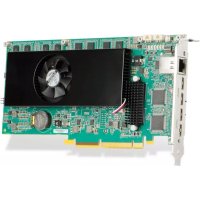
Mura IPX - Décodeur numérique MATROX - Notice d'utilisation et mode d'emploi gratuit
Retrouvez gratuitement la notice de l'appareil Mura IPX MATROX au format PDF.


| Type de produit | Carte PCIe décodeur/encodeur IP pour murs d'images |
| Modèles disponibles | MURAIPXI-E4SF/E4SHF, E2MF/E2MHF, D2MF/D2MHF, E4JF/E4JHF, D4JF/D4JHF |
| Interface PCIe | PCIe x16 Gen 2.0 (x8 électrique) |
| Mémoire dédiée | 8 Go (sauf D4JF/D4JHF : 4 Go) |
| Résolution maximale | 4K (3840×2160) en entrée/sortie |
| Formats vidéo supportés | H.264, RGB 10:10:10, YUV 4:4:4/4:2:2/4:2:0 |
| Connecteurs d'entrée | HDMI, DisplayPort, BNC selon modèle |
| Connecteur réseau | 1 port Ethernet RJ45 100/1000 Base-T |
| Dimensions (L x l x H) | 22,91 x 1,91 x 11,13 cm |
| Poids | 268 g à 398 g selon modèle |
| Consommation électrique typique | 30,7 W à 33,4 W selon modèle |
| Alimentation requise | +12V via PCIe ; recommandation 800 W pour système complet |
| Température de fonctionnement | Ne pas dépasser 90°C (mesure via PowerDesk) |
| Systèmes d'exploitation supportés | Windows 10/7, Windows Server, Linux |
| Certifications | Classe B : FCC, CE, RCM, VCCI, ICES-3, CSA, KC |
| Fonctions principales | Capture, encodage et décodage multi-canal 4K sur IP |
| Entretien et nettoyage | Dépoussiérage régulier ; éviter liquides ; utiliser air comprimé |
| Sécurité | Installation dans un système validé avec ventilation adéquate |
| Pièces détachées / Réparabilité | Contactez le support Matrox pour pièces ; pas de réparation par l'utilisateur |
| Garantie | Voir conditions Matrox |
FOIRE AUX QUESTIONS - Mura IPX MATROX
Questions des utilisateurs sur Mura IPX MATROX
0 question sur cet appareil. Repondez a celles que vous connaissez ou posez la votre.
Poser une nouvelle question sur cet appareil
Téléchargez la notice de votre Décodeur numérique au format PDF gratuitement ! Retrouvez votre notice Mura IPX - MATROX et reprennez votre appareil électronique en main. Sur cette page sont publiés tous les documents nécessaires à l'utilisation de votre appareil Mura IPX de la marque MATROX.
MODE D'EMPLOI Mura IPX MATROX
Matrox® Display Wall
Mura™ IPX Series • Mura™ MPX Series • C-Series™
System Builder's Guide
20149-101-0560
2020.02.27
www.matrox.com/graphics
Contents
Product overview 6
Hardware summary - Mura MPX Series 6
Mura MPX-4/4 6
Mura MPX-4/2 7
Mura MPX-4/0 8
Mura MPX-V16. 9
Mura MPX-V8. 10
Mura MPX-SDI 11
Hardware summary - Mura IPX Series. 12
MURAIPXI-E4SF/MURAIPXI-E4SHF. 12
MURAIPXI-E2MF/MURAIPXI-E2MHF 13
MURAIPXI-D2MF/MURAIPXI-D2MHF 14
MURAIPXI-E4JF/MURAIPXI-E4JHF. 15
MURAIPXI-D4JF/MURAIPXI-D4JHF. 16
Hardware summary - Matrox C-Series. 17
Matrox C900 17
Matrox C680 18
Why choose a validated platform? 19
Platforms validated by Matrox. 19
Validated systems. 19
Validated motherboards. 20
Validated PCIe expansion solution. 21
Validated chassis 21
C-Series system requirements 22
Validated systems 23
Before you begin 23
Mura MPX Series based video wall system 23
C900/C680 based video wall system 24
Third party based video wall system 25
Currently supported systems 26
Advantech (AVS-540 with ASMB-815 MB) 26
Advantech (AVS-860) 28
Advantech (AVS-860 with PCE-5129 SHB) 30
Advantech (AVS-860 with PCE-7129 SHB) 32
Dell® Precision™ Rack 7910 34
Dell® Precision™ 5810 Tower Workstation 35
Dell® Precision™ 5820 Tower Workstation 37
HP® Z4 G4 Workstation 39
HP® Z420 Workstation 40
HP® Z440 Workstation 41
HP® Z6 G4 Workstation 43
HP® Z620 Workstation 45
HP® Z640 Workstation 46
HP® Z8 Workstation 47
InoNet Magnius-II 49
Lenovo ThinkStation P520 50
Portwell® M8030 52
Portwell® M9020B (with ROBO-8110A SHB) 54
Portwell® M9020B (with ROBO-8113VG2AR SHB) 56
Portwell® M9020B (with ROBO-8113VG2AR-Q170-KBL SHB) 58
Seneca VWC-PLUS. 60
Shuttle SH97R6 62
Trenton TVC2404 63
Trenton TVC3400 64
Trenton TVC4400 65
Trenton TVC4403 with TSB7053. 66
Trenton TVC5401 (with TSB7053 SHB) 68
Trenton TVC5402 70
Trenton TVC5402 (with TKL8255 SHB) 72
End of Life (EOL) systems 74
Advantch (AVS-240) 74
Advantech (AVS-290). 76
Advantech (AVS-540 with ASMB-8221 MB). 77
Advantech(AVS-541). 79
Advantech (AVS-840 with PCE-5129 SHB) 83
Advantech (AVS-840) 85
Advantech (AVS-840 with PCE-7129 SHB) 88
Blue Chip Ultima 2M .90
Blue Chip Ultima Mura i7 92
Dell® Precision™ Workstation T3500 92
Dell® Precision™ Workstation T3600 92
Dell® Precision™ Workstation T3610 93
Delo Step-PC Professional VS-Series X79. 93
Delo Step-PC Professional VS-Series Z77 94
Nijkerk (System MURA V1) 96
Pyramid Multiplex R-19 Mura System. 97
Pyramid Multiplex S Mura System. 97
Seneca PrysinHD Plus. 97
Seneca VWC-4. 98
Synnex Canada Touch Mura X79 102
Synnex Canada Touch Mura Z77 103
Trenton T'VC4403 with JXT'S6966. 104
Trenton TVC4406 106
Trenton TVC5401 (with JXTS6966 SHB) 107
Trenton T'VC4502 109
Validated motherboards 110
Currently supported motherboards. 110
Advantch ASMB-785G4-00A1E. 110
Advantech ASMB-813I-00A1E 112
Advantech ASMB-815 114
Advantech PCE-5B12 BP with PCE-7129/PCE-5129 SHB. 116
Advantech PCE-5B19/PCE-5128. 118
Advantech PCE-5B19/PCE-5129. 121
Advantech PCE-5B19/PCE-7129 124
ASUS® WS C422 PRO/SE 127
ASUS® WS C422 SAGE/10G 129
ASUS® WS C621E SAGE 131
ASUS®WS X299 SAGE 133
ASUSX99-A II 135
ASUS® X99-DELUXE II. 137
ASUSX99-EWS/USB3.1 139
ASUS® Z270-WS 141
ASUS®WS Z390 PRO. 143
GIGABYTEMW51-HP0 145
MSI X299 SLI PLUS 147
Portwell® M9010A (with ROBO-8110A SHB) 149
Portwell® M9010A (with ROBO-8113-VG2AR SHB) 151
Portwell® M9010A (with ROBO-8113VG2AR-Q170-KBL SHB) 153
SUPERMICRO C9Z390-PWG 155
SUPERMICRO H11SS-i. 157
EOL (End of Life) motherboards 159
Advantech ASMB-781G4-00A1E. 159
Advantech ASMB-820I-00A1E. 161
ASRock X79 Extreme 11 163
ASUS® P6T7 WS 164
ASUS® P6X58-EWS 165
ASUS® P8Z77 WS 166
ASUS® P9X79 Pro 167
ASUS® P9X79-EWS 168
ASUS® P9X79 WS 169
ASUS® X99-A. 170
ASUSX99-DELUXE 171
ASUSX99-EWS 173
ASUS® Z87 WS. 174
GIGABYTE™ G1 Sniper3 175
GIGABYTE™ GA-X79-UD3. 176
MSI® Big Bang-XPower 177
Validated PCIe expansion boxes 178
Currently supported PCIe expansion box. 178
Magma ExpressBox 3T. 178
Validated chassis 179
Currently supported chassis. 179
Advantech ACP-4000MB-00XE. 179
Advantech HPC-7400. 179
Advantech IPC-623 179
Chenbro RM41300-FS81 180
iStarUSA D-400-2F80 180
iStarUSA D-400L-7 181
NORCO RPC-432 182
Portwell 10 slot chassis. 182
Rackmaster 20 slot chassis .182
SUPERMICRO® SuperChassis 842XTQ-R606B 183
EOL (End of Life) chassis. 183
Advantech C-MAT1A-ACP4010-01 183
Advantech IPC-7130-00XE. 183
Delo Step Multi-View. 184
Nijkerk NCS-R416A-MB-NOIR. 184
SUPERMICRO SuperChassis 836 184
System ventilation. 185
Power supply sizing for Matrox Mura MPX Series based, C-Series based, and Third party based systems. 186
Shipping an integrated system 186
PCI Express® bandwidth considerations in Matrox Mura MPX Series based or C-Series based systems ... 187
Input source bandwidth requirements. 187
PCI Express architecture overview 188
General bandwidth guidelines 190
A word about system architectures. 190
Appendix 192
Approved fans for iStarUSA® D-400-2F80 chassis 192
Contact us 193
Disclaimer 194
Product overview
Matrox Mura MPX Series products combine input and output cards onto a single-slot PCIe × 16 2.0 card. Mura MPX Series products feature universal input channel support for both digital and analog video (HD, DVI, RGB/VGA, SDI, Component, S-video, and Composite). Mura MPX Series video capture cards work with output/input boards to provide additional analog video inputs.
Mura IPX Series products are PCIe × 8 Gen 2.0 cards that provide high-density capture, encode, and decode functionality to enhance video walls and operator workstations with advanced video processing and networking capabilities.
Matrox C-Series multi-display video cards, featuring six and nine-output models, allow you to drive multiple displays or projectors from a single graphics card. Designed and built to ensure excellent reliability, stability and ease of deployment, C-Series PCIe × 16 Gen 3.0 cards are ideal for demanding commercial and critical systems.
Hardware summary - Mura MPX Series
The Matrox Mura MPX Series family of products includes the following key features:
Maximum output resolution of 2048× 1152 (DVI) and 2048× 1536 (RGB/VGA) per display.
Maximum input resolution of 2560 × 1600 @ 30Hz (DVI, 2048 × 1536 @ 47 Hz (RGB/VGA), and 1920 × 1080 (Component) per input.
- Designed for control rooms, operation centers and other mission critical environments, as well as digital signage and presentation systems.
Facilitates video switching, signal conversion, scaling, compositing, and de-interlacing from a single card.
Mura MPX-4/4
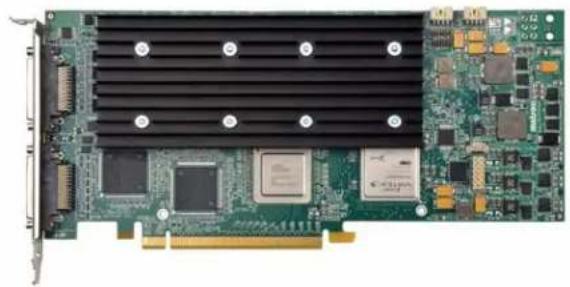
| Mura MPX-4/4 | |
| Part number MURA-MPX44HF | |
| Card type PCIe x16 2.0 | |
| Form factor ATX | |
| Connectors 2× KX20 | |
| Memory 2 GB DDR2 | |
| Output support 4 | |
| Input support 4 | |
| Power consumption Typical: 37W @ 12V, 0.5W @ 3.3V or 37.5W Total Worst Case: 43W @ 12V, 0.5W @ 3.3V or 43.5W Total | |
| Weight 298 g | |
| Dimensions L: 9.50 in / W: 0.75 in / H: 4.407 in L: 24.13 cm / W: 1.91 cm / H: 11.2 cm | |
| Regulatory compliance Class A: FCC, CE, RCM, VCCI, ICES-3, CSA, KC | |
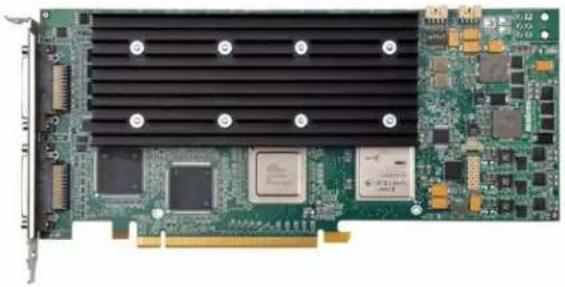
| Mura MPX-4/2 | |
| Part number MURA-MPX42HF | |
| Card type PCIe x16 2.0 | |
| Form factor ATX | |
| Connectors 2× KX20 | |
| Memory 2 GB DDR2 | |
| Output support 4 | |
| Input support 2 | |
| Power consumption Typical: 37W @ 12V, 0.5W @ 3.3V or 37.5W Total Worst Case: 43W @ 12V, 0.5W @ 3.3V or 43.5W Total | |
| Weight 294 g | |
| Dimensions L: 9.50 in / W: 0.75 in / H: 4.407 in L: 24.13 cm / W: 1.91 cm / H: 11.2 cm | |
| Regulatory compliance Class A: FCC, CE, RCM, VCCI, ICES-3, CSA, KC | |
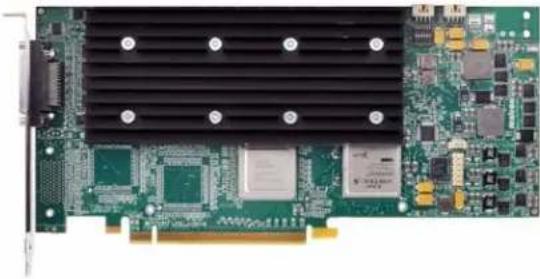
| Mura MPX-4/0 | |
| Part number MURA-MPX40HF | |
| Card type PCIe x16 2.0 | |
| Form factor ATX | |
| Connector 1× KX20 | |
| Memory 2 GB DDR2 | |
| Output support 4 | |
| Input support 0 | |
| Power consumption Typical: 36W @ 12V, 0.5W @ 3.3V or 36.5W Total Worst Case: 41W @ 12V, 0.5W @ 3.3V or 41.5W Total | |
| Weight 290 g | |
| Dimensions L: 9.50 in / W: 0.75 in / H: 4.407 in L: 24.13 cm / W: 1.91 cm / H: 11.2 cm | |
| Regulatory compliance Class A: FCC, CE, RCM, VCCI, ICES-3, CSA, KC | |
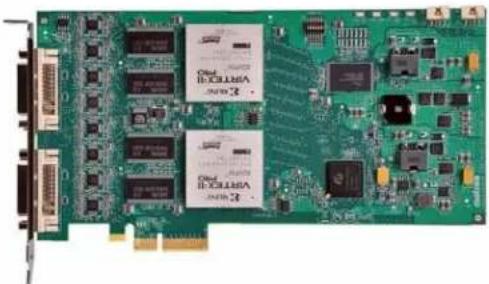
| Mura MPX-V16 | |
| Part number MURA-MPXV16F | |
| Card type PCIe x4 1.0 | |
| Form factor ATX | |
| Connectors 2× DVI-I | |
| Memory 256 MB DDR SDRAM | |
| Output support — | |
| Input support 16 inputs | |
| Power consumption Maxim: 17W @ 12V | |
| Weight 184 g | |
| Dimensions L: 8.10 in / W: 0 | 75 in / H: 4.376 in |
| L: 20.6 cm / W: 1.91 cm / H: 11.1 cm | |
| Regulatory compliance Class A: FCC, CE, RCM, VCCI, ICES-3, CSA, KC | |
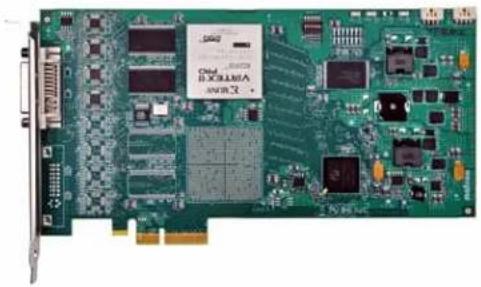
| Mura MPX-V8 | |
| Part number MURA-MPXV8F | |
| Card type PCIe x4 1.0 | |
| Form factor ATX | |
| Connector 1× DVI-I | |
| Memory 128 MB DDR SDRAM | |
| Output support — | |
| Input support 8 inputs | |
| Power consumption Maximum: 10W @ 12V | |
| Weight 158 g | |
| Dimensions L: 8.10 in / W: 0 | 75 in / H: 4.376 in |
| L: 20.6 cm / W: 1.91 cm / H: 11.1 cm | |
| Regulatory compliance Class A: FCC, CE, RCM, VCCI, ICES-3, CSA, KC | |
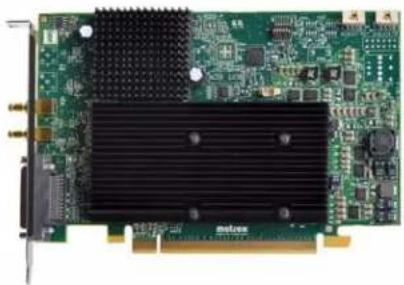
| Mura MPX-SDI | |
| Part number MURA-MPXSDIF | |
| Card type PCIe x16 1.0 | |
| Form factor ATX | |
| Connectors 1× KX20, 2× DIN 1.0/2.3 | |
| Memory 1 GB DDR2 | |
| Output support 2 | |
| Input support 2 | |
| Power consumption Typical: 20W @ 12V, 0.03W @ 3.3V or 20.03W Total | |
| Weight 236 g | |
| Dimensions L: 6.60 in / W: 0.75 in / H: 4.407 in | |
| L: 16.80 cm / W: 1.91 cm / H: 11.2 cm | |
| Regulatory compliance Class A: FCC, CE, RCM, VCCI, ICES-3, CSA, KC | |
Hardware summary - Mura IPX Series
The Matrox Mura Series of products include the following key features:
Multi-channel 4K/HD/SD encode and decode over standard IP
DisplayPortTM and HDMI® capture, IP encode and IP decode support on a single card
- Flexible stream and record capabilities anywhere on the network
- Separate on-board network interface controller for zero impact on the system
RGB 10:10:10 and 8:8:8 plus YUV 4:4:4, 4:2:2, and 4:2:0 color space support
- Ideal for control rooms, operation centers, board rooms and other mission critical environments as well as digital signage and presentation systems.
MURAIPXI-E4SF/MURAIPXI-E4SHF
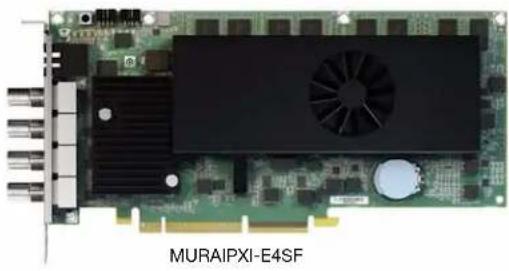
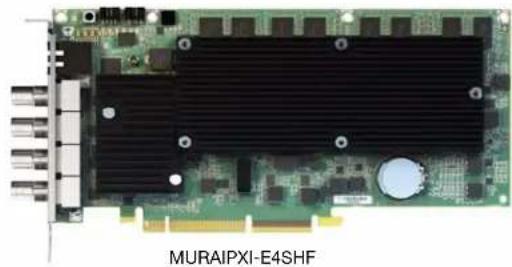
| MURAIPXI-E4SF MURAIPXI-E4SHF | ||
| Part number MURAIPXI-E4SF MURAIPXI-E4SHF | ||
| Card type PCIe x16 2.0 | (x16 mechanical, x8 electrical) | PCIe x16 2.0 (x16 mechanical, x8 electrical) |
| Form factor ATXATX | ||
| Connector 4× BNC | 1x 100/1000 Base-T RJ45 Ethernet Port | 4× BNC 1x 100/1000 Base-T RJ45 Ethernet Port |
| Memory 8 GB 8 GB | ||
| Output support — | — | |
| Input support | 4× BNC + IP | 4× BNC + IP |
| Decode support | Multi-channel 4K H.264 | Multi-channel 4K H.264 |
| Encode support | Multi-channel 4K H.264 | Multi-channel 4K H.264 |
| Power consumption | Typical: 27.12W @ 12V, 6.27W @ 3.3V, or 33.39W Total | Typical: 27.12W @ 12V, 6.27W @ 3.3V, or 33.39W Total |
| Weight | 398g | 334g |
| Dimensions | L: 9.02 in / W: 0.75 in / H: 4.38 in L: 22.91 cm / W: 1.91 cm / H: 11.13 cm | |
| Regulatory compliance | Class B: FCC, CE, RCM, VCCI, ICES-3, CSA, KC | |
MURAIPXI-E2MF/MURAIPXI-E2MHF
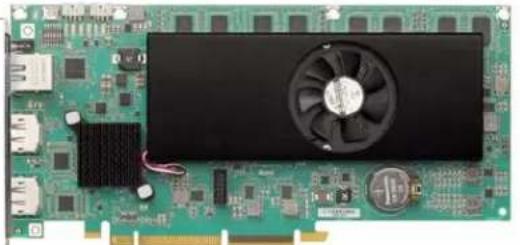
MURAIPXI-E2ME
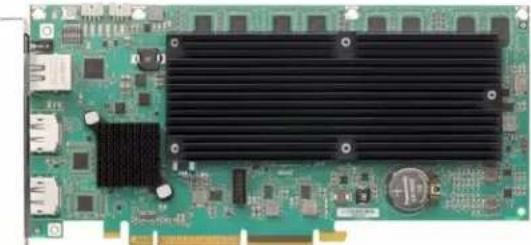
MURAIPXI-E2MHF
| MURAIPXI-E2MF MURAIPXI-E2MHF | ||
| Part number MURAIPXI-E2MF MURAIPXI-E2MHF | ||
| Card type PCIe x16 2.0 | (x16 mechanical, x8 electrical) | PCIe x16 2.0 (x16 mechanical, x8 electrical) |
| Form factor ATXATX | ||
| Connector 2× DisplayPort 1.2, | 1x 100/1000 Base-T RJ45 Ethernet Port | 2× DisplayPort 1.2, 1x 100/1000 Base-T RJ45 Ethernet Port |
| Memory 8 GB 8 GB | ||
| Output support — | — | |
| Input support | 2× DisplayPort 1.2 + IP | 2× DisplayPort 1.2 + IP |
| Decode support | Multi-channel 4K H.264 | Multi-channel 4K H.264 |
| Encode support | Multi-channel 4K H.264 | Multi-channel 4K H.264 |
| Power consumption | Typical: 24.6W @ 12V, 6.105W @ 3.3V, or 30.705W Total | Typical: 24.6W @ 12V, 6.105W @ 3.3V, or 30.705W Total |
| Weight | 304g | 268g |
| Dimensions | L: 9.02 in / W: 0.75 in / H: 4.38 in L: 22.91 cm / W: 1.91 cm / H: 11.13 cm | |
| Regulatory compliance | Class B: FCC, CE, RCM, VCCI, ICES-3, CSA, KC | |
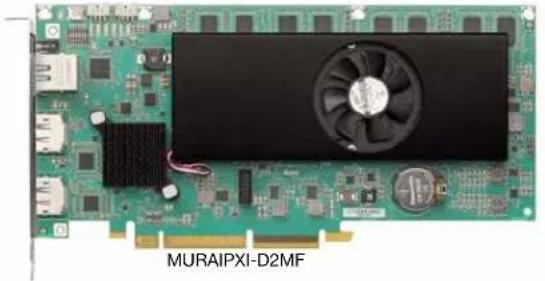
MURAIPXI-D2MF/MURAIPXI-D2MHF
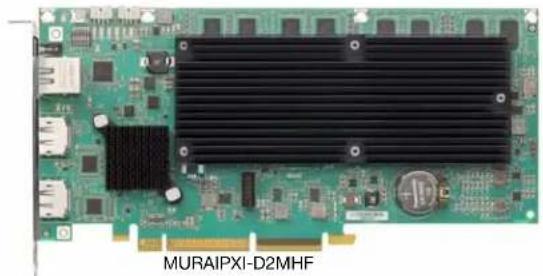
| MURAIPXI-D2MF MURAIPXI-D2MHF | ||
| Part number MURAIPXI-D2MF MURAIPXI-D2MHF | ||
| Card type PCIe x16 2.0 | (x16 mechanical, x8 electrical) | PCIe x16 2.0 (x16 mechanical, x8 electrical) |
| Form factor ATXATX | ||
| Connector 2× DisplayPort 1.2, | 1x 100/1000 Base-T RJ45 Ethernet Port | 2× DisplayPort 1.2, 1x 100/1000 Base-T RJ45 Ethernet Port |
| Memory 8 GB 8 GB | ||
| Output support — | — | |
| Input support | 2× DisplayPort 1.2 + IP | 2× DisplayPort 1.2 + IP |
| Decode support | Multi-channel 4K H.264 | Multi-channel 4K H.264 |
| Encode support | — | — |
| Power consumption | Typical: 24.6W @ 12V, 6.105W @ 3.3V, or 30.705W Total | Typical: 24.6W @ 12V, 6.105W @ 3.3V, or 30.705W Total |
| Weight | 304g | 268g |
| Dimensions | L: 9.02 in / W: 0.75 in / H: 4.38 in L: 22.91 cm / W: 1.91 cm / H: 11.13 cm | |
| Regulatory compliance | Class B: FCC, CE, RCM, VCCI, ICES-3, CSA, KC | |
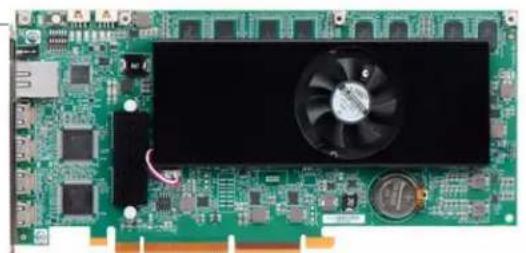
MURAIPXI-E4JF/MURAIPXI-E4JHF
MURAIPXI-E4JF
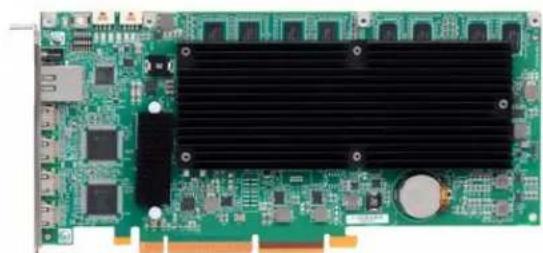
MURAIPXI-E4JHF
| MURAIPXI-E4JF MURAIPXI-E4JHF | ||
| Part number MURAIPXI-E4JF MURAIPXI-E4JHF | ||
| Card type | PCIe x16 2.0 (×8 2.0 electrically) | PCIe x16 2.0 (×8 2.0 electrically) |
| Form factor ATXATX | ||
| Connector 4x Mini HDMI (Type C), 1x 100/1000 Base-T RJ45 Ethernet Port | 4x Mini HDMI (Type C), 1x 100/1000 Base-T RJ45 Ethernet Port | |
| Memory 8 GB 8 GB | ||
| Output support — | — | |
| Input support | 4x HDMI, IP | 4x HDMI, IP |
| Decode support | Multi-channel 4K H.264 | Multi-channel 4K H.264 |
| Encode support | Multi-channel 4K H.264 | Multi-channel 4K H.264 |
| Power consumption | Typical: 24.6W @ 12V, 6.105W @ 3.3V, or 30.705W Total | Typical: 24.6W @ 12V, 6.105W @ 3.3V, or 30.705W Total |
| Weight | 312g | 278g |
| Dimensions | L: 9.02 in / W: 0.75 in / H: 4.38 in L: 22.91 cm / W: 1.91 cm / H: 11.13 cm | |
| Regulatory compliance | Class B: FCC, CE, RCM, VCCI, ICES-3, CSA, KC | |
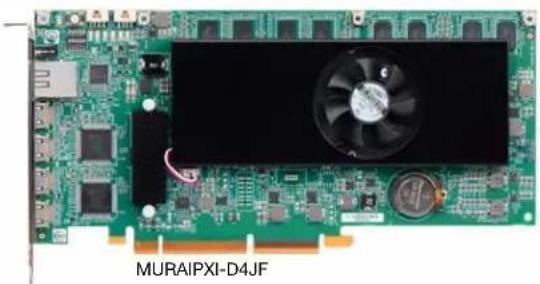
MURAIPXI-D4JF/MURAIPXI-D4JHF
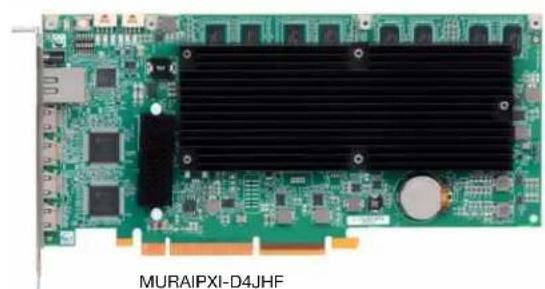
| MURAIPXI-D4JF MURAIPXI-D4JHF | ||
| Part number MURAIPXI-D4JF MURAIPXI-D4JHF | ||
| Card type | PCIe x16 2.0 (×8 2.0 electrically) | PCIe x16 2.0 (×8 2.0 electrically) |
| Form factor ATXATX | ||
| Connector 4x Mini HDMI (Type C), 1× 100/1000 Base-T RJ45 Ethernet Port | 4x Mini HDMI (Type C), 1x 100/1000 Base-T RJ45 Ethernet Port | |
| Memory 4 GB 4 GB | ||
| Output support — | — | |
| Input support | 4× HDMI, IP | 4× HDMI, IP |
| Decode support | Multi-channel 4K H.264 | Multi-channel 4K H.264 |
| Encode support | — | — |
| Power consumption | Typical: 24.6W @ 12V, 6.105W @ 3.3V, or 30.705W Total | Typical: 24.6W @ 12V, 6.105W @ 3.3V, or 30.705W Total |
| Weight | 304g | 268g |
| Dimensions | L: 9.02 in / W: 0.75 in / H: 4.38 in L: 22.91 cm / W: 1.91 cm / H: 11.13 cm | |
| Regulatory compliance | Class B: FCC, CE, RCM, VCCI, ICES-3, CSA, KC | |
Hardware summary - Matrox C-Series
The Matrox C-Series family of products includes the following key features:
Pair up to two (2) C-Series for up to 18 synchronized outputs
High-resolution monitor support, including Full HD and 4K/UHD
C900-maximumresolutionof 1920× 1080@60Hz per output
C680-maximum resolution of 3840× 2160@60Hz for 3 outputs or 3840× 2160@30Hz for 6 outputs
Low-cost video wall integration with six and nine-output card options
- OpenGL® 4.4, OpenCL™ 1.2, and Microsoft® DirectX 12 support enables latest professional applications
Support for the following operating systems:
- All professional, embedded, and standard versions of Windows® 10 and 7
-
Window® Server® 2016, 2008 R2, 2012 R2
Linux -
Ideal for control rooms, operation centers, board rooms, and other mission critical environments as well as digital signage and presentation systems
Matrox C900
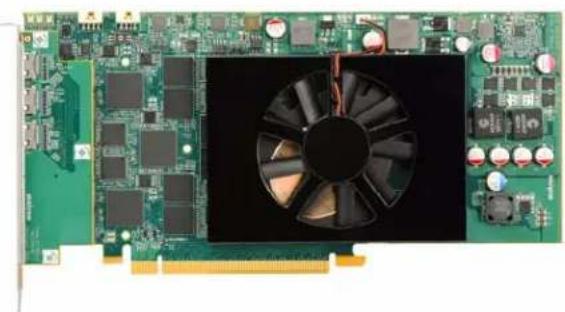
| Matrox C900 | |
| Part number C900-E4GBF | |
| Card type PCIe x16 3.0 | |
| Form factor ATX | |
| Connector 9x Mini HDMI | |
| Memory 4 GB | |
| Output support 9 | |
| Input support — | |
| Power consumption 75W Total | |
| Weight 414g | |
| Dimensions L: 9.02 in / W: 0.75 in / H: 4.376 in | L: 22.91 cm / W: 1.91 cm / H: 11.12 cm |
| Regulatory compliance | Class A: FCC, CE, RCM, VCCI, ICES-3, CSA, KC |
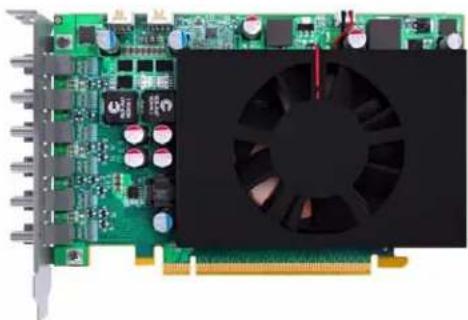
| Matrox C680 | |
| Part number C680-E4GBF | |
| Card type PCIe x16 3.0 | |
| Form factor ATX | |
| Connector 6x Mini DisplayPort™ | |
| Memory 4 GB | |
| Output support 6 | |
| Input support — | |
| Power consumption 50W Total | |
| Weight 302g | |
| Dimensions L: 6.60 in / W: 0.75 in / H: 4.045 in | L: 16.76 cm / W: 1.91 cm / H: 10.27 cm |
| Regulatory compliance Class B: FCC, CE, RCM, VCCI, ICES-3, CSA, KC | |
Why choose a validated platform?
Matrox display wall products are designed for control rooms, operation centers, and other mission critical environments that require stable, reliable, and durable solutions. Matrox display wall products work in numerous non-validated, COTS motherboards and systems, but only a select few of these off-the-shelf solutions can be thoroughly tested, verified, and validated by Matrox. Choosing a validated platform guarantees a high-quality solution to drive your display wall system.
Some of the key benefits of using a Matrox-validated platform include:
Optimized Performance-Carefully selected by Matrox to ensure better performance, a validated platform guarantees that your display wall product will work at or close to optimum performance.
- Extensive Validation Process—Systems are put to the test by Matrox Engineering, QA, Sales, and Marketing departments. From development and testing to sales and product demos, our employees use these systems in various practices to monitor performance. Using a validated platform guarantees the same level of performance experienced by Matrox staff.
Easier Deployment - Using an already validated system takes the guesswork out of building a display wall system. Integrators can use a validated platform to quickly and easily deploy solutions across a wide range of project sizes.
- Faster Customer Support - Customer support is faster, easier, and more precise because our technical support team is already familiar with the validated system you're using.
Uncompromised Compatibility - Using a validated platform ensures that your display wall product has been thoroughly tested and verified for uncompromised compatibility.
- Improved Reliability Systems validated by Matrox have guaranteed thermal and ventilation characteristics, resulting in better product longevity.
Platforms validated by Matrox
Matrox is constantly reviewing new systems and looking to validate new platforms across multiple price points. Any system suggestions are welcome. The following tables are summaries of the active list.
Validated systems
| Validated System Maximum number of boards | supported per system |
| InoNet Magnius-II 2 | |
| Shuttle SH97R6 2 | |
| Trenton TVC3400 2 | |
| Trenton TVC4400 2 | |
| Dell® Precision™ Rack 7910 3 | |
| HP® Z420 Workstation 3 | |
| Dell® Precision™ 5810 Tower Workstation 4 | |
| Dell® Precision™ 5820 Tower Workstation 4 | |
| Delo Step-PC Professional VS-Series X79 4 | |
| HP® Z4 G4 Workstation 4 | |
| HP® Z440 Workstation 4 | |
| HP® Z640 Workstation 4 | |
| Lenovo ThinkStation P520 4 | |
| Trenton TVC2404 4 | |
| Advantech (AVS-540 with ASMB-815 MB) | 6 |
| HP® Z6 G4 Workstation 6 | |
| Validated System | Maximum number of boards supported per system |
| HP® Z620 Workstation 6 | |
| HP® Z8 Workstation 6 | |
| Seneca VWC-PLUS 7 | |
| Portwell® M8030 8 | |
| Trenton TVC4403 with TSB7053 9 | |
| Portwell® M9020B (with ROBO-8110A SHB) 10 | |
| Portwell® M9020B (with ROBO-8113VG2AR SHB) 10 | |
| Portwell® M9020B (with ROBO-8113VG2AR-Q170-KBL SHB) 10 | |
| Advantech (AVS-860) 11 | |
| Advantech (AVS-860 with PCE-5129 SHB) 11 | |
| Advantech (AVS-860 with PCE-7129 SHB) 11 | |
| Seneca VWC-PRO 12 | |
| Trenton TVC5402 12 | |
| Trenton TVC5402 (with TKL8255 SHB) | 12 |
| Trenton TVC5401 (with TSB7053 SHB) | 16 |
Validated motherboards
| Validated motherboard | Maximum number of boards supported per system |
| Advantech ASMB-785G4-00A1E | 3 |
| ASUS® WS C422 PRO/SE | 4 |
| ASUS® X99-A II | 4 |
| ASUS® X99-DELUXE II | 4 |
| ASUS® Z270-WS 4 | |
| ASUS® WS Z390 PRO | 4 |
| MSI X299 SLI PLUS 4 | |
| SUPERMICRO® C9Z390-PWG | 4 |
| SUPERMICRO® H11SS-i | 4 |
| Advantech ASMB-813I-00A1E | 6 |
| Advantech ASMB-815 | 6 |
| ASUS® WS X299 SAGE | 7 |
| ASUS® WS C422 SAGE/10G | 7 |
| ASUS® WS C621E SAGE | 7 |
| ASUS® X99-E WS/USB 3.1 | 7 |
| GIGABYTE™ MW51-HP0 | 7 |
| Portwell® M9010A (with ROBO-8110A SHB) 10 | |
| Portwell® M9010A (with ROBO-8113-VG2AR SHB) | 10 |
| Portwell® M9010A (with ROBO-8113VG2AR-Q170-KBL SHB) 10 | |
| Advantech PCE-5B12 BP with PCE-7129/PCE-5129 SHB | 11 |
| Advantech PCE-5B19/PCE-5129 | 16 |
| Advantech PCE-5B19/PCE-7129 | 16 |
| Advantech PCE-5B19/PCE-5128 | 17 |
Validated PCIe expansion solution
| Validated expansion solution Maximum number of boards | supported per system |
| Magma ExpressBox 3T 2 |
Validated chassis
| Validated chassis Currently supported motherboards | |
| Advantech ACP-4000MB-00XE | • Advantech ASMB-815 |
| Advantech HPC-7400 | • Advantech ASMB-813I-00A1E |
| Advantech IPC-623 | • Advantech PCE-5B19/PCE-5128 • Advantech PCE-5B12/PCE-7127 • Advantech PCE-5B12/PCE-5129 • Advantech PCE-5B12/PCE-7129 • Advantech PCE-5B19/PCE-5129 • Advantech PCE-5B19/PCE-5129 • Advantech PCE-7B17/PCE-7127 |
| Chenbro RM41300-FS81 | • ASUS®WS C422 PRO/SE • ASUS®WS C422 SAGE/10G • ASUS®WS C621E SAGE • ASUS®WS X299 Sage • ASUS®WS Z390 PRO • ASUS®X99-A II • ASUS®X99-DELUXE • ASUS®X99-DELUXE II • ASUS®X99-E WS/USB3.1 • ASUS®Z270-WS • GIGABYTE™ MW51-HP0 • MSI X299 SLI PLUS • SUPERMICRO® C9Z390-PGW • SUPERMICRO® H11SSL-i |
| iStarUSA® D-400-2F80 • ASUS | ®WS C422 PRO/SE • ASUS®WS C422 SAGE/10G • ASUS®WS C621E SAGE • ASUS®WS X299 SAGE • ASUS®WS Z390 PRO • ASUS®X99-A II • ASUS®X99-Deluxe • ASUS®X99-DELUXE II • ASUS®X99-E WS/USB3.1 • ASUS®Z270-WS • GIGABYTE™ MW51-HP0 • MSI X299 SLI PLUS • SUPERMICRO® C9Z390-PGW • SUPERMICRO® H11SSL-i |
| Validated chassis Currently supported motherboards | |
| iStarUSA D-400L-7 · ASUS | ® WS C422 PRO/SE ASUS® WS C422 SAGE/10G ASUS® WS C621E SAGE ASUS® WS X299 Sage ASUS® WS Z390 PRO ASUS® X99-A II ASUS® X99-DELUXE II ASUS® X99-E WS/USB3.1 ASUS® Z270-WS GIGABYTE™ MW51-HP0 MSI X299 SLI PLUS SUPERMICRO® C9Z390-PGW SUPERMICRO® H11SSL-i |
| NORCO RPC-432 · ASUS | ® WS C422 PRO/SE ASUS® WS Z390 Pro SUPERMICRO® C9Z390-PGW |
| Portwell 10 slot chassis | PBPE-11A-MT (BP) / ROBO-8110A (SHB) PBPE-11A-MT (BP) / ROBO-8113VG2AR (SHB) |
| Rackmaster 20 slot chassis | • Advantech PCE-5B19 (BP)/PCE-5128 (SHB) • Advantech PCE-5B19 (BP)/PCE-5129 (SHB) • Advantech PCE-5B19 (BP)/PCE-7129 (SHB) • Advantech PCE-5B12 (BP)/PCE-7127 (SHB) • Advantech PCE-5B12 (BP)/PCE-5129 (SHB) • Advantech PCE-5B12 (BP)/PCE-7129 (SHB) |
| SUPERMICRO® SuperChassis 842XTQ-R606B | • ASUS® WS C422 PRO/SE • ASUS® WS X299 Sage • ASUS® X99-A II • ASUS® X99-DELUXE • ASUS® X99-DELUXE II • ASUS® X99-E WS • ASUS® X99-E WS / ASUS® X99-E WS/USB 3.1 • ASUS® Z270-WS • ASUS® Z87 WS • GIGABYTE™ MW51-HPO MSI X299 SLI PLUS |
C-Series system requirements
For C-Series based display walls (with or without Mura IPX Series cards), the demands and requirements of a system are more generic than for Mura MPX Series based display walls. To use as a C-Series based display wall, a system must meet the following requirements:
The system must be properly ventilated and the Mura IPX Series and C-Series cards must not exceed the maximum allowed temperature. For more information, see "System ventilation", page 185.
A system with a QPI based architecture has poor peer-to-peer bandwidth. Support for intercard transfers should be limited to cards installed on the same segment of the QPI bus. It shouldn't cross over the QPI bus due to limited bandwidth available over the QPI interface. For more information, see "A word about system architectures", page 190.
Mura IPX Series cards used in a non-validated system must have a fansink.
Validated systems
The following systems have been validated by Matrox to work with Matrox Mura MPX Series, Mura IPX Series, C900, and C680 products.

Note: For Windows 7 installation, make sure your Mura system is in Legacy BIOS mode (MBR drive format). If your system came with UEFI mode (GPT drive format), make sure the Compatibility Support Module (CSM) is enabled to use the Legacy BIOS mode.
Before you begin
To ensure optimal performance, read the following guidelines before installing your Matrox graphics hardware.
Mura MPX Series based video wall system

Note: If graphics hardware is built into the motherboard of your system, you need to disable it in Windows® Device Manager on Mura MPX Series based video wall systems. For more information, see your system manual or Windows help.

Note: 7th generation desktop processors are unsupported for Mura MPX Series based controllers.

Note: Always insert your Mura MPX-4/4, MPX-4/2, MPX-4/0, and Mura IPX Series cards in the PCIe® 2.0/3.0×16 slots (×16 or ×8 electrical). All other Mura cards can be inserted in PCIe×4 slots if no other PCIe×16 slot is available.
Mura MPX Series based video wall system MUST use Matrox validated platforms.

Note: The ribbon cables for framelock are currently unsupported with Mura IPX Series.
Mura MPX-4/4, MPX-4/2, MPX-4/0, and Mura IPX Series - Insert these cards in the PCIe × 16 slots that are × 16 / × 8 electrical.
- Console display - To add a console display to your Mura Series based system, you can use the following graphics cards in a PCIe × 4 , × 8 , or × 16 slot:
Matrox M9148 LP PClC × 16 P/N:M9148-E1024LAF
Matrox M9140 LP PCIe × 16 (P/N: M9140-E512LAF)
Matrox M9138 LP PCIe × 16 (P/N: M9138-E1024LAF)
Matrox M9128 LP PCIe × 16 (P/N: M9128-E1024LAF)
Matrox M9125 PCIe × 16 (P/N: M9125-E512F)
- Matrox M9120 Plus LP PCIe x16 (P/N: M9120-E512LPUF)
- Matrox M9120 Plus LP PCIe x1 (P/N: M9120-E512LAU1F)*
- Matrox M9120 PCIe × 16 (P/N: M9120-E512F)
- Matrox P690 PCIe × 16 (P/N: P69-MDDE128F)
- Matrox P690 Plus LP PCIe × 16 (P/N: P69-MDDE256LAUF)
Mura MPX-V16, MPX-V8, and MPX-SDI - Insert these cards in the PCIe × 4 slot.
Supported configurations
Multiple Mura MPX Series cards
Multiple Mura MPX Series and multiple Mura IPX Series cards
C900/C680 based video wall system
Note: Always insert your C900 and C680 in the PCIe® 2.0/3.0 ×16 slots and your Mura IPX Series cards in the PCIe® 2.0/3.0 ×16 or ×8 slots (×16 or ×8 electrical). All other Mura cards can be inserted in PCIe ×4 slots if no other PCIe ×16 slot is available.
Note: To avoid possible problems, we recommend you use only Matrox PowerDesk software to change your display settings. Third party console displays can only be used in independent mode.
Note: The ribbon cables for framelock are currently unsupported with Mura IPX Series
C-Series and Mura IPX Series- Insert these cards in the PCJe × 16 slots that are × 16 / × 8 electrical.
■ Console display - To add a console display to your C-Series based system, you can use the following graphics cards in a PCIe × 4 slot:
- Matrox M9148 LP PCIe × 16 (P/N: M9148-E1024LAF)
- Matrox M9140 LP PCIe × 16 (P/N: M9140-E512LAF)
Matrox M9138 LP PCIe × 16 (P/N: M9138-E1024LAF)
Matrox M9128 LP PCIe × 16 (P/N: M9128-E1024LAF) - Matrox M9125 PCIe × 16 (P/N: M9125-E512F)
- Matrox M9120 Plus LP PCIe × 16 (P/N: M9120-E512LPUF)
- Matrox M9120 Plus LP PCIe × 1 (P/N: M9120-E512LAU1F)
- Matrox M9120 PCIe × 16 (P/N: M9120-E512F)
Intel® HD Graphics 530 (onboard)
Intel® HD Graphics 630 (onboard)
NVIDIA NVS 510
NVIDIA NVS 310
NVIDIA® Quadro P400
Supported configurations
Up to 2× C900
Up to 2× C900 and multiple Mura IPX Series capture cards
Up to 2× C680
Up to 2× C680 and multiple Mura IPX Series capture cards
- 1 × C900 and 1 × C680. In this configuration, the outputs between C900 and C680 cards aren't framedocked.
- 1 × C900, 1 × C680, and multiple Mura IPX Series capture cards. In this configuration, the outputs between C900 and C680 cards aren't framedlocked.
Third party based video wall system

Note: Always insert your third party graphics hardware in the PCIe® 2.0/3.0 ×16 slots and your Mura IPX Series cards in the PCIe® 2.0/3.0 ×16 or ×8 slots (×16 or ×8 electrical).
Supported configurations
NVIDIA® M4000 + NVIDIA sync card + multiple Mura IPX Series 4K capture cards
NVIDIA® M6000 + multiple Mura IPX Series 4K capture cards
Intel® HD Graphics 530 graphics hardware + multiple Mura IPX Series 4K capture cards
Intel® HD Graphics 630 graphics hardware + multiple Mura IPX Series 4K capture cards
NVIDIA® P4000 + multiple Mura IPX series 4K capture cards
NVIDIA® P5000 + multiple Mura IPX Series 4K capture cards
NVIDIA® P6000 + multiple Mura IPX Series 4K capture cards
AMD WX7100 + multiple Mura IPX Series 4K capture cards
AMD WX9100 + multiple Mura IPX Series capture cards
For the latest list of supported third party graphics hardware, see the release notes for your Mura display wall driver.

Note: Optional power supply may be required for maximum support of third party graphics hardware.

Note: If your power supply has an insufficient number of 6-pin connectors to support the maximum number of third party graphics hardware, you can order optional power cables. For more information on power requirements, see the documentation for your third party graphics hardware.

Note: Mura IPX Series cards leverage DirectX under Windows and OpenGL under Linux. Therefore, Matrox doesn't foresee any compatibility issues with other third party graphics brands and models or other configurations not mentioned above. Although Matrox strives to test a wide variety of setups and configurations of the most common use-cases, it's impossible to test all possible setups and configurations. If you're having any issues with the setup of your third party graphics + Mura IPX Series configuration, we recommend first removing all Mura IPX Series cards to verify the stability of the isolated third party graphics configuration. If you have any questions or a request for a specific brand and model to be tested, contact us at DWCSupport@matrox.com.
Currently supported systems
The following validated systems are currently supported. For a list of systems that are EOL (End of Life), see page 74.
Advantech (AVS-540 with ASMB-815 MB)
| Mura MPX Series | Mura MPX + IPX Series | C-Series C-Series | Mura IPX Series | Third party + Mura IPX Series | ||
| Validated | Yes | Yes | Yes | Yes | No foreseeable compatibility issues | |
| Maximum number of cards supported | 6 | |||||
| Maximum supported Mura MPX-4/4, MPX-4/2, MPX-4/0, and/or IPX Series | 5 | |||||
| Maximum supported Mura MPX-V8, MPX-V16 and/or console display* | 5 | |||||
| Maximum supported C900/C680 | 2 | |||||
| Motherboard ASMB-815 | ||||||
| PCIe expansion slots | • 2 PCIe x16 3.0 slots (x16 mechanical, x8/x16 electrical) • 3 PCIe x8 3.0 slot (x8 mechanical, x8 electrical) • 1 PCIe x4 3.0 slot (x4 mechanical, x4 electrical) | |||||
| Chipset Intel C620 | ||||||
| Processor | Intel Xeon Scalable Processors (Xeon Silver / 4112 @ 2.6 GHz) | |||||
| System memory 16 GB DDR4 | ECC-RDIMM 2400 MHz | |||||
| System BIOS version Core version: 5.0.1.2 0.75 X64 Project version: S8150000060X022 | ||||||
| Power supply | 700W 80 plus single power supply | |||||
| Chassis | 4U | |||||
| Notes | • If you plan on using local USB keyboard/mouse, you must add a PCI USB controller. Using the onboard USB controller may result in erratic USB behavior. • If your power supply has an insufficient number of 6-pin connectors to support the maximum number of third party graphics hardware, you can order optional power cables. For more information on power requirements, see the documentation for your third party graphics hardware. • In the system BIOS, selectSocket Configuration → IIO Configuration, change the following from [Auto] to [x8x8]: • IOU0 (IIO PCIe Br1) [x8x8] • IOU1 (IIO PCIe Br2) [x8x8] • IOU2 (IIO PCIe Br3) [x8x8] • In the system BIOS, selectAdvanced → PCI Subsystem Settings, make sure Above 4G is disabled. • With all slots populated, there could be a performance drop in the data transferred from a Mura IPX Series input to a graphics card. This may reduce the number of source frames successfully transferred from a Mura IPX Series input to a graphics card. For more information, please contact Matrox Display Wall Technical Support team at dwcsupport@matrox.com. • Installing full length cards on PCIEx4_SLOT2 and PCIEx8_SLOT3 will obstruct access to the SATA6 and SATA7 connectors on the motherboard. • The chassis fans must remain at full speed. | |||||
- Maximum of 1 console per system.
Configurations
| Slot | C-Series based controller | Mura MPX Series based controller | Third party based controller | |||
| Main | Options | Main | Options | Main | Options | |
| PCIEX1_Slot1 | Empty (Unusable) | Empty (Unusable) | Empty (Unusable) | |||
| PCIEX4_Slot2 | Console Display | F | Console Display | E | Empty (Unusable) | |
| PCIEX8_Slot3 | MURAIPXI-D4JF | A MURAIPXI-D4JF A, B, D | Third party graphics hardware | A | ||
| PCIEX16_Slot 4 | C680 | C Mura MPX-4/4 B | Third party graphics hardware | |||
| PCIEX8_Slot5 | MURAIPXI-D4JF | A | MURAIPXI-D4JF | A, B, D | MURAIPXI-D4JF | A |
| PCIEX16_Slot 6 | C680 | A, C Mura MPX-4/4 A, B, D | Third party graphics hardware | A | ||
| PCIEX8_Slot7 | MURAIPXI-D4JF | A | MURAIPXI-D4JF | A, B, D | MURAIPXI-D4JF | A |
Option Product
| A | MURAIPXI-E4SF, MURAIPXI-E4SHF, MURAIPXI-D2MF, MURAIPXI-D2MHF, MURAIPXI-E2MF, MURAIPXI-E2MHF, MURAIPXI-D4JF, MURAIPXI-D4JHF, MURAIPXI-E4JF, or MURAIPXI-E4JHF |
| B Mura MPX-4/4, MPX-4/2, MPX-4/0, or MPX-SDI | |
| C C900 or C680 | |
| D Mura MPX-V16 or MPX-V8 | |
| E | Matrox P690 PCIe x16, Matrox P690 Plus LP PCIe x16, Matrox M9148 LP PCIe x16, Matrox M9140 LP PCIe x16, Matrox M9138 LP PCIe x16, Matrox M9128 LP PCIe x16, Matrox M9125 PCIe x16, Matrox M9120 Plus LP PCIe x16, Matrox M9120 Plus LP PCIe x1, or Matrox M9120 PCIe x16 (console options) |
| F | Matrox M9148 LP PCIe x16, Matrox M9140 LP PCIe x16, Matrox M9138 LP PCIe x16, Matrox M9128 LP PCIe x16, Matrox M9125 PCIe x16, Matrox M9120 Plus LP PCIe x16, Matrox M9120 Plus LP PCIe x1, Matrox M9120 PCIe x16, NVIDIA NVS 510, NVIDIA NVS 310, NVIDIA Quadro P400, Intel HD Graphics HD 630, or Intel HD Graphics 530 (console options) |
Motherboard layout
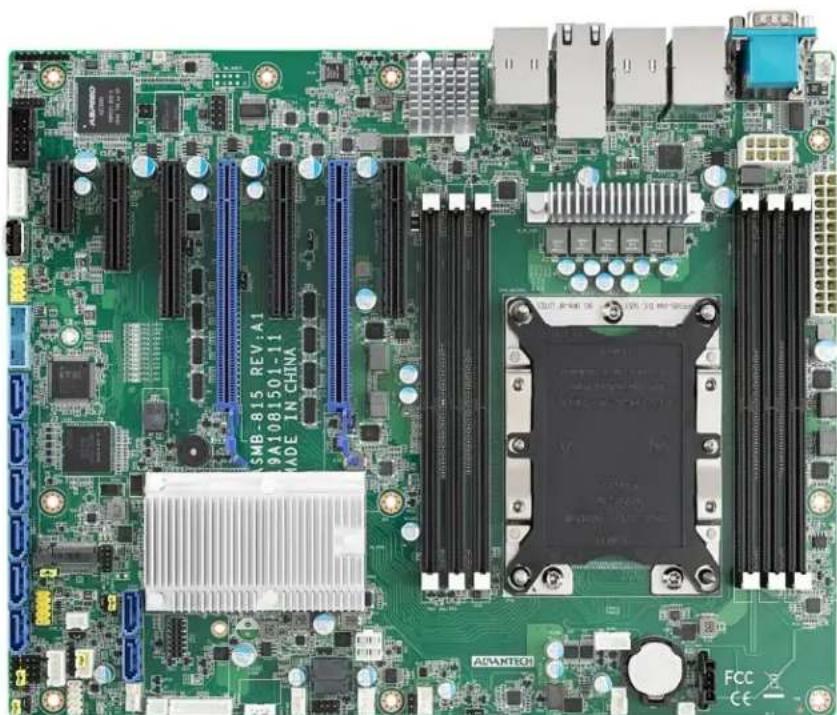
Advantech (AVS-860)
| Mura MPX Series Mura MPX + IPX Series | C-Series C-Series | Mura IPX Series | Third party + Mura IPX Series | |
| Validated Yes/Yes (Requires Mura) | Yes (Requires Mura drivers version 2.09 or newer) | Yes (Requires Mura drivers version 2.09 or newer) | No foreseeable compatibility issues | |
| Maximum number of cards supported | 11 | |||
| Maximum supported Mura MPX-4/4, MPX-4/2, MPX-4/0, and/or IPX Series | 10 | |||
| Maximum supported Mura MPX-V8, MPX-V16 and/or console display* | 10 | |||
| Maximum supported C900/C680 | 2 | |||
| Motherboard PCE-7127/PCE-5128 (SHB), PCE-5B12-00A1 (Backplane) | ||||
| PCIe expansion slots | • 10 PCIe x16 2.0 slots (×16 mechanical, ×16 electrical) • 1 PCIe x16 2.0 slot (×16 mechanical, ×4 electrical) | |||
| Chipset • Intel | ® C216 (PCE-7127) • Intel® Q87 (PCE-5128) | |||
| Processor | • Intel® Xeon® E3-1275 V2, 3.50 GHz (PCE-7127) • Intel® Core™ i7-4770S, 3.10 GHz (PCE-5128) | |||
| System memory 4 GB DDR3, | 1333 MHz | |||
| System BIOS | • Core version: 4.6.5.3 0.18 x64 (PCE-7127) Project version: PCE 7127X005 • Core version: 4.6.5.4 0.35 x64 (PCE-5128) Project version: PCE 5128XH01 | |||
| Power supply 800W redundant | Optional power supply required for maximum support of third party graphics hardware. | |||
| Chassis 6U rack mount | ||||
| Notes | • If you're inserting a P690 card (to use as a console display) in the slot labeled PPCIEx4_1, make sure the PCIe root port 1 of the ASPM settings is disabled. To disable ASPM, in the system BIOS, go to Advanced → PCI Subsystem Settings → PCI Express Settings → ASPM Support • Once the Mura cards are installed in the system, install the hold down clamp. Make sure to insert the rubber foot to secure the cards into position. It's there to protect the cards against shock and vibration. For more information, see the system / chassis manual. • If your power supply has an insufficient number of 6-pin connectors to support the maximum number of third party graphics hardware, you can order optional power cables. For more information on power requirements, see the documentation for your third party graphics hardware. • The chassis fans must remain at full speed. | |||
- Maximum of 1 console display per system.
Configurations
| Slot | C-Series based controller | Mura MPX Series based controller | Third party based controller | |||
| Main | Options | Main | Options | Main | Options | |
| P1PCIEX16_1 | C680 | C | Mura MPX-4/4 | B | Third party graphics hardware | |
| P1PCIEX16_2 | MURAIPXI-D4JF | A | Mura MPX-4/4 | A, B, D | Third party graphics hardware | A |
| P1PCIEX16_3 | MURAIPXI-D4JF | A | MURAIPXI-D4JF | A, B, D | Third party graphics hardware | A |
| P1PCIEX16_4 | MURAIPXI-D4JF | A | MURAIPXI-D4JF | A, B, D | MURAIPXI-D4JF | A |
| P1PCIEX16_5 | MURAIPXI-D4JF | A | MURAIPXI-D4JF | A, B, D | MURAIPXI-D4JF | A |
| P2PCIEX16_1 | C680 | A, C | Mura MPX-4/4 | A, B, D | Third party graphics hardware | A |
| P2PCIEX16_2 | MURAIPXI-D4JF | A | Mura MPX-4/4 | A, B, D | Third party graphics hardware | A |
| P2PCIEX16_3 | MURAIPXI-D4JF | A | MURAIPXI-D4JF | A, B, D | MURAIPXI-D4JF | A |
| P2PCIEX16_4 | MURAIPXI-D4JF | A | MURAIPXI-D4JF | A, B, D | MURAIPXI-D4JF | A |
| P2PCIEX16_5 | MURAIPXI-D4JF | A | MURAIPXI-D4JF | A, B, D | MURAIPXI-D4JF | A |
| PPCIEX4_1 | Console display | F | Console display | E | Empty (Unusable) | |
Option Product
| A | MURAIPXI-E4SF, MURAIPXI-E4SHF, MURAIPXI-D2MF, MURAIPXI-D2MHF, MURAIPXI-E2MF, MURAIPXI-E2MHF, MURAIPXI-D4JF, MURAIPXI-D4JHF, MURAIPXI-E4JF, or MURAIPXI-E4JHF |
| B Mura MPX-4/4, MPX-4/2, MPX-4/0, or MPX-SDI | |
| C | C900 or C680 |
| D | Mura MPX-V16 or MPX-V8 |
| E | Matrox P690 PCIe x16, Matrox P690 Plus LP PCIe x16, Matrox M9148 LP PCIe x16, Matrox M9140 LP PCIe x16, Matrox M9138 LP PCIe x16, Matrox M9128 LP PCIe x16, Matrox M9125 PCIe x16, Matrox M9120 Plus LP PCIe x16, Matrox M9120 Plus LP PCIe x1, or Matrox M9120 PCIe x16 (console options) |
| F | Matrox M9148 LP PCIe x16, Matrox M9140 LP PCIe x16, Matrox M9138 LP PCIe x16, Matrox M9128 LP PCIe x16, Matrox M9125 PCIe x16, Matrox M9120 Plus LP PCIe x16, Matrox M9120 Plus LP PCIe x1, Matrox M9120 PCIe x16, NVIDIA NVS 510, NVIDIA NVS 310, NVIDIA Quadro P400, Intel HD Graphics HD 630, or Intel HD Graphics 530 (console options) |
Motherboard layout
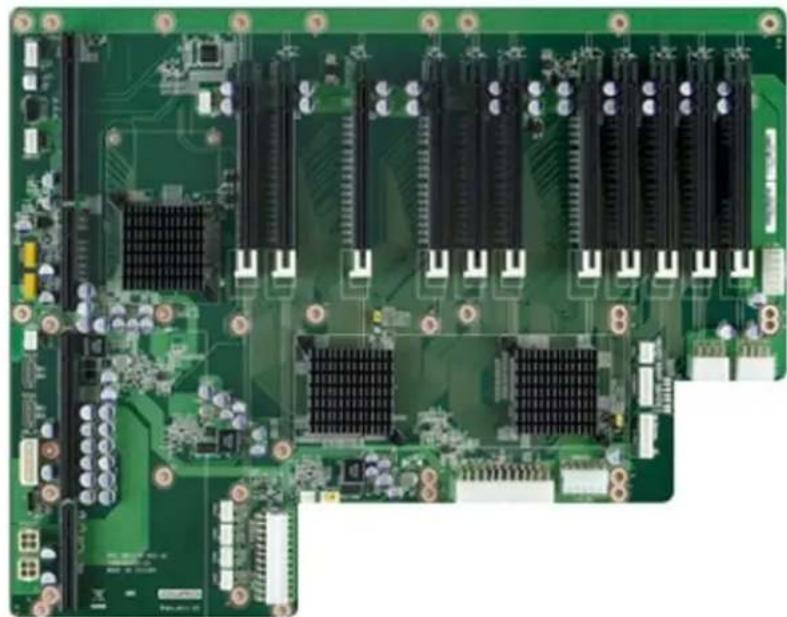
Advantech (AVS-860 with PCE-5129 SHB)
| Mura MPX Series Mura MPX + IPX Series | C-Series C-Series | Mura IPX Series | Third party + Mura IPX Series | |
| Validated Yes/Yes (Requires Mura) | driver version 3.01 or later) | Yes/No foreseeable | compatible issues | |
| Maximum number of cards supported | 11 | |||
| Maximum supported Mura MPX-4/4, MPX-4/2, MPX-4/0, and/or IPX Series | 10 | |||
| Maximum supported Mura MPX-V8, MPX-V16 and/or console display | 10 | |||
| Maximum supported C900/C680 | 2 | |||
| Motherboard PCE-5129 (SHB), PCE-5B12-00A1 (Backplane) | ||||
| PCIe expansion slots | • 10 PCIe x16 2.0 slots (×16 mechanical, ×16 electrical) • 1 PCIe x16 2.0 slot (×16 mechanical, ×4 electrical) | |||
| Chipset Intel | ® Q170 | |||
| Processor Intel | ® Core™ i7-6770S, 3.40 GHz | |||
| System memory 16 GB DDR4 | ||||
| System BIOS version Core version: 5.0.1.2.0.20 x64 | ||||
| Power supply | Project version: 5129000QF60F201 | |||
| Chassis | 6U rack mount | |||
| Notes | • Once the Mura cards are installed in the system, install the hold down clamp. Make sure to insert the rubber foot to secure the cards into position. It's there to protect the cards against shock and vibration. For more information, see the system / chassis manual. • If your power supply has an insufficient number of 6-pin connectors to support the maximum number of third party graphics hardware, you can order optional power cables. For more information on power requirements, see the documentation for your third party graphics hardware. • The chassis fans must remain at full speed. | |||
- Maximum of 1 console display per system.
Configurations
| Slot | C-Series based controller | Mura MPX Series based controller | Third party based controller | |||
| Main | Options | Main | Options | Main | Options | |
| P1PCIEX16_1 | C680 | C | Mura MPX-4/4 | B | Third party graphics hardware | |
| P1PCIEX16_2 | MURAIPXI-D4JF | A | Mura MPX-4/4 | A, B, D | Third party graphics hardware | A |
| P1PCIEX16_3 | MURAIPXI-D4JF | A | MURAIPXI-D4JF | A, B, D | Third party graphics hardware | A |
| P1PCIEX16_4 | MURAIPXI-D4JF | A | MURAIPXI-D4JF | A, B, D | MURAIPXI-D4JF | A |
| P1PCIEX16_5 | MURAIPXI-D4JF | A | MURAIPXI-D4JF | A, B, D | MURAIPXI-D4JF | A |
| P2PCIEX16_1 | C680 | A, C | Mura MPX-4/4 | A, B, D | Third party graphics hardware | A |
| P2PCIEX16_2 | MURAIPXI-D4JF | A | Mura MPX-4/4 | A, B, D | Third party graphics hardware | A |
| P2PCIEX16_3 | MURAIPXI-D4JF | A | MURAIPXI-D4JF | A, B, D | MURAIPXI-D4JF | A |
| P2PCIEX16_4 | MURAIPXI-D4JF | A | MURAIPXI-D4JF | A, B, D | MURAIPXI-D4JF | A |
| P2PCIEX16_5 | MURAIPXI-D4JF | A | MURAIPXI-D4JF | A, B, D | MURAIPXI-D4JF | A |
| PPCIEX4_1 | Console display | F | Console display | E | Empty (Unusable) | |
Option Product
| A | MURAIPXI-E4SF, MURAIPXI-E4SHF, MURAIPXI-D2MF, MURAIPXI-D2MHF, MURAIPXI-E2MF, MURAIPXI-E2MHF, MURAIPXI-D4JF, MURAIPXI-D4JHF, MURAIPXI-E4JF, or MURAIPXI-E4JHF |
| B Mura MPX-4/4, MPX-4/2, MPX-4/0, or MPX-SDI | |
| C C900 or C680 | |
| D Mura MPX-V16 or MPX-V8 | |
| E | Matrox P690 PCIe x16, Matrox P690 Plus LP PCIe x16, Matrox M9148 LP PCIe x16, Matrox M9140 LP PCIe x16, Matrox M9138 LP PCIe x16, Matrox M9128 LP PCIe x16, Matrox M9125 PCIe x16, Matrox M9120 Plus LP PCIe x16, Matrox M9120 Plus LP PCIe x16 (console options) |
| F | Matrox M9148 LP PCIe x16, Matrox M9140 LP PCIe x16, Matrox M9138 LP PCIe x16, Matrox M9128 LP PCIe x16, Matrox M9125 PCIe x16, Matrox M9120 Plus LP PCIe x16, Matrox M9120 Plus LP PCIe x1, Matrox M9120 PCIe x16, NVIDIA NVS 510, NVIDIA NVS 310, NVIDIA Quadro P400, Intel HD Graphics HD 630, or Intel HD Graphics 530 (console options) |
Motherboard layout
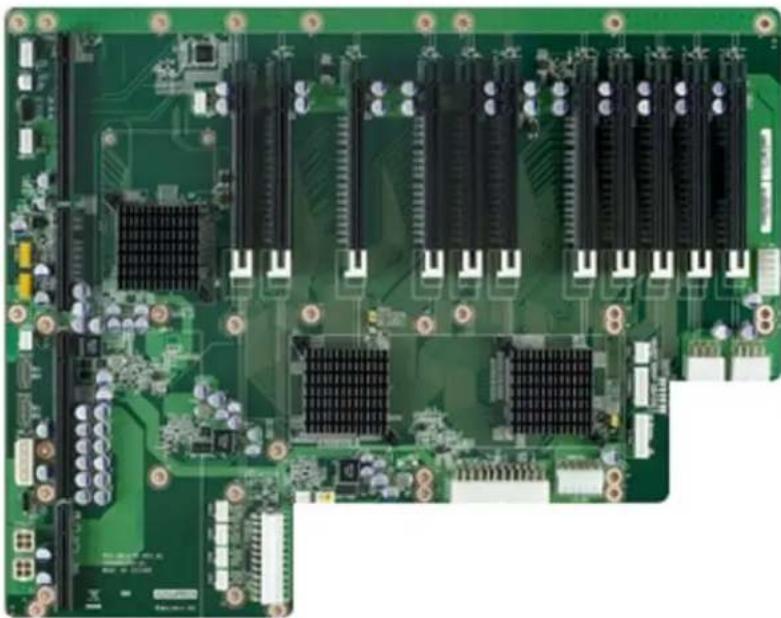
Advantech (AVS-860 with PCE-7129 SHB)
| Mura MPX Series Mura MPX + IPX Series | C-Series C-Series | Mura IPX Series | Third party + Mura IPX Series | |
| Validated Yes Yes (Requires Mura) | driver version 3.01 or later) | YesYesNo foreseeable | compatibility issues | |
| Maximum number of cards supported | 11 | |||
| Maximum supported Mura MPX-4/4, MPX-4/2, MPX-4/0, and/or IPX Series | 10 | |||
| Maximum supported Mura MPX-V8, MPX-V16 and/or console display | 10 | |||
| Maximum supported C900/C680 | 2 | |||
| Motherboard PCE-7129 (SHB), PCE-5B12-00A1 (Backplane) | ||||
| PCIe expansion slots | • 10 PCIe x16 2.0 slots (×16 mechanical, ×16 electrical) • 1 PCIe x16 2.0 slot (×16 mechanical, ×4 electrical) | |||
| Chipset Intel | ® C236 | |||
| Processor Intel | ® Core™ i7-6770S, 3.40 GHz | |||
| System memory 32 GB DDR4 | ||||
| System BIOS version Core version: 5.0.1.2.0.20 x64 | ||||
| Power supply | Project version: 7129000CF60E201 | |||
| Chassis | 6U rack mount | |||
| Notes | • Once the Mura cards are installed in the system, install the hold down clamp. Make sure to insert the rubber foot to secure the cards into position. It's there to protect the cards against shock and vibration. For more information, see the system / chassis manual. • If your power supply has an insufficient number of 6-pin connectors to support the maximum number of third party graphics hardware, you can order optional power cables. For more information on power requirements, see the documentation for your third party graphics hardware. • The chassis fans must remain at full speed. | |||
- Maximum of 1 console display per system.
Configurations
| Slot | C-Series based controller | Mura MPX Series based controller | Third party based controller | |||
| Main | Options | Main | Options | Main | Options | |
| P1PCIEX16_1 | C680 | C | Mura MPX-4/4 | B | Third party graphics hardware | |
| P1PCIEX16_2 | MURAIPXI-D4JF | A | Mura MPX-4/4 | A, B, D | Third party graphics hardware | A |
| P1PCIEX16_3 | MURAIPXI-D4JF | A | MURAIPXI-D4JF | A, B, D | Third party graphics hardware | A |
| P1PCIEX16_4 | MURAIPXI-D4JF | A | MURAIPXI-D4JF | A, B, D | MURAIPXI-D4JF | A |
| P1PCIEX16_5 | MURAIPXI-D4JF | A | MURAIPXI-D4JF | A, B, D | MURAIPXI-D4JF | A |
| P2PCIEX16_1 | C680 | A, C | Mura MPX-4/4 | A, B, D | Third party graphics hardware | A |
| P2PCIEX16_2 | MURAIPXI-D4JF | A | Mura MPX-4/4 | A, B, D | Third party graphics hardware | A |
| P2PCIEX16_3 | MURAIPXI-D4JF | A | MURAIPXI-D4JF | A, B, D | MURAIPXI-D4JF | A |
| P2PCIEX16_4 | MURAIPXI-D4JF | A | MURAIPXI-D4JF | A, B, D | MURAIPXI-D4JF | A |
| P2PCIEX16_5 | MURAIPXI-D4JF | A | MURAIPXI-D4JF | A, B, D | MURAIPXI-D4JF | A |
| PPCIEX4_1 | Console display | F | Console display | E | Empty (Unusable) | |
Option Product
| A | MURAIPXI-E4SF, MURAIPXI-E4SHF, MURAIPXI-D2MF, MURAIPXI-D2MHF, MURAIPXI-E2MF, MURAIPXI-E2MHF, MURAIPXI-D4JF, MURAIPXI-D4JHF, MURAIPXI-E4JF, or MURAIPXI-E4JHF |
| B Mura MPX-4/4, MPX-4/2, MPX-4/0, or MPX-SDI | |
| C C900 or C680 | |
| D Mura MPX-V16 or MPX-V8 | |
| E | Matrox P690 PCIe x16, Matrox P690 Plus LP PCIe x16, Matrox M9148 LP PCIe x16, Matrox M9140 LP PCIe x16, Matrox M9138 LP PCIe x16, Matrox M9128 LP PCIe x16, Matrox M9125 PCIe x16, Matrox M9120 Plus LP PCIe x16, Matrox M9120 Plus LP PCIe x16 (console options) |
| F | Matrox M9148 LP PCIe x16, Matrox M9140 LP PCIe x16, Matrox M9138 LP PCIe x16, Matrox M9128 LP PCIe x16, Matrox M9125 PCIe x16, Matrox M9120 Plus LP PCIe x16, Matrox M9120 Plus LP PCIe x1, Matrox M9120 PCIe x16, NVIDIA NVS 510, NVIDIA NVS 310, NVIDIA Quadro P400, Intel HD Graphics HD 630, or Intel HD Graphics 530 (console options) |
Motherboard layout
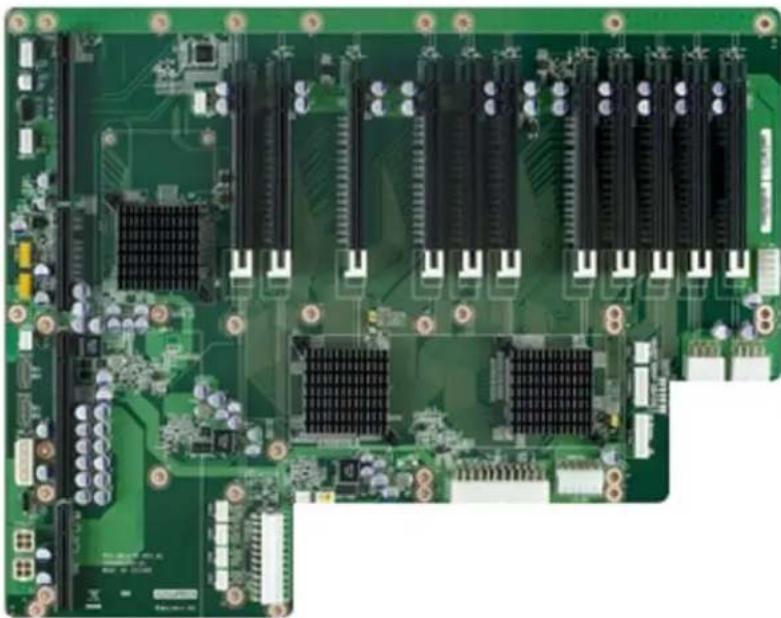
Dell® Precision™ Rack 7910
| Mura MPX Series Mura MPX + IPX Series | C-Series C-Series | Mura IPX Series | Third party + Mura IPX Series | |
| Validated YesNo foreseeable | compatibility issues | YesNo foreseeable | compatibility issues | |
| Maximum number of cards supported | 3 | |||
| PCIe expansion slots | Riser 1: Slot 1 – One half-height, low-profile x8 link Slot 2 – One half-height, low-profile x8 link Slot 3 – One half-height, low-profile x8 link Riser 2: Slot 4 – One full-height, full-length x16 link (Note: To use slots 1 to 4, make sure both processors are installed.) Slot 5 – One full-height, full-length x16 link Riser 3 (Default): Slot 6 – One full-height, full-length x16 link Slot 7 – One full-height, full-length x16 link Riser 3 (Alternate for GPU): Slot 6 – One full-height, full-length x16 link | |||
| Chipset Intel | ® C612 | |||
| Processor Intel | ® Xeon® E5-2609 processor V3, 1.9 GHz | |||
| System memory 8 GB DDR4 | ||||
| System BIOS version 1.4.3 | ||||
| Power supply 1100W | ||||
| Expansion slot configuration | Insert the two Mura MPX-4/4 cards in the slots labeledSLOT6_G3_x8(CPU1)PCIe3x16 and SLOT7_G3_x8(CPU1) of Riser 3. Insert the Mura MPX-V16 card in the slot labeledSLOT5_G3_x8(CPU1) of Riser2. | |||
| Notes • In the system BIOS, go to Integrated Devices, and set Memory mapped I/O above 4GB to Disabled. • To add the ribbon cables (for framelock), remove the plastic casing on the system close to the Mura MPX-4/4 cards. You can replace the plastic casing when you're done. | ||||
Dell® Precision™ 5810 Tower Workstation
| Mura MPX Series Mura MPX + IPX Series | C-Series C-Series | Mura IPX Series | Third party + Mura IPX Series | |
| Validated Yes/No foreseeable | compatibility issues | Yes/No foreseeable | compatibility issues | |
| Maximum number of cards supported | 4 | |||
| Maximum supported Mura MPX-4/4, MPX-4/2, MPX-4/0, and/or IPX Series | 2 | |||
| Maximum supported Mura MPX-V8, MPX-V16 and/or console display' | 2 | |||
| Maximum supported C900/C680 | 2 | |||
| Chipset Intel | ® C612 | |||
| PCIe expansion slots | • 2 PCIe x16 3.0 slots (×16 mechanical and electrical) • 1 PCIe x16 3.0 slot (×16 mechanical, x4 electrical) • 1 PCIe x4 2.0 slot • 1 PCIe x1 2.0 slot | |||
| Processor Intel | ® Xeon® E5-1620 processor V3, 3.5 GHz | |||
| System memory 8 GB DDR4 | ||||
| System BIOS version A06 | ||||
| Power supply 685W | ||||
| Notes | • If the build date of your Mura MPX-4/4, MPX-4/2, or MPX-4/0 card is before March 1, 2015, your card requires a firmware update to work with this specific system. You can find the build date of your Mura card on the backside of the card and on the product box. Please contact DWC support to update your card, if applicable. • Due to mechanical conflict with RAM cooling cover, a full-length card can't be placed on the PCIe x8 slot close to the RAM. If your console display is a full-length card, use PCIe x4 slot instead | |||
- Maximum of 1 console display per system.
Configurations
| Slot | C-Series based controller | Mura MPX Series based controller | Third party based controller | |||
| Main | Options | Main | Options | Main | Options | |
| SLOT1 PCIe3x16 | Console display | F | Console display | E | Empty | |
| SLOT2 PCIe3x16 | C680 | C | Mura MPX-4/4 | B | Third party graphics hardware | |
| SLOT3 PCIe2x1 | Empty (Unusable) | Empty (Unusable) | Empty (Unusable) | |||
| SLOT4 PCIe3x16 | MURAIPXI-D4JF | A, C | Mura MPX-4/4 | B, D | MURAIPXI-D4JF | A |
| SLOT5 PCIe2x4 | Empty | Mura MPX-V8 | D | Empty | ||
| SLOT1 PCI | Empty | Empty | Empty | |||
| Option | Product | |||||
| A | MURAIPXI-E4SF, MURAIPXI-E4SHF, MURAIPXI-D2MF, MURAIPXI-D2MHF, MURAIPXI-E2MF, MURAIPXI-E2MHF, MURAIPXI-D4JF, MURAIPXI-D4JHF, MURAIPXI-E4JF, or MURAIPXI-E4JHF | |||||
| B | Mura MPX-4/4, MPX-4/2, MPX-4/0, or MPX-SDI | |||||
| C | C900 or C680 | |||||
| D | Mura MPX-V16 or MPX-V8 | |||||
Option Product
| E | Matrox P690 PCIe x16, Matrox P690 Plus LP PCIe x16, Matrox M9148 LP PCIe x16, Matrox M9140 LP PCIe x16, Matrox M9138 LP PCIe x16, Matrox M9128 LP PCIe x16, Matrox M9125 PCIe x16, Matrox M9120 Plus LP PCIe x16, Matrox M9120 Plus LP PCIe x1, or Matrox M9120 PCIe x16 (console options) |
| F | Matrox M9148 LP PCIe x16, Matrox M9140 LP PCIe x16, Matrox M9138 LP PCIe x16, Matrox M9128 LP PCIe x16, Matrox M9125 PCIe x16, Matrox M9120 Plus LP PCIe x16, Matrox M9120 Plus LP PCIe x1, Matrox M9120 PCIe x16, NVIDIA NVS 510, NVIDIA NVS 310, NVIDIA Quadro P400, Intel HD Graphics HD 630, or Intel HD Graphics 530 (console options) |
Dell® Precision™ 5820 Tower Workstation
| Mura MPX Series Mura MPX + IPX Series | C-Series C-Series | Mura IPX Series | Third party + Mura IPX Series | ||
| Validated | Yes | Yes | Yes | Yes | No foreseeable compatibility issues |
| Maximum number of cards supported | 4 | ||||
| Maximum supported Mura MPX-4/4, MPX-4/2, MPX-4/0, and/or IPX Series | 3 | ||||
| Maximum supported Mura MPX-V8, MPX-V16 and/or console display* | 2 | ||||
| Maximum supported C900/C680 | 2 | ||||
| Chipset Intel | ® C422 | ||||
| PCIe expansion slots | • 2 PCIe x16 3.0 slots (×16 mechanical and electrical) • 1 PCIe x16 3.0 slot (×16 mechanical, ×8 electrical) • 1 PCIe x16 3.0 slot (×16 mechanical, ×4 electrical) | ||||
| Processor Intel | ® Xeon® W-2102 CPU, 3.5 GHz | ||||
| System memory 16 GB | |||||
| System BIOS version Dell Inc. | 1.11.1, 2019-04-24 | ||||
| Power supply 425W | |||||
| Notes | • In the system BIOS → Thermal config, make sure the following are configured properly: • Thermal mode → Auto • PCIe Zone → at least 25% • CPU/Memory Zone → at least 25% • In the system BIOS → Advanced Configurations → ASPM → Disabled. • No console support with C-Series controllers. | ||||
Maximum of 1 console display per system.
Configurations
| Slot | C-Series based controller | Mura MPX Series based controller | Third party based controller | |||
| Main | Options | Main | Options | Main | Options | |
| PCIe3 X8_Slot1 | MURAIPXI-D4JF | A | MURAIPXI-D4JF | A, B, D | MURAIPXI-D4JF | A |
| PCIe3 X16_Slot2 | C680 | C | Mura MPX-4/4 | B | Third party graphics hardware | |
| PCIe3 X1_Slot3 | Empty (Unusable) | Empty (Unusable) | ||||
| PCIe3 X16_Slot4 | C680 | A, C | Mura MPX-4/4 | A, B, D | Third-party graphics hardware | A |
| PCIe3 X4_Slot5 | Empty | Console display | E | Empty | ||
| PCI_Slot6 | Empty | Empty | ||||
| Option | Product |
| A | MURAIPXI-E4SF, MURAIPXI-E4SHF, MURAIPXI-D2MF, MURAIPXI-D2MHF, MURAIPXI-E2MF, MURAIPXI-E2MHF, MURAIPXI-D4JF, MURAIPXI-D4JHF, MURAIPXI-E4JF, or MURAIPXI-E4JHF |
| B | Mura MPX-4/4, MPX-4/2, MPX-4/0, or MPX-SDI |
| C | C900 or C680 |
| D | Mura MPX-V16 or MPX-V8 |
Option Product
| E | Matrox P690 PCIe x16, Matrox P690 Plus LP PCIe x16, Matrox M9148 LP PCIe x16, Matrox M9140 LP PCIe x16, Matrox M9138 LP PCIe x16, Matrox M9128 LP PCIe x16, Matrox M9125 PCIe x16, Matrox M9120 Plus LP PCIe x16, Matrox M9120 Plus LP PCIe x1, or Matrox M9120 PCIe x16 (console options) |
| F | Matrox M9148 LP PCIe x16, Matrox M9140 LP PCIe x16, Matrox M9138 LP PCIe x16, Matrox M9128 LP PCIe x16, Matrox M9125 PCIe x16, Matrox M9120 Plus LP PCIe x16, Matrox M9120 Plus LP PCIe x1, Matrox M9120 PCIe x16, NVIDIA NVS 510, NVIDIA NVS 310, NVIDIA Quadro P400, Intel HD Graphics HD 630, or Intel HD Graphics 530 (console options) |
HP® Z4 G4 Workstation
| Mura MPX Series Mura MPX + IPX Series | C-Series C-Series | Mura IPX Series | Third party + Mura IPX Series | ||
| Validated | No | No | Yes | Yes | No foreseeable compatibility issues |
| Maximum number of cards supported | 4 | ||||
| Maximum supported Mura MPX-4/4, MPX-4/2, MPX-4/0, and/or IPX Series | 2 (Only Mura IPX Series) | ||||
| Maximum supported Mura MPX-V8, MPX-V16 and/or console display* | 1 (Only console) | ||||
| Maximum supported C900/C680 | 2 | ||||
| PCIe expansion slots | • 2 PCIe x16 3.0 slots (x16 mechanical and electrical) • 1 PCIe x8 3.0 slots (x16 mechanical, x8 electrical) • 2 PCIe x4 3.0 slot | ||||
| Chipset Intel | ® C422 | ||||
| Processor Intel | ® Xeon W-2135 CPU @ 3.70 GHz | ||||
| System memory 32 GB DDR4 | |||||
| System BIOS version P61 v01.61 | |||||
| Power supply 750W | |||||
| Notes | • In the system BIOS → Advanced → Built-IN Device options → Increase idle fan speed → 100%. | ||||
Maximum of 1 console per system.
Configurations
| Slot | C-Series based controller | Mura MPX Series based controller | Third party based controller | |||
| Main | Options | Main | Options | Main | Options | |
| PCIe3X16_Slot1 | C680 | C | — | Third party graphics hardware | ||
| PCIe3X4_Slot2 | Console display | F | — | Empty (Unusable) | ||
| PCIe3X16_Slot3 | C680 | A, C | — | Third party graphics hardware | A | |
| PCIe3X4_Slot4 | Empty (Unusable) | — | Empty (Unusable) | |||
| PCIe3X8_Slot5 | MURAIPXI-D4JF | A | — | MURAIPXI-D4JF | A | |
| Option | Product |
| A | MURAIPXI-E4SF, MURAIPXI-E4SHF, MURAIPXI-D2MF, MURAIPXI-D2MHF, MURAIPXI-E2MF, MURAIPXI-E2MHF, MURAIPXI-D4JF, MURAIPXI-D4JHF, MURAIPXI-E4JF, or MURAIPXI-E4JHF |
| B | Mura MPX-4/4, MPX-4/2, MPX-4/0, or MPX-SDI |
| C | C900 or C680 |
| D | Mura MPX-V16 or MPX-V8 |
| E | Matrox P690 PCIe x16, Matrox P690 Plus LP PCIe x16, Matrox M9148 LP PCIe x16, Matrox M9140 LP PCIe x16, Matrox M9138 LP PCIe x16, Matrox M9128 LP PCIe x16, Matrox M9125 PCIe x16, Matrox M9120 Plus LP PCIe x16, Matrox M9120 Plus LP PCIe x1, or Matrox M9120 PCIe x16 (console options) |
| F | Matrox M9148 LP PCIe x16, Matrox M9140 LP PCIe x16, Matrox M9138 LP PCIe x16, Matrox M9128 LP PCIe x16, Matrox M9125 PCIe x16, Matrox M9120 Plus LP PCIe x16, Matrox M9120 Plus LP PCIe x1, Matrox M9120 PCIe x16, NVIDIA NVS 510, NVIDIA NVS 310, Intel HD Graphics HD 630, or Intel HD Graphics 530 (console options) |
HP® Z420 Workstation
| Mura MPX Series Mura MPX + IPX Series | C-Series C-Series | Mura IPX Series | Third party + Mura IPX Series | |
| Validated YesNo foreseeable | compatibility issues | YesNo foreseeable | compatibility issues | |
| Maximum number of cards supported | 3 | |||
| Available PCIe expansion slots | • 2 PCIe x16 3.0 slots (×16 mechanical and electrical) • 1 PCIe x8 3.0 slot (×8 mechanical and electrical) • 1 PCIe x8 2.0 slot (×8 mechanical, x4 electrical) • 1 PCIe x4 2.0 slot (×4 mechanical, x1 electrical) | |||
| Chipset Intel | ® C602 | |||
| Processor Intel | ® Xeon® E5-1607, 3.00 GHz Quad Core | |||
| System memory 6 GB UDDR3 | ||||
| System BIOS version J61 V03.15 | ||||
| Power supply 600W | ||||
| Notes | A ribbon cable is required to framelock two Mura cards (P/N: F16279-00). For more information, contact your Matrox representative. | |||
Configurations
| Slot | C-Series based controller | Mura MPX Series based controller | Third party based controller | |||
| Main | Options | Main | Options | Main | Options | |
| 1 PCIe2 x4 (1) | — | Empty | — | |||
| 2 PCIe3 x16 | — | Mura MPX-4/4 | B | — | ||
| 3 PCIe2 x8 (4) | — | Empty | — | |||
| 4 PCIe3 x8 | — | Mura MPX-V16 | D | — | ||
| 5 PCIe3 x16 | — | Mura MPX-4/4 | A, B | — | ||
| 6 PCI 32/33 | — | Empty (Unusable) | — | |||
| Option | Product |
| A | MURAIPXI-E4SF, MURAIPXI-E4SHF, MURAIPXI-D2MF, MURAIPXI-D2MHF, MURAIPXI-E2MF, MURAIPXI-E2MHF, MURAIPXI-D4JF, MURAIPXI-D4JHF, MURAIPXI-E4JF, or MURAIPXI-E4JHF |
| B | Mura MPX-4/4, MPX-4/2, MPX-4/0, or MPX-SDI |
| C | C900 or C680 |
| D | Mura MPX-V16 or MPX-V8 |
| E | Matrox P690 PCIe x16, Matrox P690 Plus LP PCIe x16, Matrox M9148 LP PCIe x16, Matrox M9140 LP PCIe x16, Matrox M9138 LP PCIe x16, Matrox M9128 LP PCIe x16, Matrox M9125 PCIe x16, Matrox M9120 Plus LP PCIe x16, Matrox M9120 Plus LP PCIe x1, or Matrox M9120 PCIe x16 (console options) |
| F | Matrox M9148 LP PCIe x16, Matrox M9140 LP PCIe x16, Matrox M9138 LP PCIe x16, Matrox M9128 LP PCIe x16, Matrox M9125 PCIe x16, Matrox M9120 Plus LP PCIe x16, Matrox M9120 Plus LP PCIe x1, Matrox M9120 PCIe x16, NVIDIA NVS 510, NVIDIA NVS 310, NVIDIA Quadro P400, Intel HD Graphics HD 630, or Intel HD Graphics 530 (console options) |
HP® Z440 Workstation
| Mura MPX Series Mura MPX + IPX Series | C-Series C-Series | Mura IPX Series | Third party + Mura IPX Series | ||
| Validated | Yes | Yes | Yes | Yes | No foreseeable compatibility issues |
| Maximum number of cards supported | 4 | ||||
| Maximum supported Mura MPX-4/4, MPX-4/2, MPX-4/0, and/or IPX Series | 3 | ||||
| Maximum supported Mura MPX-V8, MPX-V16 and/or console display' | 3 | ||||
| Maximum supported C900/C680 | 2 | ||||
| PCIe expansion slots | • 2 PCIe x16 3.0 slots (×16 mechanical and electrical) • 1 PCIe x8 3.0 slot (×16 mechanical, ×8 electrical) • 1 PCIe x4 2.0 slot (×8 mechanical, ×4 electrical) • 1 PCIe x1 2.0 slot (×4 mechanical, ×1 electrical) | ||||
| Chipset Intel | ® C612 | ||||
| Processor Intel | ® Xeon® CPU E5-1603 v3, 2.80 GHz | ||||
| System memory 16 GB DDR4 | |||||
| System BIOS version V02.34 | |||||
| Power supply 700W | |||||
| Notes • In the system BIOS, go to Settings → Power Management → Fan Speed Control, then select Medium. • If your Mura MPX-4/4, MPX-4/2, or MPX-4/0 card build date is before March 1, 2015, your card requires a firmware update to work with this specific system. You can find the build date of your Mura card on the backside of the card and on the product box. Please contact DWC support to update your card, if applicable. | |||||
Maximum of 1 console display per system.
Configurations
| Slot | C-Series based controller | Mura MPX Series based controller | Third party based controller | |||
| Main | Options | Main | Options | Main | Options | |
| PCIe2 x1 | Empty (Unusable) | Empty (Unusable) | Empty (Unusable) | |||
| PCIe3 x16 | C680 | A, C | Mura MPX-4/4 | B | Third party graphics hardware | |
| PCIe2 x4 | Console display | F | Console display | E, D | Empty (unusable) | |
| PCIe3 x8 | MURAIPXI-D4JF | A | Mura MPX-4/4 | A, B, D | MURAIPXI-D4JF | A |
| PCIe3 x16 | MURAIPXI-D4JF | A, C | Mura MPX-4/4 | A, B, D | Third party graphics hardware | A |
| PCI 32/33 | Empty (Unusable) | Empty (Unusable) | Empty (Unusable) | |||
| Option | Product | |||||
| A | MURAIPXI-E4SF, MURAIPXI-E4SHF, MURAIPXI-D2MF, MURAIPXI-D2MHF, MURAIPXI-E2MF, MURAIPXI-E2MHF, MURAIPXI-D4JF, MURAIPXI-D4JHF, MURAIPXI-E4JF, or MURAIPXI-E4JHF | |||||
| B | Mura MPX-4/4, MPX-4/2, MPX-4/0, or MPX-SDI | |||||
| C | C900 or C680 | |||||
| D | Mura MPX-V16 or MPX-V8 | |||||
Option Product
| E | Matrox P690 PCIe x16, Matrox P690 Plus LP PCIe x16, Matrox M9148 LP PCIe x16, Matrox M9140 LP PCIe x16, Matrox M9138 LP PCIe x16, Matrox M9128 LP PCIe x16, Matrox M9125 PCIe x16, Matrox M9120 Plus LP PCIe x16, Matrox M9120 Plus LP PCIe x1, or Matrox M9120 PCIe x16 (console options) |
| F | Matrox M9148 LP PCIe x16, Matrox M9140 LP PCIe x16, Matrox M9138 LP PCIe x16, Matrox M9128 LP PCIe x16, Matrox M9125 PCIe x16, Matrox M9120 Plus LP PCIe x16, Matrox M9120 Plus LP PCIe x1, Matrox M9120 PCIe x16, NVIDIA NVS 510, NVIDIA NVS 310, NVIDIA Quadro P400, Intel HD Graphics HD 630, or Intel HD Graphics 530 (console options) |
HP® Z6 G4 Workstation
| Mura MPX Series Mura MPX + IPX Series | C-Series C-Series | + Mura IPX Series | Third party + Mura IPX Series | ||
| Validated | Yes | Yes | Yes | Yes | No foreseeable compatibility issues |
| Maximum number of cards supported | 6 | ||||
| Maximum supported Mura MPX-4/4, MPX-4/2, MPX-4/0, and/or IPX Series | 3 | ||||
| Maximum supported Mura MPX-V8, MPX-V16 and/or console display' | 5 | ||||
| Maximum supported C900/C680 | 2 | ||||
| PCIe expansion slots | • 2 PCIe x16 3.0 slots (x16 mechanical and electrical) • 1 PCIe x8 3.0 slots (x16 mechanical, x8/x4 electrical) • 3 PCIe x4 3.0 slot | ||||
| Chipset Intel C622 | |||||
| Processor Intel Xeon Gold 5122 CPU @ 3.6 GHz | |||||
| System memory 16 GB DDR4 ECC | |||||
| System BIOS version P60 v01.42 02/26/2018 | |||||
| Power supply 700W | |||||
| Notes | • In the system BIOS, select Advanced → Built-In Device options, and make sure Idle fan speed is set to 100%. • In the system BIOS, select Advanced → System Options → PCIe MMIO Assignment mode, then select 32 bit with Mura MPX Series based controllers. • In the system BIOS, select Advanced → System Options → PCIe MMIO Assignment mode, then select Auto with C-Series or third party based controllers. • To ensure slot4 remains x8 electrical, don't install the SSD in the second M.2 slot. | ||||
Maximum of 1 console per system.
Configurations
| Slot | C-Series based controller | Mura MPX Series based controller | Third party based controller | |||
| Main | Options | Main | Options | Main | Options | |
| PCIe3 X4_Slot1 | Empty (unusable) | Mura MPX-V8 | D | Empty (Unusable) | ||
| PCIe3 X16_Slot2 | C680 | C | Mura MPX-4/4 | B | Third party graphics hardware | |
| PCIe3 X4_Slot3 | Console display | F | Console display | D,E | Empty (Unusable) | |
| PCIe3 X8_Slot4 | MURAIPXI-D4JF | A | MURAIPXI-D4JF | A,B,D | MURAIPXI-D4JF | A |
| PCIe3 X16_Slot5 | C680 | A, C | Mura MPX-4/4 | A, B, D | Third party graphics hardware | A |
| PCIe3 X4_Slot6 | Empty (unusable) | Mura MPX-V8 | D | Empty (unusable) | ||
| Option | Product |
| A | MURAIPXI-E4SF, MURAIPXI-E4SHF, MURAIPXI-D2MF, MURAIPXI-D2MHF, MURAIPXI-E2MF, MURAIPXI-E2MHF, MURAIPXI-D4JF, MURAIPXI-D4JHF, MURAIPXI-E4JF, or MURAIPXI-E4JHF |
| B | Mura MPX-4/4, MPX-4/2, MPX-4/0, or MPX-SDI |
| C | C900 or C680 |
Option Product
| D Mura MPX-V16 or MPX-V8 | |
| E | Matrox P690 PCIe x16, Matrox P690 Plus LP PCIe x16, Matrox M9148 LP PCIe x16, Matrox M9140 LP PCIe x16, Matrox M9138 LP PCIe x16, Matrox M9128 LP PCIe x16, Matrox M9125 PCIe x16, Matrox M9120 Plus LP PCIe x16, Matrox M9120 Plus LP PCIe x1, or Matrox M9120 PCIe x16 (console options) |
| F | Matrox M9148 LP PCIe x16, Matrox M9140 LP PCIe x16, Matrox M9138 LP PCIe x16, Matrox M9128 LP PCIe x16, Matrox M9125 PCIe x16, Matrox M9120 Plus LP PCIe x16, Matrox M9120 Plus LP PCIe x1, Matrox M9120 PCIe x16, NVIDIA NVS 510, NVIDIA NVS 310, NVIDIA Quadro P400, Intel HD Graphics HD 630, or Intel HD Graphics 530 (console options) |
HP® Z620 Workstation
| Mura MPX Series Mura MPX + IPX Series | C-Series C-Series | Mura IPX Series | Third party + Mura IPX Series | |
| Validated Yes/No foreseeable | compatibility issues | Yes/No foreseeable | compatibility issues | |
| Maximum number of cards supported | 3 | |||
| PCIe expansion slots | 2 PCIe x16 3.0 slots1 PCIe x8 3.0 slot1 PCIe x8 2.0 slot (x8 mechanical, x4 electrical)1 PCIe x4 2.0 slot (x4 mechanical, x1 electrical) | |||
| Chipset Intel | ® C602 | |||
| Processor Intel | ® Xeon® E5-2640, 2.50 GHz | |||
| System memory 12 GB ECC DDR3 | ||||
| System BIOS version V3.93 | ||||
| Power supply 800W | ||||
| Notes | A ribbon cable is required to framelock two Mura cards (P/N: F16279-00). For more information, contact your Matrox representative.To remove one of the two cards, remove the module that houses the second CPU. This module hides the board retaining clip. | |||
Configurations
| Slot | C-Series based controller | Mura MPX Series based controller | Third party based controller | |||
| Main | Options | Main | Options | Main | Options | |
| 1 PCIe2 x4 (1) | — | Empty (Unusable) | — | |||
| 2 PCIe3 x16 | — | Mura MPX-4/4 | B | — | ||
| 3 PCIe2 x8 (4) | — | Console display | — | |||
| 4 PCIe3 x8 | — | Mura MPX-V8 | D, E | — | ||
| 5 PCIe3 x16 | — | Mura MPX-4/4 | A, B | — | ||
| 6 PCI 32/33 | — | Empty (Unusable) | — | |||
| Option | Product |
| A | MURAIPXI-E4SF, MURAIPXI-E4SHF, MURAIPXI-D2MF, MURAIPXI-D2MHF, MURAIPXI-E2MF, MURAIPXI-E2MHF, MURAIPXI-D4JF, MURAIPXI-D4JHF, MURAIPXI-E4JF, or MURAIPXI-E4JHF |
| B | Mura MPX-4/4, MPX-4/2, MPX-4/0, or MPX-SDI |
| C | C900 or C680 |
| D | Mura MPX-V16 or MPX-V8 |
| E | Matrox P690 PCIe x16, Matrox P690 Plus LP PCIe x16, Matrox M9148 LP PCIe x16, Matrox M9140 LP PCIe x16, Matrox M9138 LP PCIe x16, Matrox M9128 LP PCIe x16, Matrox M9125 PCIe x16, Matrox M9120 Plus LP PCIe x16, Matrox M9120 Plus LP PCIe x1, or Matrox M9120 PCIe x16 (console options) |
| F | Matrox M9148 LP PCIe x16, Matrox M9140 LP PCIe x16, Matrox M9138 LP PCIe x16, Matrox M9128 LP PCIe x16, Matrox M9125 PCIe x16, Matrox M9120 Plus LP PCIe x16, Matrox M9120 Plus LP PCIe x1, Matrox M9120 PCIe x16, NVIDIA NVS 510, NVIDIA NVS 310, NVIDIA Quadro P400, Intel HD Graphics HD 630, or Intel HD Graphics 530 (console options) |
HP® Z640 Workstation
| Mura MPX Series Mura MPX + IPX Series | C-Series C-Series | Mura IPX Series | Third party + Mura IPX Series | ||
| Validated | Yes | Yes | Yes | Yes | No foreseeable compatibility issues |
| Maximum number of cards supported | 4 | ||||
| Maximum supported Mura MPX-4/4, MPX-4/2, MPX-4/0, and/or IPX Series | 4 | ||||
| Maximum supported Mura MPX-V8, MPX-V16 and/or console display* | 3 | ||||
| Maximum supported C900/C680 | 2 | ||||
| PCIe expansion slots | • 2 PCIe 3.0 slots (×16 mechanical, ×16 electrical) • 1 PCIe 3.0 slot (×16 mechanical, ×8 electrical) • 1 PCIe 2.0 slot (×16 mechanical, ×4 electrical) • 1 PCIe 2.0 slot (×16 mechanical, ×1 electrical) | ||||
| Chipset Intel | ® C612 | ||||
| Processor Intel | ® Xeon® E5-2640 v.3, 2.60 GHz, Dual CPU | ||||
| System memory 16 GB DDR4 | |||||
| System BIOS version v02.48 | |||||
| Power supply 925W | |||||
| Notes | In the system BIOS, go to Advanced → Power Options. Under Thermal Options, set Fan Idle Mode to *** | ||||
- Maximum of 1 console display per system.
Configurations
| Slot | C-Series based controller | Mura MPX Series based controller | Third party based controller | |||
| Main | Options | Main | Options | Main | Options | |
| PCIe2 x1 | Empty (unusable) | Empty (unsuable) | Empty (unsuable) | |||
| PCIe3 x16 | C680 | A, C | Mura MPX-4/4 | A, B, D | Third party graphics hardware | |
| PCIe2 x4 | Console display | F | Console display | E | Empty (unusable) | |
| PCIe3 x8 | MURAIPXI-D4JF | A | Mura MPX-4/4 | A, B, D | MURAIPXI-D4JF | A |
| PCIe3 x16 | MURAIPXI-D4JF | A, C | Mura MPX-4/4 | A, B, D | Third party graphics hardware | A |
| PCI 32/33 | Empty (unusable) | Empty (Unusable) | Empty (unusable) | |||
| Option | Product |
| A | MURAIPXI-E4SF, MURAIPXI-E4SHF, MURAIPXI-D2MF, MURAIPXI-D2MHF, MURAIPXI-E2MF, MURAIPXI-E2MHF, MURAIPXI-D4JF, MURAIPXI-D4JHF, MURAIPXI-E4JF, or MURAIPXI-E4JHF |
| B | Mura MPX-4/4, MPX-4/2, MPX-4/0, or MPX-SDI |
| C | C900 or C680 |
| D | Mura MPX-V16 or MPX-V8 |
| E | Matrox P690 PCIe x16, Matrox P690 Plus LP PCIe x16, Matrox M9148 LP PCIe x16, Matrox M9140 LP PCIe x16, Matrox M9138 LP PCIe x16, Matrox M9128 LP PCIe x16, Matrox M9125 PCIe x16, Matrox M9120 Plus LP PCIe x16, Matrox M9120 Plus LP PCIe x1, or Matrox M9120 PCIe x16 (console options) |
| F | Matrox M9148 LP PCIe x16, Matrox M9140 LP PCIe x16, Matrox M9138 LP PCIe x16, Matrox M9128 LP PCIe x16, Matrox M9125 PCIe x16, Matrox M9120 Plus LP PCIe x16, Matrox M9120 Plus LP PCIe x1, Matrox M9120 PCIe x16, NVIDIA NVS 510, NVIDIA NVS 310, Intel HD Graphics HD 630, or Intel HD Graphics 530 (console options) |
HP® Z8 Workstation
| Mura MPX Series Mura MPX + IPX Series | C-Series C-Series + Mura IPX Series | Third party + Mura IPX Series | |||
| Validated | No | No | Yes | Yes (Requires 3.03 or later) | No foreseeable compatibility issues |
| Maximum number of cards supported | 6 | ||||
| Maximum supported Mura MPX-4/4, MPX-4/2, MPX-4/0, and/or IPX Series | 4 (Only Mura IPX Series) | ||||
| Maximum supported Mura MPX-V8, MPX-V16 and/or console display | 1 (only console) | ||||
| Maximum supported C900/C680 | 2 | ||||
| PCIe expansion slots | • 4 PCIe x16 3.0 slots (×16 mechanical and electrical) • 1 PCIe x8 3.0 slots (×16 mechanical, x8/x4 electrical) • 2 PCIe x4 3.0 slot | ||||
| Chipset Intel | ® C622 | ||||
| Processor Intel | ® Xeon Gold 6146 Dual CPU @ 3.20 GHz | ||||
| System memory 32 GB DDR4 | ECC Reg | ||||
| System BIOS version P60 v0 | 1.71, 11/5/2018 | ||||
| Power supply | 1125W | ||||
| Notes | • In the system BIOS, select Advanced → Built-IN Device options, then increase idle fan speed to 100%. • The second CPU must be populated for slot 3 and slot 6 to be available. • In the system BIOS, select Advanced → Port Options, then make sure Serial Port A is disabled. | ||||
- Maximum of 1 console per system.
Configurations
| Slot | C-Series based controller | Mura MPX Series based controller | Third party based controller | |||
| Main | Options | Main | Options | Main | Options | |
| PCIe3 X8_Slot1 | MURAIPXI-D4JF | A | — | MURAIPXI-D4JF | A | |
| PCIe3 X16_Slot2 | C680 | C | — | Third party graphics hardware | ||
| PCIe3 X16_Slot3 | MURAIPXI-D4JF | A | — | Third party graphics hardware | A | |
| PCIe3 X16_Slot4 | MURAIPXI-D4JF | A | — | Third party graphics hardware | A | |
| PCIe3 X4_Slot5 | Empty (unusable) | — | Empty (unusable) | |||
| PCIe3 X16_Slot6 | C680 | A, C | — | Third party graphics hardware | A | |
| PCIe3 X4_Slot7 | Console | F | — | Empty (unusable) | ||
| Option | Product |
| A | MURAIPXI-E4SF, MURAIPXI-E4SHF, MURAIPXI-D2MF, MURAIPXI-D2MHF, MURAIPXI-E2MF, MURAIPXI-E2MHF, MURAIPXI-D4JF, MURAIPXI-D4JHF, MURAIPXI-E4JF, or MURAIPXI-E4JHF |
| B | Mura MPX-4/4, MPX-4/2, MPX-4/0, or MPX-SDI |
| C | C900 or C680 |
Option Product
| D Mura MPX-V16 or MPX-V8 | |
| E | Matrox P690 PCIe x16, Matrox P690 Plus LP PCIe x16, Matrox M9148 LP PCIe x16, Matrox M9140 LP PCIe x16, Matrox M9138 LP PCIe x16, Matrox M9128 LP PCIe x16, Matrox M9125 PCIe x16, Matrox M9120 Plus LP PCIe x16, Matrox M9120 Plus LP PCIe x16 (console options) |
| F | Matrox M9148 LP PCIe x16, Matrox M9140 LP PCIe x16, Matrox M9138 LP PCIe x16, Matrox M9128 LP PCIe x16, Matrox M9125 PCIe x16, Matrox M9120 Plus LP PCIe x16, Matrox M9120 Plus LP PCIe x1, Matrox M9120 PCIe x16, NVIDIA NVS 510, NVIDIA NVS 310, NVIDIA Quadro P400, Intel HD Graphics HD 630, or Intel HD Graphics 530 (console options) |
InoNet Magnus-II
| Mura MPX Series Mura MPX + IPX Series | C-Series C-Series | Mura IPX Series | Third party + Mura IPX Series | ||
| Validated Yes/No foreseeable | compatibility issues | No foreseeable compatibility issues | No foreseeable compatibility issues | No foreseeable compatibility issues | |
| Maximum number of cards supported | 2 | ||||
| Motherboard Advantech ASM | B-785G4-00A1E | ||||
| PCIe expansion slots • 2 PCIe | ×16 2.0 slots • 1 PCIe x4 2.0 slot • 1 PCIe x1 2.0 slot | ||||
| Chipset Intel | ® C206 | ||||
| Processor Intel | ® Xeon® E3-1200 processor | ||||
| System memory 8 GB DDR3 | |||||
| System BIOS version 1.1 | |||||
| Power supply 500W redundant | |||||
| Performance considerations | • 1 card → ×16 (use the slot labeledPCIE6) • 2 cards → ×8 (switch to ×8 when slot labeled PCIE4 is used) | ||||
Configurations
| Slot | C-Series based controller | Mura MPX Series based controller | Third party based controller | |||
| Main | Options | Main | Options | Main | Options | |
| PCI1 | — | Empty (Unusable) | — | |||
| PCI2 | — | Empty (Unusable) | — | |||
| PCIE3 | — | Mura MPX-V8 | D | — | ||
| PCIE4 | — | Mura MPX-4/4 | A, B, D | — | ||
| PCI5 | — | Empty (Unusable) | — | |||
| PCIE6 | — | Mura MPX-4/4 | A, B, D | — | ||
| Option | Product |
| A | MURAIPXI-E4SF, MURAIPXI-E4SHF, MURAIPXI-D2MF, MURAIPXI-D2MHF, MURAIPXI-E2MF, MURAIPXI-E2MHF, MURAIPXI-D4JF, MURAIPXI-D4JHF, MURAIPXI-E4JF, or MURAIPXI-E4JHF |
| B | Mura MPX-4/4, MPX-4/2, MPX-4/0, or MPX-SDI |
| C | C900 or C680 |
| D | Mura MPX-V16 or MPX-V8 |
| E | Matrox P690 PCIe x16, Matrox P690 Plus LP PCIe x16, Matrox M9148 LP PCIe x16, Matrox M9140 LP PCIe x16, Matrox M9138 LP PCIe x16, Matrox M9128 LP PCIe x16, Matrox M9125 PCIe x16, Matrox M9120 Plus LP PCIe x16, Matrox M9120 Plus LP PCIe x1, or Matrox M9120 PCIe x16 (console options) |
| F | Matrox M9148 LP PCIe x16, Matrox M9140 LP PCIe x16, Matrox M9138 LP PCIe x16, Matrox M9128 LP PCIe x16, Matrox M9125 PCIe x16, Matrox M9120 Plus LP PCIe x16, Matrox M9120 Plus LP PCIe x1, Matrox M9120 PCIe x16, NVIDIA NVS 510, NVIDIA NVS 310, NVIDIA Quadro P400, Intel HD Graphics HD 630, or Intel HD Graphics 530 (console options) |
Lenovo ThinkStation P520
| Mura MPX Series M | Mura MPX + IPX Series | C-Series C-Series | Mura IPX Series | Third party + Mura IPX Series | |
| Validated | Yes | Yes | Yes | Yes | No foreseeable compatibility issues |
| Maximum number of cards supported | 4 | ||||
| Maximum supported Mura MPX-4/4, MPX-4/2, MPX-4/0, and/or IPX Series | 3 | ||||
| Maximum supported Mura MPX-V8, MPX-V16 and/or console display' | 2 | ||||
| Maximum supported C900/C680 | 2 | ||||
| PCIe expansion slots - 2 PCIe x16 3.0 slots | |||||
| Chipset Intel | ® C422 | ||||
| Processor Intel | ® Xeon W 2123 CPU @ 3.60 GHz | ||||
| System memory 16 GB | |||||
| System BIOS version Lenovo | S03KT25A, 3/20/2019 | ||||
| Power supply 690W | |||||
| Notes | In the system BIOS, select POWER → Fan Control Stepping → 7- Higher Fan Speed. In the system BIOS, select ADVANCE → PCIE/PCI settings → M.2 Slot 1 status → PCIE Port → Disable. In the system BIOS, select ADVANCE → PCIE/PCI settings → M.2 Slot 2 status → PCIE Port → Disable. C-Series or third party based controllers - In the system BIOS, select STARTUP → CSM → Disable. C-Series or third party based controllers - In the system BIOS, select ADVANCE → PCIE/PCI settings → Above 4G Decoding → Enable. Mura MPX Series based controllers - In the system BIOS, select Boot Mode → Legacy only. Mura MPX Series based controllers - In the system BIOS, select STARTUP → CSM → Enable. Mura MPX Series based controllers - In the system BIOS, select STARTUP → CSM → Set Network, Storage, Video & Other PCI devices → Legacy. Mura MPX Series based controllers - In the system BIOS, select ADVANCE → PCIE/PCI settings → Above 4G Decoding → Disable. | ||||
Maximum of 1 console per system.
Configurations
| Slot | C-Series based controller | Mura MPX Series based controller | Third party based controller | |||
| Main | Options | Main | Options | Main | Options | |
| PCIe3 X8_Slot1 | MURAIPXI-D4JF | A | MURAIPXI-D4JF | A, B, D | MURAIPXI-D4JF | A |
| PCIe3 X16_Slot2 | C680 | C | Mura MPX-4/4 | B | Third party graphics hardware | |
| PCIe3 X4_Slot3 | Console display | F | Console display | E | Empty (unusable) | |
| PCIe3 X16_Slot4 | C680 | A, C | Mura MPX-4/4 | A, B, D | Third party graphics hardware | A |
| PCI_Slot5 | Empty (unusable) | Empty (unusable) | Empty (unusable) | |||
| PCIe3 X4_Slot3 | Empty (unusable) | Empty (unusable) | Empty (unusable) | |||
Option Product
| A | MURAIPXI-E4SF, MURAIPXI-E4SHF, MURAIPXI-D2MF, MURAIPXI-D2MHF, MURAIPXI-E2MF, MURAIPXI-E2MHF, MURAIPXI-D4JF, MURAIPXI-D4JHF, MURAIPXI-E4JF, or MURAIPXI-E4JHF |
| B Mura MPX-4/4, MPX-4/2, MPX-4/0, or MPX-SDI | |
| C C900 or C680 | |
| D Mura MPX-V16 or MPX-V8 | |
| E | Matrox P690 PCIe x16, Matrox P690 Plus LP PCIe x16, Matrox M9148 LP PCIe x16, Matrox M9140 LP PCIe x16, Matrox M9138 LP PCIe x16, Matrox M9128 LP PCIe x16, Matrox M9125 PCIe x16, Matrox M9120 Plus LP PCIe x16, Matrox M9120 Plus LP PCIe x16 (console options) |
| F | Matrox M9148 LP PCIe x16, Matrox M9140 LP PCIe x16, Matrox M9138 LP PCIe x16, Matrox M9128 LP PCIe x16, Matrox M9125 PCIe x16, Matrox M9120 Plus LP PCIe x16, Matrox M9120 Plus LP PCIe x1, Matrox M9120 PCIe x16, NVIDIA NVS 510, NVIDIA NVS 310, NVIDIA Quadro P400, Intel HD Graphics HD 630, or Intel HD Graphics 530 (console options) |
Portwell® M8030
| Mura MPX Series Mura MPX + IPX Series | C-Series C-Series | Mura IPX Series | Third party + Mura IPX Series | ||
| Validated | Yes | Yes | Yes | Yes | No foreseeable compatibility issues |
| Maximum number of cards supported | 8 | ||||
| Maximum supported Mura MPX-4/4, MPX-4/2, MPX-4/0, and/or IPX Series | 8 | ||||
| Maximum supported Mura MPX-V8, MPX-V16 and/or console display' | See Notes for console support | ||||
| Maximum supported C900/C680 | 2 | ||||
| Motherboard Portwell PBPE-09A-MT (Backplane), ROBO-6911VG2AR (SHB) | |||||
| PCIe expansion slots | • 2 PCIe x16 3.0 slots (x16 mechanical and electrical) • 6 PCIe x16 3.0 slots (x16 mechanical, x8 electrical) | ||||
| Chipset Intel | ® C236 | ||||
| Processor Intel | ® i7-6700 CPU @ 3.40 GHz | ||||
| System memory 16 GB | |||||
| System BIOS version 90821T00 (2019/08/21) | |||||
| Power supply 950W Redundant | |||||
| Chassis | 4U rackmount | ||||
| Notes | • C-Series based Controllers – In the system BIOS, select Configuration → Graphics Configuration → Internal Graphics → Enable. • Mura MPX Series based controllers – • In the system BIOS, selectConfiguration → Graphics Configuration → Internal Graphics → Disable. • In the system BIOS, selectConfiguration → Chipset Configuration → Above 4GB MMIO Bios assignment → Disabled. • In the system BIOS, selectBoot Configuration → Boot option filter → Legacy only. • Only onboard console support with C-Series based controller. • The system BIOS is available at ftp://pw_m8030:YXCN54Ek@privftp.matrox.com. | ||||
- Maximum of 1 console per system.
Configurations
| Slot | C-Series based controller | Mura MPX Series based controller | Third party based controller | |||
| Main | Options | Main | Options | Main | Options | |
| J1 | C680 | C | Mura MPX-4/4 | B | Third party graphics hardware | |
| J2 | C680 | A, C | Mura MPX-4/4 | A, B, D | Third party graphics hardware | A |
| J3 | MURAIPXI-D4JF | A | MURAIPXI-D4JF | A, B, D | MURAIPXI-D4JF | A |
| J4 | MURAIPXI-D4JF | A | MURAIPXI-D4JF | A, B, D | Third party graphics hardware | A |
| J5 | MURAIPXI-D4JF | A | Mura MPX-4/4 | A, B, D | MURAIPXI-D4JF | A |
| J6 | MURAIPXI-D4JF | A | MURAIPXI-D4JF | A, B, D | Third party graphics hardware | A |
| J7 | MURAIPXI-D4JF | A | Mura MPX-4/4 | A, B, D | MURAIPXI-D4JF | A |
| J8 | MURAIPXI-D4JF | A | MURAIPXI-D4JF | A, B, D, E | MURAIPXI-D4JF | A |
Option Product
| A | MURAIPXI-E4SF, MURAIPXI-E4SHF, MURAIPXI-D2MF, MURAIPXI-D2MHF, MURAIPXI-E2MF, MURAIPXI-E2MHF, MURAIPXI-D4JF, MURAIPXI-D4JHF, MURAIPXI-E4JF, or MURAIPXI-E4JHF |
| B Mura MPX-4/4, MPX-4/2, MPX-4/0, or MPX-SDI | |
| C C900 or C680 | |
| D Mura MPX-V16 or MPX-V8 | |
| E | Matrox P690 PCIe x16, Matrox P690 Plus LP PCIe x16, Matrox M9148 LP PCIe x16, Matrox M9140 LP PCIe x16, Matrox M9138 LP PCIe x16, Matrox M9128 LP PCIe x16, Matrox M9125 PCIe x16, Matrox M9120 Plus LP PCIe x16, Matrox M9120 Plus LP PCIe x16 (console options) |
| F | Matrox M9148 LP PCIe x16, Matrox M9140 LP PCIe x16, Matrox M9138 LP PCIe x16, Matrox M9128 LP PCIe x16, Matrox M9125 PCIe x16, Matrox M9120 Plus LP PCIe x16, Matrox M9120 Plus LP PCIe x1, Matrox M9120 PCIe x16, NVIDIA NVS 510, NVIDIA NVS 310, NVIDIA Quadro P400, Intel HD Graphics HD 630, or Intel HD Graphics 530 (console options) |
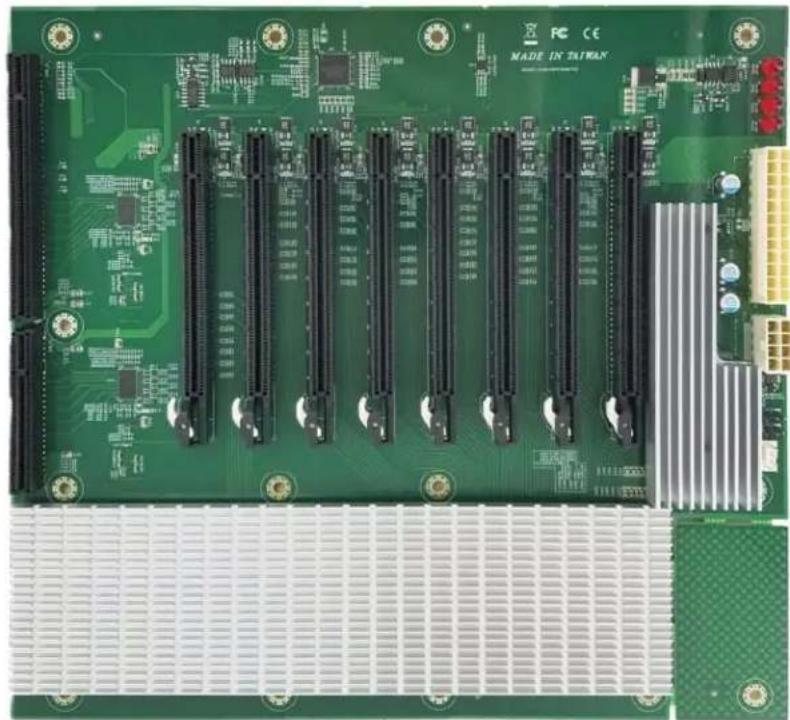
Motherboard layout
Portwell® M9020B (with ROBO-8110A SHB)
| Mura MPX Series Mura MPX + IPX Series | C-Series C-Series | Mura IPX Series | Third party + Mura IPX Series | ||
| Validated | Yes | Yes | Yes | Yes | No foreseeable compatibility issues |
| Maximum number of cards supported | 10 | ||||
| Maximum supported Mura MPX-4/4, MPX-4/2, MPX-4/0, and/or IPX Series | 10 | ||||
| Maximum supported Mura MPX-V8, MPX-V16 and/or console display' | 9 | ||||
| Maximum supported C900/C680 | 2 | ||||
| Motherboard Portwell ROBO-8110A (SHB), PBPE-11A-MT (Backplane) | |||||
| PCIe expansion slots 10 PCIe x16 2.0 slots (x16 mechanical and electrical) | |||||
| Chipset Intel | ® C206 | ||||
| Processor Intel | ® Core™ i3-2120 dual-core processor or Intel® Xeon® E3-1200 Series quad-core processor | ||||
| System memory 8 GB DDR3 | |||||
| System BIOS version 1APBB 0.04 x64 | |||||
| Chassis 4U rackmount | |||||
| Power supply 950W redundant PSU | |||||
| Notes | • Optional system memory upgrade is available. • If your power supply has an insufficient number of 6-pin connectors to support the maximum number of third party graphics hardware, you can order optional power cables. For more information on power requirements, see the documentation for your third party graphics hardware. | ||||
- Maximum of 1 console display per system.
Configurations
| Slot | C-Series based controller | Mura MPX Series based controller | Third party based controller | |||
| Main | Options | Main | Options | Main | Options | |
| J1 | C680 | C | Mura MPX-4/4 | B | Third party graphics hardware | |
| J2 | MURAIPXI-D4JF | A | Mura MPX-4/4 | A, B, D | MURAIPXI-D4JF | A |
| J3 | MURAIPXI-D4JF | A | MURAIPXI-D4JF | A, B, D | Third party graphics hardware | A |
| J4 | MURAIPXI-D4JF | A | MURAIPXI-D4JF | A, B, D | MURAIPXI-D4JF | A |
| J5 | MURAIPXI-D4JF | A | Mura MPX-4/4 | A, B, D | Third party graphics hardware | A |
| J6 | C680 | A, C | Mura MPX-4/4 | A, B, D | MURAIPXI-D4JF | A |
| J7 | MURAIPXI-D4JF | A | Mura MPX-4/4 | A, B, D | Third party graphics hardware | A |
| J8 | MURAIPXI-D4JF | A | MURAIPXI-D4JF | A, B, D | MURAIPXI-D4JF | A |
| J9 | MURAIPXI-D4JF | A | MURAIPXI-D4JF | A, B, D | Third party graphics hardware | A |
| J10 | MURAIPXI-D4JF | A, F | MURAIPXI-D4JF | A, B, D, E | MURAIPXI-D4JF | A |
Option Product
| A | MURAIPXI-E4SF, MURAIPXI-E4SHF, MURAIPXI-D2MF, MURAIPXI-D2MHF, MURAIPXI-E2MF, MURAIPXI-E2MHF, MURAIPXI-D4JF, MURAIPXI-D4JHF, MURAIPXI-E4JF, or MURAIPXI-E4JHF |
| B Mura MPX-4/4, MPX-4/2, MPX-4/0, or MPX-SDI | |
| C C900 or C680 | |
| D Mura MPX-V16 or MPX-V8 | |
| E | Matrox P690 PCIe x16, Matrox P690 Plus LP PCIe x16, Matrox M9148 LP PCIe x16, Matrox M9140 LP PCIe x16, Matrox M9138 LP PCIe x16, Matrox M9128 LP PCIe x16, Matrox M9125 PCIe x16, Matrox M9120 Plus LP PCIe x16, Matrox M9120 Plus LP PCIe x16 (console options) |
| F | Matrox M9148 LP PCIe x16, Matrox M9140 LP PCIe x16, Matrox M9138 LP PCIe x16, Matrox M9128 LP PCIe x16, Matrox M9125 PCIe x16, Matrox M9120 Plus LP PCIe x16, Matrox M9120 Plus LP PCIe x1, Matrox M9120 PCIe x16, NVIDIA NVS 510, NVIDIA NVS 310, NVIDIA Quadro P400, Intel HD Graphics HD 630, or Intel HD Graphics 530 (console options) |
Portwell® M9020B (with ROBO-8113VG2AR SHB)
| Mura MPX Series Mura MPX + IPX Series | C-Series C-Series | Mura IPX Series | Third party + Mura IPX Series | |
| Validated Yes/Yes (Requires Mura) | driver version 3.01 or later) | Yes/No foreseeable | compatible issues | |
| Maximum number of cards supported | 10 | |||
| Maximum supported Mura MPX-4/4, MPX-4/2, MPX-4/0, and/or IPX Series | 10 | |||
| Maximum supported Mura MPX-V8, MPX-V16 and/or console display' | 8 | |||
| Maximum supported C900/C680 | 2 | |||
| Motherboard Portwell ROBO-8113VG2AR (SHB) PBPE-11A-MT (Backplane) | ||||
| PCIe expansion slots 10 PCIe x16 2.0 slots (×16 mechanical and electrical) | ||||
| Chipset Intel | ® C236 | |||
| Processor Intel | ® Core™ i3-6100 @3.7 GHz | |||
| System memory 16 GB DDR4 | ||||
| System BIOS version R1.00.E1 | ||||
| Chassis 4U rackmount | ||||
| Power supply | 950W redundant PSU | |||
| Notes | • Optional system memory upgrade is available. • If your power supply has an insufficient number of 6-pin connectors to support the maximum number of third party graphics hardware, you can order optional power cables. For more information on power requirements, see the documentation for your third party graphics hardware. • The system BIOS is available at ftp://PortwellBIOS:RVHdu3GW@privftp.matrox.com. | |||
- Maximum of 1 console display per system.
Configurations
| Slot | C-Series based controller | Mura MPX Series based controller | Third party based controller | |||
| Main | Options | Main | Options | Main | Options | |
| J1 | C680 | C | Mura MPX-4/4 | B | Third party graphics hardware | |
| J2 | MURAIPXI-D4JF | A | MURAIPXI-D4JF | A, B, D | MURAIPXI-D4JF | A |
| J3 | MURAIPXI-D4JF | A | MURAIPXI-D4JF | A, B, D | Third party graphics hardware | A |
| J4 | MURAIPXI-D4JF | A | Mura MPX-4/4 | A, B, D | MURAIPXI-D4JF | A |
| J5 | MURAIPXI-D4JF | A | Mura MPX-4/4 | A, B, D | Third party graphics hardware | A |
| J6 | C680 | A, C | Mura MPX-4/4 | A, B, D | MURAIPXI-D4JF | A |
| J7 | MURAIPXI-D4JF | A | MURAIPXI-D4JF | A, B, D | Third party graphics hardware | A |
| J8 | MURAIPXI-D4JF | A | MURAIPXI-D4JF | A, B, D | MURAIPXI-D4JF | A |
| J9 | MURAIPXI-D4JF | A | Mura MPX-4/4 | A, B, D | Third party graphics hardware | A |
| J10 | MURAIPXI-D4JF | A, F | Mura MPX-4/4 | A, B, D, E | MURAIPXI-D4JF | A |
Option Product
| A | MURAIPXI-E4SF, MURAIPXI-E4SHF, MURAIPXI-D2MF, MURAIPXI-D2MHF, MURAIPXI-E2MF, MURAIPXI-E2MHF, MURAIPXI-D4JF, MURAIPXI-D4JHF, MURAIPXI-E4JF, or MURAIPXI-E4JHF |
| B Mura MPX-4/4, MPX-4/2, MPX-4/0, or MPX-SDI | |
| C C900 or C680 | |
| D Mura MPX-V16 or MPX-V8 | |
| E | Matrox P690 PCIe x16, Matrox P690 Plus LP PCIe x16, Matrox M9148 LP PCIe x16, Matrox M9140 LP PCIe x16, Matrox M9138 LP PCIe x16, Matrox M9128 LP PCIe x16, Matrox M9125 PCIe x16, Matrox M9120 Plus LP PCIe x16, Matrox M9120 Plus LP PCIe x1, or Matrox M9120 PCIe x16 (console options) |
| F | Matrox M9148 LP PCIe x16, Matrox M9140 LP PCIe x16, Matrox M9138 LP PCIe x16, Matrox M9128 LP PCIe x16, Matrox M9125 PCIe x16, Matrox M9120 Plus LP PCIe x16, Matrox M9120 Plus LP PCIe x1, Matrox M9120 PCIe x16, NVIDIA NVS 510, NVIDIA NVS 310, NVIDIA Quadro P400, Intel HD Graphics HD 630, or Intel HD Graphics 530 (console options) |
Motherboard layout
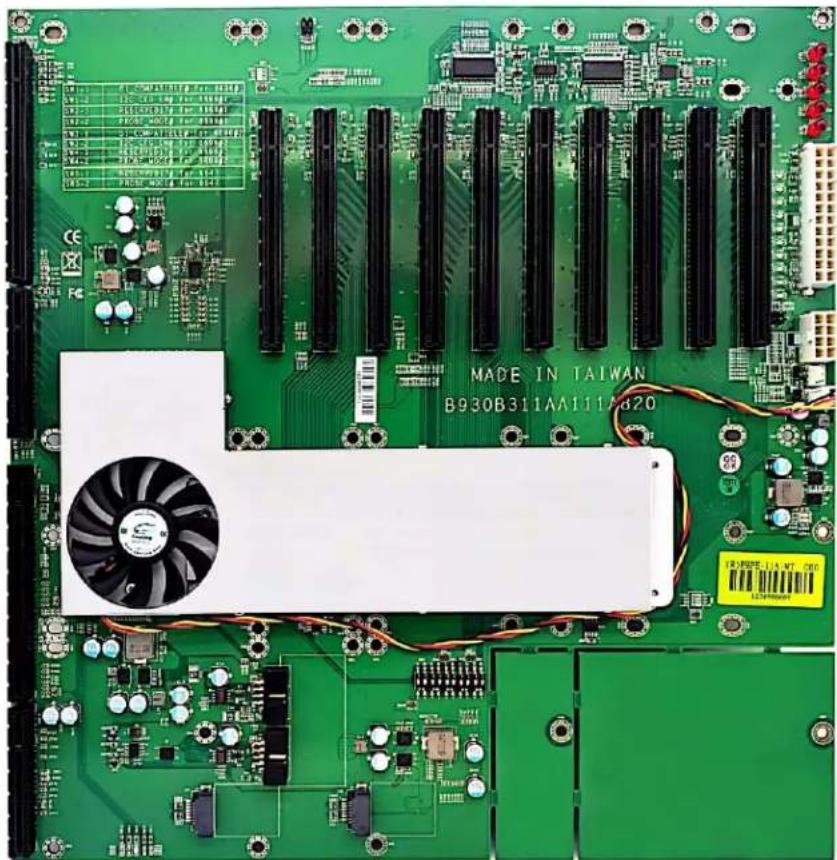
Portwell® M9020B (with ROBO-8113VG2AR-Q170-KBL SHB)
| Mura MPX Series Mura MPX + IPX Series | C-Series C-Series | Mura IPX Series | Third party + Mura IPX Series | ||
| Validated | No | No | Yes | Yes | No foreseeable compatibility issues |
| Maximum number of cards supported | 10 | ||||
| Maximum supported Mura MPX-4/4, MPX-4/2, MPX-4/0, and/or IPX Series | 9 (Only Mura IPX Series) | ||||
| Maximum supported Mura MPX-V8, MPX-V16 and/or console display | See note for console support | ||||
| Maximum supported C900/C680 | 2 | ||||
| Motherboard Portwell PBPE- | 1A-MT (Backplane)Portwell ROBO-8113VG2AR-Q170-KBL-PCIE4 (SHB) | ||||
| PCIe expansion slots 10 PCIe | ×16 2.0 slots (×16 mechanical and electrical) | ||||
| Chipset Intel | ® Q170 | ||||
| Processor Intel | ® Core™ i7-7700 CPU @3.6 GHz | ||||
| System memory 16 GB | |||||
| System BIOS version R1.00.E0 (12/19/2019) | |||||
| Chassis 4U rackmount | |||||
| Power supply | 950W redundant PSU | ||||
| Notes | • Optional system memory upgrade is available.• If your power supply has an insufficient number of 6-pin connectors to support the maximum number of third party graphics hardware, you can order optional power cables. For more information on power requirements, see the documentation for your third party graphics hardware.• In the system BIOS → Advanced → Graphics Configuration → Internal Graphics → select Disabled.• In the system BIOS → Advanced → Chipset Configuration → Above 4G Decoding → select Disabled.• In the system BIOS → Advanced → Chipset Configuration → Above 4G MMIO BIOS Assignment → select Disabled.• No console support with C-Series controller.• The system BIOS is available at ftp://PortwellBIOS:RVHdu3GW@privftp.matrox.com. | ||||
Maximum of 1 console display per system.
Configurations
| Slot | C-Series based controller | Mura MPX Series based controller | Third party based controller | |||
| Main | Options | Main | Options | Main | Options | |
| J1 | C680 | C | Third party graphics hardware | |||
| J2 | MURAIPXI-D4JF | A | MURAIPXI-D4JF | A | ||
| J3 | MURAIPXI-D4JF | A | Third party graphics hardware | A | ||
| J4 | MURAIPXI-D4JF | A | MURAIPXI-D4JF | A | ||
| J5 | MURAIPXI-D4JF | A | Third party graphics hardware | A | ||
| J6 | C680 | A, C | MURAIPXI-D4JF | A | ||
| J7 | MURAIPXI-D4JF | A | Third party graphics hardware | A | ||
| J8 | MURAIPXI-D4JF | A | MURAIPXI-D4JF | A | ||
| J9 | MURAIPXI-D4JF | A | Third party graphics hardware | A | ||
| J10 MURAIPXI-D4JF A MURAIPXI-D4JF A | ||||||
| Option Product | ||||||
| A | MURAIPXI-E4SF, MURAIPXI-E4SHF, MURAIPXI-D2MF, MURAIPXI-D2MHF, MURAIPXI-E2MF, MURAIPXI-E2MHF, MURAIPXI-D4JF, MURAIPXI-D4JHF, MURAIPXI-E4JF, or MURAIPXI-E4JHF | |||||
| B Mura MPX-4/4, MPX-4/2, MPX-4/0, or MPX-SDI | ||||||
| C C900 or C680 | ||||||
| D Mura MPX-V16 or MPX-V8 | ||||||
| E | Matrox P690 PCIe x16, Matrox P690 Plus LP PCIe x16, Matrox M9148 LP PCIe x16, Matrox M9140 LP PCIe x16, Matrox M9138 LP PCIe x16, Matrox M9128 LP PCIe x16, Matrox M9125 PCIe x16, Matrox M9120 Plus LP PCIe x16, Matrox M9120 Plus LP PCIe x16, Matrox M9120 Plus LP PCIe x16, Matrox M9125 PCIe x16, Matrox M9120 Plus LP PCIe x16, Matrox M9120 Plus LP PCIe x16, Matrox M9120 Plus LP PCIe x16, Matrox M9120 Plus LP PCIe x16, NVIDIA NVS 510, NVIDIA NVS 310, NVIDIA Quadro P400, Intel HD Graphics HD 630, or Intel HD Graphics 530 (console options) | |||||
| F | ||||||
Motherboard layout
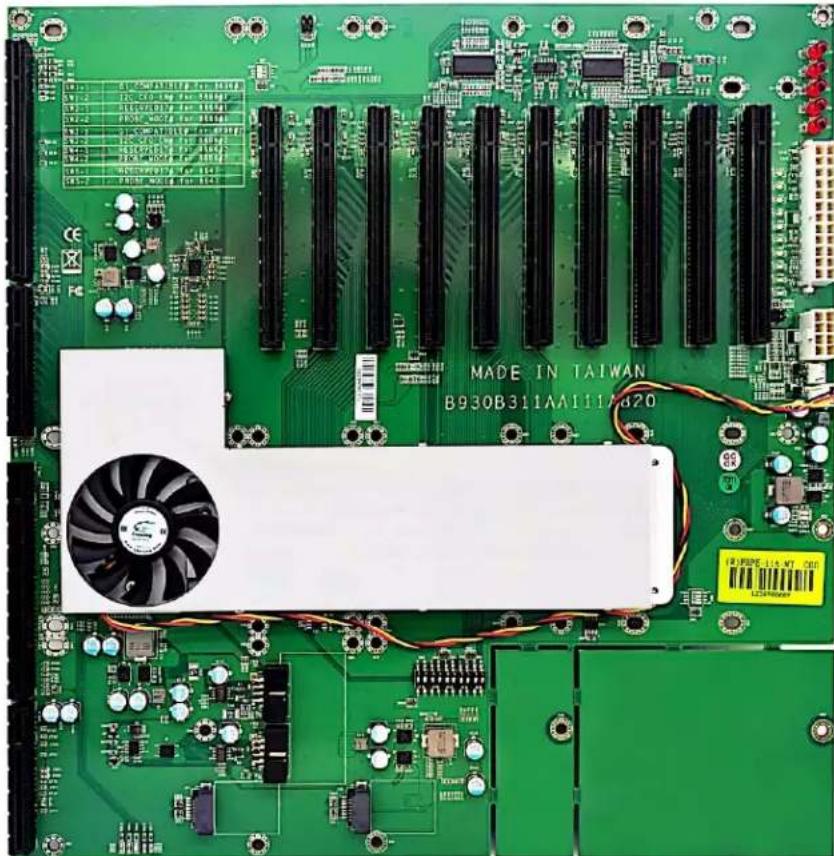
Seneca VWC-PLUS
| Mura MPX Series M | Mura MPX + IPX Series | C-Series C-Series | Mura IPX Series | Third party + Mura IPX Series | |
| Validated | Yes | Yes | Yes | Yes | No foreseeable compatibility issues |
| Part number VWC-PLUS | |||||
| Maximum number of cards supported | 7 | ||||
| Maximum supported Mura MPX-4/4, MPX-4/2, MPX-4/0, and/or IPX Series | 7 | ||||
| Maximum supported Mura MPX-V8, MPX-V16 and/or console display | 6 | ||||
| Maximum supported C900/C680 | 2 | ||||
| Motherboard ASUS | ® X99-E WS/USB 3.1 | ||||
| PCIe expansion slots 7 PCIe | ×16 3.0/2.0 slots | ||||
| Chipset Intel | ® X99 | ||||
| Processor Intel | ® Core™ i7-5930K, 3.5 GHz/i7-6850K, 3.6 GHz | ||||
| System memory 32 GB DDR4 | |||||
| System BIOS version 3601 | |||||
| Power supply 860W | |||||
| Chassis | 4U | ||||
| Performance considerations | · 1-4 cards → ×16 · 7 cards → 1 ×16 + 6 ×8 | ||||
| Notes | · In the system BIOS, go to Advanced Mode → Boot, then set Above 4G Decoding to Disabled · The system BIOS is available at ftp://asusbios:9lwMwTaD@privftp.matrox.com. | ||||
- Maximum of 1 console display per system.
Configurations
| Slot | C-Series based controller | Mura MPX Series based controller | Third party based controller | |||
| Main | Options | Main | Options | Main | Options | |
| PCIEX16_1 | C680 | C | Mura MPX-4/4 | B | Third party graphics hardware | A |
| PCIEX16_2 | MURAIPXI-D4JF | A | MURAIPXI-D4JF | A, B, D | Third party graphics hardware | A |
| PCIEX16_3 | MURAIPXI-D4JF | A | MURAIPXI-D4JF | A, B, D | MURAIPXI-D4JF | A |
| PCIEX16_4 | C680 | A, C | Mura MPX-4/4 | A, B, D | Third party graphics hardware | A |
| PCIEX16_5 | MURAIPXI-D4JF | A | MURAIPXI-D4JF | A, B, D | MURAIPXI-D4JF | A |
| PCIEX16_6 | MURAIPXI-D4JF | A | MURAIPXI-D4JF | A, B, D | Third party graphics hardware | A |
| PCIEX16_7 | MURAIPXI-D4JF | A, F | Console display | E, D | MURAIPXI-D4JF | A |
| Option | Product | |||||
| A | MURAIPXI-E4SF, MURAIPXI-E4SHF, MURAIPXI-D2MF, MURAIPXI-D2MHF, MURAIPXI-E2MF, MURAIPXI-E2MHF, MURAIPXI-D4JF, MURAIPXI-D4JHF, MURAIPXI-E4JF, or MURAIPXI-E4JHF | |||||
| B | Mura MPX-4/4, MPX-4/2, MPX-4/0, or MPX-SDI | |||||
| C | C900 or C680 | |||||
Option Product
| D Mura MPX-V16 or MPX-V8 | |
| E | Matrox P690 PCIe x16, Matrox P690 Plus LP PCIe x16, Matrox M9148 LP PCIe x16, Matrox M9140 LP PCIe x16, Matrox M9138 LP PCIe x16, Matrox M9128 LP PCIe x16, Matrox M9125 PCIe x16, Matrox M9120 Plus LP PCIe x16, Matrox M9120 Plus LP PCIe x1, or Matrox M9120 PCIe x16 (console options) |
| F | Matrox M9148 LP PCIe x16, Matrox M9140 LP PCIe x16, Matrox M9138 LP PCIe x16, Matrox M9128 LP PCIe x16, Matrox M9125 PCIe x16, Matrox M9120 Plus LP PCIe x16, Matrox M9120 Plus LP PCIe x1, Matrox M9120 PCIe x16, NVIDIA NVS 510, NVIDIA NVS 310, NVIDIA Quadro P400, Intel HD Graphics HD 630, or Intel HD Graphics 530 (console options) |
Shuttle SH97R6
| Mura MPX Series M | Mura MPX + IPX Series | C-Series C-Series + | Mura IPX Series | Third party + Mura IPX Series | |
| Validated Yes/No foreseeable | compatibility issues | No No foreseeable | compatibility issues |
| Part number SH97R6 | |
| Maximum number of cards supported | 2 |
| Motherboard SH97R6 | |
| PCIe expansion slots | • 1 PCIe x16 slot • 1 PCIe x4 slot |
| Chipset Intel | ® H97 |
| Processor Intel | ® Core™ i7 4790, 3.6 GHz |
| System memory 8 GB DDR3 | |
| System BIOS version | 1.04 |
| Power supply | 300W |
| Chassis | Mini server |
Configurations
| Slot | C-Series based controller | Mura MPX Series based controller | Third party based controller | |||
| Main | Options | Main | Options | Main | Options | |
| PCIe x16 | — | Mura MPX-4/4 | B | — | ||
| PCIe x4 | — | Mura MPX-V16 | D | — | ||
| Option | Product |
| A | MURAIPXI-E4SF, MURAIPXI-E4SHF, MURAIPXI-D2MF, MURAIPXI-D2MHF, MURAIPXI-E2MF, MURAIPXI-E2MHF, MURAIPXI-D4JF, MURAIPXI-D4JHF, MURAIPXI-E4JF, or MURAIPXI-E4JHF |
| B | Mura MPX-4/4, MPX-4/2, MPX-4/0, or MPX-SDI |
| C | C900 or C680 |
| D | Mura MPX-V16 or MPX-V8 |
| E | Matrox P690 PCIe x16, Matrox P690 Plus LP PCIe x16, Matrox M9148 LP PCIe x16, Matrox M9140 LP PCIe x16, Matrox M9138 LP PCIe x16, Matrox M9128 LP PCIe x16, Matrox M9125 PCIe x16, Matrox M9120 Plus LP PCIe x16, Matrox M9120 Plus LP PCIe x1, or Matrox M9120 PCIe x16 (console options) |
| F | Matrox M9148 LP PCIe x16, Matrox M9140 LP PCIe x16, Matrox M9138 LP PCIe x16, Matrox M9128 LP PCIe x16, Matrox M9125 PCIe x16, Matrox M9120 Plus LP PCIe x16, Matrox M9120 Plus LP PCIe x1, Matrox M9120 PCIe x16, NVIDIA NVS 510, NVIDIA NVS 310, NVIDIA Quadro P400, Intel HD Graphics HD 630, or Intel HD Graphics 530 (console options) |
Trenton TVC2404
| Mura MPX Series M | Mura MPX + IPX Series | C-Series C-Series | Mura IPX Series | Third party + Mura IPX Series | |
| Validated Yes/No foreseeable | compatibility issues | No foreseeable compatibility issues | No foreseeable compatibility issues | No foreseeable compatibility issues | |
| Maximum number of cards supported | 4 | ||||
| Motherboard TSB 7053 (SHB), BPC8219 (Backplane) | |||||
| PCIe expansion slots | • 3 PCIe x16 2.0 slot (×16 mechanical and electrical) • 1 PCIe x16 2.0 slot (×16 mechanical and ×4 electrical) | ||||
| Chipset Intel | ® C206 | ||||
| Processor Intel | ® Core™ i7-3770 quad core processor 3.4 GHz | ||||
| System memory 16 GB DDR3, 1600 MHz | |||||
| System BIOS version 0ACCI | 0.08 X64 | ||||
| Power supply | 600W | ||||
| Chassis | 2U rack mount | ||||
Configurations
| Slot | C-Series based controller | Mura MPX Series based controller | Third party based controller | |||
| Main | Options | Main | Options | Main | Options | |
| PCIe1 x4 | — | Console display | D, F | — | ||
| PCIe2 x16 | — | Mura MPX-4/4 | B | — | ||
| PCIe3 x16 | — | Mura MPX-4/4 | A, B, D | — | ||
| PCIe4 x16 | — | Mura MPX-4/4 | A, B, D | — | ||
| Option | Product |
| A | MURAIPXI-E4SF, MURAIPXI-E4SHF, MURAIPXI-D2MF, MURAIPXI-D2MHF, MURAIPXI-E2MF, MURAIPXI-E2MHF, MURAIPXI-D4JF, MURAIPXI-D4JHF, MURAIPXI-E4JF, or MURAIPXI-E4JHF |
| B | Mura MPX-4/4, MPX-4/2, MPX-4/0, or MPX-SDI |
| C | C900 or C680 |
| D | Mura MPX-V16 or MPX-V8 |
| E | Matrox P690 PCIe x16, Matrox P690 Plus LP PCIe x16, Matrox M9148 LP PCIe x16, Matrox M9140 LP PCIe x16, Matrox M9138 LP PCIe x16, Matrox M9128 LP PCIe x16, Matrox M9125 PCIe x16, Matrox M9120 Plus LP PCIe x16, Matrox M9120 Plus LP PCIe x16 (console options) |
| F | Matrox M9148 LP PCIe x16, Matrox M9140 LP PCIe x16, Matrox M9138 LP PCIe x16, Matrox M9128 LP PCIe x16, Matrox M9125 PCIe x16, Matrox M9120 Plus LP PCIe x16, Matrox M9120 Plus LP PCIe x1, Matrox M9120 PCIe x16, NVIDIA NVS 510, NVIDIA NVS 310, NVIDIA Quadro P400, Intel HD Graphics HD 630, or Intel HD Graphics 530 (console options) |
Trenton TVC3400
| Mura MPX Series M | Mura MPX + IPX Series | C-Series C-Series | Mura IPX Series | Third party + Mura IPX Series | |
| Validated Yes/No foreseeable | compatibility issues | No foreseeable compatibility issues | No foreseeable compatibility issues | No foreseeable compatibility issues | |
| Maximum number of cards supported | 2 | ||||
| Motherboard Trenton JXMS7031 | |||||
| PCIe expansion slots | • 1 PCIe x16 2.0 slot (×16 mechanical and electrical via riser card) • 2 PCIe x16 2.0 slots (×16 mechanical and ×8 electrical via riser card) | ||||
| Chipset Intel | ® 3420 | ||||
| Processor Intel | ® Xeon® EC5549 processor | ||||
| System memory 4 GB DDR3 | Mini-DIMM | ||||
| System BIOS version 0ABY1 | 0.04 X64 | ||||
| Power supply 550W | |||||
| Chassis | 3U shelf mount | ||||
| Notes | • The integrated graphics hardware must be disabled in Windows® Device Manager. For more information, see your system manual or Windows help. • The mouse pointer may stutter or freeze when it's moved over a display. To fix this, try reinstalling the network adapter driver. • Optional system memory upgrade is available. | ||||
Configurations
| Slot | C-Series based controller | Mura MPX Series based controller | Third party based controller | |||
| Main | Options | Main | Options | Main | Options | |
| PCIe1 | — | Mura MPX-4/4 | B | — | ||
| PCIe2 | — | Empty | — | |||
| PCIe3 | — | Mura MPX-4/4 | A, B, D | — | ||
| PCI | — | Empty (Unusable) | — | |||
| Option | Product |
| A | MURAIPXI-E4SF, MURAIPXI-E4SHF, MURAIPXI-D2MF, MURAIPXI-D2MHF, MURAIPXI-E2MF, MURAIPXI-E2MHF, MURAIPXI-D4JF, MURAIPXI-D4JHF, MURAIPXI-E4JF, or MURAIPXI-E4JHF |
| B | Mura MPX-4/4, MPX-4/2, MPX-4/0, or MPX-SDI |
| C | C900 or C680 |
| D | Mura MPX-V16 or MPX-V8 |
| E | Matrox P690 PCIe x16, Matrox P690 Plus LP PCIe x16, Matrox M9148 LP PCIe x16, Matrox M9140 LP PCIe x16, Matrox M9138 LP PCIe x16, Matrox M9128 LP PCIe x16, Matrox M9125 PCIe x16, Matrox M9120 Plus LP PCIe x16, Matrox M9120 Plus LP PCIe x1, or Matrox M9120 PCIe x16 (console options) |
| F | Matrox M9148 LP PCIe x16, Matrox M9140 LP PCIe x16, Matrox M9138 LP PCIe x16, Matrox M9128 LP PCIe x16, Matrox M9125 PCIe x16, Matrox M9120 Plus LP PCIe x16, Matrox M9120 Plus LP PCIe x1, Matrox M9120 PCIe x16, NVIDIA NVS 510, NVIDIA NVS 310, NVIDIA Quadro P400, Intel HD Graphics HD 630, or Intel HD Graphics 530 (console options) |
Trenton TVC4400
| Mura MPX Series | Mura MPX + IPX Series | C-Series C-Series | Mura IPX Series | Third party + Mura IPX Series | |
| Validated Yes/No foreseeable | compatibility issues | No foreseeable compatibility issues | No foreseeable compatibility issues | No foreseeable compatibility issues |
| Maximum number of cards supported | 2 |
| Motherboard Trenton JXMS7031 (single CPU) | |
| PCIe expansion slots | • 1 PCIe x16 2.0 slot (×16 mechanical and electrical) • 2 PCIe x16 2.0 slots (×16 mechanical and ×8 electrical) |
| Chipset Intel | ® 3420 |
| Processor Intel | ® Xeon® EC5509, quad-core 2.00 GHz |
| System memory 4 GB DDR3 | Mini-DIMM |
| System BIOS version 0ABYI | 0.04 X64 |
| Power supply | 550W |
| Chassis | 4U shelf mount |
| Notes | • The integrated graphics hardware must* be disabled in Windows® Device Manager. For more information, see your system manual or Windows help. • Optional system memory upgrade is available. |
Configurations
| Slot | C-Series based controller | Mura MPX Series based controller | Third party based controller | |||
| Main | Options | Main | Options | Main | Options | |
| PCIe1* | — | Empty (Unusable) | — | |||
| PCIe2 | — | Mura MPX-4/4 | B | — | ||
| PCIe3 | — | Mura MPX-4/4 | A, B, D | — | ||
| PCI | — | Empty (Unusable) | — | |||
Unavailable with single CPU system.
| Option | Product |
| A | MURAIPXI-E4SF, MURAIPXI-E4SHF, MURAIPXI-D2MF, MURAIPXI-D2MHF, MURAIPXI-E2MF, MURAIPXI-E2MHF, MURAIPXI-D4JF, MURAIPXI-D4JHF, MURAIPXI-E4JF, or MURAIPXI-E4JHF |
| B | Mura MPX-4/4, MPX-4/2, MPX-4/0, or MPX-SDI |
| C | C900 or C680 |
| D | Mura MPX-V16 or MPX-V8 |
| E | Matrox P690 PCIe x16, Matrox P690 Plus LP PCIe x16, Matrox M9148 LP PCIe x16, Matrox M9140 LP PCIe x16, Matrox M9138 LP PCIe x16, Matrox M9128 LP PCIe x16, Matrox M9125 PCIe x16, Matrox M9120 Plus LP PCIe x16, Matrox M9120 Plus LP PCIe x1, or Matrox M9120 PCIe x16 (console options) |
| F | Matrox M9148 LP PCIe x16, Matrox M9140 LP PCIe x16, Matrox M9138 LP PCIe x16, Matrox M9128 LP PCIe x16, Matrox M9125 PCIe x16, Matrox M9120 Plus LP PCIe x16, Matrox M9120 Plus LP PCIe x1, Matrox M9120 PCIe x16, NVIDIA NVS 510, NVIDIA NVS 310, NVIDIA Quadro P400, Intel HD Graphics HD 630, or Intel HD Graphics 530 (console options) |
Trenton TVC4403 with TSB7053
| Mura MPX Series Mura MPX + IPX Series | C-Series C-Series | Mura IPX Series | Third party + Mura IPX Series | |
| Validated Yes/No foreseeable | compatibility issues | No foreseeable compatibility issues | No foreseeable compatibility issues | |
| Maximum number of cards supported | 9 (No intercard transfers in x4 slots) | |||
| Motherboard TSB7053 (SHB) | BPG7087 (Backplane) | |||
| Maximum supported Mura MPX-4/4, MPX-4/2, MPX-4/0, and/or IPX Series | 9 | |||
| Maximum supported Mura MPX-V8, MPX-V16 and/or console display* | 8 | |||
| Maximum supported C900/C680 | 2 | |||
| PCIe expansion slots • 4 PCIe x16 2.0 slots | • 6 PCIe x4 2.0 slots (no intercard transfers) | |||
| Chipset Intel | ® C206 | |||
| Processor 3rd Generation Intel | ® i7 Quad-Core CPU Intel® Xeon® E-3 1200 Series Quad-Core CPU | |||
| System memory 4 GB DDR3 | ||||
| System BIOS version TTICIM08.ROM | ||||
| Power supply | 800W redundant | |||
| Chassis | 4U rack mount | |||
| Performance considerations | • 1-4 cards → x16 • 5 cards → 4 x16 + 1 x4 • 6 cards → 4 x16 + 2 x4 • 7 cards → 4 x16 + 3 x4 • 8 cards → 4 x16 + 4 x4 • 9 cards → 4 x16 + 5 x4 | |||
| Notes | • While using up to 4 cards, the slot labeledPCIe4 is used for the primary display. • While using more than 4 cards, if both slots labeledPCIe3 and PCIe4 are used, PCIe3 is used for the primary display. • Optional system memory upgrade is available. • Check with supplier for available CPU options. • With C-Series based controllers, the integrated graphics must be disabled in the system BIOS to successfully install the driver. • With Mura MPX Series based controllers, the integrated graphics must be enabled in the system BIOS but disabled in the Windows Device Manager. | |||
- Maximum of 1 console display per system.
Configurations
| Slot | C-Series based controller | Mura MPX Series based controller | Third party based controller | |||
| Main | Options | Main | Options | Main | Options | |
| PCIe1x4 | Console display | F | Mura MPX-4/4 | B | Empty | |
| PCIe2x4 | Empty | Empty (unusable) | Empty | |||
| PCIe3x4 | Empty | Mura MPX-4/4 | A, B, D | Empty | ||
| PCIe4x16 | C680 | C | Mura MPX-4/4 | A, B, D | Third party graphics hardware | |
| PCIe5x4 | Empty | Mura MPX-4/4 | A, B, D | Empty | ||
| PCIe6x16 | C680 | A, C | Mura MPX-4/4 | A, B, D | Third party graphics hardware | A |
| PCIe7x4 | Empty | Mura MPX-4/4 | A, B, D | Empty | ||
| PCIe8x16 | MURAIPXI-D4JF | A | Mura MPX-4/4 | A, B, D | Third party graphics hardware | A |
| PCIe9x4 | Empty | Mura MPX-4/4 | A, B, D, E | Empty | ||
| PCIe10x16 | MURAIPXI-D4JF | A | Mura MPX-4/4 | A, B, D | MURAIPXI-D4JF | A |
Option Product
| A | MURAIPXI-E4SF, MURAIPXI-E4SHF, MURAIPXI-D2MF, MURAIPXI-D2MHF, MURAIPXI-E2MF, MURAIPXI-E2MHF, MURAIPXI-D4JF, MURAIPXI-D4JHF, MURAIPXI-E4JF, or MURAIPXI-E4JHF |
| B Mura MPX-4/4, MPX-4/2, MPX-4/0, or MPX-SDI | |
| C | C900 or C680 |
| D | Mura MPX-V16 or MPX-V8 |
| E | Matrox P690 PCIe x16, Matrox P690 Plus LP PCIe x16, Matrox M9148 LP PCIe x16, Matrox M9140 LP PCIe x16, Matrox M9138 LP PCIe x16, Matrox M9128 LP PCIe x16, Matrox M9125 PCIe x16, Matrox M9120 Plus LP PCIe x16, Matrox M9120 Plus LP PCIe x1, or Matrox M9120 PCIe x16 (console options) |
| F | Matrox M9148 LP PCIe x16, Matrox M9140 LP PCIe x16, Matrox M9138 LP PCIe x16, Matrox M9128 LP PCIe x16, Matrox M9125 PCIe x16, Matrox M9120 Plus LP PCIe x16, Matrox M9120 Plus LP PCIe x1, Matrox M9120 PCIe x16, NVIDIA NVS 510, NVIDIA NVS 310, NVIDIA Quadro P400, Intel HD Graphics HD 630, or Intel HD Graphics 530 (console options) |
Trenton TVC5401 (with TSB7053 SHB)
| Mura MPX Series Mura MPX + IPX Series | C-Series C-Series | Mura IPX Series | Third party + Mura IPX Series | |
| Validated Yes/YesNo foreseeable | compatibility issues | No foreseeable compatibility issues | No foreseeable compatibility issues | |
| Maximum number of cards supported | 16 (max. 29 GPUs) | |||
| Maximum supported Mura MPX-4/4, MPX-4/2, MPX-4/0, and/or IPX Series | 16 | |||
| Maximum supported Mura MPX-V8, MPX-V16 and/or console display' | 15 | |||
| Maximum supported C900/C680 | 2 | |||
| Motherboard TSB7053 (SHB) | BPG8032 (Backplane) | |||
| PCIe expansion slots | 17 PCIe x16 2.0 slots (mechanical and electrical)1 PCIe x16 2.0 slot (mechanical, x4 electrical) | |||
| Chipset Intel | ® C206 | |||
| Processor 3rd Generation Intel | ® i7 Quad-Core CPU (TSB7053)Intel® Xeon® E-3 1200 Series Quad-Core CPU (TSB7053) | |||
| System memory 4 GB DDR3 | ||||
| System BIOS version TTICIM08.ROM (TSB7053) | ||||
| Power supply | 1485W redundant | |||
| Chassis | 5U rack mount | |||
| Notes | The integrated graphics hardware must be disabled in Windows® Device Manager. For more information, see your system manual or Windows help.The maximum number of GPUs supported by Windows is 29.Due to a mechanical conflict with the SHB, slots labeled PCIe1 and PCIe2 aren't functional Optional system memory upgrade is available. | |||
- Maximum of 1 console display per system.
Configurations
| Slot | C-Series based controller | Mura MPX Series based controller | Third party based controller | |||
| Main | Options | Main | Options | Main | Options | |
| PCIE1 | Empty (Unusable) | Empty (Unusable) | Empty (Unusable) | |||
| PCIE2 | Empty (Unusable) | Empty (Unusable) | Empty (Unusable) | |||
| PCIE3 | MURAIPXI-D4JF | A, F | MURAIPXI-D4JF | A, D, E | Third party graphics hardware | A |
| PCIE4 | MURAIPXI-D4JF | A | MURAIPXI-D4JF | A, D | MURAIPXI-D4JF | A |
| PCIE5 | MURAIPXI-D4JF | A | Mura MPX-4/4 | A, B, D | MURAIPXI-D4JF | A |
| PCIE6 | MURAIPXI-D4JF | A | Mura MPX-4/4 | A, B, D | MURAIPXI-D4JF | A |
| PCIE7 | C680 | A, C | Mura MPX-4/4 | A, B, D | Third party graphics hardware | A |
| PCIE8 | MURAIPXI-D4JF | A | Mura MPX-4/4 | A, B, D | MURAIPXI-D4JF | A |
| PCIE9 | MURAIPXI-D4JF | A | Mura MPX-4/4 | A, B, D | Third party graphics hardware | A |
| PCIE10 | MURAIPXI-D4JF | A | Mura MPX-4/4 | A, B, D | MURAIPXI-D4JF | A |
| PCIE11 | MURAIPXI-D4JF | A | Mura MPX-4/4 | A, B, D | MURAIPXI-D4JF | A |
| PCIE12 | MURAIPXI-D4JF | A | Mura MPX-4/4 | A, B, D | MURAIPXI-D4JF | A |
| PCIE13 | C680 | C | Mura MPX-4/4 | A, B, D | Third party graphics hardware | |
| PCIE14 | MURAIPXI-D4JF | A | Mura MPX-4/4 | A, B, D | MURAIPXI-D4JF | A |
| PCIE15 | MURAIPXI-D4JF | A | Mura MPX-4/4 | A, B, D | MURAIPXI-D4JF | A |
| PCIE16 | MURAIPXI-D4JF | A | Mura MPX-4/4 | A, B, D | MURAIPXI-D4JF | A |
| PCIE17 | MURAIPXI-D4JF | A | Mura MPX-4/4 | A, B, D | MURAIPXI-D4JF | A |
| PCIE18 | MURAIPXI-D4JF | A | Mura MPX-4/4 | B | Third party graphics hardware | A |
Option Product
| A | MURAIPXI-E4SF, MURAIPXI-E4SHF, MURAIPXI-D2MF, MURAIPXI-D2MHF, MURAIPXI-E2MF, MURAIPXI-E2MHF, MURAIPXI-D4JF, MURAIPXI-D4JHF, MURAIPXI-E4JF, or MURAIPXI-E4JHF |
| B Mura MPX-4/4, MPX-4/2, MPX-4/0, or MPX-SDI | |
| C C900 or C680 | |
| D Mura MPX-V16 or MPX-V8 | |
| E | Matrox P690 PCIe x16, Matrox P690 Plus LP PCIe x16, Matrox M9148 LP PCIe x16, Matrox M9140 LP PCIe x16, Matrox M9138 LP PCIe x16, Matrox M9128 LP PCIe x16, Matrox M9125 PCIe x16, Matrox M9120 Plus LP PCIe x16, Matrox M9120 Plus LP PCIe x1, or Matrox M9120 PCIe x16 (console options) |
| F | Matrox M9148 LP PCIe x16, Matrox M9140 LP PCIe x16, Matrox M9138 LP PCIe x16, Matrox M9128 LP PCIe x16, Matrox M9125 PCIe x16, Matrox M9120 Plus LP PCIe x16, Matrox M9120 Plus LP PCIe x1, Matrox M9120 PCIe x16, NVIDIA NVS 510, NVIDIA NVS 310, NVIDIA Quadro P400, Intel HD Graphics HD 630, or Intel HD Graphics 530 (console options) |
Motherboard layout

Trenton TVC5402
| Mura MPX Series Mura MPX + IPX Series | C-Series C-Series | Mura IPX Series | Third party + Mura IPX Series | |
| Validated Yes/No foreseeable | compatibility issues | No foreseeable compatibility issues | No foreseeable compatibility issues | |
| Maximum number of cards supported | 12 | |||
| Maximum supported Mura MPX-4/4, MPX-4/2, MPX-4/0, and/or IPX Series | 8 | |||
| Maximum supported Mura MPX-V8, MPX-V16 and/or console display' | 11 | |||
| Maximum supported C900/C680 | 2 | |||
| Motherboard TSB7053 (SHB) | BPG8194 (Backplane) | |||
| PCIe expansion slots | • 8 PCIe x16 3.0 slots (mechanical and electrical) • 5 PCIe x16 3.0 slots (mechanical, x4 electrical) | |||
| Chipset Intel | ® C206 | |||
| Processor Intel® Core i7-3770, 3.4 GHz, Quad-Core | ||||
| System memory 8 GB DDR3 | ||||
| System BIOS version V2.7 | ||||
| Power supply | 1200W redundant | |||
| Chassis | 5U rack mount | |||
| Notes | • The integrated graphics hardware must be disabled in Windows® Device Manager. For more information, see your system manual or Windows help. • Optional system memory upgrade is available. | |||
- Maximum of 1 console display per system.
Configurations
| Slot | C-Series based controller | Mura MPX Series based controller | Third party based controller | |||
| Main | Options | Main | Options | Main | Options | |
| PCIE1 | Empty (Unusable) | Empty (Unusable) | Empty (Unusable) | |||
| PCIE2 | C680 | A, C | Mura MPX-4/4 | A, B, D | Third party graphics hardware | A |
| PCIE3 | MURAIPXI-D4JF | A | Mura MPX-4/4 | A, B, D | Third party graphics hardware | A |
| PCIE4 | MURAIPXI-D4JF | A | Mura MPX-4/4 | A, B, D | MURAIPXI-D4JF | A |
| PCIE5 | MURAIPXI-D4JF | A | Mura MPX-4/4 | A, B, D | MURAIPXI-D4JF | A |
| PCIE6 | Empty (Unusable) | Mura MPX-V16 | D | Empty (Unusable) | ||
| PCIE7 | MURAIPXI-D4JF | A | Mura MPX-4/4 | A, B, D | Third party graphics hardware | A |
| PCIE8 | Empty (Unusable) | Mura MPX-V8 | A, B, D | Empty (Unusable) | ||
| PCIE9 | MURAIPXI-D4JF | A | Mura MPX-4/4 | A, B, D | MURAIPXI-D4JF | A |
| PCIE10 | Empty (Unusable) | Mura MPX-V8 | A, B, D | Empty (Unusable) | ||
| PCIE11 | MURAIPXI-D4JF | A | Mura MPX-4/4 | A, B, D | MURAIPXI-D4JF | A |
| PCIE12 | Console display | F | Console display | D, E | Empty (Unusable) | |
| PCIE13 | C680 | C | Mura MPX-4/4 | B | Third party graphics hardware | |
Option Product
| A | MURAIPXI-E4SF, MURAIPXI-E4SHF, MURAIPXI-D2MF, MURAIPXI-D2MHF, MURAIPXI-E2MF, MURAIPXI-E2MHF, MURAIPXI-D4JF, MURAIPXI-D4JHF, MURAIPXI-E4JF, or MURAIPXI-E4JHF |
| B Mura MPX-4/4, MPX-4/2, MPX-4/0, or MPX-SDI | |
| C C900 or C680 | |
| D Mura MPX-V16 or MPX-V8 | |
| E | Matrox P690 PCIe x16, Matrox P690 Plus LP PCIe x16, Matrox M9148 LP PCIe x16, Matrox M9140 LP PCIe x16, Matrox M9138 LP PCIe x16, Matrox M9128 LP PCIe x16, Matrox M9125 PCIe x16, Matrox M9120 Plus LP PCIe x16, Matrox M9120 Plus LP PCIe x1, or Matrox M9120 PCIe x16 (console options) |
| F | Matrox M9148 LP PCIe x16, Matrox M9140 LP PCIe x16, Matrox M9138 LP PCIe x16, Matrox M9128 LP PCIe x16, Matrox M9125 PCIe x16, Matrox M9120 Plus LP PCIe x16, Matrox M9120 Plus LP PCIe x1, Matrox M9120 PCIe x16, NVIDIA NVS 510, NVIDIA NVS 310, NVIDIA Quadro P400, Intel HD Graphics HD 630, or Intel HD Graphics 530 (console options) |
Motherboard layout
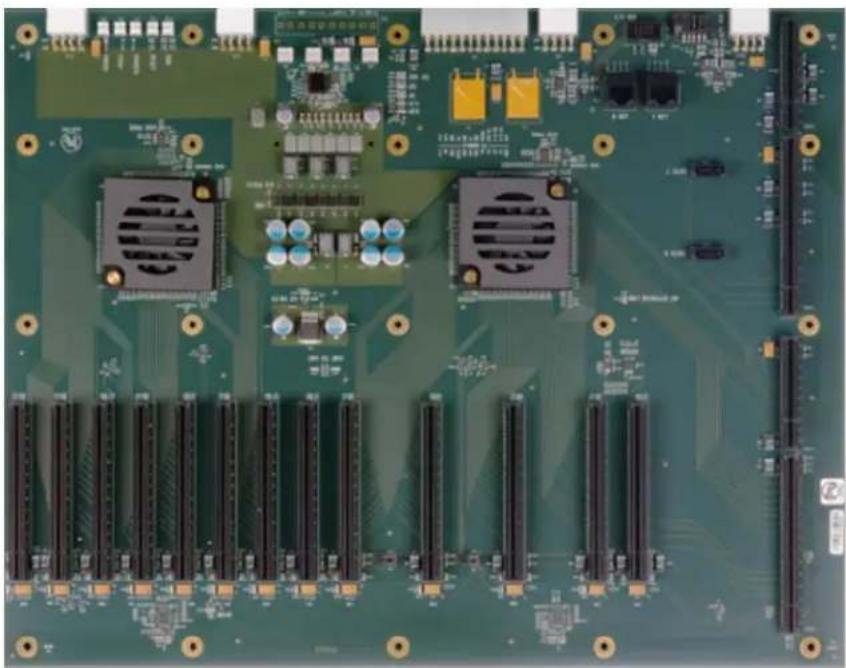
Trenton TVC5402 (with TKL8255 SHB)
| Mura MPX Series Mura MPX + IPX Series | C-Series C-Series | Mura IPX Series | Third party + Mura IPX Series | |
| Validated | Yes | Yes | Yes | No foreseeable compatibility issues |
| Maximum number of cards supported | 12 | |||
| Maximum supported Mura MPX-4/4, MPX-4/2, MPX-4/0, and/or IPX Series | 8 | |||
| Maximum supported Mura MPX-V8, MPX-V16 and/or console display' | 6 | |||
| Maximum supported C900/C680 | 2 | |||
| Motherboard Trenton TKL8255 (SHB), BPG8194 (Backplane) | ||||
| PCIe expansion slots | • 8 PCIe x16 3.0 slots (mechanical and electrical) • 5 PCIe x16 3.0 slots (mechanical, x4 electrical) | |||
| Chipset C236 | ||||
| Processor Intel i7-6700 @ 3.4 | GHz (16 Lanes) | |||
| System memory 32 GB DDR4 | ||||
| System BIOS version | 0ACKV 0.04 x64 | |||
| Power supply | 900W redundant | |||
| Chassis | 5U rack mount | |||
| Notes | • The integrated graphics hardware must be disabled in Windows Device Manager. For more information, see your system manual or Windows help. • The system BIOS is available at ftp://TKL8255:7HfvSAO7@privftp.matrox.com. • In the system BIOS, go to Chipset → System Agent (SA) Configuration → Graphics Configuration → Primary Display, then select IGFX. | |||
- Maximum of 1 console display per system.
Configurations
| Slot | C-Series based controller | Mura MPX Series based controller | Third party based controller | |||
| Main | Options | Main | Options | Main | Options | |
| PCIEX16_1 | Empty (Unusable) | Empty (Unusable) | Empty (Unusable | |||
| PCIEX16_2 | C680 | C | Mura MPX-4/4 | B | Third party graphics hardware | |
| PCIEX16_3 | MURAIPXI-D4JF | A | Mura MPX-4/4 | A, B, D | Third party graphics hardware | A |
| PCIEX16_4 | MURAIPXI-D4JF | A | MURAIPXI-D4JF | A, B, D | MURAIPXI-D4JF | A |
| PCIEX16_5 | MURAIPXI-D4JF | A | MURAIPXI-D4JF | A, B, D | MURAIPXI-D4JF | A |
| PCIEX16_6 | Empty (Unusable) | Mura MPX-V8 | D | Empty (Unusable) | ||
| PCIEX16_7 | MURAIPXI-D4JF | A | Mura MPX-4/4 | A, B, D | MURAIPXI-D4JF | A |
| PCIEX16_8 | Empty (Unusable) | Mura MPX-V8 | D | Empty (Unusable) | ||
| PCIEX16_9 | MURAIPXI-D4JF | A | Mura MPX-4/4 | A, B, D | MURAIPXI-D4JF | A |
| PCIEX16_10 | Empty (Unusable) | Mura MPX-V8 | D | Empty (Unusable) | ||
| PCIEX16_11 | MURAIPXI-D4JF | A | MURAIPXI-D4JF | A, B, D | Third party graphics hardware | A |
| PCIEX16_12 | Console display | F | Console display | D, E | Empty (Unusable) | |
| PCIEX16_13 | C680 | A, C | MURAIPXI-D4JF | A, B, D | Third party graphics hardware | A |
| Option Product | ||||||
| A | MURAIPXI-E4SF, MURAIPXI-E4SHF, MURAIPXI-D2MF, MURAIPXI-D2MHF, MURAIPXI-E2MF, MURAIPXI-E2MHF, MURAIPXI-D4JF, MURAIPXI-D4JHF, MURAIPXI-E4JF, or MURAIPXI-E4JHF | |||||
| B Mura MPX-4/4, MPX-4/2, MPX-4/0, or MPX-SDI | ||||||
| C C900 or C680 | ||||||
| D Mura MPX-V16 or MPX-V8 | ||||||
| E | Matrox P690 PCIe x16, Matrox P690 Plus LP PCIe x16, Matrox M9148 LP PCIe x16, Matrox M9140 LP PCIe x16, Matrox M9138 LP PCIe x16, Matrox M9128 LP PCIe x16, Matrox M9125 PCIe x16, Matrox M9120 Plus LP PCIe x16, Matrox M9120 Plus LP PCIe x16, Matrox M9120 Plus LP PCIe x16, Matrox M9125 PCIe x16, Matrox M9120 Plus LP PCIe x16, Matrox M9120 Plus LP PCIe x16, Matrox M9120 Plus LP PCIe x16, NVIDIA NVS 510, NVIDIA NVS 310, NVIDIA Quadro P400, Intel HD Graphics HD 630, or Intel HD Graphics 530 (console options) | |||||
| F | ||||||
Motherboard layout
End of Life (EOL) systems
Advantech (AVS-240)
| Mura MPX Series Mura MPX + IPX Series | C-Series C-Series + No foreseeable compatibility issues | Mura IPX Series | Third party + Mura IPX Series | ||
| Validated Yes/No foreseeable | compatibility issues | No foreseeable compatibility issues | No foreseeable compatibility issues | ||
| Maximum number of cards supported | 3 | ||||
| Maximum supported Mura MPX-4/4, MPX-4/2, MPX-4/0, and/or IPX Series | 2 | ||||
| Maximum supported Mura MPX-V8, MPX-V16 and/or console display* | 1 | ||||
| Maximum supported C900/C680 | 2 | ||||
| Motherboard Advantech ASM | B-820 | ||||
| PCIe expansion slots | • 2 PCIe x16 3.0 slots (×16 mechanical, ×16 and ×8 electrical) • 1 PCIe x4 2.0 slot (×4 mechanical, ×4 electrical) • 1 PCIe x1 2.0 slot (×1 mechanical, ×1 electrical) | ||||
| Chipset Intel | ® C602J | ||||
| Processor Intel | ® Xeon® E5-2420 processor | ||||
| System memory 8 GB DDR3 | |||||
| System BIOS version 1.1 | |||||
| Power supply 80 PLUS 500W | PSU | ||||
- Maximum of 1 console display per system.
Configurations
| Slot | C-Series based controller | Mura MPX Series based controller | Third party based controller | |||
| Main | Options | Main | Options | Main | Options | |
| PCI | Empty (Unusable) | Empty (Unusable) | Empty (Unusable) | |||
| PCI | Empty (Unusable) | Empty (Unusable) | Empty (Unusable) | |||
| PCIE3 | Empty (Unusable) | Mura V16 | D | Empty (Unusable) | ||
| PCIE4 | C680 | C | Mura MPX-4/4 | B | Third party graphics hardware | |
| PCIE5 | Empty (Unusable) | Empty (Unusable) | Empty (Unusable) | |||
| PCIE6 | MURAIPXI-D4JF | A, C, F | Mura MPX-4/4 | A, B, E | MURAIPXI-D4JF | A |
| Option | Product | |||||
| A | MURAIPXI-E4SF, MURAIPXI-E4SHF, MURAIPXI-D2MF, MURAIPXI-D2MHF, MURAIPXI-E2MF, MURAIPXI-E2MHF, MURAIPXI-D4JF, MURAIPXI-D4JHF, MURAIPXI-E4JF, or MURAIPXI-E4JHF | |||||
| B | Mura MPX-4/4, MPX-4/2, MPX-4/0, or MPX-SDI | |||||
| C | C900 or C680 | |||||
| D | Mura MPX-V16 or MPX-V8 | |||||
Option Product
| E | Matrox P690 PCIe x16, Matrox P690 Plus LP PCIe x16, Matrox M9148 LP PCIe x16, Matrox M9140 LP PCIe x16, Matrox M9138 LP PCIe x16, Matrox M9128 LP PCIe x16, Matrox M9125 PCIe x16, Matrox M9120 Plus LP PCIe x16, Matrox M9120 Plus LP PCIe x1, or Matrox M9120 PCIe x16 (console options) |
| F | Matrox M9148 LP PCIe x16, Matrox M9140 LP PCIe x16, Matrox M9138 LP PCIe x16, Matrox M9128 LP PCIe x16, Matrox M9125 PCIe x16, Matrox M9120 Plus LP PCIe x16, Matrox M9120 Plus LP PCIe x1, Matrox M9120 PCIe x16, NVIDIA NVS 510, NVIDIA NVS 310, NVIDIA Quadro P400, Intel HD Graphics HD 630, or Intel HD Graphics 530 (console options) |
Motherboard layout
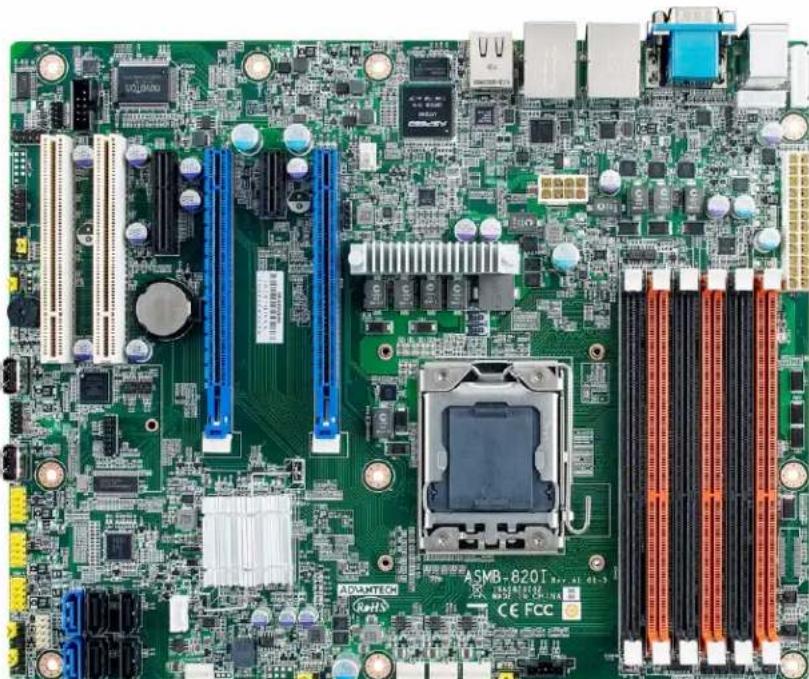
Advantech (AVS-290)
| Mura MPX Series M | Mura MPX + IPX Series | C-Series C-Series | Mura IPX Series | Third party + Mura IPX Series | |
| Validated Yes/No foreseeable | compatibility issues | No foreseeable compatibility issues | No foreseeable compatibility issues | No foreseeable compatibility issues | |
| Maximum number of cards supported | 3 | ||||
| Maximum supported Mura MPX-4/4, MPX-4/2, MPX-4/0, and/or IPX Series | 2 | ||||
| Maximum supported Mura MPX-V8, MPX-V16 and/or console display' | 2 | ||||
| Maximum supported C900/C680 | 2 | ||||
| Motherboard Advantech ASM | B-781G4-00A1E | ||||
| PCIe expansion slots | • 2 PCIe x16 2.0 slots (×16 mechanical, ×16 and ×8 electrical) • 1 PCIe x4 2.0 slot • 1 PCIe x1 2.0 slot | ||||
| Chipset Intel | ® C206 | ||||
| Processor Intel | ® Xeon® E3-1200 processor | ||||
| System memory 8 GB DDR3 | |||||
| System BIOS version 1.1 | |||||
| Power supply 400W | |||||
| Performance considerations | • 1 card → ×16 • 2 cards → ×8 | ||||
Maximum of 1 console display per system.
Configurations
| Slot | C-Series based controller | Mura MPX Series based controller | Third party based controller | |||
| Main | Options | Main | Options | Main | Options | |
| PCI1 | Empty (Unusable) | Empty (Unusable) | Empty (Unusable) | |||
| PCI2 | Empty (Unusable) | Empty (Unusable) | Empty (Unusable) | |||
| PCIE3 | Empty (Unusable) | Mura MPX-V8 | D, E | Empty (Unusable) | ||
| PCIE4 | C680 | C | Mura MPX-4/4 | B | Third party graphics hardware | |
| PCI5 | Empty (Unusable) | Empty (Unusable) | Empty (Unusable) | |||
| PCIE6 | MURAIPXI-D4JF | A, C, F | Mura MPX-4/4 | A, B, D | MURAIPXI-D4JF | A |
| Option | Product | |||||
| A | MURAIPXI-E4SF, MURAIPXI-E4SHF, MURAIPXI-D2MF, MURAIPXI-D2MHF, MURAIPXI-E2MF, MURAIPXI-E2MHF, MURAIPXI-D4JF, MURAIPXI-D4JHF, MURAIPXI-E4JF, or MURAIPXI-E4JHF | |||||
| B | Mura MPX-4/4, MPX-4/2, MPX-4/0, or MPX-SDI | |||||
| C | C900 or C680 | |||||
| D | Mura MPX-V16 or MPX-V8 | |||||
| E | Matrox P690 PCIe x16, Matrox P690 Plus LP PCIe x16, Matrox M9148 LP PCIe x16, Matrox M9140 LP PCIe x16, Matrox M9138 LP PCIe x16, Matrox M9128 LP PCIe x16, Matrox M9125 PCIe x16, Matrox M9120 Plus LP PCIe x16, Matrox M9120 Plus LP PCIe x16, Matrox M9120 Plus x16, Matrox M9125 PCIe x16, Matrox M9120 Plus LP PCIe x16, Matrox M9120 Plus LP PCIe x16, Matrox M9120 Plus x16, Matrox M9120 Plus x16, Matrox M9120 Plus x16, Matrox M9120 Plus x16, Matrox M9120 Plus x16, Matrox M9120 Plus x16, Matrox M9120 Plus x16, Matrox M9120 Plus x16, Matrox M9120 Plus x16 | |||||
| F | Matrox M9148 LP PCIe x16, Matrox M9140 LP PCIe x16, Matrox M9138 LP PCIe x16, Matrox M9128 LP PCIe x16, Matrox M9125 PCIe x16, Matrox M9120 Plus LP PCIe x16, Matrox M9120 Plus LP PCIe x16, Matrox M9120 Plus PCIe x16, NVIDIA NVS 510, NVIDIA NVS 310, Intel HD Graphics HD 630, or Intel HD Graphics 530 (console options) | |||||
Advantech (AVS-540 with ASMB-822I MB)
| Mura MPX Series Mura MPX + IPX Series | C-Series C-Series | Mura IPX Series | Third party + Mura IPX Series | ||
| Validated | Yes | Yes | Yes | Yes | No foreseeable compatibility issues |
| Maximum number of cards supported | 6 | ||||
| Maximum supported Mura MPX-4/4, MPX-4/2, MPX-4/0, and/or IPX Series | 5 | ||||
| Maximum supported Mura MPX-V8, MPX-V16 and/or console display' | 5 | ||||
| Maximum supported C900/C680 | 2 | ||||
| Motherboard ASMB-822I | |||||
| PCIe expansion slots | • 2 PCIe x16 3.0 slots (×16 mechanical, ×16 and ×8 electrical) • 3 PCIe x16 3.0 slots (×16 mechanical, ×8 electrical) • 1 PCIe x8 slot (×8 mechanical, ×4 electrical) | ||||
| Chipset Intel | ® C602J | ||||
| Processor Intel | ® Xeon® E5-2600 Series | ||||
| System memory 4 GB DDR3 | 1333 MHz, up to 96 GB DDR3 1600 MHz | ||||
| System BIOS version V1.10 | |||||
| Power supply 700W 80 plus single power supply Optional power supply required for maximum support of third party graphics hardware. | |||||
| Chassis | 4U | ||||
| Notes | • If you plan on using local USB keyboard/mouse, you must add a PCIe USB controller to one of the available PCIe x16 slots. Using the onboard USB controller may result in erratic USB behavior. • If your power supply has an insufficient number of 6-pin connectors to support the maximum number of third party graphics hardware, you can order optional power cables. For more information on power requirements, see the documentation for your third party graphics hardware. • With all slots populated, there could be a performance drop in the data transferred from a Mura IPX Series input to a graphics card. This may reduce the number of source frames successfully transferred from a Mura IPX Series input to a graphics card. For more information, please contact Matrox Display Wall Technical Support team at dwcsupport@matrox.com. • The chassis fan must remain at full speed. | ||||
Maximum of 1 console display per system.
Configurations
| Slot | C-Series based controller | Mura MPX Series based controller | Third party based controller | |||
| Main | Options | Main | Options | Main | Options | |
| 1 (PCI) | Empty (Unusable) | Empty (Unusable) | Empty (Unusable) | |||
| 2 (PCIe) | MURAIPXI-D4JF | A | Mura MPX-4/4 | A, B, D | Empty (Unusable) | |
| 3 (PCIe) | MURAIPXI-D4JF | A | Mura MPX-4/4 | A, B, D | Third party graphics hardware | A |
| 4 (PCIe) | C680 | C | Mura MPX-4/4 | B | Third party graphics hardware | |
| 5 (PCIe) | MURAIPXI-D4JF | A | Mura MPX-4/4 | A, B, D | MURAIPXI-D4JF | A |
| 6 (PCIe) | C680 | C | Mura MPX-4/4 | A, B, D | Third party graphics hardware | A |
| 7 (PCIe) | Console display | F | Mura MPX-V16 | D, E | MURAIPXI-D4JF | A |
Option Product
| A | MURAIPXI-E4SF, MURAIPXI-E4SHF, MURAIPXI-D2MF, MURAIPXI-D2MHF, MURAIPXI-E2MF, MURAIPXI-E2MHF, MURAIPXI-D4JF, MURAIPXI-D4JHF, MURAIPXI-E4JF, or MURAIPXI-E4JHF |
| B Mura MPX-4/4, MPX-4/2, MPX-4/0, or MPX-SDI | |
| C C900 or C680 | |
| D Mura MPX-V16 or MPX-V8 | |
| E | Matrox P690 PCIe x16, Matrox P690 Plus LP PCIe x16, Matrox M9148 LP PCIe x16, Matrox M9140 LP PCIe x16, Matrox M9138 LP PCIe x16, Matrox M9128 LP PCIe x16, Matrox M9125 PCIe x16, Matrox M9120 Plus LP PCIe x16, Matrox M9120 Plus LP PCIe x16 (console options) |
| F | Matrox M9148 LP PCIe x16, Matrox M9140 LP PCIe x16, Matrox M9138 LP PCIe x16, Matrox M9128 LP PCIe x16, Matrox M9125 PCIe x16, Matrox M9120 Plus LP PCIe x16, Matrox M9120 Plus LP PCIe x1, Matrox M9120 PCIe x16, NVIDIA NVS 510, NVIDIA NVS 310, NVIDIA Quadro P400, Intel HD Graphics HD 630, or Intel HD Graphics 530 (console options) |
Motherboard layout
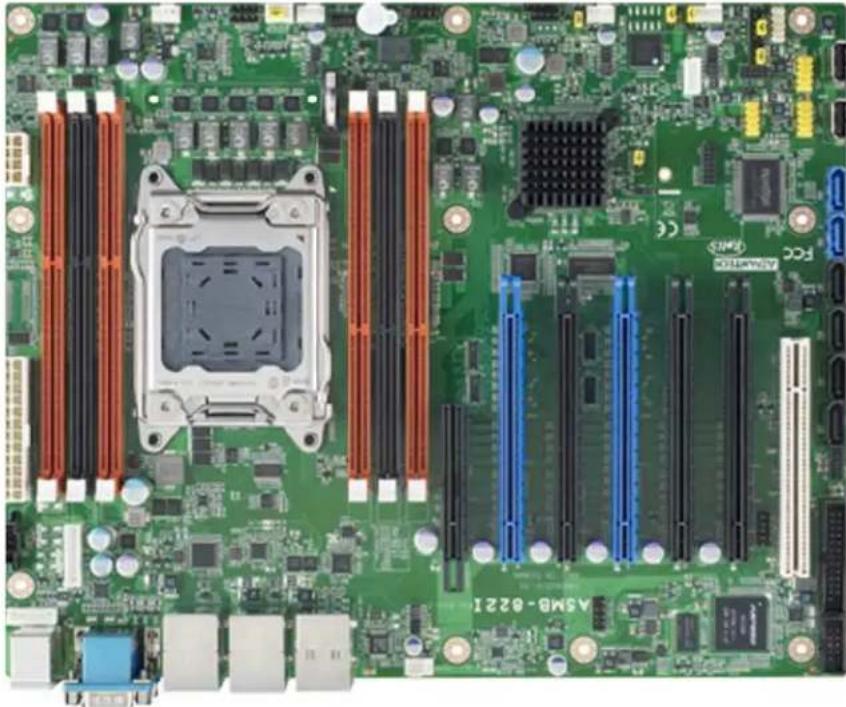
Advantech (AVS-541)
| Mura MPX Series Mura MPX + IPX Series | C-Series C-Series | Mura IPX Series | Third party + Mura IPX Series | |
| Validated Yes/No foreseeable | compatibility issues | No foreseeable compatibility issues | No foreseeable compatibility issues | |
| Maximum number of cards supported | 15 | |||
| Maximum supported Mura MPX-4/4, MPX-4/2, MPX-4/0, and/or IPX Series | 5 | |||
| Maximum supported Mura MPX-V8, MPX-V16 and/or console display' | 14 | |||
| Maximum supported C900/C680 | 2 | |||
| Motherboard PCE-7127 (SHE), PCE-7B17-00A1E (Backplane) | ||||
| PCIe expansion slots | • 5 PCIe x16 3.0 slots (×16 mechanical, ×8 electrical) • 6 PCIe x16 3.0 slots (×16 mechanical, ×4 electrical) • 3 PCIe x4 3.0 slots • 1 PCIe x4 2.0 slot | |||
| Chipset Intel | ® C216 | |||
| Processor Intel | ® Xeon® E3-1275 V2, 3.50 GHz | |||
| System memory 4 GB DDR3, | 1333 MHz | |||
| System BIOS version V1.10 | ||||
| Power supply 810W redundant | ||||
| Chassis | 4U | |||
| Notes | • If your power supply has an insufficient number of 6-pin connectors to support the maximum number of third party graphics hardware, you can order optional power cables. For more information on power requirements, see the documentation for your third party graphics hardware. • The chassis fan must remain at full speed. | |||
- Maximum of 1 console display per system.
Configurations
| Slot | C-Series based controller | Mura MPX Series based controller | Third party based controller | |||
| Main | Options | Main | Options | Main | Options | |
| PPCIEX4_1 | Empty (Unusable) | Mura MPX-V8 | D | Empty (Unusable) | ||
| P1PCIEX8_1 | MURAIPXI-D4JF | A | Mura MPX-4/4 | B | MURAIPXI-D4JF | A |
| P1PCIEX4_3 | Empty (Unusable) | Mura MPX-V8 | D | Empty (Unusable) | ||
| P1PCIEX4_4 | Empty (Unusable) | Mura MPX-V8 | D | Empty (Unusable) | ||
| P1PCIEX8_2 | MURAIPXI-D4JF | A | Mura MPX-4/4 | B, D | Third party graphics hardware | A |
| P1PCIEX4_5 | Empty (Unusable) | Mura MPX-V8 | D | Empty (Unusable) | ||
| P1PCIEX4_6 | Empty (Unusable) | Mura MPX-V8 | D | Empty (Unusable) | ||
| P1PCIEX8_3 | C680 | C | Mura MPX-4/4 | B, D | Third party graphics hardware | |
| P2PCIEX4_1 | Empty (Unusable) | Mura MPX-V8 | D | Empty (Unusable) | ||
| P2PCIEX4_2 | Console | F | Mura MPX-V8 | D | Empty (Unusable) | |
| P2PCIEX4_3 | Empty (Unusable) | Mura MPX-V8 | D | Empty (Unusable) | ||
| P2PCIEX8_1 | C680 | A, C | Mura MPX-4/4 | B, D | Third party graphics hardware | A |
| P2PCIEX4_4 | Empty (Unusable) Mura MPX-V8 D Empty (Unusable) | |||||
| P2PCIEX4_5 | Empty (Unusable) Mura MPX-V8 D Empty (Unusable) | |||||
| P2PCIEX8_2 | MURAIPXI-D4JF A Mura MPX-4/4 B, D, E MURAIPXI-D4JF A | |||||
| P2PCIEX4_6 | Empty Empty Empty | |||||
| Option Product | ||||||
| A | MURAIPXI-E4SF, MURAIPXI-E4SHF, MURAIPXI-D2MF, MURAIPXI-D2MHF, MURAIPXI-E2MF, MURAIPXI-E2MHF, MURAIPXI-D4JF, MURAIPXI-D4JHF, MURAIPXI-E4JF, or MURAIPXI-E4JHF | |||||
| B Mura MPX-4/4, MPX-4/2, MPX-4/0, or MPX-SDI | ||||||
| C C900 or C680 | ||||||
| D Mura MPX-V16 or MPX-V8 | ||||||
| E | Matrox P690 PCIe x16, Matrox P690 Plus LP PCIe x16, Matrox M9148 LP PCIe x16, Matrox M9140 LP PCIe x16, Matrox M9138 LP PCIe x16, Matrox M9128 LP PCIe x16, Matrox M9125 PCIe x16, Matrox M9120 Plus LP PCIe x16, Matrox M9120 Plus LP PCIe x16, Matrox M9120 Plus LP PCIe x16, Matrox M9120 Plus LP PCIe x16, NVIDIA NVS 510, NVIDIA NVS 310, NVIDIA Quadro P400, Intel HD Graphics HD 630, or Intel HD Graphics 530 (console options) | |||||
| F | Matrox M9148 LP PCIe x16, Matrox M9140 LP PCIe x16, Matrox M9138 LP PCIe x16, Matrox M9128 LP PCIe x16, Matrox M9125 PCIe x16, Matrox M9120 Plus LP PCIe x16, Matrox M9120 Plus LP PCIe x1, Matrox M9120 PCIe x16, NVIDIA NVS 510, NVIDIA NVS 310, NVIDIA Quadro P400, Intel HD Graphics HD 630, or Intel HD Graphics 530 (console options) | |||||
Advantech (AVS-840)
| Mura MPX Series | Mura MPX + IPX Series | C-Series | C-Series + Mura IPX Series | Third party + Mura IPX Series | |
| Validated | Yes | Yes | Yes (Requires Mura drivers version 2.09 or newer) | Yes (Requires Mura drivers version 2.09 or newer) | No foreseeable compatibility issues |
| Maximum number of cards supported | 11 | ||||
| Maximum supported Mura MPX-4/4, MPX-4/2, MPX-4/0, and/or IPX Series | 10 | ||||
| Maximum supported Mura MPX-V8, MPX-V16 and/or console display* | 10 | ||||
| Maximum supported C900/C680 | 2 | ||||
| Motherboard | PCE-7127/PCE-5128 (SHB), PCE-5B12-00A1 (Backplane) | ||||
| PCIe expansion slots | • 10 PCIe x16 2.0 slots (×16 mechanical, ×16 electrical) • 1 PCIe x16 2.0 slot (×16 mechanical, ×4 electrical) | ||||
| Chipset | • Intel® C216 (PCE-7127) • Intel® Q87 (PCE-5128) | ||||
| Processor | • Intel® Xeon® E3-1275 V2, 3.50 GHz (PCE-7127) • Intel® Core™ i7-4770S, 3.10 GHz (PCE-5128) | ||||
| System memory | 4 GB DDR3, 1333 MHz | ||||
| System BIOS version | • Core version: 4.6.5.3 0.18 x64 (PCE-7127) Project version: PCE 7127X005 • Core version: 4.6.5.4 0.35 x64 (PCE-5128) Project version: PCE 5128XH01 | ||||
| Power supply • 810W redundant | |
| Optional power supply required for maximum support of third party graphics hardware: | |
| • Optional single power supply: | |
| • Enermax 1200W (Part#: EPF1200EW) | |
| • EVGA 850W (Part#: 220-G3-0850-X1) | |
| • 1200W (Advantech part # 96PS-A1K2WPS2) | |
| Chassis 4U rack mount | |
| • Chassis Part#: IPC-623BP-00XBE (for single power supply) | |
| • Chassis Part#: IPC-623BP-00RBE (for redundant power supply) | |
| • Chassis Part#: IPC-623BP-1KZC (for single power supply from Advantech) | |
| Notes | |
| • If you're inserting a P690 card (to use as a console display) in the slot labeled PPCIEx4_1, make sure the PCIe root port 1 of the ASPM settings is disabled. To disable ASPM, in the system BIOS, go to Advanced → PCI Subsystem Settings → PCI Express Settings → ASPM Support. | |
| • Once the Mura cards are installed in the system, install the hold down clamp. Make sure to insert the rubber cushions into the notches of the hold down clamp and adjust the rubber cushions to secure the cards into position. The rubber cushions protect the cards against shock and vibration. For more information, see the system / chassis manual. | |
| • If your power supply has an insufficient number of 6-pin connectors to support the maximum number of third party graphics hardware, you can order optional power cables. For more information on power requirements, see the documentation for your third party graphics hardware. | |
| • Choose a power cord with an IEC C19 plug for chassis IPC-623BP-1KZC | |
| • The chassis fans must remain at full speed. | |
Maximum of 1 console display per system.
Configurations
| Slot | C-Series based controller | Mura MPX Series based controller | Third party based controller | |||
| Main Options Main Options | Main Options | |||||
| P1PCIEX16_1 | C680 | C | Mura MPX-4/4 | B | Third party graphics hardware | |
| P1PCIEX16_2 | MURAIPXI-D4JF | A | Mura MPX-4/4 | A, B, D | Third party graphics hardware | A |
| P1PCIEX16_3 | MURAIPXI-D4JF | A | MURAIPXI-D4JF | A, B, D | Third party graphics hardware | A |
| P1PCIEX16_4 | MURAIPXI-D4JF | A | MURAIPXI-D4JF | A, B, D | MURAIPXI-D4JF | A |
| P1PCIEX16_5 | MURAIPXI-D4JF | A | MURAIPXI-D4JF | A, B, D | MURAIPXI-D4JF | A |
| P2PCIEX16_1 | C680 | A, C | Mura MPX-4/4 | A, B, D | Third party graphics hardware | A |
| P2PCIEX16_2 | MURAIPXI-D4JF | A | Mura MPX-4/4 | A, B, D | Third party graphics hardware | A |
| P2PCIEX16_3 | MURAIPXI-D4JF | A | MURAIPXI-D4JF | A, B, D | MURAIPXI-D4JF | A |
| P2PCIEX16_4 | MURAIPXI-D4JF | A | MURAIPXI-D4JF | A, B, D | MURAIPXI-D4JF | A |
| P2PCIEX16_5 | MURAIPXI-D4JF | A | MURAIPXI-D4JF | A, B, D | MURAIPXI-D4JF | A |
| PPCIEX4_1 | Console display | F | Console display | E | Empty (Unusable) | |
| Option | Product |
| A | MURAIPXI-E4SF, MURAIPXI-E4SHF, MURAIPXI-D2MF, MURAIPXI-D2MHF, MURAIPXI-E2MF, MURAIPXI-E2MHF, MURAIPXI-D4JF, MURAIPXI-D4JHF, MURAIPXI-E4JF, or MURAIPXI-E4JHF |
| B | Mura MPX-4/4, MPX-4/2, MPX-4/0, or MPX-SDI |
| C | C900 or C680 |
| D | Mura MPX-V16 or MPX-V8 |
Option Product
E Matrox P690 PCIe x16, Matrox P690 Plus LP PCIe x16, Matrox M9148 LP PCIe x16, Matrox M9140 LP PCIe x16, Matrox M9138 LP PCIe x16, Matrox M9128 LP PCIe x16, Matrox M9125 PCIe x16, Matrox M9120 Plus LP PCIe x16, Matrox M9120 Plus LP PCIe x1, or Matrox M9120 PCIe x16 (console options)
F Matrox M9148 LP PCIe x16, Matrox M9140 LP PCIe x16, Matrox M9138 LP PCIe x16, Matrox M9128 LP PCIe x16, Matrox M9125 PCIe x16, Matrox M9120 Plus LP PCIe x16, Matrox M9120 Plus LP PCIe x1, Matrox M9120 PCIe x16, NVIDIA NVS 510, NVIDIA NVS 310, NVIDIA Quadro P400, Intel HD Graphics HD 630, or Intel HD Graphics 530 (console options)
Motherboard layout
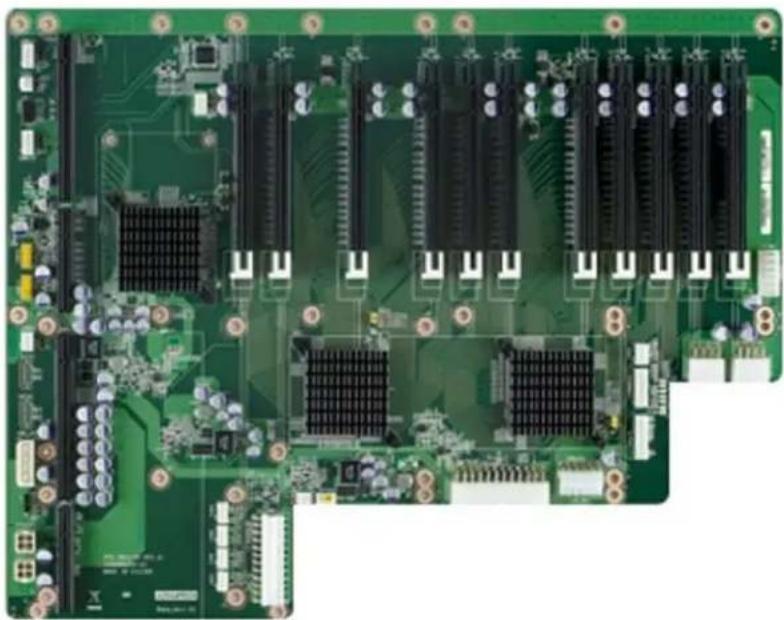
Advantech (AVS-840 with PCE-5129 SHB)
| Mura MPX Series M | Mura MPX + IPX Series | C-Series C-Series | + Mura IPX Series | Third party + Mura IPX Series | |
| Validated Yes/Yes (Requires Mura) | driver version 3.01 or later) | Yes/Yes No foreseeable | compatibility issues | ||
| Maximum number of cards supported | 11 | ||||
| Maximum supported Mura MPX-4/4, MPX-4/2, MPX-4/0, and/or IPX Series | 10 | ||||
| Maximum supported Mura MPX-V8, MPX-V16 and/or console display* | 10 | ||||
| Maximum supported C900/C680 | 2 | ||||
| Motherboard PCE-5129 (SHB), PCE-5B12-00A1 (Backplane) | |||||
| PCIe expansion slots | • 10 PCIe x16 2.0 slots (×16 mechanical, ×16 electrical) • 1 PCIe x16 2.0 slot (×16 mechanical, ×4 electrical) | ||||
| Chipset Intel | ® Q170 | ||||
| Processor Intel | ® Core™ i7-6770S, 3.40 GHz | ||||
| System memory 16 GB DDR4 | |||||
| System BIOS version Core version: 5.0.1.2 0.20 x64 Project version: 5129000QF60F201 | |||||
| Power supply | • 810W redundant Optional power supply required for maximum support of third party graphics hardware: • Optional single power supply: • Enermax 1200W (Part#: EPF1200EW) • EVGA 850W (Part#: 220-G3-0850-X1) • 1200W (Advantech part # 96PS-A1K2WPS2) | ||||
| Chassis | 4U rack mount • Chassis Part#: IPC-623BP-00XBE (for single power supply) • Chassis Part#: IPC-623BP-00RBE (for redundant power supply) • Chassis Part#: IPC-623BP-1KZC (for single power supply from Advantech) | ||||
| Notes | • Once the Mura cards are installed in the system, install the hold down clamp. Make sure to insert the rubber cushions into the notches of the hold down clamp and adjust the rubber cushions to secure the cards into position. The rubber cushions protect the cards against shock and vibration. For more information, see the system / chassis manual. • If your power supply has an insufficient number of 6-pin connectors to support the maximum number of third party graphics hardware, you can order optional power cables. For more information on power requirements, see the documentation for your third party graphics hardware. • Choose a power cord with an IEC C19 plug for chassis IPC-623BP-1KZC • The chassis fans must remain at full speed. | ||||
- Maximum of 1 console display per system.
Configurations
| Slot | C-Series based controller | Mura MPX Series based controller | Third party based controller | |||
| Main | Options | Main | Options | Main | Options | |
| P1PCIEX16_1 | C680 | C | Mura MPX-4/4 | B | Third party graphics hardware | |
| P1PCIEX16_2 | MURAIPXI-D4JF | A | Mura MPX-4/4 | A, B, D | Third party graphics hardware | A |
| P1PCIEX16_3 | MURAIPXI-D4JF | A | MURAIPXI-D4JF | A, B, D | Third party graphics hardware | A |
| P1PCIEX16_4 | MURAIPXI-D4JF | A | MURAIPXI-D4JF | A, B, D | MURAIPXI-D4JF | A |
| P1PCIEX16_5 | MURAIPXI-D4JF | A | MURAIPXI-D4JF | A, B, D | MURAIPXI-D4JF | A |
| P2PCIEX16_1 | C680 | A, C | Mura MPX-4/4 | A, B, D | Third party graphics hardware | A |
| P2PCIEX16_2 | MURAIPXI-D4JF | A | Mura MPX-4/4 | A, B, D | Third party graphics hardware | A |
| P2PCIEX16_3 | MURAIPXI-D4JF | A | MURAIPXI-D4JF | A, B, D | MURAIPXI-D4JF | A |
| P2PCIEX16_4 | MURAIPXI-D4JF | A | MURAIPXI-D4JF | A, B, D | MURAIPXI-D4JF | A |
| P2PCIEX16_5 | MURAIPXI-D4JF | A | MURAIPXI-D4JF | A, B, D | MURAIPXI-D4JF | A |
| PPCIEX4_1 | Console display | F | Console display | E | Empty (Unusable) | |
Option Product
| A | MURAIPXI-E4SF, MURAIPXI-E4SHF, MURAIPXI-D2MF, MURAIPXI-D2MHF, MURAIPXI-E2MF, MURAIPXI-E2MHF, MURAIPXI-D4JF, MURAIPXI-D4JHF, MURAIPXI-E4JF, or MURAIPXI-E4JHF |
| B Mura MPX-4/4, MPX-4/2, MPX-4/0, or MPX-SDI | |
| C | C900 or C680 |
| D | Mura MPX-V16 or MPX-V8 |
| E | Matrox P690 PCIe x16, Matrox P690 Plus LP PCIe x16, Matrox M9148 LP PCIe x16, Matrox M9140 LP PCIe x16, Matrox M9138 LP PCIe x16, Matrox M9128 LP PCIe x16, Matrox M9125 PCIe x16, Matrox M9120 Plus LP PCIe x16, Matrox M9120 Plus LP PCIe x1, or Matrox M9120 PCIe x16 (console options) |
| F | Matrox M9148 LP PCIe x16, Matrox M9140 LP PCIe x16, Matrox M9138 LP PCIe x16, Matrox M9128 LP PCIe x16, Matrox M9125 PCIe x16, Matrox M9120 Plus LP PCIe x16, Matrox M9120 Plus LP PCIe x1, Matrox M9120 PCIe x16, NVIDIA NVS 510, NVIDIA NVS 310, NVIDIA Quadro P400, Intel HD Graphics HD 630, or Intel HD Graphics 530 (console options) |
Motherboard layout
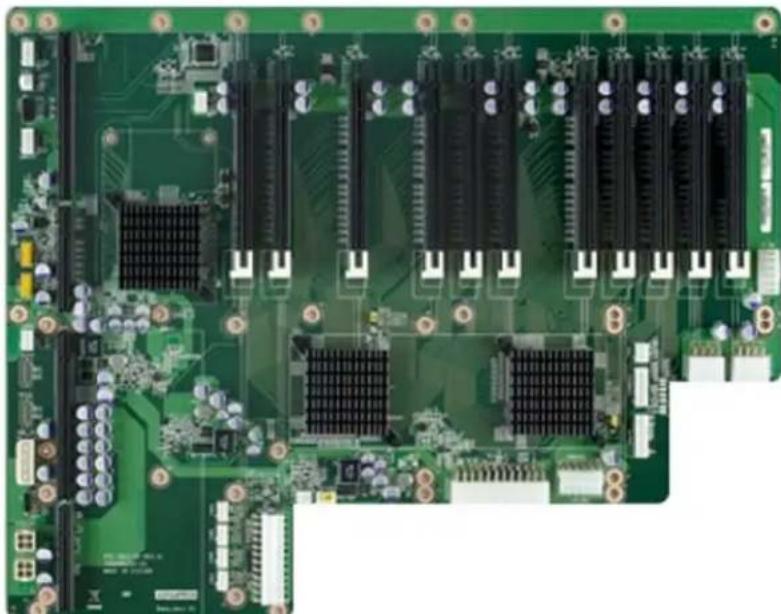
Advantech (AVS-840)
| Mura MPX Series | Mura MPX + IPX Series | C-Series C-Series | + Mura IPX Series | Third party + Mura IPX Series | |
| Validated | Yes | Yes | Yes (Requires Mura drivers version 2.09 or newer) | Yes (Requires Mura drivers version 2.09 or newer) | No foreseeable compatibility issues |
| Maximum number of cards supported | 11 | ||||
| Maximum supported Mura MPX-4/4, MPX-4/2, MPX-4/0, and/or IPX Series | 10 | ||||
| Maximum supported Mura MPX-V8, MPX-V16 and/or console display | 10 | ||||
| Maximum supported C900/C680 | 2 | ||||
| Motherboard PCE-7127/PCE-5128 (SHB), PCE-5B12-00A1 (Backplane) | |||||
| PCIe expansion slots | • 10 PCIe x16 2.0 slots (×16 mechanical, ×16 electrical) • 1 PCIe x16 2.0 slot (×16 mechanical, ×4 electrical) | ||||
| Chipset • Intel | ® C216 (PCE-7127) • Intel® Q87 (PCE-5128) | ||||
| Processor | • Intel® Xeon® E3-1275 V2, 3.50 GHz (PCE-7127) • Intel® Core™ i7-4770S, 3.10 GHz (PCE-5128) | ||||
| System memory 4 GB DDR3, 1333 MHz | |||||
| System BIOS version | • Core version: 4.6.5.3 0.18 x64 (PCE-7127) Project version: PCE 7127X005 • Core version: 4.6.5.4 0.35 x64 (PCE-5128) Project version: PCE 5128XH01 | ||||
| Power supply • 810W redundant | Optional power supply required for maximum support of third party graphics hardware: • Optional single power supply: • Enermax 1200W (Part#: EPF1200EW) • EVGA 850W (Part#: 220-G3-0850-X1) • 1200W (Advantech part # 96PS-A1K2WPS2) | ||||
| Chassis 4U rack mount | • Chassis Part#: IPC-623BP-00XBE (for single power supply) • Chassis Part#: IPC-623BP-00RBE (for redundant power supply) • Chassis Part#: IPC-623BP-1KZC (for single power supply from Advantech) | ||||
| Notes | • If you're inserting a P690 card (to use as a console display) in the slot labeled PPCIEx4_1, make sure the PCIe root port 1 of the ASPM settings is disabled. To disable ASPM, in the system BIOS, go to Advanced → PCI Subsystem Settings → PCI Express Settings → ASPM Support. • Once the Mura cards are installed in the system, install the hold down clamp. Make sure to insert the rubber cushions into the notches of the hold down clamp and adjust the rubber cushions to secure the cards into position. The rubber cushions protect the cards against shock and vibration. For more information, see the system / chassis manual. • If your power supply has an insufficient number of 6-pin connectors to support the maximum number of third party graphics hardware, you can order optional power cables. For more information on power requirements, see the documentation for your third party graphics hardware. • Choose a power cord with an IEC C19 plug for chassis IPC-623BP-1KZC • The chassis fans must remain at full speed. | ||||
Maximum of 1 console display per system.
Configurations
| Slot | C-Series based controller | Mura MPX Series based controller | Third party based controller | |||
| Main Options Main Options | Main Options | |||||
| P1PCIEX16_1 | C680 | C | Mura MPX-4/4 | B | Third party graphics hardware | |
| P1PCIEX16_2 | MURAIPXI-D4JF | A | Mura MPX-4/4 | A, B, D | Third party graphics hardware | A |
| P1PCIEX16_3 | MURAIPXI-D4JF | A | MURAIPXI-D4JF | A, B, D | Third party graphics hardware | A |
| P1PCIEX16_4 | MURAIPXI-D4JF | A | MURAIPXI-D4JF | A, B, D | MURAIPXI-D4JF | A |
| P1PCIEX16_5 | MURAIPXI-D4JF | A | MURAIPXI-D4JF | A, B, D | MURAIPXI-D4JF | A |
| P2PCIEX16_1 | C680 | A, C | Mura MPX-4/4 | A, B, D | Third party graphics hardware | A |
| P2PCIEX16_2 | MURAIPXI-D4JF | A | Mura MPX-4/4 | A, B, D | Third party graphics hardware | A |
| P2PCIEX16_3 | MURAIPXI-D4JF | A | MURAIPXI-D4JF | A, B, D | MURAIPXI-D4JF | A |
| P2PCIEX16_4 | MURAIPXI-D4JF | A | MURAIPXI-D4JF | A, B, D | MURAIPXI-D4JF | A |
| P2PCIEX16_5 | MURAIPXI-D4JF | A | MURAIPXI-D4JF | A, B, D | MURAIPXI-D4JF | A |
| PPCIEX4_1 | Console display | F | Console display | E | Empty (Unusable) | |
| Option | Product |
| A | MURAIPXI-E4SF, MURAIPXI-E4SHF, MURAIPXI-D2MF, MURAIPXI-D2MHF, MURAIPXI-E2MF, MURAIPXI-E2MHF, MURAIPXI-D4JF, MURAIPXI-D4JHF, MURAIPXI-E4JF, or MURAIPXI-E4JHF |
| B Mura MPX-4/4, MPX-4/2, MPX-4/0, or MPX-SDI | |
| C C900 or C680 | |
| D Mura MPX-V16 or MPX-V8 | |
| E | Matrox P690 PCIe x16, Matrox P690 Plus LP PCIe x16, Matrox M9148 LP PCIe x16, Matrox M9140 LP PCIe x16, Matrox M9138 LP PCIe x16, Matrox M9128 LP PCIe x16, Matrox M9125 PCIe x16, Matrox M9120 Plus LP PCIe x16, Matrox M9120 Plus LP PCIe x16 (console options) |
| F | Matrox M9148 LP PCIe x16, Matrox M9140 LP PCIe x16, Matrox M9138 LP PCIe x16, Matrox M9128 LP PCIe x16, Matrox M9125 PCIe x16, Matrox M9120 Plus LP PCIe x16, Matrox M9120 Plus LP PCIe x1, Matrox M9120 PCIe x16, NVIDIA NVS 510, NVIDIA NVS 310, NVIDIA Quadro P400, Intel HD Graphics HD 630, or Intel HD Graphics 530 (console options) |
Motherboard layout
Advantech (AVS-840 with PCE-7129 SHB)
| Mura MPX Series M | Mura MPX + IPX Series | C-Series C-Series | + Mura IPX Series | Third party + Mura IPX Series | |
| Validated Yes/Yes (Requires Mura) | driver version 3.01 or later) | Yes/Yes No foreseeable | compatibility issues | ||
| Maximum number of cards supported | 11 | ||||
| Maximum supported Mura MPX-4/4, MPX-4/2, MPX-4/0, and/or IPX Series | 10 | ||||
| Maximum supported Mura MPX-V8, MPX-V16 and/or console display* | 10 | ||||
| Maximum supported C900/C680 | 2 | ||||
| Motherboard PCE-7129 (SHB), PCE-5B12-00A1 (Backplane) | |||||
| PCIe expansion slots | • 10 PCIe x16 2.0 slots (×16 mechanical, ×16 electrical) • 1 PCIe x16 2.0 slot (×16 mechanical, ×4 electrical) | ||||
| Chipset Intel | ® C236 | ||||
| Processor Intel | ® Core™ i7-6770S, 3.40 GHz | ||||
| System memory 32 GB DDR4 | |||||
| System BIOS version Core version: 5.0.1.2 0.20 x64 Project version: 7129000CF60E201 | |||||
| Power supply | • 810W redundant Optional power supply required for maximum support of third party graphics hardware: • Optional single power supply: • Enermax 1200W (Part#: EPF1200EW) • EVGA 850W (Part#: 220-G3-0850-X1) • 1200W (Advantech part # 96PS-A1K2WPS2) | ||||
| Chassis | 4U rack mount • Chassis Part#: IPC-623BP-00XBE (for single power supply) • Chassis Part#: IPC-623BP-00RBE (for redundant power supply) • Chassis Part#: IPC-623BP-1KZC (for single power supply from Advantech) | ||||
| Notes | • Once the Mura cards are installed in the system, install the hold down clamp. Make sure to insert the rubber cushions into the notches of the hold down clamp and adjust the rubber cushions to secure the cards into position. The rubber cushions protect the cards against shock and vibration. For more information, see the system / chassis manual. • If your power supply has an insufficient number of 6-pin connectors to support the maximum number of third party graphics hardware, you can order optional power cables. For more information on power requirements, see the documentation for your third party graphics hardware. • Choose a power cord with an IEC C19 plug for chassis IPC-623BP-1KZC • The chassis fans must remain at full speed. | ||||
- Maximum of 1 console display per system.
Configurations
| Slot | C-Series based controller | Mura MPX Series based controller | Third party based controller | |||
| Main | Options | Main | Options | Main | Options | |
| P1PCIEX16_1 | C680 | C | Mura MPX-4/4 | B | Third party graphics hardware | |
| P1PCIEX16_2 | MURAIPXI-D4JF | A | Mura MPX-4/4 | A, B, D | Third party graphics hardware | A |
| P1PCIEX16_3 | MURAIPXI-D4JF | A | MURAIPXI-D4JF | A, B, D | Third party graphics hardware | A |
| P1PCIEX16_4 | MURAIPXI-D4JF | A | MURAIPXI-D4JF | A, B, D | MURAIPXI-D4JF | A |
| P1PCIEX16_5 | MURAIPXI-D4JF | A | MURAIPXI-D4JF | A, B, D | MURAIPXI-D4JF | A |
| P2PCIEX16_1 | C680 | A, C | Mura MPX-4/4 | A, B, D | Third party graphics hardware | A |
| P2PCIEX16_2 | MURAIPXI-D4JF | A | Mura MPX-4/4 | A, B, D | Third party graphics hardware | A |
| P2PCIEX16_3 | MURAIPXI-D4JF | A | MURAIPXI-D4JF | A, B, D | MURAIPXI-D4JF | A |
| P2PCIEX16_4 | MURAIPXI-D4JF | A | MURAIPXI-D4JF | A, B, D | MURAIPXI-D4JF | A |
| P2PCIEX16_5 | MURAIPXI-D4JF | A | MURAIPXI-D4JF | A, B, D | MURAIPXI-D4JF | A |
| PPCIEX4_1 | Console display | F | Console display | E | Empty (Unusable) | |
Option Product
| A | MURAIPXI-E4SF, MURAIPXI-E4SHF, MURAIPXI-D2MF, MURAIPXI-D2MHF, MURAIPXI-E2MF, MURAIPXI-E2MHF, MURAIPXI-D4JF, MURAIPXI-D4JHF, MURAIPXI-E4JF, or MURAIPXI-E4JHF |
| B Mura MPX-4/4, MPX-4/2, MPX-4/0, or MPX-SDI | |
| C | C900 or C680 |
| D | Mura MPX-V16 or MPX-V8 |
| E | Matrox P690 PCIe x16, Matrox P690 Plus LP PCIe x16, Matrox M9148 LP PCIe x16, Matrox M9140 LP PCIe x16, Matrox M9138 LP PCIe x16, Matrox M9128 LP PCIe x16, Matrox M9125 PCIe x16, Matrox M9120 Plus LP PCIe x16, Matrox M9120 Plus LP PCIe x1, or Matrox M9120 PCIe x16 (console options) |
| F | Matrox M9148 LP PCIe x16, Matrox M9140 LP PCIe x16, Matrox M9138 LP PCIe x16, Matrox M9128 LP PCIe x16, Matrox M9125 PCIe x16, Matrox M9120 Plus LP PCIe x16, Matrox M9120 Plus LP PCIe x1, Matrox M9120 PCIe x16, NVIDIA NVS 510, NVIDIA NVS 310, NVIDIA Quadro P400, Intel HD Graphics HD 630, or Intel HD Graphics 530 (console options) |
Motherboard layout
Blue Chip Ultima 2M
| Mura MPX Series | Mura MPX + IPX Series | C-Series C-Series | Mura IPX Series | Third party + Mura IPX Series | |
| Validated Yes/No foreseeable | compatibility issues | No foreseeable compatibility issues | No foreseeable compatibility issues | No foreseeable compatibility issues |
| Maximum number of cards supported | 2 |
| Motherboard | BCT130 (SBC) + BP-PCIE-2M/2 (Passive Backplane) |
| PCIe expansion slots | • 2 PCIe x16 2.0 slots (×16 mechanical, ×16 electrical) • 1 PCIe x16 2.0 slot (×16 mechanical, ×1 electrical) • 1 PCIe x1 2.0 slot |
| Chipset Intel | ® Q86 PCH |
| Processor Intel | ® i7-4770S, 3.10 GHz |
| System memory 16 GB DDR3, 1333 MHz | |
| System BIOS version 2.13.1215 | |
| Power supply 300W | |
| Notes | • Intel Gen 4 i3, i5, and i7 CPU options available from the supplier. • Dual redundant PSU option available from the supplier. |
Configurations
| Slot | C-Series based controller | Mura MPX Series based controller | Third party based controller | |||
| Main | Options | Main | Options | Main | Options | |
| P15 | — | Mura MPX-4/4 | A, B | — | ||
| P14 | — | Mura MPX-4/4 | B | — | ||
| P13 | — | Console display | E | — | ||
| P17 | — | Empty (Unusable) | — | |||
| Option | Product |
| A | MURAIPXI-E4SF, MURAIPXI-E4SHF, MURAIPXI-D2MF, MURAIPXI-D2MHF, MURAIPXI-E2MF, MURAIPXI-E2MHF, MURAIPXI-D4JF, MURAIPXI-D4JHF, MURAIPXI-E4JF, or MURAIPXI-E4JHF |
| B | Mura MPX-4/4, MPX-4/2, MPX-4/0, or MPX-SDI |
| C | C900 or C680 |
| D | Mura MPX-V16 or MPX-V8 |
| E | Matrox P690 PCIe x16, Matrox P690 Plus LP PCIe x16, Matrox M9148 LP PCIe x16, Matrox M9140 LP PCIe x16, Matrox M9138 LP PCIe x16, Matrox M9128 LP PCIe x16, Matrox M9125 PCIe x16, Matrox M9120 Plus LP PCIe x16, Matrox M9120 Plus LP PCIe x1, or Matrox M9120 PCIe x16 (console options) |
| F | Matrox M9148 LP PCIe x16, Matrox M9140 LP PCIe x16, Matrox M9138 LP PCIe x16, Matrox M9128 LP PCIe x16, Matrox M9125 PCIe x16, Matrox M9120 Plus LP PCIe x16, Matrox M9120 Plus LP PCIe x1, Matrox M9120 PCIe x16, NVIDIA NVS 510, NVIDIA NVS 310, NVIDIA Quadro P400, Intel HD Graphics HD 630, or Intel HD Graphics 530 (console options) |
Blue Chip Ultima 5M
| Mura MPX Series | Mura MPX + IPX Series | C-Series C-Series | Mura IPX Series | Third party + Mura IPX Series | |
| Validated Yes/No foreseeable | compatibility issues | No foreseeable compatibility issues | No foreseeable compatibility issues | No foreseeable compatibility issues |
| Maximum number of cards supported | 5 |
| Motherboard | BCT120 (SBC) + BP-PCIE-5M/3 (Passive Backplane) |
| PCIe expansion slots • 5 PCIe x16 2.0 slots • 3 PCIe x1 2.0 slots | |
| Chipset Intel | ® Q77 PCH |
| Processor Intel | ® Quad Core™ i5-3450, 3.10 GHz |
| System memory 4 GB DDR3, 1333 MHz | |
| System BIOS version 2.13.12 | 15 |
| Power supply 750W | |
| Notes | • Intel Gen 3 i5 and i7 CPU options available from the supplier. • Dual redundant PSU option available from the supplier. • Memory can be upgraded to a maximum of 16 GB. |
Configurations
| Slot | C-Series based controller | Mura MPX Series based controller | Third party based controller | |||
| Main | Options | Main | Options | Main | Options | |
| PCIe4 | — | Empty (Unusable) | — | |||
| PCIe5 | — | Mura MPX-4/4 | A, B, D | — | ||
| PCIe6 | — | Mura MPX-4/4 | A, B, D | — | ||
| PCIe7 | — | Mura MPX-4/4 | B | — | ||
| PCIe8 | — | Mura MPX-4/4 | A, B, D | — | ||
| PCIe9 | — | Mura MPX-4/4 | B | — | ||
| PCIe10 | — | Empty (Unusable) | — | |||
| PCIe11 | — | Empty (Unusable) | — | |||
| Option | Product |
| A | MURAIPXI-E4SF, MURAIPXI-E4SHF, MURAIPXI-D2MF, MURAIPXI-D2MHF, MURAIPXI-E2MF, MURAIPXI-E2MHF, MURAIPXI-D4JF, MURAIPXI-D4JHF, MURAIPXI-E4JF, or MURAIPXI-E4JHF |
| B | Mura MPX-4/4, MPX-4/2, MPX-4/0, or MPX-SDI |
| C | C900 or C680 |
| D | Mura MPX-V16 or MPX-V8 |
| E | Matrox P690 PCIe x16, Matrox P690 Plus LP PCIe x16, Matrox M9148 LP PCIe x16, Matrox M9140 LP PCIe x16, Matrox M9138 LP PCIe x16, Matrox M9128 LP PCIe x16, Matrox M9125 PCIe x16, Matrox M9120 Plus LP PCIe x16, Matrox M9120 Plus LP PCIe x1, or Matrox M9120 PCIe x16 (console options) |
| F | Matrox M9148 LP PCIe x16, Matrox M9140 LP PCIe x16, Matrox M9138 LP PCIe x16, Matrox M9128 LP PCIe x16, Matrox M9125 PCIe x16, Matrox M9120 Plus LP PCIe x16, Matrox M9120 Plus LP PCIe x1, Matrox M9120 PCIe x16, NVIDIA NVS 510, NVIDIA NVS 310, NVIDIA Quadro P400, Intel HD Graphics HD 630, or Intel HD Graphics 530 (console options) |
Blue Chip Ultima Mura i7
| Maximum number of cards supported | 7 |
| Motherboard ASUS | ® P6T7 WS |
| PCIe expansion slots • Slots | 1, 3, and 5 - PCIe x16 2.0 at x16 or x8 mode • Slot 7-PCIe x16 2.0 at x16 mode • Slots 2, 4, and 6-PCIe x16 2.0 at x8 mode |
| Chipset Intel | ® Q77 PCH |
| Processor Intel | ® i5-3450, 3.10 GHz |
| System memory 3 GB DDR3 | |
| System BIOS version 1001 | |
| Power supply 750W | |
| Expansion slot configuration | • Insert the first 4 cards in the blue slots labeled 1, 3, 5, and 7. • Insert the last 3 cards in the slots labeled 2, 4, and 6. |
| Performance considerations | • 1-4 cards (in blue slots) → x16 • 5 cards → 3 x8 + 2 x8 • 6 cards → 2 x16 + 4 x8 • 7 cards → 1 x16 + 6 x8 |
| Notes If you install a card in PCIe x16 slot 7, the two front USB connectors won't be functional due to mechanical conflicts. The six USB connectors in the back are functional. | |
Dell® Precision™ Workstation T3500
| Maximum number of cards supported | 2 |
| PCIe expansion slots | • 2 PCIe x8 slots wired as x4 (one half-length) • 2 PCIe x16 2.0 slots |
| Chipset Intel | ® X58 |
| Processor Intel | ® Xeon® E5507, 2.27 GHz |
| System memory 4 GB DDR3 | |
| System BIOS version A08 | |
| Power supply 525W | |
| Expansion slot configuration | Insert the Mura cards in slots 2 and 4 labeled PCIe2 x16 75W. |
Dell® Precision™ Workstation T3600
| Maximum number of cards supported | 3 |
| PCIe expansion slots | • 2 PCIe x16 3.0 slots (×16 mechanical and electrical) • 1 PCIe x16 3.0 slot (×16 mechanical and ×4 electrical) • 1 PCIe x4 2.0 slot • 1 PCIe x1 2.0 slot |
| Chipset Intel | ® C600 |
| Processor Intel | ® Xeon® E5-1603, 2.27 GHz |
| System memory 8 GB DDR3 | |
| System BIOS version A06 | |
| Power supply 425W | |
| Expansion slot configuration | • Insert the Mura MPX-4/4 cards in slots labeledSLOT2-PCIe3x16 and SLOT4-PCIe3x16. • Insert the Mura MPX-V16 or MPX-V8 card in the slot labeled SLOT1-PCIe3x4. |
| Notes In the system BIOS, go to Settings → Power Management → Fan Speed Control, then select Medium. If you experience erratic USB behavior with the onboard USB controller, add a PCIe USB controller to your system. | |
Dell® Precision™ Workstation T3610
| Maximum number of cards supported | 3 |
| PCIe expansion slots | 2 PCIe x16 3.0 slots (x16 mechanical, x16 electrical) 1 PCIe x16 3.0 slot (x16 mechanical, x8 electrical) 1 PCIe x4 2.0 slot 1 PCIe x1 2.0 slot |
| Chipset Intel | ® C602 |
| Processor Intel | ® Xeon® E5-1620 processor V2, 3.70 GHz |
| System memory 8 GB DDR3, | 1333 MHz |
| System BIOS version A03 | |
| Power supply 685W | |
| Expansion slot configuration | • Insert the first Mura MPX-4/4 card in the slot labeled SLOT4-PCIe3x16. • Insert the second Mura MPX-4/4 card in the slot labeledSLOT2-PCIe3x16. • Insert the Mura MPX-V16 or MPX-V8 card in the slot labeled SLOT1-PCIe3x8. |
| Possible maximum configuration | 2 Mura MPX-4/4 cards + 1 Mura MPX-V16 or MPX-V8 card |
| Notes In the system BIOS, go to Settings → Power Management → Fan Speed Control, then select Medium. | |
Delo Step-PC Professional VS-Series X79
| Mura MPX Series | Mura MPX + IPX Series | C-Series | C-Series + Mura IPX Series | |
| Validated | Yes | No foreseeable compatibility issues | Yes | Yes |
| Part number | 1044185 | |||
| Maximum number of cards supported | 4 | |||
| PCIe expansion slots | • 3 PCIe x16 3.0/2.0 slots (dual x16, or x16, x8, x8) • 1 PCIe x16 3.0/2.0 slot (x8 mode) • 2 PCIe x16 2.0 3.0/2.0 slots (x1 mode) | |||
| Motherboard | ASUS P9X79 WS | |||
| Chipset Intel | ® X79 Express | |||
| Processor Intel | ® Core™ i7-3930K Hexa-Core processor (S2011), max. 3.8 GHz, 12 MB cache | |||
| System memory 12 GB DDR3 | dual-channel | |||
| Chassis | Delo Step Multi-View | |||
| Power supply 550W SeaSonic | ||||
Configurations
| Slot | C-Series based controller | Mura MPX Series based controller | Third party based controller | |||
| Main Options Main Options | Main Options | |||||
| PCIEX16_1 C680 C Mura MPX-4/4 B | — | |||||
| PCIEX16_2 | MURAIPXI-D4JF | A | Mura MPX-4/4 | A, B | — | |
| PCIEX16_3 | Console display | F | Console display | D | — | |
| PCIEX16_4 | C680 | C | Mura MPX-4/4 | A, B | — | |
| PCIEX16_5 | Empty | Empty | — | |||
| PCIEX16_6 | MURAIPXI-D4JF | A | Mura MPX-4/4 | A, B | — | |
| Option | Product | |||||
| A | MURAIPXI-E4SF, MURAIPXI-E4SHF, MURAIPXI-D2MF, MURAIPXI-D2MHF, MURAIPXI-E2MF, MURAIPXI-E2MHF, MURAIPXI-D4JF, MURAIPXI-D4JHF, MURAIPXI-E4JF, or MURAIPXI-E4JHF | |||||
| B Mura MPX-4/4, MPX-4/2, MPX-4/0, or MPX-SDI | ||||||
| C C900 or C680 | ||||||
| D Mura MPX-V16 or MPX-V8 | ||||||
| E | Matrox P690 PCIe x16, Matrox P690 Plus LP PCIe x16, Matrox M9148 LP PCIe x16, Matrox M9140 LP PCIe x16, Matrox M9138 LP PCIe x16, Matrox M9128 LP PCIe x16, Matrox M9125 PCIe x16, Matrox M9120 Plus LP PCIe x16, Matrox M9120 Plus LP PCIe x16 (console options) | |||||
| F | Matrox M9148 LP PCIe x16, Matrox M9140 LP PCIe x16, Matrox M9138 LP PCIe x16, Matrox M9128 LP PCIe x16, Matrox M9125 PCIe x16, Matrox M9120 Plus LP PCIe x16, Matrox M9120 Plus LP PCIe x1, Matrox M9120 PCIe x16, NVIDIA NVS 510, NVIDIA NVS 310, NVIDIA Quadro P400, Intel HD Graphics HD 630, or Intel HD Graphics 530 (console options) | |||||
Delo Step-PC Professional VS-Series Z77
| Mura MPX Series | Mura MPX + IPX Series | C-Series | C-Series + Mura IPX Series | Third party + Mura IPX Series | |
| Validated | Yes | No foreseeable compatibility issues | No foreseeable compatibility issues | No foreseeable compatibility issues | No foreseeable compatibility issues |
| Maximum number of cards supported | 4 | ||||
| Motherboard | ASUS P8Z77 WS | ||||
| PCIe expansion slots | • 4 PCIe x16 3.0/2.0 slots (dual x16 or x16, x8, x8, or quad x8) • 2 PCIe x1 2.0 slots | ||||
| Chipset | Intel® Z77 Express | ||||
| Processor | Intel® Core™ i7-3770T Quad-Core processor (S1155), max. 3.7 GHz, 8 MB cache, HD4000, 45W | ||||
| System memory | 8 GB DDR3 dual-channel | ||||
| Chassis | Delo Step Multi-View | ||||
| Power supply | 550W SeaSonic | ||||
Configurations
| Slot | C-Series based controller | Mura MPX Series based controller | Third party based controller | |||
| Main Options Main Options | Main Options | |||||
| PCIEX16_1 | — | Mura MPX-4/4 | B | — | ||
| PCIEX16_2 | — | Mura MPX-4/4 | A, B | — | ||
| PCIEX1_1 | — | Empty (Unusable) | — | |||
| Main | Options | Main | Options | Main | Options | |
| PCIEX16_3 — Mura MPX-4/4 A, B —PCIEX1_2 — Empty (Unusable) —PCIEX16_4 — Mura MPX-4/4 A, B — | ||||||
Option Product
| A | MURAIPXI-E4SF, MURAIPXI-E4SHF, MURAIPXI-D2MF, MURAIPXI-D2MHF, MURAIPXI-E2MF, MURAIPXI-E2MHF, MURAIPXI-D4JF, MURAIPXI-D4JHF, MURAIPXI-E4JF, or MURAIPXI-E4JHF |
| B Mura MPX-4/4, MPX-4/2, MPX-4/0, or MPX-SDI | |
| C C900 or C680 | |
| D Mura MPX-V16 or MPX-V8 | |
| E | Matrox P690 PCIe x16, Matrox P690 Plus LP PCIe x16, Matrox M9148 LP PCIe x16, Matrox M9140 LP PCIe x16, Matrox M9138 LP PCIe x16, Matrox M9128 LP PCIe x16, Matrox M9125 LP PCIe x16, Matrox M9120 Plus LP PCIe x16, Matrox M9120 Plus LP PCIe x1, or Matrox M9120 PCIe x16 (console options) |
| F | Matrox M9148 LP PCIe x16, Matrox M9140 LP PCIe x16, Matrox M9138 LP PCIe x16, Matrox M9128 LP PCIe x16, Matrox M9125 PCIe x16, Matrox M9120 Plus LP PCIe x16, Matrox M9120 Plus LP PCIe x1, Matrox M9120 PCIe x16, NVIDIA NVS 510, NVIDIA NVS 310, NVIDIA Quadro P400, Intel HD Graphics HD 630, or Intel HD Graphics 530 (console options) |
HP® Z600 Workstation
| Maximum number of cards supported | 2 |
| PCIe expansion slots | • 2 PCIe x16 2.0 slots • 1 PCIe 2.0 slot (×8 mechanical, ×4 electrical) • 1 PCIe 1.0 slot (×8 mechanical, ×4 electrical) |
| Chipset Intel | ®5520 |
| Processor | Intel®Xeon®E5504, 2.00 GHz |
| System memory | 6 GB DDR3 |
| System BIOS version | 786G4 v03.15 |
| Power supply | 650W |
| Expansion slot configuration | Insert the Mura cards in slots 2 and 4 with green tabs labeled PCIe2 x16 75W. |
Nijkerk (System MURA V1)
| Mura MPX Series | Mura MPX + IPX Series | C-Series | C-Series + Mura IPX Series | |
| Validated Yes/No foreseeable | compatibility issues | No foreseeable compatibility issues | No foreseeable compatibility issues | |
| Maximum number of cards supported | 7 | |||
| Motherboard ASUS | ® P6T7 WS | |||
| PCIe expansion slots • Slots | 1, 3, and 5 – PCIe x16 2.0 at x16 or x8 mode • Slot 7-PCIe x16 2.0 at x16 mode • Slots 2, 4, and 6-PCIe x16 2.0 at x8 mode | |||
| Chipset Intel | ® X58 Express | |||
| Processor Intel | ® Core™ i7-950, 3.20 GHz | |||
| System memory 6 GB DDR3 | ||||
| System BIOS version 1001 | ||||
| Chassis NCS-R416A-MB-NOR | 750W | |||
| Power supply | ||||
| Performance considerations | • 1-4 cards (blue slots) → x16 • 5 cards → 3 x8 + 2 x8 • 6 cards → 2 x16 + 4 x8 • 7 cards → 1 x16 + 6 x8 | |||
| Notes | If you install a card in PCIe x16 slot 7, the two front USB connectors won't be functional due to mechanical conflicts. The six USB connectors in the back are functional. | |||
Configurations
| Slot | C-Series based controller | Mura MPX Series based controller | Third party based controller | |||
| Main | Options | Main | Options | Main | Options | |
| 1 | — | Mura MPX-4/4 | A, B, D | — | ||
| 2 | — | Mura MPX-4/4 | A, B, D | — | ||
| 3 | — | Mura MPX-4/4 | A, B, D | — | ||
| 4 | — | Mura MPX-4/4 | A, B, D | — | ||
| 5 | — | Mura MPX-4/4 | A, B, D | — | ||
| 6 | — | Mura MPX-4/4 | A, B, D | — | ||
| 7 | — | Mura MPX-4/4 | A, B, D | — | ||
| Option | Product |
| A | MURAIPXI-E4SF, MURAIPXI-E4SHF, MURAIPXI-D2MF, MURAIPXI-D2MHF, MURAIPXI-E2MF, MURAIPXI-E2MHF, MURAIPXI-D4JF, MURAIPXI-D4JHF, MURAIPXI-E4JF, or MURAIPXI-E4JHF |
| B | Mura MPX-4/4, MPX-4/2, MPX-4/0, or MPX-SDI |
| C | C900 or C680 |
| D | Mura MPX-V16 or MPX-V8 |
| E | Matrox P690 PCIe x16, Matrox P690 Plus LP PCIe x16, Matrox M9148 LP PCIe x16, Matrox M9140 LP PCIe x16, Matrox M9138 LP PCIe x16, Matrox M9128 LP PCIe x16, Matrox M9125 PCIe x16, Matrox M9120 Plus LP PCIe x16, Matrox M9120 Plus LP PCIe x1, or Matrox M9120 PCIe x16 (console options) |
| F | Matrox M9148 LP PCIe x16, Matrox M9140 LP PCIe x16, Matrox M9138 LP PCIe x16, Matrox M9128 LP PCIe x16, Matrox M9125 PCIe x16, Matrox M9120 Plus LP PCIe x16, Matrox M9120 Plus LP PCIe x1, Matrox M9120 PCIe x16, NVIDIA NVS 510, NVIDIA NVS 310, NVIDIA Quadro P400, Intel HD Graphics HD 630, or Intel HD Graphics 530 (console options) |
Pyramid Multiplex R-19 Mura System
| Mura MPX Series | Mura MPX + IPX Series | C-Series | C-Series + Mura IPX Series | |
| Validated Yes/No foreseeable | compatibility issues | No foreseeable compatibility issues | No foreseeable compatibility issues | |
| Part number CPYIV-VX330A01 | ||||
| Maximum number of cards supported | 2 | |||
| Motherboard Advantech ASM | B-781G4-00A1E | |||
| PCIe expansion slots | • 2 PCIe x16 2.0 slots • 1 PCIe x4 2.0 slot • 1 PCIe x1 2.0 slot | |||
| Chipset Intel | ® C206 | |||
| Processor Intel | ® Core™ i3-2120, 3.30 GHz | |||
| System memory 8 GB DDR3 | 1333 ATP | |||
| System BIOS version | 1.1 | |||
| Power supply | 500W industrial BEA-550H | |||
Pyramid Multiplex S Mura System
| Mura MPX Series | Mura MPX + IPX Series | C-Series | C-Series + Mura IPX Series | |
| Validated Yes/No foreseeable | compatibility issues | No foreseeable compatibility issues | No foreseeable compatibility issues | |
| Part number CPYIV-BF320A01 | ||||
| Maximum number of cards supported | 1 | |||
| Motherboard SB331-IPM | ||||
| PCIe expansion slots | • 1 PCIe ×16 3.0/2.0 slot (×16 mechanical and electrical) • 1 PCIe ×16 3.0/2.0 slot (×16 mechanical, ×4 electrical) • 2 PCIe ×1 2.0 slots | |||
| Chipset Intel | ® Q67 | |||
| Processor Intel | ® Core™ i3-2120, 3.30 GHz | |||
| System memory 8 GB DDR3 | ||||
| System BIOS version | 2.14.1219 | |||
| Power supply | 300W | |||
| Notes | Insert the optional Mura MPX-V16 or MPX-V8 card in the slot labeled PCIE4. | |||
Seneca PrysmHD Plus
| Part number prysmHD-plus | |
| Maximum number of cards supported | 7 |
| Motherboard ASUS | ®X99-E WS |
| PCIe expansion slots | 7 PCIe x16 3.0/2.0 slots |
| Chipset Intel | ®X99 |
| Processor Intel | ®Core™ i7-5930K, 3.5 GHz |
| System memory 32 GB DDR4 | |
| System BIOS version 0902 | |
| Power supply 860W | |
| Chassis 4U | |
| Expansion slot configuration | If you're installing one card, insert the Mura card in the slot labeled PCIEX16_1. If you're installing two cards, insert the Mura cards in the slots labeledPCIEX16_1 and PCIEX16_3. If you're installing up to four cards, insert the third and fourth Mura card in the slots labeled PCIEX16_5 and PCIEX16_7. If you're installing more than four cards, use the remaining available slots. |
| Performance considerations | 1-4 cards → x16 7 cards → 1 x16 + 6 x8 |
Seneca VWC-4
| Mura MPX Series | Mura MPX + IPX Series | C-Series | C-Series + Mura IPX Series | |
| Validated Yes/No foreseeable | compatibility issues | Yes/Yes | ||
| Part number VWC-4 | ||||
| Maximum number of cards supported | 5 | |||
| Maximum supported Mura MPX-4/4, MPX-4/2, MPX-4/0, and/or IPX Series | 4 | |||
| Maximum supported Mura MPX-V8, MPX-V16 and/or console display' | 4 | |||
| Maximum supported C900/C680 | 2 | |||
| Motherboard | ASUS® P9X79 WS | |||
| PCIe expansion slots | 4 PCIe x16 3.0/2.0 slots (dual x16 or x16, x8, x8, or quad x8, black and blue) | |||
| Chipset | Intel® X79 | |||
| Processor | Intel® Core™ i7, third generation processor | |||
| System memory | 8 GB DDR3 1333 MHz | |||
| System BIOS version 3101 | ||||
| Power supply | 750W single power supply option for redundant power | |||
| Chassis 4U | ||||
| Performance considerations | 1-2 cards → x163 cards → 1 x16 + 2 x84 cards → 4 x8 | |||
| Notes | For two-card configurations, a longer ribbon cable (for framelock) is required (P/N: F16279-00). For more information, contact your Matrox representative. | |||
Maximum of 1 console display per system.
Configurations
| Slot | C-Series based controller | Mura MPX Series based controller | Third party based controller | |||
| Main | Options | Main | Options | Main | Options | |
| PCIEX16_1 | C680 | C | Mura MPX-4/4 | B | Third party graphics hardware | |
| PCIEX16_2 | MURAIPXI-D4JF | A | Mura MPX-4/4 | A, B, D | MURAIPXI-D4JF | A |
| PCIEX16_3 | Console display | F | Console display | D | Empty | |
| PCIEX16_4 | C680 | A, C | Mura MPX-4/4 | A, B, D | Third party graphics hardware | A |
| PCIEX16_5 Empty | MURAIPXI-D4JF | A | Mura MPX-4/4 | A, B, D | Third party graphics hardware | A |
| PCIEX16_6 | ||||||
Option Product
| A | MURAIPXI-E4SF, MURAIPXI-E4SHF, MURAIPXI-D2MF, MURAIPXI-D2MHF, MURAIPXI-E2MF, MURAIPXI-E2MHF, MURAIPXI-D4JF, MURAIPXI-D4JHF, MURAIPXI-E4JF, or MURAIPXI-E4JHF |
| B Mura MPX-4/4, MPX-4/2, MPX-4/0, or MPX-SDI | |
| C C900 or C680 | |
| D Mura MPX-V16 or MPX-V8 | |
| E | Matrox P690 PCIe x16, Matrox P690 Plus LP PCIe x16, Matrox M9148 LP PCIe x16, Matrox M9140 LP PCIe x16, Matrox M9138 LP PCIe x16, Matrox M9128 LP PCIe x16, Matrox M9125 PCIe x16, Matrox M9120 Plus LP PCIe x16, Matrox M9120 Plus LP PCIe x1, or Matrox M9120 PCIe x16 (console options) |
| F | Matrox M9148 LP PCIe x16, Matrox M9140 LP PCIe x16, Matrox M9138 LP PCIe x16, Matrox M9128 LP PCIe x16, Matrox M9125 PCIe x16, Matrox M9120 Plus LP PCIe x16, Matrox M9120 Plus LP PCIe x1, Matrox M9120 PCIe x16, NVIDIA NV5 510, NVIDIA NV5 310, NVIDIA Quadro P400, Intel HD Graphics HD 630, or Intel HD Graphics 530 (console options) |
Seneca VWC-PRO
| Mura MPX Series | Mura MPX + IPX Series | C-Series | C-Series + Mura IPX Series | Third party + Mura IPX Series | |
| Validated | Yes | Yes | Yes | Yes | No foreseeable compatibility issues |
| Maximum number of cards supported | 12 |
| Maximum supported Mura MPX-4/4, MPX-4/2, MPX-4/0, and/or IPX Series | 8 |
| Maximum supported Mura MPX-V8, MPX-V16 and/or console display* | 6 |
| Maximum supported C900/C680 | 2 |
| Motherboard | Trenton TKL8255 (SHB), BPG8194 (Backplane) |
| PCIe expansion slots | • 8 PCIe x16 3.0 slots (mechanical and electrical) • 5 PCIe x16 3.0 slots (mechanical, x4 electrical) |
| Chipset | C236 |
| Processor | Intel i7-6700 @ 3.4 GHz (16 Lanes) |
| System memory | 32 GB DDR4 |
| System BIOS version | 0ACKV 0.04 x64 |
| Power supply | 900W redundant |
| Chassis | 5U rack mount |
| Notes | • The integrated graphics hardware must be disabled in Windows Device Manager. For more information, see your system manual or Windows help. • The system BIOS is available at http://VWC_PRO:0GEg2TEi@privftp.matrox.com. • In the system BIOS, go to Chipset → System Agent (SA) Configuration → Graphics Configuration → Primary Display, then select IGFX. |
Maximum of 1 console display per system.
Configurations
| Slot | C-Series based controller | Mura MPX Series based controller | Third party based controller | |||
| Main Options Main Options | Main Options | |||||
| PCIEX16_1 | Empty (Unusable) | Empty (Unusable) | Empty (Unusable) | |||
| PCIEX16_2 | C680 | C | Mura MPX-4/4 | B | Third party graphics hardware | |
| PCIEX16_3 | MURAIPXI-D4JF | A | Mura MPX-4/4 | A, B, D | Third party graphics hardware | A |
| PCIEX16_4 | MURAIPXI-D4JF | A | MURAIPXI-D4JF | A, B, D | MURAIPXI-D4JF | A |
| PCIEX16_5 | MURAIPXI-D4JF | A | MURAIPXI-D4JF | A, B, D | MURAIPXI-D4JF | A |
| PCIEX16_6 | Empty (Unusable) | Mura MPX-V8 | D | Empty (Unusable) | ||
| PCIEX16_7 | MURAIPXI-D4JF | A | Mura MPX-4/4 | A, B, D | MURAIPXI-D4JF | A |
| PCIEX16_8 | Empty (Unusable) | Mura MPX-V8 | D | Empty (Unusable) | ||
| PCIEX16_9 | MURAIPXI-D4JF | A | Mura MPX-4/4 | A, B, D | MURAIPXI-D4JF | A |
| PCIEX16_10 | Empty (Unusable) | Mura MPX-V8 | D | Empty (Unusable) | ||
| PCIEX16_11 | MURAIPXI-D4JF | A | MURAIPXI-D4JF | A, B, D | Third party graphics hardware | A |
| PCIEX16_12 | Console display | F | Console display | D, E | Empty (Unusable) | |
| PCIEX16_13 | C680 | A, C | MURAIPXI-D4JF | A, B, D | Third party graphics hardware | A |
| Option | Product | |||||
| A | MURAIPXI-E4SF, MURAIPXI-E4SHF, MURAIPXI-D2MF, MURAIPXI-D2MHF, MURAIPXI-E2MF, MURAIPXI-E2MHF, MURAIPXI-D4JF, MURAIPXI-D4JHF, MURAIPXI-E4JF, or MURAIPXI-E4JHF | |||||
| B Mura MPX-4/4, MPX-4/2, MPX-4/0, or MPX-SDI | ||||||
| C C900 or C680 | ||||||
| D Mura MPX-V16 or MPX-V8 | ||||||
| E | Matrox P690 PCIe x16, Matrox P690 Plus LP PCIe x16, Matrox M9148 LP PCIe x16, Matrox M9140 LP PCIe x16, Matrox M9138 LP PCIe x16, Matrox M9128 LP PCIe x16, Matrox M9125 PCIe x16, Matrox M9120 Plus LP PCIe x16, Matrox M9120 Plus LP PCIe x16, Matrox M9120 Plus LP PCIe x16, Matrox M9125 PCIe x16, Matrox M9120 Plus LP PCIe x16, Matrox M9120 Plus LP PCIe x16, Matrox M9120 Plus LP PCIe x16, Matrox M9120 Plus LP PCIe x16, Matrox M9120 Plus LP PCIe x16, Matrox M9120 Plus LP PCIe x16, Matrox M9120 Plus LP PCIe x16, Matrox M9120 Plus LP PCIe 530 (console options) | |||||
| F | Matrox M9148 LP PCIe x16, Matrox M9140 LP PCIe x16, Matrox M9138 LP PCIe x16, Matrox M9128 LP PCIe x16, Matrox M9125 PCIe x16, Matrox M9120 Plus LP PCIe x16, Matrox M9120 Plus LP PCIe x16, Matrox M9120 Plus x16, NVIDIA NVSS 510, NVIDIA NVSS 310, NVIDIA Quadro P400, Intel HD Graphics HD 630, or Intel HD Graphics 530 (console options) | |||||
Motherboard layout
Synnex Canada Touch Mura X79
| Mura MPX Series | Mura MPX + IPX Series | C-Series | C-Series + Mura IPX Series | |
| Validated Yes/No foreseeable | compatibility issues | Yes/Yes | ||
| Part number TOUCH MURA X79 | ||||
| Maximum number of cards supported | 4 | |||
| Motherboard ASUS | ® P9X79 WS | |||
| PCIe expansion slots | • 4 PCIe x16 3.0/2.0 slots (dual x16 or x16, x8, x8, or quad x8, black and blue) • 2 PCIe x16 3.0/2.0 slots at x4 mode (white) | |||
| Chipset Intel | ® X79 | |||
| Processor Intel | ® Core™ i7-3820, 3.60 GHz | |||
| System memory 8 GB DDR3 | 1333 MHz | |||
| System BIOS version | 3101 | |||
| Power supply | 900W | |||
| Chassis | Chenbro RM422 4U | |||
| Performance considerations | • 1-2 cards → x16 • 3 cards → 1 x16 + 2 x8 • 4 cards → 4 x8 | |||
| Notes | For two-card configurations, a longer ribbon cable (for framelock) is required (P/N: F16279-00). For more information, contact your Matrox representative. | |||
Configurations
| Slot | C-Series based controller | Mura MPX Series based controller | Third party based controller | |||
| Main | Options | Main | Options | Main | Options | |
| PCIEX16_1 | C680 | C | Mura MPX-4/4 | B | — | |
| PCIEX16_2 | MURAIPXI-D4JF | A | Mura MPX-4/4 | A, B | — | |
| PCIEX16_3 | Console display | F | Console display | D | — | |
| PCIEX16_4 | C680 | C | Mura MPX-4/4 | A, B | — | |
| PCIEX16_5 | Empty | Empty | — | |||
| PCIEX16_6 | MURAIPXI-D4JF | A | Mura MPX-4/4 | A, B | — | |
| Option | Product |
| A | MURAIPXI-E4SF, MURAIPXI-E4SHF, MURAIPXI-D2MF, MURAIPXI-D2MHF, MURAIPXI-E2MF, MURAIPXI-E2MHF, MURAIPXI-D4JF, MURAIPXI-D4JHF, MURAIPXI-E4JF, or MURAIPXI-E4JHF |
| B | Mura MPX-4/4, MPX-4/2, MPX-4/0, or MPX-SDI |
| C | C900 or C680 |
| D | Mura MPX-V16 or MPX-V8 |
| E | Matrox P690 PCIe x16, Matrox P690 Plus LP PCIe x16, Matrox M9148 LP PCIe x16, Matrox M9140 LP PCIe x16, Matrox M9138 LP PCIe x16, Matrox M9128 LP PCIe x16, Matrox M9125 PCIe x16, Matrox M9120 Plus LP PCIe x16, Matrox M9120 Plus LP PCIe x1, or Matrox M9120 PCIe x16 (console options) |
| F | Matrox M9148 LP PCIe x16, Matrox M9140 LP PCIe x16, Matrox M9138 LP PCIe x16, Matrox M9128 LP PCIe x16, Matrox M9125 PCIe x16, Matrox M9120 Plus LP PCIe x16, Matrox M9120 Plus LP PCIe x1, Matrox M9120 PCIe x16, NVIDIA NVS 510, NVIDIA NVS 310, NVIDIA Quadro P400, Intel HD Graphics HD 630, or Intel HD Graphics 530 (console options) |
Synnex Canada Touch Mura Z77
| Mura MPX Series | Mura MPX + IPX Series | C-Series | C-Series + Mura IPX Series | |
| Validated Yes/No foreseeable | compatibility issues | No foreseeable compatibility issues | No foreseeable compatibility issues | |
| Part number TOUCH MURA Z77 | ||||
| Maximum number of cards supported | 4 | |||
| Motherboard ASUS | ® P8Z77 WS | |||
| PCIe expansion slots | • 4 PCIe x16 3.0/2.0 slots (dual x16 or x16, x8, x8, or quad x8) • 2 PCIe x1 2.0 slots | |||
| Chipset Intel | ® Z77 Express | |||
| Processor Intel | ® Core™ i7-3770K, 3.50 GHz | |||
| System memory 8 GB DDR3 | ||||
| System BIOS version | 0502 x64 | |||
| Power supply | 900W | |||
| Chassis | Chenbro RM422 4U | |||
| Performance considerations | • 1-2 cards → x16 • 3 cards → 1 x16 + 2 x8 • 4 cards → 4 x8 | |||
| Notes | For two-card configurations, a longer ribbon cable (for framelock) is required (P/N: F16279-00). For more information, contact your Matrox representative. | |||
Configurations
| Slot | C-Series based controller | Mura MPX Series based controller | Third party based controller | |||
| Main | Options | Main | Options | Main | Options | |
| PCIEX16_1 | — | Mura MPX-4/4 | B | — | ||
| PCIEX16_2 | — | Mura MPX-4/4 | A, B | — | ||
| PCIEX1_1 | — | Empty (Unusable) | — | |||
| PCIEX16_3 | — | Mura MPX-4/4 | A, B | — | ||
| PCIEX1_2 | — | Empty (Unusable) | — | |||
| PCIEX16_4 | — | Mura MPX-4/4 | A, B | — | ||
| Option | Product |
| A | MURAIPXI-E4SF, MURAIPXI-E4SHF, MURAIPXI-D2MF, MURAIPXI-D2MHF, MURAIPXI-E2MF, MURAIPXI-E2MHF, MURAIPXI-D4JF, MURAIPXI-D4JHF, MURAIPXI-E4JF, or MURAIPXI-E4JHF |
| B | Mura MPX-4/4, MPX-4/2, MPX-4/0, or MPX-SDI |
| C | C900 or C680 |
| D | Mura MPX-V16 or MPX-V8 |
| E | Matrox P690 PCIe x16, Matrox P690 Plus LP PCIe x16, Matrox M9148 LP PCIe x16, Matrox M9140 LP PCIe x16, Matrox M9138 LP PCIe x16, Matrox M9128 LP PCIe x16, Matrox M9125 PCIe x16, Matrox M9120 Plus LP PCIe x16, Matrox M9120 Plus LP PCIe x1, or Matrox M9120 PCIe x16 (console options) |
| F | Matrox M9148 LP PCIe x16, Matrox M9140 LP PCIe x16, Matrox M9138 LP PCIe x16, Matrox M9128 LP PCIe x16, Matrox M9125 PCIe x16, Matrox M9120 Plus LP PCIe x16, Matrox M9120 Plus LP PCIe x1, Matrox M9120 PCIe x16, NVIDIA NVS 510, NVIDIA NVS 310, NVIDIA Quadro P400, Intel HD Graphics HD 630, or Intel HD Graphics 530 (console options) |
Trenton TVC4403 with JXTS6966
| Mura MPX Series Mura MPX + IPX Series | C-Series C-Series | Mura IPX Series | Third party + Mura IPX Series | |
| Validated Yes/No foreseeable | compatibility issues | No foreseeable compatibility issues | No foreseeable compatibility issues | |
| Maximum number of cards supported | 9 (No intercard transfers in x4 slots) | |||
| Motherboard JXTS6966 (SHB), BPG7087 (Backplane) | ||||
| Maximum supported Mura MPX-4/4, MPX-4/2, MPX-4/0, and/or IPX Series | 9 | |||
| Maximum supported Mura MPX-V8, MPX-V16 and/or console display* | 8 | |||
| Maximum supported C900/C680 | 2 | |||
| PCIe expansion slots • 4 PCIe x16 2.0 slots | ||||
| • 6 PCIe x4 2.0 slots (no intercard transfers) | ||||
| Chipset • Intel | ® 3420 | |||
| Processor Quad-Core Intel | ® Xeon® EC5500 Series | |||
| System memory 4 GB DDR3 | ||||
| System BIOS version 0ACAR | 0.08x64 | |||
| Power supply | 800W redundant | |||
| Chassis | 4U rack mount | |||
| Performance considerations | • 1-4 cards → x16 • 5 cards → 4 x16 + 1 x4 • 6 cards → 4 x16 + 2 x4 • 7 cards → 4 x16 + 3 x4 • 8 cards → 4 x16 + 4 x4 • 9 cards → 4 x16 + 5 x4 | |||
| Notes | • While using up to 4 cards, the slot labeledPCIe4 is used for the primary display. • While using more than 4 cards, if both slots labeledPCIe3 and PCIe4 are used, PCIe3 is used for the primary display. • Optional system memory upgrade is available. • Check with supplier for available CPU options. • With C-Series based controllers, the integrated graphics must be disabled in the system BIOS to successfully install the driver. • With Mura MPX Series based controllers, the integrated graphics must be enabled in the system BIOS but disabled in the Windows Device Manager. | |||
- Maximum of 1 console display per system.
Configurations
| Slot | C-Series based controller | Mura MPX Series based controller | Third party based controller | |||
| Main | Options | Main | Options | Main | Options | |
| PCIe1x4 | Console display | F | Mura MPX-4/4 | B | Empty | |
| PCIe2x4 | Empty | Empty (unusable) | Empty | |||
| PCIe3x4 | Empty | Mura MPX-4/4 | A, B, D | Empty | ||
| PCIe4x16 | C680 | C | Mura MPX-4/4 | A, B, D | Third party graphics hardware | |
| PCIe5x4 | Empty | Mura MPX-4/4 | A, B, D | Empty | ||
| PCIe6x16 | C680 | A, C | Mura MPX-4/4 | A, B, D | Third party graphics hardware | A |
| PCIe7x4 | Empty | Mura MPX-4/4 | A, B, D | Empty | ||
| PCIe8x16 | MURAIPXI-D4JF | A | Mura MPX-4/4 | A, B, D | Third party graphics hardware | A |
| PCIe9x4 | Empty | Mura MPX-4/4 | A, B, D, E | Empty | ||
| PCIe10x16 | MURAIPXI-D4JF | A | Mura MPX-4/4 | A, B, D | MURAIPXI-D4JF | A |
Option Product
| A | MURAIPXI-E4SF, MURAIPXI-E4SHF, MURAIPXI-D2MF, MURAIPXI-D2MHF, MURAIPXI-E2MF, MURAIPXI-E2MHF, MURAIPXI-D4JF, MURAIPXI-D4JHF, MURAIPXI-E4JF, or MURAIPXI-E4JHF |
| B Mura MPX-4/4, MPX-4/2, MPX-4/0, or MPX-SDI | |
| C | C900 or C680 |
| D | Mura MPX-V16 or MPX-V8 |
| E | Matrox P690 PCIe x16, Matrox P690 Plus LP PCIe x16, Matrox M9148 LP PCIe x16, Matrox M9140 LP PCIe x16, Matrox M9138 LP PCIe x16, Matrox M9128 LP PCIe x16, Matrox M9125 PCIe x16, Matrox M9120 Plus LP PCIe x16, Matrox M9120 Plus LP PCIe x1, or Matrox M9120 PCIe x16 (console options) |
| F | Matrox M9148 LP PCIe x16, Matrox M9140 LP PCIe x16, Matrox M9138 LP PCIe x16, Matrox M9128 LP PCIe x16, Matrox M9125 PCIe x16, Matrox M9120 Plus LP PCIe x16, Matrox M9120 Plus LP PCIe x1, Matrox M9120 PCIe x16, NVIDIA NVS 510, NVIDIA NVS 310, NVIDIA Quadro P400, Intel HD Graphics HD 630, or Intel HD Graphics 530 (console options) |
Trenton TVC4406
| Mura MPX Series | Mura MPX + IPX Series | C-Series C-Series | Mura IPX Series | Third party + Mura IPX Series | |
| Validated YesNo foreseeable | compatibility issues | YesYesNo foreseeable | compatibility issues |
| Maximum number of cards supported | 4 |
| Motherboard ASUS | ® P9X79 WS |
| PCIe expansion slots | • 4 PCIe x16 3.0/2.0 slots (dual x16 or x16, x8, x8, or quad x8, black and blue) • 2 PCIe x16 3.0/2.0 slots at x4 mode (white) |
| Chipset Intel | ® X79 |
| Processor Intel | ® Core™ i7-3820, 3.8 GHz |
| Heatsink (for CPU) LGA 2011 | fan heatsink for the CPU |
| System memory 4 GB DDR3 | |
| System BIOS version 0603 X64 dated 11/11/2011 | |
| Power supply | 800W redundant |
| Power supply bracket | Standard with the Trenton chassis |
| Chassis | 4U rack mount |
| Performance considerations | • 1-2 cards → x16 • 3 cards → 1 x16 + 2 x8 • 4 cards → x8 |
| Notes | For two-card configurations, a longer ribbon cable (for framelock) is required (P/N: F16279-00). For more information, contact your Matrox representative. |
Configurations
| Slot | C-Series based controller | Mura MPX Series based controller | Third party based controller | |||
| Main | Options | Main | Options | Main | Options | |
| PCIEX16_1 | C680 | C | Mura MPX-4/4 | B | — | |
| PCIEX16_2 | MURAIPXI-D4JF | A | Mura MPX-4/4 | A, B, D | — | |
| PCIEX16_3 | Console display | F | Console display | D | — | |
| PCIEX16_4 | C680 | C | Mura MPX-4/4 | A, B, D | — | |
| PCIEX16_5 | Empty | Empty | — | |||
| PCIEX16_6 | MURAIPXI-D4JF | A | Mura MPX-4/4 | A, B, D, E | — | |
| Option | Product |
| A | MURAIPXI-E4SF, MURAIPXI-E4SHF, MURAIPXI-D2MF, MURAIPXI-D2MHF, MURAIPXI-E2MF, MURAIPXI-E2MHF, MURAIPXI-D4JF, MURAIPXI-D4JHF, MURAIPXI-E4JF, or MURAIPXI-E4JHF |
| B | Mura MPX-4/4, MPX-4/2, MPX-4/0, or MPX-SDI |
| C | C900 or C680 |
| D | Mura MPX-V16 or MPX-V8 |
| E | Matrox P690 PCIe x16, Matrox P690 Plus LP PCIe x16, Matrox M9148 LP PCIe x16, Matrox M9140 LP PCIe x16, Matrox M9138 LP PCIe x16, Matrox M9128 LP PCIe x16, Matrox M9125 PCIe x16, Matrox M9120 Plus LP PCIe x16, Matrox M9120 Plus LP PCIe x1, or Matrox M9120 PCIe x16 (console options) |
| F | Matrox M9148 LP PCIe x16, Matrox M9140 LP PCIe x16, Matrox M9138 LP PCIe x16, Matrox M9128 LP PCIe x16, Matrox M9125 PCIe x16, Matrox M9120 Plus LP PCIe x16, Matrox M9120 Plus LP PCIe x1, Matrox M9120 PCIe x16, NVIDIA NVS 510, NVIDIA NVS 310, NVIDIA Quadro P400, Intel HD Graphics HD 630, or Intel HD Graphics 530 (console options) |
Trenton TVC5401 (with JXTS6966 SHB)
| Mura MPX Series Mura MPX + IPX Series | C-Series C-Series | Mura IPX Series | Third party + Mura IPX Series | |
| Validated Yes/YesNo foreseeable | compatibility issues | No foreseeable compatibility issues | No foreseeable compatibility issues | |
| Maximum number of cards supported | 16 (max. 29 GPUs) | |||
| Maximum supported Mura MPX-4/4, MPX-4/2, MPX-4/0, and/or IPX Series | 16 | |||
| Maximum supported Mura MPX-V8, MPX-V16 and/or console display' | 15 | |||
| Maximum supported C900/C680 | 2 | |||
| Motherboard JXTS6966 (SHB), BPG8032 (Backplane) | ||||
| PCIe expansion slots | • 17 PCIe x16 2.0 slots (mechanical and electrical) • 1 PCIe x16 2.0 slot (mechanical, x4 electrical) | |||
| Chipset Intel | ® 3420 | |||
| Processor Intel | ® Xeon® EC5500 Series (single or dual), Quad-Core | |||
| System memory 4 GB DDR3 | ||||
| System BIOS version 0ACAR | 0.08x64 | |||
| Power supply | 1485W redundant | |||
| Chassis | 5U rack mount | |||
| Notes | • Optional dual CPU configuration is available. • The integrated graphics hardware must be disabled in Windows® Device Manager. For more information, see your system manual or Windows help. • The maximum number of GPUs supported by Windows is 29. • Due to a mechanical conflict with the SHB, slots labeled PCIe1 and PCIe2 aren't functional. • Optional system memory upgrade is available. | |||
- Maximum of 1 console display per system.
Configurations
| Slot | C-Series based controller | Mura MPX Series based controller | Third party based controller | |||
| Main | Options | Main | Options | Main | Options | |
| PCIE1 | Empty (Unusable) | Empty (Unusable) | Empty (Unusable) | |||
| PCIE2 | Empty (Unusable) | Empty (Unusable) | Empty (Unusable) | |||
| PCIE3 | MURAIPXI-D4JF | A, F | MURAIPXI-D4JF | A, D, E | Third party graphics hardware | A |
| PCIE4 | MURAIPXI-D4JF | A | MURAIPXI-D4JF | A, D | MURAIPXI-D4JF | A |
| PCIE5 | MURAIPXI-D4JF | A | Mura MPX-4/4 | A, B, D | MURAIPXI-D4JF | A |
| PCIE6 | MURAIPXI-D4JF | A | Mura MPX-4/4 | A, B, D | MURAIPXI-D4JF | A |
| PCIE7 | C680 | A, C | Mura MPX-4/4 | A, B, D | Third party graphics hardware | A |
| PCIE8 | MURAIPXI-D4JF | A | Mura MPX-4/4 | A, B, D | MURAIPXI-D4JF | A |
| PCIE9 | MURAIPXI-D4JF | A | Mura MPX-4/4 | A, B, D | Third party graphics hardware | A |
| PCIE10 | MURAIPXI-D4JF | A | Mura MPX-4/4 | A, B, D | MURAIPXI-D4JF | A |
| PCIE11 | MURAIPXI-D4JF | A | Mura MPX-4/4 | A, B, D | MURAIPXI-D4JF | A |
| PCIE12 | MURAIPXI-D4JF | A | Mura MPX-4/4 | A, B, D | MURAIPXI-D4JF | A |
| PCIE13 | C680 | C | Mura MPX-4/4 | A, B, D | Third party graphics hardware | |
| PCIE14 | MURAIPXI-D4JF | A | Mura MPX-4/4 | A, B, D | MURAIPXI-D4JF | A |
| PCIE15 | MURAIPXI-D4JF | A | Mura MPX-4/4 | A, B, D | MURAIPXI-D4JF | A |
| PCIE16 | MURAIPXI-D4JF | A | Mura MPX-4/4 | A, B, D | MURAIPXI-D4JF | A |
| PCIE17 | MURAIPXI-D4JF | A | Mura MPX-4/4 | A, B, D | MURAIPXI-D4JF | A |
| PCIE18 | MURAIPXI-D4JF | A | Mura MPX-4/4 | B | Third party graphics hardware | A |
Option Product
| A | MURAIPXI-E4SF, MURAIPXI-E4SHF, MURAIPXI-D2MF, MURAIPXI-D2MHF, MURAIPXI-E2MF, MURAIPXI-E2MHF, MURAIPXI-D4JF, MURAIPXI-D4JHF, MURAIPXI-E4JF, or MURAIPXI-E4JHF |
| B Mura MPX-4/4, MPX-4/2, MPX-4/0, or MPX-SDI | |
| C C900 or C680 | |
| D Mura MPX-V16 or MPX-V8 | |
| E | Matrox P690 PCIe x16, Matrox P690 Plus LP PCIe x16, Matrox M9148 LP PCIe x16, Matrox M9140 LP PCIe x16, Matrox M9138 LP PCIe x16, Matrox M9128 LP PCIe x16, Matrox M9125 PCIe x16, Matrox M9120 Plus LP PCIe x16, Matrox M9120 Plus LP PCIe x1, or Matrox M9120 PCIe x16 (console options) |
| F | Matrox M9148 LP PCIe x16, Matrox M9140 LP PCIe x16, Matrox M9138 LP PCIe x16, Matrox M9128 LP PCIe x16, Matrox M9125 PCIe x16, Matrox M9120 Plus LP PCIe x16, Matrox M9120 Plus LP PCIe x1, Matrox M9120 PCIe x16, NVIDIA NVS 510, NVIDIA NVS 310, NVIDIA Quadro P400, Intel HD Graphics HD 630, or Intel HD Graphics 530 (console options) |
Motherboard layout
Trenton TVC4502
| Maximum number of cards supported | 1 |
| Motherboard Trenton JXM18001 | |
| Available PCIe expansion slots | 2 PCIe x16 2.0 slots (×16 mechanical, ×8 electrical) |
| Chipset Intel | ® 3420 |
| Processor Intel | ® Xeon® EC5509 quad-core, 2.00 GHz |
| System memory 4 GB DDR3 | Mini-DIMM |
| System BIOS version 0ABYI | 0.04 X64 |
| Power supply 550W | |
| Power supply bracket Standard with the Trenton chassis | |
| Chassis 4U rack mount | |
Validated motherboards
The following motherboards have been validated by Matrox to work with Matrox Mura MPX Series, Mura IPX Series, C900, and C680 products.
Note: For improved performance, we recommend you avoid using PCIe ^® × 4 slots or lower.
Note: If graphics hardware is built into the motherboard of your system, you need to disable it in Windows® Device Manager on Mura MPX Series based video wall systems. For more information, see your system manual or Windows help.
Currently supported motherboards
Note: Make sure your Mura system is in Legacy BIOS mode (MBR drive format). If your system came with UEFI mode (GPT drive format), make sure the Compatibility Support Module (CSM) is enabled to use the Legacy BIOS mode.
The following validated motherboards are currently supported. For a list of motherboards that are EOL (End of Life), see page 159.
Advantech ASMB-785G4-00A1E
| Mura MPX Series Mura MPX + IPX Series | C-Series C-Series | Mura IPX Series | Third party + Mura IPX Series | ||
| Validated | Yes | Yes | Yes | Yes | No foreseeable compatibility issues |
| Maximum number of cards supported | 3 | ||||
| Maximum supported Mura MPX-4/4, MPX-4/2, MPX-4/0, and/or IPX Series | 2 | ||||
| Maximum supported Mura MPX-V8, MPX-V16 and/or console display' | 2 | ||||
| Maximum supported C900/C680 | 2 | ||||
| Motherboard Advantech ASM | B-785G4-00A1E | ||||
| PCIe expansion slots | • 2 PCIe x16 3.0 slots (×16 mechanical, 1×16 or 2×8 electrical) • 2 PCIe x4 3.0 slots (×4 mechanical, ×4 electrical) | ||||
| Chipset Intel | ® C236 | ||||
| Processor Intel | ® Xeon® E3-1225 V5 3.3 GHz | ||||
| System memory 8 GB DDR4 | |||||
| System BIOS version | 5.12 | ||||
| Power supply | 400W80 plus single power supply | ||||
| Chassis | IPX-7130-00XE | ||||
| Notes | • In the system BIOS, you should disable power saving mode. • To use two x8 links on the PCIe x16 slot6 and slot4, set JPEG1 to pin2-3 closed and keep JPEG2 pin1-2 closed to enable on the motherboard. | ||||
- Maximum of 1 console display per system.
Configurations
| Slot | C-Series based controller | Mura MPX Series based controller | Third party based controller | |||
| Main Options Main Options | Main Options | |||||
| PCI Slot1 | Empty (Unusable) | Empty (Unusable) | Empty (Unusable) | |||
| PCIe x4 Slot2 | Console display | F | Console display | E | Empty (Unusable) | |
| PCI Slot3 | Empty (Unusable) | Empty (Unusable) | Empty (Unusable) | |||
| PCIe x16 Slot4 | C680 | C | Mura MPX-4/4 | B | Third party graphics hardware | |
| PCI Slot5 | Empty (Unusable) | Empty (Unusable) | Empty (Unusable) | |||
| PCIe x16 Slot6 | MURAIPXI-D4JF | A, C | Mura MPX-4/4 | A, B, D | MURAIPXI-D4JF | A |
| PCIe x4 Slot7 | Empty | F | MURA-MPX-V8 | D, E | Empty | |
| Option | Product | |||||
| A | MURAIPXI-E4SF, MURAIPXI-E4SHF, MURAIPXI-D2MF, MURAIPXI-D2MHF, MURAIPXI-E2MF, MURAIPXI-E2MHF, MURAIPXI-D4JF, MURAIPXI-D4JHF, MURAIPXI-E4JF, or MURAIPXI-E4JHF | |||||
| B Mura MPX-4/4, MPX-4/2, MPX-4/0, or MPX-SDI | ||||||
| C C900 or C680 | ||||||
| D Mura MPX-V16 or MPX-V8 | ||||||
| E | Matrox P690 PCIe x16, Matrox P690 Plus LP PCIe x16, Matrox M9148 LP PCIe x16, Matrox M9140 LP PCIe x16, Matrox M9138 LP PCIe x16, Matrox M9128 LP PCIe x16, Matrox M9125 PCIe x16, Matrox M9120 Plus LP PCIe x16, Matrox M9120 Plus LP PCIe x16, Matrox M9120 Plus x16, Matrox M9125 PCIe x16, Matrox M9120 Plus LP PCIe x16, Matrox M9120 Plus LP PCIe x16, Matrox M9120 Plus x16, NVIDIA NVS 510, NVIDIA NVS 310, NVIDIA Quadro P400, Intel HD Graphics HD 630, or Intel HD Graphics 530 (console options) | |||||
| F | Matrox M9148 LP PCIe x16, Matrox M9140 LP PCIe x16, Matrox M9138 LP PCIe x16, Matrox M9128 LP PCIe x16, Matrox M9125 PCIe x16, Matrox M9120 Plus LP PCIe x16, Matrox M9120 Plus LP PCIe x1, Matrox M9120 PCIe x16, NVIDIA NVS 510, NVIDIA NVS 310, NVIDIA Quadro P400, Intel HD Graphics HD 630, or Intel HD Graphics 530 (console options) | |||||
Motherboard layout
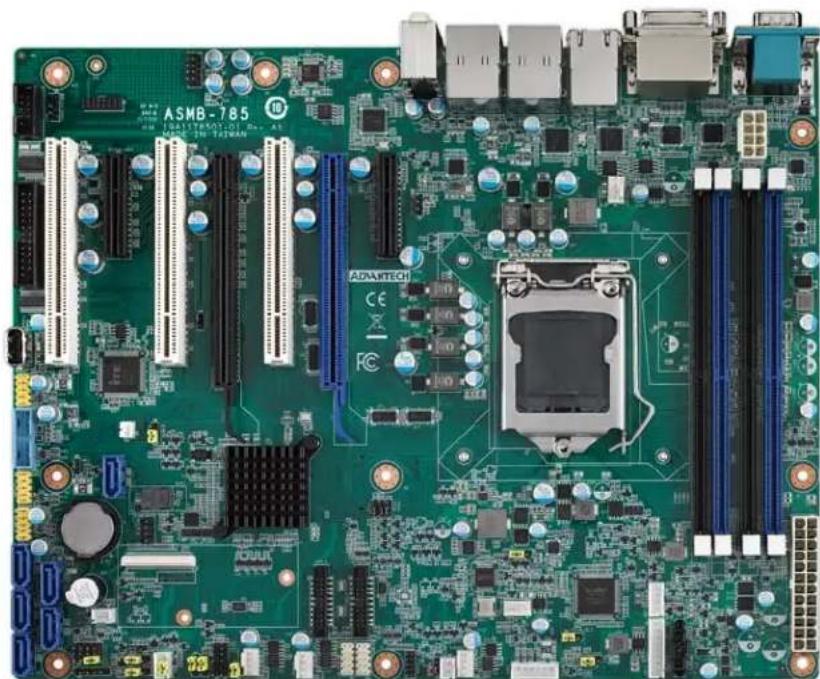
Advantech ASMB-813I-00A1E
| Mura MPX Series M | Mura MPX + IPX Series | C-Series C-Series | + Mura IPX Series | Third party + Mura IPX Series | |
| Validated | Yes | Yes | Yes | Yes | No foreseeable compatibility issues |
| Maximum number of cards supported | 6 | ||||
| Maximum supported Mura MPX-4/4, MPX-4/2, MPX-4/0, and/or IPX Series | 5 | ||||
| Maximum supported Mura MPX-V8, MPX-V16 and/or console display' | 5 | ||||
| Maximum supported C900/C680 | 2 | ||||
| Motherboard Advantech ASM | B-813I-00A1E | ||||
| PCIe expansion slots | • 2 PCIe x16 3.0 slots (×16 mechanical, x16 and x8 electrical) • 3PCIe x16 3.0 slot (×16 mechanical, x8 electrical) • 1 PCIe x8 2.0 slot (×8 mechanical, x4 electrical) | ||||
| Chipset Intel | ® C612 | ||||
| Processor Intel | ® Xeon® E5-2620 V4 2.1 GHz | ||||
| Heatsink (for CPU) LGA 2011-R3 | |||||
| System memory 8 GB DDR4 | ECC-RDIMM 2400 MHz | ||||
| System BIOS version Core version: 5.11 0.24 X64 Project version: ASMB S813X208 | |||||
| Power supply | 1400W 80 plus Redundant power supply | ||||
| Chassis | HPC-7400 | ||||
| Notes | In the system BIOS, selectIntelRCSetup→ IIO Configuration → CPU0 PCIe Configuration. The following has to be changed from [Auto] to [x8x8]: • IOU0 (PCIe Slot5/6) [x8x8] • IOU1 (PCIe Slot3/4) [x8x8] • Make sure the JPRSNT1 & JPRSNT2 jumpers on the motherboard are set to 2-3 when populating PCIe slots 3 and 5. • If you're using the onboard console with C-Series controller, make sure that, in the system BIOS, IntellRCsetup→ VGA Priority is set to Onboard Device. • In the system BIOS, Advanced ± PCI Subsystem settings- Above 4G Decoding should be set to Disabled. • With all slots populated, there could be a performance drop in the data transferred from a Mura IPX Series input to a graphics card. This may reduce the number of source frames successfully transferred from a Mura IPX Series input to a graphics card. For more information, please contact Matrox Display Wall Technical Support team at dwcsupport@matrox.com. | ||||
* Maximum of 1 console display per system.
Configurations
| Slot | C-Series based controller | Mura MPX Series based controller | Third party based controller | |||
| Main | Options | Main | Options | Main | Options | |
| PCIEX1_Slot1 | Empty (Unusable) | Empty (Unusable) | Empty (Unusable) | |||
| PCIEX8_Slot2 | MURAIPXI-D4JF | A | MURAIPXI-D4JF | A, B, D | Third party graphics hardware | A |
| PCIEX8_Slot3 | MURAIPXI-D4JF | A | MURAIPXI-D4JF | A, B, D | Third party graphics hardware | A |
| PCIEX16_Slot 4 | C680 | C | Mura MPX-4/4 | B | Third party graphics hardware | |
| PCIEX8_Slot5 | MURAIPXI-D4JF | A | MURAIPXI-D4JF | A, B, D | MURAIPXI-D4JF | A |
112 Matrox Display Wall - System Builder's Guide
| Slot | C-Series based controller | Mura MPX Series based controller | Third party based controller | |||
| Main | Options | Main | Options | Main | Options | |
| PCIEX16_Slot 6 | C680 A, C Mura MPX-4/4 A, Console display See | B, D Third notes | party graphics Console Display E Console display See | hardware | A | |
| PCIEX4_Slot7 | notes | |||||
Option Product
A MURAIPXI-E4SF, MURAIPXI-E4SHF, MURAIPXI-D2MF, MURAIPXI-D2MHF, MURAIPXI-E2MF, MURAIPXI-E2MHF, MURAIPXI-D4JF, MURAIPXI-D4JHF, MURAIPXI-E4JF, or MURAIPXI-E4JHF
B Mura MPX-4/4, MPX-4/2, MPX-4/0, or MPX-SDI
C C900 or C680
D Mura MPX-V16 or MPX-V8
E Matrox P690 PCIe x16, Matrox P690 Plus LP PCIe x16, Matrox M9148 LP PCIe x16, Matrox M9140 LP PCIe x16, Matrox M9138 LP PCIe x16, Matrox M9128 LP PCIe x16, Matrox M9125 PCIe x16, Matrox M9120 Plus LP PCIe x16, Matrox M9120 Plus LP PCIe x1, or Matrox M9120 PCIe x16 (console options)
F Matrox M9148 LP PCIe x16, Matrox M9140 LP PCIe x16, Matrox M9138 LP PCIe x16, Matrox M9128 LP PCIe x16, Matrox M9125 PCIe x16, Matrox M9120 Plus LP PCIe x16, Matrox M9120 Plus LP PCIe x1, Matrox M9120 PCIe x16, NVIDIA NVS 510, NVIDIA NVS 310, NVIDIA Quadro P400, Intel HD Graphics HD 630, or Intel HD Graphics 530 (console options)
Motherboard layout
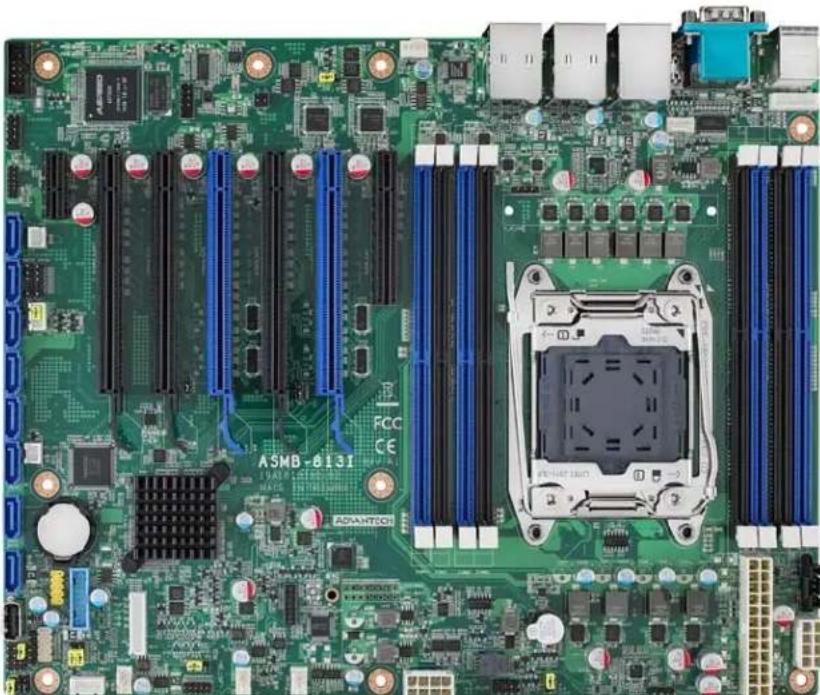
Advantech ASMB-815
| Mura MPX Series | Mura MPX + IPX Series | C-Series C-Series | + Mura IPX Series | Third party + Mura IPX Series | ||
| Validated | Yes | Yes | Yes | Yes | No foreseeable compatibility issues | |
| Maximum number of cards supported | 6 | |||||
| Maximum supported Mura MPX-4/4, MPX-4/2, MPX-4/0, and/or IPX Series | 5 | |||||
| Maximum supported Mura MPX-V8, MPX-V16 and/or console display* | 5 | |||||
| Maximum supported C900/C680 | 2 | |||||
| Motherboard ASMB-815 | ||||||
| PCIe expansion slots | • 2 PCIe x16 3.0 slots (×16 mechanical, ×8/x16 electrical) • 3 PCIe x8 3.0 slots (×8 mechanical/electrical) • 1 PCIe x4 3.0 slot (×4 mechanical, ×4 electrical) | |||||
| Chipset Intel C620 | ||||||
| Processor | Intel Xeon Scalable Processors (Xeon Silver / 4112 @ 2.6 GHz) | |||||
| Heatsink (for CPU) LGA 3647-P0 | ECC-RDIMM 2400 MHz | |||||
| System memory 16 GB DDR4 | ECC-RDIMM 2400 MHz | |||||
| System BIOS version Core version: 5.0.1.2 0.75 X64 Project version: S8150000060X022 | ||||||
| Power supply | 700W 80 plus single power supply | |||||
| Chassis | Advantech ACP-4000MB-00XE | |||||
| Notes | • If you plan on using local USB keyboard/mouse, you must add a PCI USB controller. Using the onboard USB controller may result in erratic USB behavior. • If your power supply has an insufficient number of 6-pin connectors to support the maximum number of third party graphics hardware, you can order optional power cables. For more information on power requirements, see the documentation for your third party graphics hardware. • In the system BIOS, selectSocket Configuration → IIO Configuration, change the following from [Auto] to [x8x8]: • IOU0 (IIO PCIe Br1) [x8x8] • IOU1 (IIO PCIe Br2) [x8x8] • IOU2 (IIO PCIe Br3) [x8x8] • In the system BIOS, selectAdvanced → PCI Subsystem Settings, make sure Above 4G is disabled. • With all slots populated, there could be a performance drop in the data transferred from a Mura IPX Series input to a graphics card. This may reduce the number of source frames successfully transferred from a Mura IPX Series input to a graphics card. For more information, please contact Matrox Display Wall Technical Support team at dwcsupport@matrox.com. • Installing full length cards on PCIex4_SLOT2 and PCIex8_SLOT3 will obstruct access to the SATA6 and SATA7 connectors on the motherboard. • The chassis fans must remain at full speed. | |||||
- Maximum of 1 console per system.
Configurations
| Slot | C-Series based controller | Mura MPX Series based controller | Third party based controller | |||
| Main | Options | Main | Options | Main | Options | |
| PCIEX1_Slot1 | Empty (Unusable) | Empty (Unusable) | Empty (Unusable) | |||
| PCIEX4_Slot2 | Console Display | F | Console Display | E | Empty (Unusable) | |
| PCIEX8_Slot3 | MURAIPXI-D4JF | A | MURAIPXI-D4JF | A, B, D | Third party graphics hardware | A |
| PCIEX16_Slot4 | C680 | C Mura MPX-4/4 B | Third party graphics hardware | |||
| PCIEX8_Slot5 | MURAIPXI-D4JF | A | MURAIPXI-D4JF | A, B, D | MURAIPXI-D4JF | A |
| PCIEX16_Slot6 | C680 | A, C Mura MPX-4/4 A, B, D | Third party graphics hardware | A | ||
| PCIEX8_Slot7 | MURAIPXI-D4JF | A | MURAIPXI-D4JF | A, B, D | MURAIPXI-D4JF | A |
Option Product
| A | MURAIPXI-E4SF, MURAIPXI-E4SHF, MURAIPXI-D2MF, MURAIPXI-D2MHF, MURAIPXI-E2MF, MURAIPXI-E2MHF, MURAIPXI-D4JF, MURAIPXI-D4JHF, MURAIPXI-E4JF, or MURAIPXI-E4JHF |
| B Mura MPX-4/4, MPX-4/2, MPX-4/0, or MPX-SDI | |
| C C900 or C680 | |
| D Mura MPX-V16 or MPX-V8 | |
| E | Matrox P690 PCIe x16, Matrox P690 Plus LP PCIe x16, Matrox M9148 LP PCIe x16, Matrox M9140 LP PCIe x16, Matrox M9138 LP PCIe x16, Matrox M9128 LP PCIe x16, Matrox M9125 PCIe x16, Matrox M9120 Plus LP PCIe x16, Matrox M9120 Plus LP PCIe x1, or Matrox M9120 PCIe x16 (console options) |
| F | Matrox M9148 LP PCIe x16, Matrox M9140 LP PCIe x16, Matrox M9138 LP PCIe x16, Matrox M9128 LP PCIe x16, Matrox M9125 PCIe x16, Matrox M9120 Plus LP PCIe x16, Matrox M9120 Plus LP PCIe x1, Matrox M9120 PCIe x16, NVIDIA NVS 510, NVIDIA NVS 310, NVIDIA Quadro P400, Intel HD Graphics HD 630, or Intel HD Graphics 530 (console options) |
Motherboard layout
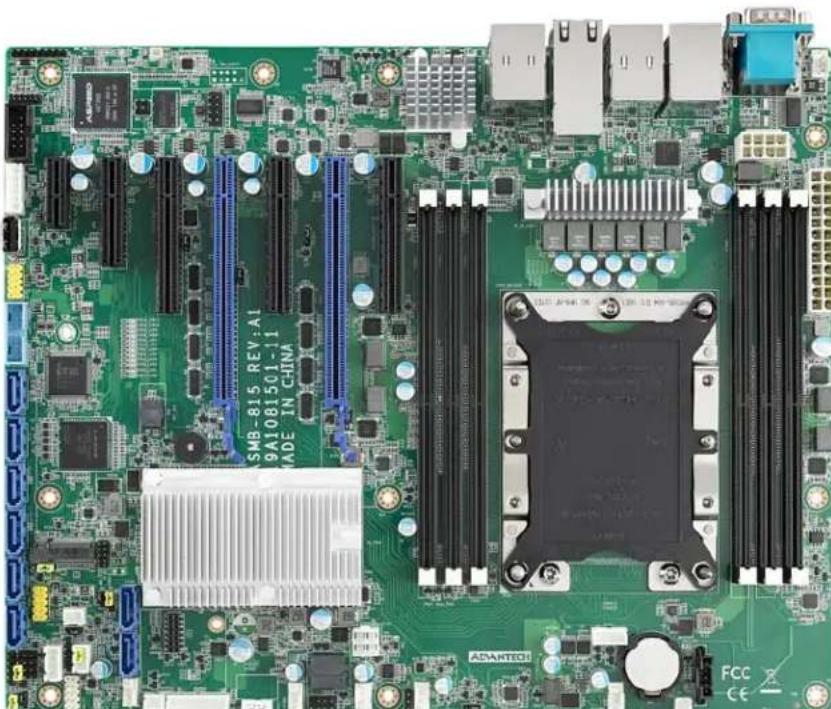
Advantech PCE-5B12 BP with PCE-7129/PCE-5129 SHB
| Mura MPX Series Mura MPX + IPX Series | C-Series C-Series + Mura IPX Series | Third party + Mura IPX Series | |||
| Validated | Yes | Yes | Yes | Yes | No foreseeable compatibility issues |
| Maximum number of cards supported | 11 | ||||
| Maximum supported Mura MPX-4/4, MPX-4/2, MPX-4/0, and/or IPX Series | 10 | ||||
| Maximum supported Mura MPX-V8, MPX-V16 and/or console display' | 10 | ||||
| Maximum supported C900/C680 | 2 | ||||
| Motherboard PCE-7129/PCE-5129 (SHB), PCE-5B12-00A1 (Backplane) | |||||
| PCIe expansion slots | • 10 PCIe x16 2.0 slots (×16 mechanical, ×16 electrical) • 1 PCIe x16 2.0 slot (×16 mechanical, ×4 electrical) | ||||
| Chipset Intel C236 (PCE-7129) | Intel Q170 (PCE-5129) | ||||
| Processor Intel | ® Core™ i7-6770S, 3.40 GHz (PCE-7129/PCE-5129) (Advantech Part# 1960052651N021) | ||||
| Heatsink for the CPU 2U CPU cooler | |||||
| System memory 32 GB DDR4 | ECC-RDIMM 2400 MHz | ||||
| System BIOS version | Core version: 5.0.1.2 0.20 x64 Project version: 7129000CF60E201 (PCE-7129) Project version: 5129000QF60F201 (PCE-5129) | ||||
| Power supply | Single power supply (not included with the chassis): • Enermax 1200W (Part#: EPF1200EW) • EVGA 850W (Part#: 220-G3-0850-X1) | ||||
| Chassis | IPC-623 4U rackmount Chassis Part#: IPC-623BP-00XBE (for single power supply) | ||||
| Notes | • Once the Mura cards are installed in the system, install the hold down clamp. Make sure you insert the rubber cushions into the notches of the hold down clamp and adjust the rubber cushions to secure the cards into position. The rubber cushions protect the cards against shock and vibration. For more information, see the system / chassis manual. • If your power supply has an insufficient number of 6-pin connectors to support the maximum number of third party graphics hardware, you can order optional power cables. For more information on power requirements, see the documentation for your third party graphics hardware. • The single power supply must be ordered separately. • The chassis fans must remain at full speed. | ||||
- Maximum of 1 console per system.
Configurations
| Slot | C-Series based controller | Mura MPX Series based controller | Third party based controller | |||
| Main | Options | Main | Options | Main | Options | |
| P1PCIEX16_1 | C680 | C | Mura MPX-4/4 | B | Third party graphics hardware | |
| P1PCIEX16_2 | MURAIPXI-D4JF | A | Mura MPX-4/4 | A, B, D | Third party graphics hardware | A |
| P1PCIEX16_3 | MURAIPXI-D4JF | A | MURAIPXI-D4JF | A, B, D | Third party graphics hardware | A |
| P1PCIEX16_4 | MURAIPXI-D4JF | A | MURAIPXI-D4JF | A, B, D | MURAIPXI-D4JF | A |
| P1PCIEX16_5 | MURAIPXI-D4JF | A | MURAIPXI-D4JF | A, B, D | MURAIPXI-D4JF | A |
| P2PCIEX16_1 | C680 | A, C | Mura MPX-4/4 | A, B, D | Third party graphics hardware | A |
| P2PCIEX16_2 | MURAIPXI-D4JF | A | Mura MPX-4/4 | A, B, D | Third party graphics hardware | A |
| P2PCIEX16_3 | MURAIPXI-D4JF | A | MURAIPXI-D4JF | A, B, D | MURAIPXI-D4JF | A |
| P2PCIEX16_4 | MURAIPXI-D4JF | A | MURAIPXI-D4JF | A, B, D | MURAIPXI-D4JF | A |
| P2PCIEX16_5 | MURAIPXI-D4JF | A | MURAIPXI-D4JF | A, B, D | MURAIPXI-D4JF | A |
| PPCIEX4_1 | Console display | F | Console Display | E | Empty (unusable) | |
Option Product
| A | MURAIPXI-E4SF, MURAIPXI-E4SHF, MURAIPXI-D2MF, MURAIPXI-D2MHF, MURAIPXI-E2MF, MURAIPXI-E2MHF, MURAIPXI-D4JF, MURAIPXI-D4JHF, MURAIPXI-E4JF, or MURAIPXI-E4JHF |
| B | Mura MPX-4/4, MPX-4/2, MPX-4/0, or MPX-SDI |
| C | C900 or C680 |
| D | Mura MPX-V16 or MPX-V8 |
| E | Matrox P690 PCIe x16, Matrox P690 Plus LP PCIe x16, Matrox M9148 LP PCIe x16, Matrox M9140 LP PCIe x16, Matrox M9138 LP PCIe x16, Matrox M9128 LP PCIe x16, Matrox M9125 PCIe x16, Matrox M9120 Plus LP PCIe x16, Matrox M9120 Plus LP PCIe x1, or Matrox M9120 PCIe x16 (console options) |
| F | Matrox M9148 LP PCIe x16, Matrox M9140 LP PCIe x16, Matrox M9138 LP PCIe x16, Matrox M9128 LP PCIe x16, Matrox M9125 PCIe x16, Matrox M9120 Plus LP PCIe x16, Matrox M9120 Plus LP PCIe x1, Matrox M9120 PCIe x16, NVIDIA NVS 510, NVIDIA NVS 310, NVIDIA Quadro P400, Intel HD Graphics HD 630, or Intel HD Graphics 530 (console options) |
Motherboard layout
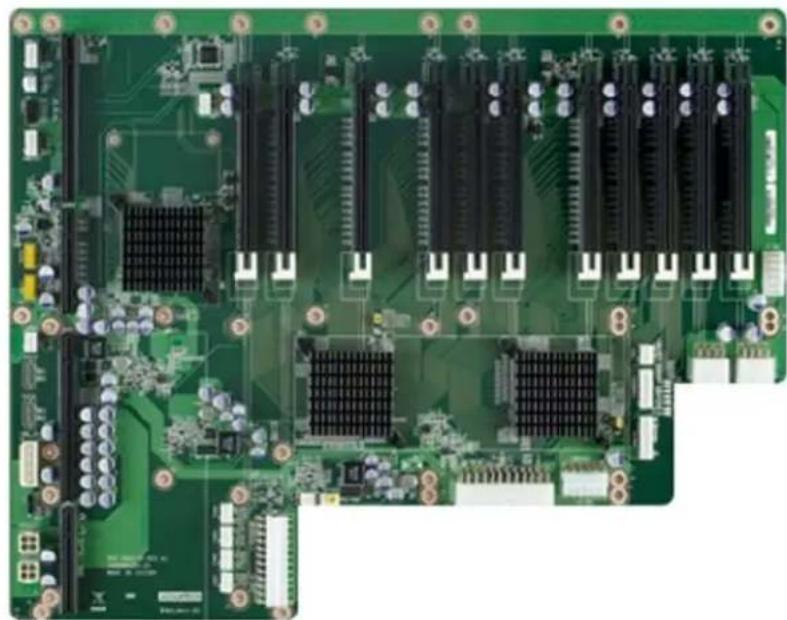
Advantech PCE-5B19/PCE-5128
| Mura MPX Series M | Mura MPX + IPX Series | C-Series C-Series | + Mura IPX Series | Third party + Mura IPX Series | |
| Validated | Yes | Yes | Yes | Yes | No foreseeable compatibility issues |
| Maximum number of cards supported | 17 | ||||
| Maximum supported Mura MPX-4/4, MPX-4/2, MPX-4/0, and/or IPX Series | 15 | ||||
| Maximum supported Mura MPX-V8, MPX-V16 and/or console display' | 16 | ||||
| Maximum supported C900/C680 | 2 | ||||
| Motherboard PCE-5128 (SHB) | PCE-5B19-00A1E (Backplane) | ||||
| PCIe expansion slots | • 17 PCIe x16 3.0 slots (×16 mechanical, ×16 electrical) • 1 PCIe x16 3.0 slot (×16 mechanical, ×4 electrical) | ||||
| Chipset Intel | ® Q87 (PCE-5128) | ||||
| Processor Intel | ® Core™ l7-4770S, 3.10 GHz | ||||
| Heatsink (for CPU) 2U CPU cooler | |||||
| System memory 8 GB DDR3 | |||||
| System BIOS version | Core version: 4.6.5.4 0.35 x64 Project version: PCE 5128XH01 | ||||
| Power supply | Single power supply (not included with the chassis): • Enermax 1200W (Part#: EPF1200EW) • EVGA 850W (Part#: 220-G3-0850-X1) • 1200W (Advantech part # 96PS-A1K2WPS2) | ||||
| Power supply bracket | Standard | ||||
| Chassis | IPC-623 4U rack mount • Chassis Part#: IPC-623BP-00XBE • Chassis Part#: IPC-623BP-1KZC (for single power supply from Advantech) | ||||
| Notes | • The maximum number of GPUs supported by Windows is 29. • The#1PCIE1 x4 slot is unusable due to the adjacent SHB slot. • The single power supply must be ordered separately. • If your power supply has an insufficient number of 6-pin connectors to support the maximum number of third party graphics hardware, you can order optional power cables. For more information on power requirements, see the documentation for your third party graphics hardware. • Choose power cord with IEC C19 plug for chassis IPC-623BP-1KZC. • The chassis fans must remain at full speed. | ||||
- Maximum of 1 console display per system.
Configurations
| Slot | C-Series based controller | Mura MPX Series based controller | Third party based controller | |||
| Main | Options | Main | Options | Main | Options | |
| P1PCIE_1 | Empty (Unusable) | Empty (Unusable) | Empty (Unusable) | |||
| P2PCIE_1 | Empty (Unusable) | Mura MPX-V16 | D | Empty (Unusable) | ||
| P2PCIE_2 | C680 | C | Mura MPX-4/4 | B | Third party graphics hardware | |
| P3PCIE_1 | C680 | A, C | Mura MPX-4/4 | A, B, D | Third party graphics hardware | A |
| P3PCIE_2 | MURAIPXI-D4JF | A, | Mura MPX-4/4 | A, B, D | MURAIPXI-D4JF | A |
| P3PCIE_3 | MURAIPXI-D4JF | A, | Mura MPX-4/4 | A, B, D | Third party graphics hardware | A |
| P3PCIE_4 | MURAIPXI-D4JF | A | Mura MPX-4/4 | A, B, D | Third party graphics hardware | A |
| P3PCIE_5 | MURAIPXI-D4JF | A | Mura MPX-4/4 | A, B, D | MURAIPXI-D4JF | A |
| P4PCIE_1 | MURAIPXI-D4JF | A | Mura MPX-4/4 | A, B, D | Third party graphics hardware | A |
| P4PCIE_2 | MURAIPXI-D4JF | A | Mura MPX-4/4 | A, B, D | MURAIPXI-D4JF | A |
| P4PCIE_3 | MURAIPXI-D4JF | A | Mura MPX-4/4 | A, B, D | MURAIPXI-D4JF | A |
| P4PCIE_4 | MURAIPXI-D4JF | A | Mura MPX-4/4 | A, B, D | MURAIPXI-D4JF | A |
| P4PCIE_5 | MURAIPXI-D4JF | A | Mura MPX-4/4 | A, B, D | MURAIPXI-D4JF | A |
| P5PCIE_1 | MURAIPXI-D4JF | A | Mura MPX-4/4 | A, B, D | MURAIPXI-D4JF | A |
| P5PCIE_2 | MURAIPXI-D4JF | A | Mura MPX-4/4 | A, B, D | MURAIPXI-D4JF | A |
| P5PCIE_3 | MURAIPXI-D4JF | A | Mura MPX-4/4 | A, B, D | MURAIPXI-D4JF | A |
| P5PCIE_4 | MURAIPXI-D4JF | A | MURAIPXI-D4JF | A, D | MURAIPXI-D4JF | A |
| P5PCIE_5 | Console display | F | Console display | E | Empty (Unusable) | |
Option Product
| A | MURAIPXI-E4SF, MURAIPXI-E4SHF, MURAIPXI-D2MF, MURAIPXI-D2MHF, MURAIPXI-E2MF, MURAIPXI-E2MHF, MURAIPXI-D4JF, MURAIPXI-D4JHF, MURAIPXI-E4JF, or MURAIPXI-E4JHF |
| B Mura MPX-4/4, MPX-4/2, MPX-4/0, or MPX-SDI | |
| C | C900 or C680 |
| D | Mura MPX-V16 or MPX-V8 |
| E | Matrox P690 PCIe x16, Matrox P690 Plus LP PCIe x16, Matrox M9148 LP PCIe x16, Matrox M9140 LP PCIe x16, Matrox M9138 LP PCIe x16, Matrox M9128 LP PCIe x16, Matrox M9125 PCIe x16, Matrox M9120 Plus LP PCIe x16, Matrox M9120 Plus LP PCIe x1, or Matrox M9120 PCIe x16 (console options) |
| F | Matrox M9148 LP PCIe x16, Matrox M9140 LP PCIe x16, Matrox M9138 LP PCIe x16, Matrox M9128 LP PCIe x16, Matrox M9125 PCIe x16, Matrox M9120 Plus LP PCIe x16, Matrox M9120 Plus LP PCIe x1, Matrox M9120 PCIe x16, NVIDIA NVS 510, NVIDIA NVS 310, NVIDIA Quadro P400, Intel HD Graphics HD 630, or Intel HD Graphics 530 (console options) |
Motherboard layout
Advantech PCE-5B19/PCE-5129
| Mura MPX Series Mura MPX + IPX Series | C-Series C-Series | Mura IPX Series | Third party + Mura IPX Series | |
| Validated Yes/Yes (Requires Mura) | driver version 3.01 or later) | Yes/Yes Yes | ||
| Maximum number of cards supported | 16 | |||
| Maximum supported Mura MPX-4/4, MPX-4/2, MPX-4/0, and/or IPX Series | Mura MPX Series only: 14 Mura MPX Series with a console display: 14 (plus a console display) Mura MPX Series + Mura IPX Series: 9 + 5 | |||
| Maximum supported Mura MPX-V8, MPX-V16 and/or console display* | 14 | |||
| Maximum supported C900/C680 | 2 | |||
| Motherboard PCE-5129 (SHB) | PCE-5B19-00A1E (Backplane) | |||
| PCIe expansion slots | • 17 PCIe x16 3.0 slots (×16 mechanical, ×16 electrical) • 1 PCIe x16 3.0 slot (×16 mechanical, ×4 electrical) | |||
| Chipset Intel | ® Q170 | |||
| Processor Intel | ® Core™ i7-6770S, 3.40 GHz | |||
| Heatsink (for CPU) 2U CPU cooler | ||||
| System memory | 16 GB DDR4 | |||
| System BIOS version | Core version: 5.0.1.2 0.20 x64 Project version: 5129000QF60F201 | |||
| Power supply | Single power supply (not included with the chassis): • Enermax 1200W (Part#: EPF1200EW) • EVGA 850W (Part#: 220-G3-0850-X1) • 1200W (Advantech part # 96PS-A1K2WPS2) | |||
| Power supply bracket | Standard | |||
| Chassis | IPC-623 4U rack mount • Chassis Part#: IPC-623BP-00XBE • Chassis Part#: IPC-623BP-1KZC (for single power supply from Advantech) | |||
| Notes | • The maximum number of GPUs supported by Windows is 29. • TheP1PCIE1 x4 slot is unusable due to the adjacent SHB slot. • The single power supply must be ordered separately. • If your power supply has an insufficient number of 6-pin connectors to support the maximum number of third party graphics hardware, you can order optional power cables. For more information on power requirements, see the documentation for your third party graphics hardware. • Choose power cord with IEC C19 plug for chassis IPC-623BP-1KZC. • The chassis fans must remain at full speed. | |||
- Maximum of 1 console display per system.
Configurations
| Slot | C-Series based controller | Mura MPX Series based controller | Third party based controller | |||
| Main | Options | Main | Options | Main | Options | |
| P1PCIE_1 | Empty (Unusable) | Empty (Unusable) | Empty (Unusable) | |||
| P2PCIE_1 | Empty (Unusable) | Console Display | E | Empty (Unusable) | ||
| P2PCIE_2 | C680 | Empty (Unusable) | Third party graphics hardware | |||
| P3PCIE_1 | C680 | A, C | Mura MPX-4/4 | B | Third party graphics hardware | A |
| P3PCIE_2 | MURAIPXI-D4JF | A, | MURAIPXI-D4JF | A, B, D | MURAIPXI-D4JF | A |
| P3PCIE_3 | MURAIPXI-D4JF | A, | MURAIPXI-D4JF | A, B, D | Third party graphics hardware | A |
| P3PCIE_4 | MURAIPXI-D4JF | A | Mura MPX-4/4 | A, B, D | Third party graphics hardware | A |
| P3PCIE_5 | MURAIPXI-D4JF | A | Mura MPX-4/4 | A, B, D | MURAIPXI-D4JF | A |
| P4PCIE_1 | MURAIPXI-D4JF | A | MURAIPXI-D4JF | A, B, D | Third party graphics hardware | A |
| P4PCIE_2 | MURAIPXI-D4JF | A | MURAIPXI-D4JF | A, B, D | MURAIPXI-D4JF | A |
| P4PCIE_3 | MURAIPXI-D4JF | A | Mura MPX-4/4 | A, B, D | MURAIPXI-D4JF | A |
| P4PCIE_4 | MURAIPXI-D4JF | A | Mura MPX-4/4 | A, B, D | MURAIPXI-D4JF | A |
| P4PCIE_5 | MURAIPXI-D4JF | A | Mura MPX-4/4 | A, B, D | MURAIPXI-D4JF | A |
| P5PCIE_1 | MURAIPXI-D4JF | A | MURAIPXI-D4JF | A, B, D | MURAIPXI-D4JF | A |
| P5PCIE_2 | MURAIPXI-D4JF | A | Mura MPX-4/4 | A, B, D | MURAIPXI-D4JF | A |
| P5PCIE_3 | MURAIPXI-D4JF | A | Mura MPX-4/4 | A, B, D | MURAIPXI-D4JF | A |
| P5PCIE_4 | MURAIPXI-D4JF | A | MURAIPXI-D4JF | A, B, D | MURAIPXI-D4JF | A |
| P5PCIE_5 | Console display | F | Mura MPX-4/4 | A, B, D | Empty (Unusable) | |
Option Product
| A | MURAIPXI-E4SF, MURAIPXI-E4SHF, MURAIPXI-D2MF, MURAIPXI-D2MHF, MURAIPXI-E2MF, MURAIPXI-E2MHF, MURAIPXI-D4JF, MURAIPXI-D4JHF, MURAIPXI-E4JF, or MURAIPXI-E4JHF |
| B Mura MPX-4/4, MPX-4/2, MPX-4/0, or MPX-SDI | |
| C C900 or C680 | |
| D Mura MPX-V16 or MPX-V8 | |
| E | Matrox P690 PCIe x16, Matrox P690 Plus LP PCIe x16, Matrox M9148 LP PCIe x16, Matrox M9140 LP PCIe x16, Matrox M9138 LP PCIe x16, Matrox M9128 LP PCIe x16, Matrox M9125 PCIe x16, Matrox M9120 Plus LP PCIe x16, Matrox M9120 Plus LP PCIe x1, or Matrox M9120 PCIe x16 (console options) |
| F | Matrox M9148 LP PCIe x16, Matrox M9140 LP PCIe x16, Matrox M9138 LP PCIe x16, Matrox M9128 LP PCIe x16, Matrox M9125 PCIe x16, Matrox M9120 Plus LP PCIe x16, Matrox M9120 Plus LP PCIe x1, Matrox M9120 PCIe x16, NVIDIA NVS 510, NVIDIA NVS 310, NVIDIA Quadro P400, Intel HD Graphics HD 630, or Intel HD Graphics 530 (console options) |
Motherboard layout
Advantech PCE-5B19/PCE-7129
| Mura MPX Series Mura MPX + IPX Series | C-Series C-Series | Mura IPX Series | Third party + Mura IPX Series | |
| Validated Yes/Yes (Requires Mura) | driver version 3.01 or later) | Yes/Yes Yes | ||
| Maximum number of cards supported | 16 | |||
| Maximum supported Mura MPX-4/4, MPX-4/2, MPX-4/0, and/or IPX Series | Mura MPX Series only: 14 Mura MPX Series with a console display: 14 (plus a console display) Mura MPX Series + Mura IPX Series: 7 + 6 | |||
| Maximum supported Mura MPX-V8, MPX-V16 and/or console display* | 14 | |||
| Maximum supported C900/C680 | 2 | |||
| Motherboard PCE-7129 (SHB) | PCE-5B19-00A1E (Backplane) | |||
| PCIe expansion slots | • 17 PCIe x16 3.0 slots (×16 mechanical, ×16 electrical) • 1 PCIe x16 3.0 slot (×16 mechanical, ×4 electrical) | |||
| Chipset Intel | ® C236 | |||
| Processor Intel | ® Core™ i7-6770S, 3.40 GHz | |||
| Heatsink (for CPU) 2U CPU cooler | ||||
| System memory | 32 GB DDR4 | |||
| System BIOS version | Core version: 5.0.1.2 0.20 x64 Project version: 7129000CF60E201 | |||
| Power supply | Single power supply (not included with the chassis): • Enermax 1200W (Part#: EPF1200EW) • EVGA 850W (Part#: 220-G3-0850-X1) • 1200W (Advantech part # 96PS-A1K2WPS2) | |||
| Power supply bracket | Standard | |||
| Chassis | IPC-623 4U rack mount • Chassis Part#: IPC-623BP-00XBE • Chassis Part#: IPC-623BP-1KZC (for single power supply from Advantech) | |||
| Notes | • The maximum number of GPUs supported by Windows is 29. • The P1PCIE1 x4 slot is unusable due to the adjacent SHB slot. • The single power supply must be ordered separately. • If your power supply has an insufficient number of 6-pin connectors to support the maximum number of third party graphics hardware, you can order optional power cables. For more information on power requirements, see the documentation for your third party graphics hardware. • The P2PCIE_1 & P2PCIE_2 x16 slots can't use full-length PCIe cards due to a mechanical conflict with the SHB CPU heatsink. • Choose power cord with IEC C19 plug for chassis IPC-623BP-1KZC. • The chassis fans must remain at full speed. | |||
- Maximum of 1 console display per system.
Configurations
| Slot | C-Series based controller | Mura MPX Series based controller | Third party based controller | |||
| Main | Options | Main | Options | Main | Options | |
| P1PCIE_1 | Empty (Unusable) | Empty (Unusable) | Empty (Unusable) | |||
| P2PCIE_1 | Empty (Unusable) | Console Display | E | Empty (Unusable) | ||
| P2PCIE_2 | C680 | Empty (Unusable) | Third party graphics hardware | |||
| P3PCIE_1 | C680 | A, C | Mura MPX-4/4 | B | Third party graphics hardware | A |
| P3PCIE_2 | MURAIPXI-D4JF | A, | MURAIPXI-D4JF | A, B, D | MURAIPXI-D4JF | A |
| P3PCIE_3 | MURAIPXI-D4JF | A, | MURAIPXI-D4JF | A, B, D | Third party graphics hardware | A |
| P3PCIE_4 | MURAIPXI-D4JF | A | Mura MPX-4/4 | A, B, D | Third party graphics hardware | A |
| P3PCIE_5 | MURAIPXI-D4JF | A | Mura MPX-4/4 | A, B, D | MURAIPXI-D4JF | A |
| P4PCIE_1 | MURAIPXI-D4JF | A | MURAIPXI-D4JF | A, B, D | Third party graphics hardware | A |
| P4PCIE_2 | MURAIPXI-D4JF | A | MURAIPXI-D4JF | A, B, D | MURAIPXI-D4JF | A |
| P4PCIE_3 | MURAIPXI-D4JF | A | Mura MPX-4/4 | A, B, D | MURAIPXI-D4JF | A |
| P4PCIE_4 | MURAIPXI-D4JF | A | Mura MPX-4/4 | A, B, D | MURAIPXI-D4JF | A |
| P4PCIE_5 | MURAIPXI-D4JF | A | Mura MPX-4/4 | A, B, D | MURAIPXI-D4JF | A |
| P5PCIE_1 | MURAIPXI-D4JF | A | MURAIPXI-D4JF | A, B, D | MURAIPXI-D4JF | A |
| P5PCIE_2 | MURAIPXI-D4JF | A | Mura MPX-4/4 | A, B, D | MURAIPXI-D4JF | A |
| P5PCIE_3 | MURAIPXI-D4JF | A | Mura MPX-4/4 | A, B, D | MURAIPXI-D4JF | A |
| P5PCIE_4 | MURAIPXI-D4JF | A | MURAIPXI-D4JF | A, B, D | MURAIPXI-D4JF | A |
| P5PCIE_5 | Console display | F | Mura MPX-4/4 | A, B, D | Empty (Unusable) | |
Option Product
| A | MURAIPXI-E4SF, MURAIPXI-E4SHF, MURAIPXI-D2MF, MURAIPXI-D2MHF, MURAIPXI-E2MF, MURAIPXI-E2MHF, MURAIPXI-D4JF, MURAIPXI-D4JHF, MURAIPXI-E4JF, or MURAIPXI-E4JHF |
| B Mura MPX-4/4, MPX-4/2, MPX-4/0, or MPX-SDI | |
| C C900 or C680 | |
| D Mura MPX-V16 or MPX-V8 | |
| E | Matrox P690 PCIe x16, Matrox P690 Plus LP PCIe x16, Matrox M9148 LP PCIe x16, Matrox M9140 LP PCIe x16, Matrox M9138 LP PCIe x16, Matrox M9128 LP PCIe x16, Matrox M9125 PCIe x16, Matrox M9120 Plus LP PCIe x16, Matrox M9120 Plus LP PCIe x1, or Matrox M9120 PCIe x16 (console options) |
| F | Matrox M9148 LP PCIe x16, Matrox M9140 LP PCIe x16, Matrox M9138 LP PCIe x16, Matrox M9128 LP PCIe x16, Matrox M9125 PCIe x16, Matrox M9120 Plus LP PCIe x16, Matrox M9120 Plus LP PCIe x1, Matrox M9120 PCIe x16, NVIDIA NVS 510, NVIDIA NVS 310, NVIDIA Quadro P400, Intel HD Graphics HD 630, or Intel HD Graphics 530 (console options) |
Motherboard layout
ASUS® WS C422 PRO/SE
| Mura MPX Series Mura MPX + IPX Series | C-Series C-Series | Mura IPX Series | Third party + Mura IPX Series | ||
| Validated | No | No | Yes | Yes | No foreseeable compatibility issues |
| Maximum number of cards supported | 4 | ||||
| Maximum supported Mura MPX-4/4, MPX-4/2, MPX-4/0, and/or IPX Series | 3 (Only Mura IPX Series) | ||||
| Maximum supported Mura MPX-V8, MPX-V16 and/or console display' | See note for console support | ||||
| Maximum supported C900/C680 | 2 | ||||
| Motherboard Asus | ® WS C422 PRO/SE | ||||
| PCIe expansion slots | • 2 PCIe x16 3.0 slots (×16 mechanical, ×16 electrical) • 2 PCIe x16 3.0 slots (×16 mechanical, ×8/x16 electrical) • 1 PCIe x4 3.0 slot (×4 mechanical, ×4 electrical) | ||||
| Chipset Intel | ® C422 | ||||
| Processor Intel | ® Xeon® W-2133 CPU @ 3.6GHz | ||||
| Heatsink for the CPU LGA 2066 for Intel | ® Xeon-W series | ||||
| System memory 12 GB DDR4 | |||||
| System BIOS version 0702, 2018-06-14 | |||||
| Power supply | 750W (P/N: EVGA Supernova 750G3) | ||||
| Chassis | Chenbro RM41300 FS81 (includes fans) | ||||
| Notes | • The chassis must be ordered from Chenbro. Power supply isn't included with the chassis. • To use the onboard graphics, make sure the 3-pinVGA_SW1 jumper is set to Enable on the motherboard. Then install the VGA bracket cable that came with the motherboard in an empty slot and connect to the internal VGA connector VGA_HDR1 on the motherboard. • Only onboard console support with C-Series based controller. | ||||
Maximum of 1 console per system.
Configurations
| Slot | C-Series based controller | Mura MPX Series based controller | Third party based controller | |||
| Main | Options | Main | Options | Main | Options | |
| PCIEX16_1 | C680 | C | — | Third party graphics hardware | ||
| PCIEX16_2 | C680 | A,C | — | Third party graphics hardware | A | |
| PCIEX4_1 | Empty | — | Empty | |||
| PCIEX16_3 | MURAIPXI-D4JF | A | — | MURAIPXI-D4JF | A | |
| PCIEX16_4 | MURAIPXI-D4JF | A | — | MURAIPXI-D4JF | A | |
| Option | Product | |||||
| A | MURAIPXI-E4SF, MURAIPXI-E4SHF, MURAIPXI-D2MF, MURAIPXI-D2MHF, MURAIPXI-E2MF, MURAIPXI-E2MHF, MURAIPXI-D4JF, MURAIPXI-D4JHF, MURAIPXI-E4JF, or MURAIPXI-E4JHF | |||||
| B | Mura MPX-4/4, MPX-4/2, MPX-4/0, or MPX-SDI | |||||
| C | C900 or C680 | |||||
| D | Mura MPX-V16 or MPX-V8 | |||||
Option Product
| E | Matrox P690 PCIe x16, Matrox P690 Plus LP PCIe x16, Matrox M9148 LP PCIe x16, Matrox M9140 LP PCIe x16, Matrox M9138 LP PCIe x16, Matrox M9128 LP PCIe x16, Matrox M9125 PCIe x16, Matrox M9120 Plus LP PCIe x16, Matrox M9120 Plus LP PCIe x1, or Matrox M9120 PCIe x16 (console options) |
| F | Matrox M9148 LP PCIe x16, Matrox M9140 LP PCIe x16, Matrox M9138 LP PCIe x16, Matrox M9128 LP PCIe x16, Matrox M9125 PCIe x16, Matrox M9120 Plus LP PCIe x16, Matrox M9120 Plus LP PCIe x1, Matrox M9120 PCIe x16, NVIDIA NVS 510, NVIDIA NVS 310, NVIDIA Quadro P400, Intel HD Graphics HD 630, or Intel HD Graphics 530 (console options) |
Motherboard layout
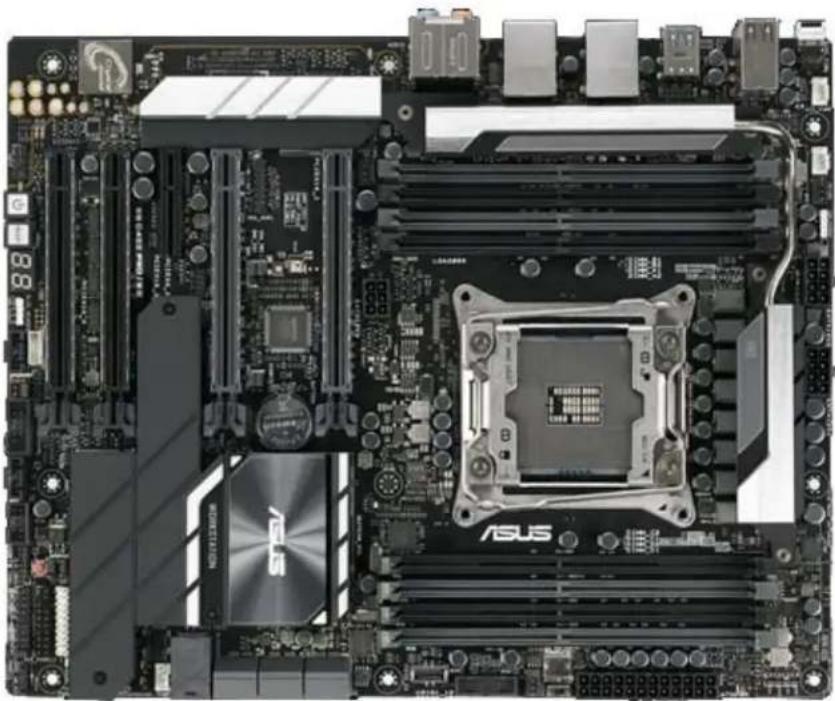
ASUS® WS C422 SAGE/10G
| Mura MPX Series Mura MPX + IPX Series | C-Series C-Series | Mura IPX Series | Third party + Mura IPX Series | |||
| Validated | Yes | Yes | Yes | Yes (Requires 3.03 or later | No foreseeable compatibility issues | |
| Maximum number of cards supported | 7 | |||||
| Maximum supported Mura MPX-4/4, MPX-4/2, MPX-4/0, and/or IPX Series | 7 | |||||
| Maximum supported Mura MPX-V8, MPX-V16 and/or console display' | 6 | |||||
| Maximum supported C900/C680 | 2 | |||||
| Motherboard Asus WS C422 | SAGE/10G | |||||
| PCIe expansion slots | 7 PCIe x16 3.0 slots (x16 mechanical, x16/x8 electrical) | |||||
| Chipset Intel | ® C422 | |||||
| Processor Intel | ® Xeon W-2123 CPU @ 3.6GHz | |||||
| Heatsink for the CPU LGA 2066 | ||||||
| System memory 16 GB DDR4 | ||||||
| System BIOS version 0905 2018-11-30 | ||||||
| Power supply | 850W ( P/N:EVGA Supernova 850G3) | |||||
| Chassis | Chenbro RM41300-FS81 (includes fans) | |||||
| Notes | The chassis must be ordered from Chenbro. Power supply isn't included with the chassis. The chassis fan speed must be set to full speed. To change the fan speed, go to system BIOS main page (EZ mode), select QFan Control, select the header to which the fans are connected, change from Standard to Full Speed, and apply the changes. In the system BIOS, go to Advanced Mode → Boot, then set Above 4G Decoding to ON and set First VGA 4G Decode to Above_4G. Windows 10 - In the system BIOS, go to Advanced Mode → Boot → CSM Configuration → CSM set to Disable. Windows 7 - In the system BIOS, go to Advanced Mode → Boot → CSM Configuration → CSM set to Enable. Moving application windows on the console display may affect the performance of the video wall. The system BIOS is available at ftp://c422_sage:RRCygpAK@privftp.matrox.com. | |||||
Maximum of 1 console per system.
Configurations
| Slot | C-Series based controller | Mura MPX Series based controller | Third party based controller | |||
| Main | Options | Main | Options | Main | Options | |
| PCIEX16_1 | C680 | C Mura MPX-4/4 B | Third party graphics hardware | |||
| PCIEX16_2 | MURAIPXI-D4JF | A, F | MURAIPXI-D4JF | A, B, D, E | MURAIPXI-D4JF | A |
| PCIEX16_3 | MURAIPXI-D4JF | A | MURAIPXI-D4JF | A, B, D | Third party graphics hardware | A |
| PCIEX16_4 | MURAIPXI-D4JF | A | Mura MPX-4/4 | A, B, D | MURAIPXI-D4JF | A |
| PCIEX16_5 | MURAIPXI-D4JF | A | MURAIPXI-D4JF | A, B, D | Third party graphics hardware | A |
| PCIEX16_6 | MURAIPXI-D4JF | A | Mura MPX-4/4 A, B, D | Third party graphics hardware | A | |
| PCIEX16_7 | C680 | A, C | Mura MPX-4/4 | A, B, D | MURAIPXI-D4JF | A |
Option Product
| A | MURAIPXI-E4SF, MURAIPXI-E4SHF, MURAIPXI-D2MF, MURAIPXI-D2MHF, MURAIPXI-E2MF, MURAIPXI-E2MHF, MURAIPXI-D4JF, MURAIPXI-D4JHF, MURAIPXI-E4JF, or MURAIPXI-E4JHF |
| B Mura MPX-4/4, MPX-4/2, MPX-4/0, or MPX-SDI | |
| C C900 or C680 | |
| D Mura MPX-V16 or MPX-V8 | |
| E | Matrox P690 PCIe x16, Matrox P690 Plus LP PCIe x16, Matrox M9148 LP PCIe x16, Matrox M9140 LP PCIe x16, Matrox M9138 LP PCIe x16, Matrox M9128 LP PCIe x16, Matrox M9125 PCIe x16, Matrox M9120 Plus LP PCIe x16, Matrox M9120 Plus LP PCIe x16 (console options) |
| F | Matrox M9148 LP PCIe x16, Matrox M9140 LP PCIe x16, Matrox M9138 LP PCIe x16, Matrox M9128 LP PCIe x16, Matrox M9125 PCIe x16, Matrox M9120 Plus LP PCIe x16, Matrox M9120 Plus LP PCIe x1, Matrox M9120 PCIe x16, NVIDIA NVS 510, NVIDIA NVS 310, NVIDIA Quadro P400, Intel HD Graphics HD 630, or Intel HD Graphics 530 (console options) |
Motherboard layout
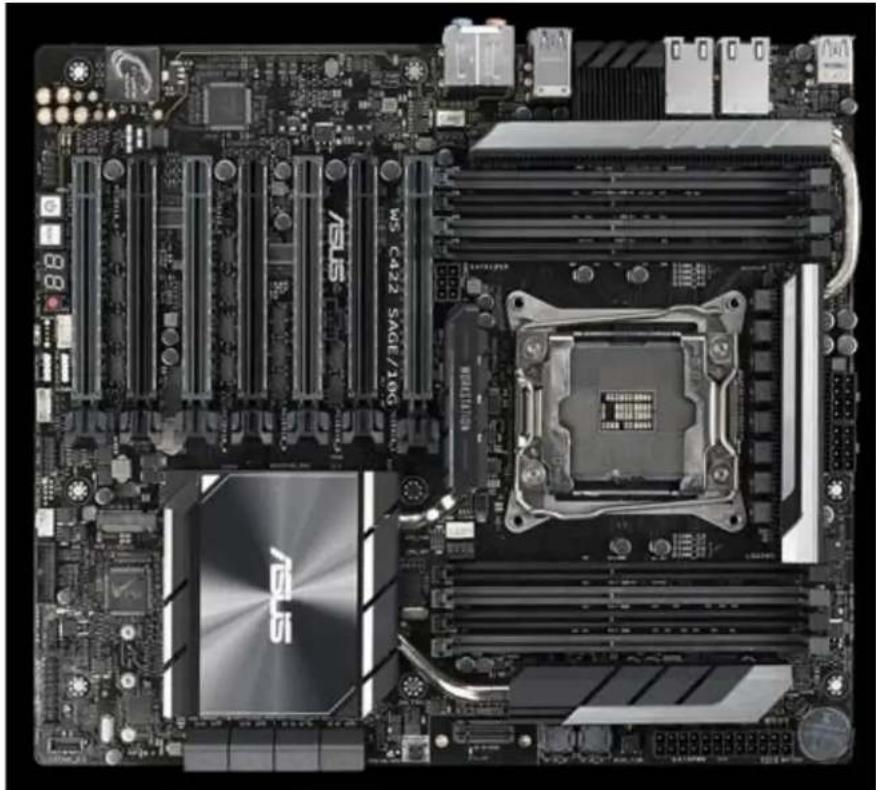
ASUS® WS C621E SAGE
| Mura MPX Series Mura MPX + IPX Series | C-Series C-Series | Mura IPX Series | Third party + Mura IPX Series | ||
| Validated | No | No | Yes | Yes (requires 3.03 or later) | No foreseeable compatibility issues |
| Maximum number of cards supported | 7 | ||||
| Maximum supported Mura MPX-4/4, MPX-4/2, MPX-4/0, and/or IPX Series | 6 (Only Mura IPX Series) | ||||
| Maximum supported Mura MPX-V8, MPX-V16 and/or console display | See note for console support. | ||||
| Maximum supported C900/C680 | 2 | ||||
| Motherboard Asus WS C621E | SAGE | ||||
| PCIe expansion slots | • 3 PCIe x16 3.0 slots (×16 mechanical, ×16 electrical) • 2 PCIe x16 3.0 slots (×16 mechanical, ×8/x16 electrical) • 2 PCIe x16 3.0 slot (×16 mechanical, ×8 electrical) | ||||
| Chipset Intel | ® C621 PCH | ||||
| Processor Intel | ® Xeon Bronze 3104 Dual CPU @ 1.70GHz | ||||
| Heatsink for the CPU LGA 3647 | |||||
| System memory | 16 GB DDR4 | ||||
| System BIOS version 5701 | |||||
| Power supply | 850W (P/N:EVGA Supernova 850G3) | ||||
| Chassis | Chenbro RM41300-FS81 (includes fans) | ||||
| Notes | • The chassis must be ordered from Chenbro. Power supply isn't included with the chassis. • The chassis fan speed must be set to full speed. To change the fan speed, go to the system BIOS main page (EZ mode), select QFan Control, select the header to which the fans are connected, change from Standard to Full Speed and apply the changes. • To use the onboard graphics, make sure the 3-pin VGA_SW1 jumper is set tEnable on the motherboard. Then, install the VGA bracket cable that came with the motherboard in an empty slot and connect to the internal VGA connector VGA_HDR1 on the motherboard. • In the system BIOS, go to Advanced Mode → Boot → CSM Configuration → make sure CSM is set to Disable • In the system BIOS, go to Advanced Mode → PCI Subsystem settings, then make sure Above 4G Decoding is set to Enable and First VGA 4G Decode to Above_4G. • Only onboard console support with C-Series based controller. • The console display should never be set as the primary display in Windows. • Moving application windows on the console display may affect the performance of your video wall. | ||||
Maximum of 1 console per system.
Configurations
| Slot | C-Series based controller | Mura MPX Series based controller | Third party based controller | |||
| Main | Options | Main | Options | Main | Options | |
| PCIEX16_1 | C680 | C | — | Third party graphics hardware | ||
| PCIEX16_2 | MURAIPXI-D4JF | A | — | MURAIPXI-D4JF | A | |
| PCIEX16_3 | MURAIPXI-D4JF | A | — | Third party graphics hardware | A | |
| PCIEX16_4 | MURAIPXI-D4JF | A | — | MURAIPXI-D4JF | A | |
| PCIEX16_5 | MURAIPXI-D4JF | A | — | Third party graphics hardware | A | |
| PCIEX16_6 | MURAIPXI-D4JF | A | — | Third party graphics hardware | A | |
| PCIEX16_7 C680 A, C — MURAIPXI-D4JF A | ||||||
Option Product
| A | MURAIPXI-E4SF, MURAIPXI-E4SHF, MURAIPXI-D2MF, MURAIPXI-D2MHF, MURAIPXI-E2MF, MURAIPXI-E2MHF, MURAIPXI-D4JF, MURAIPXI-D4JHF, MURAIPXI-E4JF, or MURAIPXI-E4JHF |
| B Mura MPX-4/4, MPX-4/2, MPX-4/0, or MPX-SDI | |
| C C900 or C680 | |
| D Mura MPX-V16 or MPX-V8 | |
| E | Matrox P690 PCIe x16, Matrox P690 Plus LP PCIe x16, Matrox M9148 LP PCIe x16, Matrox M9140 LP PCIe x16, Matrox M9138 LP PCIe x16, Matrox M9128 LP PCIe x16, Matrox M9125 PCIe x16, Matrox M9120 Plus LP PCIe x16, Matrox M9120 Plus LP PCIe x16 (console options) |
| F | Matrox M9148 LP PCIe x16, Matrox M9140 LP PCIe x16, Matrox M9138 LP PCIe x16, Matrox M9128 LP PCIe x16, Matrox M9125 PCIe x16, Matrox M9120 Plus LP PCIe x16, Matrox M9120 Plus LP PCIe x1, Matrox M9120 PCIe x16, NVIDIA NVS 510, NVIDIA NVS 310, NVIDIA Quadro P400, Intel HD Graphics HD 630, or Intel HD Graphics 530 (console options) |
Motherboard layout
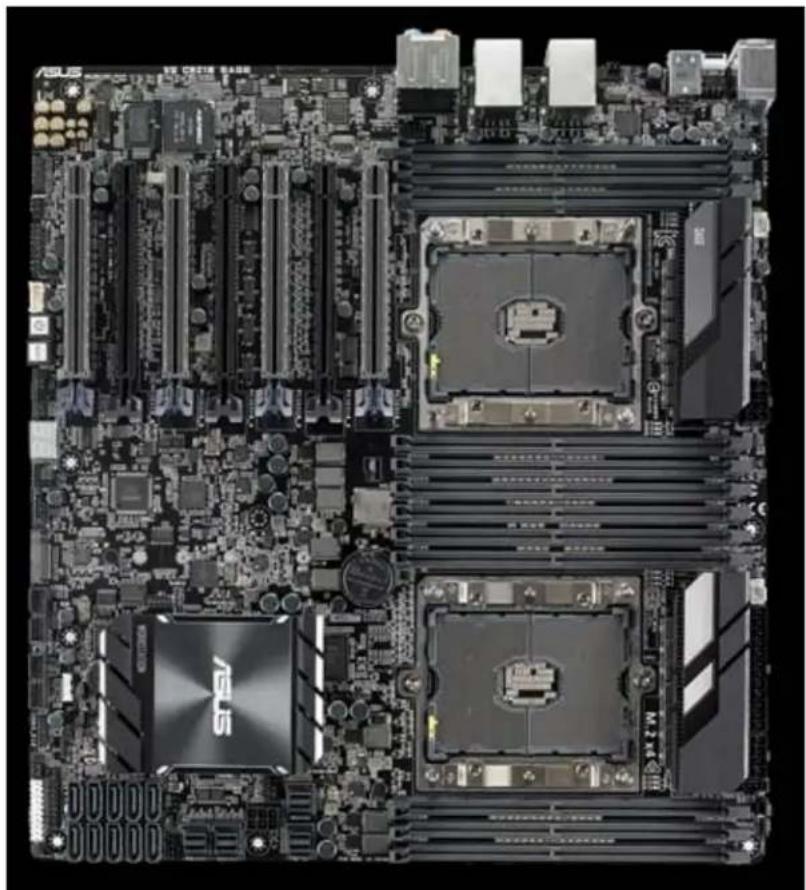
ASUS® WS X299 SAGE
| Mura MPX Series Mura MPX + IPX Series | C-Series C-Series | Mura IPX Series | Third party + Mura IPX Series | |
| Validated | Yes | Yes | Yes | No foreseeable compatibility issues |
| Maximum number of cards supported | 7 | |||
| Maximum supported Mura MPX-4/4, MPX-4/2, MPX-4/0, and/or IPX Series | 7 | |||
| Maximum supported Mura MPX-V8, MPX-V16 and/or console display' | 6 | |||
| Maximum supported C900/C680 | 2 | |||
| Motherboard Asus | ® WS X299 SAGE | |||
| PCIe expansion slots | • 1 PCIe x16 3.0 slots (x16 mechanical, x16 electrical) • 3 PCIe x16 3.0 slots (x16 mechanical, x8/x16 electrical) • 3 PCIe x8 3.0 slot (x16 mechanical, x8 electrical) | |||
| Chipset Intel | ® X299 | |||
| Processor Intel | ® Core i9-7900X @ 3.30GHz; X-series 44 lane CPU | |||
| CPU Heatsink LGA 2066-4 | ||||
| System memory 16 GB DDR4 | ||||
| System BIOS version 0905, 2018.11.30 | ||||
| Power supply | 850W (P/N:EVGA Supernova 850G3) | |||
| Chassis | Chenbro RM41300-FS81 (includes fans) | |||
| Notes | • The chassis must be ordered from Chenbro. Power supply isn't included with the chassis. • The chassis fan speed must be set to full speed. To change the fan speed, go to system BIOS main page (EZ mode) → select QFan Control → Select the header to which the fans are connected → change from Standard to Full Speed and apply the changes. • In the system BIOS, go to Advanced Mode → Boot, then set Above 4G Decoding to ON and set First VGA 4G Decode to Above_4G. • The console display should never be set as the primary display in Windows. • System BIOS available at ftp://asusbiosx299:5eyidt85@privftp.matrox.com. | |||
Maximum of 1 console per system.
Configurations
| Slot | C-Series based controller | Mura MPX Series based controller | Third party based controller | |||
| Main | Options | Main | Options | Main | Options | |
| PCIEX16_1 | C680 | C | MURA MPX-4/4 | B | Third party graphics hardware | |
| PCIEX16_2 | MURAIPXI-D4JF | A, F | MURAIPXI-D4JF | A, B, D, E | MURAIPXI-D4JF | A |
| PCIEX16_3 | MURAIPXI-D4JF | A | MURAIPXI-D4JF | A, B, D | Third party graphics hardware | A |
| PCIEX16_4 | MURAIPXI-D4JF | A | MURA MPX-4/4 | A, B, D | Third party graphics hardware | A |
| PCIEX16_5 | MURAIPXI-D4JF | A | MURAIPXI-D4JF | A, B, D | MURAIPXI-D4JF | A |
| PCIEX16_6 | MURAIPXI-D4JF | A | MURA MPX-4/4 | A, B, D | Third party graphics hardware | A |
| PCIEX16_7 | C680 | A, C | MURAIPXI-D4JF | A, B, D | MURAIPXI-D4JF | A |
Option Product
| A | MURAIPXI-E4SF, MURAIPXI-E4SHF, MURAIPXI-D2MF, MURAIPXI-D2MHF, MURAIPXI-E2MF, MURAIPXI-E2MHF, MURAIPXI-D4JF, MURAIPXI-D4JHF, MURAIPXI-E4JF, or MURAIPXI-E4JHF |
| B Mura MPX-4/4, MPX-4/2, MPX-4/0, or MPX-SDI | |
| C C900 or C680 | |
| D Mura MPX-V16 or MPX-V8 | |
| E | Matrox P690 PCIe x16, Matrox P690 Plus LP PCIe x16, Matrox M9148 LP PCIe x16, Matrox M9140 LP PCIe x16, Matrox M9138 LP PCIe x16, Matrox M9128 LP PCIe x16, Matrox M9125 PCIe x16, Matrox M9120 Plus LP PCIe x16, Matrox M9120 Plus LP PCIe x16 (console options) |
| F | Matrox M9148 LP PCIe x16, Matrox M9140 LP PCIe x16, Matrox M9138 LP PCIe x16, Matrox M9128 LP PCIe x16, Matrox M9125 PCIe x16, Matrox M9120 Plus LP PCIe x16, Matrox M9120 Plus LP PCIe x1, Matrox M9120 PCIe x16, NVIDIA NVS 510, NVIDIA NVS 310, NVIDIA Quadro P400, Intel HD Graphics HD 630, or Intel HD Graphics 530 (console options) |
Motherboard layout
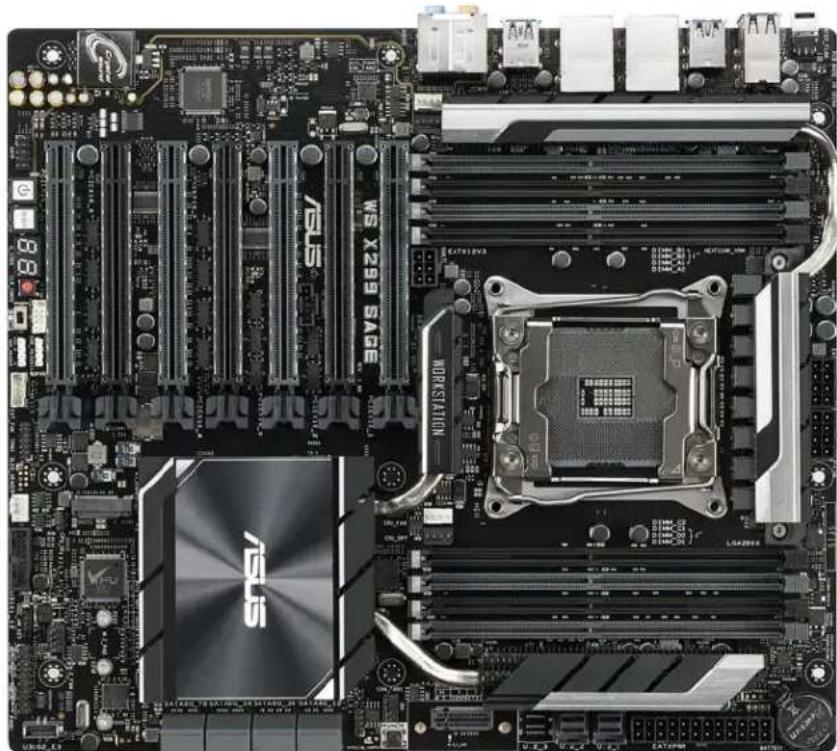
ASUS® X99-A II
| Mura MPX Series Mura MPX + IPX Series | C-Series C-Series | Mura IPX Series | Third party + Mura IPX Series | ||
| Validated | Yes | Yes | Yes | Yes | No foreseeable compatibility issues |
| Maximum number of cards supported | 4 | ||||
| Maximum supported Mura MPX-4/4, MPX-4/2, MPX-4/0, and/or IPX Series | 3 | ||||
| Maximum supported Mura MPX-V8, MPX-V16 and/or console display' | 3 | ||||
| Maximum supported C900/C680 | 2 | ||||
| Motherboard OSUS | ® X99-A II | ||||
| PCIe expansion slots | • 3 PCIe x16 3.0/2.0 slots (one x16, two x16/x8, three x8/x8/x8) • 1 PCIe x16 2.0 slot (maximum x4 mode) • 2 PCIe x1 2.0 slots | ||||
| Chipset Intel | ® X99 | ||||
| Processor | • Intel® Core™ i7-6800K, 3.3 GHz (28 lane CPU) | ||||
| Heatsink (for CPU) LGA 2011 | -V3 | ||||
| System memory 8 GB DDR4, | 2133 MHz | ||||
| System BIOS version 3902 | |||||
| Power supply | • iStarUSA - • 750W iStarUSA single regular power supply (P/N: TC-750PD1 or TC-750PD8) | ||||
| Chassis • Chenbro RM41300 | -FS81 (includes fans) | ||||
| Performance considerations | • 1 card → x16 • 2 cards → 1 x16 + 1 x8 • 3 cards → 3 x8 | ||||
| Notes | • Chenbro – The chassis must be ordered from Chenbro. • iStarUSA – The power supply must be ordered from iStarUSA. • For more information on supported chassis, see “Validated chassis”, page 179. | ||||
Maximum of 1 console display per system.
Configurations
| Slot | C-Series based controller | Mura MPX Series based controller | Third party based controller | |||
| Main | Options | Main | Options | Main | Options | |
| PCIEX16_1 | C680 | C | Mura MPX-4/4 | B | Third party graphics hardware | |
| PCIEX16_2 | Empty (Unusable) | Empty (Unusable) | Empty (Unusable) | |||
| PCIEX16_3 | MURAIPXI-D4JF | A, C | Mura MPX-4/4 | A, B, D | Third party graphics hardware | A |
| PCIEX16_4 | MURAIPXI-D4JF | A | Mura MPX-4/4 | A, B, D | MURAIPXI-D4JF | A |
| PCIEX16_5 | Empty (Unusable) | Empty (Unusable) | Empty (Unusable) | |||
| PCIEX16_6 | Console display | F | Console display | E | Empty (Unusable) | |
Option Product
| A | MURAIPXI-E4SF, MURAIPXI-E4SHF, MURAIPXI-D2MF, MURAIPXI-D2MHF, MURAIPXI-E2MF, MURAIPXI-E2MHF, MURAIPXI-D4JF, MURAIPXI-D4JHF, MURAIPXI-E4JF, or MURAIPXI-E4JHF |
| B Mura MPX-4/4, MPX-4/2, MPX-4/0, or MPX-SDI | |
| C C900 or C680 | |
| D Mura MPX-V16 or MPX-V8 | |
| E | Matrox P690 PCIe x16, Matrox P690 Plus LP PCIe x16, Matrox M9148 LP PCIe x16, Matrox M9140 LP PCIe x16, Matrox M9138 LP PCIe x16, Matrox M9128 LP PCIe x16, Matrox M9125 PCIe x16, Matrox M9120 Plus LP PCIe x16, Matrox M9120 Plus LP PCIe x16 (console options) |
| F | Matrox M9148 LP PCIe x16, Matrox M9140 LP PCIe x16, Matrox M9138 LP PCIe x16, Matrox M9128 LP PCIe x16, Matrox M9125 PCIe x16, Matrox M9120 Plus LP PCIe x16, Matrox M9120 Plus LP PCIe x1, Matrox M9120 PCIe x16, NVIDIA NVS 510, NVIDIA NVS 310, NVIDIA Quadro P400, Intel HD Graphics HD 630, or Intel HD Graphics 530 (console options) |
Motherboard layout
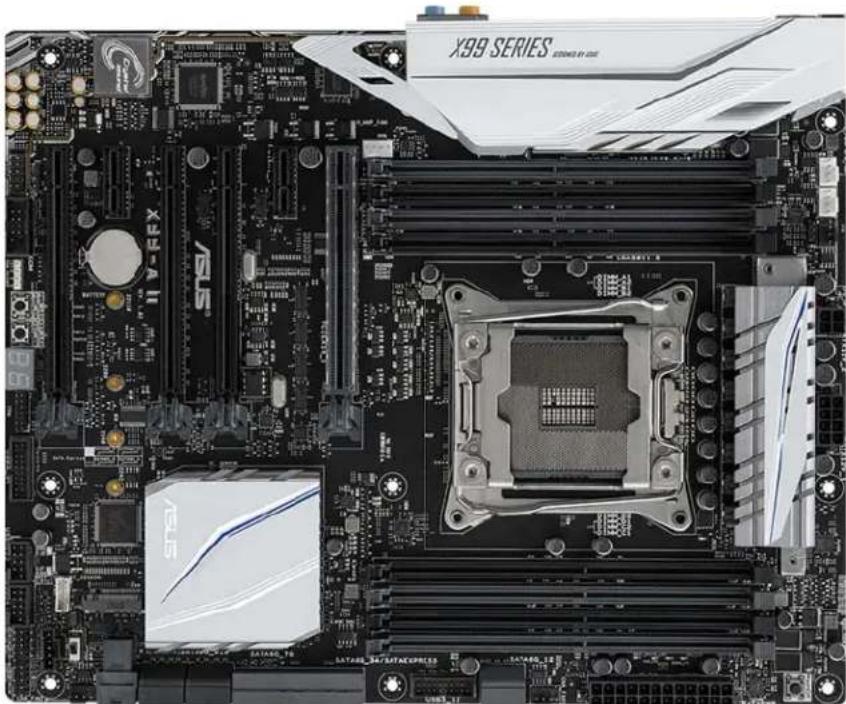
ASUS® X99-DELUXE II
| Mura MPX Series M | Mura MPX + IPX Series | C-Series C-Series | + Mura IPX Series | Third party + Mura IPX Series | |
| Validated | Yes | Yes | Yes | Yes | No foreseeable compatibility issues |
| Maximum number of cards supported | 4 | ||||
| Maximum supported Mura MPX-4/4, MPX-4/2, MPX-4/0, and/or IPX Series | 4 | ||||
| Maximum supported Mura MPX-V8, MPX-V16 and/or console display* | 3 | ||||
| Maximum supported C900/C680 | 2 | ||||
| Motherboard ASUS | ® X99-DELUXE II | ||||
| PCIe expansion slots | • 4 PCIe 3.0/2.0 x16 slots (one x16, one x16/x16, one x16/x16/x8, one x8/x8/x8/x8) • 1 PCIe 2.0 x16 slot (x1 mode) • 1 PCIe 2.0 x16 slot (maximum x4 mode) • 1 PCIe 2.0 x1 | ||||
| Chipset Intel | ® X99 | ||||
| Processor Intel | ® Xeon™ E5-1620 V4 @ 3.5 GHz (40 lane CPU) | ||||
| Heatsink (for CPU) LGA 2011 | V3 | ||||
| System memory 8 GB DDR4 | |||||
| System BIOS version 1902 | |||||
| Power supply | • iStarUSA - • 800W iStarUSA redundant power supply with mounting bracket for D-400 (P/N: IS-800R3NP) OR • 750W iStarUSA single regular power supply (P/N: TC-750PD1 or TC-750PD8) | ||||
| Power supply bracket | • iStarUSA - • Redundant power supply – Use the bracket included with the power supply. • Regular power supply – Use the standard bracket included with the chassis. | ||||
| Fan | • iStarUSA – 120 CFM fan (front fan assembly). Fan to be ordered separately from the list of approved vendors. For more information on approved fans and fan vendors, see “Approved fans for iStarUSA® D-400-2F80 chassis”, page 192. | ||||
| Chassis | • iStarUSA Kit 1 + Kit 2 • iStarUSA Kit 1 – 400 chassis with black doors and 2x 80mm fans (P/N: D-400-2F80) • iStarUSA Kit 2 – Custom fan bracket (P/N: DDFANGUARD-12-MAT01). For more information on how to properly install the fan bracket, contact Matrox Technical Support. | ||||
| Performance considerations | • 1-2 cards → x16 • 3 cards → 2 x16 + 1 x8 • 4 cards → x8 | ||||
| Notes | • You need to change the default BIOS settings. Under Advance Mode, select Tool, then set the bandwidth of the PCIEX16_5 slot (black) to x8 Modex-AMI. This enables the slot to run in x8 mode. • iStarUSA – The chassis and power supply must be ordered from iStarUSA. • The fan must be ordered from a separate fan vendor. For more information on approved fans and fan vendors, see “Approved fans for iStarUSA® D-400-2F80 chassis”, page 192. • For more information on supported chassis, see “Validated chassis”, page 179. | ||||
Maximum of 1 console display per system.
Configurations
| Slot | C-Series based controller | Mura MPX Series based controller | Third party based controller | |||
| Main Options Main Options | Main Options | |||||
| PCIEX16_1 | C680 | C | Mura MPX-4/4 | B | Third party graphics hardware | |
| PCIEX16_2 | Empty (Unusable) | Empty (Unusable) | Empty (Unusable) | |||
| PCIEX16_3 | C680 | A, C | Mura MPX-4/4 | A, B, D | Third party graphics hardware | A |
| PCIEX16_4 | MURAIPXI-D4JF | A | Mura MPX-4/4 | A, B, D | MURAIPXI-D4JF | A |
| PCIEX16_5 | MURAIPXI-D4JF | A, F | Mura MPX-4/4 | A, B, D, E | MURAIPXI-D4JF | A |
| Option | Product |
| A | MURAIPXI-E4SF, MURAIPXI-E4SHF, MURAIPXI-D2MF, MURAIPXI-D2MHF, MURAIPXI-E2MF, MURAIPXI-E2MHF, MURAIPXI-D4JF, MURAIPXI-D4JHF, MURAIPXI-E4JF, or MURAIPXI-E4JHF |
| B Mura MPX-4/4, MPX-4/2, MPX-4/0, or MPX-SDI | |
| C C900 or C680 | |
| D Mura MPX-V16 or MPX-V8 | |
| E | Matrox P690 PCIe x16, Matrox P690 Plus LP PCIe x16, Matrox M9148 LP PCIe x16, Matrox M9140 LP PCIe x16, Matrox M9138 LP PCIe x16, Matrox M9128 LP PCIe x16, Matrox M9125 PCIe x16, Matrox M9120 Plus LP PCIe x16, Matrox M9120 Plus x16 (console options) |
| F | Matrox M9148 LP PCIe x16, Matrox M9140 LP PCIe x16, Matrox M9138 LP PCIe x16, Matrox M9128 LP PCIe x16, Matrox M9125 PCIe x16, Matrox M9120 Plus LP PCIe x16, Matrox M9120 Plus LP PCIe x1, Matrox M9120 PCIe x16, NVIDIA NV5 510, NVIDIA NV5 310, NVIDIA Quadro P400, Intel HD Graphics HD 630, or Intel HD Graphics 530 (console options) |
Motherboard layout
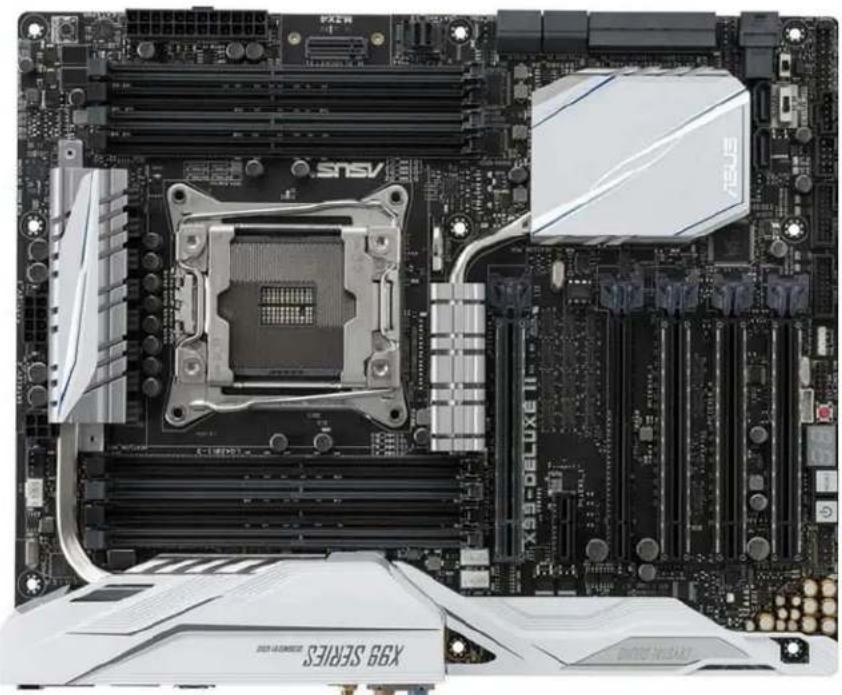
ASUS® X99-E WS/USB 3.1
| Mura MPX Series | Mura MPX + IPX Series | C-Series C-Series | + Mura IPX Series | Third party + Mura IPX Series | |
| Validated | Yes | Yes | Yes | Yes | No foreseeable compatibility issues |
| Maximum number of cards supported | 7 | ||||
| Maximum supported Mura MPX-4/4, MPX-4/2, MPX-4/0, and/or IPX Series | 7 | ||||
| Maximum supported Mura MPX-V8, MPX-V16 and/or console display* | 6 | ||||
| Maximum supported C900/C680 | 2 | ||||
| Motherboard ASUS | ® X99-E WS/USB 3.1 | ||||
| PCIe expansion slots 7 PCIe | ×16 3.0/2.0 slots | ||||
| Chipset Intel | ® X99 | ||||
| Processor Intel | ® Core™ i7-5930K, 3.5 GHz / i7-6850K, 3.60 GHz | ||||
| System memory 8 GB DDR4, up to 32 GB DDR4 | |||||
| System BIOS version 3601 | |||||
| Power supply • iStarUSA - | • 800W iStarUSA redundant power supply with mounting bracket for D-400 (P/N: IS-800R3NP) OR • 750W iStarUSA single regular power supply (P/N: TC-750PD1 or TC-750PD8) | ||||
| Power supply bracket | • iStarUSA - • Redundant power supply – Use the bracket included with the power supply. • Regular power supply – Use the standard bracket included with the chassis. | ||||
| Fan | • iStarUSA – 120 CFM fan (front fan assembly). Fan to be ordered separately from the list of approved vendors. For more information on approved fans and fan vendors, see “Approved fans for iStarUSA® D- 400-2F80 chassis”, page 192. | ||||
| Chassis | • iStarUSA Kit 1 + Kit 2 • iStarUSA Kit 1 – 400 chassis with black doors and 2x 80mm fans (P/N: D-400-2F80) • iStarUSA Kit 2 – Custom fan bracket (P/N: DD-FANGUARD-12-MAT01). For more information on how to properly install the fan bracket, contact Matrox Technical Support. | ||||
| Performance considerations | • 1-4 cards → ×16 • 7 cards → 1 ×16 + 6 ×8 | ||||
| Notes | • iStarUSA – The chassis and power supply must be ordered from iStarUSA. • The fan must be ordered from a separate fan vendor. For more information on approved fans and fan vendors, see “Approved fans for iStarUSA® D-400-2F80 chassis”, page 192. • We recommend updating your system with the ASUS BIOS available from the Matrox FTP site ftp://asusbios:9lwMwTaD@privftp.matrox.com). • In the system BIOS, go to Advanced Mode → Boot → Set Above 4G Decoding to Disabled. • For more information on supported chassis, see “Validated chassis”, page 179. | ||||
Maximum of 1 console display per system.
Configurations
| Slot | C-Series based controller | Mura MPX Series based controller | Third party based controller | |||
| Main | Options | Main | Options | Main | Options | |
| PCIEX16_1 | C680 | C | Mura MPX-4/4 | B | Third party graphics hardware | |
| PCIEX16_2 | MURAIPXI-D4JF | A | Mura MPX-4/4 | A, B, D | MURAIPXI-D4JF | A |
| PCIEX16_3 | MURAIPXI-D4JF | A | Mura MPX-4/4 | A, B, D | MURAIPXI-D4JF | A |
| PCIEX16_4 | C680 | A, C | Mura MPX-4/4 | A, B, D | Third party graphics hardware | A |
| PCIEX16_5 | MURAIPXI-D4JF | A | Mura MPX-4/4 | A, B, D | MURAIPXI-D4JF | A |
| PCIEX16_6 | MURAIPXI-D4JF | A | Mura MPX-4/4 | A, B, D | MURAIPXI-D4JF | A |
| PCIEX16_7 | MURAIPXI-D4JF | A, F | Mura MPX-4/4 | A, B, D, E | MURAIPXI-D4JF A | |
Option Product
| A | MURAIPXI-E4SF, MURAIPXI-E4SHF, MURAIPXI-D2MF, MURAIPXI-D2MHF, MURAIPXI-E2MF, MURAIPXI-E2MHF, MURAIPXI-D4JF, MURAIPXI-D4JHF, MURAIPXI-E4JF, or MURAIPXI-E4JHF |
| B Mura MPX-4/4, MPX-4/2, MPX-4/0, or MPX-SDI | |
| C C900 or C680 | |
| D Mura MPX-V16 or MPX-V8 | |
| E | Matrox P690 PCIe x16, Matrox P690 Plus LP PCIe x16, Matrox M9148 LP PCIe x16, Matrox M9140 LP PCIe x16, Matrox M9138 LP PCIe x16, Matrox M9128 LP PCIe x16, Matrox M9125 LP PCIe x16, Matrox M9120 Plus LP PCIe x16, Matrox M9120 Plus LP PCIe x16 (console options) |
| F | Matrox M9148 LP PCIe x16, Matrox M9140 LP PCIe x16, Matrox M9138 LP PCIe x16, Matrox M9128 LP PCIe x16, Matrox M9125 PCIe x16, Matrox M9120 Plus LP PCIe x16, Matrox M9120 Plus LP PCIe x1, Matrox M9120 PCIe x16, NVIDIA NVS 510, NVIDIA NVS 310, NVIDIA Quadro P400, Intel HD Graphics HD 630, or Intel HD Graphics 530 (console options) |
Motherboard layout
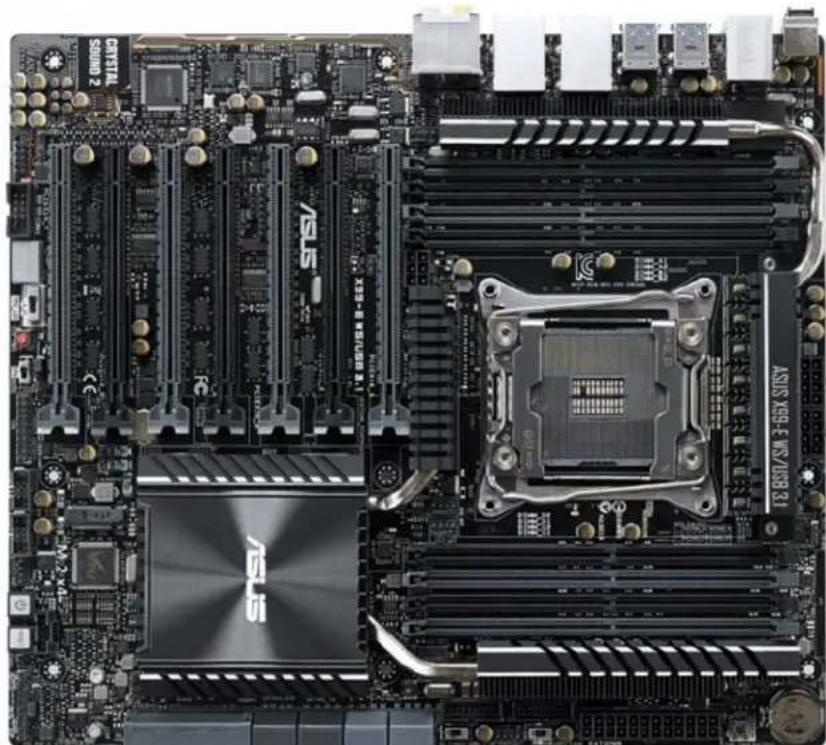
ASUS® Z270-WS
| Mura MPX Series Mura MPX + IPX Series | C-Series C-Series | + Mura IPX Series | Third party + Mura IPX Series | |
| Validated Yes/Yes Yes/Yes | ||||
| Maximum number of cards supported | 4 | |||
| Maximum supported Mura MPX-4/4, MPX-4/2, MPX-4/0, and/or IPX Series | 4 | |||
| Maximum supported Mura MPX-V8, MPX-V16 and/or console display | 3 | |||
| Maximum supported C900/C680 | 2 | |||
| Motherboard ASUS Z270-WS | ||||
| PCIe expansion slots | · 4x PCIe® 3.0/2.0 x16 · 1x PCIe® x4 | |||
| Chipset Intel | ® Z270 | |||
| Processor | · C-Series based Controller - Intel® Core i5-7600K, 3.5 GHz (16 lane CPU) · Mura MPX Series based controller - Intel® Core i7-6700K, 3.4 GHz (16 lane CPU) | |||
| System memory 8 GB DDR4 | ||||
| System BIOS version 0801 | ||||
| Power supply 550 W (P/N: Corsair CS550M) Optional power supply required for maximum support of third party graphics hardware. | ||||
| Power supply bracket Standard bracket included with the chassis. | ||||
| Fan | · Included with chassis: 120 mm x 3 fans (Model: DD-FAN120B) · Included with chassis: 80 mm x 1 fan (Model: DD-FAN80) | |||
| Chassis | iStarUSA (P/N: D-400L-7) | |||
| Notes | · If your power supply has an insufficient number of 6-pin connectors to support the maximum number of third party graphics hardware, you can order optional power cables. For more information on power requirements, see the documentation for your third party graphics hardware. · Mura MPX Series based controllers are unsupported with 7th generation desktop processors. | |||
- Maximum of 1 console display per system.
Configurations
| Slot | C-Series based controller | Mura MPX Series based controller | Third party based controller | |||
| Main | Options | Main | Options | Main | Options | |
| PCIEX16_1 | C680 | C | Mura MPX-4/4 | B | Third party graphics hardware | |
| PCIEX16_2 | C680 | A, C | Mura MPX-4/4 | A, B, D | Third party graphics hardware | A |
| PCIEX4_1 | Empty (unusable) | Empty (unusable) | Empty (unusable) | |||
| PCIEX16_3 | MURAIPXI-D4JF | A | MURAIPXI-D4JF | A, B, D | Third party graphics hardware | A |
| PCIEX16_4 | MURAIPXI-D4JF | A, F | MURAIPXI-D4JF | A, B, D, E | MURAIPXI-D4JF | A |
| Option | Product |
| A | MURAIPXI-E4SF, MURAIPXI-E4SHF, MURAIPXI-D2MF, MURAIPXI-D2MHF, MURAIPXI-E2MF, MURAIPXI-E2MHF, MURAIPXI-D4JF, MURAIPXI-D4JHF, MURAIPXI-E4JF, or MURAIPXI-E4JHF |
| B | Mura MPX-4/4, MPX-4/2, MPX-4/0, or MPX-SDI |
Option Product
C C900 or C680
D Mura MPX-V16 or MPX-V8
E
Matrox P690 PCIe x16, Matrox P690 Plus LP PCIe x16, Matrox M9148 LP PCIe x16, Matrox M9140 LP PCIe x16, Matrox M9138 LP PCIe x16, Matrox M9128 LP PCIe x16, Matrox M9125 PCIe x16, Matrox M9120 Plus LP PCIe x16, Matrox M9120 Plus LP PCIe x1, or Matrox M9120 PCIe x16 (console options)
F
Matrox M9148 LP PCIe x16, Matrox M9140 LP PCIe x16, Matrox M9138 LP PCIe x16, Matrox M9128 LP PCIe x16, Matrox M9125 PCIe x16, Matrox M9120 Plus LP PCIe x16, Matrox M9120 Plus LP PCIe x1, Matrox M9120 PCIe x16, NVIDIA NVS 510, NVIDIA NVS 310, NVIDIA Quadro P400, Intel HD Graphics HD 630, or Intel HD Graphics 530 (console options)
ASUS®WS Z390 PRO
| Mura MPX Series Mura MPX + IPX Series | C-Series C-Series | + Mura IPX Series | Third party + Mura IPX Series | ||
| Validated | No | No | Yes | Yes | No foreseeable compatibility issues |
| Maximum number of cards supported | 4 | ||||
| Maximum supported Mura MPX-4/4, MPX-4/2, MPX-4/0, and/or IPX Series | 3 (Only Mura IPX Series) | ||||
| Maximum supported Mura MPX-V8, MPX-V16 and/or console display* | See note for console support | ||||
| Maximum supported C900/C680 | 2 | ||||
| Motherboard ASUS WS Z390 | PRO | ||||
| PCIe expansion slots | • 4 PCIe x16 3.0 slots (×16 mechanical, x8/x16 electrical) • 1 PCIe x4 3.0 slot | ||||
| Chipset Intel Z390 | |||||
| Processor Intel Core i5-9600K | CPU @3.70 GHz | ||||
| System memory 8GB DDR4 | |||||
| CPU Heatsink LGA 1151 | |||||
| System BIOS version | 0701 | ||||
| Power supply | Corsair CS5450M Optional power supply required for maximum support of third party graphics hardware. | ||||
| Chassis | Norco RPC-432 (4U short depth rackmount case) | ||||
| Notes | • The chassis fan speed must be set to full speed. To change the fan speed, go to system BIOS main page (EZ mode), select QFan Control → select the header to which the fans are connected, then change from Standard to Full Speed and apply the changes. • Optional chassis rear fans 2×80mm must be ordered separately. • Only onboard console support with C-Series based controller. • Mura MPX Series based controllers are unsupported with Intel® seventh generation desktop processors onwards. | ||||
Maximum of 1 console per system.
Configurations
| Slot | C-Series based controller | Mura MPX Series based controller | Third party based controller | |||
| Main | Options | Main | Options | Main | Options | |
| PCIEX16_1 | C680 | C | — | Third-party graphics hardware | ||
| PCIEX16_2 | MURAIPXI-D4JF | A,C | — | MURAIPXI-D4JF | A | |
| PCIEX4_1 | Empty | — | Empty | |||
| PCIEX16_3 | C680 | A | — | Third-party graphics hardware | A | |
| PCIEX16_4 | MURAIPXI-D4JF | A | — | MURAIPXI-D4JF | A | |
| Option | Product | |||||
| A | MURAIPXI-E4SF, MURAIPXI-E4SHF, MURAIPXI-D2MF, MURAIPXI-D2MHF, MURAIPXI-E2MF, MURAIPXI-E2MHF, MURAIPXI-D4JF, MURAIPXI-D4JHF, MURAIPXI-E4JF, or MURAIPXI-E4JHF | |||||
| B | Mura MPX-4/4, MPX-4/2, MPX-4/0, or MPX-SDI | |||||
| C | C900 or C680 | |||||
Option Product
| D Mura MPX-V16 or MPX-V8 | |
| E | Matrox P690 PCIe x16, Matrox P690 Plus LP PCIe x16, Matrox M9148 LP PCIe x16, Matrox M9140 LP PCIe x16, Matrox M9138 LP PCIe x16, Matrox M9128 LP PCIe x16, Matrox M9125 PCIe x16, Matrox M9120 Plus LP PCIe x16, Matrox M9120 Plus LP PCIe x1, or Matrox M9120 PCIe x16 (console options) |
| F | Matrox M9148 LP PCIe x16, Matrox M9140 LP PCIe x16, Matrox M9138 LP PCIe x16, Matrox M9128 LP PCIe x16, Matrox M9125 PCIe x16, Matrox M9120 Plus LP PCIe x16, Matrox M9120 Plus LP PCIe x1, Matrox M9120 PCIe x16, NVIDIA NVS 510, NVIDIA NVS 310, NVIDIA Quadro P400, Intel HD Graphics HD 630, or Intel HD Graphics 530 (console options) |
Motherboard layout
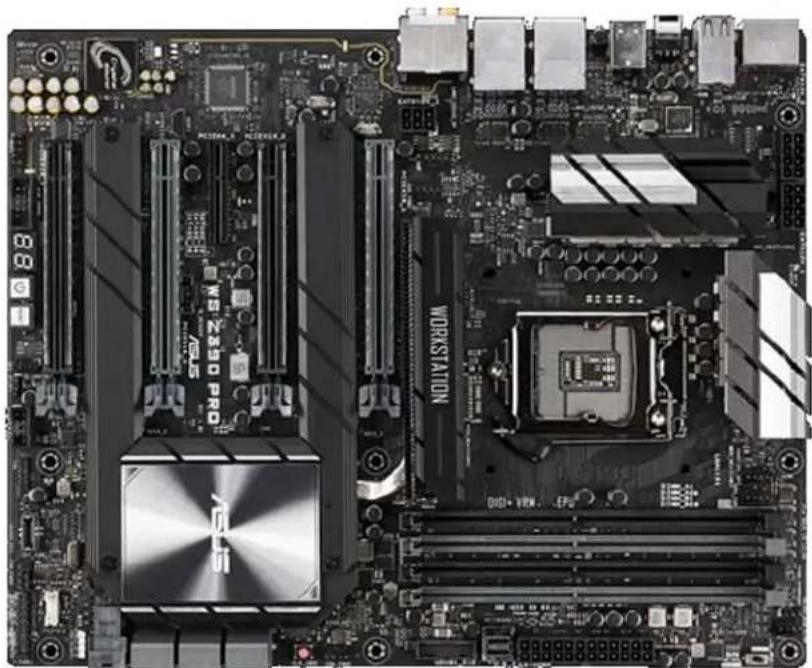
GIGABYTE™ MW51-HPO
| Mura MPX Series Mura MPX + IPX Series | C-Series C-Series | Mura IPX Series | Third party + Mura IPX Series | ||
| Validated | Yes | Yes | Yes | Yes | No foreseeable compatibility issues |
| Maximum number of cards supported | 7 | ||||
| Maximum supported Mura MPX-4/4, MPX-4/2, MPX-4/0, and/or IPX Series | 6 | ||||
| Maximum supported Mura MPX-V8, MPX-V16 and/or console display' | 6 | ||||
| Maximum supported C900/C680 | 2 | ||||
| Motherboard MW51-HP0 | |||||
| PCIe expansion slots | 1 PCIe x16 3.0 slot (x16 mechanical and electrical)3 PCIe x16 3.0 slots (x16 mechanical, x16/x8 electrical)3 PCIe x16 3.0 slots (x16 mechanical, x8 electrical) | ||||
| Chipset Intel | ® C422 | ||||
| Processor Intel | ® Xeon W-2123 3.60 GHz | ||||
| Heatsink (for CPU) LGA2066 | |||||
| System memory 16GB | |||||
| System BIOS version F6 | |||||
| Power supply 860W (iStar USA P/N: TC-860PD8) | |||||
| Chassis | iStarUSA (P/N: D-400L-7)The center fan at the rear of the chassis must be disconnected. | ||||
| Notes | • System BIOS available at ftp://Gigabyte:Hv9LFYh8@privftp.matrox.com.• In the System BIOS, select Advanced → Hardware Monitor → CPU fan speed control, then set all the system fan speed controls to Full speed. | ||||
- Maximum of 1 console display per system.
Configurations
| Slot | C-Series based controller | Mura MPX Series based controller | Third party based controller | |||
| Main | Options | Main | Options | Main | Options | |
| PCIe x16 Slot1 | MURAIPXI-D4JF | A | MURAIPXI-D4JF | A, B | Third party graphics hardware | A |
| PCIe x8 Slot2 | MURAIPXI-D4JF | A | MURAIPXI-D4JF | A, B | MURAIPXI-D4JF | A |
| PCIe x16 Slot3 | MURAIPXI-D4JF | A | Mura MPX-4/4 | A, B | Third party graphics hardware | A |
| PCIe x8 Slot4 | C680 | A, C | Mura MPX-4/4 | B | MURAIPXI-D4JF | A |
| PCIe x16 Slot5 | MURAIPXI-D4JF | A | Mura MPX-4/4 | A, B | Third party graphics hardware | A |
| PCIe x8 Slot6 | MURAIPXI-D4JF | A, F | MURAIPXI-D4JF | A | MURAIPXI-D4JF | A |
| PCIe x16 Slot7 | C680 | C | Mura MPX-4/4 | B | Third party graphics hardware | |
| Option | Product | |||||
| A | MURAIPXI-E4SF, MURAIPXI-E4SHF, MURAIPXI-D2MF, MURAIPXI-D2MHF, MURAIPXI-E2MF, MURAIPXI-E2MHF, MURAIPXI-D4JF, MURAIPXI-D4JHF, MURAIPXI-E4JF, or MURAIPXI-E4JHF | |||||
| B | Mura MPX-4/4, MPX-4/2, MPX-4/0, or MPX-SDI | |||||
Option Product
C C900 or C680
D Mura MPX-V16 or MPX-V8
E
Matrox P690 PCIe x16, Matrox P690 Plus LP PCIe x16, Matrox M9148 LP PCIe x16, Matrox M9140 LP PCIe x16, Matrox M9138 LP PCIe x16, Matrox M9128 LP PCIe x16, Matrox M9125 PCIe x16, Matrox M9120 Plus LP PCIe x16, Matrox M9120 Plus LP PCIe x1, or Matrox M9120 PCIe x16 (console options)
F
Matrox M9148 LP PCIe x16, Matrox M9140 LP PCIe x16, Matrox M9138 LP PCIe x16, Matrox M9128 LP PCIe x16, Matrox M9125 PCIe x16, Matrox M9120 Plus LP PCIe x16, Matrox M9120 Plus LP PCIe x1, Matrox M9120 PCIe x16, NVIDIA NVS 510, NVIDIA NVS 310, NVIDIA Quadro P400, Intel HD Graphics HD 630, or Intel HD Graphics 530 (console options)
Motherboard layout
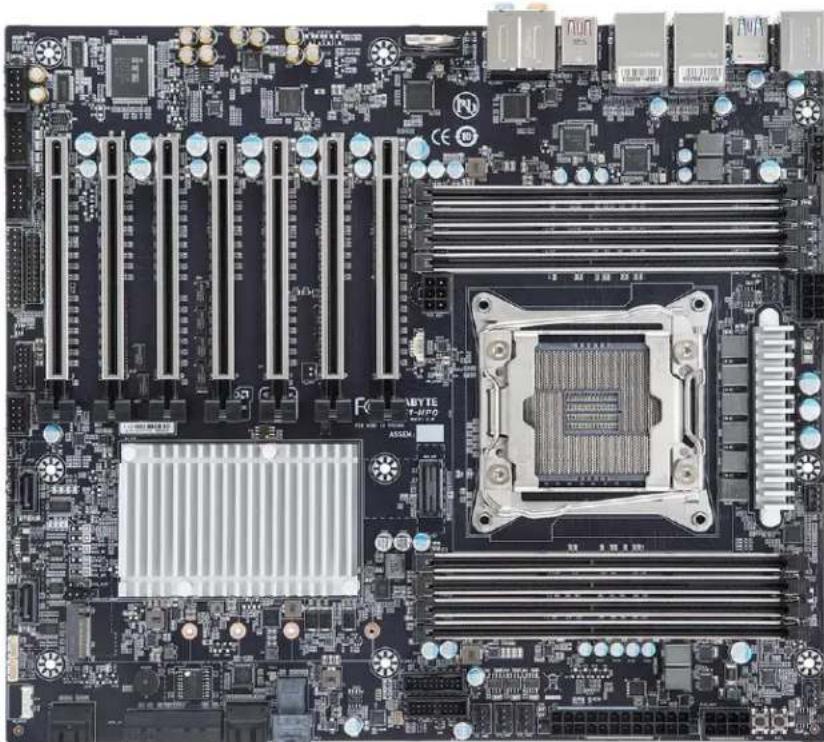
MSI X299 SLI PLUS
| Mura MPX Series M | Mura MPX + IPX Series | C-Series C-Series | + Mura IPX Series | Third party + Mura IPX Series | |
| Validated | Yes | Yes | Yes | Yes | No foreseeable compatibility issues |
| Maximum number of cards supported | 4 | ||||
| Maximum supported Mura MPX-4/4, MPX-4/2, MPX-4/0, and/or IPX Series | 3 | ||||
| Maximum supported Mura MPX-V8, MPX-V16 and/or console display | 3 | ||||
| Maximum supported C900/C680 | 2 | ||||
| Motherboard MSI X299 SLI PLUS | |||||
| PCIe expansion slots | • 2 PCIe x16 3.0 slots (x16 mechanical and electrical) • 1 PCIe x16 3.0 slot (X16 mechanical, x8 electrical) • 1 PCIe16 3.0 slot (x16 mechanical, x4 electrical) | ||||
| Chipset Intel X299 | |||||
| Processor | Intel Core i9-7900X @3.30GHz; X-series 44-lane CPU | ||||
| Heatsink for the CPU LGA 2066 | |||||
| System memory 32 GB DDR4 | |||||
| System BIOS version E7A93 | MS.170 | ||||
| Power supply 650 W (Part# : Antec EA-650 GREEN) | |||||
| Chassis | Chenbro RM41300-FS81 (includes fans) | ||||
| Notes | The chassis must be ordered from Chenbro. Power supply isn't included with the chassis | ||||
Maximum of 1 console per system.
Configurations
| Slot | C-Series based controller | Mura MPX Series based controller | Third party based controller | |||
| Main | Options | Main | Options | Main | Options | |
| PCI_E1 x16 | C680 | C | Mura MPX-4/4 | B | Third party graphics hardware | |
| PCI_E2 x1 | Empty (Unusable) | Empty (Unusable) | Empty (Unusable) | |||
| PCI_E3 x4 | Console Display | F | Console Display | E | Empty (Unusable) | |
| PCI_E4 x16 | C680 | A, C | MURAIPXI-D4JF | A, B, D | Third party graphics hardware | A |
| PCI_E5 x1 | Empty (Unusable) | Empty (Unusable) | Empty (Unusable) | |||
| PCI_E6 x8 | MURAIPXI-D4JF | A | MURAIPXI-D4JF | A, B, D | MURAIPXI-D4JF | A |
| Option | Product |
| A | MURAIPXI-E4SF, MURAIPXI-E4SHF, MURAIPXI-D2MF, MURAIPXI-D2MHF, MURAIPXI-E2MF, MURAIPXI-E2MHF, MURAIPXI-D4JF, MURAIPXI-D4JHF, MURAIPXI-E4JF, or MURAIPXI-E4JHF |
| B | Mura MPX-4/4, MPX-4/2, MPX-4/0, or MPX-SDI |
| C | C900 or C680 |
| D | Mura MPX-V16 or MPX-V8 |
Option Product
E Matrox P690 PCIe x16, Matrox P690 Plus LP PCIe x16, Matrox M9148 LP PCIe x16, Matrox M9140 LP PCIe x16, Matrox M9138 LP PCIe x16, Matrox M9128 LP PCIe x16, Matrox M9125 PCIe x16, Matrox M9120 Plus LP PCIe x16, Matrox M9120 Plus LP PCIe x1, or Matrox M9120 PCIe x16 (console options)
F Matrox M9148 LP PCIe x16, Matrox M9140 LP PCIe x16, Matrox M9138 LP PCIe x16, Matrox M9128 LP PCIe x16, Matrox M9125 PCIe x16, Matrox M9120 Plus LP PCIe x16, Matrox M9120 Plus LP PCIe x1, Matrox M9120 PCIe x16, NVIDIA NVS 510, NVIDIA NVS 310, NVIDIA Quadro P400, Intel HD Graphics HD 630, or Intel HD Graphics 530 (console options)
Motherboard layout
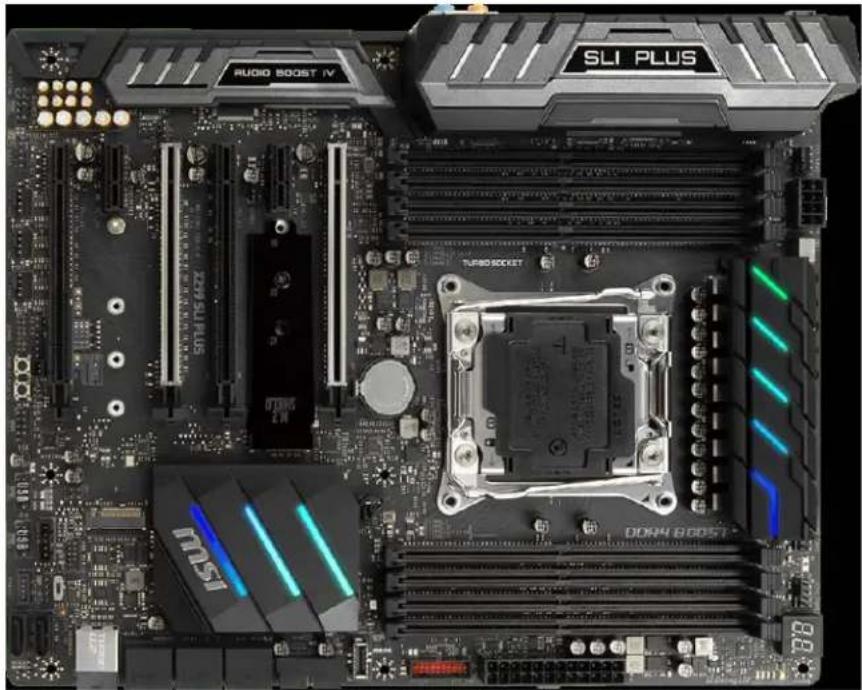
Portwell® M9010A (with ROBO-8110A SHB)
| Mura MPX Series Mura MPX + IPX Series | C-Series C-Series | Mura IPX Series | Third party + Mura IPX Series | ||
| Validated | Yes | Yes | Yes | Yes | No foreseeable compatibility issues |
| Maximum number of cards supported | 10 | ||||
| Maximum supported Mura MPX-4/4, MPX-4/2, MPX-4/0, and/or IPX Series | 10 | ||||
| Maximum supported Mura MPX-V8, MPX-V16 and/or console display' | 9 | ||||
| Maximum supported C900/C680 | 2 | ||||
| Motherboard Portwell ROBO-8110A (SHB), PBPE-11A-MT (Backplane) | |||||
| PCIe expansion slots 10 PCIe x16 2.0 slots (×16 mechanical and electrical) | |||||
| Chipset Intel | ® C206 (ROBO-8110A SHB) | ||||
| Processor Intel | ® Core™ i3-2120 dual-core processor or Intel® Xeon® E3-1200 Series quad-core processor () | ||||
| Heatsink (for CPU) Low-profile 1U passive heatsink | |||||
| System memory 8 GB DDR3 | |||||
| System BIOS version 1APBB0 | 0.04 x64 | ||||
| Power supply 950W redundant PSU (not included - Portwell Part# 02-527050-0002) | |||||
| Power supply bracket | Standard | ||||
| Chassis | Industrial 4U rack mount (not included - Portwell Part# 21-M90103-0002) | ||||
| Expansion slot configuration | Insert the Mura cards in the available PCIe x16 slots. | ||||
| Notes | • Optional system memory upgrade is available. • If your power supply has an insufficient number of 6-pin connectors to support the maximum number of third party graphics hardware, you can order optional power cables. For more information on power requirements, see the documentation for your third party graphics hardware. | ||||
Maximum of 1 console display per system.
Configurations
| Slot | C-Series based controller | Mura MPX Series based controller | Third party based controller | |||
| Main | Options | Main | Options | Main | Options | |
| J1 | C680 | C | Mura MPX-4/4 | B | Third party graphics hardware | |
| J2 | MURAIPXI-D4JF | A | Mura MPX-4/4 | A, B, D | MURAIPXI-D4JF | A |
| J3 | MURAIPXI-D4JF | A | MURAIPXI-D4JF | A, B, D | Third party graphics hardware | A |
| J4 | MURAIPXI-D4JF | A | MURAIPXI-D4JF | A, B, D | MURAIPXI-D4JF | A |
| J5 | MURAIPXI-D4JF | A | Mura MPX_4/4 | A, B, D | Third party graphics hardware | A |
| J6 | C680 | A, C | Mura MPX-4/4 | A, B, D | MURAIPXI-D4JF | A |
| J7 | MURAIPXI-D4JF | A | Mura MPX-4/4 | A, B, D | Third party graphics hardware | A |
| J8 | MURAIPXI-D4JF | A | MURAIPXI-D4JF | A, B, D | MURAIPXI-D4JF | A |
| J9 | MURAIPXI-D4JF | A | MURAIPXI-D4JF | A, B, D | Third party graphics hardware | A |
| J10 | MURAIPXI-D4JF | A,F | MURAIPXI-D4JF | A, B, D, E | MURAIPXI-D4JF A | |
Option Product
A MURAIPXI-E4SF, MURAIPXI-E4SHF, MURAIPXI-D2MF, MURAIPXI-D2MHF, MURAIPXI-E2MF, MURAIPXI-E2MHF, MURAIPXI-D4JF, MURAIPXI-D4JHF, MURAIPXI-E4JF, or MURAIPXI-E4JHF
B Mura MPX-4/4, MPX-4/2, MPX-4/0, or MPX-SDI
C C900 or C680
D Mura MPX-V16 or MPX-V8
E Matrox P690 PCIe x16, Matrox P690 Plus LP PCIe x16, Matrox M9148 LP PCIe x16, Matrox M9140 LP PCIe x16, Matrox M9138 LP PCIe x16, Matrox M9128 LP PCIe x16, Matrox M9125 PCIe x16, Matrox M9120 Plus LP PCIe x16, Matrox M9120 Plus LP PCIe x1, or Matrox M9120 PCIe x16 (console options)
F Matrox M9148 LP PCIe x16, Matrox M9140 LP PCIe x16, Matrox M9138 LP PCIe x16, Matrox M9128 LP PCIe x16, Matrox M9125 PCIe x16, Matrox M9120 Plus LP PCIe x16, Matrox M9120 Plus LP PCIe x1, Matrox M9120 PCIe x16, NVIDIA NVS 510, NVIDIA NVS 310, NVIDIA Quadro P400, Intel HD Graphics HD 630, or Intel HD Graphics 530 (console options)
Portwell® M9010A (with ROBO-8113-VG2AR SHB)
| Mura MPX Series Mura MPX + IPX Series | C-Series C-Series | Mura IPX Series | Third party + Mura IPX Series | |
| Validated Yes/Yes (Requires Mura) | driver version 3.01 or later) | Yes/No foreseeable | compatible issues | |
| Maximum number of cards supported | 10 | |||
| Maximum supported Mura MPX-4/4, MPX-4/2, MPX-4/0, and/or IPX Series | 10 | |||
| Maximum supported Mura MPX-V8, MPX-V16 and/or console display* | 8 | |||
| Maximum supported C900/C680 | 2 | |||
| Motherboard Portwell ROBO | 8113VG2AR (SHB) Portwell PBPE-11A-MT (Backplane) | |||
| PCIe expansion slots 10 PCIe | ×16 2.0 slots (×16 mechanical and electrical) | |||
| Chipset Intel | ® C236 | |||
| Processor Intel | ® Core™ i3-6100 @3.7GHz | |||
| Heatsink (for CPU) LGA 1151 | ||||
| System memory 16 GB DDR4 | ||||
| System BIOS version R1.00.E1 | ||||
| Power supply | 950W redundant PSU (not included - Portwell Part# 02-527050-0002) | |||
| Power supply bracket | Standard | |||
| Chassis | Industrial 4U rack mount (not included - Portwell Part# 21-M90103-0002) | |||
| Notes | • Optional system memory upgrade is available. • If your power supply has an insufficient number of 6-pin connectors to support the maximum number of third party graphics hardware, you can order optional power cables. For more information on power requirements, see the documentation for your third party graphics hardware. • The system BIOS is available at http://PortwellBIOS:RVHdu3GW@privftp.matrox.com. | |||
* Maximum of 1 console display per system.
Configurations
| Slot | C-Series based controller | Mura MPX Series based controller | Third party based controller | |||
| Main | Options | Main | Options | Main | Options | |
| J1 | C680 | C | Mura MPX-4/4 | B | Third party graphics hardware | |
| J2 | MURAIPXI-D4JF | A | MURAIPXI-D4JF | A, B, D | MURAIPXI-D4JF | A |
| J3 | MURAIPXI-D4JF | A | MURAIPXI-D4JF | A, B, D | Third party graphics hardware | A |
| J4 | MURAIPXI-D4JF | A | Mura MPX-4/4 | A, B, D | MURAIPXI-D4JF | A |
| J5 | MURAIPXI-D4JF | A | Mura MPX-4/4 | A, B, D | Third party graphics hardware | A |
| J6 | C680 | A, C | Mura MPX-4/4 | A, B, D | MURAIPXI-D4JF | A |
| J7 | MURAIPXI-D4JF | A | MURAIPXI-D4JF | A, B, D | Third party graphics hardware | A |
| J8 | MURAIPXI-D4JF | A | MURAIPXI-D4JF | A, B, D | MURAIPXI-D4JF | A |
| J9 | MURAIPXI-D4JF | A | Mura MPX-4/4 | A, B, D | Third party graphics hardware | A |
| J10 | MURAIPXI-D4JF | A, F | Mura MPX-4/4 | A, B, D, E | MURAIPXI-D4JF A | |
Option Product
A MURAIPXI-E4SF, MURAIPXI-E4SHF, MURAIPXI-D2MF, MURAIPXI-D2MHF, MURAIPXI-E2MF, MURAIPXI-E2MHF, MURAIPXI-D4JF, MURAIPXI-D4JHF, MURAIPXI-E4JF, or MURAIPXI-E4JHF
B Mura MPX-4/4, MPX-4/2, MPX-4/0, or MPX-SDI
C C900 or C680
D Mura MPX-V16 or MPX-V8
E Matrox P690 PCIe x16, Matrox P690 Plus LP PCIe x16, Matrox M9148 LP PCIe x16, Matrox M9140 LP PCIe x16, Matrox M9138 LP PCIe x16, Matrox M9128 LP PCIe x16, Matrox M9125 PCIe x16, Matrox M9120 Plus LP PCIe x16, Matrox M9120 Plus LP PCIe x1, or Matrox M9120 PCIe x16 (console options)
F Matrox M9148 LP PCIe x16, Matrox M9140 LP PCIe x16, Matrox M9138 LP PCIe x16, Matrox M9128 LP PCIe x16, Matrox M9125 PCIe x16, Matrox M9120 Plus LP PCIe x16, Matrox M9120 Plus LP PCIe x1, Matrox M9120 PCIe x16, NVIDIA NVS 510, NVIDIA NVS 310, NVIDIA Quadro P400, Intel HD Graphics HD 630, or Intel HD Graphics 530 (console options)
Motherboard layout
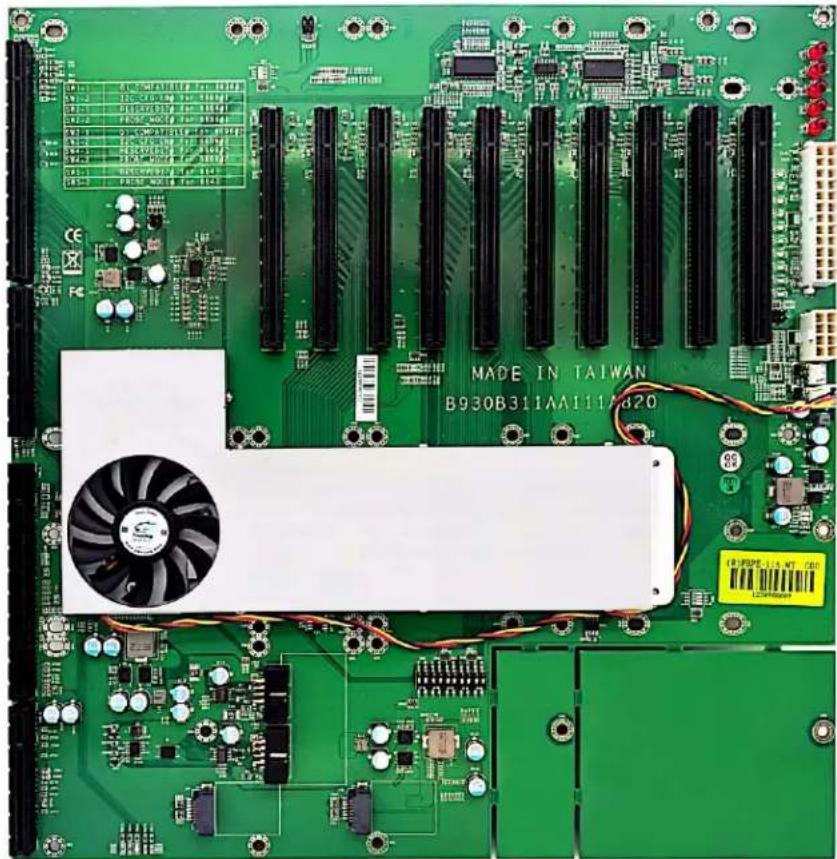
Portwell® M9010A (with ROBO-8113VG2AR-Q170-KBL SHB)
| Mura MPX Series Mura MPX + IPX Series | C-Series C-Series | Mura IPX Series | Third party + Mura IPX Series | ||
| Validated | No | No | Yes | Yes | No foreseeable compatibility issues |
| Maximum number of cards supported | 10 | ||||
| Maximum supported Mura MPX-4/4, MPX-4/2, MPX-4/0, and/or IPX Series | 9 (Only Mura IPX Series) | ||||
| Maximum supported Mura MPX-V8, MPX-V16 and/or console display* | See note for console support. | ||||
| Maximum supported C900/C680 | 2 | ||||
| Motherboard Portwell ROBO-8113VG2AR-Q170-KBL-PCIE4 (SHB) Portwell PBPE-11A-MT (Backplane) | |||||
| PCIe expansion slots 10 PCIe x16 2.0 slots (×16 mechanical and electrical) | |||||
| Chipset Intel® Q170 | |||||
| Processor Intel® Core™ i7-7700 @3.6GHz | |||||
| System memory 16 GB | |||||
| System BIOS version R1.00.E1 (06/04/2018) | |||||
| Power supply 950W redundant PSU (not included - Portwell Part# 02-527050-0002) | |||||
| Power supply bracket | Standard | ||||
| Chassis | Industrial 4U rack mount (not included - Portwell Part# 21-M90103-0002) | ||||
| Notes | • Optional system memory upgrade is available. • If your power supply has an insufficient number of 6-pin connectors to support the maximum number of third party graphics hardware, you can order optional power cables. For more information on power requirements, see the documentation for your third party graphics hardware. • In the system BIOS → Advanced → Graphics Configuration → Internal Graphics → select Disabled. • In the system BIOS → Advanced → Chipset Configuration → Above 4G Decoding → select Disabled. • In the system BIOS → Advanced → Chipset Configuration → Above 4G MMIO BIOS Assignment → select Disabled. • No console support with C-Series controllers. | ||||
Maximum of 1 console display per system.
Configurations
| Slot | C-Series based controller | Mura MPX Series based controller | Third party based controller | |||
| Main | Options | Main | Options | Main | Options | |
| J1 | C680 | C | Third party graphics hardware | |||
| J2 | MURAIPXI-D4JF | A | MURAIPXI-D4JF | A | ||
| J3 | MURAIPXI-D4JF | A | Third party graphics hardware | A | ||
| J4 | MURAIPXI-D4JF | A | MURAIPXI-D4JF | A | ||
| J5 | MURAIPXI-D4JF | A | Third party graphics hardware | A | ||
| J6 | C680 | A, C | MURAIPXI-D4JF | A | ||
| J7 | MURAIPXI-D4JF | A | Third party graphics hardware | A | ||
| J8 | MURAIPXI-D4JF | A | MURAIPXI-D4JF | A | ||
| J9 | MURAIPXI-D4JF | A | Third party graphics hardware | A | ||
| J10 MURAIPXI-D4JF A MURAIPXI-D4JF A | ||||||
| Option Product | ||||||
| A | MURAIPXI-E4SF, MURAIPXI-E4SHF, MURAIPXI-D2MF, MURAIPXI-D2MHF, MURAIPXI-E2MF, MURAIPXI-E2MHF, MURAIPXI-D4JF, MURAIPXI-D4JHF, MURAIPXI-E4JF, or MURAIPXI-E4JHF | |||||
| B Mura MPX-4/4, MPX-4/2, MPX-4/0, or MPX-SDI | ||||||
| C C900 or C680 | ||||||
| D Mura MPX-V16 or MPX-V8 | ||||||
| E | Matrox P690 PCIe x16, Matrox P690 Plus LP PCIe x16, Matrox M9148 LP PCIe x16, Matrox M9140 LP PCIe x16, Matrox M9138 LP PCIe x16, Matrox M9128 LP PCIe x16, Matrox M9125 PCIe x16, Matrox M9120 Plus LP PCIe x16, Matrox M9120 Plus LP PCIe x16, Matrox M9120 Plus LP PCIe x16, Matrox M9120 Plus LP PCIe x16, Matrox M9120 Plus LP PCIe x16, Matrox M9120 Plus LP PCIe x16, Matrox M9120 Plus LP PCIe x16, NVIDIA NVS 510, NVIDIA NVS 310, NVIDIA Quadro P400, Intel HD Graphics HD 630, or Intel HD Graphics 530 (console options) | |||||
| F | ||||||
Motherboard layout
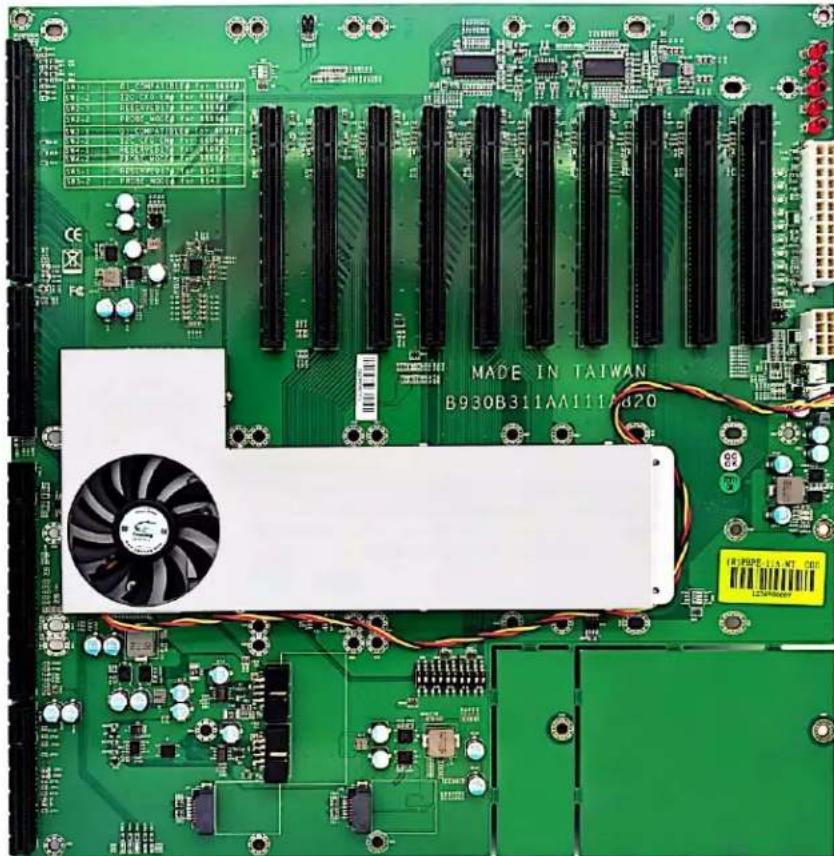
SUPERMICRO C9Z390-PWG
| Mura MPX Series Mura MPX + IPX Series | C-Series C-Series | Mura IPX Series | Third party + Mura IPX Series | ||
| Validated | No | No | Yes | Yes | No foreseeable compatibility issues |
| Maximum number of cards supported | 4 | ||||
| Maximum supported Mura MPX-4/4, MPX-4/2, MPX-4/0, and/or IPX Series | 3 (Only Mura IPX Series) | ||||
| Maximum supported Mura MPX-V8, MPX-V16 and/or console display' | See note for console support | ||||
| Maximum supported C900/C680 | 2 | ||||
| Motherboard SUPERMICRO | ® C9Z390-PGW | ||||
| PCIe expansion slots | 4 PCIe x16 3.0 slots (×16 mechanical, ×8/x16 electrical) | ||||
| Chipset Intel | ® Z390 | ||||
| Processor Intel | ® Core i7-9700K CPU @3.60 GHz | ||||
| System memory 8GB DDR4 | |||||
| CPU Heatsink LGA 1151 | |||||
| System BIOS version 1.0a, 2018-09-21 | |||||
| Power supply | CORSAIR CS550M Optional power supply required for maximum support of third party graphics hardware. | ||||
| Chassis | Norco RPC-432 (4U short depth rackmount case) | ||||
| Notes | • The chassis fan speed must be set to full speed. To change the fan speed, go to system BIOS main page (Advanced mode), select H/W Monitor → Fan Control Setting and change the Fan Speed Control Mode to Full Speed and apply the changes. • Optional chassis rear fans 2x80mm must be ordered separately. • Only onboard console support with C-Series based controller. • Mura MPX Series based controllers are unsupported with Intel 7th generation desktop processors onwards. | ||||
Maximum of 1 console per system.
Configurations
| Slot | C-Series based controller | Mura MPX Series based controller | Third party based controller | |||
| Main | Options | Main | Options | Main | Options | |
| CPUSLOT1P CI-E 3.0 X8 | MURAIPXI-D4JF | A | — | MURAIPXI-D4JF | A | |
| CPUSLOT3P CI-E 3.0 X16 | C680 | C | — | Third party graphics hardware | ||
| PCHSLOT4P CI-E 3.0 X1 | Empty | — | Empty | |||
| CPUSLOT5P CI-E 3.0X8 | MURAIPXI-D4JF | A | — | MURAIPXI-D4JF | A | |
| CPUSLOT7P CI-E 3.0X16 | C680 | A, C | — | Third party graphics hardware | A | |
| Option | Product | |||||
| A | MURAIPXI-E4SF, MURAIPXI-E4SHF, MURAIPXI-D2MF, MURAIPXI-D2MHF, MURAIPXI-E2MF, MURAIPXI-E2MHF, MURAIPXI-D4JF, MURAIPXI-D4JHF, MURAIPXI-E4JF, or MURAIPXI-E4JHF | |||||
| B | Mura MPX-4/4, MPX-4/2, MPX-4/0, or MPX-SDI | |||||
Option Product
C C900 or C680
D Mura MPX-V16 or MPX-V8
E
Matrox P690 PCIe x16, Matrox P690 Plus LP PCIe x16, Matrox M9148 LP PCIe x16, Matrox M9140 LP PCIe x16, Matrox M9138 LP PCIe x16, Matrox M9128 LP PCIe x16, Matrox M9125 PCIe x16, Matrox M9120 Plus LP PCIe x16, Matrox M9120 Plus LP PCIe x1, or Matrox M9120 PCIe x16 (console options)
F
Matrox M9148 LP PCIe x16, Matrox M9140 LP PCIe x16, Matrox M9138 LP PCIe x16, Matrox M9128 LP PCIe x16, Matrox M9125 PCIe x16, Matrox M9120 Plus LP PCIe x16, Matrox M9120 Plus LP PCIe x1, Matrox M9120 PCIe x16, NVIDIA NVS 510, NVIDIA NVS 310, NVIDIA Quadro P400, Intel HD Graphics HD 630, or Intel HD Graphics 530 (console options)
Motherboard layout
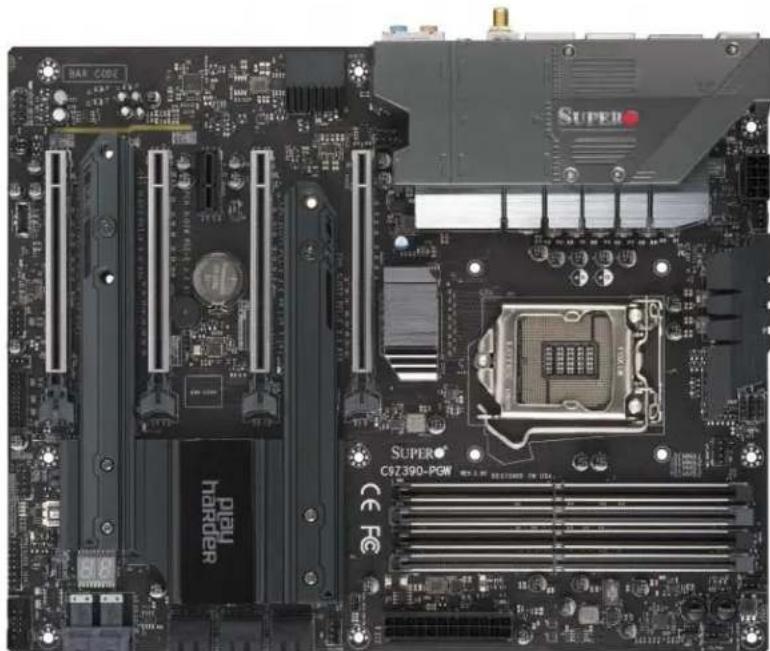
SUPERMICRO® H11SS-i
| Mura MPX Series Mura MPX + IPX Series | C-Series C-Series | + Mura IPX Series | Third party + Mura IPX Series | ||
| Validated | No | No | Yes | Yes | No foreseeable compatibility issues |
| Maximum number of cards supported | 4 | ||||
| Maximum supported Mura MPX-4/4, MPX-4/2, MPX-4/0, and/or IPX Series | 3 (Only Mura IPX Series) | ||||
| Maximum supported Mura MPX-V8, MPX-V16 and/or console display | See note for console support | ||||
| Maximum supported C900/C680 | 2 | ||||
| Motherboard SUPERMICRO | ® H11SSL-i | ||||
| PCIe expansion slots | • 3 PCIe x16 3.0 slots • 3 PCIe x8 3.0 slots | ||||
| Chipset System on Chip | |||||
| Processor AMD EPYC 7251 8-Core Processor, 2100 Mhz | |||||
| System memory | 32 GB DDR4 | ||||
| CPU heatsink | Socket SP3 | ||||
| System BIOS version | 1.0b, 2018-04-27 | ||||
| Power supply | 850W (P/N:EVGA Supernova 850G3) | ||||
| Chassis | Chenbro RM41300-FS81 (includes fans) | ||||
| Notes | • The chassis must be ordered from Chenbro. Power supply isn't included with the chassis. • In the system BIOS main page (Advanced mode), select PCIe/PCI/PnP Configuration → M.2 PCIe4 OPRM → Disable. • Only onboard console support with C-Series based controller. • Mura MPX Series based controllers are unsupported with AMD EPYC 7000 series processors. | ||||
- Maximum of 1 console per system.
Configurations
| Slot | C-Series based controller | Mura MPX Series based controller | Third party based controller | |||
| Main | Options | Main | Options | Main | Options | |
| CPUSLOT1P CI-E 3.0 X8 | MURAIPXI-D4J | A | — | MURAIPXI-D4JF | A | |
| CPUSLOT2P CI-E 3.0 X16 | MURAIPXI-D4J | A | — | Third party graphics hardware | ||
| CPUSLOT3P CI-E 3.0 X8 | Empty (unusable) | — | Empty (unusable) | |||
| CPUSLOT4P CI-E 3.0X16 | C680 | C | — | Third party graphics hardware | A | |
| CPUSLOT5P CI-E 3.0X8 | Empty (unusable) | — | Empty (unusable) | |||
| CPUSLOT6P CI-E 3.0X16 | C680 | A, C | — | Third party graphics hardware | A | |
Option Product
| A | MURAIPXI-E4SF, MURAIPXI-E4SHF, MURAIPXI-D2MF, MURAIPXI-D2MHF, MURAIPXI-E2MF, MURAIPXI-E2MHF, MURAIPXI-D4JF, MURAIPXI-D4JHF, MURAIPXI-E4JF, or MURAIPXI-E4JHF |
| B Mura MPX-4/4, MPX-4/2, MPX-4/0, or MPX-SDI | |
| C C900 or C680 | |
| D Mura MPX-V16 or MPX-V8 | |
| E | Matrox P690 PCIe x16, Matrox P690 Plus LP PCIe x16, Matrox M9148 LP PCIe x16, Matrox M9140 LP PCIe x16, Matrox M9138 LP PCIe x16, Matrox M9128 LP PCIe x16, Matrox M9125 PCIe x16, Matrox M9120 Plus LP PCIe x16, Matrox M9120 Plus LP PCIe x1, or Matrox M9120 PCIe x16 (console options) |
| F | Matrox M9148 LP PCIe x16, Matrox M9140 LP PCIe x16, Matrox M9138 LP PCIe x16, Matrox M9128 LP PCIe x16, Matrox M9125 PCIe x16, Matrox M9120 Plus LP PCIe x16, Matrox M9120 Plus LP PCIe x1, Matrox M9120 PCIe x16, NVIDIA NVS 510, NVIDIA NVS 310, NVIDIA Quadro P400, Intel HD Graphics HD 630, or Intel HD Graphics 530 (console options) |
Motherboard layout
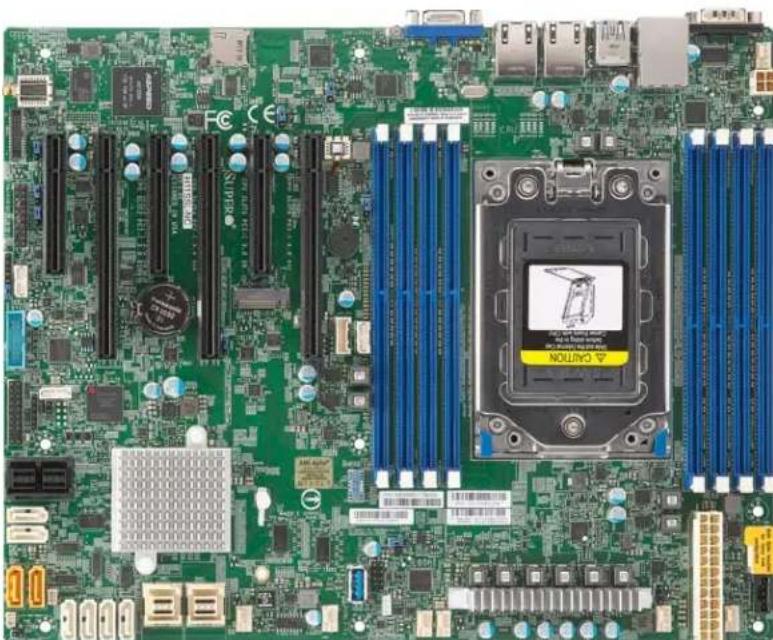
EOL (End of Life) motherboards
Advantech ASMB-781G4-00A1E
| Mura MPX Series Mura MPX + IPX Series | C-Series C-Series + Mura IPX Series | Third party + Mura IPX Series | |||
| Validated Yes/No foreseeable | compatibility issues | No foreseeable compatibility issues | No foreseeable compatibility issues | No foreseeable compatibility issues | |
| Maximum number of cards supported | 3 | ||||
| Maximum supported Mura MPX-4/4, MPX-4/2, MPX-4/0, and/or IPX Series | 3 | ||||
| Maximum supported Mura MPX-V8, MPX-V16 and/or console display* | 2 | ||||
| Maximum supported C900/C680 | 2 | ||||
| Motherboard Advantech ASM | B-781G4-00A1E | ||||
| PCIe expansion slots | • 2 PCIe x16 2.0 slots • 1 PCIe x4 2.0 slot • 1 PCIe x1 2.0 slot | ||||
| Chipset Intel | ® C206 | ||||
| Processor Intel | ® Xeon® E3-1275 processor | ||||
| Heatsink (for CPU) Advantech | LGA1155 CPU Heat Sink (P/N: 1960047669N001) | ||||
| System memory 8 GB DDR3 | |||||
| System BIOS version 1.10 | |||||
| Chassis | IPC-7130-00XE | ||||
| Power supply | PS-400ATX-ZE (400W 80 PLUS PS/2 PSU) | ||||
| Power supply bracket | Standard | ||||
| Expansion slot configuration | • Insert the first Mura card in the blue slot labeled PCIE6. • Insert the second Mura card in the blue slot labeled PCIE4. | ||||
- Maximum of 1 console display per system.
Configurations
| Slot | C-Series based controller | Mura MPX Series based controller | Third party based controller | |||
| Main | Options | Main | Options | Main | Options | |
| PCI1 | Empty (Unusable) | Empty (Unusable) | Empty (Unusable) | |||
| PCI2 | Empty (Unusable) | Empty (Unusable) | Empty (Unusable) | |||
| PCIE3 | Console display | F | Mura MPX-V8 | D, E | Empty | |
| PCIE4 | C680 | C | Mura MPX-4/4 | A, B, D | Third party graphics hardware | |
| PCI5 | Empty (Unusable) | Empty (Unusable) | Empty (Unusable) | |||
| PCIE6 | MURAIPXI-D4JF | A, C | Mura MPX-4/4 | B | MURAIPXI-D4JF | A |
| Option | Product | |||||
| A | MURAIPXI-E4SF, MURAIPXI-E4SHF, MURAIPXI-D2MF, MURAIPXI-D2MHF, MURAIPXI-E2MF, MURAIPXI-E2MHF, MURAIPXI-D4JF, MURAIPXI-D4JHF, MURAIPXI-E4JF, or MURAIPXI-E4JHF | |||||
| B | Mura MPX-4/4, MPX-4/2, MPX-4/0, or MPX-SDI | |||||
Option Product
C C900 or C680
D Mura MPX-V16 or MPX-V8
E
Matrox P690 PCIe x16, Matrox P690 Plus LP PCIe x16, Matrox M9148 LP PCIe x16, Matrox M9140 LP PCIe x16, Matrox M9138 LP PCIe x16, Matrox M9128 LP PCIe x16, Matrox M9125 PCIe x16, Matrox M9120 Plus LP PCIe x16, Matrox M9120 Plus LP PCIe x1, or Matrox M9120 PCIe x16 (console options)
F
Matrox M9148 LP PCIe x16, Matrox M9140 LP PCIe x16, Matrox M9138 LP PCIe x16, Matrox M9128 LP PCIe x16, Matrox M9125 PCIe x16, Matrox M9120 Plus LP PCIe x16, Matrox M9120 Plus LP PCIe x1, Matrox M9120 PCIe x16, NVIDIA NVS 510, NVIDIA NVS 310, NVIDIA Quadro P400, Intel HD Graphics HD 630, or Intel HD Graphics 530 (console options)
Advantech ASMB-820I-00A1E
| Mura MPX Series Mura MPX + IPX Series | C-Series C-Series | Mura IPX Series | Third party + Mura IPX Series | |
| Validated Yes/No foreseeable | compatibility issues | No foreseeable compatibility issues | No foreseeable compatibility issues | |
| Maximum number of cards supported | 3 | |||
| Maximum supported Mura MPX-4/4, MPX-4/2, MPX-4/0, and/or IPX Series | 2 | |||
| Maximum supported Mura MPX-V8, MPX-V16 and/or console display' | 2 | |||
| Maximum supported C900/C680 | 2 | |||
| Motherboard Advantech ASM | B-820I-00A1E | |||
| PCIe expansion slots | • 2 PCIe x16 3.0 slots (×16 mechanical, ×16 and ×8 electrical) • 1 PCIe x4 2.0 slot (×4 mechanical, ×4 electrical) • 1 PCIe x1 2.0 slot (×1 mechanical, ×1 electrical) | |||
| Chipset Intel | ® C206J | |||
| Processor Intel | ® Xeon® E5-2420 processor | |||
| Heatsink (for CPU) Advantech | LGA1356 CPU Heat Sink (P/N: 19600555362N011) | |||
| System memory 8 GB DDR3 | ||||
| System BIOS version 1.10 | ||||
| Power supply | 80 PLUS 500W PSU (PS8-500ATX-ZE) | |||
| Chassis | ACP-4000MB-00XE | |||
| Power supply bracket | Standard | |||
Maximum of 1 console display per system.
Configurations
| Slot | C-Series based controller | Mura MPX Series based controller | Third party based controller | |||
| Main | Options | Main | Options | Main | Options | |
| 1 PCI | Empty (Unusable) | Empty (Unusable) | Empty (Unusable) | |||
| 2 PCI | Empty (Unusable) | Empty (Unusable) | Empty (Unusable) | |||
| 3 PCIe x4 | Console display | F | Mura MPX-V16 | E, D | Empty | |
| 4 PCIe x16 | C680 | C | Mura MPX-4/4 | A, B, D | Third party graphics hardware | |
| 5 PCIe x1 | Empty (Unusable) | Empty (Unusable) | Empty (Unusable) | |||
| 6 PCIe x16 | MURAIPXI-D4JF | A, C | Mura MPX-4/4 | B | MURAIPXI-D4JF | A |
| Option | Product | |||||
| A | MURAIPXI-E4SF, MURAIPXI-E4SHF, MURAIPXI-D2MF, MURAIPXI-D2MHF, MURAIPXI-E2MF, MURAIPXI-E2MHF, MURAIPXI-D4JF, MURAIPXI-D4JHF, MURAIPXI-E4JF, or MURAIPXI-E4JHF | |||||
| B | Mura MPX-4/4, MPX-4/2, MPX-4/0, or MPX-SDI | |||||
| C | C900 or C680 | |||||
| D | Mura MPX-V16 or MPX-V8 | |||||
Option Product
| E | Matrox P690 PCIe x16, Matrox P690 Plus LP PCIe x16, Matrox M9148 LP PCIe x16, Matrox M9140 LP PCIe x16, Matrox M9138 LP PCIe x16, Matrox M9128 LP PCIe x16, Matrox M9125 PCIe x16, Matrox M9120 Plus LP PCIe x16, Matrox M9120 Plus LP PCIe x1, or Matrox M9120 PCIe x16 (console options) |
| F | Matrox M9148 LP PCIe x16, Matrox M9140 LP PCIe x16, Matrox M9138 LP PCIe x16, Matrox M9128 LP PCIe x16, Matrox M9125 PCIe x16, Matrox M9120 Plus LP PCIe x16, Matrox M9120 Plus LP PCIe x1, Matrox M9120 PCIe x16, NVIDIA NVS 510, NVIDIA NVS 310, NVIDIA Quadro P400, Intel HD Graphics HD 630, or Intel HD Graphics 530 (console options) |
ASRock X79 Extreme 11
| Maximum number of cards supported | 4 |
| Motherboard ASRock X79 Extreme 11 | |
| PCIe expansion slots | 7 PCIe x16 3.0 slots (PCIE1/PCIE2/PCIE3/PCIE4/PCIE5/PCIE6/PCIE7: x16/0/16/0/16/0/16 mode or x16/8/8/8/8/8 mode) |
| Chipset Intel | ® X79 |
| Processor Intel | ® Core™ i7 3939K, 3.2 GHz |
| Heatsink (for CPU) LGA 2011 | fan heatsink |
| System memory 8 GB DDR3 | |
| System BIOS version 1.4 | |
| Power supply • iStarUSA - | • 800W iStarUSA redundant power supply with mounting bracket for D-400 (P/N: IS-800R3NP) OR • 750W iStarUSA single regular power supply (P/N: TC-750PD1 or TC-750PD8) • Advantech - Use the 700W power supply included with the chassis. |
| Power supply bracket | • iStarUSA - • Redundant power supply - Use the bracket included with the power supply. • Regular power supply - Use the standard bracket included with the chassis. • Advantech - Use the standard bracket included with the chassis. |
| Fan | • iStarUSA - 120 CFM fan (front fan assembly). Fan to be ordered separately from the list of approved vendors. For more information on approved fans and fan vendors, see "Approved fans for iStarUSA® D-400-2F80 chassis", page 192. • Advantech - Included with chassis. |
| Chassis | • iStarUSA Kit 1 + Kit 2 • iStarUSA Kit 1 - 400 chassis with black doors and 2x 80mm fans (P/N: D-400-2F80) • iStarUSA Kit 2 - Custom fan bracket (P/N: DD-FANGUARD-12-MAT01). For more information on how to properly install the fan bracket, contact Matrox Technical Support. • Advantech (P/N: C-MAT1A-ACP4010-01) |
| Expansion slot configuration | • Insert the first Mura card in the slot labeledPCIE1. • Insert the second Mura card in the slot labeledPCIE5. • Insert the third Mura card in the slot labeledPCIE3. • Insert the fourth Mura card in the slot labeledPCIE7. |
| Performance considerations | 1-4 cards → x16 |
| Notes | • iStarUSA - The chassis and power supply must be ordered from iStarUSA. • The fan must be ordered from a separate fan vendor. For more information on approved fans and fan vendors, see "Approved fans for iStarUSA® D-400-2F80 chassis", page 192. |
ASUS® P6T7 WS
| Maximum number of cards supported | 7 |
| Motherboard ASUS | ® P6T7 WS |
| PCIe expansion slots • Slots | 1, 3, and 5 – PCIe x16 2.0 at x16 or x8 mode • Slot 7-PCIe x16 2.0 at x16 mode • Slots 2, 4, and 6-PCIe x16 2.0 at x8 mode |
| Chipset Intel | ® X58 |
| Processor Intel | ® Core™ i7-950, 3.06 GHz |
| Heatsink (for CPU) LGA 1366 | fan heatsink for Intel ® Core™ i7 processor |
| System memory 6 GB DDR3 | |
| System BIOS version 0904 dated 09/24/2010 | |
| Power supply • iStarUSA – | • 800W iStarUSA redundant power supply with mounting bracket for D-400 (P/N: IS-800R3NP) OR • 750W iStarUSA single regular power supply (P/N: TC-750PD1 or TC-750PD8) • Advantech – Use the 700W power supply included with the chassis. |
| Power supply bracket | • iStarUSA – • Redundant power supply – Use the bracket included with the power supply. • Regular power supply – Use the standard bracket included with the chassis. • Advantech – Use the standard bracket included with the chassis. |
| Fan | • iStarUSA – 120 CFM fan (front fan assembly). Fan to be ordered separately from the list of approved vendors. For more information on approved fans and fan vendors, see “Approved fans for iStarUSA® D-400-2F80 chassis”, page 192. • Advantech – Included with chassis. |
| Chassis | • iStarUSA Kit 1 + Kit 2 • iStarUSA Kit 1 – 400 chassis with black doors and 2x 80mm fans (P/N: D-400-2F80) • iStarUSA Kit 2 – Custom fan bracket (P/N: DD-FANGUARD-12-MAT01). For more information on how to properly install the fan bracket, contact Matrox Technical Support. • Advantech (P/N: C-MAT1A-ACP4010-01) |
| Expansion slot configuration | • Insert the first four Mura cards in the blue slots labeled 1, 3, 5, and 7. Insert the next three Mura cards in slots 2, 4, or 6. • Installing more than four cards requires a new bracket and a 120 CFM fan for the front. |
| Performance considerations | • 1-4 cards (in blue connectors) → x16 • 5 cards → 3 x16 + 2 x8 • 6 cards → 2 x16 + 4 x8 • 7 cards → 1 x16 + 6 x8 |
| Notes | • iStarUSA – The chassis and power supply must be ordered from iStarUSA. • The fan must be ordered from a separate fan vendor. For more information on approved fans and fan vendors, see “Approved fans for iStarUSA® D-400-2F80 chassis”, page 192. • If you install a card in PCIe x16 slot7, the two front USB connectors won't be functional due to mechanical conflicts. The six USB connectors in the back are functional. |
ASUS® P6X58-E WS
| Maximum number of cards supported | 5 |
| Motherboard ASUS | ® P6X58-E WS |
| PCIe expansion slots | • 1 PCIe x16 2.0 slot at x16 mode • 2 PCIe x16 2.0 slots at x16 or x8 mode • 2 PCIe x16 2.0 slots at x8 mode • 1 PCIe x16 2.0 slot at x1 mode |
| Chipset Intel | ® X58 |
| Processor Intel | ® Core™ i7-950 Quad, 3.07 GHz |
| Heatsink (for CPU) LGA 1366 | fan heatsink for the CPU |
| System memory 12 GB DDR3 | |
| System BIOS version 0301 dated 2/22/2011 | |
| Power supply • iStarUSA - | • 800W iStarUSA redundant power supply with mounting bracket for D-400 (P/N: IS-800R3NP) OR • 750W iStarUSA single regular power supply (P/N: TC-750PD1 or TC-750PD8) • Advantech - Use the 700W power supply included with the chassis. |
| Power supply bracket | • iStarUSA - • Redundant power supply - Use the bracket included with the power supply. • Regular power supply - Use the standard bracket included with the chassis. • Advantech - Use the standard bracket included with the chassis. |
| Fan | • iStarUSA - 120 CFM fan (front fan assembly). Fan to be ordered separately from the list of approved vendors. For more information on approved fans and fan vendors, see “Approved fans for iStarUSA® D-400-2F80 chassis”, page 192. • Advantech - Included with chassis. |
| Chassis | • iStarUSA Kit 1 + Kit 2 • iStarUSA Kit 1 - 400 chassis with black doors and 2x 80mm fans (P/N: D-400-2F80) • iStarUSA Kit 2 - Custom fan bracket (P/N: DD-FANGUARD-12-MAT01). For more information on how to properly install the fan bracket, contact Matrox Technical Support. • Advantech (P/N: C-MAT1A-ACP4010-01) |
| Expansion slot configuration | • Insert the first Mura card in the slot labeledPCIe2.0x16_1. • Insert the second and third Mura card in the slots labeledPCIe2.0x16_3 and PCIe2.0x16_5. • Insert the fourth and fifth Mura cards in the slots labeledPCIe2.0x16_2 and PCIe2.0x16_4. |
| Performance considerations | • 1-3 cards → x16 • 4 cards → 2 x16 + 2 x8 • 5 cards → 1 x16 + 4 x8 |
| Notes | • iStarUSA - The chassis and power supply must be ordered from iStarUSA. • The fan must be ordered from a separate fan vendor. For more information on approved fans and fan vendors, see “Approved fans for iStarUSA® D-400-2F80 chassis”, page 192. |
ASUS® P8Z77 WS
| Maximum number of cards supported | 4 |
| Motherboard ASUS | ® P8Z77 WS |
| PCIe expansion slots | · 4 PCIe x16 3.0/2.0 slots (dual x16 or x16/x8/x8, or quad x8) · 2 PCIe x1 2.0 slots |
| Chipset Intel | ® Z77 Express |
| Processor Intel | ® Core™ i7-3770K, 3.5 GHz |
| Heatsink (for CPU) LGA 1155 fan heatsink for the CPU | |
| System memory 8 GB DDR3 | |
| System BIOS version 0502 x64 | |
| Power supply • iStarUSA - | · 800W iStarUSA redundant power supply with mounting bracket for D-400 (P/N: IS-800R3NP) OR · 750W iStarUSA single regular power supply (P/N: TC-750PD1 or TC-750PD8) · Advantech - Use the 700W power supply included with the chassis. |
| Power supply bracket | · iStarUSA - · Redundant power supply - Use the bracket included with the power supply. · Regular power supply - Use the standard bracket included with the chassis. · Advantech - Use the standard bracket included with the chassis. |
| Fan | · iStarUSA - 120 CFM fan (front fan assembly). Fan to be ordered separately from the list of approved vendors. For more information on approved fans and fan vendors, see “Approved fans for iStarUSA® D-400-2F80 chassis”, page 192. · Advantech - Included with chassis. |
| Chassis | · iStarUSA Kit 1 + Kit 2 · iStarUSA Kit 1 - 400 chassis with black doors and 2x 80mm fans (P/N: D-400-2F80) · iStarUSA Kit 2 - Custom fan bracket (P/N: DD-FANGUARD-12-MAT01). For more information on how to properly install the fan bracket, contact Matrox Technical Support. · Advantech (P/N: C-MAT1A-ACP4010-01) |
| Expansion slot configuration | · If you're installing one card, insert the Mura card in the slot labeled PCIe 3.0/2.0 x16_1. · If you're installing two cards, insert the Mura cards in the slots labeled PCIe 3.0/2.0 x16_1 and PCIe 3.0/2.0 x16_3. · If you're installing up to four cards, insert the third and fourth Mura cards in the slots labeled PCIe 3.0/2.0 x16_2 and PCIe 2.0 x16_4. |
| Performance considerations | · 1-2 cards → x16 · 3 cards → 1 x16 + 2 x8 · 4 cards → x8 |
| Notes | · iStarUSA - The chassis and power supply must be ordered from iStarUSA. · The fan must be ordered from a separate fan vendor. For more information on approved fans and fan vendors, see “Approved fans for iStarUSA® D-400-2F80 chassis”, page 192. · For two-card configurations, a longer ribbon cable (for framelock) is required (P/N: F16279-00). For more information, contact your Matrox representative. |
ASUS® P9X79 Pro
| Maximum number of cards supported | 3 |
| Motherboard ASUS | ® P9X79 Pro |
| PCIe expansion slots | • 3 PCIe x16 3.0/2.0 slots (dual x16 or x16, x8, x8) • 1 PCIe x16 3.0/2.0 slot at x8 mode • 2 PCIe x16 3.0/2.0 slots at x1 mode |
| Chipset Intel | ® X79 |
| Processor Intel | ® Core™ i7-3930K, 3.2 GHz |
| Heatsink (for CPU) LGA 2011 | fan heatsink for the CPU |
| System memory 16 GB DDR3 | |
| System BIOS version 1104 X64 dated 04/10/2012 | |
| Power supply • iStarUSA - | • 800W iStarUSA redundant power supply with mounting bracket for D-400 (P/N: IS-800R3NP) OR • 750W iStarUSA single regular power supply (P/N: TC-750PD1 or TC-750PD8) • Advantech - Use the 700W power supply included with the chassis. |
| Power supply bracket | • iStarUSA - • Redundant power supply - Use the bracket included with the power supply. • Regular power supply - Use the standard bracket included with the chassis. • Advantech - Use the standard bracket included with the chassis. |
| Fan | • iStarUSA - 120 CFM fan (front fan assembly). Fan to be ordered separately from the list of approved vendors. For more information on approved fans and fan vendors, see "Approved fans for iStarUSA® D-400-2F80 chassis", page 192. • Advantech - Included with chassis. |
| Chassis | • iStarUSA Kit 1 + Kit 2 • iStarUSA Kit 1 - 400 chassis with black doors and 2x 80mm fans (P/N: D-400-2F80) • iStarUSA Kit 2 - Custom fan bracket (P/N: DD-FANGUARD-12-MAT01). For more information on how to properly install the fan bracket, contact Matrox Technical Support. • Advantech (P/N: C-MAT1A-ACP4010-01) |
| Expansion slot configuration | • If you're installing one card, insert the Mura card in the slot labeled PCIex16_1. • If you're installing two cards, insert the Mura cards in the slots labeled PCIex16_1 and PCIex16_4. • If you're installing three cards, insert the Mura cards in the slots labeled PCIex16_1, PCIex16_2, and PCIex16_4. |
| Performance considerations | • 1-2 cards → x16 • 3 cards → 1 x16 + 2 x8 |
| Notes | • iStarUSA - The chassis and power supply must be ordered from iStarUSA. • The fan must be ordered from a separate fan vendor. For more information on approved fans and fan vendors, see "Approved fans for iStarUSA® D-400-2F80 chassis", page 192. • For two-card configurations, a longer ribbon cable (for framelock) is required (P/N: F16279-00). For more information, contact your Matrox representative. |
ASUS® P9X79-E WS
| Maximum number of cards supported | 6 |
| Motherboard ASUS | ® P9X79-E WS |
| Available PCIe expansion slots | · 4 PCIe x16 3.0 slots at x16 mode (blue) · 3 PCIe x16 3.0 slot at x8 mode (black) |
| Chipset Intel | ® X79 |
| Processor Intel | ® Core™ i7-3820, 3.6 GHz |
| Heatsink (for CPU) LGA 2011 | fan heatsink for the CPU |
| System memory 4 GB DDR3 | |
| System BIOS version 1103 X64 | |
| Power supply · iStarUSA - | · 800W iStarUSA redundant power supply with mounting bracket for D-400 (P/N: IS-800R3NP) OR · 750W iStarUSA single regular power supply (P/N: TC-750PD1 or TC-750PD8) |
| Power supply bracket | · iStarUSA - · Redundant power supply – Use the bracket included with the power supply. · Regular power supply – Use the standard bracket included with the chassis. |
| Fan | · iStarUSA – 120 CFM fan (front fan assembly). Fan to be ordered separately from the list of approved vendors. For more information on approved fans and fan vendors, see “Approved fans for iStarUSA® D-400-2F80 chassis”, page 192. |
| Chassis | · iStarUSA Kit 1 + Kit 2 · iStarUSA Kit 1 – 400 chassis with black doors and 2x 80mm fans (P/N: D-400-2F80) · iStarUSA Kit 2– Custom fan bracket (P/N: DD-FANGUARD-12-MAT01). For more information on how to properly install the fan bracket, contact Matrox Technical Support. |
| Expansion slot configuration | · If you're installing one card, insert the Mura card in the slot labeled PCIEX16_1. · If you're installing two cards, insert the Mura cards in the slots labeledPCIEX16_1 and PCIEX16_5. · If you're installing three cards, insert the Mura cards in the slots labeled PCIEX16_1, PCIEX16_3, and PCIEX16_5. · If you're installing four cards, insert the Mura cards in the slots labeled PCIEX16_1, PCIEX16_3, PCIEX16_5, and PCIEX16_7. · If you're installing up to 6 cards, insert the remaining two cards in the slots labeled PCIEX16_2 and PCIEX16_6. |
| Performance considerations | · 1-4 cards → x16 · 5 cards → 2 x16 + 3 x8 · 6 cards → 2 x16 + 4 x8 |
| Notes | · iStarUSA – The chassis and power supply must be ordered from iStarUSA. · The fan must be ordered from a separate fan vendor. For more information on approved fans and fan vendors, see “Approved fans for iStarUSA® D-400-2F80 chassis”, page 192. · Using the onboard USB controller may result in erratic USB behavior if the slot labeled PCIEX16_4 is populated. |
ASUS® P9X79 WS
| Maximum number of cards supported | 4 |
| Motherboard ASUS | ® P9X79 WS |
| PCIe expansion slots | · 4 PCIe x16 3.0/2.0 slots (dual x16 or x16, x8, x8, or quad x8, black and blue) · 2 PCIe x16 3.0/2.0 slots at x4 mode (white) |
| Chipset Intel | ® X79 |
| Processor Intel | ® Core™ i7-3930K, 3.2 GHz |
| Heatsink (for CPU) LGA 2011 | fan heatsink for the CPU |
| System memory 8 GB DDR3 | |
| System BIOS version 0603 X64 dated 11/11/2011 | |
| Power supply · iStarUSA - | · 800W iStarUSA redundant power supply with mounting bracket for D-400 (P/N: IS-800R3NP) OR · 750W iStarUSA single regular power supply (P/N: TC-750PD1 or TC-750PD8) · Advantech - Use the 700W power supply included with the chassis. |
| Power supply bracket | · iStarUSA - · Redundant power supply - Use the bracket included with the power supply. · Regular power supply - Use the standard bracket included with the chassis. · Advantech - Use the standard bracket included with the chassis. |
| Fan | · iStarUSA - 120 CFM fan (front fan assembly). Fan to be ordered separately from the list of approved vendors. For more information on approved fans and fan vendors, see “Approved fans for iStarUSA® D-400-2F80 chassis”, page 192. · Advantech - Included with chassis. |
| Chassis | · iStarUSA Kit 1 + Kit 2 · iStarUSA Kit 1 - 400 chassis with black doors and 2x 80mm fans (P/N: D-400-2F80) · iStarUSA Kit 2 - Custom fan bracket (P/N: DD-FANGUARD-12-MAT01). For more information on how to properly install the fan bracket, contact Matrox Technical Support. · Advantech (P/N: C-MAT1A-ACP4010-01) |
| Expansion slot configuration | · If you're installing one card, insert the Mura card in the slot labeled PCIe2.0x16_1. · If you're installing two cards, insert the Mura cards in the slots labeled PCIe2.0x16_1 and PCIe2.0x16_4. · If you're installing up to four cards, insert the third and fourth Mura cards in the slots labeled PCIe2.0x16_2 and PCIe2.0x16_6. |
| Performance considerations | · 1-2 cards → x16 · 3 cards → 1 x16 + 2 x8 · 4 cards → x8 |
| Notes | · iStarUSA - The chassis and power supply must be ordered from iStarUSA. · The fan must be ordered from a separate fan vendor. For more information on approved fans and fan vendors, see “Approved fans for iStarUSA® D-400-2F80 chassis”, page 192. · For two-card configurations, a longer ribbon cable (for framelock) is required (P/N: F16279-00). For more information, contact your Matrox representative. |
ASUS® X99-A
| Maximum number of cards supported | 3 |
| Motherboard ASUS | ®X99-A |
| PCIe expansion slots • 40 lane CPU - | • 3 PCIe x16 3.0/2.0 slots (one x16, two x16/x16, three x16/x16/x8) • 1 PCIe x16 2.0 slot (maximum x4 mode) • 2 PCIe x1 2.0 slots • 28 lane CPU - • 3 PCIe x16 3.0/2.0 slots (one x16, two x16/x8, three x16/x8/x4) • 1 PCIe x16 2.0 slot (maximum x4 mode) • 2 PCIe x1 2.0 slots |
| Chipset Intel | ®X99 |
| Processor • Intel | ®Core™ i7-5820K, 3.3 GHz (28 lane CPU) • Intel® Core™ i7-5930K, 3.3 GHz (40 lane CPU) |
| Heatsink (for CPU) LGA 2011-V3 | |
| System memory 8 GB DDR4, 2133 MHz | |
| System BIOS version 1601 | |
| Power supply • iStarUSA - | • 800W iStarUSA redundant power supply with mounting bracket for D-400 (P/N: IS-800R3NP) OR • 750W iStarUSA single regular power supply (P/N: TC-750PD1 or TC-750PD8) |
| Power supply bracket • iStarUSA - | • Redundant power supply – Use the bracket included with the power supply. • Regular power supply – Use the standard bracket included with the chassis. |
| Fan | • iStarUSA – 120 CFM fan (front fan assembly). Fan to be ordered separately from the list of approved vendors. For more information on approved fans and fan vendors, see “Approved fans for iStarUSA® D-400-2F80 chassis”, page 192. |
| Chassis | • iStarUSA Kit 1 + Kit 2 • iStarUSA Kit 1 – 400 chassis with black doors and 2x 80mm fans (P/N: D-400-2F80) • iStarUSA Kit 2 – Custom fan bracket (P/N: DD-FANGUARD-12-MAT01). For more information on how to properly install the fan bracket, contact Matrox Technical Support. |
| Expansion slot configuration | • 40 lane CPU - • If you're installing one card, insert the Mura card in the slot labeled PCIEX16_1. • If you're installing two cards, insert the Mura cards in the slots labeled PCIEX16_1 and PCIEX16_3. • If you're installing three cards, insert the Mura cards in the slots labeled PCIEX16_1, PCIEX16_3, and PCIEX16_4. • 28 lane CPU - • If you're installing one card, insert the Mura card in the slot labeled PCIEX16_1. • If you're installing two cards, insert the Mura cards in the slots labeled PCIEX16_1 and PCIEX16_3. |
| Performance considerations | • 40 lane CPU - • 1-2 cards → x16 • 3 cards → 2 x16 + 1 x8 • 28 lane CPU - • 1 card → x16 • 2 cards → 1 x16 + 1 x8 |
| Notes | • iStarUSA – The chassis and power supply must be ordered from iStarUSA. • The fan must be ordered from a separate fan vendor. For more information on approved fans and fan vendors, see “Approved fans for iStarUSA® D-400-2F80 chassis”, page 192. • For more information on supported chassis, see “Validated chassis”, page 179. |
ASUS® X99-DELUXE
| Maximum number of cards supported | 5 |
| Motherboard ASUS | ®X99-DELUXE |
| PCIe expansion slots • 40 lane CPU – • 5 PCIe x16 3.0/2.0 slots (one x16, two x16/x16, three x16/x16/x8, four x8/x8/x16/x8, five x8/x8/x8/x8/x8) • 1 PCIe x16 2.0 slot (maximum x4 mode) • 28 lane CPU – • 3 PCIe x16 3.0/2.0 slots (one x16, two x16/x8, three x8/x8/x8) • 1 PCIe x16 2.0 slot (maximum x4 mode) • 2 PCIe x1 2.0 slots (x1 mode) | |
| Chipset Intel | ®X99 |
| Processor • Intel | ®Core™ i7-5820K, 3.3 GHz (28 lane CPU) • Intel® Core™ i7-5930K, 3.3 GHz (40 lane CPU) |
| Heatsink (for CPU) LGA 2011-V3 | |
| System memory 8 GB DDR4, 2133 MHz | |
| System BIOS version 1601 | |
| Power supply • iStarUSA – | • 800W iStarUSA redundant power supply with mounting bracket for D-400 (P/N: IS-800R3NP) OR • 750W iStarUSA single regular power supply (P/N: TC-750PD1 or TC-750PD8) |
| Power supply bracket • iStarUSA – | • Redundant power supply – Use the bracket included with the power supply. • Regular power supply – Use the standard bracket included with the chassis. |
| Fan | • iStarUSA – 120 CFM fan (front fan assembly). Fan to be ordered separately from the list of approved vendors. For more information on approved fans and fan vendors, see “Approved fans for iStarUSA® D-400-2F80 chassis”, page 192. |
| Chassis | • iStarUSA Kit 1 + Kit 2 • iStarUSA Kit 1 – 400 chassis with black doors and 2x 80mm fans (P/N: D-400-2F80) • iStarUSA Kit 2 – Custom fan bracket (P/N: DD-FANGUARD-12-MAT01). For more information on how to properly install the fan bracket, contact Matrox Technical Support. |
| Expansion slot configuration | • 40 lane CPU – • If you’re installing one card, insert the Mura card in the slot labeled PCIEX16_1. • If you’re installing two cards, insert the Mura cards in the slots labeled PCIEX16_1 and PCIEX16_3. • If you’re installing three cards, insert the Mura cards in the slots labeled PCIEX16_1, PCIEX16_3, and PCIEX16_5. • If you’re installing more than three cards, insert the remaining Mura cards in the slots labeled PCIEX16_2 and PCIEX16_4. • 28 lane CPU – • If you’re installing one card, insert the Mura card in the slot labeled PCIEX16_1. • If you’re installing two cards, insert the Mura cards in the slots labeled PCIEX16_1 and PCIEX16_4. • If you’re installing three cards, insert the Mura cards in the slots labeled PCIEX16_1, PCIEX16_2, and PCIEX16_4. |
| Performance considerations | • 40 lane CPU – • 1-2 cards → x16 • 3 cards → 2 x16 + 1 x8 • 4 cards → 1 x16 + 3 x8 • 5 cards → 5 x8 • 28 lane CPU – • 1 card → x16 • 2 cards → 1 x16 + 1 x8 • 3 cards → 3 x8 |
Notes
- If you're using the 40 lane CPU, you need to change the default BIOS settings. Under Advance Mode, select Tool, then set the bandwidth of the PCIEX16_5 slot (black) to x8 Modex-AMI. This enables the slot to run in x8 mode.
iStarUSA - The chassis and power supply must be ordered from iStarUSA. - The fan must be ordered from a separate fan vendor. For more information on approved fans and fan vendors, see "Approved fans for iStarUSA® D-400-2F80 chassis", page 192.
For more information on supported chassis, see "Validated chassis", page 179.
ASUS® X99-E WS
| Maximum number of cards supported | 7 |
| Motherboard ASUS | ® X99-E WS |
| PCIe expansion slots 7 PCIe x16 3.0/2.0 slots | |
| Chipset Intel | ® X99 |
| Processor Intel | ® Core™ i7-5930K, 3.5 GHz |
| System memory 32 GB DDR4 | |
| System BIOS version 0902 | |
| Power supply | • iStarUSA- • 800W iStarUSA redundant power supply with mounting bracket for D-400 (P/N: IS-800R3NP) OR • 750W iStarUSA single regular power supply (P/N: TC-750PD1 or TC-750PD8) |
| Power supply bracket • iStarUSA- • Redundant power supply – Use the bracket included with the power supply. • Regular power supply – Use the standard bracket included with the chassis. | |
| Fan | • iStarUSA – 120 CFM fan (front fan assembly). Fan to be ordered separately from the list of approved vendors. For more information on approved fans and fan vendors, see “Approved fans for iStarUSA® D-400-2F80 chassis”, page 192. |
| Chassis • iStarUSA Kit 1 + Kit 2 | • iStarUSA Kit 1 – 400 chassis with black doors and 2x 80mm fans (P/N: D-400-2F80) • iStarUSA Kit 2 – Custom fan bracket (P/N: DD-FANGUARD-12-MAT01). For more information on how to properly install the fan bracket, contact Matrox Technical Support. |
| Expansion slot configuration | • If you’re installing one card, insert the Mura card in the slot labeled PCIEX16_1. • If you’re installing two cards, insert the Mura cards in the slots labeledPCIEX16_1 and PCIEX16_3. • If you’re installing up to four cards, insert the Mura cards in the slots labeled PCIEX16_5 and PCIEX16_7. • If you’re installing more than four cards, use the remaining slots. |
| Performance considerations | • 1-4 cards → ×16 • 7 cards → 1 ×16 + 6 ×8 |
| Notes | • iStarUSA – The chassis and power supply must be ordered from iStarUSA. • The fan must be ordered from a separate fan vendor. For more information on approved fans and fan vendors, see “Approved fans for iStarUSA® D-400-2F80 chassis”, page 192. • For more information on supported chassis, see “Validated chassis”, page 179. |
ASUS® Z87 WS
| Maximum number of cards supported | 4 |
| Motherboard ASUS | ® Z87 WS |
| PCIe expansion slots | · 4 PCIe x16 3.0/2.0 slots (dual x16 or x16, x8, x8, or quad x8) · 2 PCIe x1 2.0 slots |
| Chipset Intel | ® Z87 |
| Processor Intel | ® Core™ i7-477K, 3.5 GHz |
| Heatsink (for CPU) LGA 1150 fan heatsink for the CPU | |
| System memory 4 GB DDR3 | |
| System BIOS version 0904 X64 | |
| Power supply • iStarUSA - | · 800W iStarUSA redundant power supply with mounting bracket for D-400 (P/N: IS-800R3NP) OR · 750W iStarUSA single regular power supply (P/N: TC-750PD1 or TC-750PD8) |
| Power supply bracket • iStarUSA - | · Redundant power supply – Use the bracket included with the power supply. · Regular power supply – Use the standard bracket included with the chassis. |
| Fan | · iStarUSA – 120 CFM fan (front fan assembly). Fan to be ordered separately from the list of approved vendors. For more information on approved fans and fan vendors, see “Approved fans for iStarUSA® D-400-2F80 chassis”, page 192. |
| Chassis | · iStarUSA Kit 1 + Kit 2 · iStarUSA Kit 1 – 400 chassis with black doors and 2x 80mm fans (P/N: D-400-2F80) · iStarUSA Kit 2 – Custom fan bracket (P/N: DD-FANGUARD-12-MAT01). For more information on how to properly install the fan bracket, contact Matrox Technical Support. |
| Expansion slot configuration | · If you’re installing one card, insert the Mura card in the slot labeled PCIEX16_1. · If you’re installing two cards, insert the Mura cards in the slots labeledPCIEX16_1 and PCIEX16_3. · If you’re installing three cards, insert the Mura cards in the slots labeled PCIEX16_1, PCIEX16_2, and PCIEX16_3. · If you’re installing up to four cards, insert the fourth Mura card in the slot labeled PCIEX16_4. |
| Performance considerations | · 1-2 cards → x16 · 3 cards → 1 x16 + 2 x8 · 4 cards → x8 |
| Notes | · iStarUSA – The chassis and power supply must be ordered from iStarUSA. · The fan must be ordered from a separate fan vendor. For more information on approved fans and fan vendors, see “Approved fans for iStarUSA® D-400-2F80 chassis”, page 192. · For two-card configurations, a longer ribbon cable (for framelock) is required (P/N: F16279-00). For more information, contact your Matrox representative. |
GIGABYTE™ G1 Sniper3
| Maximum number of cards supported | 4 |
| Motherboard Gigabyte G1 Sniper3 | |
| PCIe expansion slots | • 2 PCIe x16 3.0 slots at x16 mode • 2 PCIe x16 3.0 slots at x8 mode • 2 PCIe x16 2.0 slots at x1 mode |
| Chipset Intel | ® Z77 Express |
| Processor Intel | ® Core™ i7-3770, 3.4 GHz |
| Heatsink (for CPU) LGA 1155 | fan heatsink for the CPU |
| System memory 8 GB DDR3 | |
| System BIOS version AMI version F5 | |
| Power supply • iStarUSA - | • 800W iStarUSA redundant power supply with mounting bracket for D-400 (P/N: IS-800R3NP) OR • 750W iStarUSA single regular power supply (P/N: TC-750PD1 or TC-750PD8) • Advantech - Use the 700W power supply included with the chassis. |
| Power supply bracket | • iStarUSA - • Redundant power supply - Use the bracket included with the power supply. • Regular power supply - Use the standard bracket included with the chassis. • Advantech - Use the standard bracket included with the chassis. |
| Fan | • iStarUSA - 120 CFM fan (front fan assembly). Fan to be ordered separately from the list of approved vendors. For more information on approved fans and fan vendors, see "Approved fans for iStarUSA® D-400-2F80 chassis", page 192. • Advantech - Included with chassis. |
| Chassis | • iStarUSA Kit 1 + Kit 2 • iStarUSA Kit 1 - 400 chassis with black doors and 2x 80mm fans (P/N: D-400-2F80) • iStarUSA Kit 2 - Custom fan bracket (P/N: DD-FANGUARD-12-MAT01). For more information on how to properly install the fan bracket, contact Matrox Technical Support. • Advantech (P/N: C-MAT1A-ACP4010-01) |
| Expansion slot configuration | • If you're installing one card, insert the Mura card in the slot labeled PCIEX16_1. • If you're installing two cards, insert the Mura cards in the slots labeledPCIEX16_1 and PCIEX16_2. • If you're installing up to four cards, insert the third and fourth Mura cards in the slots labeled PCIEX8_1 and PCIEX8_2 |
| Performance considerations | • 1-2 cards → x16 • 3 cards → 1 x16 + 2 x8 • 4 cards → x8 |
| Notes | • iStarUSA - The chassis and power supply must be ordered from iStarUSA. • The fan must be ordered from a separate fan vendor. For more information on approved fans and fan vendors, see "Approved fans for iStarUSA® D-400-2F80 chassis", page 192. • For multi-card configurations, longer ribbon cables (for framelock) are required (P/N: F16279-00). For more information, contact your Matrox representative. |
GIGABYTE™ GA-X79-UD3
| Maximum number of cards supported | 4 |
| Motherboard Gigabyte GA-X79-UD3 | |
| PCIe expansion slots | • 2 PCIe x16 3.0 slots at x16 mode • 2 PCIe x16 3.0 slots at x8 mode • 2 PCIe x16 2.0 slots at x1 mode |
| Chipset Intel | ®X79 Express |
| Processor Intel | ®Core™ i7-3820, 3.7 GHz |
| Heatsink (for CPU) LGA 2011 | fan heatsink for the CPU |
| System memory 16 GB DDR3 | |
| System BIOS version AMI version F10 (build date: 03/05/2012) | |
| Power supply • iStarUSA - | • 800W iStarUSA redundant power supply with mounting bracket for D-400 (P/N: IS-800R3NP) OR • 750W iStarUSA single regular power supply (P/N: TC-750PD1 or TC-750PD8) • Advantech - Use the 700W power supply included with the chassis. |
| Power supply bracket | • iStarUSA - • Redundant power supply - Use the bracket included with the power supply. • Regular power supply - Use the standard bracket included with the chassis. • Advantech - Use the standard bracket included with the chassis. |
| Fan | • iStarUSA - 120 CFM fan (front fan assembly). Fan to be ordered separately from the list of approved vendors. For more information on approved fans and fan vendors, see “Approved fans for iStarUSA® D-400-2F80 chassis”, page 192. • Advantech - Included with chassis. |
| Chassis | • iStarUSA Kit 1 + Kit 2 • iStarUSA Kit 1 - 400 chassis with black doors and 2x 80mm fans (P/N: D-400-2F80) • iStarUSA Kit 2 - Custom fan bracket (P/N: DD-FANGUARD-12-MAT01). For more information on how to properly install the fan bracket, contact Matrox Technical Support. • Advantech (P/N: C-MAT1A-ACP4010-01) |
| Expansion slot configuration | • If you're installing two cards, insert the Mura cards in the slots labeledPCIEX16_1 and PCIEX16_2. • If you're installing up to four cards, insert the third and fourth Mura cards in the slots labeledPCIEX8_1 and PCIEX8_2 |
| Performance considerations | • 1-2 cards → x16 • 3 cards → 2 x16 + 1 x8 • 4 cards → x8 |
| Notes | • iStarUSA - The chassis and power supply must be ordered from iStarUSA. • The fan must be ordered from a separate fan vendor. For more information on approved fans and fan vendors, see “Approved fans for iStarUSA® D-400-2F80 chassis”, page 192. |
MSI® Big Bang-XPower
| Maximum number of cards supported | 4 |
| Motherboard MSI Big Bang-X Power (MS-7666) | |
| PCIe expansion slots • 6 PCIe x16 2.0 slots:PCI_E2 and PCI_E5 support up to PCIe x16 speedsPCI_E4 and PCI_E6 support up to PCIe x8 speedsPCI_E3 and PCI_E7 support up to PCIe x4 speeds1 PCIe x1 1.1 slot | |
| Chipset Intel | ® X58 |
| Processor Intel | ® Core™ i7-950 processor, 3.06 GHz |
| Heatsink (for CPU) LGA 1366 | Heatsink Cooling Fan for Intel® Core™ i7 processor |
| System memory 6 GB DDR3 | |
| System BIOS version V1.2 | |
| Power supply | • 800W iStarUSA redundant power supply with mounting bracket for D-400 (Part# IS-800R3NP)OR• 750W iStarUSA single regular power supply (Part# TC-750PD1) |
| Power supply bracket | • Redundant power supply—Use the bracket included with the power supply.• Regular power supply—Use the standard bracket included with the chassis. |
| Chassis • iStarUSA Kit 1 | - 400 chassis with black doors and 2x 80mm fans (Part# D-400-2F80)ANDiStarUSA Kit 2-Custom fan bracket + 120cfm fan (front fan assembly) (Part# DD-FANGUARD-12-MAT01) |
| Expansion slot configuration | • Insert the first two Mura cards in the slots labeled PCI_E2 and PCI_E5.• Insert the third Mura card in the slots labeledPCI_E4 or PCI_E6. |
| Performance considerations | • 1-2 cards → x16• 3 cards → x16 + 2 x8• 4 cards → x4 x8 |
Validated PCIe expansion boxes
The following PCIe expansion boxes have been validated by Matrox to work with Matrox Mura MPX Series, Mura IPX Series, C900, and C680 products.

Note: For improved performance, we recommend you avoid using PCIe ^® 4 slots or lower.
Currently supported PCIe expansion box
Magma ExpressBox 3T
| Maximum number of cards supported | 2 |
| Part number EB3T | |
| Power supply 250W | |
| Available PCIe expansion slots | • 1 PCIe x16 2.0 slot (×16 mechanical and ×8 electrical) • 1 PCIe x8 2.0 slot (×8 mechanical and electrical) • 1 PCIe x8 2.0 slot (×8 mechanical and ×4 electrical) |
| Expansion slot configuration | • Insert the Mura MPX-4/4 or C-Series card in the slot labeled SLOT3 (PCIe x8). • Insert the Mura IPX Series capture card in the slot labeled SLOT2 (PCIe x8/4). |
| Notes | • The ExpressBox fanspeed must be set to the maximum. For more information, see the “Fan Speed” section of the ExpressBox 3T manual to set the fan jumper setting to F. • Use the Thunderbolt" 2.0 port on the Express Box for 20 Gbps high speed Thunderbolt connection to the host system. • Requires the host system to power up the Magma ExpressBox 3T. |
Validated chassis
The following chassis have been validated by Matrox to work with Matrox Mura MPX Series, Mura IPX Series, C900, and C680 products.

Note: For improved performance, we recommend you avoid using PCIe ^® 4 slots or lower.

Note: If graphics hardware is built into the motherboard of your system, you need to disable it in Windows® Device Manager on Mura MPX Series based video wall systems. For more information, see your system manual or Windows help.
Currently supported chassis
Advantech ACP-4000MB-00XE
| Cards supported (maximum) | 3 |
| Part number ACP-4000MB-00XE | (Includes chassis, 500W power supply, and fans.) |
| Power supply 500W (included | , see part number) |
| Optional Power Supply: 700 W (Advantech Model FSP700-80PSA) | |
| Power supply bracket Standard | |
| Supported motherboards | Advantech ASMB-815 |
| • Advantech ASMB-820 | |
Advantech HPC-7400
| Cards supported (maximum) | 6 |
| Part number | HPC-7400MB-14A1E (includes chassis, power supply and fans) |
| Power supply 1400W 80 plus | Redundant power supply |
| Power supply bracket Standard | |
| Supported motherboards | Advantech ASMB-813 |
Advantech IPC-623
| Cards supported (maximum) | 17 |
| Part number | IPC-623BP-00XBE (for single power supply; includes chassis and fans; power supply not included) |
| Power supply 850W / 1200W | Single Power Supply • Enermax 1200W (Part#: EPF1200EW) • EVGA 850W (Part#: 220-G3-0850-X1) |
| Power supply bracket Standard | |
| Supported motherboards | • PCE-5B19 (BP)/PCE-5128 (SHB) • PCE-5B12 (BP)/PCE-7127 (SHB) • PCE-5B12 (BP)/PCE-5129 (SHB) • PCE-5B12 (BP)/PCE-7129 (SHB) • PCE-5B19 (BP)/PCE-5129 (SHB) • PCE-5B19 (BP)/PCE-7129 (SHB) • PCE-7B17 (BP)/PCE-7127 (SHB) |
Chenbro RM41300-FS81
| Cards supported (maximum) | 7 |
| Part number RM41300-FS81 | (Includes chassis and fans. Power supply not included.) |
| Power supply | 750W iStarUSA single regular power supply (P/N: TC-750PD1 or TC-750PD8, or 850W (P/N: EVGA Supernova 850G3) |
| Power supply bracket Standard | |
| Supported motherboards • | ASUS® P6T7 WS • ASUS® P9X79 Pro • ASUS® P9X79 WS • ASUS® P9X79-E WS • ASUS® P8Z77 WS • ASUS® P6X58-E WS • ASUS® WS C422 PRO/SE • ASUS® WS C422 SAGE/10G • ASUS® WS C621E SAGE • ASUS® WS X299 Sage • ASUS® WS Z390 PRO • ASUS® X99-A • ASUS® X99-A II • ASUS® X99-DELUXE • ASUS® X99-DELUXE II • ASUS® X99-E WS/USB3.1 • ASUS® Z270-WS • ASUS® Z87 WS • GIGABYTE" MW51-HP0 • MSI X299 SLI PLUS • SUPERMICRO® C9Z390-PGW • SUPERMICRO® H11SSL-i |
iStarUSA® D-400-2F80
| Cards supported (maximum) | 7 |
| Part number (to be ordered from iStarUSA) | • iStarUSA Kit 1 – 400 chassis with black doors and 2×80mm fans (P/N: D-400-2F80) • iStarUSA Kit 2 – Custom fan bracket (P/N: DD-FANGUARD-12-MAT01). For more information on how to properly install the fan bracket, contact Matrox Technical Support. |
| Power supply (to be ordered from iStarUSA) | • 800W iStarUSA redundant power supply with mounting bracket for D-400 (P/N: IS-800R3NP) OR • 750W iStarUSA single regular power supply (P/N: TC-750PD1 or TC-750PD8) |
| Power supply bracket | • Redundant power supply – Use the bracket included with the power supply. • Regular power supply – Use the standard bracket included with the chassis. |
| Fan | 120 CFM fan (front fan assembly). Fan to be ordered separately from the list of approved fans. For more information on approved fans and fan vendors, see "Approved fans for iStarUSA® D-400-2F80 chassis", page 192. |
| Supported motherboards | ASRock X79 Extreme 11ASUS® P6T7 WSASUS® P6X58-E WSASUS® P8Z77 WSASUS® P9X79 ProASUS® P9X79-E WSASUS® P9X79 WSASUS® WS C422 PRO/SEASUS® WS C422 SAGE/10GASUS® WS C621E SAGEASUS® WS X299 SageASUS® WS Z390 PROASUS® X99-AASUS® X99-A IIASUS® X99-DeluxeASUS® X99-DELUXE IIASUS® X99-E WS/USB3.1ASUS® Z270-WSASUS® Z87 WSGIGABYTE™ G1.Sniper3GIGABYTE™ GA-X79-UD3GIGABYTE™ MW51-HP0MSI X299 SLI PLUSSUPERMICRO™ C9Z390-PGWSUPERMICRO™ H11SSL-i |
| Notes | iStarUSA - The chassis and power supply must be ordered from iStarUSA.The fan must be ordered from a separate fan vendor. For more information on approved fans and fan vendors, see "Approved fans for iStarUSA® D-400-2F80 chassis", page 192. |
iStarUSA D-400L-7
| Maximum number of cards supported | 7 |
| Part number iStarUSA D-400L-7 | |
| Power supply | 860W single regular power supply (iStar USA Part Number: TC-860PD8; not included with the chassis) |
| Power supply bracket Standard bracket included with the chassis | |
| Fan Included with the chassis | |
| Supported motherboards | ASUS® Z270-WSASUS® WS C422 PRO/SEASUS® WS X299 SageASUS® WS C422 SAGE/10GASUS® WS C621E SAGEASUS® WS Z390 PROASUS® X99-A IIASUS® X99-DELUXE IIASUS® X99-E WS/USB3.1GIGABYTE™ MW51-HP0MSI X299 SLI PLUSSUPERMICRO® C9Z390-PGWSUPERMICRO® H11SSL-i |
| Notes | The center fan at the rear of the chassis must be disconnected.In the System BIOS, selectAdvanced → Hardware Monitor → CPU Fan Speed Control, then set all the System fan speed controls to Full speed. |
NORCO RPC-432
| Cards supported (maximum) | 4 |
| Part number RPC-432 (includes chassis, 2×120mm front fans) | |
| Power supply | 550W (Part# Corsair CS550M); not included with the chassis |
| Power supply bracket Standard | |
| Supported motherboards • | ASUS ™ WS C422 PRO/SE • ASUS® WS Z390 Pro • SUPERMICRO® C9Z390-PGW |
| Notes | • Optional 2×80mm rear fans should be ordered separately • The chassis fans must be set to full speed |
Portwell 10 slot chassis
| Cards supported (maximum) | 10 |
| Part number | 21-M90103-0002 (includes chassis and fans. Power supply must be ordered separately.) |
| Power supply 950W redundant power supply ( Portwell Part# 02-527050-0002) | |
| Power supply bracket Standard | |
| Supported motherboards | PBPE-11A-MT (BP) / ROBO-8110A (SHB)PBPE-11A-MT (BP) / ROBO-8113VG2AR (SHB)PBPE-11A-MT (BP) / ROBO-8113VG2AR-Q170-KBL (SHB) |
Rackmaster 20 slot chassis
| Cards supported (maximum) | 17 |
| Part number | • 010-0163 (includes chassis, fans and 800W redundant power supply) • 010-0164 (includes chassis, fans, 800W redundant power supply and Motherboard from the supported list) • 010-0165 (includes chassis, fans and 1200W single power supply) • 010-0166 (includes chassis, fans, 1200W single power supply and Motherboard from the supported list) |
| Power supply | 800W redundant power supply /1200W single power supply included with the chassis |
| Power supply bracket Standard | |
| Fan 3× 150cfm fans included with the chassis. | |
| Supported motherboards | • Advantech PCE-5B19 (BP)/PCE-5128 (SHB) • Advantech PCE-5B19 (BP)/PCE-5129 (SHB) • Advantech PCE-5B19 (BP)/PCE-7129 (SHB) • Advantech PCE-5B12 (BP)/PCE-7127 (SHB) • Advantech PCE-5B12 (BP)/PCE-5129 (SHB) • Advantech PCE-5B12 (BP)/PCE-7129 (SHB) |
SUPERMICRO SuperChassis 842XTQ-R606B
| Cards supported (maximum) | 7 |
| Part number CSE-842XTQ-R606B (Includes chassis, 600W redundant power supply, and fans.) | |
| Power supply 600W redundant, model PWS-606P-1R | |
| Power supply bracket Standard | |
| Supported motherboards • | ASUS® P6T7 WS • ASUS® P6X58-E WS • ASUS® P8Z77 WS • ASUS® P9X79 Pro • ASUS® P9X79-E WS • ASUS® P9X79 WS • ASUS® WS C422 PRO/SE • ASUS® WS X299 Sage • ASUS® X99-A • ASUS® X99-A II • ASUS® X99-DELUXE • ASUS® X99-DELUXE II • ASUS® X99-E WS • ASUS® X99-E WS / ASUS® X99-E WS/USB 3.1 • ASUS® Z87 WS |
EOL (End of Life) chassis
Advantech C-MAT1A-ACP4010-01
| Cards supported (maximum) | 7 |
| Part number C-MAT1A-ACP4010-01(Includes chassis, 700W power supply, and fans.) | |
| Power supply 700W (included, see part number) | |
| Power supply bracket Standard | |
| Supported motherboards • | ASRock X79 Extreme 11ASUS® P6T7 WSASUS P6X58-E WSASUS P8Z77 WSASUS P9X79 ProASUS P9X79 WSGigabyte G1.Sniper3Gigabyte GA-X79-UD3 |
Advantech IPC-7130-00XE
| Cards supported (maximum) | 2 |
| Part number IPC-7130-00XE | |
| Power supply PS-400ATX-ZE (400W 80 PLUS PS/2 PSU) | |
| Power supply bracket Standard | |
| Supported motherboards Advantech ASMB-781G4-00A1E | |
Delo Step Multi-View
| Cards supported (maximum) | 4 |
| Part number 1039268 | (Includes chassis, 560W power supply, and fans.) |
| Power supply Seasonic X-Series (560W), model SS-560KM | |
| Power supply bracket Standard | |
| Supported motherboards • | ASUS ® P9X79 WS • ASUS® P8Z77 WS |
Nijkerk NCS-R416A-MB-NOIR
| Cards supported (maximum) | 7 |
| Part number NCS-R416A-MB | NOIR |
| Power supply Antec HCP-750 | (750W) |
| Power supply bracket Standard | |
| Supported motherboards ASUS | ®P6T7 WS |
SUPERMICRO SuperChassis 836
| Cards supported (maximum) | 3 |
| Part number CSE-836 | (Includes chassis, 800W redundant power supply, and fans.) |
| Power supply ABLECOM (800W redundant), model PWS-801-1R | |
| Power supply bracket Standard | |
| Supported motherboards ASUS® P9X79 Pro | |
System ventilation
Without proper system ventilation, the motherboard and add-in cards will operate at elevated temperatures. Continued operation at elevated temperatures will reduce the life expectancy of the overall system. Mechanical components (such as fans), in particular, experience higher failure rates when exposed to elevated temperatures over long periods of time. The system integrator must verify that the system – and the add-in card area in particular – is properly ventilated. The result is a system that runs cooler, has a longer operating life, and offers higher reliability.

Note: To guarantee the longevity of your system and the installed cards, make sure your system is installed in a properly ventilated location. Running Matrox Mura and C-Series cards above the specified temperatures will lead to permanent damage to the card that won't be covered by the Matrox warranty.
Mura MPX Series- The Mura MPX Series operating temperature is 0 to 40^ . When the Mura MPX card is installed in a properly ventilated system, the temperature of the Mura MPX card recorded by Matrox PowerDesk software must never exceed 100^
To monitor and record the temperature changes of your graphics hardware, use Matrox PowerDesk software. From the main interface, click Help and Troubleshooting Troubleshooting Under Chip temperature data and logging, you can enable the options to monitor the peak temperatures or log the chip temperatures of your graphics hardware. Systems validated by Matrox have guaranteed thermal and ventilation characteristics.
Mura IPX Series- The Mura IPX Series operating temperature is 0 to 45^ . When a Mura IPX Series card is installed in a properly ventilated system, the temperature of the Mura IPX Series card recorded by the Matrox IPX Utility tool or API must never exceed 100^ .
To monitor and record the temperature changes of your Mura IPX Series card, use Matrox IPX utility tool. From the Mura CD package, install Network API SDK.msi . Then, go to system'sProgram Files (x86)Matrox Graphics Inc\Matrox Network API SDKApplications and run theIPX utility.exe. From the IPX utility tool window, enter localhost to get the temperature of your Mura IPX Series card.
C900/C680 - The temperature of your C900 and C680 cards should never exceed 90^ . To retrieve the temperature of your C-Series card, use Matrox PowerDesk software. From the main interface, clickHelp and Troubleshooting Troubleshooting Under Chip temperature data and logging, you can enable options to monitor the peak temperatures and log the chip temperatures of your C-Series card.
Third party graphics hardware - Ensure that your third party graphics hardware remains within the maximum allowed temperature. For more information on how to monitor and record the temperature or for temperature requirements of your third party graphics hardware, see your third party graphics hardware documentation.
For more information on ensuring proper system ventilation, see the Matrox Chassis Selection Guide.
Power supply sizing for Matrox Mura MPX Series based, C-Series based, and Third party based systems
When assembling a system based on Mura MPX Series or C-Series products, the power supply must be sized to provide power for the entire system, including the CPU, all add-in cards, and any peripherals connected. To determine the power supply size, you must consider not only the power requirements of all devices but also the power rails from which the current is being drawn.
Each power supply provides different voltages with varying current load capacities, depending on system usage. For example, a -12V supply (still used in some systems) supports less than 1A of load, whereas a +12V supply, which bears the brunt of the load in modern systems, can easily exceed 50A capacity in many mid-sized power supplies. The remaining voltages (typically, +3.3V, +5V, and +5VSB) fall between these extremes in terms of current load capacity.
Matrox cards, being PCI Express based, draw power primarily from the +12V supply. Although a small amount of power (approximately 0.1A) is drawn from the +3.3V supply, the power supply must have sufficient capacity on the +12V supply rail. Since each Matrox SKU has slightly different power supply requirements, using the largest possible current requirement to size the power supply will ensure the power supply is adequate, regardless of the SKUs installed.
To properly size the power supply, the power requirements of all the devices must be added together separately for each supply rail and then the appropriate power supply selected. For example, the Mura MPX-4/4 SKU (4 outputs, 4 inputs) consumes approximately 3.5A from the +12V supply. Seven Mura MPX-4/4 cards would therefore consume approximately 24.5A (or 7× 3.5A ) from this supply. This +12V current requirement is in addition to any pre-existing requirements of the motherboard and/or system (for example, CPU, motherboard, hard disk drives, etc.). In other words, if the base system requires 15A from the +12V supply with no Mura cards installed, once the Mura cards are installed the power supply must provide 15A + 24.5A (or 39.5A ) on the +12V rail for adequate power supply.
A merely "adequate" power supply, however, isn't sufficient. Most power supplies operate at optimal efficiency at 50 - 60% of their rated power load. Continually operating beyond this may cause excessive thermal generation and lead to premature aging of the electronic components. It's common practice to ensure that the power supply can supply additional current beyond what's required for the system configuration in typical use. For maximum efficiency and reliability, make sure to provide a minimum 50% margin on the power supply rating. In the example above, a system requiring 39.5A on the +12V rail would require approximately 475W . Assuming another 50W for the +3.3V rail and 10W for the +5V rail, the total system requirements are approximately 475W + 50W + 10W , for a total of 535W . A 50% margin on the power supply means specifying a supply of 800W that can supply at least 60A on the +12V supply.
By providing less margin than specified above, the power supply will be used under higher load conditions, which may lead to excess heat generation within the power supply and premature wear-out of electronic components. Insufficient margin may also compromise the overall reliability of the product.

Note: The margin provided on the power supply must never be less than 35-40%.
For a common display wall setup that supports up to seven Matrox cards and uses a mid-range Intel CPU, we recommend a minimum power supply of 800W. For larger systems, the power supply must be increased accordingly, taking into account the requirements of the CPU or SHB and backplane/motherboard components.
For third party graphics hardware, an optional power supply may be required for maximum support. If your power supply has an insufficient number of 6-pin connectors to support the maximum number of third party graphics hardware, you can order optional power cables. For more information on the power requirements of systems based on third party graphics hardware, see the documentation for your third party graphics hardware.
Shipping an integrated system
While shipping an integrated system, make sure that add-in cards are properly installed in the expansion slots and the board bracket is screwed securely to the chassis. Most systems have a board retaining clip to protect cards from shock and vibration. If your system has a board retaining clip, use the board retaining clip to securely clamp the boards into place. For more information, see the user guide for your system or chassis. Follow the system/ chassis manufacturer's guidelines for proper installation, shipment, and transportation of an integrated system. Failure to do so may cause damage to the cards due to shock and vibration during shipping and transportation.
PCI Express® bandwidth considerations in Matrox Mura MPX Series based or C-Series based systems
System architecture is important in determining overall capture and display performance with Mura MPX Series based and C-Series based systems. Although the input resolutions and formats must be considered, the system bus-level architecture also plays an important role in optimizing the system for the best possible performance. This section will outline some of the issues to consider when implementing Mura MPX Series based and C-Series based display walls.
Input source bandwidth requirements
Any capture architecture receives its data from external sources and transfers it to one or more graphics engines for display. The inputs may take many forms: IP, HDMI, DVI, analog RGB, component video, or even standard TV inputs using either composite or Y/C signals. Each of these inputs places a different load on the system in terms of quantity of data to be transferred.
The bandwidth required to transfer a captured stream within a computer system is dependent on input resolution, format and frame buffer organization. The input format refers to both pixel depth (8- or 10-bits) and pixel format (4:4:4, 4:2:2 or 4:2:0), and frame buffer organization is typically linear or planar. Although a frame buffer may be 24 bits, system transfers are performed in 8-, 16-, or 32-bit "chunks". The formula below provides an approximation of the bandwidth required from a given input stream, and assumes planar frame buffer organization.
In some cases, it may be possible to capture sources and transfer them internally using a 16-bit YUV format. Doing so will reduce the amount of system bandwidth required to transfer the input data, but it will also degrade the capture quality (since less data is being used to represent each pixel). This option should be used only when necessary, and with sources, where the quality of input capture can be sacrificed.
The bandwidth required by any input source can be expressed as follows:
$$ \mathrm {B W r e s} \quad_ {x} \times \mathrm {r e s} _ {y} \times \mathrm {f p s k} \times \quad_ {\text {p i x e l} _ {\text {f a c t o r}}} $$
Where fps and kpixel_factor represent the number of frames per second and the number of bytes taken by each pixel, respectively. In analog RGB, component and DVI modes each pixel generally requires 4 bytes. In TV modes (or when data is represented as 16-bit YUV data) each pixel requires 2 bytes.
The table below provides a summary of pixel factors for different pixel depths and pixel formats.
$$ 4: 4: 4 4: 2: 2 4: 2: 0 $$
$$ 8 - \text {b i t} 4 2 1. 5 $$
$$ 1 0 - \text {b i t} 6 4 3 $$
For example, a high-definition source being captured at 1920 × 1080p60 requires the following bandwidth:
$$ \mathrm {B W} _ {1 0 8 0 p} = 1 9 2 0 \times 1 0 8 0 \times 6 0 \times 4 \approx 5 0 0 \mathrm {M B / s} $$
An NTSC source at 60Hz (interlaced) requires the following bandwidth:
$$ \mathrm {B W} _ {\mathrm {N T S C}} = 7 2 0 \times 4 8 0 \times 3 0 \times 2 \approx 2 1 \mathrm {M B / s} $$
Here are some examples of approximate bandwidths based on resolution/pixel formats:
4:4:4 4:2:2 4:2:0
3840 x 2160 @ 30 Hz 1000 MB/s 500 MB/s 375 MB/s
1920 x 1080 @ 60 Hz 500 MB/s 250 MB/s 185 MB/s
For more information on video sampling and formats, see the following resources:
Recommended 8-bit YUV formats for video rendering (msdn.microsoft.com/en-us/library/windows/Desktop/dd206750(v=vs.85).aspx)
10-bit and 16-bit YUV video formats (msdn.microsoft.com/en-us/library/weather/deSKTOP/bb970578(v=vs.85).aspx)
Regardless of the resolutions and formats of the various inputs, the available system bandwidth shouldn't be exceeded. Doing so will result in reduced system performance and/or instability.
PCI Express architecture overview
To understand how system architecture plays a role in the available bandwidth, a basic understanding of the PCI Express architecture is helpful. This section provides a brief description of the PCI Express architecture to provide enough background to understand the bandwidth calculations provided later in this discussion.
PCI Express is a point-to-point serial transmission interface using high-speed differential signaling to enable high-performance transfer of data within systems. The initial PCIe specification defined a 2.5 Gb/s data transfer rate per lane, while second generation PCIe increased the data rate to 5 Gb/s. The third generation of PCI Express has further increased the data transfer rate to 8 Gb/s per lane of data. The table below summarizes the data transfer capabilities of the PCI Express architecture based on generation and link width (the link width is the size of the electrical connection between two PCI Express devices).
The PCI Express specification also defines backward-compatibility between PCI Express devices. That is, a device designed for Gen-3 PCI Express functions at Gen-2 speeds when connected to a Gen-2 device, a Gen-2 device functions at Gen-1 speeds when connected to a Gen-1 device, and so on.
| Link width* | PCIe Gen-1 PCIe | Gen-2 PCIe Gen-3 | † |
| ×1 250 MB/s 500 MB | B/s 1 GB/s | ||
| ×4 1 GB/s 2 GB/s 4 GB/s | GB/s | ||
| ×8 2 GB/s 4 GB/s 8 GB/s | GB/s | ||
| ×16 4 GB/s 8 GB/s | 16 GB/s |
The link width provides a measure of the data transfer capabilities of the link in a single direction. Since each PCI Express lane contains both an upstream and a downstream link, the effective bandwidth is doubled. The numbers in this table represent the maximum bandwidth available in each direction.
+ While the serial data rate has only increased from 5 Gb/s to 8 Gb/s over second generation PCI Express, the encoding of the serial data has changed, providing more efficient transfers and effectively doubling the data transmission rate over Gen-2 PCI Express.
To maximize data transfer capabilities within a system, having the largest lane widths possible throughout the system is preferred. An ideal system for display wall applications provides PCIe × 16 links for all add-in cards, maximizing throughput at each communication link.
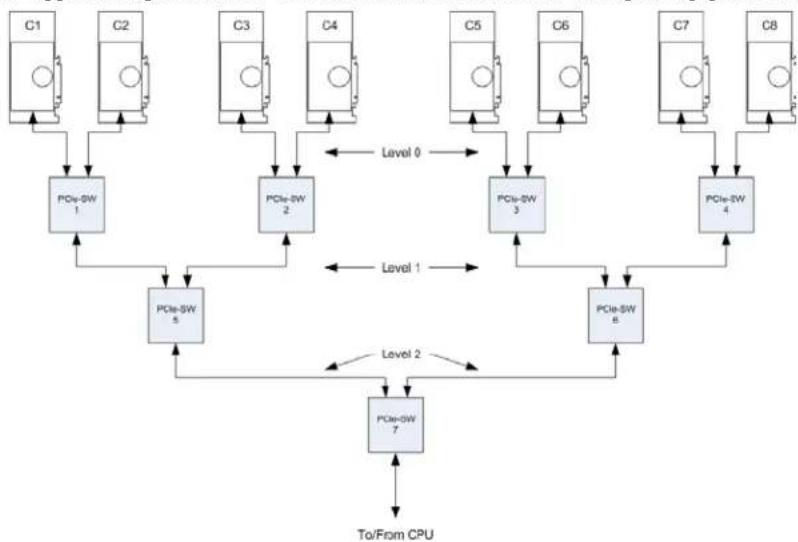
In the diagram above, assume that each PCI Express link is a × 8 connection operating at Gen-2 speeds. Each link thus has a total available throughput of 4GB / s in each direction. Any combination of input streams being transferred through a given switch that results in the total bandwidth exceeding 4GB / s will result in reduced system performance (stuttering playback and reduced frame rates).
Consider the following Mura MPX Series example:
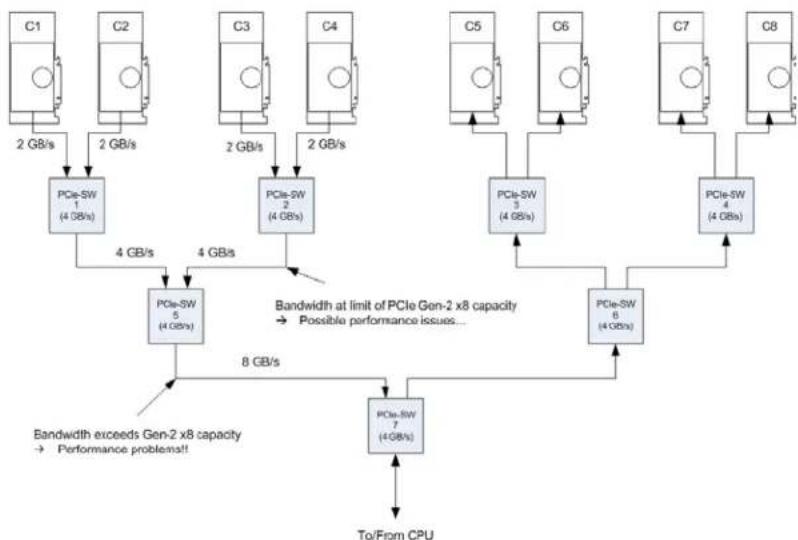
Each GPU transmits two HD streams to a Mura card located at the other "end" of the system (C4-C7). This results in a total bandwidth of approximately 2 GB/s per card (2 GPUs per card, each transmitting two HD stream at approximately 500 MB/s per stream) that has to be transferred through the PCIe fabric. The combined bandwidth of the first two Mura cards connected to the first-level PCIe switches (C1 and C2 PCIe-SW #1) is 4 GB/s, which is at the very limit of the link's capability (while the burst capability of the link is indeed 4 GB/s, there's a link overhead that must be accounted for. This will reduce the effective limit of data that can be transferred. The amount of the reduction is dependent on the PCIe switch architecture, and may be as high as 25 - 35% . We can already expect bandwidth-related artifacts on the outputs. If we go a level deeper (PCIe-SW #5), the combined bandwidth of the first four Mura cards is almost 8 GB/s, greater than the capacity of the PCIe switches to handle (these are × 8 links).
Now consider the following scenario:
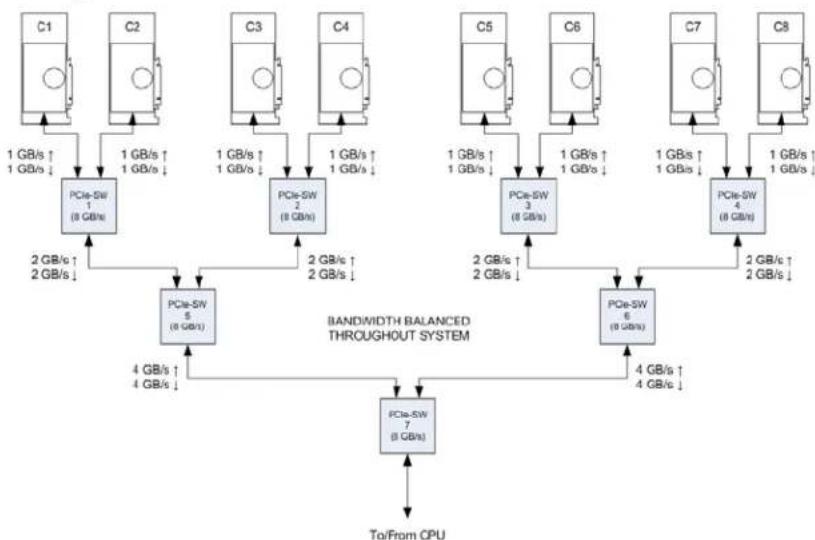
This configuration is an example of how inputs and outputs should be placed whenever possible. In this case, each card is transferring the equivalent of two HD streams to the other "side" of the system, but because the bandwidth at each link remains below the capacity of the switches, there's no problem and the system will function properly.
The diagram below illustrates a configuration containing Mura MPX Series display adapters and Mura IPX Series capture cards in a system based on a switch-based architecture.
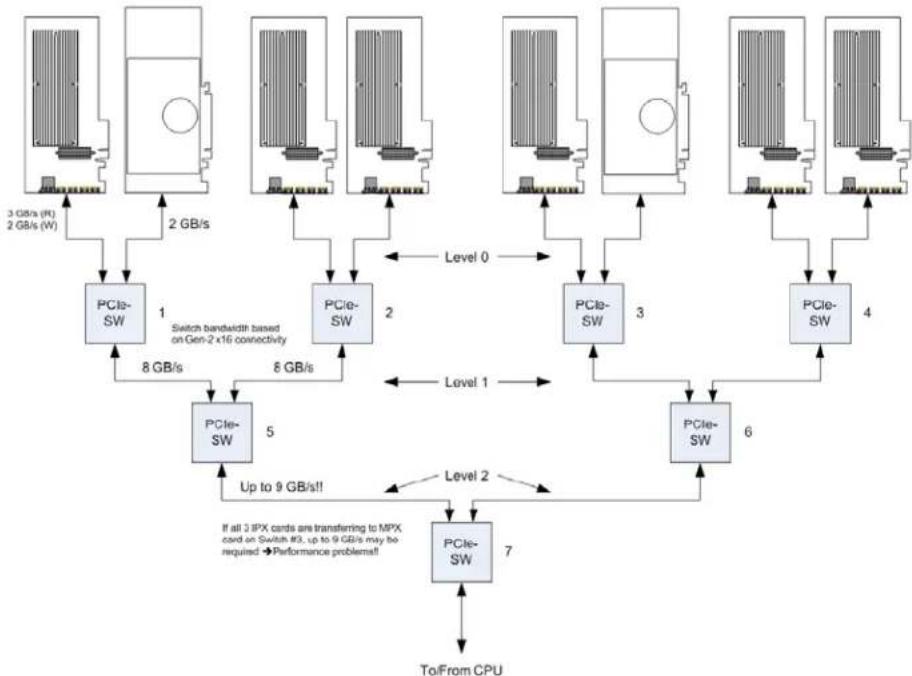
When installing many cards in a system like this, it's important to maximize transfer bandwidth. This is done by ensuring that capture cards are (as much as possible) not all placed on the same bus segments. Placing many capture cards on the same bus segment may create bottlenecks that can hinder performance and lower the overall capture rate. The manner in which inputs are mapped to output boards can also have an impact. When possible, inputs should be captured as close to the display card as possible to minimize system latency and maximize overall system bandwidth. As an example, in the above illustration, if the 3 Mura IPX Series cards on switches 1 and 2 are capturing data to be displayed on the Mura MPX Series card connected to switch 3, up to 9 GB/s of bandwidth may be required (depending on the number of inputs and their resolutions). This is above the maximum bandwidth of the bus segment connecting switches 5 and 7, and will result in performance issues (lower/stuttering frame rate transfer) or will require the data to be pre-scaled before its transfer to the output.
It's impossible to cover all possible configurations of input and output cards in this document - indeed each situation will be different. However, knowledge of the system architecture and judicious placement of the capture and display cards based on the desired input/output mappings will allow virtually any bandwidth requirements to be met.
General bandwidth guidelines
Knowledge of the system architecture and the number and types of inputs is required to optimally place capture cards in the system. By carefully calculating the required bandwidth and ensuring that there are no data bottlenecks in the system, the integrator can guarantee the optimal functioning of the Mura MPX Series based and C-Series based display wall.
A word about system architectures
We've assumed up this point that systems used for Mura MPX Series based and C-Series based display walls will be based on a switched architecture (that is, the PCI Express connectors are connected to PCI Express switches that form the backbone of the system architecture) for the purpose of providing multiple PCIe slots for add-in cards. There are, however, system motherboards that provide a small number of slots that don't use a switch-based architecture, but rather use the QPI interface between CPU chipsets to bridge the gap between groups of PCIe slots (see diagram below). Systems based on this architecture don't perform as well as display wall platforms. The QPI interface itself has
limited bandwidth that makes it unsuitable for transferring large amounts data (as is the case for a display wall system). At best, the system could be suitable for applications requiring very limited streaming of SD only inputs, or a single graphics-type input at a resolution requiring less than the available QPI bandwidth (system dependent).
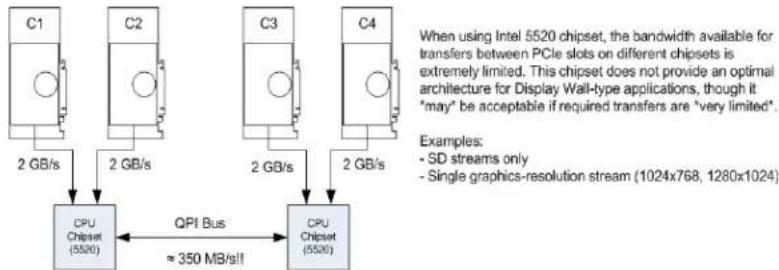
Any multi-processor system using the QPI bus is likely to see performance issues when used for capture/display of multiple streams. The QPI architecture wasn't designed with high-performance multi-media data transfers in mind, and multi-processor systems based on this architecture should be avoided when possible. Switch-based architectures generally provide a more balanced and efficient backbone for the transfer of multiple video/graphics streams.
Appendix
Approved fans for iStarUSA® D-400-2F80 chassis
Notes List of approved fan vendors:
Sunon: PMD1212PTB3-A (2).GN
Yen-Sun:FD121225EB
- Delta: AFB1212HHE-C
Adda: AG12012XB257100
NMB:4715KL-04W-B40
To assemble the fan connectors to the lead wires on the fan, the following parts are needed:
Molex 15-24-4048 (Crimp housings)
Molex 02-08-1201 (Female crimp connectors)
Depending on the voltage rating of the fan, the pin placement is the following:
Pin 1: +12V
Pin 2: GND (usually the black lead from the fan)
Pin 3: GND (only one of the two GND pins needs be connected)
Pin 4: +5V (leave unconnected if connecting a 12V fan)
Warning: The fan may not work properly or may be damaged if the pins aren't properly connected.
Contact us
The Matrox Web site has product literature, press releases, technical material, a sales office list, trade show information, and other relevant material. Visit us at www.matrox.com/graphics
If you have any questions or comments about our products or solutions, contact us at www.matrox.com/graphics/contact.
You can get technical assistance by contacting Matrox technical support at dwcsupport@matrox.com.
Disclaimer
Information in this document may contain technical inaccuracies or typographical errors. Information may be changed or updated without notice. Matrox reserves the right to make improvements and/or changes in the products, programs and/or specifications described in this information at any time without notice. All trademarks and trade names, service marks and logos referenced herein belong to their respective owners.
ASUS Trademark is either a US registered trademark or trademark of Asustek Computer Inc. in the United States and/or other countries. Reference to any ASUS products, services, processes, or other information and/or use of ASUS Trademarks does not constitute or imply endorsement, sponsorship, or recommendation thereof by ASUS.
Dell and Precision are trademarks or registered trademarks of Dell Inc.
DisplayPort is a trademark of VESA.
HDMI is a registered trademark of HDMI Licensing, LLC in the United States and/or other countries.
HP is a registered trademark of the Hewlett-Packard Development Company, L.P. in the U.S. and other countries.
Intel, Core, and Xeon are trademarks or registered trademarks of Intel Corporation in the U.S. and/or other countries.
Linux is a registered trademark of Linus Torvald in the United States and in other countries.
Microsoft and Windows are either registered trademarks or trademarks of Microsoft Corporation in the United States and/or other countries.
OpenCL is a trademark of Apple Inc.
OpenGL is a trademark or registered trademark of Silicon Graphics, Inc. in the United States and/or other countries worldwide.
PCIe and PCI Express are registered trademarks and/or service marks of PCI-SIG.
Copyright © 2020 Matrox is a registered trademark of Matrox Electronic Systems Ltd. All rights reserved.
- Matrox® Display Wall
- Mura™ IPX Series • Mura™ MPX Series • C-Series™
- Contents
- Product overview 6
- Hardware summary - Mura IPX Series. 12
- Hardware summary - Matrox C-Series. 17
- Why choose a validated platform? 19
- C-Series system requirements 22
- Validated systems 23
- Product overview
- Hardware summary - Mura MPX Series
- Mura MPX-4/4
- Hardware summary - Mura IPX Series
- MURAIPXI-E4SF/MURAIPXI-E4SHF
- MURAIPXI-E2MF/MURAIPXI-E2MHF
- Hardware summary - Matrox C-Series
- Matrox C900
- Why choose a validated platform?
- Platforms validated by Matrox
- Validated systems
- C-Series system requirements
- Before you begin
- Mura MPX Series based video wall system
- Supported configurations
- C900/C680 based video wall system
- Third party based video wall system
- Currently supported systems
- Option Product
- Motherboard layout
- End of Life (EOL) systems
- HP® Z600 Workstation
- Seneca VWC-PRO
- Trenton TVC4502
- Validated motherboards
- Currently supported motherboards
- EOL (End of Life) motherboards
- ASUS® P6T7 WS
- ASUS® P9X79-E WS
- ASUS® P9X79 WS
- ASUS® X99-A
- ASUS® X99-DELUXE
- Notes
- ASUS® X99-E WS
- ASUS® Z87 WS
- MSI® Big Bang-XPower
- Validated PCIe expansion boxes
- Currently supported PCIe expansion box
- Magma ExpressBox 3T
- Validated chassis
- Currently supported chassis
- NORCO RPC-432
- Portwell 10 slot chassis
- Rackmaster 20 slot chassis
- SUPERMICRO SuperChassis 842XTQ-R606B
- EOL (End of Life) chassis
- Advantech C-MAT1A-ACP4010-01
- Advantech IPC-7130-00XE
- Delo Step Multi-View
- Nijkerk NCS-R416A-MB-NOIR
- SUPERMICRO SuperChassis 836
- System ventilation
- Power supply sizing for Matrox Mura MPX Series based, C-Series based, and Third party based systems
- Shipping an integrated system
- PCI Express® bandwidth considerations in Matrox Mura MPX Series based or C-Series based systems
- Input source bandwidth requirements
- PCI Express architecture overview
- General bandwidth guidelines
- A word about system architectures
- Appendix
- Approved fans for iStarUSA® D-400-2F80 chassis
- Contact us
- Disclaimer
Marque : MATROX
Modèle : Mura IPX
Catégorie : Décodeur numérique