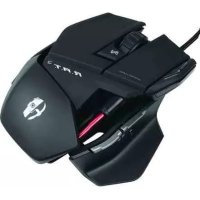
R.A.T 5 - Souris Cyborg - Notice d'utilisation et mode d'emploi gratuit
Retrouvez gratuitement la notice de l'appareil R.A.T 5 Cyborg au format PDF.

| Type de produit | Souris gaming filaire |
| Marque | Cyborg |
| Modèle | R.A.T 5 |
| Connectivité | USB filaire |
| Dimensions (L x l x H) | Env. 110-130 x 70 x 40 mm (réglable en longueur) |
| Poids | Ajustable avec système de poids intégré |
| Résolution (DPI) | 4 niveaux réglables, até 4000 DPI (estimation) |
| Nombre de boutons | Boutons programmables + bouton de précision |
| Fonctions principales | Bouton de tir de précision, réglage DPI, 3 modes de sensibilité, logiciel de configuration Cyborg ST |
| Logiciel | Cyborg ST (pour programmation des boutons et sensibilité) |
| Alimentation | Alimentation par port USB |
| Longueur du câble | Env. 1,8 m |
| Entretien et nettoyage | Nettoyer avec un chiffon doux et sec. Ne pas utiliser de produits chimiques. |
| Sécurité | Utiliser uniquement avec des ports USB conformes. Ne pas exposer à l'humidité. |
| Pièces détachées et réparabilité | Poids de rechange disponibles. Réparation par personnel qualifié. |
| Informations générales | Notice disponible en PDF. Logiciel requis pour la configuration avancée. |
FOIRE AUX QUESTIONS - R.A.T 5 Cyborg
Questions des utilisateurs sur R.A.T 5 Cyborg
0 question sur cet appareil. Repondez a celles que vous connaissez ou posez la votre.
Poser une nouvelle question sur cet appareil
Téléchargez la notice de votre Souris au format PDF gratuitement ! Retrouvez votre notice R.A.T 5 - Cyborg et reprennez votre appareil électronique en main. Sur cette page sont publiés tous les documents nécessaires à l'utilisation de votre appareil R.A.T 5 de la marque Cyborg.
MODE D'EMPLOI R.A.T 5 Cyborg
text_image
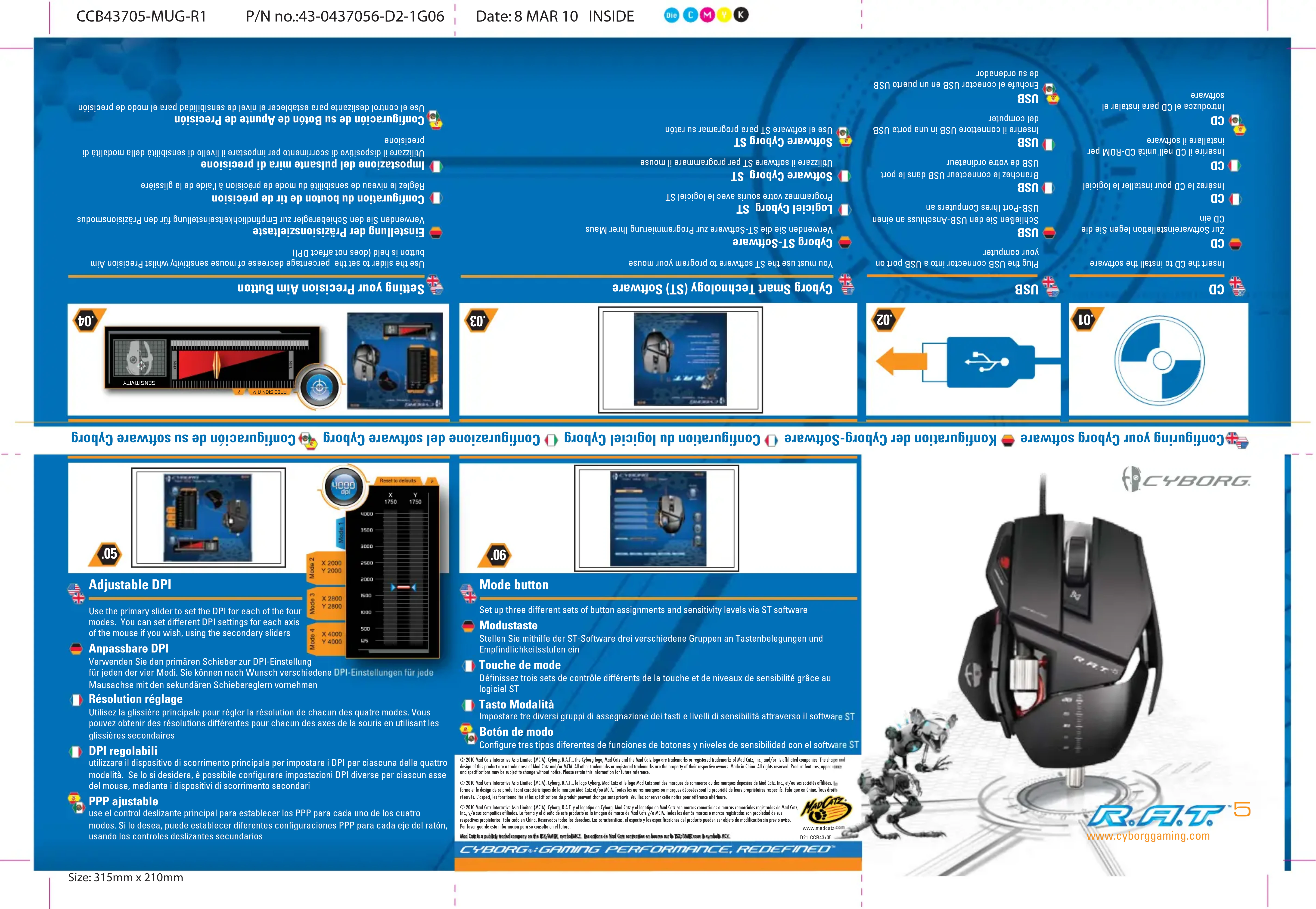
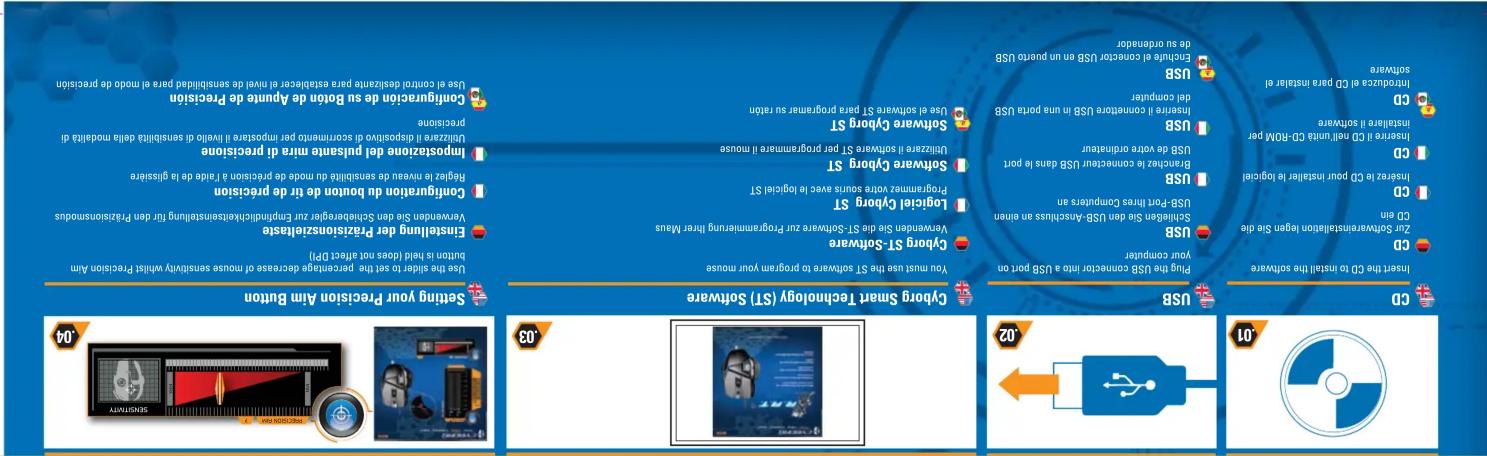
01 20 30 40 Setting your Precision Aim Button Use the slider to set the percentage decreases of mouse sensitivity while Precision Aim button is mid (kbws not effect DPU) Configuration du bouton de tr de précision Impostazione del pulsame mira di precision Disziarzo il dispositivo di corrissero per impostare il livello di sambiliata deta modella di disziarzo il dispositivo di corrissero per impostare il livello di sambiliata deta modella di disziarzo il dispositivo di corrissero per impostare il livello di sambiliata deta modella di disziarzo il dispositivo di corrissero per impostare il livello di sambiliata deta modella di disziarzo il dispositivo di corrissero per impostare il livello di sambailla deta modella di disziarzo il dispositivo di corrissero per impostare il livello di sambailla deta modella di disziarzo il dispositivo di corrissero per impostare il livello di sambailla deta modella di disziarzo il dispositivo di corrissero per impostare il livello di sambailla deta modella di disziarzo il dispositivo di corrissero per impostare il livallo di sambailla deta modella di disziarzo il dispositivo di corrissero per impostare il livello di sambailla deta modella di disziarzo il dispositivo di corrissero per impostare il livello di sambailla deta modella di disziarzo il dispositivo di corrissero per impostare il livello di sambailla deta modella di disziarzo il dispositivo di corrissero per imputering un port. USB - USB Software Cyborg ST Username si den Schlesberger zu Empreidichkeitenstehaling für Pan Pazismosodus Sogietel Chyong ST Logiciel Chyong ST Software Cyborg ST Username si des St Software zu Programmierung hinter Maus Gyborg ST Software You must use the ST software to program your mouse USB USB USB USB USB USB USB USB USB USB USB USB USB USB USB USB USB USB USB USB USB USB USB USB USB USB USB USB USB USB USB USB USB USB USB USB USB USB USB USB USB USB USB USB USB USB USB USB USB USB USB - USB USB - USB USB - USB USB - USB USB - USB USB - USB USB - USB USB - USB USB - USB USB - USB USB - USB USB - USB USB - USB USB - USB USB - USB USB - USB USB - USB USB - USB USB - USB USB - USB USB - USB - USB - USB - USCshiusas an eimen USB - USB - USB - USB - USCshiusas an eimen USB - USB - USB - USCshiusas an eimen USB - USB - USB - USCshiusas an eimen USB - USB - USB - USCshiusas an eimen USB - USB - USB - USCshiusas an eimen USB - USB - USB - USCshiusas an eimen USB - USB - USB - USCCshiusas an eimen USB - USB - USB - USCshiusas an eimen USB - USB - USB - USCCshiusas an eimen USB - USB - USB - USCCshiusas an eimen USB - USB - USB - USCCshiusas an eimen USB - USB - USB - USCCshiusas an eimen USB - USB - USB - USCCshiusas an eimen USB - USB - USB - USCCshiusas an eimen USB-OSWANSTALATION Iegen Sie die CDM- Zn SOWANSTALATION Iegen Sie die CDM- Insurze i CD mit unit CD-MOP par installer le logiciel Insture ii CD net unit CD-MOP par installer i Software - Instruct the CD to install the software - USB - USB - USB - USB - USB - USB - USB - USB - USB - USB - USB - USB - USB - USB - USB - USB - USB - USB - USB - USB - USB - USB - USB - USB - USB - USB - USB - USB - USB - USB - USB - USB - USB - USB - USB - USB - USB - USB - USB - USB - USB - USB - USB - USB - USB - USB - USB - USB - USB - USB - USB - USBCD-CDM Parra instaler el software - Instruct the CD to install the software - Zn SOWANSTALATION Iegen Sie die CDM- Zn SOWANSTALATION Iegen Sie die CDM- Chm. Insurze i CD pour installer le logiciel - Insture ii CD pour installer le logiciel - Instruct the CD to install the software - USB - USB - USB - USB - USB - USB - USB - USB - USB - USB - USB - USB - USB - USB - USB - USB - USB - USB - USB - USB - USB - USB - USB - USB - USB - USB - USB - USB - USB - USB - USB - USB - USB - USB - USB - USB - USB - USB - USB - USB - USB - USB - USB - USB - USB-OSWANSTALATION Iegen Sie die CDM- Chm. Insurze i CD pour installer le logiciel - Insurze ii CD net unit CD-MOP par installer i Software - Instruct the CD to install the software - Zn SOWANSTALATION Iegen Sie die CDM- Chm. Insurze i CD pour installer le logiciel - Instruct the CD to install the software - USB-OSWANSTALATION Iegen Sie die CDM- Chm. Zn SOWANSTALATION Iegen Sie die CDM- Chm. Insurze i CD pour installer le logiciel - Instruct the CD to install the software - USB-OSWANSTALATION Iegen Sie die CDM- Chm. Zn SOWANSTALATION Iegen Sie die CDM- Chm. Insurze i CD pour installer le logiciel - Instruct the CD to install the software - USB-OSWANCTALATION Iegen Sie die CDM- Chm. Zn SOWANSTALATION Iegen Sie die CDM- Chm. Insurze i CD pour installer le logiciel - Instruct the CD to install the software - USB-OSWANCTALATION Iegen Sie die CDM- Chm. Zn SOWANSTALATION Iegen Sie die CDM- Chm. Insurze i CD pour installer le logiciel - Instruct that is software + 20000000000000000000000000000000000000000000000000000000000000000000000000000000000000000000000000000Confusing your Cyborg software : Configuration der Cyborg Software : Configuration du logiciel Cyborg : Configuration del software Cyborg : Configuration de su software Cyborg
text_image
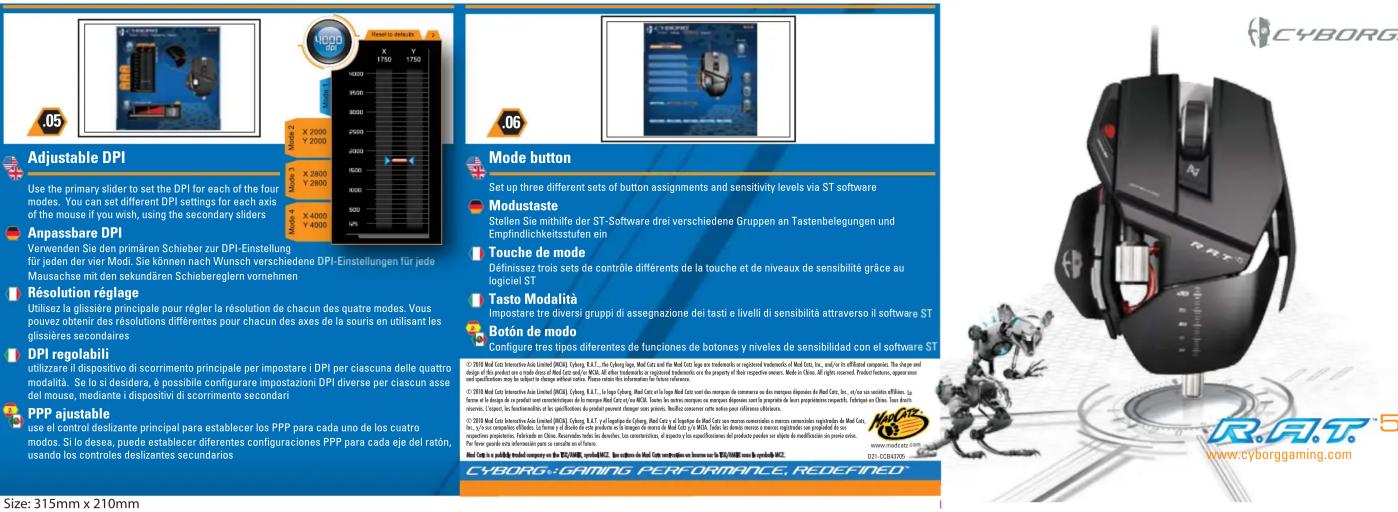
Adjustable DPI Use the primary slider to set the DPI for each of the four modes. You can set different DPI settings for each axis of the mouse if you wish, using the secondary sliders Anpassbare DPI Verwenden Sie den primären Schieber zur DPI-Einstellung für jeden der vier Modi. Sie können nach Wunsch verschiedene DPI-Einstellungen für jede Mausache mit den sekundären Schieberegfern vornehmen Résolution réglage Utilisez la glissière principale pour régler la résolution de chacun des quatre modes. Vous pouvez obtenir des résolutions différentes pour chacun des axes de la souris en utilisant les glissières secondaires DPI regolabili utilizzare il dispositivo di scorrimento principale per impostare i DPI per ciascuna delle quattro modalità. Se lo si desidera, è possibile configurare impostazioni DPI diverse per ciascun asse del mouse, mediante i dispositivi di scorrimento secondari PPP justabile use al control deslizante principal para establerer los PPP para cada uno de los cuatro modos. Si lo desea, puede establerer diferentes configuraciones PPP para cada eje del ratón usando los controles deslizantes secundarios Mode button Set up three different sets of button assignments and sensitivity levels via ST software Modustaste Stellen Sie mithilfe der ST-Software drei verschiedene Gruppen an Tastenbelegungen und Empfindlichkeitstufen ein Touche de mode Définissez trois sets de contrôle différents de la touche et de niveaux de sensibilité grâce au logiciel ST Tasto Modalità Impostare tre diversi gruppi di assegnazione dei tasti e livelli di sensibilità attraverso il software ST Botón de modo Configure tres tipos diferentes de funciones de botones y niveles de sensibilidad con el software ST ©1918 Mail Cote Innovative Auto Limited (AICU), Cheng, R.L.T., The Chung, Yolk, Mail Cote and the Mail Cote uses a traditional or registered traditional of Mail Cote, Inc., and/or its affiliated companies. The change and design of the production volume does not reach out of Mail Cote and it's more. All effects enhance or registered traditional use as the property of their respective services. Mode in China. All rights reserved. Product features, expenses and specification only be subject to change software status. Prices remain this information for these references. ©2018 Mail Cote Innovative Auto Limited (AICU), Cheng, R.L.T., Inogy, Yolk, Mail Cote and the Mail Cote uses a traditional or registered traditional of Mail Cote, Inc., and/or its affiliated companies. The change and design of the production volume does not reach out of Mail Cote and it's more. Taux le couche requires us requires disposals used as the property of their respective services. To say, then continue to ensure that we have been able to access our own services. ©2018 Mail Cote Innovative Auto Limited (AICU), Cheng, R.L.T., Inogy, Yolk, Mail Cote and the Mail Cote uses a traditional or registered traditional of Mail Cote, Inc., and/or its affiliated companies. The change and design of the production volume does not reach out of Mail Cote and it's more. Taux le couche requires us requires disposals used as the property of their respective services. ©2018 Mail Cote Innovative Auto Limited (AICU), Cheng, R.L.T., Inogy, Yolk, Mail Cote and the Mail Cote uses a traditional or registered traditional of Mail Cote, Inc., and/or its affiliated companies. The change and design of the production volume does not reach out of Mail Cote and it's more. Taux le couche requires us requires disposals used as the property of their respective services. ©1918 Mail Cote Innovative Auto Limited (AICU), Cheng, R.L.T., Inogy, Yolk, Mail Cote and the Mail Cote uses a traditional or registered traditional of Mail Cote, Inc., and/or its affiliated companies. The change and design of the production volume does not reach out of Mail Cote and it's more. Taux le couche requires us requires disposals used as the property of their respective services. ©1918 Mail Coated Software Limited (AICU), Cheng, R.L.T., Inogy, Yolk, Mail Coated Software Limited (AICU) and the Mail Coated Software Limited (AICU) uses a traditional or registered traditional of Mail Coated Software Limited (AICU) and the Mail Coated Software Limited (AICU) uses a traditional or registered traditional of Mail Coated Software Limited (AICU) and the Mail Coated Software Limited (AICU) uses a traditional or registered traditional of Mail Coated Software Limited (AICU) and the Mail Coated Software Limited (AICU) uses a traditional or registered traditional of Mail Coated Software Limited (AICU) and the mail companies are used to ensure that we have been able to access our own services. ©2018 Mail Coated Software Limited (AICU), Cheng, R.L.T., Inogy, Yolk, Mail Coated Software Limited (AICU) and the Mail Coated Software Limited (AICU) uses a traditional or registered traditional of Mail Coated Software Limited (AICU) and the Mail Coated Software Limited (AICU) uses a traditional or registered traditional of Mail Coated Software Limited (AICU) and the Mail Coated Software LimitedCCB43705-MUG-R1
P/N no.:43-0437056-D2-1G06
Date: 8 MAR 10


Configuring your Cyborg Hardware 🎨 Cyborg Konfiguration der Cyborg Hardware 🎨 Configuration du module 🎨 Configurazione dell'hardware Cyborg 🎨 Configuración de su Hardware Cyborg
text_image
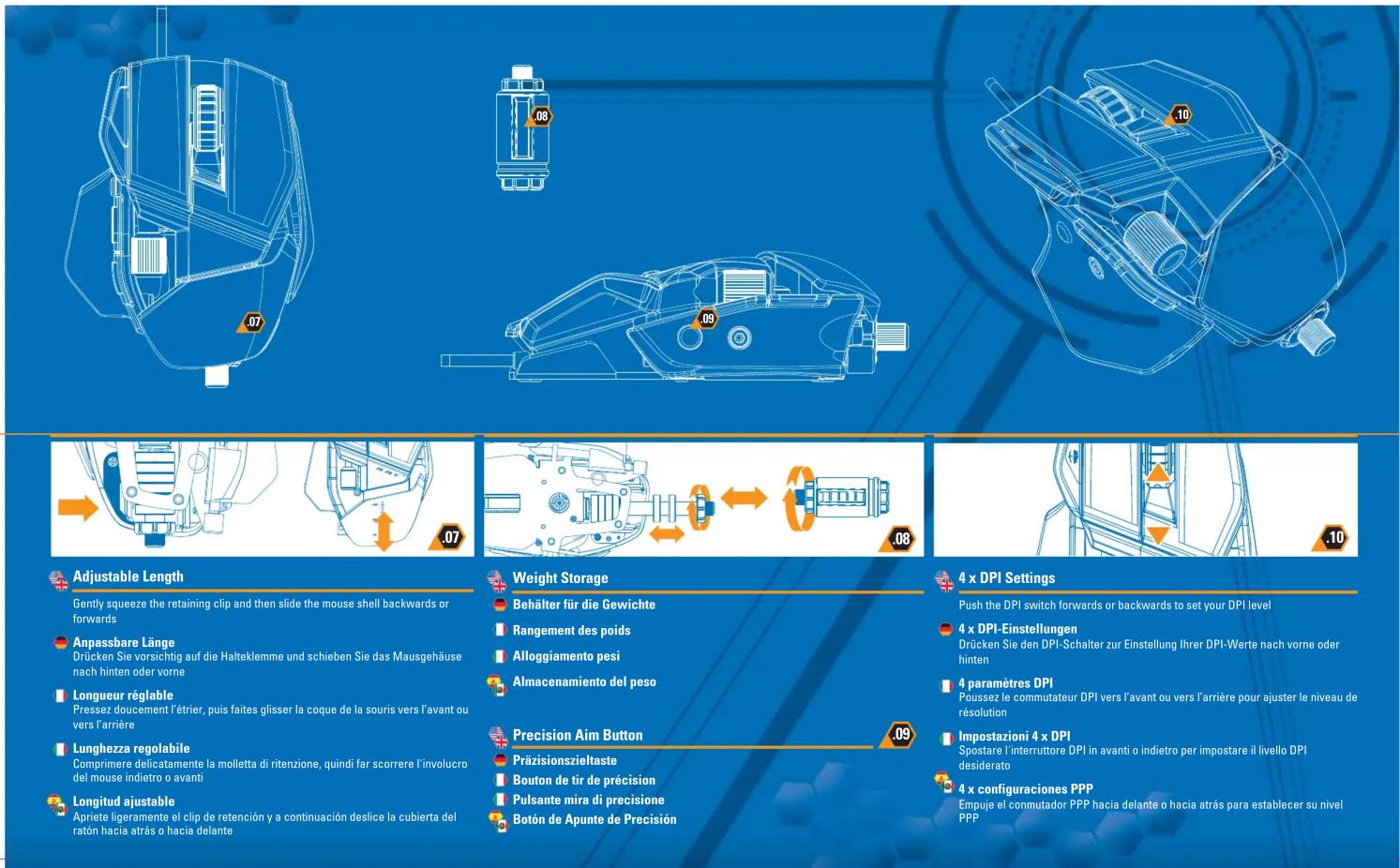
Adjustable Length Gently squeeze the retaining clip and then slide the mouse shell backwards or forwards Anpassbare Länge Drücken Sie vorsichtig auf die Halteklemme und schieben Sie das Mausgehäuse nach hinten oder vorne Longueur réglable Pressez doucement l'étrier, puis faites glisser la coque de la souris vers l'avant ou vers l'arrière Lunghezza regolabile Comprimere delicatamente la molletta di ritenzione, quindi far scorrere l'involucro del mouse indietro o avanti Longitud ajustable Apriete ligeramente el clip de retención y a continuación deslice la cubierta del ratón hacia atrás o hacia delante Weight Storage Behälter für die Gewichte Rangement des poids Alloggiamento pesi Almacenamiento del peso Precision Aim Button Präzisionszieltaste Bouton de tir de précision Pulsante mira di precisione Botón de Apunte de Precisión 4 x DPI Settings Push the DPI switch forwards or backwards to set your DPI level 4 x DPI-Einstellungen Drücken Sie den DPI-Schalter zur Einstellung Ihrer DPI-Werte nach vorne oder hinten 4 paramètres DPI Poussez le commutateur DPI vers l'avant ou vers l'arrière pour ajuster le niveau de résolution Impostazioni 4 x DPI Spostare l'interruttore DPI in avanti o indietro per impostare il livello DPI desiderato 4 x configuraciones PPP Empuje el commutador PPP hacia delante o hacia atrás para establecer su nivel PPPSize: 315mm x 210mm