Ampera (2011-2015) - Automobile Vauxhall - Notice d'utilisation et mode d'emploi gratuit
Retrouvez gratuitement la notice de l'appareil Ampera (2011-2015) Vauxhall au format PDF.

| Type de produit | Automobile électrique à autonomie étendue |
| Marque | Vauxhall |
| Modèle | Ampera (2011-2015) |
| Dimensions (L x l x H) | 4498 mm x 1787 mm x 1439 mm |
| Empattement | 2685 mm |
| Poids à vide | 1735 kg |
| Capacité de la batterie haute tension | 16 kWh |
| Capacité du réservoir de carburant | 35 litres |
| Type de moteur électrique | Moteur électrique synchrone à aimants permanents |
| Puissance moteur électrique | 111 kW |
| Couple moteur électrique | 370 Nm |
| Moteur thermique | 4 cylindres essence 1.4L, 63 kW |
| Vitesse maximale | 100 mph (160 km/h) |
| Transmission | Boîte à variation continue (e-CVT) |
| Modes de conduite | Normal, Sport, Montagne, Maintien |
| Recharge | Prise domestique (230V) ou borne de recharge, câble fourni |
| Pneus recommandés | 215/55 R17 ou 205/60 R16 |
FOIRE AUX QUESTIONS - Ampera (2011-2015) Vauxhall
Questions des utilisateurs sur Ampera (2011-2015) Vauxhall
0 question sur cet appareil. Repondez a celles que vous connaissez ou posez la votre.
Poser une nouvelle question sur cet appareil
Téléchargez la notice de votre Automobile au format PDF gratuitement ! Retrouvez votre notice Ampera (2011-2015) - Vauxhall et reprennez votre appareil électronique en main. Sur cette page sont publiés tous les documents nécessaires à l'utilisation de votre appareil Ampera (2011-2015) de la marque Vauxhall.
MODE D'EMPLOI Ampera (2011-2015) Vauxhall
Owner's Manual Model Year 2013 Edition: June 2012 TS 1710-A-13
Contents
Introduction 2
In brief 6
Keys, doors and windows 19
Seats, restraints 34
Storage 51
Instruments and controls 59
Lighting 89
Climate control 95
Driving and operating 104
Vehicle care 141
Service and maintenance 178
Technical data 181
Customer information 191
Index 194
Introduction

Vehicle specific data
Please enter your vehicle's data on the previous page to keep it easily accessible. This information is available in the sections "Service and maintenance" and "Technical data" as well as on the identification plate.
Introduction
Your vehicle is a designed combination of advanced technology, safety, environmental friendliness and economy.
The vehicle has two operation modes: Electric and extended range. In both modes, the vehicle is propelled by its electric drive unit. Thus, carbon dioxide emissions are reduced considerably without losing mobility and dynamics.
This Owner's Manual provides you with all the necessary information to enable you to drive your vehicle safely and efficiently.
Only well trained technicians who are aware of the manufacturer's instructions are permitted to repair and/or to work with high voltage components.
Make sure your passengers are aware of the possible risk of accident and injury which may result from improper use of the vehicle.
You must always comply with the specific laws and regulations of the country that you are in. These laws may differ from the information in this Owner's Manual.
When this Owner's Manual refers to a workshop visit, we recommend your Vauxhall Authorised Repairer.
All Vauxhall Authorised Repairers provide first-class service at reasonable prices. Experienced mechanics trained by Vauxhall work according to specific Vauxhall instructions.
The customer literature pack should always be kept ready to hand in the vehicle.
Using this manual
This manual describes all options and features available for this model. Certain descriptions, including those for display and menu functions, may not apply to your vehicle due to model variant, country specifications, special equipment or accessories.
The "In brief" section will give you an initial overview.
The table of contents at the beginning of this manual and within each section shows where the information is located.
The index will enable you to search for specific information.
This Owner's Manual depicts left-hand drive vehicles. Operation is similar for right-hand drive vehicles.
- The Owner's Manual uses the factory engine designations. The corresponding sales designations can be found in the section "Technical data".
- Directional data, e.g. left or right, or front or back, always relate to the direction of travel.
The vehicle display screens may not support your specific language. - Display messages and interior labelling are written in bold letters.
Danger,Warnings and Cautions
Danger
Text marked Danger provides information on risk of fatal injury. Disregarding this information may endanger life.
Warning
Text marked Warning provides information on risk of accident or injury. Disregarding this information may lead to injury.
Caution
Text marked Caution provides information on possible damage to the vehicle. Disregarding this information may lead to vehicle damage.
Symbols
Page references are indicated with . means "see page".
Thank you for choosing a Vauxhall.
We wish you many hours of pleasurable driving.
Your Vauxhall Team

In brief
Initial drive information
Vehicle unlocking
Radio remote control
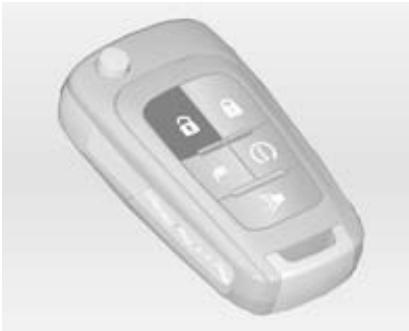
Press button to unlock the doors and load compartment. Open the doors by pulling the handles. To open the tailgate, press the button under the tailgate moulding.
Radio remote control 20, Central locking system 23, Load compartment 25.
Open&Start
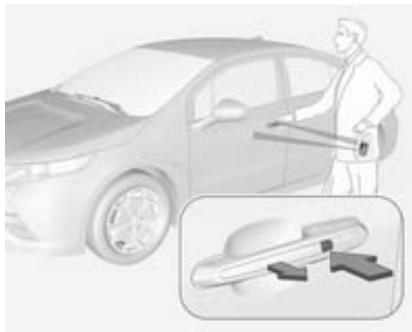
With the radio remote control within the opening range, simply press the lock/unlock button on the door handle.
To unlock all doors, press the lock/unlock button on the driver's door handle again within five seconds.
To open the tailgate, press the button under the tailgate moulding.
Open&Start system 22.
Seat adjustment
Seat positioning

Pull handle, slide seat, release handle.
Seat position 35, Seat adjustment 36.
Danger
Do not sit nearer than 25~cm from the steering wheel, to permit safe airbag deployment.
Seat backrests
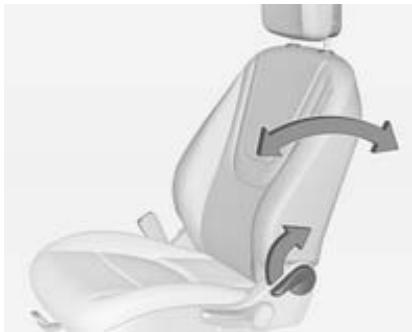
Pull lever, adjust inclination and release lever. Allow the seat to engage audibly.
Seat position 35, Seat adjustment 36.
Seat height
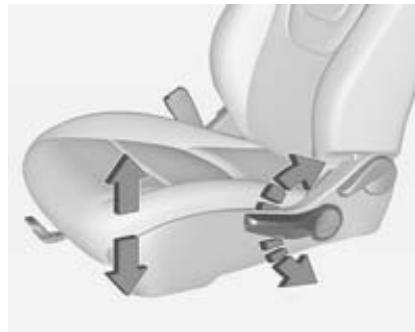
Lever pumping motion:
up = seat higher
down = seat lower
Seat position 35, Seat adjustment 36.
Head restraint adjustment

Press the button, adjust height and engage.
Head restraints 34.
Seat belt
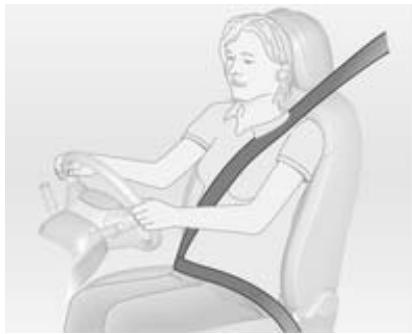
Pull out the seat belt and engage in belt buckle. The seat belt must not be twisted and must fit close against the body. The backrest must not be tilted back too far (maximum approx. 25^ ).
To release belt, press red button on belt buckle.
Seat position 35, Seat belts 39, Airbag system 42.
Mirror adjustment
Interior mirror

To reduce dazzle, adjust the lever on the underside of the mirror housing.
Interior mirror 30, Automatic antidazzle interior mirror 30.
Exterior mirrors
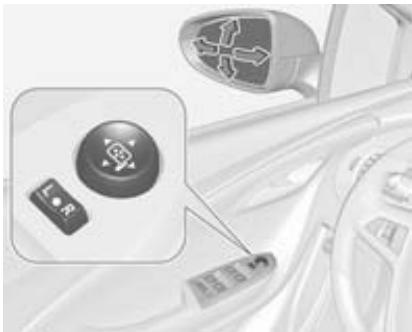
Select the relevant exterior mirror and adjust.
Convex exterior mirrors 29, Electric adjustment 29, Folding exterior mirrors 29, Heated exterior mirrors 30.

Steering wheel adjustment
Unlock lever, adjust steering wheel, then engage lever and ensure it is fully locked.
Do not adjust steering wheel unless vehicle is stationary and steering wheel lock has been released.
Airbag system 42.

Instrument panel overview
1 Cruise control 120
Lane departure warning.....128
Forward collision alert 122
2 Light switch 89
Turn and lane-change signals 91
Pedestrian safety alert 60
3 Horn 60
4 Instrument cluster 65
Driver Information Centre (DIC) 73
5 Steering wheel controls 59
6 Windscreen wiper washer..... 60
7 Centre air vents 102
8 Dome lights 93
Reading lights 93
Ultrasonic park assist 124
Anti-theft alarm system 27
Electronic Stability Control...119
Traction Control system.....118
Seat belt reminder control .... 67
Airbag deactivation control indicator 68
9 Interior mirror 30
10 Charging status indicator .... 134
11 Light sensor 89
Climate sensor 95
12 Instrument panel storage..... 51
13Colour-Info-Display 74
14 Side air vents 102
15 Glovebox 51
16 Central locking buttons 23
17 Electrical parking brake..... 115
18 Infotainment system (see Infotainment system manual)
19 Shift lever 113
20 Power button 105
21 Drive mode button 110
22 Leaf button 74
23 Bonnet release lever 143
24 Steering wheel adjustment... 59
25 Instrument panel illumination control 92
26 Charge port door release button 130
27 Power windows 31
28 Fuel door release button..... 138
29 DIC controls 73
30 Headlight range adjustment... 90
Exterior lighting
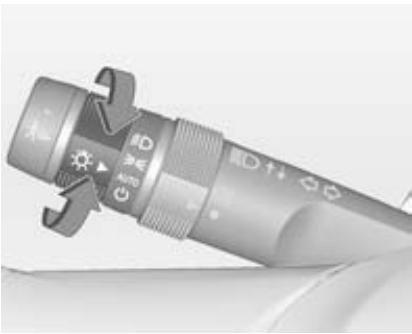
Turn adjuster wheel:
AUTO = automatic light control: Exterior lighting is switched on and off automatically
activation or deactivation of the automatic light control
= sidelights
D = low beam

Q = rear fog light
Lighting 89.
Headlight flash, high beam and low beam
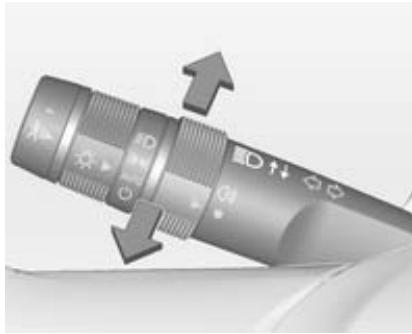
headlight flash = pull lever
high beam
= push lever
low beam
= push or pull lever
Automatic light control 89, High beam 90, Headlight flash 90.
Turn and lane-change signals
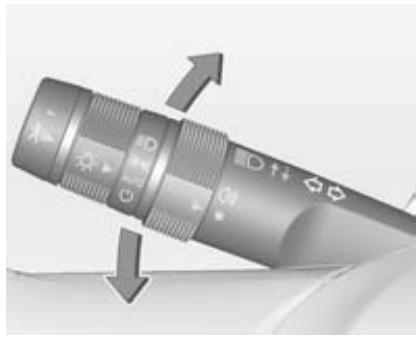
lever up = right turn signal
lever down = left turn signal
Turn and lane-change signals 91, Parking lights 92.
Hazard warning flashers
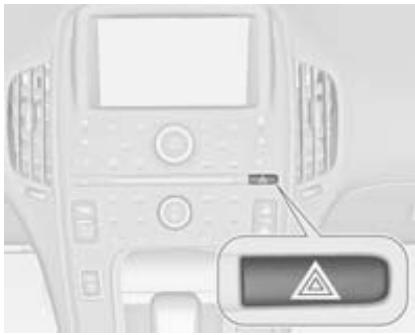
Operated with the button.
Hazard warning flashers 91.
Horn

Press H. Horn 60.
Pedestrian safety alert

Push to alert people who may not hear the vehicle approaching.
A soft-note alert will momentarily sound.
Pedestrian safety alert 60.
Washer and wiper systems
Windscreen wiper
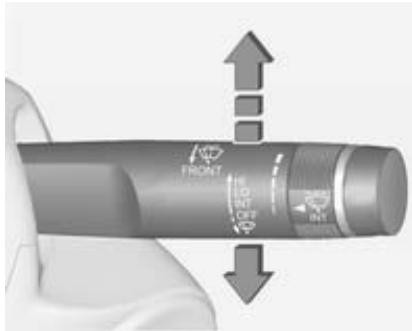
HI = fast
LO = slow
INT = interval wiping
OFF = off
For a single wipe, press the lever down.
Windscreen wiper 60, Wiper blade replacement 150.
Adjustable wiper interval

Wiper lever in position INT.
Turn the adjuster wheel to adjust the desired wipe interval:
short
= turn adjuster wheel
interval
upwards
long
= turn adjuster wheel
interval
downwards
Windscreen washer
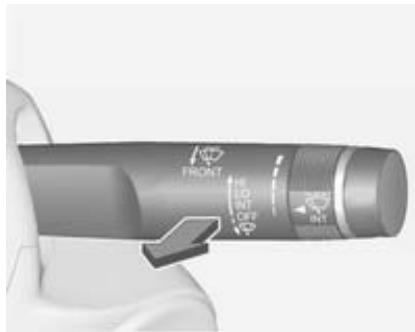
Pull lever. Washer fluid is sprayed onto the windscreen and the wiper wipes a few times.
Windscreen washer system 60,
Washer fluid 147.
Climate control
Heated rear window, heated exterior mirrors
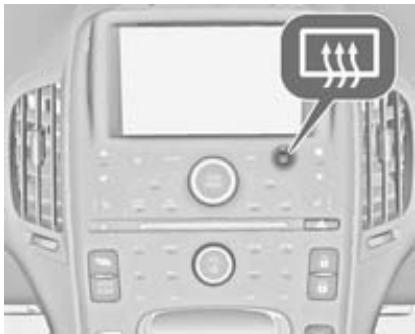
Heating is operated by pressing the button.
Heated rear window 33.
Heated rearview mirror 30.
Demisting and defrosting the windows

Press button.
Set temperature to warmest level.
Heated rear window on.
Automatic climate control system 95.
Auto defog
The system monitors high humidity inside the vehicle. When detected, the system may adjust to outside air supply and turn on the air conditioning or the heater. The fan speed may slightly increase to help prevent
fogging. When high humidity is no longer detected, the system will return to its prior operation.
Automatic climate control system 95.
Electric drive unit
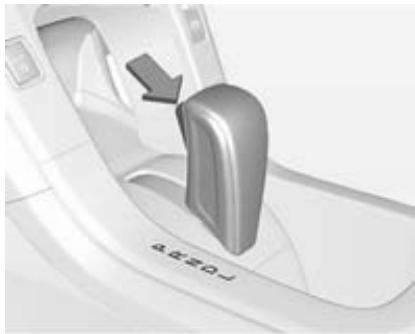
P = Park
R = Reverse
N = Neutral
D = Drive
L = Low
The shift lever can only be moved out of P when the ignition is on, the brake pedal is applied first, and then the shift lever button is pressed.
Electric drive unit 109.
Starting off
Check before starting off
Tyre pressure and condition 162, 190.
Engine oil level and fluid levels 144.
- All windows, mirrors, exterior lighting and number plates are free from dirt, snow and ice and are operational.
Proper position of mirrors, seats, and seat belts 29, 35, 40.
- Brake function at low speed, particularly if the brakes are wet.
Starting the vehicle
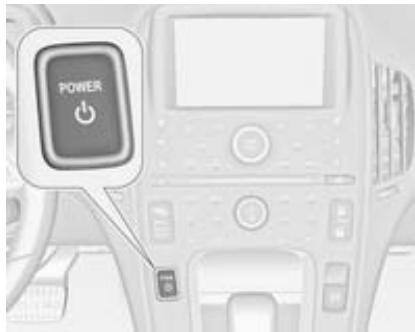
- Move the shift lever to P or N . The propulsion system will not start in any other position.
- Move the steering wheel slightly to release the steering wheel lock.
The radio remote control must be in the vehicle. Press the brake pedal and push 口
Please consider what the operating condition of the vehicle is meant when the term "ignition on/off" is used.
Starting and stopping the vehicle 107.
Power button 105.
Electric vehicle operation modes
The vehicle has two operation modes: Electric and extended range. In both modes, the vehicle is propelled by its electric drive unit.
Several drive modes can be selected while driving in electric or extended range mode:
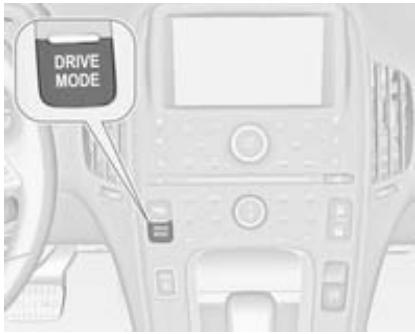
Press DRIVE MODE button repeatedly until the desired drive mode is highlighted.
DRIVE MODE
Normal
Sport Mountain Hold
The following drive modes are selectable:
Normal
Sport
Mountain
Hold
Electric vehicle operation modes 109.
Parking
- Do not park the vehicle on an easily ignitable surface. Things that can burn could touch hot exhaust parts under the vehicle and ignite.
Always apply the parking brake. Pull switch (日) for approximately one second. - Switch off the ignition. Turn the steering wheel until the steering wheel lock engages.
If the vehicle is on a level surface or uphill slope, set the parking brake and then shift the selector lever to P, before switching off the ignition. On an uphill slope, turn the front wheels away from the kerb.
If the vehicle is on a downhill slope, set the parking brake and then shift the selector lever to P, before switching off the ignition. Turn the front wheels towards the kerb.
Lock the vehicle and activate the anti-theft alarm system. Radio remote control 20. Anti-theft alarm system 27.
Keys, doors and windows
Keys, locks 19
Doors 25
Vehicle security 26
Exterior mirrors 29
Interior mirrors 30
Windows 31
Keys, locks
Keys
Replacement keys
The key number is specified in the Car Pass or on a detachable tag.
The key number must be quoted when ordering replacement keys as it is a component of the immobiliser system.
Locks 175.
Lock cylinders
Designed to free-wheel if they are forcefully rotated without the correct key or if the correct key is not fully inserted. To reset, turn cylinder with the correct key until its slot is vertical, remove key and then re-insert it. If the cylinder still free-wheels, turn the key through 180^ and repeat operation.
Key with foldaway key section
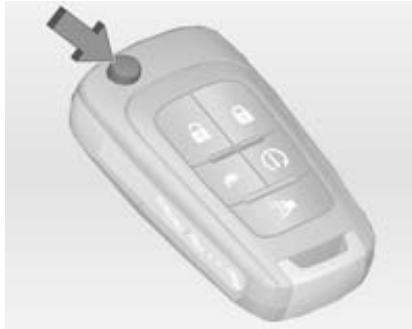
Press the button to extend the key.
Press the button and fold the key blade to retract the key.
If the key becomes difficult to turn, inspect the key blade for debris.
Car Pass
The Car Pass contains security related vehicle data and should therefore be kept in a safe place.
When the vehicle is taken to a workshop, this vehicle data is needed in order to perform certain operations.
Radio remote control
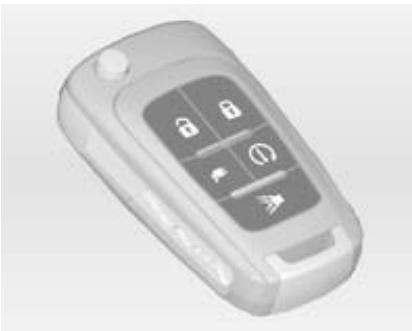
Enables a keyless operation of the following functions:
Central locking system 23
Open&Start system 22
Starting the vehicle 107
Anti-theft alarm system 27
Anti-theft locking system 26
Panic alarm
Engine Assisted Heating
Opening of the charge port door
Comfort opening of the power windows 31
The radio remote control has an approximate range of up to 60 metres. It can be restricted by external influences.
Handle with care, protect from moisture and high temperatures and avoid unnecessary operation.
Panic alarm
Press once to initiate vehicle locator. The exterior lights flash and the horn chirps three times.
Press and hold for three seconds to activate the panic alarm. The horn sounds and the turn signals flash for 30 seconds.
Press again to cancel the panic alarm.
Engine Assisted Heating
Activates the heating or air conditioning systems and the rear window defogger from outside the vehicle.
The vehicle may have auto heated seats, which can be programmed to come on when the Engine Assisted Heating is activated.
Vehicle personalisation 84.
To maximise the electric range of the vehicle, use the Engine Assisted Heating function while the vehicle is plugged in. Normal operation of the system will return after the ignition has been switched on.
Note
The engine may start at cold outside temperatures if the battery is low, even if the vehicle is plugged in. Select one of the following:
At Cold Outside Temperatures: allows starting of the engine at +2^ or below
At Very Cold Outside Temperatures: allows starting of the engine at -10^ or below
Vehicle personalisation 84.
By default the engine will not start when the vehicle is plugged in. If starting of the engine is required, the setting can be changed.
Vehicle personalisation 84.
Danger
Do not activate Engine Assisted Heating when the vehicle is parked in garages or other closed structures, as the engine may start even when the vehicle is plugged in.
Note
Please note that remote starting of the engine may be restricted by applicable laws and regulations in some countries or areas.
Activating
- Press and release 日 ; the doors will lock.
- Immediately press and hold ① until the turn signal lights flash. Pressing ① again during Engine Assisted Heating will turn the feature off.
Engine Assisted Heating will automatically shut off after 10 minutes, unless a time extension is activated.
After entering the vehicle during Engine Assisted Heating, press the button on the instrument panel with the brake pedal applied to operate as normal.
Extending the time
To extend the time of the first Engine Assisted Heating, repeat the steps for activating Engine Assisted Heating. Engine Assisted Heating can only be extended once between driving.
Cancelling Engine Assisted Heating To cancel Engine Assisted Heating, do any of the following:
- Aim the radio remote control at the vehicle and press and hold (1) until the sidelights turn off.
- Turn on the hazard warning flashers.
Press the button on the instrument panel with the brake pedal applied, then press the button again to switch the ignition off.
Conditions in which Engine Assisted Heating may not work
Conditions in which Engine Assisted Heating may not occur include:
An open bonnet.
- Vehicle propulsion system fault conditions, including an emission control system malfunction.
High voltage battery fault conditions.
A second Engine Assisted Heating or extension will not occur if the fuel level is low.
Conditions in which Engine Assisted Heating may be cancelled include:
- Vehicle propulsion system or high voltage battery fault conditions.
Low engine oil pressure.
Engine coolant temperature that is too high.
Charge port door
Press to open the charge port door.
Charging 130.
Fault in the radio remote control system
If it is not possible to operate the radio remote control properly, this may be due to the following:
Range exceeded
Battery voltage too low
- Restricted signal
If the problem persists, seek the assistance of a workshop.
Keep in mind that conditions other than those stated can impact the performance of the radio remote control.
Unlocking 23.
Radio remote control battery replacement
Note
When replacing the battery, do not touch any of the circuitry on the transmitter. Static from your body could damage the transmitter.
Replace the battery as soon as the range reduces.

Extend the key and open the unit. Replace the battery (battery type CR 2032), paying attention to the installation position. Close the unit and check the operation of the radio remote control.

Batteries do not belong in household waste. They must be disposed of at an appropriate recycling collection point.
Open&Start system
A transponder within the radio remote control enables a passive locking and unlocking of the doors and the tailgate.
Furthermore the Open&Start system enables the starting of the vehicle.
Starting and stopping the vehicle 107.
To lock or unlock the doors and access the tailgate the radio remote control should be within 1 metre of the door or the tailgate.
Unlocking

Two settings are selectable:
To unlock all doors and the tailgate, press lock/unlock button on any of the door handles once or
- press the lock/unlock button on the driver's door once to unlock only the driver's door. To unlock all doors and the tailgate, press lock/unlock button on the driver's door again within five seconds.
Vehicle personalisation 84.
Locking
To lock the doors and the tailgate, press the lock/unlock button on any of the door handles if all doors are closed.
Central locking system
Unlocks and locks doors and the tailgate.
Note
In the event of an accident in which airbags or belt pretensioners are deployed, the vehicle is automatically unlocked.
Unlocking
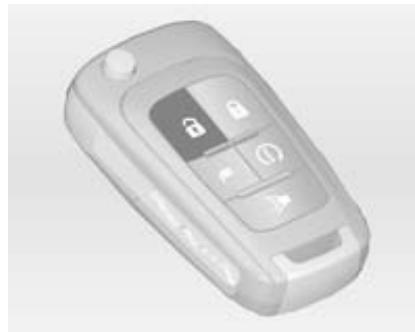
Press button.
Two settings are selectable:
To unlock all doors and the tailgate, press button once or
- press button once to unlock only the driver's door. To unlock all doors and the tailgate, press button twice within 5 seconds.
Power windows 31.
Vehicle personalisation 84.
The hazard warning flashers will flash twice each time the button is pressed and the anti-theft alarm system will be disarmed.
Anti-theft alarm system 27.

Locking
Close doors, tailgate and fuel filler cap.
Press button 品
The hazard warning flashers will flash once and the anti-theft alarm system will be armed.
Anti-theft alarm system 27.
If the driver's door is open when is pressed, all doors lock and then the driver's door will unlock if the Prevent doorlock while door open feature is enabled through the vehicle personalisation.
Vehicle personalisation 84.
By pressing twice within 5 seconds with all doors closed and the ignition switched off, all doors will be locked and the anti-theft locking system will be activated.
Anti-theft locking system 26.

Central locking buttons
Locks or unlocks all doors.
Press the button to lock.
Press the button to unlock.
Lockout protection
If the button on the instrument panel is pressed when the driver's door is open and the ignition is on, all doors will lock and the driver's door will unlock.
This feature can also be enabled when the ignition is off.
Vehicle personalisation 84.
Fault in the central locking system
Unlocking
Manually unlock the driver's door by turning the key in the lock. The other doors can be opened by pulling the interior handle twice. The tailgate cannot be opened. To deactivate the anti-theft locking system, switch on the ignition 27.
Locking
Push inside locking knob of all doors except driver's door. Then close the driver's door and lock it from the outside with the key. The tailgate cannot be locked.

Child locks
Warning
Use the child locks whenever children are occupying the rear seats.
Press to activate. The indicator comes on.
Press again to deactivate. The indicator goes out.
The rear doors cannot be opened from the inside.
If an inside rear door handle is pulled when the child lock is activated, that door will remain locked and the indicator light may flash. Release the handle, then deactivate the child safety locks to allow the door to be opened using the inside handle.
Doors
Load compartment
Tailgate
Opening
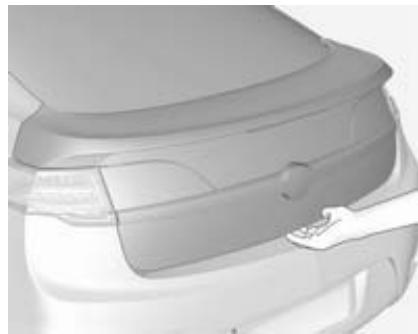
To open the tailgate with the doors unlocked, press the button on the underside of the tailgate handle and lift up.
When the doors are locked, the tailgate can only be opened with the radio remote control, which must be within the opening range.
Closing

Use the inside handle to lower and close the tailgate.
Always close the tailgate before driving. Do not press the button below the tailgate handle while closing the tailgate as it will unlatch again.
General hints for operating tailgate
Warning
Do not drive with the tailgate open or ajar, e.g. when transporting bulky objects, since toxic exhaust gases, which can not be seen or smelled, could enter the vehicle. This can cause unconsciousness and even death.
Caution
Before opening the tailgate, check overhead obstructions, such as a garage door, to avoid damage to the tailgate. Always check the moving area above and behind the tailgate.
Note
The installation of certain heavy accessories onto the tailgate may affect its ability to remain open.
Vehicle security
Anti-theft locking system
Warning
Do not use the system if there are people in the vehicle! The doors cannot be unlocked from the inside.
The system deadlocks all the doors. All doors must be closed or the system cannot be activated.
Activation
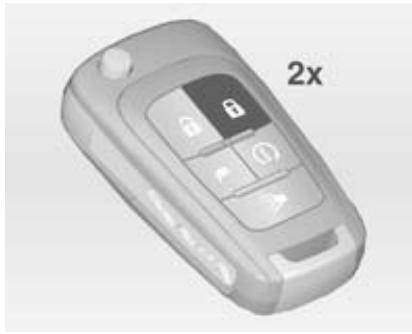
Press on the radio remote control twice within 5 seconds with all doors closed and the ignition switched off. It is also possible to activate the antitheft locking system by pressing the lock/unlock button on the driver's door handle twice within 5 seconds.
Anti-theft alarm system
It monitors:
Doors, tailgate, bonnet
Passenger compartment including adjoining load compartment
Vehicle inclination, e.g. if it is raised
Removing of the charge cord
Activation
Press the button on the radio remote control after all of the doors and windows have been closed.
Press the button on the instrument panel when the Prevent doorlock while door open function is turned off. Vehicle personalisation 念 84.
The system arms itself 30 seconds after the vehicle has been locked.
By pressing twice, the system will arm immediately.
Note
Changes to the vehicle interior such as the use of seat covers or open windows, could impair the function of passenger compartment monitoring.
Activation without monitoring of passenger compartment and vehicle inclination
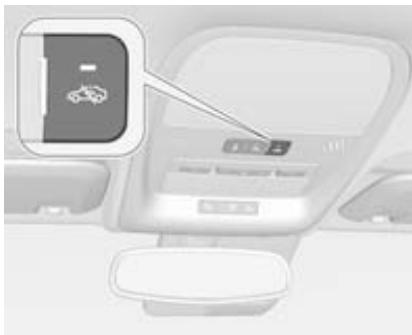
Switch off the monitoring of passenger compartment and vehicle inclination when animals are being left in the vehicle, because of high volume ultrasonic signals or movements triggering the alarm. Also switch off when the vehicle is on a ferry or train.
- With the ignition switched off, press in the overhead console. LED in the button comes on.
- Close all doors, tailgate and bonnet.
- Activate the anti-theft alarm system.
Deactivation
Unlocking or approaching the vehicle with the radio remote control deactivates the anti-theft alarm system.
Charge cord theft alert
To activate or deactivate the charge cord theft alert while plugged in, lock or unlock the vehicle with the radio remote control.
If there is an attempt to remove the charge cord while the vehicle is locked, the system alarm will be activated. To turn off the system alarm, press on the radio remote control.
This function can be disabled in vehicle personalisation.
Vehicle personalisation 84.
Alarm
When triggered, the alarm sounds via a separate battery-backed power sounder for approx. 30 seconds and the hazard warning lights flash simultaneously.
If the vehicle loses battery power when the anti-theft alarm system is armed, the power sounder will activate automatically.
The number and duration of alarm signals are stipulated by legislation.
To turn off the system alarm:
Press on the radio remote control, or
- Start the vehicle by pressing the button on the instrument panel with the brake pedal applied and the radio remote control located inside the vehicle.
Immobiliser
This vehicle has a passive theft-deterrent system. The system does not have to be manually activated or deactivated.
The immobiliser is activated automatically after the ignition is switched off.
The system is automatically disarmed when the vehicle is started with a valid radio remote control located inside the vehicle. The radio remote control uses electronic coding that matches an immobiliser control unit in the vehicle and automatically deactivates the system. Only a correct radio remote control can be used to switch the ignition on.
lights up if there is a problem with activating or deactivating the immobiliser.
Note
The immobiliser does not lock the doors. You should always lock the vehicle after leaving it and switch on the anti-theft alarm system 23, 27.
If the vehicle does not start and the control indicator 1 stays on, there is a problem with the system. Attempt to switch the ignition off and try it again. If the problem persists, seek the assistance of a workshop.
Do not leave the radio remote control inside the vehicle.
Control indicator 72.
Exterior mirrors
Convex shape
The convex exterior mirror contains an aspherical area and reduces blind spots. The shape of the mirror makes objects appear smaller, which will affect the ability to estimate distances.
Electric adjustment
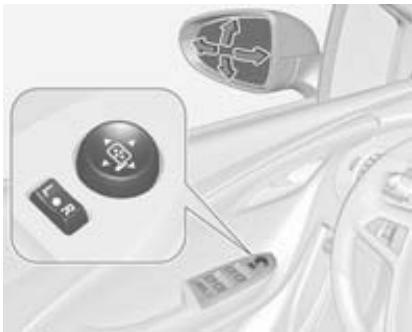
Select the relevant exterior mirror by moving the selector switch to left (L) or right (R). Then press the control pad to adjust the respective mirror.
In the centre position of the selector switch no mirror is selected.
Folding
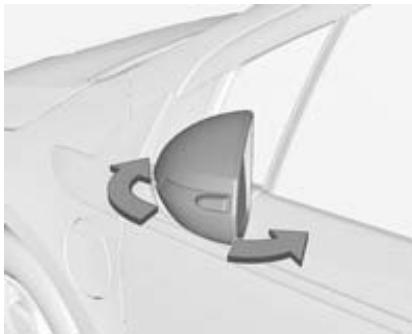
For pedestrian safety, the exterior mirrors will swing out of their normal mounting position if they are struck with sufficient force. Reposition the mirror by applying slight pressure to the mirror housing.
Electric folding

- If the vehicle is equipped with power folding mirrors, move the selector switch to to deselect the mirror.
- Press the down arrow to fold the mirrors.
- Press the down arrow again to unfold the mirrors.
Heated
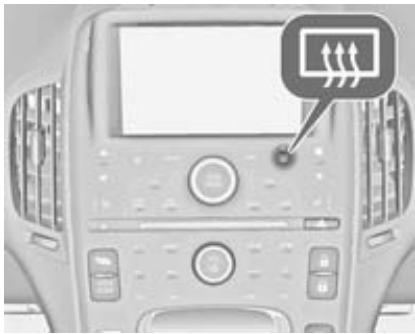
Operated by pressing the button.
Turns off automatically after approx.
5 minutes.
Heated rear window 33.
Interior mirrors Manual anti-dazzle
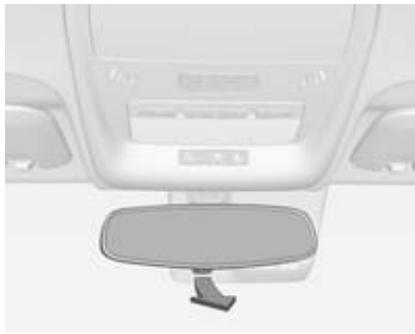
To reduce dazzle, adjust the lever on the underside of the mirror housing.
Automatic anti-dazzle
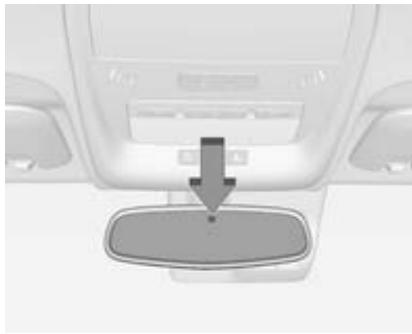
Dazzle from following vehicles at night is automatically reduced.
Windows
Windscreen
Heat-reflecting windscreen
The heat-reflecting windscreen has a coating which reflects solar radiation. Also data signals, e.g. from toll stations, might be reflected.
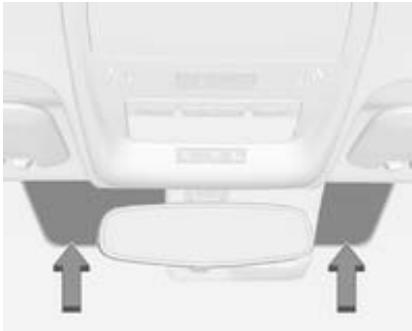
The marked areas on the windscreen are not covered with the coating. Devices for electronic data recording and fee payment must be attached in these areas. Otherwise data recording malfunctions may occur.
Vignettes
Do not attach vignettes or similar stickers on the windscreen in the area of the interior mirror. Otherwise the detection zone of the sensor and the view area of the camera in the mirror housing could be restricted.
Power windows
Warning
Take care when operating the power windows. Risk of injury, particularly to children.
If there are children on the rear seats, switch on the child safety system for the power windows.
Keep a close watch on the windows when closing them.
Ensure that nothing becomes trapped in them as they move.
Warning
Do not leave children together with the radio remote control inside the vehicle.
They could operate the windows, other controls or even move the vehicle, so that they could be seriously injured or killed.
Switch on ignition to operate the power windows.
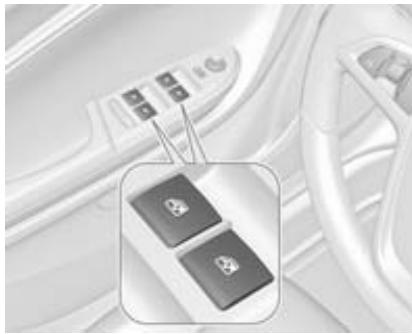
Operate the switch for the respective window by pushing to open or pulling to close.
Pushing or pulling gently to the first detent: window moves up or down as long as the switch is operated.
Pushing or pulling firmly to the second detent and then releasing: window moves up or down automatically with safety function enabled. To stop movement, operate the switch once more in the same direction.
The driver window can be lowered or raised without holding the switch.
The front passenger and rear windows can only be lowered without holding the switch.
Power windows can be operated until the driver's door is opened or for up to 10 minutes after the ignition is switched off.
Retained power off 106.
Safety function
If the window glass encounters resistance above the middle of the window during automatic closing, it is immediately stopped and opened again.
Override safety function
In the event of closing difficulties due to frost or the like, pull and hold the switch. The window moves up without safety function. To stop movement, release the switch.
Exercise caution when using the override safety function.
Child safety system for rear windows

Press switch to deactivate rear door power windows, the indicator illuminates.
Press again to reactivate.
Operating windows from the outside
The windows can be opened remotely from outside the vehicle.
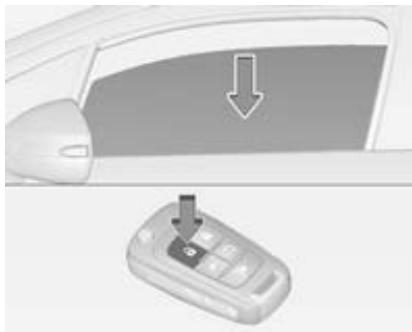
Press and hold 口 button to open windows.
Release button to stop window movement.
Overload
If the windows are repeatedly operated within short intervals, the window operation is disabled for some time.
Initialising the power windows
Initialising the power windows may be necessary if the 12-volt battery has been disconnected or discharged.
Activate the window electronics as follows:
- Close all doors when the ignition is switched on or when retained power off is active.
- Pull switch until the window is closed and keep pulling for additional 2 seconds.
- Repeat for each window.
Heated rear window

Operated by pressing the button. Heating turns off automatically after approx. 5 minutes.
Sun visors
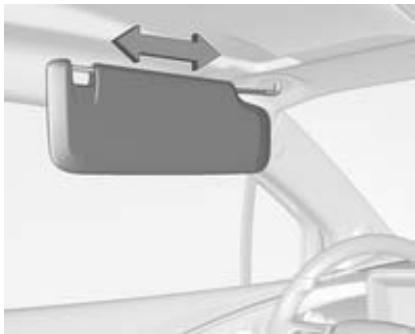
Pull the sun visor down to block glare. Detach the sun visor from the centre mount to pivot to the side window or to extend along the rod.
If the sun visors have integral mirrors, the mirror covers should be closed when driving.
Seats, restraints
Head restraints 34
Front seats 35
Seat belts 39
Airbag system 42
Child restraints 46
Head restraints
Position
Warning
Only drive with the head restraint set to the proper position.
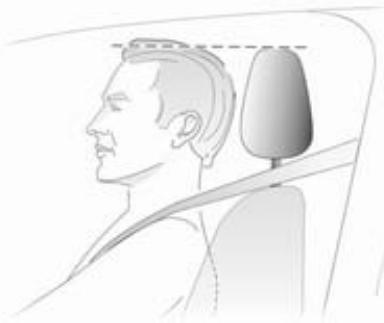
The upper edge of the head restraint should be at upper head level. If this is not possible for extremely tall people, set to highest position, and set to lowest position for small people.
Adjustment
Head restraints on front seats
Height adjustment
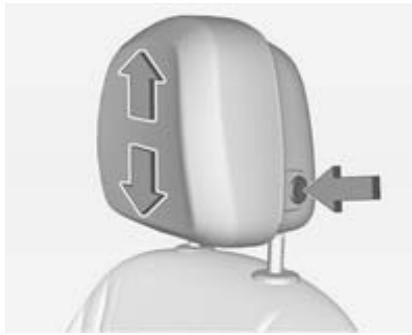
Press the button, adjust height and make sure that the head restraint is engaged.
Inclination adjustment

To adjust horizontally, pull the head restraint forwards. It engages in several positions.
To return to its rearmost position, pull fully forwards and release.
Head restraints on rear seats
Height adjustment
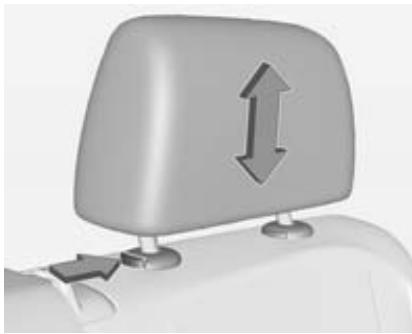
Pull the head restraint upwards or press the catch to release and push the head restraint downwards.
Make sure that the head restraint is engaged.
Front seats
Seat position
Warning
Only drive with the seat correctly adjusted.
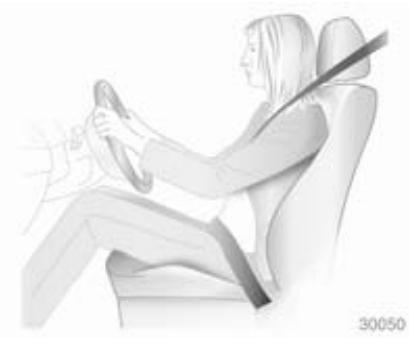
- Sit with buttocks as far back against the backrest as possible. Adjust the distance between the seat and the pedals so that legs are slightly angled when pressing the pedals. Slide the front passenger seat as far back as possible.
Sit with shoulders as far back against the backrest as possible. Set the backrest rake so that it is possible to easily reach the steering wheel with arms slightly bent. Maintain contact between shoulders and the backrest when turning the steering wheel. Do not angle the backrest too far back. We recommend a maximum rake of approx. 25^ .
Adjust the steering wheel 59.
- Set seat height high enough to have a clear field of vision on all sides and of all display instruments. There should be at least one hand of clearance between head and the roof frame. Your thighs should rest lightly on the seat without pressing into it.
Adjust the head restraint 34.
Seat adjustment
Danger
Do not sit nearer than 25~cm from the steering wheel, to permit safe airbag deployment.
Warning
Never adjust seats while driving as they could move uncontrollably.
Seat positioning
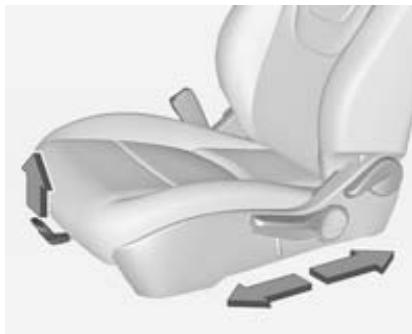
Pull handle, slide seat, release handle.
Seat backrests
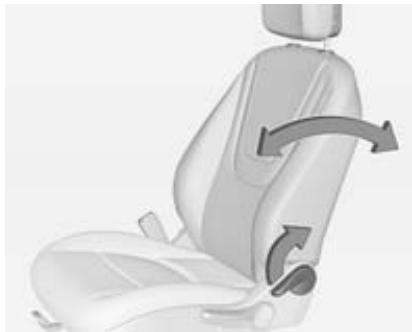
Pull lever, adjust inclination and release lever. Allow the backrest to engage audibly.
To reset the backrest into the upright position, pull the lever without applying pressure to the backrest and release lever.
Seat height
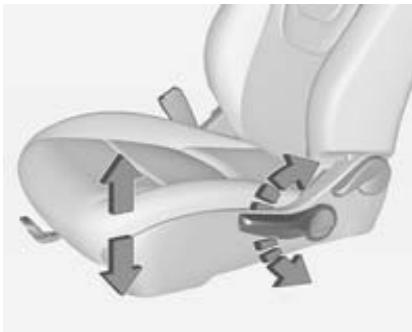
Lever pumping motion:
up = seat higher
down = seat lower
Heating
Manual heated seats

Adjust heating to the desired setting by pressing the button for the respective seat one or more times. The indicators next to the heating symbol indicate the setting.
Prolonged use of the highest setting for people with sensitive skin is not recommended.
Auto heated seats
Activation
To activate auto heated seats:
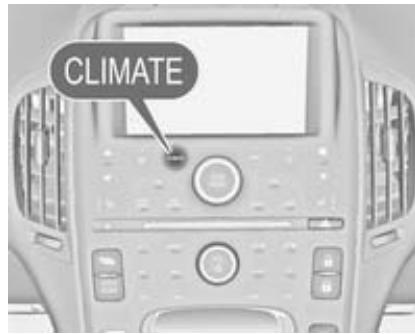
- Press the Climate control button on the instrument panel.
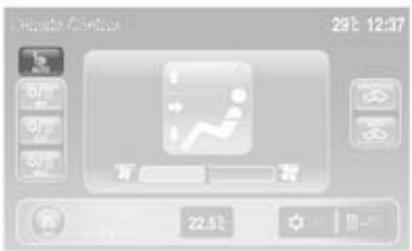
- Press AUTO on the touch screen of the Colour-Info-Display. The AUTO button illuminates green as a confirmation of the setting.
When the vehicle is on, this feature will automatically activate seat heating at the level required by the vehicle's interior temperature.
The indicators next to the seat heating symbol on the instrument panel indicate the heat setting.
Use the touch screen button or the manual heated seat buttons on the instrument panel to turn auto heated seats off.
The auto heated seat feature can be programmed to always be enabled when the ignition is on.
Vehicle personalisation 84.
Deactivation
To deactivate auto heated seat:
Press AUTO on the touch screen of the Colour-Info-Display, or
Press the button for the respective seat on the instrument panel.
Heated seats during Engine Assisted Heating
When it is cold outside, the heated seats can be programmed to turn on automatically during Engine Assisted Heating. Unless the auto heated seats function is available and enabled, the heated seats will be deactivated when the ignition is switched on. If the auto heated seats function is enabled, the seat heating level will automatically change to the level required by the vehicle's interior temperature when the ignition is switched on.
The indicators next to the seat heating symbol do not turn on during Engine Assisted Heating.
The temperature performance of an unoccupied seat may be reduced. This is normal.
The heated seats will not turn on during Engine Assisted Heating unless the heated seats feature is enabled in the vehicle personalisation menu.
Vehicle personalisation 84.
Engine Assisted Heating 20.
Seat belts
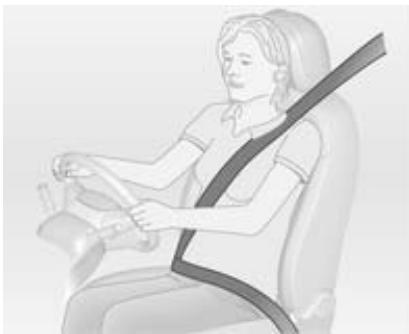
The seat belts are locked during heavy acceleration or deceleration of the vehicle holding the occupants in the sitting position. Thereby the risk of injury is considerably reduced.
Warning
Fasten seat belt before each trip. In the event of an accident, people not wearing seat belts endanger their fellow occupants and themselves.
Seat belts are designed to be used by only one person at a time. Child restraint system 46.
Periodically check all parts of the belt system for damage and proper functionality.
Have damaged components replaced. After an accident, have the belts and triggered belt pretensioners replaced by a workshop.
Note
Make sure that the belts are not damaged by shoes or sharp-edged objects or trapped. Prevent dirt from getting into the belt retractors.
Seat belt reminder 67.
Belt force limiters
On the front seats, stress on the body is reduced by the gradual release of the belt during a collision.
Belt pretensioners
In the event of a head-on or rear-end collision of a certain severity, the front seat belts are tightened.
Warning
Incorrect handling (e.g. removal or fitting of belts) can trigger the belt pretensioners.
Deployment of the belt pretensioners is indicated by continuous illumination of control indicator 67.
Triggered belt pretensioners must be replaced by a workshop. Belt pretensioners can only be triggered once.
Note
Do not affix or install accessories or other objects that may interfere with the operation of the belt pretensioners. Do not make any modifications to belt pretensioner components as this will invalidate the vehicle type approval.
Three-point seat belt
Fastening
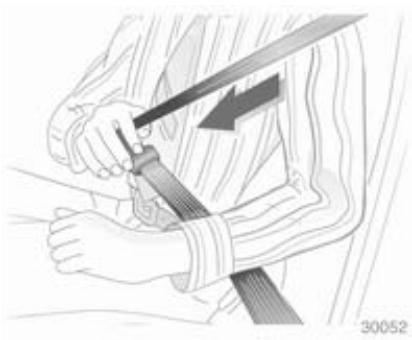
Withdraw the belt from the retractor, guide it untwisted across the body and insert the latch plate into the buckle. Tighten the lap belt regularly whilst driving by pulling the shoulder belt. Seat belt reminder 67.

Loose or bulky clothing prevents the belt from fitting snugly. Do not place objects such as handbags or mobile phones between the belt and your body.
Warning
The belt must not rest against hard or fragile objects in the pockets of your clothing.
Removing
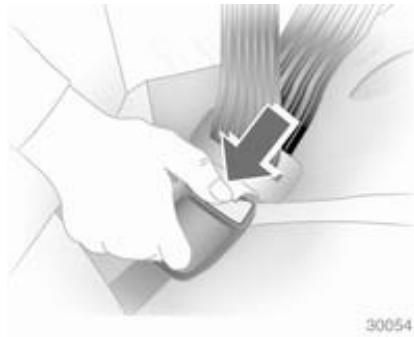
To release belt, press red button on belt buckle.
Seat belt comfort guides on the rear seats
The guides may provide added seat belt comfort for older children who have outgrown booster seats and for some adults. When installed and properly adjusted, the comfort guide positions the seat belt away from the neck and head.
There is one guide for each rear seat. When using a comfort guide, remove the seat belt from the seat-mounted guide before using the comfort guide. Installation:

- Remove the guide from its storage clip on the interior body trim next to the rear seat.
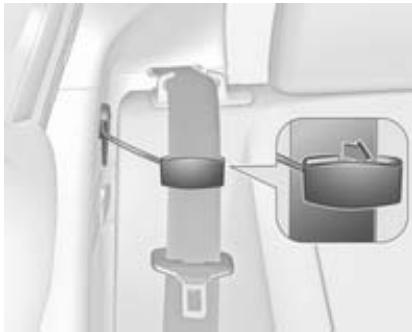
- Place the guide over the belt, and insert the two edges of the seat belt into the slots of the guide.
- The seat belt should not be twisted and it should lie flat. The elastic cord must be under the seat belt and the guide on top.
Warning
A seat belt that is not properly worn may not provide the protection needed in a crash. The person wearing the seat belt can be seriously injured. The shoulder belt should go over the shoulder
and across the chest. These parts of the body are the best for bearing belt restraining forces.

- Buckle and position the seat belt as described previously in this section. Make sure that the shoulder belt crosses the shoulder.
To remove and store the comfort guide, squeeze the seat belt edges together so that the seat belt can be removed from the guide. Slide the guide back into its storage clip.
Using the seat belt while pregnant
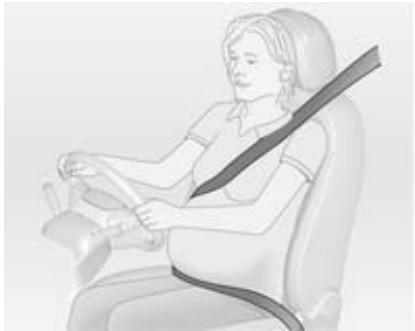
Warning
The lap belt must be positioned as low as possible across the pelvis to prevent pressure on the abdomen.
Airbag system
The airbag system consists of a number of individual systems depending on the scope of equipment.
When triggered the airbags inflate within milliseconds. They also deflate so quickly that it is often unnoticeable during the collision.
Warning
If handled improperly the airbag systems can be triggered in an explosive manner.
Note
The airbag systems and belt pretensioner control electronics are located in the centre console area. Do not put any magnetic objects in this area.
Do not stick anything on the airbag covers and do not cover them with other materials.
Each airbag is triggered only once. Have deployed airbags replaced by a workshop. Furthermore, it might be necessary to have the steering wheel, the instrument panel, parts of the panelling, the door seals, handles and the seats replaced.
Do not make any modifications to the airbag system as this will invalidate the vehicle type approval.
When the airbags inflate, escaping hot gases may cause burns.
Control indicator for airbag systems 67.
Front airbag system
The front airbag system consists of one airbag in the steering wheel and one in the instrument panel on the front passenger side. These can be identified by the word AIRBAG.
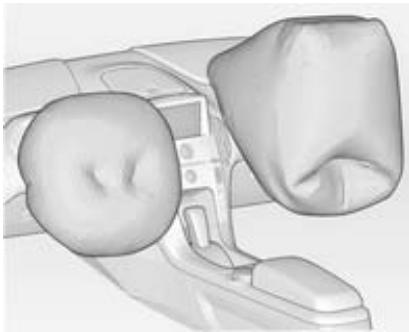
The front airbag system is triggered in the event of a front-end impact of a certain severity. The ignition needs to be switched on.
The inflated airbags cushion the impact, thereby reducing the risk of injury to the upper body and head of the front seat occupants considerably.
Warning
Optimum protection is only provided when the seat is in the proper position 35 .
Keep the area in which the airbag inflates clear of obstructions.
Fit the seat belt correctly and engage securely. Only then the airbag is able to protect.
Side airbag system
The side airbag system consists of an airbag in each side of the front seat backrests. This can be identified by the word AIRBAG.
The side airbag system is triggered in the event of a side impact of a certain severity. The ignition needs to be switched on.
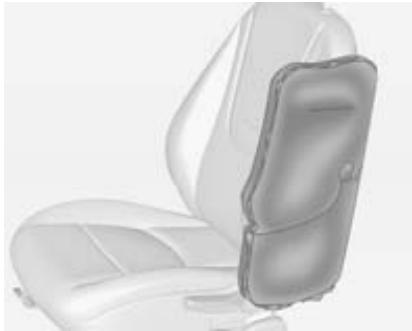
The inflated airbags cushion the impact, thereby reducing the risk of injury to the upper body and pelvis in the event of a side-on collision considerably.
Warning
Keep the area in which the airbag inflates clear of obstructions.
Note
Only use protective seat covers that have been approved for the vehicle. Be careful not to cover the airbags.
Curtain airbag system
The curtain airbag system consists of an airbag in the roof frame on each side. This can be identified by the word AIRBAG on the roof pillars.
The curtain airbag system is triggered in the event of a side-on impact of a certain severity. The ignition needs to be switched on.
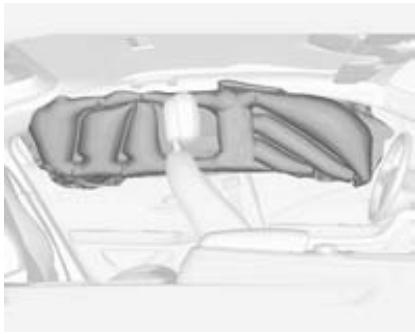
The inflated airbags cushion the impact, thereby reducing the risk of injury to the head in the event of a side-on impact considerably.
Warning
Keep the area in which the airbag inflates clear of obstructions.
The hooks on the handles in the roof frame are only suitable for hanging up light articles of clothing, without coat hangers. Do not keep any items in these clothes.
Knee airbag system
The knee airbags are located below the steering column and below the glovebox.

With knee airbags, the word AIRBAG will appear on the lower portion of the instrument panel.
The knee airbag system is triggered in the event of a front-end impact of a certain severity. The ignition needs to be switched on.
The inflated airbags cushion the impact, thereby reducing the risk of injury to the lower body of the front seat occupants considerably.
Keep the area in which the airbag inflates clear of obstructions.
Airbag deactivation
Front airbag and knee airbag systems for the front passenger seat must be deactivated if a child restraint system is to be fitted on this seat. The curtain and side airbag systems, the belt pretensioners and all driver airbag systems will remain active.

The front passenger airbag system can be deactivated via a key-operated switch located inside the glovebox.
Use the ignition key to choose the position:
: Front passenger frontal and knee airbags are deactivated and will not inflate in the event of a collision. Control indicator _2 illuminates continuously. A child restraint system can be installed in accordance with the chart child restraint installation locations 47. No adult person is allowed to occupy the front passenger seat.
: Front passenger frontal and knee airbags are active. A child restraint system must not be installed.
Danger
Risk of fatal injury for a child using a child restraint system on a seat with activated front passenger frontal and knee airbag.
Risk of fatal injury for an adult person on a seat with deactivated front passenger frontal and knee airbag.
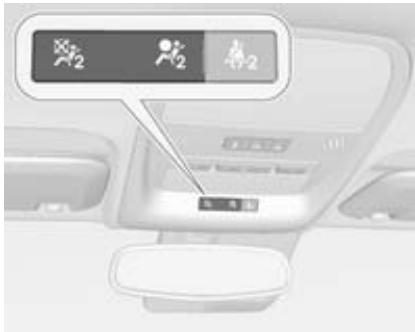
As long as the control indicator _2 is not illuminated, the airbags for the front passenger seat will inflate in the event of a collision.
If both control indicators are illuminated at the same time, there is a system failure. Since the status of the system is not discernible, no person is allowed to occupy the front passenger seat. Seek the assistance of a workshop immediately.
Consult a workshop immediately if neither of the two control indicators are illuminated.
Change status only when the vehicle is stopped with the ignition switched off.
Control indicator for airbag deactivation 68.
Child restraints
Child restraint systems
We recommend the Vauxhall child restraint system which is tailored specifically to the vehicle.
When a child restraint system is being used, pay attention to the following usage and installation instructions and also those supplied with the child restraint system.
Always comply with local or national regulations. In some countries, the use of child restraint systems is forbidden on certain seats.
Danger
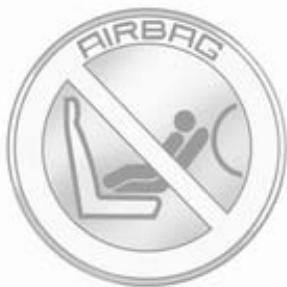
When using a child restraint system on the front passenger seat, the airbag systems for the front passenger seat must be deactivated; if not, the triggering of the airbags poses a risk of fatal injury to the child.
This is especially the case if rearranging child restraint systems are used on the front passenger seat.
Selecting the right system
The rear seats are the most convenient location to fasten a child restraint system.
Children should travel facing rearwards in the vehicle as long as possible. This makes sure that the child's backbone, which is still very weak, is under less strain in the event of an accident.
Suitable are restraint systems that comply with ECE 44-03 or ECE 44-04. Check local laws and regulations for mandatory use of child restraint systems.
Ensure that the child restraint system to be installed is compatible with the vehicle type.
Ensure that the mounting location of the child restraint system within the vehicle is correct.
Allow children to enter and exit the vehicle only on the side facing away from the traffic.
When the child restraint system is not in use, secure the seat with a seat belt or remove it from the vehicle.
Note
Do not stick anything on the child restraint systems and do not cover them with any other materials.
A child restraint system which has been subjected to stress in an accident must be replaced.
Child restraint installation locations
Permissible options for fitting a child restraint system
On front passenger seat
| Mass group | activated airbag | deactivated airbag | On rear outboard seats |
| Group 0: Up to 10 kg | X | U1 | U |
| Group 0+: Up to 13 kg | X | U1 | U |
| Group I: 9 to 18 kg | X | U1 | U |
| Group II: 15 to 25 kg | X | X | U |
| Group III: 22 to 36 kg | X | X | U |
1 = Seating position must be adjusted to full up seat height travel.
U = Suitable for universal category restraints approved for use in this mass group.
X = Seat position not permitted for children in this mass group.
Permissible options for fitting an ISOFIX child restraint system
| Mass group | Size class | Fixture | On front passenger seat | On rear outboard seats |
| Group 0: up to 10 kg | E | ISO/R1 | X | IL1 |
| Group 0+: up to 13 kg | E | ISO/R1 | X | IL1 |
| D | ISO/R2 | X | IL1 | |
| C | ISO/R3 | X | IL1 | |
| Group I: 9 to 18 kg | D | ISO/R2 | X | IL1 |
| C | ISO/R3 | X | IL1 | |
| B | ISO/F2 | X | IL, IUF | |
| B1 | ISO/F2X | X | IL, IUF | |
| A | ISO/F3 | X | IL |
IL = Suitable for particular ISOFIX restraint systems of the 'specific-vehicle', 'restricted' or 'semi-universal' categories. The ISOFIX restraint system must be approved for the specific vehicle type.
IUF = Suitable for ISOFIX forward-facing child restraint systems of universal category approved for use in this mass group.
X = ISOFIX position not suitable for ISOFIX child restraint systems in this mass group and/or the size class.
1 = Seat in front of ISOFIX position must be adjusted in length and backrest inclination to ensure proper installation of a child restraint system.
ISOFIX size class and seat device
A - ISO/F3 = Forward-facing child restraint system for children of maximum size in the weight class 9 to 18 kg.
B - ISO/F2 = Forward-facing child restraint system for smaller children in the weight class 9 to 18kg
B1 - ISO/F2X = Forward-facing child restraint system for smaller children in the weight class 9 to 18 kg.
C - ISO/R3 = Rear-facing child restraint system for children of maximum size in the weight class up to 13 kg.
D - ISO/R2 = Rear-facing child restraint system for smaller children in the weight class up to 13 kg.
E - ISO/R1 = Rear-facing child restraint system for young children in the weight class up to 13 kg.
ISOFIX child restraint systems

Fasten vehicle-approved ISOFIX child restraint systems to the ISOFIX mounting brackets.
ISOFIX mounting brackets are indicated by a label on the backrest.
Top-tether fastening eyes

The Top-tether anchors for outboard rear seating positions are on the back of the rear backrest. Be sure to use an anchor on that side of the vehicle where the child restraint will be placed.
Top-tether fastening eyes are marked with the symbol for a child seat.
In addition to the ISOFIX mounting, fasten the Top-tether strap to the Top-tether fastening eyes. The strap must run between the two guide posts of the head restraint.
Storage
Storage compartments 51
Rear seats 54
Load compartment 54
Loading information 57
Storage compartments Instrument panel storage
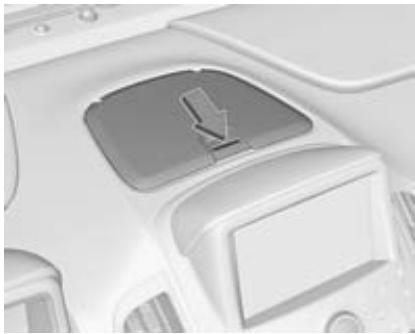
A storage compartment is located on top of the instrument panel.
A transmitter slot for the radio remote control transmitter is located inside the storage compartment.
Radio remote control 20.
Starting and stopping the vehicle 107.
Glovebox

Open the glovebox by raising the lever.
The glovebox should be closed while driving.
Cupholders

Cupholders are located in the front floor console.
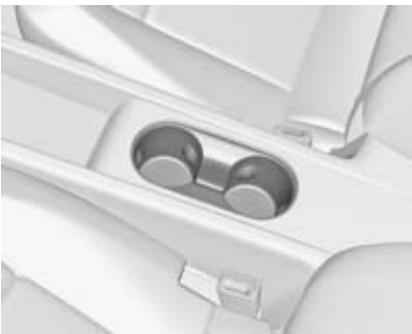
Additional cupholders are located in the rear floor console.
Door panel storage
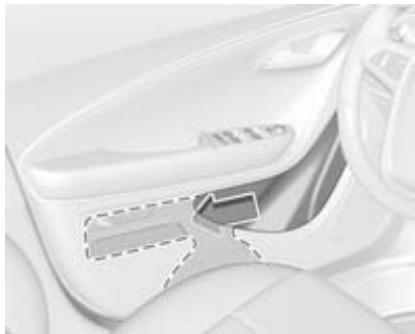
A storage compartment is located in the door trim.
Long objects, such as an umbrella, can be slid into the opening of either the driver or passenger door.
Armrest storage
Storage in the front armrest
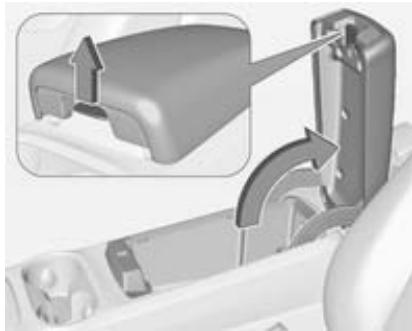
Pull grip to fold up the armrest.
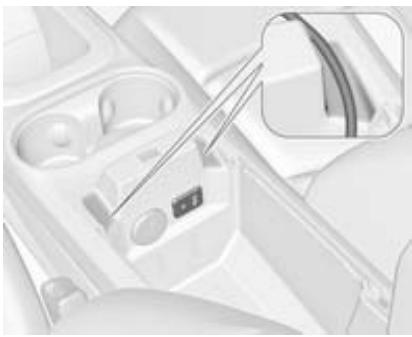
A USB port and an AUX socket are located inside the front of the floor console. Cords can be routed in the pass-through.
For more information, see the Infotainment system manual.
Storage in the rear armrest
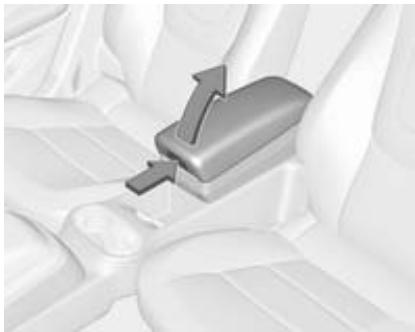
Lift the handle to access the storage area.
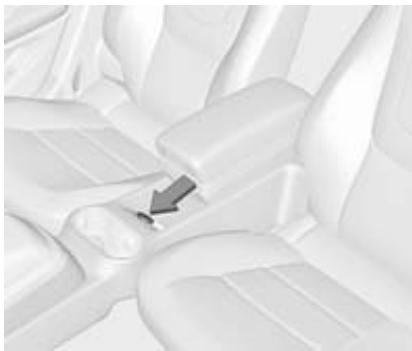
A USB port and an AUX socket are located inside the rear console.
For more information, see the Infotainment system manual.
Centre console storage

A storage compartment is located in the centre console of the rear seats.
Rear seats
Armrest
Removable armrest
The armrest contains a storage compartment.
Storage compartment 52.
Removing the armrest
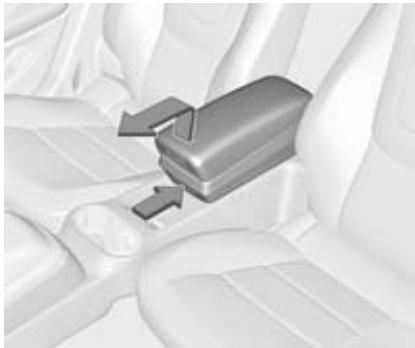
To remove the armrest, push the button and lift the armrest up. Move the armrest forward to release it from the rear bracket.
Warning
An unsecured armrest could strike people in a sudden stop or turn, or in a crash. Store the armrest securely in the rear cargo area or remove it from the vehicle.
Installing the armrest
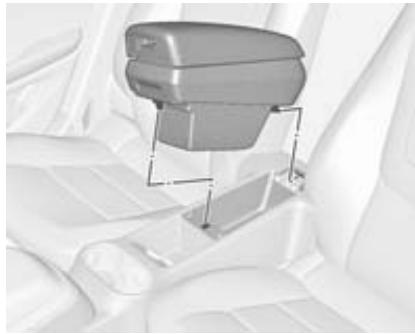
To install the armrest, align the bracket on the rear of the armrest into the slot on the rear console and push the armrest down until the latch locks into the opening.
Load compartment
Folding the seat backrests
Fold seat backrests down
Note
Folding a rear seat with the seat belts still fastened may cause damage to the seat or the seat belts. Always unbuckle the seat belts and return them to their normal stowed position before folding a rear seat.
- Remove the load compartment cover, if necessary.
- Press and hold the catch, then push the head restraints down.

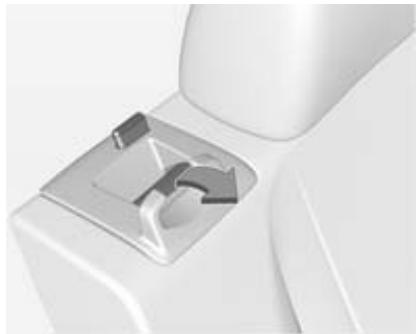
3. Remove the seat belt from the seat belt guide and place it in the storage clip.
- Pull the seatback release lever to unlock the seatback and fold the seatback forward.
Fold seat backrests up
Note
Damage to the seat belt or seat backrest locking mechanism can occur if the seat belt is caught between the rear seat backrest and the seat backrest locking mechanism. The seat belt must be out of the way when the rear seat is raised to the upright, locked position. If the seat belt is damaged, seek the assistance of a workshop and have it replaced.
Warning
Only drive the vehicle when the backrests are securely locked into position. Otherwise there is a risk of personal injury or damage to the load or vehicle in the event of heavy braking or a collision.
- Pull the seat belt gently out of the storage clip and hold it in this position.

- Raise the seat backrest and push it rearward to lock it into place. Ensure that the seat backrest is audibly engaged.
- Return the seat belt to the seat belt guide after raising the seat backrest.
Keep the seat in the upright, locked position when not in use.
Rear storage
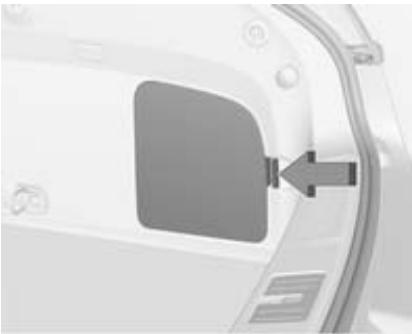
A storage compartment is located in the right side of the load compartment behind a cover.
Remove the cover by pushing the latch.
Load compartment cover
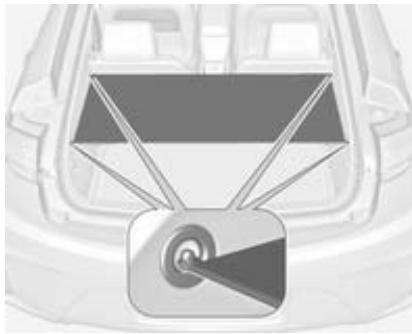
Use the four loops to hook the cover to the side panels.
Do not place any objects on the cover.
Lashing eyes
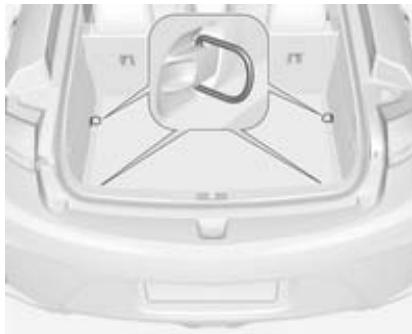
The lashing eyes are designed to secure items against slippage, e.g. using lashing straps.
Warning triangle
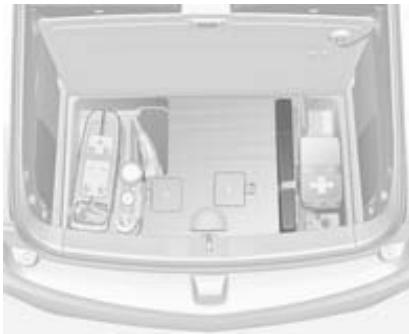
The warning triangle is located in a compartment under the floor cover in the load compartment.
First aid kit
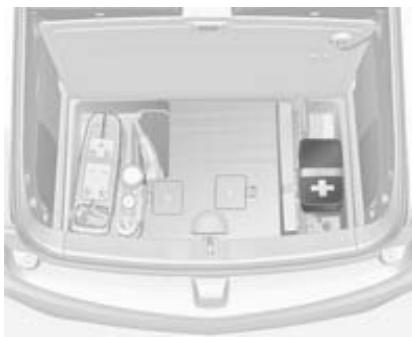
The first aid kit is located in a compartment under the floor cover in the load compartment.
Loading information
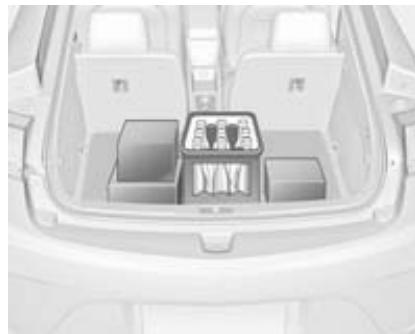
Heavy objects in the load compartment should be placed against the seat backrests. Make sure that the backrests are securely engaged. If objects can be stacked, heavier objects should be placed at the bottom.
- Secure objects with lashing straps attached to lashing eyes.
- Secure loose objects in the load compartment to prevent from sliding.
- When transporting objects in the load compartment, the backrests of the rear seats must not be angled forward.
- Do not allow the load to protrude above the upper edge of the backrests.
- Do not place any objects on the load compartment cover or the instrument panel, and do not cover the sensor on top of the instrument panel.
The load must not obstruct the operation of the pedals, shift lever, or hinder the freedom of movement of the driver. Do not place any unsecured objects in the interior. - Do not drive with an open load compartment.
Warning
Always make sure that the load in the vehicle is securely stowed. Otherwise objects can be thrown
around inside the vehicle and cause personal injury or damage to the load or car.
The payload is the difference between the permitted gross vehicle weight and the EC kerb weight.
To calculate the payload, enter the data for your vehicle in the weights table at the front of this manual.
The EC kerb weight includes weights for the driver (68 kg), luggage (7 kg) and all fluids (tank 90% full).
Optional equipment and accessories increase the kerb weight.
Instruments and controls
Controls 59
Warning lights, gauges and indicators 62
Information displays 73
Vehicle messages 83
Vehicle personalisation 84
Controls
Steering wheel adjustment
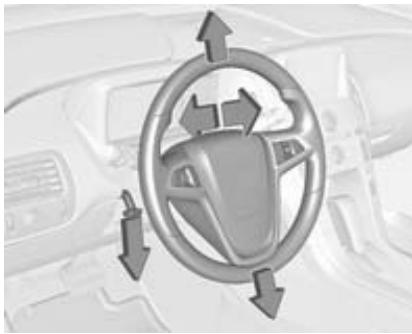
Unlock lever, adjust steering wheel, then engage lever and ensure it is fully locked.
Do not adjust steering wheel unless vehicle is stationary and steering wheel lock has been released.
Steering wheel controls
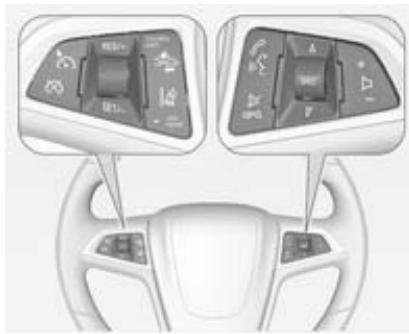
The Infotainment system, the cruise control and some driver assistance systems can be operated via the controls on the steering wheel.
Further information is available in the Infotainment system manual.
Driver assistance systems 120.
Horn
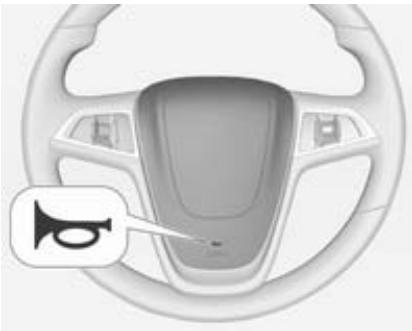
Press to sound the horn.
Do not use the horn as pedestrian safety alert.
Pedestrian safety alert
Pedestrian safety alert enables the driver to alert people who may not hear the vehicle approaching.

Press and a soft-note alert will momentarily sound.
The pedestrian safety alert is only available when the vehicle is not in park position P.
The pedestrian safety alert is not suitable as a horn.
Windscreen wiper/washer
Windscreen wiper
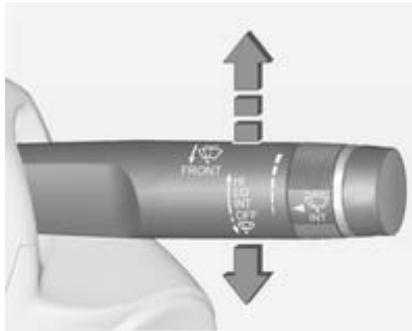
HI = fast
LO = slow
INT = interval wiping
OFF = off
For a single wipe when the windscreen wiper is off, press the lever down.
Do not use if the windscreen is frozen.
Switch off in car washes.
Adjustable wiper interval
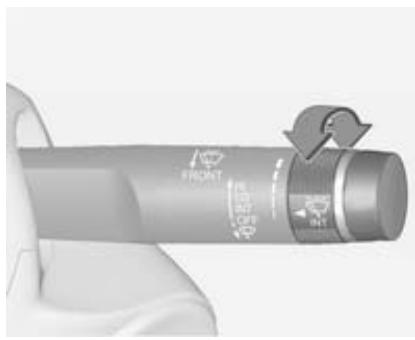
Wiper lever in position INT.
Turn the adjuster wheel to adjust the desired wipe interval:
short interval long interval
= turn adjuster wheel upwards
= turn adjuster wheel downwards
Windscreen washer
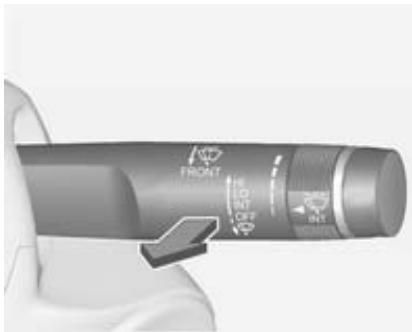
Pull lever. Washer fluid is sprayed onto the windscreen and the wiper wipes a few times.
Power outlets
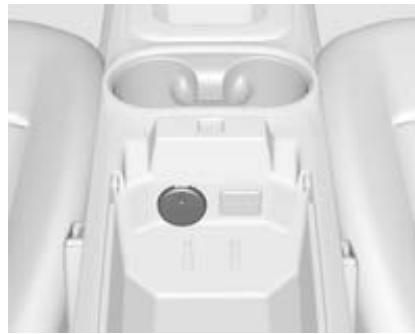
12-volt power outlets are located in the front armrest storage compartment and the rear centre floor console.

Additionally, a 12-volt power outlet is located inside the instrument panel storage compartment.
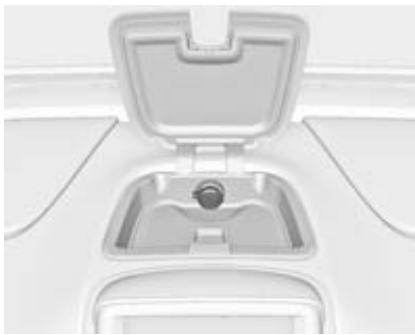
Do not exceed the maximum power consumption of 180 watts.
The power outlets supply power while the ignition is on or if the vehicle is in the retained power off-mode.
Retained power off 106.
Electrical accessories that are connected must comply with the electromagnetic compatibility requirements laid down in DIN VDE 40 839.
Do not connect any current-delivering accessories, e.g. electrical charging devices or batteries.
Do not damage the outlets by using unsuitable plugs.
Warning lights, gauges and indicators
Speedometer
50
km/h
Indicates vehicle speed.
The unit of measurement displayed can be changed in the Driver Information Centre (DIC) 73.
Odometer
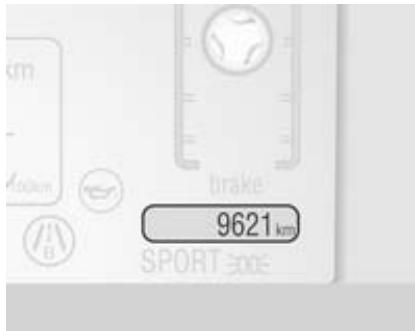
Displays the recorded distance. The unit of measurement displayed can be changed in the Driver Information Centre (DIC) 73.
Trip odometer
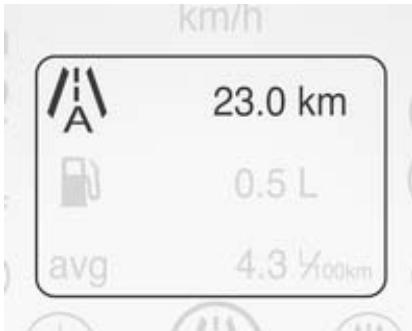
Displays the recorded distance since the last reset.
Reset the trip data by pressing and holding the SELECT button of the Driver Information Centre (DIC) controls when either trip A or trip B is displayed.
The trip odometer is located within the DIC 73.
Fuel gauge
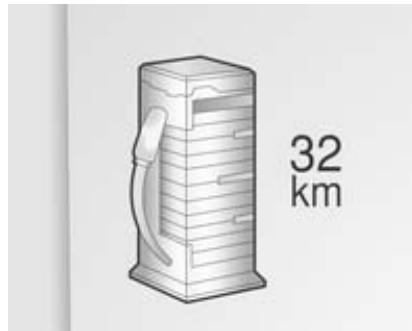
Displays the fuel level in the tank and the fuel range.
Never run the tank dry.
Because of the fuel remaining in the tank, the top-up quantity may be less than the specified tank capacity.
Extended range mode 109.
Battery gauge
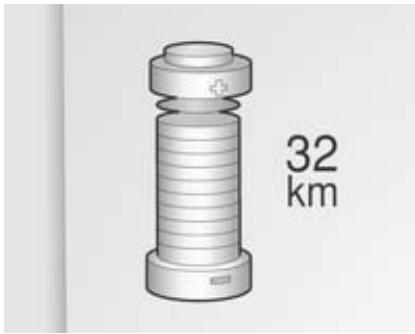
Displays the charge level and the range of the high voltage battery. Electric mode 109.
Driving efficiency gauge
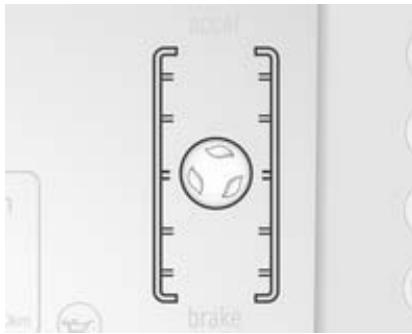
This gauge is a guide to driving in an efficient manner by keeping the ball green and in the centre of the gauge. The leaves stop spinning when the vehicle stops or when the ball travels away from the centre of the gauge.
accel: If acceleration is too aggressive to optimise efficiency, the ball will turn yellow and travel above the centre of the gauge.
brake: If braking is too aggressive to optimise efficiency, the ball will turn yellow and travel below the centre of the gauge.
Driving economically 104.
Depending on the setting, this gauge can be hidden and be replaced by either the fuel gauge or the battery gauge.
Driver Information Centre (DIC) 73.
Total vehicle range

Displays the total vehicle range combining the electric range and fuel range.
Driving economically 104.
Service display
The engine oil life system displays the percentage of the remaining oil life.
Based on driving conditions, the interval at which an engine oil and filter change will be indicated can vary considerably.
The system must be reset every time the engine oil is changed to allow proper functionality. Seek the assistance of a workshop.
When the system has calculated that engine oil life has been diminished, Change Engine Oil Soon appears in the Driver Information Centre. Have engine oil and filter changed by a workshop within the next 600 miles.
Driver Information Centre 73.
Service information 178.
Control indicators
The control indicators described are not present in all vehicles. The description applies to all instrument versions. Depending on the equipment, the position of the control
indicators may vary. When the ignition is switched on, most control indicators will illuminate briefly as a functionality test.
The control indicator colours mean:
red = danger, important reminder
yellow = warning, information, fault
green = confirmation of activation
blue = confirmation of activation
white = confirmation of activation
Control indicators in the instrument cluster

Control indicators in the overhead console
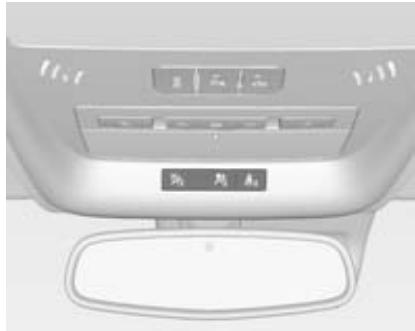
Turn signal
Illuminates or flashes green.
Flashes
The control indicator flashes if a turn signal or the hazard warning flashers are activated.
Fast flashing: failure of a turn signal light or associated fuse.
Bulb replacement 150.
Fuses 154.
Turn signals 91.
Seat belt reminder
Seat belt reminder on front seats
for driver's seat illuminates or flashes red.
4² for front passenger seat illuminates or flashes red, when seat is occupied.
The seat belt reminder of the front passenger seat may also turn on if an object is put on the seat.
Illuminates
After the warning lights of the respective front seat have flashed for a while, until the seat belt has been fastened.
Flashes
Up to a certain time after the ignition has been switched on.
Seat belt status on rear seats
flashes or illuminates.
Illuminates
After the ignition has been switched on, the seat belt light illuminates red.
After the passenger seat belts have been buckled, the corresponding seat belt light turns green.
Flashes
While the vehicle is moving, if a second row passenger who was previously buckled becomes unbuckled, the corresponding seat belt symbol will flash red for several seconds and a chime may sound.
Fastening the seat belt 40.
Airbag and belt tensioners
illuminates red.
When the vehicle is started, the control indicator illuminates for several seconds. If it does not illuminate, does not go out after a few seconds or illuminates whilst driving, there is a fault in the airbag system. Seek the assistance of a workshop.
The airbags and belt pretensioners may fail to trigger in the event of an accident.
If there is a problem with the airbag system, a Driver Information Centre (DIC) message may also come on.
Deployment of the belt pretensioners or airbags is indicated by continuous illumination of
Warning
Have the cause of the fault remedied immediately by a workshop.
Belt pretensioners, airbag system 39, 42.
Driver Information Centre (DIC) 73.
Airbag deactivation
2_2 illuminates yellow.
The front passenger frontal and knee airbags are activated.
_2 illuminates yellow.
The front passenger frontal and knee airbags are deactivated 44.
Danger
Risk of fatal injury for a child using a child restraint system on a seat with activated front passenger frontal and knee airbags.
Risk of fatal injury for an adult person on a seat with deactivated front passenger frontal and knee airbags.
If, after several seconds, both status indicator lights remain on or if there are no lights at all, there may be a problem with the lights or the airbag deactivation switch. Seek the assistance of a workshop.
Charging system
- illuminates red.
Illuminates briefly when the ignition is switched on.
Light stays on or illuminates while driving
- Move out of the flow of traffic as quickly as possible without impeding other vehicles.
- Stop, switch off the ignition.
- Seek the assistance of a workshop.
Driving while this light is on could drain the 12-volt battery.
Malfunction indicator light
illuminates or flashes yellow.
Illuminates in service only mode
Illuminates as a check, showing if the service only mode is working. If a fault is detected, seek the assistance of a workshop.
Power button 105.
Illuminates when the ignition is on
Fault in the emission control system. The permitted emission limits may be exceeded.
The following may correct an emission system malfunction:
- Ensure that the fuel cap is installed correctly.
- Ensure that good quality fuel is used.
If none of the above have made the light turn off, seek the assistance of a workshop immediately.
Flashes when the ignition is on
Misfire condition has been detected. Ease up on the accelerator, reduce vehicle speed and/or avoid steep uphill grades until the flashing stops.
Should the light continue to flash:
- Move out of the flow of traffic as quickly as possible without impeding other vehicles.
- Stop, switch off the ignition.
- Wait at least 10 seconds and switch the ignition on again.
If the light is still flashing, seek the assistance of a workshop.
Brake system
① illuminates red.
Illuminates after the ignition is switched on. The brake fluid level is too low or any other problem with the brake system exists.
Brake fluid level 148.
Warning
Stop. Do not continue your journey. Consult a workshop.
Electrical parking brake
_max^ illuminates or flashes red.
Illuminates
Electrical parking brake is applied 115 .
Flashes
If flashes after the parking brake is released or while driving, do not drive and seek the assistance of a workshop immediately.
Electrical parking brake fault
illuminates yellow.
Illuminates
Electrical parking brake is operating with degraded performance 115.
Warning
Have the cause of the fault remedied immediately by a workshop.
An error message may be displayed in the Driver Information Centre (DIC).
Driver Information Centre 73.
Antilock brake system (ABS)
ABB illuminates yellow.
Illuminates for a few seconds after the ignition is switched on. The system is ready for operation when the control indicator goes out.
If the control indicator does not go out after a few seconds, or if it illuminates while driving, there is a fault in the ABS. The brake system remains operational but without ABS regulation.
Try to reset the system.
To reset the system:
- Move out of the flow of traffic as quickly as possible without impeding other vehicles.
- Place the vehicle in P.
- Switch the ignition off.
- Restart the vehicle.
If the ABS control indicator remains lit after resetting the system or comes on again while driving, seek the assistance of a workshop.
Antilock brake system 115.
Should the warning lights of the ABS and the regular brake system come on, the vehicle may have a problem with the regular and the antilock brakes.
Have the vehicle towed for service. Towing 173.
Sport mode
Sport illuminates when sport mode is selected.
Sport mode 110.
Mountain mode
Mountain illuminates when mountain mode is selected.
Mountain mode 110.
Hold mode
Hold illuminates when hold mode is selected.
Hold mode 110.
Lane departure warning
illuminates green or flashes yellow.
This light briefly illuminates yellow while starting the vehicle. If it does not, seek the assistance of a workshop. If the system is working normally, the light turns off.
Illuminates green
The system is switched on and ready to operate.
Flashes yellow
The system recognizes an unintended lane change.
Lane departure warning 128.
Electronic Stability Control off
illuminates yellow.
The system is deactivated.
Electronic Stability Control and Traction Control system
illuminates or flashes yellow.
Illuminates
A fault in the system is present. Continued driving is possible. Driving stability, however, may deteriorate depending on road surface conditions.
Have the cause of the fault remedied by a workshop.
Flashes
The system is active and is working to assist the driver with directional control of the vehicle in difficult driving conditions.
Electronic Stability Control 119, Traction Control system 118.
Traction Control system off
illuminates yellow.
The system is deactivated.
Engine coolant temperature
Illuminates red.
Illuminates when the vehicle has a problem with the engine coolant system.
A warning chime sounds when the control indicator comes on.
Caution
If engine coolant temperature is too high, stop vehicle, switch off the ignition. Danger to engine. Check coolant level.
If the control indicator remains on, seek the assistance of your workshop.
Tyre pressure monitoring system
illuminates or flashes yellow.
Illuminates
One or more of the tyres are significantly underinflated. Stop immediately and check tyre pressure.
Flashes
Fault in system. After approx.
1 minute the control indicator illuminates continuously. Seek the assistance of a workshop.
Engine oil pressure
illuminates red.
Illuminates briefly when the vehicle is started.
Caution
Engine lubrication may be interrupted. This may result in damage to the engine and/or locking of the drive wheels.
- Move out of the flow of traffic as quickly as possible without impeding other vehicles.
- Set selector lever to N.
- Switch off the ignition.
Check oil level before seeking assistance of a workshop 144 .
Low fuel
- illuminates when the fuel level is too low.
Immobiliser
illuminates yellow.
Fault in the immobiliser system. The engine cannot be started.
Seek the assistance of a workshop.
Vehicle ready

READY illuminates whenever the
vehicle is ready to be driven.
Exterior light
品 illuminates green.
The exterior lights are on 89
High beam
D illuminates blue.
Illuminated when high beam is on and during headlight flash 90.
Rear fog light
¶ illuminates yellow.
The rear fog light is on 91.
Cruise control
illuminates white or green.
Illuminates white
The system is on.
Illuminates green
A certain speed is stored.
Cruise control 120.
Vehicle detected ahead

illuminates green or yellow.
Illuminates green
A vehicle is detected ahead.
Illuminates yellow
The distance to the vehicle ahead is too low.
Forward collision alert 122.
Door open
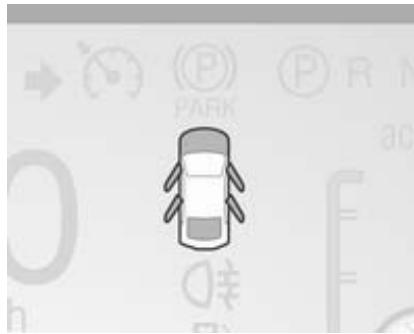
If a door, the bonnet or the tailgate is opened, a light comes on.
An additional graphic is shown in the Driver Information Centre (DIC) every time the bonnet or the tailgate are opened.
Driver Information Centre (DIC) 73.
Information displays Driver Information Centre

The Driver Information Centre (DIC) display is located in the instrument cluster. The DIC displays information about the vehicle. If a system problem is detected, it also displays warning messages.
Vehicle messages 83.
DIC controls
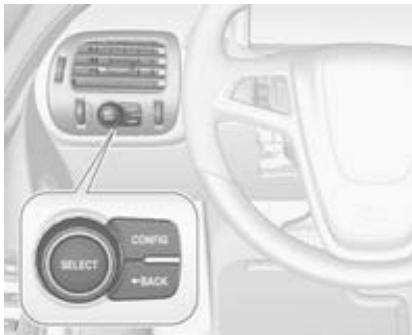
CONFIG: Press to select either the simple or enhanced instrument cluster configuration display.
BACK: Press to return to the previous screen, to exit a screen or return to the main menu. Press
BACK to minimise the DIC menu display.
SELECT: Press the centre of the knob to select the highlighted item. Turn the knob to scroll through the menu items.
Selecting menus and functions
At the main DIC menu:
- Turn the SELECT knob to scroll through the possible DIC menus.
- Press SELECT knob when a menu item is highlighted to enter that menu.
- Continue to turn and press the SELECT knob to scroll through and select the available menu items:
Trip A and Trip B 63.
Remaining oil life
The percentage of remaining oil life is displayed.
Engine oil 144.
Tyre pressure (1)
The approximate pressures of all four tyres are displayed.
If dashes are displayed instead of values, there may be a problem with the vehicle.
Seek the assistance of a workshop.
Tyre pressure 162.
Tyre pressure monitoring system 162.
Vehicle messages
Turn the SELECT knob to scroll through any active warning message.
Press SELECT to review the messages.
Vehicle messages 83.
Unit △
Turn the SELECT knob to change the unit display between SI and US.
Press SELECT to confirm the setting.
Tutorial mode
Press CONFIG to switch between two tutorial screens that explain some of the features of the cluster.
Tutorial mode is only available when the vehicle is in park position P.
Traffic sign assistant
Select this menu item to view detected traffic signs. Traffic Sign Assistant 128.
Power gauge
Select this menu item to view the power gauge.
The power gauge is a gauge that informs the customer of the total power coming from the engine or battery to operate the vehicle.
Following distance indication
Select this menu item to adjust the following distance indication.
Following distance indication 124.
Navigation
Arrow guidances are displayed by selecting this item.
See the Infotainment system manual for further information.
Instrument cluster display
After unlocking and opening the driver's door, an information display appears, indicating the charge cord status and the charge level of the high voltage battery.

A message may display on the lower left of the screen to indicate that a charging interruption of AC power at the vehicle's charge port has occurred.
Colour-Info-Display
Colour-Info-Display is located in the instrument panel.
Colour-Info-Display indicates:
Climate control 95
Infotainment system, see description in the Infotainment system manual.
Vehicle personalisation settings
Power flow information
Charging settings
Energy information
Temperature
The Colour-Info-Display controls only need a light touch to operate and work best when using bare hands. The controls will work with most gloves although they may take longer to respond. Use the finger pad rather than the finger tip to minimise response time. If the controls are not responding, remove the gloves.
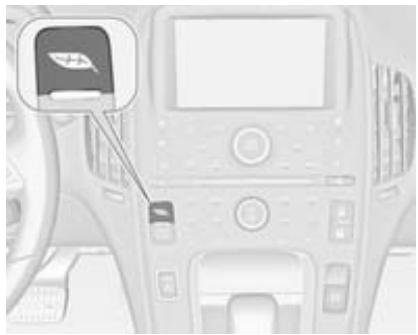
Press until Power Flow, Charging and Energy Info are displayed.
Power Flow screens
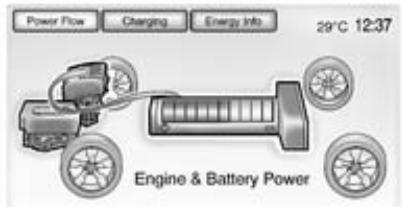
The Power Flow screens indicate the current system operating condition. The screens show the energy flow between the engine, electric drive unit and high voltage battery. These components will be highlighted when they are active.
Charging
Charge mode selection
There are three programmable charge modes.
From the charge mode status screen, press Change Charge Mode.
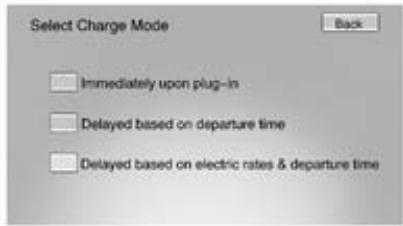
Select one option:
- Immediately upon plug-in
Delayed based on departure time - Delayed based on electric rates & departure time
Programmable charging
The current charge mode status can also be viewed in a temporary pop-up in the Colour-Info-Display by pressing the release button of the charge port door on the driver's door. The Charge Start and Charge Complete time estimations are also displayed on the screen. These estimations are most accurate when the vehicle is plugged in and in moderate temperature conditions.
Charge mode status Immediately:
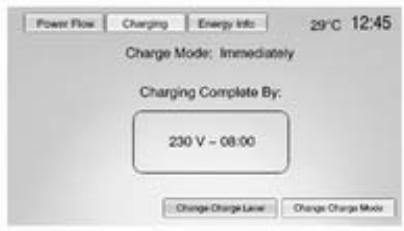
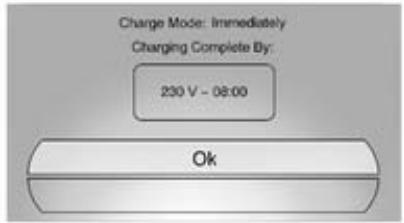
The vehicle starts charging as soon as it is connected to an electrical outlet.
Charging 130.
Delayed (Departure Time):

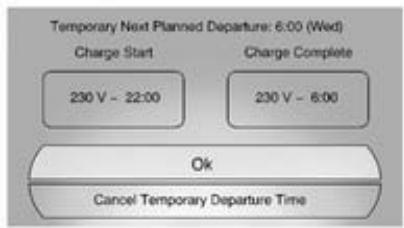
The vehicle estimates the charging start time considering the departure time programmed for the current day of the week. Charging will begin at the start time and will be completed by the departure time only if sufficient time is given after the charge cord is plugged in.
Delayed (Rate & Departure Time):
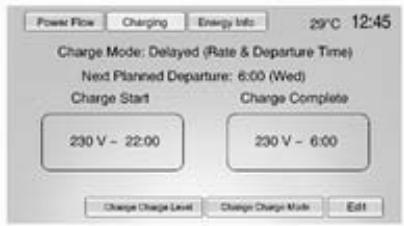

The vehicle estimates the charging start time based on the utility rate schedule, utility rate preference and the departure time programmed for the current day of the week. The vehicle will charge during the least expensive rate periods to achieve a full battery charge by the departure time. Electrical rate information from the utility company for the charging location is required for this mode.
Departure time entry
From the delayed charge mode status screen, press Edit to change the departure time for each day of the week.
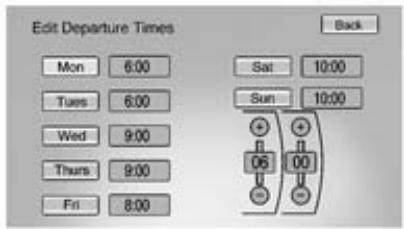
- Press on the day to change.
- Press + or - to change the hours and minutes.
- Press Back to store changes and return to the previous screen.
Charge level selection
The Select Charge Level Preference setting allows the customer to select their vehicle's charge level so it matches the capability of their charging location. Charge level selection 130.
Charge rate selection
From the delayed rate and departure time charge mode status screen, press Edit.
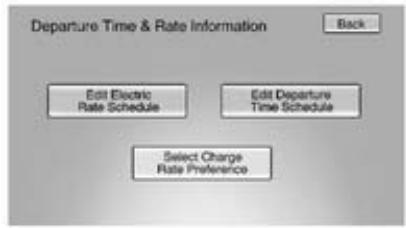
Select one of the following options:
Edit Electric Rate Schedule
Edit Departure Time Schedule
Select Charge Rate Preference
Charge rate preference selection From the Departure Time & Rate Information screen, press Select Charge Rate Preference.
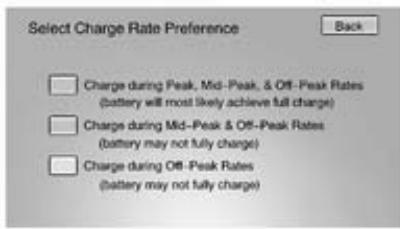
Press one of the following options to select the Charge Rate Preference:
- Charge during Peak, Mid-Peak, & Off-Peak Rates: The vehicle can charge during any rate period to satisfy the next planned departure time. However, it will select when to charge to minimise the total cost of the charge.
- Charge during Mid-Peak & Off-Peak Rates: The vehicle will charge during off-peak and/or mid-peak rate periods only and it will select when to charge to minimise the total cost of the charge.
- Charge during Off-Peak Rates: The vehicle will only charge during off-peak rate periods.
Electric rate plan selection
Electric rates can vary depending on time, weekday and season.
Contact the utility company to obtain the rate schedule for your area. The summer and winter start dates must be established to use a summer / winter schedule.
From the Departure Time & Rate Information screen, press Edit Electric Rate Schedule.

Two electric rate plans are selectable: Summer/Winter Schedule or Yearly Schedule. To edit:
- Press Summer/Winter Schedule or Yearly Schedule.
- Press Edit.
Summer/Winter schedule start date entering
From the Select Electric Rate Plan screen, press Summer/Winter Schedule, then press Edit.

- Press Summer Start.
- Press + or - to set the month and day for the start of summer.
- Press Winter Start.
- Press + or - to set the month and day for the start of winter.
- Press Edit Summer Schedule or Edit Winter Schedule to edit the daily electric rate schedule.
Electric rate schedule editing
From the Enter Summer/Winter Start Dates screen, press Edit Summer Schedule or Edit Winter Schedule.
From the Select Electric Rate Plan screen, press Yearly Schedule and then press Edit.
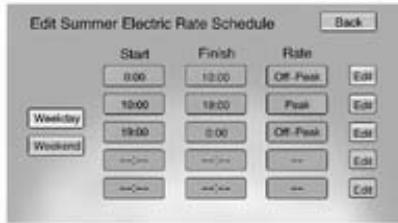
- Press Weekday or Weekend.
- Press Edit next to the row to change.
Weekdays are Monday to Friday; the same rate schedule is used.
- Weekends are Saturday and Sunday; the same rate schedule is used.
Both weekday and weekend schedules must be set. The rate schedule only applies to a 24 hour period, starting at 0:00 and ending at 0:00. Five rate changes for each day can be entered; not all of them need to be used.
The end times must be follow each other consecutively. If an end time does not come after a start time, an error message will be displayed. Follow the instructions given by the message.
Electric rate finish time editing
From the respective electric rate schedule screen, press Edit next to the row to change.
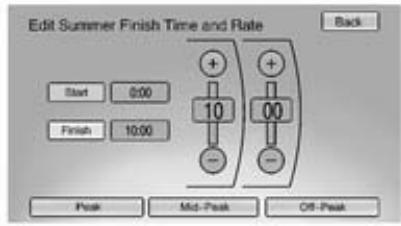
- Press + or - to adjust the time.
- Press Peak, Mid-Peak or Off-Peak to select the electric rate.
- Press Back to store changes.
Only the finish time can be edited. The start time is automatically populated in the rate table.
Electric rate schedule viewing
From the Select Electric Rate Plan screen, press either View Summer Schedule, View Winter Schedule or View Yearly Schedule.
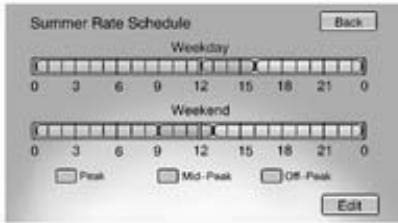
Temporary charge mode override and cancel
Programmed delayed charge modes can be temporarily overridden to an immediate charge mode for one
charge cycle. Additionally, the next planned departure time can be temporarily overridden for one charge cycle. In addition to the in-vehicle overrides via the Colour-Info-Display, there are also other possibilities to temporarily override a delayed charge mode.
Charging 130.
To temporarily override a delayed charge mode and change it to immediate charge mode from inside the vehicle proceed as follows:
- Press the release button of the charge port door on the driver door to view the charge mode status pop-up in the Colour-Info-Display.
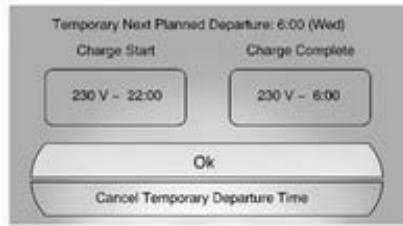
- Press Temporary Override.
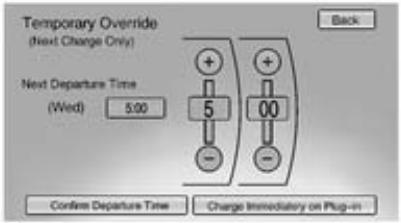
- Press Charge Immediately on Plug-in to temporarily override an immediate charge mode.
The revised charge complete time will be automatically displayed.

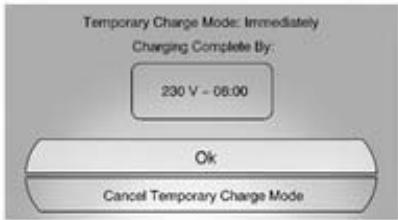
To cancel the temporary override and change it to immediate, press Cancel Temporary Charge Mode.
To temporarily override the next planned departure time from inside the vehicle:
-
Press the release button of the charge port door on the driver door to view the charge mode status pop-up in the Colour-Info-Display.
-
Press Temporary Override.
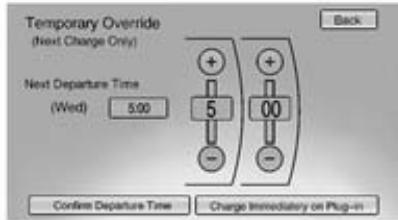
- Press the + or - button to change the next departure time.
- Press Confirm Departure Time to temporarily override the next planned departure time.
The revised charge complete time will be automatically displayed in the temporary charge mode screen.
Temporary departure time can only be updated for the same day as the original next planned departure time. Additionally, the vehicle will not accept a temporary departure time that is before the present time on that day.
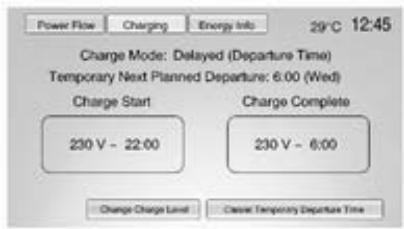
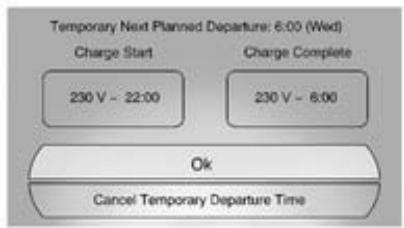
To cancel the temporary override of the next planned departure time, press Cancel Temporary Departure Time on the bottom of the touch screen of the temporary charge mode screen or pop-up, respectively.
Charging override / interruption pop-up
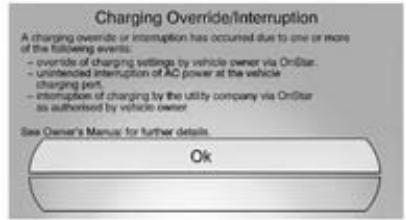
A pop-up will appear if the following occurs:
There was an unintended loss of AC power during the plug-in charge event. For example, there was a power outage or the charge cord was unplugged from the wall.
Programmable charging disabled

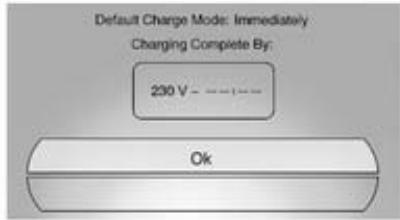
When the programmable charging system is disabled, the screen and the pop-up of the default charge mode status will display - - - instead of the charge complete time. The programmable charging system will be disabled if the charge complete time cannot be confidently estimated.
If the programmable charging system is constantly disabled, seek the assistance of a workshop.
Energy information
To view the Energy Usage, Energy Efficiency and Efficiency Tips, press on the instrument panel and then press Energy Info.
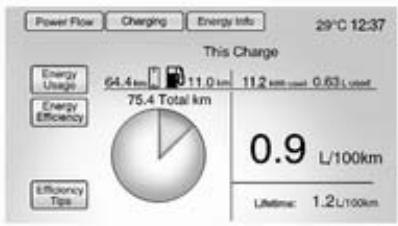
Energy Usage
This screen displays information for the total of all the drive cycles since the last time the high voltage battery was fully charged. This includes distance travelled in electric mode, distance travelled in extended range mode, total distance travelled, electric energy used from the battery, total fuel used and average fuel economy.
There are maximum limits to some of the values displayed. These values are replaced with dashes, if the value limits have been reached. To reset these values, the high voltage battery will need to be fully recharged. The circle graph also represents the percentage of distance travelled using electric mode versus extended range mode. The lifetime fuel economy is a total over the life of the vehicle. It can only be reset by a workshop.
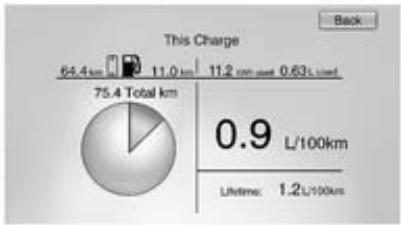
Energy usage information will also appear automatically on power off when the retained power off is active. This automatic pop-up can be disabled in the vehicle personalisation.
Vehicle personalisation 84.
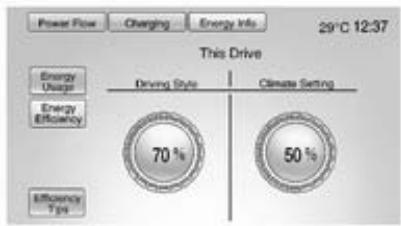
Energy efficiency
This screen is accessed by pressing Energy Efficiency on the Energy Info screen. This screen displays the energy efficiency over the drive cycle based on driving style and climate settings. Driving in a more efficient manner will result in a higher percentage displayed for driving style. Minimising the use of the climate control system will result in a higher percentage displayed for climate setting.
Efficiency Tips
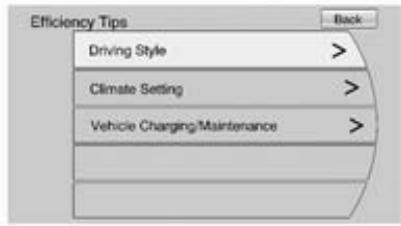
This screen is accessed by pressing Efficiency Tips from the Energy Info screen. This screen provides a guide on how to improve energy usage to increase fuel economy and range.
Vehicle messages
Messages displayed in the Driver Information Centre (DIC) indicate the status of the vehicle or some action that may be needed to correct a condition. Multiple messages may be displayed one after the other.
Messages that do not require immediate action can be acknowledged and cleared by pressing the SELECT knob. The messages requiring immediate action cannot be cleared until that action is performed. All messages should be taken seriously.
Follow the instructions given in the messages.
The system displays messages regarding the following topics:
Fluid levels
Starting
Maintenance
Anti-theft alarm system
Brakes
Ride control systems
Cruise control
Object detection systems
Front camera
Lighting, bulb replacement
Wiper/washer system
- Doors, windows
Radio remote control
Airbag systems
Engine and electric drive unit
Tyres
Battery and charging
Vehicle operation modes
Speed limit
Vehicle personalisation
Vehicle Personalisation can be accessed by using either the Infotainment controls or the touch screen in the Colour-Info-Display. See the separate Infotainment system manual for more information.
Using the Infotainment controls
Use the TUNE/MENU knob, the CONFIG and the BACK buttons on the instrument panel to select personalisation features.
- CONFIG: Press to scroll through the available menus across the top of the touch screen display.
TUNE/MENU:
Press to enter, select or activate a highlighted menu option.
Turn to highlight a menu option.
Press to turn a system setting on or off.
BACK:
Press to exit a menu.
Press to return to a previous screen.
Submenus
An arrow on the right-hand edge of the menu indicates that it has a submenu with other options.
Selecting a menu option
- Turn the TUNE/MENU knob to highlight the function.
- Press the TUNE/MENU knob to select the highlighted option. A checkmark next to the option indicates the selected option.
Turning a function on or off
- Turn the TUNE/MENU knob to highlight the function.
- Press the TUNE/MENU knob to turn the function on or off. A checkmark next to the function indicates that the function is on.
Using the touch screen
Use the touch screen icons and menus on the Colour-Info-Display to select personalisation features.
= Touch to scroll up.
= Touch to scroll down.
Back: Touch Back in the upper right corner of the display to return to the previous menu.
Submenus
An arrow on the right-hand edge of the menu indicates that it has a submenu with other options.
Selecting a menu option
Touch any of the available menu options on the touch screen to select the option. A checkmark next to the option indicates the selected option.
Turning a function on or off
Touch the screen where the available function is listed to turn it on or off. A checkmark next to the function indicates that the function is on.
Entering the personalisation menu
Press vehicle menu on the touch screen.
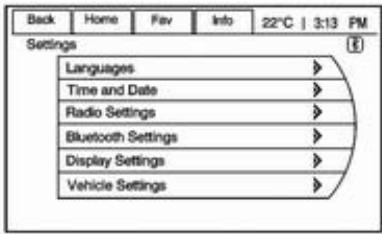
The vehicle menu features may include:
Climate and air quality
Comfort & Convenience
Languages
Exterior ambient lighting
Power door locks
Remote Lock/Unlock/Start
- Restore factory settings
Climate and air quality
Select the Climate and air quality menu to display:
Auto fan speed
Auto heated seats
Auto demist
Engine Assisted Heating
Auto fan speed
Auto fan speed sets the automatic fan speed to maintain the desired interior temperature. Choose a blower setting:
High: Increased speed.
Medium: Moderate speed.
Low: Reduced speed.
Auto heated seats
When enabled, the auto heated seat button on the touch screen will be highlighted. This feature will automatically activate the heated seats function at the level required by the interior temperature. Auto heated seats can be turned off by using the heated seat buttons on the instrument panel.
Auto demist
If it is on and high humidity is detected, the climate control system will adjust the outside air intake, air conditioning or heat to decrease fogging. The fan speed may increase. If high humidity is no longer detected, the system will return to previous operation.
Engine Assisted Heating
Select one of the following:
At Cold Outside Temperatures: allows starting of the engine at +2^ or below
At Very Cold Outside Temperatures: allows starting of the engine at -10^ or below
Comfort & Convenience
Select the Comfort & Convenience menu and the following options will be displayed:
Chime volume
- Button Chime
Energy Summary Exit Pop-up
Personalization by driver
Charging Cord Theft Alert
Charging Power Loss Alert
Chime volume
This setting allows the selection of the chime volume level to be either set to normal or to high.
Button Chime
This setting allows a tone to be heard when a selection is made using the Infotainment system.
Energy Summary Exit Pop-up
This setting allows the Energy Summary Exit Pop-up to be turned on or off.
Personalization by driver
This setting allows the radio to store favourites selected by driver.
Charging Cord Theft Alert
This setting allows the Charging Cord Theft Alert to be turned on or off.
Charging Power Loss Alert
This setting allows the Charging Power Loss Alert to be turned on or off.
Languages
This setting allows the selection of the desired language.
Exterior ambient lighting
Select the lighting menu and the following options will be displayed:
Duration upon exit of vehicle
- Exterior lighting by unlocking
Duration upon exit of vehicle
This setting allows the selection of how long the exterior low beam stays on when leaving the vehicle and it is dark outside.
The available options are:
Off
30 seconds
1 minute
2 minutes
Exterior lighting by unlocking
This setting allows the vehicle locator lights to be turned on or off. When on, the low beam, sidelights, tail lights, number plate lights and reversing lights will illuminate if is pressed on the radio remote control.
Power door locks
Select Power door locks and the following options will be displayed:
Auto door unlock
Auto door lock
Prevent doorlock while door open
Auto door unlock
This setting allows selection of which doors will automatically unlock if the shift lever is set to P
The available options are:
All doors
Driver door
Off
Auto door lock
This setting allows selection if doors will automatically lock when the shift lever is set to D.
Prevent doorlock while door open
When on, this setting will keep the driver's door from locking until the door is closed. If this feature is turned on, the Delayed door lock menu will not be available.
Remote locking, unlocking, starting
Select Remote Lock / Unlock / Start and the following options will be displayed:
- Exterior lighting by unlocking
Door Unlock
Passive door unlock
Passive door lock
Remote left in vehicle reminder
Exterior lighting by unlocking
When on, the exterior lights will flash when unlocking the vehicle with the radio remote control.
Door Unlock
This setting allows the selection of which doors will unlock when pressing on the radio remote control.
The available options are:
All doors
Driver door
If All doors is selected, all doors will be unlocked.
If Driver door is selected, only the driver's door will be unlocked on the first press of . All doors will be unlocked on the second press of within 5 seconds of the previous press.
Passive door unlock
This setting allows the selection of which doors are unlocked by pressing the button on the outside door handle.
The available options are:
All doors
Driver door
Passive door lock
This setting allows passive locking to be turned on or off and selecting what type of feedback is given.
The available options are:
Off
On
ON with Active Chirp
Remote left in vehicle reminder
When on, the horn will chirp rapidly three times when a radio remote control is left in the vehicle.
Restore factory settings
This setting returns the vehicle personalisation settings to factory settings.
Lighting
Exterior lighting 89
Interior lighting 92
Lighting features 94
Exterior lighting
Light switch
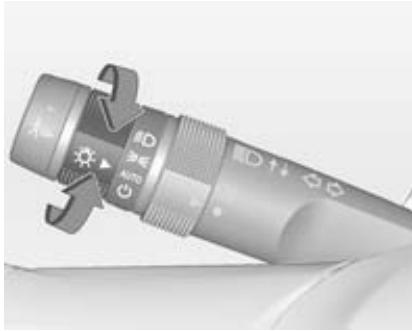
Turn adjuster wheel:
AUTO = automatic light control: exterior lighting is switched on and off automatically depending on external lighting conditions. = activation or deactivation of the automatic light control. Switch turns back to AUTO.
≤ = sidelights
D = low beam
Tail lights
Tail lights are illuminated together with the low beam and the sidelights.
Automatic light control
Automatic light control function
When the automatic light control function is switched on and the ignition is switched on, the system switches between daytime running light and low beam depending on the lighting conditions.
Daytime running light
Daytime running light increases visibility of the vehicle during daylight. While the daytime running light is active, the tail lights and the sidelights are switched off.
If the ignition is switched on and the vehicle is stopped, the daytime running light can be turned off by moving the shift lever to P. The daytime running light will stay off until the shift lever is moved out of P. Please regard that the low beam should be turned on when needed.
Note
Do not cover the light sensor otherwise the AUTO mode will not operate properly.
Automatic light activation
During poor lighting conditions, the low beam is switched on.
Furthermore the low beam, parking lights and other exterior lights are switched on if the windscreen wipers have been activated. The transition time for the lights coming on varies based on wiper speed. When the wipers are not operating, these lights turn off. Move the exterior lamp control to or to disable this feature.
Tunnel detection
When a tunnel is entered, the low beam is switched on.
High beam
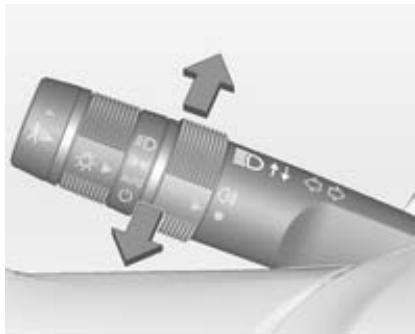
To switch from low to high beam, push the turn and lane-change signal lever.
To switch to low beam, push lever again or pull.
Headlight flash
To activate the headlight flash, pull the turn and lane-change signal lever.
Headlight range adjustment
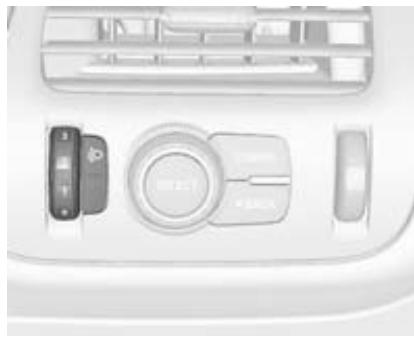
To adapt headlight range to the vehicle load to prevent dazzling: turn thumb wheel to required position.
0 = front seats occupied
1 = all seats occupied
2 = all seats occupied and load compartment laden
3 = driver's seat occupied and load compartment laden
Hazard warning flashers
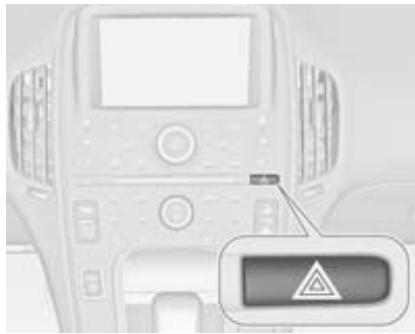
Operated with the button.
In the event of an accident with airbag deployment, the hazard warning flashers are activated automatically.
Turn and lane-change signals
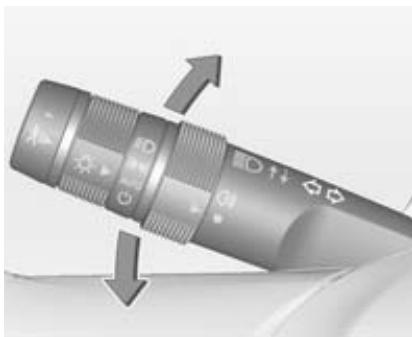
lever up = right turn signal
lever down = left turn signal
If the lever is moved past the resistance point, the turn signal is switched on constantly. When the steering wheel moves back, the turn signal is automatically deactivated.
For three flashes, e.g. when changing lanes, press the lever until resistance is felt and then release.
Switch the turn signal off manually by moving the lever to its original position.
Turn signal control indicator 67.
Rear fog lights
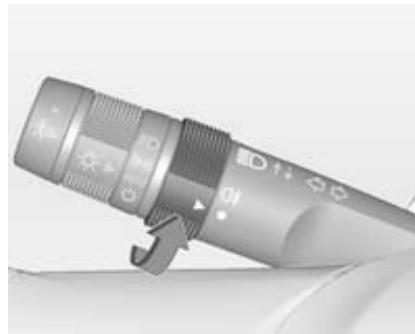
Turn the rear fog light band on the lever to 0 and release it, to turn the rear fog light on or off. The band will return to its original position.
The rear fog light is automatically set to off each time the vehicle is started.
Headlights and sidelights must be on for the rear fog light to work.
Parking lights
When the ignition is switched off, the parking lights on one side can be activated:
- Switch off the vehicle.
- Move turn signal lever all the way up (right parking lights) or down (left parking lights).
Confirmed by a signal and the corresponding turn signal control indicator.
The parking lights will remain illuminated until the ignition is switched on or the turn signal lever is returned to the neutral position.
Reversing lights
The reversing light comes on when the ignition is switched on and reverse gear is selected.
Electric drive unit 113.
Misted light covers
The inside of the light housing may mist up briefly in poor, wet and cold weather conditions, in heavy rain or after washing. The mist disappears quickly by itself; to help switch on the low beam.
Interior lighting
Instrument panel illumination control
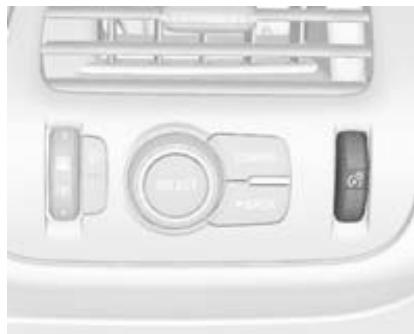
Brightness of the following lights can be adjusted when the exterior lights are on:
Instrument panel cluster display
Infotainment display
- Illuminated switches and operation elements
Turn thumb wheel up or down to brighten or dim the lights.
Dome lights
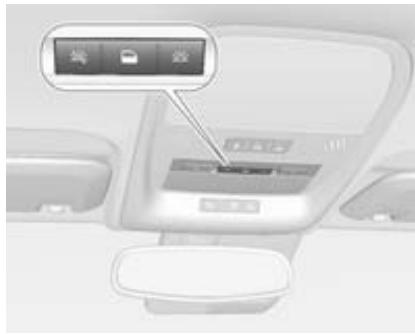
To operate, press the following buttons:
= automatic switching on and off
兴 = on
= off
Reading lights
There are front and rear reading lights.
The reading lights are operated with 和 and for the respective light.
Front reading lights

The front reading lights are located in the overhead console.
Rear reading lights
The rear reading lights are located in the headliner.
Lighting features
Entry lighting
Low beam, reversing light and the interior lights turn on briefly by pressing on the radio remote control.
The lights turn off immediately when the button is pressed or automatically after a brief period.
Exit lighting
The low beam and the reversing light come on by doing the following:
- Switch off ignition.
- Open the driver's door.
- Pull the turn signal lever briefly and release.
Some interior lights come on when the ignition is switched off. The exterior and the interior lights remain on after the door is closed for a brief period and then turn off.
Activation, deactivation and duration of this function can be changed in the Colour-Info-Display.
Vehicle personalisation 84.
Battery discharge protection
The battery saver feature is designed to protect the vehicle's 12-volt battery.
If any interior light is left on and the ignition is switched off, the battery rundown protection system automatically turns the lights off after approx. 10 minutes.
If the exterior lights are left on, they turn off when the ignition is switched off. If the sidelights are switched on when the ignition is switched off, the sidelights remain on until they are manually switched off.
Climate control
Climate control systems 95
Air vents 102
Maintenance 103
Climate control systems
Automatic climate control system
Note
Do not cover the sensor located on top of the instrument panel, otherwise the automatic climate control system may not work properly.

Climate control touch screen
The climate mode, fan, air delivery, recirculation and auto heated seat can be controlled by pressing the
CLIMATE button on the instrument panel and viewing information in the Colour-Info-Display.

Climate mode operation
Three different climate mode settings can be selected. These settings adjust the impact the climate control system has on the vehicle's electric range or fuel economy.
To select a climate mode:
- Press CLIMATE on the instrument panel.
- Press the respective climate mode button on the touch screen. The climate mode will be illuminated.
Climate modes
MIN mode
The air conditioning and electric heat are turned off. As long as is not selected, the climate control settings may not have a noticeable effect on the vehicle electric range and fuel economy.
If it is in MIN mode, the AUTO indicator light will be off. When AUTO is selected in Min mode, the mode will change to either ECO or MAX.
If it is in MIN mode, the air conditioning system may turn on automatically when the high voltage battery is being cooled. The climate control system could blow cold air. This is normal. To prevent blowing
cold air into the interior, turn off the fan control and select the vent mode and manual recirculation mode. Close the air vents.
If it is in MIN mode and if automatic defog is enabled, the air conditioning and electric heat may turn on if high humidity conditions exist.
Vehicle personalisation 84.
The air conditioning may also run if is selected.
ECO mode
The air conditioning and electric heat are controlled to balance comfort with fuel economy.
As long as is not selected, the vehicle electric range or fuel economy will decrease less than in MAX mode, but will result in moderate comfort.
MAX mode
The air conditioning and electric heat function are controlled to reach the highest comfort level based on the selected temperature setting. In this
mode, vehicle electric range or fuel economy will decrease depending on the amount of energy required to reach the best comfort levels.
Climate power gauge

If the climate mode is changed, the climate power gauge will display the impact that the changes will have on energy use. The higher the value, the more energy is being used.
Air conditioning / heat status indicators
The air conditioning or heat status indicator displays when the air conditioning or electric heat is being used.
Air conditioning / electric heating
Air conditioning and electric heating can be on at the same time in ECO or MAX modes if dehumidifying is required.
In MIN mode air conditioning and/ or heating status will occasionally be on if the auto defog function is enabled and high humidity is detected.
Vehicle personalisation 84.
Air conditioning may also run if is selected, regardless of the climate mode.
Automatic operation
The system automatically controls the fan speed, air delivery mode and recirculation to heat up or cool down the vehicle to the selected temperature.
It is also possible to preset three fan speeds in the vehicle personalisation. Vehicle personalisation 84.
The AUTO indicator light is on, if the system is in full automatic operation. If the air delivery mode, fan speed or recirculation setting is adjusted, the AUTO indicator will turn off and the selected settings will be displayed.
For automatic operation:
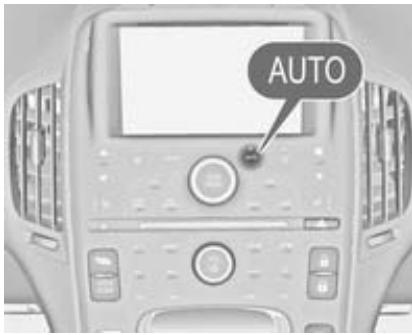
1. Press AUTO.
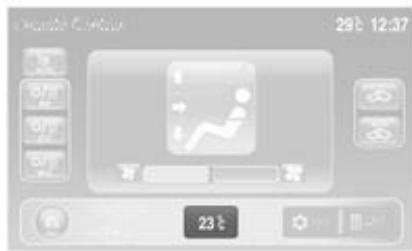
2. Set the temperature to the desired value. An initial setting of 23^ is recommended.
Temperature control
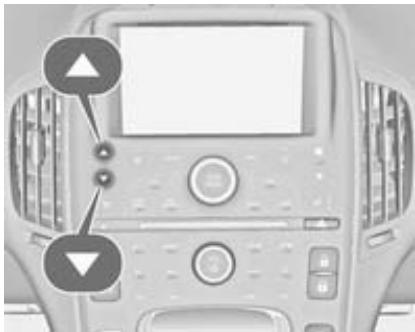
Press or to increase or decrease the temperature.
Auto defog
The system monitors high humidity inside the vehicle. If detected, the system may adjust to outside air supply and turn on the air conditioning or the heater. The fan speed may slightly increase to help prevent fogging. When high humidity is no longer detected, the system will return to its prior operation.
Vehicle personalisation 84.
Manual operation
Fan control
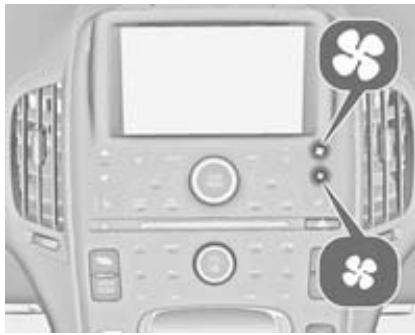
Press the fan control buttons on the instrument panel or the touch screen fan control, to increase or decrease the fan speed.
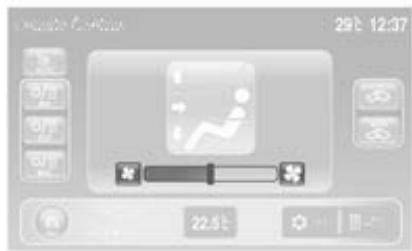
The fan speed setting is displayed. Press AUTO to return to automatic operation. To turn the fan or climate control system off, press the fan down button repeatedly.
If the fan is manually turned off while in ECO or MAX mode, the display will automatically change to MIN mode. If the fan is turned back on either by manually increasing fan speed or pressing the AUTO button, the climate mode will revert back to ECO or MAX mode.
Air delivery mode control
Press CLIMATE on the instrument panel to select the climate touch screen.

Press the air delivery mode button on the touch screen to change the direction of the airflow. The selected air delivery mode button is illuminated. Pressing any of the air delivery buttons cancels automatic air delivery control and the direction of the airflow can be controlled manually. Press AUTO to return to automatic operation.
To change the current mode, select one of the following options:
±b to head via adjustable air vents
to head and to foot well
: to floor well
: to windscreen and front door windows
Air is directed to the windscreen. The windscreen is cleared of fog or frost more quickly.

Selecting will disable automatic control and the AUTO button indicator will not be illuminated.
Select again to return to the previous climate settings.
If is selected in MIN or ECO mode, air conditioning or electric heating may turn on and have a noticeable effect on vehicle electric range and fuel economy.
Auto recirculation
Warning
The exchange of fresh air is reduced in air recirculation mode. In operation without cooling the air humidity increases, so the windows may mist up from inside. The quality of the passenger compartment air deteriorates, which may cause the vehicle occupants to feel drowsy.
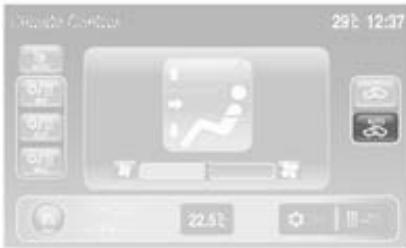
Press AUTO to allow the system to automatically choose the air supply mode for best comfort, efficiency and defogging. Air is recirculated or outside air is pulled into the vehicle. The touch screen button is illuminated.
Manual recirculation

Press to recirculate air inside the vehicle, press it again to select outside air. If selected, the touch screen button will light up to indicate that air is being recirculated. This helps to quickly cool the air inside the vehicle or prevent outside air and odours from entering.
Pressing cancels automatic recirculation. Press AUTO or AUTO to return to automatic operation; recirculation runs automatically as needed.
Manual recirculation mode will not be available if defrosting or defogging are selected.
Driver auto heated seat
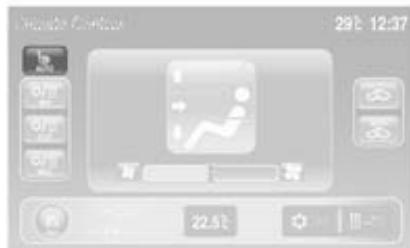
Press CLIMATE on the instrument panel.
Press AUTO on the touch screen. The button colour will change to green to confirm the setting. By switching on the ignition, this feature will automatically activate the driver heated seat function at the level required by the vehicle's interior temperature. The indicator lights next to the seat heating symbol on the
instrument panel indicate the heat setting. Use the touch screen button or the manual heated seat buttons on the instrument panel to turn driver auto heated seat off.
Heated seats 37.
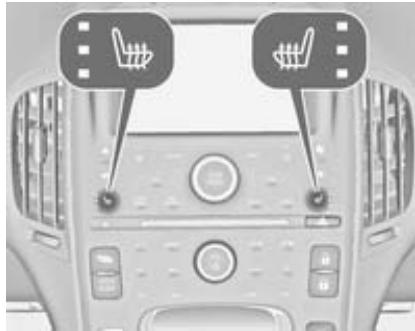
Manual heated seats
While the ignition is on press of the respective seat to operate the seat heating.
The controls are located on the instrument panel.
Heated seats 37.

Heated rear window
Operated by pressing the button.
Heated rear window 33.
Heated rearview mirror 30.
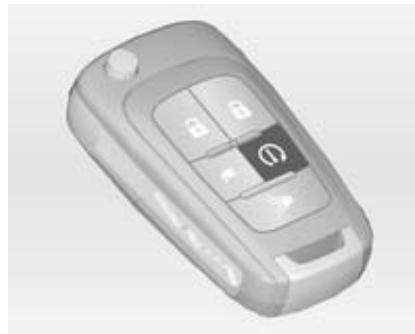
Engine Assisted Heating
Operated by pressing (1) on the radio remote control.
The climate control system will default to an appropriate heating or cooling mode and the rear window heating will turn on in the event of cold outside temperatures.
Engine Assisted Heating 20.
Compressor
The vehicle has an electrically operated air conditioning compressor. This allows for continuous air conditioning and/or high voltage battery cooling operation, without running the engine.
Air vents

To open the vent, turn the adjuster wheel to. .Turn the adjuster wheel at the vent outlet to adjust the amount of air coming out.
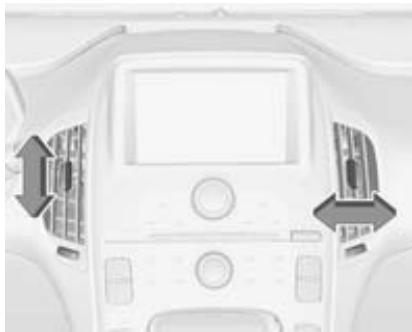
Tilt and swivel the slats to direct the flow of air.
To close the vent, turn the adjuster wheel to .
Warning
Do not attach any objects to the slats of the air vents. Risk of damage and injury in case of an accident.
Maintenance
Air intake

The air intake in front of the windscreen in the engine compartment must be kept clear to allow air intake. Remove any leaves, dirt or snow.
Pollen filter
The pollen filter cleans dust, soot, pollen and spores from the air entering the vehicle through the air intake.
Service
For optimal cooling performance, it is recommended to annually check the climate control system, starting three years after initial vehicle registration, including:
Functionality and pressure test
Heating functionality
Leakage check
- Cleaning of condenser and evaporator drainage
Performance check
Driving and operating
Driving hints 104
Starting and operating 105
Electric vehicle operation modes 109
Engine exhaust 113
Electric drive unit 113
Brakes 115
Ride control systems 118
Driver assistance systems 120
Charging 130
Fuel 137
Towing 140
Driving hints
Driving economically
Use the following advices are supposed to help maximise energy efficiency and range.
Driving style
Avoid unnecessary rapid accelerations and decelerations.
Electric range is maximised at 50 mph and below. Higher speeds use more energy and can significantly reduce the electric range.
Use cruise control when appropriate.
Do not shift to N to coast. The vehicle recovers energy while coasting and braking in D or L.
Efficiency gauge in the instrument cluster
The ball indicator should stay green and in the centre of the gauge.
Inefficient acceleration is indicated by the ball turning yellow and moving above the centre of the gauge.
Aggressive braking is indicated by the ball turning yellow and moving below the centre of the gauge.
Drive mode and gear mode selection Use normal drive mode when possible.
Sport mode provides more responsive acceleration than normal mode but can reduce efficiency.
Use mountain mode prior to climbing long, steep grades in mountainous areas. Be sure to engage mountain mode before starting to climb.
Mountain mode reduces electric range and power but may be needed to maintain speeds above 60 mph when climbing grades of 5 % or greater.
Use L in heavy stop-and-go traffic or when travelling downhill. L requires less brake pedal application and provides a controlled, efficient way to slow the vehicle down.
Vehicle charging / maintenance
Charging
Keep the vehicle plugged in, even if fully charged, to keep the battery temperature ready for the next drive. This is important when outside temperatures are extremely hot or cold.
Maintenance
Always keep the tyres properly inflated and the vehicle properly aligned.
The weight of additional cargo in the vehicle affects efficiency and range. Avoid carrying more than is needed. If fuel is not regularly used, consider keeping the fuel tank only one-third full. Excess fuel weight impacts efficiency and range.
Avoid unnecessary use of electrical accessories. Power used for functions other than propelling the vehicle will reduce electric vehicle range.
The mounting of a roof rack is not approved for the Ampera.
Control of the vehicle
Pedals
To ensure the pedal travel is uninhibited, there must be no mats in the area of the pedals.
Starting and operating
New vehicle running-in
The vehicle does not require a running-in period.
Power button
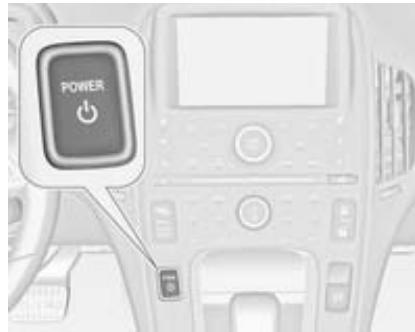
The vehicle has an electronic pushbutton start. The button light flashes when the driver's door is open and the ignition is not on. The flashing light will eventually time out. The button light is constantly on when the
ignition is on. When the ignition is switched off, the button light will also turn off1).
The radio remote control has to be within the vehicle for the system to operate. If the vehicle does not start, place the mechanical key of the radio remote control inside the transmitter slot located in the instrument panel storage compartment.
Starting and stopping the vehicle 107.
Switch on ignition
With the ignition off and the brake pedal applied, press once to switch on the ignition. The READY light will be illuminated in the instrument cluster, if the vehicle is ready to be driven. This can take up to 15 seconds at extremely cold temperatures. The engine will only start if necessary. If the vehicle does not start, the instrument cluster will display a screen with inactive fuel and battery gauges.
Vehicle ready light 72.
Starting and stopping the vehicle 107.
Ignition off
To switch the ignition off, push button with the vehicle in P. Retained power off will remain active until the driver's door is opened. If switching off the ignition while the vehicle is not in P, the vehicle will not be ready to be driven. However, some of the electrical features of the vehicle can be used. A message will appear in the Driver Information Centre (DIC).
Retained power off 106.
Electric drive unit 113.
The vehicle may have an electric steering column lock. The lock is activated when the ignition is switched off and one of the front doors is opened. A sound may be heard as the lock actuates or releases. The steering column lock may not release if the wheels are not turned to the centre. If this happens, the vehicle may not start. Move the steering wheel from left to right while
attempting to start the vehicle. If this does not work, seek the assistance of a workshop.
If the vehicle must be shut-off in an emergency:
- Brake, applying a firm and steady pressure. Do not pump the brakes repeatedly. This may deplete power assist, requiring increased brake pedal force.
- Shift the vehicle into N. This can be done while the vehicle is moving. After shifting to N, firmly apply the brakes and steer the vehicle to a safe location.
- Come to a complete stop, shift to P and switch the ignition off by pushing button
- Set the parking brake 115.
Retained power off
The following electronic systems can work until the driver's door is opened or up to 10 minutes after the ignition is switched off:
Audio system
Power outlets
Power windows will operate for up to 10 minutes or until any door is opened.
Starting and stopping the vehicle
Starting
Move the shift lever into P or N. The propulsion system does not start in any other position.
Note
Do not try into shift to P if the vehicle is moving as the electric drive unit could be damaged. Shift into P only if the vehicle is stopped.
The radio remote control must be within the vehicle. Press the brake pedal and press button . If the radio remote control is not within the vehicle or something interferes with the transmitter, a message will be displayed in the Driver Information Centre (DIC).
Radio remote control 20.

A welcome, ready, and goodbye audio message is given out in the vehicle and animated on the instrument cluster when opening the driver's door upon entry, when the vehicle is ready to be driven and when the ignition is switched off. The instrument cluster will display an active fuel or battery gauge, along with an audio start-up cue, if the vehicle is ready to be driven.
Starting the vehicle with a low radio remote control battery
If the vehicle does not start due to a low radio remote control battery, a message will be displayed in the DIC.
To still drive the vehicle proceed as follows:
- Open the instrument panel storage and remove the rubber mat.
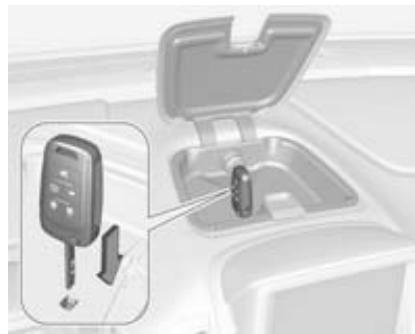
- Extend the key blade and place the blade into the slot.
- With the vehicle in P or N, apply the brake pedal and press on the instrument panel.
Replace the radio remote control battery as soon as possible.
Battery replacement 20.
Starting the vehicle at low temperatures
It is recommended to switch on the ignition while the vehicle is plugged in when exterior temperatures are below 0^ C.
Should the exterior temperatures be lower than -32^ , the vehicle has to be plugged in when the ignition is switched on.
Restarting
Caution
If the vehicle must be restarted while it is still moving, move the shift lever to N and press twice without pressing the brake pedal. The propulsion system will not restart in any other way.
Computers determine when the engine needs to run. The engine may start, if required, when the propulsion system is on.
Electric mode 109.
A chime will sound if the driver's door is opened while the ignition is switched on. Always press to switch the ignition off before exiting.
Stopping
Power button 105.
Parking
Note
Do not allow the vehicle to remain in extreme temperatures for long periods without being driven or being plugged in.
-
Do not park the vehicle on an easily ignitable surface. Flammable materials could get in touch with hot exhaust parts under the vehicle and ignite.
Always apply the parking brake. Pull switch for approximately one second. -
Switch off the ignition. Turn the steering wheel until the steering wheel lock engages.
If the vehicle is on a level surface or uphill slope, apply the parking brake and then shift the selector lever to P before switching off the ignition. On an uphill slope, turn the front wheels away from the kerb. If the vehicle is on a downhill slope, apply the parking brake and then shift the selector lever to P before switching off the ignition. Turn the front wheels towards the kerb.
Lock the vehicle and activate the anti-theft alarm system.
Electric vehicle operation modes
Operation
This vehicle is an extended range electric vehicle. It always uses an electric propulsion system to drive the vehicle. Electricity is the vehicle's primary source of energy, while petrol is the secondary source.
The vehicle has two modes of operation: Electric and extended range. In both modes, the vehicle is propelled by its electric drive unit. It converts electrical energy into mechanical energy to drive the wheels. The vehicle's performance is the same in either mode.
Depending on the selected operation mode, a battery or a fuel gauge is shown mainly in the instrument cluster.
Battery gauge 64.
Fuel gauge 63.
Electric mode
In electric mode the vehicle does not use fuel and does not produce emissions. In this primary mode, the vehicle is powered by electrical energy stored in the high voltage battery. The vehicle operates in this mode until the battery has reached a low charge level.
There are some conditions when the battery charge level is high enough to provide electric mode operation, but the engine still runs. These are:
Cold ambient temperatures.
Hot or cold high voltage battery temperatures.
The bonnet being open or not completely closed and latched.
Certain high voltage battery fault conditions.
Engine maintenance mode or fuel maintenance mode being run.
Extended range mode
When the vehicle reaches the end of its electric range, it switches to extended range mode. In this secondary mode, electricity is produced by the fuel-powered engine. This secondary source of electric power extends the vehicle range. Operation will continue in extended range mode until the vehicle can be plugged in to recharge the high voltage battery and restore electric mode.
The high voltage battery will continue to provide some power and work together with the engine to provide peak performance if required, such as driving up a steep incline or performing high acceleration manoeuvres. The battery is not charged nor is the electric vehicle range restored by the engine.
In electric mode as well as in extended range mode, if there is a high voltage battery fault, the engine may run without turning off to generate the required electricity. The malfunction indicator light will turn on.
Malfunction indicator light 68.
Drive modes
While driving in electric or extended range mode, additional operating modes can be selected.
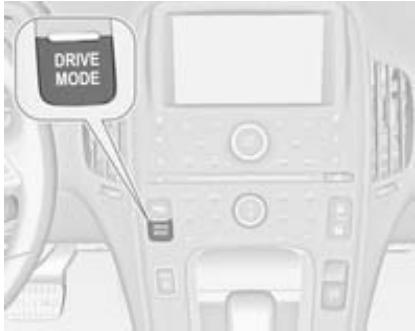
Press DRIVE MODE repeatedly until the desired drive mode is highlighted in the Driver Information Centre (DIC).
DRIVE MODE
Normal
Sport
Mountain Hold
After 3 seconds, the new drive mode will become active.
At the next start, the vehicle will be set back to Normal mode.
Under certain conditions, some drive modes may be unavailable. The unavailable mode is greyed out in the DIC menu and cannot be selected.
If in Sport, Mountain or Hold mode, the mode may become unavailable and the vehicle returns to Normal mode. The indicator light goes off and a DIC message displays.
Driver Information Centre (DIC) 73.
Sport mode
Sport mode provides more responsive acceleration than Normal mode, but can reduce efficiency. Use Normal mode whenever possible.
Control indicator Sport 70.
Mountain mode
Mountain mode should be selected at the beginning of a trip before climbing steep, uphill grades and when expecting to drive in very hilly or mountainous terrain. This mode maintains a reserve of electrical charge from the high voltage battery to provide better grade climbing performance. While driving in Mountain mode, the vehicle has less responsive acceleration. Mountain mode does not change normal vehicle braking performance for steep downhill grades.
If steep hill driving is expected, it is recommended to select Mountain mode at least 20 minutes before driving on steep grades. This allows the vehicle to build a sufficient battery charge reserve.
If Mountain mode is not selected under these conditions, propulsion power may be reduced and the engine speed may increase.
Control indicator Mountain 70.
Hold mode
Hold mode is only available if the vehicle is in electric mode. This mode places the remaining battery charge into a reserve for the driver to use as desired. If this mode is selected the vehicle runs in extended range mode maintaining the battery charge reserve.
Hold mode will not change normal vehicle acceleration or braking performance.
Control indicator Hold 70.
Maintenance modes
Engine maintenance mode
Engine maintenance mode runs the engine to keep it in good working condition after approximately six weeks of no or very limited engine operation. Engine maintenance mode
will force the engine to run, even if there is a charge to power the vehicle. When engine maintenance mode is required, a request screen appears on the Colour-Info-Display at vehicle start.
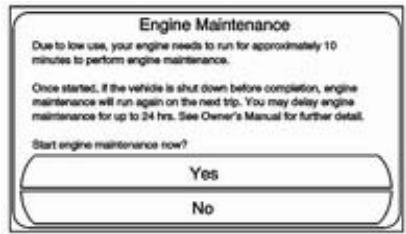
If Yes is selected, engine maintenance mode will start. The engine will run for a set amount of time without turning off. During engine maintenance mode, a DIC message is displayed to show the engine maintenance mode percentage complete.
If No is selected, the engine maintenance mode request screen will appear when the vehicle is started
the next time. The engine maintenance mode request can be delayed for only one day.
If the engine maintenance mode request has been delayed for one day, the engine will automatically start at the next vehicle start. An engine maintenance mode notification screen will appear in the Colour-Info-Display.
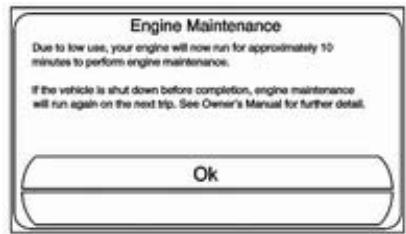
If the vehicle is shut off during engine maintenance mode, it will restart the next time the vehicle is driven. A message displays to indicate that engine maintenance mode is active.
If engine maintenance mode is required and the fuel level is low, engine maintenance mode may eventually empty the fuel tank. This
results in reduced, or no power. An adequate fuel level must be maintained in the vehicle to keep it operational.
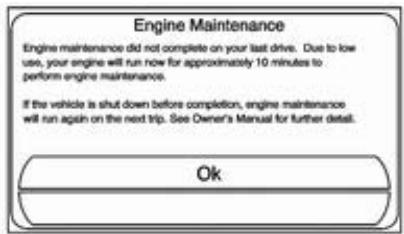
Driver Information Centre (DIC) 73.
Fuel maintenance mode
Fuel maintenance mode tracks average fuel age. Old fuel can cause engine problems. If low engine usage causes average fuel age to exceed approximately one year, fuel maintenance mode will run the engine to use up the old fuel. The engine will run until enough fresh fuel is added to bring the average fuel age into an acceptable range. Allowing more old fuel to be used up by fuel maintenance mode and adding a
larger amount of fresh fuel will maximise the length of time before another fuel maintenance mode is needed. During fuel maintenance mode the engine may turn on and off. If fuel maintenance mode is needed, a request screen appears on the Colour-Info-Display at vehicle start.

If Yes is selected, fuel maintenance mode will start. Fuel maintenance mode is automatically activated at each vehicle start until fresh fuel is added.
If No is selected, the fuel maintenance mode request screen will appear when the vehicle is started the next time. The fuel maintenance mode request can be delayed for only one day.
If the fuel maintenance mode request has been delayed for one day, it will start at the next vehicle start and display the fuel maintenance mode notification screen on the Colour-Info-Display.
If fuel maintenance mode is required and the fuel level is low, fuel maintenance mode may eventually empty the fuel tank. This results in reduced, or no power. An adequate fuel level must be maintained in the vehicle to keep it operational.
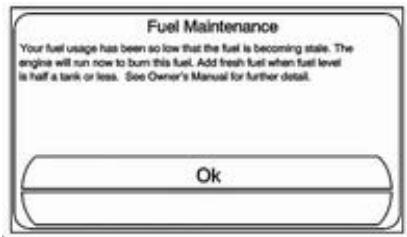
Engine exhaust
Danger
Engine exhaust gases contain poisonous carbon monoxide, which is colourless and odourless and could be fatal if inhaled.
If exhaust gases enter the interior of the vehicle, open the windows. Have the cause of the fault rectified by a workshop.
Avoid driving with an open load compartment, otherwise exhaust gases could enter the vehicle.
Electric drive unit
Operation
The vehicle uses an electric drive unit. The shift lever is located on the console between the seats.
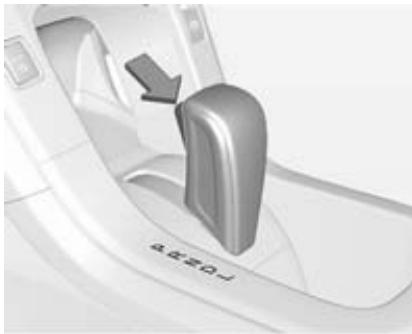
P (Park): This position locks the front wheels. It is the recommended position when starting the propulsion system because the vehicle cannot move easily.
Warning
It is dangerous to get out of the vehicle if the shift lever is not fully in P with the parking brake firmly applied. The vehicle can roll.
Do not leave the vehicle when the propulsion system is running, the vehicle may move suddenly. You or others can be injured. To be sure the vehicle will not move, even if you are on even ground, always apply the parking brake and move the shift lever to P.
Make sure the shift lever is fully in P before starting the propulsion system. The vehicle has an electric drive unit shift lock control system. The brake pedal must be fully applied first and then the shift lever button pressed before shifting from P when the ignition is on. If you cannot shift out of P, ease the pressure on the shift lever, then push the shift lever all the way into P maintaining brake pedal
application. Then press the shift lever button and move the shift lever into another gear.
Note
If you have continuous problems to move the shift lever from P as mentioned, seek the assistance of a workshop.
Note
The shift lock is always functional except in the case of an uncharged or low charged 12-volt battery.
Try charging or jump starting the 12-volt battery.
Jump starting 170.
R (Reverse): Use this gear to back up.
Note
Shifting to R while the vehicle is moving forward could damage the electric drive unit. Shift to R only after the vehicle is stopped.
N (Neutral): In this position, the propulsion system does not connect with the wheels.
D (Drive): This position is for normal driving. It provides the best fuel economy. If more power is needed for passing, and the vehicle is:
- Going less than 35 mph, push the accelerator pedal approx. halfway down.
- Going approx. 35 mph or more, push the accelerator all the way down.
Note
If the vehicle seems to accelerate slowly or not to respond when trying to go faster, do not continue driving since the electric drive unit could be damaged.
Seek the assistance of a workshop.
L (Low): This position reduces vehicle speed without using the brakes. You can use L on hills. It can help control vehicle speed going down steep mountain roads along with using the brakes off and on. You can use L on very steep hills, in deep snow or in mud.
Note
Spinning the tyres or holding the vehicle in one place on a hill using only the accelerator pedal may damage the electric drive unit. If you are stuck, do not spin the tyres. When stopping on a hill, use the brakes to hold the vehicle in place.
Brakes
The brake system comprises two independent brake circuits.
If a brake circuit fails, the vehicle can still be braked using the other brake circuit. However, braking effect is achieved only when the brake pedal is depressed firmly. Considerably more force is needed for this. The braking distance is extended. Seek the assistance of a workshop before continuing your journey.
When the vehicle is off, the support of the brake servo unit disappears once the brake pedal has been depressed once or twice. Braking effect is not reduced, but braking requires significantly greater force. It is especially important to bear this in mind when being towed.
Control indicator (1) 69.
Antilock brake system
Antilock brake system (ABS) prevents the wheels from locking.
ABS starts to regulate brake pressure as soon as a wheel shows a tendency to lock. The vehicle remains steerable, even during hard braking.
ABS control is made apparent through a pulse in the brake pedal and the noise of the regulation process.
For optimum braking, keep the brake pedal fully depressed throughout the braking process, despite the fact that the pedal is pulsating. Do not reduce the pressure on the pedal.
After starting off, the system performs a self-test which may be audible.
Control indicator 69.
Fault
Warning
If there is a fault in the ABS, the wheels may be liable to lock due to braking that is heavier than normal. The advantages of ABS are no longer available. During
hard braking, the vehicle can no longer be steered and may swerve.
Have the cause of the fault remedied by a workshop.
Parking brake
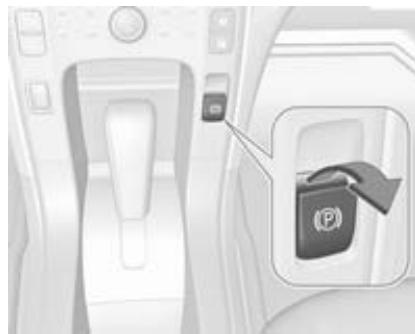
Electrical parking brake
The electrical parking brake can be activated, even if the ignition is off. To prevent the 12-volt battery from
draining, avoid repeated cycles of the electrical parking brake system when the ignition is off.
In case of insufficient electrical power, the electrical parking brake cannot be applied or released.
Before leaving the vehicle, check the control indicator (B) to ensure the parking brake is applied.
Electrical parking brake application The electrical parking brake can be applied anytime the vehicle is stopped. Pull switch () for approximately one second. Once fully applied, the control indicator () will be on.
During the application process, the control indicator (B) will flash until full application has been reached. If the light does not come on, or remains flashing, seek the assistance of a workshop.
Do not drive the vehicle if the control indicator (P) is flashing.
If the electrical parking brake is applied while the vehicle is in motion, a chime will sound and a message will
display in the Driver Information Centre (DIC). The vehicle will decelerate as long as the switch is held up.
Releasing the () switch during the deceleration process will release the parking brake. If the () switch is held up until the vehicle stops moving, the electrical parking brake will remain applied.
When the control indicator () flashes continuously, the electrical parking brake is only partially applied or released or there is a problem with the electrical parking brake. If so, a message will be displayed in the Driver Information Centre (DIC). If () flashes continuously, release the electrical parking brake and attempt to apply it again. If () continues to flash, do not drive the vehicle. Seek the assistance of a workshop.
When the electrical parking brake fault indicator is on, the electrical parking brake has detected a system problem and is operating with reduced functionality. To apply the electrical parking brake when is on,
lift up the switch and hold it until the control indicator remains on. If the electrical parking brake fault indicator is on, seek the assistance of a workshop.
If the electrical parking brake fails to apply, the rear wheels should be blocked to prevent vehicle movement.
For maximum electrical parking brake force when parking on a hill, pull the electrical parking brake switch twice.
Electrical parking brake release
To release the electrical parking brake, switch the ignition on, apply and hold the brake pedal and momentarily push down on the () switch. If attempting to release the electrical parking brake without the brake pedal being applied, a chime will sound and a message will be displayed in the DIC. The electrical parking brake is released when () is off.
If is on, the electrical parking brake has detected a system problem, and is operating with reduced
functionality. To release the electrical parking brake when is on, push down the switch and hold it down until the control indicator goes off. If the light remains on, seek the assistance of a workshop.
Note
Driving with the parking brake on can overheat the brake system and cause premature wear or damage to brake system parts. Make sure that the parking brake is fully released and the control indicator is off before driving.
Automatic release of the electrical parking brake
The electrical parking brake is automatically released when the vehicle is running, placed into gear and an attempt is made to drive away. Avoid rapid acceleration when the electrical parking brake is applied, to reduce wear of parking brake lining.
Electrical parking brake (B) control indicator 69.
Electrical parking brake fault control indicator 69.
Driver Information Centre (DIC) 73.
Regenerative braking
Regenerative braking takes some of the energy of the moving vehicle and turns it back into electrical energy.
This energy is then stored back into the high voltage battery system, contributing to increased energy efficiency.
The hydraulic disc brakes work with the regenerative braking to ensure effective braking, in the event a high braking demand is requested, for example.
The braking system is computer-controlled and combines the regenerative braking with the conventional hydraulic disc brakes to meet any deceleration requirement. The controller interprets the braking request and applies regenerative braking, conventional hydraulic braking or a combination of both, as necessary. Because the controller applies the hydraulic brakes through its high pressure accumulator, you
may occasionally hear the motor-driven pump when the system is recharged.
In the event of a controller problem, the brake pedal may be harder to push and the stopping distance may be longer.
Driver Information Centre (DIC) 73.
Ride control systems
Traction Control system
The Traction Control system (TC) is a component of the Electronic Stability Control.
TC improves driving stability when necessary, regardless of the type of road surface or tyre grip, by preventing the drive wheels from spinning.
As soon as the drive wheels starts to spin, electric drive unit output is reduced and the wheel spinning the most is braked individually. This considerably improves the driving stability of the vehicle on slippery road surfaces.
TC is operational as soon as the control indicator extinguishes.
When TC is active flashes.
Warning
Do not let this special safety feature tempt you into taking risks when driving.
Adapt speed to the road conditions.
Control indicator 70
Deactivation
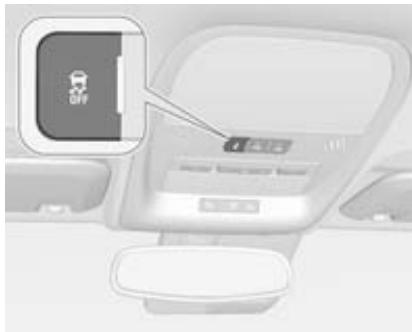
TC can be switched off when spinning of drive wheels is required: Press button on the overhead console.
Control indicator illuminates and a message in the Driver Information Centre (DIC) is displayed.
TC is reactivated by pressing the 8 button again.
TC is also reactivated the next time the ignition is switched on.
Fault
If there is a problem detected with TC, a message is displayed on the DIC. When this message is displayed and illuminates, the vehicle is safe to drive but the system is not operational. Driving should be adjusted accordingly.
Resetting
If comes on and stays on, reset the system as follows:
- Stop the vehicle.
- Switch off the ignition and wait for 15 seconds.
- Switch on the ignition.
If still comes on and stays on, seek the assistance of a workshop.
Caution
Do not repeatedly brake or accelerate heavily if TC is off. The vehicle's driveline could be damaged.
Electronic Stability Control
Electronic Stability Control (ESC) improves driving stability when necessary, regardless of the type of road surface or tyre grip. It also prevents the drive wheels from spinning.
As soon as the vehicle starts to swerve (understeer/oversteer), electric drive unit output is reduced and the wheels are braked individually. This considerably improves the driving stability of the vehicle on slippery road surfaces.
ESC is operational as soon as the control indicator extinguishes.
When ESC is active, flashes.
Warning
Do not let this special safety feature tempt you into taking risks when driving.
Adapt speed to the road conditions.
Control indicator 70
Deactivation

For very high-performance driving, ESC can be deactivated: Press and hold button on the overhead console depressed until and
illuminate and a message in the Driver Information Centre (DIC) is displayed.
ESC is reactivated by pressing the button again.
If cruise control is being used when ESC is activated, cruise control will automatically disengage. Press the cruise control button to re-engage if road conditions allow.
Cruise control 120.
Driver Information Centre (DIC) 73.
Fault
If there is a problem detected with ESC, a message will be displayed on the DIC. When this message is displayed and 2 illuminates, the vehicle is safe to drive but the system is not operational. Driving should be adjusted accordingly.
Resetting
If comes on and stays on, reset the system as follows:
- Stop the vehicle.
- Switch off the ignition and wait for 15 seconds.
- Switch on the ignition.
If still comes on and stays on, seek the assistance of a workshop.
Driver assistance systems
Cruise control
The cruise control allows the vehicle to maintain a speed of approx. 20 mph or more without keeping your foot on the accelerator. Cruise control does not work at speeds below 20 mph.
Do not use the cruise control if it is not advisable to maintain a constant speed.
With the Traction Control system or Electronic Stability Control, the system may limit wheel spin while using cruise control. If this happens, the cruise control will automatically disengage.
Traction Control system 118.
Electronic Stability Control 119.

The cruise control buttons are on the steering wheel.
: Press to turn the cruise control system on and off. An indicator light will turn on or off in the instrument cluster.
: Press to disengage cruise control without erasing the set speed from memory.
RES/+: Move the thumbwheel up to resume to a previously set speed or to accelerate.
SET/-: Move the thumbwheel down to set a speed and activate cruise control, or to slow down the vehicle.
Setting cruise control
To set a speed:
- Press to turn cruise control on.
- Accelerate to the desired speed.
- Move the thumbwheel down toward SET/- and release it. The desired set speed briefly appears in the instrument cluster.
- Take foot off the accelerator pedal.
When the brakes are applied, the system deactivates the cruise control.
Resuming a set speed
If the cruise control is set at a desired speed and then the brakes are applied, the cruise control is disengaged without erasing the set speed from memory. Once the vehicle speed is approx. 20 mph or higher, briefly move the thumbwheel up toward RES/+ and then release it. The vehicle returns to the previously set speed.
Increasing speed
If the cruise control system is already activated:
- Move the thumbwheel up toward RES/+ and hold it, until the vehicle accelerates to the desired speed, then release it.
To increase the speed in small amounts, briefly move the thumbwheel up toward RES/+ and then release it. Each time this is done, the vehicle goes approx. 1 mph faster.
Reducing speed
If the cruise control system is already activated:
- Move the thumbwheel toward SET/ - and hold until the desired lower speed is reached, then release it.
- To slow down in very small amounts, briefly move the thumbwheel toward SET/-. Each time this is done, the vehicle goes approx. 1 mph slower.
Passing another vehicle
Use the accelerator pedal to increase vehicle speed. If taking the foot off the pedal, the vehicle will slow down to the previously set cruise control speed.
Using cruise control on hills
How well the cruise control works on hills depends upon the vehicle speed, load and the steepness of the hills. When going up steep hills, you might have to step on the accelerator pedal to maintain the vehicle speed. When going downhill, you might have to brake or shift to L to maintain the vehicle speed. When the brakes are applied the cruise control is disengaged.
Deactivate cruise control
Press button 哭 control indicator 哭 illuminates white in instrument cluster. Cruise control is deactivated. The most recently set speed is stored and can be resumed later.
Automatic deactivation:
vehicle speed below approx. 20 mph,
the brake pedal is depressed,
- selector lever in N
the Traction Control system on Electronic Stability Control is operating.
Deleting speed memory
The cruise control set speed will be deleted from memory if pressing or if the ignition is switched off.
Forward collision alert
The forward collision alert can help to avoid or reduce damage caused by front-end crashes. The forward collision alert provides a flashing visual alert and beeps when approaching a vehicle directly ahead too quickly. The forward collision alert also provides a visual alert if following another vehicle much too closely.
The forward collision alert symbol is on top of the instrument panel, to the right of the steering wheel.
The forward-looking camera sensor is on the windshield ahead of the rearview mirror. The forward collision alert detects vehicles within a distance of approx. 60 m and operates at speeds above 25 mph.
Warning
The forward collision alert is just a warning system and does not apply the brakes. When approaching a vehicle ahead too rapidly, or when following a vehicle too closely, it may not provide a warning with enough time to help avoid a collision.
The forward collision alert does not warn of pedestrians, animals, signs, guardrails, bridges, construction barrels, or other objects. Be ready to take action and apply the brakes.
Detecting a vehicle ahead
The green illuminated vehicle ahead indicator will appear when the system has detected a vehicle ahead. Whenever this indicator does not
appear, the forward collision alert will not respond. The indicator may disappear on curves, motorway exit ramps, or hills, or due to poor visibility. The forward collision alert system will not detect another vehicle ahead until it is completely in the driving lane.
Warning
The forward collision alert does not provide a warning, unless it detects a vehicle. The forward collision alert may not detect a vehicle ahead if the sensor is blocked by dirt, snow or ice or if the windscreen is damaged. It may also not detect a vehicle on winding or hilly roads, in conditions with limited visibility or if the headlights or windscreen are not cleaned or in proper condition. Keep the windscreen, headlights and sensors clean and in good condition.
Collision alert
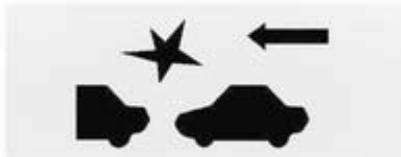
When your vehicle approaches another vehicle too rapidly, the red forward collision alert display will flash and sound several beeps. When this occurs, the brake system prepares for driver braking to occur more rapidly. Continue to apply the brake pedal as the driving situation dictates.
Tailgating alert
The red forward collision alert display will remain illuminated continuously if the vehicle ahead remains much too close.
Selecting the alert sensitivity
The alert sensitivity can be set to near, medium or far.

Press COLLISION ALERT to show the current setting on the Driver Information Centre (DIC). Press again to change the alert sensitivity. The chosen setting will remain until it is changed and will affect both the collision alert and the tailgating alert features. The timing of both alerts will vary based on vehicle speed. The faster the vehicle speed, the further away the alert will occur.
Consider traffic and weather conditions when selecting the alert sensitivity. The range of selectable
alert sensitivity may not be appropriate for all drivers and driving conditions.
Unnecessary alerts
The forward collision alert may sometimes set unnecessary alerts to turning vehicles, vehicles in other lanes, objects that are not vehicles, or shadows. These alerts are normal and the vehicle does not need a service.
Other messages
There are messages that may appear on the Driver Information Centre (DIC) in the instrument cluster to provide information about the forward collision alert.
Cleaning the system
If the forward collision alert system does not seem to operate properly, clean the outside of the windscreen area in front of the camera sensor before considering taking the vehicle to a workshop.
Following distance indication
The following distance indication displays the distance to a moving vehicle in front, when a vehicle is detected ahead at speeds over 25 mph.
When a preceding vehicle is detected ahead, the distance is indicated in seconds, displayed on a page in the Driver Information Centre (DIC) 73. The minimum distance is 0.5 seconds away. If there is no vehicle ahead, or the vehicle ahead is out of range, dashes will be displayed.
Ultrasonic parking assist
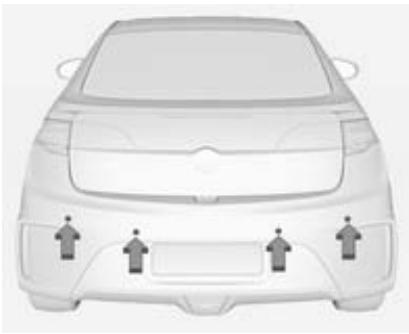
The ultrasonic parking assist makes parking easier by measuring the distance between the vehicle and obstacles, and giving acoustic signals. It is the driver, however, who bears full responsibility for the parking manoeuvre.
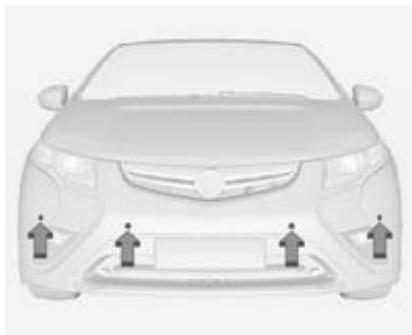
Ultrasonic parking assist operates at speeds lower than 5 mph. The sensors on the front and rear bumper detect objects up to 1.2m in front of the vehicle, 2.5m behind the vehicle and at least 25cm off the ground.
System operation
When the vehicle is shifted into R the front and rear sensors are automatically turned on. After the vehicle is shifted out of R, the rear sensors are turned off and the front sensors stay on until the vehicle is moving at a speed higher than 5 mph. For the front park assist system to be active again without
shifting into R, the park assist button in the overhead console must be pressed.
High-toned beeps from the front speakers are emitted when objects are detected near the front bumper. Low-toned beeps from the rear speakers are emitted when objects are detected near the rear bumper.
The intervals between the beeps become shorter as the vehicle gets closer to the obstacle. When the distance is less than 30~cm the beeping is a continuous tone for 5 seconds.
Object detection on front and rear
In general, if objects are detected at the same time near both the front and rear bumpers while backing up, the beeps only sound to indicate that objects are close to the rear bumper. However, if an object appears within a distance of 0.3m of the front bumper while the vehicle is backing up and at the same time there is another object within a distance
bigger than 0.3m from the rear bumper, the beeps will only indicate the object that is closer to the front bumper.
Activation and deactivation

Press P on the overhead console to activate the system. The LED lights up.
Press P again to deactivate the system. The LED is turned off.
After the system has been deactivated, a message in the Driver Information Centre (DIC) is displayed briefly.
Ultrasonic parking assist is reactivated each time the vehicle is restarted.
Fault
When the system does not work properly, an error message is displayed in the DIC.
The following conditions could affect the system's performance:
The driver has disabled the system.
The ultrasonic sensors are not clean. Keep the vehicle's bumpers free of mud, dirt, snow, ice and slush.
The park assist sensors are covered by frost or ice.
An object was hanging out of the tailgate during the last drive cycle. Once the object has been removed, ultrasonic parking assist will return to normal operation.
An object or cover is attached to the front of the vehicle.
The bumper is damaged. Take the vehicle to a workshop to repair the system.
- Other conditions, such as vibrations from a jackhammer are affecting system performance.
In the event the system still does not work properly, seek the assistance of a workshop.
Driver Information Centre (DIC) 73.
Important hints for using the ultrasonic parking assist systems
Warning
Under certain circumstances, various reflective surfaces on objects or clothing as well as external noise sources may cause the system to fail to detect obstacles.
Special attention has to be paid to low obstacles which can damage the lower part of the bumper. If such obstacles leave the detection
area of the sensors during approach of the vehicle, a continuous warning tone will sound.
Caution
Performance of the ultrasonic parking assist systems can be reduced due to heavy loading.
Special conditions apply if there are taller vehicles involved (e.g. off-road vehicles, mini vans, vans). Object identification in the upper part of these vehicles cannot be guaranteed.
Objects with a very small reflection cross section, like objects of narrow size or soft materials, may not be detected by the system.
Ultrasonic parking assist will not avoid a collision with objects which are out of the detection range of the sensors.
Rear view camera
Warning
The rear view camera system does not display pedestrians, cyclists, animals or any other object located outside the camera's field of view, below the bumper or under the vehicle.
Do not reverse the vehicle using only the rear view camera screen or by using the screen during longer, higher speed reversing manoeuvres, or where there could be cross-traffic. Perceived distances may be different from actual distances.
Failure to use proper care before reversing may result in injury, death or vehicle damage. Always check before reversing by physically checking behind and around the vehicle.
The rear view camera system can assist the driver when reversing, by displaying a view of the area behind the vehicle.
System operation
When shifting into R, the area behind the vehicle is shown in the Colour-Info-Display with the message Check surroundings for safety. The previous screen displays for approx.
10 seconds after shifting out of
To cancel the delay, take one of the following options:
Press a button on the Infotainment system.
Shift into P.
Reach a vehicle speed of 5 mph.
Activation and deactivation
To turn the rear view camera system on or off:
- Shift into P.
-
Press the CONFIG button on the instrument panel.
-
Select display.
- Select camera. When a checkmark appears next to the camera, the rear view camera system is on.
Symbols
The navigation system may have a feature showing symbols on the navigation screen while using the rear view camera. The ultrasonic parking assist system must not be disabled, to enable use of the caution symbols. An error message may be displayed if ultrasonic parking assist has been disabled and the symbols have been turned on.
The symbols appear and may eventually cover an object shown by the navigation screen when an object is detected by the ultrasonic parking assist system.
To turn the symbols on or off:
- Shift into P.
-
Press the CONFIG button on the instrument panel.
-
Select Display.
- Select Symbols. If a checkmark appears next to Symbols, symbols will appear.
Guiding lines
The rear view camera system may have a guideline overlay that can help the driver align the vehicle when reversing into a parking spot.
To turn the guidelines on or off:
- Shift into P.
- Press the CONFIG button on the instrument panel.
- Select Display.
- Select Guiding lines. If a checkmark appears next to Guiding lines, guidelines will appear.
Rear view camera location

The rear view camera is located above the number plate.
The area displayed by the camera is limited.
It does not display objects that are close to one of the corners or below the bumper and can vary depending on vehicle orientation or road conditions. The distance of the image that appears on the screen is different from the actual distance.
Working improperly
The rear view camera system may not work properly or display a clear image if:
It is dark.
The sun or the beam of headlights is shining directly into the camera lens.
- Ice, snow, mud or anything else has built up on the camera lens. Clean the lens, rinse it with water and wipe it with a soft cloth.
If any other problem occurs or if a problem persists, seek the assistance of a workshop.
Traffic sign assistant
Functionality
The traffic sign assistant system detects designated traffic signs with the front camera and displays them in the Driver Information Centre (DIC) 73.
Speed limit signs are displayed in the DIC until the next speed limit sign or an end of speed limit sign is detected, or until the system times out.
An exclamation mark will be displayed if the system detects a sign that it does not recognize.
The system is active up to a speed of 125 mph depending on the lighting conditions. At night the system is active up to a speed of 100 mph.
Lane departure warning
Warning
The lane departure warning system is an aid to help the vehicle stay in the driving lane. It does not steer the vehicle.
The lane departure warning system may not provide enough time to avoid a crash and may not detect lane markings and therefore not warn when the vehicle is crossing a lane marking. If the lane departure warning
system only detects lane markings on one side of the road, it will only warn when departing the lane on this side.
Always keep your attention on the road and maintain proper vehicle position within the lane. Always keep the windscreen clean and do not use lane departure warning system in bad weather conditions.
When the vehicle crosses a detected lane marking, the lane departure warning indicator will flash and three beeps will sound. The lane departure warning will not warn if the turn signal is on or if a sharp manoeuvr is made.
The camera sensor is on the windscreen ahead of the rearview mirror.
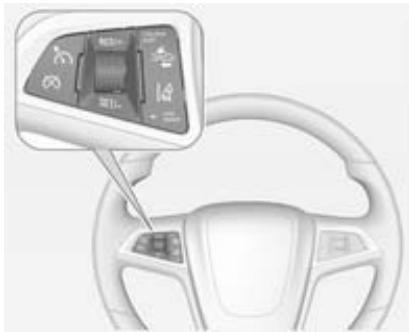
To turn the lane departure warning system on and off, press the LANE DEPART button. will light up when lane departure warning system is on.
will appear green if the system detects a left or right lane marking. When the system recognises an unintended lane change, the control indicator changes to yellow and flashes. Simultaneously a chime sound is activated.
To change the volume of the warning chime, see chime volume 84. When the vehicle is started, will come on briefly.
The system is only operable at vehicle speeds above 35 mph and if lane markings are available.
Fault
The lane departure warning system may not operate properly and may not appear if:
The lane markings on the road are not detected.
The camera sensor is blocked by dirt, snow or ice.
The windshield is damaged.
- The weather is limiting visibility. This is normal operation; the vehicle does not need service. Clean the windshield.
If any other problem occurs or if a problem persists, seek the assistance of a workshop.
Warning
If the camera sensor is blocked by dirt, snow, or ice, or if the headlights are not cleaned or
properly aimed, or if the windshield is dirty or damaged, it may not detect the lanes ahead. The lane departure warning system may not help avoid a crash under these conditions. Keep the headlights cleaned and properly aimed and the windscreen clean.
The warnings may occasionally occur due to tar marks, shadows, cracks in the road, or other road imperfections. This is normal system operation; the vehicle does not need servicing.
Lane departure warning system messages
There are messages that may appear on the Driver Information Centre (DIC) in the instrument cluster to provide information about the lane departure system.
Charging
This section explains the process of charging the vehicle's high voltage battery. Do not allow the vehicle to remain in places with temperature extremes for long periods without being driven or plugged in.
The vehicle has to be plugged in when the temperatures are below -25^ to operate properly and to maximise high voltage battery life.
However, we recommend to plug in the vehicle when temperatures drop below 0^ or raise above 32^ .
The charging system may run fans and pumps resulting in noises coming from the vehicle while it is turned off. Additional clicking sounds may be caused by the electrical devices used while charging.
While the charge cord is plugged into the vehicle, the vehicle cannot be driven.
Charge level selection
The charge level can be selected in the Colour-Info-Display. Press until Charging is displayed.
The Select Charge Level Preference setting allows the customer to select their vehicle's charge level so it matches the capability of their charging location. The Select Charge Level Preference setting will limit the electrical current when a portable charge cord is used. This feature has no impact on charging when a charging station is used. If the vehicle consistently stops charging after plugging in, or if a circuit breaker continues to trip, reducing to a lower charge level preference may resolve the issue.

The charge level preference should be configured to match the electrical current rating for the AC outlet that the charge cord is connected to. The charge level preference settings are:
Maximum - 10 Amps: Limits AC current to 10 ampere
Reduced-6Amps:Limits AC current to 6 ampere
Warning
If the capacity of the electrical circuit or AC socket is not known, only use the lowest charge level until the circuit capacity has been inspected by a qualified electrician. Using a charge level that exceeds either the electrical circuit or the AC outlet capacity may start a fire or damage the electrical circuit.
When using a 230-volt AC socket, it will take approximately 6 hours to charge the vehicle with the 10 ampere AC current setting or 11 hours using the default 6 ampere AC current setting. When using a
230-volt charging station with 16 ampere AC current capability, it will take approximately 4 hours to charge the vehicle. Charge times will vary with outside temperature.
Exact current levels for a particular region may vary from values shown in this manual. Please check vehicle for available levels.
The vehicle will adhere to the setting that minimises the AC current used to charge the vehicle.
For some vehicles, the Select Charge Level Preference setting must be updated prior to the vehicle being charged and the selected charge level preference will reset to a default value when the vehicle is shifted from (P) Park position.
The charge level preference setting can be changed at any time while the Colour-Info-Display is operable.

Start charge
- With the vehicle in P, press for one second to open the charge port door.
The charge port door can also be opened using the radio remote control.
Radio remote control 20.

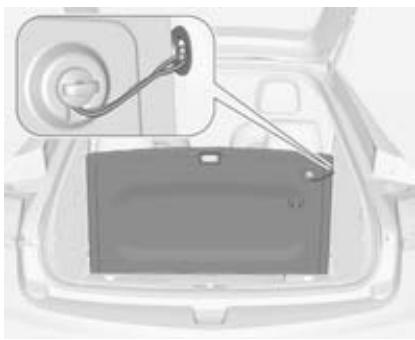
- Open the tailgate, lift the floor cover and use the loop to hook the floor cover to the side panel. Remove the charge cord.
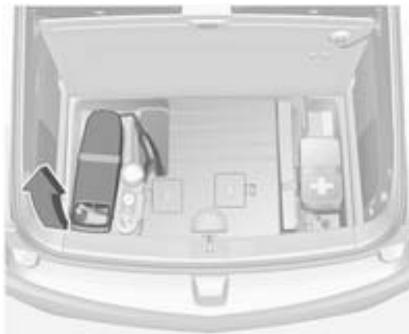
Pull up the charge cord handle to release it from the handle clip. Lift the charge cord up and pull it rearwards to remove it from the vehicle. The vehicle plug is stored as shown.
- Plug the charge cord into the electrical outlet. Select the appropriate charge level using the Select Charge Level Preference screen on the Colour-Info-Display as described above.
Warning
If the capacity of the electrical circuit or AC socket is not known, only use the lowest charge level until the circuit capacity has been inspected by a qualified electrician. Using a charge level that exceeds either the electrical circuit or the AC outlet capacity may start a fire or damage the electrical circuit.
Electrical requirements 136.
Colour-Info-Display 74.
Charge cord 135.
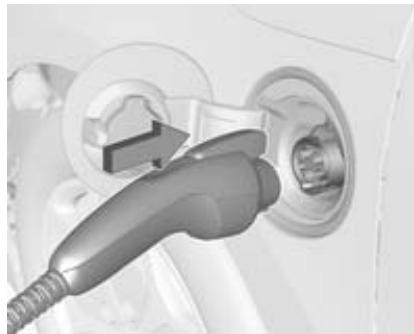
- Plug in the vehicle plug of the charge cord into the charge port on the vehicle. Verify that the charging status indicator illuminates on top of the instrument panel and a horn chirp occurs.
Charging status 134.
- Press on the radio remote control to arm the charge cord theft alert.
Radio remote control 20.
Vehicle personalisation 84.
End charge
- Press on the radio remote control to disarm the charge cord theft alert.
Radio remote control 20.
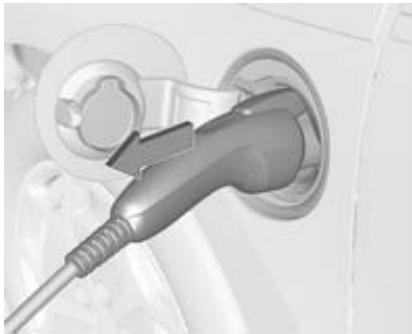
- Unplug the vehicle plug of the charge cord from the vehicle.
- Close the charge port door.
- Unplug the charge cord from the electrical outlet.
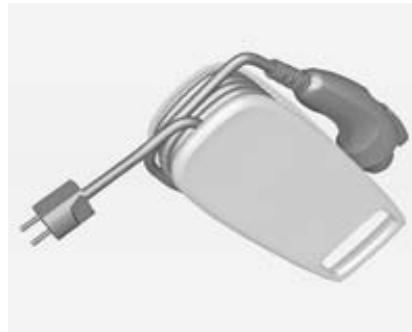
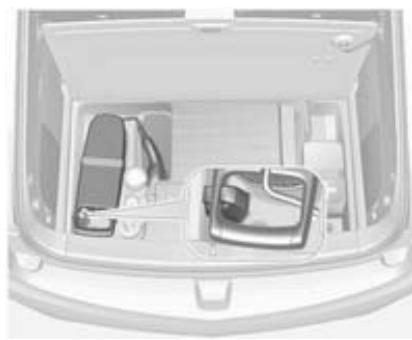
- Place the cord into the storage compartment.
Programmed charging override
To temporarily override a delayed charge event, unplug the charge cord from the charge port and then plug it back in within five seconds. A single horn chirp will sound and charging will begin immediately.
To cancel a temporary override, unplug the charge cord, wait for 10 seconds, and then plug the charge cord back in. A double horn chirp will sound and charging will be delayed.
Programmable charging in the Colour-Info-Display 74.
Charging status
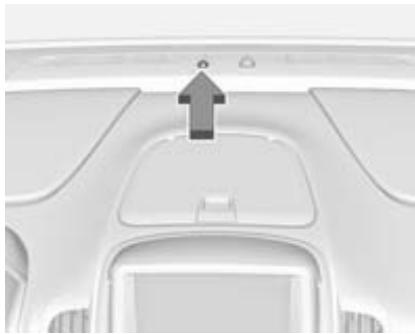
The vehicle has a charging status indicator at the centre of the instrument panel near the windscreen. When the vehicle is plugged in and the vehicle power is off, the charging status indicator indicates the following:
Solid green - One horn chirp: Vehicle is plugged in. Battery is not fully charged. Battery is charging.
Solid green or long flashing green - Four horn chirps: Insufficient time to fully charge by departure time.
- Long flashing green - Two horn chirps: Vehicle is plugged in. Battery is not fully charged. Battery charging is delayed.
- Short flashing green - No horn chirp: Vehicle is plugged in. Battery is fully charged.
Solid yellow - No horn chirp: Vehicle is plugged in. It is normal for the charging status indicator to turn yellow for a few seconds after plugging in a compatible charge cord. Otherwise, the charging system has detected a fault and will not charge the battery. - No light signal (upon plug-in) - No horn chirps - Charge cord connection should be checked.
- No light signal (after indication of green or yellow charging status indicator) - No horn chirps - Charge cord connection should be checked.
Malfunction indicator light 68.
If there is no light signal but the horn chirps repeatedly, the power supply was interrupted before the charging process could be completed.
To terminate this alert, take one of the following options:
Unplug the charge cord.
Press on the radio remote control.
Press and hold on the radio remote control, then press again to stop the panic alarm.
Press the horn.
Vehicle personalisation 84.
The system may be thermally conditioning the battery within any of the states mentioned above, requiring electric energy to be transferred to the vehicle.
If the vehicle is plugged in and vehicle power is on, the charging status indicator will be on solid green. It is the same for Engine Assisted Heating if the vehicle is plugged in.
If the vehicle is plugged in and the charging status indicator is off, a charging fault has been detected.
Charge cord
Danger
There is a risk of electric shock that may cause personal injury or death.
Do not use the charge cord if any part of the charge cord is damaged.
Do not open or remove the charge cord cover.
Service by qualified personnel only. Connect the charge cord to a properly grounded outlet with cords that are not damaged.
Warning
Using the charge cord with a worn or damaged AC outlet may cause burns or start a fire. Periodically, check the AC wall plug and charge cord while the vehicle is charging. If the AC wall plug feels hot, unplug the charge cord and have the AC outlet replaced by a qualified electrician.
Replace the charge cord if the AC wall plug or cord are damaged. Do not use an AC outlet that is worn or damaged.
Warning
Extension cords, multi-outlet power strips, surge protectors or similar devices could increase the risk of electrical shock or other hazards. Do not use these types of devices with the charge cord.
A portable charge cord used to charge the vehicle high voltage battery is stored under the load compartment 130.
The charge cord used to charge the vehicle is a high-powered electrical device. During normal operation, the AC wall plug of the charge cord may feel warm. The AC wall plug must fit tightly into an AC outlet that has to be in good condition.
Charge level selection
Warning
If the capacity of the electrical circuit or AC socket is not known, only use the lowest charge level until the circuit capacity has been inspected by a qualified electrician. Using a charge level that exceeds either the electrical circuit or the AC outlet capacity may start a fire or damage the electrical circuit.
Note
By choosing a reduced charge level, the charging time is increased.
Charge level selection can be made using the Select Charge Level Preference screen on the Colour-Info-Display 130.
Adapters
Warning
Using damaged adapters or adapters not designed for use with the charge cord may increase the risk of electric shock or start a fire.
Only use adapters that have been designed to be used with the charge cord.
Do not use a damaged adapter.
An adapter kit may be included to allow the use of your charge cord in different countries in central Europe. When using an adapter make sure the charge level selected is
appropriate for your supply circuit. See the reference card included in the adapter kit.
Electrical requirements
Note
Do not use portable or stationary backup generating equipment to charge the vehicle. This may cause damage to the vehicle's charging system. Only charge the vehicle from utility supplied power.
The AC socket must have a grounded, dedicated wall socket. No other major appliances should be connected to the same circuit. If it is not a dedicated circuit, the current rating of the outlet circuit breaker could be exceeded and cause it to trip or open.
Charge level selection 130.
Reduced level mode allows a nondedicated circuit to be used but increases the charging time.
This vehicle is capable of being charged with standard vehicle charging equipment complying to:
SAE J1772TM
IEC 61851-1
IEC 61851-22
IEC 62196-1
IEC 62196-2
The following are the minimum continuous duty rating requirements for circuits used to charge this vehicle:
230V/10 amp
Warning
If the capacity of the electrical circuit or AC socket is not known, only use the lowest charge level until the circuit capacity has been inspected by a qualified electrician. Using a charge level that exceeds either the electrical circuit or the AC outlet capacity may start a fire or damage the electrical circuit.
We recommend not to draw more than 10 ampere out of a household socket with any charging equipment.
All electric vehicle charging equipment communicates its maximum electrical capability to the vehicle and the vehicle limits charging to this value. Follow the instructions on charge rate selection that come from the equipment manufacturer.
The vehicle can be charged at 16 ampere by using special equipment (e.g. GM Wallbox) which has to be installed by a qualified electrician directly to the grid. That reduces the charging time to a minimum.
230 volt / 32 ampere circuits provide flexibility for future vehicle charging needs. Contact your dealer for more information.
Fuel
Fuel for petrol engines
Only use unleaded fuel that complies with European standard EN 228 or E DIN 51626-1 or equivalent.
Usage of fuel with quality, not complying to the Technical Regulations in effect (Decree N 118 of 27.02.2008 with amendments of 30.12.2008 No 1076) can lead to engine damage and loss of all warranty obligations.
Your engine is capable to run with E10 fuel that fulfills these standards. E10 fuel contains up to 10% bioethanol.
Use fuel with the recommended octane rating 185 . Use of fuel with too low an octane rating can reduce engine power and torque and slightly increases fuel consumption.
Caution
Do not use fuel or fuel additives that contain metallic compounds such as manganese-based additives. This may cause engine damage.
Caution
Use of fuel that does not comply to EN 228 or E DIN 51626-1 or equivalent can lead to deposits or engine damage and may affect your warranty.
Caution
Use of fuel with too low an octane rating could lead to uncontrolled combustion and engine damage.
Refuelling
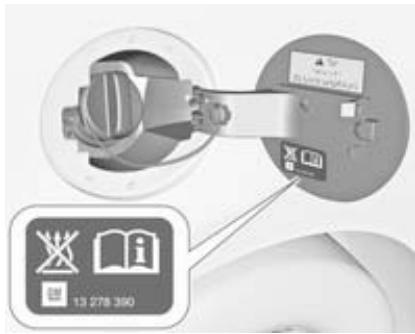
Danger
Before refuelling, switch off ignition and any external heaters with combustion chambers. Switch off any mobile phones.
Follow the operating and safety instructions of the filling station when refuelling.
Danger
Fuel is flammable and explosive. No smoking. No naked flames or sparks.
If you can smell fuel in your vehicle, have the cause of this remedied immediately by a workshop.
Caution
In case of misfuelling, do not switch on ignition.
Note
The vehicle may require the use of an auxiliary heat source under certain cold conditions. This provides additional heating and defrost capability obtained by running the engine, even if the high voltage battery is adequately charged. Under these conditions, the engine will start and use fuel. Make sure there is fuel in the tank.
The fuel system on this vehicle requires a refuelling process to control evaporative emissions. To refuel the vehicle:

- Press the fuel door button on the driver door for one second. A message displays on the Driver Information Centre (DIC) to wait.
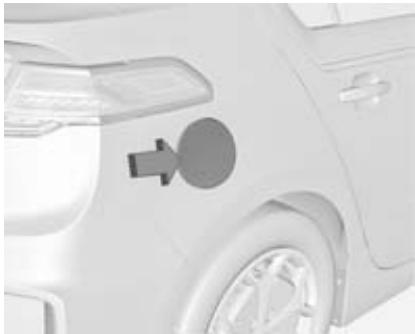
- When a message displays in the DIC that the system is ready to be refueled, the fuel door on the right rear side of the vehicle will unlock. Push the rearward edge of the fuel door in and release to open the door.
- Turn the fuel cap counterclockwise to remove. While refuelling, hang the fuel cap tether from the hook on the inside of the fuel door. Complete refuelling within 30 minutes of pushing the fuel door button found on the driver side door. If
refuelling for more than
30 minutes, push the fuel door button again.
- After refuelling, reinstall the fuel cap by turning it clockwise until it clicks. Close the fuel door.
Do not top off or overfill the tank and wait a few seconds before removing the nozzle. Clean fuel from painted surfaces as soon as possible.
Fuel filler cap
Only use genuine fuel filler caps.
Fuel consumption - CO_2 -Emissions
Fuel
To convert 1/100 ~km into mpg , divide 282 by number of litres/100 km.
The weighted and combined fuel consumption is 1.2~l / 100~km .
The weighted and combined CO_2 emission is 27g / km
General information
For the values specific for your vehicle, refer to the EEC Certificate of Conformity provided with your vehicle or other national registration documents.
The determination of fuel consumption is regulated by directive R (EC) No. 715/2007 (in the newest version respectively).
The specification of CO_2 emission is also a constituent of the directive.
The figures given must not be taken as a guarantee for the actual fuel consumption of a particular vehicle. Furthermore, fuel consumption is dependent on personal driving style as well as road and traffic conditions.
All values are based on the EU base model with standard equipment.
The calculation of fuel consumption takes into account the vehicle's kerb weight, ascertained in accordance with the regulations. Optional equipment may result in slightly
higher fuel consumption and CO_2 emission levels and a lower maximum speed.
Towing
General information
The vehicle is neither designed nor intended to tow a trailer or another vehicle.
Vehicle care
General Information 141
Vehicle checks 143
Bulb replacement 150
Electrical system 153
Vehicle tools 161
Wheels and tyres 161
Jump starting 170
Towing 173
Appearance care 175
General Information
Accessories and vehicle modifications
We recommend to use genuine parts and accessories and factory approved parts specific for your vehicle type. We cannot assess or guarantee reliability of other products - even if they have a regulatory or otherwise granted approval.
Do not make any modifications to the electrical system, e.g. changes of electronic control units (chip tuning).
Caution
When transporting the vehicle on a train or on a recovery vehicle, the mud flaps might be damaged.
Lifting the vehicle
Warning
Lifting the vehicle improperly can cause serious injuries and damage to the vehicle.
The vehicle should be lifted only by well-trained staff at an authorised workshop.
Jacking position for lifting platform
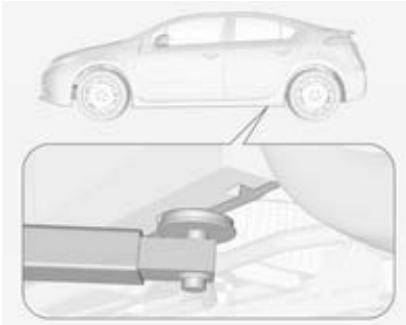
Rear arm position of the lifting platform at the underbody.

Front arm position of the lifting platform at the underbody.
Ramps may be needed under the front tyres to provide the necessary clearance for certain lifting platforms in this location.
Vehicle storage
Storage for up to four weeks
Plug in the high voltage battery charge cord if temperatures will exceed 35^ and keep the 12-volt battery cables connected.
Storage for four weeks up to 12 months
- Discharge the high voltage battery until two or three bars remain on the battery range indicator (Battery symbol) on the instrument cluster.
- Do not plug in the high voltage battery charge cord.
- Remove the black negative (-) cable from the 12-volt battery and attach a trickle charger to the battery terminals or keep the 12-volt battery cables connected and trickle charge from the underhood remote positive (+) and negative (-) terminals 170 .
Note
The vehicle is equipped with an AGM/VRLA 12-volt battery, which can be damaged by using the incorrect type of trickle charger. An AGM/VRLA-compatible charger must be used, with the appropriate setting selected. Follow the trickle charger manufacturer instructions.
Reconnecting the 12-volt black negative cable
With the 12-volt black negative (-) cable disconnected, the tailgate cannot be opened by pressing tailgate release button. If the tailgate is closed and latched:
- Use the door key to open the driver door.
- Manually unlock and open one of the rear doors.
- Lower one of the rear seat backrests.
- Pull the load floor cover forward to access and reconnect the 12-volt battery black negative (-) cable.
- After the cable has been connected, open the hatch and then tighten the cable.
After the battery cable is reconnected, it is possible that the vehicle may not operate in electric mode. If this happens, the high voltage battery may need to be charged.
Vehicle checks
Performing work
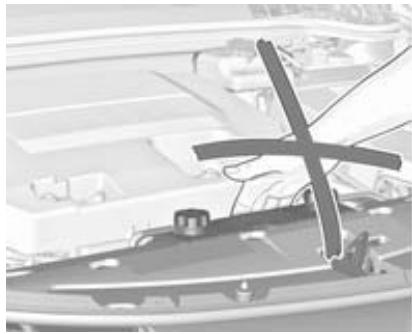
Danger
Never try to do maintenance work on high voltage battery components yourself. You may be injured and the vehicle may be damaged. Service and repair of these high voltage battery components should only be performed by a trained service technician with proper knowledge
and tools. Exposure to high voltage may cause shock, burns, and even death. The high voltage components in the vehicle can only be serviced by technicians with special training.
High voltage components are identified by labels. Do not remove, open, take apart, or modify these components. High voltage cable or wiring has orange covering. Do not probe, tamper with, cut, or modify high voltage cable or wiring.
Warning
Only perform engine compartment checks when the ignition is off. The cooling fan may start operating even if the ignition is off.
Note
Even small amounts of contamination can cause damage to vehicle systems. Do not allow contaminants to contact the fluids, reservoir caps, or dipsticks.
Bonnet
Opening
- Switch off the ignition before opening the bonnet. If the ignition is switched on, the engine will start when the bonnet is opened. Electric vehicle operation modes 109.
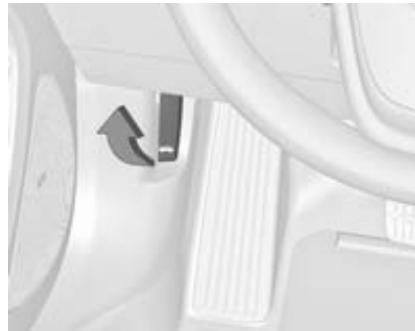
- Pull the release handle and return it to its original position.
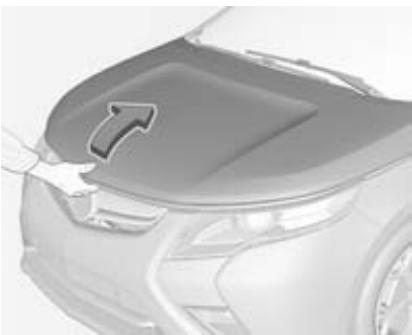
- Push the safety catch in the engine compartment to the right and open the bonnet.

- Release the bonnet prop rod from its retainer above the radiator support and place it securely into the slotted retainer in the bonnet.
Closing
Before closing the bonnet, press the bonnet prop in its retainer.
Lower the bonnet and allow it to drop into the catch. Check that the bonnet is engaged.
Engine oil
Check the engine oil manually on a regular basis to prevent damage to the engine. Ensure that the correct specification of oil is used.
Recommended fluids and lubricants 179.
Caution
It is the owner's responsibility to maintain the proper level of an appropriate quality oil in the engine.
Check with the vehicle on a level surface. The engine must be at operating temperature and switched off for at least 5 minutes.
Pull out the dipstick, wipe it clean, insert it to the stop on the handle, pull out and read the engine oil level.
Warning
The engine oil dipstick handle may be hot.
Insert dipstick to the stop on the handle and make half a turn.

When the engine oil level has dropped to the MIN mark, top up engine oil.
Caution
Do not allow the engine oil level to drop below the minimum level!
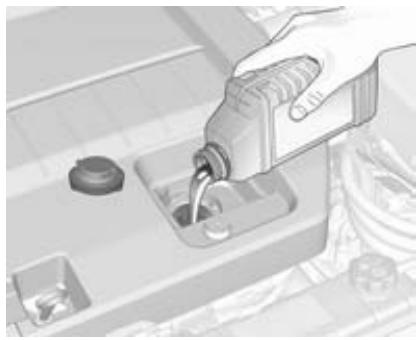
Recheck the level.
We recommend the use of the same grade of engine oil that was used at last change.
The engine oil level must not exceed the MAX mark on the dipstick.
Caution
Overfilled engine oil must be drained or suctioned out.
Capacities 189, Engine oil quality/ viscosity 179.
Fit the cap on straight and tighten it.
Cooling system
The vehicle has three different cooling systems.
Regularly check the coolant level of the respective cooling systems and have the cause of a possible coolant loss remedied by a workshop.
Caution
Make sure that you never run the vehicle with insufficient coolant.
Too low a coolant level can cause damage to the vehicle.
Engine cooling system
The coolant reservoir is located on the ride side of the engine compartment.
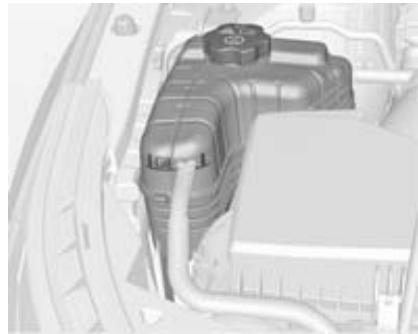
Warning
The electric fans in the engine compartment can start up even when the engine is not running. Keep hands, clothing and tools away from any underhood electric fan.
The coolant provides freeze protection down to approx. -28^
Caution
Only use approved antifreeze.
If the engine cooling system is cold, the coolant level should be above the filling line mark. Top up if the level is low.
Warning
Allow the engine to cool before opening the cap. Carefully open the cap, relieving the pressure slowly.
To top up use a 1:1 mixture of approved coolant concentrate mixed with tap water. Install the cap tightly.
High voltage battery cooling system
Danger
The high voltage battery coolant may only be serviced by a qualified technician.
Improper handling could cause serious injuries or death.
The high voltage battery coolant reservoir is located on the front side of the engine compartment.

Check to see if coolant is visible in the high voltage battery coolant reservoir. If coolant is visible but the coolant level is below the cold fill line, there could be a leak within the cooling system.
If the coolant level is too low, seek the assistance of a workshop.
Power electronics and charger modules cooling system
Danger
The power electronics and charger modules coolant may only be serviced by a qualified technician.
Improper handling could cause serious injuries or death.
The power electronics and charger modules are cooled using the same coolant loop.
The power electronics and charger modules coolant reservoir is located on the front side of the engine compartment.

Check to see if coolant is visible in the power electronics and charger modules coolant reservoir. If coolant is visible but the coolant level is below the cold fill line, there could be a leak in the cooling system.
If the coolant level is too low, seek the assistance of a workshop.
Engine overheating
The vehicle has an indicator to warn of engine overheating.
If the decision is made not to lift the bonnet when this warning appears, seek the assistance of a workshop immediately.
If the decision is made to lift the bonnet, make sure the vehicle is parked on a level surface.
Then check to see if the engine cooling fans are running. If the engine is overheating, the fans should be running. If they are not running, do not continue to drive the vehicle and have it serviced by a workshop.
Washer fluid
An error message will appear on the Driver Information Centre (DIC) when the fluid level is low.

When adding windshield washer fluid to the vehicle, be sure to read the manufacturer's instructions before use. If operating the vehicle in an area where the temperature may fall below freezing, use a fluid that has sufficient protection against freezing.
Caution
Only washer fluid with a sufficient antifreeze concentration provides protection at low temperatures or a sudden drop in temperature.
- When using concentrated washer fluid, follow the manufacturer instructions for adding water.
- Do not mix water with ready-to-use washer fluid. Water can cause the solution to freeze and damage the washer fluid tank and other parts of the washer system.
- Fill the washer fluid tank only three-quarters full when it is very cold. This allows for fluid expansion if freezing occurs, which could damage the tank if it is completely full.
- Do not use engine coolant (antifreeze) in the windshield washer. It can damage the windshield washer system and paint.
Brakes
In the event of minimum thickness of the brake lining, a squealing noise sounds during braking.
Continued driving is possible but have the brake lining replaced as soon as possible.
Once new brake linings are installed, do not brake unnecessarily hard for the first few journeys.
Brake fluid
Warning
Brake fluid is poisonous and corrosive. Avoid contact with eyes, skin, fabrics and painted surfaces.
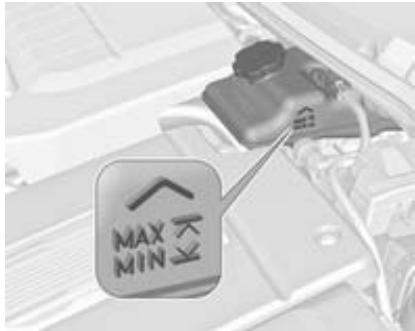
When the vehicle has not been running for at least 1 minute, the maximum fluid level is at the top of the reservoir body. When the vehicle is
running, the fluid level should be in the proper operating range between the MIN and MAX marks. If it is not, have the brake hydraulic system checked to see if there is a leak.
After work is done on the brake hydraulic system, make sure the oil level is in the proper operating range between the MIN and MAX marks when the vehicle is running.
Only use high-performance brake fluid approved for the vehicle. Consult a workshop.
Brake fluid 179.
Battery
Danger
Only a trained service technician with the proper knowledge and tools may inspect, test or replace the high voltage battery.
Seek the assistance of a workshop if the high voltage battery needs service.
This vehicle has a high voltage battery and a standard 12-volt battery.
If the vehicle is involved in a crash, the sensing system may shut down the high voltage system. If this occurs, the high voltage battery will be disconnected and the vehicle will not start. A service message will be displayed in the Driver Information Centre (DIC). Before the vehicle can be operated again, it must be serviced at a workshop.
If an airbag has inflated 191.
A vehicle cover, which can reduce sun loading on the vehicle and improve high voltage battery life, is available from your Vauxhall Ampera Authorised Repairer.
The Vauxhall Ampera Authorised Repairer has information on how to recycle the high voltage battery.
Keep the vehicle plugged in, even when fully charged, to keep the high voltage battery temperature ready for the next drive. This is important when outside temperatures are extremely hot or cold.
Refer to the replacement number shown on the original battery label if a new 12-volt battery is needed. The vehicle has an Absorbed Glass Mat (AGM) 12-volt battery. Installation of a standard 12-volt battery will result in reduced 12-volt battery life. When using a 12-volt battery charger on the 12-volt AGM battery, note that some chargers have an AGM battery setting on the charger. If available, use the AGM setting on the charger, to limit charge voltage to 14.8 volts.

Batteries do not belong in household waste. They must be disposed of at an appropriate recycling collection point.
Vehicle storage
Warning
Batteries have acid that can burn you and gas that can explode. You can be badly hurt if you are not careful.
Remove the 12-volt battery black negative (-) cable from the battery to prevent the 12-volt battery from running down, or use a battery trickle charger. In addition, to avoid potential damage to the high voltage battery, perform the following recommended steps:
Store the high voltage battery with 1/2 charge or less.
Always store the vehicle in a place with temperatures between -10^ and 30^ .
- Vehicle storage at extreme temperatures may cause damage to the high voltage battery.
Remember to reconnect the 12-volt battery when ready to drive the vehicle.
Wiper blade replacement
Wiper blades on the windscreen
To replace the windscreen wiper blade:
- Lift the wiper arm.
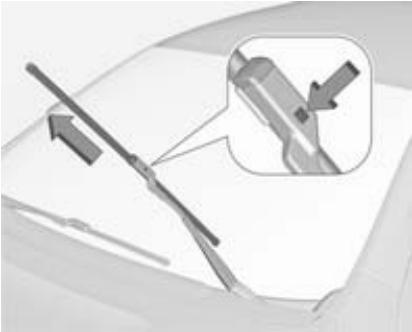
- Press the button in the middle of the wiper arm connector and pull the wiper blade away from the arm connector.
- Remove the wiper blade.
Headlight aiming
Headlight aim has been preset and should need no further adjustment. When driving in countries where the traffic drives on the opposite side of the road, it is not necessary to adjust the low beam.
If the vehicle is damaged in a crash, the headlight aim may be affected. If adjustment to the low beam is necessary, seek the assistance of a workshop.
Bulb replacement
Switch off the ignition and switch off the relevant switch or close the doors.
Only hold a new bulb at the base! Do not touch the bulb glass with bare hands.
Only use the same bulb type for replacement.
Replace headlight bulbs from within the engine compartment.
Halogen bulbs
Warning
Halogen bulbs have pressurised gas inside and can burst if you drop or scratch the bulb. You or others could be injured. Be sure to read and follow the instructions on the bulb package.
Halogen headlights
High/low beam

1. Remove the cover from the back of the headlight assembly by turning it counterclockwise.
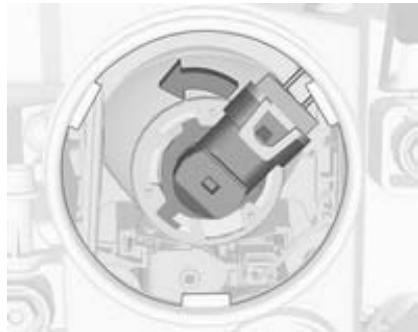
-
Remove the bulb socket from the headlight assembly by turning it counterclockwise.
-
Remove the bulb from the socket.

- Install the new bulb in the socket.
- Install the bulb socket by turning it clockwise.
- Install the cover in the back of the headlight assembly by turning it clockwise.
Tail lights
Have the lights replaced by a workshop.
Side turn signal lights
Have bulbs replaced by a workshop.
Reversing light
Have the bulbs replaced by a workshop.
Number plate light

- Press the spring clip on the right end of the light assembly to the left to unlock the light assembly.
- Pull down on the light assembly to remove it from the fascia.
- Turn the bulb socket counterclockwise to remove it from the light assembly.
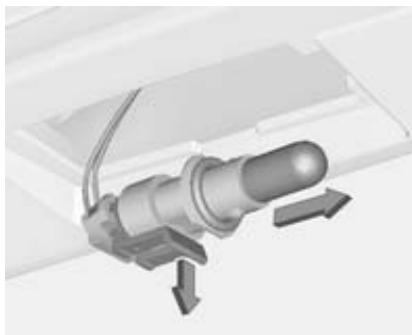
- Pull gently the clamp and pull the bulb straight out of the bulb socket.
- Push the replacement bulb straight into the bulb socket and turn the bulb socket clockwise to install it into the light assembly.
- Reinstall the light assembly into the fascia by inserting the left side first.
- Push the spring clip side into place.
Rear fog light
Have the bulbs replaced by a workshop.
Electrical system
High voltage devices and wiring
Warning
Exposure to high voltage may cause shock, burns, and even death. The high voltage components in the vehicle should only be serviced by specially trained technicians.
High voltage components are identified by labels. Do not remove, open, take apart, or modify these components. High voltage cable or wiring has orange covering. Do not probe, tamper with, cut, or modify high voltage cable or wiring.
Electrical system overload
The vehicle has fuses and circuit breakers to protect against an electrical system overload.
If the current electrical load is too heavy, the circuit breaker will open and close, protecting the circuit until the current load returns to normal or the problem is fixed. This greatly reduces the chance of circuit overload and fire caused by electrical problems.
Fuses and circuit breakers protect the following parts in the vehicle:
Headlight wiring
Windscreen wiper motor
Power windows and other power accessories
Replace a bad fuse with a new one of identical size and rating. If there is a problem on the road and a fuse needs to be replaced, the same amperage fuse can be borrowed. Choose a feature of the vehicle that is temporarily not required and replace the borrowed fuse as soon as possible.
Headlight wiring
An electrical overload may cause the lights to go on and off or in some cases to remain off. In this case, have the headlight wiring checked immediately by a workshop.
Windscreen wipers
If the wiper motor overheats due to heavy snow or ice, the windscreen wipers will stop until the motor cools down and the wiper control is turned off. After removal of the blockage, the wiper motor will restart when moving the control to the desired operating position.
Although the circuit is protected from electrical overload, overload due to heavy snow or ice may cause wiper linkage damage.
Always clear ice and heavy snow from the windscreen before using the windscreen wipers. If the overload is caused by an electrical problem and not snow or ice, it must be serviced.
Fuses
Data on the replacement fuse must match the data on the defective fuse.
There are four fuse boxes in the vehicle:
in the front left of the engine compartment,
on the right end side and the left end side of the instrument panel,
behind a cover on the left side of the load compartment.
Before replacing a fuse, turn off the respective switch and the ignition.
A blown fuse can be recognised by its melted wire. Do not replace the fuse until the cause of the fault has been remedied.
Some functions are protected by several fuses.
Fuses may also be inserted without existence of a function.


Fuse extractor
A fuse extractor may be located in the fuse box in the engine compartment.
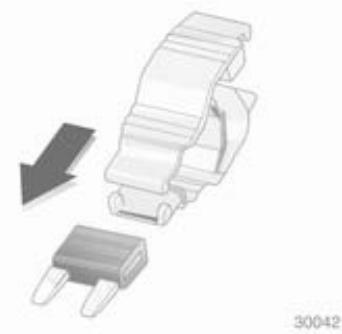
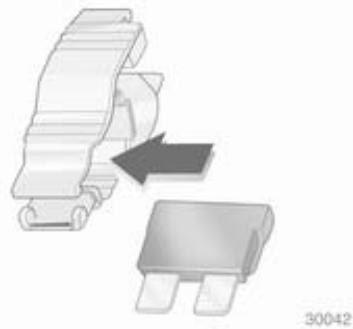


30044
Place the fuse extractor on the various types of fuse from the top or side, and withdraw fuse.
Engine compartment fuse box
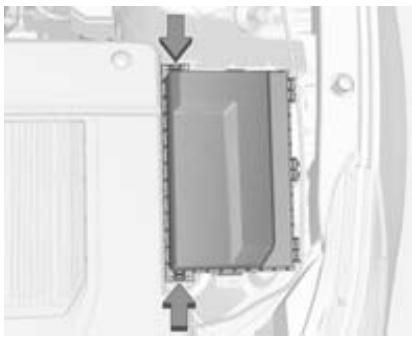
The fuse box is in the left front side of the engine compartment.
To open the fuse block cover, press the clips at the front and at the back and rotate the cover up to the side.
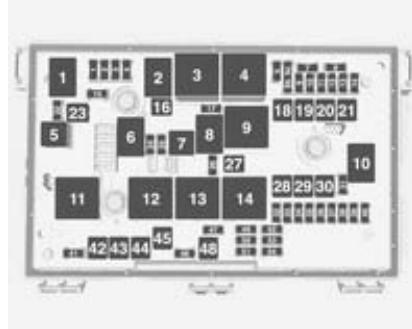
Mini fuses Usage
1 Engine control module - switched power
2 Emissions
3 -
4 Ignition coils / Injectors
5 Column lock
6 -
7 -
8 -
Mini fuses Usage
| 9 | Heated mirrors |
| 10 | Air conditioning control module |
| 11 | Traction power inverter module – Battery |
| 12 | - |
| 13 | Cabin heater pump and valve |
| 14 | Theft deterrent — Power sounder |
| 15 | Traction power inverter module and transmission control module — Battery |
| 17 | Engine control module — Battery |
| 22 | Left high-beam headlight |
| 24 | - |
| 25 | - |
| 26 | Theft deterrent — Horn |
Mini fuses Usage
| 31 | - |
| 32 | Run/Crank — Sensing diagnostic module, instrument cluster, passenger airbag display, headlight level switch, automatic dimming inside rearview mirror |
| 33 | Run/Crank — Vehicle integration control module |
| 34 | Vehicle integration control module — Battery |
| 35 | - |
| 36 | Power electronics coolant pump |
| 37 | Cabin heater control module |
Mini fuses Usage
| 38 | Rechargeable energy storage system (high voltage battery) coolant pump |
| 39 | Rechargeable energy storage system (high voltage battery) control module |
| 40 | Front windscreen washer |
| 41 | Right high-beam head-light |
| 46 | - |
| 47 | - |
| 49 | - |
| 50 | Run/Crank — Rear view camera, accessory power module, tyre pressure monitor, headlight levelling motors |
Mini fuses Usage
51 Run/Crank for ABS/ Rechargeable energy storage system (high voltage battery)
52 Engine control module/ transmission control module - Run/Crank
53 Traction power inverter module - Run/Crank
54 Run/Crank — Fuel system control module, air conditioning control module, on-board charger
J-case fuses Usage
16 -
18 -
19 Front power window
20 -
J-case fuses Usage
21 Antilock brake system electronic control unit
23 Charge port door
27 -
28 -
29 -
30 Antilock brake system motor
42 Right cooling fan
43 Front wipers
44 Charger
45
48 Left cooling fan
After having changed defective fuses, close the fuse box cover and press until it engages.
If the fuse box cover is not closed correctly, malfunctions may occur.
Instrument panel fuse box
Instrument panel fuse box on the left side end
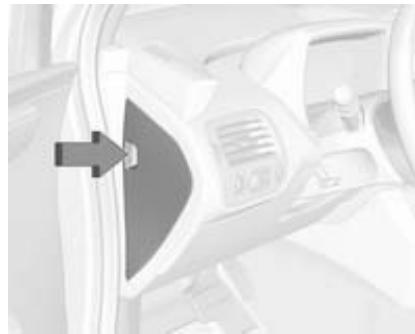
The left instrument panel fuse box is located on the left side end of the instrument panel. To access the fuses, open the fuse panel door by pulling out.
A fuse puller is located in the engine compartment fuse box.
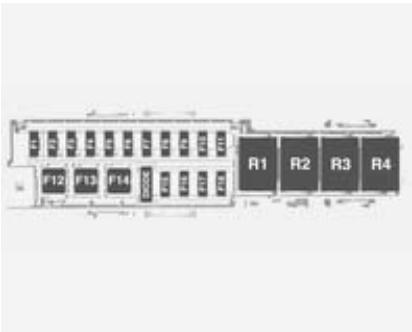
Fuses Usage
F1 Power outlet - Top of IP storage bin
F2 Radio
F3 Instrument cluster (left hand drive)
F4 Infotainment display
F5 Heating, ventilation & air conditioning/ Integrated centre stack switches
F6 Airbag (Sensing diagnostic module)
Fuses Usage
F7 Left primary data link connector (left hand drive), Left secondary data link connector (right hand drive)
F8 Column lock (left hand drive)
F9 Hands-free phone
F10 Body control module 1/Body control module electronics/ Remote entry/Power moding/ Centre high-mounted stoplight/ Number plate lights/Left daytime running light/Left position lights/ Tailgate release relay control/ Washer pump relay control/Switch indicator lights
F11 Body control module 4/Left headlight
F12 Blower (left hand drive)
F13 -
F14 -
Fuses Usage
F15 Power outlet (Inside floor console/Rear of floor console)
F16 -
F17 -
F18 -
To reinstall the door, insert the bottom tab first, then push the door back into its original location.
Instrument panel fuse box on the right side end
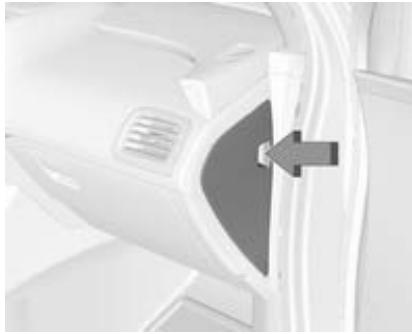
The right instrument panel fuse box is located on the right side end of the instrument panel. To access the fuses, open the fuse panel door by pulling out.
A fuse puller is located in the engine compartment fuse block.
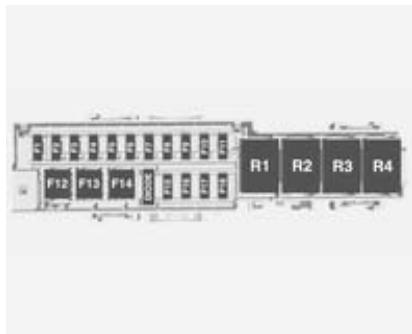
Fuses Usage
F1 Steering wheel switch backlighting
F2 Column lock (right hand drive)
F3 Cluster (right hand drive)
Fuses Usage
F4 Body control module 3/Right headlight
F5 Body control module 2/Body control module electronics/ Tail light/Right daytime running light/Shifter lock/ Switch backlighting/Rear fog light
F6 Body control module 5/ Retained accessory power relay control/Right front turn signal light/Left rear stop and turn signal light/Right position lights/Remote PRNDL
F7 Body control module 6/Map lights/Courtesy lights/ Reversing lights
F8 Body control module 7/Left front turn signal/Right rear stop and turn signal light/ Child security lock relay control
F9 Body control module 8/Locks
Fuses Usage
F10 Right secondary data link connector (left hand drive), Right primary data link connector (right hand drive)
F11 Intrusion and inclination sensor
F12 Blower motor (left hand drive)
F13 -
F14 -
F15 -
F16 -
F17 -
F18 -
To reinstall the door, insert the bottom tab first, then push the door back into its original location.
Load compartment fuse box
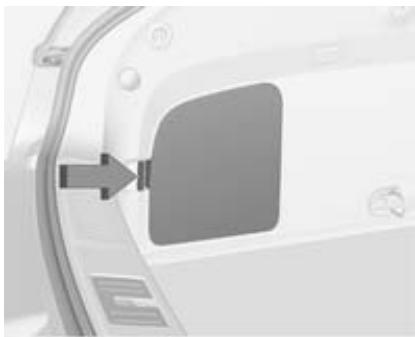
The fuse box is on the left side of the load compartment behind a cover. Remove the cover.
A fuse puller is located in the engine compartment fuse box.
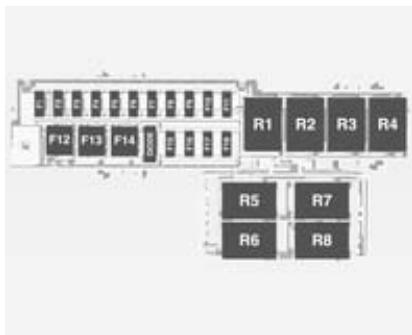
Fuses Usage
F1
F2 Fuel system control module
F3 Passive start/ Passive entry module
F4 Heated seats
F5 Driver door switches (Outside rearview mirror/ Charge port door release/ Refuel request/Driver window switch)
Fuses Usage
F6 Fuel (Diurnal valve and evap. leak check module)
F7 Accessory power module cooling fan
F8 Amplifier
F9 Digital audio broadcast
F10 Regulated voltage control/ Ultrasonic front and rear parking assist
F11 Horn
F12 Rear power windows
F13 Electrical parking brake
F14 Rear defog (Upper grid)
F15 -
F16 Tailgate release
F17 -
F18 -
Vehicle tools
Tools

The towing eye and a screwdriver are located under a cover in the load compartment. Note that the towing eye is located below the tyre repair kit.
Wheels and tyres
Tyre condition, wheel condition
Drive over edges slowly and at right angles if possible. Driving over sharp edges can cause tyre and wheel damage. Do not trap tyres on the kerb when parking.
Regularly check the wheels for damage. Seek the assistance of a workshop in the event of damage or unusual wear.
Tyres
Directional tyres
Fit directional tyres such that they roll in the direction of travel. The rolling direction is indicated by a symbol (e.g. an arrow) on the sidewall.
The following applies to tyres fitted opposing the rolling direction:
Driveability may be affected. Have the defective tyre renewed or repaired as soon as possible.
- Do not drive faster than 50mph .
Drive particularly carefully on wet and snow-covered road surfaces.
Tyre designations
E.g. 215/60 R 16 95 H
215 = Tyre width, mm
60 = Cross-section ratio (tyre height to tyre width), %
R = Belt type: Radial
RF = Type: RunFlat
16 = Wheel diameter, inches
95 = Load index e.g. 95 is equivalent to 690kg
H = Speed code letter
Speed code letter:
Q = up to 100 mph
S = up to 112 mph
T = up to 118 mph
H = up to 130 mph
V = up to 150 mph
W = up to 168 mph
Winter tyres
Winter tyres improve driving safety at temperatures below 7^ and should therefore be fitted on all wheels.
Tires of size 205/60R16 and 215/55R17 are permitted as winter tires.
In accordance with country-specific regulations, affix the speed sticker in the driver's field of view.
Tyre pressure
Although your vehicle has an integrated tyre pressure monitoring system, you should check the tyre pressure of your cold tyres at least every 14 days and before any long journey.
Unscrew the valve cap.

The tyre and loading information label on the front left-hand door frame indicates the original equipment tyres and the tyre pressures.
Additionally: See Tyre pressures 190.
The tyre pressure data refers to cold tyres. It applies to summer and winter tyres.
The ECO tyre pressure serves to achieve the smallest amount of fuel consumption possible.
Incorrect tyre pressures will impair safety, vehicle handling, comfort and fuel economy and will increase tyre wear.
Warning
If the pressure is too low, this can result in considerable tyre warm-up and internal damage, leading to tread separation and even to tyre blow-out at high speeds.
If the tyre pressure must be reduced or increased on a vehicle with tyre pressure monitoring system, switch off ignition.
Tyre pressure monitoring system
The tyre pressure monitoring system uses radio and sensor technology to check tyre pressure levels. The tyre pressure monitoring system sensors monitor the pressure in your vehicle's tyres and transmits tyre pressure readings to a receiver located in the vehicle.
When the low tyre pressure control indicator illuminates, stop and check tyres as soon as possible, and inflate them to the proper pressure.
Please note that the tyre pressure monitoring system is not a substitute for proper tyre maintenance and it is the driver's responsibility to maintain correct tyre pressure, even if underinflation has not reached the level to trigger illumination of the tyre pressure monitoring system low tyre pressure control indicator.
The tyre pressure monitoring system malfunction indicator is combined with the low tyre pressure control indicator. If the system detects a malfunction, the control indicator will flash for approx. 1 minute and then remain continuously illuminated. This sequence will continue upon subsequent vehicle start-ups as long as the malfunction exists.
If the malfunction indicator is illuminated, the system may not be able to detect or signal low tyre pressure as intended. Tyre pressure monitoring system malfunctions may
occur for a variety of reasons, including the installation of replacement or alternate tyres or wheels on the vehicle that prevent the tyre pressure monitoring system from functioning properly. Always check the tyre pressure monitoring system malfunction control indicator after replacing one or more tyres or wheels on your vehicle to ensure that the replacement or alternate tyres and wheels allow the tyre pressure monitoring system to continue to function properly.
Tyre pressure monitor operation
When a low tyre pressure condition is detected, illuminates.
If comes on, stop as soon as possible and inflate the tyres as recommended in this manual.
Tyre pressures 190.
A message to check the pressure in a specific tyre is displayed in the Driver Information Centre (DIC). and the DIC warning message comes on at each drive cycle until the tyres are
inflated to the correct inflation pressure. Using the DIC, tyre pressure levels can be viewed.
Control indicator 71.
DIC 73.
may come on in cool weather when the vehicle is first started and then turn off when the vehicle is driven. This could be an early indicator that the air pressure is getting low and needs to be inflated to the proper pressure.
Tyre pressures 190.
The tyre pressure monitoring system may warn about a low tyre pressure condition but it does not replace normal tyre maintenance.
The use of commercially available liquid tyre repair kits may impair the function of the system. Factory approved repair kits can be used.
Adaptive threshold function
The tyre pressure monitoring system automatically detects if the vehicle is driven with a tyre pressure appropriate for a load of up to 3 people or for a full load.
If the tyre pressure is to be reduced, switch off ignition before reducing.
Sensor matching process - Auto learn function
Each tyre pressure monitoring system sensor has a unique identification code. The identification code needs to be matched to a new tyre/wheel position after rotating the vehicle's tyres or replacing one or more of the sensors.
After a tyre with sensors is installed or after rotating the vehicle tyres, the vehicle must remain stationary for approx. 20 minutes, before the system recalculates. The following relearn process takes up to 10 minutes of driving at a minimum speed of 12 mph. During the
recalculation process - or pressure values changing tyre/wheel position may be displayed in the DIC.
If problems occur during the relearn process a warning message will be displayed in the DIC.
Fault
The tyre pressure monitoring system will not work properly if one or more of the sensors are missing or inoperable.
When the system detects a malfunction, flashes for approx. 1 minute and then stays on for the remainder of the vehicle on/off cycle. A DIC warning message is displayed. and the DIC warning message come on at each vehicle on/off cycle until the problem is corrected. Some of the conditions that may cause these messages to come on are:
The tyre pressure monitoring system sensor matching process was started but not completed or not completed successfully after rotating the tyres. The DIC message and should go off once
the tyre pressure monitoring system sensor matching process has been performed successfully.
One or more tyre pressure monitoring system sensors are missing or damaged. The DIC message and should go off when the sensors have been installed and the sensor matching process has been performed successfully. Seek the assistance of a workshop.
- Replacement tyres or wheels do not match the original equipment tyres or wheels. Tyres and wheels other than those recommended could prevent the tyre pressure monitoring system from functioning properly.
- Operating electronic devices or being near facilities using radio wave frequencies similar to the tyre pressure monitoring system could cause the tyre pressure monitoring system sensors to malfunction.
If the tyre pressure monitoring system is not working properly, it cannot detect or signal a low tyre condition. Seek the assistance of a workshop.
Tread depth
Check tread depth at regular intervals.
Tyres should be replaced for safety reasons at a tread depth of 2-3 mm (4 mm for winter tyres).
For safety reasons it is recommended that the tread depth of the wheels on one axle should not vary by more than 2 mm.
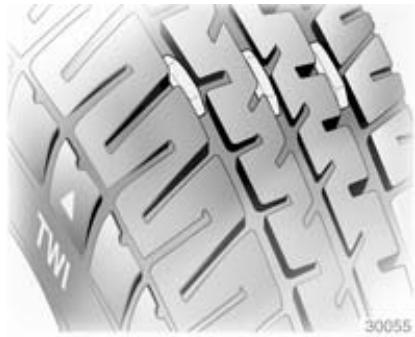
The legally permissible minimum tread depth (1.6 mm) has been reached when the tread has worn down as far as one of the tread wear
indicators (TWI). Their position is indicated by markings on the sidewall.
If there is more wear at the front than the rear, swap around front wheels and rear wheels periodically. Ensure that the direction of rotation of the wheels is the same as before.
Tyres age, even if they are not used. We recommend tyre replacement every 6 years.
Changing tyre and wheel size
If tyres of a different size than those fitted at the factory are used, it may be necessary to reprogramme the speedometer as well as the nominal tyre pressure and make other vehicle modifications.
Ensure that the direction of rotation of the wheels is the same as before and according to tyre manufacturer instructions.
After converting to a different tyre size, have the label with tyre pressures replaced.
Warning
Use of unsuitable tyres or wheels may lead to accidents and will invalidate the vehicle type approval.
Tyre chains
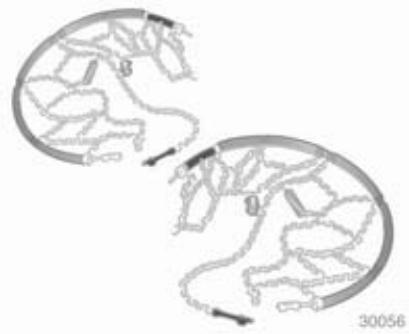
Tyre chains are only permitted on the front wheels.
Always use fine mesh chains that add no more than 10mm to the tyre tread and the inboard sides (including chain lock).
Warning
Damage may lead to tyre blowout.
Tyre chains are only permitted on tyres of size 205/60R16.
Tyre chains are not permitted on tyres of size 215/55R17 and 225/45R18.
Tyre repair kit
Minor damage to the tyre tread can be repaired with the tyre repair kit.
Do not remove foreign bodies from the tyres.
Tyre damage exceeding 4 mm or that is at tyre's side wall cannot be repaired with the tyre repair kit.
Warning
Do not drive faster than 50mph
Do not use for a lengthy period.
Steering and handling may be affected.
If you have a flat tyre:
Stop the vehicle, apply the parking brake and move the shift lever to P. Turn on the hazard warning flashers. Hazard warning flashers 91.
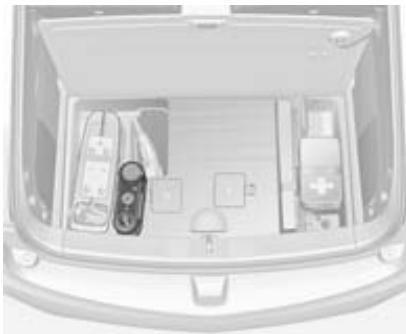
The tyre repair kit is located under a cover in the load compartment.
Note
The driving characteristics of the repaired tyre is severely affected, therefore have this tyre replaced.
If unusual noise is heard or the compressor becomes hot, turn compressor off for at least 30 minutes.
The built-in safety valve opens at a pressure of 7 bar.
Note the expiry date of the kit. After this date its sealing capability is no longer guaranteed. Pay attention to storage information on sealant bottle.
Replace the used sealant bottle. Dispose of the bottle as prescribed by applicable laws.
The compressor and sealant can be used from approx. -30 °C.
Using the tyre repair kit
The tyre repair kit has two hoses. The clear sealant/air hose is intended to temporarily seal and inflate a punctured tyre, the black air only hose is intended to inflate a not punctured tyre without sealant.
Closely follow the directions for correct usage:
- Take the tyre repair kit from the compartment.
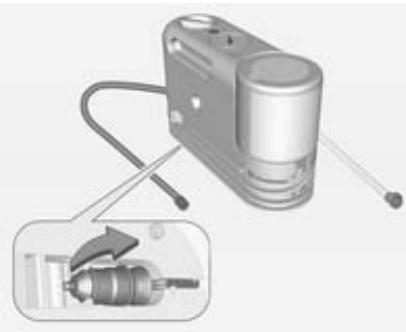
- Sealant and air hose: Unwrap the clear sealant/air hose and the power plug.
Air only hose: Unwrap the black air only hose and the power plug.
- Place the kit on the ground.
Make sure the tyre valve stem is positioned close to the ground, so the hose will reach it.
- Remove the valve stem cap from the flat tyre by turning it counterclockwise.

-
Attach the clear sealant/air hose or the black air only hose onto the tyre valve stem. Turn it clockwise until it is tight.
-
Plug the power plug into an accessory power outlet in the vehicle. Unplug all items from other accessory power outlets.
Power outlets 61.
Do not pinch the power plug cord in the door or window.
- Start the vehicle. The vehicle must be running while using the air compressor.

- Sealant and air hose: Press and turn the selector switch counterclockwise to 念

Air only hose: Turn the selector switch clockwise to

- Press to turn the tyre repair kit on.
Sealant and air hose: The compressor will inject sealant and air into the tyre. The pressure gauge will initially show a high pressure while the compressor pushes the sealant into the tyre. Once the sealant is completely dispersed into the tyre, the pressure will quickly drop and start to rise again as the tyre inflates with air only.
Air only hose: The compressor will inflate the tyre only with air.
- Inflate the tyre to the recommended inflation pressure using the pressure gauge.
Tyre and loading information label 162.
Tyre pressures 190.
The pressure gauge may read higher than the actual tyre pressure while the compressor is on. Turn the compressor off to get an accurate pressure reading. The compressor may be turned on/off until the correct pressure is reached.
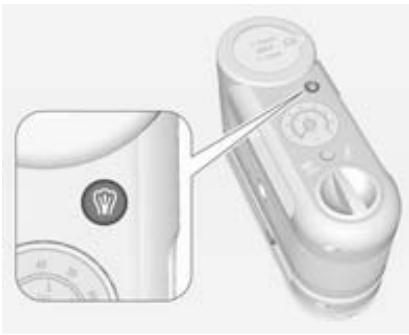
Air only hose: If you inflate the tyre to a pressure higher than recommended, you may release the excess pressure by pressing, until the proper pressure reading is reached.
Note
If the recommended pressure cannot be reached after approximately 25 minutes, the vehicle should not be driven farther. The tyre is too severely damaged and the tyre repair kit cannot inflate the tyre. Remove the power plug from the accessory power outlet and unscrew the inflating hose from the tyre valve.
- Press again to turn the tyre repair kit off.
Be careful while handling the tyre repair kit as it could be warm after usage.
Sealant and air hose: The tyre is not sealed and will continue to leak air until the vehicle is driven and the sealant is distributed in the tyre.
- Unplug the power plug from the accessory power outlet in the vehicle.

- Turn the clear sealant/air hose on the black air only hose counterclockwise to remove it from the tyre valve stem.
- Replace the tyre valve stem cap.
- Replace the clear sealant/air hose or the black air only hose and the power plug back in their original location and store the tyre repair kit to its storage location in the load compartment.

- Sealant and air hose: If the flat tyre has been inflated to the recommended inflation pressure, remove the maximum speed label from the sealant canister and place it in a highly visible location. Do not exceed the speed recommended on this label until the damaged tyre is repaired or replaced.
- Sealant and air hose: Immediately drive the vehicle 5 miles to distribute the sealant in the tyre.
- Sealant and air hose: Stop at a safe location and check the tyre
pressure. Refer to steps 1 - 11 by using the air only hose.
If the tyre pressure has fallen more than 0.7 bar below the recommended inflation pressure, stop driving the vehicle. The tyre is too severely damaged and the tyre sealant cannot seal the tyre. If the tyre pressure has not dropped more than 0.7 bar below the recommended inflation pressure, inflate the tyre to the recommended inflation pressure.
- Sealant and air hose: Wipe off any sealant from the wheel, tyre and vehicle.
- Sealant and air hose: Dispose of the used sealant canister and the clear sealant/air hose assembly at a local dealer or in accordance with local laws and practices.
- Sealant and air hose: Replace it with a new canister available from a workshop.
- Sealant and air hose: After temporarily sealing a tyre using the tyre repair kit, take the vehicle
to a workshop within a driving distance of 100 miles to have the tyre repaired or replaced.
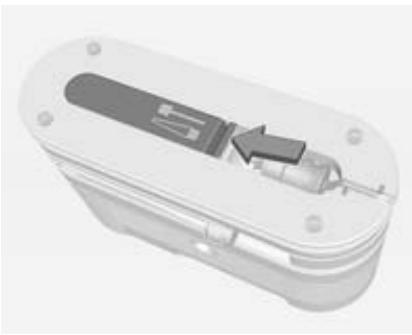
The tyre repair kit has an accessory adapter located in a compartment on the bottom of its housing that may be used to inflate air mattresses, balls, etc.
Removal and installation of the sealant canister
To remove the sealant canister:
- Unwrap the sealant hose.
- Press the canister release button.
-
Pull up and remove the canister.
-
Replace with a new canister which is available from a workshop.
- Push the new canister into place.
Jump starting
Do not start with a quick charger.
A vehicle with a discharged battery can be started using jump leads and the battery of another vehicle.
There are different procedures depending on if the vehicle has a run-down battery or another vehicle has a run-down battery.
Danger
The high voltage battery cannot be jump started either with another vehicle or battery charger. Personal injury, death, or damage to the vehicle could result.
Warning
Be extremely careful when starting with jump leads. Any deviation from the following instructions can lead to injuries or damage caused
by battery explosion or damage to the electrical systems of both vehicles.
Warning
Avoid contact of the battery with eyes, skin, fabrics and painted surfaces. The fluid contains sulphuric acid which can cause injuries and damage in the event of direct contact.
Warning
Electric fans can start up even when the engine is not running and can cause injury. Keep hands, clothing and tools away from any underhood electric fans.
Warning
Never jump start another vehicle by using the terminals located in the engine compartment.
This could cause a fuse to overload in the vehicle.
To jump start another vehicle, use the terminals located under the floor cover in the load compartment.
- Never expose the battery to naked flames or sparks.
A discharged battery can already freeze at a temperature of 0^ . Defrost the frozen battery before connecting jump leads.
Wear eye protection and protective clothing when handling a battery. - Use a booster battery with the same voltage (12-volt). Its capacity (Ah) must not be much less than that of the discharged battery.
Use jump leads with insulated terminals and a cross section of at least 16mm^2 - Do not disconnect the discharged battery from the vehicle.
-
Switch off all unnecessary electrical consumers.
-
Do not lean over the battery during jump starting.
- Do not allow the terminals of one lead to touch those of the other lead.
- The vehicles must not come into contact with each other during the jump starting process.
- Apply the parking brake, move the shift lever to P .

Battery terminals in the engine compartment
The battery terminals to jump start the vehicle are located in the engine compartment. The positive battery terminal is located below a access cover. Open the cover every time you want to jump start the vehicle. The negative battery terminal is a stud marked GND.

Battery terminals in the load compartment
The battery terminals to jump start another vehicle are located in the load compartment below two access covers. Open and remove the access covers every time you want to jump
start another vehicle. The positive battery terminal is covered with an additional access cover, marked with a ^+ . Open the access cover every time you want to use the positive battery terminal.
Jump starting
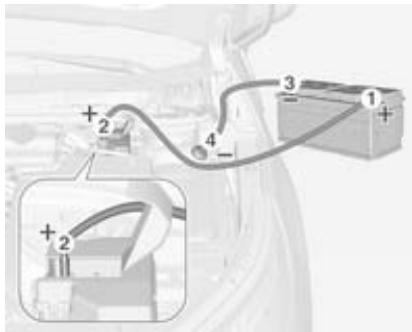
Jump starting the vehicle
Lead connection order:
- Connect the red lead to the positive terminal of the booster battery.
- Connect the other end of the red lead to the positive terminal of the discharged battery.
- Connect the black lead to the negative terminal of the booster battery.
- Connect the other end of the black lead to the negative battery terminal, marked GND.
Route the leads so that they cannot catch on rotating parts in the engine compartment.
To start the vehicle:
- Start the engine of the vehicle providing the jump.
-
After 5 minutes, press to switch on the ignition of the vehicle. After the instrument cluster initialises, the vehicle will use power from the high voltage battery to charge the 12-volt battery.
-
Switch on electrical consumers (e.g. headlights, heated rear window) of the vehicle receiving the jump start.
- Reverse above sequence exactly when removing leads.
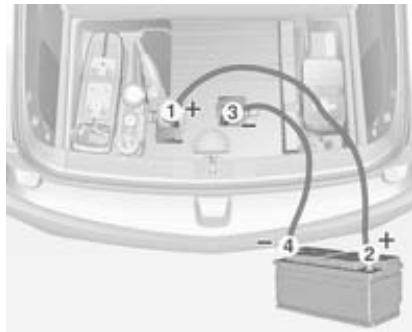
Jump starting another vehicle
Lead connection order:
- Connect the red lead to the positive terminal of the booster battery.
-
Connect the other end of the red lead to the positive terminal of the discharged battery.
-
Connect the black lead to the negative terminal of the booster battery.
- Connect the other end of the black lead to a vehicle grounding point, such as the engine block or an engine mounting bolt. Connect as far away from the discharged battery as possible, however at least 60~cm .
Route the leads so that they cannot catch on rotating parts in the engine compartment.
To start the vehicle:
- Press to switch on the ignition of the vehicle.
- After 5 minutes, start the other engine.
- Allow both vehicles to run for approx. 3 minutes with the leads connected.
- Switch on electrical consumers (e.g. headlights, heated rear window) of the vehicle receiving the jump start.
- Reverse above sequence exactly when removing leads.
Towing
Towing the vehicle
Caution
Incorrect towing of a disabled vehicle may cause damage to the vehicle. The disabled vehicle should only be towed on a flatbed car carrier.
Ensure the vehicle is only towed by well trained technicians.
In emergencies, if no car carrier is available the vehicle must not be towed faster than 45 mph nor further than 45 miles.
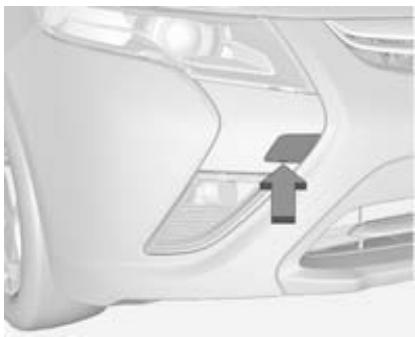
Insert a screwdriver into the slot at the short edge of the cap. Release the cap by carefully moving the screwdriver sideways. To prevent damage, it is recommended to place a cloth between the screwdriver and the frame.
The towing eye is stowed in a storage compartment under the floor cover of the load compartment 54.
Carefully disengage the cap with a screwdriver.
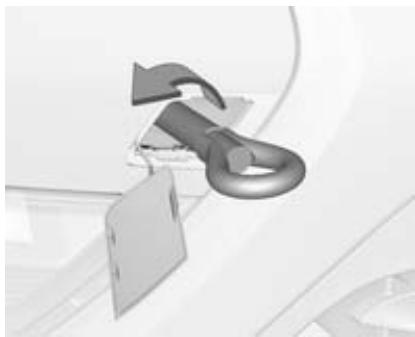
Screw in the towing eye as far as it will go until it stops in a horizontal position.
Attach a tow rope – or better still a tow rod – to the towing eye.
The towing eye must only be used for towing and not for recovering the vehicle.
Switch on ignition to release steering wheel lock and to permit operation of brake lights, horn and windscreen wiper.
Set the shift lever of the electric drive unit to N.
Caution
Drive slowly. Do not drive jerkily. Excessive tractive force can damage the vehicle.
When the vehicle is not running, considerably more force is needed to brake and steer.
To prevent the entry of exhaust gases from the towing vehicle, switch on the air recirculation and close the windows.
Seek the assistance of a workshop. After towing, unscrew the towing eye. Insert cap at the bottom and close.
Towing another vehicle
The vehicle is neither designed nor intended to tow a trailer or another vehicle.
Appearance care
Exterior care
Locks
The locks are lubricated at the factory using a high quality lock cylinder grease. Use de-icing agent only when absolutely necessary, as this has a degreasing effect and impairs lock function. After using de-icing agent, have the locks regreased by a workshop.
Washing
The paintwork of your vehicle is exposed to environmental influences. Wash and wax your vehicle regularly. When using automatic vehicle washes, select a programme that includes waxing.
Do not apply waxes or polishes to uncoated plastic, vinyl, rubber, decals, simulated wood, or flat paint as damage can occur.
Bird droppings, dead insects, resin, pollen and the like should be cleaned off immediately, as they contain aggressive constituents which can cause paint damage.
If using a vehicle wash, comply with the vehicle wash manufacturer's instructions. The windscreen wiper and rear window wiper must be switched off. Remove antenna and external accessories such as roof racks etc.
If you wash your vehicle by hand, make sure that the insides of the wheel housings are also thoroughly rinsed out.
Clean edges and folds on opened doors and the bonnet as well as the areas they cover.
Caution
Always use a cleaning agent with a pH value of 4 to 9.
Do not use cleaning agents on hot surfaces.
Have the door hinges of all doors greased by a workshop.
Do not clean the engine compartment with a steam-jet or high-pressure jet cleaner.
Thoroughly rinse and leather-off the vehicle. Rinse leather frequently. Use separate leathers for painted and glass surfaces: remnants of wax on the windows will impair vision.
Exterior lights
Headlight and other light covers are made of plastic. Do not use any abrasive or caustic agents, do not use an ice scraper, and do not clean them dry.
Polishing and waxing
Wax the vehicle regularly (at the latest when water no longer beads). Otherwise, the paintwork will dry out.
Polishing is necessary only if the paint has become dull or if solid deposits have become attached to it.
Paintwork polish with silicone forms a protective film, making waxing unnecessary.
Plastic body parts must not be treated with wax or polishing agents.
Windows and windscreen wiper blades
Use a soft lint-free cloth or chamois leather together with window cleaner and insect remover.
When cleaning the rear window, make sure the heating element inside is not damaged.
For mechanical removal of ice, use a sharp-edged ice scraper. Press the scraper firmly against the glass so that no dirt can get under it and scratch the glass.
Clean smearing wiper blades with a soft cloth and window cleaner.
Wheels and tyres
Do not use high-pressure jet cleaners.
Clean rims with a pH-neutral wheel cleaner.
Rims are painted and can be treated with the same agents as the body.
Paintwork damage
Rectify minor paintwork damage with a touch-up pen before rust forms. Have more extensive damage or rust areas repaired by a workshop.
Underbody
Some areas of the vehicle underbody have a PVC undercoating while other critical areas have a durable protective wax coating.
After the underbody is washed, check the underbody and have it waxed if necessary.
Bitumen/rubber materials could damage the PVC coating. Have underbody work carried out by a workshop.
Before and after winter, wash the underbody and have the protective wax coating checked.
Front air deflector

The front air deflector directs the airflow under the vehicle. If it becomes detached, insert the tab into the slot. Repeat for the other side, if needed.
Caution
Drive carefully whenever the road has a strong inclination or when driving over a ramp, bumper, etc.
Interior care
Interior and upholstery
Only clean the vehicle interior, including the instrument panel fascia and panelling, with a dry cloth or interior cleaner.
Clean the leather upholstery with clear water and a soft cloth. In case of heavy soiling, use leather care.
The instrument panel should only be cleaned using a soft damp cloth.
Do not spray cleaners directly on any switches or controls.
Clean fabric upholstery with a vacuum cleaner and brush. Remove stains with an upholstery cleaner.
Clothing fabrics may not be colourfast. This could cause visible discolourations, especially on light-coloured upholstery. Removable stains and discolourations should be cleaned as soon as possible.
Clean seat belts with lukewarm water or interior cleaner.
Caution
Close Velcro fasteners as open Velcro fasteners on clothing could damage seat upholstery.
The same applies to clothing with sharp-edged objects, like zips or belts or studded jeans.
Plastic and rubber parts
Plastic and rubber parts can be cleaned with the same cleaner as used to clean the body. Use interior cleaner if necessary. Do not use any other agent. Avoid solvents and petrol in particular. Do not use high-pressure jet cleaners.
Service and maintenance
General information 178
Recommended fluids, lubricants and parts 179
General information
Service information
In order to ensure economical and safe vehicle operation and to maintain the value of your vehicle, it is of vital importance that all maintenance work is carried out at the proper intervals as specified.
The detailed, up-to-date service schedule for your vehicle is available at the workshop.
Service intervals
Maintenance of your vehicle is required every 20,000 miles or after 1 year, whichever occurs first, unless otherwise indicated in the service display.
Confirmations
Confirmation of service is recorded in the Service and Warranty Booklet. The date and mileage is completed with the stamp and signature of the servicing workshop.
Make sure that the Service and Warranty Booklet is completed correctly as continuous proof of service is essential if any warranty or goodwill claims are to be met, and is also a benefit when selling the vehicle.
Service interval with remaining engine oil life duration
The service interval is based on several parameters depending on usage.
A message in the Driver Information Centre (DIC) lets you know when to change the engine oil.
Driver Information Centre (DIC) 73. Vehicle messages 83.
Recommended fluids, lubricants and parts
Recommended fluids and lubricants
Only use products that have been tested and approved. Damage resulting from the use of non-approved materials will not be covered by the warranty.
Warning
Operating materials are hazardous and could be poisonous. Handle with care. Pay attention to information given on the containers.
Engine oil
Engine oil is identified by its quality and its viscosity. Quality is more important than viscosity when selecting which engine oil to use. The oil quality ensures e.g. engine cleanliness, wear protection and oil
aging control, whereas viscosity grade gives information on the oil's thickness over a temperature range.
Dexos is the newest engine oil quality that provides optimum protection for gasoline and diesel engines. If it is unavailable, engine oils of other listed qualities have to be used.
Recommendations for gasoline engines are also valid for Compressed Natural Gas (CNG), Liquified Petroleum Gas (LPG) and Ethanol (E85) fuelled engines.
Select the appropriate engine oil based on its quality and on the minimum ambient temperature 182.
Topping up engine oil
Engine oils of different manufacturers and brands can be mixed as long as they comply with the required engine oil quality and viscosity.
Use of engine oil with only ACEA A1 or only A5 quality is prohibited, since it can cause long-term engine damage under certain operating conditions.
Select the appropriate engine oil based on its quality and on the minimum ambient temperature 182.
Additional engine oil additives
The use of additional engine oil additives could cause damage and invalidate the warranty.
Engine oil viscosity grades
The SAE viscosity grade gives information of the thickness of the oil. Multigrade oil is indicated by two figures, e.g. SAE 5W-30. The first figure, followed by a W, indicates the low temperature viscosity and the second figure the high temperature viscosity.
Select the appropriate viscosity grade depending on the minimum ambient temperature 182.
All of the recommended viscosity grades are suitable for high ambient temperatures.
Engine coolant and antifreeze
Use only silicate-free long life coolant (LLC) antifreeze approved for the vehicle, consult a workshop.
The system is factory filled with coolant designed for excellent corrosion protection and frost protection down to approx. -28^ . This concentration should be maintained all year round. The use of additional coolant additives that intend to give additional corrosion protection or seal against minor leaks can cause function problems. Liability for consequences resulting from the use of additional coolant additives will be rejected.
Brake fluid
Only use high-performance brake fluid approved for the vehicle, consult a workshop.
Over time, brake fluid absorbs moisture which will reduce braking effectiveness. The brake fluid should therefore be replaced at the specified interval.
Brake fluid should be stored in a sealed container to avoid water absorption.
Ensure brake fluid does not become contaminated.
Technical data
Vehicle identification 181
Vehicle data 183
Vehicle identification
Vehicle Identification Number

The Vehicle Identification Number (VIN) is located in the left front corner of the instrument panel. It is visible through the windscreen.
The VIN also appears on the vehicle certification and service parts labels and certificates of title and registration.
Identification plate

The identification label is located on the front left door frame.
The technical data is determined in accordance with European
Community standards. We reserve the right to make modifications.
Specifications in the vehicle documents always have priority over those given in this manual.
Service Parts identification label
The label is inside the right rear cargo storage door and has the following information:
Vehicle Identification Number (VIN)
Model designation
Paint information
Production options and special equipment
Do not remove this label from the vehicle.
Vehicle data
Recommended fluids and lubricants
European service schedule
Required engine oil quality
| Engine oil quality | All European countries (except Belarus, Moldova, Russia, Serbia, Turkey) | Only Israel |
| dexos 1 | - | ✓ |
| dexos 2 | ✓ | - |
In case dexos quality is unavailable you may use max. 1 litre engine oil quality ACEA C3 once between each oil change.
Engine oil viscosity grades
| Ambient temperature | All European countries and Israel (except Belarus, Moldova, Russia, Serbia, Turkey) |
| down to -25 °C | SAE 5W-30 or SAE 5W-40 |
| below -25 °C | SAE 0W-30 or SAE 0W-40 |
International service schedule
Required engine oil quality
| Engine oil quality | All countries outside Europe except Israel | Only Belarus, Moldova, Russia, Serbia, Turkey |
| dexos 1 | ✓ | - |
| dexos 2 | - | ✓ |
In case dexos quality is unavailable you may use the oil qualities listed below:
| Engine oil quality | All countries outside Europe except Israel | Only Belarus, Moldova, Russia, Serbia, Turkey |
| GM-LL-A-025 | ✓ | ✓ |
| GM-LL-B-025 | - | - |
| Engine oil quality | All countries outside Europe except Israel | Only Belarus, Moldova, Russia, Serbia, Turkey |
| ACEA A3/B3 | ✓ | ✓ |
| ACEA A3/B4 | ✓ | ✓ |
| ACEA C3 | ✓ | ✓ |
| API SM | ✓ | ✓ |
| API SN | ✓ | ✓ |
Engine oil viscosity grades
| Ambient temperature | All countries outside Europe (except Israel), including Belarus, Moldova, Russia, Serbia, Turkey |
| down to -25 °C | SAE 5W-30 or SAE 5W-40 |
| below -25 °C | SAE 0W-30 or SAE 0W-40 |
Engine data
| Engine | A14XFL Petrol | Electric motor |
| Number of cylinders | 4 | - |
| Piston displacement [cm3] | 1398 | - |
| Power (Engine/Electric motor) [kW] | 63 | 111 |
| at rpm | 4800 | 5000 |
| Torque [Nm] | 126 | 370 |
| at rpm | 4250 | 250-2800 |
| Fuel type | Petrol | - |
| Octane rating RON recommended | 95 | - |
| possible | 98 | - |
| Engine | A14XFL Petrol | Electric motor |
| Number of cylinders | 4 | - |
| Piston displacement [cm3] | 1398 | - |
| Power (Engine/Electric motor) [kW] | 63 | 111 |
| at rpm | 4800 | 5000 |
| Torque [Nm] | 126 | 370 |
| at rpm | 4250 | 250-2800 |
| Fuel type | Petrol | - |
| Octane rating RON recommended | Super schwefelfrei (95) | - |
| possible | Super Plus schwefelfrei (98) | - |
| Number of cylinders | 4 | - |
| Piston displacement [cm3] | 1398 | - |
| Power (Engine/Electric motor) [kW] | 63 | 111 |
| at rpm | 4800 | 5000 |
| Torque [Nm] | 126 | 370 |
| at rpm | 4250 | 250-2800 |
| Fuel type | Petrol | - |
| Octane rating RON recommended | Gasolina Euro Super (95) | - |
| possible | Gasolina Super Plus (98) | - |
Performance
A14XFL Petrol
Electric motor
Maximum speed1) [mph]
100 mph
Vehicle weight
Kerb weight [kg]
1735
Vehicle dimensions
Length [mm] 4498
Width [mm] 1787
Height (unladen) [mm] 1439
Wheelbase [mm] 2685
Capacities
Engine oil
Engine A14XFL
including Filter [I] 3.5
between MIN and MAX [I] 1
Fuel tank
35
High voltage battery
Battery capacity [kWh] 16
Tyre pressures
| Tyres | Comfort with up to 3 people | ECO with up to 3 people | With full load | |||
| front | rear | front | rear | front | rear | |
| [kPa/bar] ([psi]) | [kPa/bar] ([psi]) | [kPa/bar] ([psi]) | [kPa/bar] ([psi]) | [kPa/bar] ([psi]) | [kPa/bar] ([psi]) | |
| 215/55 R172) | 240/2.4 (35) | 240/2.4 (35) | 270/2.7 (39) | 270/2.7 (39) | 250/2.5 (36) | 290/2.9 (42) |
| 205/60 R163) | 260/2.6 (38) | 260/2.6 (38) | 280/2.8 (41) | 280/2.8 (41) | 270/2.7 (39) | 310/2.4 (45) |
Customer information
Customer information 191
Vehicle data recording and
privacy 192
Customer information
Customer assistance offices
In the event of an accident
We aim to provide you with an excellent customer experience.
In the unlikely event that you have a problem, your authorised dealership will be more than happy to assist you.
Alternatively our My Ampera helpline can provide additional support in coordinating roadside assistance or responding to any enquiry or question relating to you vehicle.
Caution
In the event of an accident, please call your local MyAmpera helpline immediately as there might be the need to de-power the high voltage battery.
Alternatively please contact your Vauxhall Ampera Authorised Repairer.
Austria:
0800301024
Belgium:
080058115
Bulgaria
00800 1114980
Czech Republic:
800701018
Denmark:
804 04 933
Finland:
0800523109
France:
0805 980004
Germany:
0800 2022011
Greece:
0080033152963
Hungary:
0680204997
Ireland:
1800 812 450
Italy: 800089741
Luxembourg: 0800 40004
Netherlands: 0800 020 5915
Norway: 80062072
■ Portugal 800208916
Poland: 08003311407
Romania: 0800 801020
Slovakia: 800 116 981
Slovenia 080081153
Spain: 900 900 428
Sweden: 020 120 3022
Switzerland: 0800 455565
Turkey (0)8002199007
United Kingdom: 0800 0260275
Vehicle data recording and privacy
Event data recorders
Data storage modules in the vehicle
A large number of electronic components of your vehicle contain data storage modules temporarily or permanently storing technical data about the condition of the vehicle, events and errors. In general, this technical information documents the condition of parts, modules, systems or the environment:
-
Operating conditions of system components (e.g. filling levels)
Status messages of the vehicle and its single components (e.g. number of wheel revolutions / rotational speed, deceleration, lateral acceleration)
Dysfunctions and defects in important system components -
Vehicle reactions in particular driving situations (e.g. inflation of an airbag, activation of the stability regulation system)
Environmental conditions (e.g. temperature)
These data are exclusively technical and help identifying and correcting errors as well as optimizing vehicle functions.
Motion profiles indicating travelled routes cannot be created with these data.
If services are used (e.g. repair works, service processes, warranty cases, quality assurance), employees of the service network (manufacturer included) are able to read out this technical information from the event and error data storage modules applying special diagnostic devices. If required, you will receive further information at these workshops. After an error has been corrected, the data are deleted from the error storage module or they are constantly overwritten.
When using the vehicle, situations may occur in which these technical data related to other information (accident report, damages on the vehicle, witness statements etc.) may be associated with a specific person - possibly, with the assistance of an expert.
Additional functions contractually agreed upon with the client (e.g. vehicle location in emergency cases) allow the transmission of particular vehicle data from the vehicle.
Radio Frequency Identification (RFID)
RFID technology is used in some vehicles for functions such as tyre pressure monitoring and ignition system security. It is also used in connection with conveniences such as radio remote controls for door locking/unlocking and starting, and in-vehicle transmitters for garage door openers. RFID technology in Vauxhall vehicles does not use or record personal information or link with any other Vauxhall system containing personal information.
Index
A
Accessories and vehicle modifications 141
Airbag and belt tensioners 67
Airbag deactivation 44, 68
Airbag system 42
Air intake 103
Air vents 102
Antilock brake system 115
Antilock brake system (ABS) 69
Anti-theft alarm system 27
Anti-theft locking system 26
Appearance care. 175
Armrest. 54
Armrest storage 52
Automatic anti-dazzle 30
Automatic climate control system 95
Automatic light control 89
Aux input. 52
B
Battery 148
Battery discharge protection 94
Battery gauge 64
Battery replacement. 20
Bonnet 143
Brake fluid 148, 179
Brakes 115, 148
Brake system 69
Breakdown. 173
Bulb replacement 150
C
Capacities 189
Car Pass 19
Central locking system 23
Centre console storage 53
Changing tyre and wheel size ... 165
Charge cord. 135
Charging 130
Charging status. 134
Charging system 68
Child locks 25
Child restraint installation locations 47
Child restraints. 46
Child restraint systems 46
Climate control 15
Climate control systems. 95
Colour-Info-Display. 74
Control indicators. 65
Control of the vehicle 105
Controls. 59
Convex shape 29
Coolant. 145
Cooling system. 145
Cruise control 72, 120
Cupholders 52
Curtain airbag system 43
Customer assistance offices. 191
D
Danger,Warnings and Cautions...4
Dome lights 93
Door open 72
Door panel storage. 52
Doors. 25
Drive modes. 110
Driver assistance systems. 120
Driver Information Centre. 73
Driving economically. 104
Driving efficiency gauge 64
Driving hints. 104
E
Electric adjustment 29
Electrical parking brake. 69
Electrical parking brake fault. 69
Electrical requirements. 136
Electrical system. 153
Electrical system overload 153
Electric drive unit. 16, 113
Electric mode. 109
Electric vehicle operation modes. 17, 109
Electronic Stability Control. 119
Electronic Stability Control and Traction Control system. 70
Electronic Stability Control off.....70
Engine Assisted Heating. 20
Engine compartment fuse box ... 155
Engine coolant and antifreeze.... 179
Engine coolant temperature 71
Engine data 185
Engine exhaust 113
Engine oil 144, 179, 183
Engine oil pressure 71
Engine overheating. 147
Entry lighting 94
Event data recorders. 192
Exit lighting 94
Extended range mode. 109
Exterior care 175
Exterior light 72
Exterior lighting 12,89
Exterior mirrors. 29
F
First aid kit 57
Folding 29
Folding a rear seat backrest. 54
Following distance indication.....124
Forward collision alert. 72, 122
Front airbag system 42
Front seats. 35
Fuel. 137
Fuel consumption - CO_2
Emissions 139
Fuel for petrol engines 137
Fuel gauge 63
Fuses 154
G
Gauges 62
General information 140
Glovebox 51
H
Halogen bulbs. 150
Halogen headlights 151
Hand brake 115
Hazard warning flashers 91
Headlight aiming. 150
Headlight flash 90
Headlight range adjustment 90
Head restraint adjustment 8
Head restraints 34
Heated 30
Heated rear window 33
Heating 37
High beam 72, 90
High voltage devices and wiring 153
Hold mode. 70
Horn 13,60
1
Identification plate 181
Immobiliser 28,72
Indicators 62
Information displays. 73
Instrument cluster display. 74
Instrument panel fuse box 157
Instrument panel illumination control 92
Instrument panel overview 10
Instrument panel storage. 51
Interior care 177
Interior lighting. 92
Interior mirrors. 30
Introduction 3
ISOFIX child restraint systems .... 50
J
Jump starting 170
K
Keys 19
Keys, locks. 19
Knee airbag system. 44
L
Lane departure warning.....70,128
Lashing eyes 56
Lifting the vehicle. 141
Lighting features. 94
Light switch 89
Load compartment 25, 54
Load compartment cover 56
Load compartment fuse box .... 160
Loading information 57
Low fuel 71
M
Maintenance modes. 111
Malfunction indicator light 68
Manual anti-dazzle 30
Mirror adjustment 8
Misted light covers 92
Mountain mode 70
My Amperahelpline. 191
N
New vehicle running-in 105
Number plate light 152
0
Odometer 63
Oil, engine. 179, 183
Open&Start system 22
Operation. 109, 113
P
Parking 18, 108
Parking brake 115
Parking lights 92
Pedestrian safety alert. 14, 60
Performance 187
Performing work 143
Pollen filter 103
Power button. 105
Power outlets 61
Power windows 31
Pregnancy, using seat belts. 40
Programmed charging override.. 134
R
Radio Frequency Identification (RFID) 193
Radio remote control 20
Reading lights 93
Rear fog light 72,152
Rear fog lights 91
Rear seat folding the backrest. 54
Rear seats. 54
Rear storage. 56
Rear view camera 126
Recommended fluids and lubricants 179, 183
Refuelling 138
Regenerative braking. 117
Retained power off. 106
Reversing light 151
Reversing lights 92
Ride control systems. 118
S
Seat adjustment 7, 36
Seat belt 8
Seat belt reminder 67
Seat belts 39
Seat position 35
Service 103, 178
Service display 65
Service information 178
Service Parts identification label 182
Side airbag system 43
Side turn signal lights 151
Speedometer 62
Sport mode 70
Starting and operating. 105
Starting and stopping the vehicle. 107
Starting off 16
Steering wheel adjustment .9, 59
Steering wheel controls 59
Storage compartments. 51
Sunvisors 33
Symbols 4
T
Tail lights 151
Three-point seat belt 40
Tools 161
Top-tether fastening eyes 50
Total vehicle range. 64
Towing. 140, 173
Towing another vehicle 174
Towing the vehicle 173
Traction Control system 118
Traction Control system off. 71
Traffic sign assistant. 128
Tread depth 165
Trip odometer 63
Turn and lane-change signals .... 91
Turn signal 67
Tyre and loading information label. 162
Tyre chains 165
Tyredesignations 161
Tyre pressure 162
Tyre pressure monitoring system. 71, 162
Tyre pressures 190
Tyre repair kit 166
Tyres 161
U
Ultrasonic parking assist. 124
Upholstery 177
USB port 52
Using this manual 3
V
Vehicle checks. 143
Vehicle data. 183
Vehicle data recording and privacy 192
Vehicle detected ahead. 72
Vehicle dimensions 188
Vehicle Identification Number .... 181
Vehicle messages 83
Vehicle personalisation 84
Vehicle ready. 72
Vehicle security. 26
Vehicle specific data 3
Vehicle storage. 142
Vehicle tools. 161
Vehicle unlocking 6
Vehicle weight 188
W
Warning lights. 62
Warning triangle 57
Washer and wiper systems 14
Washer fluid 147
Wheels and tyres 161
Windows 31
Windscreen 31
Windscreen wiper/washer 60
Winter tyres 162
Wiper blade replacement 150