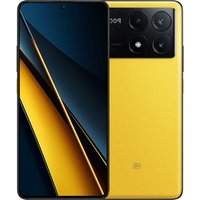
F5 Pro - Smartphone POCO - Notice d'utilisation et mode d'emploi gratuit
Retrouvez gratuitement la notice de l'appareil F5 Pro POCO au format PDF.


| Type de produit | Smartphone POCO F5 Pro |
| Écran | 6,67 pouces AMOLED, résolution 3200 x 1440 pixels |
| Processeur | Qualcomm Snapdragon 8 Gen 1 |
| RAM | 8 Go / 12 Go |
| Stockage interne | 256 Go / 512 Go UFS 3.1 |
| Système d'exploitation | MIUI 14 basé sur Android 13 |
| Caméra arrière | Triple : 64 MP (principal) + 8 MP (ultra grand-angle) + 2 MP (macro) |
| Caméra avant | 16 MP |
| Batterie | 5000 mAh, charge rapide 67W |
| Dimensions approximatives | 162,8 x 75,4 x 8,6 mm |
| Poids | 204 g |
| Connectivité | 5G, Wi-Fi 6, Bluetooth 5.2, NFC |
| Ports | USB Type-C, Dual SIM |
| Sécurité | Capteur d'empreintes digitales sous l'écran, reconnaissance faciale |
| Entretien et nettoyage | Utiliser un chiffon doux pour nettoyer l'écran et le boîtier |
| Pièces détachées et réparabilité | Réparabilité limitée, pièces disponibles auprès de fournisseurs tiers |
| Accessoires inclus | Chargeur rapide, câble USB Type-C, coque de protection |
| Garantie | 1 an |
FOIRE AUX QUESTIONS - F5 Pro POCO
Questions des utilisateurs sur F5 Pro POCO
0 question sur cet appareil. Repondez a celles que vous connaissez ou posez la votre.
Poser une nouvelle question sur cet appareil
Téléchargez la notice de votre Smartphone au format PDF gratuitement ! Retrouvez votre notice F5 Pro - POCO et reprennez votre appareil électronique en main. Sur cette page sont publiés tous les documents nécessaires à l'utilisation de votre appareil F5 Pro de la marque POCO.
MODE D'EMPLOI F5 Pro POCO
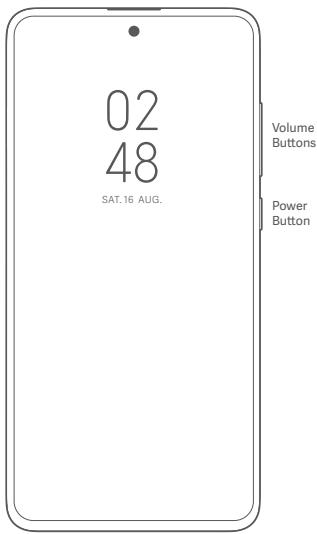
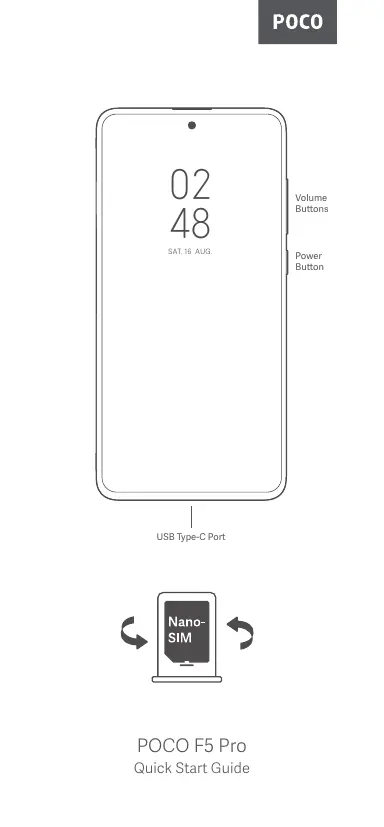
USB Type-C Port
POCO F5 Pro
Quick Start Guide
Thank you for choosing POCO F5 Pro
Long press the power button to turn on the device.
Follow the on-screen instructions to configure the device.
For more information, visit our official website:
www.mi.com/global/service/userguide
MIUI (for POCO)
POCO F5 Pro comes pre-installed with MIUI (for POCO), our customized Android-based OS which provides frequent updates and user-friendly features based on suggestions from over 200 million active users worldwide. For more information, please visit en.mui.com
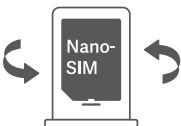
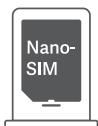
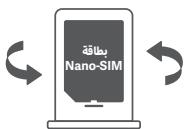
About SIM:
Please do not insert non-standard SIM cards into the SIM card slot. They may damage the SIM card slot.
WARNING: Do not disassemble this device.
WEEE

Special precautions must be taken to safely dispose of this product. This is not the case with any other product may not be discarded with other household waste in the EU.
To prevent harm to the environment or human health from inappropriate disposal of hazardous waste, note sustainable reuse of material resources, please recycle responsibly.
To safely recycle your device, please use return and collection systems or contact the retailer where the device was originally purchased.
To view our Environmental Declaration, please refer to the following link: www.mi.com/en/about/environment
CAUTION
RISK OF EXPLOSION IF BATTERY IS REPLACED BY AN INCORRECT TYPE. DISPOSE OF USED BATTERIES ACCORDING TO INSTRUCTIONS.

To prevent possible hearing damage, do not listen at high volume levels for long periods.
Additional safety information and precautions can be accessed at the following link: www.mi.com/en/certification
Important Safety Information
Read all safety information below before using your device:
- Use of unauthorized cables, power adaptors, or batteries can cause fire explosion, electric shock, pose other risks, or damage the device.
- This device's operating temperature range is 0^ to 40^ . Using this device in an environment outside of this temperature range may damage the device.
- If your device is provided with a built-in battery, to avoid damaging the battery or the device, do not attempt to replace the battery yourself.
- Charge this device only with the included or authorized cable and power adapter. Use only authorized accessories which are compatible with your device.
- After charging is complete, disconnect the adapter from both the device and the power outlet. Do not charge the device for more than 12 hours.
- The battery must be recycled or disposed of separately from household waste.
- The battery should be stored in a safe place, such as the outside device, its battery, and accessories according to your local regulations.
-
Do not assemble, hit, crush, or burn the battery. If the battery appears deformed or damaged, stop using it immediately.
-
Do not short circuit the battery, as this may cause overheating, burns, or other injury.
- Do not place the battery in a high-temperature environment.
Overheating may cause explosion. - Do not disassemble, hit, or crush the battery, as this may cause the battery to leak, overheat, or explode.
-
Do not burn the battery, as this may cause fire or explosion.
-
User shall not remove or alter the battery. Removal or repair of the battery shall only be done by an authorized repair center of the manufacturer.
- Keep your device dry.
- Do not try to repair the device yourself. If any part of the device does not work properly, contact MI customer support or bring your device to an authorized repair center.
- Connect other devices according to their instruction manuals. Do not connect incompatible devices to this device.
- For AC/DC adapters, the socket-outlet shall be installed near the equipment and shall be easily accessible.

Safety Precautions
- Observe all applicable laws and rules restricting use of mobile phones in specific situations and environments.
- Do not use your phone at petrol stations or in any explosive atmosphere or potentially explosive environment, including fueling areas, below decks on boats, fuel or chemical transfer or storage facilities, or areas where the air may contain chemicals or particles such as grain, dust, or metal powders. Oley all posted signs to turn off wireless devices such as your phone or other radio equipment. Turn off your mobile phone or wireless device when in a blasting area or in areas requiring "two-way radios" or "electronic devices" to be turned off to prevent potential hazards.
- Do not use your phone in hospital operating rooms, emergency rooms, or intensive care units. Always comply with all rules and regulations of hospitals and health centers. If you have a medical device, please consult your doctor and the device manufacturer to determine whether your phone may interfere with the device's operation. To avoid potential interference with a pacemaker, always maintain a minimum distance of 15cm between your mobile phone and the pacemaker. This can be done by using your phone on the ear opposite to your pacemaker and not carrying your phone in a breast pocket. To avoid interference with medical equipment, do not use your phone near hearing aids, cochlear implants, or other similar devices.
- Observe all aircraft safety regulations and turn off your phone on board aircraft when required.
- When driving a vehicle, use your phone in accordance with relevant traffic laws and regulations.
- To avoid being struck by lightning, do not use your phone outdoors during thunderstorms.
- Do not use your phone to make calls while it is charging.
- Do not use your phone in places with high humidity, such as bathrooms. Doing so may result in electric shock, injury, fire, and charger damage
Security Statement
Please update your phone's operating system using the built-in software update. This will allow you to perform updates on your phone without having to wait for other means may damage the device or result in data loss, security issues, and other risks.
EU Regulations
C E
RED Declaration of Conformity
Xiaomi Communications Co., Ltd. hereby declares that this GSM / GPRS / EDGE / UMTS / LTE / SG NR Digital Mobile Phone with Bluetooth and Wi-Fi
23013PC75G is in compliance with the essential requirements and other relevant provisions of the RE Directive 2014/53/EU. The full text of the EU declaration of this regulation can be found in the "Supplementary Material" section.
www.mi.com/en/certification
RF Exposure Information (SAR)
This device is in compliance with Specific Absorption Rate (SAR) limits for general population/uncontrolled exposure (Localized 10-gram SAR for head and trunk, limit: 2.0W / kg specified in Council Recommendation 1999/519/EC, ICNIRP Guidelines, and RED (Directive 2014/53/EU).
During SAR testing, this device was set to transmit at its highest certified power level in all tested frequency bands and placed in positions that simulate RF exposure during use against the head with no separation and near the body with a separation of 5mm .
SAR compliance for body operation is based on a separation distance of 5mm between the unit and the human body. This device should be carried at least 5mm away from the body to ensure RF exposure level is compliant or lower than the reported level. When attaching the device near the body, a belt clip or holster should be used which does not contain metallic components and allows a separation of at least 5mm to be maintained between the device and the body. RF exposure compliance was not tested or certified with any accessory containing metal worn on the body, and use of such an accessory should be avoided.
Certification Information (Highest SAR)
SAR 10 g limit: 2.0 W/Kg
SAR Value: Head: 0.998 W/Kg, Body: 0.997 W/Kg (5 mm distance).
Legal Information
This device may be operated in all member states of the EU.
Observe national and local regulations where the device is used.
This device is restricted to indoor use only when operating in the 5250 to 5350 MHz frequency range in: AT,BE,BG,HR,CY,CZ,DK,EE,FI.
FR,DE,EL,HU,IE,IT,LV,LT,LU,MT,NL,PL,PT,RO,SK,SI,ES,SE,UK(NI),IS,LI,NO,CH,TR
This device is restricted to indoor use only when operating in the 5150 to 5350MHz in Hong Kong.
Restrictions in the 2.4 GHz band:
Norway: This subsection does not apply for the geographical area within a radius of 20 km from the centre of Ny-Alesund.
Ensure the power adapter used meets the requirements of Clause 6.4.5 in IEC/EN 62368-1 and has been tested and approved according to national or local standards.
Frequency Bands and Power
This mobile phone offers the following frequency bands in EU areas only and maximum radio-frequency power:
GSM 900:35.5 dBm
GSM 1800:32.5 dBm
WCDMA band 1/8:25.7 dBm
LTE band 1/3/7/8/20/28/38/40/41: 25.7 dBm
5GNR band n1/n3/n7/n8/n20/n28/n38/n40/n41/n77:26 dBm, 5GNR band n78:29 dBm
Bluetooth:20 dBm
Wi-Fi 2.4 GHz band: 20 dBm
Wi-Fi 5 G: GHz : 5150 to 5250MHz : 23dBm, 5250 to 5350MHz : 23dBm, 5470 to 5725MHz : 23 dBm, 5725 to 5850MHz : 14dBm
NFC:13.56 MHz < 42 dBuA/m at 10m
WPT:110-148 Khz < 42 dBuA/m at 10m Distance
5G connection depends on country, carrier, and user environment.
FCC Regulations
This mobile phone complies with part 15 of the FCC Rules. Operation is subject to the following two conditions: (1) This device may not cause harmful interference, and (2) this device must accept any interference received, including interference that may cause undesired operation.
This mobile phone has been tested and found to comply with the limits for a Class B digital device, pursuant to Part 15 of the FCC Rules.
These limits are designed to provide reasonable protection against harmful interference in a residential installation.
This equipment generates, uses and can radiate radio frequency energy and, if not otherwise specified, can provide a high level of radiation with the instructions, may cause harmful interference to radio communications.
However, there is no guarantee that interference will not occur in a particular installation. If this equipment does cause harmful interference to radio or television reception, which can be determined by turning the equipment off and on, the user is encouraged to try to correct the interference by one or more of the following measures:
Reorient or relocate the receiving antenna.
- Increase the separation between the equipment and receiver.
- Connect the equipment into an outlet on a circuit different from that to which the receiver is connected.
- Consult the dealer or an experienced radio/TV technician for help.
RF Exposure Information (SAR)
This device meets the government's requirements for exposure to radio waves. This device is designed and manufactured not to exceed the emission limits for exposure to radio frequency (RF) energy. The exposure standard for wireless devices employs a unit of measurement known as Specific Absorption Rate, or SAR.
The SAR limit set by the FCC is 1.6W / Kg . For body-worn operation, this device has a maximum of 20000000000000000000000000000000000000000000000000000000000000000000000000000000000000000000000000000
1.5cm from the body. RF exposure compliance with any body-worn accessory that contains metal was not tested and certified, and use of such body-worn accessory should be avoided. Any accessory used with this device for body-worn operation must keep the device a minimum of 1.5cm away from the body.
FCC Note
Changes or modifications not expressly approved by the party responsible for compliance could void the user's authority to operate the equipment.
Shielded cables must be used with this unit to ensure compliance with the Class B FCC limits.
UK Regulations
Xiaomi Communications Co., Ltd. hereby declares that this GSM / GPRS / EDGE / UMTS / LTE / 5G NR Digital Mobile Phone with Bluetooth and Wi-Fi 23013PC75G is in compliance with the essential requirements and other relevant provisions of the UK Radio Equipment Regulations 2017 (SI 2017/1206). The full text of the UK declaration of conformity is available at the following internet address: www.mi.com/en/certification
RF Exposure Information (SAR)
This device is in compliance with Specific Absorption Rate (SAR) limits for general population/uncontrolled exposure (Localized 10-gram SAR for head and trunk, limit: 2.0W / kg ) specified in Council Recommendation 1999/519/EC, ICNIRP Guidelines, and UK Radio Equipment Regulations 2017 (SI 2017/1206).
During SAR testing, this device was set to transmit at its highest certified power level in all tested frequency bands and placed in positions that simulate RF exposure during use against the head with no separation and near the body with a separation of 5mm .
SAR compliance for body operation is based on a separation distance of 5mm between the unit and the human body. This device should be carried at least 5mm away from the body to ensure RF exposure level is compliant or lower than the reported level. When attaching the device near the body, a belt clip or holster should be used which does not contain metallic components and allows a separation of at least 5mm to be maintained between the device and the body. RF exposure compliance was not tested or certified with any accessory containing metal worn on the body, and use of such an accessory should be avoided.
Certification Information (Highest SAR)
SAR 10 g limit: 2.0 W/Kg
SAR Value: Head: 0.998 W/Kg, Body: 0.997 W/Kg (5 mm distance).
Legal Information
Observe national and local regulations where the device is used. This device is restricted to indoor use only when operating in the 5250 to 5350 MHz frequency range in:

This device is restricted to indoor use only when operating in the 5150 to 5350MHz in Hong Kong.
Ensure the power adapter used meets the requirements of Clause 6.4.5 in IEC/EN 62368-1 and has been tested and approved according to national or local standards.
Frequency Bands and Power
This mobile phone offers the following frequency bands in EU and UK only and maximum radio-frequency power:
GSM 900:35.5 dBm
GSM 1800:32.5 dBm
WCDMA band 1/8:25.7 dBm
LTE band 1/3/7/8/20/28/38/40/41: 25.7 dBm
5G NR band n1/n3/n7/n8/n20/n28/n38/n40/n41/n77: 26 dBm, 5G NR band n78: 29 dBm
Bluetooth:20 dBm
Wi-Fi 2.4 GHz band: 20 dBm
Wi-Fi 5 GHz: 5150 to 5250MHz: 23 dBm, 5250 to 5350 MHz: 23 dBm, 5470 to
5725 MHz: 23 dBm, 5725 to 5850 MHz: 14 dBm
NFC: 13.56 MHz < 42 dBuA/m at 10m
WPT:110-148 KHz < 42 dBuA/m at 10m Distance
5G connection depends on country, carrier, and user environment.
E-label
This device has an electronic label for certification information.
To access it, please go to Settings > About phone > Certification, or open Settings and type "Certification" into the search bar.
Model: 23013PC75G
2301 indicates that this product will be launched after 202301.
Disclaimer
This user guide is published by Xiaomi or its local affiliated company. Improvements and changes to this user guide necessitated by typographical errors, inaccuracies of current information, or improvements to programs and/or equipment, may be made by Xiaomi at any time and without notice. Such changes will, however, be incorporated into the existing user guide (please see details at www.mi.com/global/service/userguide). All illustrations are for illustration purposes only and may not accurately depict the actual device.
02 48
星期六8月16日
音量按钮
電源按鈕
USB Type-C 连接埠


POCO F5 Pro
快速入門手冊
多謝您選用POCO F5Pro
長按電源按鈕,即可開啟裝置。
遵照螢幕上的指示配置装置。
如需更多資訊,請瀏覽我們的官方網站:www.mi.com/global/service/userguide
MIUI(用於POCO)
POCOF5 Pro已预先安装了MIUI(用于POCO),这是我们的自Android作业系统,可以使用它来帮助用户完成任务的意图,提供崭新的更新和方便用户使用的功能。如需更多资讯,请搜索en.miui.com。
有關 SIM 卡:
請勿將非標準的 SIM 卡插入 SIM 卡插槽。否則可損壞 SIM 卡插槽。
警告:請勿拆解本裝置。
欧盟WEEE環保指令

必須遵從特殊注意事項,以安全棄置本產品。這個標記表示,本產品不可與歐盟的其他家居廢物一同棄置。
為防止不當棄置废物而損害環境或人類健康,及為了宣揚可持續再用材料資源,賠負責任地回收產品。
要安全回收裝置,請使用回收及收集系統,或聯絡最初購買裝置的零售商。
如要查閱我們的環保宣言,請參閱以下連結:
www.mi.com/en/about/environment
注意
如將電池更換為錯誤類型,可能會引致爆炸風險。
須根據指示棄置用完的電池。

為防止可能導致的聽力受損事件,切勿長時間以高音量聆聽內容。
額外的安全資訊及須知,可於以下連結中查詢:
www.mi.com/en/certification
重要安全資訊
使用裝置之前,請先閱讀以下所有安全資訊:
- 使用未經授權的燃線、電源轉換器或電池,可導致火警、爆炸、觸電、構成其他風險或損壞裝置。
- 本裝置的運作溫度範圍介于 0^ 至 40^ 。在超出此溫度範圍的環境中使用本裝置,可導致裝置損壞。
·如果你的裝置提供內置電池,為避免損壞電池或裝置,請勿嘗試自行更換電池。 - 只應使用隨產品附上或投權的線緣及電源轉換器為本裝置充電。只應使用與您的裝置兼容的授權配件。
- 充電完畢後,應拔除轉換器與裝置及電源插座之間的連線。請勿為裝置充電超過12小時。
-
電電必須與家居屬物分類循序或重置。以不當方式處理電池,可導致火警或爆炸。應根據你的本地條例裝置或回收裝置、其電池及配件。
·請勿拆解、撞擊、碾壓或焚燒電池。如果電池看似已經變型或損壞,應立即停止使用。 -
請勿讓電池短路,否則可導致過熱、灼傷或其他傷害。
- 請勿將電池置於高溫環境之中。
-電池過熱可導致爆炸。
-請勿拆解、撞擊或碾壓電池,否則可導致電池漏液、過熱或爆炸。 -
請勿焚燒電池,否則可導致火警或爆炸。
-
用户不得取出或改動電池。取出或維修電池的程序,只可由製造商的授權維修中心執行。
装置應保持乾爽。
·請勿嘗試自行維修裝置。如果裝置的任何部分無法正常運作,請聯絡MI客戶支援部門,或者攜同裝置前往授權維修中心。
·請根據其他裝置的指示說明書連接裝置。請勿將不兼容的裝置連接至本裝置。 - 在交流/直流電源轉換器方面,電源插座須安裝在設備附近,而且容易觸及

安全須知
·應遵從所有適用的法律和規則,瞭解在特定場合及環境中使用手提電話的限制。
·請勿在站台、任何爆炸或空氣環境或容易爆炸的環境中使用干爆,包括燃料供應船、倉房的甲板下、燃料和化学品儲存或存放设施,或空氣中可能含有化學品或微粒、塵埃或金屬顆粒等粒子的區域。須選擇所有適當的標準組裝無線裝置,例如不帶或其他無線關閉設備,如電動機、電動機或電子管、電動機或「電子裝置」開關的區域等。應關閉你的手提電線或無線裝置,以防止滑入危險。
。請勿於醫院急症、室急症或深切治療使用你的手機。頭時該離開服務區和健康中心,請勿在其他地區停留時間過久。如果您需要任何醫療服務,請選擇專業的醫療機構是否可能會對于您造成嚴重的傷害。為避免尖角損失而受到傷害,你的手
能刺激心脑起搏器之间,随意控制保持最大15厘米的距离。你可在心脏起搏器起搏较迅速的一路耳朵使用导管。请勿将肩部入口颊带摩擦。为避免干燥到医疗器械,请输入“是”或“否”。
應遵從所有航空安全規例;如有需要,應在登機時關閉手機。
- 駕駛車輛時,應根據有關交通法例和規例使用手機。
- 為避免手機遭到雷擊,請勿在雷暴期間於室外使用手機。
手機充電期間,請勿使用手機致電。
· 請勿在濕度過高的地方(例如浴室)使用手機。否則可導致觸電、受傷或火警,以及令充電器損壞。
保安聲明
請使用內存的軟件更新功能或到訪我們的授權服務門市更新本章程的作業系統。其他途徑更新文件,可設置被獲證、或導致數據遺失、保安間題及其他風險。
欧盟規例
符合RED(無線電設備指令)標準聲明
C E
Xiaomi Communications Co. Ltd. 誉述此資本,GSM/ GPRS/ EDGE/ UMTS/LTE/50 NR 確码手提電絡及藍牙和 Wi-Fi 23013PC7 道路,遵從無線電備指令 2014/53/EU 中的必要要求及其他有關規定。歐盟符合性聲明文全載於下列節目:www.mi.com/en/certification
無線電射頻曝露值資訊(SAR)
本装置遵照一般人口/非常控爆量管路的特定吸收率(SAR)预制(部和肌辐射局部)的推荐,其控制黏度是根据欧姆雷德测量器1999/519C、ICNIRP指引来RED(2014/53/EU指令)中指定。
在SAR测试中,本装置設定為在所有接受測試的頻段中,以最高認證功率級傳輸,放置的位置模擬靠近颈部使用時曝霧於無線電射頻的情況;裝置與頸部之間沒有距離,並與身體相距5毫米。
人體操作的SAR合規情況是基於裝置與人體之間隔5毫米距離。觸帶大裝置時,應與身體保持最少5毫米的距離,以確保線缆電機頻閃雷量水平或符合低級報告的水平。而裝置接近總體時,應使用不含金屬類的褲帶或皮套,而且可讓裝置視身間之絕緣保持在100%以上。如果需要使用其他尺寸的褲帶,並未就無線電師頻選重合圓情況接受試驗或確認,因此應避免使用該等配件。
認證資訊(最高SAR)
SAR10克限制:2.0W/Kg,
SAR值:頭部:0.998W/Kg,身體:0.997W/Kg(5毫米距離)。
法律資訊
本装置可於所有歐盟成員國運作。
請留意使用裝置的地點之全國及當地規例。
本装置以5250至5350Hz频率范围窄幅时,只限定室内使用;AT:BE,BG,HR,CY,CDZ,EE,FL,FRDE,EL,HUE,LT,VLT,ML,TNT,PL,PT,RO,SK,SI,SES,NE,UKI,NIS,LI,NOCH,TR
本設備在香港的5150至5350MHz頻率範圍內操作時,僅限於室內使用。
2.4GHz频段的限制:
挪威:由新奥勒松中心起計算半徑20公里地理區域內的範圍,本小節並不適用。
須確保使用的電源轉換器,符合IEC/EN62368-1中第6.4.5條的要求,且根據全國或當地標準,已經通過試驗並獲得批准。
频段及功率
本手提電話提供以下頻段(只在歐盟地區提供)及最高無線電射頻功率:
GSM 900:35.5dBm
GSM 1800:32.5dBm
WCDMA频段1/8:25.7dBm
LTE频段1/3/7/8/20/28/38/40/41:25.7dBm
5G NR 频段 n1/n3/n7/n8/n20/n28/n38/n40/n41/n47:26 dBm,5G NR 频段 n78:29 dBm
蓝牙:20 dBm
Wi-Fi 2.4 GHz 頻段:20 dBm
Wi-Fi 5 GHz: 5150至5250MHz: 23 dBm, 5250至5350 MHz: 23 dBm
5470至5725MHz:23dBm,5725至5850MHz:14dBm
NFC:13.56 MHz < 42 dBuA/m,測試距離為10米
WPT: 110 148KHz < 42dBuA / m ,距離為10米
FCC規例
本手提操作涉及到FCF规则第15部分。连作重置,摆妥以下两项慎件限制:(1)本装置不具有有害的干裂;及(2)本装置必须接收任何接收到的干裂,包括对导数意外操作的干裂。
本手提電箱已經過試測,並根據FCC規則第15部分,證明符合B類散稱裝置的限制。這些限制旨在為住宅安裝的有害干擾提供合理的保護。
本設備會產生、使用及可發射無線電射頻能量;如不遵從指示安裝及使用,可對無線電通訊造成有害的干擾。
但是,我們無法保證在特定的安裝中不會發生崩塌。假如本數據堡實時對收音機或電視機的預防能力造成有害的干擾(可開鎖數據堡加以避免),請建議用戶試驗採取以下措施:
- 重新擺放天線位置或其指示的方向。
- 擬閱設備和接收器之間的距離。
- 將設備連接至與接收器不同的電路插座上。
- 向經銷商或富經驗的收音機/電視機技術員尋求協助。
無線電射頻曝露值資訊(SAR)
本装置符合政府照频电离膜温度值的要求。本装置设计及製造成不必超过黑無線電屏蔽的最高溫度與最高溫值的發射限制。無線裝置的最低溫值標準,會引導稱為特定收效比率(SAT)的測量單位。
FCC设立的SAR限制有1.6W/Kg。如需把装置佩戴在身上操作,本装置已通過試驗,並符合FCC無線電射頻曝霧量指引,可配合不含金屬的部件使用,该配件可同時放置在與身體相距最少1.5厘米的距離。任何含有金屬組件且佩戴在身上的配件,未來無線電射頻曝霧量合規情況接受測試或認證,因此應避免使用該等佩戴在身上的配件。與本裝置同一使用的任何配件,如需在佩戴之後操作,就必須讓裝置與身體保持最少1.5厘米的距離。
FCC備註
如作出變動或更改,且該等變動或更改未獲得負責合規事宜的一方明確批准,可令用戶喪失操作設備的權限。
此装置必须使用屏蔽纖線,以符合FCC的B類限制。
電子標籤
本装置附有電子標籤,以提供認證資訊。
如欲查詢標籤,請前往設定 > 關於手機 > 證證資訊,或開啟「設定」並於搜尋列中輸入「認證」。
型號:23013PC75G
2301表示本產品將於2023年01月之後推出。
免责聲明
本用户指南由Xiaomi或其本地暴赚公司发布。本用户指南如有任何改善及变动,原因为必须修改的排印错误、现有资讯的更新、或者新程式及/或版本的更改,可随由Xiaomi软件而被删除出来通知。然而,该等修改将加入用到Xiaomi的版本上(请参见Xiaomi网站/Service/userguide查看详情)。所有图片文件都需使用,未必可准确描述此卖部装置。
24 24 gla 2g aal gaa 20 20 gglgglgglgglgglgglgglgglgglgglgglgglgglgglgglgglgglgglgglgglgglgglgglgglgglgglgglgglgglgglgglgglgglgglgglgglgglggl
a. a12345678901001100110011001100110011001100110011001100110011001100110011001100110011001100110011001100110011001100
aalblll
aagbdaagggaallaal gaaalg aallsslll balaal lgsaal alal
:gljllljjj 10
dBm 35,5:900 GSM
dBm 32,5:1800 GSM
dBm 25,7:8/1 WCDMA
dBm 25,7:41/40/38/28/20/8/7/3/1 LTE
dbM 29 :5G NR n78 ,dBm 26 :5G NR n1/n3/n7/n8/n20/n28/n38/n40/n41/n77
dBm 20:
dBm 20:GHz 2,4 g
J5470.dBm 23:MHz 5350 J5250 dBm 23:MHz 5250 J5150:GHz 5g
dBm 14:MHz 5850J5725 dBm 23:MHz 5725
10~ L dBuA/m 42 > MHz 13,56:NFC
10 aLwue dBuA/m 42 > Khz 148-110: WPT
piaioll atg jaiol g il 5G jail aain
aalllllalllllg
gulag gauag aagaaag aagaaag 15 15 15 15 15 15 15 15 15 15 15 15 15 15 15 15 15 15 15
aaggejgaiwssdill
15 10 aal B aall no aal al aal al al al al al
aaiy
aaiial jalal jldll alga aayagagagall oagogp
Laiell lag aoiaolg aip j pI Ilg Jaoj nJaoaig Jauoiaag Jswl jalb jgliljg
aclwlll llaai jlo jdo g> cwwy
JuaWlI JlaI IaI aJgWll lIaI aJgWll aJgWll aJgWll aJgWll aJgWll aJgWll aJgWll aJgWll aJgWll aJgWll aJgWll aJgWll aJgWll aJgWll aJgWll aJgWll aJgWll aJgWll aJgWll aJgWll aJgWell aJgWell aJgWell aJgWell aJgWell aJgWell aJgWell aJgWell aJgWell aJgWell aJgWell aJgWell aJgWell aJgWell aJgWell aJgWell aJgWell aJgWell aJgWell aJgWell aJgWWell aJgWWell aJgWWell aJgWWell aJgWWell aJgWWell aJgWWell aJgWWell aJgWWell aJgWWell aJgWWell aJgWWell aJgWWell aJgWWell aJgWWell aJgWWell aJgWWell aJgWWell aJgWWell aJgWWell aJgW Well
psuall Jgbl jy, alaaagjglal gdlg jzjg jg jg jalll gl
:alll lglg gglplll
4aagga gJaaWllgga aogj 3la
Jlaiwlljggejglalalalalalolallsj
Jaiwll jgj gaiy jaiy jll dgl ne aalso o jilge yjg jay jgall
.0aall jgauu ujgjall/ulll Juaal g aaggl aal
(ggill golalll jso) gdlalldjzglg>clglae
g jglll lai aai pjglal glgal jaeil gai lo aogoll cllbai jglll liay
a a 100000000000000000000000000000000000000000000000
.SAR gjgillolaioll JsO pWdyagj
jgl jz 11 11 11 11 11 11 11 11 11 11 11 11 11 11 11 11
aaiy aolil yjll jll jgaii ggiy gag gjglal jylol
p. pw1,5 u Ja y abluo pwsjg jglll 0u aag u sso g l gao go plozaiull aall
g ggl l 2321 j 2021 g 2021 p wll 1e d6g p g 1800 15 g201 g 1901 Jlizol 1501 Jlizl p
18 go oolaiw pi y galo sl uohu u ggill no Cilao gl plaiw ciag ngoslae pi
15 1Jy JALNO jgXllg aaln nn dai jil lla J
a
paiaa a>la 10 10 10 10 10 10 10 10 10 10 10 10 10
jglall
B aai all g aalllll llllllll alg gglal jlllll glgallgag aaoaol llll p
Jd
.ogwlaaaleal llogaleal jg> gjgi|lauo jlgai liu Jaa
3"0aJg
23013PC75G:JL
.202301 202301
aJgssss
Glllglgllgllgllgllgllgllgllgllgllgllgllgllgllgllgllgllgllgllgllgllgllgllgllgllgllgllgllgllgllgllgllgllgllgllgllgllgllgllgllgllgllgllgllgllgllgllgllgllgll
g 151 g 152 g 153 g 154 g 155 g 156 g 157 g 158 g 159 g 160 g 161 g 162 g 163 g 164 g 165 g 166 g 167 g 168 g 169 g 170 g 171 g 172 g 173 g 174 g 175 g 176 g 177 g 178 g 179 g 180 g 181 g 182 g 183 g 184 g 185 g 186 g 187 g 188 g 189 g 190 g 191 g 192 g 193 g 194 g 195 g 196 g 197 g 198 g 199 g 200 g 201 g 202 g 203 g 204 g 205 g 206 g 207 g 208 g 209 g 210 g 211 g 212 g 213 g 214 g 215 g 216 g 217 g 218 g 219 g 220 g 221 g 222 g 223 g 224 g 225 g 226 g 227 g 228 g 229 g 230 g 231 g 232 g 233 g 234 g 235 g 236 g 237 g 238 g 239 g 240 g 241 g 242 g 243 g 244 g 245 g 246 g 247 g 248 g 249 g 250 g 251 g 252 g 253 g 254 g 255 g 256 g 257 g 258 g 259 g 260 g 261 g 262 g 263 g 264 g 265g 266g 267g 268g 269g
.
aaiai jai 0j 0j 0j 0j aaiai aai ai gai yai 0j 0j 0j aaiai ayai 0j 0j 0j aaiai gai yai 0j 0j aaiai iaiyai 0j 0j aaiai yai
C E
y
aclwll aegagagagagagagagagag
allali plaiy jlll jlll jlll jlll jlll jlll jlll jlll jlll jlll jlll jlll jlll jlll jlll jlll jlll jlll jlll jlll jlll jlll jlll jlll jlll jlll jlll jlll jlll jlll jlll jlll jlll jlll
(
j 1050g 1020g 1030g 1040g 1050g 1060g 1070g 1080g 1090g 1100g 1110g 1120g 1130g 1140g 1150g 1160g 1170g 1180g 1190g 1200g 1210g 1220g 1230g 1240g 1250g 1260g 1270g 1280g 1290g 1300g 1310g 1320g 1330g 1340g 1350g 1360g 1370g 1380g 1390g 1400g 1410g 1420g 1430g 1440g 1450g 1460g 1470g 1480g 1490g 1500g
cllb1 (s f aao 400 gssu gusu) (jw) (jg) gnnl ltsa bua g uaggl yauoal (n jz) jz 1932 o wolgo po siaowt cclg jz 1932 o wolgo po siaowt cclg jz 1932 o wolgo po siaowt cclg jz 1932 o wolgo po siaowt cclg jz 1932 o wolgo po siaowt cclg jz 1932 o wolgo po siaowt cclg jz 1
Laiq i j q a l q a l q a l q a l q a l q a l q a l q a l q a l q a l q a l q a l q a l q a l q a l q a l q a l q a l q a l q a l q a l q a l q a l q a l q a l q a l q a l q a l q a l q a l q a l q a l q a l q a lq a l q a l q a l q a l q a l q a l q a l q a l q a l q a l q a l q a l q a l q a l q a l q a l q a l q a l q a l q a l q a l q a l q a l q a l q a l q a l q a l q a l q a l q a l q a l q a l q a l q
(jegjolalJgol)olgul
p = + bb 2.0, + gg (Lao10 - p10 - p10 - p10 - p10 - p10 - p10 - p10 - p10 - p10 - p10 - p10 - p10 - p10 - p10 - p10 - p10 - p10 - p10 - p10 - p10 - p10 - p10 - p10 - p10 - p10 -
aigil Cloglao
gjglj glsl jglj gjjgl jglj gjjgl jglj kag jglj plaslae jglj gjjgl jglj aalglg jglj gjjgl pj jglj 5350 jglj 5250 jglj gjjgl jglj aalglg jglj aalglg jglj plaslae gjjgl jglj, gjjgl, gjjgl, gjjgl, gjjgl, gjjgl, gjjgl, gjjgl, gjjgl, gjjgl, gjjgl, gjjgl, gjjgl, gjjgl, gjjgl, gjjgl, gjjgl, gjjgl, gjjgl, gjjgl, gjjgl, gjjgl, gjjgl, gjjgl, gjjgl, gjjgl, gjjnl, gjjnl, gjjnl, gjjnl, gjjnl, gjjnl, gjjnl, gjjnl, gjjnl, gjjnl, gjjnl, gjjnl, gjjnl, gjjnl, gjjnl, gjjnl, gjjnl, gjjnl,
(POCOjEJ)MIUI
Je jyaiigoljagoi gll. Jnssallo (POCO) [gai] MUIi. jyaiagai plbi POPO F5 Pro jyaiu cai dai 102431111111111111111111111111111111111111111111111111111111
:SIM a1111
a a 1111111111111111111111111111111111
.SIM a#by
jgllll lclsSaa y
"WEEE" a. g, g, g, g, g, g, g, g, g, g, g, g, g, g, g, g, g, g, g, g, g, g, g, g, g, g, g, g,
jouy a 14 joual yuyu yuyu yuyu yuyu yuyu yuyu yuyu yuyu yuyu yuyu yuyu yuyu yuyu yuyu yuyu yuyu yuyu yuyu yuyu yuyu yuyu yuyu yuyu yuyu yuyu yuyu yuyu yuyu yuyu yuyu yuyu yuyu yuyu yuyu

wlll jglalai ci
www.mi.com/en/about/environment 111111111111111111111111111
4
yuo yu Egu aybuol lduai wai 13jao
Lg 0aaswll ylllno jals
alglg clll alglc gclglgwlal glgwl alglg wlll glgwlqwllww.

aolwJg> aolcloglae
:dlgplzwlJdolaoLlglclogall
jgl pslasla jgl drolal rgl gocgalsla 12u 1000000000000000000000000000000000000000000000000
jglzly jodg1g jz1 jz
aai jglallia palaol aegagao 40g 0 0j jgallliae
jglalllgalll llaa aagai
jlll jll l11 11
g|gjzalgl|cuii cuiyai ayjlbll jyol jgai l4aiaiao ayjlbay 13go jglall
jL
jaaallllbaaaiw.ajaaal gl jaaalall aallbglgaojIklabawjiaj
djlgoaalgol
12 no jgljg jglj g jglj 00
plwol gwsyad.ajzaiall yllal jn Jauiaio Lkuygio jalalgl aylbagj 1
Lgagjglalalllgajllg jalln jalsj ggsjg
.
aagaaagaaagaaagaaagaaagaaagaaagaaagaaagaaagaaagaaagaaagaaagaaagaaagaaagaaagaaagaaagaaagaaagaaagaaagaaagaaagaaagaaagaaagaaagaaagaaagaaagaaagaaagaaagaaagaaagaaagaaagaaagaa
jglalglolgol
ylo|g gg>glgabraagaiogwllcl3gdsd3aaybaalauyrgsllaaaayaa
.
aJg> aJg|1sAaiyjBgl
jaii ggs abgaoal agwll g
gjgaw oolj gI gio algo wJw |lll s ydd |lgaw gl qyabll csa paai
LalalalglbJaoJc
jaii ggiygssuilll sgsdaaaalq
Jgj
aaiiaall a5 jao laireo
.1g>la>lc bdo
gMiLacp 3yjdu jlaJgJgJgJgJgJgJgJgJgJgJgJgJgJg
.aae 21001j5r0nll jlg6pdo
jglllgaiagaiagai gai gai gai gai gai gai gai gai gai gai gai gai gai gai gai gai gai gai gai gai gai gai gai gai gai gai gai gai gai gai gai gai gai gai gai gai gai gai gai gai gai gai
gj g jge j 100
. aL aL Jgwoog aJtCo]
aollllbl

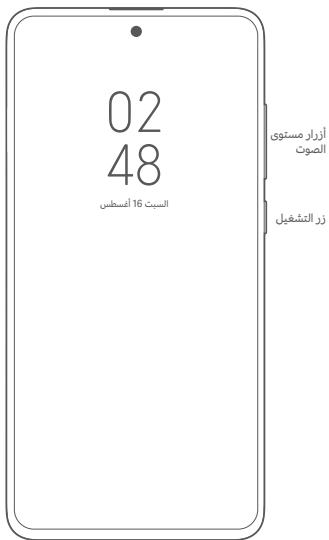
C egjoo USB diao
POCO F5 Pro
J 1