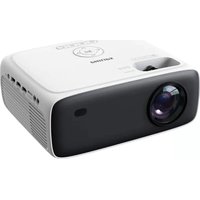
MODE D'EMPLOI Neopix 520 PHILIPS
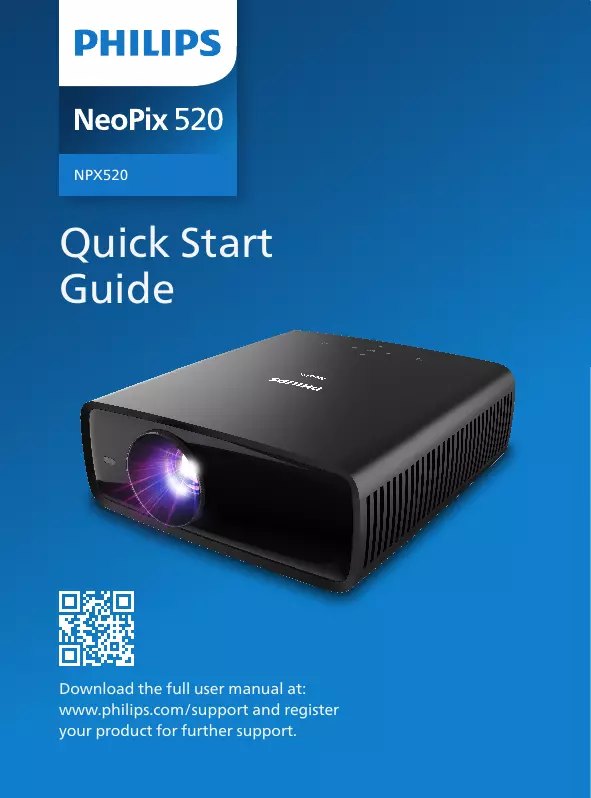
Quick Start Guide
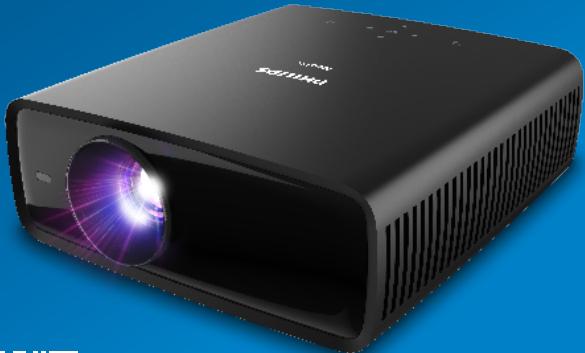

Download the full user manual at: www.philips.com/support and register your product for further support.
NeoPix 520
Thank you for choosing our Digital Projector. We carefully engineered and crafted this product for you to enjoy TV shows, devour your favorite movies, laugh, cry, and share your best moments with your loved ones.
If you are happy, we are happy!
Share your best moments on:

philipsprojection
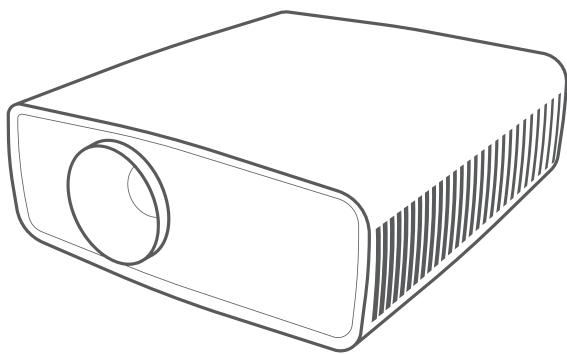



Phones

Tablets

Computers
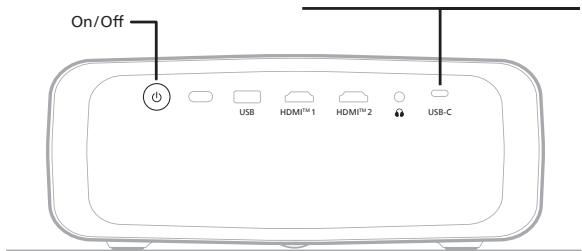
USB-C
USB
HDMI™

Ext. Drives or Power 5V1.5A


Tablets


Smart Sticks
Game consoles

Computers

DVD/VCR
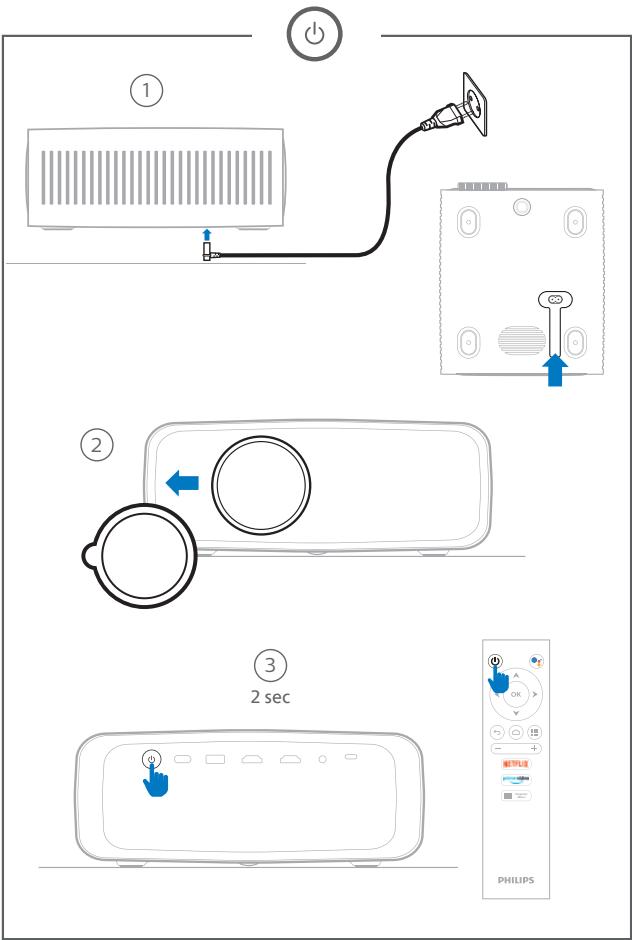


Adjustment knob


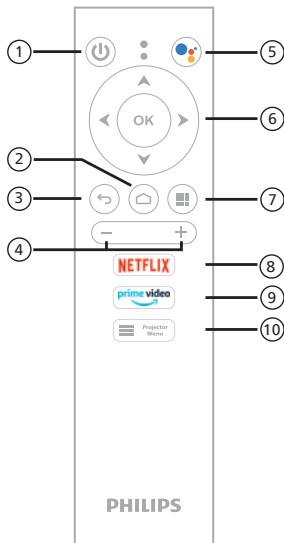



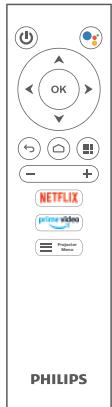
⑦ Apps
⑧ Open Netflix
9 Open Amazon Prime
10 Projector Settings
① Power On/Off
② Home
3 Back
(4) Volume - / +
⑤ Google Assistant
⑥ Direction keys
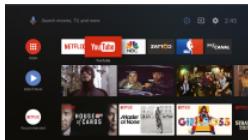
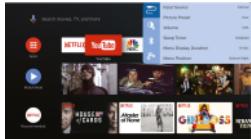
Google, Google Play, YouTube, Android TV and other marks are trademarks of Google LLC. Google Assistant is not available in certain languages and countries.


SOFTWARE END USER LICENSE AGREEMENT
SOFTWARE-ENDBENUTZLERIZZVEREINBARING
CONTRAT DE LICENCE UTILISATEUR FINAL DE LOGICIEL
CONTRATO DI LICENZA PER L'UTENTE FINALE DEL SOFTWARE (EULA)
SOFTWARECENTIEVOVEREENKOMST VOOR EINDEGEBRIUKERS
CONTRATO DE LICENCIA DE USO DE SOFTWARE PARA USUARIO FINAL
ACORDO DE LICENCA DO UTILIZADOR FINAL DO SOFTWARE
LICENSEAFTER FOR SLUTBRUGERE AF SOFTWARE
AVTALE OM SLUTTBRUKERLISENS FOR PROGRAMVARE
SLUTANVANDARAVTAL
This software end user license agreement ("this agreement") is a legal and binding agreement between you (either an individual or entity) and SCREENED INTELLIGENCE, Inc. (the "SCREENED"), who will use the software at Route de Lully 5c, 1131 Tolochenaz, Switzerland. This agreement gives you the right to use certain software (the "software") including user documentation in electronic form which may have been provided separately or from a separate source (e.g., from the software (branded) product (the "device") or a PC. By downloading, installing, or otherwise using the software, you accept and agree to be bound by all of the terms and conditions of this agreement. If you do not agree to these terms and conditions, you may obtain permission from the software owner to install the software. If you acquired the software in tangible media e.g., cd without the opportunity to review this license and do not accept these terms, you may receive a full refund of the amount. If any, that you paid for the software if you were entitled to the free download of payment within 30 days from the date of purchase.
- Grant of License. This Agreement grants you a non-exclusive, non-transferrable, non-sub licensable license to use the software in object code format (1) and to use the software in object code format as set out in the user documentation solely for your personal use. The Software is "in use" when it is used in the application for a purpose other than memory (i.e. RAM, hard disk, etc.) of the PC or the Device.
- Ownership. The Software is licensed and not sold to you. This Agreement grants you only the right to use the Software, but you do not acquire any rights, express or implied, without the written consent of the Licensee. In this Agreement, SCREENO INNOVATION SA and its licensors retain all right, title, and interest in and to the Software, including all patents, copyrights, trade secrets, and other intellectual property rights incorporated therein. The Software may be used for commercial purposes, such as treaty provisions, and other intellectual property laws. Therefore, other than as expressly set forth herein, you may not copy the Software without prior written authorization of SCREENO INNOVATION SA, except that you may use the software for internal purposes, or for purposes only. You may not copy any printed materials
OHJELMISTO-JA KAYTTOOOUSIPOMIN
SZOFTVER VEGFELHASZNALOI SZERZODER
UMOWA LICENCEJNAU JYUCTIONIKAONCOWEGO PROGRAMOWANIA
LICENÇNI SMLUVA S KONCOYM YUZULETEMNE NA SOFTWARE
ACORD DE LICENTÀ FINAL UTILIZER SOFTWARE
YAZILIM SON KULLANICI LIJANS SOZLEMSI
JIUMEH3NOHOE COJNALEHNE C KOHEUYBIM TIOJB3OBAETJEI M IPOPTAMMHOI OBECEIEHNEIA
ΣΥΜΦΟΝΑ ΑλΕΙΑZ TEΑΚΟΥ XPHETH ΑΟΓΙΜΚΟΥ
Soo插电器查询求音书求音表调音软件最终用户许可协议
accompanying the Software, nor print more than one (1) copy of any user documentation provided in electronic form, except that you may make one (1) copy of such printed materials for your back-up purposes only.
-
License Restrictions. Except as provided otherwise herein, you shall not rent, lease, sublicense, sell, assign, loan, or otherwise transfer the Software. You shall not, and you shall not permit any third party, to reverse engineering or distribution of the software, except to the extent that applicable law expressly prohibits the foregoing restriction. You may not remove or destroy any product identification, copyright notices, or other proprietary markings or restrictions from the Software. All titles, trademarks, and copyright and restricted rights notices shall be reproduced on your back up copy of the Software. This is a limitation of the software. Software merge the Software into another program or create derivative works based upon the Software.
-
Termination of certain functionality. The Software may contain components of certain licensed software including software licensed from Microsoft Corporation (The "MS" License), which permits the use of rights management technology for Windows Media. Content providers are using the digital rights management technology for Windows Media ("WM-DRM") to protect the integrity of their content ("Secure Content") and to ensure that the software is not vulnerable in such content is not misappropriated. Your Device may also use WM-DRM software to transfer or play Secure Content ("WM-DRM Software"). If the security of such WM-DRM Software is compromised, Microsoft may be required to replace the original owner of the owners of Secure Content ("Secure Content Owners") the WM-DRM Software's right to acquire new licenses to copy, store, transfer, display and/or play Secure Content. Revocation does not alter the WM-DRM Software's ability to maintain its identity. A list of revoked WM-DRM Software is sent to your PC and/or your Device whenever you download a license for Secure Content. Microsoft may, in conjunction with such license, also download revocation lists onto your device. This list may be used to remove any device that may disable your Device's ability to copy, store, display.
transfer, and/or play Secure Content. Secure Content Owners may also require you to upgrade some of the WM-DRM components distributed with this Software ("WM-DRM Upgrades") before accessing their content. WM-DRM Upgrades are not intended for WM-DRM Software built by Microsoft will notify you that a WM-DRM Upgrade is required and then ask for your consent before the WM-DRM Upgrade is downloaded. WM-DRM Software built by SCRENEO INNOVATION SA may do the same. If you decline the upgrade, you will not be able to access Secure Content that requires the WM-DRM Upgrade; however, you will still be able to access unprotected content and Secure Content that requires the WM-DRM Upgrade. You may also request that access the Internet, such as acquiring new licenses and/or performing a required WM-DRM Upgrade, can be switched off. When these features are switched off, you will still be able to play Secure Content if you have a valid license for such content already stored on your computer. The secure content in this instance is the same as the WM-DRM Software features that require Internet access such as the ability to download content that requires the WM-DRM Upgrade. All title and intellectual property rights in and to the Secure Content is the property of the respective Secure Content owners and may be protected by applicable copyright or other third parties. This property grants you no rights to use such Secure Content. To summarize, if the Software contains Microsoft WM-DRM components - Secure Content you desire to download, copy, store, display, transfer, and/or play is protected by the Microsoft WM-DRM components of the software. Microsoft's Secure Content Owners, or Secure Content Owners, may not restrict your access, to Secure Content even after you have paid for, and/or obtained it. Neither your consent nor the content or approval of SCRENEO INNOVATION SA is necessary for any of them to deny, withhold or otherwise restrict your access to Secure Content. SCRENEO INNOVATION SA does not guarantee that you will be able to download, copy, store, display, transfer, and/or play Secure Content.
-
Open Source Software. (a) This software may contain components that are subject to open-source terms. This Agreement does not apply to this software as such. More information can be found in the documentation. If applicable, the Open Source Terms and Conditions apply. An applicable open source licenses will be delivered upon request, please contact philips projector.eu@screeneno.com in English with product identification or for more information. (b) Your license rights under this Agreement do not include any right or license to use, distribute or display the software. The Open Source Terms and Conditions offer that would subject the Software to Open Source Terms. "Open Source Terms" means the terms of any license that directly or indirectly (i) create, or purport to create, obligations for SCREENED INNOVATION SA with respect to the Software and/or derivative works thereof; or (ii) assign a proprietary right to third parties for derivative rights or immunities under intellectual property or proprietary rights in the Software or derivative works thereof.
-
Termination. This Agreement shall be effective upon installation or first use of the Software and shall terminate (i) at the discretion of SCREENED INNOVATION SA, due to your failure to comply with any term of this Agreement; or (ii) upon destruction of all copies of the Software and/or its derivatives provided to you by SCREENED INNOVATION SA hereunder SCREENED INNOVATION SA's rights and your obligations shall survive the termination of this Agreement.
-
Upgrades. SCREENEO INNOVATION SA may, at its sole option, make upgrades to the Software available by general posting on a website or by any other means or methods. Such upgrades may be made available
pursuant to the terms of this Agreement or the release of the information contained in this report may be subject to your acceptance of another agreement.
- Support Services, SCREENEO INNOVATION SA is not a member of the "Service Agreement" between the "Services" for the Software. If SCREENEO INNOVATION SA does provide you with Support Services, these will be included in the "Support Services Agreement" agreed between you and SCREENEO INNOVATION SA.
- Limited Software Warranty. SCRENEO INNOVATION SA provides the Software 'as is' and without any warranty except that the Software will perform substantially in accordance with the terms of the contract for use by the SCSA Software for a period of one year after your first download, installation or use of the Software, whichever occurs first. SCRENEO INNOVATION SA 'entire liability and your exclusive remedy for breach of this warranty shall be, at any time during the course of the保修 period, paid to the owner of the price paid by you for the Software (if any); or (b) repair or replacement of the Software that does not meet the warranty set forth herein and that is returned to SCRENEO INNOVATION SA with a copy of your receipt. This service is available to anyone who has received it from any accident, abuse, misuse or wrongful application. Any replacement Software will be warranted for the remainder of the original warranty period or thirty (30) days, whichever is longer. This limited warranty shall not be extended nor撤销ed to you free of charge on an evaluation only basis.
- No other warranties. Except as set forth above, SCREENEO INNOVATION SA and its licenseors do not warrant that the software will operate error free or unconditionally. The software may be subject to warranty, and assume all responsibilities for selection of the software to achieve your intended results, and for the installation of use, and results obtained from the software. To the maximum extent permitted by applicable law, SCREENEO INNOVATION SA and its licenseors disclaim all warranties except those that are not covered by law, but not limited to the implied warranties of merchantability, fitness for a particular purpose, and accuracy or completeness of results with respect to the software and the accompanying materials. There is no warranty against infringement. SCREENEO INNOVATION SA does not warrant any warranty concerning the software, copy, store, display, transfer, and/or play secure content.
- Limitation of liability. Under no circumstances will SCREENEO INNOVATION SA or its licensees be liable for any consequential, special, indirect, incidental or otherwise for the losses, damages, and other liabilities in connection with the limitation, damages for loss of profits or revenues, business interruption, loss of business information, loss of data, loss of use or other pecuniary loss, even if SCREENEO INC. has been given a reasonable basis to prove that the possibility of such damages. In no event shall SCREENEO INNOVATION SA or its licensees aggregate liability for damages arising out of this agreement exceed the greater of 20 percent and paid by you for the software or five pounds sterling (5.00).
- Trademarks. Certain product names used in this Agreement, the Software, and the printed user documentation may be (registered) trademarks of SCREENEO INTELLIGENCE, INC., which are not authorized to use any such trademarks. You
- Export Administration. You agree that you will not directly or indirectly, export or re-export the Software to any other country, including the United States, without the approval of the Export Administration Act, or any similar United States law or regulation requires an export license or other U.S. Government approval, unless the appropriate export license or approval is obtained by the U.S. Government. If you wish to use the Software you agree to abide by this Export provision.
| WARRANTY CARD | GARANTIKORT | JAMSTVO KARTICE |
| GARANTIEKARTE | TAKUUKORTTI | Гаран'tи міц't |
| CARTE DE GARANTIE | JOTÁLLASI JEGY | Гаран'tи міьт талон |
| TAGLIANDO DI GARANZIA | KARTA GWARANCYJNA | КAPTA EГУHЕЗ |
| GARANTIEBEWIJS | ZARUCNI LIST | GARANTI KARTI |
| TARJETA DE GARANTA | ZARUCNY LIST | CARTAO DE GARNTIA |
| CARTAO DE GARANTA | CARTE DE GARANTI | THE BAO HANH |
| GARANTIKORT | ГАРAHЦИОНHA KAPTA | КAD JAMINAN |
| GARANTIBEVIS | GARANCIJSKI LIST | Буksуssуу |
| ENDear Customer, you may obtain a copy of the warranty conditions from the dealer, by downloading it from the internet or by contacting the customer support center. Please retain your sales receipt and the warranty card! |
| DESehr geehrter Kunde, Sie konnen eine Kopie der Garantiebestimmungen entwed-er über den Handler erhalten, sie über das Internet herunterlagen, oder sie beim Kundendienstzentrum beziehen. Bewahren Sie Ihren Kaufbeleg und die Garantiekarte gut auf! |
| FRTrès ché client, vous pouvez obtenir une copie des dispositions de garantie chez le revendeur ou les télécharger sur Internet. Conservez bien votre ticket de caisse et la carte de garantie! |
| ITStimato cliente, una copia delle condizioni di garanziaouldesere richiesta tramite il proprio rivenditore, oppure è scaricabile da internet o disponibile presso il servizio post-vendita. Conservare con cura il documento di acquisto e la scheda di garanzia! |
| NLGeacheptide klant, U kunt een kopie van de garantiebeqalingen via uw dealer verkrijgen, van Internet downloaned of bij de klantendienst aanvragen. Bewaar uw aankoopbewijs en de garantietkaart goed! |
| ESEstimado cliente: pode teneruna copia de las dispositions de la garantía atraves de su distribuidor, descargarla usede misso por Internet o bien Solicitarla en el centro de atencion al cliente. Conserve en un lugar seguro el justificante de compray la tarjeta de garantial! |
| PTEstimado cliente, Pode ober una copia das condições de garantia no fabricante, descarregá-las da Internet ou adquir-las no centro de assistência ao cliente. Guarde o comprovativo de compra e o certificado de garantia num local segro! |
| SVBaste kund, Du kan antingen fā en kopia av garantivillkoren via äterforsäjaren, ladda der dem via Internet eller bestalla dem hos kundtjanstcentrat. Ta var va para p ditt kvitto och garantikortet! |
| DAKäre kunde, Du kan fa en kopi af garantibestemmelserne fra din forhandier eller ho vores kundeservicecenter. Opbevar dit kobsbilag og garantikortet omhyggelit. |
| NOKäre kunde Du kan enten fa en kopi av garantibestemmelsene hos forhandieren, LAST dem ned fra internettiden, eller bestle dem ved kundeserviceenteret. Ta godt vere p kjopsbevi-set og garantikortet ditt |
| FIArvoisa asiakas Takuuehdot ovat saatavana tuotteet myjältä, Internetistä tai asiaka-spalvelukeskuksesta. Sālytä kutti jaku takuukortihuolellisetsti Sālytä kutti jaku takuukortti huoellisesti! |
| CZVăzěkazniku, Záručni list odbržte od prodejece, muzete ji sthnhout z webovych stránek, pripadne kontaktujte záczanické informacniz centrum. Uschovjete, prosime, učtenku a záručni list! |
| SKVăzěkaznik, Záručny list dostanete od predajcu, muzete ho prevziat z webovych stránek, pripadne kontaktujte záczanické informacnè centrum. Uschovajte, prosime, učtenku a záručny list! |
| BG | Ybaxaemn Klnenntn, Moxete da noolyte KOme T oparauuHONHHTe YOBOVA O TpIroBaE IIN da
r n camaite O nnterneht, KaKIO da nn noyunite O te cembra 3a ocbnykbae H Na Klenn. Iaabe
KocBOM Bn rnapua HONHUNHNTA Kapra! |
| SL | Spostovani kupe! Kopijo garancijskih pogojev lohak doble tri trogvcu, lahko jih prenesete
na svoi raucnilnek preko splea ali jh doble tri pcentra zu pomoč strankam. Prosimo, shrani-
te potrodlo o nakupu in garancjli listar! |
| PL | Szanowny Kliencji! Warunki gwarancjci moins uzyskac od spredawcy, povierajac je przyez
Internet lub kontaktujiac sie z Centrum obligui klienta. Prozse zachowac paragon i karte
gwarancjny! |
| SR | Flourobane myupejke Kopijo garancjskih odredaba moze t doble di agtrova, sminiti i ufitati preko
Interneta ili naruci preko servisnog centra za musterij. PazJIvo saucvjte potvrdu o kupovini garancjsku
kartigl! |
| HR | Pošovane mušterje Copiju jamstvenih odredaba moze t doble di agtrova, sminiti i ufitati preko
Interneta ili naruci preko servisnog centra za kupe. Potvrdu o kupovini i jamstvenu
karticu pažljivo saucvjat! |
| HU | Tiszelt Vasarló A Jotállás égy pédaryárt beszerezhé a forgalmazolí, letolthetzi atiz
internelī vagy kerhéti a vevtajekozatási kozpontlár. Kějúk. orizce meg a vasárlí bizonyl
latod et a garaciarnyktä! Atalános feltelteké. 1 A Fogasyztot a jotállás alapian 151/2003
IX(22). Kornyanyrendieben meğaharotzog jokog iliek temg 2. A jotállás idotartama a
vasárlás napjától szamétiff.文档. Dect. Vezetékes telefon. Dittalyfenskyépez, Photoframe
eseten: 12 hónap, kivëve a vetilólapma, amire 3 hónap, Multifunktci berendazes etenet: 24 hónap, Projetor eseten: 12 hónap. 3. Jotállás igeny a jotállás jeggyl ervytesiyte. A
Jotállás jegokat a fogyasztási cink tuladonosa ervytesiyethi. 4. Tartzókezöka (tintafilm, tintapatron) a garancina sem terjki.
Jotállás felelosseg kizársa. Uygelenj a termek hasznalati utmutatɔjaban fogialaktaretber-
tāsārā! A jotállás koteletzetsseg nem all fenn (pédául, de nem kizárolagosana), ha a hiba
rendeltetsetellenes hasznalbát eredó tóre, sirules, szalezorteni kelezés videitile iteltekten
atalakitäts, helytelten tarólás, bezáns, nem megfelegeló feszultseg hasznalá, elemi csapás
vagy a z'etékesités utani kuloš behatás erendmýne. Ilyen etesketá y avjatus koltsegelé a
Fogasyztot tert helik.
Eliānas a hiba jellegère vonatkóvo věleménykūrolség, vita estenet: Ha a hiba ténye. jelge megalagaliśa kouloniges szakertelem szuksesges, a Fogasyztó a
Fogasyztovedelmi Fofelugyelósegtól szavkélemenyt kérhet. |
| TR | Sayin musterim. Garanti kurallinn bir suretini satcinczdan, interneten indirek reya
ligil musterin hizmetller merkezimidzen temine edebirisiniz. Satin alma belgenizi ve garanti
martinizi itinai bir bicimde saklayiniz! |
| RU | Vbaxaemn Konykantel, KONIO rapaŋhɪnɪhɪx 6oBætelaCTB MOKHO noynuŋh lypeεДилэр,
Zaŋr3bIc m B eCsaIIA II NNI noynuŋh B cepBICHOM Κentrep. Coopanshte Dokumentny, noDBeRpKaIaOme
nokynk, n rapaŋtɪnɪnⅢtanOH! |
| TR | Stimate client. Puteti obtine o copie a prevedenceril der of garanteie fie de la distributariu, fie o
puteti descaraçá de pe Internet su o puteti solicita la Serviciul Ciptali. Pàstrati bonyal fiscal/
fecture in originali scertificat del garantie: Dreptuille cmparatoruli sunt in conformitate
cu Legea 449/2003 sG/O2/1992. Dreptuille consumatoriul nu sunt affecte de garantía
oferit. Asigurarea gantjiel se face prin repararea/inlocuure aparatuluri conform filgetlaiei
in vigoare de câtre unitatea de service abilità de pe acest certificat. Terminul de aducere
a produsuluri la conformance nu poatae depos à l'ize calendaristica de la data la care consum-
atorul a reclamat vanzástorul lipisa conformitàit. Durada mede deutilize a produsuluri.
3,5 anem. Terminul de garantie: 24 luni de la data compaurarii. |
| CZ | Ayammté Pátoan, Mnojeet va nopáte antyρofo tvp ρov Evyvnóo ano tvov antypódoovnó osc, va to
katéboeot ano to odoikkTu vto nopáte ano tvékvo Evyvnópηng; Pátow |
| BR | Prezado:Customer. Videça podoce obiter uma的操作áções de Garantia com o seu fornec-
der, descarragá-la da Internet ou até mesmo contatando o nosso centro de assistência
ao cliente. Por favor guardo o recibo de compra e o Certificado de Garantia em local seguro! |
Device type, model and serial number | Geratetyp, Modell - und Seriennummer | Type d'appareil et numero de série | Modelo e numero di série | Apparataria type en seriennummer | Tipo de aparato y número de série | Tipo de aparaleo y número de série | Apparattate orch seriennummer | Apparattate og seriembernum | Laitteen typpji | sajaranumber | Tipusnev é gyár szam | Nazwa modulo i numer seryjny | Modar y numero cislo | Tipul aparalutari, model, numar declareatal de conformitate si numar serial | BnA.HYCTOPKTEBOTOENCRHEHOMEP | Tip in serjosa Stevlka naprave | Tip uredaja i serijski broj
Date of purchase, invoice number | Kaufdatum, Rechnungsummer | Date d'achat | Data di acquisto | Aankoopdatum | Fecha de compra | Data de compra | Kopdatum | Kodszdatum | Kopsdatum | Ostopaiva | Vasarlas datuma | Data zakupu | Datum nakupu | Datum achizionari si numar faktura | Datum nakupa | Datum kupovin
Name, address, telephone number, stamp and signature of the vendor / retailer | Name, Adresse, Telefonummer, Stempel und Unterschrift des Verkaufner | Handlers | Cachet du commercant et signature | Timbro del rivenditore e firma | Firmastempel en handtekening | Sello del distribuidos v firma | Carimbo do revendador e assinatura | Aterforsäljarens stempel och und namteckning | Forhandlerstempol und underskrift | Forhandelerens stempol und underskrift | Myjän lema ] ala alekjiotus | Foralmazoo pescjeté es alairára | Pieciecz i podpis spedawczy | Razitko a podpis prodavacei | Peciatka a podpis tradavača | Numela, adruse, Telefon, stampila.si semnatura vanzalutorii | Φρήνει Φέπαι ἀνηλίς | Zig in podpis trogovica | Stambili trogovica | potoi | Πeṭατ | TROBIA I N O T H T M
Name & Address of Customer | Name und Anschrift des Käufers | Nom et adresse de l'acheteur | Nome e recapitie dell'acquirente | Naam en advantes van de koper | Nombre y direccion del comprador | Nome e morada do cliente | Köperen namsn och adrast | Kundens navon og adressi | Koperen's navon og adresse | Asiakkaan nimi jsolatte | A vaskaró neve es ciime | Nazwa i clients klafter | Jmeno a adressa zakaznika | Meno a adressa zakaznika | Numele si adresa cmpaturorului | «Mme» à «dèpès» Kaутвацă
| Repair Number | Service Center | Repair Acceptance Date | Return Date | Defect Specification |
| Număr reparatie | Unitate de service | Data przyjęcta do naprawyJavităsra atțvétel dătumaDatum prijeti do opravyData receptiei | Data zwrotuVisszaadăs dătumaDatum vrăcenIData inapolierii | Specyfikacja usterkIIHba leirăsaPopis zăvadyDescrierea defectunii |
| | | | |
| | | | |
| Description of the Repair | Spare Part(s)/Nr. | Warranty Period of the New Component(s) / Stammp |
| Opis naprawy | Częsć(-)-ci zamienna(-)/nr | Aż u alkatrészek jóttālái idöṭartama / Pecsćeti Zȩućni doba vymenénych Časti / razkräpo Periode de garantie pentru piesole noi / stmplia |
| A javitás letrása | Alkatrész / szám |
| Popis opravy | Náhradníd(y) / Č. |
| Descrierea reparatiej | Piese de schimb / numár |
| | |
| | |
COUNTRY
HOTLINE
| Argentina | See international support |
| Australia | 1800 251 367 |
| Austria | +43 720 881 525 |
| Belgium | +32 78 077 761 (FR) / 209 (NL) |
| Brasil | +55 85 4042 1414 |
| Bulgaria | See international support |
| Canada | +1 (873) 514-1003 |
| Chile | +56 2249 94507 |
| Colombia | +57 1 328 8975 |
| Croatia | See international support |
| Czech Republik | +420 910 880 087 |
| Denmark | +45 78 76 9384 |
| Egypt | +20 111 456 1786 |
| Estonia | +3726166480 |
| Finland | +358 75325 82 56 |
| France | +33 6 44 60 30 83 |
| Germany | +49 421 836 79789 |
| Great Britain | +44 131 322 1364 |
| Greece | +30 261 118 0299 |
| China | (+86)01059357346 |
| Hong Kong SAR | +852 3183 0168 |
| Hungary | +36 1 998 9144 |
| Indonesia | +62 855 7467 6380 |
| Ireland | +353 76 680 5635 |
| Israel | +972-8-9418222 |
| Italy | +39 0 776 1580046 |
| Japan | +81-50-3205-0854 |
| Latvia | +37166155194 |
| Lithuania | +37052351699 |
| Luxemburg | +352 2786 21 07 |
| Malaysia | +60 16 299 1498 |
| Mexico | +52 55 4166 7410 |
| Morocco | +212 641 631 095 |
| Netherlands | +31 85 0013 738 |
| New Zealand | 0800 426 237 |
| Norway | +47 21 95 41 81 |
| Poland | +48 61 880 12 15 |
| Portugal | See international support |
| Puerto Rico | +1 (787) 305-3813 |
| Romania | +40 31 630 5446 |
| Russia | +749 5148 82 08 |
| Serbia | See international support |
| Singapore | +65 6841 2668 |
| Slovakia | See international support |
| Slovenia | See international support |
| Spain | +34 518 889 132 |
| Sweden | +46 8 580 97 043 |
| Switzerland | +41 21 539 16 66 (DE) / 67 (IT) / 68 (FR) |
| Turkey | + 90 (212) 2697676 |
| UAE | +971 4 4473106 |
| USA | +1 (812) 308-4615 |
International customer support:
+41 21 53 91 665
@ philips.projector.eu@screeneo.com
www.philips.com/support and our Community: https://community.screeneo.com
The Bluetooth® word mark and logos are registered trademarks owned by Bluetooth SIG, Inc. and any use of such marks by Screemo Innovation SA is under license. Other trademarks and trade names are those of their respective owners.
The terms HDMI, HDMI High-Definition Multimedia Interface, HDMI trade dress and the HDMI Logos are trademarks or registered trademarks of HDMI Licensing Administrator, Inc.

HIGH-DEFINITION MULTIMEDIA INTERFACE
FCC ID:2ASRT-NPX520
FCC Warning
15.19 Labeling requirements.
This device complies with part 15 of the FCC Rules. Operation is subject to the following two conditions: (1) This device may not cause harmful interference, and (2) this device must accept any interference received, including interference that may cause undesired operation.
15.21 Information to user.
Any Changes or modifications not expressly approved by the party responsible for compliance could void the user's authority to operate the equipment.
15.105 Information to the user.
Note: This equipment has been tested and found to comply with the limits for a Class B digital device, pursuant to part 15 of the FCC Rules. These limits are designed to provide reasonable protection against harmful interference in a residential installation. This equipment generates uses and can radiate radio frequency energy and, if not installed and used in accordance with the instructions, may cause harmful interference to radio communications. However, there is no guarantee that interference will not occur in a particular installation. If this equipment does cause harmful interference to radio or television reception, which can be determined by turning the equipment off and on, the user is encouraged to try to correct the interference by one or

more of the following measures:
-Reorient or relocate the receiving antenna.
-Increase the separation between the equipment and receiver.
-Connect the equipment into an outlet on a circuit different from that to which the receiver is connected.
-Consult the dealer or an experienced radio/TV technician for help.
- This Transmitter must not be co-located or operating in conjunction with any other antenna or transmitter.
- This equipment complies with RF radiation exposure limits set forth for an uncontrolled environment
- This equipment should be installed and operated with minimum distance 20cm between the radiator & your body.
| DE | Hiermit erklart Sreeneo Innovation SA, dass die Geräte in Übereinstimmung mit den Richtlinien 2014/53/EU, 2009/125/EG, 2011/65/EU sind. Der vollständige Wortlaut der EU-Konf-mitatserklarung stichter unter folgender Internet Adress zur Verflügung: www.philips.com |
| FR | Par la presente, Sreeneo Innovation SA Declare que l'emploi est en conformité avec les directives 2014/53/EU, 2009/125/EC, 2011/65/EU. Le texte complèt de la déclaration de conformité européen est disponible à l'adresse internet suivante : www.philips.com |
| EN | Herby, Sreeneo Innovation SA Declare that the equipment is in compliance with Directives 2014/53/EU, 2009/125/EC, 2011/65/EU. The full text of the EU declaration of conformity is available at the following internet address: www.philips.com |
| IT | Con la presente, Sreeneo Innovation SA dichiarée que le produit è conforme alle directive 2014/53/EU, 2009/125/EC et 2011/65/EU. Il testo Completo della dichiarazione europea di conformità è disponibile al segmente link: www.philips.com |
| ES | Por medio de la presente, SREENEO INNOVATION SA declare que el equipo cumple con las Directrices 2014/53/UE, 2009/125/CE, 2011/65/UE. El texto completeness de la declaración de conformidad de la UE está disponible en lasumaire direction Internet: www.philips.com |
| NL | Sreeneo Innovation SA verkaart hiermieed dat de untrusting aan de Directieven 2014/53/EU, 2009/125/EC, 2011/65/EU voldoe. De volledige tekst van de EU-conformiteitsverklaring is terug te vinden op het voligende internetades: www.philips.com |
| PT | A Sreeneo Innovation SA declara que o equipmentsamento está em conformidade com as Directivas 2014/53/EU, 2009/125/CE, 2011/65/EU. O documento declaração de conformidade da UE está disponibili atraves do segmente ndereço da Internet: www.philips.com |
| SW | Harmé, Forskär Sreeneo Innovation SA att urstrunngen ár i enlighmet med direktiv 2014/53/EU, 2009/125/EG, 2011/65/EU. Den fullständiga texten av EU-forskär an overenstammelisse finns på foljandere internetadresses: www.philips.com |
| DK | Hervéd, erkräser Sreeneo Innovation SA, at udystyet er i overensstemmelse med direktiv 2014/53/EU, 2009/125/EF, 2011/65/EU. Den fulde tekst af EU-overensstemmelseserklaagen er tilgangengelå pø folgende internetadresse : www.philips.com |
| NO | Sreeneo Innovation SA erklaer hervéd at apparatene er i samsyar med direktiven 2014/53/EU, 2009/125/EG, 2011/65/EU. Den kompliette tekstden for EU-samsvarsserklaagen er tilgangengelå pø folgende internet-adresse: www.philips.com |
| R1 | Screeno Innovation SA kauvutta tāten, etta latieste tāyātta direktliiven 2014/53/EY, 2009/125/EY, 2011/65/EY vaatamkitset. Taydellinen EU-vaatimustemkuisausvakutus on luettavissa seuraavasta verkko-ositteesta: www.philips.com |
| GZ | Společnost Screeno Innovation SA timo prohalajne, zé toto zafizenì odopida požadavklím směncí 2014/53/EU, 2009/125/ES a 2011/65/EU. Cely text prohalajné o shodé platném pro EU je k disposići na nasledujüci internetové adress: www.philips.com |
| SK | Tymto spolocnost Screeno Innovation SA prehlasije, zé vybavenie je v sulade s normami 2014/53/EU, 2009/125/ES, 2011/65/EU. Komplettény text vyhlássenia o zhode s EU je dostupny na nasledujüci internetové adress: www.philips.com |
| HU | Screeno Innovation SA ezennel kijelenti, hógy a keszülék teltesija a 2014/53/EU, 2009/125/EC, 2011/65/EU irányelveket. Az EU megfeleloşsegi nyilaktozat teljes zoşewege a kovetkežo internet cimen erhétő el: www.philips.com |
| PL | Niniejszym Screeneo Innovation SA deklaruje, zé urzadzenia z ágodne z wymogami dyrektwy 2014/53/EU, 2009/125/WE, 2011/65/EU. Pelny tekst deklaraciç zgodnošći UE jest dostepny na nasledujüci stronie internetovéj: www.philips.com |
| TR | Bu vesile il Screeno Innovation SA. Cihaz Direktifleri 2014/53/EU, 2009/125/EC, 2011/65/EU ile uyumu olduğunu beman eder. AB uygünuk buyani tam metni asağidaki internet adresinde mevcuttur: www.philips.com |
| GR | dà tou napiótroc, n Screeno Innovation SA δnλινού το ο ερηλιούς ἐχγι συμουρρούθε βέ τις Σδηγίες, 2014/53/EU, 2009/125/EC, 2011/65/EU. Λαλκλόpto το κεμεύν τις Ευμαούκίς ἔλασκός Σιμμρρούθε; ενίνα διδεύομο το έγκαλουύθε δεύθουνιonet Internet: www.philips.com |
| RO | Prin prezenta, Screeno Innovation SA declara c achepimentul est in conformitate con Directivee Europene 2014/53/EU, 2009/125/EC, 2011/65/EU. Textul integral al declaratié de conformitate UE este disponibilì la urmatoarea adresa de internet: www.philips.com |
| RG | C nactoioto, Screeno Innovation SA déknapirja, ce obópopdavétré e b cboTETCTBme c direktkýnci 2014/53/EC, 2009/125/EO, 2011/65/EC. ПьленитTekt на EC déknapу ninthа за сboTETCTBme e doctbytna на сnéndray internetēnet Ādèç: www.philips.com |
| HR | Screeno Innovation SA ovim putem izjavlju de je oprema uskladena sa smjernicama 2014/53/EU, 2009/125/EC, 2011/65/EU. Puni tekst EU deklaraciçue uskladenosti dostupan je na slièdećoj internoj adress: www.philips.com |
| RS | Ovim Screeno Innovation SA izjavlju de su uredaji usaglašeni sa direktivama 2014/53/EU, 2009/125/EG, 2011/65/EU. Kompletant tekst EU izajve o usaglašenosti je dostupan na slièdećoj internoj adressi: www.philips.com |
Screeneo Innovation SA
Route de Lully 5C
1131 - Tolochenaz - Switzerland
www.philips.com
philips.projector.eu@screeneo.com
EUROPEAN Service Center:
Euro Repair Center
Europa-Allee-77
5434 Fohren
Germany
NORTH AMERICA Service Center:
Cooper General Global Services, Inc.
Attn: Screeneo/Philips
920 Minters Chapel Road, Suite 600
Grapevine, TX 76051
Philips and the Philips Shield Emblem are registered trademarks of Koninklijke Philips NV. used under license.
This product has been manufactured by and is sold under the responsibility of Screneo Innovation SA, and Screneo Innovation SA is the warrantor in relation to this product.