
PURIFICATEUR PURE HUMIDIFY+COOL - Purificateur d'air et humidificateur DYSON - Notice d'utilisation et mode d'emploi gratuit
Retrouvez gratuitement la notice de l'appareil PURIFICATEUR PURE HUMIDIFY+COOL DYSON au format PDF.

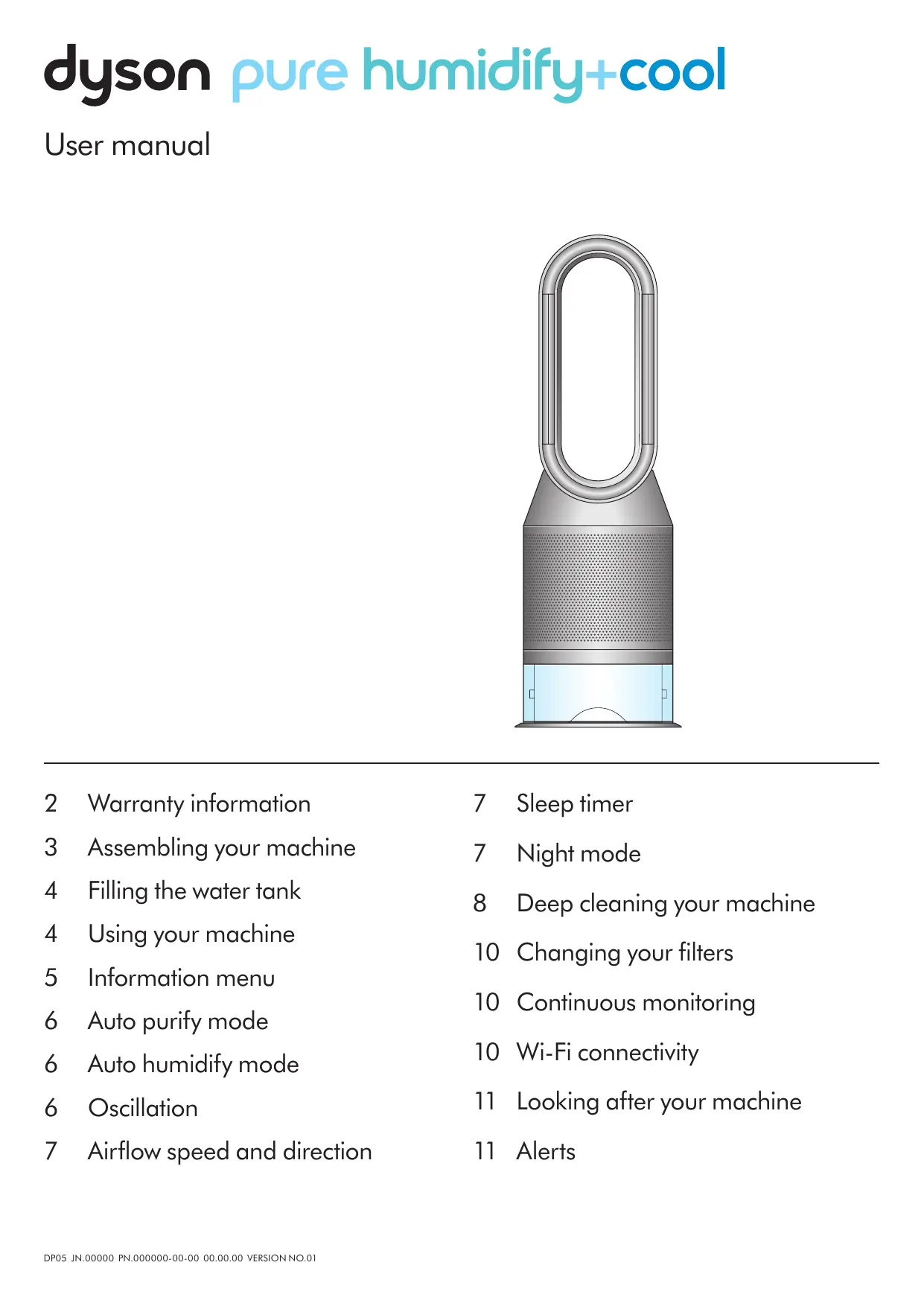

| Type de produit | Purificateur d'air et humidificateur avec ventilateur |
| Marque | Dyson |
| Modèle | Pure Humidify+Cool |
| Dimensions (approx.) | Hauteur : 76,4 cm, Largeur : 20 cm, Profondeur : 20 cm |
| Poids (approx.) | 3,5 kg |
| Alimentation | 220-240 V, 50 Hz (secteur) |
| Fonctions principales | Purification de l'air, humidification, ventilation (rafraîchissement) |
| Modes de fonctionnement | Auto purification, Auto humidification, Oscillation (45°, 90°, Breeze), Ventilation dirigée, Diffusion, Minuterie, Mode Nuit |
| Affichage et contrôle | Écran LCD, télécommande, application Dyson Link |
| Filtres | Filtre combiné (particules + COV) ; option Cryptomic™ (oxydes d'azote) |
| Capacité du réservoir d'eau | Environ 2,5 L (non communiqué précisément) |
| Surveillance en continu | Oui (qualité de l'air, température, humidité, PM2.5, PM10, COV, NO2) |
| Connectivité | Wi-Fi, application Dyson Link (iOS et Android) |
| Entretien et nettoyage | Nettoyage hebdomadaire avec chiffon sec ; cycle de nettoyage profond à l'acide citrique (détartrage) |
| Remplacement des filtres | Indicateur de durée de vie sur écran ; remplacer tous les 12 mois (selon usage) |
| Pièces détachées et réparabilité | Filtres et évaporateur remplaçables ; assistance Dyson (garantie 2 ans) |
| Sécurité | Arrêt automatique en cas de basculement, alertes sur l'écran, cycle de nettoyage obligatoire |
| Informations générales | Notice disponible en ligne ; numéro de série sur la plaque signalétique (base de l'appareil) |
FOIRE AUX QUESTIONS - PURIFICATEUR PURE HUMIDIFY+COOL DYSON
Questions des utilisateurs sur PURIFICATEUR PURE HUMIDIFY+COOL DYSON
0 question sur cet appareil. Repondez a celles que vous connaissez ou posez la votre.
Poser une nouvelle question sur cet appareil
Téléchargez la notice de votre Purificateur d'air et humidificateur au format PDF gratuitement ! Retrouvez votre notice PURIFICATEUR PURE HUMIDIFY+COOL - DYSON et reprennez votre appareil électronique en main. Sur cette page sont publiés tous les documents nécessaires à l'utilisation de votre appareil PURIFICATEUR PURE HUMIDIFY+COOL de la marque DYSON.
MODE D'EMPLOI PURIFICATEUR PURE HUMIDIFY+COOL DYSON
dyson pure humidify+cool
User manual
natural_image
3D rendering of a modern air purifier with a wide neck and mesh chamber (no text or symbols)2 Warranty information
3 Assembling your machine
4 Filling the water tank
4 Using your machine
5 Information menu
6 Auto purify mode
6 Auto humidify mode
6 Oscillation
7 Airflow speed and direction
7 Sleep timer
7 Night mode
8 Deep cleaning your machine
10 Changing your filters
10 Continuous monitoring
10 Wi-Fi connectivity
11 Looking after your machine
11 Alerts
Thank you for choosing to buy a Dyson purifying humidifying fan.
Set up your machine quickly, with step-by-step support
- Personalize your settings for maximum comfort.
- Control and monitor your machine, wherever you are.
- Automatically update your machine with all the latest software.
dyson
Download the Dyson Link app
Download the Dyson Link app from the App store or Google Play.
Open the app and follow the on-screen instructions to create a new account.
For further information and support:
www.dyson.com
866-693-9766

Download on the
App Store

GET IT ON
Google Play
Apple and the Apple logo are trademarks of Apple Inc., registered in the U.S. and other countries. App Store is a service mark of Apple Inc., registered in the U.S. and other countries.
Google Play and the Google Play logo are trademarks of Google Inc.
Your machine warranty
We don't stop caring about our machines once they're yours.
Your Dyson purifying humidifying fan will be covered for parts and labor (excluding filters and evaporator) for two years from the date of purchase, subject to the terms of the warranty.
Even after your warranty has ended, we'll still be on hand to help.
Free Dyson parts and labor
Hassle-free replacement
Expert advice. Six days a week.
'How to' videos and helpful tips
Your serial number can be found on your rating plate which is on the base of your machine.
Note your serial number for future reference.
This illustration is for example purposes only.
dyson


XXX-XX-XXXXXXXXX
Assembling your machine
dyson pure humidify+cool
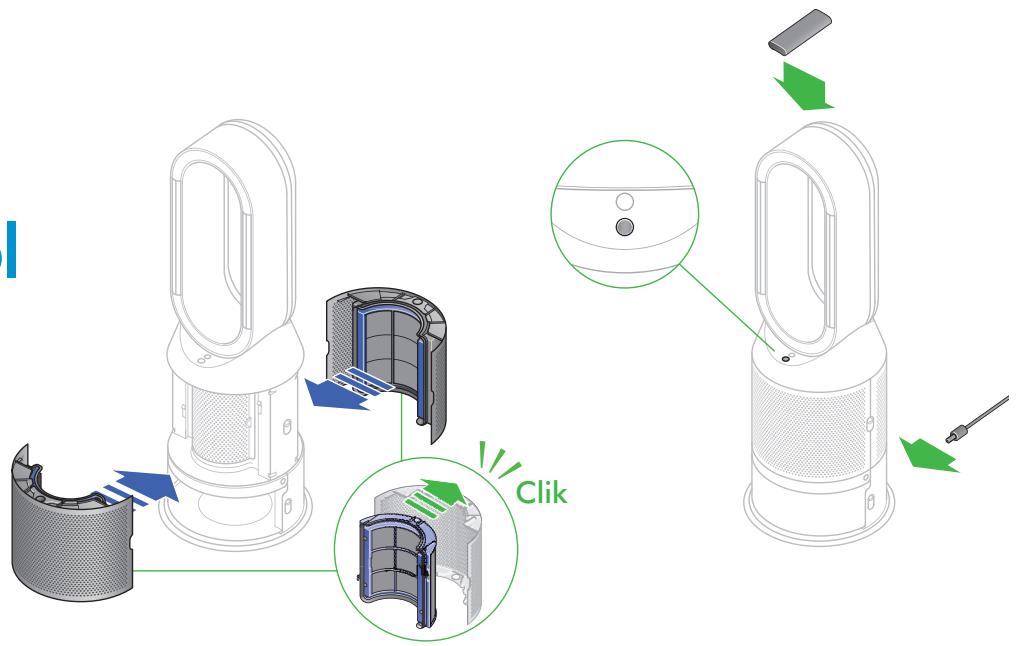
Use both hands to lift your Dyson purifying humidifying fan out of the box, by its base.
Don't lift it out by the amplifier loop.
Push down the Shroud release buttons on both sides of your machine to release the shrouds.
As the shrouds are removed, the inner door housing the evaporator will spring open. Close the inner door, making sure it clicks firmly shut.
Your Dyson purifying humidifying fan comes with a Combination filter.
Remove the Combination filter from any protective packaging.
Push both the Combination filters into the shrouds until the tabs on the top and bottom click into place.
Put the shrouds into position on the main body and push gently until they click securely into place.
Place the remote control on top of the machine with the buttons facing down.
Plug in and switch on.
dyson pure humidify+cool cryptomic
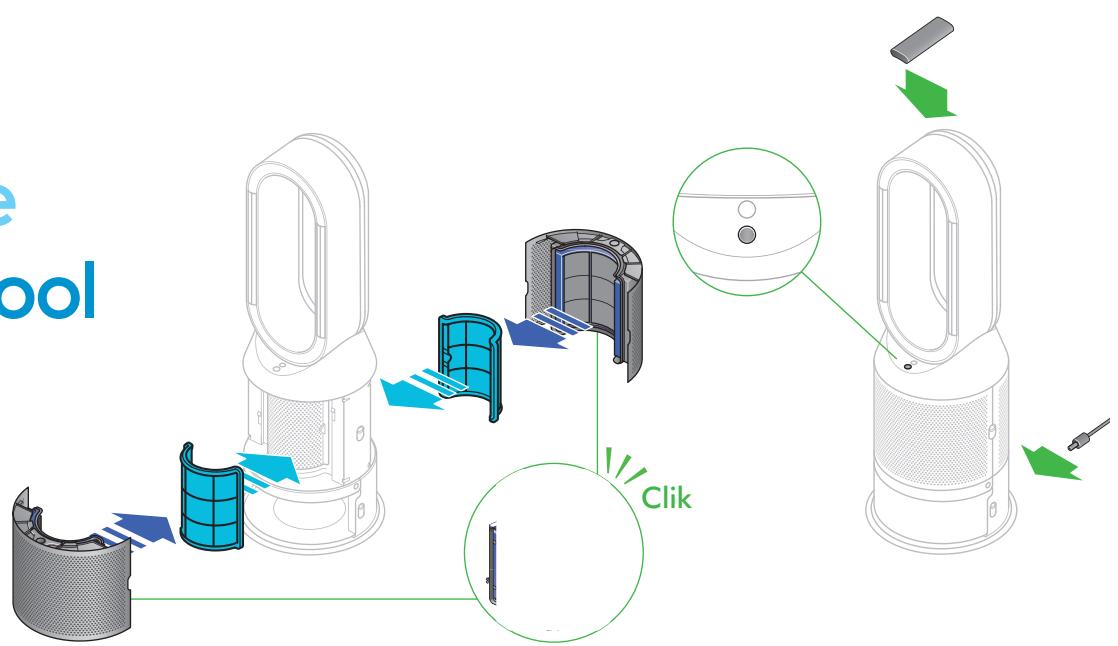
Use both hands to lift your Dyson purifying humidifying fan out of the box, by its base.
Don't lift it out by the amplifier loop.
Push down the Shroud release buttons on both sides of your machine to release the shrouds.
As the shrouds are removed, the inner door housing the evaporator will spring open. Close the inner door, making sure it clicks firmly shut.
Your Dyson purifying humidifying fan comes with a permanent Dyson Cryptomic™ filter and a Combination filter.
Remove the Combination and Dyson Cryptomic ^TM filters from any protective packaging.
Push the Dyson Cryptomic ^TM filter into position on the inner door.
Push both Combination filters into the shrouds until the tabs on the top and bottom click into place.
Put the shrouds into position on the main body and push gently until they click securely into place.
Place the remote control on top of the machine with the buttons facing down.
Plug in and switch on.
Filling the water tank
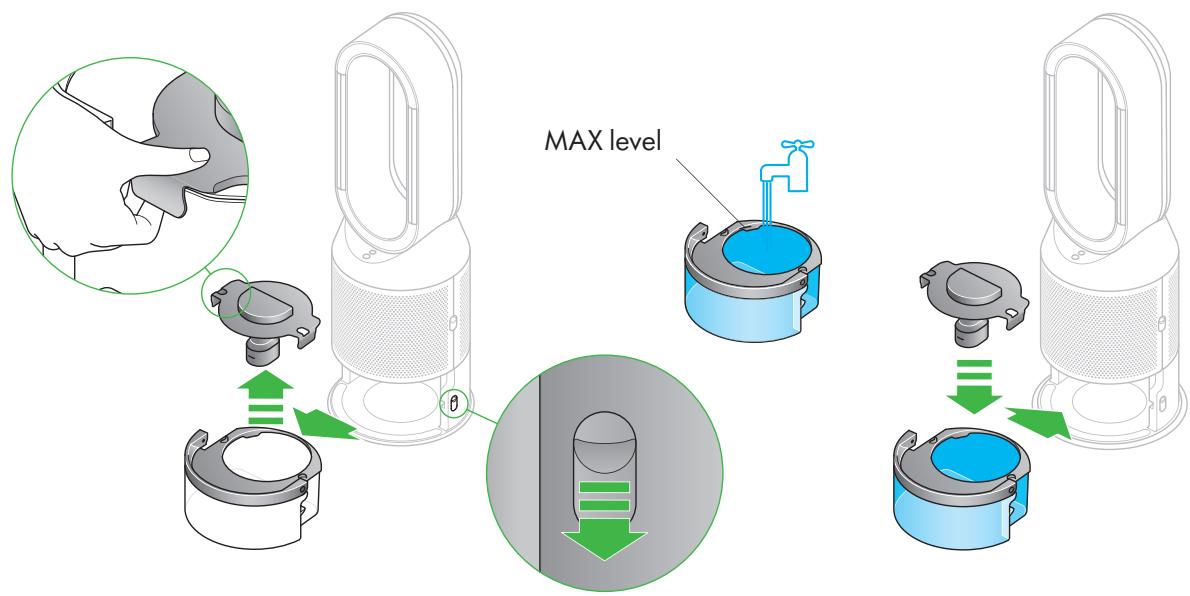
Before you remove the water tank, make sure humidification modes are turned off.
Push down the water tank release buttons on the sides of your machine.
Slide the water tank out of your machine.
Carry the water tank by its handle to the tap, and unclip the cap.
Fill the water tank to the Max level with cold tap water.
Replace the cap and secure the cap clips in place.
Slide the water tank back into your machine until it clicks securely in place.
Using your machine
natural_image
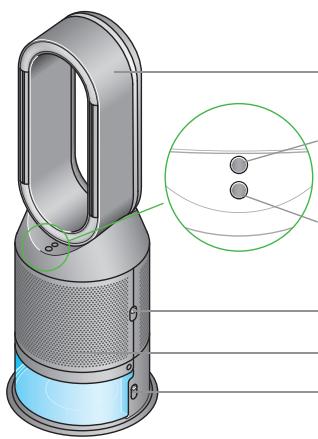
3D diagram of a handheld air purifier with labeled ports and internal components, showing a close-up inset (no text or symbols present)Amplifier loop
Deep clean cycle button
Standby button
Shroud release buttons
Shroud
Water tank release buttons
Information menu
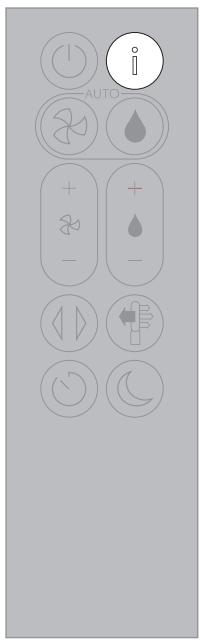
Press this button to scroll through the information being monitored by your Dyson purifying humidifying fan.
Information about air quality, temperature, humidity. Filter and evaporator levels are shown.
When a particular type of pollutant causes air quality to decrease, an icon for the pollutant will show on the LCD screen.

Indoor air quality – 12 seconds
Monitor the current air quality with a graph showing the last 12 seconds of data.

Indoor humidity
The amount of water vapor in the air, shown as a percentage.

Particulate matter (PM10)
Larger microscopic particles up to 10 microns in size, suspended in the air we breathe. These include dust, mold and pollen.

Volatile organic compounds
VOCs are typically odors that may be potentially harmful. These can be found in cleaning products, paints and new furnishings.

Evaporator
The status will show how full the evaporator is with limescale and how soon a Deep clean cycle is required.

Wi-Fi
The current status of connection to the Wi-Fi network.

Indoor air quality – 24hrs
Monitor the current air quality with a graph showing the last 24 hours of data.

Particulate matter (PM2.5)
Microscopic particles up to 2.5 microns in size, suspended in the air we breathe. These include smoke, bacteria and allergens.

Nitrogen dioxide and other oxidizing gases These potentially harmful gases are released into the air by combustion, for example burning gas when cooking and in vehicle exhaust emissions.

Indoor temperature
Monitor the ambient temperature to help maintain a comfortable environment.
Filters
The remaining filter life is shown on the LCD screen and will indicate when your filter needs replacing.
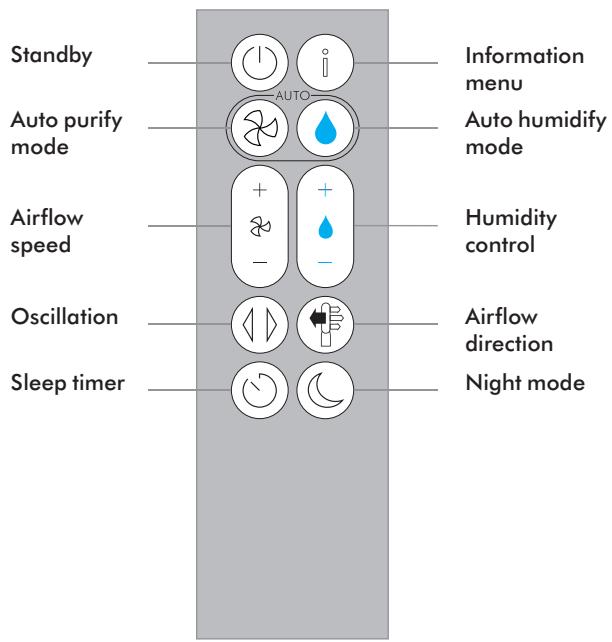
Auto purify mode
Auto humidify mode
Oscillation
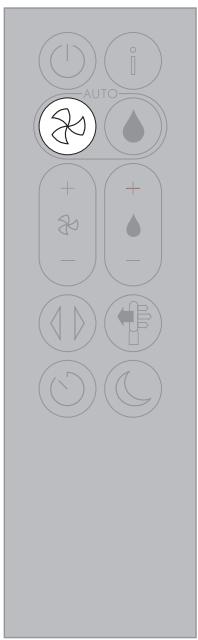
Set your Dyson purifying humidifying fan to Auto purify mode, and the on-board sensors will intelligently adjust the settings of your machine according to the air quality.
Air quality: your machine will pause when the target air quality has been reached, switching on again when the air quality levels drop.
Airflow speed: the airflow speed will increase until the target air quality and temperature have been reached.
Night mode: your machine will only run with Airflow speeds from 1 to 4.
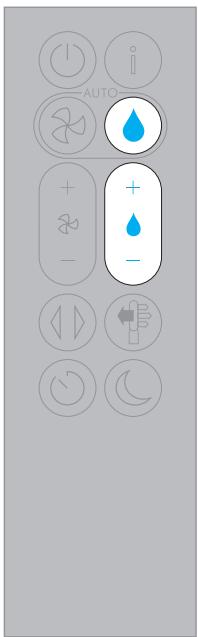
Set your Dyson purifying humidifying fan to Auto humidify mode, and the on-board sensors will intelligently adjust the settings of the machine according to the temperature and humidity of your room.
Room humidity: your machine will pause when the target room humidity has been reached, switching on again when the room humidity levels drop.
Airflow speed: the airflow speed will increase until the target humidity level has been reached.
To turn off Auto humidify mode or to change the humidity levels manually, press the Humidity control button.
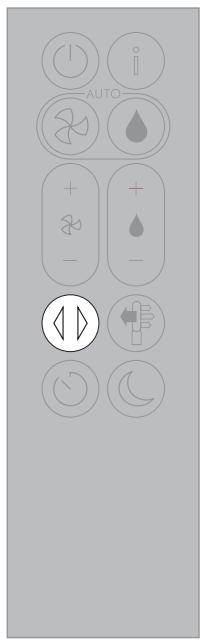
Press the Oscillation button and select the angle of oscillation to 0^ , 45^ , 90^ or Breeze mode.
Pause the oscillation at any point by pressing the Oscillation button.
Press the Oscillation button again to resume.
To reset the Oscillation direction to the center, press and hold the Oscillation button for two seconds.
Airflow speed and direction
Sleep timer
Night mode
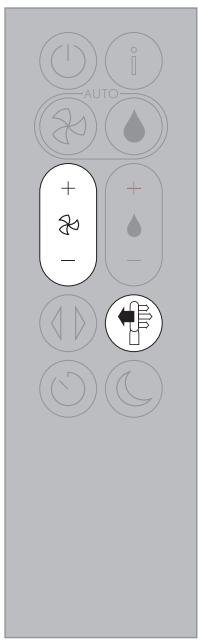
Press the Airflow speed button to increase and decrease the airflow speed.
Press the Airflow direction button to change the direction of airflow from front to back.
Change the airflow direction for your personal comfort.
Select the Airflow direction to Fan mode for airflow from the front for purifying and cooling.
Set the Airflow direction to Diffused mode, for airflow from the back for purifying without cool air.
Your machine will continue to purify and humidify (if selected) in both Fan and Diffused modes.
Use your Dyson Link app to personalize your settings for Airflow speed and direction.
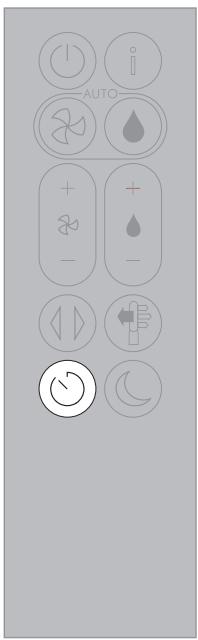
Your Dyson purifying humidifying fan will turn off automatically after the selected amount of time 0mins, 30mins, 1hr, 2hrs, 4hrs, 8hrs.
To set the time: press the button to scroll through the time options. Once activated, press the Sleep timer button once to see the time selected.
To cancel the Sleep timer: press the Sleep timer button to scroll through all the options and select the cancel option.
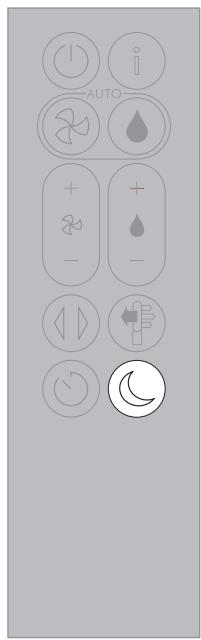
In Night mode, your Dyson purifying humidifying fan will continue to monitor and respond to changes in air quality and temperature, but only using its quietest settings – and with its LCD screen dimmed.
If Auto purify mode or Auto humidify mode have been set, Night mode will reduce the airflow speed to a range from 1 to 4.
Personalize your Night mode settings in the Dyson Link app.
Deep cleaning your machine
Important: don't turn off or unplug your machine as the cleaning instructions will appear on the LCD screen.
To always get the best performance from your Dyson purifying humidifying fan, it is important to carry out regular deep cleaning to remove any limescale.
Before and after long periods where humidification is not used, it is recommended that additional Deep clean cycles are run.
In hard water areas you may need to run the Deep clean cycle more frequently. Your machine will alert you when it needs you to carry out a Deep clean cycle.
If you are connected to the Dyson Link app, you will receive a notification message.
If you are not using the Dyson Link app, the LCD screen on your machine will alert you and the Deep clean cycle button will light up.
To cancel the Deep clean cycle at any point, press and hold the Deep clean cycle button for five seconds.
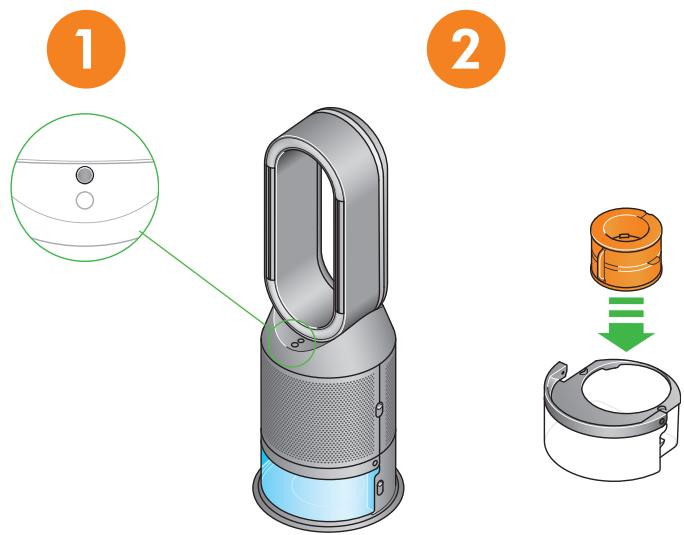
Press the Deep clean cycle button on the front of your machine and your instructions will be shown on the LCD screen.
Remove the evaporator from your machine, place it in the water tank and refit the cap.
Push down on the shroud release buttons to remove the shrouds. The inner door will spring open. Put the shrouds to one side as you carry out the Deep clean cycle.
Push down the water tank release buttons on the sides of your machine.
Slide the water tank out of your machine and unclip the cap.
3
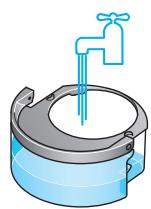
Carry the water tank by its handle to the tap.
Remove the cap and evaporator. Fill the water tank halfway to the Max level with cold tap water.
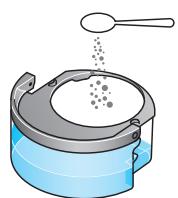
Measure out 150g of citric acid and place it in the water tank.
natural_image
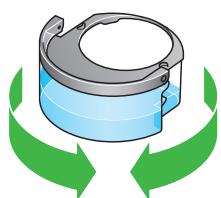
Illustration of a mechanical component with green arrows indicating direction (no text or symbols)Agitate gently until all the citric acid has dissolved.
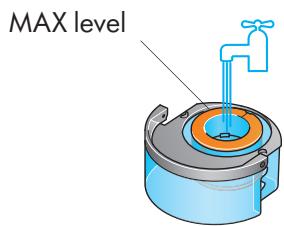
Place the evaporator in the water tank. Fill the water tank to the Max level with cold tap water.
Deep cleaning your machine – continued
4
natural_image
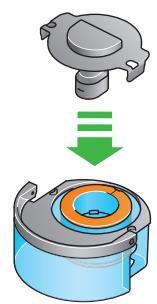
Illustration of a mechanical component with a green downward arrow indicating motion or change (no text or symbols)Replace the cap and secure the cap clips in place.
Wipe off any excess water to avoid drips.
natural_image
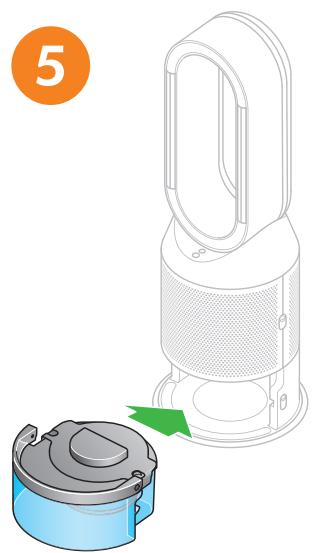
Illustration of a handwashing device with a green arrow indicating the component (no text or symbols present)Slide the water tank into your machine until it clicks securely in place.
When prompted by the LCD screen, press the Deep clean cycle button.
The Deep clean cycle will start and the LCD screen will show a countdown timer.
natural_image
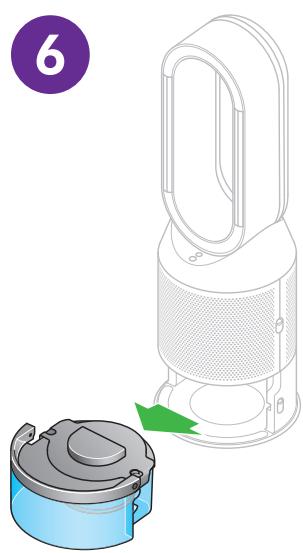
Illustration of a handwashing device with a green arrow indicating the process (no text or symbols present)When the LCD screen shows the Deep clean cycle is complete, push down the water tank release buttons on the sides of your machine.
Slide the water tank out of your machine. Carry the water tank by its handle to the tap.
7
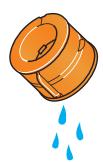
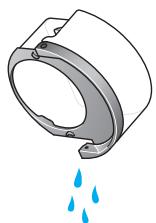
Unclip the cap, take the evaporator out of the water tank and rinse under a cold tap.
Wipe away any excess water to avoid drips and place the evaporator to one side.
Rinse the water tank under a cold tap. Wipe the inside of the tank to remove any excess solution and any debris.
8
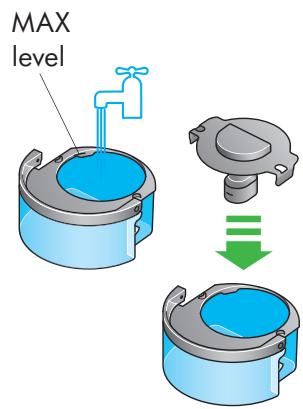
Refill the water tank to the Max level and wipe off any excess water and replace the cap, making sure that the cap clips are secured.
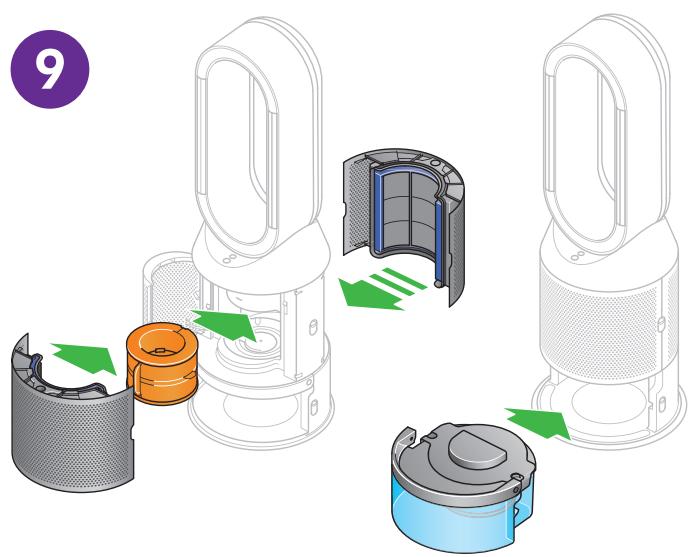
Push the evaporator back into your machine, making sure that it is securely in position.
Close the inner door and replace the shrouds.
Slide the water tank back into your machine and make sure it is securely in place.
Changing your filters
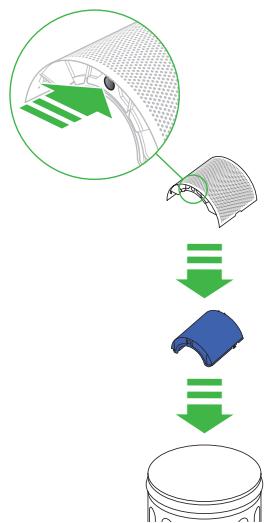
The LCD screen on your machine will alert you when you need to change the filters.
If you are connected to the Dyson Link app, you will receive a notification message.
Go to www.dyson.com/support to buy your replacement filters.
Switch off and unplug your machine.
Push down the shroud release buttons on both sides of your machine to release the shrouds.
As the shrouds are removed, the inner door housing the evaporator will spring open.
Close the inner door making sure it clicks firmly shut.
Push the tabs on the top and bottom of the shrouds to release the filters.
Dispose of your used filters in the trash.
Remove any protective packaging from the new filters.
Push the filters into the shrouds until the tabs on the top and bottom click into place.
Position the shrouds onto the base and push firmly until they click securely into place.
Plug your machine into the mains electricity supply and press the Standby button on the back of your machine.
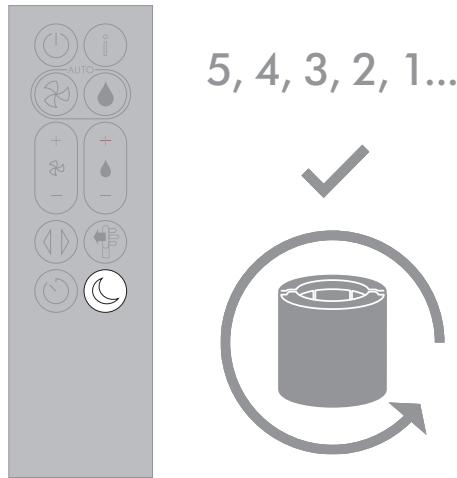
Important: Reset your filter Press and hold the Night mode button on the remote control.
The LCD screen on your machine will count down from five, finishing with the default screen.
The filter level will be reset and your machine is ready to use.
Continuous monitoring
With continuous monitoring turned on, your Dyson purifying humidifying fan will gather air quality, temperature and humidity information, which is displayed on the LCD screen and in the Dyson Link app.
Continuous monitoring is turned off by default. Once turned on, it will always be active until you turn it off again.
Continuous monitoring on/off
Press and hold the Auto purify mode button on the remote control for five seconds to turn it on. The LCD screen will indicate when continuous monitoring is on or off.
Wi-Fi Connectivity
Wi-Fi is on by default. To turn the Wi-Fi on or off, press and hold the Standby button on your machine for five seconds.
Looking after your machine
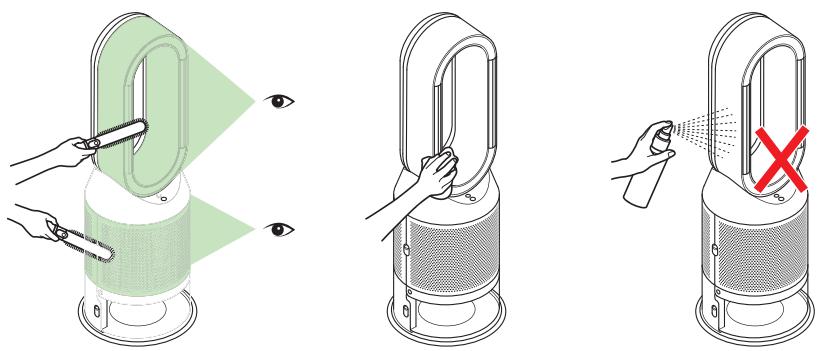
To always get the best performance from your Dyson purifying humidifying fan, it's important to regularly clean it and check for blockages.
Cleaning
If dust accumulates on the surface of your machine, wipe dust from the amplifier loop, shrouds and other parts with a clean, dry cloth.
Look for blockages in the air inlet holes on the shroud and the small aperture inside the amplifier loop.
Use a soft brush to remove dust and debris.
Don't use detergents or polishes to clean your machine.
Alerts

An alert icon may appear on your LCD screen to show your machine needs your attention.
Continuous alert triangle
Switch off and unplug your machine.
Leave for 10 seconds and then plug your machine back in and switch it on.
If the alert icon continues to show on the LCD screen, contact Dyson.
Temporary alert triangle
If the alert appears on the LCD screen and then disappears, continue to use your machine.
If any other alert icons show on the LCD screen, contact Dyson for further advice.
- dyson pure humidify+cool
- Thank you for choosing to buy a Dyson purifying humidifying fan.
- dyson
- Download the Dyson Link app
- Assembling your machine
- dyson pure humidify+cool cryptomic
- Filling the water tank
- Using your machine
- Information menu
- Auto purify mode
- Auto humidify mode
- Oscillation
- Airflow speed and direction
- Sleep timer
- Night mode
- Deep cleaning your machine
- Deep cleaning your machine – continued
- Changing your filters
- Continuous monitoring
- Continuous monitoring on/off
- Wi-Fi Connectivity
- Looking after your machine
- Cleaning
- Alerts
- Continuous alert triangle
- Temporary alert triangle
Marque : DYSON
Modèle : PURIFICATEUR PURE HUMIDIFY+COOL
Catégorie : Purificateur d'air et humidificateur