
FLAME WHEEL 450 - Drones DJI - Notice d'utilisation et mode d'emploi gratuit
Retrouvez gratuitement la notice de l'appareil FLAME WHEEL 450 DJI au format PDF.


| Type de produit | Drone multirotor (quadcopter) |
| Marque | DJI |
| Modèle | Flame Wheel 450 |
| Empattement diagonal | 450 mm |
| Poids du cadre | 282 g |
| Poids total au décollage | 800 g à 1600 g |
| Type de batterie | LiPo 3S à 4S |
| ESC | 15A OPTO |
| Moteurs | 22×12 mm, KV 920 tr/min/V |
| Hélices | 10 × 3,8 pouces (3S) ou 8 × 4,5 pouces (4S) |
| Utilisation recommandée | Loisir, photographie aérienne, FPV |
| Fonctions de vol | Vol stationnaire, croisière, roulis |
| Sécurité | Retirer hélices lors de la calibration ; vérifier sens de rotation |
| Entretien | Inspecter avant chaque vol ; nettoyer avec un chiffon sec |
| Réparabilité | Pièces de rechange disponibles (bras, hélices, moteurs, ESC, platine) |
FOIRE AUX QUESTIONS - FLAME WHEEL 450 DJI
Questions des utilisateurs sur FLAME WHEEL 450 DJI
0 question sur cet appareil. Repondez a celles que vous connaissez ou posez la votre.
Poser une nouvelle question sur cet appareil
Téléchargez la notice de votre Drones au format PDF gratuitement ! Retrouvez votre notice FLAME WHEEL 450 - DJI et reprennez votre appareil électronique en main. Sur cette page sont publiés tous les documents nécessaires à l'utilisation de votre appareil FLAME WHEEL 450 de la marque DJI.
MODE D'EMPLOI FLAME WHEEL 450 DJI
FlameWheel450 User Manual
V 2.1
2013.03.13 Revision

FLAME WHEEL
Disclaimer
Read this disclaimer carefully before using FlameWheel450. By using this product, you hereby agree to this disclaimer and signify that you have read them fully. FlameWheel450 is an excellent multi-rotor. With a good autopilot, it will even offer tremendous flight features for low altitude flight working in restricted space. Despite the controller of autopilot operates in the safest manner when the main power battery is connected, we strongly recommend customers to remove all propellers, use power supply from R/C system or flight pack battery, and keep children away during system calibration and parameter setup. Please respect the AMA's National Model Aircraft Safety Code. DJI Innovations assumes no liability for damage(s) or injuries incurred directly or indirectly from the use of this product.
DJI FLAME WHEEL is registered trademark of DJI Innovations Names of product, brand, etc., appearing in this manual are trademarks or registered trademarks of their respective owner companies. This product and manual are copyrighted by DJI Innovations with all rights reserved. No part of this product or manual shall be reproduced in any form without the prior written consent or authorization of DJI Innovations. No patent liability is assumed with respect to the use of the product or information contained herein.
F450 Profile
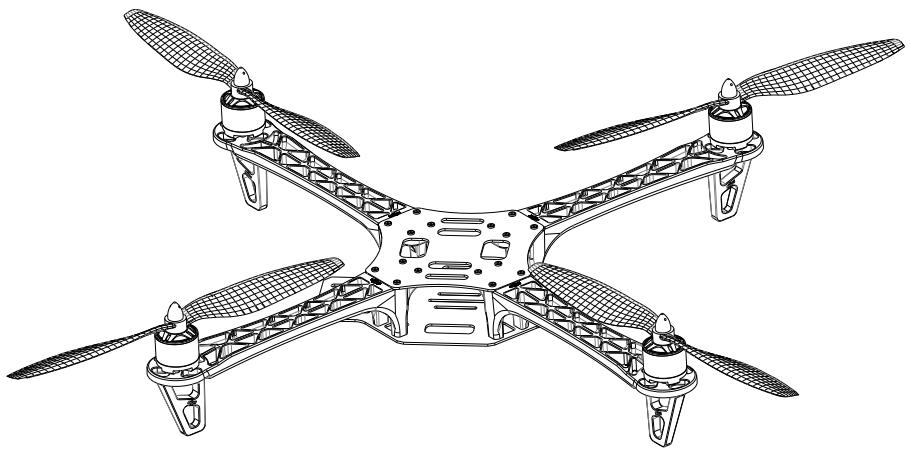
FlameWheel450 (F450) is a multi-rotor designed for all pilots for fun or AP. With DJI WKM or NAZA autopilot system, it can achieve hovering, cruising, even rolling and other flight elements. It can be applied for entertainment, aerial photography, FPV and other aero-modeling activities.
natural_image
Line drawing of a four-blade quadcopter drone with propellers and structural frame (no text or symbols)Contents
Disclaimer....2
F450 Profile....2
Contents....3
Product Usage Cautions....3
In Box 4
Tools Needed ....5
ESC Wiring....5
Assembly....6
ESC Sound Introduction....7
Specifications ....7
Product Usage Cautions
When flying, the fast rotating propellers of FlameWheel450 will cause serious damage and injury. Therefore, please fly with a high safety consciousness.
- Keep flying multi-rotor away from objects, such as obstacles, human beings, high-voltage lines and so on.
- Do not get close to or even touch the working motors and propellers, which will cause serious injury.
- Do not over load the multi-rotor.
- Check that the propellers and the motors are installed correctly and firmly before flight.
- Make sure the rotation direction of each propeller is correct
- Check whether all parts of multi-rotor are in good condition before flight. Do not fly with old or broken parts.
- Use DJI parts as much as possible.
If you have any problem you cannot solve during installation, please contact our customer service.
In Box
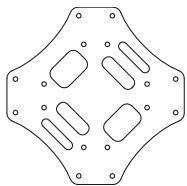
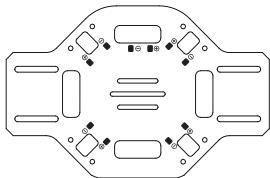
| Top Board 450FBT ×1 | Bottom Board 450FBB ×1 |
 |  |
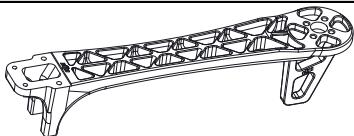
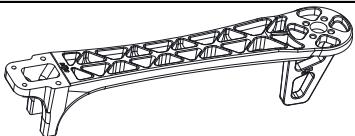
| Frame Arms 450FAC ×2 | Frame Arms 450FAW ×2 |
 |  |
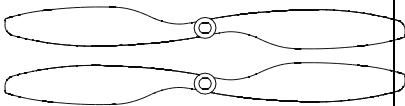
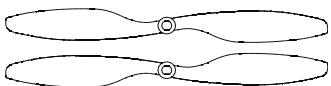
| 10in Propeller Pairs 450P10×2 | 8in Propeller Pairs 450P08×2 |
 |  |
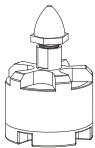
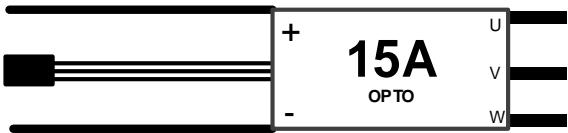
| Motors 450MOT ×4 | ESC 450ESC ×4 |
 |  |
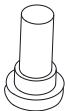
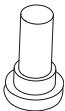
| Screws 450-M3×8 ×16 | Screws 450-M2.5×6 ×24 |
 |  |
| Magic Strap 450MSX ×1, Battery Band 450BBX ×1Power Line Pair 450PLP ×1, Small Wrench 450SW ×1 | |
Tools Needed
| 2.0mm Hex Wrench | For frame and motors installation. |
| Screw Glue | For fastening screws. |
| Nylon Cable Tie | |
| Scissors | For binding devices and wires. |
| Diagonal Cutting Pliers | |
| Foam Double Sided Adhesive Tape | For fixing receiver, controller and other modules. |
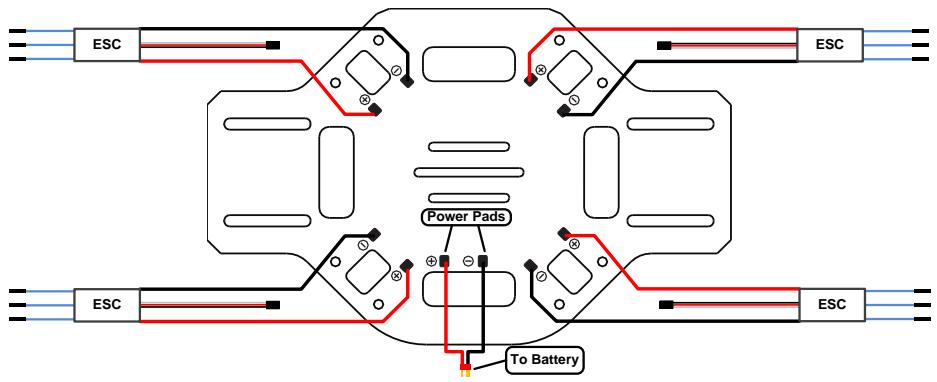
| Soldering-iron & wires | For connecting ESCs’ power cables to bottom board. |
ESC Wiring
Important
- Please solder ESCs to power pads on bottom board as the figure shows.
• Use any insulating method at all soldering spots. Make sure there is no short or open circuit.
• Make sure the side of power pads is upward. - Make sure the rotation direction of each motor is the same as the way in the figure of "Assembly" shows. If not, switch any of two wire connections of the incorrect motor to change its rotation direction.
Assembly
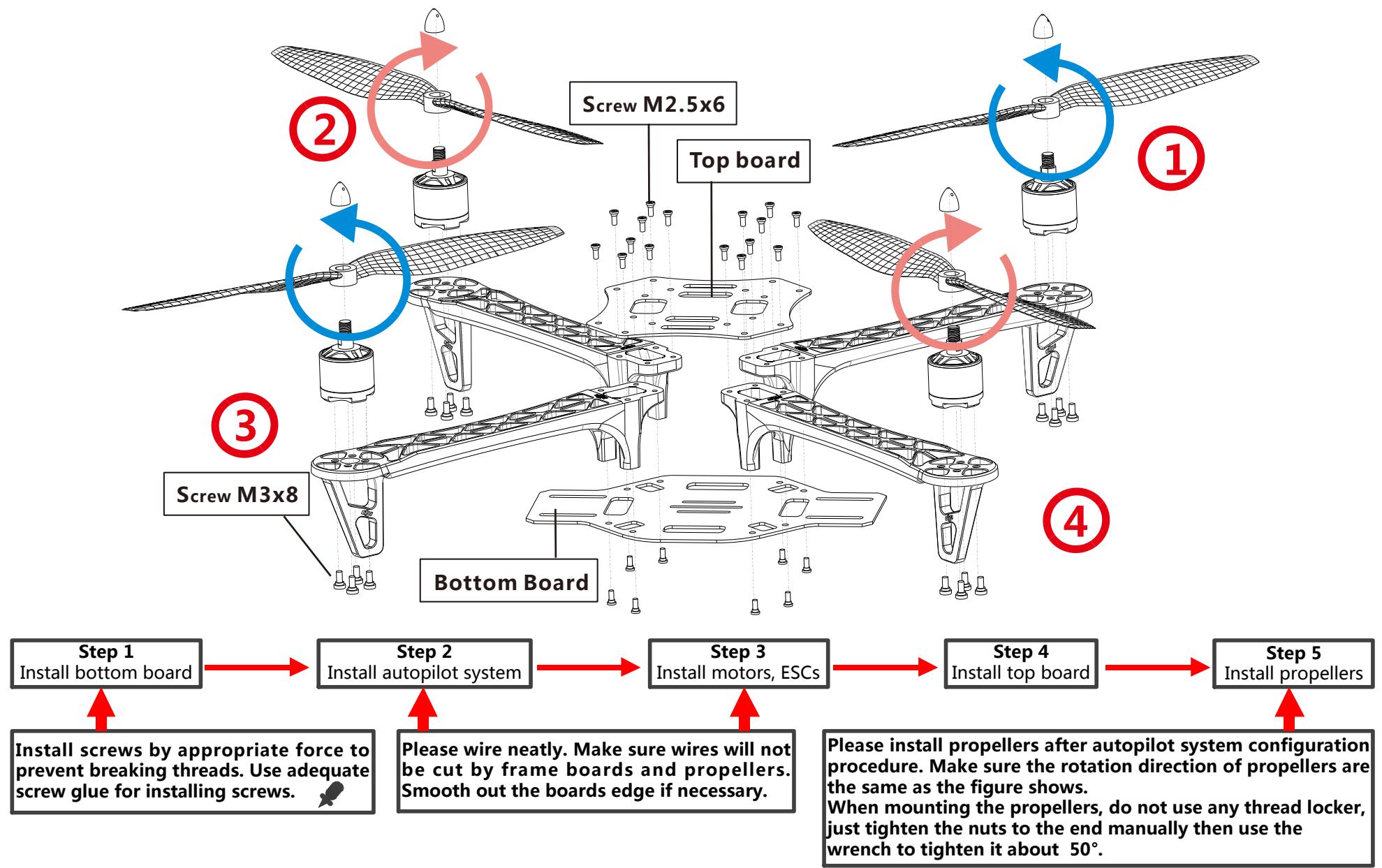
flowchart
graph TD
    A["Step 1: Install bottom board"] --> B["Step 2: Install autopilot system"]
    B --> C["Step 3: Install motors, ESCs"]
    C --> D["Step 4: Install top board"]
    D --> E["Step 5: Install propellers"]

    subgraph Step 1
        F["Step 1: Install bottom board"]
        G["Step 2: Install autopilot system"]
        H["Step 3: Install motors, ESCs"]
        I["Step 4: Install top board"]
        J["Step 5: Install propellers"]
    end

    subgraph Step 2
        K["Step 2: Install autopilot system"]
        L["Step 3: Install motors, ESCs"]
        M["Step 4: Install top board"]
        N["Step 5: Install propellers"]
    end

    subgraph Step 3
        O["Step 3: Install motors, ESCs"]
        P["Step 4: Install top board"]
        Q["Step 5: Install propellers"]
    end

    subgraph Step 4
        R["Step 4: Install top board"]
        S["Step 5: Install propellers"]
    end

    note1["①: Top board"]
    note2["②: Screw M2.5x6"]
    note3["③: Screw M3x8"]
    note4["④: Bottom Board"]
    note5["⑤: Install screws by appropriate force to prevent breaking threads. Use adequate screw glue for installing screws."]
    note6["Please wire neatly. Make sure wires will not be cut by frame boards and propellers. Smooth out the boards edge if necessary."]
    note7["Please install propellers after autopilot system configuration procedure. Make sure the rotation direction of propellers are the same as the figure shows. When mounting the propellers, do not use any thread locker, just tighten the nuts to the end manually then use the wrench to tighten it about 50°."]
In up figure, arms ①② front of craft, arms ③④ are back of craft. You'd better choose the same color arms for the same direction. See from top, motors on arms ①③ rotate counter-clock wise, use propellers 8045/1038; motors on arms ②④ rotate clock wise, use propellers 8045R/1038R.
ESC Sound Introduction
| ESC State | Sound |
| Ready | ♪1234567 |
| Throttle stick is not at bottom | BBBBBB... |
| Input signal abnormal | B----B----B... |
| Input voltage abnormal | BB---BB---BB---BB... |
| Tips: DJI ESCs are specially designed for multi-rotors. When use with DJI autopilot systems, you do not have to setup any parameters or calibrate travel range. | |
Specifications
| Frame | |
| Diagonal Wheelbase | 450mm |
| Frame Weight | 282g |
| Takeoff Weight | 800g ~ 1600g |
| ESC | |
| Current | 15A OPTO |
| Signal Frequency | 30Hz ~ 450Hz |
| Battery | 3S ~ 4S LiPo |
| Motor | |
| Stator size | 22×12mm |
| KV | 920rpm/V |
| Propeller | 10 × 3.8in (@3S); 8 × 4.5in (@4S) |
Marque : DJI
Modèle : FLAME WHEEL 450
Catégorie : Drones