
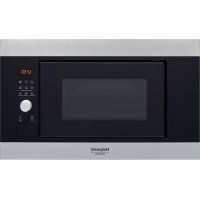
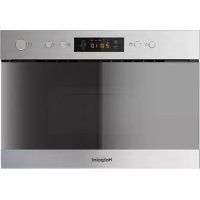
MD 344 IX HA - Four à micro-ondes HOTPOINT - Notice d'utilisation et mode d'emploi gratuit
Retrouvez gratuitement la notice de l'appareil MD 344 IX HA HOTPOINT au format PDF.



| Type de produit | Four à micro-ondes |
| Marque | Hotpoint |
| Modèle | MD 344 IX HA |
| Couleur | Inox |
| Puissance micro-ondes | 1000 W |
| Niveaux de puissance | 7 (90, 160, 350, 500, 650, 800, 1000 W) |
| Fonctions | Micro-ondes, Crisp, Grill, Grill + Micro-ondes, Décongélation automatique, Fonctions automatiques (10 catégories), Jet Start |
| Accessoires inclus | Plateau tournant en verre, support plateau, grille métallique, plat Crisp, poignée pour plat Crisp, couvercle (selon modèle) |
| Éclairage intérieur | Oui |
| Type de commande | Bouton de sélection rotatif, bouton d'ajustement rotatif, touches tactiles |
| Affichage | Écran numérique |
| Minuterie | Oui, avec fonction minuteur indépendant |
| Sécurité | Verrouillage de sécurité automatique |
| Nettoyage | Surfaces: chiffon humide; Accessoires: lave-vaisselle sauf plat Crisp (nettoyage manuel) |
| Documentation | Notice d'utilisation disponible sur docs.hotpoint.eu |
| Service après-vente | Contacter le service client Hotpoint (numéro dans le manuel de garantie) |
FOIRE AUX QUESTIONS - MD 344 IX HA HOTPOINT
Questions des utilisateurs sur MD 344 IX HA HOTPOINT
0 question sur cet appareil. Repondez a celles que vous connaissez ou posez la votre.
Poser une nouvelle question sur cet appareil
Téléchargez la notice de votre Four à micro-ondes au format PDF gratuitement ! Retrouvez votre notice MD 344 IX HA - HOTPOINT et reprennez votre appareil électronique en main. Sur cette page sont publiés tous les documents nécessaires à l'utilisation de votre appareil MD 344 IX HA de la marque HOTPOINT.
MODE D'EMPLOI MD 344 IX HA HOTPOINT
RÉFÉRENCE QUOTIDIENNE
GUIDE

MERCI D'AVOIR ACHETÉ UN PRODUIT HOTPOINT
Pour obtenir une aide et un support plus complets, veuillez enregistrer votre produit sur www.hotpoint.eu/register

Vous pouvez télécharger les consignes de sécurité et le guide d'utilisation et d'entretien en visitant notre site Web docs.hotpoint.eu et en suivant les instructions au dos de ce livret.

Avant d'utiliser l'appareil, lisez attentivement le guide de santé et de sécurité
DESCRIPTION DU PRODUIT
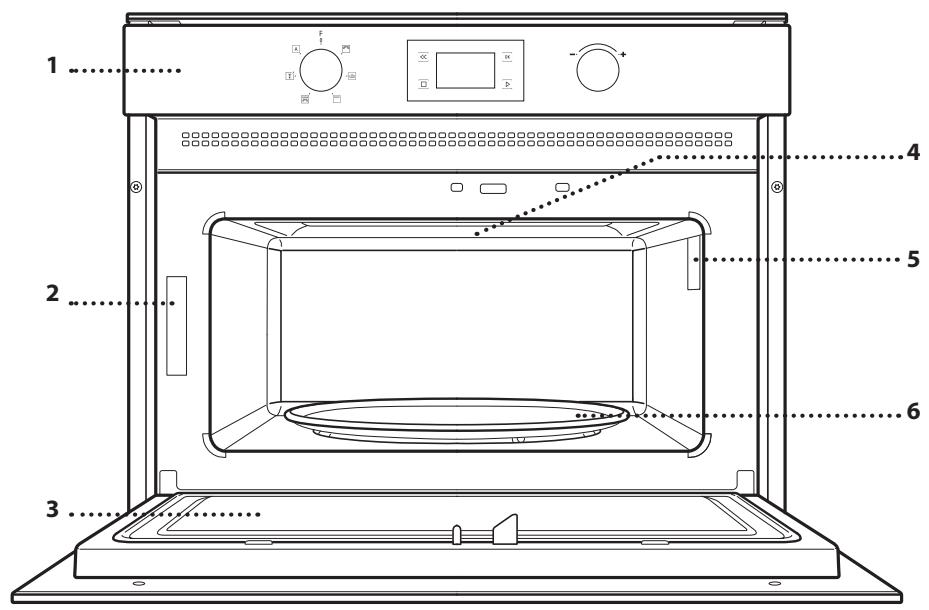
- Panneau de commande
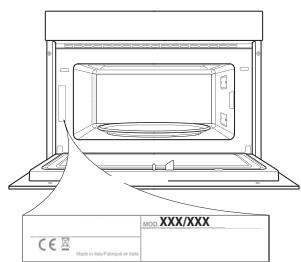
- Plaque d'identification (ne pas retirer)
- Porte
- Élément chauffant supérieur / gril
- Éclairage
- Plateau tournant
PANNEAU DE COMMANDE
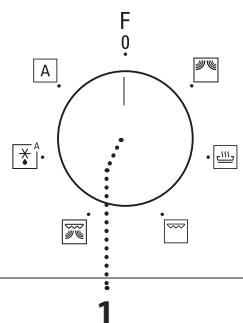
1. BOUTON DE SÉLECTION
Pour allumer le four en sélectionnant une fonction.
Tournez sur la position 0 pour éteindre le four.
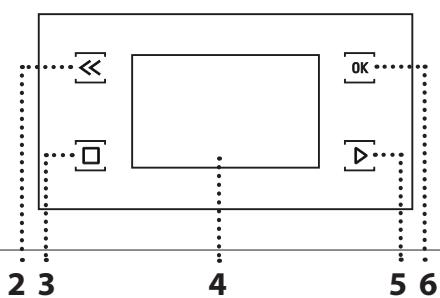
2. RETOUR
Pour revenir au menu de réglages précédent.
3. STOP
Pour interrompre une fonction active à tout moment. Appuyez deux fois pour arrêter la fonction et mettre le four en veille.
4. AFFICHAGE
5. DÉMARRAGE
Pour démarrer les fonctions et confirmer les réglages. Lorsque le four est éteint, il active la fonction micro-ondes "Jet Start".
6. CONFIRMATION
Pour confirmer une sélection de fonction ou une valeur réglée.
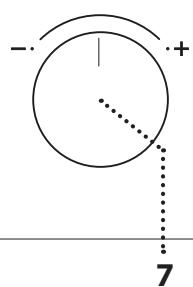
7. BOUTON DE RÉGLAGE
Pour parcourir les menus et appliquer ou modifier les réglages.
PLATEAU TOURNANT
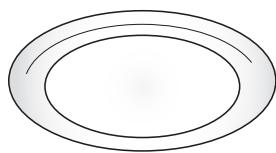
Posé sur son support, le plateau tournant en verre peut être utilisé avec toutes les méthodes de cuisson. Le plateau tournant doit toujours être utilisé comme base pour d'autres
récipients ou accessoires, à l'exception du plateau de cuisson rectangulaire.
SUPPORT DU PLATEAU TOURNANT
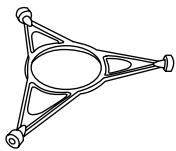
Utilisez uniquement le support pour le plateau tournant en verre. Ne posez pas d'autres accessoires sur le support.
PLAQUE CROUSTILLANTE
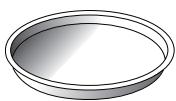
À utiliser uniquement avec la fonction désignée.
La plaque croustillante doit toujours être placée au centre du plateau
tournant en verre et peut être préchauffée à vide, en utilisant la fonction spéciale prévue à cet effet uniquement. Placez les aliments directement sur la plaque croustillante.
POIGNÉE POUR LA PLAQUE CROUSTILLANTE
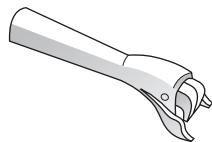
Utile pour retirer la plaque croustillante chaude du four.
GRILLE MÉTALLIQUE
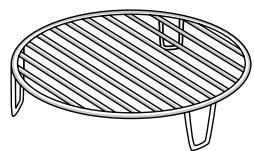
Elle permet de placer les aliments plus près du gril, pour dorer parfaitement votre plat. Placez la grille métallique sur le plateau tournant, en veillant à ce qu'elle ne
entre pas en contact avec d'autres surfaces.
COUVERCLE (SI FOURNI)
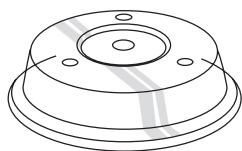
Utile pour couvrir les récipients pendant la cuisson et le réchauffage aux micro-ondes.
Le couvercle réduit les éclaboussures, maintient les aliments humides et peut également être utilisé pour créer deux niveaux de cuisson.
Ne convient pas à une utilisation avec les fonctions grill (y compris « Crisp »).
Le nombre d'accessoires peut varier selon le modèle acheté.
D'autres accessoires non fournis peuvent être achetés séparément auprès du service après-vente.
Il existe de nombreux accessoires sur le marché. Avant d'acheter, assurez-vous qu'ils conviennent à une utilisation au micro-ondes et qu'ils résistent aux températures du four.
Les récipients métalliques pour aliments ou boissons ne doivent jamais être utilisés lors de la cuisson au micro-ondes.
Assurez-vous toujours que les aliments et les accessoires n'entrent pas en contact avec les parois internes du four.
Assurez-vous toujours que le plateau tournant peut tourner librement avant de démarrer le four. Veillez à ne pas déloger le plateau tournant lors de l'insertion ou du retrait d'autres accessoires.

MICRO-ONDES
Pour cuire et réchauffer rapidement des aliments ou
des boissons.
| POWER | RECOMMENDED FOR |
| 1000 W | Quickly reheating beverages or other foods with a high water content |
| 800 W | Cooking vegetables |
| 650 W | Cooking meat and fish |
| 500 W | Cooking meaty sauces, or sauces containing cheese or egg. Finishing off meat pies or pasta bakes |
| 350 W | Slow, gently cooking. Perfect for melting butter or chocolate |
| 160 W | Defrosting frozen foods or softening butter and cheese |
| 90 W | Softening ice cream |
Accessoire recommandé : couvercle

CRISP
Pour dorer parfaitement un plat, sur le dessus et le dessous des aliments. Cette fonction doit être utilisée uniquement avec la plaque Crisp spéciale.
Accessoires requis : plaque Crisp, poignée pour plaque Crisp

GRILL
Pour dorer, griller et gratiner. Nous
recommandons de retourner les aliments pendant la cuisson.
Pour de meilleurs résultats, préchauffez le gril pendant 3 à 5 minutes.
Accessoire recommandé : grille métallique

GRILL + MW
Pour cuire et gratiner rapidement des plats,
en combinant les fonctions micro-ondes et gril.
Accessoire recommandé : grille métallique

DÉCONGÉLATION AUTOMATIQUE
Pour décongeler rapidement différents types d'aliments en indiquant simplement leur poids. Les aliments doivent être placés directement sur le plateau tournant en verre. Retournez les aliments lorsque l'appareil vous y invite.
| CATEGORY | RECOMMENDED FOODS | WEIGHT |
| 1* | MEAT (mince, cutlets, steaks, roasting joints) | 100 g - 2 kg |
| 2* | POULTRY (whole chicken, pieces, fillets) | 100 g - 2.5 kg |
| 3* | FISH (whole, steaks, fillets) | 100 g - 1.5 kg |
| 4* | VEGETABLES (mixed vegetables, peas, broccoli, etc.) | 100 g - 1.5 kg |
| 5* | BREAD (loaves, scones, rolls) | 100 g - 1 kg |
| A AUTOMATIC FUNCTIONS | |||||
| With the automatic functions, simply select the type and weight or the quantity of the food items to obtain the best results. The oven will automatically calculate the ideal settings. Where indicated, the function can only be used in combination with the Crisp plate provided. Turn or stir the food when prompted. | |||||
| CATEGORY | FOOD | WEIGHT | CATEGORY | FOOD | WEIGHT |
| 1 | DINNER PLATES | 250 - 500g | 6 | POPCORN | 100 g |
| 2* | FROZEN LASAGNA | 250 - 500 g | 7* | FRENCH FRIES (spread out in a single layer on the Crisp plate and sprinkle with salt before cooking) | 200 - 500 g |
| 3 | BAKED POTATOES (turn when prompted) | 200 g - 1 kg | 8* | PIZZA (use the Crisp plate) | 300 - 800 g |
| 4 | FRESH VEGETABLES (cut uniformly and add 2 to 4 tablespoons of water. Cover) | 200 - 800 g | 9* | CHICKEN WINGS, CHICKEN PIECES (lightly oil the Crisp plate.) | 200 - 500 g |
| 5* | FROZEN VEGETABLES (turn when prompted, cover) | 200 - 800 g | 10* | FRIED CUTLETS (Crisp plate must be preheated) | 200 - 500 g |
UTILISATION DE L'APPAREIL POUR LA PREMIÈRE FOIS
. RÉGLER L'HEURE
Vous devrez régler l'heure lors de la première mise en marche de l'appareil : Les deux chiffres de l'heure clignotent sur l'écran.
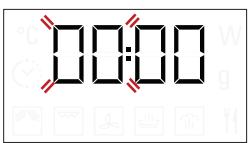
Tournez le bouton de réglage pour définir l'heure correcte et appuyez sur OK pour confirmer. Les deux chiffres des minutes commencent à clignoter. Tournez le bouton de réglage pour définir les minutes correctes et appuyez sur OK pour confirmer.
Remarque : pour modifier l'heure ultérieurement, maintenez enfoncée la touche l pendant au moins 3 secondes lorsque le four est éteint et répétez les étapes ci-dessus. Vous devrez peut-être régler à nouveau l'heure après de longues coupures de courant.
1. SÉLECTIONNER UNE FONCTION
Lorsque le four est éteint, seule l'heure est affichée à l'écran. Tournez le bouton de sélection pour choisir l'une des fonctions disponibles.
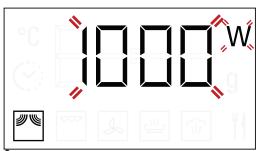
2. RÉGLER UNE FONCTION
. FONCTIONS MANUELLES
Après avoir sélectionné la fonction souhaitée, vous pouvez modifier ses réglages.
L'écran affichera les réglages modifiables dans l'ordre.
NIVEAU DE PUISSANCE MICRO-ONDES
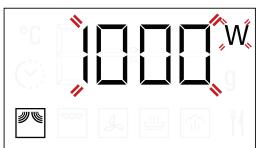
Lorsque l'icône W clignote à l'écran, tournez le bouton de réglage pour modifier l'élément sélectionné, appuyez sur OK pour confirmer, puis continuez avec les réglages suivants.
Remarque : une fois la fonction activée, la puissance peut être modifiée en appuyant deux fois sur pour accéder au menu des réglages de puissance, puis en tournant le bouton de réglage pour changer le réglage.
DURÉE
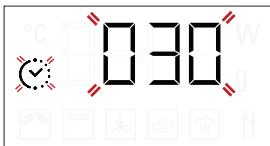
Lorsque l'icône clignote à l'écran, tournez le bouton de réglage pour définir la durée de cuisson souhaitée.
Une fois que la durée de cuisson affichée correspond à ce que vous souhaitez, appuyez sur pour confirmer et démarrer la fonction.
Remarque : Pendant la cuisson, vous pouvez ajuster la durée de cuisson en tournant le bouton ; chaque fois que vous appuyez sur , la durée de cuisson augmente de 30 secondes.
. FONCTIONS AUTOMATIQUES / DÉCONGÉLATION AUTOMATIQUE
CATÉGORIES
Une fois que vous avez choisi l'une des fonctions automatiques, vous devrez sélectionner une catégorie pour l'aliment que vous cuisinez.
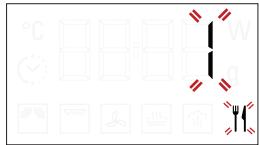
Lorsque l'icône clignote à l'écran, tournez le bouton de réglage pour sélectionner le chiffre correspondant à la catégorie souhaitée, puis appuyez sur OK pour confirmer.
POIDS
Pour obtenir les meilleurs résultats, les fonctions automatiques nécessitent de saisir le poids de l'aliment, en choisissant parmi les réglages par défaut : le four calculera la durée idéale de fonctionnement pour chaque catégorie d'aliment.
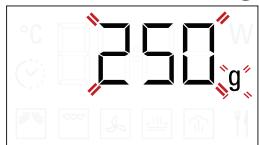
Lorsque le réglage par défaut apparaît à l'écran et que l'icône 9 clignote, tournez le bouton de réglage pour saisir le poids, puis appuyez sur pour confirmer et démarrer la fonction.
3. ACTIVER LA FONCTION
Une fois que vous avez appliqué les réglages souhaités, appuyez sur pour activer la fonction.
Chaque fois que vous appuyez à nouveau sur le bouton , le temps de cuisson est augmenté de 30 secondes supplémentaires (uniquement pour les fonctions manuelles).
Remarque : vous pouvez appuyer sur à tout moment pour mettre en pause la fonction en cours.
DÉMARRAGE RAPIDE
Lorsque le four est éteint, appuyez sur pour activer la cuisson avec la fonction micro-ondes réglée à pleine puissance (1000 W) pendant 30 secondes.
. VERROUILLAGE DE SÉCURITÉ
Cette fonction est activée automatiquement pour empêcher que le four ne soit allumé accidentellement.
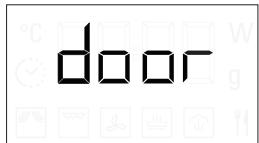
Ouvrez et fermez la porte, puis appuyez sur pour démarrer la fonction.
4. PAUSE
Pour interrompre une fonction en cours, par exemple pour remuer ou retourner les aliments, il suffit d'ouvrir la porte.
Pour la relancer, fermez la porte et appuyez sur
Il est également possible de mettre la cuisson en pause temporairement en appuyant sur . Pour reprendre la cuisson, fermez la porte et appuyez sur .
PAUSE AUTOMATIQUE
(REMUER OU RETOURNER LES ALIMENTS)
Certaines fonctions font une pause pour vous permettre de retourner ou de remuer les aliments.
retourner
Lorsque le four interrompt la cuisson et que « Retourner les aliments » ou « Remuer les aliments » s'affiche, ouvrez la porte pour retourner ou remuer les aliments, puis fermez la porte et appuyez sur pour reprendre la cuisson.
Remarque : après 2 minutes, même si les aliments n'ont pas été retournés ou remués, la fonction redémarre automatiquement.
5. FIN DE LA CUISSON
Un signal sonore retentit et « Fin » s'affiche pour indiquer qu'une fonction de cuisson est terminée.
Fin
Pour certaines fonctions, il est possible de différer la cuisson tout en conservant les réglages précédemment établis : tournez le bouton de réglage pour définir un nouveau temps de cuisson, puis appuyez sur
. MINUTEUR
Lorsque le four est éteint, l'écran peut être utilisé comme minuteur. Le minuteur n'active aucun cycle de cuisson.
Pour activer la fonction et régler le temps de cuisson souhaité, tournez le bouton de réglage.
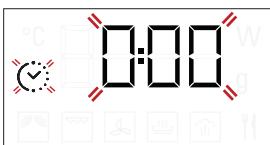
Appuyez sur OK pour activer la minuterie. Un signal sonore retentira et l'affichage l'indiquera une fois que la minuterie aura terminé le compte à rebours du temps sélectionné.
Pour modifier la minuterie une fois qu'elle est activée, tournez le bouton de réglage, puis appuyez sur OK pour confirmer.
Pour l'interrompre ou revenir à l'affichage de l'heure actuelle, tournez le bouton de réglage jusqu'à ce que 0:00 s'affiche, puis appuyez sur OK.
Veuillez noter : une fois la minuterie activée, vous pouvez également activer une fonction : la minuterie continuera à décompter le temps sélectionné automatiquement sans affecter la fonction. Pour revenir à l'affichage de la minuterie, attendez la fin de la fonction ou arrêtez la fonction du four en appuyant deux fois.
TABLEAU DE CUISSON
| FOOD | FUNCTION | PREHEATING | POWER(W) | TIME(MIN) | ACCESSORIES |
| Sponge cake | - | - | 7 - 15 | ||
| Fruit pie | - | - | 12 - 20 | ||
| Cookies | - | - | 5 - 10 | ||
| Savoury tarts and quiche Lorraine(1 - 1.2 kg) | - | - | 18 - 25 | ||
| Dinner Plates(250 - 500 g) | - | 750 | 4 - 7 | - | |
| Lasagna / baked pasta | - | 350 - 500 | 15 - 40 | ||
| Frozen lasagna(500 - 700 g) | - | 500 - 750 | 14 - 20 | - | |
| Pizza (300 g) | - | - | 14 - 16 | ||
| Meat (chops, steak) | - | 500 | 10 - 15 | ||
| Poultry (whole, 800 g - 1.5 kg) | - | 350 - 500 | 30 - 45 * | ||
| Chicken fillets or pieces | - | 350 - 500 | 10 -17 | ||
| Roasts | - | 350 - 500 | 25 - 40 * | ||
| Sausages / skewers | - | - | 20 - 40 * | ||
| Sausages/hamburgers | Yes ** | - | 6 - 16 * | ||
| Fish (steaks or fillets) | Yes | 160 - 350 | 15 - 30 * | ||
| Whole fish | - | 160 - 350 | 20 - 40 * | ||
| Baked potatoes | - | 350 - 500 | 30 - 50 * | ||
| Potato wedges | - | - | 25 - 30 | ||
| Baked apples | - | 160 -350 | 15 -25 |
Retournez les aliments à mi-cuisson * Préchauffez la plaque crisp pendant 3 à 5 minutes. Téléchargez le guide d'utilisation et d'entretien sur docs.hotpoint.eu pour consulter le tableau des recettes testées, compilé pour les organismes de certification conformément à la norme IEC 60350.
| FUNCTIONS | Crisp | Grill | Grill + MW |
| ACCESSIONS | Heatproof plate/container suitable for use in microwaves | Wire rack | Crisp plate |
Assurez-vous que le four a refroidi avant d'effectuer tout entretien ou nettoyage.
N'utilisez pas de nettoyeurs à vapeur.
N'utilisez pas de laine d'acier, de tampons abrasifs ou de produits de nettoyage abrasifs/corrosifs, car ils pourraient endommager les surfaces de l'appareil.
SURFACES INTÉRIEURES ET EXTÉRIEURES
- Nettoyez les surfaces avec un chiffon humide. Si elles sont très sales, ajoutez quelques gouttes de détergent à pH neutre. Terminez avec un chiffon sec.
- Nettoyez la vitre de la porte avec un détergent liquide adapté.
- À intervalles réguliers ou en cas de débordement, retirez le plateau tournant et son support pour nettoyer le fond du four, en éliminant tous les résidus alimentaires.
- Le gril n'a pas besoin d'être nettoyé car la chaleur intense brûle toute saleté : utilisez cette fonction régulièrement.
ACCESSOIRES
Tous les accessoires passent au lave-vaisselle, à l'exception de la plaque croustillante.
La plaque croustillante doit être nettoyée à l'eau et avec un détergent doux. Pour les saletés tenaces, frottez doucement avec un chiffon. Laissez toujours la plaque croustillante refroidir avant de la nettoyer.
DÉPANNAGE

Téléchargez le guide d'utilisation et d'entretien sur docs.hotpoint.eu pour plus d'informations.
| Problem | Possible cause | Solution |
| The oven is not working. | Power cut. Disconnection from the mains. | Check for the presence of mains electrical power and whether the oven is connected to the electricity supply. Turn off the oven and restart it to see if the fault persists. |
| The oven makes noises, even when it is switched off. | Cooling fan active. | Press ☑ two times or open the door and wait until the food has cooled down. |
| The display shows the letter “F” followed by a letter or number. | Software fault. | Contact you nearest After-sales Service Centre and state the letter or number that follows the letter “F”. |
FICHE PRODUIT
La fiche produit avec les données énergétiques de cet appareil peut être téléchargée sur le site Web docs.hotpoint.eu.
COMMENT OBTENIR LE GUIDE D'UTILISATION ET D'ENTRETIEN
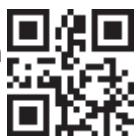
Téléchargez le guide d'utilisation et d'entretien depuis notre site Web docs.hotpoint.eu (vous pouvez utiliser ce code QR), en précisant le code commercial du produit.
Vous pouvez également contacter notre service après-vente client.
CONTACTER NOTRE SERVICE APRÈS-VENTE
Vous trouverez nos coordonnées dans le manuel de garantie. Lorsque vous contactez notre service après-vente client,
veuillez indiquer les codes figurant sur la plaque signalétique de votre produit.


400010890502
Imprimé en Italie
- RÉFÉRENCE QUOTIDIENNE
- GUIDE
- MERCI D'AVOIR ACHETÉ UN PRODUIT HOTPOINT
- DESCRIPTION DU PRODUIT
- PANNEAU DE COMMANDE
- BOUTON DE SÉLECTION
- RETOUR
- STOP
- AFFICHAGE
- DÉMARRAGE
- CONFIRMATION
- BOUTON DE RÉGLAGE
- PLATEAU TOURNANT
- SUPPORT DU PLATEAU TOURNANT
- PLAQUE CROUSTILLANTE
- POIGNÉE POUR LA PLAQUE CROUSTILLANTE
- GRILLE MÉTALLIQUE
- COUVERCLE (SI FOURNI)
- MICRO-ONDES
- CRISP
- GRILL
- GRILL + MW
- DÉCONGÉLATION AUTOMATIQUE
- UTILISATION DE L'APPAREIL POUR LA PREMIÈRE FOIS
- RÉGLER L'HEURE
- SÉLECTIONNER UNE FONCTION
- RÉGLER UNE FONCTION
- FONCTIONS MANUELLES
- DURÉE
- FONCTIONS AUTOMATIQUES / DÉCONGÉLATION AUTOMATIQUE
- CATÉGORIES
- POIDS
- ACTIVER LA FONCTION
- DÉMARRAGE RAPIDE
- VERROUILLAGE DE SÉCURITÉ
- PAUSE
- SURFACES INTÉRIEURES ET EXTÉRIEURES
- ACCESSOIRES
- DÉPANNAGE
- FICHE PRODUIT
- COMMENT OBTENIR LE GUIDE D'UTILISATION ET D'ENTRETIEN
- CONTACTER NOTRE SERVICE APRÈS-VENTE
Marque : HOTPOINT
Modèle : MD 344 IX HA
Catégorie : Four à micro-ondes