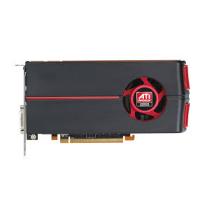
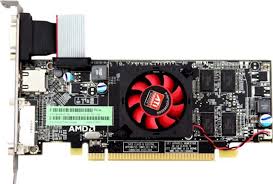
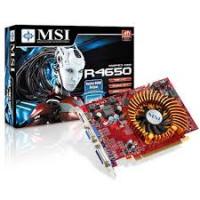
MOBILITY RADEON HD 5650 - Carte graphique ATI - Notice d'utilisation et mode d'emploi gratuit
Retrouvez gratuitement la notice de l'appareil MOBILITY RADEON HD 5650 ATI au format PDF.


| Intitulé | Description |
|---|---|
| Type de produit | Carte graphique dédiée |
| Architecture | 40 nm |
| GPU | ATI Mobility Radeon HD 5650 |
| Mémoire vidéo | 1 Go GDDR3 |
| Interface mémoire | 128 bits |
| Fréquence GPU | 450 MHz |
| Fréquence mémoire | 800 MHz |
| DirectX | DirectX 11 |
| OpenGL | OpenGL 3.2 |
| Connectivité | HDMI, DisplayPort, DVI |
| Consommation électrique | Environ 35 W |
| Dimensions | Non spécifiées |
| Poids | Non spécifié |
| Compatibilités | Compatible avec les systèmes Windows et Linux |
| Fonctions principales | Jeux vidéo, applications graphiques, traitement multimédia |
| Entretien et nettoyage | Nettoyer régulièrement les ventilateurs et dissipateurs de chaleur |
| Pièces détachées et réparabilité | Réparabilité limitée, pièces spécifiques disponibles sur le marché |
| Sécurité | Éviter les surchauffes, utiliser dans un environnement bien ventilé |
| Informations générales | Vérifier la compatibilité avec le système avant l'achat |
FOIRE AUX QUESTIONS - MOBILITY RADEON HD 5650 ATI
Questions des utilisateurs sur MOBILITY RADEON HD 5650 ATI
0 question sur cet appareil. Repondez a celles que vous connaissez ou posez la votre.
Poser une nouvelle question sur cet appareil
Téléchargez la notice de votre Carte graphique au format PDF gratuitement ! Retrouvez votre notice MOBILITY RADEON HD 5650 - ATI et reprennez votre appareil électronique en main. Sur cette page sont publiés tous les documents nécessaires à l'utilisation de votre appareil MOBILITY RADEON HD 5650 de la marque ATI.
MODE D'EMPLOI MOBILITY RADEON HD 5650 ATI
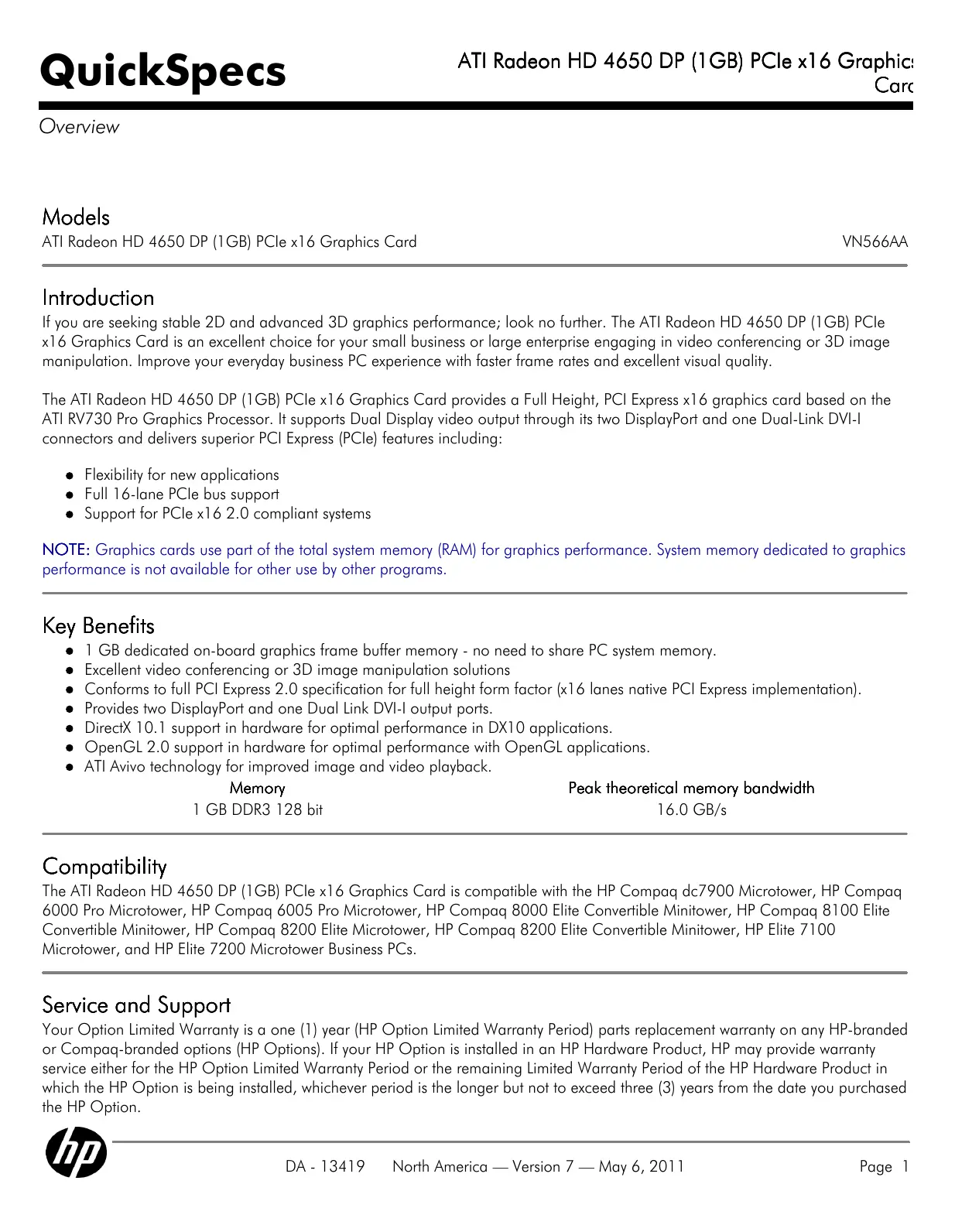
Models
ATI Radeon HD 4650 DP (1GB) PCIe x16 Graphics Card
VN566AA
Introduction
If you are seeking stable 2D and advanced 3D graphics performance; look no further. The ATI Radeon HD 4650 DP (1GB) PCIe x16 Graphics Card is an excellent choice for your small business or large enterprise engaging in video conferencing or 3D image manipulation. Improve your everyday business PC experience with faster frame rates and excellent visual quality.
The ATI Radeon HD 4650 DP (1GB) PCIe x16 Graphics Card provides a Full Height, PCI Express x16 graphics card based on the ATI RV730 Pro Graphics Processor. It supports Dual Display video output through its two DisplayPort and one Dual-Link DVI-I connectors and delivers superior PCI Express (PCIe) features including:
- Flexibility for new applications
Full 16-lane PCIe bus support - Support for PCIe x16 2.0 compliant systems
NOTE: Graphics cards use part of the total system memory (RAM) for graphics performance. System memory dedicated to graphics performance is not available for other use by other programs.
Key Benefits
- 1 GB dedicated on-board graphics frame buffer memory - no need to share PC system memory.
- Excellent video conferencing or 3D image manipulation solutions
- Conforms to full PCI Express 2.0 specification for full height form factor (x16 lanes native PCI Express implementation).
- Provides two DisplayPort and one Dual Link DVI-I output ports.
- DirectX 10.1 support in hardware for optimal performance in DX10 applications.
- OpenGL 2.0 support in hardware for optimal performance with OpenGL applications.
- ATI Avivo technology for improved image and video playback.
Memory
1GB DDR3 128 bit
Peak theoretical memory bandwidth
16.0 GB/s
Compatibility
The ATI Radeon HD 4650 DP (1GB) PCIe x16 Graphics Card is compatible with the HP Compaq dc7900 Microtower, HP Compaq 6000 Pro Microtower, HP Compaq 6005 Pro Microtower, HP Compaq 8000 Elite Convertible Minitower, HP Compaq 8100 Elite Convertible Minitower, HP Compaq 8200 Elite Microtower, HP Compaq 8200 Elite Convertible Minitower, HP Elite 7100 Microtower, and HP Elite 7200 Microtower Business PCs.
Service and Support
Your Option Limited Warranty is a one (1) year (HP Option Limited Warranty Period) parts replacement warranty on any HP-branded or Compaq-branded options (HP Options). If your HP Option is installed in an HP Hardware Product, HP may provide warranty service either for the HP Option Limited Warranty Period or the remaining Limited Warranty Period of the HP Hardware Product in which the HP Option is being installed, whichever period is the longer but not to exceed three (3) years from the date you purchased the HP Option.
Technical Specifications
Bus type PCI Express (x16 lanes)
Maximum vertical refresh 85Hz rate
Display support Integrated 400 MHz RAMDAC
Display max resolution 2560 x 1600 digital, 2048 x 1536 analog
ATI Radeon HD 4650 DP (1GB) PCIe x16 Graphics Card display resolutions and refresh rates
NOTE: Other resolutions may be available but are not recommended as the may not have been tested and qualified by HP
| Resolution | Maximum Refresh Rate (Hz) | |
| Analog Connection | Digital Connection | |
| 640x480 | 85 | 60 |
| 800x600 | 85 | 60 |
| 1024x768 | 85 | 60 |
| 1280x720 | 85 | 60 |
| 1280x1024 | 85 | 60 |
| 1440x900 | 75 | 60 |
| 1600x1200 | 85 | 60 |
| 1680x1050 | 75 | 60 |
| 1920x1080 | 85 | 60-R |
| 1920x1200 | 85 | 60-R |
| 1920x1440 | 85 | N/A |
| 2048x1536 | 75 | N/A |
| 2560x1600 | N/A | 60* |
- Only supported when using a dual-link DVI or DP connection
NOTE: 60-R denotes reduced blanking timings are used on single-link DVI connections and may be used with other digital connections
Board display options Supports two displays via included two DisplayPort and one Dual Link DVI-I connectors.
Board configuration Specification
Specification Description
Graphics Chip RV730 Pro
Core clock 725 MHz
Memory clock 500 MHz
Frame buffer 1GB DDR3, 128 bit wide
Languages supported 24 languages: English, Arabic, Chinese Simplified, Chinese Traditional, Czechoslovakian, Danish, Dutch, Finnish, French, German, Greek, Hebrew, Hungarian, Italian, Japanese, Korean, Norwegian, Polish, Portuguese, Russian, Spanish, Swedish, Thai, Turkish
Operating systems Windows 7 Home Basic, Windows 7 Home Premium, Windows 7 Professional Edition 32, Windows 7 Professional Edition 64, Windows 7 Ultimate Edition 32, Windows 7 Ultimate Edition 64, Windows Vista Business 64, Windows Vista Business 32, Windows Vista Home Basic 32, Windows XP Professional or Windows XP Home 32.
*This system may require upgraded and/or separately purchased hardware and/or a DVD drive to install the Windows 7 software and take full advantage of Windows 7 functionality. See http://www.microsoft.com/windows/windows-7/ for details.
** Certain Windows Vista product features require advanced or additional hardware. Windows Vista
Technical Specifications
| Upgrade Advisor can help you determine which features of Windows Vista will run on your computer. To download the tool, visit: http://www.windowsvista.com/upgradeadvisor. For Windows Vista system requirements, visit: http://www.windowsvista.com/systemrequirements. | |
| Linux x86 and x86_64 distributions using XFree86 or X.Org***. | |
| *** Linux drivers are available from ATI's website and may be available in a Linux distribution. Refer to the Open Source and Linux from HP website: http://www.hp.com/wwwolutions/linux/products/clients/ for support information. | |
| Core power | 56 W |
| Option kit contents | • ATI Radeon HD 4650 DP (1GB) PCIe x16 Graphics Card with full height bracket attached • DVI to VGA adapter • DisplayPort to DVI-D adapter • Software CD with graphics drivers • Warranty documentation |
| Compliance standards | EMC Emissions: a) FCC Part 15, Subpart B - Unintentional Radiators, Class B Computing Devices for Home & Office Use b) CISPR22: 1997/EN 55022:1998 - Class B - Limits and methods of measurement of radio disturbance characteristics of Information Technology Equipment c) Canadian Standard ICES-003 is equivalent to CISPR22 d) Taiwanese Standard BSMI e) Japanese VCCI f) Australian C-Tick g) Korean (MIC) |
| EMC Immunity: CISPR 24:1997/EN 55024:1998 - Information Technology Equipment - Immunity Characteristics - Limits and Methods of Measurement. |
Copyright 2011 Hewlett-Packard Development Company, L.P. The information contained herein is subject to change without notice. The only warranties for HP products and services are set forth in the express warranty statements accompanying such products and services. Nothing herein should be construed as constituting an additional warranty. HP shall not be liable for technical or editorial errors or omissions contained herein.
Microsoft and Windows are US registered trademarks of Microsoft Corporation.