EXIS - Webcam TRUST - Notice d'utilisation et mode d'emploi gratuit
Retrouvez gratuitement la notice de l'appareil EXIS TRUST au format PDF.


| Type d'appareil | Webcam |
| Résolution vidéo | HD 720p |
| Compatibilité OS | Windows 7/Vista et supérieur |
| Connexion | USB |
| Microphone intégré | Oui |
| Angle de vue | Non précisé |
| Focus | Automatique |
| Installation | Plug and Play |
| Utilisation recommandée | Visioconférence, streaming |
| Compatibilité logicielle | Logiciels de visioconférence courants |
| Alimentation | Par USB |
| Dimensions | Compacte, adaptable à écran |
| Poids | Léger |
| Accessoires inclus | Support flexible |
| Garantie | Non précisé |
FOIRE AUX QUESTIONS - EXIS TRUST
Questions des utilisateurs sur EXIS TRUST
0 question sur cet appareil. Repondez a celles que vous connaissez ou posez la votre.
Poser une nouvelle question sur cet appareil
Téléchargez la notice de votre Webcam au format PDF gratuitement ! Retrouvez votre notice EXIS - TRUST et reprennez votre appareil électronique en main. Sur cette page sont publiés tous les documents nécessaires à l'utilisation de votre appareil EXIS de la marque TRUST.
MODE D'EMPLOI EXIS TRUST

text_image
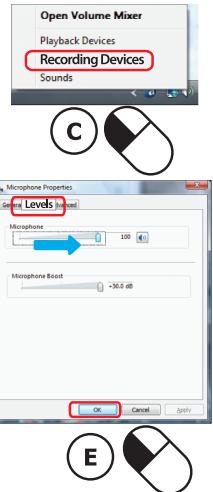
Open Volume Mixer Playback Devices Recording Devices 2:18 PM Sound Sound Playback Recording Sounds Select a recording device below to modify its settings: USB Microphone OK Cancel Levels Level 5 Level 4 Microphone 0 100 Microphone Boost -30.0 dB A B C 2× DPicture button
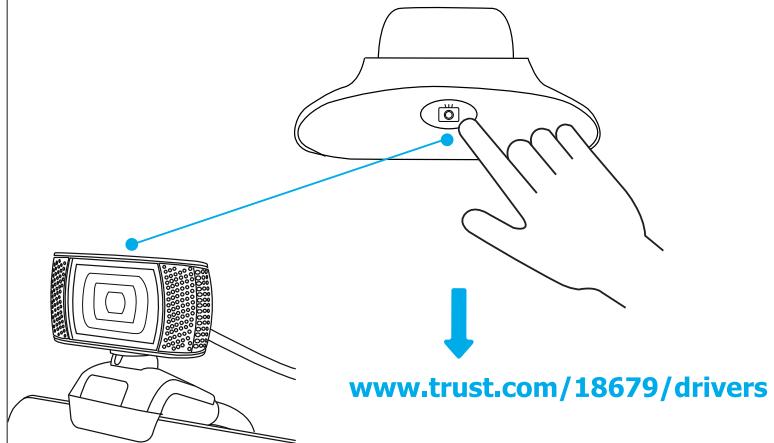
text_image
www.trust.com/18679/driversFrequently Asked Questions
http://www.trust.com/18679/faq
© 2016 Trust International B.V. - All rights reserved
Laan van Barcelona 600
3317DD, Dordrecht, NL
Trust
HD 720P
Webcam
TRINO
Quick Installation Guide

natural_image
Black and white photo of a MiTrust camera with coiled cable (no visible text or symbols)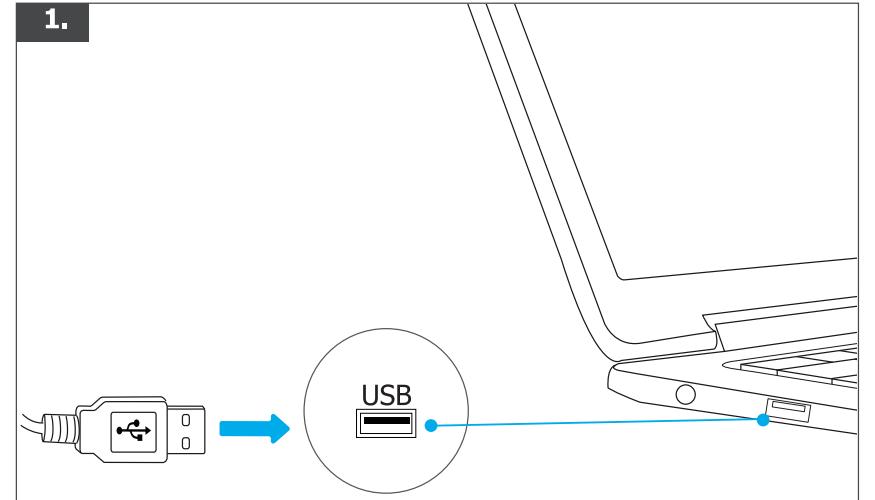
text_image
1. USB2.
natural_image
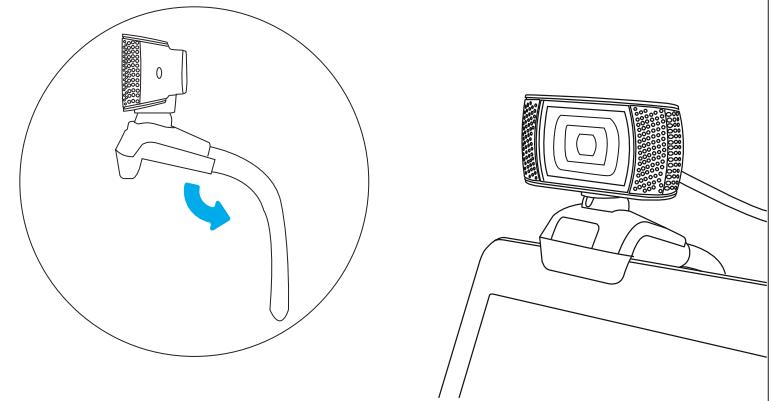
Line drawing of a device with a screen and a blue circular arrow indicating rotation (no text or symbols)
Windows 10

text_image
Recording Devices Sound Troubleshoot sound problems Volume control options 4/22/2015 Open Volume Mixer Playback devices Recording Playback Communications Select a recording device below to modify its settings: MIC in at front panel (black) Realtek High Definition Audio USB Microphone Configure Set Default Properties OK Cancel Apply Microphone Properties General Level Levels Inancements Advanced Microphone 100 Microphone Boost >10.0 dB OK Cancel Apply A B C 2× D
Windows 8

text_image
A 2:18 PM B C D USB Microphone E 2× Sound Playback Recording Sounds Select a recording device below to modify its settings: Microphone Properties General Levels (Max) Microphone 0 100 Microphone Reset +30.2 dB OK Cancel Apply