
200W - Conférenciers KONFTEL - Notice d'utilisation et mode d'emploi gratuit
Retrouvez gratuitement la notice de l'appareil 200W KONFTEL au format PDF.


| Type de produit | Conférencier téléphonique DECT |
| Marque | KONFTEL |
| Modèle | 200W |
| Dimensions | Diamètre 232 mm |
| Poids | 700 grammes |
| Alimentation | Adaptateur secteur 12V DC/230V AC, 700mA (Europe) / 12V DC/120V AC, 700mA (USA) |
| Technologie audio | OmniSound® pour une qualité sonore cristalline |
| Portée du microphone | Jusqu'à 30 m² (extensible à 70 m² avec micros d'extension) |
| Réduction d'écho | Écho de pièce : 208 ms, écho de ligne : 38 ms |
| Volume du haut-parleur | 15 niveaux réglables |
| Connexion | DECT compatible GAP |
| Standard DECT | EN301406, fréquence 1880-1900 MHz, puissance moyenne 10 mW par canal |
| Portée DECT | Jusqu'à 300 m en extérieur, jusqu'à 50 m en intérieur |
| Affichage | Écran LCD avec rétroéclairage |
| Répertoire téléphonique | Jusqu'à 50 entrées |
| Fonctions principales | Appel en attente, conférence multipartite, mise en sourdine, numérotation rapide, recomposition |
| Accessoires optionnels | Station de base DECT, micros d'extension (2), télécommande |
| Entretien | Nettoyer avec un chiffon doux et sec, ne pas utiliser de liquides |
| Sécurité | Conforme aux normes CE (EN60950, EN301489, EN301406) |
| Pièces détachées | Adaptateur secteur, câbles, micros d'extension, télécommande, kit de montage |
| Réparabilité | Contacter le service après-vente Konftel ou un revendeur agréé |
FOIRE AUX QUESTIONS - 200W KONFTEL
Questions des utilisateurs sur 200W KONFTEL
0 question sur cet appareil. Repondez a celles que vous connaissez ou posez la votre.
Poser une nouvelle question sur cet appareil
Téléchargez la notice de votre Conférenciers au format PDF gratuitement ! Retrouvez votre notice 200W - KONFTEL et reprennez votre appareil électronique en main. Sur cette page sont publiés tous les documents nécessaires à l'utilisation de votre appareil 200W de la marque KONFTEL.
MODE D'EMPLOI 200W KONFTEL
User guide
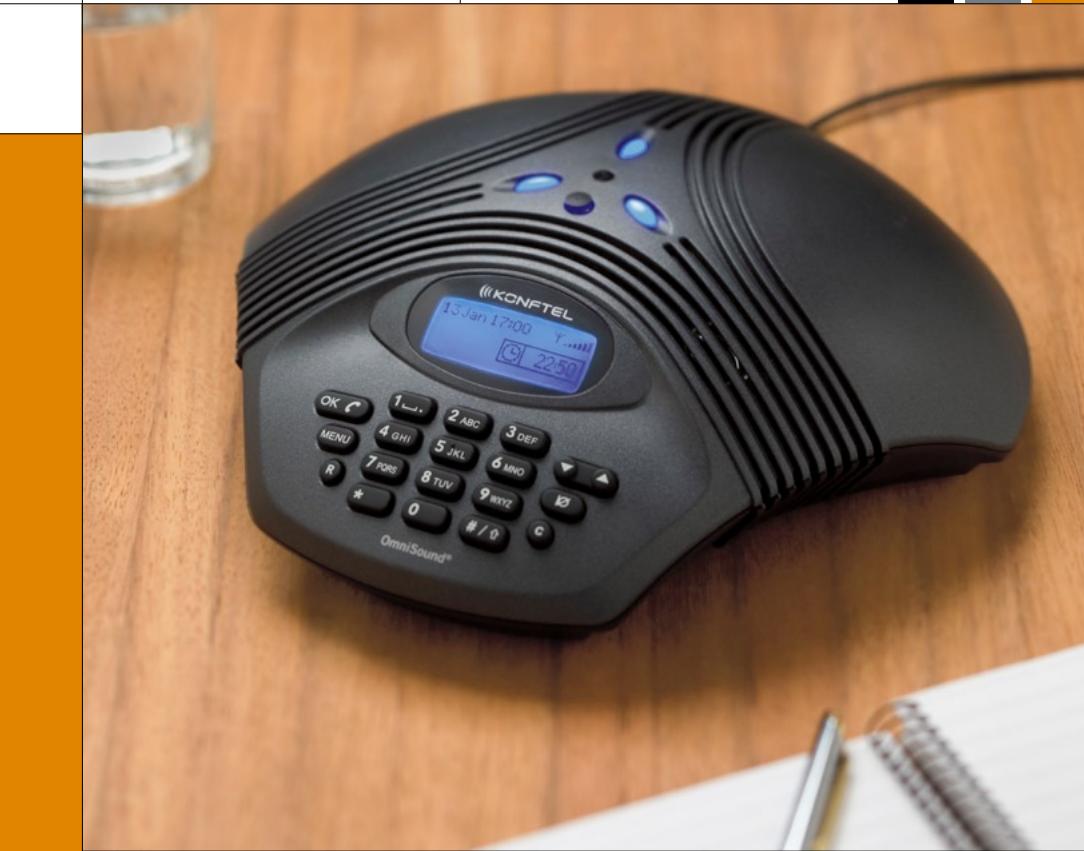
The Konftel 200W conference phone
English
Conference phones for every situation
OmniSound®
This product is equipped with OmniSound®, the crystal clear sound.
DECT conforms to the GAP standard
DECT - Digital Enhanced Cordless Telephone. DECT incorporates encryption for maximum call security. GAP (Global Access Profile) ensures the interoperability of DECT equipment of different manufacturers.

Konftel AB hereby declares that this conference unit complies with all essential requirements and other relevant provisions of Directive 1999/5/EC.
WARNING: To reduce the risk of fire or shock hazard, do not expose this product to rain or moisture.

CAUTION

RISK OF ELECTRIC SHOCK DO NOT OPEN
CAUTION: TO REDUCE THE RISK OF ELECTRICAL SHOCK, DO NOT REMOVE COVER OR BACK. NO USER-SERVICEABLE PARTS INSIDE. REFERServICING TO QUALIFIED PERSONNEL.

The lightning symbol is intended to alert you to the presence of uninsulated dangerous voltage within this product's enclosure that might be of sufficient magnitude to constitute a risk of electric shock. Do not open the product's case.

The exclamation symbol is intended to inform you that important operating and maintenance instructions are included in the literature accompanying this product.
Description 2
General. 2
Maintenance 2
Connecting and installing 3
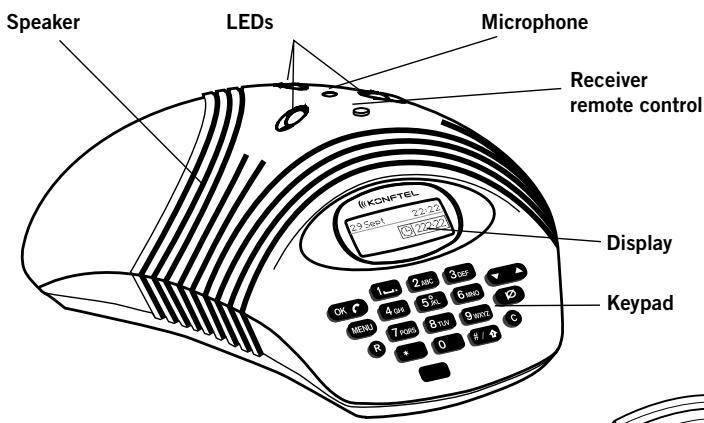
Display and keypad 4
Konftel DECT base station (accessories) 5
Registering Konftel 200W with a base station .6
Use 8
Answering calls 8
Making calls. 8
During a call 9
Ending calls 9
Advanced features 10
Making multi-party calls. 10
Updating the phonebook 11
Settings 14
Adjusting ring volume. 14
Adjusting date and time 14
Changing languages 15
Adjusting key tone 15
Selecting a DECT base station 16
Showing status. 17
Deregistering a phone 17
Registering a new base station 18
Searching for a DECT handset. 18
Adjusting R key function (flash duration) 19
Accessories 20
Expansion microphones. 20
Remote control. 22
Item numbers for accessories and spare parts. 23
Troubleshooting 24
Technical data 25
Konftel 200W conference phone. 25
Konftel DECT base station (accessories) 26
Expansion microphones (accessories) 27
Remote control (accessories) 27
Service and guarantee 28
GENERAL
The Konftel 200W is a DECT conference phone with an omnidirectional, highly-sensitive microphone which, together with Konftel's OmniSound® and the built-in speakers, provide optimal sound quality and maximum reduction of room echo, even when the person speaking is standing at a slight distance from the conference unit. The pickup range is up to 30m^2
Expansion microphones can be connected to the Konftel 200W to provide increased range and optimal sound conditions in larger meeting rooms. By turning up the loudspeaker volume level, the pickup range increases from 30m^2 to 70 m^2 . The optional remote control adds further ease to meetings, allowing you to control all the Konftel 200W functions such as the speed dialling keys for the most frequently used phone numbers.
The Konftel 200W connects to different makes of GAP-compatible DECT systems. You can find out which DECT systems have been tested with the Konftel 200W on our website, www.konftel.com. If your office does not have a compatible DECT system, Konftel can supply a DECT base station for analogue connection.
Please note that you need to connect (register) your Konftel 200W to a DECT base station before it can be used. There is a description of the Konftel DECT base station in the User guide, along with instructions on how to connect (register) the conference phone to an DECT base station.
Check that all parts are included in the package. If any parts are missing, please contact your retailer.
The Konftel 200W conference phone
Power adapter with 6-metre cable
Quick reference guides in different languages
CD with user guides in different languages
MAINTENANCE
Clean the equipment with a soft, dry cloth. Never use liquids.
CONNECTING AND INSTALLING
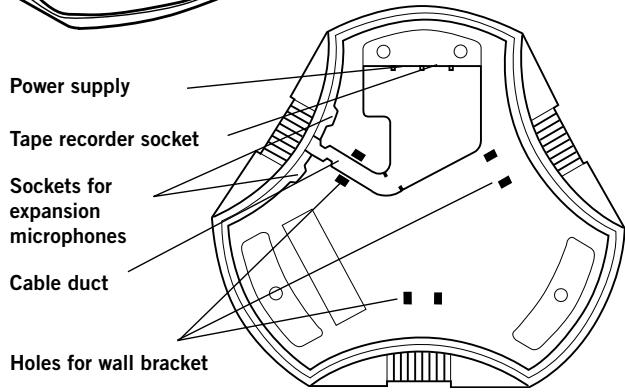
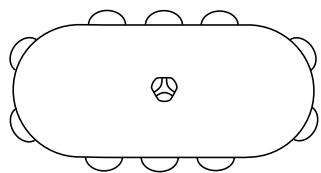
Plug the Konftel 200W in themains using the power adapter asillustrated. Place the conferencephone in the middle of the table.
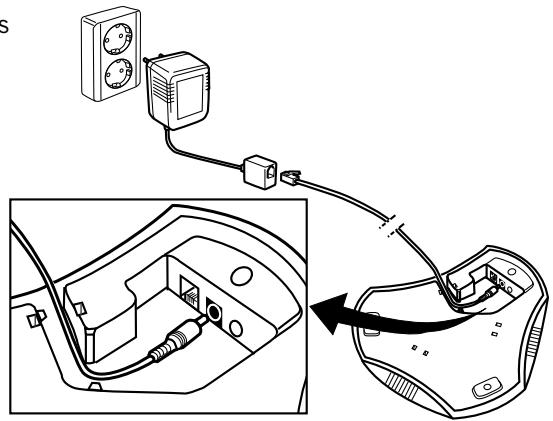
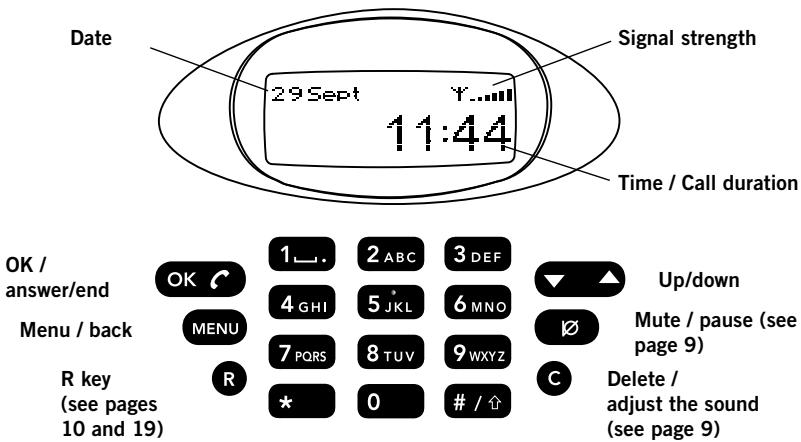
DISPLAY AND KEYPAD
Characters for text input
See page 11.
- (blank) . - , 1
2ABC A B C A A A A 2 a b c a a a 2
3DEF DEFÉE 3 deféé 3
4GHI GHI4ghi4
5JKL JKL5jk15
6mno MNOO0N6mnooo 6
7PORS PQRS7pqrs7
8tuTuVU8tuu8
9wxzy WXYZgwxyz9
*
0 0
Shift (large / small letters)
KONFTEL DECT BASE STATION (ACCESSORIES)
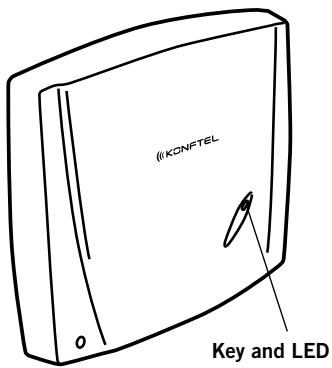
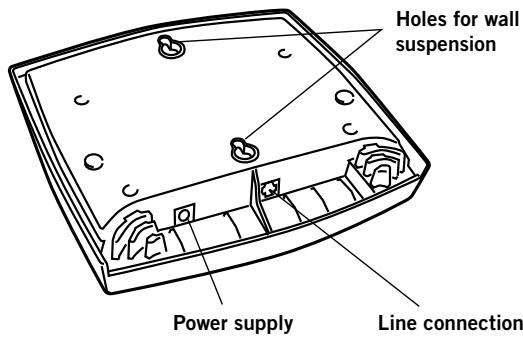
Connection
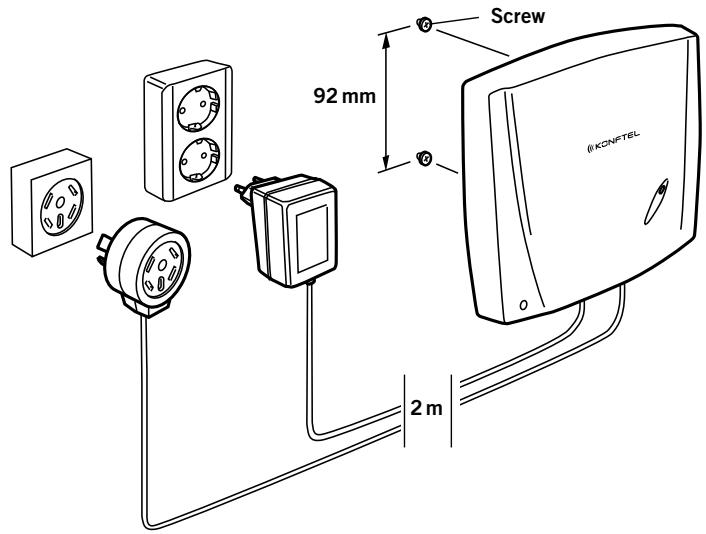
Connect the base station to a telephone jack and the mains using the power adapter as illustrated.
Wall suspension
The base station can be mounted on the wall. Use the screws provided as illustrated. Make sure it is securely mounted.
REGISTERING KONFTEL 200W WITH A BASE STATION
The Konftel 200W has to be registered with a base station before it can be used. Note that both the base station and the Konftel 200W have to be put into registration mode.
These are the instructions for registering with a Konftel DECT base station. If registering Konftel 200W with other makes of base station, follow the same procedure. Please refer to your base station user guide if you are unsure.
Set the Konftel DECT base station in registration mode
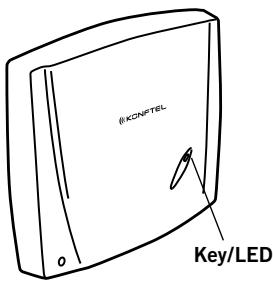
Press and hold the key/LED on the base station for at least 2 seconds until it starts to flash.
The base station is now in registration mode. Once registration has been completed, the LED will stop flashing. If the base station does not identify a DECT phone within 2 minutes, the registration mode will switch off automatically.
Set the Konftel 200W in registration mode
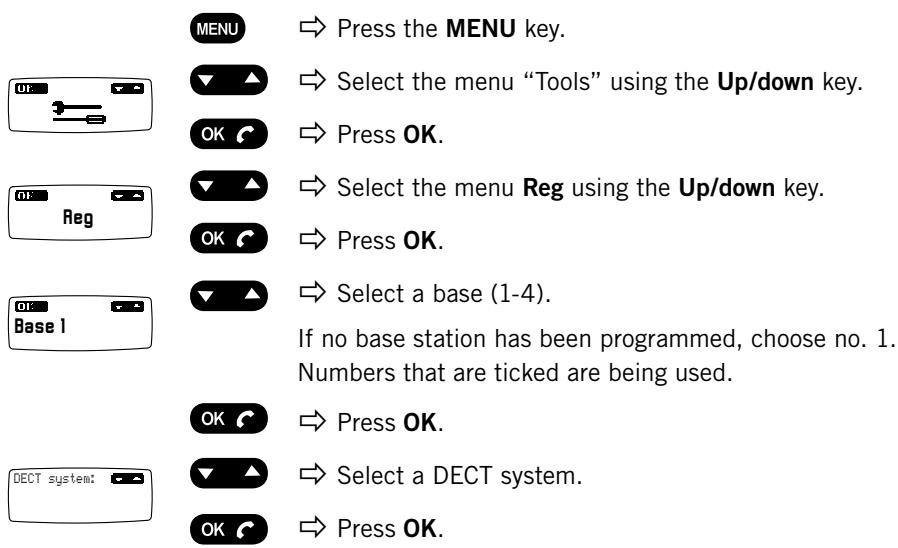
PIN: ****
0-9...
Enter the security code (PIN code) (standard code is 0000).
OK
Press OK.
Some DECT systems (not Konftel DECT Base Station) require a PARK code. Check with your company's switchboard supplier.
PARK:
Enter the PARK code if this is required. Otherwise, leave blank.
Search
OK
Press OK.
Your Konftel 200W is now in registration mode and is searching for a base station in registration mode.
Wait until you receive confirmation that registration has been completed. (The base station has to be in registration mode.) Registration can be interrupted by pressing C.
Done
If registration was successful, the word Done will appear in the display.
OK
Press OK.
The Konftel 200W is now ready to use. Please see page 14 for other menu options and settings.
If registration was not successful
If registration was not successful, the word Fail will appear in the display.
Possible reasons for this:
Incorrect security code (check with your company's switchboard administrator)
Incorrect or missing PARK code (check with your company's switchboard administrator)
- No base station within range or not activated in registration mode
ANSWERING CALLS

A ring tone will be heard and the blue LEDs start flashing.

Press OK to answer.
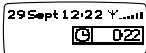
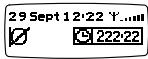
The display shows the duration of the call.
MAKING CALLS
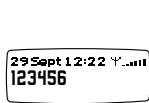

Press OK.
0-9…
Dial the number.
or
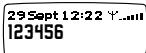
0-9…
Dial the number.

Press OK.
The number is called within 3 seconds.
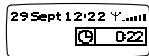
The display shows the duration of the call.
Redialling
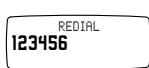
You can easily redial the number you last called.

Press the up arrow.
The last dialled number appears in the display.
Press OK.
The number is called within 3 seconds.
Speed dialling


Press the Up/down keys repeatedly.
The pre-programmed names in the phonebook appear in alphabetical order. The last dialled number appears first.

Press OK to call the selected name/number.
The number is called within 3 seconds.
DURING A CALL
Adjusting the speaker volume


Increase the speaker volume using + and lower it using-.
Mute function

Press the mute key to turn the microphone off. The LEDs change from blue to red. The other party cannot hear what you are saying.

Press the mute key again to turn the microphone back on.
Adjusting the sound manually
Konftel 200W adjusts itself automatically when you switch it on to eliminate echo. It also senses changes in the room and continually adapts during the call. If, despite this, you still experience reduced sound quality, Konftel 200W can be adjusted manually at any time.

Press c.
A short noise is heard.
ENDING CALLS

End the call by pressing OK.
MAKING MULTI-PARTY CALLS
Konftel 200W supports the switchboard's multi-party call feature. Please note that the number of people who can be connected to a call may be limited by the service provider and the PBX to which Konftel 200W is connected.
Most service providers offer a phone meeting service to make it easy to create multi-party calls. This could be a smart option for linking up several participants.
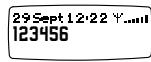
0-9...

Call the first participant (dial the number and press OK).
When the call has been connected:
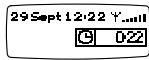

Press the R key. A second dialling tone is heard.
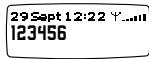
0-9...
Dial the second participant's number and wait for an answer.


Press the R key and then 3.
All three participants are now linked together in one call.
What if no one answers when you dial the second number

Go back to the first call by pressing then 1.
If you experience problems making multi-party calls
There may be several reasons for this.
The R key sends instructions to the base station, which then sends a pulse to the telephone line. The duration of the pulse varies depending on the country and switchboard. Read "Adjusting R key function" on page 19.
Your switchboard may not be programmed to admit multi-party calls. Contact your company's switchboard administrator to initiate this service.
Your switchboard may require a different command to R3 to link up all call participants. Please consult Konftel's website under FAQ for other commands.
UPDATING THE PHONEBOOK
The Konftel 200W has a phonebook that holds up to 50 entries. This makes it easy to call frequently used numbers. See page 8 for making calls using the speed dial list.
General information about entering text using the keypad
Enter a name in the address book using the keypad. Each key covers a number of letters and other characters - far more than shown on the key (see page 4). Press the same key repeatedly to change to another character. If there are two letters under the same key that you want to enter one after the other, you need to pause slightly before entering the second letter.

Press the shift key to switch to lower-case (small letters).

Press C to delete the last character.

You can cancel an entry at any time by pressing MENU.

The mute key inserts a slight pause in speed dial numbers. You might find this useful if you are calling via a switchboard and have to dial a nought in order to get a dialling tone. A pause might be necessary in some cases to give the dialling tone time to be activated.
Adding new numbers
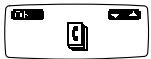

Press the MENU key.
The phonebook is the first option on the menu.


Press OK.
Add entry is displayed.


Press OK.
The last dialled number is automatically displayed.

Enter the number you require (unless you want the last dialled number).

Press OK.


Enter a name using the keypad. Press a key repeatedly to change to another character.
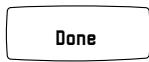

Press OK to save the number.
The word Done is displayed. If the phonebook already has 50 entries, the words Memory full will be displayed.
Updating the phonebook
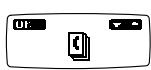

Press the MENU key.
The phonebook is the first option on the menu.
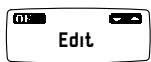

Press OK.


Press the Up key so that Edit is displayed.


Press OK.


Press Up/down to look through the phonebook until you find the name or number you want to update.


Press OK.

0-9...
Change the number if that needs updating. Delete digits using C.

Press OK.
A b c...
Change the name if that needs updating. Delete letters using C and enter new letters as per instructions on page 11.

Press OK to save your changes.
The word Done is displayed.
Delete names and numbers


Press the MENU key.
The phonebook is the first option on the menu.

Press OK.

Press Up/down until Erase is displayed.


Press OK.
PHONEBOOK PETER G.
Erase?
Done

Press Up/down to look through the phonebook until you find the name or number you want to delete.

Press OK. Erase? is displayed.

Press OK to confirm deletion. The word Done is displayed.
(Press MENU to cancel without deleting the number.)
ADJUSTING RING VOLUME
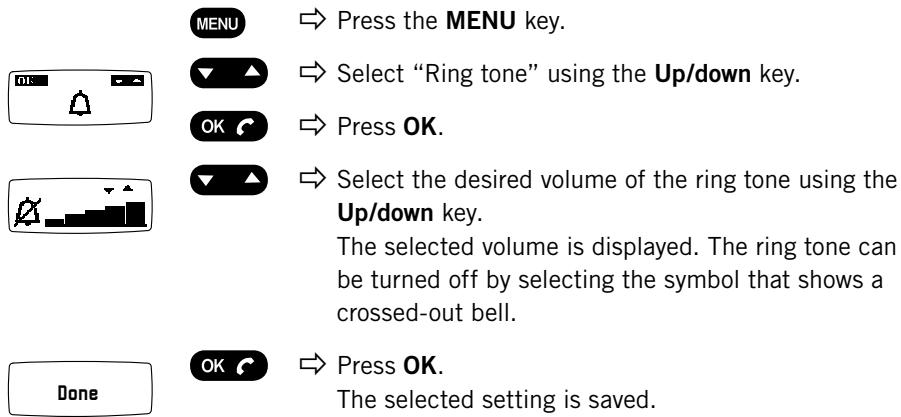
ADJUSTING DATE AND TIME
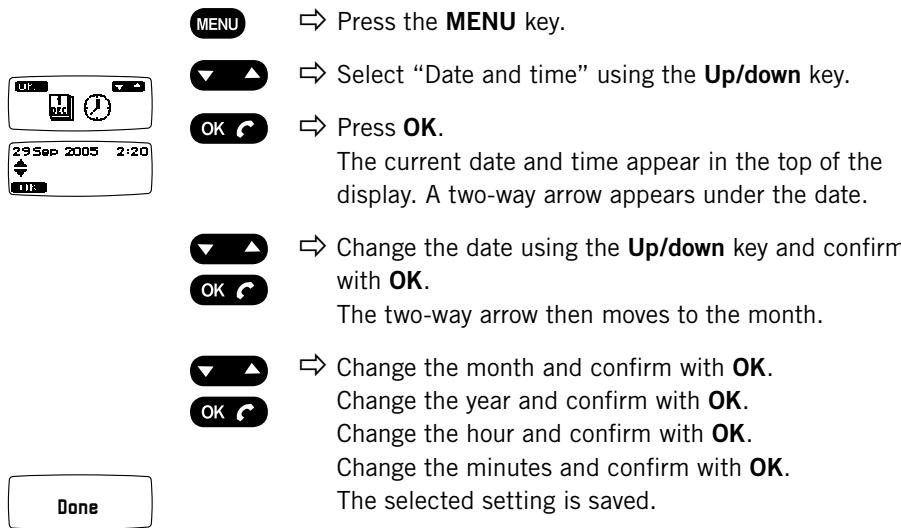
CHANGING LANGUAGES
MENUE
Press the MENU key.
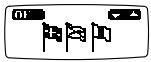

Select "Language" using the Up/down key.


Press OK.


Select the language you require using Up/down.
ADJUSTING KEY TONE

Press OK.
The selected setting is saved.
You can select whether or not you want a tone to be heard when you press a key. Note that this setting does not affect the key tone you hear when you dial a number.
MENU
Press the MENU key.
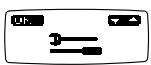

Select "Tools" using the Up/down key.
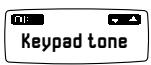

Press OK.
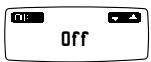

Press OK again to confirm Keypad tone which is the first option on the menu.


Select On or Off using Up/down.

Press OK. The selected setting is saved.
SELECTING A DECT BASE STATION
Use this option to choose one of the registered base stations. You can also let Konftel 200W automatically select the base station with the strongest signal. See page 6 for instructions on how to register with a new base station.
MENUE
Press the MENU key.
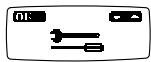

Select "Tools" using the Up/down key.

Press OK.
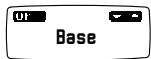

Select the menu Base using the Up/downkey.
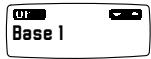

Press OK.
The current base station (e.g. Base 1) is shown in the display.
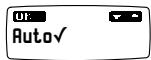

Look through the registered base stations and the option Auto using the Up/down key.


Auto will automatically select the base station with the strongest signal. The chosen option is marked with a tick.
Press OK.
The conference unit will now search for the selected base station. Wait for confirmation.
If the base station is found, the word Done will appear in the display. If the base station is not found, the word Fail will appear instead. Select another base station if that is the case, or check that the base station you wanted actually is connected and within range.

Press OK.
SHOWING STATUS
Use this option to check the ID number of either the conference unit or base station. This information can be useful in an installation with many units.
MENU
Press the MENU key.
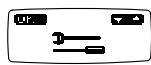

Select "Tools" using the Up/down key.
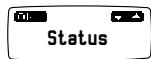

Press OK.
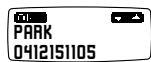

Select the menu Status using the Up/downkey.
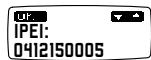

Press OK.
The ID number (RFPI, PARK) of the current base station appears in the display.

Press the Up/down key.
The ID number (IPEI, HS no.) of the conference phone appears in the display.

Press OK to return to the menu.
DEREGISTERING A PHONE
This only applies to a Konftel DECT base station.
Seven telephones (handsets or Konftel 200W) can be registered with a Konftel DECT base station. Use this option to deregister (remove) a telephone from the base station. Note! You cannot deregister the unit that you are using for deregister-ing, i.e. Konftel 200W cannot deregister itself.
MENU
Press the MENU key.
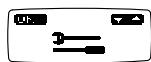

Select "Tools" using the Up/down key.
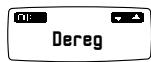

Press OK.

Select the menu Dereg using the Up/downkey.
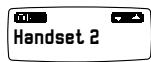

Press OK.

Select the handset you want to deregister using the Up/down key. (The unit you are using is marked with a tick.)
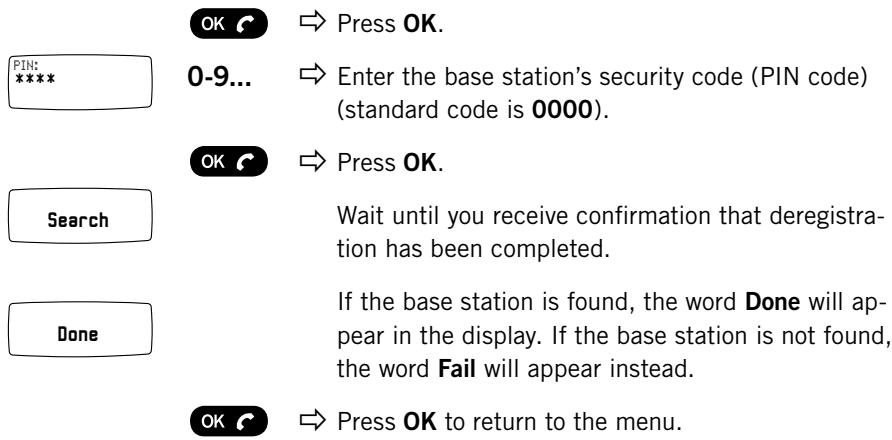
REGISTERING A NEW BASE STATION
See page 6.
SEARCHING FOR A DECT HANDSET
This only applies to a Konftel DECT base station.
You can let a Konftel DECT base station search for telephones (handsets or Konftel 200W) that are registered with the base station. A handset normally emits a tone while being searched for by the base station. The Konftel 200W emits an audible tone when it is being searched for by the base station and the word PAGE appears in the display. Press any key on the Konftel 200W to escape from this mode.
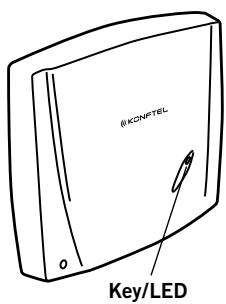
Briefly press the key/LED on the base station. The base station is now in search mode and the blue LED flashes slowly.
Localising the telephones.
Press one more time to escape search mode.
ADJUSTING R KEY FUNCTION (FLASH DURATION)
This only applies to a Konftel DECT base station.
The R-function (one of its functions is to create multi-party calls) is based on the phone sending a special R-pulse (flash). The various phone systems and PBXs of other countries require different durations for activating the R-pulse. With the Konftel 200W, the R-pulse duration can be adjusted accordingly.
R1 = 65 ms
R2 = 100 ms
R3 = 150 ms
R4 = 270 ms
R5 = 600 ms
R6 = 80 ms
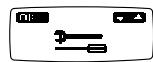




Press the MENU key.
Select "Tools" using the Up/down key.
Press OK.
Select the menu R function using the Up/down key.
Press OK.
The current R-pulse setting appears in the display.
Select the setting you require using Up/down key.
Press OK.
The selected setting is saved.
EXPANSION MICROPHONES
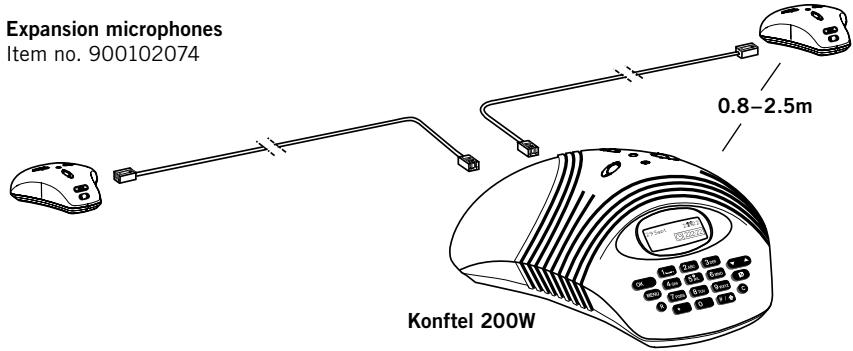
Expansion microphones
Item no. 900102074
Installation
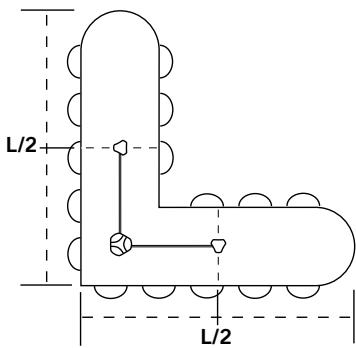
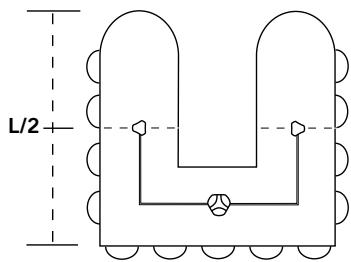
The expansion microphones should be positioned as illustrated to achieve the best possible sound quality.
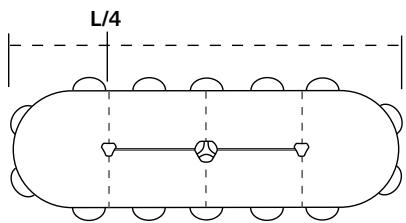
Connecting and programming
Two expansion microphones can easily be added onto the Konftel 200W to increase the pickup range up to 70m^2 . The expansion microphones are supplied with two different cable sets, 1.5 and 2.5m .
Unplug the power cable from the conference unit.
Place the expansion microphones at least 0.8 ~m and no more than 2.5 ~m from the Konftel 200W and connect them using the cables provided.
Plug the power cable in again.

The microphone in the Konftel 200W is now deactivated. The display indicates that the expansion microphones are activated. Always unplug the power cable before removing the microphones.
Adjusting the speaker volume

Press the up or down key on one of the expansion microphones to adjust the speaker volume.
Manual adjustment

Press the up and down keys at the same time for manual adjustment (see page 9).
A short noise is heard.
Mute function

Press the mute key on one of the expansion microphones to switch off the microphones.
The LEDs change from blue to red. The other party cannot hear what you are saying.

Press the mute key again to switch the microphones back on again.
REMOTE CONTROL
Konftel 200W has an optional remote control. This allows you to control all the functions from wherever you are in the room.
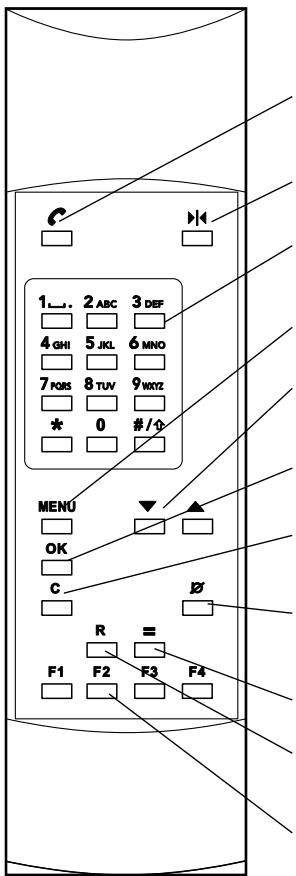
Item no.
900102038
Lifts "the handset" or hangs up, whether Konftel 200W is in a menu mode or not. If the phonebook is displayed, the number will be dialled.
Adjusts Konftel 200W to the acoustics of the room.
Keypad for dialling numbers or entering names in the address book. (See pages 4 and 11.)
Opens or closes menu mode.
Adjusts the volume, goes through the phonebook and the menus.
OK in menus. This works in the same way as the handset key when a menu is not active.
- Deletes characters when dialling numbers or entering names.
- Exits menus without saving changes.
Mute function. Turns the microphones on and off. Inserts pause in speed dial numbers (see page 11).
Calls last dialled number irrespective of menu mode.
R-function. Used for some operator services (e.g. multi-party calls, see page 10).
Speed dialling keys. When a speed dial number is saved or updated in the phonebook, it can be stored by finishing off the programming with a function key instead of OK. Then when the key is pressed, the stored number is dialled. Note that by storing a new number on a key that already has a speed dial number, you will delete the first number.
ITEM NUMBERS FOR ACCESSORIES AND SPARE PARTS
Item no.
Designation
149110
Ceiling mount suspension
900102038
Remote control
900102061
Anti-theft device, max. length 3 m
900102071
Konftel DECT base station
900102074
Expansion microphones (1 pair)
900103339
Extension cord electrical, 10m
900103340
Extension cord telephone, 10m
900103342
Tape recorder cable
9146030
Wall mounting bracket
If your Konftel 200W is not working:
- Check that the microphone is turned on during the call. The blue microphone LEDs should be lit.
- Check that the Konftel 200W is within range for a DECT base station and that it is registered with the base station. Read more on page 7.
- Bypass any extension cables and see if the Konftel 200W works properly. If not, contact your retailer.
- Disconnect the expansion microphones and see if the Konftel 200W works without them. If not, contact your retailer.
- If the Konftel 200W needs to wait for a second dialling tone, you should enter a pause using the pause/mute key when entering a telephone number as an instruction or in the phonebook.
KONFTEL 200W CONFERENCE PHONE
Power supply: Transformer 12V DC/230V AC, 700mA (Europe) Transformer 12V DC/120V AC, 700mA (USA)
Speaker volume: Adjusts to 15 levels
Room echo reduction: 208 ms
Line echo reduction: 38 ms
Environment: Pickup range < 30m^2 Reverberation time in room < 500~ms Background noise < 45 dBA Temperature range: 5 - 40^
Dimensions: Diameter 232 mm
Weight: 700 grams
Approvals
Electrical safety: EN60950:2001
EMC: EN301489-01/06:2000
DECT/radio: European DECT standard: EN301406-V1.4.1 2001
(DECT frequency: 1880-1900 MHz, average power is 10 mW per channel
DECT output power: 250 mW peak power in one of 24 time slots, ~10mW/channel
DECT range: Unobstructed range, up to 300 metres. Indoor range, up to 50 metres).
GAP standard: TBR22
The unit can generate a tone when used in environments where there is strong radio interference or high-frequency interference in the power supply cable and will then resume normal function once the interference has stopped.
KONFTEL DECT BASE STATION (ACCESSORIES)
Power supply:
Transformer 230 V AC/6 V DC, 300 mA
Cable length:
2 metres
Tele connection:
Analogue PBX or PSTN,RJ-11
Compatibility:
A Konftel DECT base station is GAP-compatible and can be connected to analogue lines or any PBX equipped with an analogue extension. Up to 7 GAP-compatible DECT units can be connected to a Konftel DECT base station
Dimensions:
175x160 mm
Weight:
240 grams
Approvals
Electrical safety:
EN60950:2001
EMC:
EN301489-01/06:2000
DECT/radio:
European DECT standard: EN301406-V1.4.1 2001
(DECT frequency: 1880-1900 MHz, average power is 10 mW per channel
DECT output power: 250 mW peak power in one of 24 time slots, 10 mW/channel
DECT range: Unobstructed range, up to 300 metres. Indoor range, up to 50 metres).
GAP standard:
TBR22
Tele:
TBR21:1998
EXPANSION MICROPHONES(ACCESSORIES)
Power supply: Power from microphone output
Cabling: Modular 4/4-contacts, 2 × 1.5 ~m and 2 × 2.5 ~m
Environment: Temperature range: 5 - 40^
Dimensions: Diameter 105 mm, height 30 mm
REMOTE CONTROL (ACCESSORIES)
Batteries: 4 x R03, 1.5V
Environment: Temperature range: 5 - 40^
Range: Up to 5 metres
Dimensions: 205x55x21mm (LxBxH)
Weight: 140 grams
Keyboard: 26 keys
Contact a Konftel retailer first if your conference telephone needs servicing.
See the American User Guide for guarantee terms and information on American FCC and Canadian FCC and IC norms (in English only). Contact Konftel support for more information.
Konftel support
+46(0)90-706 489 (Monday-Friday 08.00-17.00)
E-mail: info@konftel.com
USA and Canada:
+1 866-606-4728 (Monday-Friday 08.00-17.00)
E-mail: konftel.usa@konftel.com

Konftel is a leading company within loudspeaker communication and audio technology. We develop and sell products and technology for telephone conferences based on cutting-edge expertise within acoustics and digital signal processing. Characteristic of our products is that all conference telephones contain the same high quality audio technology – OmniSound® providing crystal clear sound. Read more about Konftel and our products on www.konftel.com.
Developed by Konftel AB
Box 268, SE-901 06 Umeå, Sweden
Phone: +46 90 706 489 Fax: +46 90 131 435
E-mail: info@konftel.com Web: www.konftel.com
- User guide
- The Konftel 200W conference phone
- OmniSound®
- DECT conforms to the GAP standard
- CAUTION
- Description 2
- Use 8
- Advanced features 10
- Settings 14
- Accessories 20
- Troubleshooting 24
- Technical data 25
- Service and guarantee 28
- GENERAL
- MAINTENANCE
- CONNECTING AND INSTALLING
- Characters for text input
- KONFTEL DECT BASE STATION (ACCESSORIES)
- Connection
- Wall suspension
- REGISTERING KONFTEL 200W WITH A BASE STATION
- Set the Konftel DECT base station in registration mode
- Set the Konftel 200W in registration mode
- 0-9...
- OK
- Press OK.
- Search
- Done
- If registration was not successful
- ANSWERING CALLS
- MAKING CALLS
- Redialling
- Speed dialling
- DURING A CALL
- Adjusting the speaker volume
- Mute function
- Adjusting the sound manually
- ENDING CALLS
- MAKING MULTI-PARTY CALLS
- What if no one answers when you dial the second number
- If you experience problems making multi-party calls
- UPDATING THE PHONEBOOK
- General information about entering text using the keypad
- Adding new numbers
- Delete names and numbers
- ADJUSTING RING VOLUME
- ADJUSTING DATE AND TIME
- CHANGING LANGUAGES
- MENUE
- ADJUSTING KEY TONE
- MENU
- SELECTING A DECT BASE STATION
- SHOWING STATUS
- DEREGISTERING A PHONE
- REGISTERING A NEW BASE STATION
- SEARCHING FOR A DECT HANDSET
- This only applies to a Konftel DECT base station.
- ADJUSTING R KEY FUNCTION (FLASH DURATION)
- EXPANSION MICROPHONES
- Installation
- Connecting and programming
- Manual adjustment
- REMOTE CONTROL
- ITEM NUMBERS FOR ACCESSORIES AND SPARE PARTS
- KONFTEL 200W CONFERENCE PHONE
- Approvals
- EXPANSION MICROPHONES(ACCESSORIES)
- REMOTE CONTROL (ACCESSORIES)
- Konftel support
Marque : KONFTEL
Modèle : 200W
Catégorie : Conférenciers