
9330 - Imprimante TALLYGENICOM - Notice d'utilisation et mode d'emploi gratuit
Retrouvez gratuitement la notice de l'appareil 9330 TALLYGENICOM au format PDF.

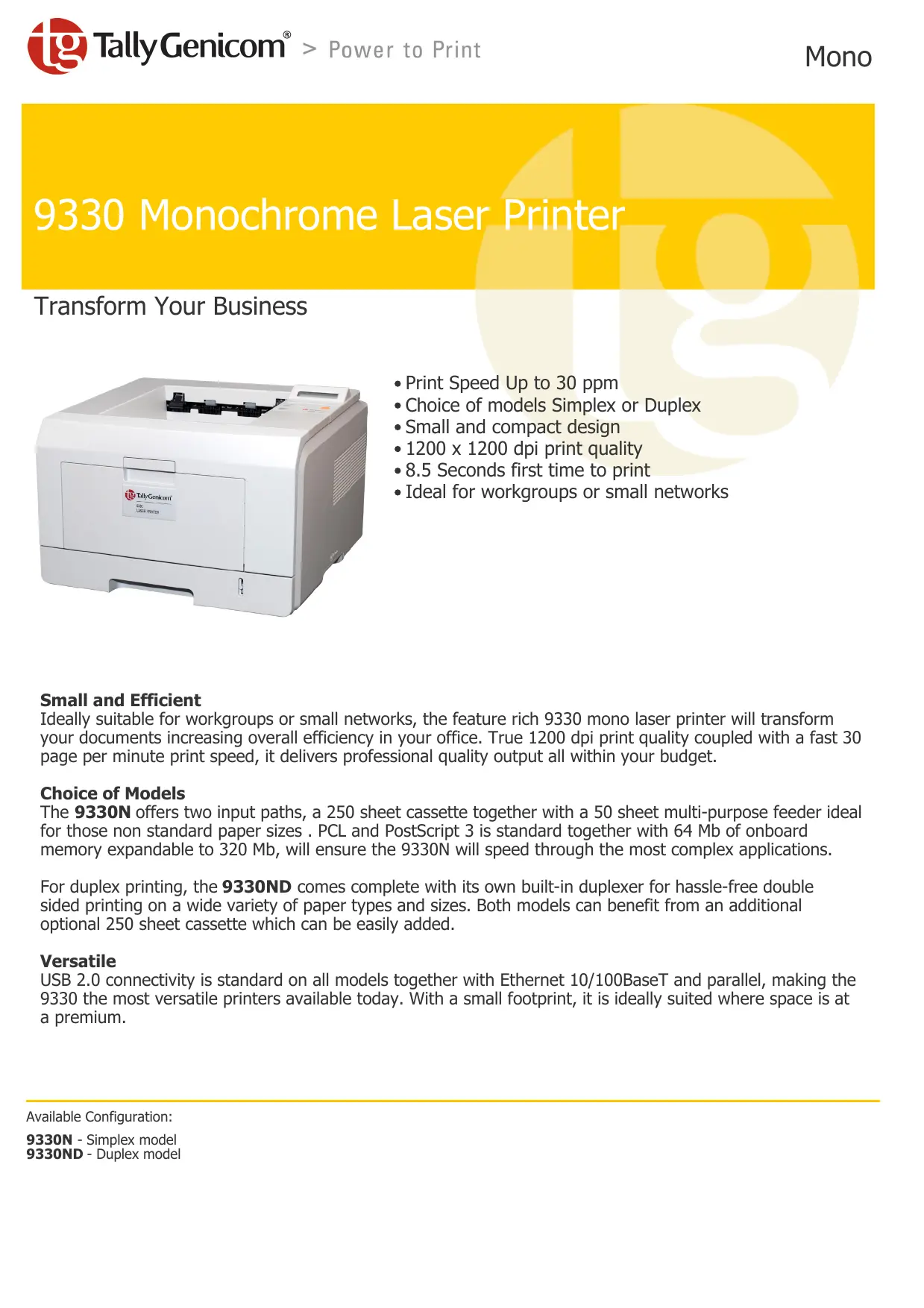
| Type de produit | Imprimante laser monochrome |
| Marque | TallyGenicom |
| Modèle | 9330 |
| Vitesse d'impression | Jusqu'à 30 pages par minute (ppm) |
| Résolution | 1200 x 1200 dpi |
| Processeur | SPGPv3 à 400 MHz |
| Mémoire vive (RAM) | 64 Mo standard, extensible à 320 Mo |
| Connectivité | USB 2.0, Ethernet 10/100BaseTx, Parallèle (IEEE 1284) |
| Formats de papier | A4, A5, A6, Letter, Legal, Folio, Executive, ISO B5, JIS B5, enveloppes |
| Capacité papier (standard) | 250 feuilles (bac universel) + 50 feuilles (bac multifonction) |
| Impression recto-verso | Automatique sur le modèle 9330DN |
| Cartouches | Haute capacité : 8 000 pages ; Standard : 4 000 pages (à 5% de couverture) |
| Dimensions (L x P x H) | 400 x 433,4 x 285 mm |
| Poids | 10,6 kg (avec consommable) |
| Alimentation | 120 V ou 230 V, 50/60 Hz |
| Consommation électrique | Impression : < 400 W ; Veille : < 11 W |
| Niveau sonore | Impression : 54 dBA ; Veille : 39 dBA |
| Cycle d'utilisation mensuel | Jusqu'à 35 000 pages |
| Entretien | Utiliser des consommables et accessoires d'origine recommandés |
| Sécurité et certifications | Energy Star®, RoHS, Microsoft Certified, Meditech Approved |
| Compatibilité logicielle | Windows 9x/NT/2000/ME/XP/Vista, Mac OSX, DOS |
| Garantie | 1 an, retour en atelier |
| Options disponibles | Deuxième bac 250 feuilles, barrettes mémoire 16/32/64/128 Mo |
FOIRE AUX QUESTIONS - 9330 TALLYGENICOM
Questions des utilisateurs sur 9330 TALLYGENICOM
0 question sur cet appareil. Repondez a celles que vous connaissez ou posez la votre.
Poser une nouvelle question sur cet appareil
Téléchargez la notice de votre Imprimante au format PDF gratuitement ! Retrouvez votre notice 9330 - TALLYGENICOM et reprennez votre appareil électronique en main. Sur cette page sont publiés tous les documents nécessaires à l'utilisation de votre appareil 9330 de la marque TALLYGENICOM.
MODE D'EMPLOI 9330 TALLYGENICOM
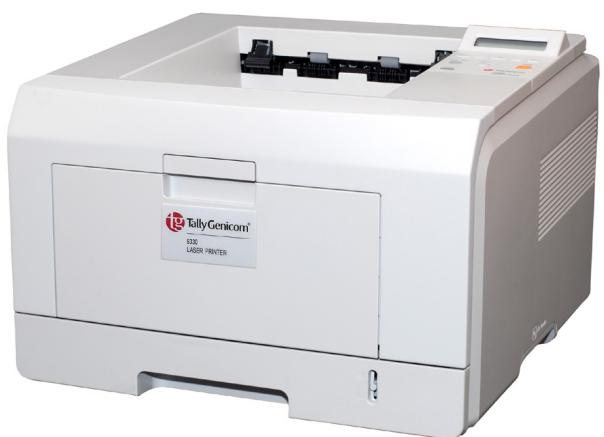
9330 Monochrome Laser Printer
Transform Your Business
- Print Speed Up to 30 ppm
- Choice of models Simplex or Duplex
- Small and compact design
- 1200 x 1200 dpi print quality
- 8.5 Seconds first time to print
- Ideal for workgroups or small networks
Small and Efficient
Ideally suitable for workgroups or small networks, the feature rich 9330 mono laser printer will transform your documents increasing overall efficiency in your office. True 1200 dpi print quality coupled with a fast 30 page per minute print speed, it delivers professional quality output all within your budget.
Choice of Models
The 9330N offers two input paths, a 250 sheet cassette together with a 50 sheet multi-purpose feeder ideal for those non standard paper sizes. PCL and PostScript 3 is standard together with 64 Mb of onboard memory expandable to 320 Mb, will ensure the 9330N will speed through the most complex applications.
For duplex printing, the 9330ND comes complete with its own built-in duplexer for hassle-free double sided printing on a wide variety of paper types and sizes. Both models can benefit from an additional optional 250 sheet cassette which can be easily added.
Versatile
USB 2.0 connectivity is standard on all models together with Ethernet 10/100BaseT and parallel, making the 9330 the most versatile printers available today. With a small footprint, it is ideally suited where space is at a premium.
Print Speed Up to 30 ppm
Print Method Laser
Processor SPGPv3 processor at 400 MHz
Resolution 1200× 1200 dpi
Time To 1st Page From ready mode: < 8.5 seconds; From power save mode: 39 sec.
Memory 64MB Standard, 320MB Maximum
Standard Connectivity Parallel (Bi-directional IEEE 1284 compliant ECP/Nibble/Byte Mode), USB (v 2.0), Internal Ethernet (10BaseT & 100BaseTx); Automatic Interface Switching
Standard Emulation PCL6 / PCL 5e / IBM Proprinter / Epson / Postscript Level 3 PDL, Automatic Emulation Sensing
Print Monitor SyncThru, SET IP
Fonts 1 Bit Map and 45 scalable (35 Intellifont, 10 TrueType), 136 PS3 fonts
Consumables High Yield Cartridge: 8,000 pages; Standard Yield Cartridge: 4,000 pages (Based on 5% coverage)
STD Paper Handling Manual feed, 50 sheet multi-purpose feeder( MPF ) plus 250 sheet universal cassette
Opt'I Paper Handling 2nd universal cassette accepts 250 sheets
Duplexing Standard on 9330DN
Paper Drive Envelope sizes: Monarch, No 9, No 10, C5, DL
Paper Type MPF - paper, transparencies, labels, heavy paper stock, envelopes; Standard cassette - paper; Optional cassette - paper
Paper Weight Cassette - 60-90gsm MPF - 60-163 gsm
Paper Size MPF - A4, A5, A6, Letter, Legal, Folio, Executive, ISO B5, JIS B5, 3'' × 5'' ; Standard Cassette - A4, A5, Letter Legal, Folio, Executive ISO B5, JIS, 3'' × 5'' ; Optional Cassette - A4, A5, Letter, Legal, Folio, Executive ISO B5, JIS, 3'' × 5''
Paper Output 150 sheet face down, 1 sheet face up
Printable Area Paper - 4mm from each side,10 mm from top and bottom
Physical Weight 10.6kg (23.3 lbs.) including consumable
PhysicalSize 400 × 433.4 × 285 ~mm (15.75" x17.1" x 11.2")
Power Voltage 120V 50/60Hz or 230V 50/60Hz
Power Consumption < 11 watts in sleep mode, < 400 watts printing (average); TEC: 3.09 kWh/week
Compliance < 0.02 parts per million (UL478), RoHS, Microsoft, ISO-compliant, Meditech Approved, Energy Star® Qualified (Duplex model)
Workload Up to 35,000 pages per month
Reliability MTBF 30,000 pages (Power on 8 hr/day in recommended duty cycle)
Reliability MTTR 30 minutes
Drivers Windows 9.x/NT 4.0/2000/ME/XP/Vista, MAC OSX, Posters, N-Up, Booklets, Duplex, Forms, Overlays, Watermarks; DOS Print available
Temperature 10^ - 32^ (50^ - 89.6^)
Humidity 10% - 80% relative humidity, non-condensing
Altitude 2,500 metres (82,000 feet) maximum
Acoustic Printing - 54 dBA, Standby - 39 dBA, Sleepmode - Background Level
Warranty One year, return to depot
Option 1 2nd cassette (250 sheet), 16/32/64/128Mb Memory
Note Paper is a highly variable medium, and should be tested prior to purchase. The quoted consumable life is the average for the printer when used under normal operating conditions.


Microsoft
CERTIFIED
Partner
MEDITECH
Approved
© 2009 Printronix, Inc. All rights reserved. Genicom, Tally, TallyGenicom, TG TallyGenicom, the TG Logo, Intellifilter, Intelliprint and Intellipress are trademarks or registered trademarks of Printronix, Inc. Microsoft, Windows, and the Windows logo are trademarks or registered trademarks of Microsoft Corporation in the United States and/or other countries. All other trademarks, product names, company names or logos herein are the property of their respective owners. Product appearance and/or specifications are subject to change without notice.
Marque : TALLYGENICOM
Modèle : 9330
Catégorie : Imprimante