KCR2610 - Radio-réveil CURTIS - Notice d'utilisation et mode d'emploi gratuit
Retrouvez gratuitement la notice de l'appareil KCR2610 CURTIS au format PDF.


| Type de produit | Radio-réveil avec TV LCD |
| Marque | CURTIS |
| Modèle | KCR2610 |
| Dimensions (approx) | 30 x 15 x 10 cm |
| Poids (approx) | 1,5 kg |
| Alimentation | AC 120 V, 60 Hz ou 8 piles C (non incluses), pile bouton de sauvegarde |
| Type d'écran | LCD TFT (environ 3,5 pouces) |
| Tuner radio | FM/AM avec recherche automatique et manuelle |
| Lecteur CD | Oui, compatible CD audio |
| Fonctions d'horloge | Affichage numérique, alarme avec radio ou buzzer, temporisateur de sommeil |
| Minuterie de cuisine | Oui, réglable |
| Égaliseur | Oui, préréglages EQ |
| Entrée auxiliaire | Oui, prise AUX |
| Compatibilité TV | TV analogique, syntonisation automatique et manuelle |
| Montage | Support de montage inclus (sous-meuble ou mural) |
| Télécommande | Oui, incluse (pile bouton) |
| Entretien et nettoyage | Chiffon doux humide, pas de solvants |
| Sécurité | Rayonnement laser (CD), choc électrique, ne pas ouvrir le boîtier |
| Pièces détachées | Pile bouton remplaçable, autres pièces non disponibles |
| Réparabilité | Aucune pièce réparable par l'utilisateur, confier à un technicien qualifié |
| Informations générales | Notice d'utilisation disponible en téléchargement |
FOIRE AUX QUESTIONS - KCR2610 CURTIS
Questions des utilisateurs sur KCR2610 CURTIS
0 question sur cet appareil. Repondez a celles que vous connaissez ou posez la votre.
Poser une nouvelle question sur cet appareil
Téléchargez la notice de votre Radio-réveil au format PDF gratuitement ! Retrouvez votre notice KCR2610 - CURTIS et reprennez votre appareil électronique en main. Sur cette page sont publiés tous les documents nécessaires à l'utilisation de votre appareil KCR2610 de la marque CURTIS.
MODE D'EMPLOI KCR2610 CURTIS

CURTIS
MODÈLE N° KCR2610
RADIO-RÉVEIL AVEC TV LCD SOUS COMPTOIR
MANUEL DU PROPRIÉTAIRE
VEUILLEZ LIRE AVANT D'UTILISER CET APPAREIL
ATTENTION
RISQUE DE CHOC ÉLECTRIQUE NE PAS OUVRIR

ATTENTION : POUR RÉDUIRE LE RISQUE DE CHOC ÉLECTRIQUE, NE RETIREZ PAS LE COUVERCLE (OU LE PANNEAU ARRIÈRE). AUCUNE PIÈCE RÉPARABLE PAR L'UTILISATEUR À L'INTÉRIEUR. CONFIEZ TOUTE RÉPARATION À UN PERSONNEL QUALIFIÉ.
TENSION DANGEREUSE
L'éclair avec une flèche à l'intérieur d'un triangle équilatéral est destiné à alerter l'utilisateur de la présence d'une tension dangereuse non isolée à l'intérieur du boîtier du produit, qui peut être d'une ampleur suffisante pour constituer un risque de choc électrique pour les personnes.

ATTENTION
Le point d'exclamation à l'intérieur d'un triangle équilatéral est destiné à alerter l'utilisateur de la présence d'instructions importantes d'utilisation et de maintenance (réparation) dans la documentation accompagnant l'appareil.
DANGER :
Rayonnement laser invisible et dangereux lorsque le boîtier est ouvert et que le verrouillage est défaillant ou neutralisé. Évitez toute exposition directe au faisceau.
SÉCURITÉ LASER : Cet appareil utilise un laser. Seul un personnel qualifié doit tenter de réparer cet appareil en raison d'un risque de blessure. ATTENTION : L'UTILISATION DE COMMANDES, DE RÉGLAGES OU DE PROCÉDURES AUTRES QUE CEUX SPÉCIFIÉS ICI PEUT ENTRAÎNER UNE EXPOSITION À DES RADIATIONS DANGEREUSES.
PRÉPARATION AVANT UTILISATION
Déballage et installation
- Retirez délicatement l'appareil du carton d'emballage et retirez tout le matériau d'emballage de l'appareil lui-même.
- Le cordon d'alimentation CA détachable est emballé dans le carton séparément de l'appareil. Assurez-vous que le cordon d'alimentation CA n'est pas jeté accidentellement avec le carton ou le matériau d'emballage.
- Appuyez sur la zone OUVRIR/FERMER du volet du CD pour ouvrir le compartiment du CD. Il y a une carte blanche dans le compartiment du CD qui est destinée à empêcher le lecteur de CD de bouger pendant le transport du produit. Retirez cette carte du compartiment du CD avant utilisation.
Sources d'alimentation
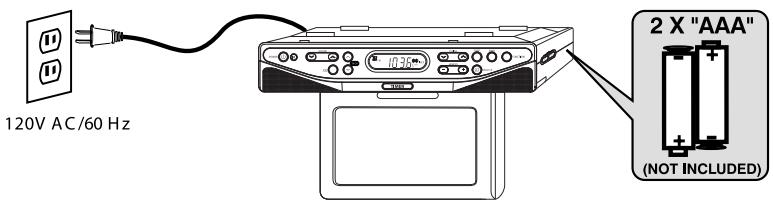
Ce système audio portable est conçu pour fonctionner sur secteur CA 120 V~60 Hz ou avec huit (8) piles « C » (piles non incluses). Tenter de faire fonctionner cet appareil avec une autre source d'alimentation peut endommager l'appareil, ce qui n'est pas couvert par votre garantie.
Fonctionnement sur secteur CA
Déroulez le cordon CA et étendez-le à sa longueur maximale. Insérez la petite extrémité du cordon CA dans la prise d'alimentation CA à l'arrière de l'appareil. Insérez l'autre extrémité du cordon CA dans une prise murale domestique CA 120 V~60 Hz pratique.
Installation des piles
Pour utiliser cet appareil avec des piles, retirez le compartiment à piles situé en bas de l'appareil en le faisant glisser vers l'arrière de l'appareil et en soulevant le couvercle du compartiment. Insérez huit (8) piles de taille « C » (piles non incluses) en suivant le schéma dans le compartiment.
REMARQUE : Le cordon d'alimentation doit être débranché de la prise d'alimentation CA à l'arrière de l'appareil pour que l'appareil fonctionne sur piles.
EMPLACEMENT DES COMMANDES
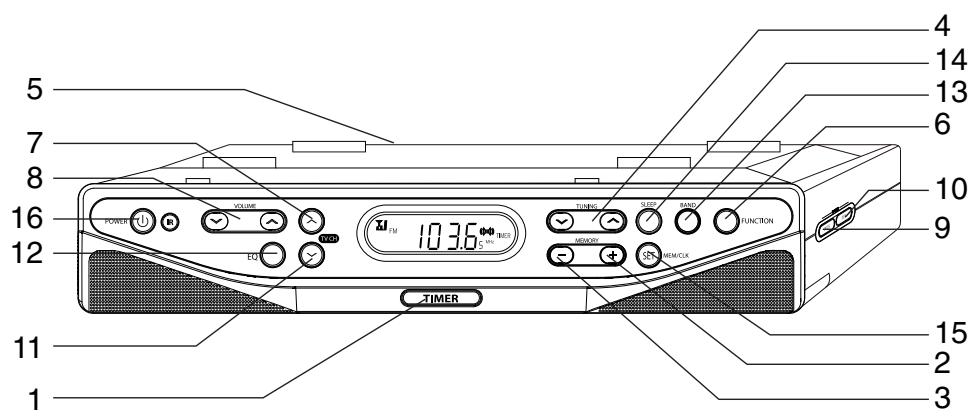
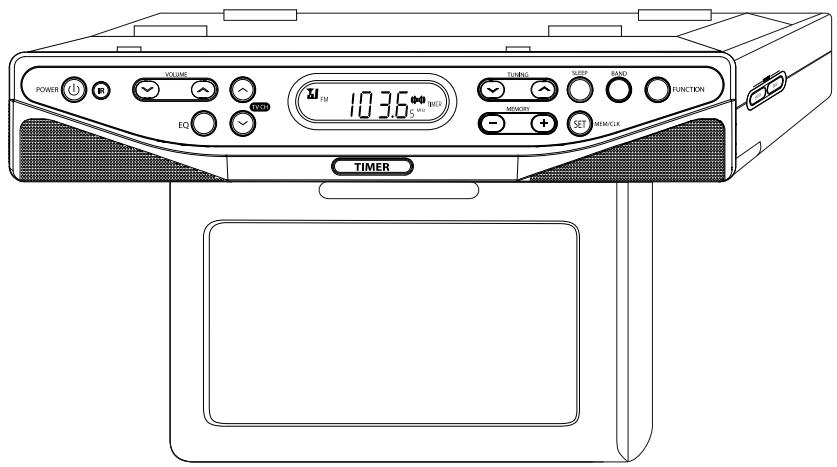
- BOUTON DE MINUTERIE
- BOUTON MENU
- BOUTON MEM DN
- BOUTON ITEM
- BOUTON MEM UP
- BOUTON CH.DN
- BOUTON TUNER/CLK
- BOUTON EQ
- SUPPORT DE MONTAGE
- BOUTON BANDE
- BOUTON FONCTION
- BOUTON VEILLE
- BOUTON CH. UP
- BOUTON MEM/CLK SET
- BOUTON VOLUME
- BOUTON ALIMENTATION
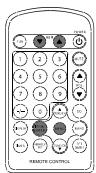
EMPLACEMENT DES COMMANDES
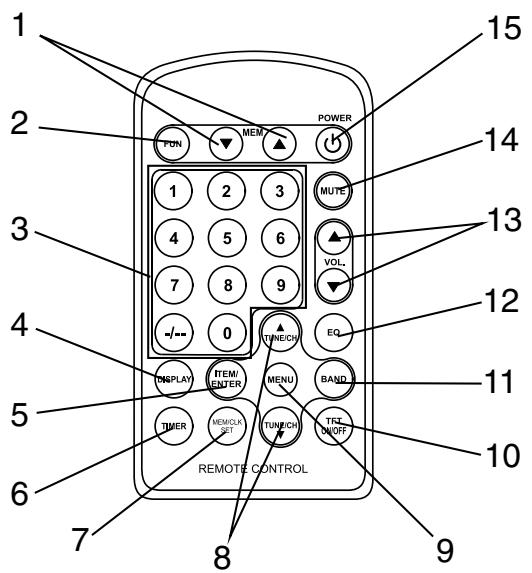
- BOUTON MEM. CH. UP/DN
- BOUTON MENU
- BOUTON FONCTION
- BOUTON TFT ON/OFF
- BOUTONS CADRAN NUMÉRIQUE
- BOUTON BANDE
- BOUTON AFFICHAGE
- TOUCHE EQ
- TOUCHE ITEM/ENTER
- TOUCHE VOLUME
- TOUCHE MINUTERIE
- TOUCHE MUTE
- TOUCHE MEM/CLK SET
- TOUCHE ALIMENTATION
- TOUCHE TUNE/CH
SOURCES D'ALIMENTATION
REMARQUE :
La pile sert uniquement à la sauvegarde de l'heure. L'horloge et la mémoire de l'alarme seront conservées en cas de coupure de courant. Pendant le fonctionnement sur pile de secours, l'affichage ne s'allume pas, mais l'heure correcte est maintenue en interne.
PILES
REMARQUE :
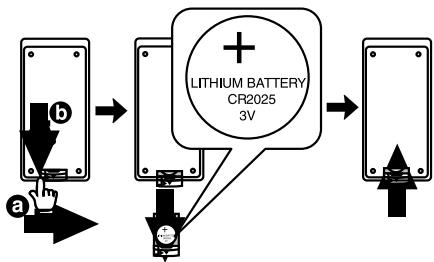
La pile bouton contient du mercure, ne la jetez pas à la poubelle. Recyclez-la ou éliminez-la comme déchet dangereux.
REMARQUE :
Il peut être nécessaire de retirer un film protecteur du compartiment à piles de la télécommande avant de l'utiliser.
SOURCES D'ALIMENTATION
ADAPTATEUR SECTEUR (NON FOURNI)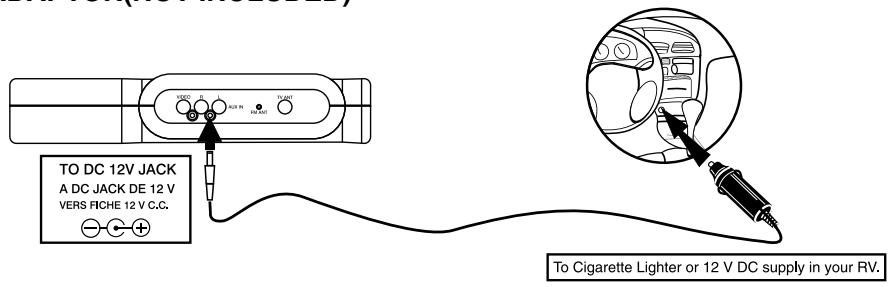
MODE D'EMPLOI
1. RÉGLAGE DE L'HEURE (MODE ARRÊT)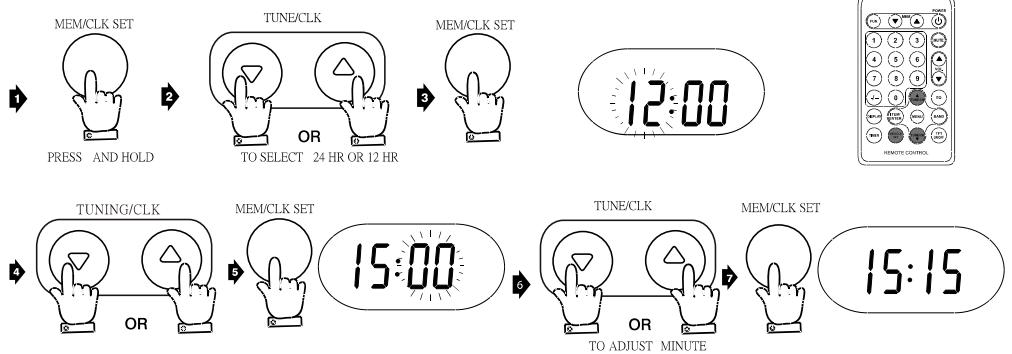
2. ÉCOUTE DE LA RADIO
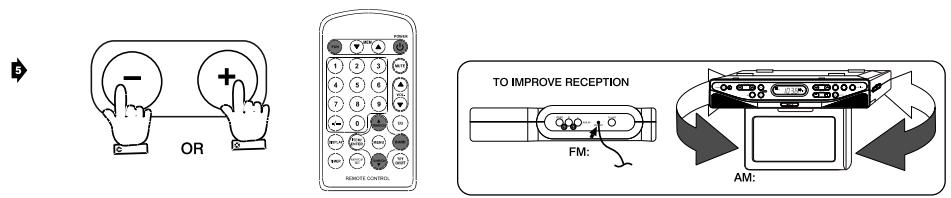
MODE D'EMPLOI
PROGRAMME RADIO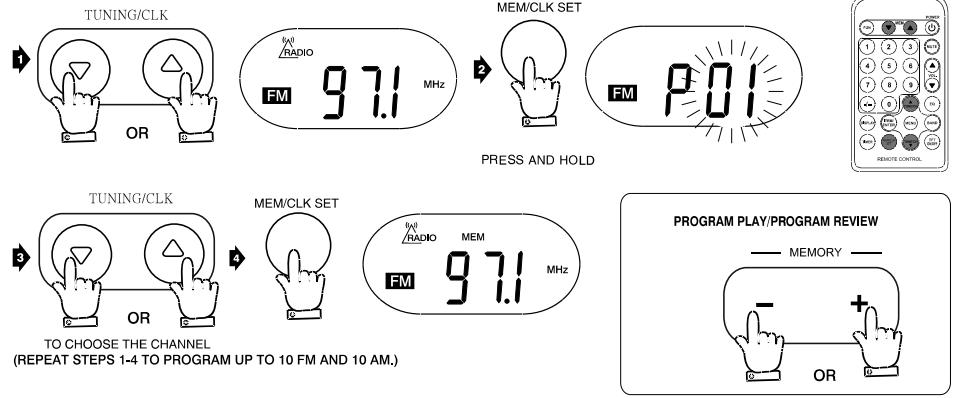
- FONCTIONNEMENT DE LA TÉLÉVISION RÉPÉTÉ
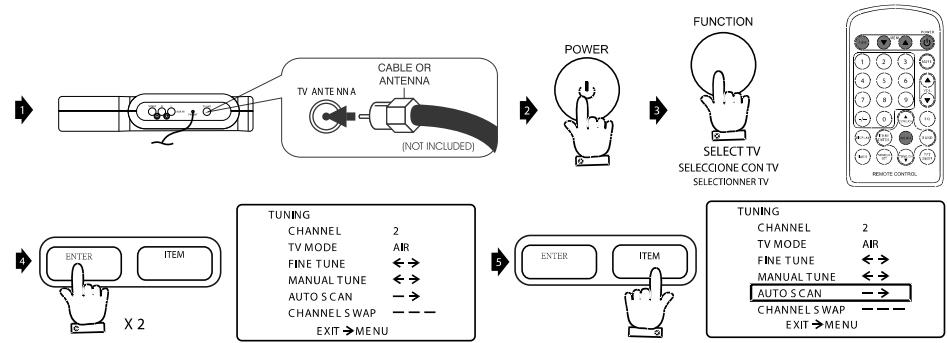
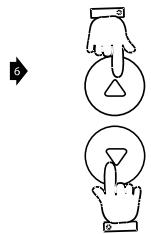
MODE D'EMPLOI
4. INSTALLATION
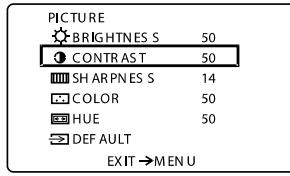
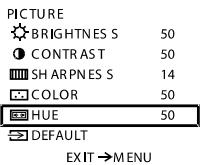
IMAGE
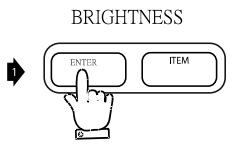
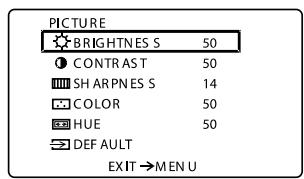

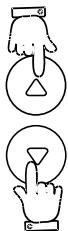
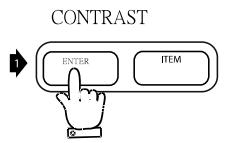
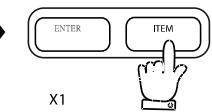

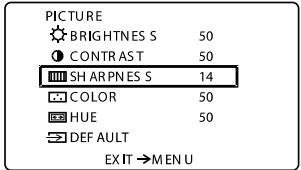

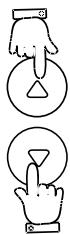
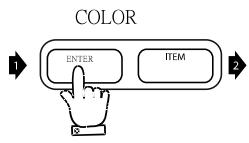
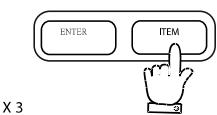
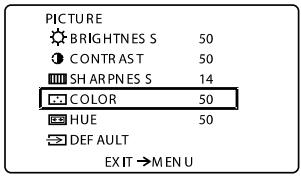

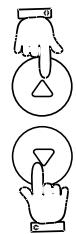
MODE D'EMPLOI
TEINTE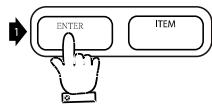
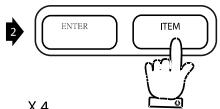
3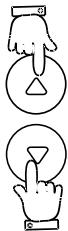
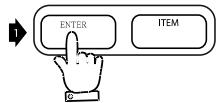
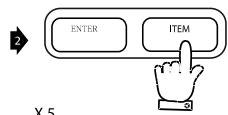
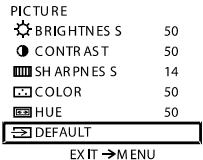
3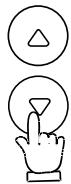
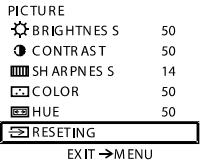

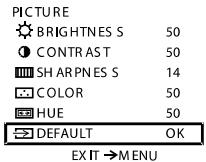
RÉGLAGE CANAL 1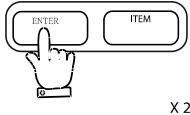
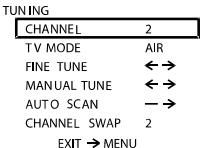
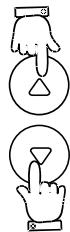
MODE TV 1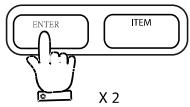
2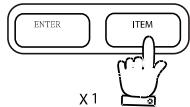

RÉGLAGE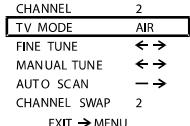
3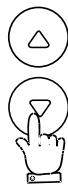
RÉGLAGE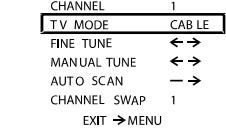
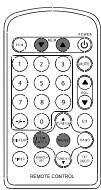
INSTRUCTIONS D'UTILISATION
RÉGLAGE FIN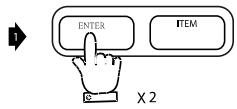
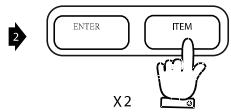
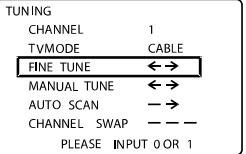
RÉGLAGE MANUEL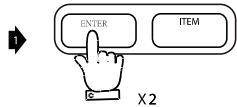
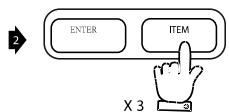
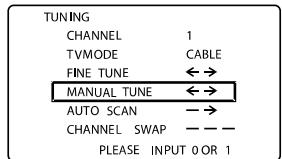
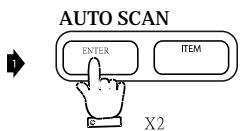
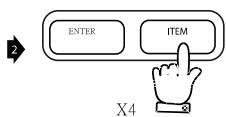
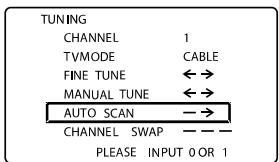
ÉCHANGE DE CANAUX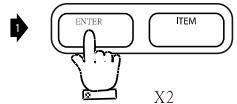
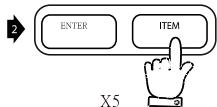
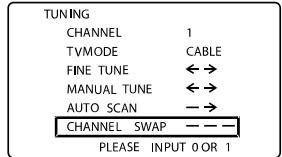
INSTRUCTIONS D'UTILISATION
5. ÉCOUTE D'UNE SOURCE AUXILIAIRE
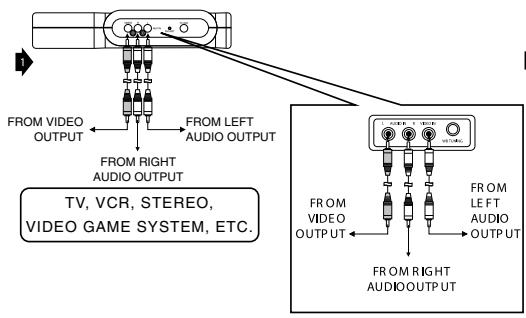
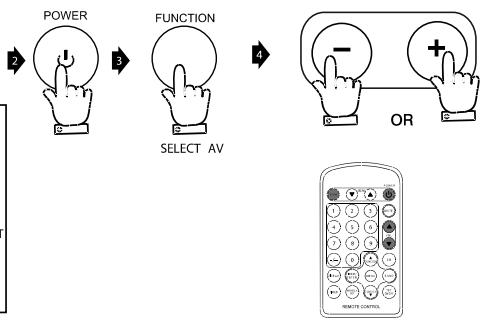
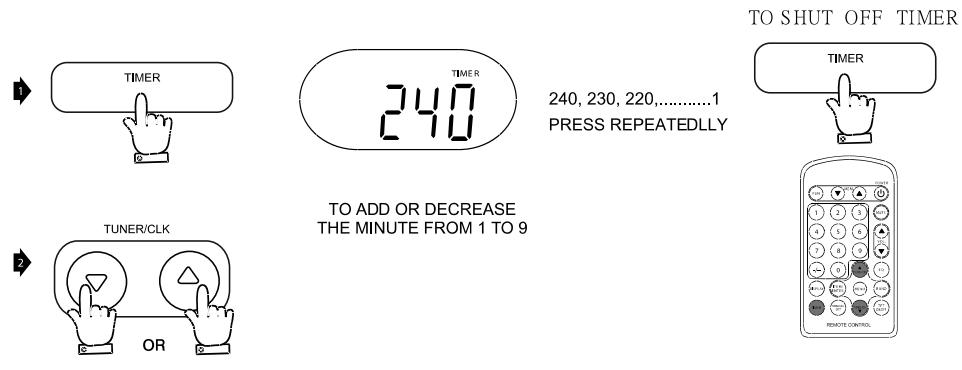
6. RÉGLAGE DE LA MINUTERIE DE CUISINE
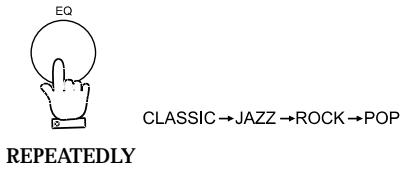
7. ÉGALISEUR
ENTRETIEN ET MAINTENANCE
GÉNÉRALITÉS
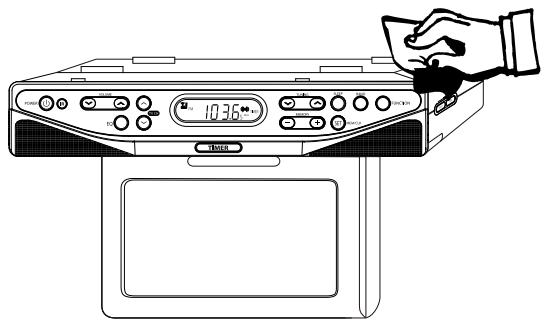
- Utilisez un chiffon doux et propre humidifié avec de l'eau tiède pour nettoyer l'extérieur de l'appareil.
- N'utilisez jamais de solvants tels que le benzène ou d'autres nettoyants chimiques forts, car ils pourraient endommager la finition de l'appareil.
- Il est important qu'aucun liquide ne pénètre à l'intérieur de l'appareil.
GUIDE DE DÉPANNAGE
| PROBLEM | POSSIBLE CAUSE | SOLUTION |
GÉNÉRALITÉS
| No sound is heard. | Power is not on. | Press the POWER button. |
| VOLUME Control is set to minimum. | Adjust the VOLUME Control. | |
| Mute is on. | Press Mute on remote. |
RADIO
| No sound is heard. | Station has not been tuned properly. | Tune station properly |
| FM reception is weak. | Extend the FM cord. | |
| Wrong function is selected. | Press the FUNCTION button to the radio position. |
TV
| Snowy picture; noisy sound. | Station has not been tuned properly. | Align the antenna or connect an external antenna. |
| Dotted lines or stripes. | This may be caused by local interference (e.g. Cars, neon signs, hair dryers, etc.) | Adjust the antenna for minimum interference or connect an optional external antenna. |
| Double images or “ghosts”. | This may be caused by reflections from nearby mountains or buildings. | A highly directional antenna may improve the picture. |
| Good picture; no sound. | VOLUME control is set to minimum. | Adjust the volume. |
| Good picture; noisy sound. | This may be caused by reflections from nearby mountains or buildings. | A highly directional antenna may improve the picture. |
| Good picture; no sound. | This may be caused by reflections from nearby mountains or buildings. | A highly directional antenna may improve the picture. |
| No picture | Power is not on. | Set the FUNCTION Switch to the TV position. |
- CURTIS
- RADIO-RÉVEIL AVEC TV LCD SOUS COMPTOIR
- ATTENTION
- RISQUE DE CHOC ÉLECTRIQUE NE PAS OUVRIR
- TENSION DANGEREUSE
- DANGER
- PRÉPARATION AVANT UTILISATION
- DÉBALLAGE ET INSTALLATION
- SOURCES D'ALIMENTATION
- FONCTIONNEMENT SUR SECTEUR CA
- INSTALLATION DES PILES
- EMPLACEMENT DES COMMANDES
- REMARQUE
- PILES
- MODE D'EMPLOI
- INSTALLATION
- INSTRUCTIONS D'UTILISATION
- ÉCOUTE D'UNE SOURCE AUXILIAIRE
- RÉGLAGE DE LA MINUTERIE DE CUISINE
- ÉGALISEUR
- ENTRETIEN ET MAINTENANCE
- GÉNÉRALITÉS
- GUIDE DE DÉPANNAGE
Marque : CURTIS
Modèle : KCR2610
Catégorie : Radio-réveil