MULTIFUNCTION_CHRONOGRAPHSTOPWATCH - Montre FOSSIL - Notice d'utilisation et mode d'emploi gratuit
Retrouvez gratuitement la notice de l'appareil MULTIFUNCTION_CHRONOGRAPHSTOPWATCH FOSSIL au format PDF.

| Type de produit | Montre bracelet à quartz multifonction avec chronographe |
| Marque | Fossil |
| Modèle | MULTIFUNCTION_CHRONOGRAPHSTOPWATCH (réf. OS10 / OS30) |
| Dimensions du boîtier | Environ 44 mm de diamètre, 12 mm d'épaisseur |
| Poids | Environ 80 g (selon bracelet) |
| Alimentation | Pile bouton (type SR920SW ou équivalent) |
| Autonomie moyenne | Environ 2 à 3 ans |
| Fonctions principales | Affichage analogique des heures, minutes, secondes ; date ; chronographe (compteur 1/10s, 30 min, 12h) |
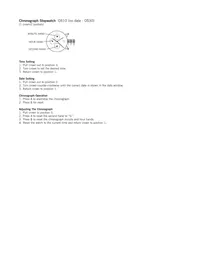
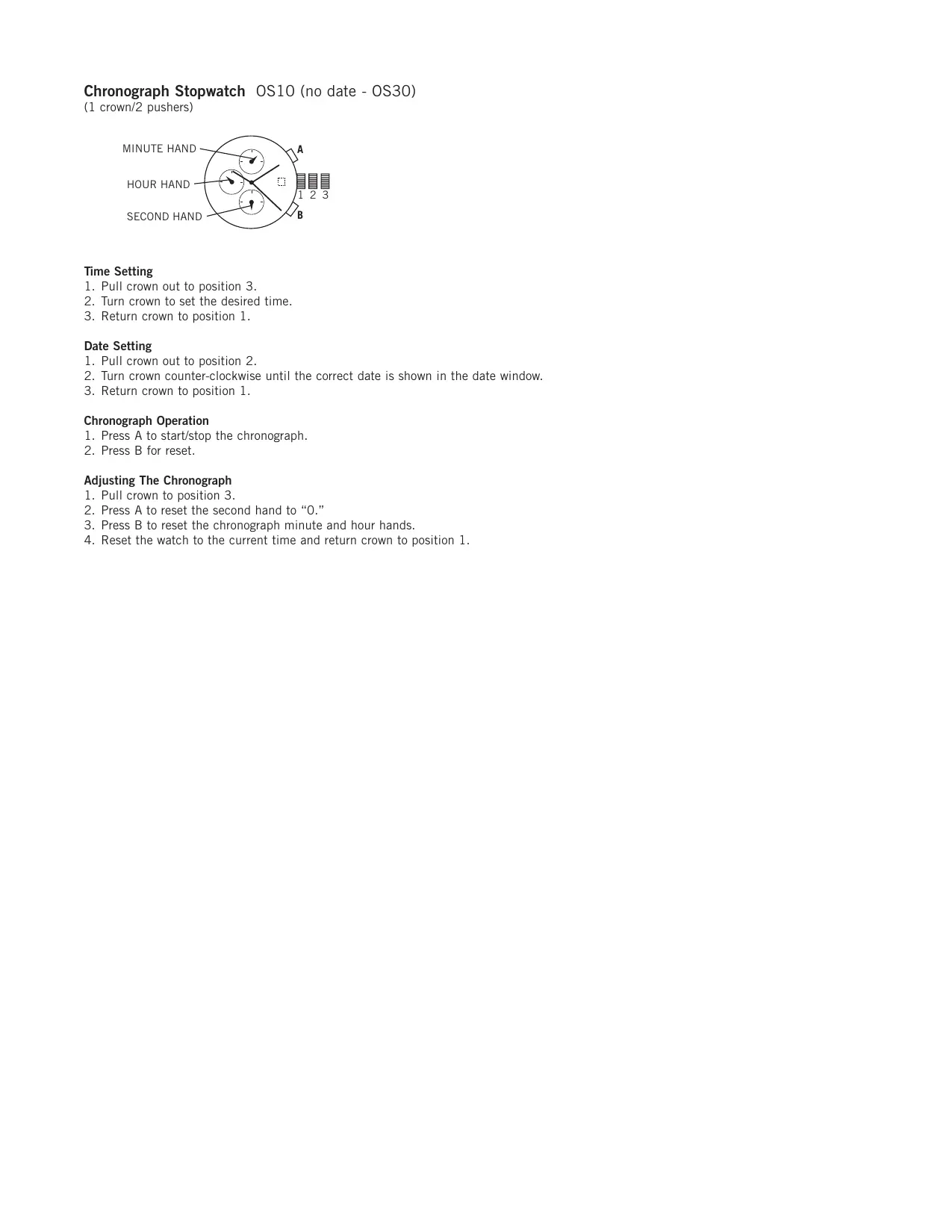
| Réglage de l'heure | Couronne en position 3 (tirée à fond) : tourner pour régler |
| Réglage de la date | Couronne en position 2 (tirée à mi-course) : tourner dans le sens antihoraire |
| Utilisation du chronographe | Poussoir A : départ/arrêt ; poussoir B : remise à zéro |
| Remise à zéro du chronographe | Si aiguilles décalées : couronne en position 3, poussoir A pour la trotteuse, poussoir B pour les compteurs |
| Étanchéité | 50 M (5 ATM) : résiste aux éclaboussures et à la pluie, pas à la nage |
| Entretien et nettoyage | Nettoyer avec un chiffon doux et sec ; éviter l'eau et les produits chimiques |
| Sécurité | Ne pas exposer à des champs magnétiques intenses ; éviter les chocs |
| Pièces détachées et réparabilité | Bracelets interchangeables (largeur 22 mm) ; remplacement de pile par un horloger |
| Garantie | 2 ans (selon revendeur) |
| Matériau du boîtier | Acier inoxydable |
| Matériau du verre | Minéral (verre trempé) |
| Bracelet | Cuir ou métal selon version ; boucle ardillon ou déployante |
FOIRE AUX QUESTIONS - MULTIFUNCTION_CHRONOGRAPHSTOPWATCH FOSSIL
Questions des utilisateurs sur MULTIFUNCTION_CHRONOGRAPHSTOPWATCH FOSSIL
0 question sur cet appareil. Repondez a celles que vous connaissez ou posez la votre.
Poser une nouvelle question sur cet appareil
Téléchargez la notice de votre Montre au format PDF gratuitement ! Retrouvez votre notice MULTIFUNCTION_CHRONOGRAPHSTOPWATCH - FOSSIL et reprennez votre appareil électronique en main. Sur cette page sont publiés tous les documents nécessaires à l'utilisation de votre appareil MULTIFUNCTION_CHRONOGRAPHSTOPWATCH de la marque FOSSIL.
MODE D'EMPLOI MULTIFUNCTION_CHRONOGRAPHSTOPWATCH FOSSIL


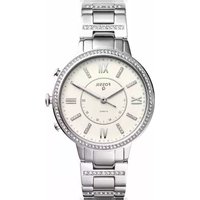
Marque : FOSSIL
Modèle : MULTIFUNCTION_CHRONOGRAPHSTOPWATCH
Catégorie : Montre