
SC015 - Carte son SWEEX - Notice d'utilisation et mode d'emploi gratuit
Retrouvez gratuitement la notice de l'appareil SC015 SWEEX au format PDF.

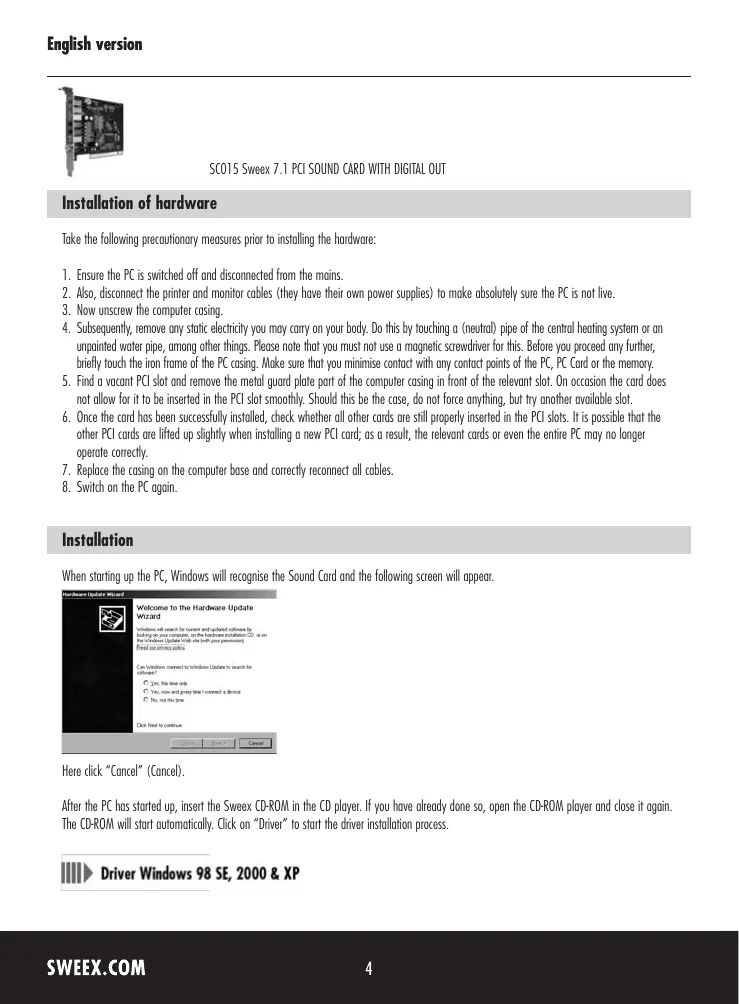

| Type d'appareil | Carte son PCI |
| Compatibilité système | Windows 98 SE, 2000, XP |
| Installation | Interne, dans un slot PCI |
| Sortie audio | Numérique (Digital Out) |
| Connexion | PCI |
| Alimentation | Par le bus PCI |
| Protection contre l'électricité statique | Recommandée avant installation |
| Compatibilité pilote | Inclus sur CD-ROM |
| Installation pilote | Automatique via CD-ROM |
| Matériau du circuit | Non précisé |
| Nombre de canaux audio | Non précisé |
| Fréquence d'échantillonnage | Non précisé |
| Type de sortie | Numérique |
| Compatibilité logiciel | Non précisé |
| Dimensions | Non précisé |
| Poids | Non précisé |
FOIRE AUX QUESTIONS - SC015 SWEEX
Questions des utilisateurs sur SC015 SWEEX
0 question sur cet appareil. Repondez a celles que vous connaissez ou posez la votre.
Poser une nouvelle question sur cet appareil
Téléchargez la notice de votre Carte son au format PDF gratuitement ! Retrouvez votre notice SC015 - SWEEX et reprennez votre appareil électronique en main. Sur cette page sont publiés tous les documents nécessaires à l'utilisation de votre appareil SC015 de la marque SWEEX.
MODE D'EMPLOI SC015 SWEEX
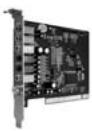
SC015 Sweex 7.1 PCI SOUND CARD WITH DIGITAL OUT
Installation of hardware
Take the following precautionary measures prior to installing the hardware:
- Ensure the PC is switched off and disconnected from the mains.
- Also, disconnect the printer and monitor cables (they have their own power supplies) to make absolutely sure the PC is not live.
- Now unscrew the computer casing.
- Subsequently, remove any static electricity you may carry on your body. Do this by touching a (neutral) pipe of the central heating system or an unpainted water pipe, among other things. Please note that you must not use a magnetic screwdriver for this. Before you proceed any further, briefly touch the iron frame of the PC casing. Make sure that you minimise contact with any contact points of the PC, PC Card or the memory.
- Find a vacant PCI slot and remove the metal guard plate part of the computer casing in front of the relevant slot. On occasion the card does not allow for it to be inserted in the PCI slot smoothly. Should this be the case, do not force anything, but try another available slot.
- Once the card has been successfully installed, check whether all other cards are still properly inserted in the PCI slots. It is possible that the other PCI cards are lifted up slightly when installing a new PCI card; as a result, the relevant cards or even the entire PC may no longer operate correctly.
- Replace the casing on the computer base and correctly reconnect all cables.
- Switch on the PC again.
Installation
When starting up the PC, Windows will recognise the Sound Card and the following screen will appear.
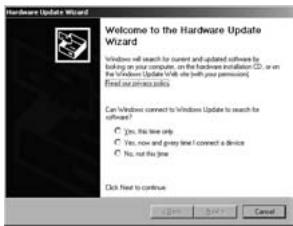
Here click "Cancel" (Cancel).
After the PC has started up, insert the SweeX CD-ROM in the CD player. If you have already done so, open the CD-ROM player and close it again. The CD-ROM will start automatically. Click on "Driver" to start the driver installation process.

Driver Windows 98 SE, 2000 & XP
The following window appears.
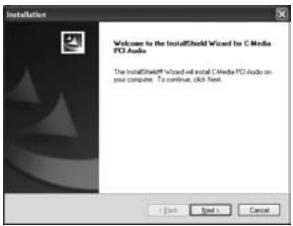
Click "Next".
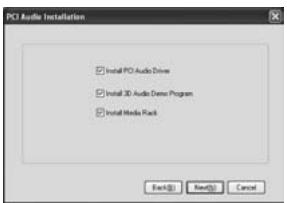
We recommend you tick all options. Click "Next".
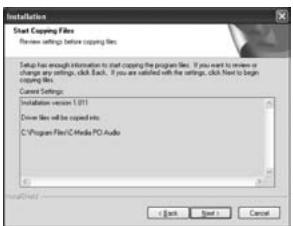
Click "Next".
Subsequently, you will be prompted to restart the PC. Click "OK".
Installation: Windows Vista
When starting up the PC, Windows will recognise the Sound card and the following screen will appear.
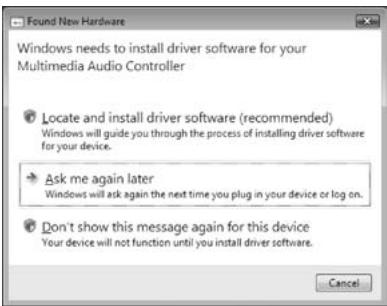
Click on "Cancel" ("Cancel").
After the PC has started up, insert the Sweex CD-ROM in the CD player. If you have already done so, open the CD-ROM player and close it again.
The CD-ROM will start playing automatically. Click on "Driver Windows Vista" to start the driver installation process.

Driver Windows Vista
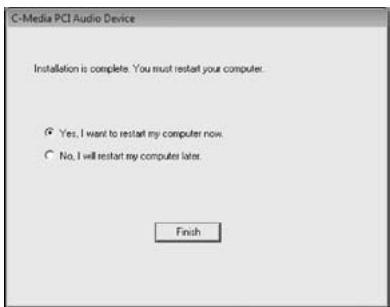
Here, select: "Yes, I want to restart my computer now" ("Yes, I want to restart my computer now"), and click on "Finish" ("Finish").
Following the reboot, you can start using your Sweeex 7.1 PCI Soundcard. In order to set the sound card, you can use the icon that will appear in the right-hand bottom of your screen.
Audio inputs/outputs
SPDIF IN: - digital optical input
SPDIF OUT: - digital optical output
C/B OUT: -centre/bass output
SU OUT: - surround output
RE OUT: -rear output
FR OUT: - front output
MIC IN: - microphone in
LINE IN: - input for external signal
Warranty
All products under the Sweex brand are warranted for a period of three years. We do not grant support or warranties for any software and/or (rechargeable) batteries included. Warranty claims are only settled via the dealer where the product concerned was purchased.
The rightful owner has and retains title to all brand names and related rights mentioned in this manual.