
XT Pro - Boîtier d'ordinateur Phanteks - Notice d'utilisation et mode d'emploi gratuit
Retrouvez gratuitement la notice de l'appareil XT Pro Phanteks au format PDF.


| Type de produit | Boîtier moyen tour pour PC |
| Modèles couverts | PH-XT523P1_BK01 (XT Pro), PH-XT523P1_DBK01 (XT Pro Ultra D-RGB Satin Black), PH-XT523P1_DWT01 (XT Pro Ultra D-RGB Matte White) |
| Couleur | Satin Black pour XT Pro ; Satin Black ou Matte White pour XT Pro Ultra |
| Formats de carte mère compatibles | ATX, Micro-ATX, Mini-ITX |
| Dimensions (L x H x P, indicatif) | 240 x 510 x 480 mm |
| Poids net (indicatif) | 7,8 kg |
| Alimentation | Format ATX standard, longueur maximale 270 mm (alimentation non fournie) |
| Connectique façade | 1x USB 3.0, 1x USB-C (USB 3.0 sur XT Pro, USB 3.2 Gen 2 sur XT Pro Ultra), prise audio/micro |
| Boutons de contrôle | Bouton d’alimentation et bouton de réinitialisation |
| Ventilateurs inclus | XT Pro : 1x ventilateur M25-120 120 mm ; XT Pro Ultra : 4x ventilateurs M25-140 D-RGB 140 mm |
| Emplacements ventilateurs | Jusqu’à 10x 120 mm ou 6x 140 mm |
| Positions de ventilation | 3x en haut, 3x à l’avant, 3x sur la plaque intermédiaire, 1x à l’arrière |
| Radiateurs compatibles | Jusqu’à 360 mm en haut, 240 mm à l’avant, 120 mm à l’arrière |
| Refroidissement processeur | Hauteur maximale de 184 mm |
| Carte graphique | Longueur maximale 415 mm, largeur maximale 184 mm |
| Stockage | Supports disques durs 3,5" et SSD 2,5", support triple SSD supplémentaire sur XT Pro Ultra |
| Panneaux et filtre | Panneaux latéraux et façade amovibles, filtre à poussière supérieur amovible |
| Éclairage D-RGB | XT Pro Ultra avec effets D-RGB synchronisables à la carte mère via adaptateur |
| Contenu de la livraison | Vis pour SSD/carte mère, vis alimentation, vis HDD, vis ventilateurs, colliers, entretoises, outil de dépose des entretoises |
| Entretien et nettoyage | Nettoyer le filtre à poussière avec un chiffon doux et sec, vérifier régulièrement la ventilation |
| Pièces détachées et réparabilité | Support GPU vertical Gen4 en option (PH-PGPUKT4.0 ou PH-VGPUKT4.0_03), composants démontables avec outillage standard |
| Informations environnementales | Produit recyclable, ne pas jeter avec les ordures ménagères, respecter la réglementation DEEE |
FOIRE AUX QUESTIONS - XT Pro Phanteks
Questions des utilisateurs sur XT Pro Phanteks
0 question sur cet appareil. Repondez a celles que vous connaissez ou posez la votre.
Poser une nouvelle question sur cet appareil
Téléchargez la notice de votre Boîtier d'ordinateur au format PDF gratuitement ! Retrouvez votre notice XT Pro - Phanteks et reprennez votre appareil électronique en main. Sur cette page sont publiés tous les documents nécessaires à l'utilisation de votre appareil XT Pro de la marque Phanteks.
MODE D'EMPLOI XT Pro Phanteks
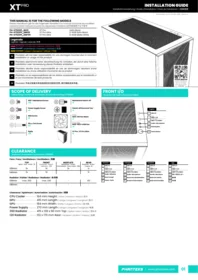
THIS MANUAL IS FOR THE FOLLOWING MODELS
Dieses Handbuch gilt für die folgenden Modelle | Ce manuel concerne les modèles suivants | Este manual es para los siguientes modelos | 此手册适用于以下型号
| PH-XT523P1_BK01 | XT Pro | Satin Black |
| PH-XT523P1_DBK01 | XT Pro Ultra | D-RGB Satin Black |
| PH-XT523P1_DWT01 | XT Pro Ultra | D-RGB Matte White |
Legenda
Legende | Légende | Leyenda | 传奇

EN Phanteks will not take responsibility for any damages incurred due to incorrect installation or usage of this product.
DE Phanteks übernimmt keine Verantwortung für Schäden, die durch eine falsche Installation oder Verwendung dieses Produkts entstehen.
FR Phanteks décline toute responsabilité en cas de dommages résultant d'une installation ou d'une utilisation incorrecte de ce produit.
ES Phanteks no se responsabilizará de los daños ocasionados por la instalación o el uso incorrectos de este producto.
CN Phanteks 不会对安装中失误造成的任何损失负责,请仔细阅读本手册。

SCOPE OF DELIVERY
Lieferumfang | Contenu de la livraison | Alcance de la entrega | 供货范围

SSD + Mainboard Screw x30

Power Supply Screw x4

HDD Screw x8

30mm Fan Screw x12
Ziptie x30

Mainboard Stand-off x1

Stand-off Removal Tool x1

XT Pro M25-120 Fan Black x1
XT Pro Ultra M25-140 D-RGB Fan x4

FRONT I/O
Vorne I/O | I/O avant | I/O frontal | 机箱I/O

CLEARANCE
Spielraum | Autorisation | Autorización | 安装间隙
Fans | Fans | Ventilateurs | Ventiladors | 风扇
| TOP | FRONT | MIDPLATE | REAR | ||||
| Spitze | Haut | Arriba | 顶 | Vorderseite | Devant | Delantero | 正面 | Mittelplatte | Plaque intermédiaire | Placa media | 中板 | Rückseite | Arrière | Trasera | 后 | ||||
| 120mm | 3x | 3x | 3x | 1x | |||
| 140mm | 2x | 3x | - | 1x | |||
Radiator | Kühler | Radiateur | Radiador | 水冷排
| 120mm | max. 360 | max. 240 | - | 120 |
| 140mm | - | - | - | - |
Clearance | Spielraum | Autorisation | Autorización | 间隙
| CPU Cooler | 184 mm Height | Höhe | Hauteur | Altura | 风冷 |
| GPU | 415 mm Length | Länge | Longueur | Longitud | 显卡 |
| GPU | 184 mm Width | Breite | Largeur | Ancho | 显卡宽 |
| Power Supply | 270 mm Length | Länge | Longueur | Longitud | 电源 |
| 360 Radiator | 415 x 138 x 60 mm Top | Spitze | Haut | Arriba | 顶水冷 |
| 120 Radiator | 132 x 170 mm Rear | Hinteren | Arrière | Trasera | 后部 |
Deutsch
| 1 | USB 3.0 | 1 | USB 3.0 |
| 2 | XT ProUSB-C 3.0 | 2 | XT ProUSB-C 3.0 |
| XT Pro UltraUSB-C 3.2 GEN 2 | XT Pro UltraUSB-C 3.2 GEN 2 | ||
| 3 | Audio | Mikrofon | 3 | Audio | Microphone |
| 4 | Reset-Knopf | 4 | Bouton de réinitialisation |
| 5 | Power-Taste | 5 | Bouton d'alimentation |
Français
| 1 | USB 3.0 |
| 2 | XT ProUSB-C 3.0 |
| XT Pro UltraUSB-C 3.2 GEN 2 | |
| 3 | Audio | Microphone |
| 4 | Bouton de réinitialisation |
| 5 | Bouton d'alimentation |
Española
| 1 | USB 3.0 |
| 2 | XT ProUSB-C 3.0 |
| XT Pro UltraUSB-C 3.2 GEN 2 | |
| 3 | Sonido | Micrófono |
| 4 | Botón de reinicio |
| 5 | Botón de encendido |
中文
| 1 | USB 3.0 |
| 2 | XT ProUSB-C 3.0 |
| XT Pro UltraUSB-C 3.2 GEN 2 | |
| 3 | 耳机 | 麦克风二合一 |
| 4 | 重启键 |
| 5 | 开机键 |
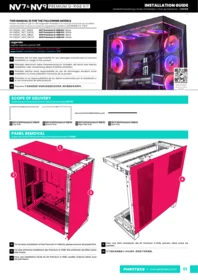
PANEL REMOVAL
Ausbau des Panels | Retrait du panneau | Eliminación de paneles | 移除面板
01
LEFT SIDE PANEL
Linke Seitenwand | Panneau latéral gauche | Panel lateral izquierdo | 左侧面板


03
FRONT PANEL
Frontblende|Panneau avant|Panel frontal|前面板

02
RIGHT SIDE PANEL
Rechtes Seitenteil | Panneau latéral droit | Panel lateral derecho | 右侧面板

04
TOP DUST FILTER
Oberer Staubfilter | Filtre à poussière supérieur | Filtro de polvo superior | 顶部灰尘过滤器

FANS INSTALLATION
Hardware-Installation | Installation du matériel | Instalación de hardware | 硬件安装
120mm FANS
120-mm-Lüfter | Ventilateurs de 120 mm | Ventiladores de 120 mm | 120毫米风扇

Support up to 10x 120 mm | Unterstützt bis zu 10 x 120 mm | Supporte jusqu'à 10x 120 mm | Soporta hasta 10x 120 mm | 支持最大 10x 120 mm
140-mm-Lüfter | Ventilateurs de 140 mm | Ventiladores de 140 mm | 140毫米风扇
140mm FANS

Support up to 6x 140 mm | Unterstützt bis zu 6x 140 mm | Supporte jusqu'à 6x 140 mm | Soporte hasta 6x 140 mm | 支持最大 6x 140 mm
HARDWARE INSTALLATION
Hardware-Installation | Installation du matériel | Instalación de hardware | 硬件安装
01
MAINBOARD
Mainboard | Carte mère | Placa base | 主板

02
POWER SUPPLY
Stromversorgung | Source de courant | Fuente de alimentación | 电源

03
STORAGE BRACKET
Lagerlayout | Disposition de stockage | Diseño de almacenamiento | 硬盘布局
1A
TOP 3.5" HDD
Oben 3.5-Zoll-Festplatte | Disque dur supérieur de 3.5 pouces | Disco duro superior de 3.5" | 顶级 3.5 英寸硬盘

1B
TOP DUAL 2.5" SSD
Top-Dual-2.5-Zoll-SSD | Double SSD supérieur de 2.5 pouces | SSD doble superior de 2.5" | 顶级双 2.5" SSD

1c
TOP SINGLE 2.5" SSD
Top Single 2.5-Zoll-SSD | Meilleur SSD unique de 2.5 pouces | SSD superior individual de 2.5" | 顶级单2.5英寸SSD

2
BOTTOM 3.5" HDD
Unten 3.5-Zoll-Festplatte | Disque dur inférieur de 3.5 pouces | Disco duro inferior de 3.5" | 底部3.5英寸硬盘

XT PRO ULTRA | TRIPLE SSD BRACKET
Untere Lüfterhalterung | Support de ventilateur inférieur | Soporte inferior del ventilador | 底风扇支架


CABLES
Kabel | Câbles | Cabos | 机箱线缆

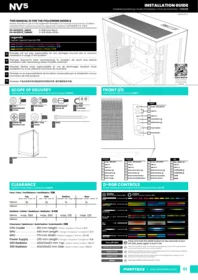
XT PRO ULTRA | D-RGB CABLES
D-RGB-Kabel | Câbles D-RVB | Cables D-RGB | D-RGB 线材
Connect mainboard adapter for included M25-140 D-RGB effects, XT Pro Ultra only | Mainboard-Adapter für mitgelieferte M25-140 D-RGB-Effekte anschließen, nur XT Pro Ultra | Connectez l'adaptateur de carte mère pour les effets D-RGB M25-140 inclus, XT Pro Ultra uniquement | Conecte el adaptador de la plaza base para los efectos D-RGB M25-140 incluidos, solo XT Pro Ultra | 连接主板适配器以获得附带的 M25-140 D-RGB 效果, 仅限 XT Pro Ultra
Expand with more D-RGB products
Erweitern Sie mit weiteren D-RGB-Produkten
Développez-vous avec plus de produits D-RGB
Expanda con más productos D-RGB
通过更多D-RGB产品进行扩展

Sync lighting to the mainboard
Synchronisieren Sie die Beleuchtung mit dem Mainboard
Synchroniser l'éclairage avec la carte mère
Sincroniza la iluminacion con la placa base
将灯光同步到主板

OPTIONAL UPGRADE
Optionales Upgrade | Mise à niveau facultative | Actualización opcional | 可选升级
Gen4 Vertical GPU bracket PH-PGPUKT4.0 or PH-VGPUKT4.0_03

SAFETY INFORMATION
SICHERHEITSINFORMATION | INFORMATION DE SÉCURITÉ | INFORMACIÓN DE SEGURIDAD | 安全信息
In order to achieve maximum safety, we suggest that you adopt the following guidelines:
- Place the product on a clean and stable surface that allows adequate air ventilation.
- Don't use or place the product and any of its components near water, moisture, or other wet surfaces; or place the product near any heat, open flame, or other hot surfaces such as radiators, stoves, fireplaces, and candles.
- Use caution when operating the desktop PC to avoid electrical shock or damage, such as unplugging the power supply during thunderstorms, ensuring that your hands are dry before using (and handling) the desktop PC, keeping it away from any source of liquid and/or heat source, and using all other reasonable precautions needed under the circumstances.
- When connecting external devices to your desktop PC, carefully plan how the wires will be placed. Protect any connected cables from being trod on or pinched, particularly at plugs, convenience receptacles, or the point where they exit from.
- Take extra caution when handling/removing/reattaching glass components. Once removed, place the glass component on a stable surface first before proceeding.
- When unplugging any connected devices and/or cables, always pull the cable or device's plug or connector. Don't forcefully tug on its cord.
- Don't place any heavy items on top of the product.
- Make sure that the desktop PC is off, unplugged from the outlet, and that all connected devices are powered off and unplugged (if any) before installing or uninstalling any internal component to and/or from the desktop PC or product.


Cet appareil se recycle
REPRISE À LA LIVRAISON
À DÉPOSER EN MAGASIN
À DÉPOSER EN DÉCHÈTERIE


Points de collecte sur www.quefairedemesdechets.fr Privilégiez la réparation ou le don de votre appareil!

The WEEE symbol indicates that this product must not be disposed of with normal household waste. Through the correct disposal of this product, you will help protect the environment. For more information on the disposal of this product, please contact your local municipality, your waste disposal service or the shop where you purchased the product.
Phanteks Taiwan Inc.
11F., No. 150, Jian 1st Rd.,
Zhonghe Dist.
New Taipei City 235
Importer EU
Axpertec Int. B.V. (EU)
Sydneystraat 33
3047 BP Rotterdam
The Netherlands
Importer US
Axpertec Inc. (US)
20465 E Walnut Dr. N
City of Industry, CA 91789
USA


- THIS MANUAL IS FOR THE FOLLOWING MODELS
- LEGENDA
- SCOPE OF DELIVERY
- FRONT I/O
- CLEARANCE
- CLEARANCE | SPIELRAUM | AUTORISATION | AUTORIZACIÓN | 间隙
- PANEL REMOVAL
- FANS INSTALLATION
- HARDWARE INSTALLATION
- XT PRO ULTRA | TRIPLE SSD BRACKET
- CABLES
- XT PRO ULTRA | D-RGB CABLES
- EXPAND WITH MORE D-RGB PRODUCTS
- SYNC LIGHTING TO THE MAINBOARD
- OPTIONAL UPGRADE
- SAFETY INFORMATION
Marque : Phanteks
Modèle : XT Pro
Catégorie : Boîtier d'ordinateur