
IN2112 - Vidéoprojecteur INFOCUS - Notice d'utilisation et mode d'emploi gratuit
Retrouvez gratuitement la notice de l'appareil IN2112 INFOCUS au format PDF.


| Intitulé | Détails |
|---|---|
| Type de produit | Projecteur numérique |
| Résolution native | 1280 x 800 pixels (WXGA) |
| Luminosité | 3000 lumens |
| Contraste | 3000:1 |
| Technologie d'affichage | DLP |
| Connectivité | HDMI, VGA, USB, Audio Out |
| Dimensions approximatives | 29.5 x 22.5 x 8.5 cm |
| Poids | 2.2 kg |
| Alimentation électrique | 100-240V, 50/60Hz |
| Durée de vie de la lampe | 5000 heures (mode standard) |
| Fonctions principales | Projection d'images, vidéos, et présentations |
| Entretien et nettoyage | Nettoyage régulier du filtre à air, remplacement de la lampe selon l'utilisation |
| Pièces détachées et réparabilité | Lampe de projecteur, filtre à air disponibles en pièces de rechange |
| Sécurité | Éviter l'exposition à la chaleur excessive, ne pas bloquer les aérations |
| Informations générales | Idéal pour les présentations en milieu professionnel et éducatif |
FOIRE AUX QUESTIONS - IN2112 INFOCUS
Questions des utilisateurs sur IN2112 INFOCUS
0 question sur cet appareil. Repondez a celles que vous connaissez ou posez la votre.
Poser une nouvelle question sur cet appareil
Téléchargez la notice de votre Vidéoprojecteur au format PDF gratuitement ! Retrouvez votre notice IN2112 - INFOCUS et reprennez votre appareil électronique en main. Sur cette page sont publiés tous les documents nécessaires à l'utilisation de votre appareil IN2112 de la marque INFOCUS.
MODE D'EMPLOI IN2112 INFOCUS
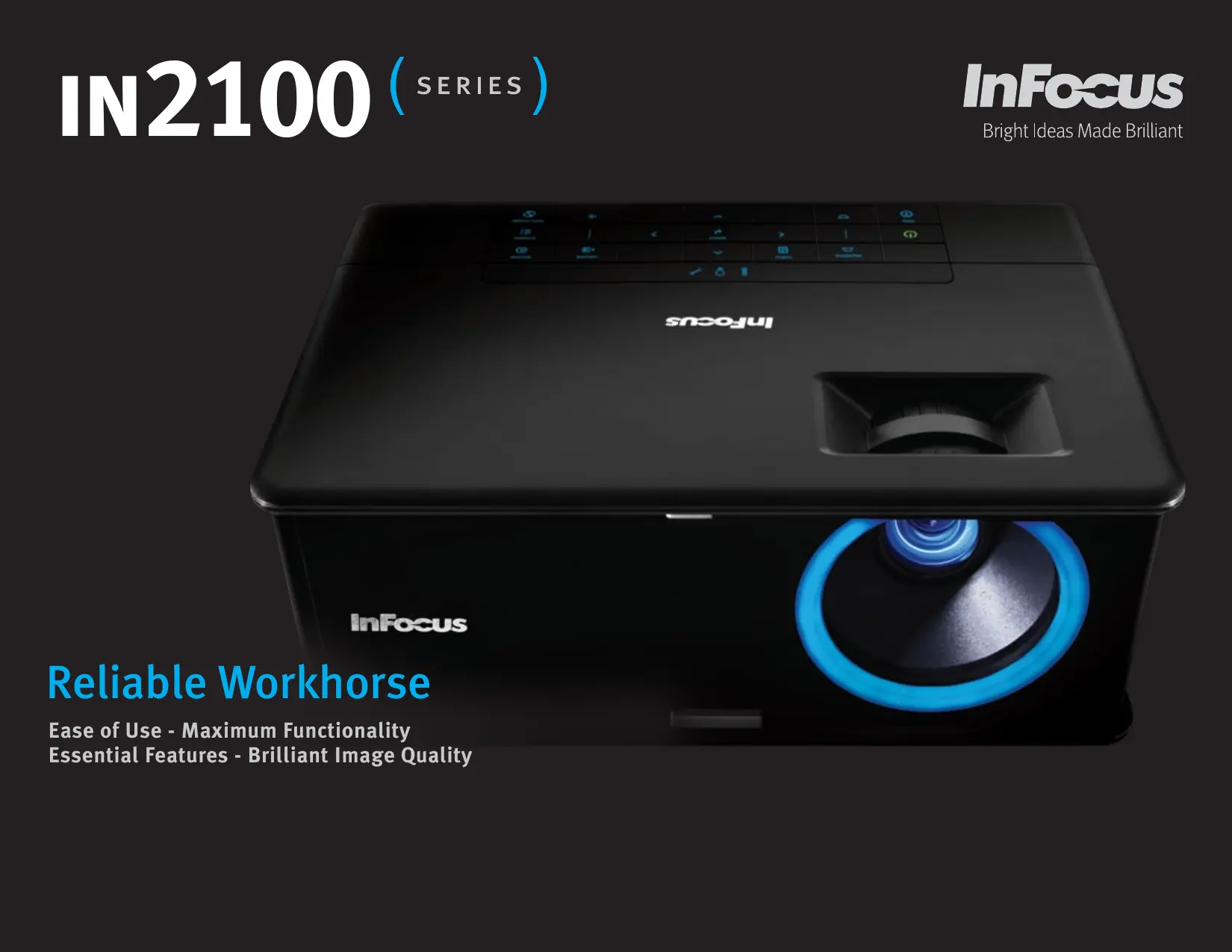
IN2100 (SERIES)
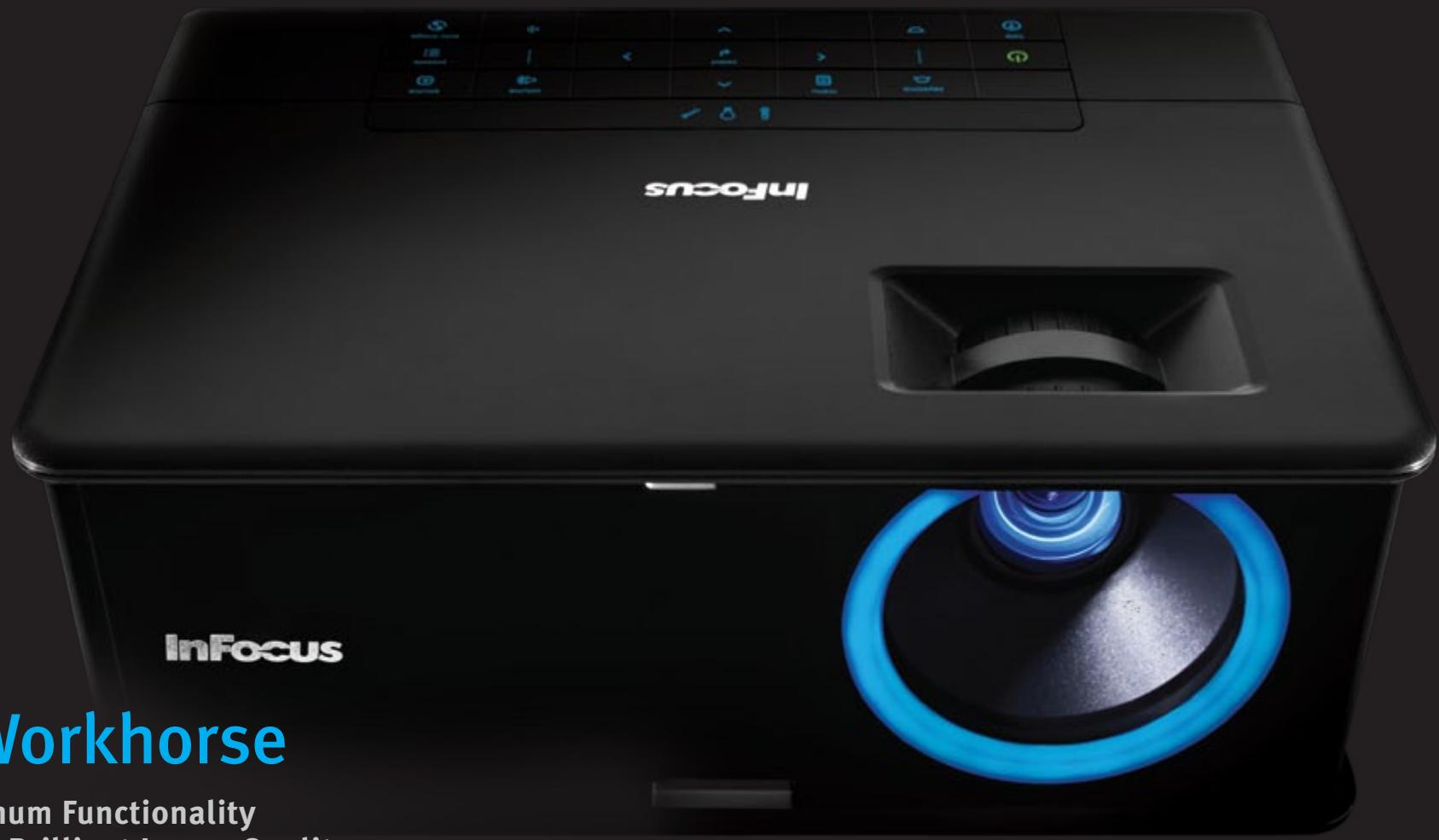
Reliable Workhorse
Ease of Use - Maximum Functionality
Essential Features - Brilliant Image Quality
Maximum functionality, maximum affordability
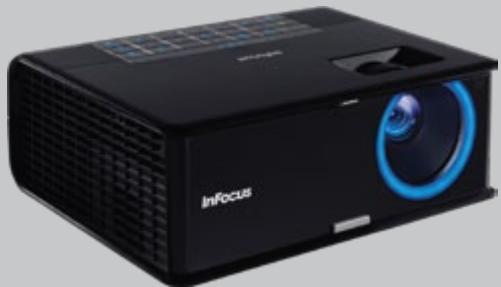
Bring the big picture to everyday environments. The new IN2100 series combines functionality and affordability like never before. The first InFocus product line to offer networking functionality for a low cost, the IN2100 series also has LitePort™ – a PC-free presenter, multiple VGA and assignable audio inputs, giving it a variety of connectivity options. The IN2100 series boasts a high brightness of 3000 lumens, and a brightness of 2400 lumens in Eco Mode.
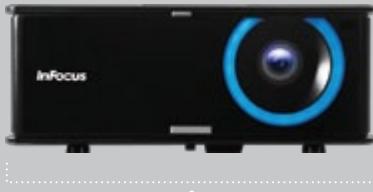
Compatible with resolutions of up to WUXGA (1920 × 1200) using DLP® technology with the InFocus BrilliantColor™ implementation gives the IN2100 series industry-leading picture quality. The IN2100 series also has a unique "Blue Iris" Glow Ring, which lets users know when the projector is powering up or powering down. Get the big picture in any environment with the IN2100 series.
IN2112
SVGA (800× 600) RESOLUTION 3000 LUMENS/2400 LUMENS IN ECO MODE
The InFocus IN2112 brings high-quality projection to everyday environments.

IN2114
XGA (1024 × 768) RESOLUTION
3000 LUMENS/2400 LUMENS IN ECO MODE
The IN2114 offers network connectivity options at a low cost while providing maximum functionality in a portable package.
"We've improved the performance of our best selling IN2100 series to meet the demands of next generation media and control. This makes information and content more accessible for the classroom or office."
Robert Detwiler
InFocus Product Manager
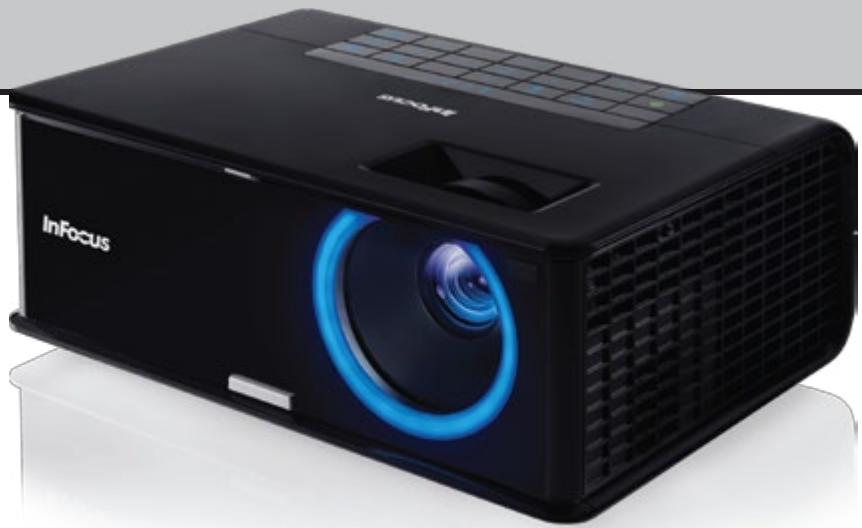
IN2116
WXGA (1280 × 800) RESOLUTION
3000 LUMENS/2400 LUMENS IN ECO MODE
With a high-quality picture, ease-of-use, and expanded network connectivity, the IN2116 is an ideal solution for smaller environments.
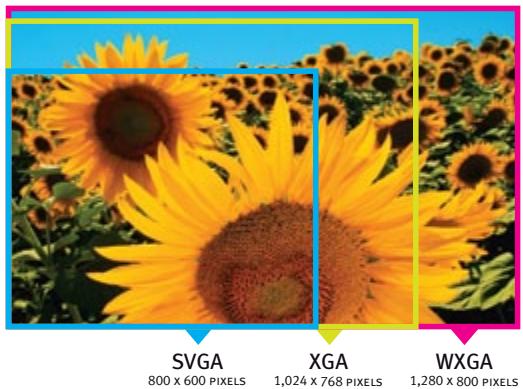
Resolution Options
Choose from SVGA, cost-leading XGA, or widenscreen WXGA resolution. WXGA (1280 × 800) is the standard resolution in most technology devices today and has been widely adopted in business and education.
24/7 Non-Stop Projection
The new IN2100 series has no duty cycle limitations. It is filter-free and rated for 24/7 operation, resulting in less maintenance and hours of worry-free use.
Low Power Consumption
The new IN2100 series is an easy choice for your wallet and the environment. Though it boasts a maximum brightness at full power, an eco-friendly Eco Mode allows for a lower power setting and a 20 % reduction in brightness. In addition, while in standby mode, the series is designed to consume less than 1 watt of power.
Designed for Long Life
The new IN2100 series is designed for reliable and low cost operation. The IN2100's dust-resistant design means there is no filter or screen to replace, and the InFocus warranty reduces the risk of repair or replacement cost.
Clean, Installation-friendly Design
No need to remove the projector from the ceiling to check assets or replace a lamp – the new IN2100's design allows for easy access to lamp doors, serial numbers and I/O panels. In addition, the LiteTouch™ keypad gives the projector a clean look once it is installed.
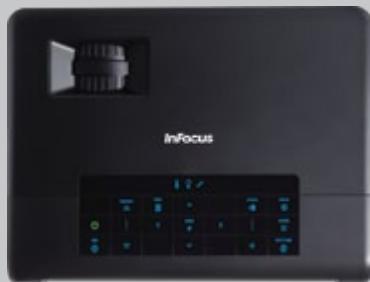
LiteTouch Touchsense Keypad
The sleek backlit LiteTouch control panel provides one-touch access to the most commonly used projector functions.
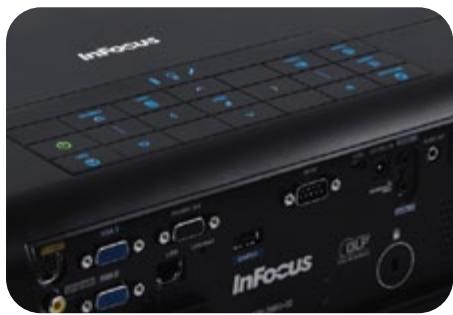
Expanded Connectivity
Connect to a network or present without a PC with the LitePort USB port feature (IN2114 & IN2116). The new IN2100 series gives options for hassle-free connecting and presenting. Both models also offer two computer and two assignable audio inputs, making them convenient for multiple users.
Projector Management
The IN2114 and IN2116 have imbedded network services with web browser control. This projector model is also compatible with ProjectorNet™ 3.0, our free asset management software that enables you to conserve the projector's lamp life by scheduling On/Off times, presenting maintenance events and anti-theft security alerts.
Dynamic Messaging System
Send dynamic messages for instant display to InFocus projectors using the InFocus Dynamic Messaging System (DMS). Perfect for general and important announcements such as schedule changes, weather warnings, breaking news and emergency notifications.
PC-Free Presentations
The IN2114 and IN2116 feature LitePort, an embedded PC-free JPEG Reader that enables users to project images directly from a standard USB flash drive – no computer needed.
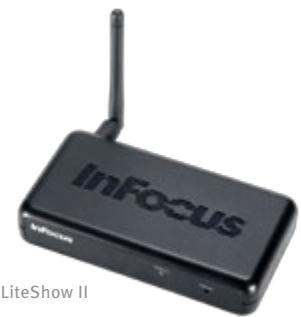
LiteShow II™
The InFocus LiteShow II wireless adapter connects personal computers to InFocus digital projectors wirelessly. The high bandwidth 802.11 b/g connection supports simultaneous transmission of audio along with video/data content, providing a completely wireless multimedia presentation.
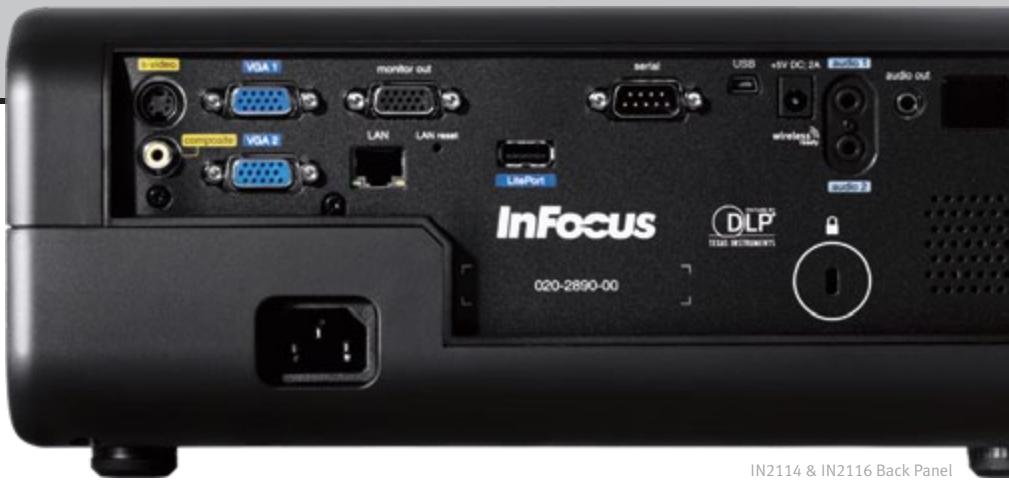
IN2114 & IN2116 Back Panel


Bright and Brilliant
A high brightness of 3000 lumens means the new IN2100 series is bright enough in environments with high ambient light. The InFocus BrilliantColor implementation brings rich, realistic color to any presentation.
Intuitive and Easy to Use Interface
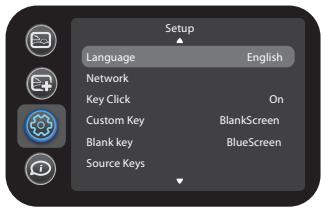
Over 20 years of customer feedback has gone into designing the new IN2100 series best-in-class menu system. It is easy to navigate, has 17 standard languages and a unique intuitive flow.
Security
The new IN2100 series has a Kensington® lock compatible slot along with a user assigned PIN feature for maximum security.
Optional Accessories
Replacement Lamp (SP-LAMP-057)
LiteShow II (INLITESHOW2)
Universal Ceiling Mount (SP-CEIL-UNIV)
Extension Arms (SP-EXTARM-01, 02, 03, 04)
Alternate Remote (HW-COMMANDER-2)
Alternate Remote (HW-PRESENTER-RF-R)
Projector Screen (SC-PD-80, 100, 120)
Cables & Adapters
For more information, please visit: www.infocus.com/Accessories.aspx
Warranty
Providing the highest quality products and support is very important to InFocus. The new IN2100 series digital projectors come standard with a 5 year limited factory warranty (including parts ^1 and labor ^2 ), a 6 month limited lamp replacement warranty, and 5 year DLP warranty. Extended product and lamp warranty programs are also available.
For more information, please visit: www.infocus.com/Support/Warranty.aspx
124in
315 mm
4.6 in
117mm
Navigator - 3
IN2100
SERIES FEATURES
10 W Audio
BrilliantColor
Built-In Network Services and
ProjectorNet 3.0 Ready
(IN2114 & IN2116)
Closed Captioning
Dust Resistant Design
Dynamic Messaging System (DMS)
InFocusUserInterface
LitePort USB JPEG Player
(IN2114 & IN2116)
Lens Cap Slider
LiteSwitch Instant On/Off
LiteShow II Wireless Ready
LiteTouch Touchsense Keypad
Logo Capture
Low Power Standby ( < 1 W)
RJ45 (IN2114 & IN2116)
Sleep Timer
O
。
O
O
O
O
O
O
O
O
O
。
Computer Compatibility
Keystone Correction
Number of Colors
Aspect Ratio
Lamp Power
Power Supply
Zoom Ratio
Throw Ratio
(Distance/Image Width)
Video Compatibility
Audio
Input Sources
( x - 2x) t - xy^2 = ( x - 2x) f^ t
( x - 2x) t - xy^2 = ( x - 2x) f^ t
Output Sources
Control
Projection Distance
Image Offset
Projection Methods
Product Weight
Product Dimensions - W×D×H
Product Color
Shipping Dimension - W×D×H
Shipping Weight
Maximum Altitude
Remote Control
Ships With - Accessories
Menu Languages
Lamp (particle) Containment
nt Accessories Warranty
Pre Approvals

InFocus
Bright Ideas Made Brilliant
LiteSwitch


slideshow
ProjectorNet

Networking
www.infocus.com
INFOCUS CORPORATE HEADQUARTERS
13190 SW 68th Parkway
Portland, Oregon 97223-8368, USA
Phone: (1) 503-207-4700
Toll Free: (1) 877-388-8385
Fax: (1) 503-207-1937
INTERNATIONAL HEADQUARTERS
1 Fullerton Road
One Fullerton
Singapore 049213
Phone: (65) 6513-9600
Fax: (65) 6238-0535
©2009 InFocus Corporation. All rights reserved. Specifications are subject to change without further notice.
InFocus and InFocus Bright Ideas Made Brilliant are either trademarks or registered trademarks of InFocus Corporation.
in the United States and other countries. DLP, the DLP logo, and the DLP medallion are trademarks of Texas Instruments.
All trademarks are used with permission or are for identification purposes only and are the property of their respective companies.
1Excludes power supply, fans, color wheel and light tunnel which are covered for two (2) years.
2Labor is covered for two (2) years from date of proof of purchase.
InFocus IN2100 NEW DS EN 16DEC09, Part Number: MMINFOCUS-0204

Native Resolution
Maximum Resolution
Display Technology - DMD
Brightness
Lamp Life*
Contrast Ratio
Audible Noise
Computer Compatibility
Keystone Correction
Number of Colors
Aspect Ratio
Lamp Power
Power Supply
Zoom Ratio
Throw Ratio
(Distance/Image Width)
Video Compatibility
IN2112
IN2114
IN2116
| Native Resolution | IN2112 - SVGA 800 × 600 |
| IN2114 - XGA 1024 × 768 | |
| IN2116 - WXGA 1280 × 800 | |
| Maximum Resolution | WUXGA (1920 × 1200) |
| Display Technology - DMD | IN2112 & IN2114 - DLP Technology .55" LVDS DDP2430 with BrilliantColor |
| IN2116 - DLP Technology .65" LVDS DDP2431 with BrilliantColor | |
| Brightness | 3000 ANSI lm (2400 lm Eco Mode) |
| Lamp Life** | 4000 Hrs Eco Mode (3000 Hrs Normal) |
| Contrast Ratio | 2100:1 Typical |
| Audible Noise | 28 dB Eco Mode (32 dB High Power) |
| Computer Compatibility | PC, MAC |
| Keystone Correction | +/-30 degrees |
| Number of Colors | 16.7 Million, True Color |
| Aspect Ratio | IN2112 & IN2114 - Native 4:3 (5:4, 16:9, 16:10 Supported) |
| IN2116 - Native 16:10 (4:3, 5:4, 16:9 Supported) | |
| Lamp Power | 185 W |
| Power Supply | 100 ~ 240 Vac, 50/60 Hz |
| Zoom Ratio | 1.2:1 |
| Throw Ratio | IN2112 & IN2114 - 1.62 ~ 1.95 |
| (Distance/Image Width) | IN2116 - 1.5 ~ 1.8 |
| Video Compatibility | NTSC / NTSC4.43 / PAL / PAL-M / PAL-N / SECAM |
| SDTV: 480i, 576i | |
| EDTV: 480p, 576p | |
| HDTV: 720p, 1080i, 1080p | |
| Audio | 10 W (2 × 5 W) |
| Input Sources | VGA (HD15) × 2, S-Video × 1, Composite Video × 1, Audio × 2 (3.5 mm), |
| IN2114 & IN2116: LitePort × 1 | |
| Output Sources | VGA (HD15) × 1, Audio × 1 (3.5 mm), Wireless Ready × 1 |
| Control | IN2112: RS232, USB |
| IN2114 & IN2116: LAN (RJ45), RS232, USB | |
| Projection Distance | 3.94 ft ~ 32.8 ft / 1.2 m ~ 10 m |
| Image Offset | 15% |
| Projection Methods | Front, Rear, Ceiling Front, Ceiling Rear |
| Product Weight | 7 lbs / 3.17 kg |
| Product Dimensions - WxD×H | 12.4 × 9.5 × 4.6 in / 315 × 241 × 117 mm |
| Product Color | Black |
| Shipping Dimension - WxD×H | 8.8 × 18.8 × 13.1 in / 223 × 477 × 332 mm |
| Shipping Weight | 14.3 lbs / 6.48 kg |
| Maximum Altitude | 10,000 ft / 3,000 m |
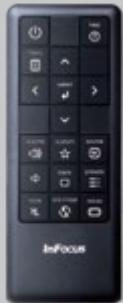
| Remote Control | Navigator - 3 |
| Ships With - Accessories | Remote, VGA Cable, Power Cord, USB Cable, Carry Case, |
| Safety Instructions, Projector User's Guide | |
| Menu Languages | English, French, German, Italian, Korean, Norwegian, |
| Portuguese, Russian, Spanish, Traditional Chinese, | |
| Simplified Chinese, Swedish, Finnish, | |
| Danish, Dutch, Polish, Turkish | |
| Lamp (particle) Containment | Tested to contain particles larger than 0.8 mm *** |
| Accessories Warranty | 90 days |
| Approvals | C-Tick (Australia), NOM (Mexico), CE (Europe), |
| cMEfus (USA & Canada), FCC (USA), IRAM (Argentina), | |
| GOST (Russia), MIC & eK (South Korea), CCC (China), | |
| PSB (Singapore) | |
| Security | Kensington Lock |
- Product specifications, terms, and offerings are subject to change at any time without notice.
Actual lamp life may vary based on the ambient environment and projector usage. Conditions that may affect lamp life include temperature, altitude, and rapidly switching the projector on and off.
* Tested to contain particles larger than the specified size in any dimension