CARD PRO 4 - Scanner IRIS - Notice d'utilisation et mode d'emploi gratuit
Retrouvez gratuitement la notice de l'appareil CARD PRO 4 IRIS au format PDF.


| Type de produit | Scanner de cartes de visite portable |
| Marque | IRIS |
| Modèle | CARD PRO 4 |
| Résolution | 400 dpi couleur |
| Vitesse de numérisation | Plus de 600 cartes par heure |
| Format maximal de numérisation | A6 |
| Interface | USB 2.0 |
| Alimentation | Via port USB |
| Scan recto/verso | Oui, séquentiel avec support du verso |
| Gestion des doublons | Oui, comparaison de champs pour mise à jour ou rejet |
| Exportation vers | MS Outlook, Outlook Express, Lotus Notes, Address Book, Entourage, Excel, etc. |
| Reconnaissance de pays | 217 pays |
| Compatibilité système | Windows Vista/XP/2000, Mac OS X 10.3.9 et supérieur |
| Dimensions (estimées) | Environ 10 x 5 x 2 cm |
| Poids (estimé) | Environ 200 g |
| Entretien | Nettoyer l'extérieur avec un chiffon doux et sec |
| Sécurité | Respecter les consignes de la notice d'utilisation |
| Pièces détachées | Non concerné (pas de pièces détachées disponibles) |
| Réparabilité | Support technique gratuit pour utilisateurs enregistrés |
FOIRE AUX QUESTIONS - CARD PRO 4 IRIS
Questions des utilisateurs sur CARD PRO 4 IRIS
0 question sur cet appareil. Repondez a celles que vous connaissez ou posez la votre.
Poser une nouvelle question sur cet appareil
Téléchargez la notice de votre Scanner au format PDF gratuitement ! Retrouvez votre notice CARD PRO 4 - IRIS et reprennez votre appareil électronique en main. Sur cette page sont publiés tous les documents nécessaires à l'utilisation de votre appareil CARD PRO 4 de la marque IRIS.
MODE D'EMPLOI CARD PRO 4 IRIS

The IRISCard™ zips through more than 600 business cards per hour, making it the fastest 400 dpi color portable business card scanner.
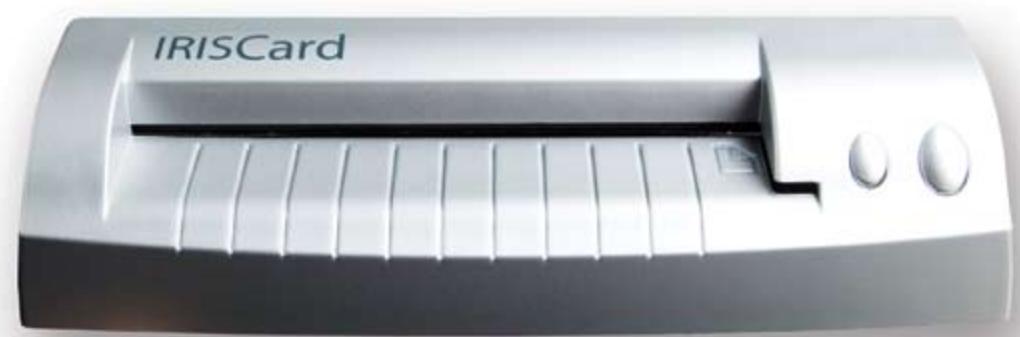
IRISCard PRO 4
for Windows & Macintosh
Export to Outlook, Palm, Address Book, and much more!
IRISCard PRO 4
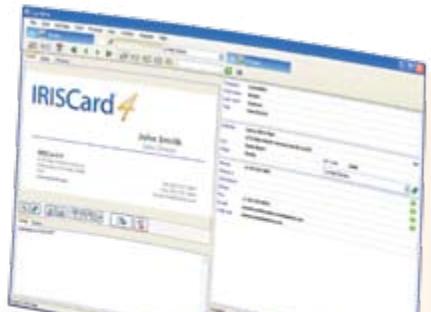
2 Manage your contacts.

MS Outlook

MS Outlook Express

Lotus Notes

Entourage

Address Book

and many more!
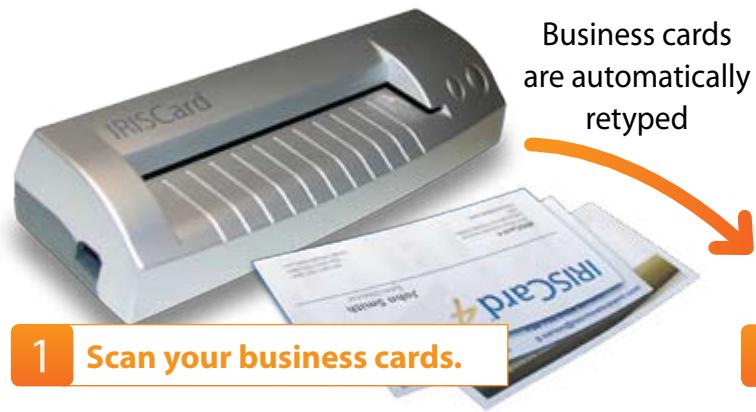
The IRISCard™ quickly scans your paper business cards, captures the information they contain and instantaneously creates electronic contacts to be sent to your favorite contact manager, such as MS Outlook, etc.
Incredibly fast scanning speed
The IRISCard Pro zips through more than 600 cards per hour, making it the fastest 400 dpi color portable business card scanner.

Advanced export functions
Send your contacts to the most popular contacts managers, such as MS Outlook, MS outlook Express, Lotus Notes, Address Book, Entourage, etc.
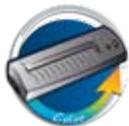
Super compact, super portable
Light, compact the IRISCard is the smallest USB 2, A6, color scanner in its category.

Duplicates management
Powerful field comparison lets you determine which info/contact you want to keep, update or discard.
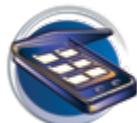
Multiple cards scanning
Scan and automatically recognize up to 10 business cards with your existing flatbed scanner.

Rear side support
Consecutively scans the front and back sides of your business card, as well as your contact photos. The IRISCard gathers all this information under the same contact name.

217 countries
Capture all the information from business cards coming from all over the world. Wherever you go, you are covered!

Easy export to Excel
Use your contacts in Excel to organize mail merges, search and sort your contacts, etc.
The features of the Mac version differ from PC version. All technical specifications are available on our website www.cardiris.com/compare
| Synchronisation table | Windows | Mac OS |
| Import | Images(JPEG, PNG, TIFF, BMP et PCX), Cardiris, MS Outlook, MS Outlook Express, vCard, IBM Lotus Notes, FrontRange Goldmine, Palm Desktop, Intellect, Sage Act!, Time & Chaos | Images (PICT, GIF, PNG, JPEG, TIFF, BMP, Photoshop, Targa, SGI and PDF) |
| Export | MS Outlook, MS Outlook Express, Palm Desktop, Text (.csv), Cardiris 4.x, vCard (.vcf), Email, ACT, FrontRange Goldmine, lamage, HTML, IBM Lotus Notes, Innomatics Info Contacts & Info Business, Intellect, iPod, Time and Chaos, Novell GroupWise, MS Excel, MS Dynamics CRM | Address Book, Entourage, HTML, vCard, AppleWorks 6, Now Contact 5 & Now Contact X |
| Synchronization | Palm Desktop, Pocket PC, MS Outlook, MS Outlook Express, IBM Lotus Notes, Novell GroupWise | Cardiris doesn't have a database |
By the maker of the award-winning Readiris™ Pro.







FREE Technical Support for All Registered Users!
Copyrights 1993-2007 - I.R.I.S. s.a. - All rights reserved - IRISCard, the I.R.I.S. and IRISCard logo are I.R.I.S. trademarks. All products mentioned are trademarks from their respective owners. Made in EEC.
Minimum systems requirements for Windows:
A Pentium-class CPU, 256MB RAM, 150MB free disk space, a CD-Rom drive, a free USB Port from the PC or powered HUB. Runs on Windows Vista, XP and 2000.
Minimum systems requirements for Mac OS:
A Mac OS computer with a G3 processor, 160 Mb of free disk space, a CD ROM drive, a free USB Port from the Mac or powered HUB. Runs on OS X 10.3.9 or superior (10.4 recommended).