IMPRESSA J9 - QUICK GUIDE - Machine à café JURA - Notice d'utilisation et mode d'emploi gratuit
Retrouvez gratuitement la notice de l'appareil IMPRESSA J9 - QUICK GUIDE JURA au format PDF.

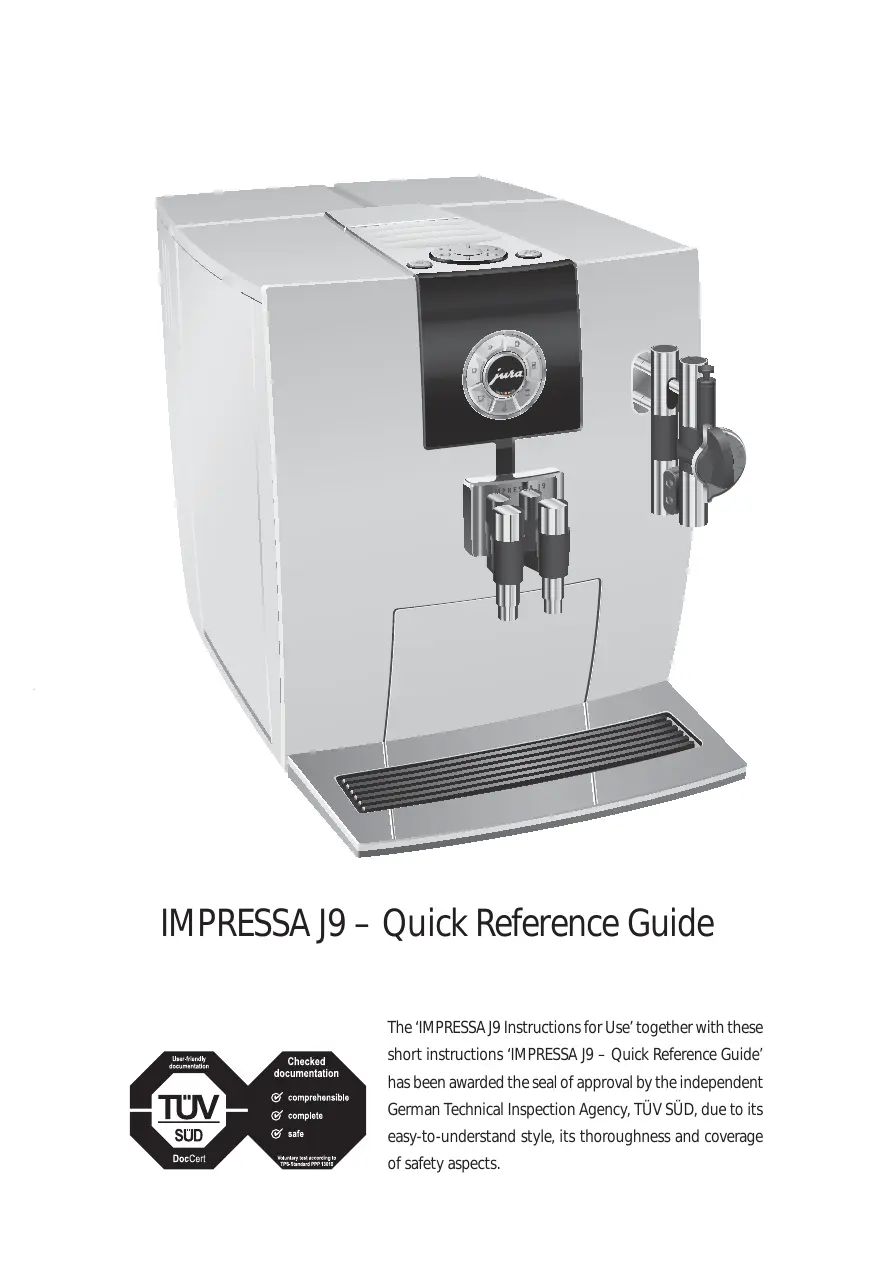

| Type de produit | Machine à café automatique avec broyeur |
| Marque | JURA |
| Modèle | IMPRESSA J9 - Quick Guide |
| Dimensions (L x P x H) | 28 x 34 x 45 cm |
| Poids | Environ 10 kg |
| Alimentation électrique | 220-240 V, 50 Hz, 1450 W |
| Capacité du réservoir d'eau | 1,9 L |
| Capacité du réservoir à grains | Environ 250 g |
| Pression de la pompe | 15 bar |
| Fonctions principales | Café en grains, expresso, cappuccino, lait chaud, mousse de lait |
| Système de filtration | Filtre CLARIS Blue (activable) |
| Mousseur à cappuccino | Professionnel et Easy (amovible) |
| Entretien automatique | Rinçage, nettoyage, détartrage avec programmes intégrés |
| Fréquence de nettoyage | Toutes les 200 préparations ou 80 rinçages |
| Produits d'entretien recommandés | Pastilles de nettoyage et de détartrage JURA, Cappuccino Cleaner |
| Sécurité | Arrêt automatique, protection contre les brûlures, utilisation de produits originaux |
| Pièces détachées | Filtre CLARIS Blue, mousseur, joints, pastilles d’entretien |
| Réparabilité | Pièces disponibles via service après-vente JURA |
| Informations générales | Notice d’utilisation et guide rapide inclus, certification TÜV SÜD |
FOIRE AUX QUESTIONS - IMPRESSA J9 - QUICK GUIDE JURA
Questions des utilisateurs sur IMPRESSA J9 - QUICK GUIDE JURA
0 question sur cet appareil. Repondez a celles que vous connaissez ou posez la votre.
Poser une nouvelle question sur cet appareil
Téléchargez la notice de votre Machine à café au format PDF gratuitement ! Retrouvez votre notice IMPRESSA J9 - QUICK GUIDE - JURA et reprennez votre appareil électronique en main. Sur cette page sont publiés tous les documents nécessaires à l'utilisation de votre appareil IMPRESSA J9 - QUICK GUIDE de la marque JURA.
MODE D'EMPLOI IMPRESSA J9 - QUICK GUIDE JURA
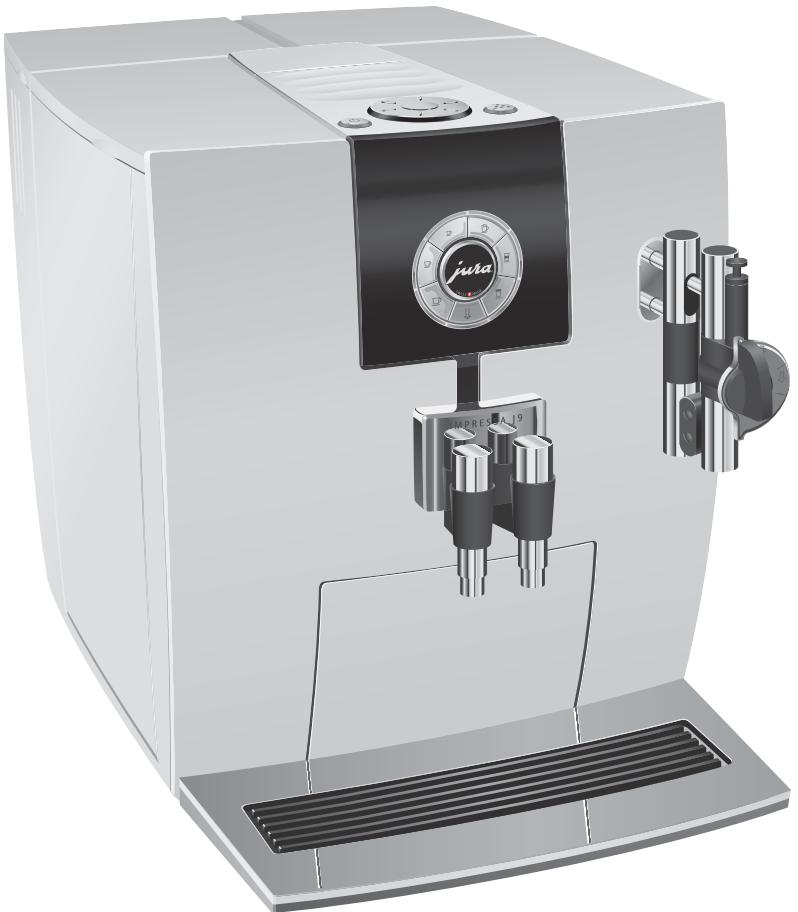
IMPRESSA J9 – Quick Reference Guide
The 'IMPRESSA J9 Instructions for Use' together with these short instructions 'IMPRESSA J9 – Quick Reference Guide' has been awarded the seal of approval by the independent German Technical Inspection Agency, TÜV SÜD, due to its easy-to-understand style, its thoroughness and coverage of safety aspects.
IMPRESSA J9 – Quick Reference Guide
#
These short instructions do not replace the 'IMPRESSA J9 Instructions for Use'. Make sure you read and observe the safety information and warnings first in order to avoid hazards.
Rinsing the machine
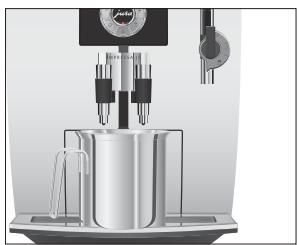
You can initiate the rinse operation manually at any time.
Precondition: COFFEE READY is displayed.
- Place a receptacle under the coffee spout.
Press and hold the Rotary Switch until MAINTENANCE appears.
Press the Rotary Switch to enter the programme item. CLEAN CAPPULCOINO
Turn the Rotary Switch until RINSE MACHINE is displayed.
Press the Rotary Switch to initiate the rinse operation.
Rinsing stops automatically and COFFEE READY appears on the display.
Inserting and activating the filter
Your IMPRESSA no longer has to be descaled if you are using the CLARIS Blue filter cartridge.
i Perform the 'inserting the filter' operation without any interruptions. This will ensure that your IMPRESSA always produces its best.
Precondition: COFFEE READY is displayed.
Press and hold the Rotary Switch until MAINTENANCE appears on the display.
Turn the Rotary Switch until FILTER NO is displayed.
Press the Rotary Switch to enter the programme item. FILTER NO
Turn the Rotary Switch until FILTER YES is displayed.
Press the Rotary Switch to confirm the setting. CONFIRMED appears briefly on the display.
INSERT FILTER / PRESS RINSE, the Maintenance button lights up.
- Remove the filter cartridge extension from the Welcome Pack.
- Fit the filter extension on top of a CLARIS Blue filter cartridge.
- Remove and empty the water tank.
- Open the filter holder and insert the filter cartridge into the water tank, exerting slight pressure.
- Close the filter holder. It will click into place audibly.
i After two months, the filter will cease to work. You can check the elapsed time by referring to the date plate on the filter holder in the water tank.
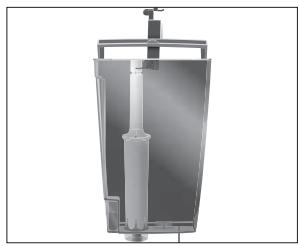
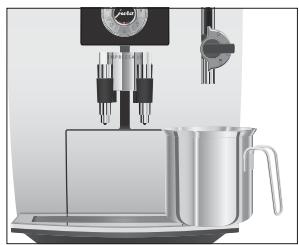
- Fill the water tank with fresh, cold water and reinsert the tank.
- Place a receptacle (at least 500ml ) under the cappuccino frother.
Press the Maintenance button.
FILTER RINSING, water flows out of the cappuccino frother.
i You can interrupt rinsing of the filter at any time by pressing any button. Press the Maintenance button to continue rinsing of the filter.
i The water may be slightly discoloured. This is not harmful to health and does not affect the taste.
Rinsing of the filter stops automatically after approximately 500 ml. The machine heats up. COFFEE READY appears on the display. The filter is activated.
Changing the filter
i After 50 litres of water have flowed through, the filter will cease to work. Your IMPRESSA will automatically prompt you to change the filter.
i After two months, the filter will cease to work. You can check the elapsed time by referring to the date plate on the filter holder in the water tank.
i If the CLARIS Blue filter cartridge is not activated in program- ming mode, you will not be prompted to change the filter.
Precondition: COFFEE READY / CHANGE FILTER is displayed and the Maintenance button lights up.
Press the Maintenance button.
DURATION 2 MIN. / START YES
i If you do not want to start changing the filter just yet, turn the Rotary Switch until START NO is displayed. Press the Rotary Switch to exit the maintenance programme. The prompt to 'change the filter' remains active.
Press the Maintenance button.
CHANGE FILTER/FRESS RINSE
- Remove and empty the water tank.
- Open the filter holder and remove the old CLARIS Blue filter cartridge and extension piece.
- Fit the filter extension on top of a new filter cartridge.
- Insert the filter cartridge into the water tank, exerting slight pressure.
- Close the filter holder. It will click into place audibly.
- Fill the water tank with fresh, cold water and reinsert the tank.
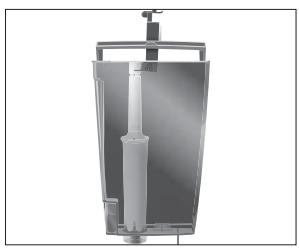
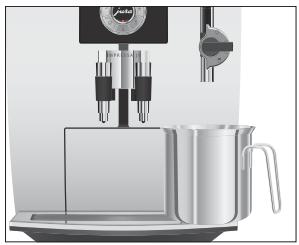
- Place a receptacle (at least 500ml ) under the cappuccino frother.
i If you are using the Professional Cappuccino Frother, turn the selector switch to the Steam position.
Press the Maintenance button.
FILTER RINSING, water flows out of the cappuccino frother.
i You can interrupt rinsing of the filter at any time by pressing any button. Press the Maintenance button to continue rinsing of the filter.
i The water may be slightly discoloured. This is not harmful to health and does not affect the taste.
Rinsing of the filter stops automatically after approximately 500 ml. The IMPRESSA heats up and is once more ready for use.
Rinsing the cappuccino frother
This chapter applies to the Professional and Easy Cappuccino Frothers.
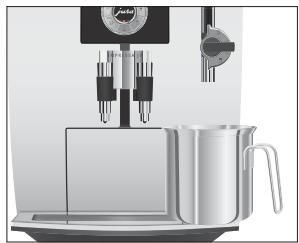
After each milk preparation, the IMPRESSA prompts you to run a cappuccino rinse.
Precondition: COFFEE READY / RINSE CAPPUCCINO is displayed and the Maintenance button lights up.
- Place a receptacle under the cappuccino frother.
Press the Maintenance button.
CAPPU. RINSING, the cappuccino frother is rinsed.
The operation stops automatically and COFFEE READY appears on the display.
Cleaning the cappuccino frother
This chapter applies to the Professional and Easy Cappuccino Frothers.
To ensure that the cappuccino frother always works properly, you should clean it daily when you have been preparing milk. Your IMPRESSA will not prompt you to clean the cappuccino frother.
CAUTION
If the wrong cleaning agent is used, the machine could be damaged and/or traces could be left behind in the water.
Use only original JURA maintenance products.
JURA Cappuccino Cleaner is available from stockists.
Precondition: COFFEE READY is displayed.
Press and hold the Rotary Switch until MAINTENANCE appears.
Press the Rotary Switch to enter the programme item. CLEAN CAPPULCOINO
Press the Rotary Switch. CLEANER FOR CAPPU.
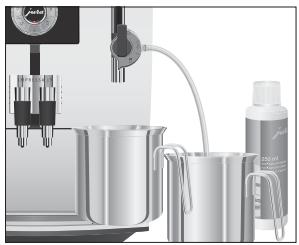
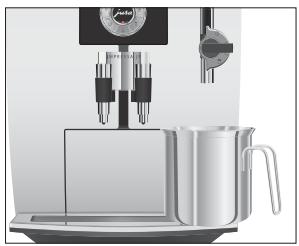
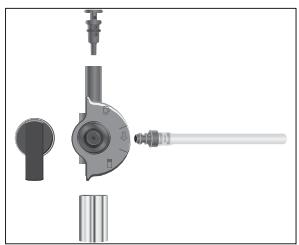
Dismantling and rinsing the Professional Cappuccino Frother
- Pour 250ml of fresh water into a receptacle and add one capful (max. 15ml ) of Cappuccino Cleaner.
- Immerse the milk pipe in the receptacle.
i If you are using the Professional Cappuccino Frother, turn the selector switch to the Milk Foam or Milk position.
- Place another receptacle under the cappuccino frother.
Press the Maintenance button.
CAPPUCOINOCLEANs, the cappuccino frother and the pipe are cleaned.
WATER FOR CAPPUCINO
- Rinse the receptacle thoroughly, fill it with 250ml of fresh water and immerse the milk pipe in the water.
- Empty the other receptacle and place it under the cappuccino frother again.
Press the Maintenance button.
CAPPUCOINOLEANS, the cappuccino frother and the pipe are rinsed with fresh water.
COFFEE READY appears on the display.
-
Carefully remove the cappuccino frother from the Connector System by twisting slightly.
-
Dismantle the cappuccino frother into its individual parts.
- Rinse all parts of the cappuccino frother thoroughly under running water.
Reassemble the cappuccino frother.
i Ensure that all individual parts are correctly and firmly connected to ensure correct operation of the cappuccino frother.
Firmly attach the frother to the Connector System.
Dismantling and rinsing the Easy Cappuccino Frother
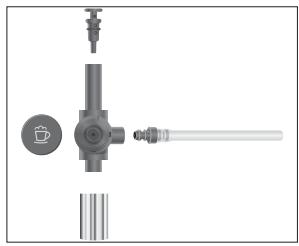
- Carefully remove the cappuccino frother from the Connector System® by twisting slightly.
- Dismantle the cappuccino frother into its individual parts.
- Rinse all parts of the cappuccino frother thoroughly under running water.
Reassemble the cappuccino frother.
i Ensure that all individual parts are correctly and firmly connected to ensure correct operation of the cappuccino frother.
Firmly attach the frother to the Connector System.
Cleaning the machine
CAUTION
After 200 preparations or 80 switch-on rinses, the IMPRESSA will prompt you to clean it.
If the wrong cleaning agent is used, the machine could be damaged and/or traces could be left behind in the water.
Use only original JURA maintenance products.
i The cleaning programme lasts approximately 20 minutes.
1 Do not interrupt the cleaning programme. The quality of cleaning will be impaired if you do so.
JURA cleaning tablets are available from stockists.
Precondition: COFFEE READY / CLEAN MACHINE is displayed and the Maintenance button lights up.
Press the Maintenance button.
DURATION 20 MIN. / START YES
i If you do not want to start cleaning just yet, turn the Rotary Switch until START NO is displayed. Press the Rotary Switch to exit the maintenance programme. The prompt to 'clean the machine' remains active.
Press the Maintenance button.
EMPTTYTRAY
- Empty the drip tray and coffee grounds container and put them back into the machine.
PRESS RINSE, the Maintenance button lights up.
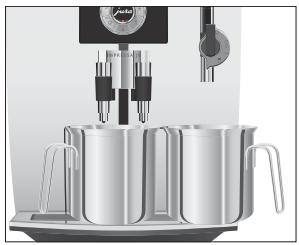
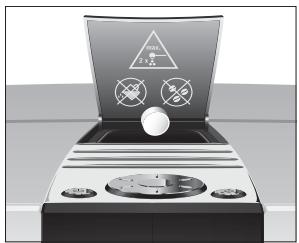
- Place a receptacle under the coffee spout and another under the cappuccino frother.
Press the Maintenance button.
CLEANS, water flows out of the coffee spout.
The operation is interrupted, ADD TABLET.
-
Open the cover of the filler funnel for foreground coffee.
-
Insert a JURA cleaning tablet into the filler funnel.
- Close the cover of the filler funnel.
ADD TARELET / PRESS RINSE, the Maintenance button lights up.
Press the Maintenance button. CLEANs, water flows repeatedly out of the coffee spout and the cappuccino frother. The operation is interrupted, EMPTY TRAY.
- Empty the drip tray and coffee grounds container and put them back into the machine. Cleaning is now complete. The IMPRESSA heats up and is once more ready for use.
Dscaling the machine
The IMPRESSA builds up deposits of limescale over time and automatically prompts you to descale it when necessary. The degree of calcification depends on the hardness of your water.
CAUTION
If the descending agent comes into contact with the skin or eyes, this can cause irritation.
Avoid contact with the skin or eyes.
- Rinse off descending agent with clean water. Should you get any descending agent in your eye, seek medical attention.
CAUTION
If the wrong descending agent is used, the machine could be damaged and/or traces could be left behind in the water.
Use only original JURA maintenance products.
CAUTION
If the descending operation is interrupted, there may be damage to the machine.
- Allow the descending programme to run to the end.
CAUTION
If the descending agent comes into contact with sensitive surfaces (e.g. marble), damage cannot be ruled out.
Clean up any splashes immediately.
i The descending programme lasts approximately 45 minutes.
JURA descending tablets are available from stockists.
If you use a CLARIS Blue filter cartridge and this is activated, you will not be prompted to descale.
Precondition: COFFEE READY / DECALCIFY MACHINE is displayed and the Maintenance button lights up.
Press the Maintenance button.
DURATION 45 MIN. / START YES
i If you do not want to start descending just yet, turn the Rotary Switch until START NO is displayed. Press the Rotary Switch to exit the maintenance programme. The prompt to 'descale the machine' remains active.
Press the Maintenance button.
EMPTYTRAY
- Empty the drip tray and coffee grounds container and put them back into the machine.
SOLVENT IN TANK
-
Remove and empty the water tank.
-
Completely dissolve the contents of one blister (three JURA descaling tablets) in a receptacle holding 500 ml of water. This may take several minutes.
-
Pour the solution into the empty water tank and insert it into the machine.
SOLVENT IN TANK / PRESS RINSE, the Maintenance button lights up.
- Remove the cappuccino frother from the Connector System.
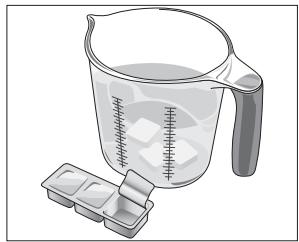
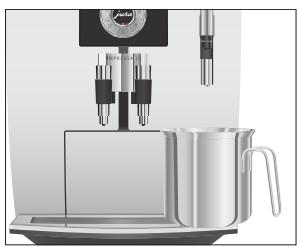
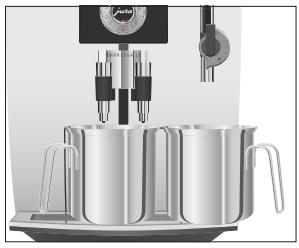
- Place a receptacle (at least 500ml ) under the Connector System.
Press the Maintenance button.
#
This causes water to flow out of the Connector System® several times. The Maintenance button flashes during the descending operation.
The operation stops automatically, EMPTY TRAY.
- Empty the receptacle under the Connector System ^心
- Empty the drip tray and coffee grounds container and put them back into the machine.
RINSE WATER TANK/FILL WATER TANK
- Remove the water tank and rinse it thoroughly.
- Fill the water tank with fresh, cold water and reinsert the tank.
PRESS RINSE, the Maintenance button lights up.
Refit the cappuccino frother.
- Place a receptacle under the cappuccino frother and another under the coffee spout.
Press the Maintenance button.
DECALCS, water flows out of the cappuccino frother and the coffee spout.
HEATING UP, MACHINE RINSING, water flows out of the coffee spout.
The operation stops automatically, ENPTY TRAY.
- Empty the drip tray and coffee grounds container and put them back into the machine.
Dscaling is now complete. The IMPRESSA is once more ready for use.
If the descending operation stops unexpectedly, rinse the water tank thoroughly.
Marque : JURA
Modèle : IMPRESSA J9 - QUICK GUIDE
Catégorie : Machine à café