
C5850DN - Imprimante laser couleur OKI - Notice d'utilisation et mode d'emploi gratuit
Retrouvez gratuitement la notice de l'appareil C5850DN OKI au format PDF.


| Type | Imprimante laser couleur |
| Marque | OKI |
| Modèle | C5850DN |
| Vitesse d'impression couleur | Jusqu'à 26 pages par minute (A4) |
| Vitesse d'impression monochrome | Jusqu'à 32 pages par minute (A4) |
| Résolution | ProQ2400 (1200 x 600 ppp) |
| Processeur | 500 MHz |
| Mémoire standard | 256 Mo, extensible à 768 Mo |
| Langages d'impression | PCL 6, PCL5c, PostScript 3, SIDM, PDF Direct Print |
| Capacité papier | Bac 1 : 300 feuilles, Bac multifonction : 100 feuilles, Bac optionnel : 530 feuilles (max 930 feuilles) |
| Formats papier | A4, A5, B5, A6, enveloppes, étiquettes, bannières jusqu'à 1,2 m |
| Grammage papier | 64 à 203 g/m² selon bac |
| Impression recto-verso automatique | Oui (standard) |
| Connectivité | USB Hi-Speed, Ethernet 10/100-TX, Port parallèle IEEE 1284 |
| Systèmes d'exploitation compatibles | Windows 2000/XP/Vista, Mac OS X |
| Consommation électrique | Typique 490 W, Pic 1200 W, Veille 100 W, Économie < 17 W |
| Niveau sonore | Jusqu'à 55,6 dB(A) en fonctionnement, 37 dB(A) en veille |
| Dimensions (L x P x H) | 400 x 621 x 339,5 mm (max) |
| Poids | Environ 29 kg |
| Cycle d'utilisation | Jusqu'à 60 000 pages par mois (recommandé 1 500 - 5 000) |
| Alimentation | 220-240 V, 50/60 Hz |
| Consommables | Toner noir (8 000 pages), Toners couleur (6 000 pages), Tambours image (20 000 pages), Courroie de transfert (60 000 pages), Fusionneur (60 000 pages) |
| Sécurité | Gestion des couleurs par utilisateur, impression sécurisée par mot de passe, utilitaires de contrôle d'impression |
| Fonctions principales | Impression laser couleur haute vitesse, gestion des supports variés, technologie LED à passage unique, utilitaires de gestion (Color Correct, Print Control, etc.) |
| Entretien et pièces détachées | Remplacement facile des consommables, indicateur de niveau de toner sur écran LCD, équilibrage automatique des couleurs, pièces détachées disponibles auprès du fabricant |
FOIRE AUX QUESTIONS - C5850DN OKI
Questions des utilisateurs sur C5850DN OKI
0 question sur cet appareil. Repondez a celles que vous connaissez ou posez la votre.
Poser une nouvelle question sur cet appareil
Téléchargez la notice de votre Imprimante laser couleur au format PDF gratuitement ! Retrouvez votre notice C5850DN - OKI et reprennez votre appareil électronique en main. Sur cette page sont publiés tous les documents nécessaires à l'utilisation de votre appareil C5850DN de la marque OKI.
MODE D'EMPLOI C5850DN OKI
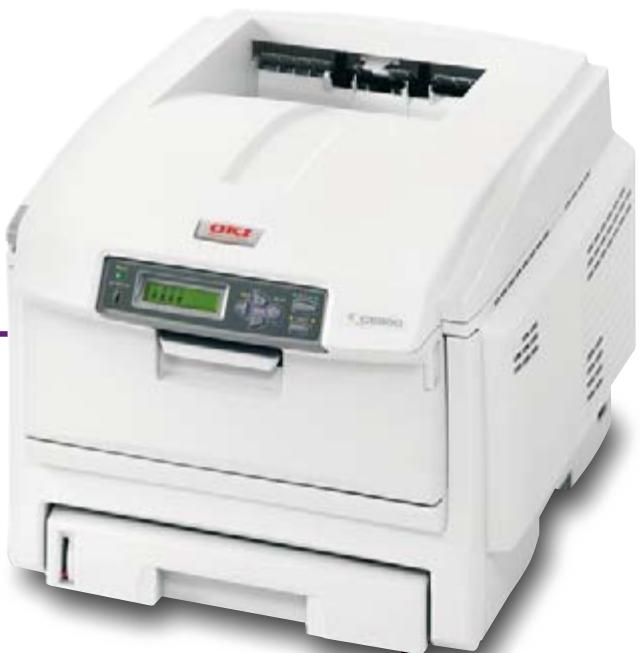
C5650n C5950n
C5650dn C5950dn
C5950dtn
C5750n
C5750dn
C5850n
C5850dn
A4 colour and mono printing, giving a competitive advantage to demanding workgroups
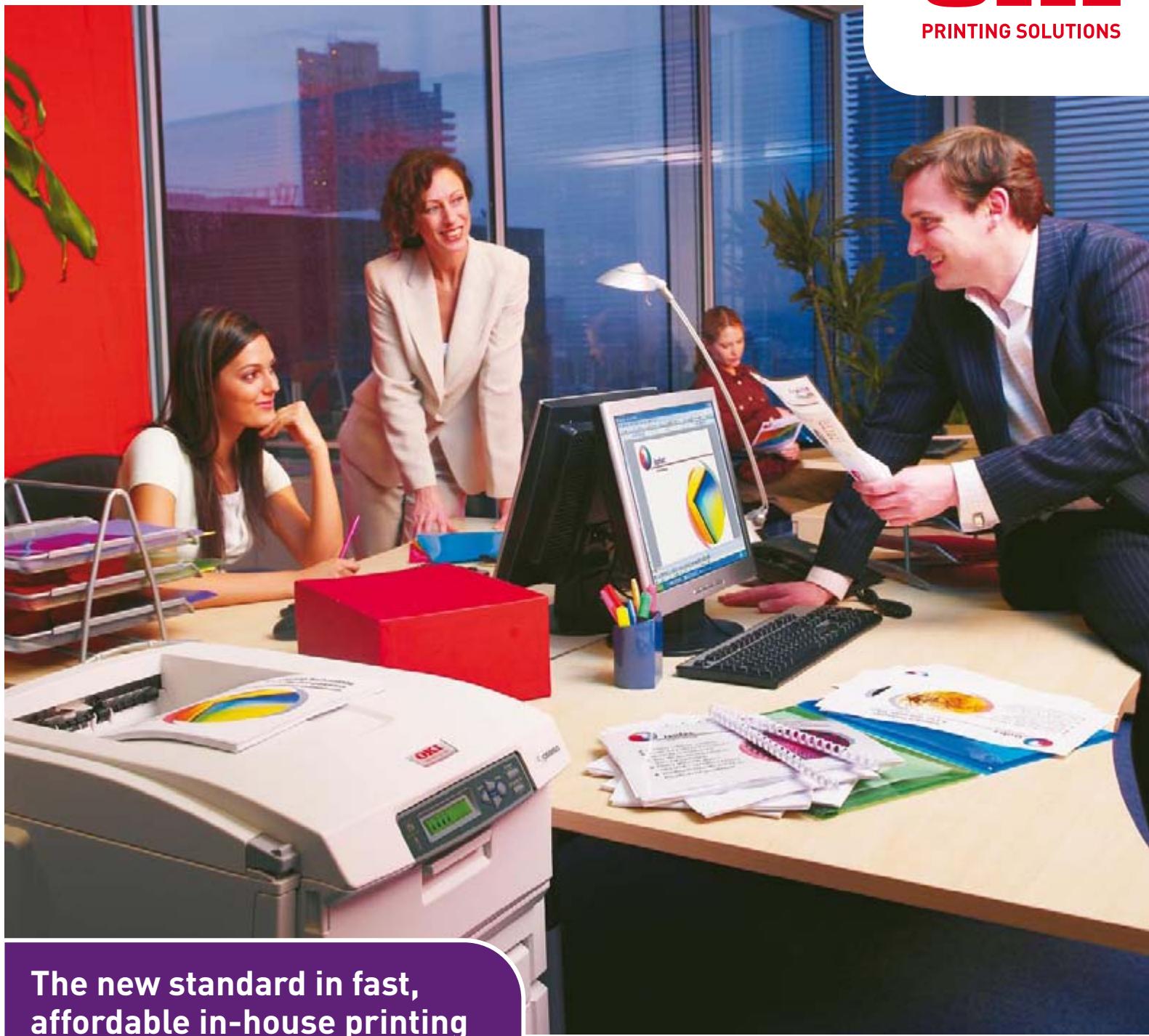
The new high performance C5000 Series is the perfect solution for businesses wanting to work more productively, print more professionally and keep a tight control over costs.
No two workgroups have exactly the same print requirements, so the C5000 Series has been designed accordingly. The C5650 and C5750 models are for workgroups who want high volume, low cost, mono printing with occasional use of colour, whereas the C5850 and C5950 models are intended specifically for those who print mostly colour. There are also several options including extra trays, double-sided printing and enhanced document security.
All four models offer a harmonious combination of hardware, consumables and in-box software, and promise the utmost efficiency and reliability, as expected from OKI Printing Solutions, the business printing specialists.
The C5000 Series. Printers with the performance to match the need.
QUICK OVERVIEW

1-10 USERS

FAST PERFORMANCE
Class leading print speeds of up to 26 pages per minute (ppm) colour and 32ppm mono

RANGE OF MEDIA HANDLING
Handles A6-A4, 1.2m banner printing and heavyweight media up to 203gsm

SECURITY
A range of utilities help control how and when documents are printed

USER FRIENDLY
Easy to work with and maintain, with helpful toner level gauge on LCD panel

SINGLE PASS PRINTING
Straight, smooth paper path requires less user attention and greater reliability

C5650
This high performance, business printer offers outstanding value for money and truly professional print quality – delivering class-leading mono print and exceptional colour. At 32ppm it will meet the need for high volume mono printing while giving a real business edge to those documents that require it. And all of this is possible without losing control of costs. The cost of mono printing is comparable to mono-only printers, and we provide Print Control in-box software to monitor and manage colour usage. The C5650 can be fully networked, allowing it to be shared across many users, thus saving costs without losing productivity within a busy workgroup. The printer offers 64- 203gsm paper support in various sizes, and for extra flexibility in paper handling, duplex printing is available as an option.
C5750
Like the C5650, this too has been designed for those businesses that print mostly mono with occasional use of colour. In addition the C5750 has a higher 256MB memory and boasts
PCL/PostScript capability. PostScript is particularly useful for printing from a greater range of creative applications and easier printing of PDF's. This makes the C5750 a truly capable and versatile printer for the business that wants to take the first affordable step up into professional colour.
C5850
The C5850 is designed for the busy, demanding workgroup that prints mainly colour. It gives class-leading colour output of 26ppm, as well as a class-leading 32ppm mono. The combined effect of ProQ2400 Multi-level technology and High Definition Toner gives a truly professional look and feel to colour documents. Despite all this, colour costs remain under control, thanks to low cost colour toner cartridges and the special Print Control in-box software which monitors and manages colour usage. The C5850 can be fully networked, allowing it to be shared across many users, to save costs further.
C5950
This is our top of the range model. Like the C5850 it will suit those users who have a regular need for colour and want to print professional colour in-house. It prints A6 to A4 and 1.2m long banners on paper stock from 64gsm up to 203gsm. The heavier weight paper support allowing the production of professional looking document covers, while Graphic Pro colour management ensures accurate colour rendition for specific matching of company logos etc. A 256MB memory and PCL/PS capability adds to its flexibility, making it perfect for more graphical applications – especially with the option of automatic single pass duplex printing. With our proven colour heritage, we’ve ensured that this machine produces exceptional print quality and highly accurate colour. Trust the business printing specialists to give your business the edge.

A5 Booklets

A4 Reports
PRINT CREATIVELY

CD Solutions

Business Cards

PRINT UP TO A4 COLOUR
A4 Duplex Documents

A4 Posters
A4 Charts
FLEXIBILITY
Extend the possibilities of in-house printing
- 64-203gsm paper support in sizes A6-A4 and 1.2m banners
- Free in-box Template Manager software allows creative in-house printing
- Can be easily upgraded, with four variants available to meet every user need
- Automatic duplex printing available for professional double-sided printing, enabling booklet printing, reduced paper use and space saving
- Input capacity of up to 930 sheets allows non-stop printing without user intervention
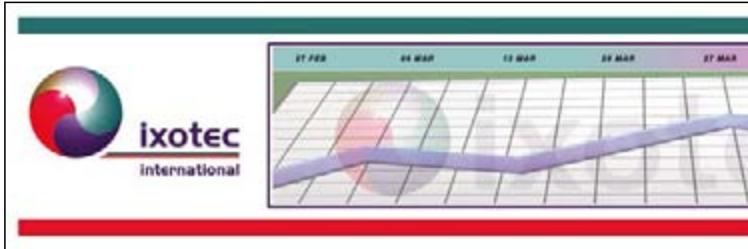
A4 Banners up to 1.2m long
SECURITY AND CONTROL
Enjoy colour. Take control
- Print Control enables the management of colour use and printing costs of each individual user
- Users are able to print confidential documents with ease due to helpful functionality, such as password protection
PERFORMANCE
The fastest, most professional business printers
Class-leading print speeds of 32 pages per minute (ppm) mono and up to 26 ppm colour
- Fast time to first print at just 8 seconds for a mono page or 11 seconds for colour
- ProQ2400 Multi-level technology and High Definition Toner together give a better level of detail, greater colour depth, reduced grain and a high gloss feel
- Graphic Pro colour management provides the tools to download colour profiles to the printer's hard disk for specific colour matching

Tent Cards

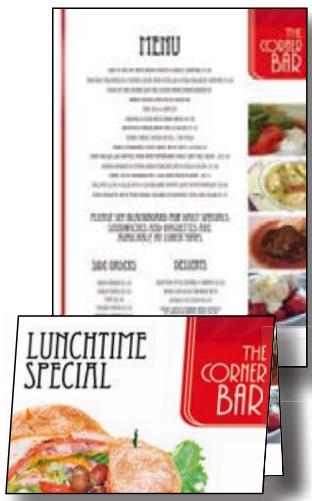
Menu
RELIABILITY
Handles the days demands and the different media
- Robust, award-winning, LED single-pass print technology
- Fewer moving parts mean a more reliable printer to cope with the day's demands
- Keeps the work flowing - smoothly handling a diverse range of media from business cards to 1.2m banners
USABILITY
Designed for easy operation by all
- Easy to change consumables, with a helpful gauge on the LCD panel clearly showing toner levels
- High capacity mono toner cartridges reduce running costs and user intervention
- Mono running costs are equivalent to many mono only products
- Low cost colour toner cartridges
- Auto Colour Balance ensures consistent results throughout the life of the printer
- Photo Enhance provides stunning photo-like quality on ordinary office paper
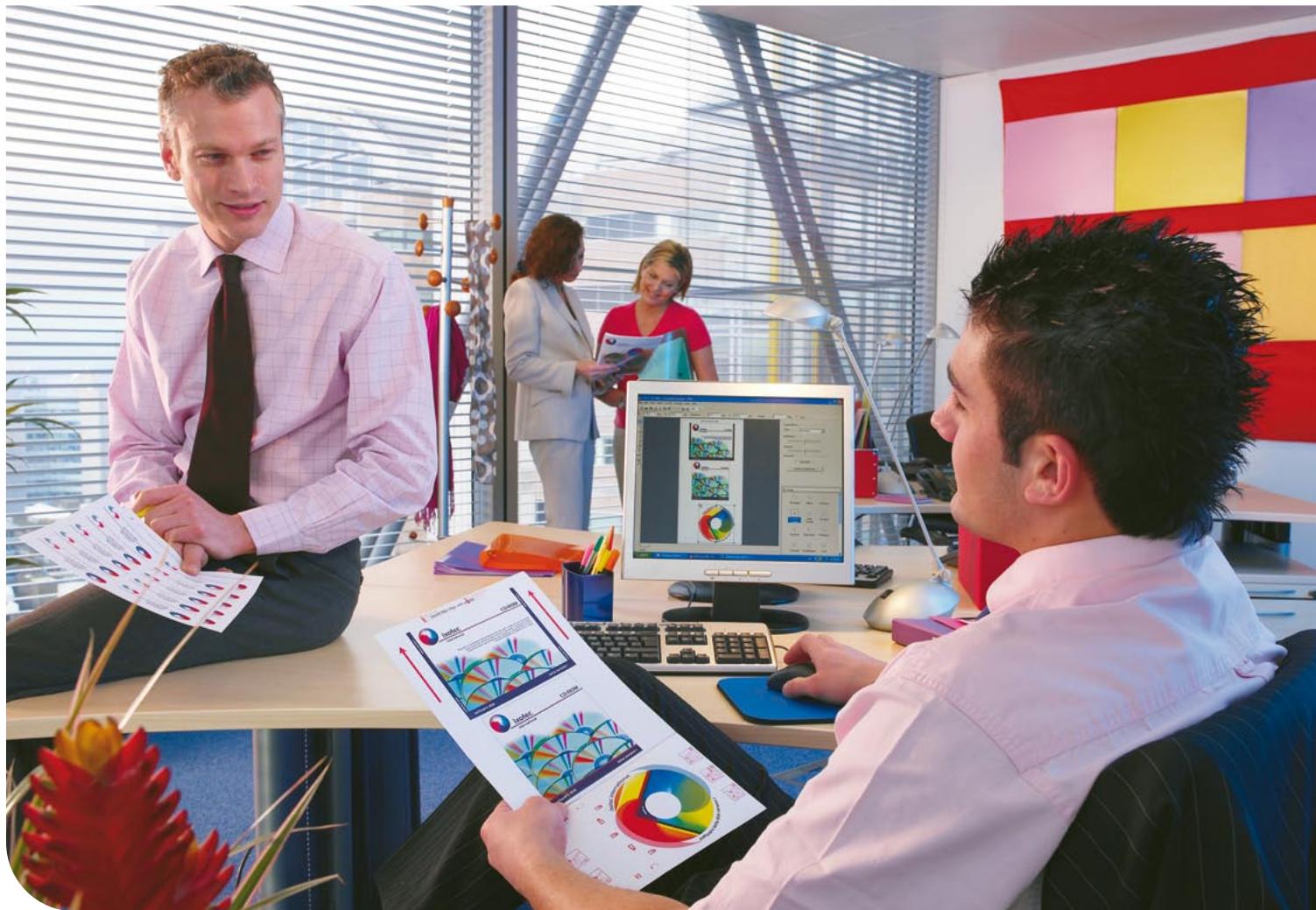
Unlock printing power and maintain business control
The C5000 Series Utility Suite is a unique set of software designed to help users get the most out of their investment. Below are some of the advanced utilities that deliver increased printing power and management control. For a complete list of utilities refer to the product specification tables.
Color Correct
With the Office Palette Tuning function for the C5000 Series you can adjust the standard palette colours in Microsoft Office programs. The Hue and Saturation Tuning function allows you to change the overall appearance of a print by adjusting gamma, hue and saturation.
Color Swatch
OKI Printing Solutions Colour Swatch is used to emulate a specific printed colour. When using the C5000 Series, businesses will benefit from precision colour printing particularly when printing corporate colours, such as those used for company logos.
Template Manager*
This powerful software program makes life easier in the office by providing ready-made templates for many kinds of stationery and promotional materials such as labels and business cards. The unique editing suite allows the freedom to create new templates for specific media or vertical industry specific documents and to make it even easier the software automatically matches the document with the correct media. These templates can also be shared across networks for design/brand consistency.
PrintSuperVision*
This system allows IT support staff to monitor all business printers within the firewall, regardless of printer make. Access is given to networked printer data for monitoring, reporting and managing networked printers. The user interface to this system is web browser based, making it simple to use.
Print Control
Print Control is a job accounting and reporting program which enables network administrators to track printer usage and control costs. This easy to use utility captures details such as number of printouts, whether colour or mono, the paper type and size and the consumables used. Printer access can be restricted to authorized individuals or groups, and pre-defined cost limits can be set, denying further access once these print limits have been reached.
Ask OKI
Ask OKI, help is close at hand delivering advice, hints and tips on how users can optimize the use of the C5000 Series mono printers. The Ask OKI tab in the printer driver connects users to a web site specifically tailored to the C5650, C5750, C5850 and C5950 printers. This gives simple, step by step instructions for optimal printing.
- Utility available with Microsoft Windows only
THE C5000 SERIES FEATURES AT A GLANCE
| C5650n | C5650dn | C5750n | C5750dn | C5850n | C5850dn | C5950n | C5950dn | C5950dtn | C5900cdtn | |
| Colour speed (A4) | 22ppm | 26ppm | ||||||||
| Mono speed (A4) | 32ppm | |||||||||
| Printer language | Windows/Mac Host Based | PCL/PostScript | Windows/Mac Host Based | PCL/PostScript | ||||||
| Print quality | ProQ2400 Multi-level technology & High Definition Toner | |||||||||
| Memory | 64MB | 256MB | 64MB | 256MB | ||||||
| Network | ● | |||||||||
| Duplex (for double-sided printing) | ○ | ● | ○ | ● | ○ | ● | ○ | ● | ||
| 2nd paper tray (for 930 sheet max paper capacity) | ○ | ● | ||||||||
| Cabinet | ○ | ● | ||||||||
| 40 GB Hard Disk Drive | N/A | ○ | N/A | ○ | ||||||
| C5650n | C5650dn | C5850n | C5850dn | ||
| Order number | 01212501 | 01212601 | 01212901 | 01213001 | |
| Speed & throughput | A4 Print speed | 22ppm colour, 32ppm mono | 26ppm colour, 32ppm mono | ||
| Time to first print | 8 seconds mono, 11 seconds colour | 8 seconds mono, 9 seconds colour | |||
| Warm up time | up to 60 seconds from power on & up to 45 seconds from power save | ||||
| Processor speed | 200MHz | ||||
| Print quality | Resolution | ProQ2400 Multi-level technology, 1200 x 600dpi | |||
| Enhancements | Auto Colour Balance, Photo Enhance via driver | ||||
| Typefaces | Printer fonts | N/A | |||
| Compatibility | Printer languages | Windows/Mac Host Based Printing System | |||
| Connectivity | Hi-Speed USB, 10/100-TX Ethernet | ||||
| OS Compatibility | Windows 2000 / XP Home / XP Professional / XP Professional x64 / Server 2003 / Server 2003 for x64 / Vista (32-bit) / Vista (64-bit) / Mac OS X PowerPC 10.2.8 or later / Mac OS X Intel 10.4.4 or later*1 | ||||
| Utility Suite | Colour Correct, Oki LPR (Windows only), PrintSuperVision.net (Windows only), Swatch Utility, Template Manager (Windows only), Web Driver Installer (Windows only), Web Print (Windows only), Print Control Server (Windows only), Print Control Client | ||||
| Memory | Std RAM | 64MB | |||
| Max RAM | 320MB | ||||
| Paper handling | Paper capacity tray 1 | 300 sheets of 80gsm. Paper sizes: A4, A5, B5, A6 | |||
| Paper capacity optional 2nd tray | 530 sheets of 80gsm. Paper sizes: A4, A5, B5 | ||||
| Paper capacity of multi-purpose tray | 100 sheets of 80gsm. Paper sizes: A4, A5, B5, A6, 10 Envelopes (Com-9, Com-10, DL, Monarch, C5), Labels (Avery 7162, 7664, 7666), Custom Size (up to 1200mm length including Banner), 50 transparencies | ||||
| Standard tray paper weight | 64-120gsm | ||||
| Optional 2nd tray paper weight | 64-176gsm | ||||
| Multi-purpose tray paper weight | 75-203gsm | ||||
| Duplex | Optional | Standard | Optional | Standard | |
| Duplex paper sizes | Supported paper sizes: A4, A5, B5. Supports Custom Size: Width 148-215.9mm Length 210-355.6mm | ||||
| Duplex paper weight | 75-105gsm | ||||
| Paper output | 250 sheets face down, 100 sheets face up, 80gsm | ||||
| Operating conditions | Temperature/humidity | 10°C to 32°C (17°C to 27°C recommended) / 20% to 80% RH (50% to 70% RH recommended) | |||
| Storage | -10°C to 43°C, 10% to 90% RH | ||||
| Power requirements | Power supply | Single phase 220-240VAC, frequency 50/60Hz +/-2% | |||
| Power consumption | Typical 490W, Peak 1200W, Idle 100W (average), Power save <15W | ||||
| Noise level | Operating: Up to 55.6 dB(A), Standby: 37 dB(A), Power Save: Background Level | ||||
| Dimensions (HxWxD) | 339.5mm x 400mm (max 435mm) x 528mm (max 563.5mm) | 339.5mm x 400mm (max 435mm) x 621mm | 339.5mm x 400mm (max 435mm) x 528mm (max 563.5mm) | 339.5mm x 400mm (max 435mm) x 621mm | |
| Weight*2 | Approx 26kg | Approx 29kg | Approx 26kg | Approx 29kg | |
| Duty cycle | Printer duty (max) | 60,000 pages/month | |||
| Printer duty (average) | 1,500 - 5,000 pages/month | ||||
| Warranty | Pan European 1 year on-site | ||||
| Accessories | Duplex | Optional (43347502) | Standard | Optional (43347502) | Standard |
| Memory | 64MB (01214001) or 256MB (01214002) | ||||
| 2nd Tray | Optional (43347602) | ||||
| Cabinet | Optional (09004619) | ||||
*1 Check local OKI Printing Solutions website for latest driver releases & OS compatibility
12 Includes all consumables
Consumables Information: For the protection of your printer, and in order to ensure that you benefit from its full functionality, this model has been designed to operate only with genuine OKI Printing Solutions toner cartridges.
These can be identified by the Oki trademark. Any other toner cartridge may not operate at all, even if it is described as "compatible", and if it does work, your printer's performance and print quality may be degraded.
| Description | Life* (pages) | C5650 | C5850 |
| Black toner | 8,000 | 43865708 | 43865724 |
| Colour toners | 2,000 | Cyan: 43872307 / Magenta: 43872306 / Yellow: 43872305 | N/A |
| 6,000 | N/A | Cyan: 43865723 / Magenta: 43865722 / Yellow: 43865721 | |
| Image drum | 20,000 A4 pages | Black: 43870008 / Cyan: 43870007 Magenta: 43870006 / Yellow: 43870005 | Black: 43870024 / Cyan: 43870023 Magenta: 43870022 / Yellow: 43870021 |
| Transfer belt | 60,000 A4 pages | 43363402 | |
| Fuser unit | 60,000 @ A4 | 43853103 | |
| C5750n | C5750dn | C5950n | C5950dn | C5950dtn | C5950cdtn | ||
| Order number | 01212701 | 01212801 | 01213101 | 01213201 | 01213301 | 01213401 | |
| Speed & throughput | A4 Print speed | 22ppm colour, 32ppm mono | 26ppm colour, 32ppm mono | ||||
| Time to first print | 8 seconds mono, 11 seconds colour | 8 seconds mono, 9 seconds colour | |||||
| Warm up time | up to 60 seconds from power on & up to 45 seconds from power save | ||||||
| Processor speed | 500MHz | ||||||
| Print quality | Resolution | ProQ2400 Multi-level technology, 1200 x 600dpi | |||||
| Enhancements | Auto Colour Balance, Photo Enhance via driver (excludes Mac and PostScript drivers) | ||||||
| Typefaces | Printer fonts | Scalable: 87 PCL fonts and 136 PostScript fonts; PCL Bitmap fonts . OCR-A/B; USPS ZIP Barcode | |||||
| Compatibility | Printer languages | PCL 6 (XL3.0) and PCL5c, PostScript 3 (clone). SIDM (IBM-PPR, EPSON-FX) | PCL 6 (XL3.0) and PCL5c, PostScript 3 (clone). SIDM (IBM-PPR, EPSON-FX), PDF Direct Print v1.5 | ||||
| Connectivity | Hi-Speed USB, 10/100-TX Ethernet & IEEE 1284 Bi-directional Parallel | ||||||
| OS Compatibility | Windows 2000 / XP Home / XP Professional / XP Professional x64 / Server 2003 / Server 2003 for x64 / Vista (32-bit) / Vista (64-bit) / Mac OS X PowerPC 10.2.8 or greater / Mac OS X Intel 10.4.4 or greater+1 | ||||||
| Barcode support | Barcode with Checksum support | ||||||
| Utility Suite | Color Correct, Oki LPR (Windows only), PrintSupervision.net (Windows only), Swatch Utility, Template Manager (Windows only), Web Driver Installer (Windows only), Web Print (Windows only), Print Control Server (Windows only), Print Control Client, Storage Device Manager2 (Windows only), Gamma Utility, Profile Assistant+2 | ||||||
| Memory | Std RAM | 256MB | |||||
| Max RAM | 768MB | ||||||
| Hard Disk Drive | 40GB (Optional) | ||||||
| Paper handling | Paper capacity tray 1 | 300 sheets of 80gsm. Paper sizes: A4, A5, B5, A6 | |||||
| Paper capacity optional 2nd tray | 530 sheets of 80gsm. Paper sizes: A4, A5, B5, | ||||||
| Paper capacity of multi-purpose tray | 100 sheets of 80gsm. Paper sizes: A4, A5, B5, A6, 10 Envelopes (Com-9, Com-10, DL, Monarch, C5), Labels (Avery 7162, 7664, 7666), Custom Size (up to 1200mm length including Banner), 50 transparencies | ||||||
| Standard tray paper weight | 64-120gsm | ||||||
| Optional 2nd tray paper weight | 64-176gsm | ||||||
| Multi-purpose tray paper weight | 75-203gsm | ||||||
| Duplex | Optional | Standard | Optional | Standard | |||
| Duplex paper sizes | Supported paper sizes: A4, A5, B5. Supports Custom Size: Width 148-215.9mm Length 210-355.6mm | ||||||
| Duplex paper weight | 75-105gsm | ||||||
| Paper Output | 250 sheets face down, 100 sheets face up, 80gsm | ||||||
| Operating conditions | Temperature/humidity | 10°C to 32°C (17°C to 27°C recommended) / 20% to 80% RH (50% to 70% RH recommended) | |||||
| Storage | -10°C to 43°C, 10% to 90% RH | ||||||
| Power requirements | Power supply | Single phase 220-240VAC, frequency 50/60Hz +/-2% | |||||
| Power consumption | Typical 490W, Peak 1200W, Idle 100W (average), Power save <17W | ||||||
| Noise level | Operating: Up to 55.6 dB(A), Standby: 37 dB(A), Power Save: Background Level | ||||||
| Dimensions (HxWxD) | 339.5mm x 400mm (max 435mm) x 528mm (max 563.5mm) | 339.5mm x 400mm (max 435mm) x 621mm | 339.5mm x 400mm (max 435mm) x 528mm (max 563.5mm) | 339.5mm x 400mm (max 435mm) x 621mm | 486.5mm x 400mm (max 435mm) x 621mm | 911.5 x 400mm (max 533mm) x 621mm | |
| Weight+3 | Approx 26kg | Approx 29kg | Approx 26kg | Approx 29kg | Approx 36kg | Approx 51kg | |
| Duty cycle | Printer duty (max) | 60,000 pages/month | |||||
| Printer duty (average) | 1,500 - 5,000 pages/month | ||||||
| Warranty | Pan European 1 year on-site | ||||||
| Accessories | Duplex | Optional (43347502) | Standard | Optional (43347502) | Standard | ||
| Memory | 256MB (01182901) or 512MB (01182902) | ||||||
| 2nd Tray | Optional (43347602) | Standard | |||||
| Hard Disk Drive | 40GB (01184501) | ||||||
| Cabinet | Optional (09004619) | Standard | |||||
1 Check local OKI Printing Solutions website for latest driver releases & OS Compatibility
2 Hard Disk Drive required
3 Includes all consumables
Consumables Information: For the protection of your printer, and in order to ensure that you benefit from its full functionality, this model has been designed to operate only with genuine OKI Printing Solutions toner cartridges. These can be identified by the OKI trademark. Any other toner cartridge may not operate at all, even if it is described as "compatible", and if it does work, your printer's performance and print quality may be degraded.
| Description | Life*(pages) | C5750 | C5950 |
| Black toner | 8,000 | 43865708 | 43865724 |
| Colour toners | 2,000 | Cyan: 43872307 / Magenta: 43872306 / Yellow: 43872305 | N/A |
| 6,000 | N/A | Cyan: 43865723 / Magenta: 43865722 / Yellow: 43865721 | |
| Image drum | 20,000 A4 pages | Black: 43870008 Cyan: / 43870007 Magenta: 43870006 / Yellow: 43870005 | Black: 43870024 / Cyan: 43870023 / Magenta: 43870022 / Yellow: 43870021 |
| Transfer belt | 60,000 A4 pages | 43363402 | |
| Fuser unit | 60,000 @ A4 | 43853103 | |
*All toners: A4 pages @ 5%, Printer shipped with 2,250 pages @ 5%. All Drums: A4 pages average life.
Specification subject to change without notice. All trademarks acknowledged.
Colour Printers
Mono Printers
MFPs
Fax
Dot Matrix
OKI EUROPE LTD.
Central House, Balfour Road Hounslow, Middlesex TW3 1 United Kingdom
T+44(0)2082192190
F +44(0) 208219 2199
WWW.OKIPRINTINGSOLUTIONS.COM
- A4 COLOUR AND MONO PRINTING, GIVING A COMPETITIVE ADVANTAGE TO DEMANDING WORKGROUPS
- FAST PERFORMANCE
- RANGE OF MEDIA HANDLING
- SECURITY
- USER FRIENDLY
- SINGLE PASS PRINTING
- C5650
- C5750
- C5850
- C5950
- PRINT CREATIVELY
- PRINT UP TO A4 COLOUR
- FLEXIBILITY
- EXTEND THE POSSIBILITIES OF IN-HOUSE PRINTING
- SECURITY AND CONTROL
- ENJOY COLOUR. TAKE CONTROL
- PERFORMANCE
- THE FASTEST, MOST PROFESSIONAL BUSINESS PRINTERS
- RELIABILITY
- HANDLES THE DAYS DEMANDS AND THE DIFFERENT MEDIA
- USABILITY
- DESIGNED FOR EASY OPERATION BY ALL
- UNLOCK PRINTING POWER AND MAINTAIN BUSINESS CONTROL
- COLOR CORRECT
- COLOR SWATCH
- TEMPLATE MANAGER
- PRINTSUPERVISION
- PRINT CONTROL
- ASK OKI
Marque : OKI
Modèle : C5850DN
Catégorie : Imprimante laser couleur