
C300 - Imprimante laser couleur OKI - Notice d'utilisation et mode d'emploi gratuit
Retrouvez gratuitement la notice de l'appareil C300 OKI au format PDF.


| Type de produit | Imprimante laser couleur A4 |
| Dimensions (HxLxP) | 242 x 410 x 504 mm |
| Poids | 22 kg (avec consommables) |
| Alimentation électrique | 220-240 V CA, 50/60 Hz |
| Consommation typique | 480 W |
| Consommation en veille | 80 W |
| Consommation en mode économie | Moins de 9,5 W |
| Vitesse d'impression couleur | 22 ppm (A4) |
| Vitesse d'impression noir et blanc | 24 ppm (A4) |
| Temps de première page couleur | 9 secondes |
| Temps de première page noir | 8,5 secondes |
| Résolution d'impression | Jusqu'à 1200 x 600 dpi (ProQ2400) |
| Processeur | 266 MHz (C310) / 532 MHz (C330) |
| Mémoire vive standard | 64 Mo (C310) / 128 Mo (C330) |
| Capacité papier standard | 350 feuilles (80 g/m²) |
| Capacité papier maximale | 880 feuilles (avec bac optionnel) |
| Grammage papier supporté | 64 à 220 g/m² |
| Formats papier supportés | A4, A5, B5, A6, enveloppes, bannières jusqu'à 1200 mm |
| Recto-verso automatique | Oui, standard |
| Connectivité | USB 2.0, Ethernet 10/100 Base-TX |
| Langages d'impression | GDI (C310) / PCL6, PostScript 3 (C330) |
| Cycle d'utilisation maximal | 45 000 pages par mois |
| Cycle d'utilisation recommandé | Jusqu'à 5 000 pages par mois |
| Garantie | 3 ans (sur inscription dans les 30 jours) |
| Écran | LCD rétroéclairé 2 lignes 16 caractères |
| Bruit en fonctionnement | Moins de 52 dB(A) |
| Bruit en veille | 37 dB(A) |
FOIRE AUX QUESTIONS - C300 OKI
Questions des utilisateurs sur C300 OKI
0 question sur cet appareil. Repondez a celles que vous connaissez ou posez la votre.
Poser une nouvelle question sur cet appareil
Téléchargez la notice de votre Imprimante laser couleur au format PDF gratuitement ! Retrouvez votre notice C300 - OKI et reprennez votre appareil électronique en main. Sur cette page sont publiés tous les documents nécessaires à l'utilisation de votre appareil C300 de la marque OKI.
MODE D'EMPLOI C300 OKI
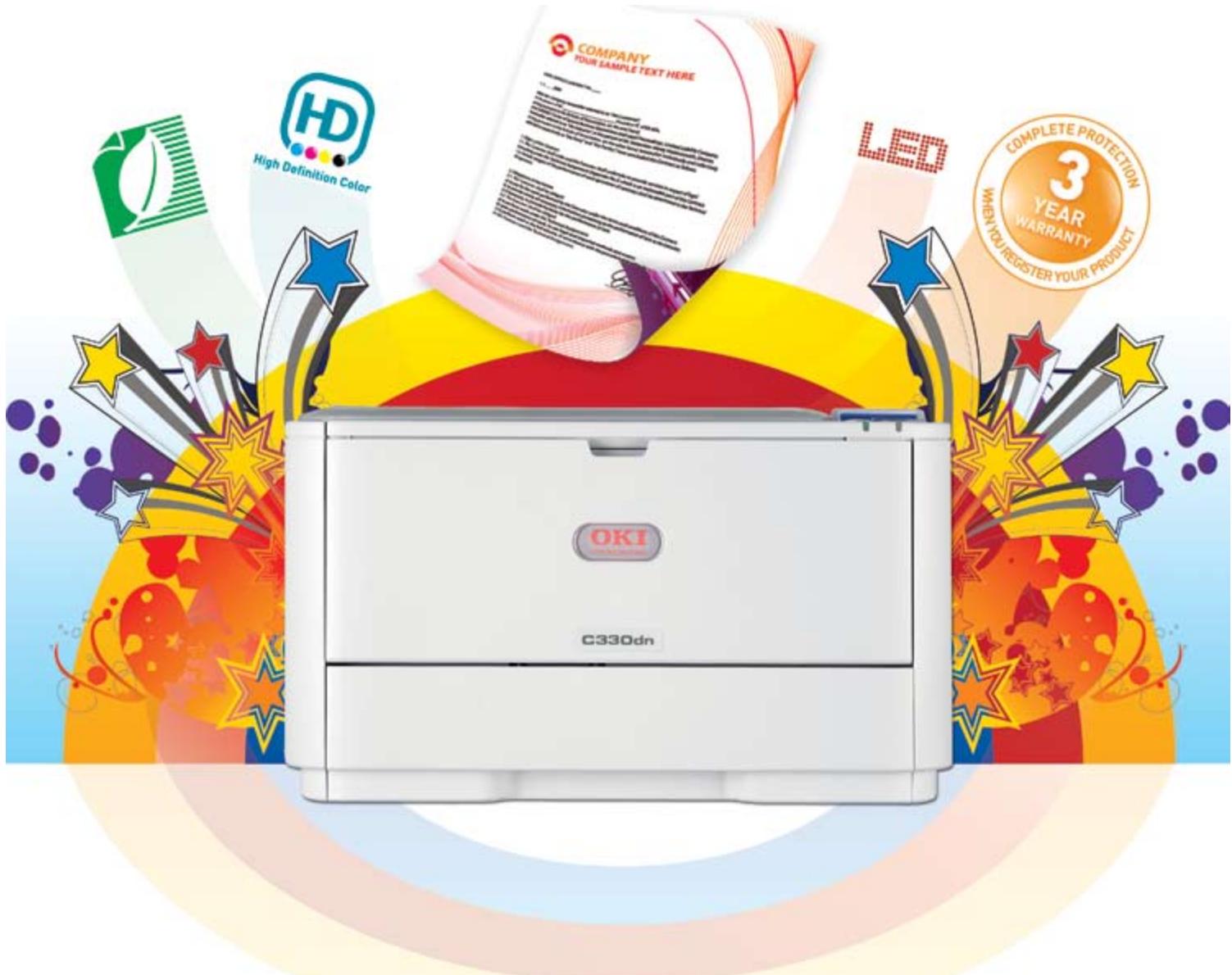
Outstanding features, exceptional value
A4
Range of media handling √
Colour, mono √
1 - 10 users √
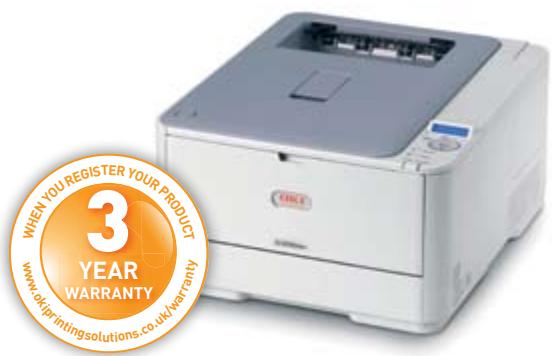
More added-value features, supporting your in-house colour needs
The compact and stylish design of the C300 series hides a serious performing A4 colour printer that is purpose built for the demanding modern environment. Built in networking, doubled sided printing and a host of outstanding features deliver exceptional value for the smaller workgroup.
What you get is impressive print speeds, striking image quality, excellent media flexibility - and a full three-year warranty for complete peace of mind – at a price that is within your budget.
Take on every office job
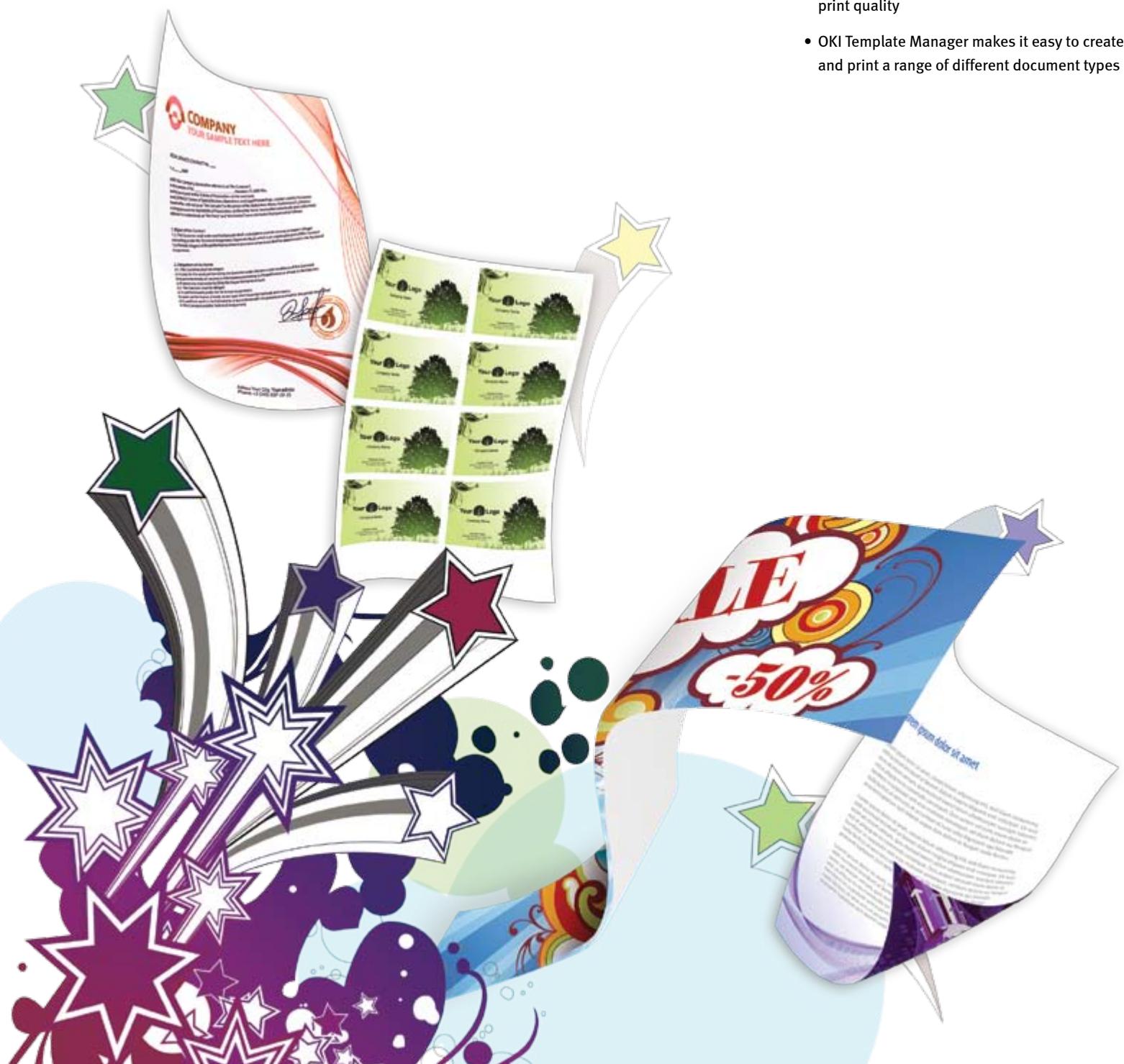
The more that your printer can do, the greater your return on investment. That makes the C300 Series great value for money. Not only is it fast enough for all of your regular office printing, but it delivers superb image quality even on card stock and specialist media, ranging from business cards through to banners. The result is that you can print far more of what you want, when you want - including high quality customer-facing promotional material - without spending money with high street print shops.
• ProQ2400 multi-level output quality, 1200 x 600dpi print resolution
- Flexible media handling: from A6 to 1200mm banners; card stock up to 220gsm
- Microfine High Definition toner for superb print quality
- OKI Template Manager makes it easy to create and print a range of different document types
Get more done, faster
As the company that pioneered LED technology and single-pass printing for faster throughput, OKI knows just how to keep office productivity to a maximum. A powerful processor and generous memory help to deliver fast first page out times and rapid throughput even on complex jobs; an intelligent ECO mode automatically speeds up small jobs, reduces energy consumption, as well as saving you money. Plus, automatic two-sided printing comes as standard and a convenient multi-purpose tray (MPT) lets you print on specialist media.
- First page prints in just 9 seconds and continuous colour print speeds of up to 22ppm (up to 24ppm in black and white)
- 532MHz processor & 128MB memory - expandable to 640MB - for superior performance (C330 only)
- ECO mode improves output performance for jobs with only one or two pages and reduces energy consumption by lowering fusing temperature
• Automatic two-sided printing reduces paper consumption and saves money - Standard paper supply of 350 sheets, including 100-sheet multi-purpose tray (can expand to 880 sheets)
Desktop-friendly
Thoughtful design, based on years of experience, makes the C300 Series truly desktop-friendly. Replacing the consumables is quick and simple and a backlit LCD display provides clear, real-time information about the status of the printer at all times. The C300 Series will fit seamlessly on any desk space and the compact, low profile design allows for easy arms-reach access to all your printed documents.
- Easy-to-replace consumables, with a separate drum unit for fewer user interventions
- Backlit 2-line x 16-character LCD display for clear, real-time status information
- Compact, low profile design lets you pick up your documents with absolute ease
Built to last
Look beyond the thoughtful ergonomic design of the C300 Series and you'll see it's tough enough for the most demanding workloads. Our ultra-reliable digital LED technology has fewer moving parts, which means less wear and tear for exceptional reliability. This plus the robust, built to last design, gives us the confidence to offer a three year warranty as standard.
- Ultra-reliable digital LED print technology, pioneered by OKI and proven over 20 years
- Industry-leading three-year warranty as standard
C310dn
GDI, duplex,
networked
C330dn
PCL/PS, duplex,
networked
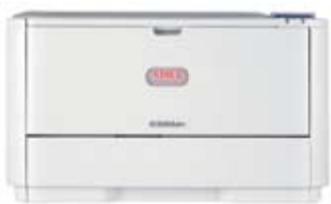
The C300 series features at a glance
| A4 Print speed | Colour 22ppm; Mono 24ppm |
| Time to first print | 9 seconds colour, 8.5 seconds mono |
| Print quality | ProQ2400 Multi-level technology, 1200 x 600dpi |
| Printer language | GDI Windows/Mac Host-based Printing System (C310dn)PCL/PostScript emulation (C330dn) |
| Processor speed | 266MHz (C310dn); 532MHz (C330dn) |
| Dimensions (HxWxD) | 242 x 410 x 504mm |
| Paper capacity | Standard: 350 sheets of 80gsm;Maximum: 880 sheets of 80gsm |
| Paper weight | Up to 220gsm |
| Paper sizes | A4, A5, B5, A6, banners up to 1,200mm |
| Duplex | Standard |
| Memory | Standard RAM: 64MB (C310dn)Standard RAM: 128MB; Maximum RAM: 640MB (C330dn) |
Business Printing Specialists
OKI Printing Solutions is a global business-to-business brand dedicated to creating cost effective, professional in-house printing solutions which are designed to increase the efficiency of today's and tomorrow's businesses and their workflows. As pioneers in innovative print technologies from digital LED to High Definition Colour, we have a portfolio of award winning products and solutions enabling businesses to achieve both image focused, vibrant, quality print communications and budget flexibility.
OKI Printing Solutions presents a full range of A3 and A4 colour and mono printers and MFPs, for workgroups and businesses of all sizes with superior media-handling capabilities. In addition our fax, POS and dot matrix printers complete our range of print solutions. These best in class products are designed to be easy to use making the job of in-house print easier.

Considering the Environment
As part of the OKI Group's Charter of Corporate Conduct, OKI Printing
Solutions continually reviews its efforts to provide environmentally sound solutions to its customers:
- Our products are designed and manufactured with reducing the impact on the environment in mind.
■ Increasing the amount of our hardware products and consumables that are recycled is one of our strategic objectives.
We feel responsible for conducting our business in an environmentally sound manner, contributing to conservation and activities within our local communities.
OKI Printing Solutions' Green Leaf symbol, found on all products and packaging, represents our total commitment to collection, recycling and environmental processes.

CarbonZero Manufacturing Facilities
OKI Printing Solutions' three main production facilities, located in
Ayutthaya (Thailand), Shenzen (China) and Fukushima (Japan), which manufacture printers and MFPs for the company's European and broader global markets have been made “CarbonZero” in a bid to slow down global climate change. This initiative is in accordance with our commitment to reduce total Greenhouse Gas Emissions, with an emissions reduction target of 6 per cent by 2012. This target is in line with the United Nations climate change objectives. We have invested in a range of carbon offsetting projects through co2 balance, to offset these factories’ carbon emissions making them ‘CarbonZero’.

Energy Star
Our printers and MFPs have earned the Energy Star by helping to eliminate
energy waste through particularly energy-efficient designs. They use less energy to perform regular tasks. When not in use, they automatically enter a powersave mode and product features such as, duplex printing, further reduce the wasting of energy and paper resources.

Simply Unique - 3 Year On-Site Warranty
Our devices are manufactured to the highest standards of quality and
technology, which has been confirmed by independent tests. We are so convinced of the high quality of our products that we are offering you an extension of the standard warranty period to 3 years – for free! Simply register your product within 30 days of purchase to be eligible for our unique all inclusive offer. Fully covered by OK! For further information please visit:
WWW.OKIPRINTINGSOLUTIONS.CO.UK/WARRANTY

High Definition Color
High Definition Color is OKI Printing Solutions' own unique set of market
defining hardware and software technologies.
Together, these components deliver unsurpassed colour printing simply, intelligently, and with perfect results.
Great colour starts with
OKI Printing Solutions
20 years of LED Technology
OKI Printing Solutions pioneered the development of digital LED technology in printers over 20 years ago. This innovation delivers High Definition printing – for more accurate, striking printed documents. Thanks to this digital LED technology, our printers are compact, environmentally friendly and energy efficient, using significantly less raw materials in the manufacturing process and consuming less energy. LED print heads have no moving parts, making our LED printers robust and ultra reliable.
OKI SYSTEMS (UK) LTD.
550 Dundee Road, Slough
Berkshire, SL1 4LE
United Kingdom
Tel: +44 (0)1753 819819
Fax: +44 (0)1753 819899
WWW.OKIPRINTINGSOLUTIONS.CO.UK
C310dn - Colour and Mono Printer
PRINTER
| A4 Print speed | 22ppm colour, 24ppm mono |
| Time to first print | 9 seconds colour, 8.5 seconds mono |
| Warm up time | Up to 60 seconds from power on & up to 32 seconds from power save |
| Processor speed | 266MHz |
INTERFACE AND SOFTWARE
| Connectivity | USB 2.0 High Speed, 10/100 TX Ethernet |
| Printer languages | Windows / Mac Host Based Printing System |
| Network & protocols | All major network protocols supported via ethernet card with internal web server for printer and network card set-up and management. TCP/IP: ARP, IP, ICMP, TCP, UDP, LPR, FTP, TELNET, HTTP(IPP), BOOTP, DHCP, SNMPv1, DNS, DDNS, UPnP, Bonjour, WINS, SMTP, SNTP, WSDPrint, LLTD |
| OS Compatibility 1 | Windows 2000 / XP Home / XP Professional (32-bit & 64-bit) / Server 2003 (32-bit & 64-bit) / Server 2008 (32-bit & 64-bit) / Server 2008 R2 (64-bit) / Vista (32-bit & 64-bit) / Windows 7 (32-bit & 64-bit); Mac OS X 10.3.9 to 10.6.2 |
| Advanced networking & security | IP Filtering, MAC Filtering |
| Utility Suite 1 | Template Manager 2 , Color Correct, OKI LPR 2 , Color Swatch Utility, Color Access Policy Manager 2 , PrintSuperVision.net 2 , Print Control Server 2 , Print Control Client, Print Control Report Tool 2 , Web Driver Installer 2 , Network Card Setup, Configuration Tool 2 |
PAPER HANDLING
| Paper capacity | Tray 1: 250 sheets of 80gsm;Multi-purpose tray: 100 sheets of 80gsm |
| Paper capacity optional tray | Tray 2: 530 sheets of 80gsm |
| Maximum paper capacity | 880 sheets of 80gsm |
| Paper sizes | Tray 1: A4, A5, B5, A6; Tray 2: A4, A5, B5; Multi-purpose tray:A4, A5, B5, A6, Envelopes (C5, DL, Com-9, Com-10, Monarch),Index Card (3" x 5") (75 x 125mm), Photo Size (4" x 6", 5" x 7")(100 x 150mm, 125 x 175mm), Custom Size (up to 1200mm length including banners);Duplex:A4, A5, B5 |
| Paper weight | Tray 1/2: 64 to 176gsm;Multi-purpose tray: 64 to 220gsm;Duplex: 64 to 176gsm |
| Paper output | Face Down: 150 sheets of 80gsm;Face Up: 100 sheets of 80gsm |
PRINT QUALITY
| Resolution | ProQ2400 Multi-level Technology, 1200x600dpi, 600x600dpi |
| Enhancements | Auto Color Balance, Photo Enhance via driver |
GENERAL FEATURES
| Memory | Standard RAM: 64MB; Maximum RAM: 64MB |
| Environment | Operating temperature/ humidity: 10°C to 32°C ( 17°C to 27°C recommended) / 20% to 80% RH (50% to 70% RH recommended) |
| Storage temperature/humidity: -10°C to 43°C , 10% to 90% RH | |
| Power supply | Single phase 220-240VAC, frequency 50/60Hz +/-2% |
| Power consumption | Typical: 480W; Max: 1170W; Idle: 80W; Power Save: <9.5W |
| Noise level | Operating: <52dB(A); Standby: 37dB(A); Power save: Inaudible |
| Dimensions (HxWxD) | 242 x 410 x 504mm |
| Weight 3 | 22kg |
| Duty cycle | Maximum: 45,000 pages/month;Recommended: Up to 5,000 pages/month |
| Warranty | 3 years extended warranty upon registration within 30 days of purchase |
| Product order number | C310dn: 01279801 |
ACCESSORIES (ORDER NUMBER)
| 2nd paper tray | 44472102 |
CONSUMABLES (ORDER NUMBERS)
| Toner cartridges* (3,500 pages) | Black: 44469803 |
| Toner cartridges* (2,000 pages) | Cyan: 44469706; Magenta: 44469705; Yellow: 44469704 |
| Image drum** (20,000 pages) | 44494202 |
| Transfer Belt (60,000 pages) | 44472202 |
| Fuser Unit (60,000 pages) | 44472603 |
*Toner: A4 pages yield compliant with ISO/ISC 19798. Printer shipped with toner for 1,000 A4 pages.
**Drum: Average life of 3 pages per job from tray 1 in simplex mode.
1Check local OKI Printing Solutions website for latest driver releases and OS compatibility; 2 Windows only; 3 Including all consumables
Consumables Information: For the protection of your printer, and in order to ensure that you benefit from its full functionality, this model has been designed to operate only with genuine OKI Printing Solutions toner cartridges. These can be identified by the OKI trademark. Any other toner cartridge may not operate at all, even if it is described as “compatible”, and if it does work, your printer’s performance and print quality may be degraded.

Simply Unique - 3 Year Warranty
Our devices are manufactured to the highest standards of quality and technology, which has been confirmed by
independent tests. We are so convinced of the high quality of our products that we are offering you an extension of the
standard warranty period to 3 years – for free! Simply register your product within 30 days of purchase to be eligible for our
unique all inclusive offer. Fully covered by OKI! For further information please visit WWW.OKIPRINTINGSOLUTIONS.CO.UK/WARRANTY
Without registration, the standard pan-European 1 year warranty applies.
OKI SYSTEMS (UK) LTD.
550 Dundee Road, Slough
Berkshire, SL1 4LE
United Kingdom
T +44(0) 1753 819819
F +44(0) 1753 819899
WWW.OKIPRINTINGSOLUTIONS.CO.UK
C330dn - Colour and Mono Printers
PRINTER
| A4 Print speed | 22ppm colour, 24ppm mono |
| Time to first print | 9 seconds colour, 8.5 seconds mono |
| Warm up time | Up to 60 seconds from power on & up to 32 seconds from power save |
| Processor speed | 532MHz |
INTERFACE AND SOFTWARE
| Connectivity | USB 2.0 High Speed, 10/100 TX Ethernet |
| Printer languages | PCL6 (XL3.0 & PCL5c) PostScript 3 emulation, SIDM (IBM-PPR, EPSON-FX, IBM5577) |
| Network & protocols | All major network protocols supported via ethernet card with internal web server for printer and network card set-up and management. TCP/IP: ARP, IPv4/v6, ICMPv4/v6, TCP, UDP, LPR, FTP, TELNET, HTTP(IPP), BOOTP, DHCP, SNMPv1/v3, DNS, DDNS, UPnP, Bonjour, WINS, SSL/TLS, SMTP, POP3, SNTP, WSDPrint, LLTD, JetDirect protocols, NetBIOSoverTCP. NetWare3.x, 4.x, 5.x and 6 with full NDS and NDPS support:- PServer, RPrinter, NDPS supported via dedicated OKI NDPS Gateway; AppleTalk: ELAP, AARP, DDP, AEP, NBP, ZIP, RTMP, ATP, PAP; NetBEUI: SMB, NetBIOS; Other: EAP |
| OS Compatibility 1 | Windows 2000 / XP Home / XP Professional (32-bit & 64-bit) / Server 2003 (32-bit & 64-bit) / Server 2008 (32-bit & 64-bit) / Server 2008 R2 (64-bit) / Vista (32-bit & 64-bit) / Windows 7 (32-bit & 64-bit); Mac OS X 10.3.9 to 10.6.2 |
| Advanced networking & security | IPv6, 802.1x authentication, SNMPv3, SSL/TLS, HTTPS encryption, MAC filtering, IP filtering, IPSec |
| Utility Suite 1 | Template Manager 2 , Color Correct, OKI LPR 2 , Color Swatch Utility, Color Access Policy Manager 2 , PrintSuperVision.net 2 , Print Control Server 2 , Print Control Client, Print Control Report Tool 2 , Web Driver Installer 2 , Network Card Setup, Configuration Tool 2 , PostScript Gamma Utility, Profile Assistant, PDF Direct Print 2 , Storage Device Manager 2 |
PAPER HANDLING
| Paper capacity | Tray 1: 250 sheets of 80gsm;Multi-purpose tray: 100 sheets of 80gsm |
| Paper capacity optional tray | Tray 2: 530 sheets of 80gsm |
| Maximum paper capacity | 880 sheets of 80gsm |
| Paper sizes | Tray 1: A4, A5, B5, A6; Tray 2: A4, A5, B5; Multi-purpose tray:A4, A5, B5, A6, Envelopes (C5, DL, Com-9, Com-10, Monarch),Index Card (3" x 5") (75 x 125mm), Photo Size (4" x 6", 5" x 7")(100 x 150mm, 125 x 175mm), Custom Size (up to 1200mmlength including banners); Duplex: A4, A5, B5 |
| Paper weight | Tray 1/2: 64 to 176gsm; Multi-purpose tray: 64 to 220gsm;Duplex: 64 to 176gsm |
| Paper output | Face Down: 150 sheets of 80gsm;Face Up: 100 sheets of 80gsm |
PRINT QUALITY
| Resolution | ProQ2400 Multi-level Technology, 1200x600dpi, 600x600dpi | |
| TYPEFACES | Enhancements | Auto Color Balance, Photo Enhance via driver |
| Printer fonts | Scalable: 87 PCL Fonts and 80 PostScript fonts, PCL Bitmap fonts, OCR-A/B, USPS ZIP Barcode | |
| Barcode | 12 types of one dimension with 28 variations: UPC-A, UPC-E, EAN/JAN-8, EAN/JAN13, Interleaved2of5, Code 39, Code 138EAN/UCC-128, CODABAR, ZIP+4POSTNET, Customer barcode,USPS Zip Barcode, 1 type of two dimensions: PDF417 | |
GENERAL FEATURES
| Memory | Standard RAM: 128MB; Maximum RAM: 640MB |
| Environment | Operating temperature/ humidity: 10°C to 32°C (17°C to 27°C recommended) / 20% to 80% RH (50% to 70% RH recommended) |
| Storage temperature/humidity: -10°C to 43°C, 10% to 90% RH | |
| Power supply | Single phase 220-240VAC, frequency 50/60Hz +/-2% |
| Power consumption | Typical: 480W; Max: 1170W; Idle: 80W; Power Save: <14W |
| Noise level | Operating: <52dB(A); Standby: 37dB(A); Power save: Inaudible |
| Dimensions (HxWxD) | 242 x 410 x 504mm |
| Weight3 | 22kg |
| Duty cycle | Maximum: 45,000 pages/month; Recommended: Up to 5,000 pages/month |
| Warranty | 3 years extended warranty upon registration within 30 days of purchase |
| Product order number | C330dn: 01279901 |
ACCESSORIES (ORDER NUMBERS)
| 2nd paper tray | 44472102 |
| Memory | 256MB: 01182907; 512MB: 01182908 |
CONSUMABLES (ORDER NUMBERS)
| Toner cartridges* (3,500 pages) | Black: 44469803 |
| Toner cartridges* (2,000 pages) | Cyan: 44469706; Magenta: 44469705; Yellow: 44469704 |
| Image drum** (20,000 pages) | 44494202 |
| Transfer Belt (60,000 pages) | 44472202 |
| Fuser Unit (60,000 pages) | 44472603 |
*Toner: A4 pages yield compliant with ISO/ISC 19798. Printer shipped with toner for 1,000 A4 pages.
**Drum: Average life of 3 pages per job from tray 1 in simplex mode.
1 Check local OKI Printing Solutions website for latest driver releases and OS compatibility; 2 Windows only; 3 Including all consumables
Consumables Information: For the protection of your printer, and in order to ensure that you benefit from its full functionality, this model has been designed to operate only with genuine OKI Printing Solutions toner cartridges. These can be identified by the OKI trademark. Any other toner cartridge may not operate at all, even if it is described as “compatible”, and if it does work, your printer’s performance and print quality may be degraded.

Simply Unique - 3 Year Warranty
Our devices are manufactured to the highest standards of quality and technology, which has been confirmed by
independent tests. We are so convinced of the high quality of our products that we are offering you an extension of the
standard warranty period to 3 years – for free! Simply register your product within 30 days of purchase to be eligible for our
unique all inclusive offer. Fully covered by OKI! For further information please visit WWW.OKIPRINTINGSOLUTIONS.CO.UK/WARRANTY
Without registration, the standard pan-European 1 year warranty applies.
OKI SYSTEMS (UK) LTD.
550 Dundee Road, Slough
Berkshire, SL1 4LE
United Kingdom
T +44(0) 1753 819819
F +44(0) 1753 819899
WWW.OKIPRINTINGSOLUTIONS.CO.UK
- OUTSTANDING FEATURES, EXCEPTIONAL VALUE
- MORE ADDED-VALUE FEATURES, SUPPORTING YOUR IN-HOUSE COLOUR NEEDS
- TAKE ON EVERY OFFICE JOB
- GET MORE DONE, FASTER
- DESKTOP-FRIENDLY
- BUILT TO LAST
- BUSINESS PRINTING SPECIALISTS
- CONSIDERING THE ENVIRONMENT
- CARBONZERO MANUFACTURING FACILITIES
- ENERGY STAR
- SIMPLY UNIQUE - 3 YEAR ON-SITE WARRANTY
- WWW.OKIPRINTINGSOLUTIONS.CO.UK/WARRANTY
- HIGH DEFINITION COLOR
- GREAT COLOUR STARTS WITH
- OKI PRINTING SOLUTIONS
- 20 YEARS OF LED TECHNOLOGY
- C310DN - COLOUR AND MONO PRINTER
- SIMPLY UNIQUE - 3 YEAR WARRANTY
- C330DN - COLOUR AND MONO PRINTERS
Marque : OKI
Modèle : C300
Catégorie : Imprimante laser couleur