
PCTV USB-STICK - Tuner TV USB PINNACLE - Notice d'utilisation et mode d'emploi gratuit
Retrouvez gratuitement la notice de l'appareil PCTV USB-STICK PINNACLE au format PDF.


| Type de produit | Adaptateur TV TNT USB |
| Marque | PINNACLE |
| Modèle | PCTV USB-STICK |
| Connectivité | USB 2.0 |
| Standard TV | DVB-T (TNT) |
| Gamme de fréquences | 42 - 860 MHz (VHF/UHF) |
| Démodulateur | QPSK, 16/64 QAM |
| Largeur de bande | 6, 7, 8 MHz |
| Entrée antenne | 75 Ohm IEC (Fiche coaxiale) |
| Consommation électrique | 480 mA sous 5 V (alimentation par port USB) |
| Dimensions (L x l x H) | 84,25 x 31,70 x 15,45 mm |
| Poids | Environ 27 g |
| Température de fonctionnement | 0 °C à 50 °C, 5% - 95% HR |
| Logiciel inclus | CD d'installation et guide de démarrage rapide |
| Fonctions principales | Réception TV en direct, enregistrement sur disque dur, TimeShift (différé), guide électronique des programmes (EPG), télétexte |
| Accessoires fournis | Antenne tige magnétique passive, télécommande mini avec piles (en option) |
| Compatibilité système | Windows XP (Home, Pro, MCE 2005) avec SP, port USB 2.0 |
| Configuration minimale processeur | Pentium III 1,0 GHz (SD) ou équivalent AMD |
| Configuration minimale RAM | 256 Mo |
| Configuration minimale disque dur | 5 Go d'espace libre (20 Go recommandé) |
| Certifications | CE, conformité aux normes EN (CEM et sécurité) |
FOIRE AUX QUESTIONS - PCTV USB-STICK PINNACLE
Questions des utilisateurs sur PCTV USB-STICK PINNACLE
0 question sur cet appareil. Repondez a celles que vous connaissez ou posez la votre.
Poser une nouvelle question sur cet appareil
Téléchargez la notice de votre Tuner TV USB au format PDF gratuitement ! Retrouvez votre notice PCTV USB-STICK - PINNACLE et reprennez votre appareil électronique en main. Sur cette page sont publiés tous les documents nécessaires à l'utilisation de votre appareil PCTV USB-STICK de la marque PINNACLE.
MODE D'EMPLOI PCTV USB-STICK PINNACLE
PCTV USB Stick Hardware
PCTV USB Stick Hardware
User's Guide
GB January 2006
© Pinnacle Systems GmbH 2006
All rights reserved.
No part of this manual may be reproduced or transferred to other media without the explicit written permission of Pinnacle Systems GmbH, Brunswick, Germany.
All brand or product names are trademarks or registered trademarks of their respective holders.
Pinnacle Systems GmbH has written this manual to the best of its ability, but can not guarantee that the programmes/systems will satisfy the users' intended applications.
No guarantee is given regarding the specifications of features.
Pinnacle Systems GmbH retains the right to make alterations to the content of the manual without the need to inform third parties.
All quotes, sales, supply and manufacturing contracts from Pinnacle Systems GmbH, including consulting, installation and other contractual services are subject exclusively to the General Sales and Delivery Terms of Pinnacle Systems GmbH.
Table of Contents
Introduction 1
Box contents 2
System requirements 3
Processor 3
Operating memory 3
Hard disk 3
Graphics controller. 3
Sound controller 3
USB port 3
CD-ROM / DVD-ROM drive or recorder 3
Operating system 3
Connecting the antenna 4
Positioning tips for the rod antenna 5
Connecting to a computer 6
Using the remote control 7
Technical data 8
Bus system 8
Power consumption. 8
TVtuner 8
DVB-T demodulator 8
Antenna input. 8
Dimensions 8
Weight 8
Operating temperature 8
Declaration of conformity in accordance with ISO/IEC Guide 22............9
Congratulations! You are now the proud owner of a PCTV USB Stick!
A PCTV USB Stick allows you to receive digital terrestrial television in accordance with DVB-T (Digital Video Broadcasting - Terrestrial) standards and guarantees excellent picture quality on your PC.
The PCTV USB Stick has optimized reception and functions independently of the power supply. This makes it the perfect mobile solution for receiving digital television on your laptop computer.
In addition to Live TV, a PCTV USB Stick also makes time delay television (Timeshift) available, as well as offering you the option of recording programmes on your hard disk - without any deterioration in sound or image quality.
You also have access to free information services, videotext and the electronic programme guide (EPG), which allows you to simply and easily programme the shows you want to record.
Other services, including digital radio via DVB-T, are also planned for the future and are already available in some regions.
And now, time to have fun with your PCTV USB Stick!

More information about DVB-T can be found on the Internet at
www.dvb.org or at www.freeview.co.uk. For Australia go to www.dba.org.au.
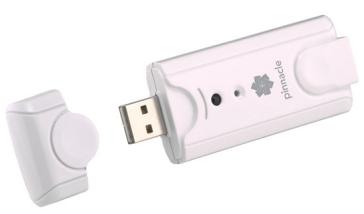
PCTV USB Stick
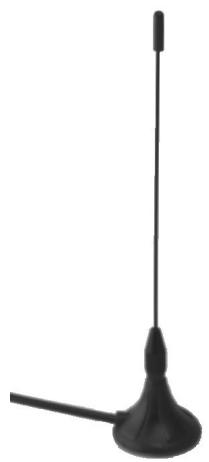
Passive mini rod antenna with magnetic foot (this illustration is an example only)
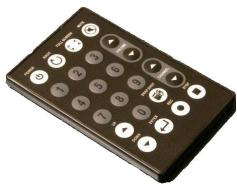
Mini remote control including batteries (this illustration is an example only)
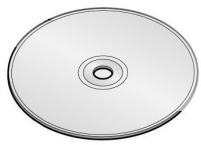
Installation CD
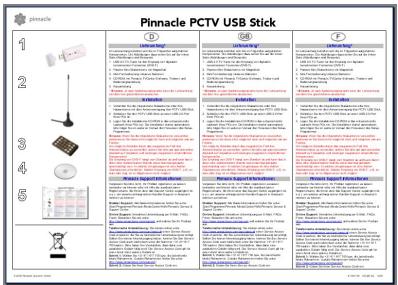
Quick Start instructions

The box contents may vary depending on your product version.
In order for the PCTV USB Stick to function smoothly, your system must meet the following requirements:
Processor
Minimum: Pentium III 1.0 GHz or equivalent AMD Athlon XP processor (SD only) Recommended: Pentium IV 2.2 GHz, Pentium M 1.3 GHz or equivalent AMD Athlon 64 processor (SD and HD)
Operating memory
Minimum: 256 MB RAM
Recommended: 512 MB RAM
Hard disk
Minimum: IDE hard disk with master mode drivers and 5 GB of free disk space
Recommended: U-DMA hard disk with 20 GB of free disk space
Graphics controller
Minimum: DirectX 8 compatible graphics card
Recommended: DirectX 9 (or higher) compatible graphics controller
Sound controller
Minimum: DirectX 9 compatible sound controller
USB port
USB 2.0 ("hi-speed") port
CD-ROM / DVD-ROM drive or recorder
Minimum: CD-ROM or DVD-ROM drive Recommended: CD or DVD recorder
Operating system
Windows XP (Home Edition, Professional Edition or Media Center Edition 2005) with the latest Service Pack
Connecting the antenna
Connect the rod antenna provided, or your household antenna, to the antenna input on the PCTV USB Stick before connecting the PCTV USB Stick to a computer.
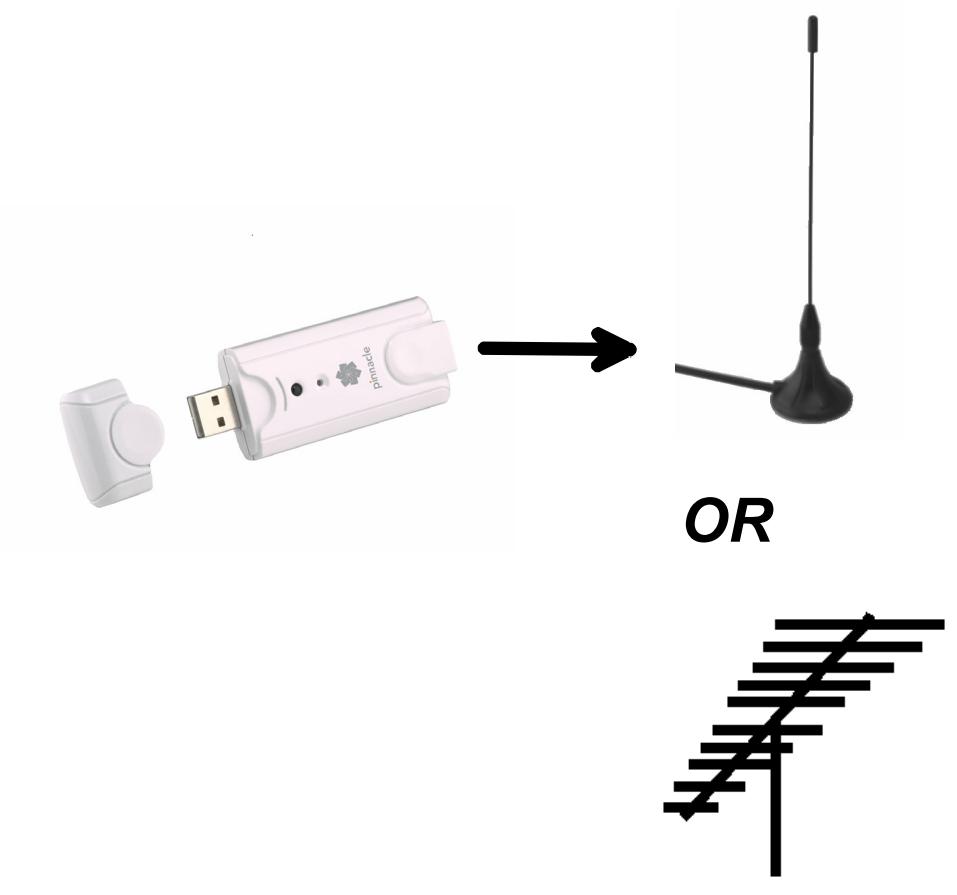

Use a suitable cable to connect a household antenna. Please note that the quality of the cable has a significant effect on reception.
Positioning tips for the rod antenna
Should you choose to use the rod antenna (optional) contained in the box to receive a television signal, please read the following instructions (these instructions do not apply to other antennas):
If possible, place the antenna near a window.
- In addition, position the antenna as high as possible.
- The antenna should not be placed near a cathode ray tube monitor or television or similar equipment.

To avoid possible damage caused by the magnetic field around the antenna's feet, ensure that the latter is placed at a sufficient distance from the hard drive and other components that are sensitive to magnetic forces. DVB-T reception is dependant on location and may be impaired by steel-reinforced walls as well as tall neighbouring buildings. In this type of environment an external/roof antenna is required. It is not generally possible to receive DVB-T on the move, e.g. in a car or train.
Connecting to a computer
Once you have connected the antenna to the PCTV USB Stick, plug it into a free USB 2.0 port on your PC.
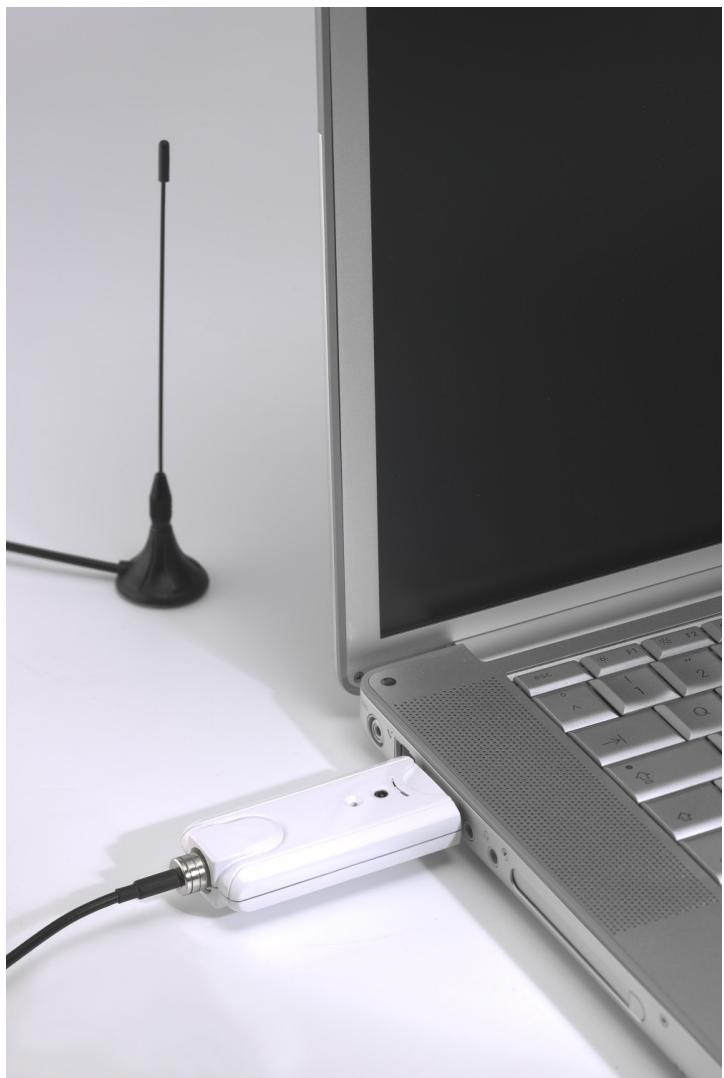
Using the remote control
Should you wish to operate the PCTV USB Stick using the remote control, which is supplied as an optional extra, please ensure that the remote control is aimed as directly as possible at the PCTV USB Stick housing.
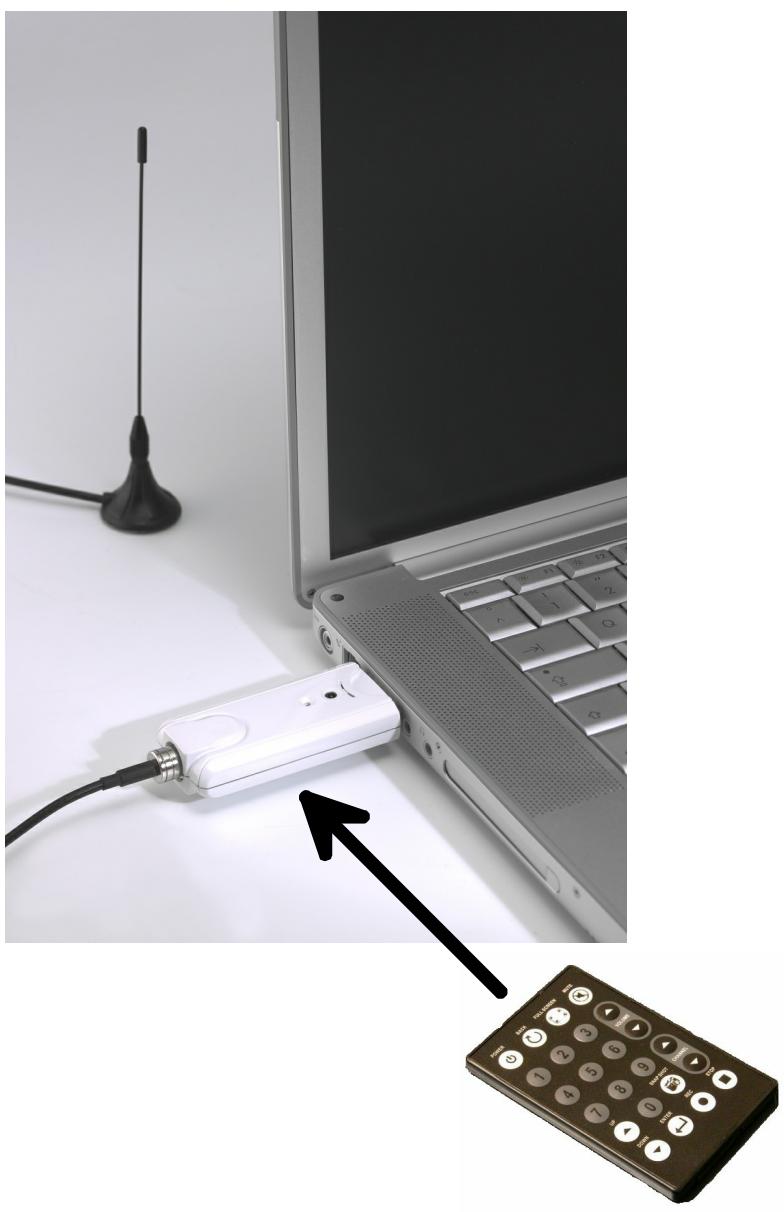
Bus system
USB 2.0 ("hi-speed")
Power consumption
480 mA (5 V)
TV tuner
Frequency range 42 - 860 MHz (VHF and UHF).
DVB-T demodulator
16.64 QAM, QPSK
6, 7, 8 MHz bandwidth
Antenna input
75 Ohm IEC
Dimensions
84.25 × 31.70 × 15.45 mm
Weight
Approximately 27g
Operating temperature
0ircC - 50ircC at 5% - 95% relative humidity
CE
Konformitätserklung nach ISO/IEC Guide 22
Declaration of conformity in accordance with ISO/IEC Guide 22
Nr./No 1.00
Anbieter / Supplier :
Anschrift / Address :
Produkt / Product :
Pinnacle Systems GmbH
Frankfurter Strasse 3c
38122 Braunschweig, Germany
PCTV USB Stick
Das oben beschriebene Produkt ist konform mit: / The product described above is in conformity with:
| Dokument-Nr. Document No. | Titel Title |
| EN 55013 : 2001 | Funkstör eigenschaften von Rundfunkempfängern und verwandten Geräten der Unterhaltungselektronik Limits and methods of measurement of radio disturbance characteristics of broadcast receivers and associated equipment |
| EN 55020 : 2002 + A1:2003 | Störfestigkeit von Rundfunkempfängern und verwandten Geräten der Unterhaltungselektronik Electromagnetic immunity of broadcast receivers and associated equipment |
| EN 55022 : 1998 + A1:2000 + A2:2003 Class B | Grenzwerte und Messverfahren für Funkentstörungen von Einrichtungen der Informationstechnik Limits and methods of measurement of radio interference characteristics of information technology equipment |
| EN 55024 : 1998 + A1:2001 + A2:2003 | Störfestigkeitseigenschaften für Einrichtungen der Informationstechnik - Grenzwerte und Prüverfahren Immunity characteristics for information technology equipment - limits and methods of measurement |
| EN 61000-4-2 : 1995 + A2:2001 | Störfestigkeit gegen Entladung statischer Elektrizität Electrostatic discharge immunity test |
| EN 61000-4-3 : 2002 | Störfestigkeit gegen hochfrequente electromagnetische Felder Radiated, radio-frequency, electromagnetic field immunity test |
| EN 61000-4-4 : 1995 + A2:2001 | Störfestigkeit gegen schnelle transiente elektrische Stögrößen/BURST Electrical fast transient/burst immunity test |
| EN 61000-4-5 : 1995 + A1:2000 | Störfestigkeit gegen Stößspannungen/SURGE Surge immunity test |
| EN 61000-4-6 : 1996 + A1:2000 | Störfestigkeit gegen leitungsgeführte Stögrößen, induziert durch hochfrequente Felder Immunity to conducted disturbances, induced by radio-frequency fields |
| EN 61000-4-8 : 1993 + A1:2000 | Störfestigkeit gegen Magnetfelder mit energietechnischen Frenzen Power frequency magnetic field immunity test |
| EN 61000-3-2 : 2000 | Grenzwerte für Oberschwingungsströme Limitations for harmonic currents |
| EN 61000-3-3 : 1995 + A1:2001 | Grenzwerte für Spannungsschwankungen und Flicker Limitations of voltage fluctuations and flicker |
| EN 60950 : 2001 | Sicherheit von Einrichtungen der Informationstechnik Safety of information technology equipment |
Dieser Erklärung liegt zugrunde: Prüfbericht(e) des EMV-Prüflabors
This certification is based on: Test report(s) generated by EMI-test laboratory
Braunschweig, 09. Januar 2006 / January 9th, 2006
VP Engineering
(Rechtsverbindliche Unterschrift / Legally Binding)
- PCTV USB Stick Hardware
- User's Guide
- Table of Contents
- Processor
- Operating memory
- Hard disk
- Graphics controller
- Sound controller
- USB port
- CD-ROM / DVD-ROM drive or recorder
- Operating system
- Connecting the antenna
- Positioning tips for the rod antenna
- Connecting to a computer
- Using the remote control
- Bus system
- Power consumption
- TV tuner
- DVB-T demodulator
- Antenna input
- Dimensions
- Weight
- Operating temperature
- CE
- Konformitätserklung nach ISO/IEC Guide 22
- Declaration of conformity in accordance with ISO/IEC Guide 22
Marque : PINNACLE
Modèle : PCTV USB-STICK
Catégorie : Tuner TV USB