
USB-3 PCI EXPRESS CARD - Carte d'extension USB LACIE - Notice d'utilisation et mode d'emploi gratuit
Retrouvez gratuitement la notice de l'appareil USB-3 PCI EXPRESS CARD LACIE au format PDF.


| Type de produit | Carte d extension USB 3.0 |
| Marque | LACIE |
| Modele | USB-3 PCI EXPRESS CARD |
| Interface hote | PCI Express 2.0 (x1) |
| Nombre de ports USB 3.0 | 2 |
| Debits supportes | SuperSpeed (5 Gbit/s), HighSpeed (480 Mbit/s), FullSpeed (12 Mbit/s), LowSpeed (1,5 Mbit/s) |
| Connecteur d alimentation | 4 broches (pour alimentation supplementaire) |
| Compatibilite systeme | Windows XP / Vista / 7 (32/64 bits) |
| Fonctions principales | Ajout de ports USB 3.0, compatibilite descendante USB 2.0/1.1, echange a chaud |
| Dimensions (approx.) | 12 cm x 10 cm (carte standard) |
| Poids (approx.) | 50 g |
| Alimentation | Via le slot PCI Express + eventuellement connecteur 4 broches |
| Entretien et nettoyage | Debrancher avant nettoyage, utiliser un chiffon sec et non abrasif |
| Securite | Installer uniquement dans un slot compatible, respecter les procedures de mise hors tension |
| Pieces detachees et reparabilite | Aucune piece detachee disponible, carte non repairable par l utilisateur |
| Informations generales | Conforme aux specifications PCI Express 2.0 et USB 3.0, necessite un pilote (CD fourni) |
FOIRE AUX QUESTIONS - USB-3 PCI EXPRESS CARD LACIE
Questions des utilisateurs sur USB-3 PCI EXPRESS CARD LACIE
0 question sur cet appareil. Repondez a celles que vous connaissez ou posez la votre.
Poser une nouvelle question sur cet appareil
Téléchargez la notice de votre Carte d'extension USB au format PDF gratuitement ! Retrouvez votre notice USB-3 PCI EXPRESS CARD - LACIE et reprennez votre appareil électronique en main. Sur cette page sont publiés tous les documents nécessaires à l'utilisation de votre appareil USB-3 PCI EXPRESS CARD de la marque LACIE.
MODE D'EMPLOI USB-3 PCI EXPRESS CARD LACIE
LACIE
LaCie USB 3.0 PCI Express Card
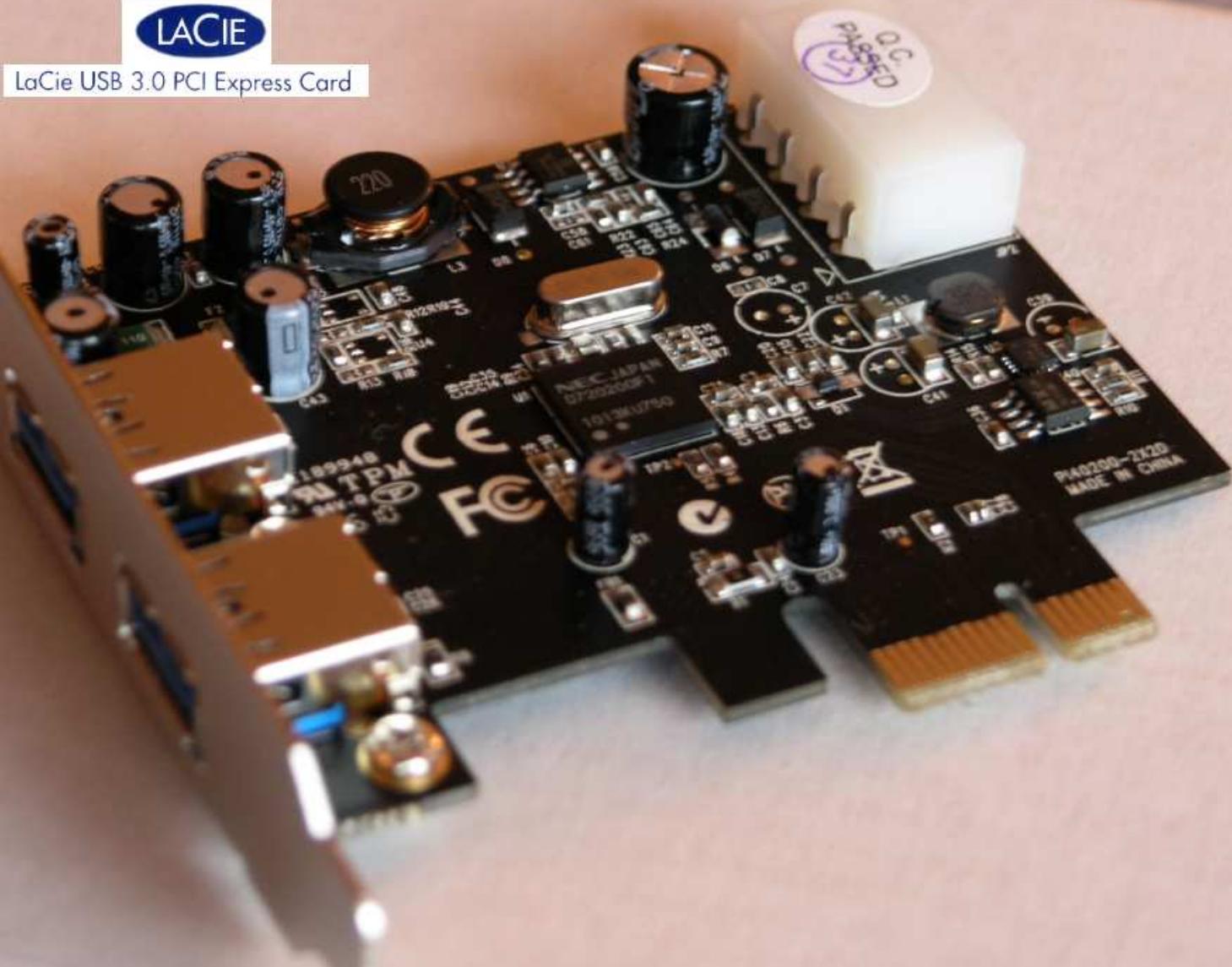
USB 3.0 2-Port PCI Express Card
User Manual
Ver. 1.00
All brand names and trademarks are properties of their respective owners.
Features
● Fully compliant with PCI Express Base Specification Revision 2.0
● Single-lane (x1) PCI Express throughput rates up to 5 Gbps
● Compliant with Universal Serial Bus 3.0 specification Revision 1.0
● Supports simultaneous operation of multiple USB 3.0, USB 2.0 and USB 1.1 devices
● Supports the following speed data rates as follows:
Low-speed (1.5Mbps) / Full-speed (12Mbps) / High-speed (480Mbps) / Super-speed (5Gbps)
- Compliant with Intel's eXtensible Host Controller Interface (xHCI) Specification 0.96
● Supports 2 downstream ports for all speeds
● Built-in 4-pin power connector for receiving extra power supply from system
● Hot-swapping feature allows you to connect/disconnect devices without powering down the system
● Support Windows® XP/Vista/7 (32/64 bit)
System Requirements
- Windows® XP/Vista/7 (32/64 bit)
● One available PCI Express slot (Recommend PCI Express 2.0)
Package Contents
• 1 x USB 3.0 2-Port PCI Express Card
1 x Driver CD
- 1 x User Manual
Note: Contents may vary depending on country/market.
Hardware Description
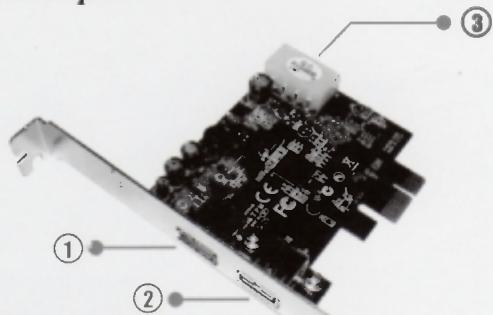
① ② USB 3.0 Ports
③ 4-Pin Power Connector
Hardware Installation
- Turn off the power to your computer.
- Unplug the power cord and remove your computer's cover.
- Remove the slot bracket from an available PCIe slot.
- To install the card, carefully align the card's bus connector with the selected PCIe slot on the motherboard. Push the board down firmly.
- Replace the slot bracket's holding screw to secure the card.
- Replace the computer cover and reconnect the power cord.
Driver Installation
For Windows® XP/Vista/7 (32/64 bit)
- Please insert the CD driver bound with USB 3.0 2-Port PCI Express Card into your CD-ROM Drive.
- At the Windows desktop, click Start, Run.
- Type D:\PCIe\NEC uPD720200\Setup.exe, click OK. (Change D: to match your CD-ROM drive letter)
- Follow the on-screen instructions to complete the installation.
To Verify Driver Installation
Click on the "Device Manager" tab in System Properties, which you access from the Windows Control Panel. You should see a "NEC Electronics USB 3.0 Host Controller" and a "NEC Electronics USB 3.0 Root Hub" under the "Universal Serial Bus controllers" item.
Marque : LACIE
Modèle : USB-3 PCI EXPRESS CARD
Catégorie : Carte d'extension USB