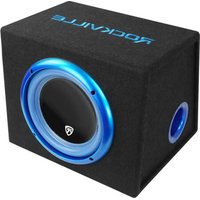
RVB10.1A - Amplificateur audio Rockville - Notice d'utilisation et mode d'emploi gratuit
Retrouvez gratuitement la notice de l'appareil RVB10.1A Rockville au format PDF.


| Marque | Rockville |
| Modèle | RVB10.1A |
| Catégorie | Autoradio multimédia |
| Type de produit | Autoradio multimédia 2 DIN |
| Dimensions (L x H x P) | 178 x 100 x 160 mm |
| Poids | 1.5 kg |
| Alimentation | 12 V DC, fusible 10 A |
| Puissance de sortie | 4 x 50 watts max |
| Écran | Écran tactile TFT 10.1 pouces |
| Connectivité | Bluetooth, USB, entrée auxiliaire, entrée/sortie vidéo |
| Formats audio compatibles | MP3, WMA, WAV, FLAC |
| Formats vidéo compatibles | MP4, AVI, MKV |
| Radio | FM/AM avec RDS |
| GPS intégré | Non |
| Fonctions principales | Lecture multimédia, appel mains libres, streaming audio, affichage vidéo |
| Entretien et nettoyage | Nettoyer avec un chiffon sec et doux. Éviter les produits abrasifs. |
| Sécurité | Utiliser uniquement avec une alimentation 12 V. Ne pas exposer à l'humidité. |
| Pièces détachées et réparabilité | Contacter le support Rockville pour les pièces de rechange. |
| Informations générales | Compatibilité avec commandes au volant (selon véhicule). |
FOIRE AUX QUESTIONS - RVB10.1A Rockville
Questions des utilisateurs sur RVB10.1A Rockville
0 question sur cet appareil. Repondez a celles que vous connaissez ou posez la votre.
Poser une nouvelle question sur cet appareil
Téléchargez la notice de votre Amplificateur audio au format PDF gratuitement ! Retrouvez votre notice RVB10.1A - Rockville et reprennez votre appareil électronique en main. Sur cette page sont publiés tous les documents nécessaires à l'utilisation de votre appareil RVB10.1A de la marque Rockville.
MODE D'EMPLOI RVB10.1A Rockville
ROCKVILLE
FEATURES

- Fuse
- Power connections: See wiring diagram below for proper set up.
- Gain Control: The gain control regulates the volume input to the pre-amp stage.
- RCA Inputs: Connect directly to your head unit's RCA outputs.
- Power/Protect LED indicators
- High Level Inputs: High Level inputs, also referred to as speaker level inputs, allow you to connect to the factory speaker wires. They are called High Level inputs because they convert the high voltage running through factory speaker wires to one the amplifier can handle. These inputs will provide the end user with clean, well defined sound for optimal musical enjoyment.
- Crossover Control: Adjust Low Pass frequency from 30Hz to 160Hz.
WIRING
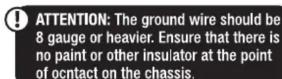


RVB10.1AWIRING GUIDE
HIGH LEVEL INPUT

![graph TD A["CROSSOVER (Hz)"] --> B["45 95"] B --> C["R"] C --> D["L"] D --> E["LEVEL INPUT"] E --> F["R⊕ L⊖"] F --> G["R⊕ L⊕"] G --> H["From LEFT speaker's NEGATIVE wire"] H --> I["From RIGHT speaker's NEGATIVE wire"] I --> J["From LEFT speaker's POSITIVE wire"] J --> K["From LEFT speaker's POSITIVE…](/content/2026/07/1437001/images/085bec6c903e401cc7f08a8293b9f3d617fff7f0b0721ef924e4bb69f55c9759.jpg)
RCA INPUT


RockvilleAudio.com
©2019 ROCKVILLE // The information presented is subject to change and or improvement without notice.

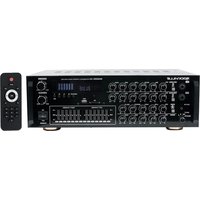

Marque : Rockville
Modèle : RVB10.1A
Catégorie : Amplificateur audio