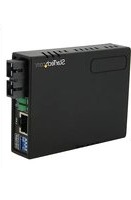
MCM110SC2P - Convertisseur réseau StarTech.com - Notice d'utilisation et mode d'emploi gratuit
Retrouvez gratuitement la notice de l'appareil MCM110SC2P StarTech.com au format PDF.


| Type de produit | Convertisseur de média Gigabit Ethernet |
| Modèle | MCM110SC2P |
| Marque | StarTech.com |
| Interface fibre | 1 x SC multimode (1000Base-SX) |
| Interface cuivre | 1 x RJ45 10/100/1000 Mbps |
| Distance maximale fibre | 550 m (multimode) |
| Alimentation | 5V DC, 1A (adaptateur inclus) ou PoE 802.3af |
| Consommation électrique | 2,5 W (max) |
| Dimensions (L x l x H) | 94 x 70 x 25 mm |
| Poids | 150 g |
| Température de fonctionnement | 0 °C à 45 °C |
| Humidité de fonctionnement | 10 % à 90 % (sans condensation) |
| Indice de protection | IP20 |
| Normes réseau | IEEE 802.3, 802.3u, 802.3ab, 802.3z, 802.3af |
| LEDs d'indication | Alimentation, Lien/Activité (fibre et cuivre) |
| Entretien et nettoyage | Nettoyer avec un chiffon doux et sec. Ne pas utiliser de solvants. |
| Sécurité | Utiliser dans un environnement sec et à l'abri des chocs électriques. |
| Pièces détachées et réparabilité | Aucune pièce réparable par l'utilisateur. Contacter le support technique. |
| Garantie | 2 ans |
FOIRE AUX QUESTIONS - MCM110SC2P StarTech.com
Questions des utilisateurs sur MCM110SC2P StarTech.com
0 question sur cet appareil. Repondez a celles que vous connaissez ou posez la votre.
Poser une nouvelle question sur cet appareil
Téléchargez la notice de votre Convertisseur réseau au format PDF gratuitement ! Retrouvez votre notice MCM110SC2P - StarTech.com et reprennez votre appareil électronique en main. Sur cette page sont publiés tous les documents nécessaires à l'utilisation de votre appareil MCM110SC2P de la marque StarTech.com.
MODE D'EMPLOI MCM110SC2P StarTech.com
10/100 MM Fiber to Ethernet Media Converter SC/ST with PoE
MCM110SC2P / MCM110SC2PGB
MCM110ST2P / MCM110ST2PGB
DE: Bedienungsanleitung - de.startech.com
FR: Guide de l'utilisateur - fr.startech.com
ES: Guía del usuario - es.startech.com
IT: Guida per l'uso - it.startech.com
NL: Gebruiksaanwijzing - nl.startech.com
PT: Guia do usuário - pt.startech.com
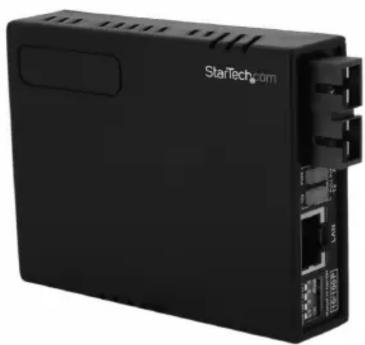
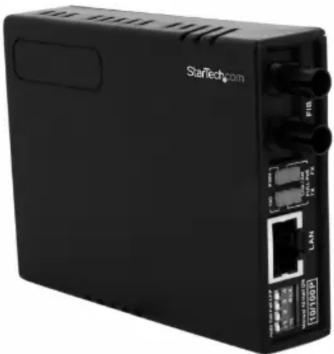
*actual product may vary from photos
Packaging Contents
• 1 x Fiber to Ethernet Media Converter
• 1 x Power Adapter (MCM110SC2P and MCM110ST2P only)
• 1 x Instruction Manual
System Requirements
• 10/100Base compatible network
- For PoE operation: 802.3af compliant PSE (Power Sourcing Equipment)
Installation
- Connect the Ethernet cable to the Fiber Media Converter "LAN" port.
- Connect the other end of the Ethernet cable to the router/ switch/computer NIC. If connecting the media converter to a 802.3af compliant PSE, skip Step 3.
- Optional (Non-PoE operation): Plug a power adapter into the media converter, and into an available AC power outlet.
- Connect the fiber cable into the fiber receptacle on the media converter.
- Connect the other end of the fiber cable into the router/ switch/computer NIC/another media converter. Remember to reverse the TX and RX leads between the two devices.
LED Indicators
| LED Function State Status | |||
| PWR | Power Indicator | ON | Converter has Power |
| OFF | Converter has no Power | ||
| FX Link/Act | Fiber Link/ Activity | ON Fiber Link on | |
| OFF No Link Detected | |||
| Flashing Receiving Data | |||
| POE | Power over Ethernet | ON | PoE mode enabled |
| OFF | PoE mode not enabled | ||
| 100 Mode | ON 100Mbps | ||
| OFF 10Mbps | |||
| Full Duplex Mode | ON | Full Duplex Mode | |
| OFF | Half Duplex Mode | ||
| TX Link/Act | Ethernet Link/ Activity | ON | Ethernet link Detected |
| OFF No Link Detected | |||
| Flashing Receiving Data | |||
Specifications
| MCM110SC2P / MCM110SC2PGB MCM110ST2P / MCM110ST2PGB | ||
| Connectors | 1 x RJ45 Ethernet2 x SC Fiber1 x power connector | 1x RJ45 Ethernet2x ST Fiber1x Power Connector |
| LEDs | PowerFiber Link/ActivityEthernet Link/Activity10/100Full/Half DuplexPoE | PowerFiber Link/ActivityEthernet Link/Activity10/100Full/Half DuplexPoE |
| Fiber Type Multi-Mode Multi-Mode | ||
| Maximum Distance 2 km 2 km | ||
| Transmission Standards | IEEE802.3 10BASE-TIEEE802.3u 100BASE-TX100BASE-FXIEEE802.3af PoE PD (Class 3) | IEEE802.3 10BASE-TIEEE802.3u 100BASE-TX100BASE-FXIEEE802.3af PoE PD (Class 3) |
| Duplex Modes Full/Half Duplex Ethernet mode Full/Half Duplex Ethernet mode | ||
| Dimensions 73.0mm x 23.0mm x 10.8mm 73.0mm x 23.0mm x 10.8mm | ||
| Weight 170 g 170g | ||
FCC Compliance Statement
This equipment has been tested and found to comply with the limits for a Class A digital device, pursuant to part 15 of the FCC Rules. These limits are designed to provide reasonable protection against harmful interference in a residential installation. This equipment generates, uses and can radiate radio frequency energy and, if not installed and used in accordance with the instructions, may cause harmful interference to radio communications. However, there is no guarantee that interference will not occur in a particular installation. If this equipment does cause harmful interference to radio or television reception, which can be determined by turning the equipment off and on, the user is encouraged to try to correct the interference by one or more of the following measures: - Reorient or relocate the receiving antenna.
- Increase the separation between the equipment and receiver.
- Connect the equipment into an outlet on a circuit different from that to which the receiver is connected.
- Consult the dealer or an experienced radio/TV technician for help.
Use of Trademarks, Registered Trademarks, and other Protected Names and Symbols
This manual may make reference to trademarks, registered trademarks, and other protected names and/or symbols of third-party companies not related in any way to StarTech.com. Where they occur these references are for illustrative purposes only and do not represent an endorsement of a product or service by StarTech.com, or an endorsement of the product(s) to which this manual applies by the third-party company in question. Regardless of any direct acknowledgement elsewhere in the body of this document, StarTech.com hereby acknowledges that all trademarks, registered trademarks, service marks, and other protected names and/or symbols contained in this manual and related documents are the property of their respective holders.
Technical Support
StarTech.com's lifetime technical support is an integral part of our commitment to provide industry-leading solutions. If you ever need help with your product, visit www.startech.com/support and access our comprehensive selection of online tools, documentation, and downloads.
For the latest drivers/software, please visit www.startech.com/downloads
Warranty Information
This product is backed by a two year warranty.
In addition, StarTech.com warrants its products against defects in materials and workmanship for the periods noted, following the initial date of purchase. During this period, the products may be returned for repair, or replacement with equivalent products at our discretion. The warranty covers parts and labor costs only. StarTech.com does not warrant its products from defects or damages arising from misuse, abuse, alteration, or normal wear and tear.
Limitation of Liability
In no event shall the liability of StarTech.com Ltd. and StarTech.com USA LLP (or their officers, directors, employees or agents) for any damages (whether direct or indirect, special, punitive, incidental, consequential, or otherwise), loss of profits, loss of business, or any pecuniary loss, arising out of or related to the use of the product exceed the actual price paid for the product. Some states do not allow the exclusion or limitation of incidental or consequential damages. If such laws apply, the limitations or exclusions contained in this statement may not apply to you.
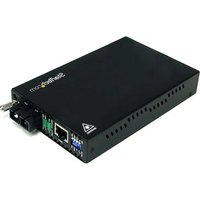
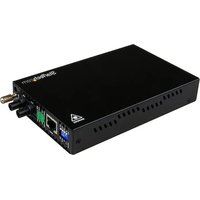
Marque : StarTech.com
Modèle : MCM110SC2P
Catégorie : Convertisseur réseau