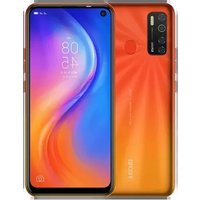
Spark 5 - Téléphone TECNO - Notice d'utilisation et mode d'emploi gratuit
Retrouvez gratuitement la notice de l'appareil Spark 5 TECNO au format PDF.


| Type de produit | Smartphone |
| Marque | Tecno |
| Modèle | Spark 5 |
| Dimensions (HxLxP) | 164,8 x 76,3 x 8,0 mm |
| Poids | 180 g |
| Écran | 6,6 pouces IPS LCD, 720 x 1600 pixels |
| Système d'exploitation | Android 10, HIOS 6.0 |
| Processeur | MediaTek Helio A25, octal cœur |
| Mémoire RAM | 4 Go |
| Stockage interne | 64 Go |
| Extension mémoire | <>MicroSD jusqu'à 256 Go|
| Appareil photo arrière | 13 MP + capteur de profondeur + capteur macro |
| Appareil photo avant | 8 MP |
| Batterie | 5000 mAh, non amovible |
| Alimentation | Charge USB-C, charge 10W |
| Capteurs | Empreinte digitale (dos), accéléromètre, proximité |
| Connectivité | Wi-Fi 802.11 b/g/n, Bluetooth 5.0, GPS, prise jack 3,5 mm |
| Fonctions principales | Appels, SMS, navigation Internet, multimédia, appareil photo, déverrouillage facial |
| Entretien et nettoyage | Nettoyer avec un chiffon doux et sec. Éviter l'eau et les produits agressifs. |
| Sécurité | Verrouillage par code PIN, schéma, mot de passe, empreinte digitale, reconnaissance faciale |
| Pièces détachées et réparabilité | Batterie non amovible. Autres pièces disponibles via service agréé Tecno. |
FOIRE AUX QUESTIONS - Spark 5 TECNO
Questions des utilisateurs sur Spark 5 TECNO
0 question sur cet appareil. Repondez a celles que vous connaissez ou posez la votre.
Poser une nouvelle question sur cet appareil
Téléchargez la notice de votre Téléphone au format PDF gratuitement ! Retrouvez votre notice Spark 5 - TECNO et reprennez votre appareil électronique en main. Sur cette page sont publiés tous les documents nécessaires à l'utilisation de votre appareil Spark 5 de la marque TECNO.
MODE D'EMPLOI Spark 5 TECNO
TECNO
SPARK5
User Manual
Mobile Phone
Model: KD7h
Hereby, TECNO MOBILE LIMITED
declares that this Mobile Phone is in compliance
with the essential requirements and other
relevant provisions of Directive 2014/53/EU.
Know your phone

- Front camera
- Volume key
- Power key
SIM/SD card installation
- Power off mobile.
- Refer to the following picture for SIM / SD card installation.

Charging the phone
You can charge your device using a charger or by connecting it to the computer using a USB cable (comes with the phone).
- Please remind the front and back of the plug.
- Use only TECNO charger and cables. Other chargers or cables may damage the device. This will invalidate your phone warranty.

natural_image
Line drawing of a smartphone with attached cable, showing internal components and connector (no text or symbols)TECNO

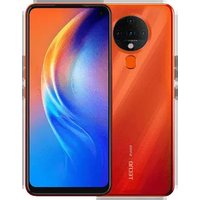


Marque : TECNO
Modèle : Spark 5
Catégorie : Téléphone