
MP7001 - Multifonction imprimante RICOH - Notice d'utilisation et mode d'emploi gratuit
Retrouvez gratuitement la notice de l'appareil MP7001 RICOH au format PDF.


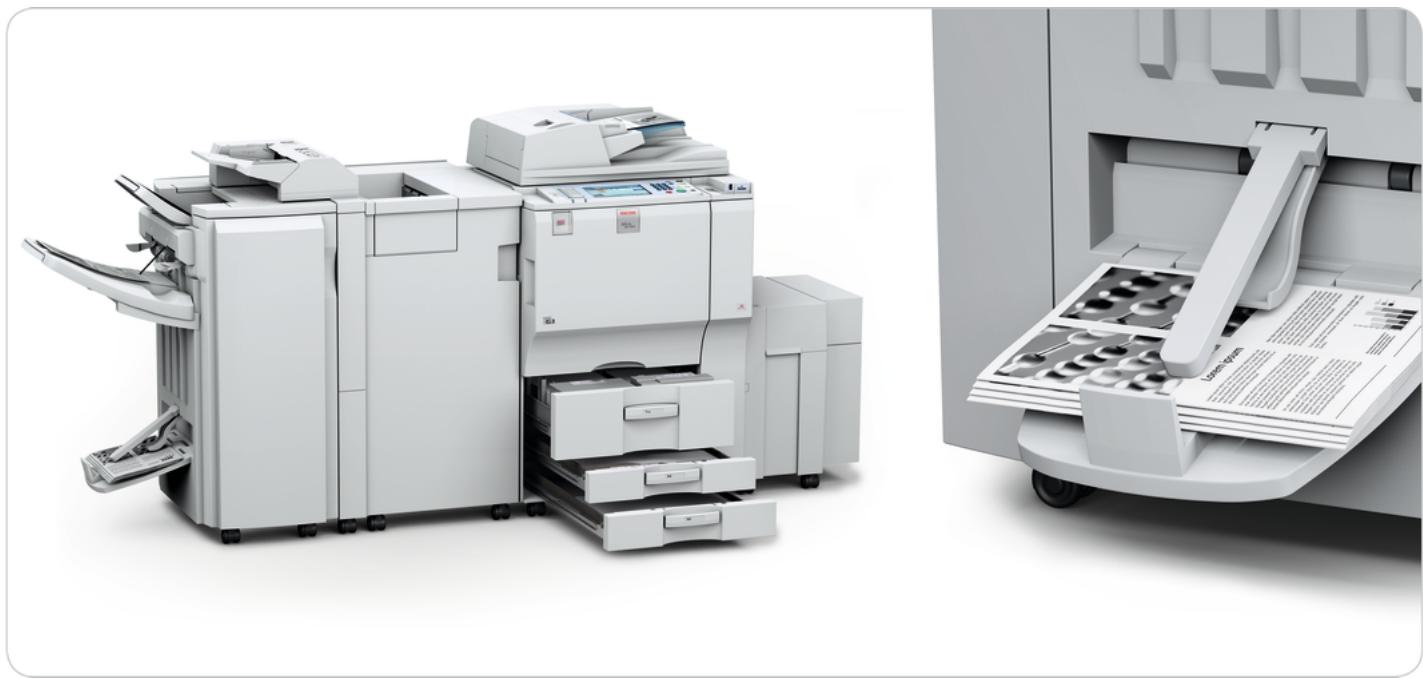
| Type de produit | Multifonction imprimante (copieur, imprimante, scanner, fax) |
| Marque | Ricoh |
| Modèle | MP 7001 |
| Dimensions (L × P × H) | 690 × 790 × 1 165 mm |
| Poids | Moins de 217 kg |
| Alimentation | 220-240 V, 50-60 Hz |
| Consommation électrique | 1,9 kW max |
| Vitesse de copie (A4) | 70 copies par minute |
| Résolution d'impression | 1 200 × 1 200 dpi |
| Mémoire | 1,5 Go RAM + 160 Go disque dur |
| Capacité papier maximale | 8 300 feuilles |
| Formats de papier supportés | A6 à A3 |
| Grammage papier (plateaux) | 52,3 à 127,9 g/m² |
| Grammage papier (bypass) | 52,3 à 216 g/m² |
| Numérisation recto-verso | Oui, en un seul passage |
| Écran tactile | Couleur |
| Fonctions de finition | Agrafage, perforation, pliage, livrets |
| Sécurité des données | Chiffrement, effacement automatique, prévention copie |
| Logiciels inclus | DeskTopBinder Lite, Web Image Monitor |
| Certification | ENERGY STAR |
| Entretien courant | Nettoyage régulier des rouleaux et de la vitre d'exposition |
| Pièces détachées | Disponibles auprès du service client Ricoh |
FOIRE AUX QUESTIONS - MP7001 RICOH
Questions des utilisateurs sur MP7001 RICOH
0 question sur cet appareil. Repondez a celles que vous connaissez ou posez la votre.
Poser une nouvelle question sur cet appareil
Téléchargez la notice de votre Multifonction imprimante au format PDF gratuitement ! Retrouvez votre notice MP7001 - RICOH et reprennez votre appareil électronique en main. Sur cette page sont publiés tous les documents nécessaires à l'utilisation de votre appareil MP7001 de la marque RICOH.
MODE D'EMPLOI MP7001 RICOH
Supreme office productivity in black and white
natural_image
Exterior view of a modern office typewriter with multiple paper airplanes and control panels (no visible text or symbols)Input, throughput, output
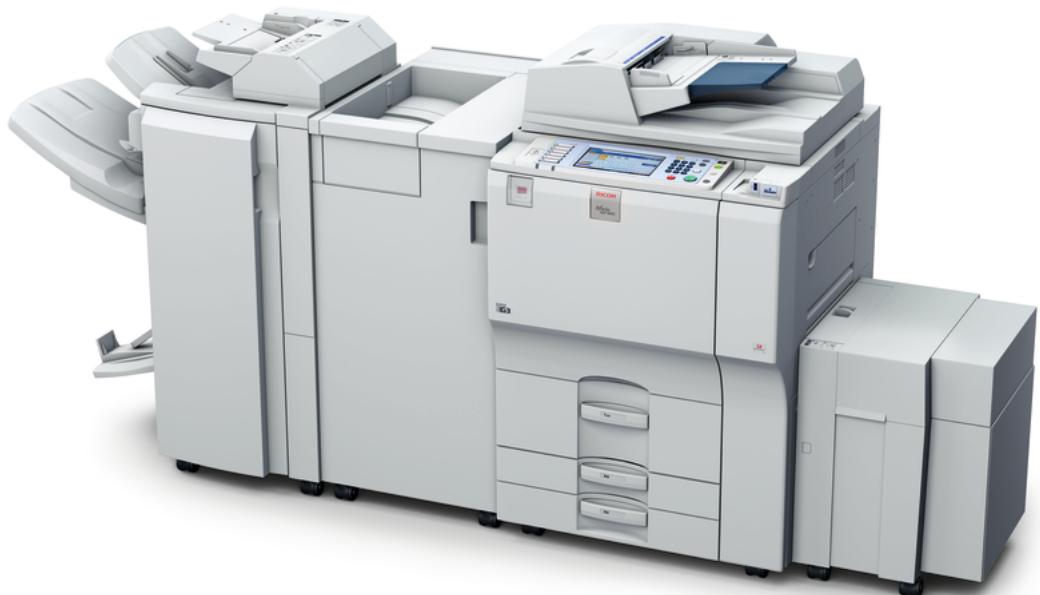
Every day, your office generates a heavy document workflow. You know the value of a reliable partner, able to deal with a variety of tasks. Ricoh's MP 6001/MP 7001/MP 8001/MP 9001 offer powerful solutions for your entire workflow. Copying, printing, scanning, faxing and finishing: all jobs are accomplished at high speed. Our reliable and easy-to-use systems are your formula for success.
• High productivity: 60/70/80/90 ppm.
- User-friendly operation.
• Colour one-pass duplex scanning.
• Advanced push scan functions.
• Various finishing solutions.
natural_image
Exterior view of a modern office typewriter with multiple units and control panels (no visible text or labels)Power up your office
ACCELERATE
Process the largest print jobs in no time at all. The MP 6001/MP 7001/MP 8001/MP 9001 attain speeds of 60, 70, 80 and 90 pages per minute respectively. Their engines are built for peak performance.
Supremely durable, they can handle up to 150,000 prints per month. These are hard-working partners you can rely on, day in, day out.
MAXIMISE
You know high volume? So do we. Our systems cope with maximum quantities. These devices can hold an impressive 8,300 sheets, ensuring long print runs without interruptions. To increase uptime, add paper while the system is in use. Copy or scan batches of 250 sheets in one go via the high-capacity Automatic Document Feeder.
natural_image
Simple stopwatch icon with no text or symbolsEMPOWER
- Eliminate waiting time with the systems' short warm-up.
- Scan documents in a snap at 80 (B/W) and 55 (colour) pages per minute.
- Scan double-sided originals in a single pass.
- Maximise throughput with high speeds and one-click printing.
natural_image
Exterior and interior views of a modern office typewriter and printer (no visible text or symbols)
THE BEST PRINT QUALITY
Impress your customers: provide them with the highest image quality on the market. With a 1,200 x 1,200 dpi output resolution, you are guaranteed impeccable prints and copies at all times. For that ultimate quality touch, five original modes and three image adjustments are available. Combine with one of our robust finishers for all-round professional output.
EXTENSIVE IN-LINE FINISHING
• Staple and/or punch sets professionally.
• Facilitate industry standard wire-binding.
- Create A5 and A4 trimmed and square-folded booklets on the fly.
- Conveniently mix A4 and A3 documents.
GLOBALSCAN NX
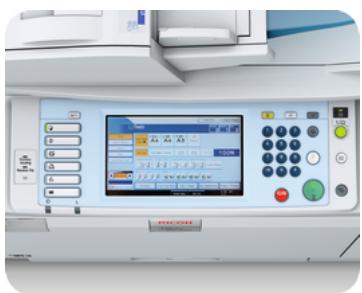
Our intuitive GlobalScan NX streamlines your workflow with flexible scanning and distribution. Via an easy-to-use Graphical User Interface (GUI), preset icons with your customised document format and workflow. You can now scan in a single step from the MP 6001/MP 7001/MP 8001/MP 9001's control panel.
CONTROL YOUR COSTS
Keep track of your print expenses. The MP 6001/MP 7001/MP 8001/MP 9001 can run @Remote to manage and optimise your workflow. With this programme, you easily keep an eye on your entire printer fleet. @Remote also reads meters automatically, allowing you to assess consumption patterns accurately.
Truly user-friendly
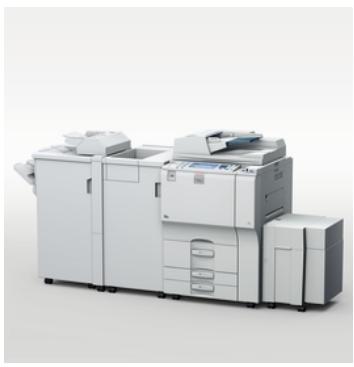
Your document systems are operated by many people. Of course you want their work to be free of hassle. We have thought of everything: from tray handles making paper refills easy, to an icon-based user interface. With the MP 6001/MP 7001/MP 8001/MP 9001 continuous high quality and total integration go hand in hand with intuitive operation.
natural_image
Exterior view of a modern office typewriter with multiple front panels and control panels (no visible text or labels)Functions in a few clicks
MAXIMUM USER COMFORT
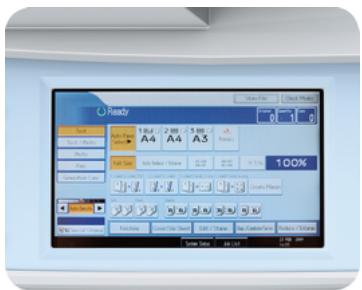
Complex jobs become truly easy with the MP 6001/MP 7001/MP 8001/MP 9001. It does not take an IT expert to work with them. All functions are immediately and easily accessible via the colour touch panel. Inexperienced users can switch to the simplified display mode. Any print job is set in a few clicks at most.
natural_image
Close-up of a curled paper corner with a large black exclamation mark on the right side (no text or symbols on the page)ADVANCED BUSINESS FAXING
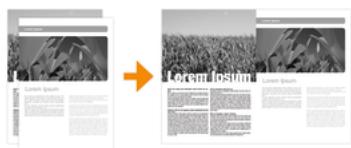
- Receive a warning when sheets are placed upside-down.
• Automatically distribute incoming faxes to e-mail or folder. - Forward faxes to one person or a workgroup for optimum efficiency.
- Reduce costs by using the Internet for long-distance faxing.
EFFICIENT MANAGEMENT TOOLS INCLUDED
Need to merge documents of different formats into one file? Retrieve, manage and re-distribute digital files? The MP 6001/MP 7001/MP 8001/MP 9001 are standard equipped with DeskTopBinder™ software to take optimal care of all your information. At the same time you can easily monitor the status of all networked peripherals through your web browser with Web Image Monitor.
Made-to-measure solutions
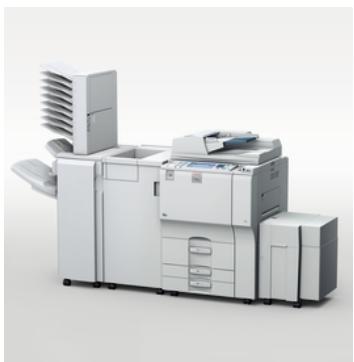
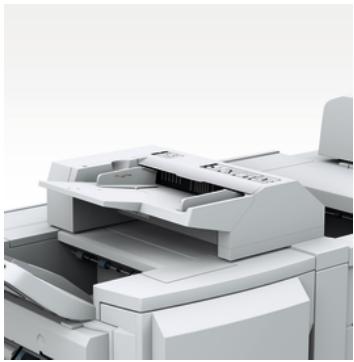
Save on outsourcing by configuring a solution that is perfectly adapted to the exact needs of your office. Four engine speeds are available. Your precise requirements are met with a varied choice of finishing options. Stapling, punching, cover insertion, or even in-line booklet making and folding? It can all be done in-house.
natural_image
Close-up of a white printer with open lid and paper feed (no visible text or symbols)Smart finishing
FOLD AUTOMATICALLY
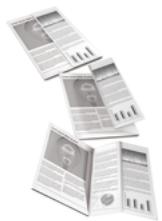
Offer your clients the possibility to include A3 charts and tables in their A4 documents. The multi-fold option* allows you to do so in a neat and handy way. It supports six folding patterns: 2-folding, Z-folding, 3-folding (in and out) and 4-folding (gate and double parallel). This variety is unique. There are creative answers to challenging jobs.
* Does not support PCL5e.
natural_image
Close-up of a white office chair with multiple tiered drawers and a door, no visible text or symbolsFINISH AND SORT AUTOMATICALLY
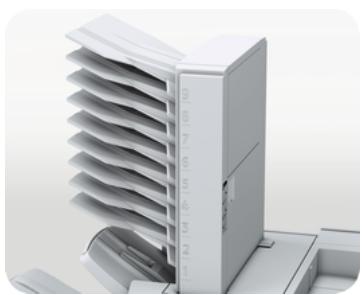
First-class presentation materials, professional reports and great-looking brochures: create them with the solution that suits you. The 3,000-sheet finisher with 50 or 100-sheet stapler offers a variety of stapling and (optional) punching styles. Jogger units are optionally available. For optimum office convenience, the finisher with 50-sheet stapler can be connected with a 9-bin mailbox.
natural_image
Blue closed book with two open pages, one highlighted with white circles (no text or symbols visible)CREATE BOOKLETS AUTOMATICALLY
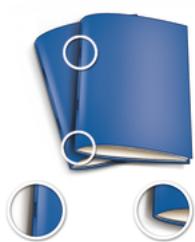
Impress your clients with professional-looking booklets. Your MFP takes care of everything. The booklet maker with 50-page stapler produces accurate and sharply-folded A5 and A4 sets. It automatically folds and saddle-stitches booklets of up to 15 sheets. Combined with a jogger unit and 9-bin mailbox, it delivers neatly jogged and sorted output.
PUNCH AND STAPLE AUTOMATICALLY
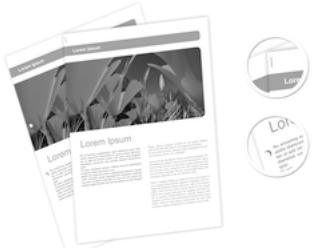
Manually punching documents offline and hand-loading them into a tabletop punch is a thing of the past. Save time with the GBC StreamPunch™ III unit. It produces a variety of perfectly punched and ready-to-bind documents at the touch of a button. For a completely automatic production of high-quality booklets, choose a Plockmatic system. The two options can be combined.
Reap unexpected benefits
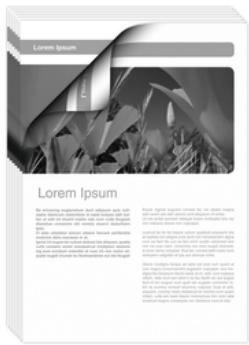
Sustainability is an increasingly important part of daily business. Fortunately, being environment-conscious can have its financial benefits. The MP 6001/MP 7001/MP 8001/MP 9001 combine ecology with economy. They help you to save paper by offering preview, duplex and push scan functions. Short start-up times save energy as well as time. A greener workflow is more efficient. You will notice the difference in your print expenses.
Leaner and greener
natural_image
Simple stopwatch icon with a downward arrow, no text or symbols presentSTREAMLINE AND CONTROL
- Save time, handle jobs efficiently with web-based job ticketing.
- Increase control with advanced print queue management.
- Track costs via a variety of cost accounting and billing options.
- Route jobs automatically to the most suitable and efficient device.
natural_image
Illustration of a downward trend line with yellow bars and a gray arrow, accompanied by a blue euro symbol (no text or labels)SAVE MONEY
- Reduce your power consumption with Quick Start-up technology.
- Print on both sides of a sheet with the standard duplex unit.
- Save paper with scan-to functionalities and on-screen previews.
- Use energy efficiently by choosing a multifunctional solution.

natural_image
Close-up of hands holding soil with a small green sprout emerging from the center (no text or symbols visible)WE THINK GREEN, DO YOU?
Ricoh products are designed to be environmentally friendly at every stage of their life. Our low-energy toner production methods are unique. Plant-based plastics were used for the machines' logo shield. With low power consumption, clean and quiet operation and duplex functionality, the MP 6001/MP 7001/MP 8001/MP 9001 take environmental care even further.
Revolutionise and protect your workflow
A truly digital information workflow empowers your office by saving time and costs. At the same time, protecting your business against possible security threats is vital. The MP 6001/MP 7001/MP 8001/MP 9001 are equipped with the latest in security. Data overwriting, encryption and unauthorised copy prevention guarantee your peace of mind. They keep your data safe without ever interrupting your workflow.
natural_image
Abstract digital illustration of a keyboard with glowing orange and green lights (no text or symbols)Digital power
MANAGE & DISTRIBUTE DIGITALLY
• Digitise documents instead of loading archive cabinets with paper files.
- Store, retrieve and re-use documents using the built-in document server.
- Scan documents to e-mail or to a specific network folder.
- Scan to URL to prevent the receiver's inbox from congesting.
RUN CUSTOMER-SPECIFIC APPLICATIONS
Featuring the unique Embedded Software Architecture™, an innovative Java™ (J2ME™) compatible software platform, Aficio™ devices allow for the most extensive customisation possibilities around. By running specific key applications on your Aficio™ device, you obtain total integration in your corporate infrastructure.
OPTIMUM SECURITY
- Prevent unauthorised access: use a PIN code or ask for authentication.
• Overwrite temporary data on the systems' Hard Disk Drive. - Avoid data theft and illegal copying of materials by encrypting all data.
- Make unauthorised copying of printed documents result in illegible output.

COPIER
| Copying process: | Four laser beams & electro-photographic printing |
| Copy speed: | 60/70/80/90 copies per minute (A4) |
| Resolution: | 1,200 dpi |
| Multiple copy: | Up to 999 |
| Warm-up time: | Less than 30/30/60/300 seconds |
| First copy speed: | Less than 4.2/3.5/3.5/3.3 seconds |
| Zoom: | 25 - 400% (in 1% steps) |
| Memory: | Max.: 1.5 GB + 160 GB Hard Disk Drive |
| Paper input capacity: | Standard: 2 x 1,550-sheet paper tray(s), 2 x 550-sheet paper tray(s), 100-sheet bypass tray, Max.: 8,300 sheets |
| ADF capacity: | 150 - 250 sheets (less than 80 - 69 g/m ^2 ) |
| Paper output capacity: | Standard: 500 (A4), 250 (A3) sheets |
| Paper size: | A6 - A3 |
| Paper weight: | Paper trays: 52.3 - 127.9 g/m ^2 Bypass tray: 52.3 - 216 g/m ^2 Duplex tray: 64 - 127.9 g/m ^2 |
| Dimensions (W x D x H): | 690 x 790 x 1,165 mm |
| Weight: | Less than 217 kg |
| Power source: | 220 - 240 V, 50 - 60 Hz |
| Power consumption: | Max.: 1.9/1.9/1.95/1.9 kW |

PRINTER (OPTION)
| Print speed: | 60/70/80/90 prints per minute |
| Printer language/resolution: | Standard: RPCS, PCL5e, PCL6, Option: Adobe® PostScriptTM 3, IPDS |
| Interface: | Standard: Ethernet 10 base-T/100 base-TX, USB 2.0, Option: Parallel port IEEE1284, Wireless LAN (IEEE802.11 a/b/g), Bluetooth, 1000 base-T Ethernet |
| Memory: | 1.5 GB + 160 GB Hard Disk Drive |
| Network protocol: | IPv4, IPv6, IPX/SPX, SMB, Apple Talk |
| Supported environments: | Windows® 2000/XP/Vista/ Server 2003/ |

SCANNER (OPTION)
| Scan speed: | FC - B/W: Max. 55 - 80 (simplex), Max. 90 - 130 originals per minute (duplex) |
| Resolution: | Max. 600 dpi (TWAIN: 1,200 dpi) |
| Original size: | Max. 279 mm x 432 mm |
| Output formats: | PDF, JPEG, TIFF |
| Bundled drivers: | Network TWAIN, WIA, WSD |
| Scan to e-mail: | SMTP, TCP/IP |
| Destination addresses: | Max. 500 per job |
| Stored destination addresses: | Max. 2,000 |
| Address book: | Via LDAP or locally on Hard Disk Drive |
| Scan to folder: | Via SMB, FTP or NCP protocol |
| Destination: | Max. 50 folders per job |

SOFTWARE SOLUTIONS
| Standard: | SmartDeviceMonitorTM for Admin, Web SmartDeviceMonitorTM, Web Image Monitor, DeskTopBinderTM Lite, TWAIN driver, Printer utility for Macintosh, Agfa Font Manager |
| Option: | DeskTopEditorTM For Production, SCS/IPDS printing |

FAX
| Circuit: | PSTN, PBX |
| Compatibility: | ITU-T (CCITT) G3, ITU-T (T.37) Internet fax,ITU-T (T.38) IP fax |
| Modem speed: | Max.: 33.6 Kbps |
| Resolution: | Standard/detail: 200 x 100 - 200 dpiOption: 400 x 400 dpi |
| Compression method: | MH, MR, MMR, JBIG |
| Scanning speed: | Less than 0.70 seconds |
| Memory capacity: | Standard: 4 MB, Option: 32 MB |
| Memory backup: | Yes (one hour) |
OTHER OPTIONS
4,000-sheet A4 LCT, LG tray for A4 LCT, 1,000-sheet A3 tray, Tab sheet unit, Copy tray, Multi-folding unit, Cover interposer, 3,000-sheet finisher with 50-sheet stapler, 3,000-sheet finisher with 100-sheet stapler, 2,000-sheet saddle-stitch unit with 50-sheet stapler, 9-bin mailbox, Several punch units, Jogger unit for finisher, GBC StreamPunch™ III, Plockmatic booklet maker, @Remote, GlobalScan NX, G3 interface unit, Data Overwrite Security Unit, HDD Encryption Unit, Copy Data Security Unit, File Format Converter, VM Card, Browser Unit, Key counter and card bracket, Front SD/USB slot, Copy connector
Ricoh has designed these products to meet EC ENERGY STAR guidelines for energy efficiency.
For availability of models, options and software, please consult your local Ricoh supplier.
ISO9001: 2000 certified ISO14001 certified
All brand and/or product names are trademarks of their respective owners. Specifications and external appearance are subject to change without notice. The colour of the actual product may vary from the colour shown in the brochure. The images in this brochure are not real photographs and slight differences in detail might appear.
Copyright © 2009 Ricoh Europe PLC. All rights reserved. This brochure, its contents and/or layout may not be modified and/or adapted, copied in part or in whole and/or incorporated into other works without the prior written permission of Ricoh Europe PLC.
www.ricoh-europe.com


Adobe® PostScript® 3™


Bluetooth


- Supreme office productivity in black and white
- Input, throughput, output
- Power up your office
- ACCELERATE
- MAXIMISE
- EMPOWER
- THE BEST PRINT QUALITY
- EXTENSIVE IN-LINE FINISHING
- GLOBALSCAN NX
- CONTROL YOUR COSTS
- Truly user-friendly
- Functions in a few clicks
- MAXIMUM USER COMFORT
- ADVANCED BUSINESS FAXING
- EFFICIENT MANAGEMENT TOOLS INCLUDED
- Made-to-measure solutions
- Smart finishing
- FOLD AUTOMATICALLY
- FINISH AND SORT AUTOMATICALLY
- CREATE BOOKLETS AUTOMATICALLY
- PUNCH AND STAPLE AUTOMATICALLY
- Reap unexpected benefits
- Leaner and greener
- STREAMLINE AND CONTROL
- SAVE MONEY
- WE THINK GREEN, DO YOU?
- Revolutionise and protect your workflow
- Digital power
- MANAGE & DISTRIBUTE DIGITALLY
- RUN CUSTOMER-SPECIFIC APPLICATIONS
- OPTIMUM SECURITY
- OTHER OPTIONS
Marque : RICOH
Modèle : MP7001
Catégorie : Multifonction imprimante