S6 - Voiture de luxe AUDI - Notice d'utilisation et mode d'emploi gratuit
Retrouvez gratuitement la notice de l'appareil S6 AUDI au format PDF.


| Type de produit | Berline sportive hautes performances |
|---|---|
| Caractéristiques techniques principales | Moteur V8 biturbo, 4.0 L, 450 ch |
| Transmission | Transmission intégrale quattro avec boîte automatique à 7 rapports |
| Dimensions approximatives | Longueur : 4 961 mm, Largeur : 1 848 mm, Hauteur : 1 460 mm |
| Poids | Environ 1 800 kg |
| Capacité du réservoir de carburant | 75 litres |
| Consommation de carburant | Environ 11,8 L/100 km en cycle mixte |
| Émissions de CO2 | Environ 270 g/km |
| Fonctions principales | Système de navigation, régulateur de vitesse adaptatif, système audio haut de gamme |
| Entretien et nettoyage | Révisions tous les 15 000 km ou 1 an, nettoyage régulier de l'intérieur et de l'extérieur |
| Pièces détachées et réparabilité | Disponibilité de pièces chez les concessionnaires Audi, réparabilité variable selon les interventions |
| Sécurité | Équipements de sécurité avancés : airbags, assistance au freinage, contrôle de stabilité |
| Informations générales utiles | Vérifier l'historique d'entretien, privilégier les modèles avec garantie prolongée |
FOIRE AUX QUESTIONS - S6 AUDI
Questions des utilisateurs sur S6 AUDI
0 question sur cet appareil. Repondez a celles que vous connaissez ou posez la votre.
Poser une nouvelle question sur cet appareil
Téléchargez la notice de votre Voiture de luxe au format PDF gratuitement ! Retrouvez votre notice S6 - AUDI et reprennez votre appareil électronique en main. Sur cette page sont publiés tous les documents nécessaires à l'utilisation de votre appareil S6 de la marque AUDI.
MODE D'EMPLOI S6 AUDI

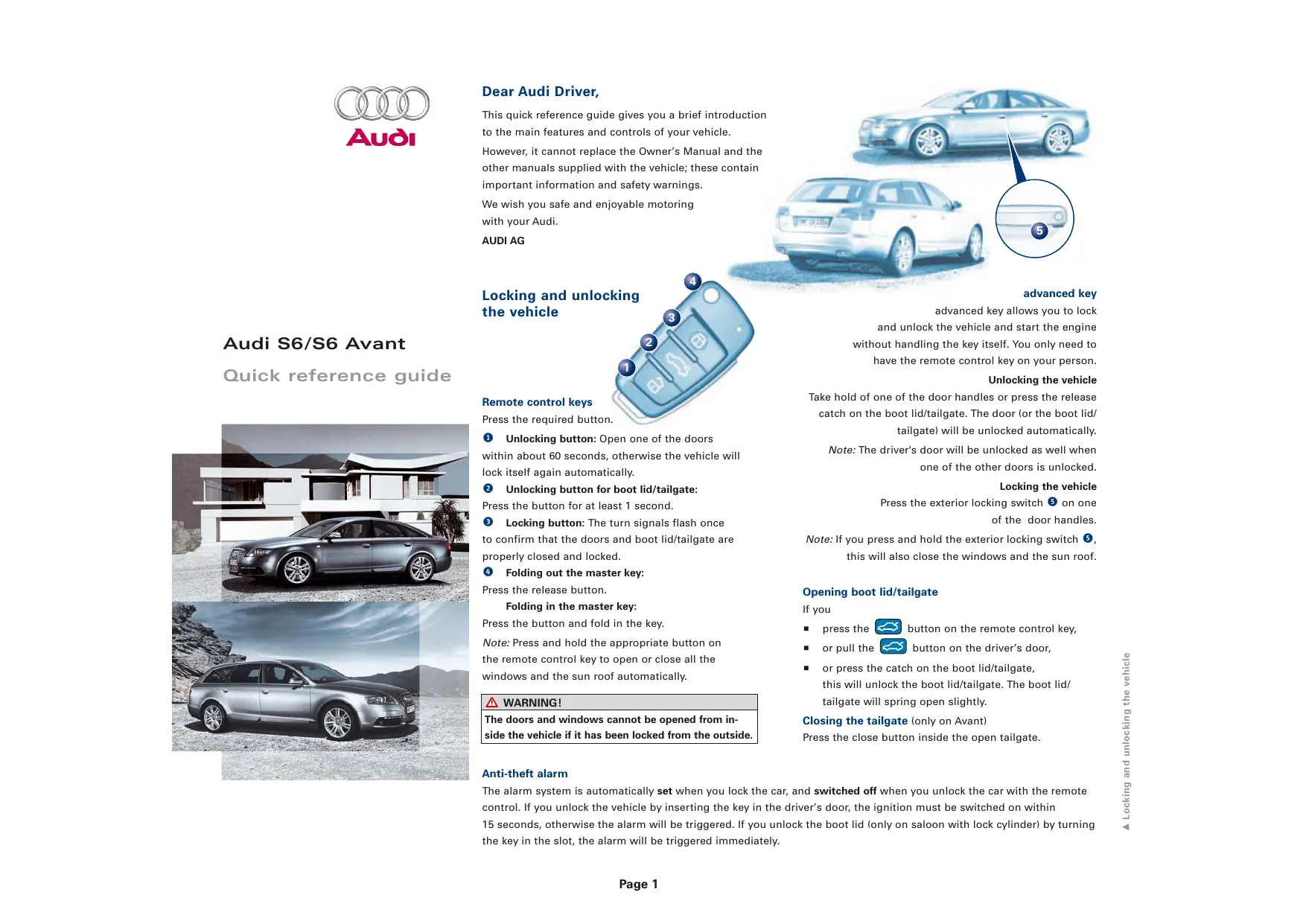
Audi
Audi S6/S6 Avant
Quick reference guide
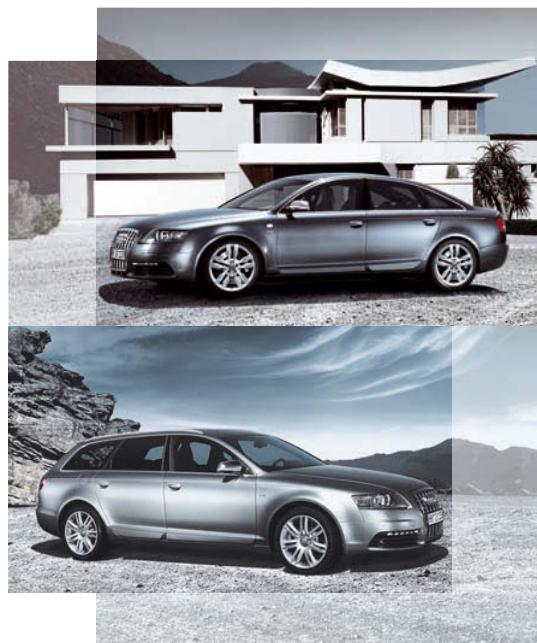
natural_image
Exterior and interior views of a modern sedan car on a beach with mountain backdrop (no visible text or symbols)Dear Audi Driver,
This quick reference guide gives you a brief introduction to the main features and controls of your vehicle. However, it cannot replace the Owner's Manual and the other manuals supplied with the vehicle; these contain important information and safety warnings.
We wish you safe and enjoyable motoring with your Audi.
AUDI AG
Locking and unlocking the vehicle
Remote control keys
Press the required button.
1 Unlocking button: Open one of the doors within about 60 seconds, otherwise the vehicle will lock itself again automatically.
2 Unlocking button for boot lid/tailgate:
Press the button for at least 1 second.
3 Locking button: The turn signals flash once to confirm that the doors and boot lid/tailgate are properly closed and locked.
4 Folding out the master key:
Press the release button.
Folding in the master key:
Press the button and fold in the key.
Note: Press and hold the appropriate button on the remote control key to open or close all the windows and the sun roof automatically.
WARNING!
The doors and windows cannot be opened from inside the vehicle if it has been locked from the outside.
Anti-theft alarm
The alarm system is automatically set when you lock the car, and switched off when you unlock the car with the remote control. If you unlock the vehicle by inserting the key in the driver's door, the ignition must be switched on within
15 seconds, otherwise the alarm will be triggered. If you unlock the boot lid (only on saloon with lock cylinder) by turning the key in the slot, the alarm will be triggered immediately.
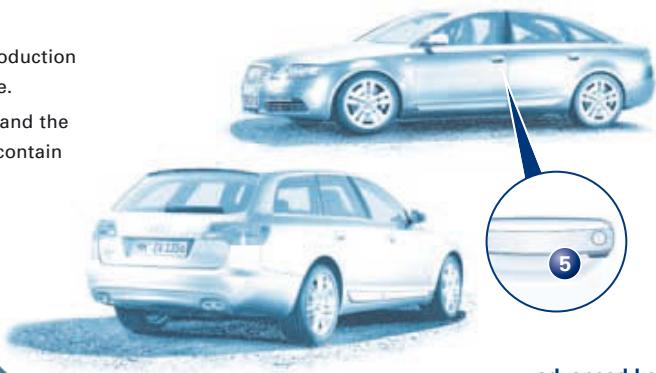
text_image
Production e. and the contain 5advanced key
advanced key allows you to lock
and unlock the vehicle and start the engine without handling the key itself. You only need to have the remote control key on your person.
Unlocking the vehicle
Take hold of one of the door handles or press the release catch on the boot lid/tailgate. The door (or the boot lid/tailgate) will be unlocked automatically.
Note: The driver's door will be unlocked as well when one of the other doors is unlocked.
Locking the vehicle
Press the exterior locking switch ⑤ on one of the door handles.
Note: If you press and hold the exterior locking switch 5, this will also close the windows and the sun roof.
Opening boot lid/tailgate
If you
■ press the 📄 button on the remote control key,
■ or pull the 📄 button on the driver's door,
■ or press the catch on the boot lid/tailgate, this will unlock the boot lid/tailgate. The boot lid/tailgate will spring open slightly.
Closing the tailgate (only on Avant)
Press the close button inside the open tailgate.
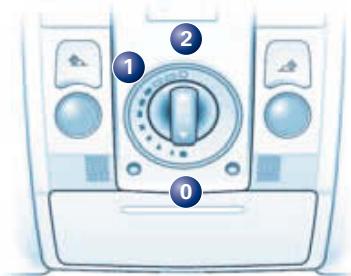
Sun roof
Opening and closing
With the ignition switched on, turn the control towards position ② until the roof reaches the desired open position. Turn the control back to ① to close the roof.
Comfort setting
Turn the control until it engages at position 1.
text_image
Diagram of a car air conditioner front panel with labeled buttons and control knobTo tilt open
Press the control briefly (in position 0) to make the roof tilt open all the way. Pull the control to close the sun roof. Press or pull the control and hold it to make the roof tilt up or down to the desired position.
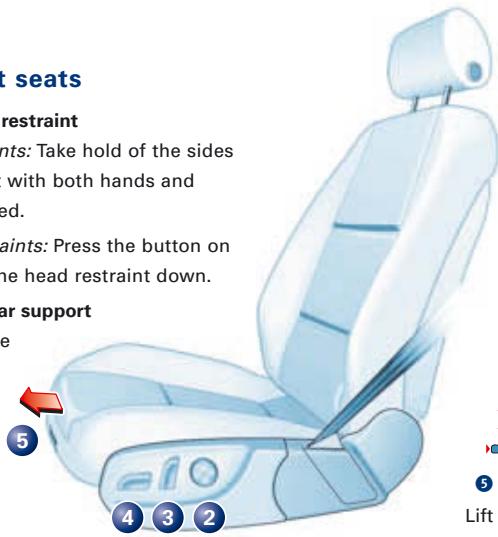
Adjusting front seats
1 Adjusting head restraint
Raising head restraints: Take hold of the sides of the head restraint with both hands and move it up as required.
Lowering head restraints: Press the button on the side and move the head restraint down.
2 Adjusting lumbar support
Press the appropriate part of the switch.
text_image
seats restraint ints: Take hold of the sides with both hands and ed. ints: Press the button on the head restraint down. ar support e 5 4 3 2 Lift t
3 Adjusting backrest
Press the switch in the direction indicated by the arrows:
Backrest further upright/further reclined
4 Adjusting seat height and moving seat backwards or forwards
Press the switch in the direction indicated by the arrows:
To raise/lower the seat at the front To raise/lower the seat at the rear To raise/lower the seat To move the seat forwards/backwards
5 Adjusting seat cushion
Lift the button and move the seat cushion.
Safety
Seat belts must be worn on every journey, even on short trips in town. This applies to the front and rear seats. To ensure that the seat belts, belt tensioners and airbags are fully effective, please note the following points:
Wear the seat belt correctly
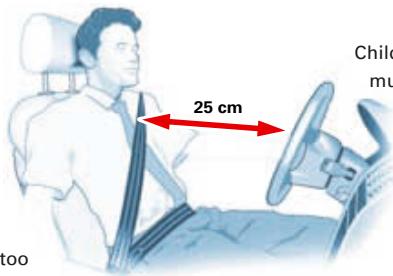
Make sure that the shoulder section of the belt is positioned over the centre of the shoulder and move the lap section as far down over the hips as possible. The belts should always be worn so that they fit tightly (see illustration).
Adjust seat and sit in correct position
The front seats should not be positioned too close to the steering wheel or dashboard. Main-
tain a distance of at least 25 cm and sit in a normal upright position. The top of the head restraint should be at eye level or higher. Always keep your feet in the footwell.
text_image
25 cm Child must tooSafety of children in the vehicle
Children under 12 should travel on the rear seat. They must be protected by a child restraint system which complies with the European standard ECE-R 44 and is suitable for the child's height and weight. The safest place for the child restraint system is behind the front passenger's seat.
WARNING!
Please follow the instructions in the Owner's Manual and read the instructions provided by the child seat manufacturer.
Infotainment/MMI
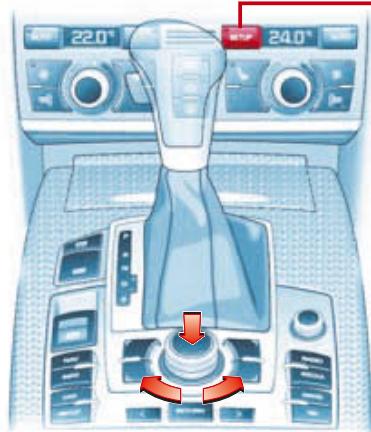
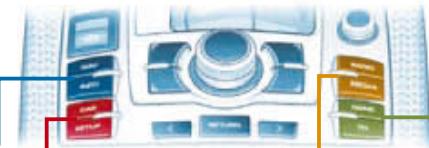
MMI control console
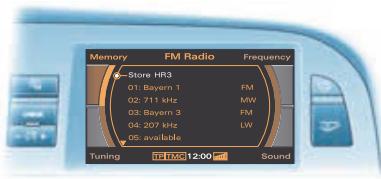
The Audi MMI (Multi Media Interface) enables you to quickly and easily operate the electronic features of your vehicle from a central control console:
■ NAV (Navigation)
■ RADIO
■ INFO (Traffic information)
■ MEDIA
■ CAR (Vehicle settings)
■ NAME (Directory)
■ SETUP (System settings)
■ TEL (Telephone)
Speech dialogue system
■ To activate the system, briefly press the talk button on the multi-function steering wheel and speak a command after the
■ To end the dialogue, press and hold the talk button until the system responds with
■ Say
■ Say, for example,
■ Say
text_image
Memory FM Radio Frequency Store HR3 01: Bayern 1 02: 711 kHz 03: Bayern 3 04: 207 kHz 05: available Tuning FR FMC 12:00 SoundAC SETUP
Econ
- Auto recirculation
- Synchronisation
- Centre air vent
- Aux. heating
- Aux. ventilation
- Running time
- Timer status
- Timer 1–3
- Solar operation
natural_image
Interior view of a car dashboard with steering wheel and control knobs (no text or symbols visible)Operating the MMI

Switching on and off/Volume adjustment
To switch the system on, briefly press the ON/OFF button. To switch the system off, press and hold the ON/OFF button.
Turn the button to adjust the volume. Briefly press the button to activate the mute function. To deactivate the mute function, press or turn the button. If you are in CD mode, the CD playback will be paused while the mute function is activated.

Calling up a main function
Press one of the function selector buttons to call up the desired main menu.

Accessing the submenus
Use the four control buttons to access the submenus that are located in the corners of the display. Press the corresponding control button on the console to call up the desired submenu.

Selecting and confirming
Turn the rotary pushbutton to mark the desired menu option in the display. Press the rotary pushbutton to confirm or save the selection or entry.

RETURN
Press the RETURN button to go back one level in a series of submenus.

Arrow buttons
Use the arrow buttons to tune to the next/previous radio station (radio activated) or to change to the next/previous track on a CD (CD player activated).
MMI menu structure
The menu structure contains the available options for each main function of the MMI system. The menus on your vehicle may differ from the ones shown here, depending on the equipment in your vehicle.
natural_image
Close-up of a vintage computer control panel with buttons and display (no readable text or symbols)NAV
Route
Route with/without stopover(s)
Route list
Route criteria Avoid route from here
Memory
Last destinations
Top categories
Load from directory
Load route
Store in directory
Save route
Delete route
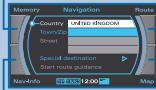
Map
Zoom
Map legend menu
Map depiction
Nav-Info
Destination/stopover information
Est. arrival time
Distance
Position information
(e.g. street and town)
Telephone number for special destination
Longitude and latitude coordinates
of the destination/stopover
Longitude, latitude and altitude coordinates of your current position
Satellites received
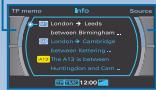
INFO
Source
TP-Memo
List of recorded traffic reports
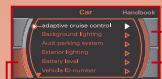
CAR
Handbook
On-board Owner's Manual
Version
Software version
Systems
adaptive cruise control
Background lighting
- Audi lane assist
- Audi parking system
- Exterior lighting
Battery level
Vehicle identification
number
Windows
Air conditioner
settings
Instrument cluster
- Tyre pressure moni-
toring system
- Windscreen wipers
Service intervala
display
- Seat adjustment
Central locking system
SETUP
Settings
Menu language
Measurement units
Speech dialogue
system
Default settings
Time
Time
Date
Time source
Time format
Date format

Display
Brightness
Sound
Balance
Fader
Treble
Bass
Subwoofer
DSP
BOSE
Volume settings
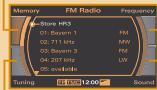
RADIO
Waveband
FM (very high
frequency)
MW (medium wave)
LW (long wave)
DAB (digital radio)
Memory
Memory list
Tuning
Tune up
Tune down
Seek up
Seek down
Text ^1)
Info ^1)
Store station
Scan
Sound
For menu options
to SETUP control
button Sound
MEDIA
m = 311
m = 311
music in
m = 311
al AV s
al AV s
emory
ory list ^21
hanger
CD
me
CD
OM
√
readable
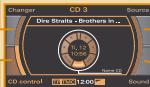
CD control
Forward
Rewind
Next
Previous
Shuffle
Scan
Name CD
INFO
(track information)
TV control
Man
Manual down
Search up
Search down
Store channel ^2)
Teletext ^2
Electronic
Programme Guide ^2)
Sound
For menu options
refer to SETUP control
button Sound
MEDIA
TV/AV
- Brightness
- Contrast
Colour
Tint
- Sound channel ^2
- TV/AV standard
- Pictur
- Service Following ^2)
(Channel Following)
- Teletext zoom ^2
- Delete memory
entries ^21
^2) Only for digital TV reception.
NAME
Import
From phone book
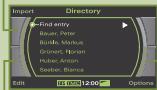
Edit
New entry
Change entry
Copy entry
Delete entry
Memory cap
Options
Call
Navigate to
TEL
m = 311
U
Read text messages
Delete all text
messages
Options
Memory
Numbers dialled
Call mailbox
Directory
Phone book
Received calls
Missed calls
Store current
number
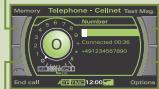
End call
Options
Note: The menu structure for the telephone func-
tion (TEL) differs depending on the equipment
fitted (handsfree telephone - dual band/GSM or
mobile phone system for GSM network).
The displays shown in the illustrations may in
some cases differ from the actual displays.
The Ground Truth image displays a single, solid horizontal line. According to Rule 2 (UNDERSCORE & LINE RULES), this is a stylistic or background line, not a placeholder underscore. Therefore, the OCR result must ignore it and output nothing or only meaningful text. The provided OCR content is "____", which consists of four underscores. This is an incorrect interpretation of the line as a placeholder, violating the rule that stylistic lines must be ignored. The OCR has hallucinated underscores where none should exist based on the GT's visual context. Hence, the OCR result is inconsistent with the Ground Truth.
m = 311
The Ground Truth image displays a single, solid horizontal line. According to Rule 2 (UNDERSCORE & LINE RULES), this is a stylistic or background line, not a placeholder underscore. Therefore, the OCR result must ignore it and output nothing or only meaningful text. The provided OCR content is "____", which consists of four underscores. This is an incorrect interpretation of the line as a placeholder, violating the rule that stylistic lines must be ignored. The OCR has hallucinated placeholder underscores where none exist in the GT. Hence, the result is inconsistent with the Ground Truth.
m = 311
m = 311
The Ground Truth image displays a single, solid horizontal line. According to Rule 2 (UNDERSCORE & LINE RULES), this is a stylistic or background line, not a placeholder underscore. Therefore, the OCR result must ignore it and output nothing or only meaningful text. The provided OCR content is "____", which consists of four underscores. This is an incorrect interpretation of the line as a placeholder, violating the rule that stylistic lines must be ignored. The OCR has hallucinated underscores where none should exist based on the GT's visual context. Hence, the OCR result is inconsistent with the Ground Truth.
The Ground Truth image displays a single, solid horizontal line. According to Rule 2 (UNDERSCORE & LINE RULES), this is a stylistic or background line, not a placeholder underscore. Therefore, the OCR result must ignore it and output nothing or only meaningful text. The provided OCR content is "____", which consists of four underscores. This is an incorrect interpretation of the line as a placeholder, violating the rule that stylistic lines must be ignored. The OCR has hallucinated underscores where none should exist based on the GT's visual context. Hence, the OCR result is inconsistent with the Ground Truth.
-
- Delete directory
- Telephone settings
- Call options
- SIM-PIN settings
- Mailbox number
- Call forward
- Call barring
- Network selection
- Memory settings
- Telephone settings
- Call options
- SIM-PIN settings
- Mailbox number
- Call forward
- Call barring
- Network selection
- Memory settings
TEL
witch off telephone
The Ground Truth image displays a single, solid horizontal line. According to Rule 2 (UNDERSCORE & LINE RULES), this is a stylistic or background line, not a placeholder underscore. Therefore, the OCR result must ignore it and output nothing or only meaningful text. The provided OCR content is "____", which consists of four underscores. This is an incorrect interpretation of the line as a placeholder, violating the rule that stylistic lines must be ignored. The OCR has hallucinated underscores where none should exist based on the GT's visual context. Hence, the OCR result is inconsistent with the Ground Truth.
Warning and indicator lamps
| EPC | Engine management ^1) or | lane assist (inactive) | |
| Glow plug system ^1) | adaptive air suspension | ||
| Alternator ^1) | adaptive air suspension | ||
| Electronic Stability Program(ESP) | Seat belt warning lamp | ||
| Airbag system ^1) | Main beam headlights | ||
| Turn signals, hazardwarning lights | Cruise control system | ||
| Trailer turn signals | Anti-lock brake system ^1) | ||
| Emission control system ^1) | Parking brake | ||
| lane assist (active) | Fault in brake system |
^1) Should one of these warning lamps light up when driving, please contact a specialist workshop without delay.
Indicator lamps for adaptive cruise control
| No vehicle in front | Driver intervention prompt | ||
| Vehicle in front |
Warning symbols and auto-check control
Any faults which may occur are indicated by red or yellow symbols in the instrument cluster display.
WARNING!
| If one of the red symbols lights up while you are driving, stop the car, switch off the engine and refer to the Owner's Manual. |

Fault in brake system

Steering defective

Fault in cooling system

Ignition lock defective

Engine oil pressure too low

Tyre pressure too low
The yellow symbols are always accompanied by driver messages in the display, so they are not explained in this quick reference guide. The messages are displayed for about 5 seconds.
Note: If required, you can call up a message again by briefly pressing the CHECK button.
text_image
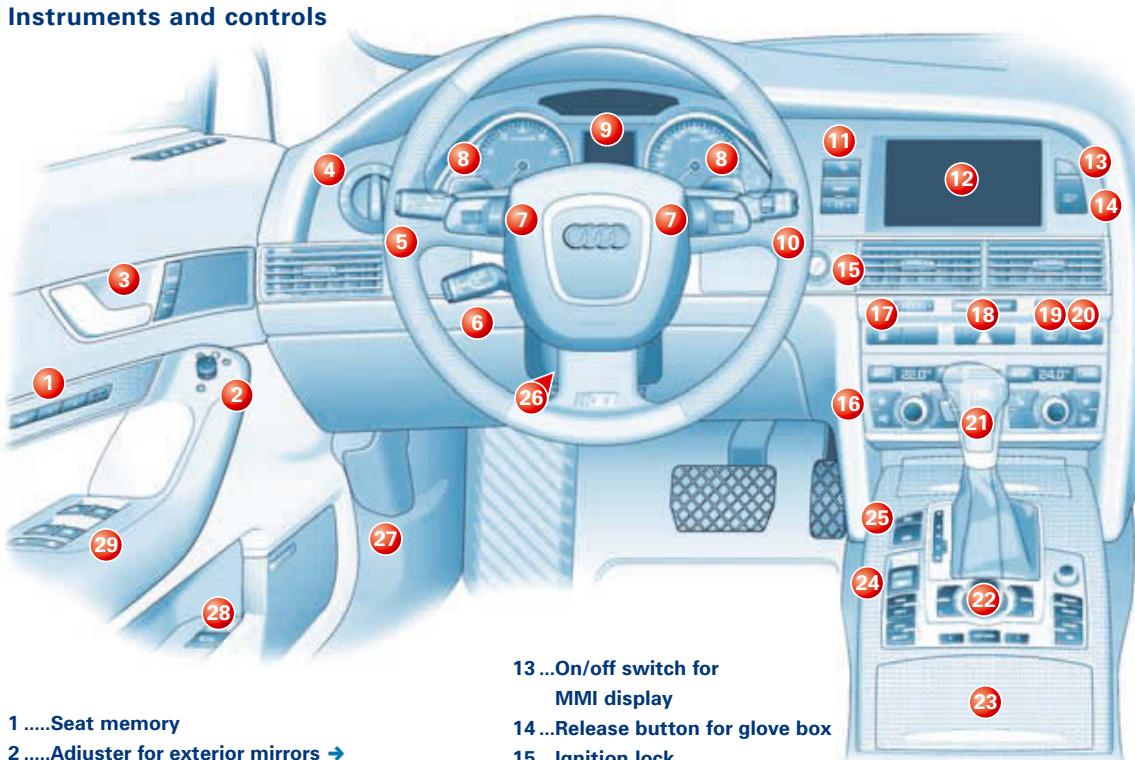
Instruments and controls 1 ....Seat memory 2 ....Adjuster for exterior mirrors → 13 ...On/off switch for MMI display 14 ...Release button for glove box 15 . Ignition lock1 .....Seat memory
2 .....Adjuster for exterior mirrors →
3 .....Door handle and central locking switch
To unlock
To lock
4 .....Light switch →
5 .....Turn signal and main beam lever with button for lane assist →
6 .....Control lever for cruise control system or adaptive cruise control
7 .....Control switches on multi-function steering wheel →
8 .....tiptronic paddle levers →
9 .....Instruments and warning/indicator lamps
10 ...Control lever for windscreen wipers/washer and on-board computer →
11 ...Controls for:
Trip recorder reset button
CHECK function
- Instrument lighting
12 ...MMI display
13 ...On/off switch for MMI display
14 ...Release button for glove box
15 ...Ignition lock
16 ...Switch for deluxe automatic air conditioner
Left switches – left side of vehicle
Right switches – right side of vehicle
- + Temperature selection
Blower speed
AUTO Automatic mode (set the desired temperature and press the button)
SETUP SETUP (to call up additional settings on the MMI screen)
Air recirculation (circulates and filters the air in the interior of the vehicle)
ECON ECON mode (activates/deactivates air cooling)
17 ...Switch for ESP (Electronic Stabilisation Program)
18 ...Switch for hazard warning lights
19 ...Switch for electric sun blind (saloon versions only)
20 ...Switch for parking system plus/advanced
The parking aid is activated automatically when reverse gear is engaged. Press this button to activate the system when moving forwards.
21 ...Selector lever for automatic gearbox →
22 ...MMI control console (Multi Media Interface)
23 ...Storage compartment with: Cup holder Cigarette lighter
24 ...Electro-mechanical parking brake →
25 ... ENGINE STOP button / ENGINE START button →
26 ...Lever for steering column adjustment/controls for electric steering column adjustment
27 ...Bonnet release lever
28 ...Switch for releasing the boot lid/tailgate
29 ...Electric windows
Press/pull the corresponding switch just past the first stop and hold until the window has reached the desired position.
"One-touch" function Press/pull the switch briefly past the second stop.
Safety switch
Activates/deactivates rear electric windows.
[5] Turn signal and main beam lever with button for lane assist
1 Button for lane assist
2 Right turn signals (with ignition off: right parking light on)
3 Left turn signals (with ignition off: left parking light on)
4 Main beam headlights
5 Headlight flasher
[10] Control lever for windscreen wipers/washer and on-board computer
Windscreen:
Wipers off
1 Brief wipe
2 To activate intermittent wipe/rain sensor: Move control A to set sensitivity level of rain sensor (wiper delay intervals).
![AUDI S6 - [10] Control lever for windscreen wipers/washer and on-board computer - 1](/content/2025/01/130119/images/fd32f955d2e8f87d5217ba4ebc7e17e634aac615d04620a072540a08948a7316.jpg)
text_image
asher 1 2 3 4 5 6 7 A 8 9 10 11 C 5 B 4 3 2 0 1[7] Control switches on multi-function steering wheel
The multi-function steering wheel offers fast and simple control of selected functions of the MMI system.
Accessing the submenus
Press MODE button ⑨ repeatedly to access the available submenus.
Left thumbwheel
Roll the left thumbwheel 8 to mark the desired menu option. Press the thumbwheel 8 to confirm the option.
Speech dialogue system
Briefly press the talk button 10 to activate the speech dialogue system. Press and hold the button to switch off the system.
Right thumbwheel
Roll the right thumbwheel ⑪ to adjust the volume as desired. Press the thumbwheel ⑪ to have the last navigation direction repeated.
3 Slow wiper speed
4 Fast wiper speed
5 Automatic wash and wipe: Pull lever towards you and hold.
Rear window (only Avant):
6 Intermittent wipe: Press lever towards dashboard.
7 Automatic wash and wipe: Press lever as far as it will go towards dashboard and hold.
Controls for on-board computer
Press the top or bottom of rocker switch Ⓑ to show the various computer displays in turn. Press and hold RESET button Ⓒ to return the current display to zero.
Function selector for display modes
Press RESET button C repeatedly to select the displays for the on-board computer, digital speedometer, navigation and adaptive cruise control in turn.
[8] tiptronic paddle levers
Shifting down a gear: Briefly pull paddle lever 1.
Shifting up a gear: Briefly pull paddle lever 2.
![AUDI S6 - [10] Control lever for windscreen wipers/washer and on-board computer - 2](/content/2025/01/130119/images/02edc032e4ac4279160291d961f0a575fa794e78c7c5eeb4c431e4ed1ddc8296.jpg)
natural_image
Front view of a car with Audi branding and two numbered arrows pointing to the top section (no text or symbols on the car body)[25] ENGINE START button/ENGINE STOP button
With the Audi advanced key you can start the engine without having to insert the key in the ignition lock. You only need to have the remote control key on your person.
Switching on the ignition: Press the START button ^2 briefly down to the first stop (diesel engines: preheating starts in this position).
Starting the engine: Press the brake pedal and press START button ② down to the second stop on a vehicle with automatic gearbox.
Switching off the engine: Stop the vehicle, move the selector lever to position P or N and press the STOP button ①.
Note: If you press the STOP button again for at least one second, this will lock the steering and switch off the MMI.
[24] Electro-mechanical parking brake
The parking brake replaces the conventional handbrake.
Applying the parking brake when stopping:
Pull the switch ③ to apply the parking brake.
Releasing the parking brake: Press the brake pedal and at the same time press in the switch ③.
Releasing the parking brake when driving away: Press the accelerator in the normal way: the parking brake will be released automatically, the seat belt must be buckled correctly and the vehicle will start moving.
[21] Selector lever for automatic gearbox
Selector lever positions
P Parking lock To move the selector lever out of
R Reverse gear position P or N, or into position
N Neutral P or R, press the interlock button on
D Drive the selector lever handle and the
S Sport brake pedal simultaneously.
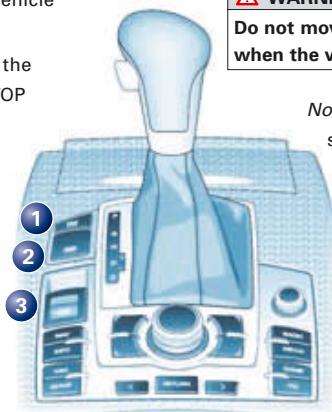
text_image
Do not move when the v No sWARNING!
Do not move the selector lever to positions P or R when the vehicle is moving.
Note: Use the foot brake to hold the vehicle when stationary with the engine running (in all selector lever positions other than P).
Manual gear selection (tiptronic)
The tiptronic program enables you to change gear manually. From position D, push the selector lever to the right as far as the stop. The gear which is currently engaged is highlighted in the instrument cluster display. Push the selector lever forwards briefly to shift up a gear, or pull the lever back to shift down a gear.
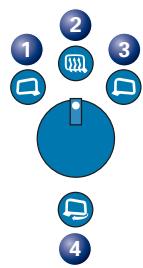
[2] Adjuster for exterior mirrors
Turn the adjuster to select:
1 Left exterior mirror
2 Exterior mirror heating
3 Right exterior mirror
4 Retract both exterior mirrors
Press the adjuster to move the mirror glass in the desired direction.
Note: When adjuster knob is in position ② the mirrors are heated automatically at low outside temperatures (while ignition is switched on).
![AUDI S6 - [2] Adjuster for exterior mirrors - 1](/content/2025/01/130119/images/18d1b9c8d7cc9eed9e25d2b0dd9a7557a778ea10a9a30b0410383130d3071071.jpg)
text_image
[4] Lig 1 0 ALTO 2 5 10 I 6 0F ID[4] Light switch
1 Off
2 AUTO
Sensor-controlled activation/deactivation
3 Side lights
4 Dipped beam/ main beam head- lights
In fog, turn switch to dipped headlights position and then pull out to 1^st stop
(5 front fog lights) or to 2^nd stop
(6 front and rear fog lights).
![AUDI S6 - [4] Light switch - 1](/content/2025/01/130119/images/9e8822a0a306847a4d2d03dbf8bc09dcaf5cb408802506832816e63edc15a29d.jpg)
text_image
Instruments Radio 89.3MHz FM +5.0°C 440nm PRN S 1 153.9 52Hz 1 2 3 4 5 6 7 CHECK - C1 +1 Coolant temperature gauge
② Rev counter
③ Warning and indicator lamps
4 Speedometer
⑤ Reset button for trip recorder
6 Check button for:
■ Activating mileage recorder display and clock Press button with ignition switched off.
■ Calling up driver messages again
Press button briefly when warning symbol appears.
■ Setting speed warning 1
Press button briefly when desired speed is reached. To cancel: press button for at least 1 second while vehicle is moving.
⑦ Adjuster buttons for instrument lighting
8 Fuel gauge
9 Trip/mileage recorder
10 Display for:
■ Driver messages, digital speedometer
■ Cruise control system
■ Warning symbols and auto-check control
■ Radio, CD, TV and telephone
■ Outside temperature
■ On-board computer (with two memories)
■ Navigation system, selector lever position
■ Service interval display
A service reminder appears briefly, if a service inspection is due in the near future.
11 Digital clock and date
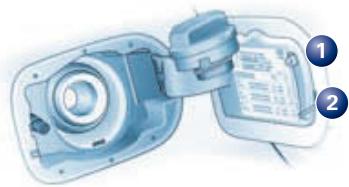
Filling the tank
The tank flap is locked and unlocked automatically
via the central locking system.
Opening the tank flap
Press the left side of the flap. Unscrew the tank cap anti-clockwise and hook it onto the flap.
Stickers for:
1 Fuel grade
2 Tyre pressures