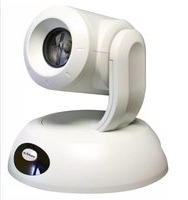
RoboSHOT 30 QSR - Système de vidéoconférence Vaddio - Notice d'utilisation et mode d'emploi gratuit
Retrouvez gratuitement la notice de l'appareil RoboSHOT 30 QSR Vaddio au format PDF.


| Type de produit | Caméra PTZ pour vidéoconférence |
| Marque | Vaddio |
| Modèle | RoboSHOT 30 QSR |
| Dimensions (L x H x P) | Environ 20 x 15 x 15 cm |
| Poids | Environ 2 kg |
| Alimentation | PoE+ (Power over Ethernet) ou adaptateur secteur 12V CC |
| Fonctions principales | Zoom optique 30x, panoramique, inclinaison, sorties HDMI et 3G-SDI, contrôle via RS-232, IP et USB |
| Résolution maximale | 1080p à 60 ips |
| Angle de vue | 2,3° (teleobjectif) à 69,5° (grand angle) |
| Entretien et nettoyage | Nettoyer la lentille avec un chiffon doux non pelucheux et un nettoyant pour optiques. Éviter les liquides agressifs. |
| Sécurité | Utiliser un support mural ou de plafond adapté. Assurer une ventilation suffisante. Ne pas obstruer les ouvertures. |
| Pièces détachées et réparabilité | Disponibles auprès de Vaddio : télécommande infrarouge, câbles, bloc d'alimentation. Réparations par un technicien agréé. |
| Informations générales | Garantie 2 ans. Utilisation en intérieur. Température de fonctionnement : -10°C à 40°C. |
FOIRE AUX QUESTIONS - RoboSHOT 30 QSR Vaddio
Questions des utilisateurs sur RoboSHOT 30 QSR Vaddio
0 question sur cet appareil. Repondez a celles que vous connaissez ou posez la votre.
Poser une nouvelle question sur cet appareil
Téléchargez la notice de votre Système de vidéoconférence au format PDF gratuitement ! Retrouvez votre notice RoboSHOT 30 QSR - Vaddio et reprennez votre appareil électronique en main. Sur cette page sont publiés tous les documents nécessaires à l'utilisation de votre appareil RoboSHOT 30 QSR de la marque Vaddio.
MODE D'EMPLOI RoboSHOT 30 QSR Vaddio
Thin Profile Wall Mount for the RoboSHOT™ Cameras
Part Numbers:
535-2000-240 (Black)
535-2000-240W (White)

UNPACKING:
Carefully remove the product from the packaging and identify the following parts:
• One (1) Thin Profile Mount for RoboSHOT Cameras (camera not included)
- One (1) 14 " x 20 x .375 Screw to attach camera to mount
• Four (4) #8 x 1.25" Sheet Metal Screws
• Four (4) Self-Drilling Wall Anchors
- Manual
MOUNTING THE CAMERA:
The Thin Profile Wall Mount for the RoboSHOT cameras can be mounted to a 2-gang wall electrical wall box or be mounted directly to a drywall surface with the supplied wall anchors or other spiral type wall anchors of the integrator's choice. The slotted mounting holes are 90^ opposed from top to bottom to ensure that the camera can be adjusted and mounted level. When locating the camera, consider viewing angles, lighting conditions, possible line of site obstructions and check for in-wall obstructions where the camera is to be mounted. Always pick a mounting location to optimize the performance of the camera. Dimensional drawings (DWG and PDF) are available at vaddio.com.
INTENDED USE:
This Thin Profile Wall Mount was designed, built and tested for use indoors and to support the weight, size and shape of the Vaddio RoboSHOT camera only. Using this wall mount for any other purpose could certainly create a potentially unsafe operating condition, really.
HARDWARE WARRANTY:
Please see the Vaddio website at support.vaddio.com for the Vaddio Statement of Warranty for all Vaddio Products. The Statement of Warranty covers the policies and procedures of the Hardware Warranty, Exclusions, Customer Service, Technical Support, Return Material Authorizations (RMA), Voided Warranty, Shipping, Handling and Products Not Under Warranty. The Vaddio Warranty Statement supercedes all other published warranty statements heretofore in content and coverages. Vaddio Technical Support can be contacted through the Vaddio website or through e-mail support at support@vaddio.com.


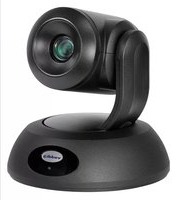
Marque : Vaddio
Modèle : RoboSHOT 30 QSR
Catégorie : Système de vidéoconférence