
Ryos MK Glow - Clavier ROCCAT - Notice d'utilisation et mode d'emploi gratuit
Retrouvez gratuitement la notice de l'appareil Ryos MK Glow ROCCAT au format PDF.


| Type de produit | Clavier gaming |
| Technologie de touches | Membrane |
| Rétroéclairage | Oui, bleu |
| Nombre de touches | 104 touches + 5 touches macro |
| Anti-ghosting | Oui, 26 touches simultanées |
| Dimensions (L x l x H) | 460 x 200 x 30 mm |
| Poids | 1 200 g |
| Alimentation | USB 2.0, 5 V |
| Longueur du câble | 1,8 m |
| Systèmes d'exploitation compatibles | Windows 7/8/10 |
| Fonctions principales | Macros programmables, mode jeu, touches média dédiées, verrouillage Windows |
| Entretien et nettoyage | Utiliser un chiffon doux légèrement humide; ne pas utiliser de produits abrasifs |
| Consignes de sécurité | Ne pas exposer à l'eau ni à des températures extrêmes; débrancher avant nettoyage |
| Pièces détachées et réparabilité | Clavier non démontable; en cas de panne, contacter le service après-vente |
| Garantie | 2 ans |
FOIRE AUX QUESTIONS - Ryos MK Glow ROCCAT
Questions des utilisateurs sur Ryos MK Glow ROCCAT
0 question sur cet appareil. Repondez a celles que vous connaissez ou posez la votre.
Poser une nouvelle question sur cet appareil
Téléchargez la notice de votre Clavier au format PDF gratuitement ! Retrouvez votre notice Ryos MK Glow - ROCCAT et reprennez votre appareil électronique en main. Sur cette page sont publiés tous les documents nécessaires à l'utilisation de votre appareil Ryos MK Glow de la marque ROCCAT.
MODE D'EMPLOI Ryos MK Glow ROCCAT


With RODCAT™ Take you can get more from your RODCAT™ devices by having them communicate with each other, arising you with un appeal command power.
more information at roccat.org/talk
CONGRATULATIONS!
You're now the proud owner of a ROCCAT™ Ryos MK Glow - Illuminated Mechanical Gaming Keyboard, the most advanced, most customizable mechanical keyboard ever - NOBODY comes close! With an eye-watering number of configuration options, awesome 100+ L.E.D. key-illumination and high-quality CHERRY® MX key switches, you can break out - and unleash the gaming boast within
EasyShift[+]TM
Easy-Shift[+]TM doubles the number of keys you have at your disposal – meaning you won't have to hunt for keys in the head of the battle. It's as easy as holding down the Easy-Shift[+]TM key and hitting the key of your choice to activate its secondary function.
Macro Live! recording
Macro Live technology makes in-game means recording a joy. Just hold down the function key, hit the record button, and let the sound feedback tool talk you through the quick and easy recording process, step by step - it's that simple.
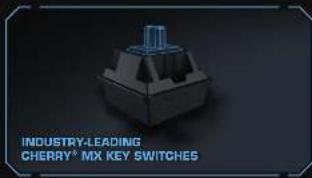
CHERRY® MX key switches
Locked and loaded with best-in-the-industry O IERRY® MX mechanical key switches. With an eye-watching 50 million key stroke durability, you can count on these switches during intense gaming sessions.
SPECIFICATIONS
PACKAGE CONTAINS
- FOODATM Reca MK Blow - Immersion Mechanic Gaming Keyboard - Quick-Examination Date
SYSTEM REQUIREMENTS
- Vancas8 XP, Vancas Val/9 32/64 bit, Vancas8 / 15/64 bit, Vancas8 B, Vancas8 B int
- LEE 2.0 port - Internet connection (for driver installation)
TECH SPECS
■ illuminated mechanical keys
■ 14.00000000000000
■ DEFEND ME by march
■ 3 program module operator bps (11 - 13)
- 2 program mobile macro kera (M1 - M3)
- All other standard keys fully removable
1000
- 4.0 m cash and integrated cable channel
- 10 h of SM Energy management + 2/51 each year
- 2017年1月1日
■ 2014年加入B股公司有
1.6 to 80%

The following table provides the information in English:

PLEASE USE YOUR PRODUITS S (LOCATED ON THE BOTTOM LABS REGISTRATION, SIGN IN AL WWW.BROCCOL.OHS./BROCCOL
WW.Roscat.ORG/support
• 2017, 2018, 2019
Our parent team is ready to help with any technical questions.
Should you need assistance
32

![Technical guide for ROCCATT™ EASY-SHIFT[+]™ keyboard, showing key functions, application examples, and component descriptions in Chinese.](/content/2026/06/1269365/images/22b3af20276befab6fc0129ef3343e177a07fdb744ceabef3c41dda3b5b0ff3c.jpg)


Marque : ROCCAT
Modèle : Ryos MK Glow
Catégorie : Clavier