
EK-FC780 GTX - Système de refroidissement informatique EK Water Blocks - Notice d'utilisation et mode d'emploi gratuit
Retrouvez gratuitement la notice de l'appareil EK-FC780 GTX EK Water Blocks au format PDF.


| Type de produit | Water block pour carte graphique |
| Marque | EK Water Blocks |
| Modèle | EK-FC780 GTX |
| Compatibilité GPU | NVIDIA GeForce GTX 780 (référence) |
| Matériau de la plaque froide | Cuivre plaqué nickel |
| Matériau du dessus | Acétal noir ou acrylique transparent |
| Dimensions (L x l x H) | Environ 155 x 20 x 15 mm |
| Poids net | Environ 220 g |
| Connecteurs | 2 x G1/4" filetés |
| Éclairage LED | Non intégré (options de rétroéclairage séparées) |
| Pompe intégrée | Non (circuit passif) |
| Débit recommandé | 60-120 L/h |
| Thermal pads inclus | Oui (pour VRM et mémoire) |
| Pâte thermique incluse | Non (recommandée : pâte à haute conductivité) |
| Entretien et nettoyage | Démontage périodique pour nettoyage des dépôts ; utiliser de l'eau distillée ou un liquide de refroidissement spécialisé |
| Sécurité | Éviter les fuites ; vérifier les joints toriques ; ne jamais faire fonctionner à sec |
| Pièces détachées | Disponibles : plaque froide, top, joints toriques, supports |
| Réparabilité | Réparable par l'utilisateur avec outils standards |
| Garantie | 2 ans (pièces) |
| Certifications | RoHS, CE |
FOIRE AUX QUESTIONS - EK-FC780 GTX EK Water Blocks
Questions des utilisateurs sur EK-FC780 GTX EK Water Blocks
0 question sur cet appareil. Repondez a celles que vous connaissez ou posez la votre.
Poser une nouvelle question sur cet appareil
Téléchargez la notice de votre Système de refroidissement informatique au format PDF gratuitement ! Retrouvez votre notice EK-FC780 GTX - EK Water Blocks et reprennez votre appareil électronique en main. Sur cette page sont publiés tous les documents nécessaires à l'utilisation de votre appareil EK-FC780 GTX de la marque EK Water Blocks.
MODE D'EMPLOI EK-FC780 GTX EK Water Blocks
Installation and mounting manual for EK-FC780 GTX Jetstream Backplate
This product is intended for installation only by expert users. Please consult with a qualified technician for installation. Improper installation may result in damage to your equipment. EK Water Blocks assumes no liability whatsoever, expressed or implied, for the use of these products, nor their installation. The following instructions are subject to change without notice. Please visit our web site at www.ekwb.com for updates. Before installation of this product please read important notice, disclosure and warranty conditions printed on the back of the box.
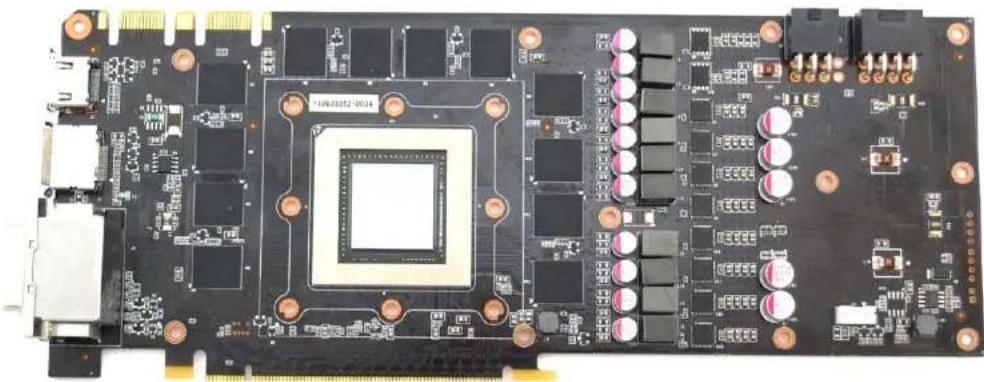
STEP 1: GENERAL INFORMATION. Sample picture of nVidia GeForce 780 GTX Jetstream graphics card.
natural_image
Close-up of a black printed circuit board with integrated circuits and connectors (no visible text or symbols)STEP 2: PREPARING YOUR GRAPHICS CARD
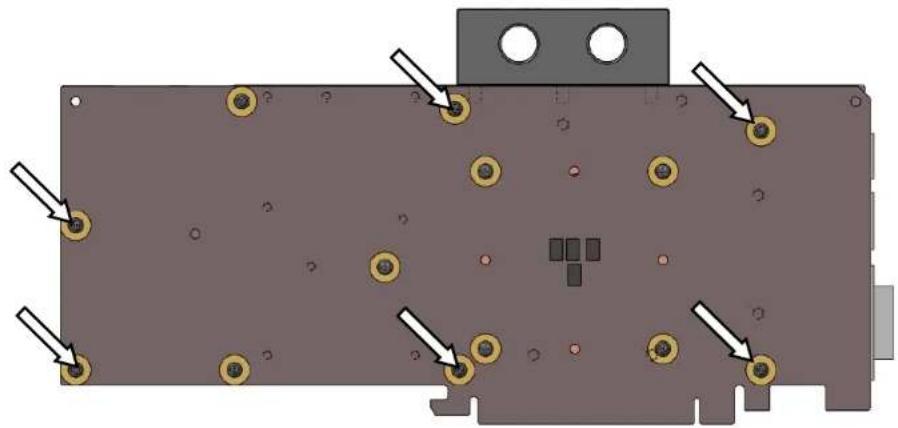
EK-FC780 GTX Jetstream Backplate is very easy to install. First install EK-FC780 GTX Jetstream series water block according to its installation manual. If you have it already installed, please check the picture below to see which mounting screws are to be left in their position and which are to be removed. Please remove the six (6) M3x4 DIN7985 screws and their washers (marked with arrow).
natural_image
Diagram of a mechanical or electronic component with multiple circular features and directional arrows indicating movement or force (no text or symbols present)STEP 3: APPLYING THE THERMAL PADS
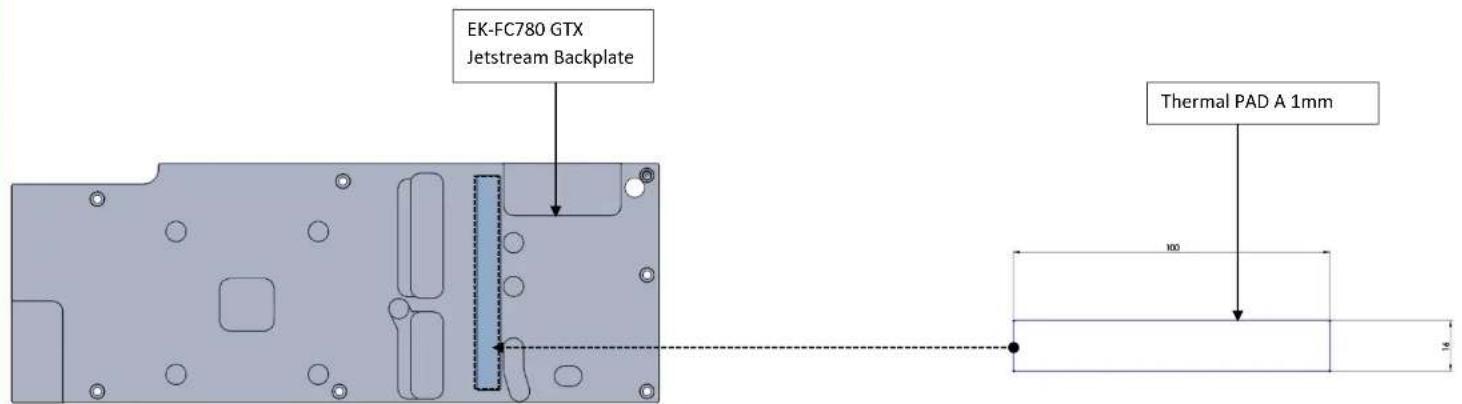
EK-FC780 GTX Jetstream Backplate features passive cooling of the printed circuit board and it's components therefore it is mandatory to install the enclosed thermal pad. Please install enclosed 1mm thick thermal pad (Thermal Pad A - 1mm (100x16)) as shown on the picture below. You may need to trim the excess thermal pad.
STEP 4: ATTACHING EK-FC780 GTX Jetstream BACKPLATE TO THE GRAPHICS CARD
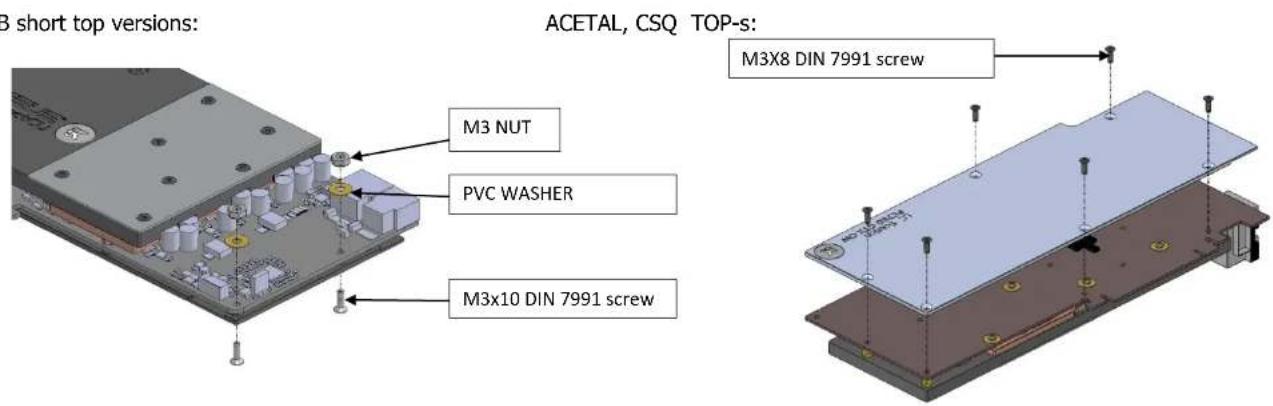
Take enclosed mounting screws and install them as shown on picture below. EKWB recommends users to start with six(6) M3x8 DIN 7991 for the CSQ and ACETAL TOP's or. four(4) M3x8 DIN 7991 and two(2) M3x10 DIN 7991 screws for the SHORT top, (HINT: do not tighten screws until they are all positioned in their mounting holes) in the middle of the card and then continue outwards. The backplate has milled in standoffs, so there is no fear of over tightening of the screws. Nevertheless do not exaggerate with screwing force as there is no need for it.
(By all means users must also consider that this product is intended to be used only with EK-FC780 GTX Jetstream series water blocks. No other 3 ^rd party heat sinks or coolers are supported!)
EKWB short top versions:
IMPORTANT DISCLOSURES
VERY IMPORTANT NOTICE: Once the installation is completed, it is a recommended practice to test the cooling circuit for leaks prior to powering up the computer. We recommend a 24 hour leak test prior to powering up the computer. Do not test the water block using city water pressure. This will rupture the top of the housing and render the block unusable (and will void your warranty). While all efforts have been made to provide the most comprehensive tutorial possible, EK Water Blocks assumes no liability expressed or implied for any consequential damage(s) occurring to your equipment as a result of using EK Water Blocks cooling products, either due to errors or omissions on our part in the above instructions, or due to failure or defect in the EK Water Blocks cooling products.
WARRANTY:
Our products are warranted against defects in materials or workmanship for a period of 24 months beginning from the date of delivery to the final user. During this period, products will be repaired or have parts replaced at our discretion provided that: (I) the product is returned to the agent from whom it was purchased; (II) the product has been purchased by an end user and has not used for commercial purposes; (III) the product has not been misused, handled carelessly, or used in a manner other than in accordance with the instructions provided describing its installation and proper use. This warranty does not confer rights other than those expressly set out above and does not cover any claims for consequential loss or damage. This warranty is offered as an extra benefit and does not affect your statutory rights as a consumer. This warranty is voided if the product comes in contact with aggressive UV additives or other improper liquids.
EK blocks are sealed with warranty void circular label, which proves that the block has withstood a pressure leak test. Removing it will void leak-free guarantee and not the guarantee on the product itself. Any other RMA issues can be reported to EK Support at http://www.ekwb.com/support for further analysis.
REQUIRED TOOLS AND MOUNTING SCREWS:
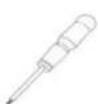
Philips head screwdriver
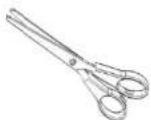
scissors
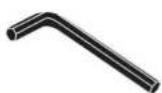
2mm allen key
Marque : EK Water Blocks
Modèle : EK-FC780 GTX
Catégorie : Système de refroidissement informatique