
AUDIO VIDEO CABLE EG-E5000 - Câble audio/vidéo NIKON - Notice d'utilisation et mode d'emploi gratuit
Retrouvez gratuitement la notice de l'appareil AUDIO VIDEO CABLE EG-E5000 NIKON au format PDF.


| Type de produit | Câble audio/vidéo |
| Marque | Nikon |
| Modèle | EG-E5000 |
| Compatibilité | Appareils photo Nikon Coolpix (notamment Coolpix 5000) |
| Connecteur appareil | Mini-jack 3,5 mm (stéréo + vidéo composite) |
| Connecteurs périphériques | 2x RCA (audio L/R) et 1x RCA (vidéo composite) |
| Longueur du câble | 1,5 m (estimation) |
| Fonction | Transmission du signal audio et vidéo vers un téléviseur |
| Signal vidéo | Composite (NTSC/PAL) |
| Signal audio | Stéréo analogique |
| Matériau | Conducteurs en cuivre, isolation PVC |
| Couleur | Noir (courant) |
| Poids | Environ 50 g (estimation) |
| Entretien | Nettoyer avec un chiffon sec, éviter les pliures |
| Sécurité | Utiliser dans un environnement sec, ne pas exposer à des températures extrêmes |
| Garantie | 2 ans (standard Nikon) |
| Informations générales | Accessoire d'origine Nikon |
FOIRE AUX QUESTIONS - AUDIO VIDEO CABLE EG-E5000 NIKON
Questions des utilisateurs sur AUDIO VIDEO CABLE EG-E5000 NIKON
0 question sur cet appareil. Repondez a celles que vous connaissez ou posez la votre.
Poser une nouvelle question sur cet appareil
Téléchargez la notice de votre Câble audio/vidéo au format PDF gratuitement ! Retrouvez votre notice AUDIO VIDEO CABLE EG-E5000 - NIKON et reprennez votre appareil électronique en main. Sur cette page sont publiés tous les documents nécessaires à l'utilisation de votre appareil AUDIO VIDEO CABLE EG-E5000 de la marque NIKON.
MODE D'EMPLOI AUDIO VIDEO CABLE EG-E5000 NIKON
Type of camera Digital camera E5000
Effective pixels 5.0 million
CCD 2/3-inch-type CCD (total pixels: 5.24 million)
Image size 2,560 x 1,920 pixels
UXGA-size (1,600 x 1,200), SXGA-size (1,280 x 960),
XGA-size (1,024 x 768), VGA-size (640 x 480)
3:2 (2,560 x 1,704) selectable
Lens 3x Zoom-Nikkor; f = 7.1 21.4mm [35mm (135) format equivalent to 28 85mm] /F2.8~4.8 with macro;
9 elements in 7 groups; all elements are made of environmentally
friendly glass: Nikon Super Integrated Coating (SIC) applied: three
glass molded aspherical lens elements included
Digital zoom
Autofocus
7,514-step autofocus
5-Area Multi AF or Spot AF selectable
Focus modes
1) Continuous AF mode (when using LCD monitor),
2) Single AF mode (when not using LCD monitor and/or
selectable from shooting menu), 3) Manual (50 steps from 2cm
[0.8 in.] to infinity () with Focus Confirmation Indication)
50cm (19.7 in.) to infinity ()
2cm (0.8 in.) to infinity () in Macro mode
Optical viewfinder
LCD monitor
brightness/hue adjustment; frame coverage: approx. 97%
Storage
System: EXIF 2.1 file (uncompressed TIFF or compressed JPEG
Design rule for Camera File system (DCF), Digital Print Order
Format (DPOF),QuickTime Motion JPEG (Movie)
Media: CF Card Type I/II, 512MB/1GB Microdrive™ Card
Number of frames with 32MB CF Card (approx.)
| Image size Image quality | FULL | 3:2 | UXGA | SXGA | XGA | VGA |
| HI | 2 | 2 | - | - | - | - |
| FINE | 13 | 14 | 32 | 50 | 75 | 173 |
| NORMAL | 26 | 28 | 62 | 95 | 139 | 289 |
| BASIC | 51 | 55 | 118 | 173 | 243 | 459 |
User setting
1) Automatic mode (default); Custom mode (three combinations of
mode setting can be memorized in #1-#3), 2) White Balance,
3) (Exposure) Metering, 4) Continuous (Shooting), 5) Best-Sho
Selector (BSS), 6) Image Adjustment (Auto/Normal/More
Contrast/Less Contrast/Lighten/Darken/Monochrome).
7) Saturation Control, 8) Lens, 9) Exposure Options (AE Lock, Bulb
time limit on/off), 10) Focus Options, 11) Image Sharpening,
12) Auto Bracketing, 13) Noise Reduction, Clear Image
1) Single,
2) Continuous H (3 fps; up to 3 frames)
3) Continuous L (1.5 fps; up to 10 frames)
4) Multi-Shot 16 (consecutive 16 frames at 3 fps),
5) High-speed Continuous (SXGA, XGA, VGA-size images; 3 fps),
6) Ultra High-speed Continuous (QVGA-size images; 30 fps;
number of frames selectable, up to 100 frames)
7) Movie with audio (QVGA-size images, 15 fps, up to 60 sec.)
Mechanical and charge-coupled electronic shutter
1/4,000 (with minimum aperture) to 1 sec. in AUTO mode and
Programmed Auto; 1/4,000 to 8 sec. in Aperture-Priority
Auto; 1/2,000 to 8 sec. in Shutter-Priority Auto and Manual; Bulb
time limit (up to 5 minutes)
Aperture
Exposure control
7-blade iris diaphragm: 10 steps in 1/3 EV increments
1) Programmed Auto with Flexible Program [P],
2) Shutter-Priority Auto [S], 3) Aperture-Priority Auto [A]
4) Manual [M]; Exposure Compensation (±2 EV in 1/3 EV steps)
Auto Exposure Bracketing (3 or 5 frames within ± 2 EV)
4-mode TTL metering; 1) 256-segment Matrix [ ]
2) Center-Weighted [□], 3) Spot [□], 4) Spot AF Area [□]
EV -2.0 ~ +18.0 (W), EV -0.5 ~ +17.0 (T) (ISO 100 equivalent)
Sensitivity (approx.)
ISO 100 equivalent; 100, 200, 400, 800, and Auto
can be controlled in any exposure mode
White balance
1) Matrix Auto White Balance with TTL control, 2) 5-mode
Manual with fine tuning (Fine/Incandescent/Fluorescent/Cloudy/
Speedlight), 3) Preset, 4) White Balance Bracketing
10 sec. or 3 sec. duration
Guide number: 10 (when sensitivity is at ISO 100 equivalent)
Flash control: Sensor flash system
Flash modes: 1) Auto Flash, 2) Flash Cancel, 3) Anytime Flash,
4) Slow Sync, 5) Red-Eye Reduction
Standard ISO 518; lock pin provided prevents Nikon Speedlight from slipping off
External Speedlight
Hotshoe connects to external Nikon Speedlight
SB-50DX/28DX/28/27/26/25/24/23/22s
built-in Speedlight can be canceled when using external
Speedlight(s)
1) 1 frame, 2) Thumbnail (4/9 segments), 3) Slide show,
4) Movie with audio, 5) Enlarged playback (up to 6x)
- Shooting information; Histogram indication and highlight
point display; Hide and protect attributes can be set to
Each image; Focus confirmation indication
USB 1.1
I/O terminal
Power input, Audio/Video output (NTSC or PAL selectable).
Digital output terminal (USB 1.1/Remote Cord)
One Rechargeable Li-ion Battery EN-EL1 (included),
One 6V 2CR5/DL245 lithium battery (optional)
Six 1.5V LR6 (AA-size alkaline) batteries* with Battery Pack
MB-E5000 (optional), AC adapter (optional)
Battery life
Approx. 100 min. when using LCD monitor and
EN-EL1 battery at normal temperature (20^ [68°F])
Approx. 101.5 × 81.5 × 67.5 ~mm (4.0 x 3.2 x 2.7 in.)
Weight (without battery)
Approx. 360g (12.6 oz.)
Accessories included*
Lens cap, Camera strap, AV cable, CompactFlash™ Card,
USB cable UC-E1, Rechargeable Li-ion Battery EN-EL1,
Battery Charger, Nikon View 4 CD-ROM
Optional accessories
Fisheye Converter FC-E8, Wideangle Converter WC-E68, Telephoto
Converter TC-E2, Telephoto Converter TC-E3ED**, Slide Copy
Adapter ES-E28***, Step Down Ring Lens Adapter UR-E5 and
UR-F6. Lens Hood HN-F5000. LCD Hood HI -F5000. Battery Pack
MB-E5000. Remote Cord MC-EU1
- Standard accessories may differ by country or area.
** Recommended for use with 1.2x digital zoom or higher
(vignetting occurs otherwise)
***Recommended for use with 1.4x digital zoom or higher
Driver Software Nikon View 4 System Requirements
Macintosh
OS Mac OS8.6-9.2
Models iMacTM, iBookTM, Power Macintosh G3 (Blue/White), Power MacintoshTM G4
or later, PowerBook G3 (only built-in USB ports supported) or later
RAM 32Mbyte (64Mbyte or more recommended)
Hard disk 15MB required for installation, with additional amount equivalent to twice the
capacity of the camera memory card required when Nikon View 4 is running
Display 640 x 460 with 16-bit color (800 x 800 or greater, full color recommended)
Others CD-ROM drive, USB interface (only built in USB port supported).
Other's CD-ROM drive, USB Interface (only built-in USB ports support Mac® OS8.6 needs USB driver (ver 1.3.5) on Apple's website
Windows
OS/Models Windows 98/98SE,Windows 2000 Professional,Windows Me pre-installed
model CPH MAY® Porting® o later
CPU MMx Pentium of later RAM 64Mbty (128Mbty or more recommended)
Hard disk 15MB required for installation, with additional amount equivalent to twice the
capacity of the camera memory card required when Nikon View 4 is running
Display 640 x 480 with 16-bit color (800 x 600 or greater, full color)
recommended)
Others CD-ROM drive, USB interface (only built-in USB ports supported)
- Windows® is either a registered trademark or trademark of Microsoft Corporation in the United States and/or other countries. ● Macintosh® is either a registered trademark or trademark of Apple Computer Inc. in the United States and/or other countries. ● CompactFlash™ is a trademark of SanDisk Corporation. ● Products and brand names are trademarks or registered trademarks of their respective companies. ● Images on LCDs and monitors shown in this brochure are simulated.
Specifications and equipment are subject to change without any notice or obligation on the part of the manufacturer. November 2001
©2001 NIKON CORPORATION

WARNING
TO ENSURE CORRECT USAGE, READ MANUALS CAREFULLY
BEFORE USING YOUR EQUIPMENT. SOME DOCUMENTATION IS
SUPPLIED ON CD-ROM ONLY.

COOLPIX 5000 supports EPSON's "PRINT Image Matching".
"PRINT Image Matching" is a technology
which assists in producing vivid photo-quality images for the PINA lab facilities.
prints from PIM-enabled digital cameras .Benefit a digital camera and printer that are
ment; a digital camera and printer are used with PRINT Image Matching'are required.

QuickTime

NIKON CORPORATION
FUJI BLDG., 2-3, MARUNOUCHI 3-CHOME, CHIYODA-KU, TOKYO 100-8331, JAPAN
www.nikon-image.com/eng/
Printed in Japan Code No. 6CE41182 (0111-119.62)K
Nikon
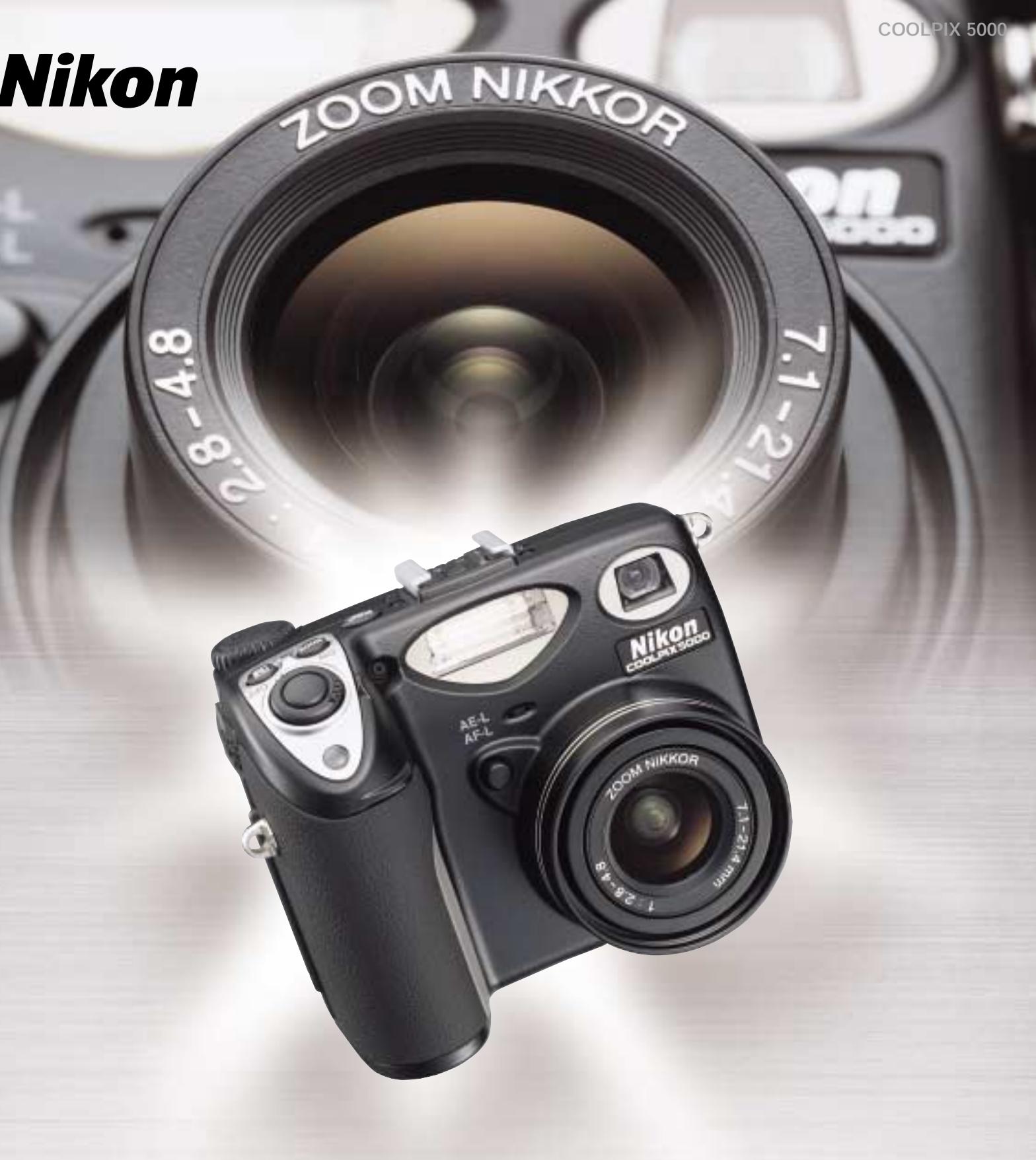
EXTRAORDINARY DIGITAL
COOLPIX5000
5.0
Effective Megapixels
Superhigh-precision
28-85mm
Zoom-Nikkor Lens
(35mm [135] equiv.)
3 Frames
Per Second
at Full Image Size
Durable.
Magnesium
Alloy Body

REFINED EXPRESSION
It all began when Nikon's top camera designers got together with the aim of producing a unique digital camera for the photography enthusiast. The goal was to meet the demands of someone who understands photographic tradition, yet is passionate about the advantages of digital. The result of their vision, the new COOLPIX 5000, is here.
Take the camera in hand. Its compact, magnesium-alloy body and full-size grip feel secure, comfortable and designed for a lifetime of fine photography. At the heart of the COOLPIX 5000's durable body lies a large, 2/3-inch-type CCD. In front is a superhigh-precision 28-85mm* Zoom-Nikkor lens. Together they offer an unsurpassed
5.0 effective megapixels. And integrated into the electronics is Nikon's unique image processing algorithm, for rich, detailed resolution and vibrant colors.
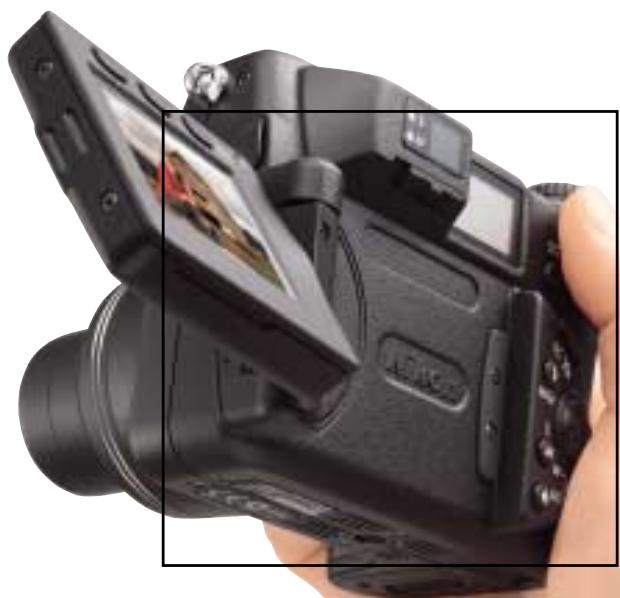
The result is a digital photography instrument of unprecedented design, combining quality, durability, rapid response and ease of use. The new Vari-angle LCD monitor, versatile exposure controls, convenient accessory shoe, and smart, ergonomic engineering give the COOLPIX 5000 creative potential surpassing that of any other consumer digital camera. It all adds up to expressive refinement that is simply extraordinary.
Shooting data
Image size: 2,560 x 1,920
- Image quality mode: FINE
Focal length: 12.4mm
- Exposure metering: Matrix
- Exposure mode: Aperture-Priority Auto
- Shutter speed: 1/196 sec.
Aperture: f/4.8
COOLPIX5000
5.0 effective megapixels
2/3-inch-type CCD
Recording image size of 2,560 x 1,920-pixels (full size)
Superhigh-precision 28-85mm Zoom-Nikkor lens incorporating three aspherical lens elements
■ Nikon advanced image-processing algorithm
Shutter speed range of 1/4,000^* to 8 sec.
Durable, professional-grade magnesium (Mg) alloy body in a compact, ergonomic design
■ Vari-angle LCD monitor for total shooting freedom
■ AUTO mode for all automatic camera settings, plus three convenient CUSTOM modes
■ Battery life of approx. 100 minutes with rechargeable Li-ion battery EN-EL1
Full line of optional system accessories, including:
- New 19mm^* Wideangle Converter
-
Battery Pack (for six 1.5V LR6 [AA-size alkaline] batteries***) with second shutter release button for use when shooting in vertical format
-
35mm (135) format equivalent.
** Available in Programmed Auto [P] and Aperture-Priority Auto [A] exposure modes.
*** 1.5V Lithium, 1.2V NiMH, or 1.2V NiCd batteries can also be used.
5.0 effective megapixels
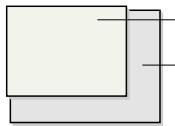
Conventional 1/1.8-inch-type CCD
Large, new 2/3-inch-type CCD
Outstanding details, clarity and colors
The COOLPIX 5000 delivers an impressive
5.0 effective megapixels for truly superb image quality.
The large, 2/3-inch-type CCD provides a wider dynamic range to capture shadows and highlight details more faithfully, and ensures a smoother reproduction of the complete tonal range.
The maximum recording image size of 2,560 × 1,920 pixels ensures
incredibly sharp pictures, enabling reproduction of fine details on images up to A3 size (297 x 420mm) or 11 x 14 in.
Precision 28-85mm Zoom-Nikkor lens
Nikon lens designers spared no effort in creating the advanced optics that bring the COOLPIX 5000's
5.0 effective megapixels to life
The 3x Zoom-Nikkor lens offers a 28-85mm zoom range
(35mm [135] equiv.) that covers everything
enthusiastic photographers find most exciting in photography. With the Nikon COOLPIX system of
accessory converters, this range can be extended, and for even greater magnification, there's an auxiliary
4x digital zoom.
The lens, which consists of nine elements in seven groups, features
three glassmolded
aspherical lens
elements, including a large-diameter element up front.
Lens elements have been treated with Nikon's Super
Integrated Coating (SIC) to deliver super-sharp, clear images.
Distortion, chromatic aberration and color blur have all been reduced to negligible levels. Indeed, you'll be amazed at how fine details — such as hair and skin texture — can be reproduced, even in larger format printing.

Minimum distortion at 28mm (35mm [135] equiv.)
Macro mode lets you get as close as 2cm (0.8 in.) to your subject. When control is paramount, a 50-step Manual focus with convenient LCD monitor focus confirmation indication enables precise determination of the focus point.
Five-Area Multi Autofocus
The COOLPIX 5000's Five-Area Multi
Autofocus with 7,514 steps provides unprecedented focusing precision. And for easy, flexible composition, the thumb-operable Multi Selector allows you to target any of five focus areas in the frame.

Five-Area Multi Autofocus
Intelligent metering system
Nikon's exclusive 256-segment Matrix
Metering [B] delivers optimal exposures in even the most difficult lighting conditions, while
Center-Weighted [ ] and Spot Metering [ ] enhance your versatility. In Spot AF Area mode, the metering automatically targets your selected focus area as the area of optimal exposure.
Nikon's advanced image-processing algorithm
When you view the images you've captured — on your computer screen or as a print — you will immediately appreciate the Nikon difference. The superior color reproduction and white balance are the outcome of Nikon's unceasing research and analysis of images and image quality. The end result is a camera that captures not only the widest range of tones but also nature's finest gradations, a camera that responds equally well to both high saturation and delicate subtlety. Photographers know they can trust Nikon; now, the COOLPIX 5000 extends the boundaries.

28mm (35mm [135] equiv.)

50mm

85mm

4x Digital Zoom (approx. 340mm)
Quality images — however you want to use them
TTL White Balance
Matrix Auto White Balance precisely and automatically measures the white balance in a scene, making adjustments for the many and varied ambient lighting conditions you'll encounter.
For greater creative control, five Manual settings
(Fine/Incandescent/Fluorescent/Cloudy/Speedlight) allow you to select the optimum conditions for your vision and needs.
Yet another convenience, Preset mode measures, analyzes and memorizes white balance values from any available neutral reference.
White Balance Bracketing
For more difficult conditions, such as settings with mixed light sources, the COOLPIX 5000 offers White Balance Bracketing. This feature automatically captures the same scene with three different white balance settings (reddish,
neutral, and bluish) all with a single release of the shutter allowing you to make creative choices later in your digital darkroom.

White Balance Bracketing
Slightly reddish
Neutral
Slightly bluish
Saturation Control
Four steps of color saturation adjustment allow you to select from a vibrant, highly saturated image suitable for home printouts or a more subtle image with a wider tonal range that provides better response to retouching on your computer.
It also includes a Black and White mode that renders beautiful gray tone images.
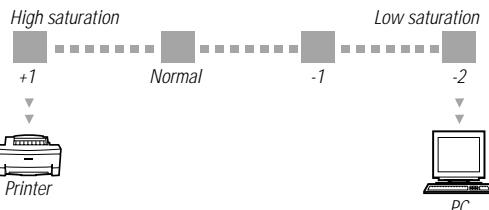

Saturation setting +1 for vibrant printout

Saturation setting -2 for image retouching
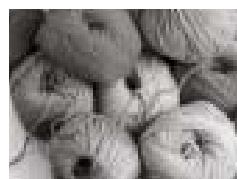
Black and White
Noise Reduction Mode
This feature takes you beyond the limits of conventional digital photography, employing a multiple exposure technique to eliminate intrusive background noise buildup from the CCD, and deliver extended time exposures with excellent results.
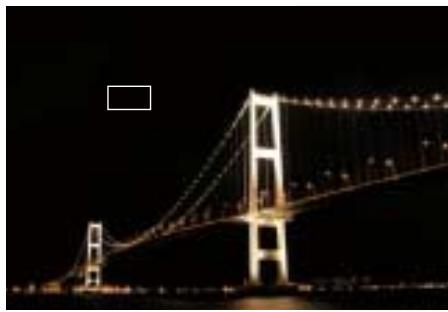

Noise Reduction Mode ON

Noise Reduction Mode OFF
Clear Image Mode*
Available for recording image sizes of 1,280 x 960 pixels (SXGA size) or smaller, Clear Image
Mode takes full advantage of the camera's 5.0 effective megapixels - adding and averaging two pixels vertically - to give you a wider dynamic range and superior S/N ratio.

Clear Image Mode (1,280 x 960 pixels)
Using a multiple exposure technique that incorporates noise reduction and electronic processing, it produces an outstanding image with minimum noise and beautiful color gradations.
- This feature is not recommended for moving subjects. Camera shake or subject movement may result in a blurry image. Use of a tripod is advised.
Best Shot Selector
The Best Shot Selector (BSS) automatically selects the "sharpest" image from a series of consecutive shots of a subject, giving you a measure of safety that proves particularly valuable when taking macro and telephoto pictures.
This feature can be used even with uncompressed [HI] image data.

Macro with BSS
UNLIMITED POTENTIAL
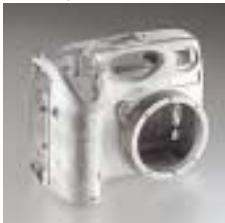
Design that fires the creative spirit
Magnesium alloy body
Take hold of the COOLPIX 5000, and experience the measure of Nikon's vast heritage. Using
a tough but
lightweight magnesium (Mg) alloy, the camera's contours have been sculpted for
secure, comfortable grip. Nikon designers have paid meticulous attention to every detail — from
delicate curves to finely textured finish — for optimum shooting comfort. The dial and buttons on the camera have been ergonomically arranged for instant, intuitive control.
The all-new Vari-angle LCD monitor gives you unprecedented freedom in choosing when and where to shoot — or, if you prefer, simply close the monitor and use the bright optical zoom viewfinder.
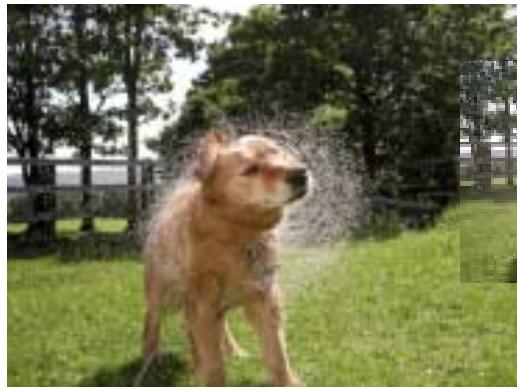

- Capture mode: Continuous High
- Exposure mode: Shuttor-Priority A
- Shutter speed: 1/2,000 sec.
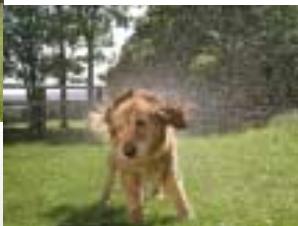
Versatile Exposure Controls with 1/4,000 sec. top shutter speed
Choose from four exposure modes — Programmed Auto [P] with Flexible Program, Shutter-Priority Auto [S], Aperture-Priority
Auto [A] and Manual [M] — for every possible combination of creative control. When the situation demands, [P] and [A] modes give you a top shutter speed of
1/4,000 sec. And even with the maximum aperture selected, the shutter operates at up to 1/2,000 sec. in any exposure mode.
A seven-blade precision-rounded iris diaphragm allows you to control aperture values with exceptional accuracy.
Exposure Compensation allows you to shift the exposure value (EV) manually from -2 to +2 in 1/3 EV steps.
Auto Exposure Bracketing does it for you, automatically.
Quick Review
One press of the Quick Review button lets you check any previously captured images in quarter-screen while still in record mode.
Another press fills the screen with the image full frame, yet at any moment, pressing the shutter button once reactivates record mode.
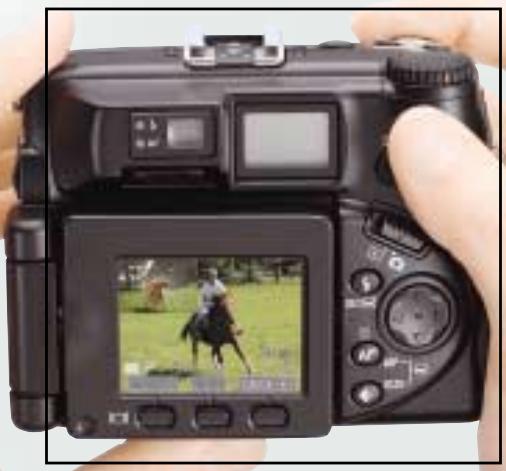
Quick Review
Impressive speed
Rapid response has been engineered into the heart of the COOLPIX 5000 so you're always ready for that decisive moment. Shutter release time lag and all other functions — from start-up to zoom, autofocus to image processing — have been
dramatically improved.
When shooting continuously, the COOLPIX 5000 lets you take three consecutive full-size (2,560 x 1,920-pixel) pictures at 3 frames per second
in Continuous High mode, or 10 shots at 1.5 fps in Continuous Low mode. Multi-Shot 16 takes 16 VGA-size (640 x 480-pixel) pictures consecutively at 3 fps, and records them as a single full-size image.
If speed is essential, turn on Ultra High-speed Continuous mode and take up to 100 QVGA-size (320 x 240-pixels) frames at 30 fps.
Getting the pictures into your computer is fast too - simply connect via the USB 1.1 interface (Mass Storage Class) and the camera shows up on your computer screen as another hard disk.
Speedlight system

The built-in Speedlight offers impressive versatility — and when you require even more light, simply attach an external Nikon Speedlight, such as the SB-50DX or SB-28DX, to the built-in accessory shoe. Fitting the external Speedlight automatically cancels the built-in Speedlight's firing — but you can also choose to fire both simultaneously.
Other features
Movies with audio (up to 60 sec.); autofocus and auto exposure; for recording and playback
-
Sensitivity settings (ISO equivalent 100, 200, 400, 800, and AUTO)
-
Dedicated Function [FUNC] button for easier operation
-
AE-Lock/AF-Lock button
-
Various playback modes, including histogram indication, focus confirmation indication and highlight point display
-
Comes with Li-ion Rechargeable Battery EN-EL1 and charger; provides approx. 100 minutes of battery life with full charge
- Auto file numbering
- Design rule for Camera File system (DCF), and Digital Print Order Format (DPOF)
System Accessories
The COOLPIX 5000 provides seamless compatibility with numerous system accessories: the new 19mm (35mm [135] equiv.) Wideangle Converter WC-E68 gives your photography a dramatic perspective; an optional Battery Pack
MB-E5000 that uses six 1.5V LR6 (AA-size alkaline) batteries enables easier vertical shooting; and Nikon Speedlights and Remote Cord MC-EU1 provide enhanced creativity. Lens hoods and an LCD hood are also available.
In addition to Nikon's EC-CF series, the COOLPIX 5000 may be used with the following CompactFlash™ Cards: SanDisk Corporation's SDC-FB16/32/48/64/96/128 and Lexar Media Corporation's CF008/016/032/048/064/080 4X USB,
CF008/016/032/048/064/080 8X USB and CF128/160 10X USB. IBM Corporation's 2DSCM-10512 (512MB) and DSCM-11000 (1GB) Microdrive™ Cards are also supported. For more details, please contact the respective company.
Unmatched versatility
Nikon View 4
Dedicated driver software, Nikon View 4 (for Windows & Macintosh) launches automatically when the camera is connected to a PC with the USB 1.1 cable. It is able to recognize and transfer images stored in the CompactFlash™ Card, and is also launched when a CompactFlash™ Card with stored images is inserted into a CF Card reader.

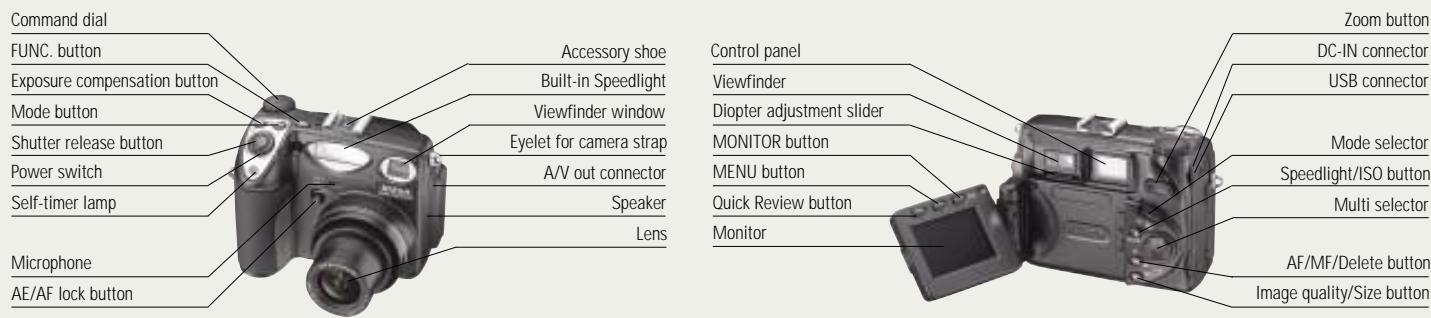
System chart
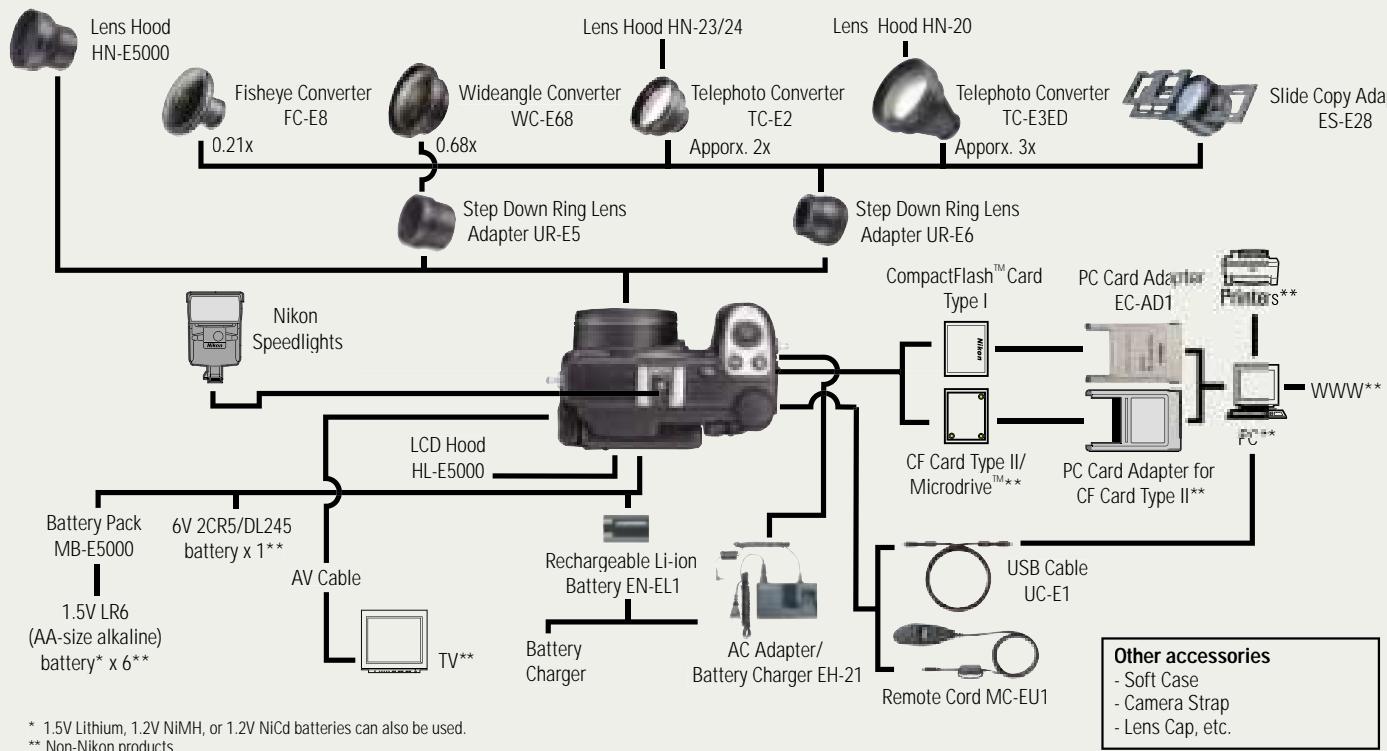
Nomenclature
- Nikon
- EXTRAORDINARY DIGITAL
- REFINED EXPRESSION
- Shooting data
- COOLPIX5000
- effective megapixels
- Outstanding details, clarity and colors
- Precision 28-85mm Zoom-Nikkor lens
- Five-Area Multi Autofocus
- Intelligent metering system
- Nikon's advanced image-processing algorithm
- Quality images — however you want to use them
- TTL White Balance
- White Balance Bracketing
- Saturation Control
- Noise Reduction Mode
- Clear Image Mode*
- Best Shot Selector
- UNLIMITED POTENTIAL
- Versatile Exposure Controls with 1/4,000 sec. top shutter speed
- Quick Review
- Impressive speed
- Speedlight system
- Other features
- System Accessories
- Unmatched versatility
- Nikon View 4
- System chart
- Nomenclature
Marque : NIKON
Modèle : AUDIO VIDEO CABLE EG-E5000
Catégorie : Câble audio/vidéo