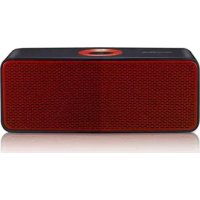
HBM-510 - Écouteurs sans fil LG - Notice d'utilisation et mode d'emploi gratuit
Retrouvez gratuitement la notice de l'appareil HBM-510 LG au format PDF.


| Type de produit | Casque Bluetooth |
| Caractéristiques techniques principales | Technologie sans fil Bluetooth 2.1, portée jusqu'à 10 mètres |
| Alimentation électrique | Batterie rechargeable intégrée |
| Autonomie | Jusqu'à 10 heures d'écoute |
| Dimensions approximatives | Non spécifiées |
| Poids | Non spécifié |
| Compatibilités | Compatible avec la plupart des appareils Bluetooth |
| Type de batterie | Batterie lithium-ion |
| Tension | Non spécifiée |
| Puissance | Non spécifiée |
| Fonctions principales | Appels mains libres, contrôle de la musique |
| Entretien et nettoyage | Essuyer avec un chiffon doux, éviter l'eau |
| Pièces détachées et réparabilité | Non spécifiées, vérifier auprès du fabricant |
| Sécurité | Ne pas utiliser à des volumes excessifs pour éviter les dommages auditifs |
| Informations générales utiles | Vérifier la compatibilité avec votre appareil avant l'achat |
FOIRE AUX QUESTIONS - HBM-510 LG
Questions des utilisateurs sur HBM-510 LG
0 question sur cet appareil. Repondez a celles que vous connaissez ou posez la votre.
Poser une nouvelle question sur cet appareil
Téléchargez la notice de votre Écouteurs sans fil au format PDF gratuitement ! Retrouvez votre notice HBM-510 - LG et reprennez votre appareil électronique en main. Sur cette page sont publiés tous les documents nécessaires à l'utilisation de votre appareil HBM-510 de la marque LG.
MODE D'EMPLOI HBM-510 LG

HBM-510 User Manual
Rev. 20060422. 002
TABLE OF CONTENTS
[ LCD Display ] 2
[KEY Display] 3
I. Booting 4
II.Shut down 4
III. Charging 4
IV. Pairing 4
V. Waiting 5
VI. Connect 5
VII. Disconnect 5
VIII. Volume Up and Down 5
IX. Handsfree Profile Related Functions 6
- Incoming Call 6
- Picking up a Call 6
- Making a Call 6
- Terminating a Call 6
- Audio Transfer 6
6.Call Reject 6 - Microphone Mute 6
X. LCD ON / OFF 7
XI. LED ON / OFF 7
[ LCD Display ]
| ICON | Disruption |
| Indicates Bluetooth connection status | |
| Microphone activity(Mute/UnMute) | |
| Call status | |
| VOL- | Volume level |
| Battery remain | |
| 1234567890 | Displays caller id, Bluetooth status. |
[ KEY Display ]
![LG HBM-510 - [ KEY Display ] - 1](/content/2020/11/109950/images/c557dd7963cfc5f730ceec723aa80a555632506d976ab9e745e93670e08caec6.jpg)
I. Booting
- Press and the Hold Power/call key for more than 3 seconds.
LED indicates the "LG Electronics", and then "HBM-510".
LCD will be Off and enter the Power saving Mode after 20 seconds without pressing any key.
II. Shut down
- Press and the Hold Power /call key for more than 5 seconds.
LED indicates the "POWER OFF".
III. Charging
Before using your HBM-510, you need to charge it fully by plugging the charger into the DC jack outlet. When fully charged, LED lights will be turned off.
IV. Pairing
- Press the power/call button and Volume down button at the same time for at least 3 seconds.
- The headset will notify you it is in pairable mode with a melody.
- Flickering LED periodically for one or two second means that the headset is waiting for pairing with other Bluetooth enabled devices.
- Pair the headset to the Bluetooth enabled phone while the headset is in pairable mode.
- When pairing has been completed, a melody will be played. If pairing is successful, LCD is displayed "connected", and then "HBM- 510".
V. Waiting
- The connecting mode from the registered Phone to the Bluetooth Headset.
- Press the Headset button to connect to the registered device
VI. Connect
- Even if the headset is not connected to any Bluetooth device, pressing the power/call button will automatically connect it to the last device connected. The connection supports both the handsfree profile and headset profile.
If the sign 'Connected' does not appear, try connecting again after switching the headset to Pairing Mode.
(In case of pairing of bluetooth with headset)
For last number redial, press the Power/call Button once until a short beep is heard. LED indicates the "Voice Command"
With certain types of Bluetooth handsets, the user may need to press the Power/call Button twice.
To activate Voice dialing, press the talk Button until it beeps twice. LED indicates the "Last Number Dial".
When the "call ended" is displayed in the LED, the call will be terminated.
VII. Disconnect
Cancel the connection operating the phone menu to disconnect the Bluetooth.
VIII. Volume Up and Down
Press the Volume (+) Button to increase the speaker sound, and the Volume (-) Button to lower the sound.
The volume level can be adjusted from 1 to 5.
VOL4.11
- The volume is made up to correspond with the volume level of the connected phone.
IX. Handsfree Profile Related Functions
All functions in this section should premise that the Handsfree profile of the Headset connect to the phone.
1. Incoming Call
- On a phone, which supports the handsfree profile: Press the power/call key if you want to answer the call.
- Some phones support automatic answering. Please refer to your Handset Guide for information on this feature.
2. Picking up a Call
- Press the Power/call button in the front of the Headset in the state of Ring Alerting to pick up a call.
- The phone Icon in the top of the LCD is indicated when start talking.

3. Making a Call
- If you make a call from the Headset, the call will (subject to phone settings) be automatically transferred to the Headset, If not automatically transfer the call manually by pressing the Power/call button.

4. Terminating a Call
Press the Power/call button when ringing with headset.
5. Audio Transfer
- To transfer a call from the Headset to the HBM-500, press the Power/call button at least 2seconds while answering.
- To transfer a call back to the Headset, Just press the Power/call button again.
6. Call Reject
- Press and hold the "Volume down" button when ringing.
7. Microphone Mute
-
Press the Volume Down button 2 seconds during the talking using the Headset.
-
"Mic. Muted" will be displayed and the Mic. Icon will be disappeared after the Beep sound.
- Using this function, the other party can not hear my voice.
X. LCD ON / OFF
In order to save power, the LCD automatically switches off if the headset does not receive any input or event (e.g. pairing request, incoming call, etc.) for 20 seconds.
- Note that when the LCD is turned off, it does not necessarily mean that the headset is turned off.
- When the user presses on any key, the LCD lits up. Note however that during battery charging the headset power is off and only the LED is on.
XI. LED ON / OFF
| Headset status | LED indication |
| Power on, Power off | LED light flashes on five times quickly |
| Pairing mode | LED light remains on until paired successful. ( In the case of pass the 60 seconds-> off ) |
| Low battery | LED light flashes on three times per 10 seconds |
| Charging | Until finish the charging |
| Press the any button | LED light remains on 1 second |
CE0197 FCC Bluetooth®
>
* Section 15.19 Labelling requirements
This device complies with part 15 of the FCC rules.
Operation is subject to the following two conditions:
(1) This device may not cause harmful interference and
(2) This device must accept any interference received, including interference that may cause undesired operation.
* Section 15.21 Information to user
The changes or modifications not expressly approved by the party responsible for compliance could void the user's authority to operate the equipment.
- IMPORTANT NOTE: To comply with the FCC RF exposure compliance requirements, no change to the antenna or the device is permitted. Any change to the antenna or the device could result in the device exceeding the RF exposure requirements and void user's authority to operate the device.