
PLQ-22 - Imprimante matricielle EPSON - Notice d'utilisation et mode d'emploi gratuit
Retrouvez gratuitement la notice de l'appareil PLQ-22 EPSON au format PDF.

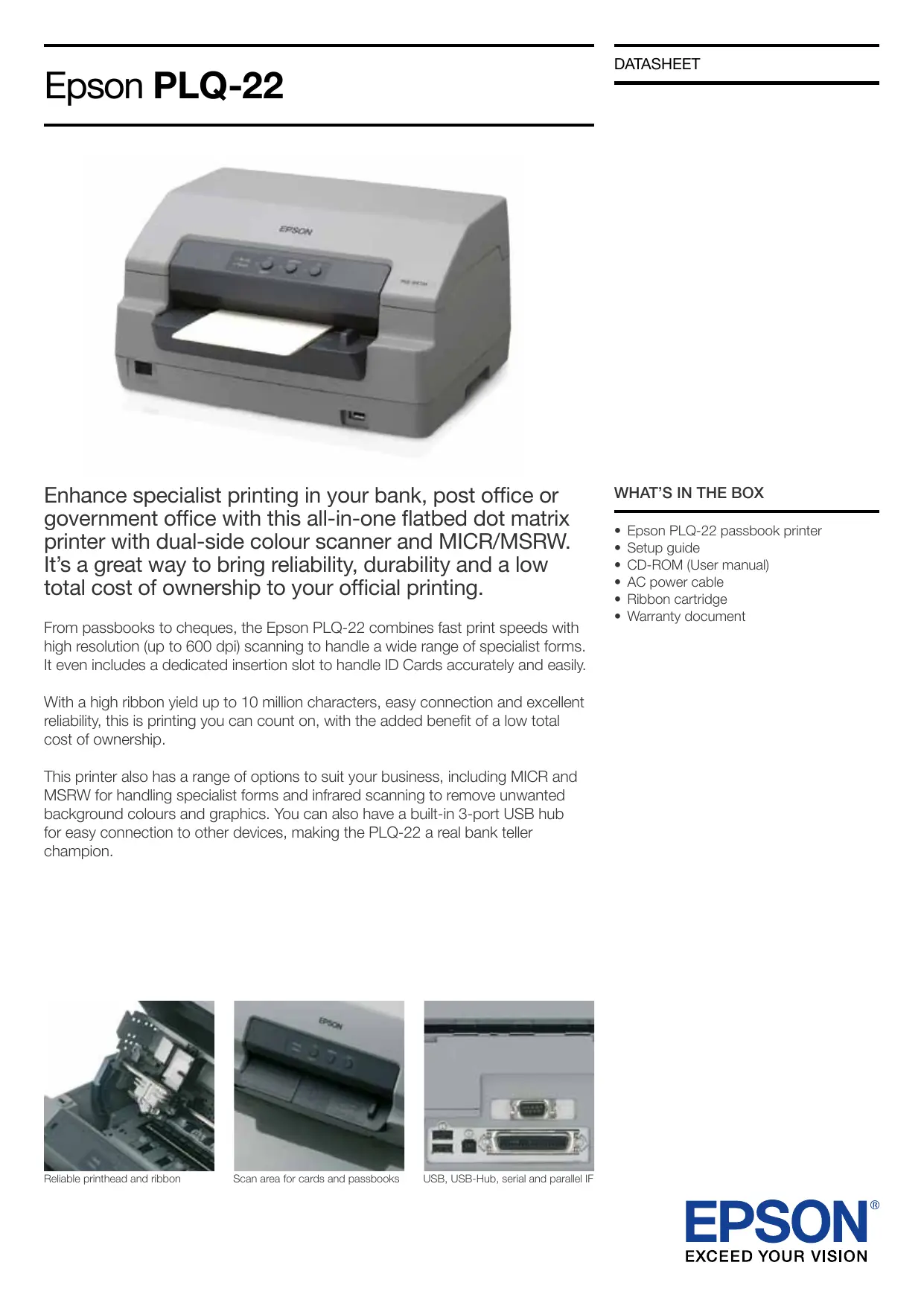
| Type de produit | Imprimante matricielle avec scanner intégré |
| Marque | Epson |
| Modèle | PLQ-22 |
| Dimensions (L x P x H) | 384 x 280 x 203 mm |
| Poids | 8,2 kg (modèle PLQ-22CS) / 9,2 kg (modèle PLQ-22CSM) |
| Méthode d'impression | Matricielle à impact, 24 aiguilles |
| Vitesse d'impression (haute vitesse) | Jusqu'à 480 cps (10 cpi, ESC/P2) |
| Résolution d'impression | Jusqu'à 600 dpi (scan) |
| Alimentation | AC 220-240 V, 50-60 Hz |
| Consommation électrique | Environ 64 W (ISO/IEC10561) |
| Interfaces | USB 2.0 Haute Vitesse, parallèle bidirectionnel, série |
| Scanner intégré | Recto-verso couleur, jusqu'à 600 dpi |
| Lecteur de bande magnétique (MSRW) | Oui, compatible avec plusieurs formats (ISO, IBM, etc.) |
| Lecteur MICR | Oui, polices E13B et CMC7 |
| Capacité du ruban | Environ 10 millions de caractères (brouillon, 10 cpi) |
| Durée de vie de la tête d'impression | 400 millions de coups par fil |
| MTBF | 10 000 heures de fonctionnement |
| Nombre de copies | Original + 6 copies |
| Niveau sonore | Environ 51-55 dB(A) selon le support |
| Entretien | Nettoyage régulier de la tête d'impression et du chemin papier |
| Pièces détachées principales | Ruban (C13S015339), kit gain d'espace (C12C802202) |
| Systèmes d'exploitation supportés | Windows XP/7/8/10, Linux (CUPS) |
FOIRE AUX QUESTIONS - PLQ-22 EPSON
Questions des utilisateurs sur PLQ-22 EPSON
0 question sur cet appareil. Repondez a celles que vous connaissez ou posez la votre.
Poser une nouvelle question sur cet appareil
Téléchargez la notice de votre Imprimante matricielle au format PDF gratuitement ! Retrouvez votre notice PLQ-22 - EPSON et reprennez votre appareil électronique en main. Sur cette page sont publiés tous les documents nécessaires à l'utilisation de votre appareil PLQ-22 de la marque EPSON.
MODE D'EMPLOI PLQ-22 EPSON
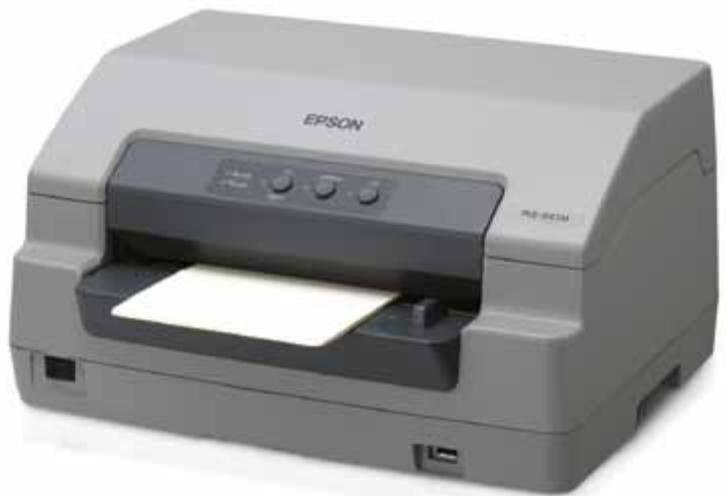
Enhance specialist printing in your bank, post office or government office with this all-in-one flatbed dot matrix printer with dual-side colour scanner and MICR/MSRW. It's a great way to bring reliability, durability and a low total cost of ownership to your official printing.
From passbooks to cheques, the Epson PLQ-22 combines fast print speeds with high resolution (up to 600 dpi) scanning to handle a wide range of specialist forms. It even includes a dedicated insertion slot to handle ID Cards accurately and easily.
With a high ribbon yield up to 10 million characters, easy connection and excellent reliability, this is printing you can count on, with the added benefit of a low total cost of ownership.
This printer also has a range of options to suit your business, including MICR and MSRW for handling specialist forms and infrared scanning to remove unwanted background colours and graphics. You can also have a built-in 3-port USB hub for easy connection to other devices, making the PLQ-22 a real bank teller champion.
WHAT'S IN THE BOX
- Epson PLQ-22 passbook printer
- Setup guide
- CD-ROM (User manual)
- AC power cable
- Ribbon cartridge
Warranty document

Reliable printhead and ribbon
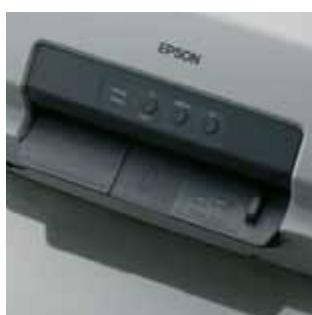
Scan area for cards and passbooks
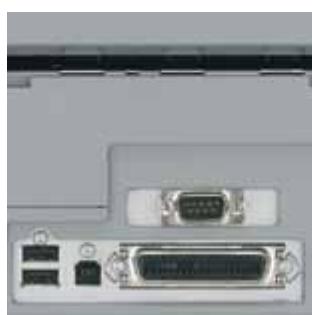
USB, USB-Hub, serial and parallel IF
PRODUCT SPECIFICATIONS
| PRINT TYPE | |
| Printing method | Impact dot matrix |
| Number of pins in head | 24 pins |
| Colour | Black |
| Print direction | Bi-direction with logic seeking |
| Control code | PR2 emulation, ESC/P2, IBM PPDS emulation |
| PRINTER SPEED | |
| High speed draft | 10 cpi*: 480 cps*2 (ESC/P2) |
| 12 cpi*: 576 cps*2 (ESC/P2) | |
| Draft | 10 cpi*: 360 cps*2 (ESC/P2) |
| 12 cpi*: 432 cps*2 (ESC/P2) | |
| LQ | 10 cpi*: 120 cps*2 (ESC/P2) |
| 12 cpi*: 144 cps*2 (ESC/P2) | |
| PRINTABLE COLUMNIS | Pitch - 10 cpi*: 94 cpi*3, 12 cpi*: 112 cpi*3, 13 cpi*: 120 cpi*3, |
| 15 cpi*: 141 cpi*3, 16.6 cpi*: 155 cpi*3, 17.1 cpi*: 161 cpi*3 | |
| PAPER/MEDIA HANDLING | |
| Paper path | Manual insertion (front in, front out / front in, rear out) |
| Copy | 1 original + 6 copies |
| Acoustic noises | PLQ-22CS: Approx. 54 dB(A) A4 Single Sheet (ISO7779 pattern) / Approx. 51 dB(A) Passbook, PLQ-22CSM: Approx. 55 dB(A) A4 Single Sheet (ISO7779 pattern) / Approx. 53 dB(A) Passbook |
| INPUT DATA BUFFER | 128 KB |
| INTERFACE | Bi-directional parallel interface (IEEE-1284 nibble mode supported), Serial I/F, Hi-Speed USB 2.0 |
| RIBBON CARTRIDGE | |
| Colour | Black |
| Type | Fabric |
| Ribbon life | Approx. 10 million characters (Draft 10 cpi*, 24 dots/character) |
| RELIABILITY | 140x199x146 mm |
| MTBF | 10,000 POH*4 |
| Print head life | 400 million strokes / wire |
| ELECTRICAL SPECIFICATION | |
| Rated voltage | AC 220 - 240 V |
| Rated frequency | 50 - 60 Hz |
| Power consumption | Approx. 64 W (ISO/IEC10561 Letter pattern) |
| DIMENSIONS (WxDxH) | 384x280x203 mm |
| Weight | PLQ-22CS: 8.2 kg, PLQ-22CSM: 9.2 kg |
| PRINTER DRIVER | Microsoft® Windows® XP (32bit) SP2 or later Professional, Microsoft® Windows Vista® (32bit/64bit) SP1 or later Ultimate/Enterprise/Business, Microsoft® Windows® 7 (32bit/64bit) Ultimate/Enterprise/Professional, Microsoft® Windows Server® 2003 (32bit/64bit) SP2 Standard/Enterprise, Microsoft® Windows Server® 2008 Standard/Enterprise (32bit/64bit), R2 Standard/Enterprise (64bit), Linux CUPS driver (Linux SUSE® Enterprise Desktop 11) |
| SCANNER SPECIFICATIONS | |
| Scanner type | Document feed |
| Scan method | Moving paper and fixed scan head |
| Scanning area | 216 mm x 356 mm |
| Output resolution | Main 600 dpi / 300 dpi / 200 dpi, Sub 600 dpi / 300 dpi / 200 dpi |
| Bit depth | Colour: input 24 bit / output 24 bit, Mono: input 8 bit / output 8 bit |
| Scanning speed | Mono: 20 inch/second (200 dpi, 300 dpi) / 3.9 inch/second (600 dpi), Colour: 7.7 inch/second (200 dpi, 300 dpi) / 1.3 inch/second (600 dpi) |
| MAGNETIC STRIDE READER / WRITER SPECIFICATIONS | |
| Recording code | BCD Binary Coded decimal, B140, 1 VRC parity control bit |
| Recordable formats | IBM3604, DIN/ISO, ISO7811, IBM4746, ANSI, HT-2751-CIZ, ISO8484 |
| Recorded track width | 9.7 mm |
| Read track width | 1.1 mm |
| Speed of medium | 340 mm/s |
| Reliability | 700,000 strokes |
| MICR READER SPECIFICATIONS | |
| Supported fonts | E13B, CMC7 (10 digits, 5 symbols and 26 letters) |
| Reading speed | 700 mm/s |
| Recognition rate | Recognition rate 99% or more |
| Reliability | 700,000 strokes |
| OPTIONS | |
| Ribbon cartridge (Black) | C13S015339 |
| Space saving kit | C12C802202 |
1 CPI: character per 25.4 mm (characters per inch)
2 Characters per second (cps)
3 Characters per line (cpl)
4 POH: Power On Hours



Better Products for a Better Future

PLQ-22 The Teller

For further information please contact your local Epson office or visit www.epson-europe.com
Austria 0810/20 01 13 (0,07 €/Min.) Belgium 070/350120 (0.1735 €/min.) Czech 800/142 052 Denmark 44 50 85 85 Finland 0201 552 091 France 09 74 75 04 04 (Cost of local call, operator charges may apply) Germany 01805/23 41 10 (0,14 €/min.) aus dem dt. Festnetz, Mobilfunkpreis max. 0,42 €/Min.) Greece 210-8099499 Hungary 06800 147 83 Ireland 01 436 7742 Italy 02-660321 10 (0,12 €/min.) Luxembourg 900/43010 (0,24 €/min.) Middle East +9714 8818934 Netherlands 0900-5050808 (0,05 €/oprep + 0,15 €/min.) Norway +47 67 11 37 00 Poland 0-800 4911299 (0,16zl/min.) Portugal 707 222 111 Russia (095) 777-03-55 Slovakia 0850 111 429 South Africa (+2711) 465-9621 Spain 93 582 15 00 Sweden 0771-400135 (Mobilsamtal - 0,99 kr/min., Lokala samtal - 0,30 kr/min., Utlandssamtal - 0,89 kr/min.) Switzerland 0848 448820 (4-8 cent./min.) Turkey (0212) 3360303 United Kingdom 0871 222 6702
Trademarks and registered trademarks are the property of Seiko Epsom Corporation or their respective owners. Product information is subject to change without prior notice.
Epson PLQ-22
PRODUCT MODELS
| PLQ-22 CSM W/USB HUB, NLSP 220V | C11CB01201 |
| PLQ-22 CSM W/O USB HUB, NLSP 220V | C11CB01101 |
| PLQ-22 CS NLSP 220V | C11CB01001 |
| PLQ-22 CSM W/USB HUB, NLSP 240V | C11CB01201A0 |
| PLQ-22 CSM W/O USB HUB, NLSP 240V | C11CB01101A0 |
| PLQ-22 CS NLSP 240V | C11CB01001A0 |
OPTIONS
| PLQ-22 Space saving kit | C12C802202 |
| RIBBONS | |
| PLQ-20/PLQ-22 Ribbon Cartridge | C13S015339 |
| OPTIONAL EXTENDED WARRANTY | |
| Epson Cover Plus (3 year RTB) | ECPGRP20 |
| Epson Cover Plus (3 year Onsite) | ECPGRP45 |
PRODUCT LOGISTICS
| Packaged size | 242x193x236 mm |
| Packaged weight | 2.3 kg |
| Country of origin | Indonesia |