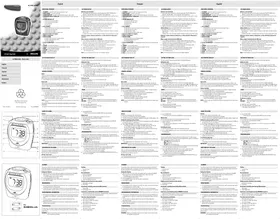
PHILIPS AJ3016 - Radio-réveil

AJ3016 - Radio-réveil PHILIPS - Notice d'utilisation et mode d'emploi gratuit

Retrouvez gratuitement la notice de l'appareil AJ3016 PHILIPS au format PDF.

📄 2 pages Français FR Télécharger 💬 Question IA 9 questions ⚙️ Specs
Notice PHILIPS AJ3016 - page 1
Choisissez votre langue et indiquez votre email : nous vous enverrons une version traduite specifiquement.
Type de produit Réveil numérique
Affichage Écran LED avec luminosité réglable
Alimentation électrique Adaptateur secteur et batterie de secours
Dimensions approximatives 20 x 10 x 6 cm
Poids 0,5 kg
Fonctions principales Réveil avec plusieurs alarmes, radio FM, fonction snooze
Réglage de l'heure Réglage facile via boutons sur le dessus
Entretien et nettoyage Essuyer avec un chiffon doux, éviter les produits abrasifs
Pièces détachées et réparabilité Disponibilité limitée des pièces, consulter le service client
Certifications de sécurité Conforme aux normes CE
Informations générales utiles Idéal pour une utilisation à la maison ou au bureau, design moderne

FOIRE AUX QUESTIONS - AJ3016 PHILIPS

Comment réinitialiser mon radio-réveil Philips AJ3016 ?
Pour réinitialiser votre radio-réveil, débranchez-le de la prise électrique, attendez 30 secondes, puis rebranchez-le.
Comment régler l'heure sur le Philips AJ3016 ?
Appuyez sur le bouton 'SET' pendant quelques secondes pour entrer en mode réglage. Utilisez les boutons '+' et '-' pour ajuster l'heure, puis appuyez à nouveau sur 'SET' pour valider.
Mon radio-réveil ne s'allume pas, que faire ?
Vérifiez que l'appareil est correctement branché et que la prise fonctionne. Si le problème persiste, essayez de réinitialiser l'appareil comme indiqué précédemment.
Comment régler l'alarme sur le Philips AJ3016 ?
Appuyez sur le bouton 'ALARM' et maintenez-le enfoncé. Utilisez les boutons '+' et '-' pour régler l'heure de l'alarme, puis relâchez le bouton 'ALARM' pour enregistrer.
Puis-je utiliser des piles pour mon Philips AJ3016 en cas de coupure de courant ?
Oui, le Philips AJ3016 est équipé d'une fonction de sauvegarde par piles. Insérez des piles AA pour garder l'heure et les réglages d'alarme en mémoire lors d'une coupure de courant.
Pourquoi le son de l'alarme est-il très faible sur mon Philips AJ3016 ?
Vérifiez que le volume de l'alarme est réglé à un niveau adéquat. Utilisez le bouton de volume pour l'ajuster.
Comment passer de la radio à la sonnerie d'alarme sur le Philips AJ3016 ?
Lorsque l'alarme se déclenche, appuyez sur le bouton 'SNOOZE' pour activer la fonction de répétition ou sur le bouton 'OFF' pour désactiver l'alarme. Si la radio est l'alarme, elle se mettra automatiquement en marche.
Mon radio-réveil ne capte pas la radio, que faire ?
Assurez-vous que l'antenne est correctement déployée et orientée. Essayez de repositionner l'appareil pour améliorer la réception.

Questions des utilisateurs sur AJ3016 PHILIPS

1 question sur cet appareil. Repondez a celles que vous connaissez ou posez la votre.

Poser une nouvelle question sur cet appareil

L'email reste privé : il sert seulement à vous prévenir si quelqu'un répond à votre question.

Comment régler l'heure sur le radio-réveil PHILIPS AJ3016 ?
FAQ fréquente - 15/02/2026
Réponse Notice-Facile

Pour régler l'heure sur votre radio-réveil PHILIPS AJ3016, suivez les étapes ci-dessous :

  1. Allumez l'appareil : Assurez-vous que le radio-réveil est branché et sous tension.
  2. Accédez au mode de réglage : Appuyez et maintenez enfoncé le bouton SET ou Réglage jusqu'à ce que l'affichage de l'heure commence à clignoter.
  3. Réglez les heures : Utilisez les boutons + ou - pour ajuster l'heure. Vérifiez que vous êtes bien en mode 12 heures (AM/PM) ou 24 heures selon votre préférence.
  4. Confirmez les heures : Appuyez à nouveau sur le bouton SET pour passer au réglage des minutes.
  5. Réglez les minutes : Utilisez les boutons + ou - pour définir les minutes.
  6. Validez le réglage : Appuyez une dernière fois sur SET pour confirmer et sortir du mode de réglage.

Votre radio-réveil affiche maintenant l'heure correcte.

Répondre (soyez le premier)

Téléchargez la notice de votre Radio-réveil au format PDF gratuitement ! Retrouvez votre notice AJ3016 - PHILIPS et reprennez votre appareil électronique en main. Sur cette page sont publiés tous les documents nécessaires à l'utilisation de votre appareil AJ3016 de la marque PHILIPS.

MODE D'EMPLOI AJ3016 PHILIPS

PHILIPS AJ3016 - 1

text_image Clock Radio AJ 3000 family 7:38 PHILIPS Let's make things better PHILIPS

AJ 3000 family - Clock radio

PHILIPS AJ3016 - AJ 3000 family - Clock radio - 1

PHILIPS AJ3016 - AJ 3000 family - Clock radio - 2
Meet Philips at the Internet http://www.philips.com

TC text/RR/9843

PHILIPS AJ3016 - AJ 3000 family - Clock radio - 3

text_image 1 2 3 4 5 6 7 8 9 10 11 12 13 14 15 16 A33000 Weekend/Summer Clock Radio BOTTER/Powered 7:38 MON S S GREEN WITH BMW 300 500 800 1000 1300 1600 MHz SPEED ALAM Green GTV

English

FUNCTIONAL OVERVIEW

① SLUMBER - to play the radio for a preset period of time

② RADIO ON/OFF - to switch on/off radio

③ ALARM MODE/OFF - to switch on/off alarm(s) by buzzer, radio or both

④ WEEKENDSLEEPER Z ^2 MODE•OFF- to switch off the alarm function during the

weekend

⑤ ALARM/TIME/DAY SET

- to set time for the buzzer alarm;

- to set time for the radio alarm;

- to set clock time;

- to set the day

⑥ UP ▲ DOWN ▼

- to adjust both the hours and minutes for clock/alarm times:

- to select the day of the week

- to select the alarm mode

- to select the alarmweekend sleeper mode

⑦ Socket for AC/DC 7.5V,adan

① Socket for He/De He ② Battery compartment

⑧ Battery compartin ⑨ REPEAT ALARM

⑨ REPEAT ALARM

- to switch off the alarm for a 5 minute period

- to switch display backlight on/off

- to switch off slumber

⑩ 24-hour ALARM RESET - to automatically reset the alarm for the same time next

day

⑪ TUNING - to tune to radio stations

⑫ Display - to show the clock/alarm times and status of the set

⑬ BAND - to select FM/MW waveband

⑭ VOLUME - to adjust the sound level

15 Pigtail - aerial for FM reception

⑩ Reset to reset the clock data

(二) 2017年1月1日

AC POWER SUPPLY

Batteries (not included)

1 Open battery door and insert four batteries (preferably PHILIPS POWER LIFE or alkaline*), type R6, UM3 or AA as indicated in the compartment.
2 Remove the batteries from the set if they are exhausted or not be used for a long time.
- When the batteries are running low, appears in the display. The radio and backlight will not function, but the display and power saving buzzer alarm will continue to operate**.
- When replacing batteries, the clock time, day and alarm settings will be stored by the self-powered back-up for 3 minutes (See 'Self-Powered Back-Up').
• Make sure the radio is switched off to save battery energy
Battery lifetime (based on PHILIPS POWER LIFE or alkaline batteries) *Total battery lifetime - 9 months minimum
* new batteries = 3 months, using 15 minutes of radio and 2 minutes of buzzer alarm a day. ** battery low mode = 6 months using 2 minutes of power-saving alarm a day.

Batteries contain chemical substances, so they should be disposed of properly.

Mains adapter (included with AJ 3005 only)

1 If your adapter is equipped with a voltage selector make sure the setting corresponds with your local mains voltage. The 3.5 mm adapter plug's 1.3 mm centre pin must also be connected to the positive pole ⊕.
2 Connect the mains adapter to the set's DC socket and to the power socket. indicates that the set is now adapter operated.
• Make sure your adapter is properly connected to save battery energy
3 Always disconnect the mains adapter if you are not using the set. → ∇ indicator goes out.

Note: To avoid damage to the set, only use the adapter supplied!

FUNCTIONAL OVERVIEW

① SLUMBER - to play the radio for a preset period of time
② RADIO ON/OFF - to switch on/off radio
③ ALARM MODE/OFF - to switch on/off alarm(s) by buzzer, radio or both
④ WEEKENDSLEEPER Z ^Z MODE•OFF- to switch off the alarm function during the
weekend
⑤ ALARM/TIME/DAY SET
- to set time for the buzzer alarm
- to set time for the radio alarm;
- to set clock time:
- to set the day.
⑥ UP ▲ DOWN ▼
- to adjust both the hours and minutes for clock/alarm times:
- to select the day of the v
- to select the alarm mode
- to select the alarmweekend sleeper mode
⑦ Socket for AC/DC 7.5 V adaptor
⑦ Socket for A3/26 A4 ⑧ Battery compartment
① REPEAT ALARM
to switch off the alarm for a 5 minute period
to switch on the alarm for a 5 mm to switch display highlight or/off
- to switch display backlight on/on
- to switch off slumber
⑯ 24-hour ALARM RESET - to automatically reset the alarm for the same time next
uay
⑪ TUNING - to tune to radio stations
⑫ Display - to show the clock/alarm times and status of the set
⑬ BAND - to select FM/MW waveband
⑭ VOLUME - to adjust the sound level
⑮ Pigtail - aerial for EM reception
⑯ Reset - to reset the clock data

AC POWER SUPPLY

Batteries (not included)
1 Open battery door and insert four batteries (preferably PHILIPS POWER LIFE or alkaline*), type R6, UM3 or AA as indicated in the compartment.
2 Remove the batteries from the set if they are exhausted or not be used for a long time
- When the batteries are running low, appears in the display. The radio and
backlight will not function, but the display and power saving buzzer alarm will continue to operate**.
- When replacing batteries, the clock time, day and alarm settings will be stored by the self-powered back up for 2 minutes (See 'Self Powered Back Up').
• Make sure the radio is switched off to save battery energy
- Power flux: (1) m ^-1 - PHURO POWER LIFE - (2) m ^-1 - PLUGATE
Battery lifetime (based on PHILIPS POWER LIFE of alkaline batteries) *Total battery lifetime = 9 months minimum.
*new batteries = 3 months, using 15 minutes of radio and 2 minutes of buzzer alarm a day. ** battery low mode = 6 months using 2 minutes of power saving alarm a day.
Batteries contain chemical substances, so they should be disposed of properly.
1. If your adapter is equipped with a voltage selector make sure the setting
corresponds with your local mains voltage. The 3.5 mm adapter plug's 1.3 m centre pin must also be connected to the positive pole ⊕.
2. Connect the mains adapter to the set's DC socket and to the power socket.
→ ≡ indicates that the set is now adapter operated
• Make sure your adapter is properly connected to save battery energy!
3. Always disconnect the mains adapter if you are not using the set
→ ∅ indicator goes out
Note: To avoid damage to the set, only use the adapter supplied!

Mains adapter (included with AJ 3005 only)

FUNCTIONAL OVERVIEW

① SLUMBER - to play the radio for a preset period of time
② RADIO ON/OFF - to switch on/off radio
③ ALARM MODE/OFF - to switch on/off alarm(s) by buzzer, radio or both
④ WEEKENDSLEEPER Z ^2 MODE•OFF- to switch off the alarm function during the weekend
⑤ ALARM/TIME/DAY SET
- to set time for the buzzer alarm
to set time for the radio alarm:
to set clock time:

to set the day.

⑥ UP ▲ DOWN ▼

to adjust both the hours and minutes for clock/alarm times;

to select the day of the week

to select the alarm mode

to select the alarmweekend sleeper mode

ocket for AC/DC 7.5 V adapter

⑧ Battery compartment

⑨ REPEAT ALARM

- to switch off the alarm for a 5 minute period

to switch display backlight on/off

- to switch off slumber

⑩ 24-hour ALARM RESET - to automatically reset the alarm for the same time next day

⑪ TUNING - to tune to radio stations

⑫ Display - to show the clock/alarm times and status of the set

⑬ BAND - to select FM/MW waveband

⑭ VOLUME - to adjust the sound level

⑮ Pintail - aerial for FM reception

⑯ Reset - to reset the clock data

AC POWER SUPPLY

Batteries (not included)

1 Open battery door and insert four batteries (preferably PHILIPS POWER LIFE or alkaline*), type R6, UM3 or AA as indicated in the compartment.

2 Remove the batteries from the set if they are exhausted or not be used for a long time.

- When the batteries are running low, appears in the display. The radio and backlight will not function, but the display and power saving buzzer alarm will continue to operate**.

- When replacing batteries, the clock time, day and alarm settings will be stored by the self-powered back up for 2 minutes (See 'Self-Powered Back Up').

• Make sure the radio is switched off to save battery energy.

Battery lifetime (based on PHILIPS POWER LIFE or alkaline batteries)

Battery lifetime (based on FYE 3 POWER LIFE of alkaliene batteries) *Total battery lifetime = 9 months minimum.

*new batteries = 3 months, using 15 minutes of radio and 2 minutes of buzzer alarm a day.

** battery low mode = 6 months using 2 minutes of power-saving alarm a day.

Batteries contain chemical substances, so they should be disposed of properly.

1.2

Mains adapter (included with AJ 3005 only)

If your adapter is equipped with a voltage selector make sure the setting corresponds with your local mains voltage. The 3.5 mm adapter plug's 1.3 mm contro pin must also be connected to the positive pole.

  1. Connect the mains adapter to the set's DC socket and to the power socket

→ ∇ indicates that the set is now adapter operated.

• Make sure your adapter is properly connected to save battery energy!

3 Always disconnect the mains adapter if you are not using the set

→ ∇ indicator goes out

Note: To avoid damage to the set, only use the adapter supplied!

AJ 3000 family - Clock radio

SELF-POWERED BACK-UP

The self-powered back-up conveniently allows your day, alarm and clock time settings to be stored for up to 3 minutes when there is a power interruption e.g. AC power failure or when changing batteries.
The complete clock radio and backlight illumination will be switched off. As soon as the power supply returns the display will indicate the correct time.
- If power supply returns after 3 minutes, the demo mode appears and you will need to re-enter all clock settings.

GENERAL FEATURES

Reset

Should you receive external interference e.g. static electricity from carpets, thunderstorms, etc. which affects the display and electronic functions of your set, RESET allows you to clear all previous settings and start up again.

- Use a ballpoint pen to press RESET, found on the bottom of the se

Demo mode

When the set is first connected to a power supply or has been reset, 'PHILIPS' will scroll continuously across the demonstration display until the time and day settings are entered. In Demo mode only the ALARM/TIME/DAY SET control will function.

Display backlight

The use of the backlight depends on whether the set is battery or adapter operated. 1 Press REPEAT ALARM once to activate the backlight.

→ The backlight goes out after 2 seconds if the set is battery operated

→ The display remains lit if the set is adapter operated

2 Press REPEAT ALARM again if you want to:

— Re-activate the backlight if the set is battery operated.

– Switch off the backlight if adapter operated.

NOTE: During an alarm call, the REPEAT ALARM will only operate for the repeat alarm function.

This product complies with the radio interference requirements of the European Community

The typeplate and production number are located inside the battery compartment

SETTING THE TIME & DAY

The clock and alarm times and the day need to be entered separately

Setting the clock

The time is displayed using the 24 hour clock

1 Press ALARM/TIME/DAY SET once or more until the display shows SET TIME.

2 As soon as SET TIME is shown, press UP ▲ or DOWN ▼ to set and adjust both the hours and minutes:

– with your finger held down on UP▲ or DOWN▼ respectively, the time will increase/decrease rapidly and continuously from minutes to hours.
- if necessary, press UP ▲ or DOWN ▼ briefly and repeatedly to adjust the time slowly, minute by minute.

3 Release UP▲ or DOWN▼ when you have reached the correct setting →SET TIME goes out after 5 seconds and the clock time is set.

Setting the day

Setting the day enables you to set the WEEKENDSLEEPER

(See WEEKENDSLEEPER.)

1 Press ALARM/TIME/DAY SET once or more until the displays shows SET

2 As soon as the day(s) of the week start to blink, press UP▲ or DOWN▼ briefly and repeatedly until you find the correct day: MON, TUE, WED, THU, FRI, SAT or SUN. →SET goes out after 5 seconds and the day is set.

RADIO

RADIO

You can use this set solely as a radio!

1 Press RADIO ON/OFF to switch on the radio

2 Adjust the BAND switch to select your waveband.

3 Use TUNING to find your station

To improve reception:

FM: Extend the pigtail at the back of the set fully for optimum reception

AM (MW): Uses a built-in aerial. Direct the antenna by adjusting the position of your set.

4 Adjust the sound using VOLUME

5 Press RADIO ON/OFF to switch off the radio.

→The display shows OFF briefly

SELF-POWERED BACK-UP

The self-powered back-up conveniently allows your day, alarm and clock time settings to be stored for up to 3 minutes when there is a power interruption e.g. AC power failure or when changing batteries.

The complete clock radio and backlight illumination will be switched off. As soon as the power supply returns the display will indicate the correct time.

- If power supply returns after 3 minutes, the demo mode appears and you will need to re-enter all clock settings.

GENERAL FEATURES

Reset

Should you receive external interference e.g. static electricity from carpets, thunderstorms, etc. which affects the display and electronic functions of your set, RESET allows you to clear all previous settings and start up again.

- Use a ballpoint pen to press RESET, found on the bottom of the se

Demo mode

When the set is first connected to a power supply or has been reset, 'PHILIPS' will scroll continuously across the demonstration display until the time and day settings are entered. In Demo mode only the ALARM/TIME/DAY SET control will function.

Display backlight

The use of the backlight depends on whether the set is battery or adapter operated. 1 Press REPEAT ALARM once to activate the backlight.

→ The backlight goes out after 2 seconds if the set is battery operated

→ The display remains lit if the set is adapter operated.

2 Press REPEAT ALARM again if you want to

– Re-activate the backlight if the set is battery operated.

– Switch off the backlight if adapter operated.

NOTE: During an alarm call, the REPEAT ALARM will only operate for the repeat alarm function.

SETTING THE TIME & DAY

The clock and alarm times and the day need to be entered separately

Setting the clock

The time is displayed using the 24 hour clock

1 Press ALARM/TIME/DAY SET once or more until the display shows SET

2 As soon as SET TIME is shown, press UP▲ or DOWN▼ to set and adjust both the hours and minutes:

  • with your finger held down on UP ▲ or DOWN ▼ respectively, the time will
    increase/decrease rapidly and continuously from minutes to hours
  • if necessary, press UP ▲ or DOWN ▼ briefly and repeatedly to adjust the time slowly, minute by minute.

3 Release UP▲ or DOWN▼ when you have reached the correct setting. →SET TIME goes out after 5 seconds and the clock time is set.

Setting the day

Setting the day enables you to set the WEEKENDSLEEPER
(See WEEKENDSLEEPEF
1 Press ALARM/TIME/DAY SET once or more until the displays shows SET.
2 As soon as the day(s) of the week start to blink, press UP▲ or DOWN▼ briefly and repeatedly until you find the correct day: MON, TUE, WED, THU, FRI, SAT or SUN. →SET goes out after 5 seconds and the day is set.

TABLE

RADIO

You can use this set solely as a radio!

1 Press RADIO ON/OFF to switch on the radio

2 Adjust the BAND switch to select your waveband.

3 Use TUNING to find your station.

To improve reception:

FM: Extend the pigtail at the back of the set fully for optimum reception.

AM (MW): Uses a built-in aerial. Direct the antenna by adjusting the position of your set.

4 Adjust the sound using VOLUME

5 Press RADIO ON/OFF to switch off the radio

→The display shows OFF briefly.

SELF-POWERED BACK-UP

The self-powered back-up conveniently allows your day, alarm and clock time settings to be stored for up to 3 minutes when there is a power interruption e.g. AC power failure or when changing batteries.

The complete clock radio and backlight illumination will be switched off. As soon as the power supply returns the display will indicate the correct time.

- If power supply returns after 3 minutes, the demo mode appears and you will need to re-enter all clock settings.

GENERAL FEATURES

Reset

Should you receive external interference e.g. static electricity from carpets, thunderstorms, etc. which affects the display and electronic functions of your set, RESET allows you to clear all previous settings and start up again.

- Use a ballpoint pen to press RESET, found on the bottom of the se

Demo mode

When the set is first connected to a power supply or has been reset, 'PHILIPS' will scroll continuously across the demonstration display until the time and day settings are entered. In Demo mode only the ALARM/TIME/DAY SET control will function.

Display backlight

The use of the backlight depends on whether the set is battery or adapter operated. 1 Press REPEAT ALARM once to activate the backlight.

→ The backlight goes out after 2 seconds if the set is battery operated

→ The display remains lit if the set is adapter operated

2 Press REPEAT ALARM again if you want to:

– Re-activate the backlight if the set is battery operated.

- Switch off the backlight if adapter operated.

NOTE: During an alarm call, the REPEAT ALARM will only operate for the repeat alarm function.

SETTING THE TIME & DAY

The clock and alarm times and the day need to be entered separately.

Setting the clock

The time is displayed using the 24 hour clock.

1 Press ALARM/TIME/DAY SET once or more until the display shows SET TIME.

2 As soon as SET TIME is shown, press UP ▲ or DOWN ▼ to set and adjust both hours and minutes;

with your finger held down on UP ▲ or DOWN ▼ respectively, the time wi

increase/decrease rapidly and continuously from minutes to hours

if necessary, press UP ▲ or DOWN ▼ briefly and repeatedly to adjust the

slowly, minute by minute

3 Release UP ▲ or DOWN ▼ when you have reached the correct setting

→SET TIME goes out after 5 seconds and the clock time is set.

Setting the day

Setting the day enables you to set the WEEKENDSLEEPER

(See WEEKENDSLEEPER.

1 Press ALARM/TIME/DAY SET once or more until the displays shows SET. 2 As soon as the day(s) of the week start to blink, press UP▲or DOWN▼briefly a repeatedly until you find the correct day: MON, TUE, WED, THU, FRI, SAT or SUI
SET goes out after 5 seconds and the day is set.

RADIO

You can use this set solely as a radio!

1 Press RADIO ON/OFF to switch on the radio

2 Adjust the BAND switch to select your waveband.

3 Use TUNING to find your station.

To improve reception:

FM: Extend the pigtail at the back of the set fully for optimum reception. AM (MW): Uses a built-in aerial. Direct the antenna by adjusting the position of your set.

  1. Adjust the sound using VOLUME

  2. Press RADIO ON/OFF to switch off the radio

→The display shows OFF briefly

USING THE ALARM

FUNCTIONAL OVERVIEW

SLUMBER - to play the radio for a preset period of time

① RADIO ON/OFF - to switch on/off radio

③ ALARM MODE/OFF - to switch on/off alarm(s) by buzzer, radio or both

WEEKENDSLEEPER Z ^2 MODE•OFF- to switch off the alarm function during the

weekend

ALARM/TIME/DAY SET

- to set time for the buzzer alarm

- to set time for the radio alarm;

- to set clock time;

- to set the day

6) UP ▲, DOWN ▼

- to adjust both the hours and minutes for clock/alarm times;

- to select the day of the week

- to select the alarm mode

- to select the alarmweekend sleeper mode

Socket for AC/DC 7.5 V adapter

Battery compartment

① REPEAT ALARM

- to switch off the alarm for a 5 minute period

- to switch display backlight on/off

- to switch off slumber

© 24-hour ALARM RESET - to automatically reset the alarm for the same time next correspo

day centre pr

① TUNING

© Display - to show the clock/alarm times and status of the set

① RAND to select FM/MW waveband

① VOLUME - to adjust the sound level

- Pictail, serial for EM reception

- Figtain - achnar for HIV reception - Recent treatment schedule

③ reset - to reset the clock data

AC POWER SUPPLY

Batteries (not included)

1 Open battery door and insert four batteries (preferably PHILIPS POWER LIFE or

alkaline ^* ), type R6, UM3 or AA as indicated in the compartment.

2 Remove the batteries from the set if they are exhausted or not be used for a long

time.

- When the batteries are running low, appears in the display. The radio and

backlight will not function, but the display and power saving buzzer alarm wil

continue to operate**.

- When replacing batteries, the clock time, day and alarm settings will be stored by

the self-powered back-up for 3 minutes (See 'Self-Powered Back-Up').

• Make sure the radio is switched off to save battery energy.

Battery lifetime (based on PHILIPS POWER LIFE or alkaline batteries)

*Total battery lifetime = 9 months minimum.

*new batteries = 3 months, using 15 minutes of radio and 2 minutes of buzzer

alarm a day.

** battery low mode = 6 months using 2 minutes of power-saving alarm a day

Batteries contain chemical substances, so they should be disposed of

properly

,

Mains adapter (included with AJ 3005 only)

1 If your adapter is equipped with a voltage selector make sure the setting

corresponds with your local mains voltage. The 3.5 mm adapter plug's 1.3

centre pin must also be connected to the positive pole ⊕

2 Connect the mains adapter to the set's DC socket and to the power socket

→ Y Indicates that the set is now ad

• Make sure your adapter is properly connected to save battery energy!

3 Always disconnect the mains adapter if you are not using the set.

→ ∇ indicator goes out

Note: To avoid damage to the set, only use the adapter supplied!

FUNCTIONAL OVERVIEW

① SLUMBER - to play the radio for a preset period of time

② RADIO ON/OFF - to switch on/off radio

③ ALARM MODE/OFF - to switch on/off alarm(s) by buzzer, radio or both

④ WEEKENDSLEEPER 7 ^2 MODE•OFF- to switch off the alarm function during the

weekend

⑤ ALARM/TIME/DAY SET

- to set time for the buzzer alarm

- to set time for the radio alarm

- to set clock time

- to set the day.

⑥ UP ▲ DOWN ▼

- to adjust both the hours and minutes for clock/alarm times;

- to select the day of the wee

- to select the alarm mode

- to select the alarmweekend sleeper mode

⑦ Socket for AC/DC 7.5 V adapte

⑧ Battery compartment

⑨ REPEAT ALARM

- to switch off the alarm for a 5 minute period

- to switch display backlight on/off

- to switch off

⑩ 24-hour ALARM RESET - to automatically reset the alarm for the same time next

day

⑪ TUNING

⑫ Display - to show the clock/alarm

⑬ BAND - to select EM/MW waveband

⑭ VOLUME - to adjust the sound level

① Pedielle is adjusted to sound. ② Diptail, serial for EM reception

⑮ Pigtani - dhaul for HM reception ⑯ Reset - to reset the clock data

⑩ Reset to reset the clock data

SELF-POWERED BA

The self-powered back-up conveniently allows your day, alarm and clock time settings

to be stored for up to 3 minutes when there is a power interruption e.g. AC power

failure or when changing batteries.

The complete clock radio and backlight illumination will be switched off. As soon as the

power supply returns the display will indicate the correct time.

- If power supply returns after 3 minutes, the demo mode appears and you will need to

re-enter all clock

GENERAL FEATURES

Reset

Should you receive external interference e.g. static electricity from carpets,

thunderstorms, etc. which affects the display and electronic functions of your set,

RESET allows you to clear all previous settings and start up again

- Use a ballpoint pen to press RESET, found on the bottom of the set.

Demo mode

When the set is first connected to a power supply or has been reset, 'PHILIPS' will

scroll continuously across the demonstration display until the time and day settings are

entered. In Demo mode only the ALARM/TIME/DAY SET control will function.

Display backlight

The use of the backlight depends on whether the set is battery or adapter operated

1 Press REPEAT ALARM once to activate the backlight

→ The backlight goes out after 2 seconds if the set is battery operated.

→ The display remains fit in the set is adap

2 Fless REPEAT ALARM again if you want to.

- He-activate the backlight if the set is battery operated. Switch off the backlight if adaptor operated

Switch off the backlight if adapter operated.

NOTE: During an alarm call, the REPEAT ALARM will only operate for the repeat alarm

function.

[Non-Text]

[Non-Text]

[Non-Text]

[Non-Text]

USING THE ALARM

General

You can set your alarm by radio, buzzer or both.

- The buzzer is at a fixed volume and cannot be adjusted

- The power-saving-buzzer automatically replaces the radio alarm if battery supply is low.

Setting the alarm by radio or buzzer

1 Press ALARM/TIME/DAY SET once or more until the display shows SET ALARM and

the radio ♪ or buzzer 🔒 symbol flashes.

2 Press UP ▲ or DOWN ▼ to set and adjust both the hours and minutes:

- with your finger held down on UP ▲ or DOWN ▼ respectively, the time will

increase/decrease rapidly and continuously from minutes to hours.

- If necessary, press UP ▲ or DOWN ▼ briefly and repeatedly to adjust the time

slowly, minute by minute.

3 Release UP ▲ or DOWN ▼ when you have reached the correct setting

→ The display reverts to the clock display after 5 seconds.

4 Press ALARM MODE/OFF once or more to select radio ♪, buzzer ♦ or both to

activate your choice of an

to review the alarm time

1 Press ALARM/TIME/DAY once or more until the display shows SET ALARM and ♪

or ↓. π

→ The display reverts to the clock display after 5 seconds.

IMPORTANT! If you want the radio alarm to wake you up, FIRST CHECK if you have

tuned to a station and adjusted the volume loud enough

SWITCHING OFF THE ALARM

There are three ways of switching off the alarm. Unless you cancel the alarm

completely, the 24-hour ALARM RESET will be automatically selected after 30 minutes.

from the time your alarm first goes off.

24-hour alarm reset

If you want the alarm mode to be stopped immediately but also wish to retain the same

alarm setting for the

AC POWER SUPPLY

Batteries (not included)

1 Open battery door and insert four batteries (preferably PHILIPS POWER LIFE or

alkaline ^* ), type R6, UM3 or AA as indicated in the compartment.

2 Remove the batteries from the set if they are exhausted or not be used for a long

time.

- When the batteries are running low, appears in the display. The radio and

backlight will not function, but the display and power saving buzzer alarm will

continue to operate**.

- When replacing batteries, the clock time, day and alarm settings will be stored by

the self-powered back-up for 3 minutes (See 'Self-Powered Back-Up').

• Make sure the radio is switched off to save battery energy

Battery lifetime (based on PHILIPS POWER LIFE or alkaline batteries)

*Total battery lifetime = 9 months minimum.

*new batteries = 3 months, using 15 minutes of radio and 2 minutes of buzzer

alarm a day.

** battery low mode = 6 months using 2 minutes of power-saving

Batteries contain chemical substances, so they should be disposed of

properly

Mains adapter (included with A L 2005 only)

  1. If your adapter is equipped with a voltage selector make sure the setting

- If your adapter is equipped with a voltage selector, make sure the setting corresponds with your local mains voltage. The 3.5 mm adapter plug's 1.3 mm

centre pin must also be connected to the positive pole ⊕

  1. Connect the mains adapter to the set's DC socket and to the power socket

→ ∅ indicates that the set is now adapter operated

• Make sure your adapter is properly connected to save battery energy!

3 Always disconnect the mains adapter if you are not using the set.

→ ∇ indicator goes out

Note: To avoid damage to the set, only use the adapter supplied!

FUNCTIONAL OVERVIEW

① SLUMBER - to play the radio for a preset period of time

② RADIO ON/OFF - to switch on/off radio

③ ALARM MODE/OFF - to switch on/off alarm(s) by buzzer, radio or both

④ WEEKENDSLEEPER Z ^Z MODE•OFF- to switch off the alarm function during the

weekend

⑤ ALARM/TIME/DAY SET

- to set time for the buzzer alarm

- to set time for the radio alarm:

- to set clock tim

- to set the day.

⑥ UP ▲ DOWN ▼

- to adjust both the hours and minutes for clock/alarm times;

- to select the day of the week

- to select the alarm mode

- to select the alarmweekend sleeper mode

⑦ Socket for AC/DC 7.5 V adapter

⑧ Battery comparti

⑨ REPEAT ALARM

- to switch off the alarm for a 5 minute period

- to switch display backlight on/off

- to switch off slumber

⑩ 24-hour ALARM RESET - to automatically reset the alarm for the same time next

day

⑪ TUNING - to tune to radio stations

⑫ Display - to show the clock/alarm times and status of the set

⑬ BAND - to select FM/MW waveband

⑭ VOLUME - to adjust the sound level

⑮ Pigtail - aerial for FM reception

⑯ Reset - to reset the clock data

The Ground Truth image displays a single, solid horizontal line. According to Rule 2 (UNDERSCORE & LINE RULES), this is a stylistic or background line, not a placeholder underscore. Therefore, the OCR result must ignore it and output nothing or only meaningful text. The provided OCR content is "____", which consists of four underscores. This is an incorrect interpretation of the line as a placeholder, violating the rule that stylistic lines must be ignored. The OCR has hallucinated underscores where none should exist based on the GT's visual context. Hence, the OCR result is inconsistent with the Ground Truth.

SELF-POWERED BACK-UP

The self-powered back-up conveniently allows your day, alarm and clock time settings

to be stored for up to 3 minutes when there is a power interruption e.g. AC power

failure or when changing batteries.

The complete clock radio and backlight illumination will be switched off. As soon as the

power supply returns the display will indicate the correct time.

- If power supply returns after 3 minutes, the demo mode appears and you will need to

re-enter al

GENERAL FEATURES

Reset

Should you receive external interference e.g. static electricity from carpets,

thunderstorms, etc. which affects the display and electronic functions of your set,

RESET allows you to clear all previous settings and start up again

- Use a ballpoint pen to press RESET, found on the bottom of the set

Demo mode

When the set is first connected to a power supply or has been reset, 'PHILIPS' wi

scroll continuously across the demonstration display until the time and day settings are

entered. In Demo mode only the ALARM/TIME/DAY SET control will function.

Display backlight

The use of the backlight depends on whether the set is battery or adapter operated

1 Press REPEAT ALARM once to activate the backlight.

→ The backlight goes out after 2 seconds if the set is battery operated.

→ The display remains lit if the set is adapter operated.

2 Press REPEAT ALARM again if you want to:

– Re-activate the backlight if the set is battery operated

- Switch off the backlight if adapter operated.

NOTE: During an alarm call, the REPEAT ALARM will only operate for the repeat alarm

functi

[Non-Text]

[Non-Text]

[Non-Text]

AC POWER SUPPLY

Batteries (not included)

1 Open battery door and insert four batteries (preferably PHILIP

alkaline*), type R6, UM3 or AA as indicated in the compartment

2 Remove the batteries from the set if they are exhausted or not be used for a long

time.

- When the batteries are running low, appears in the display. The radio and

backlight will not function, but the display and power saving buzzer alarm will

continue to operate

- When replacing batteries, the clock time, day and alarm settings will be stored by

the self-powered back-up for 3 minutes (See 'Self-Powered Back-Up')

• Make sure the radio is switched off to save battery energy.

Battery lifetime (based on PHILIPS POWER LIFE or alkaline batteries)

*Total battery lifetime = 9 months minimum.

*new batteries = 3 months, using 15 minutes of radio and 2 minutes of buzzer

alarm a day.

** battery low mode = 6 months using 2 minutes of power-saving alarm a day

Batteries contain chemical substances, so they should be disposed of

properly.

Mains adapter (included with AJ 3005 only)

1 If your adapter is equipped with a voltage selector make sure the setting

corresponds with your local mains voltage. The 3.5 mm adapter plug's 1.3 mm

centre pin must also be connected to the positive pole ⊕

2 Connect the mains adapter to the set's DC socket and to the power socket

→ ∇ indicates that the set is now adapter operated.

• Make sure your adapter is properly connected to save battery energy!

3 Always disconnect the mains adapter if you are not using the set.

→ Y Indicator goes out.

Note: To avoid damage to the set, only use the adapter supplied!

PHILIPS AJ3016 - AC POWER SUPPLY - 1

text_image WHEAT ALAIN Comfort On PM 88 + 92 + 96 + 100 + 104 + 108 MPG AM 500 120 500 1000 1300 1600 MPG 7:38 PM BANUMBER batter/powered AJ3000 Weekend/Session Clock Radio

PHILIPS AJ3016 - AC POWER SUPPLY - 2

text_image REPEAT ALARM Cyclical OFF FM 80 + 52 + 96 + 100 + 104 + 108 9½ MW 500 60 80 1000 1300 1500 160 7:38 J = SULUMBER battery powered AJ3000 Wierheidogree Clark Radio 4 x R6/UM3/AA-cells

This product complies with the radio interference requirements of the European Community

The typeplate and production number are located inside the battery compartment

The following table provides the information in English:

This product complies with the radio interference requirements of the European Community

The typeplate and production number are located inside the battery compartment

[Non-Text]

This product complies with the radio interference requirements of the European

Community

The typeplate and production number are located inside the battery compartment

This product complies with the radio interference requirements of the European

Community

The typeplate and production number are located inside the battery compartment

[Non-Text]

This product complies with the radio interference requirements of the European

Community

The typeplate and production number are located inside the battery compartment

SELF-POWERED BACK-UP

The self-powered back-up conveniently allows your day, alarm and clock time settings to be stored for up to 3 minutes when there is a power interruption e.g. AC power failure or when changing batteries.

The complete clock radio and backlight illumination will be switched off. As soon as the power supply returns the display will indicate the correct time.

- If power supply returns after 3 minutes, the demo mode appears and you will need to re-enter all clock settings.

GENERAL FEATURES

Reset

Should you receive external interference e.g. static electricity from carpets, thunderstorms, etc. which affects the display and electronic functions of your set

RESET allows you to clear all previous settings and start up again.

- Use a ballpoint pen to press RESET, found on the bottom of the set.

Demo mode

When the set is first connected to a power supply or has been reset, 'PHILIPS' will scroll continuously across the demonstration display until the time and day settings are entered. In Demo mode only the ALARM/TIME/DAY SET control will function.

Display backlight

The use of the backlight depends on whether the set is battery or adapter operated

1 Press REPEAT ALARM once to activate the backlight

Assistant notice
Powered by Anthropic
En attente de votre message
Informations produit

Marque : PHILIPS

Modèle : AJ3016

Catégorie : Radio-réveil