SI-ENC50070 - Dockingstasjon Syba - Gratis bruksanvisning og manual
Finn enhetens veiledning gratis SI-ENC50070 Syba i PDF-format.


Brukerspørsmål om SI-ENC50070 Syba
0 spørsmål om dette apparatet. Svar på dem du kjenner, eller still ditt eget.
Still et nytt spørsmål om dette apparatet
Last ned instruksjonene for din Dockingstasjon i PDF-format gratis! Finn veiledningen din SI-ENC50070 - Syba og ta den elektroniske enheten tilbake i hendene. På denne siden er alle dokumenter som er nødvendige for bruken av enheten din publisert. SI-ENC50070 av merket Syba.
BRUKSANVISNING SI-ENC50070 Syba
USB3.0 Docking Station for 2.5"/3.5" SATA HDD
User Manual Ver. 1.00
All brand names and trademarks are properties of their respective owners
Product Introduction
This HDD docking station can connect to 2.5" SATA HDD, and it aslo support 3.5" SATA HDD. Connected drives do not need to be installed, this is a plug & play device. This HDD docking station utilizes high strength ABS material. It includes a separate power supply designed to provide stable current. It comes with built-in device protection for the drives in case of power surges. This improves durability and reliability for your equipment.
Features
■ SuperSpeed USB 3.0 Connection Perfect for SATA III HDDs
■ Supports both 3.5" and 2.5" SATA I, II, III HDDs
■ High strength ABS materail, handy and strong
- Touch-sensitive power switch, fashionable and easy to use
■ Power supply: 12V/2.5A
- Hot plug, plug and play
System requirement
Hardware: A PC or MAC with a USB 2.0 or USB3.0 port
Software: Windows 2000/XP/7/8/MAC
Package Content
- 1 x Docking Station
- 1 x User Manual
■ 1 x 12V/2.5A power supply
■ 1 x USB3.0 Cable
Product Diagram
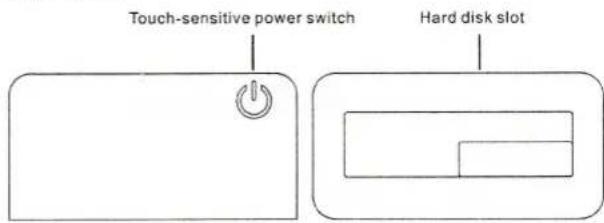
Front face and top face
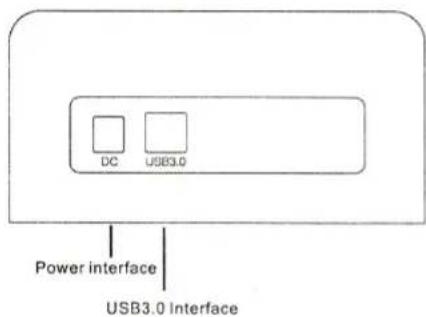
Interface diagram
Hardware Install
- Plug the power cable to the power outlet, connect the DC to the docking station.
- Use the USB3.0 cable connect the computer and the docking station
- Insert the SATA hard drive to the docking station. Open the DC power switch, after the computer find the equipment, you will find a new mobile device in the disk management
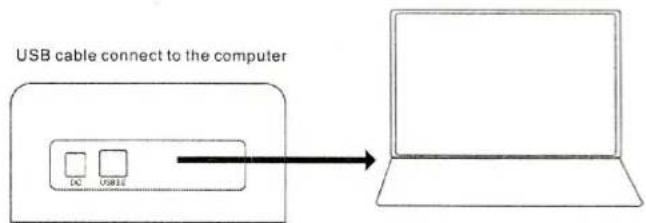
flowchart
graph LR
    A["USB cable connect to the computer"] --> B["DC / USB11"]
Remove equipment instructions
Note: When you need to remove the equipment, please stop the device to read and write, otherwise you cannot remove the equipment, forced exit may lead to abnormal data.